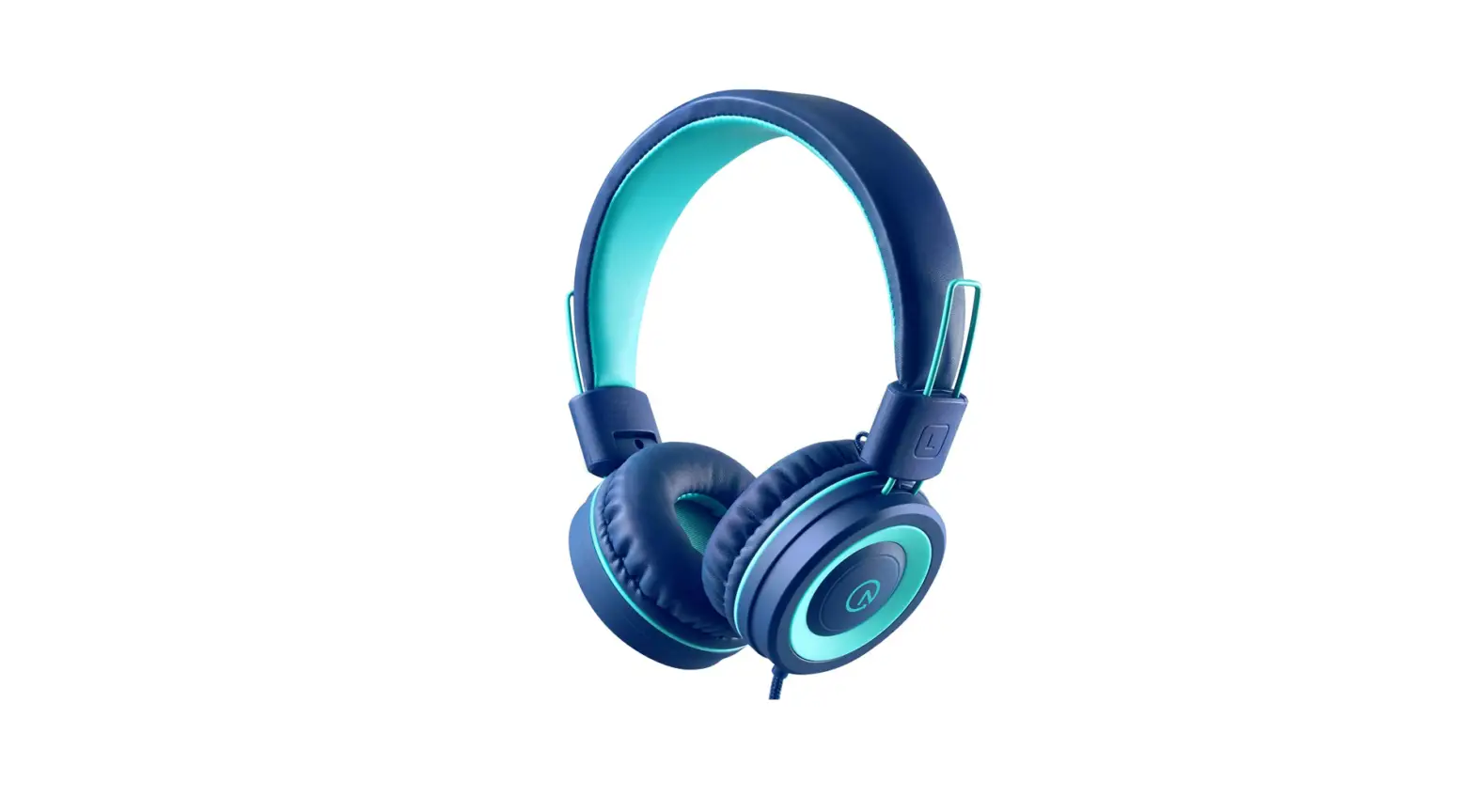
Product Information
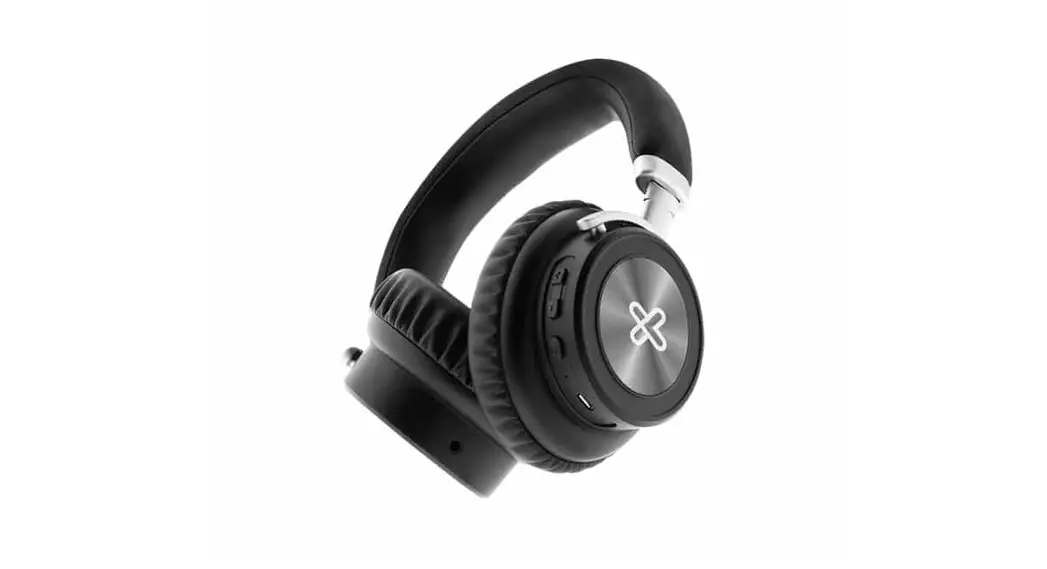
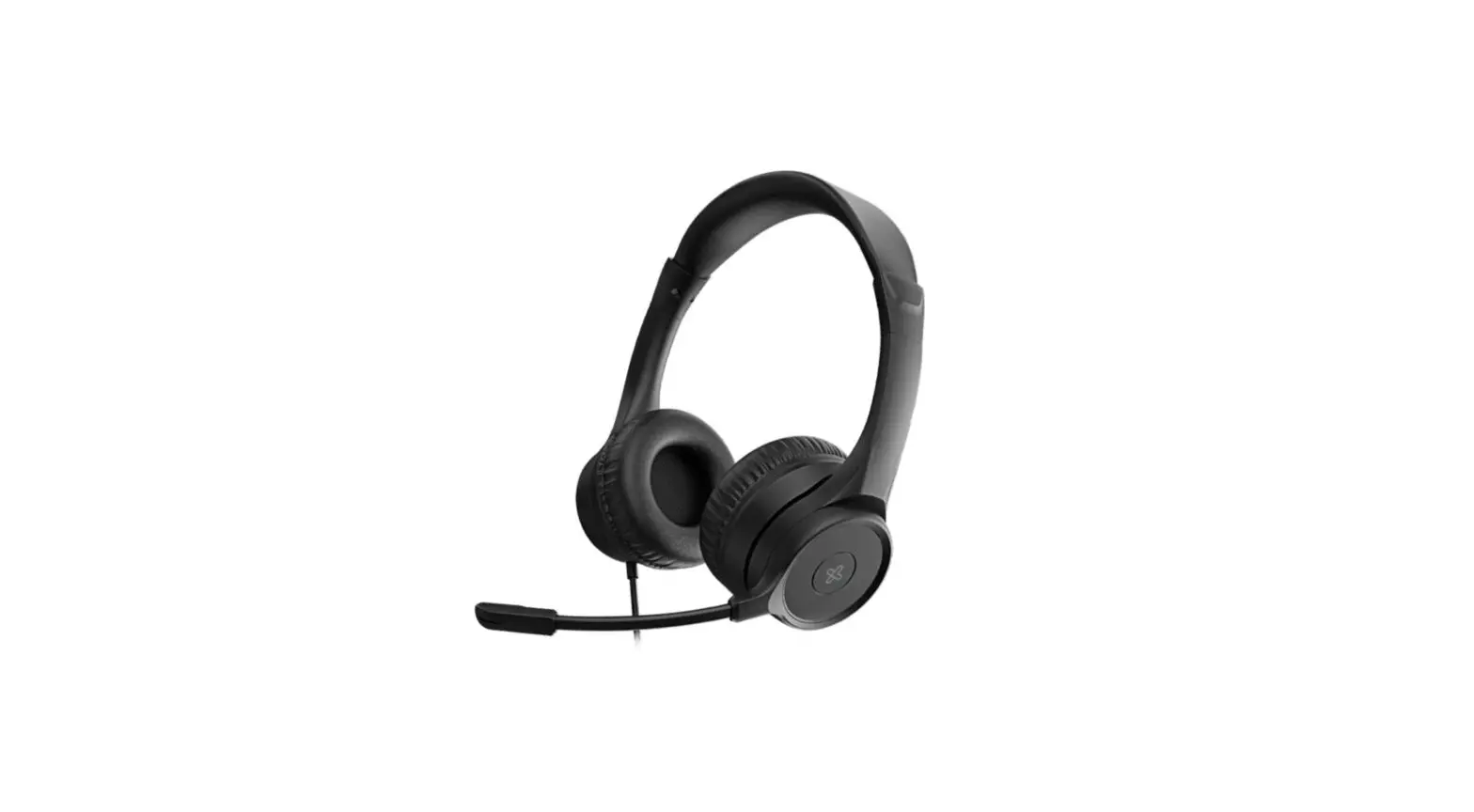
KWH-750
Style: English
Warnings:
- AUDIO PRODUCT WARNING! Please keep in mind that permanent
hearing loss may result from long-term exposures to sounds at high
volumes. It is recommended to use as low a volume as possible. - This product might be capable of delivering sounds at loud
volumes and high-pitched audible tones. Under certain
circumstances, exposure to such loud sounds can result in permanent
hearing loss damage. The volume level may vary based on the
conditions such as audio source you are using, volume settings, and
the environment. Avoid prolonged use of the headset at excessive
sound pressure levels. - You can reduce the risk of hearing damage by following these
safety guidelines:
Product Usage Instructions
I. Introduction
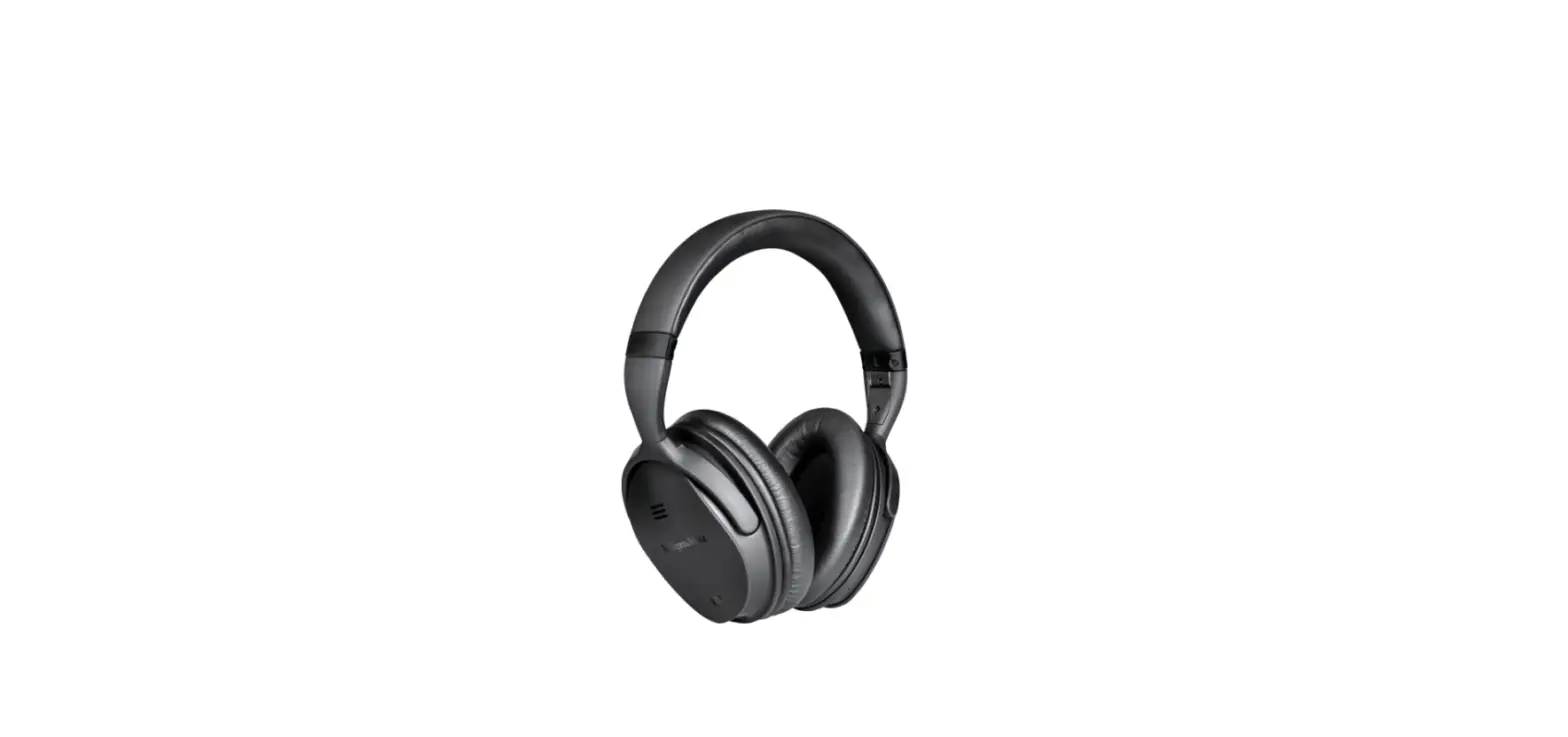
The KWH-750 is equipped with various controls and functions:
- Increase volume/Next song button
- Power (multifunction) button: Pairing mode, On/off, Play/pause,
Answer and end a call, Reject a call, Call transfer, and Voice
Assistance function - Decrease volume/Previous song button
- LED Indicator
- Type-C charging port
- 3.5mm input jack
- Built-in microphone
- Cushioned ear pads
- Adjustable headband
III. Product components – Controls and functions
Function:
- Power On: Press and hold this button for approximately 3
seconds. - Power Off: Press and hold this button for approximately 3
seconds. - Pairing mode: Press and hold this button for approximately 3
seconds. (Same as power on)
LED indicator:
- The green and blue LED blinks alternately.
- The LED turns off.
- The LED will blink green and blue alternately when in pairing
mode, and will blink green once it has paired successfully.
Function:
- Play/Pause: Briefly press this button to play and pause
media. - Answer an incoming call: Briefly press this button once to
answer an incoming phone call (music will be paused). - End a call: Briefly press this button once to end a call (music
will resume). - Reject a call: Press and hold this button for about 1 second to
reject an incoming call. - Transfer a call: While on an active call, press and hold this
button to switch devices, from the headset to the mobile
phone. - Voice Assistant: Press and hold this button for 1.5 seconds to
enable the voice assistance for Siri or Google. Press this button
two times to redial the last number called.
LED indicator:
- Press and hold this button to increase the audio level of the
headphones. - Press this button briefly to play the next track.
Function:
- Press and hold this button to decrease the audio level of the
headphones. - Press this button briefly to play the previous track.
LED indicator:
IV. Basic operation
a. Charging your headphones
*Do not use a USB fast charging or PD adapters with an output
power greater than 5VDC; otherwise, you will damage your headphones
and void the warranty.
b. Auxiliary wired connection
V. Advanced operation – Pairing the headset with your mobile
device
- Place both devices not more than one meter away from each
other. - On your mobile phone, tap the newly discovered audio device
(Style-KWH-750).
KWH-750
STYLE
ENGLISH
WARNINGS
AUDIO PRODUCT WARNING! Please keep in mind that permanent hearing loss may result from long-term exposures to sounds at high volumes. It is recommended to use as low a volume as possible.
This product might be capable of delivering sounds at loud volumes and high-pitched audible tones. Under certain circumstances, exposure to such loud sounds can result in permanent hearing loss damage. The volume level may vary based on the conditions such as audio source you are using, volume settings and the environment. Avoid prolonged use of headset at excessive sound pressure levels.
You can reduce the risk of hearing damage by following these safety guidelines.
1. Prior to using this product, follow these steps
· Before using this product, make sure to turn the volume control to its lowest level.
· Put the headsets on. · Slowly adjust the volume control to a comfortable level.
2. During the use of this product
· Keep the volume at a comfortable or lowest level possible. · If increased volume setting is necessary, adjust the volume control slowly. · Ringing in the ears may be an indication that the sound level is too high. · Stop using the product if it causes great discomfort.
BATTERY WARNING! · “Caution”-Unless otherwise specified in the user manual or quick start guide,
the battery in your product cannot be removed or replaced by the user. Any attempt to do so is risky and may result in damage of self and product. · Use of other batteries may present a risk of fire or explosion and the warranty will be voided.
CHARGER WARNING! · Do not use a wall charger with more than 5VDC/1A output. · When you disconnect the power cord, grasp and pull the plug, not the cord.
Never use a charger that is damaged. · Avoid charging your product in extremely high or low temperatures. Avoid
using the charger in damp areas.
I. Introduction
Thank you for purchasing the Style-KWH-750 stereo headphones with Bluetooth® wireless technology. We encourage you to read this quick installation guide thoroughly to get the most of this innovative wireless device.
Main features · The battery provides extended playback times of up to 40 hours with 500
hours of standby time*** on a single charge · Experience ultimate freedom with the latest V 5.0 streaming technology: that is
higher speeds, expanded range and capacity compared to older devices equipped with this function · Compatible with Google and Siri voice assistant, it supports the voice recognition feature for true hands-free control and access to your linked device at the touch of a button · Fine-tuned acoustics delivered through high-performance 40mm drivers · Crisp highs, mids and dynamic bass can be equally enjoyed in wired or wireless modes · Seamless, hands-free management of your entertainment and calls · Adjustable headband with hinged earcups are built for all day comfort · Soft leatherette exterior enhances its stylish and sleek design · Foldable for easy portability in its attractive hard protective case
Package content · Wireless headphones · Type-C charging cable · 3.5mm audio cable · User guide · Hard case II. Product overview
1
2 3
6 7
9 8
54
1. : Increase volume/Next song
2. : Power (mutifunction) button: Pairing mode, On/off, Play/pause, Answer
and end a call, Reject a call, Call transfer and Voice Assistance function 3. : Decrease volume/Previous song 4. LED Indicator 5. Type-C charging port 6. 3.5mm input jack 7. Built-in microphone 8. Cushioned ear pads 9. Adjustable headband
III. Product components
Controls and functions
Control
: Power (multifunction) button
Function
1. Power On: Press and hold this button for approximately 3 seconds. 2. Power Off: Press and hold this button for approximately 3 seconds. 3. Pairing mode: Press and hold this button for approximately 3 seconds. (Same as power on)
LED indicator
1. The green and blue LED blinks alternately 2. The LED turns off. 3. The LED will blink green and blue alternately when in pairing mode, and will will blink green once it has paired successfully
Control
:Volume up/next track button
Function
4. Play/Pause: Briefly press this button to play and pause media. 5. Answer an incoming call: Briefly press this button once to answer an incoming phone call (music will be paused) 6. End a call: Briefly press this button
once to end a call (music will resume) 7. Reject a call: Press and hold this button for about 1 second to reject an incoming call 8. Transfer a call: While on an active call, press and hold this button to switch devices, from the headset to the mobile phone 9. Voice Assistant: Press and hold this button for 1.5 seconds to enable the voice assistance for Siri or Google. Press this button two times to redial the last number called.
LED indicator
1. Press and hold this button to increase the audio level of the headphones 2. Press this button briefly to play the next track.
Control
:Volume down/previous track button
Function
1. Press and hold this button to decrease the audio level of the headphones 2. Press this button briefly to play the previous track
LED indicator
IV. Basic operation
a. Charging your headphones
· Plug one end of the supplied USB-C Type cable to your headphones USB-C port and the other end into the USB port of your computer or to a 5VDC/1A USB power adapter to fully charge the battery*. Note: The headphones’ battery should be initially charged for at least 4 hours. Thereafter, the battery will take about 3 hours to recharge.
· While the headphones are being charged, the LED glows red. The LED will turn OFF once the battery has reached full capacity.
· When battery is low, the LED indicator will start blinking every five seconds. Also, when the remaining battery is at 20%, an audible prompt will be heard to indicate that the headphones need to be recharged.
· Make sure that the headphones are fully charged before using them for the first time.
*Do not use a USB fast charging or PD adapters with an output power greater than 5VDC; otherwise, you will damage your headphones and void the warranty.
b. Auxiliary wired connection
· With the headset On or Off, insert the 3.5mm cable to play in Auxiliary mode. Plug one end of the supplied 3.5mm cable to your headphones and the other end to the 3.5mm auxiliary port in your input source.
· The LED indicator on the headset will turn off and the headset will automatically switch to auxiliary in mode. Note: When the Bluetooth® mode is enabled and the auxiliary cable is connected, you will experience a momentary loss of audio as the input changes to the wired 3.5mm connection.
· Set the desired volume on the input source. The volume controls on the headphone will not operate when they are connected to an external wired audio source. Note: Once you remove the cable, the device will not return automatically to Bluetooth® mode. Instead, you must turn the unit off and then on again to reactivate the wireless function.
V. Advanced operation
Pairing the headset with your mobile device
1. Turn on the headset by pressing and holding the power button. The LED light will start blinking green and blue indicating that it has entered into the Bluetooth® interface and is ready to be paired.
2. Next, set your Bluetooth® mobile device to “discover” the wireless headphones.
3. Place both devices not more than one meter away from each other. 4. On your mobile phone, tap the newly discovered audio device (Style-KWH-750)
being displayed in the Bluetooth® list. The headset is now ready to be used wirelessly. 5. If you have a lower Bluetooth® version, you may be prompted to enter the passkey 0000 (4 zeros). 6. If pairing is successful, the LED will glow green. If after 60 seconds the pairing process fails, please turn off the headset and repeat steps 1 through 5 described above. 7. The headset will enter into the Standby mode and will eventually turn off automatically after five minutes if there is no matching device available for pairing. Note: The headset will automatically pair to the last known connected device 3 seconds after is powered on.
Pairing the headphones to two Bluetooth® devices
1. Once the headset has paired with the first Bluetooth® compatible device, momentarily disconnect the headset from that first mobile device.
2. The blue and green LEDs on the headphones will start alternating to indicate that the device has entered into the pairing mode.
3. Using the second mobile or Bluetooth® device, set it to “discover” the wireless headphone.
4. On your mobile device, tap the newly discovered headphon (Style-KWH-750) to establish the wirelessly connection.
5. Now, return to the first Bluetooth® compatible device that was originally connected to and search for the (Style-KWH-750) headphone once again to reconnect.
6. Now, the headphones can be actively connected to the two devices at the same time.
Using the wireless headset
a. Answering and ending a call using your mobile device
1. When there is an incoming call, an alert tone will be heard through the headphones. Briefly press the multifunction button to pick it up. You may also press the answer button on your smartphone to take the call (music will be paused).
2. To end a call, simply press the multifunction button once again. Likewise, you may also finish the call directly using the end key on your mobile (music will be resume automatically).
3. To reject an incoming call, press the multifunction button for about 1 second. 4. Press and hold the multifunction button if during an active call, you want
switch (or transfer) such call from the headset to the mobile phone.
b. Music playback
1. Briefly press the play/pause (multifunction) button to start and stop audio playback.
2. Press and hold the and buttons for 2 seconds to go to the next or previous track.
3. Briefly press the and buttons to increase or decrease the volume on the headphones.
4. When listening to music using your smartphone, playback will pause to allow the call to go through.
5. As soon as you hang up, music playback will resume automatically.
VI. Troubleshooting
a. The headphones are not turning on. – Charge the headphones. If they don’t turn on even after charging, contact customer service for help.
b. The headphones are not charging. – Check if the supplied USB charging cable has been properly connected to the headphones and the power source. – Verify if the power source is on and properly connected. – If using a USB charging cable different from the one supplied, make sure that it is properly connected and functioning.
c. The headphones are not pairing. – Check if the Bluetooth® device is powered on. – Verify if the Bluetooth® mode is enabled on the device. – Check if both devices are within 1 meter from each other. – Verify if the Bluetooth® device is compatible with the headphones.
d. Music will not play through the headphones. – Check if the headphones and the Bluetooth® device are powered on. – Verify if there is music playing on your Bluetooth® device. – Check the volume level on your Bluetooth® device.
e. There is distortion, lag or interference in the connection. – Check if there is a 2.4GHz device close to the headphones or Bluetooth® device. – Verify that both devices are placed within the recommended distance. – Verify if the Bluetooth® version of the source you are using is older than the version on the headphones, such scenario may cause a sudden disconnection.
f. Difficulty in listening to a caller when receiving a call. – Check if the headphones are connected to the Bluetooth® device. – Verify if the Bluetooth® mode is enabled on your device. – Check the volume level on your Bluetooth® device. – If used in auxiliary mode, verify that the audio cable is properly connected to the headset.
VII. Care and maintenance
HEADSET DEVICE
· Always unplug the product from the charger before cleaning · It is recommended to clean the product by wiping with a dry soft cloth. The
cord may only be dry-dusted.
BUILT-IN BATTERY CARE
· This product is powered by a rechargeable battery. The full performance of a new battery is achieved only after two or three complete charge and discharge cycles.
· The battery can be charged and discharged hundreds of times, but will eventually wear out. Do not leave a fully charged battery connected to charger, since overnight charging may shorten its lifetime.
· Unplug the charger from the electrical plug and product when not in use. · If left unused, a fully charged battery will lose its charge over time. · Leaving the product in hot or cold places such as in a closed car in the summer
and winter conditions, will reduce the capacity and lifetime of the battery. · Always try to keep the battery between 15 and 25 degrees Celsius (59 and 77
degrees Fahrenheit). A product with a hot or cold battery may not work temporarily, even when the battery is fully charged. · Charge/power the headset according to the instructions supplied with the product.
Technical specifications
MPN
Headphone Form factor Driver unit Maximum power output Frequency Signal-to-noise ratio Impedance Sensitivity Microphone Form factor Directivity Frequency Impedance Sensitivity Connectivity Connection type
Wireless RF frequency Wireless range Bluetooth® profiles
KWH-750
On ear 40mm 20mW per driver 100Hz-20,000Hz 80dB 32 ± 15% 119 ± 3dB/mW (S.P.L at 1kHz)
Built-in on left capsule Omnidirectional 100Hz-18,000Hz 680 -42dB ±3dB at 1kHz
Bluetooth® V5.0 and 3.5mm audio connector 2.402GHz–2.480GHz Up to 66ft* – Supports the V5.0 specification – A2DP v1.2 – AVRCP v1.4 – HFP v1.6 – HSP v1.2 – DI v1.3
Advanced audio characteristics (not user-configurable) Audio codecs
Battery Type
Charging time Run time
Standby time Charging input Additional information Product dimensions (LxWxH) Product weight Cable length Warranty
· SBC, MP3, AAC · Stereo audio ADC with line input · Stereo audio DAC · Supported sample rates of 8, 11.025, 16,
22.05, 32, 44.1, 48 and 96kHz (DAC only)
Rechargeable lithium-ion battery, 3.7VDC 600mAh Up to 3 hours** Up to 40 hours at 50% volume Up to 30 hours at 100% volume*** 500 hours USB Type-C to USB A cable: 5VDC/1A max.
7.3×6.8×2.9in 12.7oz 5ft One year
*Range estimate is based on an area free and clear of obstacles and interference, and within the line-of-sight between both Bluetooth® 5.0 devices ** First time charge should take 4 hours, thereafter 3 hours. ***It depends on the volume level and type of audio files being played.
Precautions
· Do NOT drop, hit or shake the device. · Never try to disassemble, repair or modify the headset yourself, or push objects
of any kind into the product, as this may cause short circuits which could result in a fire or electric shock. · None of the components can be replaced or repaired by users. Only authorized personnel may open the product. · This product is not a toy-never allow children to play with this product and always store the product out of reach of children. · Protect the cords from being damaged or pinched. · Discontinue to use the product if it overheats, has been dropped or damaged, exposed to water or if it has a damaged cord or plug. · Do not use cleaning products that contain benzene, solvents or alcohol. · Do NOT expose headset to excessive heat or to direct sunlight for long periods of time. · Do NOT store the device in a place with high humidity or dust. · Do NOT place heavy objects on top of the headset. · Do NOT use near a microwave oven or wireless LAN products.
FCC statement
This equipment has been tested and found to comply with the limits for a Class B digital device, pursuant to part 15 of the FCC Rules. These limits are designed to provide reasonable protection against harmful interference in a residential installation. This equipment generates, uses, and can radiate radio frequency energy and, if not installed and used in accordance with the instructions, may cause harmful interference to radio communications. However, there is no guarantee that interference will not occur in a particular installation. If this equipment does cause harmful interference to radio or television reception, which can be determined by turning the equipment off and on, the user is encouraged to try to correct the interference by one or more of the following measures:
· Reorient or relocate the receiving antenna. · Increase the separation between the equipment and receiver. · Connect the equipment into an outlet on a circuit different from that to which
the receiver is connected. · Consult the dealer or an experienced radio/TV technician for help.
ESPAÑOL
¡ADVERTENCIAS!
ADVERTENCIA RELATIVA A PRODUCTOS DE AUDIO Debes tener presente que la exposición prolongada a sonidos con altos niveles de volumen puede producir la pérdida permanente de la audición. Se recomienda mantener el volumen en su mínmima regulación.
Este producto es capaz de generar sonido con niveles de volumen muy elevados y tonos agudos perceptibles. La exposición a tales sonidos, bajo ciertas circunstancias, puede provocar daños irreversibles al oído. La intensidad del volumen puede variar según las condiciones existentes, tales como la fuente de audio utilizada, la regulación del volumen, así como las características del entorno. Evita el uso prolongado de los auriculares con niveles de presión de sonido excesivos.
Si cumples con las siguientes pautas de seguridad, puedes reducir el riesgo de daños auditivos:
1. Ejecuta los pasos a continuación antes de utilizar este producto
· Antes de usar el producto, disminuye el volumen al mínimo. · Ponte el auricular. · Lentamente incrementa la regulación del volumen hasta un nivel agradable de
escuchar.
2. Durante la utilización del producto
· Mantén el volumen en un nivel agradable de escuchar o en la mínima regulación posible.
· Si es necesario aumentar el volumen, regula lentamente el control de intensidad.
· El zumbido en los oídos puede ser una indicación de que la intensidad del sonido es excesivamente alta.
· Deja de usar el producto si te causa mucha incomodidad.
¡ADVERTENCIA RELATIVA A LA BATERÍA! · “Precaución”-A menos que se especifique lo contrario en el manual del
usuario o en la guía de configuración rápida, la batería del producto no es susceptible de ser retirada ni reemplazada por el usuario. Aparte de ser peligroso, puede ocasionar daños al producto y a la persona que intente manipularlo. · El uso de otras baterías puede presentar riesgos de incendio o de explosión, en cuyo caso dejará sin efecto la garantía del producto.
¡ADVERTENCIA SOBRE EL CARGADOR! · No utilices un cargador de pared con una salida superior a 5V y 1A. · Cuando desconectes el cable de alimentación, sujétalo del enchufe para tirarlo,
nunca del cable. Jamás utilices un cargador que esté fallado. · Evita cargar el producto cuando la temperatura ambiente es extremadamente
alta o baja. Evita además utilizar el cargador en zonas húmedas.
I. Introducción
Gracias por preferir los audífonos estéreo Style-KWH-750 con tecnología inalámbrica Bluetooth®. Le recomendamos leer detenidamente la guía de instalación rápida, con el objeto de aprovechar al máximo todas las ventajas de este innovador dispositivo inalámbrico.
Características principales · La batería integrada ofrece hasta 40 horas de reproducción continua y 500 horas en
modo de pausa***, con una sola carga · Disfruta de la libertad al extremo con la última tecnología inalámbrica Bluetooth®
V5.0: obtienes velocidades de transferencia más altas, mayor alcance y capacidad comparada con versiones anteriores de dispositivos dotados con esta función · El reconocimiento de la voz a través de Siri y Google Assistant permite el control y acceso total al dispositivo con manos libres con la simple pulsación de un botón · Sofisticación acústica a través de microparlantes de 40mm, de alto rendimiento · Tonos agudos, medios y graves dinámicos son reproducidos con la misma nitidez mediante una conexión con o sin cables · Gestión fluida con manos libres de tu entretenimiento y de tus llamadas telefónicas · La diadema ajustable con cápsulas articuladas ofrece máxima comodidad durante todo el día · El exterior suave de cuerina realza su elegante y moderno diseño · Plegable, para su fácil portabilidad en su atractivo estuche de tapa rígida
Contenido del empaque · Audífonos inalámbricos · Cable Tipo-C para carga · Cable de audio de 3,5mm · Guía del usuario · Estuche rígido II. Descripción del producto
1
9 8
2 3
6
7
54
1. : Subir volumen/Próxima pista 2. : Botón (multifunción) de conexión: Modo de emparejamiento,
Encendido/apagado, Reproducción/pausa, Contestar y finalizar una llamada,
Rechazar una llamada, Transferir una llamada y función del Asistente de Voz 3. : Bajar volumen/Pista anterior 4. Indicador LED 5. Puerto Tipo-C para carga 6. Conjuntor estéreo de 3,5mm 7. Micrófono integrado 8. Almohadillas acolchadas para los oídos 9. Diadema ajustable
III. Componentes del producto a. Controles y funciones
Control
: Botón de conexión (multifunción)
Función
Indicador LED
1. Encendido: Mantenga presionado este 1. El LED de se
botón por aproximadamente 3 segundos ilumina
2. Apagado: Mantenga presionado este alternadamente
botón por aproximadamente 3 segundos. de color verde y
3. Emparejamiento: Mantenga presionado azul
este botón por aproximadamente 3
2. Se extingue la
segundos. (Igual que en el modo de
luz LED
conexión)
Control
Función
Indicador LED
4. Reproducción/Pausa: Presione
3. La luz LED se
brevemente este botón para iniciar y
ilumina
detener la reproducción de medios
alternadamente de
5. Recepción de una llamada: Presione color verde y azul
brevemente este botón una vez para
en el modo de
contestar una llamada telefónica entrante emparejamiento, y
(en cuyo caso se detiene la reproducción de se ilumina en
música)
forma intermitente
6. Finalizar una llamada: Presione
de color verde
brevemente este botón una vez para
para indicar que
concluir una llamada telefónica (en cuyo se ha establecido
caso se reinicia la reproducción de música con éxito la
en forma automática)
conexión
7. Rechazar una llamada: Mantenga
inalámbrica
presionado este botón por 1 segundo para
rechazar una llamada entrante
8. Transferir una llamada: Cuando esté en
una llamada en curso, mantenga presionado
este botón para cambiar de dispostivo,
desde el auricular al teléfono móvil
9. Asistente de voz: Mantenga presionado
este botón por 1,5 segundos para
habilitar el asistente de voz para Siri o
Google. Presione este botón dos veces para
volver a marcar el último número discado
Control
Función
: Botón para 1. Mantrenga presionado este botón subir el volumen/ para aumentar la intensidad de audio próxima pista de los audífonos
2. Oprima brevemente este botón para reproducir la próxima pista
: Botón para 1. Mantenga presionado este botón bajar el volumen/ para disminuir la intensidad del audio pista anterior de los audífonos
2. Oprima brevemente este botón para reproducir la pista anterior
Indicador LED
IV. Funcionamiento básico
a. Carga de los audífonos
· Para cargar la batería, inserte un extremo del cable USB Tipo-C suministrado en el puerto USB-C del audífono y el otro en el puerto USB de su computadora o adaptador USB de 5VCC/1A.* Nota: Inicialmente se debe suministrar energía durante un lapso de 4 horas a la batería de los audífonos. A contar de entonces, el proceso de recarga de la batería tomará aproximadamente 3 horas.
· Mientras se carga la batería, el LED se ilumina de color rojo en forma permanente. Una vez que la batería alcanza el nivel de carga plena, se extingue por completo el indicador LED.
· Cuando disminuye la carga de la batería, el indicador comienza a parpadear una vez cada cinco segundos. Además, cuando la carga de la batería disminuye a un 20% de su capacidad, el auricular emitirá un tono audible para indicar que necesita ser recargado.
· Cerciórese de cargar completamente el audífono antes de utilizarlo por primera vez.
*No utilice adaptadores de carga rápida USB ni adaptadores para distribución de corriente (PD) con una potencia de salida superior a 5VCC; de lo contrario podrá dañar el audífono y anular la garantía.
b. Conexión con cable auxiliar
· Con el audífono encendido o apagado, inserte el cable de 3,5mm para la reproducción en modo Auxiliar. Conecte un extremo del cable incluido en el audífono y el otro, en el puerto auxiliar de 3,5mm de la fuente de entrada.
· Lo anterior hará que se extinga el indicador LED, activándose en forma automática el modo de reproducción auxiliar en el audífono. Nota: Cuando se conecta el cable auxiliar teniendo el modo Bluetooth® habilitado, experimentará la pérdida momentánea del audio al realizar el cambio de entrada a la conexión cableada de 3,5mm.
· Regule la intensidad del volumen desde la fuente de audio. Los controles de volumen no funcionan cuando se conecta el audífono físicamente a una fuente de audio externa.
Nota: Una vez que retire el cable, el dispositivo no se reconecta en forma automática al modo Bluetooth®. Deberá en cambio apagar la unidad y volver a encenderla para reactivar la función inalámbrica.
V. Funcionamiento avanzado
Cómo emparejar los auriculares con su dispositivo móvil.
1. Mantenga presionado el botón de conexión para encender el auricular. La luz LED comenzará a parpadear de color azul y verde para indicar que ha pasado a la interfaz de Bluetooth® y que está listo para ejecutar el emparejamiento.
2. A continuación, programe la función Bluetooth® en su teléfono móvil para que pueda ‘descubrir’ los audífonos inalámbricos.
3. Ubique ambos dispositivos a no más de un metro de distancia entre sí. 4. En su teléfono móvil, seleccione el nuevo dispositivo de audio detectado
(Style-KWH-750) que aparece desplegado en la lista Bluetooth®. El auricular ahora está listo para ser utilizado en forma inalámbrica. 5. En caso de contar con una versión Bluetooth® inferior, es posible que se le pida ingresar la clave 0000 (4 ceros). 6. Cuando el proceso de emparejamiento concluye en forma exitosa, el LED se ilumina de color verde. Si después de un intervalo de 60 segundos no logra emparejar el dispositivo, repita los pasos del 1 al 5 del procedimiento anterior. 7. El audífono pasará al modo de Pausa, apagándose en forma automática después de cinco minutos, de no existir ningún dispositivo con el cual se pueda emparejar. Nota: El auricular se emparejará automáticamente con el último dispositivo conectado 3 segundos después de haber encendido la unidad.
Cómo emparejar los auriculares con dos dispositivos Bluetooth®
1. Una vez que el auricular se haya emparejado con el primer dispositivo compatible con Bluetooth®, desconecte momentáneamente el auricular de ese primer dispositivo móvil.
2. Los LEDs de color azul y verde de los auriculares comenzarán a alternar, para indicar que se ha iniciado el proceso de emparejamiento en el dispositivo.
3. Configure el segundo móvil o dispositivo Bluetooth® para que “descubra” el auricular inalámbrico.
4. En su dispositivo móvil, seleccione el auricular que acaba de detectar (Style-KWH-750), con el fin de establecer la conexión inalámbrica.
5. A continuación, abra el primer dispositivo compatible con Bluetooth® con el cual el auricular (Style-KWH-750) estableció originalmente la conexión y búsquelo en la lista con el fin de reconectarlo inalámbricamente una vez más.
6. A contar de ese momento estará habilitada la conexión de los auriculares con ambos dispositivos al mismo tiempo.
Funcionamiento de los auriculares con tecnología Bluetooth®
a. Contestar y finalizar una llamada desde su dispositivo móvil
1. Al recibir una llamada entrante, se escuchará un tono de alerta a través de los audífonos. Oprima brevemente el botón multifunción para contestar. También puede pulsar el botón de su teléfono inteligente para recibir la comunicación (en cuyo caso se detiene la reproducción de música en forma automática).
2. Para finalizar una llamada, pulse el botón multifunción una vez más. Del mismo modo, también puede concluir la llamada directamente utilizando el comando de su dispositivo celular (en cuyo caso se reinicia la reproducción de música en forma automática).
3. Con el objeto de rechazar una llamada entrante, presione el botón multifunción por aproximadamente 1 segundo.
4. Presione el botón multifunción si durante una llamada en curso decide cambiar (o transferir) esa comunicación desde el auricular al teléfono móvil.
b. Reproducción de música
1. Presione brevemente el botón de reproducción/pausa (multifunción) para iniciar y detener la música.
2. Presione los botones o durante 2 segundos para pasar a la próxima pista o a la pista anterior.
3. Oprima brevemente los botones o para aumentar o disminuir la intensidad del audio del audífono.
4. Si está escuchando música por el teléfono inteligente, la reproducción se interrumpe para que pueda ingresar la llamada.
5. Tan pronto cuelgue, la reproducción de música se reinicia en forma automática.
VI. Guía de solución de problemas
a. La unidad no enciende. – Cargue los audífonos. Si no se encienden a pesar de haberlos cargado, contáctese con el servicio al cliente para solicitar ayuda.
b. La unidad no está recibiendo carga. – Compruebe si el cable USB para carga incluido está conectado correctamente al audífono y a la fuente de alimentación. – Verifique si la fuente de alimentación está encendida y debidamente conectada. – De estar usando un adaptador USB distinto al incluido con la unidad, asegúrese de que esté conectado y funcionando correctamente.
c. Los audífonos no se emparejan. – Compruebe si está encendido el dispositivo Bluetooth®. – Verifique si ha sido habilitado el modo Bluetooth® en el dispositivo. – Compruebe si ambos dispositivos se encuentran a I metro de distancia entre sí. – Verifique que el dispositivo Bluetooth® es compatible con los audífonos.
d. No se escucha música a través de los audífonos. – Compruebe si están conectados los audífonos y el dispositivo Bluetooth®. – Verifique si en su dispositivo Bluetooth® está activada la reproducción de música. – Compruebe el nivel de volumen en el dispositivo Bluetooth®.
e. Hay distorsión, demora o interferencia en la conexión. – Compruebe si existe un dispositivo de 2.4GHz cerca de los audífonos o del dispositivo Bluetooth®. – Verifique que ambos dispositivos hayan sido ubicados manteniendo la distancia recomendada. – Verifique si la versión Bluetooth® de la fuente que se está utilizando es inferior a la versión de los auriculares, ya que la desconexión repentina puede producirse en este tipo de escenario.
f. Dificultad para escuchar al interlocutor cuando recibe una llamada. – Compruebe si los audífonos están conectados con el dispositivo Bluetooth®. – Verifique que ha sido habilitado el modo Bluetooth® en su dispositivo. – Compruebe el nivel de volumen en el dispositivo Bluetooth®. – Si utiliza el modo auxiliar, compruebe que el cable de audio esté conectado correctamente al auricular.
VII. Cuidado y mantenimiento
AURICULAR
· Se debe desconectar el producto del cargador antes de limpiarlo · Se recomienda frotar suavemente el producto con un paño seco. Limpie el
polvo que pueda acumular el cordón sin humedecerlo.
CUIDADO DE LA BATERÍA INTEGRADA
· Este producto funciona con una batería recargable. El óptimo rendimiento de una batería nueva se obtiene tras completar dos o tres ciclos de carga y descarga.
· A pesar de que la batería se puede cargar y descargar cientos de veces, su desgaste a la larga es inevitable. No deje una batería completamente cargada conectada al cargador, ya que el suministro prolongado puede degradar su vida útil.
· Desconecte el cargador de la fuente de alimentación y del producto mientras no se necesite.
· Una batería completamente cargada que no se utilice perderá la energía acumulada con el correr del tiempo.
· Dejar el producto en lugares con temperaturas muy altas o bajas, como al interior de un vehículo durante la época de verano o invierno, no sólo reducirá la capacidad, sino que además la vida útil de la batería.
· Intente siempre mantener la batería a una temperatura que oscile entre 15 y 25 grados Celsius (59 y 77 grados Fahrenheit). Es posible que el producto no funcione temporalmente a causa del recalentamiento o enfriamiento de la batería, a pesar de estar cargada a plena capacidad.
· Cargue/conecte el auricular de acuerdo con las instrucciones que se suministran con el producto.
Especificaciones técnicas
MPN
Audífono Factor de forma Unidad del parlante Máxima potencia de salida Frecuencia Relación de señal a ruido Impedancia Sensibilidad Micrófono Factor de forma Directividad Frecuencia Impedancia Sensibilidad Conectividad Tipo de conexión
Frecuencia de RF inalámbrica Alcance inalámbrico Perfiles Bluetooth®
KWH-750
Supraaural 40mm 20mW cada microparlante 100Hz-20.000Hz 80dB 32 ± 15% 100dB +/- 3dB (N.P.S a 1kHz)
Integrado en la cápsula izquierda Omnidireccional 100Hz-18.000Hz 680 -42dB ±3dB a 1kHz
Bluetooth® V5.0 y conector de audio de 3,5mm 2.402GHz–2.480GHz Hasta 20 metros* – Admite la especificación V5.0 – A2DP v1.2 – AVRCP v1.4 – HFP v1.6 – HSP v1.2 – DI v1.3
Características de audio avanzadas
(no son configurables por el usuario)
Códecs de audio
· SBC, MP3, AAC
· Audio estéreo DAC con entrada de línea
· Audio estéreo DAC
ç
· Frecuencias de muestreo admitidas de 8,
11.025, 16, 22.05, 32, 44.1, 48 y 96kHz
(sólo para DAC [Convertidor digital
analógico])
Batería
Tipo
Batería recargable de iones de litio, de 3,7V y
600mAh
Tiempo de carga
Hasta 3 horas**
Tiempo de funcionamiento
Hasta 40 horas con el volumen al 50% de su
capacidad
Hasta 30 horas con el volumen al 100% de su
capacidad***
Tiempo en modo de pausa
500 horas
Entrada para carga
Cable USB Tipo- C a USB A: 5VCC/1A máx.
Información adicional
Dimensiones del producto
18,5×17,5×7,5cm
(LaxAnxAl)
Peso del producto
360g
Longitud del cable
1,5m
Garantía
Un año
*El cálculo de la distancia se basa en un área despejada, sin interferencias, y en línea recta entre ambos dispositivos Bluetooth® 5.0. **Se debe cargar inicialmente durante 4 horas, y de allí en adelante, el ciclo será de 3 horas. ***Depende de la intensidad del volumen y del tipo de archivo de audio utilizado.
Precauciones
· Jamás deje caer, sacuda ni golpee el dispositivo. · Jamás desarmes, repares ni modifiques los audífonos tú mismo, como
tampoco introduce objetos de ningún tipo en su interior, ya que esto podría causar cortocircuitos que podrían provocar un incendio o una descarga eléctrica. · Ninguno de los componentes puede ser reemplazado ni reparado por el usuario. Sólo el personal autorizado tiene la facultad de abrir el producto. · Este producto no es un juguete: no permitas que jueguen con él, por consiguiente mantenlo siempre fuera del alcance de los niños. · Protege los cables para que evitar comprimirlos o dañarlos. · Deja de usar el producto de inmediato si se sobrecalienta, se ha caído o deteriorado, se ha expuesto al agua, o si presenta un cable o enchufe dañado. · Jamás utilice productos de limpieza que contengan bencina, solventes ni alcohol. · Jamás exponga los audífonos al calor excesivo ni a los rayos directos del sol por períodos de tiempo prolongados. · Jamás guarde el dispositivo en un lugar donde exista demasiado polvo o humedad. · Jamás coloque objetos pesados sobre los audífonos. · Jamás utilice el dispositivo cerca de un horno microondas ni productos inalámbricos para redes LAN.
Declaración relativa a interferencias de la Comisión Federal de Comunicaciones
Tras haber sido sometido a todas las pruebas pertinentes, se ha comprobado que este equipo cumple con los límites establecidos para dispositivos digitales Clase B, conforme a la Sección 15 del Reglamento de la Comisión Federal de Comunicaciones (FCC). Tales límites definen los niveles máximos permisibles a las interferencias nocivas de la energía radioeléctrica en instalaciones residenciales. Puesto que el actual equipo genera, utiliza y puede radiar energía radioeléctrica, si no observa las instrucciones relativas a la instalación y operación del dispositivo, puede provocar interferencias nocivas a las comunicaciones por radio. Sin embargo, no es posible garantizar que no se producirá interferencia alguna en una instalación determinada. Dado el caso de que el equipo interfiriera en la recepción de aparatos de radio o televisión, lo cual se puede determinar al apagar y volver a encender el dispositivo, le recomendamos al usuario que intente una o más de las siguientes medidas con el objeto de corregir la situación:
· Vuelva a orientar o cambie la ubicación de la antena receptora. · Aumente la distancia que separa al equipo del aparato receptor. · Conecte el equipo a un tomacorriente situado en un circuito distinto al cual
está enlazado el receptor. · Solicite asistencia al distribuidor o a un técnico experimentado en radio o
aparatos de TV.
KlipXtreme® is a registered trademark. All rights reserved. The Bluetooth® word mark is owned by Bluetooth SIG, Inc. GOOGLE is the registered trademark of Google, Inc. SIRI is the registered trademark of Apple, Inc. Klip Xtreme is not affiliated with or endorsed by these companies. Other trademarks and trade names are those of their respective owners. Any mention of such is only intended for identification purposes, and is not to be construed as a claim to any rights pertaining to, sponsorship by, or affiliation with, those brands. Made in China.
KlipXtreme® es marca registrada. El logograma Bluetooth® es propiedad de Bluetooth SIG, Inc. GOOGLE es marca registrada de Google, Inc. SIRI es marca registrada de Apple, Inc. Klip Xtreme no está afiliada ni patrocinada por tales empresas. Todas las demás marcas y nombres comerciales son propiedad de sus respectivos dueños. Cualquier mención de los mismos es por motivo de identificación solamente y por ende, no constituye reclamo alguno a ningún derecho perteneciente a, patrocinado por, ni afiliación con cualquiera de estas marcas. Fabricado en China.
www.klipXtreme.com
 Home - Klip Xtreme