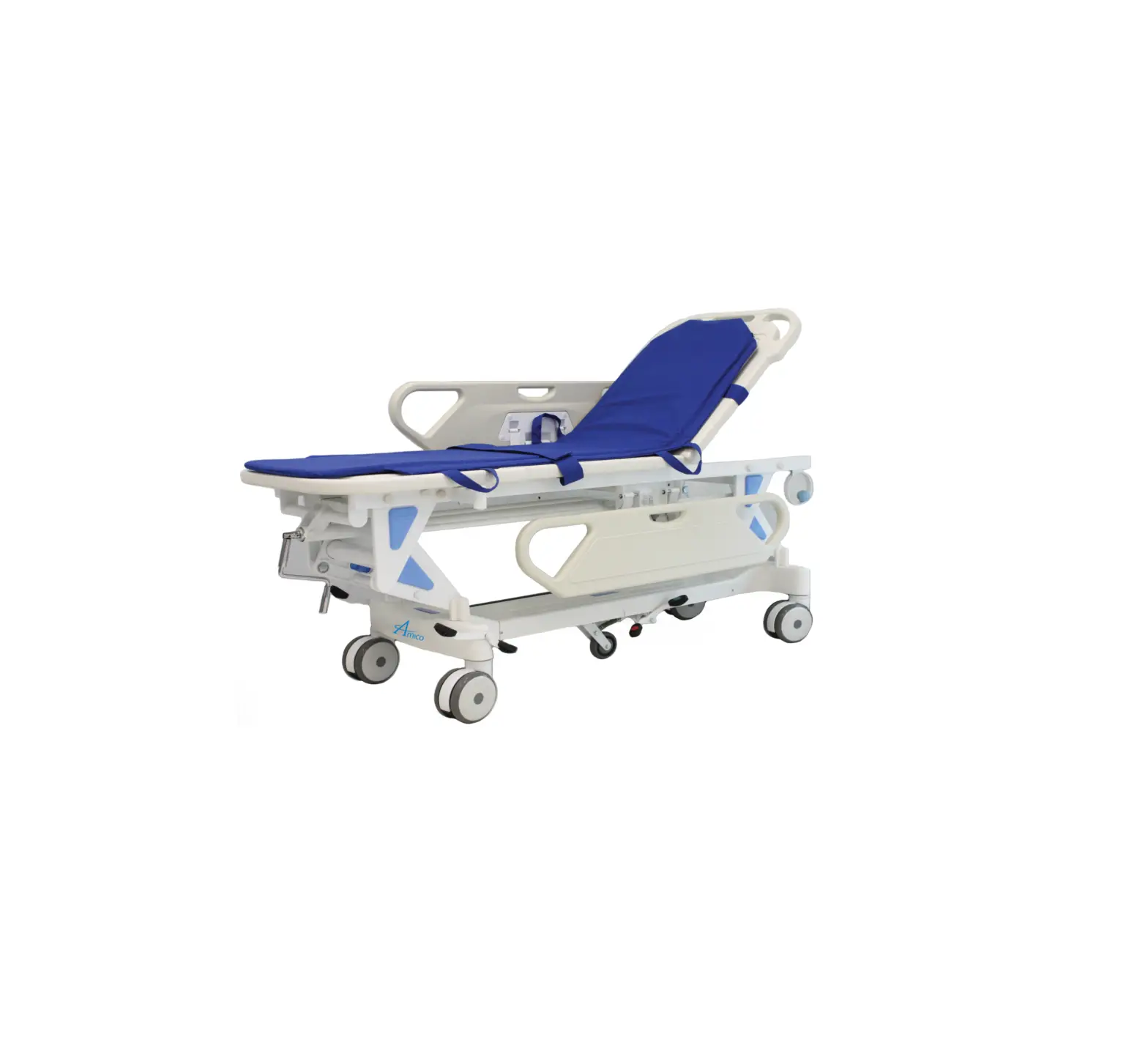
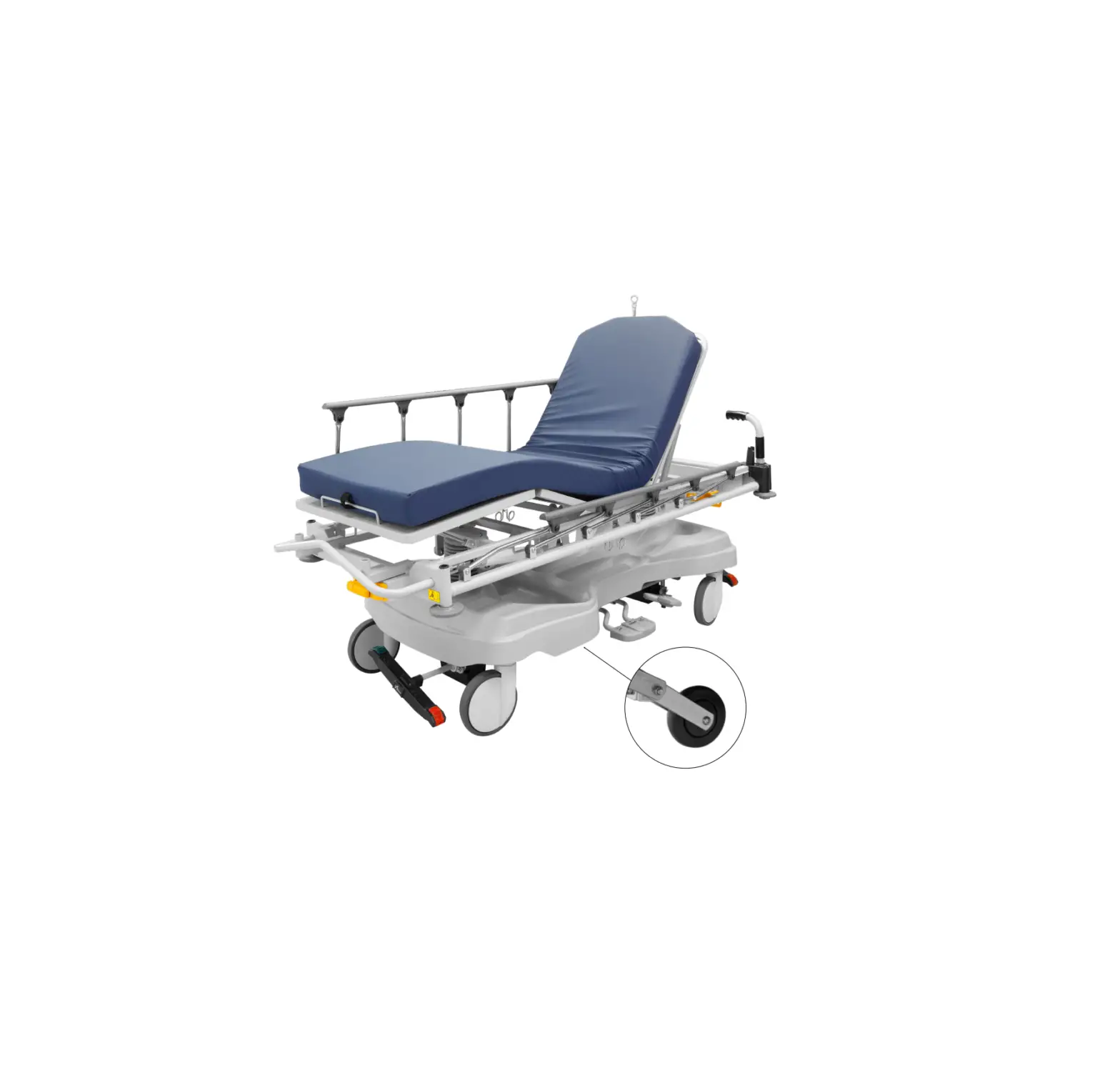
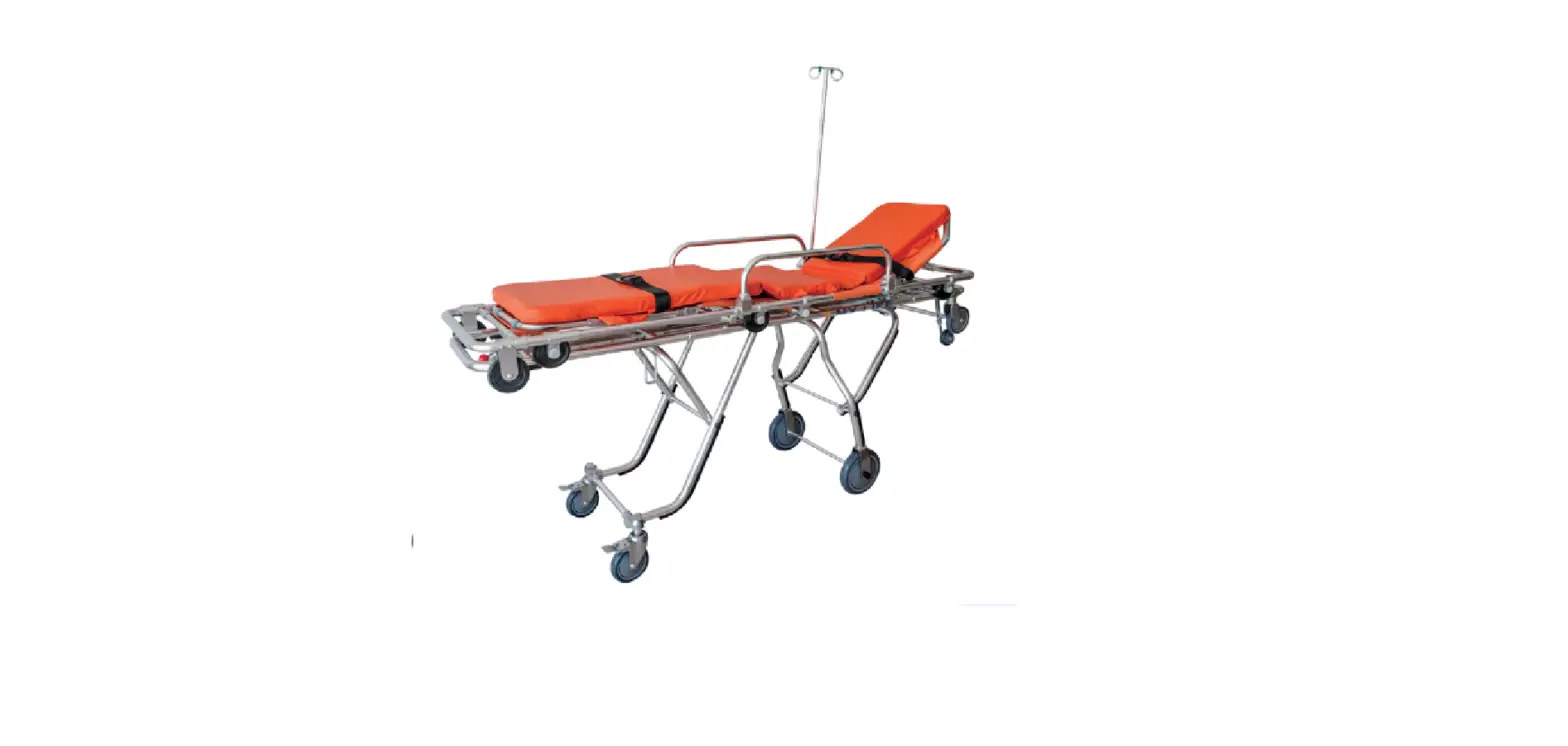
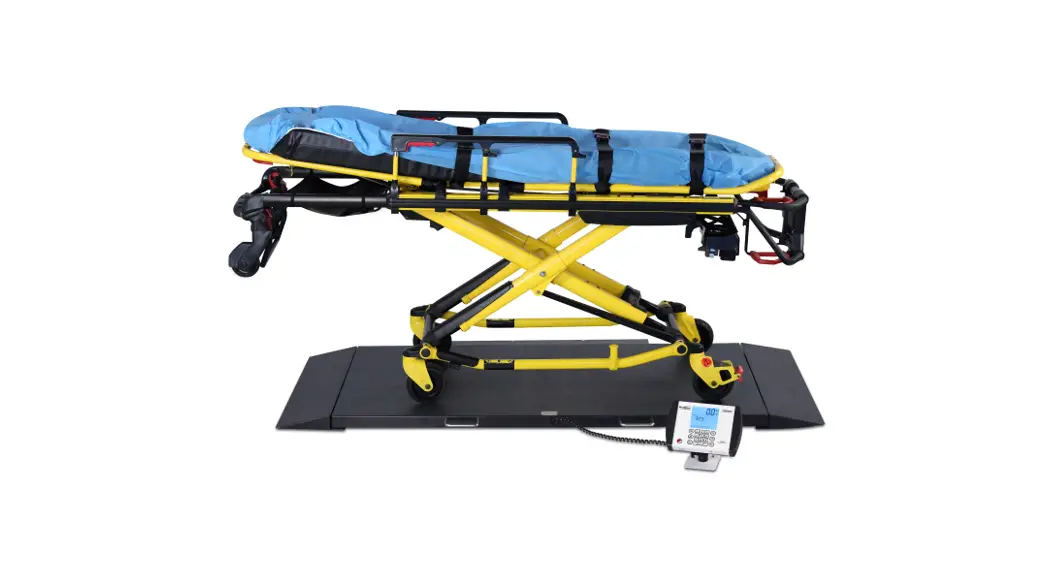
5E82 Electric Surgi Stretcher
Product Information
The Electric Surgi-Stretcher is available in multiple models,
including 5E82EYEST, 5E82EYXST, 5B800ST, 5E82EYEST-PD,
5E82EYXST-PD, and 5B800ST-PD. It features the Navigator SmartDrive
System for enhanced maneuverability and control.
Product Usage Instructions
3.6 Headrest
To adjust the headrest:
- Locate the headrest adjustment lever.
- Pull the lever to unlock the headrest.
- Position the headrest at the desired height.
- Release the lever to lock the headrest in place.
3.7 Common Optional Accessories
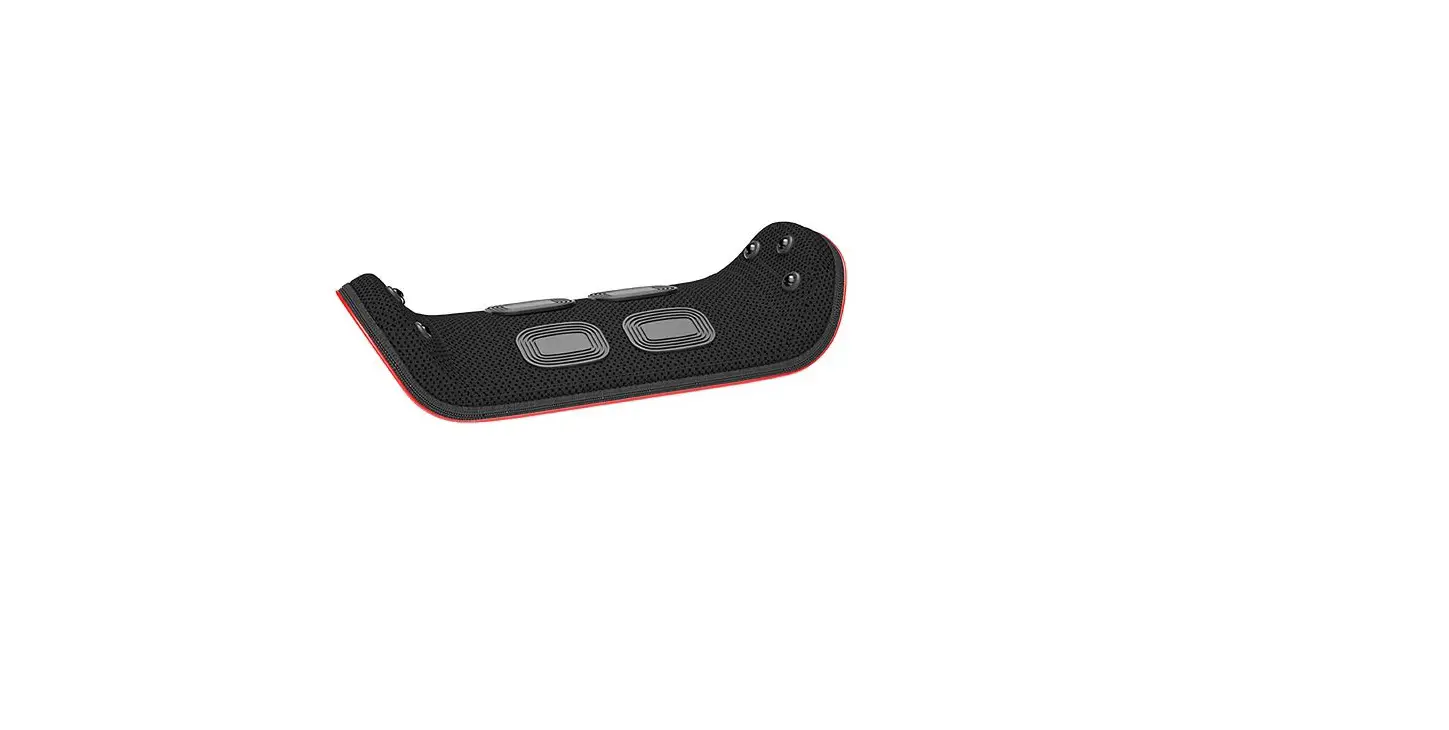
To mount and adjust the wrist rest:
- Attach the wrist rest to the designated mounting point.
- Adjust the wrist rest to a comfortable position.
3.8 Push Handles
To use the push handles:
- Grip the push handles firmly.
- Push or pull the stretcher as needed.
3.9 Permanently Mounted IV Rod Operation (All Models)
To operate the permanently mounted IV rod:
- To put the IV rod in the up position, lift it until it locks
into place. - To extend the IV rod, pull it outwards.
- To retract the IV rod, push it inwards.
3.10 Patient Rail Operation (All Models)
To operate the patient rail:
- To raise the rail, lift it upwards.
- To set the rail to half height, adjust it accordingly.
- To lower the rail, push it downwards.
5 Preventive Maintenance for the User
Refer to the user manual for instructions on preventive
maintenance to ensure proper functioning and longevity of the
product.
6 Optional Accessories
Explore optional accessories available for the Electric
Surgi-Stretcher to enhance its functionality and customization.
7 GF Health Products, Inc. Limited Warranty for Hausted Brand
Stretchers and Chairs
Refer to the warranty information provided by GF Health
Products, Inc. for details on the limited warranty coverage for the
Hausted brand stretchers and chairs.
Refer to the addendum specific to the 5E82 / 5B800-PD models for
information on the Navigator SmartDrive System and its usage.
ELECTRIC SURGI-STRETCHER 5E82EYEST, 5E82EYXST, 5B800ST
ELECTRIC SURGI-STRETCHER WITH NAVIGATOR SMARTDRIVE SYSTEM 5E82EYEST-PD, 5E82EYXST-PD, 5B800ST-PD
OPERATING MANUAL
SAVE THIS MANUAL FOR FUTURE USE.
HP_5E82-INS-LAB-RevB23
CONTENTS
INTRODUCTION — A WORD FROM GF HEALTH PRODUCTS, INC. ……………………………………………………………………………….. 4 INDICATIONS FOR USE ……………………………………………………………………………………………………………………………………….. 4 SERVICE INFORMATION ……………………………………………………………………………………………………………………………………… 4 ADVISORY…………………………………………………………………………………………………………………………………………………………… 4
1 LIST OF WARNINGS AND CAUTIONS…………………………………………………………………………………………………………………………… 5 SIGNIFICANCE OF SAFETY STATEMENTS …………………………………………………………………………………………………………………… 5 DANGER / WARNING / CAUTION / NOTICE SUMMARY ………………………………………………………………………………………… 5 DANGER: TO REDUCE THE RISK OF BURNS, FIRE, OR ELECTRIC SHOCK ……………………………………………….. 5 WARNING: TO REDUCE THE RISK OF PERSONAL INJURY ………………………………………………………………………… 5 WARNING — CAUTIONS AND PROPER OPERATION ……………………………………………………………………………………………………. 6 ELECTROMAGNETIC COMPATIBILITY (EMC) INFORMATION ……………………………………………………………………………………….. 7 IDENTIFICATION LABEL………………………………………………………………………………………………………………………………………………. 7
2 UNCRATING INSTRUCTIONS ………………………………………………………………………………………………………………………………………. 8 IMPORTANT — REPORT ANY SHIPPING DAMAGE IMMEDIATELY: ……………………………………………………………………………….. 8 NOTICE — POSSIBLE EQUIPMENT DAMAGE: ……………………………………………………………………………………………………………… 8 WARNING — PERSONAL INJURY HAZARD:…………………………………………………………………………………………………………………. 8 ENVIRONMENTAL CONDITIONS …………………………………………………………………………………………………………………………………. 8 OPERATING ………………………………………………………………………………………………………………………………………………………… 8 STORAGE AND TRANSPORT……………………………………………………………………………………………………………………………….. 8 UNPACKING INSTRUCTIONS ………………………………………………………………………………………………………………………………………. 8
3 OPERATING INSTRUCTIONS……………………………………………………………………………………………………………………………………….. 9 3.1 SURGI-STRETCHER SPECIFICATIONS…………………………………………………………………………………………………………………. 9 ELECTRICAL SPECIFICATIONS……………………………………………………………………………………………………………………………. 9 3.2 FEATURES, WARNINGS AND PROPER OPERATION OPERATING INSTRUCTIONS ………………………………………………. 10 WARNINGS — CAUTIONS AND PROPER OPERATION ………………………………………………………………………………………… 10 FEATURES ………………………………………………………………………………………………………………………………………………………… 11 3.3 BRAKING AND STEERING OPERATION WITH SMART CASTER TECHNOLOGY …………………………………………………… 12 3.3.1 APPLYING THE BRAKES………………………………………………………………………………………………………………………….. 12 3.3.2 UNLOCKING THE BRAKES………………………………………………………………………………………………………………………. 12 3.3.3 ACTIVATING ADVANCED STEER MODE — PENDANT ……………………………………………………………………………………13 3.3.4 ACTIVATING ADVANCED STEER MODE MANUALLY …………………………………………………………………………………..13 3.3.5 DEACTIVATING ADVANCED STEER MODE — PENDANT…………………………………………………………………………… 14 3.3.6 DEACTIVATING ADVANCED STEER MODE MANUALLY ………………………………………………………………………….. 14 CASTER PEDAL POSITIONS…………………………………………………………………………………………………………………….. 14 3.4 ELECTRIC CONTROL LOCATIONS……………………………………………………………………………………………………………………… 15 3.4.1 PENDANT CONTROL STORAGE LOCATION……………………………………………………………………………………………… 15 3.4.2 PLUG LOCATION …………………………………………………………………………………………………………………………………….. 15 3.4.3 LOW BATTERY ALARM ……………………………………………………………………………………………………………………………. 15 3.4.4 FOOT CONTROL ……………………………………………………………………………………………………………………………………… 15 3.5 HEIGHT AND PATIENT SURFACE ADJUSTMENT ………………………………………………………………………………………………… 16 3.5.1 LOCK / UNLOCK (BUTTON 1)…………………………………………………………………………………………………………………… 16 3.5.2 HEIGHT (HI / LO) (BUTTONS 2 AND 9)………………………………………………………………………………………………………. 16 3.5.3 BACK SECTION UP / DOWN (BUTTONS 3 AND 10) …………………………………………………………………………………… 17 3.5.4 KNEE FLEX UP / DOWN (BUTTONS 4 AND 11)………………………………………………………………………………………….. 17 3.5.5 AUTO CONTOURING UP / DOWN (BUTTONS 5 AND 12)……………………………………………………………………………. 18 3.5.6 BRAKE AND STEER MODE OPERATION (BUTTONS 6 AND 13) …………………………………………………………………. 18 3.5.7 TRENDELENBURG, SUPINE AND REVERSE TRENDELENBURG POSITIONS (BUTTONS 7, 14 AND 20)………. 19 3.5.8 MEMORY AND PRESET FUNCTIONS (BUTTONS 15-18) ……………………………………………………………………………. 20 3.5.9 BATTERY (BUTTON 19) ……………………………………………………………………………………………………………………………. 21 3.5.10 HOME (BUTTON 8)…………………………………………………………………………………………………………………………………… 21 3.5.11 EMERGENCY DROP BACK………………………………………………………………………………………………………………………. 21
HP_5E82-INS-LAB-RevB23
www.hausted.com
2
3.6 HEADREST………………………………………………………………………………………………………………………………………………………… 22
3.6.1 ADJUSTING THE HEADREST …………………………………………………………………………………………………………………… 22
3.7 COMMON OPTIONAL ACCESSORIES ………………………………………………………………………………………………………………… 23
3.7.1 MOUNTING THE WRIST REST …………………………………………………………………………………………………………………. 23
3.7.2 ADJUSTING THE WRIST REST…………………………………………………………………………………………………………………. 23
3.8 PUSH HANDLES ………………………………………………………………………………………………………………………………………………… 24
3.8.1
OPERATING THE PUSH HANDLES …………………………………………………………………………………………………………… 24 ROTATING AND POSITIONING THE HAND GRIPS …………………………………………………………………………………….. 24 OPERATING THE PUSH HANDLES WITH THE BACK IN RAISED POSITION ……………………………………………….. 24 OPERATING THE PUSH HANDLES WITH THE BACK IN LOWERED POSITION …………………………………………… 24
3.9 PERMANENTLY MOUNTED IV ROD OPERATION (ALL MODELS) …………………………………………………………………………. 25
3.9.1 PUTTING IV ROD IN UP POSITION …………………………………………………………………………………………………………… 25
3.9.2 EXTENDING IV ROD ………………………………………………………………………………………………………………………………… 25
3.9.3 RETRACTING IV ROD………………………………………………………………………………………………………………………………. 25
3.10 PATIENT RAIL OPERATION (ALL MODELS)…………………………………………………………………………………………………………. 26
3.10.1 RAISING THE RAIL ………………………………………………………………………………………………………………………………….. 26
3.10.2 HALF HEIGHT………………………………………………………………………………………………………………………………………….. 26
3.10.3 LOWERING THE RAIL………………………………………………………………………………………………………………………………. 26
4 TROUBLESHOOTING GUIDE ……………………………………………………………………………………………………………………………………… 27 4.1 ELECTRIC POWERED STRETCHERS………………………………………………………………………………………………………………….. 27 4.2 BATTERY REPLACEMENT………………………………………………………………………………………………………………………………….. 27
5 PREVENTIVE MAINTENANCE FOR THE USER ……………………………………………………………………………………………………………. 28
6 OPTIONAL ACCESSORIES ………………………………………………………………………………………………………………………………………… 29
7 GF HEALTH PRODUCTS, INC. LIMITED WARRANTY FOR HAUSTED BRAND STRETCHERS AND CHAIRS ………………….. 30
8 DISPOSAL AND KEY TO SYMBOLS……………………………………………………………………………………………………………………………. 31 DISPOSAL…………………………………………………………………………………………………………………………………………………………………. 31 KEY TO SYMBOLS…………………………………………………………………………………………………………………………………………………….. 31
9 APPENDIX …………………………………………………………………………………………………………………………………………………………………. 32 9.1 GUIDANCE AND MANUFACTURER’S DECLARATION — ELECTROMAGNETIC EMISSIONS …………………………………. 32 9.2 ENCLOSURE PORT 1 ………………………………………………………………………………………………………………………………………….. 32 9.3 ENCLOSURE PORT IMMUNITY TO RF WIRELESS COMMUNICATIONS EQUIPMENT 1 …………………………………………. 33 9.4 INPUT AC POWER PORT 1 ………………………………………………………………………………………………………………………………….. 34 9.5 PATIENT COUPLING PORT 1……………………………………………………………………………………………………………………………….. 35 9.6 SIGNAL INPUT/OUTPUT PARTS PORT 1 ……………………………………………………………………………………………………………… 36 9.7 RECOMMENDED SEPARATION DISTANCES BETWEEN PORTABLE AND MOBILE RF COMMUNICATIONS EQUIPMENT AND HAUSTED STRETCHERS ……………………………………………………………………………………………………….. 37 9.8 NOTES TO SECTION 9……………………………………………………………………………………………………………………………………….. 37
10 5E82 / 5B800-PD NAVIGATOR SMARTDRIVE SYSTEM (“NSD”) ADDENDUM ……………………………………………………………….. 38
COPYING PROHIBITED
This manual is protected by Federal Copyright Law, which provides for damages of up to USD $20,000, as well as criminal fines and imprisonment, for unauthorized copying.
HP_5E82-INS-LAB-RevB23
www.hausted.com
3
INTRODUCTION — A WORD FROM GF HEALTH PRODUCTS, INC.
This manual contains important information on proper use and maintenance of the Hausted® Series 5E82 / 5B8 Surgi-Stretchers. All personnel involved in the use and maintenance of this equipment must carefully review and comply with the warnings, cautions and instructions contained in this manual. These instructions are important to protect the health and safety of personnel operating these models and should be retained in a conveniently accessible area for quick reference.
Complete instructions for uncrating and putting your new equipment in service, as well as equipment drawings, have been furnished. If missing, contact GF Health Products, Inc. (“GF”) for replacement copies, giving the serial number and model number of the unit.
GF Health Products, Inc. carries a complete line of accessories for use with these stretchers; your representative will gladly review these with you.
Indications for Use
The Hausted Surgi-Stretchers are intended for a healthcare professional to use in patient treatment, transport, or recovery. This product has an expected service life of five years.
The articulating head piece with dual operating control knobs allows adjustability and precise movement of the head section. Patient positioning is convenient and easy for both care provider and patient with the electric/battery powered controls for adjustment of height, backrest and knee flex.
To ensure the basic safety of the patient, the stretcher is designed, tested, and evaluated to IEC Standard 60601-1 and in accordance with IEC 60601-2-46 wherein the essential performance in any single fault or combined fault condition is no unwanted movement of the stretcher when in use. See also page 7 Electromagnetic Compatibility (EMC) information. The stretcher is tested and certified to IEC 60601-1-2 (Ed. 4) for EMC.
Service Information
A thorough preventive maintenance program is essential to safe and proper unit operation. This manual contains maintenance schedules and procedures which should be followed for satisfactory equipment performance.
We encourage you to contact GF Health Products, Inc. with maintenance concerns.
Advisory
A listing of the safety precautions to be observed when operating and servicing this equipment can be found in Section 1 of this manual. Do not operate or service the equipment until you have become familiar with this information. Any alteration of this equipment not authorized or performed by GF Health Products, Inc., could affect its operation, will void the warranty, could violate national, state, and local regulations, and could jeopardize your insurance coverage.
Info: Column 1 below applies only if product was purchased outside the U.S.
EC REP
EC Authorized Representative:
CEpartner4U BV ESDOORNLAAN 13 3951DB MAARN The Netherlands +31(0)6 516 536 26
Manufactured by:
GF Health Products, Inc. One Graham-Field Way Atlanta GA 30340-3140
1.770.368.4700 Main 1.770.368.2386 Fax
www.grahamfield.com www.Hausted.com
Class 1 Equipment
Type B Equipment
Equipment not suitable for use in the presence of flammable anesthetic mixture with air or oxygen or nitrous oxide.
IPX4 Not suitable for continuous operation (Duty Cycle: 10% 2 Min. in 18 Min.)
Info: The base language of this document is ENGLISH. Any translations must be made from the base language document.
HP_5E82-INS-LAB-RevB23
www.hausted.com
4
1 LIST OF WARNINGS AND CAUTIONS
IMPORTANT: Before using the Surgi-Stretcher, please read and adhere to the following safety precautions and warnings. Failure to do so could result in serious personal injury or damage to the Stretcher. Always consult your healthcare professional to determine safe methods most suitable for your individual abilities. Protect yourself, your attendant, and the Surgi-Stretcher by having it serviced regularly. If you experience any malfunction, contact your Graham-Field authorized distributor immediately, as a hazardous condition could result, causing personal injury or damage to the Stretcher. Periodic inspection, adjustment and replacement of worn parts are necessary to provide years of excellent service. Maintenance MUST be performed by qualified personnel ONLY.
SAVE THESE INSTRUCTIONS.
SIGNIFICANCE OF SAFETY STATEMENTS Please note the following special statements, used throughout this manual, and their significance:
DANGER: Indicates a potential hazard situation or unsafe practice that, if not avoided, will result in death or serious personal injury.
WARNING: Indicates a potential hazard situation or unsafe practice that, if not avoided, could result in death or serious personal injury.
CAUTION: Indicates a potential hazard situation or unsafe practice that, if not avoided, could result in minor or moderate personal injury. s NOTICE: Indicates a potential hazard situation or unsafe practice that, if not avoided, could result in product or property damage.
Info: Provides application recommendations or other useful information to ensure that you get the most from your product.
DANGER / WARNING / CAUTION / NOTICE Summary The following is a listing of the safety precautions which must be observed when operating and servicing this equipment. These precautions are repeated (in whole or in part), where applicable, throughout the manual.
DANGER: To Reduce the Risk of Burns, Fire, or Electric Shock
DANGER: SHOCK HAZARD — To reduce the risk of electric shock, unit is to be serviced by qualified personnel only.
DANGER: SHOCK HAZARD — To avoid the risk of electric shock, this equipment must only be connected to supply mains with protective earth.
WARNING: To Reduce the Risk of Personal Injury WARNING: LACERATION HAZARD — When cutting bands always use a tool specifically designed for that purpose. This will help to avoid personal injuries frequently incurred when bands are cut and tension released.
WARNING: Do not sit on end — tipping may occur.
WARNING: Ensure IV rod is inserted completely into socket up to the arrow before applying load.
HP_5E82-INS-LAB-RevB23
www.hausted.com
5
WARNING — CAUTIONS AND PROPER OPERATION WARNING: The Series 5E82 / 5B800 stretchers have a maximum patient weight capacity of 800 lb (363 kg), EVENLY DISTRIBUTED.
WARNING: The Series 5E82 / 5B800 stretchers have a maximum weight, including equipment weight, and patient weight of 1200 lb (544 kg), EVENLY DISTRIBUTED.
WARNING: Patient entry, egress and transfer should always be performed with the brakes locked.
WARNING: The patient transport position is pushing from the patient head end in the supine position.
WARNING: The brakes should always be locked and patient side rails up when patient is not in transport.
WARNING: Clip patient pendant to rail when not in use keep cord clear of moving parts. WARNING: All electric powered stretchers are equipped with a built-in battery backup system, but the unit should remain plugged into wall receptacle during normal use. The battery backup is intended for transport and EMERGENCY only.
WARNING: The stretcher has a warning label on both the head and foot end stating: “Do not sit on end – as tipping may occur.”
WARNING: Patient entry, egress, and transfer from the stretcher should always be from the center side rail location with the side rail in the down position and brakes locked.
WARNING: The back quick drop handle is intended to be used during emergency situations only. WARNING: To turn on electric controls, plug into wall receptacle. To turn off, remove plug from wall receptacle. Electric powered stretchers do not have a separate on / off switch.
WARNING: Always disconnect the power source whenever troubleshooting or servicing any electric powered stretcher.
WARNING: Cables can become pinched. Keep cables away from column.
WARNING: Steam cleaning and pressure washing of chair is not recommended and can void warranty.
WARNING: Do not modify the equipment without the authorization of the manufacturer.
WARNING: When lowering the rails, ensure patient and caregiver body and extremities are clear of pinch points before operating the rail.
WARNING: Keep hands clear of pinch points.
WARNING: Stow away power cord when not in use to prevent injury or damage.
HP_5E82-INS-LAB-RevB23
www.hausted.com
6
ELECTROMAGNETIC COMPATIBILITY (EMC) INFORMATION
WARNING: Medical Electrical Equipment needs special precautions regarding EMC and
needs to be installed and put into service according to the EMC information provided in this manual.
WARNING: Electronic equipment may be influenced by Radio Frequency (RFI). Caution
should be exercised with regard to the use of portable communications in the area around such equipment. Portable RF communications equipment (including peripherals such as antenna cables and external antennas) should be used no closer than 12 inches (30 cm) to any part of the Hausted equipment including specified Hausted equipment cables. Degradation of the performance of the Hausted equipment could result.
WARNING: If RFI causes erratic behavior, unplug the electric Hausted equipment
immediately. Leave unplugged while transmission is in progress.
WARNING: The use of accessories, transducers, and cables other than those specified by
the manufacturer may result in increased emissions or decreased immunity of the Hausted equipment. GF cables and accessories include motor cables, mains cable, pendant cables, and back up battery and cable.
WARNING: This equipment should not be used adjacent to or stacked with other
equipment. If adjacent or stacked use with other equipment is necessary, this Hausted equipment and the other equipment should be observed to verify that they are operating normally.
WARNING: The EMISSIONS characteristics of this equipment make it suitable for use in
industrial areas and hospitals (CISPR 11 class A). If it is used in a residential environment (for which CISPR 11 class B is usually required) this equipment might not offer adequate protection to radio frequency communication services. The user might need to take mitigation measures, such as relocating or reorienting the equipment.
IDENTIFICATION LABEL
identification label
model
serial number
Identification label location
Identification label example
The stretcher identification label identifies the stretcher serial number and model, essential information when ordering replacement parts or claiming parts under warranty. The identification label, shown above, is beneath the patient left surface at midpoint of frame. Have this information ready when calling our Customer Service or Technical Support staff at 1.770.368.4700; it will allow us to better assist you and quickly answer your questions and concerns.
HP_5E82-INS-LAB-RevB23
www.hausted.com
7
2 UNCRATING INSTRUCTIONS
IMPORTANT — REPORT ANY SHIPPING DAMAGE IMMEDIATELY:
WARNING: Inform shipper of any damage — leave carton intact. Leave equipment in the
receiving area until inspection is complete.
NOTICE — POSSIBLE EQUIPMENT DAMAGE:
s NOTICE: The crate contains fragile, expensive medical equipment. Uncrate and handle carefully. If after uncrating the equipment you find any damage (no matter how slight), report the damage to GF Health Products, Inc.
WARNING — PERSONAL INJURY HAZARD:
WARNING: When cutting bands, always use tool specifically designed for that purpose.
This will help avoid personal injuries possibly incurred when bands are cut and tension is released.
ENVIRONMENTAL CONDITIONS
Operating
Temperature Relative Humidity
Atmospheric Pressure
5°C to 40°C 20% to 90% @ 86°F (30°C) 700 to 1060 hPa
Storage and Transport
Temperature Relative Humidity
Atmospheric Pressure
-10°C to 50°C 20% to 90% @ 86°F (30°C) 700 to 1060 hPa
UNPACKING INSTRUCTIONS
IMPORTANT: Follow each step in the order shown in these instructions. Your Hausted equipment has been carefully packed at our manufacturing plant to ensure safe shipment to your medical facility. There are several procedures you must follow to put your new equipment in service. These procedures only take a few minutes to complete and all are required to ensure proper operation of the equipment.
1. Cut the two bands around the shipping carton.
2. Remove the top half of the carton and cut one side of the bottom half.
3. Remove the equipment from the carton.
4. Check to see if all features of the equipment work properly. If all the features work, advance to step 5. If any features do not work properly, call GF Health Products, Inc. at 1.770.368.4700.
Info: Plug the unit into a wall socket prior to checking any electric features. The battery will reach full charge after approximately 10 hours.
5. Clean the equipment using mild detergent to remove any dirt accumulated during shipment, and place the equipment into service.
HP_5E82-INS-LAB-RevB23
www.hausted.com
8
3 OPERATING INSTRUCTIONS
3.1 SURGI-STRETCHER SPECIFICATIONS
Info: All dimensions, unless otherwise specified, are in inches and ±.375 (1 cm). GF Health Products, Inc. reserves the right to change specifications without notice.
Model
Height Range: High Height Range: Low Overall Width Overall Length Patient Surface Width Patient Surface Length Backrest Degree of Movement Knee Flex Degree of Movement Trendelenburg / Reverse Trendelenburg Retracto Rail Height Retracto Rail Length Casters Maximum Weight Capacity (EVENLY DISTRIBUTED) Applied Parts: Mattress Pad Thickness Electrical Specifications Product Classification: Input Voltage: Amperage: Duty Cycle: IP Rating: Grounding Protection:
Standard Width 5E82EYEST & 5E82EYEST-PD
Wide Width 5E82EYXST & 5E82EYXST-PD
Bariatric 5B800ST & 5B800ST-PD
40 in. ±1 in. [101 cm ±2.5 cm]
22 in. ±1 in. [55.8 cm] ±2.5 cm
32 in. [81 cm]
37 in. [94 cm]
37 in. [94 cm]
92.35 in. [234.6 cm]
88.38 in. [224.3 cm]
25 in. [64 cm]
30 in. [76 cm]
85.38 in. [224.3 cm]
80.25 in. [203.8 cm]
0° – 85°
0° – 60°
15° ±2°
14 in. [36 cm]
49 in. [125 cm]
63 in. [160 cm]
5.9 in. [15 cm] Electric Lock / Steer
800 lb [363 kg]
Pads, Linens, Side Rails, Some Accessories
3 in. [7 cm]
5 in. [13 cm]
1 100V – 240V ~ 50/60 Hz
Max. 4.0A 10% (2 Min. in 18 Min.)
IPX4 All Models Type B
HP_5E82-INS-LAB-RevB23
www.hausted.com
9
3.2 FEATURES, WARNINGS AND PROPER OPERATION OPERATING INSTRUCTIONS WARNINGS — CAUTIONS AND PROPER OPERATION (See Diagram Below)
A. WARNING: Do not sit on end — tipping may occur.
B. WARNING: The stretchers have a warning label located at the head and foot end stating: Maximum patient weight 800 lb (363 kg) for 5E82 and 5B800 models.
C. WARNING: Patient entry, egress and transfer should always be done with the brakes locked.
D. WARNING: The brakes should always be locked and patient side rails up when patient is not in transport.
E. WARNING: The patient pendant has a warning label stating: Clip pendant to rail when not in use — keep cord clear of moving parts. As is stated on the cable adjacent to the pendant.
F. WARNING: All electric stretchers are equipped with a built-in battery backup system, but it is recommended that the unit remain plugged into wall receptacle during normal use. The battery backup is recommended for transport and EMERGENCY only.
G. WARNING: The Fowler backrest quick-drop handle is intended to be used to lower patient during EMERGENCY situations only.
H. WARNING: Ensure rail is locked before leaving patient.
I. WARNING: When lowering the rails, ensure patient and caregiver (or attendant) body and extremities are clear of pinch points before operating the rail.
J. WARNING: To turn on electric controls, plug into wall receptacle; to turn off, remove plug from wall receptacle. The electric powered stretchers do not have a separate on / off switch.
K. WARNING: Always disconnect the power source whenever servicing any electric powered stretcher.
L. WARNING: Keep hands clear of pinch points.
M. WARNING: Stow away power cord when not in use to prevent injury or damage.
Tipping (Both Ends) See Warning, A
3-Position Side Rails See Warnings, C, H, & I
Weight Capacity (Back)
See Warning, B
Fowler Backrest Quick-Drop Handle See Warning, G
HP_5E82-INS-LAB-RevB23
Pinch Points (Both Sides) See Warning, L
Power to Stretcher See Warnings, J, K, & M
www.hausted.com
Pinch Points (Both Ends) See Warning, L
10
Features (Shown in Illustration of 5E82EYST and 5E82EYEST-PD below)
OVERALL LENGTH
RAIL
85
BACKREST
OVERALL LENGTH
COLLAPSIBLE IV POLE
HOSPITAL GRADE PLUG
PENDANT CONTROL
PATIENT BELONGING BAG HOOKS
ENTIRE PERIMETER PROTECTIVE
BUMPER SYSTEM
COLLAPSIBLE PUSH HANDLES
CASTERS
EMERGENCY BACKREST
STORAGE
NAVIGATOR SMARTDRIVE
SYSTEM
ADJUSTABLE HEADREST
RETRACTABLE PUSH HANDLES
NAVIGATOR SMARTDRIVE
ELECTRIC BASE
MANUAL OVERRIDE CASTER PEDALS
MIN HEIGHT
Features (Shown in Illustration of 5B800ST and 5B800ST-PD below)
OVERALL LENGTH
OVERALL WIDTH
COLLAPSIBLE PUSH HANDLES HOSPITAL GRADE PLUG
PENDANT CONTROL
PATIENT BELONGING BAG HOOKS
ENTIRE PERIMETER PROTECTIVE
BUMPER SYSTEM
CASTERS
RAIL
85
BACKREST
EMERGENCY BACKREST
STORAGE
NAVIGATOR SMARTDRIVE
SYSTEM
RETRACTABLE PUSH HANDLES
NAVIGATOR SMARTDRIVE
COLLAPSIBLE IV POLE
ELECTRIC BASE
MIN HEIGHT
MANUAL OVERRIDE CASTER PEDALS
WARNINGS — CAUTIONS AND PROPER OPERATION (See List on Previous Page)
HP_5E82-INS-LAB-RevB23
www.hausted.com
11
Features (Shown in Illustration of 5E82EXYST and 5E82EXYEST-PD below)
OVERALL LENGTH
OVERALL WIDTH
COLLAPSIBLE IV POLE
COLLAPSIBLE PUSH HANDLES
HOSPITAL GRADE PLUG
PENDANT CONTROL ENTIRE PERIMETER PROTECTIVE BUMPER SYSTEM
PATIENT BELONGING BAG HOOKS
CASTERS
RAIL
85
BACKREST
ADJUSTABLE HEADREST
EMERGENCY BACKREST
STORAGE
NAVIGATOR SMARTDRIVE
SYSTEM
RETRACTABLE PUSH HANDLES
NAVIGATOR SMARTDRIVE
ELECTRIC BASE
MIN HEIGHT
MANUAL OVERRIDE CASTER PEDALS
HP_5E82-INS-LAB-RevB23
www.hausted.com
12
3.3 BRAKING AND STEERING OPERATION WITH SMART CASTER TECHNOLOGY
3.3.1 Applying the Brakes
To apply the four wheel central braking system with the pendant, press the pendant Brake On / Off button; the LED above the button then illuminates green (Figure 3.3-1), and the blue caster pedals on all four corners of the stretcher automatically lower to lock (Figure 3.3-2), and all four caster wheels will then be locked from swiveling and rotating.
Info: To prevent unintended movement, the brakes engage automatically after the unit has been stationary for 30 seconds.
To apply the four-wheel central braking system manually, gently depress the blue caster pedal at any of the four corners of the stretcher until the pedal stops (Figure 3.3-2). The remaining three pedals will then automatically lower to lock (Figure 3.3-2), and all four caster wheels will then be locked from swiveling and rotating.
s NOTICE: DO NOT apply excessive force to pedal when manually applying brakes.
3.3.2 Unlocking the Brakes
To unlock the brakes with the pendant, press the pendant Brake On / Off button; the LED above the button then goes out (Figure 3.3-3), the blue caster pedals on all four corners of the stretcher will then automatically rise to unlock (Figure 3.3-4), and all four caster wheels will then rotate and swivel freely.
To unlock the brakes manually, gently lift the blue caster pedal at any of the four corners of the stretcher until the pedal is in a horizontal position (Figure 3.3-4); the remaining three pedals will then automatically rise to unlock and all four caster wheels will then rotate and swivel freely.
WARNING: Ensure the brakes are locked when the patient is not being transported.
s NOTICE: DO NOT apply excessive force to pedal when manually unlocking brakes.
Figure 3.3-1 Figure 3.3-2 Figure 3.3-3 Figure 3.3-4
HP_5E82-INS-LAB-RevB23
www.hausted.com
13
3.3.3 Activating Advanced Steer Mode — Pendant
To activate Advanced Steer Mode with the pendant, press the pendant Steer Mode On / Off button.
The LED above the button then illuminates green (Figure 3.3-5), and the blue caster pedals automatically rise (Figure 3.3-6) at the patient foot end of the stretcher. All four caster brakes will unlock and the stretcher will be ready for transport. Push the stretcher forward or
backward — both front casters will lock into Steer-Lock
position, which is ideal for pushing the stretcher from the patient head end. The stretcher will steer along a
straight path, maneuver corners, and change direction with minimal effort.
Figure 3.3-5
Note: The steer mode function (both by pendant or manual) is disabled for stretchers with the Navigator SmartDrive System. Activation with the pendant results in an audible beep. Manual activation will immediately return to the neutral position.
Info: The casters will lock into Steer-Lock position when turned to 6 o’clock or 12 o’clock, with the stretcher’s patient foot end being 12 o’clock.
Info: Depending upon how the casters are oriented when they lock, they can lock into Steer-Lock position while trailing (6 o’clock) or leading (12 o’clock). If the casters lock in opposite orientations, steering may be more difficult.
Figure 3.3-6
Info: The pendant will only lock the foot end casters into Steer-Lock position.
3.3.4 Activating Advanced Steer Mode Manually
When pushing from the head end: Activate foot end Advanced Steer Mode by lifting the blue pedal
upward on either head end caster until the pedal stops (Figure 3.3-6). Both foot end pedals will then rise to lock
Figure 3.3-4
foot end casters into Steer-Lock position, the head end pedals will return to neutral position (Figure 3.3-4), and the LED above the pendant Steer Mode On / Off button will illuminate green (Figure 3.3-5).
When pushing from the foot end: Activate head end Advanced Steer Mode
by lifting the blue pedal upward on either foot end caster until the pedal stops (Figure 3.3-6). Both head end pedals will then rise to lock the head end
casters into Steer-Lock position, the foot end pedals will return to neutral position (Figure 3.3-4), and the LED above the pendant Steer Mode On / Off button will illuminate green (Figure 3.3-5).
Info: It is not possible to lock the head end casters into Steer-Lock position with the pendant. This can only be done with the foot end manual activation.
HP_5E82-INS-LAB-RevB23
www.hausted.com
14
3.3.5 Deactivating Advanced Steer Mode — Pendant
To deactivate Advanced Steer Mode with the pendant, press the pendant Steer Mode On / Off button. The LED above the button will go out (Figure 3.3-7) and the blue caster pedals in Steer-Lock position will automatically lower to neutral position (Figure 3.3-4). All four casters will now rotate and swivel freely.
Info: All four casters must be parallel to each other in the 6 o’clock or 12 o’clock position to be able to properly go into neutral position. Failure to place casters in this orientation may cause the Steer Mode On / Off button to not deactivate Steer Mode.
3.3.6 Deactivating Advanced Steer Mode Manually
Depress the blue caster pedal down to the neutral position (Figure 3.3-4) on either caster locked into Steer-Lock position. All four casters will now rotate and swivel freely. Depressing the blue pedal down
past neutral until it stops will apply all four caster brakes (Figure 3.3-2), locking all four casters into brake position.
Info: After thirty seconds of no movement, Advanced Steer Mode automatically deactivates and all four caster wheels lock into brake position.
WARNING: To prevent unintended movement, activate or deactivate Advanced Steer Mode only while the stretcher is stopped.
Caster Pedal Positions
The table below shows the blue caster pedal in all three positions.
CASTER PEDAL POSITIONS
Pedal Up
Steer-Lock Position
Pedal Horizontal Neutral Position (Swivel)
Pedal Down
Brake Position (Locked)
Figure 3.3-7 Figure 3.3-4 Figure 3.3-2
HP_5E82-INS-LAB-RevB23
www.hausted.com
15
3.4 ELECTRIC CONTROL LOCATIONS
3.4.1 Pendant Control Storage Location
The pendant is located on the bumper rail on either side of the stretcher (Figure 3.4-1).
s NOTICE: Place pendant on bumper rail when not in use. Keep cord clear of moving parts.
3.4.2 Plug Location
This stretcher is equipped with a battery backup for transport but the unit should be plugged into a wall receptacle when not in transport. The plug is located on the patient right side of the stretcher (Figure 3.4-2). Do not position the unit so that it is difficult to disconnect the plug.
WARNING: The 5E82 Surgi-Stretcher
is equipped with a built in battery backup system: nevertheless, the unit should remain plugged into wall receptacle during normal use. The battery backup is recommended for transport and emergency only.
3.4.3 Low Battery Alarm
This stretcher is equipped with an audible and visual low battery alarm. When the system requires charging, a continuous beep will sound during motor operation, the pendant LED above the BATTERY button will illuminate green, and the control box LED will illuminate amber.
3.4.4 Foot Control
Large red circle indicates optional foot control storage location (Figure 3.4-3). Small red circle indicates foot control plug-in location (Figure 3.4.3), which can also be used as an alternate pendant plug-in location.
Figure 3.4-1 Figure 3.4-2 Figure 3.4-3
HP_5E82-INS-LAB-RevB23
www.hausted.com
16
3.5 HEIGHT AND PATIENT SURFACE ADJUSTMENT
1
2
5
3
4
9 19
Figure 3.5-1
3.5.1 1
LOCK / UNLOCK (button 1)
LOCK
UNLOCK
UNLOCK INDIVIDUAL FUNCTION
(PATIENT MODE)
Press and hold LOCK button (1) for three seconds to lock all functions. After five LED flashes, all four UP LED’s (2-5) illuminate steady green, indicating they are now locked; an audible signal also indicates when locked and beeps up to three times until button is released.
Press and hold LOCK and BATTERY buttons (1 and 19) for one second to unlock all functions. A quick LED flash indicates they are now unlocked; an audible signal also indicates when unlocked.
Press and hold LOCK button (1) and press each UP button (2-5) to unlock each function individually. As each button is released, its LED will go out, indicating that function is unlocked.
3.5.2 HEIGHT (HI / LO) (buttons 2 and 9)
2
HEIGHT UP Press and hold HEIGHT button (2) until desired height is achieved.
LED illuminates steady green while pressed, goes out when
released.
9
HEIGHT DOWN Press and hold HEIGHT DOWN button (9) until desired height is
achieved. LED illuminates steady green while pressed, goes out
when released.
HP_5E82-INS-LAB-RevB23
www.hausted.com
17
3.5 HEIGHT AND PATIENT SURFACE ADJUSTMENT
3
4
10
11
Figure 3.5-2
3.5.3 BACK SECTION UP / DOWN (buttons 3 and 10)
3
BACK UP Press and hold BACK UP button (3) until desired position is
achieved. LED illuminates steady green while pressed, goes out
when released.
10
BACK DOWN Press and hold BACK DOWN button (10) until desired position is
achieved. LED illuminates steady green while pressed,
goes out when released.
3.5.4 KNEE FLEX UP / DOWN (buttons 4 and 11)
4
KNEE FLEX UP Press and hold KNEE FLEX UP button (4) until desired position is
achieved. LED illuminates steady green while pressed,
goes out when released.
11
KNEE FLEX Press and hold KNEE FLEX DOWN button (11) until desired
DOWN
position is achieved. LED illuminates steady green while pressed,
goes out when released.
HP_5E82-INS-LAB-RevB23
www.hausted.com
18
3.5 HEIGHT AND PATIENT SURFACE ADJUSTMENT
6 5 13 12
Figure 3.5-3
3.5.5 5
AUTO CONTOURING UP / DOWN (buttons 5 and 12)
AUTO CONTOURING
UP
Press and hold AUTO CONTOURING UP button (5) until desired position is achieved. LED illuminates steady green while pressed, goes out when released.
Press and hold AUTO CONTOURING DOWN button (12) until
12
AUTO
desired position is achieved. LED illuminates steady green while
CONTOURING pressed, goes out when released.
DOWN
3.5.6 6
BRAKE and STEER MODE Operation (buttons 6 and 13)
BRAKE
Press BRAKE button (6) to toggle on / off. When brakes are locked (on), LED illuminates steady green; when brakes are unlocked (off), LED goes out. To prevent unintended movement, brakes lock automatically after stretcher is stationary for 30 consecutive seconds.
Press STEER MODE button (13) to toggle on / off. When steer
13
STEER MODE mode is activated, LED illuminates steady green; when steer mode
is off, LED goes out.
Note: Steer mode is not operable when brake is activated.
Note: Steer mode is disabled on stretchers equipped with the Navigator SmartDrive System.
HP_5E82-INS-LAB-RevB23
www.hausted.com
19
3.5 HEIGHT AND PATIENT SURFACE ADJUSTMENT
7 14 20
Figure 3.5-4A
3.5.7 TRENDELENBURG, SUPINE and REVERSE TRENDELENBURG Positions (buttons 7, 14 and 20)
Press and hold TRENDELENBURG button (7) until desired
7
TRENDELENBURG position is achieved. Stretcher automatically lowers back and
leg sections, tilts backward, and adjusts height. No LED.
Press and hold SUPINE button (14) until desired position is
14
SUPINE
achieved. Stretcher automatically levels back and leg sections
and adjusts height. No LED.
Press and hold REVERSE TRENDELENBURG button (20) until
20
REVERSE
desired position is achieved. Stretcher automatically lowers
TRENDELENBURG back and leg sections, tilts forward, and adjusts height. No LED.
HP_5E82-INS-LAB-RevB23
www.hausted.com
20
3.5.8 Memory and Preset Functions (Buttons 15-18)
15
18
16
17
Figure 3.5-4B
15
16
17
18
15 MEMORY Position stretcher to desired position. Enter MEMORY MODE by pressing and holding MEMORY button (15) for three seconds until LED flashes. Once MEMORY LED flashes, simultaneously press and hold MEMORY button (15) and desired PRESET button (16, 17, or 18) until beeping stops (MEMORY LED will stop flashing and go out and PRESET LED will illuminate). Once MEMORY button and PRESET button are released, the position saves, LEDs go out, and MEMORY MODE exits. (After entering MEMORY MODE, PRESET buttons that illuminate are already programmed, but can be overwritten; PRESET buttons that don’t illuminate are not yet programmed.)
16 PRESET 1 Press and hold PRESET 1 button until saved pre-programmed position is achieved. LED illuminates steady green while pressed, goes out when released.
17 PRESET 2 Press and hold PRESET 2 button until saved pre-programmed position is achieved. LED illuminates steady green while pressed, goes out when released.
18 PRESET 3 Press and hold PRESET 3 button until saved pre-programmed position is achieved. LED illuminates steady green while pressed, goes out when released.
HP_5E82-INS-LAB-RevB23
www.hausted.com
21
3.5 HEIGHT AND PATIENT SURFACE ADJUSTMENT
1 8
19
3.5.9 BATTERY (button 19)
19
BATTERY
3.5.10 HOME (button 8)
8
HOME
Figure 3.5-5
LED illuminates steady green when battery discharges to 20% capacity or less. Press and hold LOCK and BATTERY buttons (1 and 19) for one second to unlock all functions. A quick LED flash indicates they are now unlocked; an audible signal also indicates when unlocked.
Press and hold HOME button (8). Stretcher automatically lowers back and leg sections and adjusts to lowest height. No LED.
3.5.11 Emergency Drop Back This stretcher is equipped with a manual override function for the back section. This option should only be used in an emergency situation. To activate the emergency drop back, support the back section and pull outward on the red activating handle located on the patient right side under the seat to the rear (Figure 3.5-6).
Info: When activating the emergency drop, depending on the back angle, you may need to push the back in order to initiate movement.
Figure 3.5-6
HP_5E82-INS-LAB-RevB23
www.hausted.com
22
3.6 HEADREST
3.6.1 Adjusting the Headrest
Grasp the right ball style knob (Figure 3.6-1), and rotate it counterclockwise to articulate the head section upward (Figure 3.6-2); rotate the knob clockwise to articulate the head section downward (Figure 3.6-3).
Once the upward articulation has been set, grasp the left ball style knob (Figure 3.6-4), and rotate the knob counterclockwise to articulate the chin tilt upward; rotate the knob clockwise to articulate the chin tilt downward (Figure 3.6-4).
Info: After understanding which knob creates which action, quick and smooth infinite adjustment can be achieved by rotating the knobs simultaneously (Figure 3.6-5).
Figure 3.6-1 Figure 3.6-2 Figure 3.6-3 Figure 3.6-4
HP_5E82-INS-LAB-RevB23
Figure 3.6-5
www.hausted.com
23
3.7 COMMON OPTIONAL ACCESSORIES
3.7.1 Mounting the Wrist Rest
Insert the Wrist Rest into one of the appropriate three square sockets under the headrest (Figures 3.7-1 & 3.7-2). Rotate the T-knob on the back of the Wrist Rest (Figure 3.7-3) clockwise to lock it into place.
s NOTICE: Ensure the Wrist Rest is secure before applying any pressure.
3.7.2 Adjusting the Wrist Rest
Once the Wrist Rest has been properly installed per 3.7-2, the height can be adjusted as needed. Support the Wrist Rest and loosen the black knob on the side of the support post (Figure 3.7-4).
Position the Wrist Rest to the desired height and rotation. Tighten the black knob located on the side of the support post (Figure 3.7-4).
s NOTICE: Ensure the Wrist Rest is secure before applying any pressure.
Figure 3.7-1 Figure 3.7-2
Figure 3.7-3 Figure 3.7-4
HP_5E82-INS-LAB-RevB23
www.hausted.com
24
3.8 PUSH HANDLES
3.8.1 Operating the Push Handles
Push Handles are stowed away when not in use (Figure 3.8-1).
Push Handles may be operated with the back in either raised or lowered position.
Rotating and Positioning the Hand Grips
In units without the Navigation SmartDrive System. The Hand Grips rotate 360° in 10° increments. To rotate a Hand Grip (Figure 3.8-2), hold it firmly, press the black button (Figure 3.8-3), rotate the Hand Grip to the desired position, and release the button.
In units with Navigation SmartDrive System, the Hand Grips do not rotate 360° on the right Hand Grip. A stop has been installed on the units with Navigation SmartDrive System.
Operating the Push Handles with the Back in Raised Position
Rotate the Push Handles to the desired position with the back in raised position (Figure 3-8.5).
Operating the Push Handles with the Back in Lowered Position
Pull out and hold the Push Handle Release Plungers (Figure 3.8-4) and extend the Push Handles to the end position. Rotate the Push Handles to the desired position with the back in lowered position (Figure 3-8.6).
WARNING: To prevent unintended interference, ensure Push Handles are stowed away as shown in Figure 3.8-1 when not in use.
Figure 3.8-1
Figure 3.8-2
Figure 3.8-3
Figure 3.8-4
Figure 3.10-3 Figure 3.8-5
HP_5E82-INS-LAB-RevB23
Figure 3.8-6
www.hausted.com
25
3.9 PERMANENTLY MOUNTED IV ROD OPERATION (ALL MODELS)
Refer to Figure 3-45.
WARNING: PERSONAL INJURY HAZARD – Ensure IV Rod is inserted completely into socket up to the arrow before applying any load.
3.9.1 Putting IV Rod in UP position 1. Grasp IV Rod and rotate upward until it stops. 2. Push down on IV Rod until it slides firmly into rod hinge
socket.
3.9.2 Extending IV Rod 1. Rotate screw collar, or large screw collar, until loosened
adequately to allow inner tube to easily slide up or down within outside tube. 2. Lift up on top of IV Rod until desired height is achieved. 3. Tighten collar screw(s) until hand tight.
3.9.3 Retracting IV Rod 1. Support extended portion of IV Rod with one hand. 2. Rotate screw collar until loosened. 3. Lower IV Rod until desired height is achieved, then re-
tighten screw collar. 4. Repeat process with second screw collar as required.
3.10 PATIENT RAIL OPERATION (ALL MODELS)
WARNING: Always ensure the rail is locked in position before leaving the patient unattended.
3.10.1 Raising the Rail
Grasp the rail top cap in the middle of the rail (Figure 3-33) and lift.
3.10.2 Half Height
Grasp the rail and lift the red trigger under the litter top (Figure 3-34) while lowering the rail. When the rail starts to move down, release the trigger. Lower the rail until it locks into half height position.
3.10.3 Lowering the Rail
Grasp the rail and lift the red trigger under the litter top (Figure 34) while lowering the rail. Continue to lift the trigger until the rail is all the way down.
WARNING: When lowering the rails, ensure patient and caregiver body and extremities are clear of pinch points before operating the rail (Figure 3-35).
WARNING: Ensure both rails are in upright locked position before leaving patient.
HP_5E82-INS-LAB-RevB23
www.hausted.com
STAINLESS STEEL BAG HOOK
SCREW COLLAR LARGE SCREW COLLAR
OUTSIDE TUBE
ROD HINGE
Figure 3-33
Figure 3-34
Figure 3-35 26
4 TROUBLESHOOTING GUIDE 4.1 ELECTRIC POWERED STRETCHERS
DANGER: SHOCK HAZARD — To reduce the risk of electric shock, do not remove the cover.
Unit is to be serviced by qualified service personnel (minimum 1 year medical equipment service and repair experience) only.
DANGER: SHOCK HAZARD — Always disconnect the power source whenever
troubleshooting or servicing any electric powered stretcher.
If
One motor or one column does not move but all others are operating correctly.
Nothing moves.
The unit runs when plugged into wall receptacle, but does not run on battery backup.
Then
Step 1: Check all motor and column plug connections at the controller. Step 2: If a column does not move: Check the connection at the column. Step 3: Plug a connector from the faulty component into a different socket. If the component does not run: Replace that component. If the component runs: Test pendant by plugging a functioning component into the non-functioning socket on the controller. If this component does not run, replace the pendant. If replacing the pendant does not fix the problem, then replace the controller. Step 1: Plug unit into main supply wall receptacle, then observe the pilot light on the controller. If the pilot light is off: Replace the controller. If the pilot light is on: 1. Check the nurse control plug connection at the controller. 2. Check the pendant control plug connection at the controller. 3. Ensure all lockout functions are deactivated. 4. Contact GF Health Products, Inc. for further help and instruction. Step 1: Plug unit into a wall receptacle overnight. If the battery doesn’t hold a charge, replace the battery (section 4.2).
4.2 BATTERY REPLACEMENT INSTRUCTIONS
Info: The 5E82 utilizes a unique battery
specific to this unit (P/N H080812). To order,
contact Graham-Field Customer Service at
1.770.368.4700.
1. Locate the battery and control box near the front column on the patient right side.
2. Using a flat-head screwdriver, depress the battery mounting tab shown.
3. Remove the control box and battery by sliding them away from you until they become detached.
4. Using a flat-head screwdriver, depress the control box mounting tab.
5. Seperate the battery from the control box by pulling toward yourself while supporting the control box.
6. Open the battery cord access cover using a flathead screwdriver to depress the two locking tabs.
7. Remove the cable from the battery and replace with a new battery, Hausted P/N H080812.
8. To reinstall the battery, repeat previous steps in reverse order.
Fig. 1 Fig. 3 Fig. 5 Fig. 6
Fig. 2 Fig. 4 Fig. 7
GF Health Products, Inc. may be contacted at 1.770.368.4700 for additional information required to service or repair the equipment.
HP_5E82-INS-LAB-RevB23
www.hausted.com
27
5 PREVENTIVE MAINTENANCE FOR THE USER
Component Pads / Mattresses
Stretcher
Cleaning Procedure Wipe with damp cloth to remove any foreign material
Wipe with damp cloth to remove any foreign material
Schedule After each use
Electrical components
Mechanical stretcher components Mechanical accessories
Wipe external surfaces ONLY with damp cloth to remove any foreign material Wipe with damp cloth to remove any foreign material
Wipe with damp cloth to remove any foreign material
Procedure Lubricate all moving and sliding parts and hinge points
Schedule Every 3 months
Cleaning Agent *
Special Notes
Routine hospital grade disinfectants, soap and water
Use only medium strength cleaners Do not steam clean or pressure wash
Routine hospital grade disinfectants, soap and water
Lubricate pivot points after cleaning
Routine hospital grade disinfectants, soap and water
Use only medium strength cleaners
Routine hospital grade disinfectants, soap and water
Lubricate pivot points after cleaning
Routine hospital grade disinfectants, soap and water
Lubricate pivot points after cleaning
Material
Lubricating oil, light-duty grease, wax stick lubricant or Never-Seez lubricant
NEVER LUBRICATE ACTUATORS OR COLUMNS
Inspect all fasteners to ensure proper fit, position and tightness, including nuts, bolts, etc. Inspect all surfaces and remove any sharp or burred areas; apply touch-up paint where required
Every 3 months
Proper size wrench and screwdriver Metal file, proper color paint (specify color when ordering)
* Disinfecting and Cleaning Upholstery – ALWAYS follow manufacturer’s recommended dilution
Disinfectants for vinyl products
Phenolic disinfectants are the best choice for vinyl Properly diluted quaternaries are also acceptable for vinyl Quaternary / Isopropyl disinfectants ARE NOT recommended for vinyl
Disinfectants for urethane products
Quaternary disinfectants are recommended for urethane Quaternary / Isopropyl disinfectants are recommended for urethane Phenolics SHOULD BE AVOIDED on urethane
Disinfectants All fabrics may be cleaned with a 1:10 dilution of household bleaches containing 5.25% sodium for all products hypochlorite as recommended by the Centers for Disease Control in Atlanta, Georgia; there is no
harmful effect on the fabric
Disinfectants applied at full concentration or in highly concentrated solutions will decrease the useful life of fabric
Iodophor-type disinfectants used on fabric may result in staining
Soils or Stains Use neutral soapsuds and lukewarm water; DO NOT use harsh cleansers, solvents or detergents
Hard-To-Clean Use standard household / vinyl cleansers and a soft bristle brush on troublesome spots or stains;
Spots
presoak heavy, dried-on soil
Laundering
Laundering Vinyl-laminated, Polyurethane-coated, or Rubber-coated fabric IS NOT recommended; laundering may substantially decrease the useful life of the fabric
s NOTICE — POSSIBLE EQUIPMENT DAMAGE HAZARD: Steam cleaning and pressure washing of stretcher is not recommended and can void warranty.
Info: For more detailed information, please contact GF Health Products, Inc. at 1.770.368.4700.
Info: GF Health Products, Inc. offers customized Preventive Maintenance Service Programs for Hausted products; contact your GF sales representative for further information.
HP_5E82-INS-LAB-RevB23
www.hausted.com
28
6 OPTIONAL ACCESSORIES
Universal Accessories
H000E1700
IV Rod, 42″ Fixed Height
H000018
IV Rod, Telescoping Stainless 27″ to 50″ Height 2-Section with Holder
HSA080018
IV Pole Pendant Holder
H080770
IV and MONITOR ROD, Telescoping Stainless Steel
HSA400700
Surgical Accessories Rail – Pair
HSA080016
Surgical Bar Adaptor for Retracto Rail Models
HSA080025
Surgical Accessory Rail, Back Section
HSA080017
Surgical Armboard (HP141210538) with 2″ Navy Pad (HP150830167)
HSA080029
Orthopedic Hand Surgery Board
HSA080015
Acc’y, Patient Safety Strap W/ Buckle and Clip
HSA080021
Next-Gen Oxyflex Diffusion & Extraction System
HSA080010
Vertical O2 Tank Holder
HSA080014
Acc’y, FS3 Switch – Hi / Lo
HSA080022
Patient Tray – Next-Gen Stretchers
H000N4500
Folding Monitor Shelf
H00WN4500
Folding Monitor Shelf – Extra Wide
H00CR7B00
Folding Foot Extension / Footboard /Headboard Combination with Chart Holder – Reg. Width
HSA080023
Lateral X-Ray Cassette Holder
H00N16A00
Heel Stirrups with Mounting Adapters (pair)
H00C16H00
Heel Stirrups (Pair)
H00L16M00
Mounting Adapter clamps for Stirrups
H131495
Articulating Headrest 27″ (69 cm)
HPD0612
Pad Set, 6 Leg Retracto Rail – Navy
HSA400600
Oxyflex II with Flexible Support Structure and Adapter
HSA007900
Oxyflex II with Flexible Support Structure and Tuck Plate
HSA008000
Disposable Oxyflex II Diffusion Tray Including 24″ Tube (Qty 25)
EYE Only Accessories
HSA078500
Wrist Rest, Dual Lateral
HSA078600
Wrist Rest, Full U (Over the Brow)
HSP-1004-00
Wrist Rest, Tall (Gray)
HP150830447B Headrest 2″ with Lateral Support
HP150830448B Headrest 3″ with Lateral Support
HSA063500B
Headrest 4″ with Lateral Support
H0101ST
Headrest Set – 2″, 3″, & 4″
H00CR6B00
Endboard with Chart Holder
WARNING: It is recommended that only accessories approved by GF Health Products, Inc. be used with this device. The use of accessories, transducers, and cables other than those specified by the manufacturer may result in increased emissions or decreased immunity of the Hausted equipment.
Info: To order accessories, or for more detailed information on accessories, please contact GF Health Products, Inc. at 1.770.368.4700.
HP_5E82-INS-LAB-RevB23
www.hausted.com
29
7 GF HEALTH PRODUCTS, INC. LIMITED WARRANTY FOR HAUSTED BRAND
STRETCHERS AND CHAIRS
SCOPE OF WARRANTY GF Health Products, Inc. (“GF”) warrants to the original purchaser only that it will replace or repair components, at GF’s sole discretion, that are defective in material or workmanship under normal use and service. All warranties are conditioned upon the proper use of the products strictly in accordance with good commercial practice and applicable GF instructions and manuals, including proper use and maintenance. To the extent that a third party warrants a component, GF conveys all of its rights under that warranty to the original purchaser, to the extent permitted.
This limited warranty shall only apply to defects that are reported in accordance with the provisions set forth in this warranty document, within the applicable warranty period and which, upon examination by GF or its authorized representative, prove to be a warranty item. (See Obtaining Warranty Service below) This limited warranty is not transferable. The warranted components and time periods are set forth below:
COMPONENT …………………………………………………………………………… PARTS WARRANTY
Frame……………………………………………………………………………………………………………5 years
Casters …………………………………………………………………………………………………………1 year
Electrical components…………………………………………………………………………2 years
Hydraulics…………………………………………………………………………………………………..1 year
Mechanical Components:…………………………………………………………………..3 years
Original and Replacement Upholstered Tops :……………………..1 year
Replacement Parts : ……………………………………………………………………………90 days
*
Labor is not included in the warranty.
Upholstery is only warranted on material supplied by GF.
The warranty period is as designated above. If a part is replaced under warranty, the original warranty period will not be affected. All
other replacement parts will be subject to the warranty period specified.
The applicable warranty period shall commence from date of shipment to the original customer, unless there is an expiration date on the component in which case the warranty shall expire on the earlier of warranty period or the expiration date.
OBTAINING WARRANTY SERVICE Customers located in the United States who wish to report a warranty issue, must contact GF directly by calling 1.770.368.4700 or by e-mailing a request to [email protected]. Customers located outside the United States must contact the Distributor from whom they purchased the products. In both cases, further directions will be provided once the initial contact is made. This limited warranty shall only apply to defects that are reported within the applicable warranty period. Failure to abide by the specific directions will result in denial of the warranty claim. The warranty does not cover and GF shall not be liable for the following:
1) Defects, damage, or other conditions caused, in whole or in part, by misuse, abuse, negligence, alteration, accident, freight damage, tampering or failure to seek and obtain repair or replacement in a timely manner;
2) Products which are not installed, used, or properly cleaned and maintained as required in the official manual for the applicable product;
3) Products considered to be of a non-durable nature including, but not limited to: filters, fuses, gaskets, lubricants, and charts;
4) Accessories or parts not provided by GF;
5) Matching of color, grain or texture except to commercially acceptable standards;
6) Changes in color caused by natural or artificial light:
7) Charges by anyone for adjustments, repairs, replacement parts, installation or other work performed upon or in connection with such products which are not expressly authorized in writing, in advance, by GF;
8) Any labor or shipping charges incurred in the replacement part installation or repair;
9) Costs and expenses of regular maintenance and cleaning; and
10) Representations and warranties made by any person or entity other than GF.
ENTIRE WARRANTY, EXCLUSIVE REMEDY AND CONSEQUENTIAL DAMAGES DISCLAIMER
THIS WARRANTY IS GF’S ONLY WARRANTY AND IS IN LIEU OF ALL OTHER WARRANTIES, EXPRESS OR IMPLIED. GF MAKES NO IMPLIED WARRANTIES OF ANY KIND INCLUDING ANY IMPLIED WARRANTIES OF MERCHANTABILITY OR FITNESS FOR A PARTICULAR PURPOSE. IF ANY MODEL OR SAMPLE WAS SHOWN TO THE CUSTOMER, SUCH MODEL OR SAMPLE WAS USED MERELY TO ILLUSTRATE THE GENERAL TYPE AND QUALITY OF THE PRODUCT AND NOT TO REPRESENT THAT THE PRODUCT WOULD NECESSARILY CONFORM TO THE MODEL OR SAMPLE IN ALL RESPECTS. THIS WARRANTY IS LIMITED TO THE REPAIR OR REPLACEMENT OF THE DEFECTIVE PARTS. GF SHALL NOT BE LIABLE FOR AND HEREBY DISCLAIMS ANY DIRECT, SPECIAL, INDIRECT, INCIDENTAL, EXEMPLARY OR CONSEQUENTIAL DAMAGES, INCLUDING, BUT NOT LIMITED TO: DAMAGES FOR LOSS OF PROFITS OR INCOME, LOSS OF USE, DOWNTIME, COVER, OR EMPLOYEE OR INDEPENDENT CONTRACTOR WAGES, PAYMENTS AND BENEFITS. CERTAIN STATES MAY CONFER ADDITIONAL RIGHTS REGARDING WARRANTIES AND IN THOSE STATES GF’S LIABILITY AND THE LIABILITY OF GF’S SUPPLIERS, SHALL BE LIMITED TO THE FULLEST EXTENT PERMITTED BY LAW. The warranties contained herein, together with GF’s current Terms and Conditions, contain all the representations and warranties with respect to the subject matter of this document, and supersede all prior negotiations, agreements and understandings with respect thereto. The recipient of this document hereby acknowledges and represents that it has not relied on any representation, assertion, guarantee, warranty, collateral contract or other assurance, except those set out in this document. For additional information on this product or this warranty, please contact a GF Customer Service Representative.
NOTES: 1) Additional terms and conditions may apply. See GF’s General Terms and Conditions on its website: www.grahamfield.com. 2) Freight claims must be notated on the appropriate shipping documents and must be made with immediacy. International, federal and
state regulations govern specific requirements for freight claims. Failure to abide by those regulations may result in a denial of the freight claim. GF will assist you in filing the freight claim. 3) Claims for any short shipment must be made within three (3) days of the invoice date.
HP_5E82-INS-LAB-RevB23
www.hausted.com
30
8 DISPOSAL AND KEY TO SYMBOLS
DISPOSAL
Hausted equipment and accessories can be disposed of.
We recommend disassembling and dividing the equipment and components into different waste groups such as: metal, cable, electronic, recoverable resource and plastic for recycling or combustion.
Most plastic components are provided with a plastic types code and fiber content to aid sorting of plastic parts.
Product
5E82EYEST / 5E82EYXST 5B800ST
Metal Scrap Cable Scrap
X
X
X
X
Electronic Scrap
X X
Plastic Recycling or Combustion X X
Info: Dispose of lithium battery attached to the control box in accordance with local regulations.
KEY TO SYMBOLS The following symbols are used on Hausted product labels.
Protective Earth
Manufacturer
Earth Ground
Keep Dry
General Warning Sign
Fragile, Handle with Care
CE Mark
Electrical and Electronic Equipment
ETL
Consult Instructions for Use
EC REP
European Authorized Representative Disconnect before Service
Caution Pinch Point
Medical Device
MD
Type B Applied Part
UDI
Unique Device Identifier
www.hausted.com www.grahamfield.com
HP_5E82-INS-LAB-RevB23
www.hausted.com
31
9 APPENDIX
9.1 GUIDANCE AND MANUFACTURER’S DECLARATION — ELECTROMAGNETIC EMISSIONS
The Hausted Stretchers are intended for use in the electromagnetic environment specified below. The customer or the user of the Hausted Stretchers should assure that they are used in such an environment.
Emissions Test
Compliance Electromagnetic Environment — Guidance
RF emissions CISPR 11 RF emissions CISPR 11 Harmonic emissions IEC 61000-3-2 Voltage fluctuations / flicker emissions IEC 61000-3-3
Group 1 Class A Class A Complies
The Hausted Stretchers use RF energy only for their internal function. Therefore, their RF emissions are very low and are not likely to cause any interference in nearby electronic equipment. The Hausted Stretchers are suitable for use in all establishments other than domestic and those directly connected to the public low-voltage power supply network that supplies buildings used for domestic purposes.
9.2
ENCLOSURE PORT 1
Phenomenon
Basic EMC standard or test
method
IMMUNITY TEST LEVELS Professional healthcare facility environment
ELECTROSTATIC
DISCHARGE
Radiated RF EM fields a)
IEC 61000-4-2 IEC 61000-4-3
± 8 kV contact ± 2 kV, ± 4 kV, ± 8 kV, ± 15 kV air 3 V/m f) 80 MHz 2,7 GHz b) 80 % AM at 1 kHz c)
Proximity fields from RF wireless communications equipment
IEC 61000-4-3
See Table 9.3.
RATED power frequency magnetic fields d) e)
IEC 61000-4-8
30 A/m g) 50 Hz or 60 Hz
a) The interface between the PATIENT physiological signal simulation, if used, and the ME EQUIPMENT or ME SYSTEM shall be located within 0,1 m of the vertical plane of the uniform field area in one orientation of the ME EQUIPMENT or ME SYSTEM.
b) ME EQUIPMENT and ME SYSTEMS that intentionally receive RF electromagnetic energy for the purpose of their operation shall be tested at the frequency of reception. Testing may be performed at other modulation frequencies identified by the RISK MANAGEMENT PROCESS. This test assesses the BASIC SAFETY and ESSENTIAL PERFORMANCE of an intentional receiver when an ambient signal is in the passband. It is understood that the receiver might not achieve normal reception during the test.
c) Testing may be performed at other modulation frequencies identified by the RISK MANAGEMENT PROCESS.
d) Applies only to ME EQUIPMENT and ME SYSTEMS with magnetically sensitive components or circuitry.
e) During the test, the ME EQUIPMENT or ME SYSTEM may be powered at any NOMINAL input voltage, but with the same frequency as the test signal (see Table 1).
f) Before modulation is applied.
g) This test level assumes a minimum distance between the ME EQUIPMENT or ME SYSTEM and sources of power frequency magnetic field of at least 15 cm. If the RISK ANALYSIS shows that the ME EQUIPMENT or ME SYSTEM will be used closer than 15 cm to sources of power frequency magnetic field, the IMMUNITY TEST LEVEL shall be adjusted as appropriate for the minimum expected distance.
HP_5E82-INS-LAB-RevB23
www.hausted.com
32
9.3 ENCLOSURE PORT IMMUNITY TO RF WIRELESS COMMUNICATIONS EQUIPMENT 1
Test frequency
(MHz)
385
450
710 745 780 810 870 930 1 720 1 845 1 970
2 450
5 240 5 500 5 785
Band a) (MHz) 380 390
430 470
704 787
800 960
1 700 1 990
2 400 2 570
5 100 5 800
Service a)
Modulation b)
TETRA 400
GMRS 460, FRS 460
Pulse modulation b)
18 Hz
FM c) ± 5 kHz deviation
1 kHz sine
LTE Band 13, 17
Pulse modulation b)
217 Hz
GSM 800/900, TETRA 800, iDEN 820, CDMA 850, LTE Band 5
GSM 1800; CDMA 1900; GSM 1900;
DECT; LTE Band 1, 3,
4, 25; UMTS
Bluetooth, WLAN,
802.11 b/g/n, RFID 2450, LTE Band 7
Pulse modulation b)
18 Hz
Pulse modulation b)
217 Hz
Pulse modulation b)
217 Hz
WLAN 802.11 a/n
Pulse modulation b)
217 Hz
Maximum power (W) 1,8 2 0,2
2
2
2
0,2
Distance (m)
IMMUNITY
TEST LEVEL
(V/m)
0,3
27
0,3
28
0,3
9
0,3
28
0,3
28
0,3
28
0,3
9
HP_5E82-INS-LAB-RevB23
www.hausted.com
33
9.4
INPUT AC POWER PORT 1
Phenomenon
Basic EMC standard
IMMUNITY TEST LEVELS Professional healthcare facility environment
Electrical fast transients / bursts a) l) o) Surges a) b) j) o)
IEC 61000-4-4 IEC 61000-4-5
± 2 kV 100 kHz repetition frequency ± 0,5 kV, ± 1 kV
Line-to-line Surges a) b) j) k) o) Line-to-ground Conducted disturbances induced by RF fields c) d) o)
Voltage dips f) p) r)
IEC 61000-4-5
± 0,5 kV, ± 1 kV, ± 2 kV
IEC 61000-4-6 IEC 61000-4-11
3 V m)
0,15 MHz 80 MHz 6 V m) in ISM bands between 0,15 MHz and 80 MHz n) 80 % AM at 1 kHz e) 0 % UT; 0,5 cycle g) At 0°, 45°, 90°, 135°, 180°, 225°, 270° and 315° q)
0 % UT; 1 cycle
and
70 % UT; 25/30 cycles h)
Single phase: at 0°
Voltage interruptions f) i) o) r) IEC 61000-4-11 0 % UT; 250/300 cycle h)
a) The test may be performed at any one power input voltage within the ME EQUIPMENT or ME SYSTEM RATED voltage range. If the ME EQUIPMENT or ME SYSTEM is tested at one power input voltage, it is not necessary to re-test at additional voltages.
b) All ME EQUIPMENT and ME SYSTEM cables are attached during the test.
c) Calibration for current injection clamps shall be performed in a 150 system. d) If the frequency stepping skips over an ISM or amateur band, as applicable, an additional test frequency
shall be used in the ISM or amateur radio band. This applies to each ISM and amateur radio band within the specified frequency range.
e) Testing may be performed at other modulation frequencies identified by the RISK MANAGEMENT PROCESS.
f) ME EQUIPMENT and ME SYSTEMS with a d.c. power input intended for use with a.c.-to-d.c. converters shall be tested using a converter that meets the specifications of the MANUFACTURER of the ME EQUIPMENT or ME SYSTEM. The IMMUNITY TEST LEVELS are applied to the a.c. power input of the converter.
g) Applicable only to ME EQUIPMENT and ME SYSTEMS connected to single-phase a.c. mains.
h) E.g. 10/12 means 10 periods at 50 Hz or 12 periods at 60 Hz.
i) ME EQUIPMENT and ME SYSTEMS with RATED input current greater than 16 A / phase shall be interrupted once for 250/300 cycles at any angle and at all phases at the same time (if applicable). ME EQUIPMENT and ME SYSTEMS with battery backup shall resume line power operation after the test. For ME EQUIPMENT and ME SYSTEMS with RATED input current not exceeding 16 A, all phases shall be interrupted simultaneously.
HP_5E82-INS-LAB-RevB23
www.hausted.com
34
9.4
CONTINUED
j) ME EQUIPMENT and ME SYSTEMS that do not have a surge protection device in the primary power circuit may be tested only at ± 2 kV line(s) to earth and ± 1 kV line(s) to line(s).
k) Not applicable to CLASS II ME EQUIPMENT and ME SYSTEMS.
l) Direct coupling shall be used.
m) r.m.s., before modulation is applied.
n) The ISM (industrial, scientific and medical) bands between 0,15 MHz and 80 MHz are 6,765 MHz to 6,795 MHz; 13,553 MHz to 13,567 MHz; 26,957 MHz to 27,283 MHz; and 40,66 MHz to 40,70 MHz. The amateur radio bands between 0,15 MHz and 80 MHz are 1,8 MHz to 2,0 MHz, 3,5 MHz to 4,0 MHz, 5,3 MHz to 5,4 MHz, 7 MHz to 7,3 MHz, 10,1 MHz to 10,15 MHz, 14 MHz to 14,2 MHz, 18,07 MHz to 18,17 MHz, 21,0 MHz to 21,4 MHz, 24,89 MHz to 24,99 MHz, 28,0 MHz to 29,7 MHz and 50,0 MHz to 54,0 MHz.
o) Applicable to ME EQUIPMENT and ME SYSTEMS with RATED input current less than or equal to 16 A / phase and ME EQUIPMENT and ME SYSTEMS with RATED input current greater than 16 A / phase.
p) Applicable to ME EQUIPMENT and ME SYSTEMS with RATED input current less than or equal to 16 A / phase.
q) At some phase angles, applying this test to ME EQUIPMENT with transformer mains power input might cause an overcurrent protection device to open. This can occur due to magnetic flux saturation of the transformer core after the voltage dip. If this occurs, the ME EQUIPMENT or ME SYSTEM shall provide BASIC SAFETY during and after the test.
r) For ME EQUIPMENT and ME SYSTEMS that have multiple voltage settings or auto ranging voltage capability, the test shall be performed at the minimum and maximum RATED input voltage. ME EQUIPMENT and ME SYSTEMS with a RATED input voltage range of less than 25 % of the highest RATED input voltage shall be tested at one RATED input voltage within the range. See Table 1 Note c) for examples calculations.
9.5
PATIENT COUPLING PORT 1
Phenomenon
Basic EMC standard
IMMUNITY TEST LEVELS Professional healthcare facility environment
ELECTROSTATIC
c) DISCHARGE
Conducted disturbances induced by RF fields a)
IEC 61000-4-2 IEC 61000-4-6
± 8 kV contact ± 2 kV, ± 4 kV, ± 8 kV, ± 15 kV air 3 V b)
0,15 MHz 80 MHz 6 V b) in ISM bands between 0,15 MHz and 80 MHz
80 % AM at 1 kHz
a) The following apply:
All PATIENT-COUPLED cables shall be tested, either individually or bundled
PATIENT-COUPLED cables shall be tested using a current clamp unless a current clamp is not suitable. In cases were a current clamp is not suitable, an EM clamp shall be used.
No intentional decoupling device shall be used between the injection point and the PATIENT COUPLING POINT in any case.
Testing may be performed at other modulation frequencies identified by the RISK MANAGEMENT PROCESS.
Tubes that are intentionally filled with conductive liquids and intended to be connected to a PATIENT shall be considered to be PATIENT-COUPLED cables.
If the frequency stepping skips over an ISM or amateur radio band, as applicable, an additional test frequency shall be used in the ISM or amateur radio band. This applies to each ISM and amateur radio band within the specified frequency range.
The ISM (industrial, scientific and medical) bands between 0,15 MHz and 80 MHz are 6,765 MHz to 6,795 MHz; 13,553 MHz to 13,567 MHz; 26,957 MHz to 27,283 MHz; and 40,66 MHz to 40,70 MHz. The amateur radio bands between 0,15 MHz and 80 MHz are 1,8 MHz to 2,0 MHz, 3,5 MHz to 4,0 MHz, 5,3 MHz to 5,4 MHz, 7 MHz to 7,3 MHz, 10,1 MHz to 10,15 MHz, 14 MHz to 14,2 MHz, 18,07 MHz to 18,17 MHz, 21,0 MHz to 21,4 MHz, 24,89 MHz to 24,99 MHz, 28,0 MHz to 29,7 MHz and 50,0 MHz to 54,0 MHz.
b) r.m.s., before modulation is applied
c) Discharges shall be applied with no connection to an artificial hand and no connection to PATIENT simulation. PATIENT simulation may be connected after the test as needed in order to verify BASIC SAFETY and ESSENTIAL PERFORMANCE.
HP_5E82-INS-LAB-RevB23
www.hausted.com
35
9.6 SIGNAL INPUT/OUTPUT PARTS PORT 1
Phenomenon
Basic EMC standard
IMMUNITY TEST LEVELS Professional healthcare facility environment
ELECTROSTATIC
e) DISCHARGE
Electrical fast transients / bursts b) f)
Surges Line-to-ground a)
Conducted disturbances induced by RF fields b) d) g)
IEC 61000-4-2 IEC 61000-4-4
± 8 kV contact ± 2 kV, ± 4 kV, ± 8 kV, ± 15 kV air ± 1 kV 100 kHz repetition frequency
IEC 61000-4-5 ± 2 kV
IEC 61000-4-6
3 V h)
0,15 MHz 80 MHz 6 V h) in ISM bands between 0,15 MHz and 80 MHz i)
80 % AM at 1 kHz c)
a) This test applies only to output lines intended to connect directly to outdoor cables.
b) SIP/SOPS whose maximum cable length is less than 3 m in length are excluded.
c) Testing may be performed at other modulation frequencies identified by the RISK MANAGEMENT PROCESS.
d) Calibration for current injection clamps shall be performed in a 150 system.
e) Connectors shall be tested per 8.3.2 and Table 4 of IEC 61000-4-2:2008. For insulated connector shells, perform air discharge testing to the connector shell and the pins using the rounded tip finger of the ESD generator, with the exception that the only connector pins that are tested are those that can be contacted or touched, under conditions of INTENDED USE, by the standard test finger shown in Figure 6 of the general standard, applied in a bent or straight position.
f) Capacitive coupling shall be used.
g) If the frequency stepping skips over an ISM or amateur radio band, as applicable, an additional test frequency shall be used in the ISM or amateur radio band. This applies to each ISM and amateur radio band within the specified frequency range.
h) r.m.s., before modulation is applied.
i) The ISM (industrial, scientific and medical) bands between 150 kHz and 80 MHz are 6,765 MHz to 6,795 MHz; 13,553 MHz to 13,567 MHz; 26,957 MHz to 27,283 MHz; and 40,66 MHz to 40,70 MHz. The amateur radio bands between 0,15 MHz and 80 MHz are 1,8 MHz to 2,0 MHz, 3,5 MHz to 4,0 MHz, 5,3 MHz to 5,4 MHz, 7 MHz to 7,3 MHz, 10,1 MHz to 10,15 MHz, 14 MHz to 14,2 MHz, 18,07 MHz to 18,17 MHz, 21,0 MHz to 21,4 MHz, 24,89 MHz to 24,99 MHz, 28,0 MHz to 29,7 MHz and 50,0 MHz to 54,0 MHz.
HP_5E82-INS-LAB-RevB23
www.hausted.com
36
9.7 RECOMMENDED SEPARATION DISTANCES BETWEEN PORTABLE AND MOBILE RF COMMUNICATIONS EQUIPMENT AND HAUSTED STRETCHERS
The Hausted Stretchers are intended for use in an electromagnetic environment in which radiated RF disturbances are controlled. The customer or the user of the Hausted Stretchers can help prevent electromagnetic interference by maintaining a minimum distance between portable and mobile RF communications equipment (transmitters) and the Hausted Stretchers as recommended below, according to the maximum output power of the communications equipment.
Rated maximum output power of transmitter (W)
Separation distance according to frequency of transmitter (m)
150 kHz to 80 MHz d = 1.2P
80 MHz to 800 MHz d = 1.2P
800 MHz to 2.7 GHz d = 2.3P
0,01
0.12
0.12
0.23
0,1
0.38
0.38
0.73
1
1.2
1.2
2.3
10
3.8
3.8
7.3
100
12
12
23
For transmitters rated at a maximum output power not listed above, the recommended separation distance d in meters (m) can be estimated using the equation applicable to the frequency of the transmitter, where P is the maximum output power rating of the transmitter in watts (W) according to the transmitter manufacturer.
NOTE 1: At 80 MHz and 800 MHz, the higher frequency range applies.
NOTE 2: These guidelines may not apply in all situations. Electromagnetic propagation is affected by absorption and reflection from structures, objects, and people.
9.8 NOTES TO SECTION 9 1. 60601-1-2 © IEC:2014
HP_5E82-INS-LAB-RevB23
www.hausted.com
37
5B800ST-PD, 5E82EYEST-PD, 5E82EYXST-PD NAVIGATOR SMARTDRIVE SYSTEM ADDENDUM
HP_5E82-INS-LAB-RevB23
www.hausted.com
38
CONTENTS
1 PRODUCT DESCRIPTION ………………………………………………………………………………………………………………………………………….. 41 2 COMPONENT OVERVIEW ………………………………………………………………………………………………………………………………………….. 42 3 LIST OF WARNINGS AND CAUTIONS…………………………………………………………………………………………………………………………. 43 4 USE …………………………………………………………………………………………………………………………………………………………………………. 44
4.1 USER INTERFACE ELEMENTS……………………………………………………………………………………………………………………………. 44 4.2 PREPERATIONS ………………………………………………………………………………………………………………………………………………… 45 4.3 DRIVING ……………………………………………………………………………………………………………………………………………………………. 46 4.4 SIDEWAYS DRIVING…………………………………………………………………………………………………………………………………………… 47 4.5 EMERGENCIES………………………………………………………………………………………………………………………………………………….. 47 4.6 BATTERY LEVEL INDICATION…………………………………………………………………………………………………………………………….. 48 4.7 CHARGING………………………………………………………………………………………………………………………………………………………… 49 4.8 IMMOBILIZER……………………………………………………………………………………………………………………………………………………. 50 4.9 TIMERS …………………………………………………………………………………………………………………………………………………………….. 50 4.10 AFTER USE ……………………………………………………………………………………………………………………………………………………….. 50 5 MAINTENANCE …………………………………………………………………………………………………………………………………………………………. 51 6 SERVICE MODE ………………………………………………………………………………………………………………………………………………………… 51
7 TROUBLESHOOTING GUIDE ……………………………………………………………………………………………………………………………………… 52 8 PRODUCT SPECIFICATION ……………………………………………………………………………………………………………………………………….. 53 9 WARRANTY ………………………………………………………………………………………………………………………………………………………………. 54 10 COMPLIANCE …………………………………………………………………………………………………………………………………………………………… 55 11 INDEX……………………………………………………………………………………………………………………………………………………………………….. 56
HP_5E82-INS-LAB-RevB23
www.hausted.com
39
1 PRODUCT DESCRIPTION
This manual describes use of the Navigator SmartDrive System (“NSD”) power assist. NSD is an addon solution for stretcher products.
The system features an electric drive wheel that provides power assist drive functionality for forwards, backwards and sideways movement. Power assist means that the user uses some force to push and pull the stretcher. The system multiplies these forces to drive the wheel. With this technique, the NSD makes it possible to move stretchers in a natural way, whether the routes are long, on carpet, over thresholds, on slopes or while maneuvering in small spaces. Heavy stretchers are moved around as if they only weigh a couple of pounds.
s NOTICE: The NSD only concerns the functionality for electric power assist drive of the stretcher. Please refer to the user manual of the stretcher for any information regarding its complete functionality.
HP_5E82-INS-LAB-RevB23
www.hausted.com
40
2 COMPONENT OVERVIEW
Each system consists of a set of components. These components may be visible or hidden, depending on how they are built on the stretcher. Below table lists components that may be identified on your stretcher.
1
4
2
5
3
6
1. User Interface 2. Sensor Handle 3. Driveunit 360 4. Charger 5. Enclousure 6. Wheel Lift Mechanism
In most cases, the Sensor Handle and User Interface are the only components the user directly interacts with. Please contact your supplier for further details of integration of NSD components on your stretcher.
HP_5E82-INS-LAB-RevB23
www.hausted.com
41
3 LIST OF WARNINGS AND CAUTIONS
IMPORTANT: Read this manual completely before use of stretchers equipped with the NSD.
CAUTION:Stretchers equipped with the NSD may only be used by professional, well trained and adult users aware of all instructions in this manual.
CAUTION: When using the NSD, at all times stay focused on the task of maneuvering the stretcher. Do not use the NSD when focus on this task is not possible for any reason or when using any medication for which it is advised not to use machines or participate in traffic.
CAUTION: Make sure the intended route of the stretcher is free of obstacles and people.
CAUTION: Always ensure good sight in walking direction during movement of heavy stretchers.
CAUTION: Adjust the speed of the stretcher to a level that makes it possible to respond timely on (suddenly) oncoming people and obstacles.
WARNING: Do not use stretchers with NSD on slopes exceeding a 6 degree angle. Stretchers with NSD must not be used on slopes unsuitable for unpowered pushing and pulling of stretchers.
WARNING: The NSD ensures that heavy stretchers can be maneuvered with much lower push and pull forces. Please make sure to adjust your driving style. Activation of the system only requires minimal forces on the sensor handle thumb switch. Avoid high and sudden push and pull forces on the sensor handle.
CAUTION: Always switch the NSD off when the stretcher is not in use or is left unattended.
CAUTION: Make sure the NSD is not used in combination with other electrical or mechanical means for propulsion of the stretcher. These may harm the NSD components.
CAUTION: The NSD is controlled by a sensitive sensor in the right sensor handle. Ensure at all times that the sensor handle thumb switch can move freely and no forces are exerted on it other than the forces required for the continued pushing of the stretcher.
· Prevent objects from pushing against the sensor handle thumb switch.
· Do not hang clothes, bags, etc. on the handles. Take care that no objects are clamped between the sensor handle thumb switch and other surfaces.
HP_5E82-INS-LAB-RevB23
www.hausted.com
42
4 USER INTERFACE ELEMENTS
Elements in below table can be identified
1
2
3
4
5
6
12
7
8
9
10
11
1. Emergency Switch 2. USB Connector 3. Magnet Key Lock 4. On / Off Switch 5. Move Left 6. Move Right 7. Service Indication 8. Battery Indication 9. System Status Indication 10. Consult Manual 11. Key Lock Indication 12. Immobilizer Indication
Active Active Not Active Active Active Active Active, But Only Lit In Case of Service Errors Active Active Reference Not Active Active
HP_5E82-INS-LAB-RevB23
www.hausted.com
43
4.2 PREPARATIONS
The NSD is activated by pushing the on / off switch briefly. At start up a short beep sounds. Directly after activation the system requires a few seconds to calibrate the force sensor inside the sensor handle.
Additionally, the direction of the Drive wheel is checked.
During calibration the system status indication blinks green in average speed. When calibration is finished a second beep sounds and the system status indication changes to continuously lit green. The system is now ready for use.
CAUTION: Before switching the system on, make sure that the sensor handle thumb switch is completely free of external forces. · Prevent objects, such as blankets, to push against the sensor handle thumb switch. · Do not hang clothes, bags, etc. on the handles. In extreme situations such external forces during calibration may lead to unexpected behavior of the drive system. s NOTICE: Do not place your hand on the sensor handle immediately after activation of the NSD. The sensor handle thumb switch shall not be moved or touched during calibration. If this happens the system will postpone calibration until the sensor handle is released. When calibration is postponed by more than ten seconds a warning beep sounds every two seconds. Remove hand or other objects from the sensor handle in this situation. The system status indication will continue to blink green until calibration is performed successfully. In case calibration was not successful within one minute the system will switch to service error mode. See paragraph `Service mode’ for reference. The drive system is switched off. Failure of calibration may be caused by an external reason, as described above, but may also be caused by a failure in the sensor handle thumb switch. Please contact your stretcher supplier in case the error persists. s NOTICE: Make sure the brakes of the stretcher castors are released and the back is fully down before use of the system. s NOTICE: The steer mode function (by pendant or manually activated) is disabled on stretchers equipped with the Navigator SmartDrive System. See page 14.
HP_5E82-INS-LAB-RevB23
www.hausted.com
44
4.3 DRIVING
Power assisted forwards and backwards driving of the stretcher is done in the same manner as forwards and backwards driving of a stretcher without NSD. The power assisted drive is automatically activated by placing the right hand on the sensor handle thumb switch and pushing and pulling the stretcher forward and backward with thumb pressure. The speed is proportional to the amount of pressure applied.
Power assisted driving is by standard maximized on a speed of 3.9 km / h (2.4 mph).
s NOTICE: The stretcher can be braked actively by practicing force on the sensor handle thumb switch in opposite direction of the direction of travel.
The NSD also provides powered drive when moving a stretcher up and down on slopes. In case a stretcher is released on a slope it will brake and will gradually drive down slowly.
WARNING: Never use stretchers with NSD on slopes exceeding a 6 degree angle. s NOTICE: Always push and pull the sensor handle thumb switch gently. In exceptional
situations, if too much force is put on the sensor, the system automatically switches to service error mode and drive functionality is switched off. In this case the power assisted drive is switched off and service indication lights are lit. To reset the system in this situation the sensor handle shall be released and the system shall be switched off and on again.
HP_5E82-INS-LAB-RevB23
www.hausted.com
45
4.4 SIDEWAYS DRIVING
The stretcher can be maneuvered 90 degrees sideways with power assisted drive. User position during forwards and backwards driving is the same for sideways driving. * Your stretcher may look different from the version in the pictures. Push the upper arrow switch to move the stretcher to the right and push the lower arrow switch to move to the left. Hold the switch to drive the stretcher with a slow constant speed.
s NOTICE: In case the stretcher is still driving forwards or backwards, the sideways driving functionality on NSD 360 systems will not work immediately. Pushing the docking switches will first actively brake the stretcher to stand still before the stretcher starts driving sideways.
4.5 EMERGENCIES
The NSD is equipped with an emergency switch. Pressing this switch immediately switches off power assist drive. The switch shall be used only when control over the stretcher is lost.
After pressing the emergency switch all indication lights will start blinking in normal speed. The emergency switch can be unlocked by turning it clockwise. After unlocking, all indication lights will remain blinking. The system can be reactivated by pressing the on / off switch briefly.
WARNING: The emergency switch is not a brake. The switch is intended to switch the drive wheel off. Any power assist drive or braking is immediately stopped and the drive wheel switches to free wheel mode. Special notice shall be taken that this can lead to a sudden high increase in required push and pull forces when driving up and down slopes. Any active braking on slopes will also be stopped, causing the stretcher to roll on through. s NOTICE: The emergency switch is subject to wear and is not designed for switching off the system. Only use the switch in case of emergency. Use the on/ off switch to switch the system off.
HP_5E82-INS-LAB-RevB23
www.hausted.com
46
4.6 BATTERY LEVEL INDICATION
NSD Power system is provided with an intelligent NSD battery that provides sufficient capacity for over 15 km (9 miles) of power assist drive. For these systems the battery indication on the user interface shows the approximate percentage of battery capacity left. For this system, the battery indication consists of 5 lights; one orange, one yellow and three green. Below table shows the meaning of the various indications.
* Orange light blinking and beep sounds every 20 seconds. Battery indication is displayed only when the system is switched on.
HP_5E82-INS-LAB-RevB23
www.hausted.com
47
4.7 CHARGING
The NSD is provided with a charger. This charger is integrated on the stretcher. The NSD battery is automatically charged when the stretcher is connected to the mains socket.
The NSD battery provides power for up to 9 miles of driving in most use situations. It’s advised to recharge the battery on a regular basis or when the battery indication is lit continuously orange. s NOTICE: In case the battery indication starts blinking orange and a beep sounds every 20
seconds the battery is almost empty and immediate charging is required. Charging of the battery can both be done with the NSD switched off and the system switched on. When the system is switched on during charging, a charge indication is showed and drive functionality will be switched off. In case the sensor handle is pushed during charging a beep will sound every two seconds. It can take up to five seconds before the system notes the charger status and starts or stops charge indication and switches drive functionality off or on. The charge indication is an animation with increasing number of battery indication lights. The number of lights that remains continuously lit indicates the charge level of the battery.
When the battery is fully charged, the fifth battery indication light remains blinking on double speed. Drive functionality remains switched off as long as the stretcher or charger is connected to the mains. Charging of a fully empty battery takes up to 12 hours. It is advised to charge the battery overnight on a regular basis.
HP_5E82-INS-LAB-RevB23
www.hausted.com
48
4.8 IMMOBILIZER
The immobilizer function offers a simple way to prevent activation of the power assist drive when the stretcher is not ready for use. For the NSD system, three conditions must be met: · The brakes are unlocked. · The stretcher is level (both columns the same height). · The power cable must be unplugged from the wall outlet. When the immobilizer is switched on the immobilizer indication will be lit. Power assist drive is switched off and a beep will sound every two seconds when the sensor handle thumb switch is pushed.
4.9 TIMERS
All NSDs are provided with an automatic switch off function. This timer is by default set on 2 minutes of inactivity. A full restart is required to continue driving.
4.10 AFTER USE
Always switch the system off after use or when the stretcher is left unattended. The system is switched off by pressing the on / off switch for a second. All lights on the user interface will switch off.
4.11 WHEEL LIFT MECHANISM
In the event of a Power Drive Failure, the stretcher will perform normally with manual pushing. Sideto-side movement is not possible. For ease of side-to-side movement, the wheel can be mechanically raised from the floor by turning the knob in a clockwise direction until the wheel is off the floor.
HP_5E82-INS-LAB-RevB23
www.hausted.com
49
5 MAINTENANCE
The sensor handle, user interface and drive wheel can be cleaned with a well-wrung wet cloth. Use an ordinary, non-abrasive detergent (pH 5.5-8).
Regularly check the axis of the drive wheel for accumulation of hair and dust. Carefully remove any windings from the axis.
CAUTION: Regularly check the NSD components for loose parts and wear. In case of any irregNuolatricitei!es stop use of the system and contact your supplier. CAUATvIOoiNd :thAelwusaeysofsawggitrcehsstivheedseytsetregemntos/ffsbolevfeonrtes amnadinextecensasnocfewiastecra. rTrhieedNoSDut. pCeArUscsoTyonIsmOnteNpemol:noMisennanlytions.ttaseruenitananobctleedfeoosnrigmntheaedchfeionlreeecwxtrpaiocshsauilnrsge.ytsotelamrgeshamalol ubnetsp(ejerftos)rmofewdatbeyr.qTuhaelified service
s NcsuoOimtTabNEpIbCvaooletEetntnie:ecfrweoAny!rvhtcsoemaniandartgcehtehhenteisnodyueatsmstdweeeamagsoseifighsdani.nngSeoggudt.cruehfsosedrsdaei,mvxtehapgedoeebsiatusetretreexgrcteylounsdtllaosewr/dgslfyeroodlamvrmaeignnoutsusa.nrAaatsnnfutd(eljleyee.txdsIcrt)aeioisnsfsestwdrooafntgwelrya. tTehr.eTshyestNeSmDis not s NOTaICdvEis: eEdvteonfuwllhyecnhatrhgee sthyestbeamtteisrynaot tleuasset dev, etrhyethbraetetemryonstlhosw. Dlyadmraagiensto. Athfeully drained battery
can gbaetttedraymduaegetod.thSeubcahttdearymnaogt ebeisinegxcchlaurdgeeddfforroamlognugatrimanetceaen. bIteismsotnriotonrgeldyaanddvised to fully cbheainrgigsecexhtchaleurgdbeeaddttffreoorrmyaawltoalrnergaasntttimye. veecryanthbreeemmonointothrse.dDaanmdaisgeextocluthdeedbafrttoemrywdaureratonttyh. e battery not
6 Service mode
6IssfeptrehveeicdImosSefynatoEmsehndtRedoeeor.smVdoyPmeInsoCet.oewePnrEmoeecorrowsMemaeunesrnOcvsortoiirasceDuetesrnEdsssitnireseaidvtrrnivescdieaacirsrtnievrisooeewinnrriirddstloicgiurschhrwdaeitnudtsiitgroacoinnrhfuefge,sliludtegithsh.toeehtfsstfah,ytatsahrctteeeacmnlasitnnys.notsaottettbumbeseiasnatuduaittctoouammtsioaainnttiidccwiaacillllallyytbirolreiennppkawaioriierrlalednbdigltiientswkisnwiotfcraithascenthsgseptesoeietsnodefraavnsicdte
The pTahtteeprnatotefrsneorvf isceervlicgehltisghretsprreepsreensetsntas caocdoedefoforrththeeccaauussee ooff tthheeeerrrroorr.. In case your system switches to service mode, first switch the system off and on again. Please contact your sInupcapslieeyroinurcsayssetetmhesweritrcohrepsetrossisetrsviocer imn ocdaes,efitrhstesewrirtocrhisthneostyesdtefmreoqfuf eandtlyo.n again. Please contact Your syuopupr lsiueprpmliearyinasckasfeorththeeercroodr epeorfsitshtseosreirnvcicaeseinthdeiceartrioorni.sPnleotaesdefuresqeubenetlolyw. table for reference.
Your supplier may ask for the code of the service indication. Please use below table for reference.
Service indication
Number 1 2 3 4 5 6
Description System error Push Handle error Interface error Drive error Steer error Battery error
7 Quick debugging guide
In case your NSD fails operation, perform following steps:
HP_5E82-1IN.S-LACB-hReevcBk23if the system is still switched on. Thwewswys.htaeumstesdw.citocmhes off automatically when it is not used 50 for a period of time. This period is set on fifteen minutes by default.
7 TROUBLESHOOTING
In case your NSD fails operation, perform following steps:
1. Check if the system is still switched on. The system switches off automatically when it is not used for a period of time. This period is set on two minutes by default.
2. See section 4.8 immobilizer.
3. Make sure the sensor handle is not touched for a few seconds directly after starting the system. The sensor needs some time for calibration. In case the sensor handle is touched during calibration the calibration will be postponed. If calibration is postponed for more than ten seconds a beep will sound every two seconds. If calibration failed for one minute the system will switch to service mode and a full restart is required.
4. Switch the system off and on again. Let the system reboot and check if the system operates normal again.
5. Check if the emergency switch is pressed. All lights on the user interface will blink if this is the case. The emergency switch can be unlocked by first turning it clockwise and secondly pressing the on / off switch briefly.
6. Check the remaining battery power. If the orange light on the battery indication is blinking charging of the battery is required.
7. Check if the stretcher is connected to the mains with a power cord. During charging the battery indication will animate as described in paragraph `Charging’ and power assist drive is switched off. Disconnect the power cord and check if the system operates normal again.
8. Check if one or more service indication lights remain lit after switching the system off and on again. If this is the case the system is switched to service mode and power assist drive is switched off. Please contact your supplier in case the error persists or in case the error is noted frequently.
Your supplier may ask for the code of the service indication. Please use the table in paragraph `Service mode’ for reference.
In case the NSD operates unexpectedly, perform following steps:
1. Switch the NSD off and on again. Let the system restart and check if the system operates normal again. Please contact your supplier in case the problem persists.
2. Check if the sensor handle thumb switch can move forward and backward freely and make sure no objects are connected to or hanging from the handles. Remove any obstacles and check if the system resumes operation.
Please contact your supplier in case above steps did not solve the problem.
HP_5E82-INS-LAB-RevB23
www.hausted.com
51
8 PRODUCT SPECIFICATION
Use Environment · Duty Cycle 10% 9 min on / 81 min off
Ambient Use Temperature · Charging · Discharging (Power Assisted Driving) Storage Temperature · Longer Period · Up to One Week Charge Time for Full-Charge Action Radius on Full Battery Drive Wheel Functionality When Powered Off
Max. Assisted Speed Max. Wheel Torque Continuous Max. Wheel Torque Short Max. Slope Angle (At stretcher weight up to 400 kg) Max. Threshold Average Braking Distance at Release of Stretcher Sensor Handle* Average Braking Distance for Active Braking* Protection Rating of External Components · Sensor Handle · User Interface · Driveunit 360 · Controller Box Average Power Consumption · Standby · Rest · Horizontal Plane / Acceleration* · Horizontal Plane / Constant Speed · At Max. Torque
The NSD is suited for indoor use only on hard (solid), dry, and clean industrial surfaces.
10° to 40° C -20° to 50° C
-20° to 35° C -20° to 60° C 12 h > 15 km Freewheel No Parking Brake Up to 3.9 km / h (2.4 mph) 15 Nm >30 Nm 6°
20 mm 1.0 m (39 in.)
0.8 m
IPx5 IPx4 IPx4 IPx4
< 0.5 W < 2.5 W 72 W 24 W 480 W / max. 10 seconds 360 W / max. 5 minutes 240 W / Continuous
* All measured at speed accelerating to app. 2.5 km/ h. Total weight of stretcher and load 400 kg.
HP_5E82-INS-LAB-RevB23
www.hausted.com
52
9 GF HEALTH PRODUCTS, INC. LIMITED WARRANTY FOR HAUSTED BRAND
STRETCHERS AND CHAIRS
SCOPE OF WARRANTY GF Health Products, Inc. (“GF”) warrants to the original purchaser only that it will replace or repair components, at GF’s sole discretion, that are defective in material or workmanship under normal use and service. All warranties are conditioned upon the proper use of the products strictly in accordance with good commercial practice and applicable GF instructions and manuals, including proper use and maintenance. To the extent that a third party warrants a component, GF conveys all of its rights under that warranty to the original purchaser, to the extent permitted. Tdhoicsulmimeitnetd, wwitahrirnanthtyesahpapllliocnablyleapwpalryratontdyepfeecritosdthaantdawrehricehp,ourtpeodninexaacmcoinrdataionncebwy GithFtohreitpsraouvtishioornizsesdetrefoprrtehseinntthaitsivwe,aprrraonvtey to be a warranty item. (See Obtaining Warranty Service below) This limited warranty is not transferable. The warranted components and time periods are set forth below:
COMPONENT……………………………………………………………PARTS WARRANTY Frame ……………………………………………………………………………………… 5 years Casters……………………………………………………………………………………. 1 year Electrical components …………………………………………………… 2 years Hydraulics…………………………………………………………………………….. 1 year Mechanical Components:…………………………………………….. 3 years Original and Replacement Upholstered Tops : .. 1 year Replacement Parts :………………………………………………………. 90 days * Labor is not included in the warranty. Upholstery is only warranted on material supplied by GF. The warranty period is as designated above. If a part is replaced under warranty, the original warranty period will not be affected. All other replacement parts will be subject to the warranty period specified. Texhpeiraaptipolnicdabatlee wonartrhaentcyopmeprioondesnhtainll wcohmicmh ceansceetfhroemwadrartaentoyf sshhaipllmeexpntiretootnhethoeriegainrlaiel cr uosf twoamrrearn, utynpleesrsiotdheorrethiseaenxpiration date.
OBTAINING WARRANTY SERVICE
Customers located in the United States who wish to report a warranty issue, must contact GF directly by calling 1.770.368.4700 or by e-mailing a request to [email protected]. Customers located outside the United States must contact the Distributor from whom they purchased the products. In both cases, further directions will be provided once the initial contact is made. This limited warranty shall only apply to defects that are reported within the applicable warranty period. Failure to abide by the specific directions will result in denial of the warranty claim. The warranty does not cover and GF shall not be liable for the following: 1. Dfreeifgehcttsd,admamagaeg,et,aomrpoethrienrgcoornfdaiitliuornestocasueseekda, nindwohbotaleinorreipnapiraortr, rbeypmlaciseumsee,natbinusaet,inmeeglyligmeanncnee, ar;lteration, accident, 2. Papropdliuccatbslewphricohduacret; not installed, used, or properly cleaned and maintained as required in the official manual for the 3. cPhroadrtusc; ts considered to be of a non-durable nature including, but not limited to: filters, fuses, gaskets, lubricants, and 4. Accessories or parts not provided by GF; 5. Matching of color, grain or texture except to commercially acceptable standards; 6. Changes in color caused by natural or artificial light: 7. Ccohnanrgeecstiobny wanityhosnuecfhorparoddjuuscttms ewnhtisc,hreapreairnso, treepxlparceesmslyenatupthaortrsiz,eindstinalwlartiitoinngo, rinoathdevrawncoerk, bpyerGfoFr; med upon or in 8. Any labor or shipping charges incurred in the replacement part installation or repair; 9. Costs and expenses of regular maintenance and cleaning; and
10. Representations and warranties made by any person or entity other than GF.
ENTIRE WARRANTY, EXCLUSIVE REMEDY AND CONSEQUENTIAL DAMAGES DISCLAIMER
THIS WARRANTY IS GF’S ONLY WARRANTY AND IS IN LIEU OF ALL OTHER WARRANTIES, EXPRESS OR IMPLIED. GF MAKES NO IMPLIED WARRANTIES OF ANY KIND INCLUDING ANY IMPLIED WARRANTIES OF MERCHANTABILITY OR FITNESS FOR A PARTICULAR PURPOSE. IF ANY MODEL OR SAMPLE WAS SHOWN TO THE CUSTOMER, SUCH MODEL OR SAMPLE WAS USED MERELY TO ILLUSTRATE THE GENERAL TYPE AND QUALITY OF THE PRODUCT AND NOT TO REPRESENT THAT THE PRODUCT WOULD NECESSARILY CONFORM TO THE MODEL OR SAMPLE IN ALL RESPECTS. THIS WARRANTY IS LIMITED TO THE REPAIR OR REPLACEMENT OF THE DEFECTIVE PARTS. GF SHALL NOT BE LIABLE FOR AND HEREBY DISCLAIMS ANY DIRECT, SPECIAL, INDIRECT, INCIDENTAL, EXEMPLARY OR CONSEQUENTIAL DAMAGES, INCLUDING, BUT NOT LIMITED TO: DAMAGES FOR LOSS OF PROFITS OR INCOME, LOSS OF USE, DOWNTIME, COVER, OR EMPLOYEE OR INDEPENDENT CONTRACTOR WAGES, PAYMENTS AND BENEFITS. CERTAIN STATES MAY CONFER ADDITIONAL RIGHTS REGARDING WARRANTIES AND IN THOSE STATES GF’S LIABILITY AND THE LIABILITY OF GF’S SUPPLIERS, SHALL BE LIMITED TO THE FULLEST EXTENT PERMITTED BY LAW. The warranties contained herein, together with GF’s current Terms and Conditions, contain all the representations and wunadrrearnsttiaensdwinitghsrwesitphercetstpoetchtethseurbejteoc.tTmheatrteecriopfietnhtisodf othciusmdoecnut,manedntshuepreerbsyedaeckanllopwrlioerdngeegsoatniadtiroenpsr,easgernetesmtheanttist ahnads not relied on any representation, assertion, guarantee, warranty, collateral contract or other assurance, except those set out in this document. For additional information on this product or this warranty, please contact a GF Customer Service Representative. NOTES: 1. Additional terms and conditions may apply. See GF’s General Terms and Conditions on its website: www.grahamfield.com. 2. Freight claims must be notated on the appropriate shipping documents and must be made with immediacy. International,
federal and state regulations govern specific requirements for freight claims. Failure to abide by those regulations may result in a denial of the freight claim. GF will assist you in filing the freight claim. 3. Claims for any short shipment must be made within three (3) days of the invoice date.
HP_5E82-INS-LAB-RevB23
www.hausted.com
53
10 COMPLIANCE
The NSD is a 24 V DC powered add-on system for healthcare facility transport stretchers.
The essential requirements of EC Machinery Directive 2006/42/EC have been applied and fulfilled.
The following applicable safety standards have been applied and fulfilled:
·EN-IEC 60204-1 Safety of machinery – Electrical equipment of machines – Part 1: General requirements
·EN-ISO 13849-1 Safety of machinery – Safety-related parts of control systems – Part 1: General principles for design
The following applicable requirements of EMC Directive 2004/108/EC have been applied and fulfilled:
·EN61000-6-1 Electromagnetic compatibility (EMC) – Part 6-1: Generic standards – Immunity for residential, commercial and light-industrial environment
·EN61000-6-3 Electromagnetic compatibility (EMC) – Part 6-3: Generic Standards – Emission standard for residential, commercial and light-industrial environment.
The relevant technical documentation has been compiled in accordance with Annex VII, Part B of EC Machinery Directive 2006/42/EC.
The partly completed machinery must not be put into service until the final machinery into which it is to be incorporated has been declared in conformity with the provisions of the Machinery Directive.
HP_5E82-INS-LAB-RevB23
www.hausted.com
54
11 INDEX
A Accessories, EYE only 30 Accessories, optional, list 30 Accessories, universal 30 Advanced steer mode, deactivate 14 Advisory 4 After use (NSD) 50 AUTO CONTOURING UP / DOWN buttons 18
B Back, emergency drop 21 BACK SECTION UP/DOWN buttons 17 Battery level indication, (NSD) 48 Battery replacement instructions 28 BRAKE operation button 18
C Caster pedal positions 14 CAUTION labels 11 CAUTION statement, significance 5 Charging, (NSD) 49 Cleaning 29 Compliance, (NSD) 56 Component Overview, (NSD) 42
D DANGER statement, significance 5 DANGER / WARNING / CAUTION / NOTICE Summary 5 Description, (NSD) 41 Disposal 32 Driving, (NSD) 46 Driving Sideways, (NSD) 47
E Electric powered stretchers, troubleshooting guide 27 Electromagnetic compatibility (EMC) information 6 Electromagnetic emissions, guidance and manufacturer’s
declaration 33 Emergencies (NSD) 47 Environmental conditions 8
F Features 4 Foot control plug-in and storage location 15
H Hand grips, rotating and positioning 24 Headrest 22 Headrest, adjusting 22 Height and patient surface adjustment 16 HEIGHT (HI/LO) UP and DOWN buttons 16
I Identification Label, 7 Immobilizer, (NSD) 50 Indications for use 4 Info statement, significance 5 IV rod, permanently mounted, operation 25
K KNEE FLEX UP / DOWN buttons 17
L Limited warranty 31 LOCK button 16 Lubrication 29
M Maintenance, (NSD) 51
N Notes to section 9 38 NOTICE statement, significance 5
O Operating instructions 9
P Patient rail operation 26 Preventive maintenance for the user 29 PROPER OPERATION labels 11 Push handles 24 Push handles, operating 24 Preparations, (NSD) 45 Product Specification, (NSD) 53 Q Quick drop activation 21
R Rail, patient, half height 26 Rail, patient, lowering 26 Rail, patient, raising 26
S Safety statements, significance of 5 Service information 4 Service mode, (NSD) 51 STEER MODE operation button 18 Surgi-stretcher specifications 9 Symbol key, Hausted product labels 32
T Timers, (NSD) 50 Troubleshooting guide 27 Troubleshooting, (NSD) 52
U Uncrating instructions 8 UNLOCK button 16 Unpacking instructions 8 User Interface Elements, (NSD) 44
W WARNING labels 11 Warnings 5 WARNINGS and CAUTIONS, list 5 WARNING statements 5 WARNING statement, significance 5 WARNINGS and CAUTIONS, (NSD) 43 Warranty, limited 31 Warranty, (NSD) 54 Wrist rest (optional accessory), adjusting 23 Wrist rest (optional accessory), mounting 23
HP_5E82-INS-LAB-RevB23
www.hausted.com
55
Manufactured By: GF Health Products, Inc. One Graham-Field Way, Atlanta, GA 30340 Made in USA
© 2023, GF Health Products, Inc. All Rights Reserved. Hausted is a registered trademark of GF Health Products, Inc.
HP_5E82-INS-LAB-RevB23
+1 770.368.4700
Information contained herein is subject to change without notice. The most current and complete product information can be found on our website.
www.hausted.com | www.grahamfield.com
 Telepathy - Powering Successful Brands
 Graham-Field | Home
 Home - Hausted Patient Handling Solutions