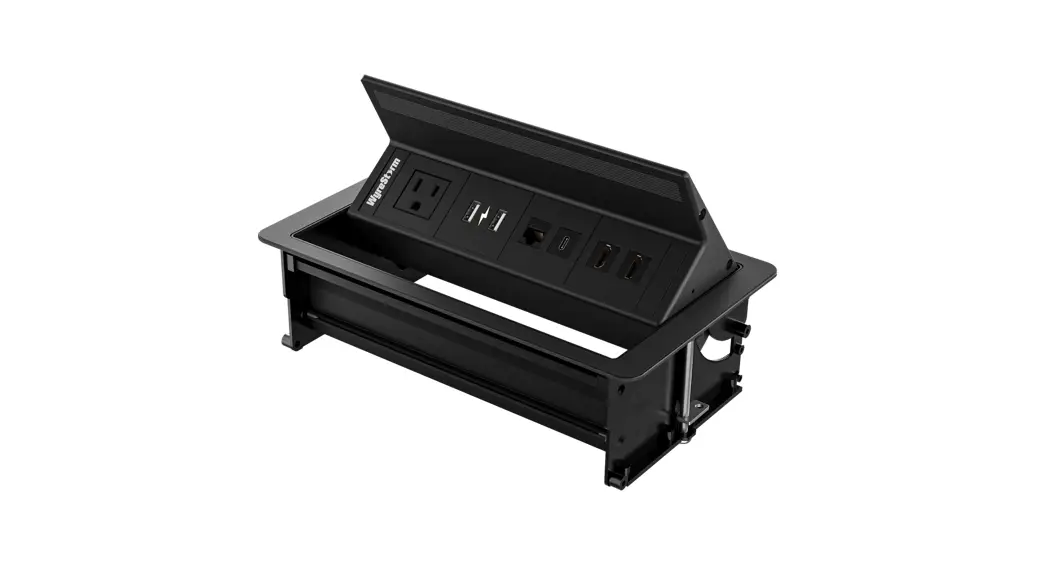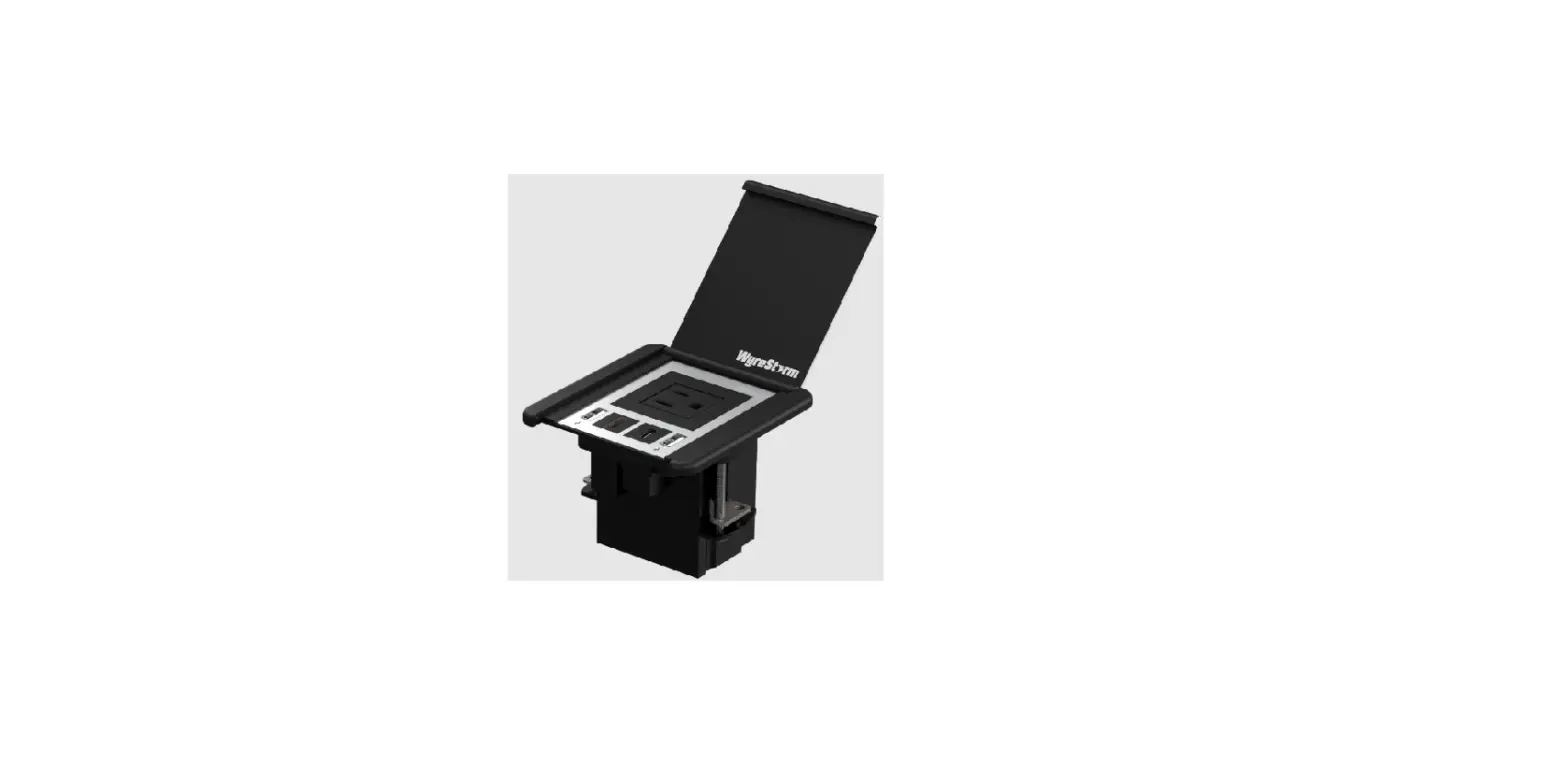

WyreStorm IDB-200-NA Compact In-Desk Connectivity
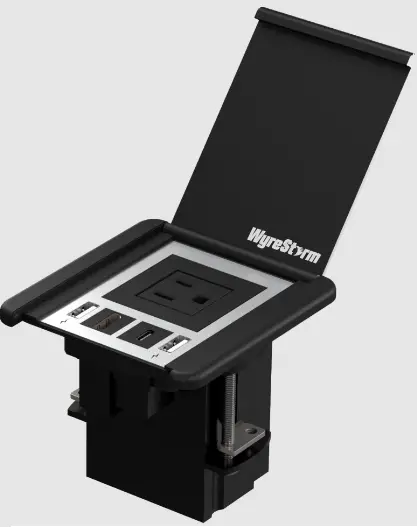
WyreStorm recommends reading through this document in its entirety to become familiar with the product’s features before beginning the installation process.
IMPORTANT: Installation Requirements
- Read through the Wiring and Connections section for important wiring guidelines before creating or choosing premade cables.
- Visit the product page to download the latest firmware, document version, additional documentation, and configuration tools.
In the Box
- 1x IDB-200-NA or IDB-200-MS
Mounting Instructions
WyreStorm recommends that you read through this section in its entirety before installing to ensure proper operation and to avoid damaging the equipment.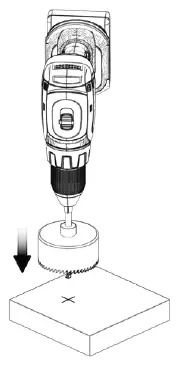
- Mark a center hole and cut through the desired material using an 80mm/3.14in Holesaw.

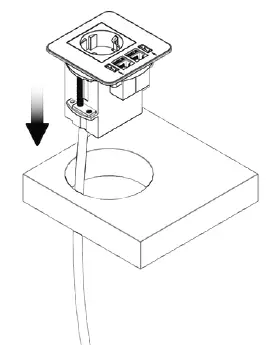
- Once the hole has been cut to size, the product should simply slot into place. Make sure all cables are passed throught the hole first.

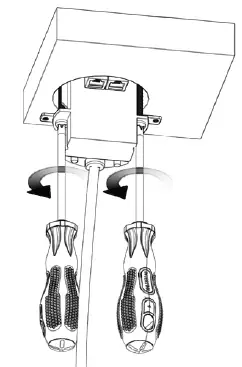
- When the In-desk plate is situated in the hole, you can tighten the product in place by screwing the two Philips head screws at the bottom of the product.

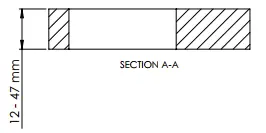
- For installation, table depth must be between 12-47mm
Opening Instructions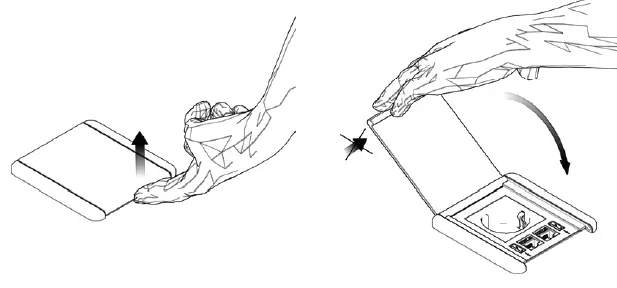
- Open the product by simply pressing the button on the top of the flap. You can also open by just lifting up the flap. To close the unit, gently push the flap downwards until it clicks.
Mains Wiring
The MS models of the IDB products use a Wieland EPN 1114 mains connector. This connector requires a compatible power supply cable with an EPN 1115 connector and the proper plug type based on country of installation. The WyreStorm IDB-PWR-UK or IDB-PWR-SCH can be purchased separately and used with the IDB-MS products which are compatible with most European countries.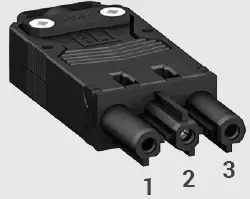
| WyreStorm Connector | 3rd Party Device | ||
| Pin 1 | L (Live) | —> To —> | L (Live) |
| Pin 2 | G (Ground) | —> To —> | G (Ground) |
| Pin 3 | N (Neutral) | —> To —> | N (Neutral) |
Power cable end, stripped and prepared for female Wieland connector installation.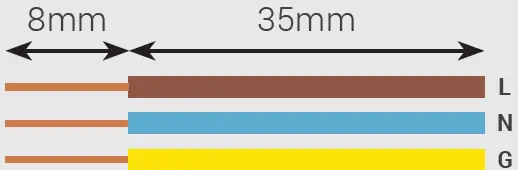
Wiring and Connections
WyreStorm recommends that all wiring for the installation is run and terminated prior to making connections to the deskplate. Read through this section in its entirety before running or terminating any wires to ensure proper operation and to avoid damaging the equipment.
IMPORTANT: Wiring Guidelines
- WyreStorm recommends using pre-terminated cables due to the complexity of these connector types. Using pre-terminated cables will ensure that these connections are accurate and will not interfere with the performance of the product.
- This product contains a USB-C connection that can be used as an audio/video input. When using this connection verify that the USB-C cable used supports audio/video functionality as not all USB-C cables support this requirement.
Troubleshooting
No or Poor Quality Picture (snow or noisy image)
- Verify that all HDMI connections are not loose and are functioning properly.
- Verify that USB-C connections are not loose and are functioning properly.
- If transmitting 4K, verify that the HDMI cables used are 4K rated.
Troubleshooting Tips
- WyreStorm recommends using a cable tester or connecting the cable to other devices to verify functionality.
Specifications
| IDB-200-NA | IDB-200-MS | |
| Audio and Video | ||
| Inputs | 1 x Mains outlet (North American Type B) 1 x USB-C 1 x HDMI 2 x USB Type A Charging Ports | 1 x Mains outlet (Multi-standard) 1 x USB-C 2 x HDMI 2 x USB Type A Charging Ports |
| Video Passthrough (Max) | HDMI: 3840×2160 @60Hz 4:4:4 8bit USB-C: 3840×2160 @30Hz 4:4:4 8bit | |
| Power | ||
|
Mains Connection | Voltage: 100-250VAC Current: Max: 16A Frequency: 50-60Hz
Integrated 3 meter mains cable (Type B plug) Total power of simultaneously connected devices must not exceed 3.6kW | Voltage: 100-250VAC Current: Max 16A Frequency: 50-60Hz
Integrated 40cm Weiland connector (EPN 1114) Total power of simultaneously connected devices must not exceed 3.6kW |
| USB Charging | 5v 2.4a per port | |
| Environmental | ||
| Operating Temperature | 0 to +45°C (32 to + 113 °F), 10% to 90%, non-condensing | |
| Dimensions and Weight | ||
| Length x Width x Height | Top surface: 85mm x 85mm Under table depth: 80mm Under table width: 79.8mm Can be mounted in surfaces between 12-47mm thick | |
| Weight | ||
| Regulatory | ||
| Safety and Emission | CE | FCC | RoHS | RCM | EAC |
Note: WyreStorm reserves the right to change product specification, appearance or dimensions of this product at any time without prior notice.
Warranty Information
WyreStorm Technologies LLC warrants that its products to be free from defects in material and workmanship under normal use for a period of five (5) years from the date of purchase. Refer to the Product Warranty page on wyrestorm.com for more details on our limited product warranty.
CONTACT
- UK: +44 (0) 1793 230 343
- ROW: 844.280.WYRE (9973)
- [email protected]
Copyright © 2021 WyreStorm Technologies
wyrestorm.com
IDB-200-xx Quickstart Guide
210902