 RL-SC-RSX-RGB-10 Extreme RGB LED Strip Light
User Manual
RL-SC-RSX-RGB-10 Extreme RGB LED Strip Light
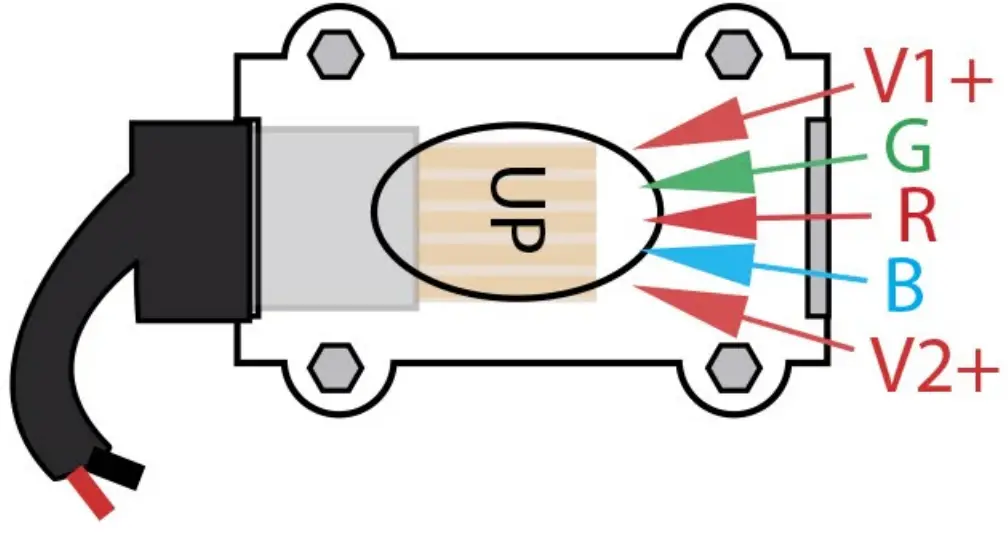 The top of the connector is marked by the word “UP”. The polarity of the wires is V1+ on top and V2+ on bottom. If you need to swap polarity, unscrew alien bolts and flip black connection wire.
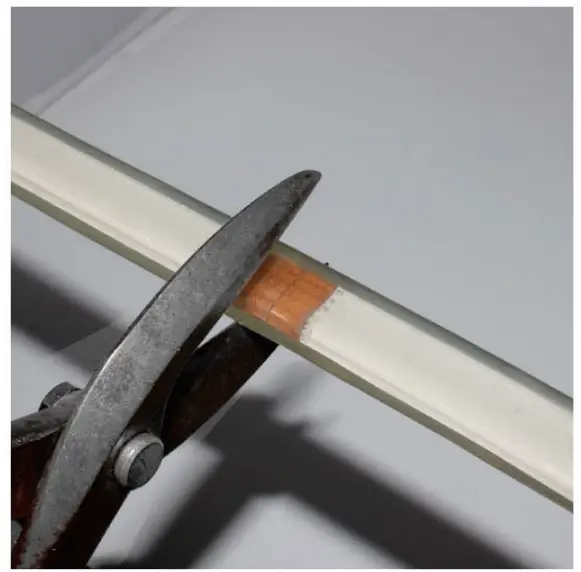 Cut the ribbon on the cut line closest to your re-connection point.
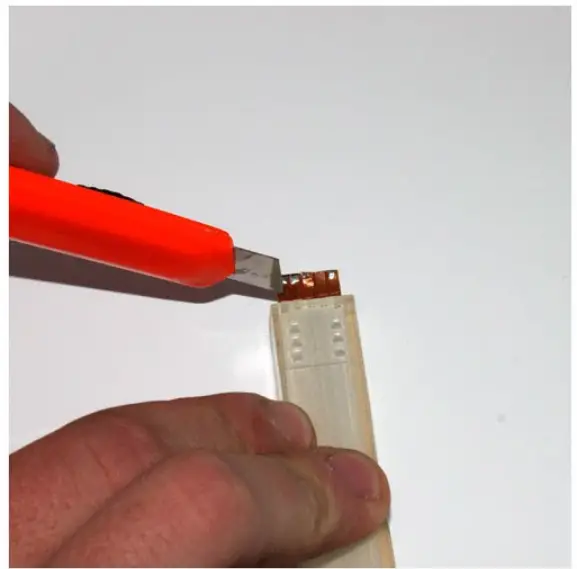 Use a sharp blade to carefully cut back the TPU housing 3/8″ without cutting the PC Board.
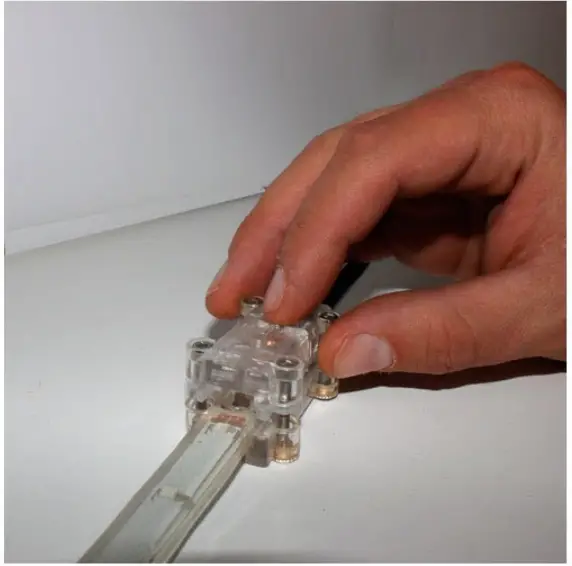 Unscrew the alien bolts on the connector, slide in the ribbon completely and tighten the alien bolts.
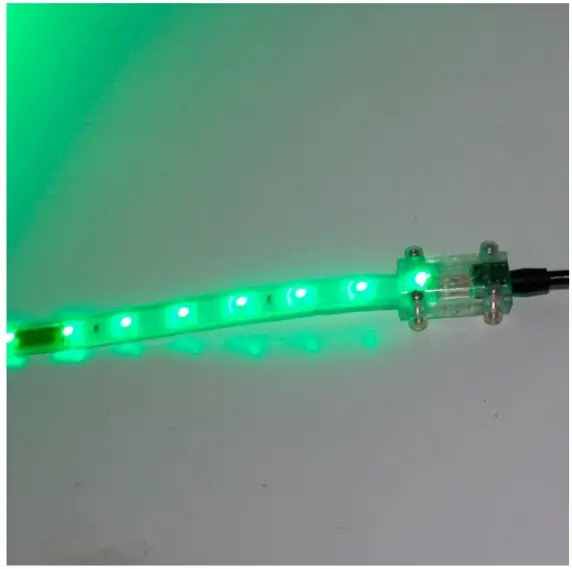 Test each RGB wire for a secure connection. If connection does not work switch the polarity.
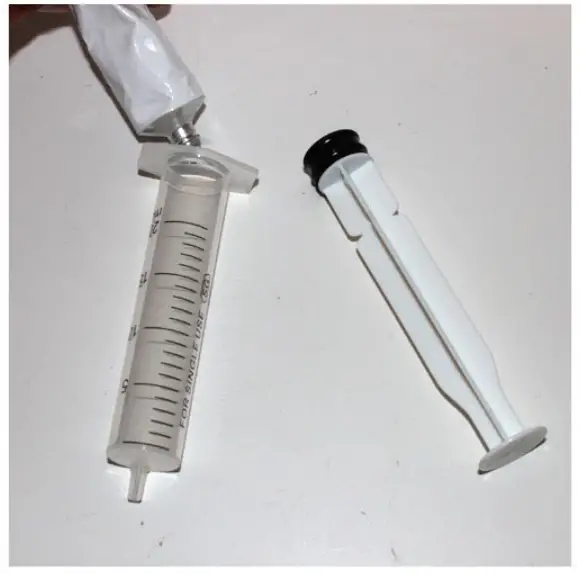 Once you are certain you have a good connection fill a syringe with the given silicon gel.
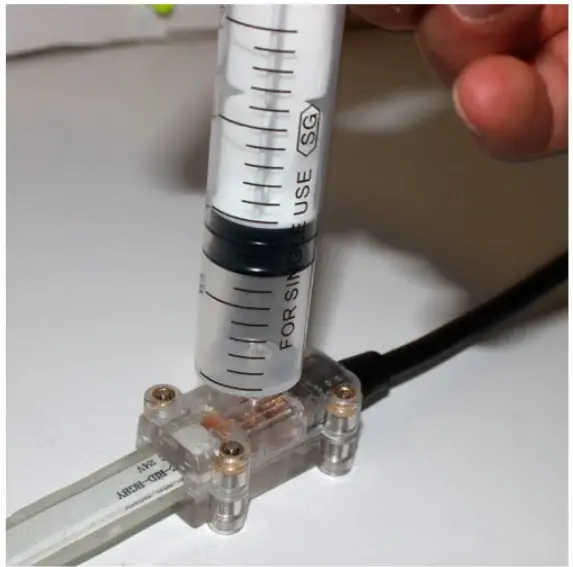 Apply silicon gel to the small hole in the back of the connector until overflow is seen on the top two holes.
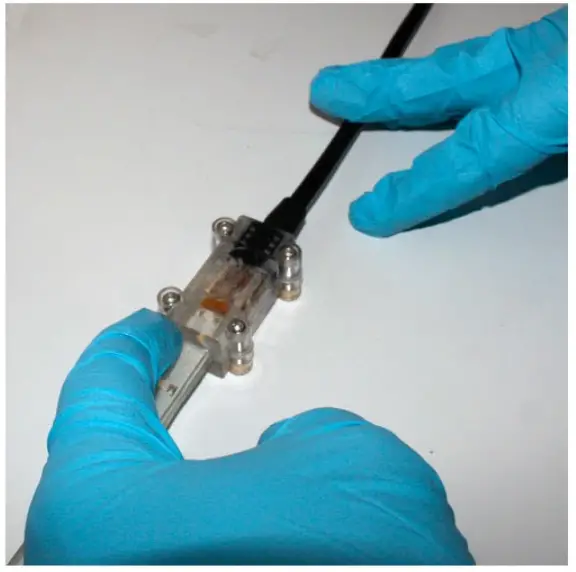 Use gel to gum the commissures between the ribbon and the connector. We recommend you use gloves and let dry 8 hours.
EcoLightLED.com
OPYRIGHT 2011 ECO LIGHT LED