DIGITUS DS-45331 4-In-1 AV Adapter/Switch Installation Guide
Introduction
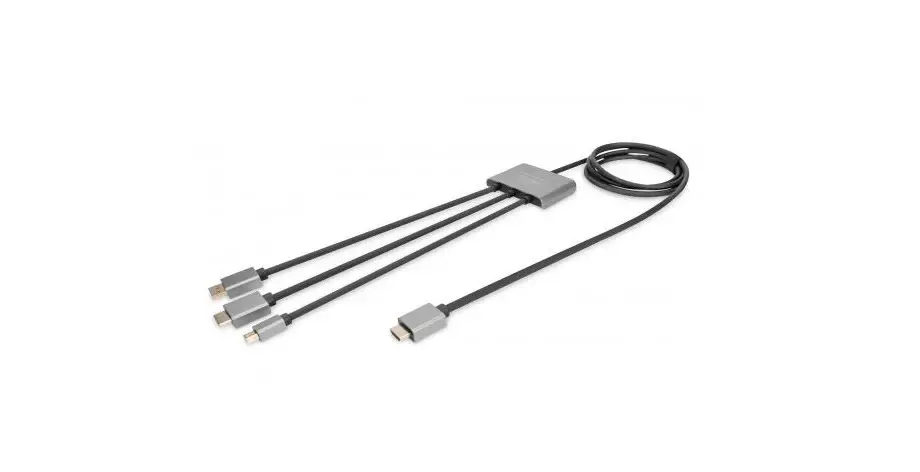
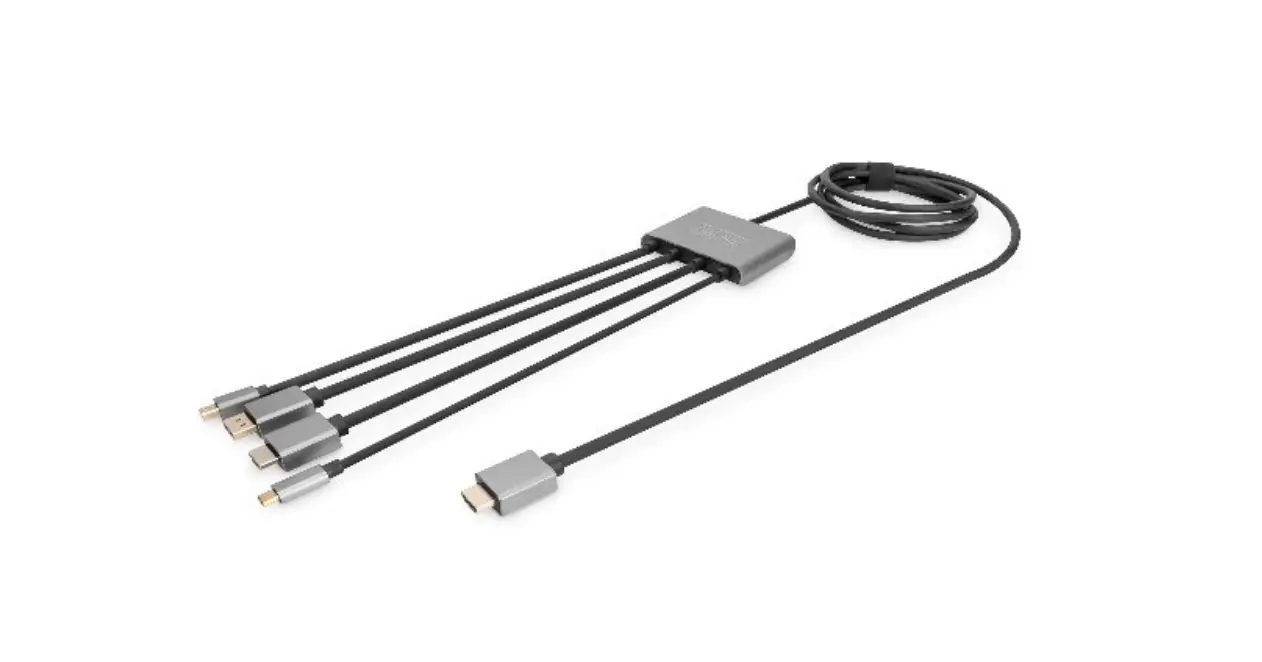
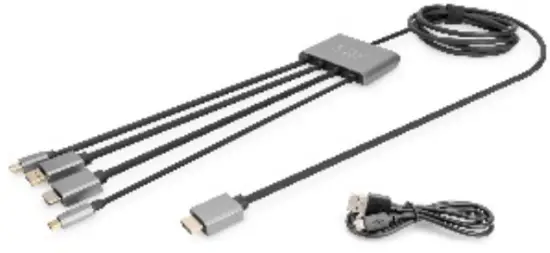
The DIGITUS® 4in1 AV Adapter/Switch offers the option of connecting any device. It features four video inputs (HDMI, DP, Mini DP, and USB-C™) for connection to a TV, monitor or projector (HDMI). The changeover switch on the device can be used to switch conveniently between input devices.
Power supply is provided via the Micro USB connection (min. 10W/5V/2A required). The adapter also supports UHD resolutions (4K/60Hz).
Features
- 4x Video inputs: HDMI, DP, Mini DP, USB-C™
- DP 1.2 / HDMI 2.0
- 1x Video output: HDMI
- Supports: UHD 4K2K/60 Hz
- Cable length: Input 30 cm / Output 100 cm
- Switch conveniently between the signal sources using the changeover switch on the adapter
- Power supply via Micro USB connection (min. 10W, 5V/2A required)
- Aluminum housing
- Perfect for stationary and mobile use
- HDCP 2.2 / 1.4
Package Contents:
- 1x Adapter
- 1x Micro USB cable (0.5 m)
- 1x QIG

Product Specification
| Product Size | 85.5 x 60 x 14 mm ( L x W x H) |
| Cable Length | 1m |
| Shell | Aluminum + ABS |
| Weight | 200g |
| Operating temperatures | 0°C -40°C |
| Operating Humidity | 10%-80% |
| Karting | DC 5V 350mA |
| Input | DP / Mini DP / HDMI / TYPE C |
| Output | HDMI |
Product Overview
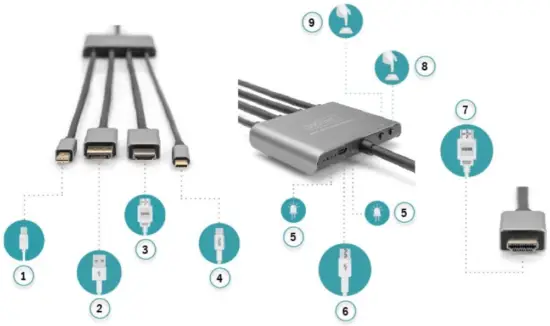
| 1 | Mini DisplayPort | 6 | Micro USB |
| 2 | DisplayPort™ | 7 | HDMI(output) |
| 3 | HDMI(input) | 8 | Power Switch |
| 4 | USB Type-C™ | 9 | Interface Switch |
| 5 | LED indicator |
User Operation
- Plug the USB A of the included USB power cable into the power adapter and insert the Micro USB end connector into the product’s Micro USB female socket
- Connect the HDMI OUT to the display device (TV, monitor, projector, etc.) and set the signal source to HDMI input.
- Plug the MINI DP, DP, HDMI, TYPE C connector of the product into the signal source to be connected, and the display device will show the display screen of the signal source
- Press the interface switch on the product to switch the input signal, the corresponding LED indicator after the switch, representing the switched device as the signal input source. The power button can be used to turn on and off the working power of the product.
Hereby Assmann Electronic GmbH declares that the Declaration of Conformity is part of the shipping content. If the Declaration of Conformity is missing, you can request it by post under the below mentioned manufacturer address.
Assmann Electronic GmbH
Auf dem Schüffel 3 58513 Lüdenscheid Germany

 ASSMANN Electronic GmbH | Germany