WT-01 Power Bank
Product Information
Power bank Model: WT-01
Compatibility: This model is compatible with
most DC 5V devices.
Product Presentation:
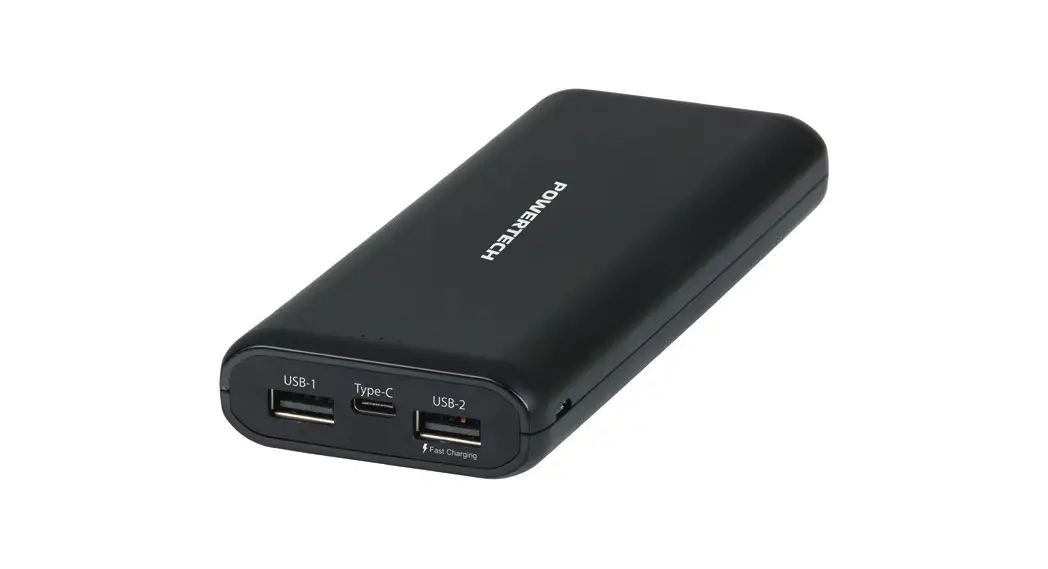
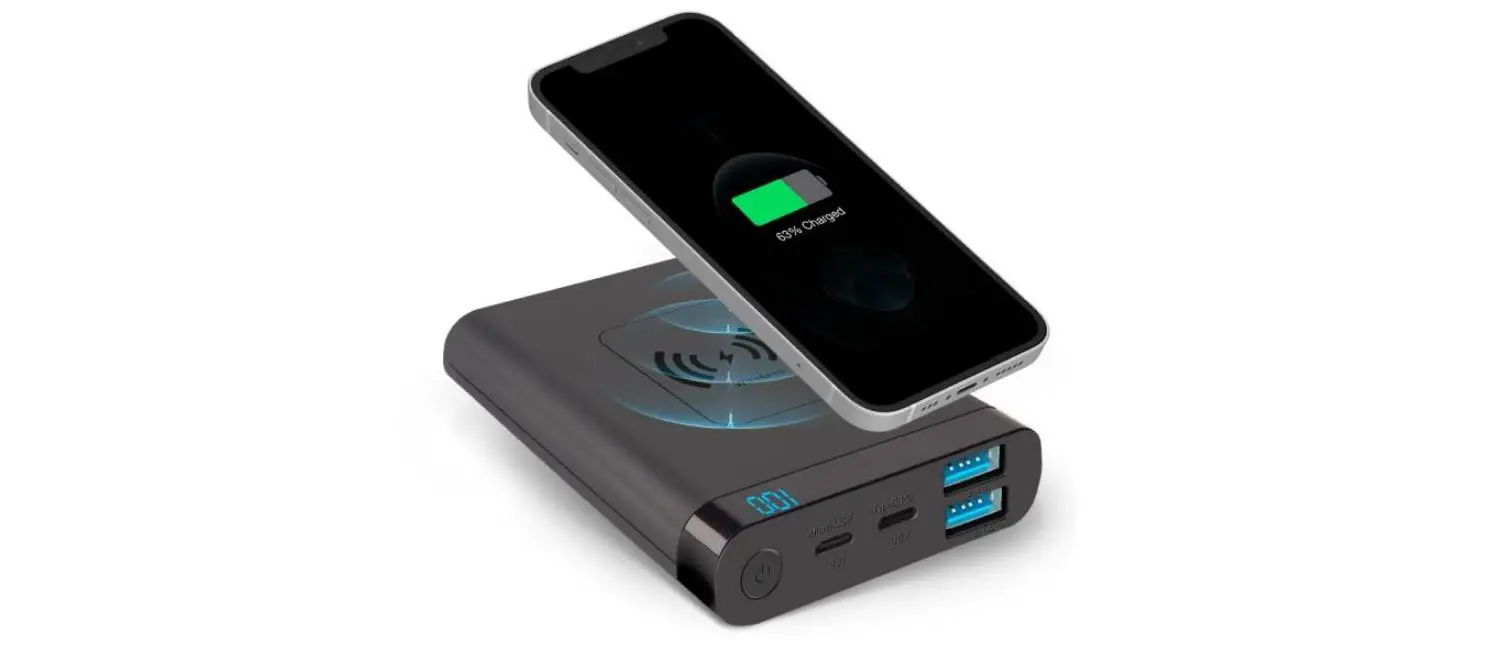
- Two USB ports
- One Type-C port
- One Micro port
- Wireless charger
- Digital display
- Four lights
Product Usage Instructions
Charge Mobile Phone Devices:
- Supports quick charging of QC and charging devices
quickly. - Supports wireless charging with 10W output.
- Supports pass through function.
- Supports charging of most DC5V mobile phones and devices.
- Choose different cables according to different phones and
devices.
Charge Power Bank:
- Supports USB-C and Micro Ports to recharge the power bank.
- Also supports Solar panel recharging. The max power of the
solar panel is 5.5V/0.3A.
Storage and Working Temperature:
Please use the power bank during the normal temperature range to
protect the battery life.
- Storage temperature: -5°C to +35°C (Less than one month), -5°C
to +30°C (Less than 6 months) - Working temperature: Charging 0°C to +45°C, discharging -20°C
to +60°C
Safety Instructions:
Warning: If safety instructions are not followed, it may cause a
fire, breakdown, or other damages.
Wireless Charge:
Press the button to open the wireless charge. The green wireless
charge indicator light will always be on. If no device is on the
wireless charge after 35 seconds, the wireless charge function will
be off, and the green wireless charge indicator light will be off.
The wireless charging power fault indicator light will show
red.
Power Indicator:
This power bank has a digital display screen to show the power.
Press the button to display the current state of power.
Floodlight Mode:
- Long press the button for 3 seconds: 4 lights on
- Click the button: The four lights will be slightly on
- Click the button again: SOS mode
- Click the button again: Flash mode
- Long press for 3 seconds: Turn off 4 lights
Attention:
- The charging time of the power bank may vary depending on the
charger used. - If the power bank doesn’t work, please check if the devices are
connected correctly and if the right cable is chosen. It is
recommended to use the original adapter and cable accessories. - The battery capacity mentioned is not the real capacity you can
use due to conversion rate. - The power bank supports most mobile phone models.
- It is advised to make a full charging circulation at least
every half year.
Lithium Battery:
- Do not separate the power bank by yourself. Do not expose the
product to high temperatures or fire. - Avoid contact with flammable items.
- Avoid hitting the power bank with hard objects.
- If you notice any bulge, please stop using the power bank.
- Keep out of reach of children.
Specifications:
- Battery type: Li-polymer battery
- Capacity: 20000mAh
- Solar panel input: DC5.5V/0.3A
- Micro input: DC5V/2A, 9V/2A
- USB-C input: DC5V/3A, 9V/2A
- USB output1: DC5V/3A
- USB output2: DC5V/3A, 9V/2A, 12V/1.5A
- USB-C output: DC5V/3A, 9V/2A, 12V/1.5A
- Wireless charge: 10W
- Size: 176*86.4*28.7mm
- Weight: 530g
- Color: Black, Red, Blue, Orange
Power bank Model : WT-01
User Manual
Thanks for choosing WT-01 power bank model This model compatible with most DC 5V devices
Product presentation
1.This item consists of two USB ports, one Type-C port and one Micro port. a wireless charger, digital display, four lights
Charge mobile phone devices
1. Support quick charging of QC and charging your devices quickly 2. Support wireless charging 10W output. 3. Support pass through function 4. Support charging of most DC5V mobile phones and devices. 5. Choose different cables according to different phones and devices.
Charge Power Bank
1. Support USB-C and Micro Ports to recharge the power bank,
Also support Solar panel recharging.The max power of solar panel is
5.5V/ 0.3A (as shown in Figure 2/3/4)
Storage and working temperature
Storage and working temperature(Please use it during the normal temperature in order to protect the battery life )
Storage temperature:-5~ +35 (Less than one month) -5 ~+30 (Less than 6 months) Working temperature: Charging0~+45 . discharging-20~+60
safety instructions
Warning: If don`t follow safety instructions,maybe cause a fire,some breakdown or other damages
Wireless charge
USB output2
LED light
Digital display Type-C input and output Micro input USB output1
2.Power indicator: this item has a digital display screen, which is convenient to show the power.Press the button to display the current state of power.
3. Floodlight mode: long press the button for 3 seconds, 4 lights on; Click the button and the four lights will be slightly on. Then click the button again will be SOS mode;Click the button again, flash mode; Long press 3 seconds to turn off 4 lights.
4. Click the button to open the wireless charge, and the green wireless charge indicator light will always be on. If no device is on the wireless charge after 35 seconds, the wireless charge function will be off, and the green wireless charge indicator light will be off, the wireless charging power fault indicator light will show red.
(1) Type-c port charging power bank model
(2) Micro input port charging power bank model
(3) solar panel charging power bank mode
2. Different chargers take different time to charge the mobile power supply. if using fast charger can be as fast as 5 hours to fully charged the power bank
Attentions
1. Cause the capacity is high of this model, use fast charger to full charge it need only 5 hours. but subject to the actual use.
2. If this model doesn`t work ,Please check the devices connected or not, Confirm you chose the right cable or not. Suggest using original adapter and cable accessories.
3. As the power bank has conversion rate, so the battery capacity is not the real capacity you can use.
4. Support most mobile phone model. 5.At least every half year, make a full charging circulation.
Lithium battery
1.Don`t separate this model by yourself. Don`t put product into high temperature or fire
2.Do not approach flammable items 3.Do not hit with hard objects 4.If find there is bulge,Please stop using 5.Children don`t touch
Specification
Battery typeLi-polymer battery Capacity20000mAh solar panel input:DC5.5V/0.3A Micro input:DC5V/2A 9V/2A USB-C input:DC5V/3A 9V/2A USB output1:DC5V/3A USB output2:DC5V/3A 9V/2A 12V/1.5A USB-C output:DC5V/3A 9V/2A 12V/1.5A Wireless charge:10W Size:176*86.4*28.7mm Weight530g Color:Black Red Blue Orange
Accessories
Power bank A-C Cable Manual