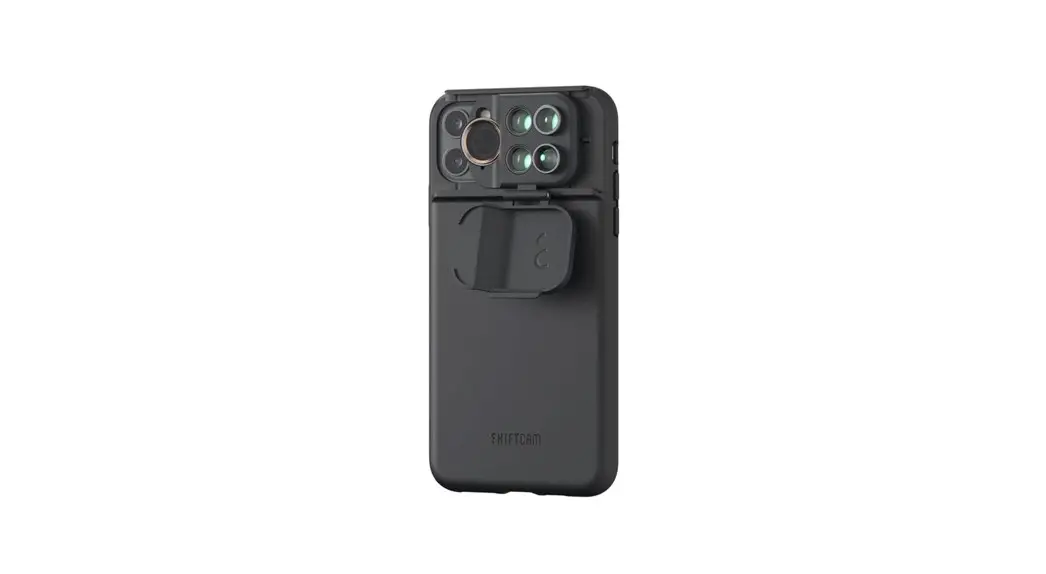
 Limited SG001 12 Camera-Enhancing Lens in 1 Sleek Phone
User Manual
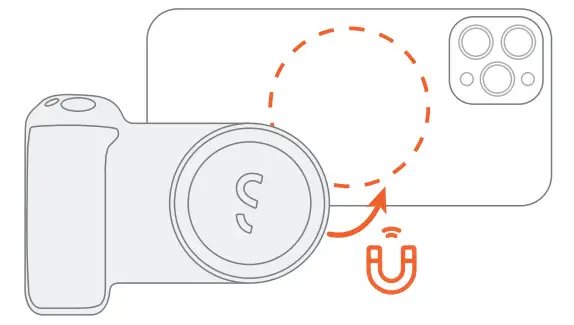
Attach SnapGrip
For iPhone 12 series or later/with MagSafe case
For other phones
Magnetic Sticker needed
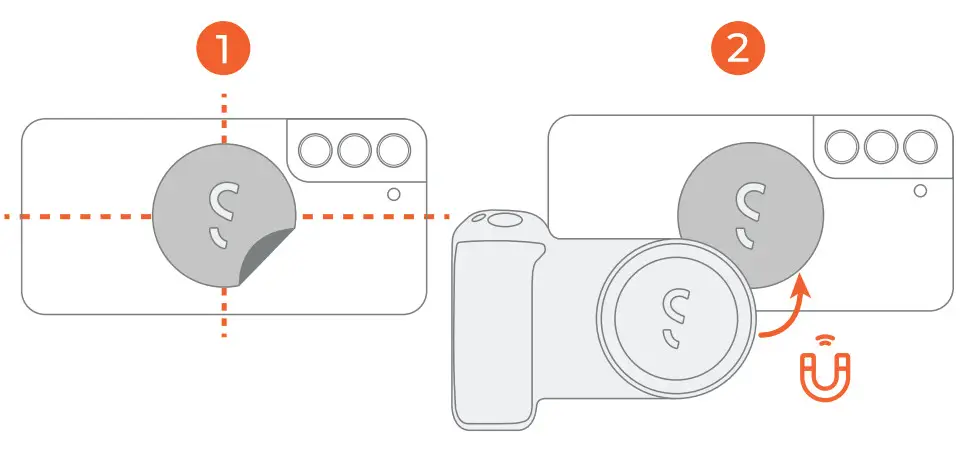
Place the Magnetic Sticker on the back of phones/ cases then attach SnapGrip.
Turn on/off Wireless Charging
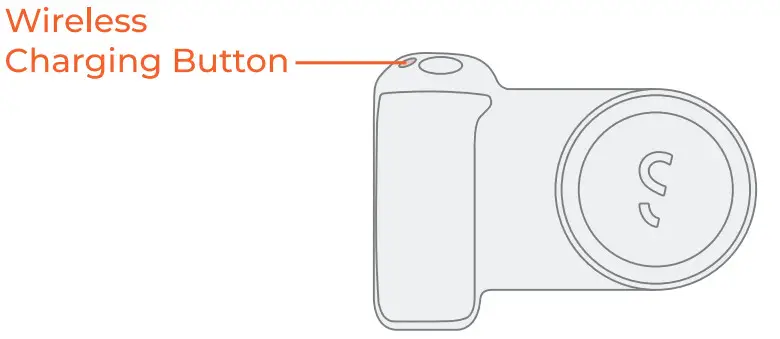
Turn on:
Press the wireless charging button once
Turn off:
Press the wireless charging button twice
Connect Wireless Shutter
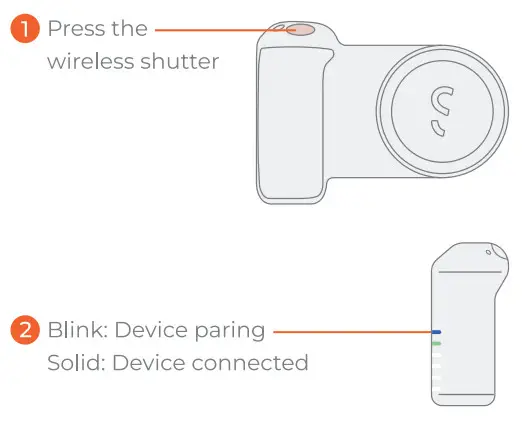
On your device, go to Settings and turn on Bluetooth. Select “ShiftCam SnapGrip” to pair. Photo: Short press shutter Video: Long press shutter
! Need further assistance? Scan QR code below.
Reset Connection
Press the reset button with the Connection Reset Pin until the blue LED light start blinking 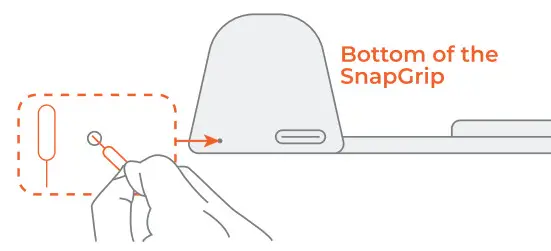
Bluetooth and wireless charging cannot be used simultaneously while charging
FCC Warning
This device complies with part 15 of the FCC Rules.
Operation is subject to the following two conditions: (1) This device may not cause harmful interference, and (2) this device must accept any interference received, including interference that may cause undesired operation.
Any Changes or modifications not expressly approved by the party responsible for compliance could void the user’s authority to operate the equipment. This equipment has been tested and found to comply with the limits for a Class B digital device, pursuant to part 15 of the FCC Rules. These limits are designed to provide reasonable protection harmful interference in a residential installation. This equipment generates uses and can radiate radio frequency energy and, if not installed and used in accordance with the instructions, may cause harmful interference to radio communications.
However, there is no guarantee that interference will not occur in a particular installation.
If this equipment does cause harmful interference to radio or television reception, which can be determined by turning the equipment off and on, the user is encouraged to try to correct the interference by one or more of the following measures:
- Reorient or relocate the receiving antenna.
- Increase the separation between the equipment and receiver.
- Connect the equipment into an outlet on a circuit different from that to which the receiver is connected.
- Consult the dealer or an experienced radio/TV technician for help.
The device has been evaluated to meet general RF exposure requirement.
The device can be used in portable exposure condition without restriction.
Have questions?
Scan QR code for more tips!
Installation Instruction
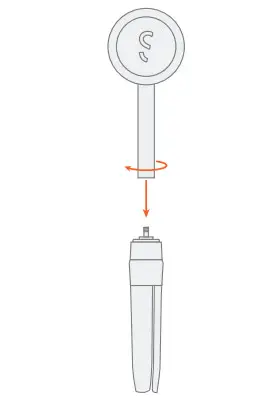
Angle Adjustment

Attach SnapPod
For iPhone 12 series or later/with MagSafe case
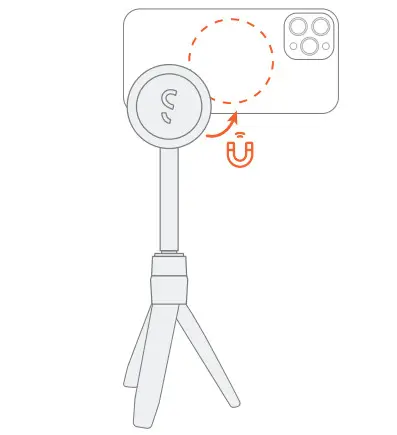
For other phones
Magnetic Sticker needed
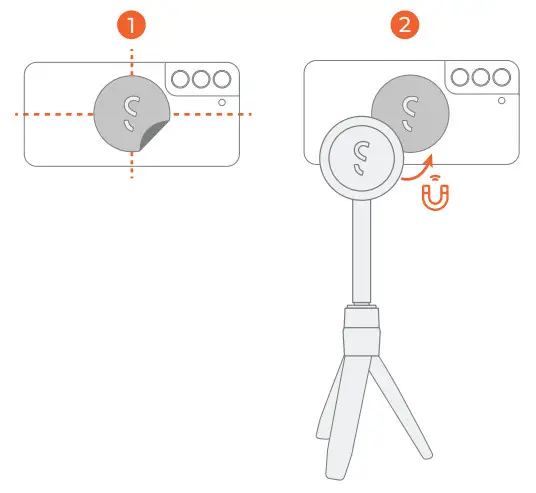
Place the Magnetic Sticker on the back of phones/cases then attach SnapPod.
Adjust Brightness Level
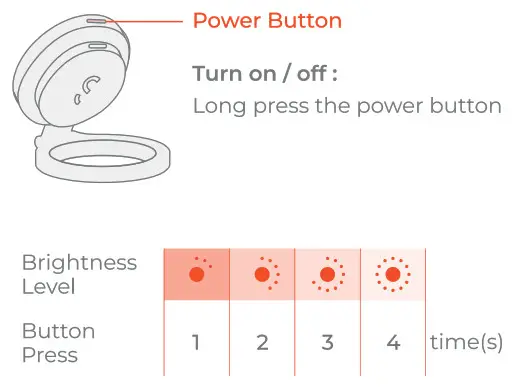
Warranty
Thank you for purchasing the SnapGrip Ecosystem.
We offer a 2-Year-Warranty that covers your products from any manufacturing flaws or detects.
Warranty does not cover damages from accidents or misuse.
In case of service required, please reach out to [email protected].
Scan the QR code and complete the warranty registration process.
 https://qrcodes.pro/o6og6b
#Peri(reatieity)