S5 Mini Lens Insertion System for Scleral and Hybrid Lenses
Product Information
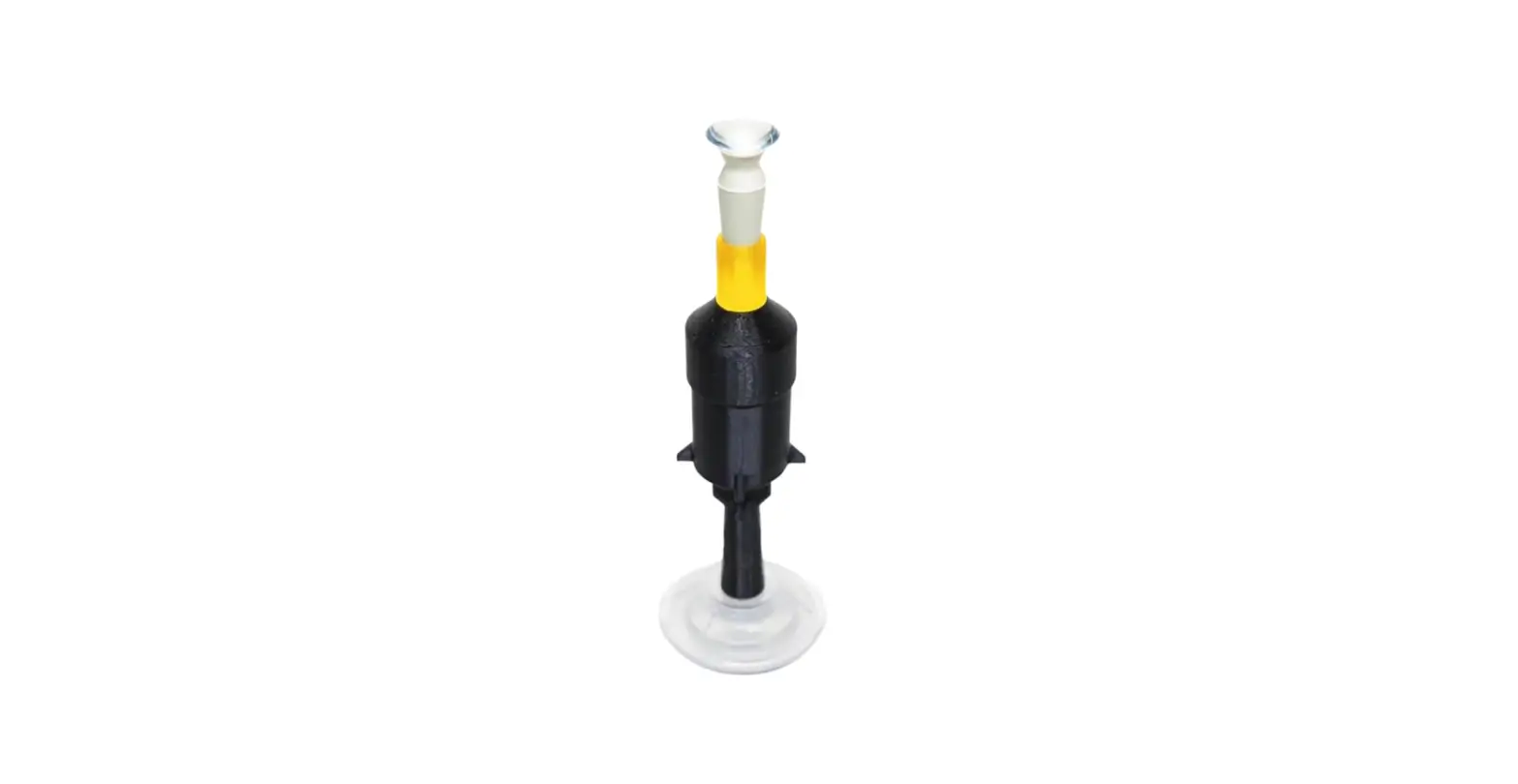
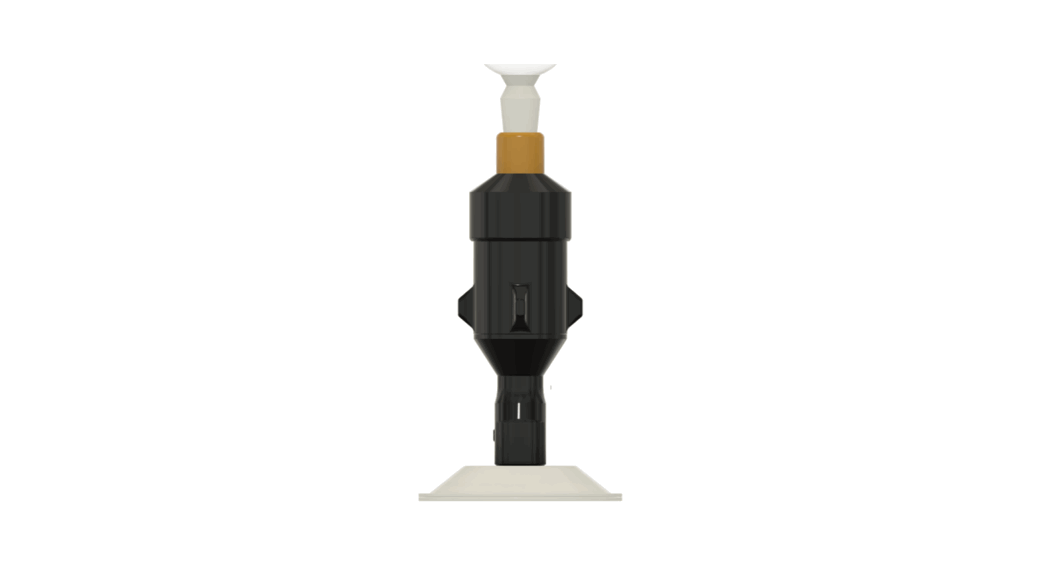
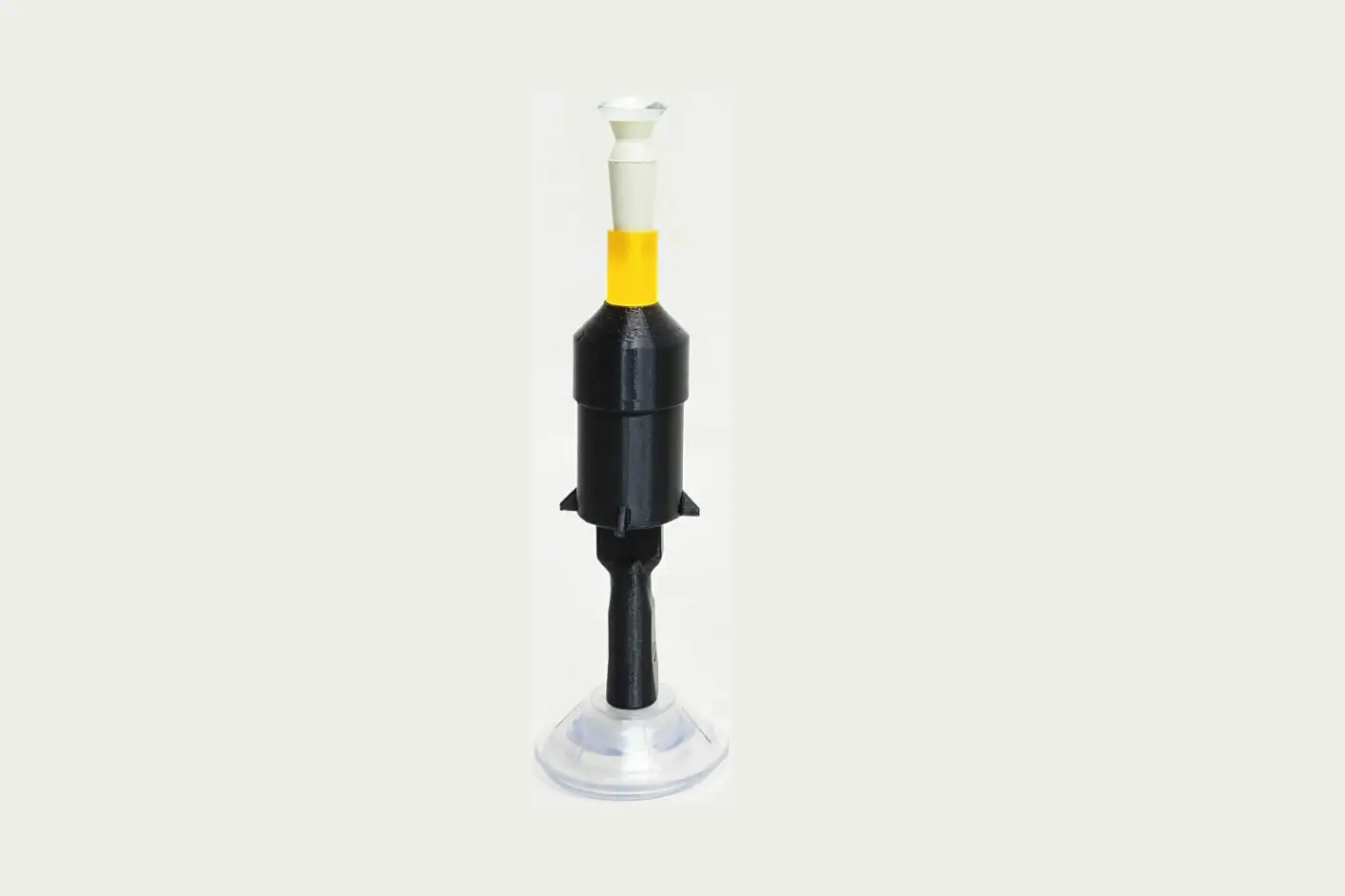
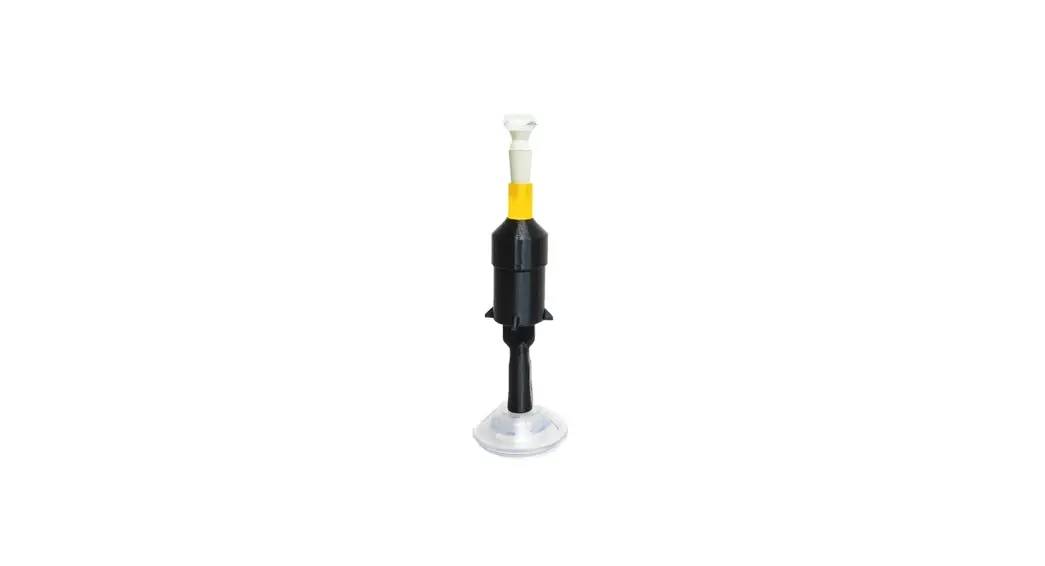
The S5 MiniTM is a device designed to assist users in inserting
their scleral and hybrid lenses. It features a rubber lens holder,
a suction base, and a light unit. The device is intended to make
lens insertion safer and more efficient.
Safety Precautions
- Consult with your eyecare provider for instructions on how to
clean and maintain your lenses. - If you experience pain or a decrease in vision quality after
using the S5 MiniTM, stop using the device and contact your eyecare
provider immediately.
Warranty Information
The S5 MiniTM comes with a 1-year warranty that covers the
replacement of any components that fail to operate as expected due
to a manufacturer defect. Register your device within 14 days of
receiving it to receive a $50 credit towards any future purchase.
Register at https://augmentedvisionlabs.com/warranty/.
Device Maintenance
- Clean the rubber lens holder with an alcohol wipe before every
use and allow it to dry completely. - Remove any liquid that may have spilled onto the device
immediately after inserting your lenses. - Ensure that the storage case for the device is completely dry
before storing it. If there are liquid-containing containers in the
case, make sure they are securely closed. - Clean the outside of the device and the inside of the storage
case at least once per week with alcohol wipes. Ensure all parts
are dry before storing them. - Clean the bottom of the suction base periodically with an
alcohol wipe. - To charge the light unit, disconnect it from the base lever,
locate the USB port on the bottom, connect the provided USB
charging cable, and connect the cable to a computer. The light unit
will reach a full charge after 1 hour.
Product Usage Instructions
Before Lens Insertion
- Place the suction base on a smooth, flat surface.
- Ensure that both the bottom of the suction base and the surface
are clean and dry.
For Scleral and Hybrid Lenses
1. Safety precautions (Please read before use) …………………… Page 2 2. Warranty information …………………………………………………….. Page 2 3. A message from our founder ………………………………………….. Page 3 4. Device description ………………………………………………………….. Page 3 5. Device maintenance (Please read before use) ………………… Page 4 6. Instructions for lens insertion …………………………………………. Page 6 7. Demonstration video ……………………………………………………… Page 13 8. Join our online community …………………………………………….. Page 14
1
©2023 Augmented Vision Labs, LLC
SAFETY PRECAUTIONS
1. Please consult with your eyecare provider for instructions on how to clean and maintain your lenses. Your doctor will recommend the appropriate lens cleaning and maintenance products that you should use with your lenses.
2. If you experience pain or a decrease in the quality of your vision after using the S5 MiniTM stop using the device and contact your eyecare provider immediately.
3. Lens Holder: a. Please read the insert included with the rubber lens holder before using it. b. ALLERGY NOTICE: The lens holder provided with the S5 MiniTM (known as the DMV® Vented Scleral CupTM SynergEyes® Model) contains latex. c. The lens holder provided with the S5 MiniTM is only intended for use in lens insertion. Do not use the provided lens holder during lens removal. d. CHOKING HAZARD: Please keep the lens holder and its case out of the reach of children.
WARRANTY INFORMATION
Your S5 MiniTM comes with a 1-year warranty which covers the replacement of any components that fail to operate as expected due to a manufacturer defect. For a limited time, receive a $50 credit towards any future purchase by completing your warranty registration within 14 days of receiving your device. Register your device at https://augmentedvisionlabs.com/warranty/ or by clicking the button below.
Submit Warranty Registration
2
©2023 Augmented Vision Labs, LLC
A MESSAGE FROM OUR FOUNDER
Thank you for purchasing the S5 MiniTM. I developed this device to eliminate the frustration that my patients faced with inserting their scleral and hybrid lenses. My goal is that it will do the same for you. To ensure that this happens, I’m making myself available 7 days a week to help you learn how to insert your lenses safely and efficiently.
Please reach out to me if you are not successful with inserting your lenses on the first day of using your S5 MiniTM. I will work with you to find the root cause of the challenges that you are experiencing. I will then share specific tips that will help you overcome those challenges. We are proud of the fact that 100% of S5 MiniTM users who have reached out to us are now able to successfully insert their lenses. Please use the contact information below to get in touch with me if I can be of any assistance to you.
Best wishes,
Dr. Fayiz Mahgoub, OD Founder, Augmented Vision Labs, LLC Email: [email protected] Cell: +1-970-402-5789
DEVICE DESCRIPTION
The S5 MiniTM was designed to make struggling with scleral and hybrid lens insertion a thing of the past. By holding your lens in place, your device allows you to have two hands available to hold your eyelids open. This will allow you to counter the human blink reflex which is often triggered when the lens is on or near the eye. The LED light will help you accurately align your eye with the center of your lens during insertion. This will help reduce accidental spilling of the saline solution due to misalignment between your eye and the lens. As a result, you will be able to insert your lenses in fewer attempts, with fewer air bubbles and less frustration.
3
©2023 Augmented Vision Labs, LLC
DEVICE MAINTENANCE
1. Please clean the rubber lens holder with an alcohol wipe before every use and allow it to dry completely before placing a lens on it. The lens holder should be replaced at least once every 3 months.
2. Immediately after inserting your lenses, take a moment to remove any liquid that may have spilled onto your device. This will help prevent water from getting into the electronic components of your device.
3. Please make sure that the storage case for your device is completely dry before storing the device in it. If you store containers that hold liquids (ex. contact lens cases) in your case, please ensure that they are securely closed to prevent liquid damage to your device.
a. We recommend cleaning the outside of your device as well as the inside of your storage case at least once per week with alcohol wipes. After cleaning, make sure that all parts are completely dry before storing them.
4. The bottom of the suction base should be cleaned periodically with an alcohol wipe to ensure maximum suction.
5. Charging the light unit:
a. When you notice the light becoming dim, it’s time to charge the light unit. i. Disconnect the light unit from the base lever by twisting the bottom half of the light unit (shown in green) counterclockwise.
4
©2023 Augmented Vision Labs, LLC
ii. Locate the USB port on the bottom of the light unit.
iii. Connect the female end of the provided USB charging cable to the bottom of the light unit.
iv. Connect the male end of the cable to a desktop or laptop computer.
b. The light unit will reach a full charge after 1 hour of being plugged in.
5
©2023 Augmented Vision Labs, LLC
INSTRUCTIONS FOR LENS INSERTION
BEFORE LENS INSERTION
1. Place the suction base on a smooth, flat surface. Ensure that both the bottom of the suction base and the surface are clean and dry.
2. Hold down the outer edge of the suction base while pulling the light unit upward until the device locks into place in the vertical position. This will engage the suction of the base.
3. Connect the rubber lens holder to the top of the light unit.
Step 2
Step 3
6
©2023 Augmented Vision Labs, LLC
4. Wash your hands with a scent-free, moisturizer-free soap for 20 seconds and dry them with a lint-free towel.
5. Clean the rubber lens holder with a disinfecting alcohol wipe.
a. Allow the lens holder to dry completely before placing your contact lens on it.
6. Clean the upper segment of the light unit (the part that twists) with a disinfecting alcohol wipe.
a. You can use the same wipe that you previously used to clean the lens holder.
7. Inspect your lens to make sure it is clean and free of damage then place it on the rubber lens holder.
a. It is recommended to rinse your lens with preservative free saline if it was previously stored in a multi-purpose cleaning solution.
b. If your lens has a black dot that is used for positioning your lens, please make sure that the dot is placed at the position recommended by your doctor (example: place the black dot at the 6 o’clock position).
8. Fill the lens bowl with a preservative-free saline solution that is approved by your doctor.
a. Add saline until the level rises above the edge of the lens.
7
©2023 Augmented Vision Labs, LLC
9. Twist the top half of the light unit counterclockwise to activate the light.
LENS INSERTION
1. Place your head directly over the lens, making sure that your head is level with the surface that your device was placed on. Your chin should be tucked in toward your chest.
2. Use both hands to firmly hold your upper and lower eyelids open. a. Tip #1: Place your fingers as close as possible to your eyelashes (without touching your eyelashes) to get the best grip on your eyelids.
b. Tip #2: Pull your upper lid upward and pin it against your brow bone by pressing your finger in towards your face. Pull your lower lid down and pin it against your cheek bone by pressing your finger in towards your face. See the picture below for an example of what this should look like.
Press lower eyelid against cheek bone.
Press upper eyelid against brow bone.
8
©2023 Augmented Vision Labs, LLC
3. Keep both eyes open and slowly move your head down toward the lens until your eye makes contact with the lens.
a. Tip #1: Focus on the light as you move closer to the lens. The light will look perfectly round if you are lined up with the center of the lens. If the light does not look round, you will need to adjust the position of your head until it becomes round.
b. Tip #2: The first thing you will feel is your eye touching the saline solution. Do not slow down when you feel the saline. Keep going at the same pace until you feel the pressure of the lens being pressed against your eye. It is normal for saline to spill out of the lens bowl during this process.
4. Once you feel the pressure of the lens being pressed onto your eye, move your head up and away from the device and slowly release your eyelids.
5. Twist the top half of the light unit clockwise to turn the light off.
9
©2023 Augmented Vision Labs, LLC
6. For your second eye:
a. Repeat steps 7 through 9 in the “Before Lens Insertion” section to prepare your second lens for insertion.
b. Repeat steps 1 through 5 in the “Lens Insertion” section to insert your second lens.
7. After inserting your lenses, please take a moment to check for air bubbles.
a. Cover one eye at a time to see if you can notice any air bubbles in your line of sight.
b. You can also use a mirror to inspect the lens on your eye and check for air bubbles. Shining a flashlight on your face will help provide better lighting.
c. If air bubbles are present, you must remove the lens and re-insert it.
10
©2023 Augmented Vision Labs, LLC
I successfully inserted my lenses
I cannot insert my lenses
Congratulations! You can expect lens insertion to get easier and faster as you continue to practice. Please contact us if you find that you are no longer making progress. We are happy to share personalized tips that will help you insert your lenses in less time and with fewer attempts.
Please contact us! We will work with you to discover the root cause of the challenges that you are experiencing. We will then share personalized tips to help you overcome those challenges. 100% of S5 Mini users who contacted us have learned to insert their lenses successfully.
Call/Text us at: +1-970-402-5789 Email us at: [email protected]
We are available to help you 7 days a week!
11
©2023 Augmented Vision Labs, LLC
AFTER LENS INSERTION
Please carefully follow the instructions below to keep liquid away from the electronics of your device. Following these instructions will extend the operational life of your device.
1. Remove the rubber lens holder from the light unit.
2. Dry off the outside of the light unit and base with a paper towel.
3. Detach the S5 MiniTM from the mounting surface by following these steps: a. Push the light unit back to the horizontal position to break the suction of the base.
i. If the suction does not release right away, it may be necessary to use a fingernail or a plastic card to separate the edge of the base from the surface that it is suctioned to.
b. Use a paper towel to dry off any remaining moisture on the base.
4. Turn the device upside down to drain any liquid inside the orange lens holder dock. Use a paper towel or a q-tip to soak up any liquid remaining in the lens holder dock after draining.
12
©2023 Augmented Vision Labs, LLC
5. Please ensure that the storage case used to store your device is completely dry before using it to store your device. This is important for reducing the growth of microbes in the storage case as well as reducing the chance of liquid damage to the electronics of your device.
a. It is recommended that you use alcohol or another disinfecting solution to clean the inside of your storage case at least once per week. After cleaning, make sure that the case dries completely before using it to store your device and lens accessories.
DEMONSTRATION VIDEO
We created this video to give you a visual demonstration of good techniques for lens insertion. Please read the complete set of instructions in this manual before watching the video. This manual contains important tips for lens insertion and device maintenance that are not included in the video.
13
©2023 Augmented Vision Labs, LLC
· Receive encouragement and support from fellow members. · Learn valuable life hacks that make living with contact lenses easier. · Discover the latest developments in contact lenses based on newly published
research.
Join group
14
©2023 Augmented Vision Labs, LLC
 Support - Augmented Vision Labs™