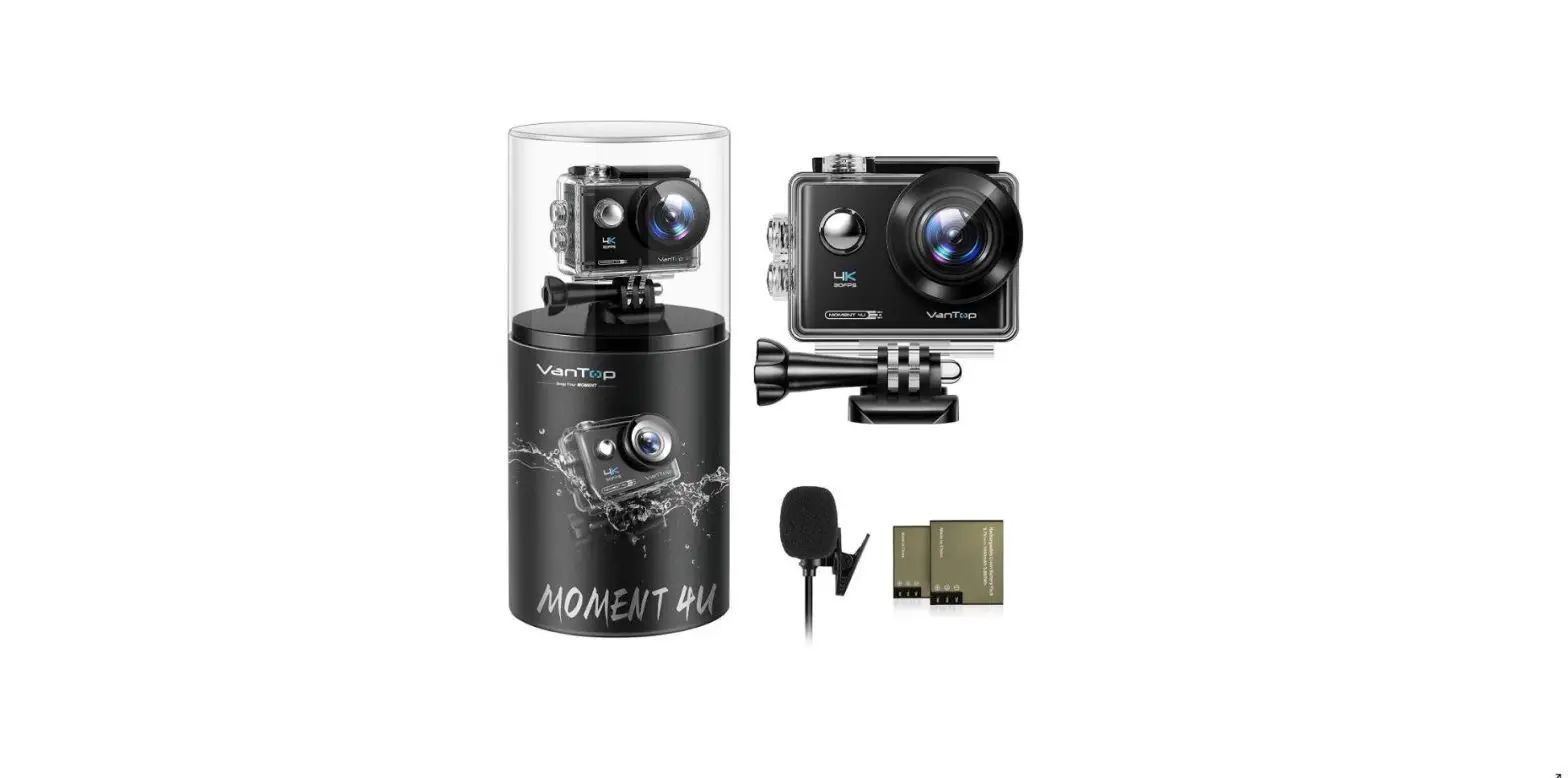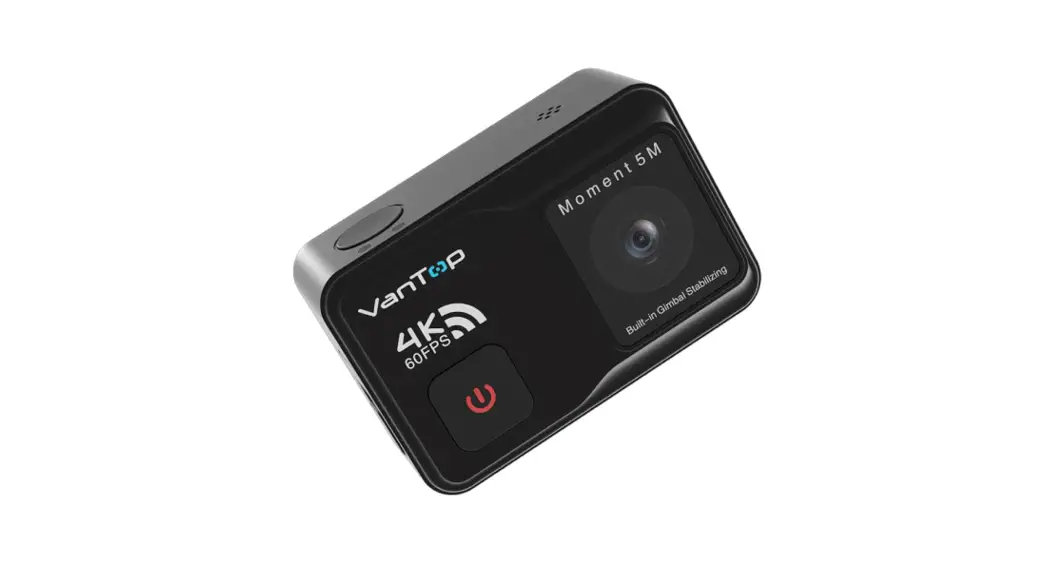
 User Manual
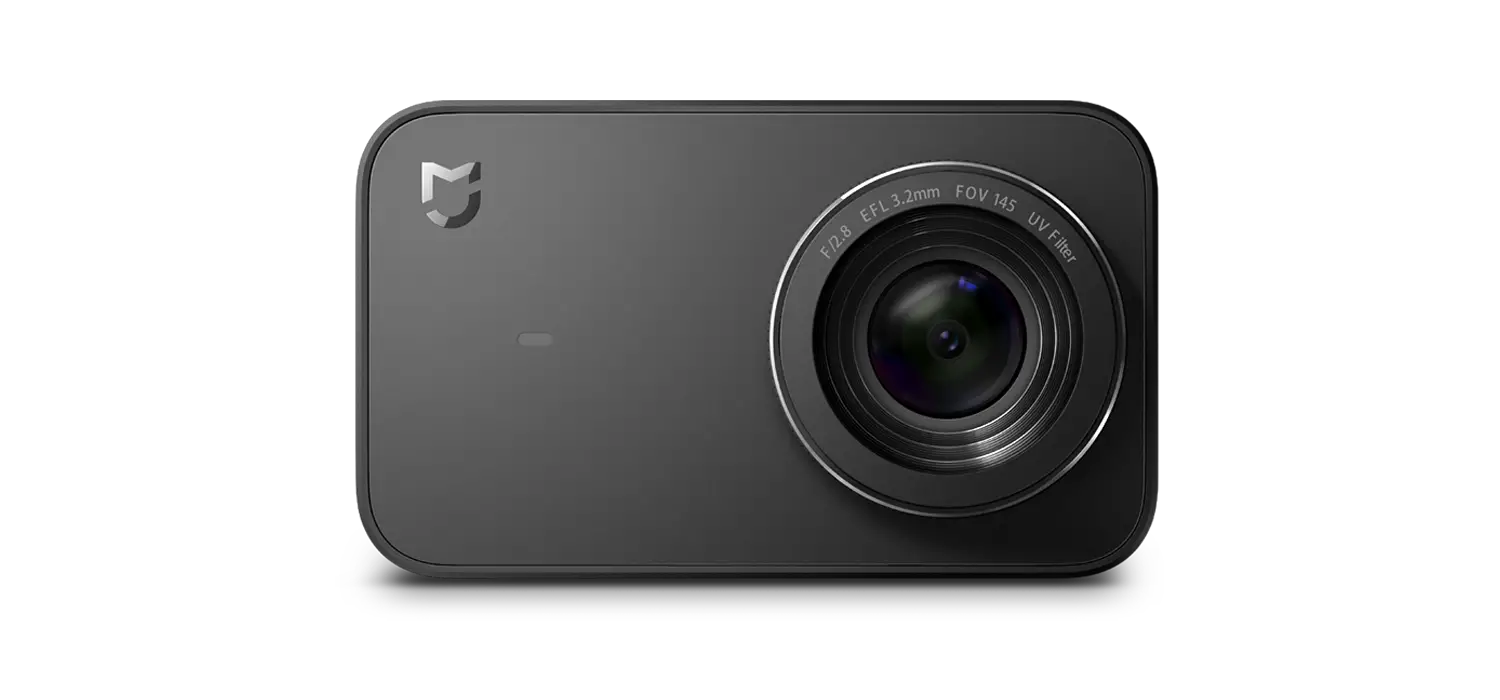
Moment 4s
V1.01
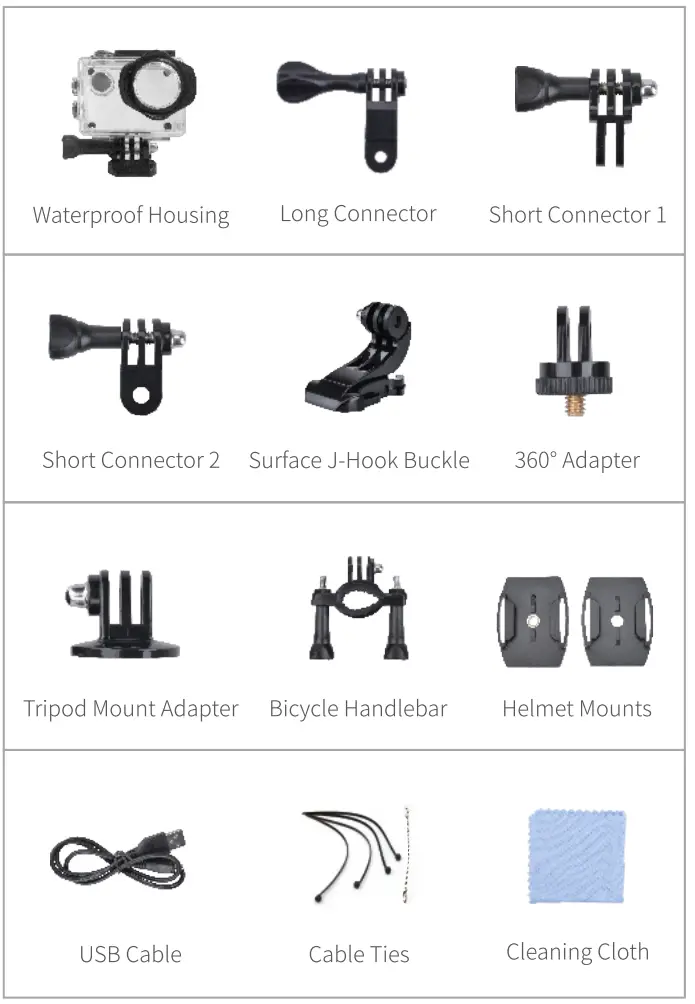
PACKING LIST

 Tips:
Tips:
- When recording videos, you can enable the setting option External Mic, then insert the micro USB connector of the microphone into the micro USB port on the camera to reduce noise and make the sound recording clear.
- Please install a battery into the camera before your first use.
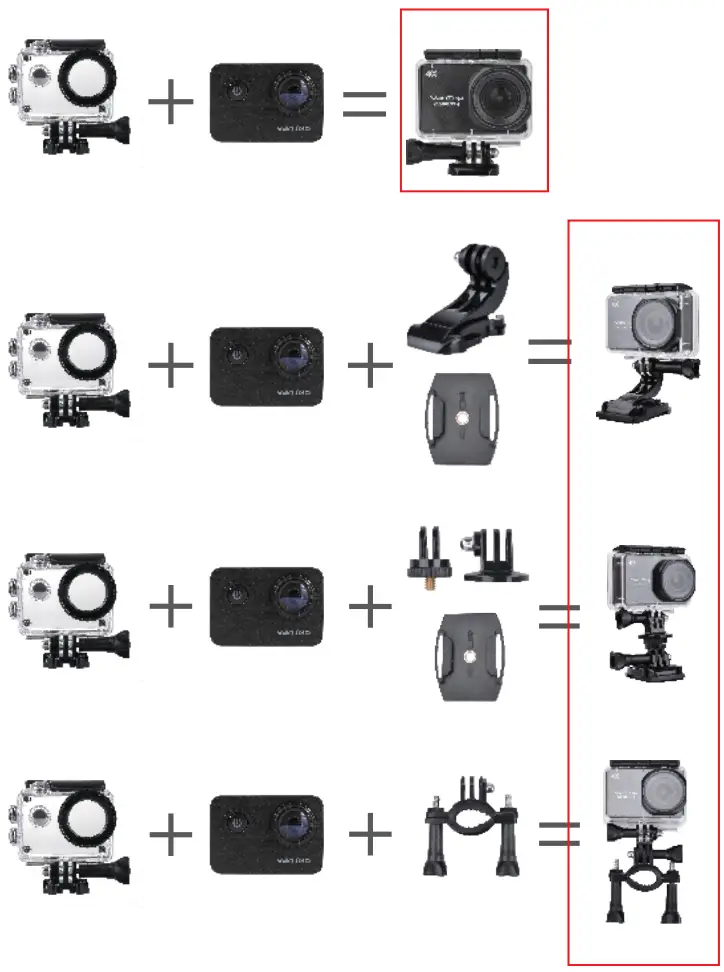
MOUNTING
PRODUCT OVERVIEW
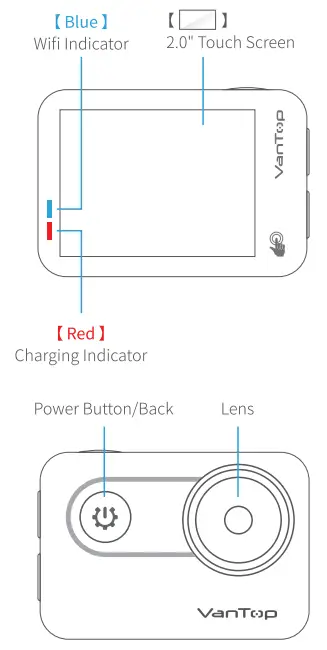 | 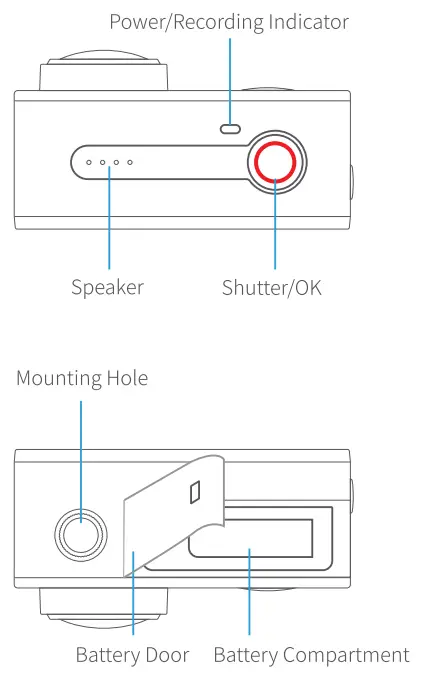 |
* Please install a battery into the battery compartment before your first use.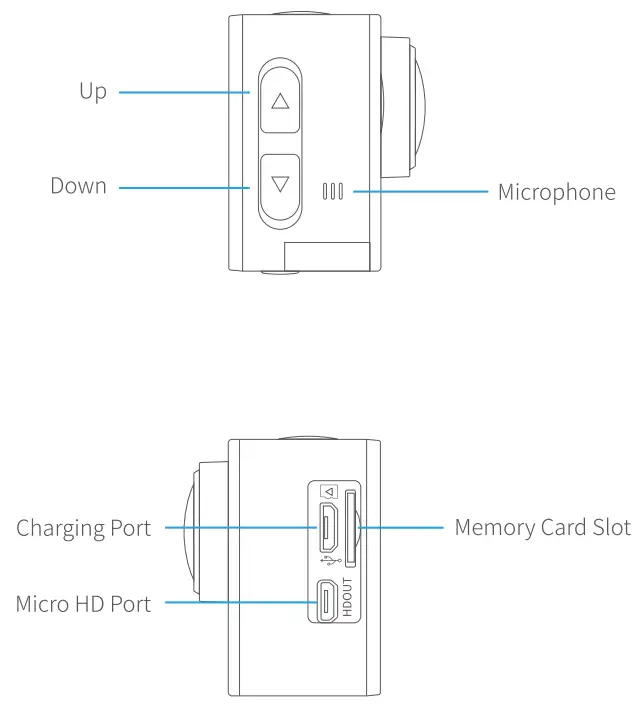
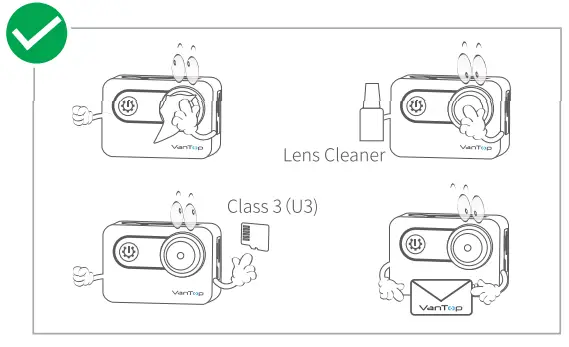
* U3 memory card (sold separately) is a must for smooth and uninterrupted 4K video capturing.
SAFETY WARNINGS
Please be sure to observe the following warnings, as batteries contain flammable substances which may cause heating, rupture, or ignition.
- Keep batteries out of reach of small children.
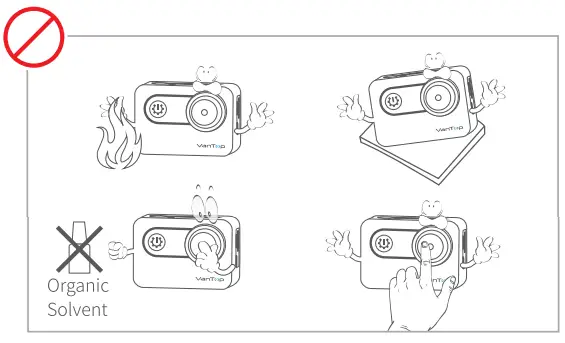
- DO NOT dispose of the action camera or the battery in fire.
- DO NOT use or charge a battery if it shows any sign of swelling, pierced, or damage. Misuse or mischarge may lead to smoke or even an explosion.
- DO NOT expose the battery to any heat source, direct sunlight, or high temperature.
- Please don’t leave the battery pack and charger on the wood material or carpet unattended.
- DO NOT charge the battery over 5V1A.
- Only use the ORIGINAL power adapter provided to charge the battery.
- Remove the battery from the charger once charging is completed.
- Charge & store the battery in an open and dry area away from furniture or anything flammable.
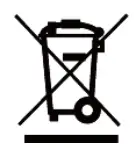
- The Li-ion battery in the action camera should be serviced or recycled by an authorized service provider and must be recycled or disposed of separately from household waste.
- Dispose of the battery according to your local environmental laws and regulations.
CAMERA MODES
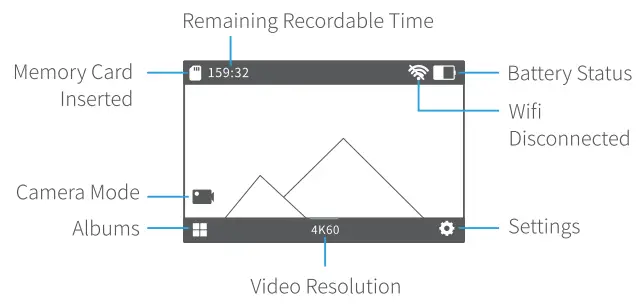
How to Switch Camera Modes
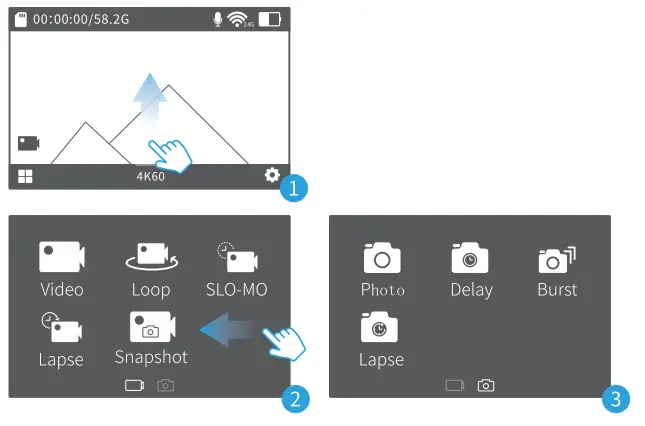
 | Video Record normal video |
 | SLO-MO Record video in slow motion |
 | Loop Continuously record videos with a preset video length |
 | Lapse Record a series of videos at the set time intervals |
 | Snapshot Simultaneously record video and capture photos(at the set interval) |
 | Photo Capture a single photo |
 | Delay Capture a single photo at the set delay time |
 | Burst Capture photos in quick succession at the set burst options |
 | Lapse Capture a series of photos at the set time intervals |
Time Lapse Photo and Time-Lapse Video Intervals
[Available intervals for time-lapse photo]:
0.5S, IS, 2S, 3S, 5S, 10S, the 30S, 1Min.
[Available intervals for time-lapse video]: 0.5S, IS, 2S, 55, 105, 305, 605.
| Interval | Examples |
| 0.55-15 | Surfing, biking, or other sports |
| 2S-3S | Busy street corner |
| 5S-10S | Clouds or outdoor scenes with long durations |
| 10S-60S | Lengthy activities, such as construction or artwork |
ALBUMS
Tap  on the left corner of the touch screen to enter Albums.
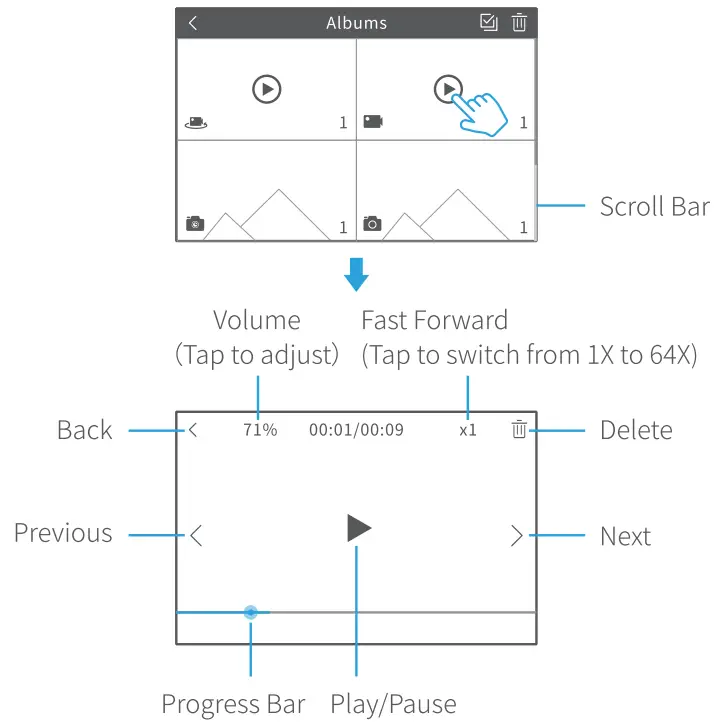
Check the videos/photos saved
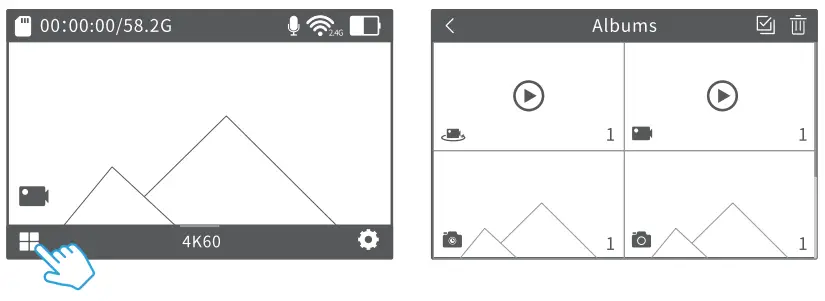
- Video Files

- Photo Files


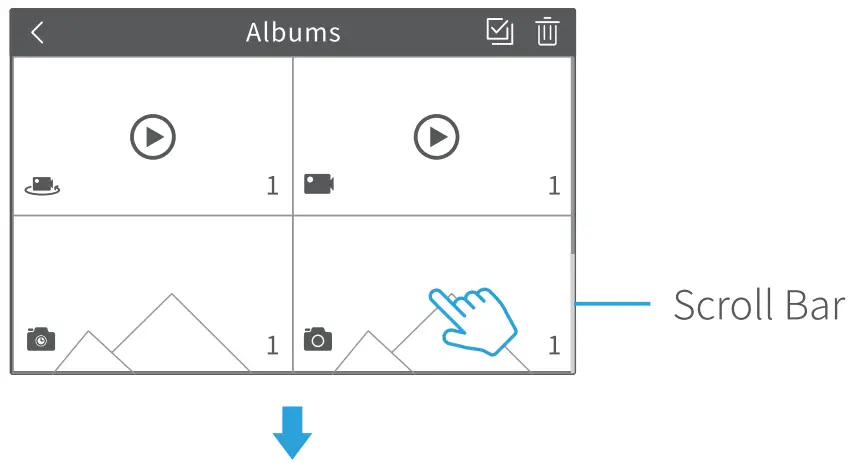
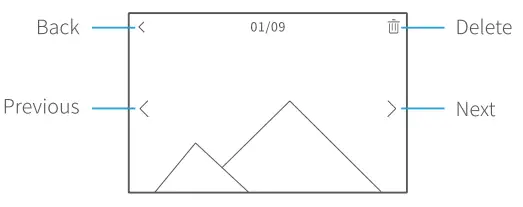
Delete the videos/photos saved
- Delete a single file
On the interface of video playing and photo checking, tap to bring up the deletion option, then tap Confirm to delete the current file.
 - Delete multiple files
Step 1: On the interface of Albums, tap.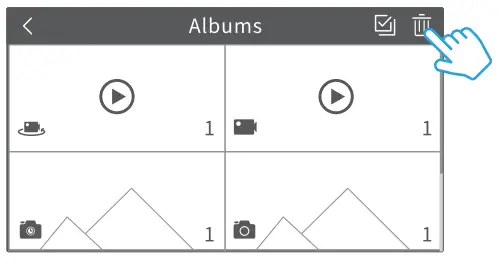 Step 2: Check the box to select the files that need to be deleted.
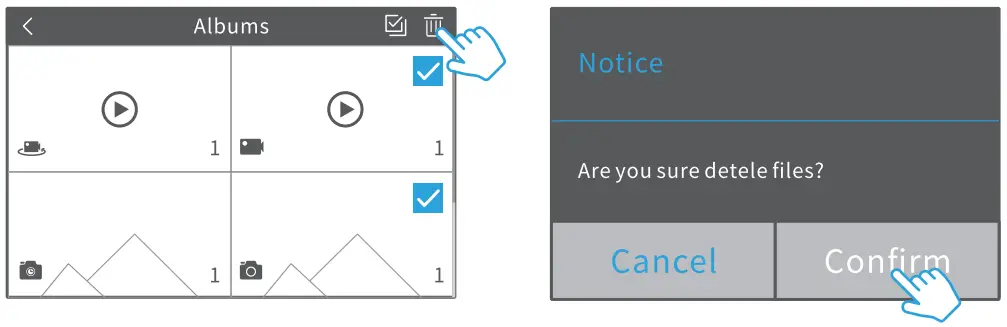
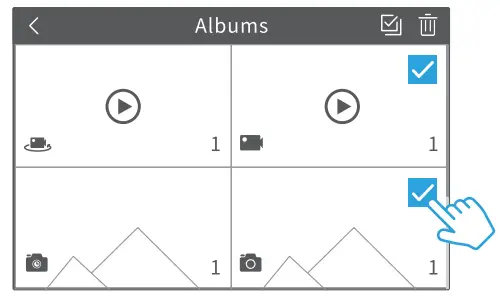 Step 3: Tap
  to bring up the deletion option, then tap Confirm to delete the selected files.
  Tip:
Tip:
To delete all the video/photo files saved, tap  , then tap and Confirm.
SETTINGS
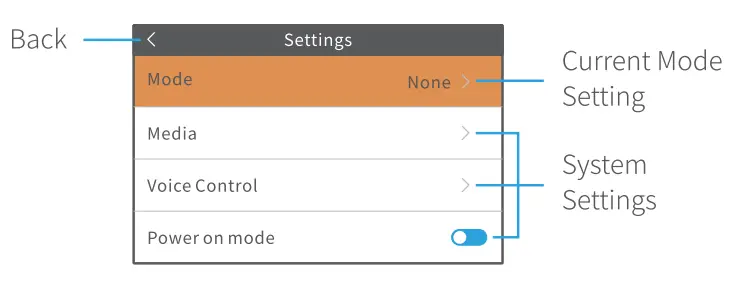
Tap  on the main interface or short press
  to enter Settings.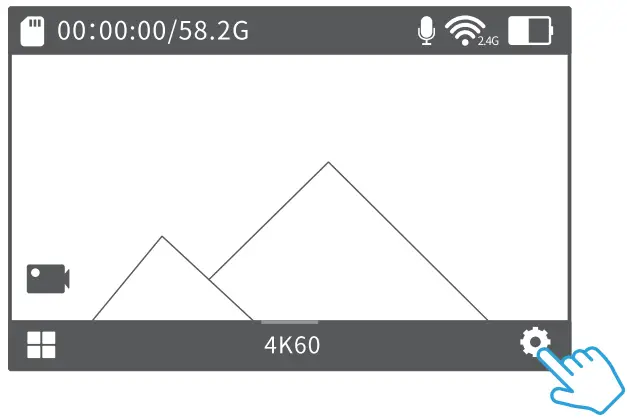
APP
Option 1:
Search and download VT Moment from APP Store or Google Play to install the app on your mobile device.
Option 2:
Scan the QR code below to download and install.
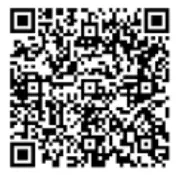 |  | 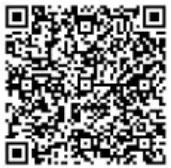 |  |
| https://play.google.com/store/apps/details?id=com.zckj.vantop | Android 5.0 or Later | https://apps.apple.com/cn/app/moment-6s-feel-this-moment/id1485348653 | iOS 8.0 or later |
WIFI CONNECTION
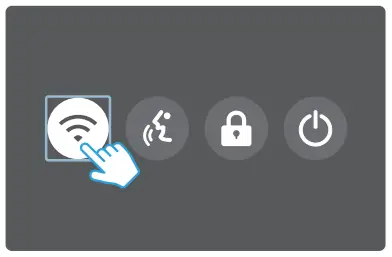
- Turn on the Camera’s WIFI
Turn on moment 4S, then swipe down from the top of the screen and tap WIFI.
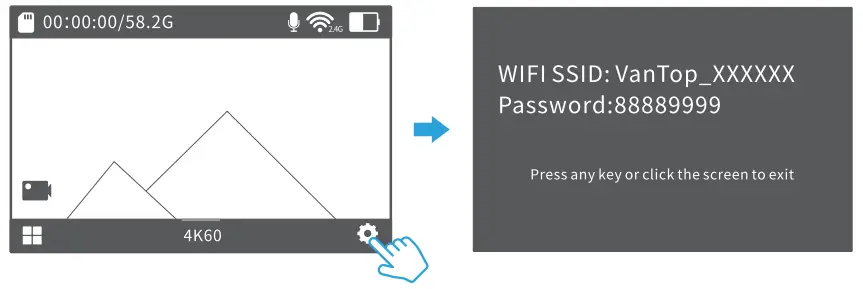
- Check WIFI Info
Tap to enter Settings, then scroll down and tap WIFI Info.
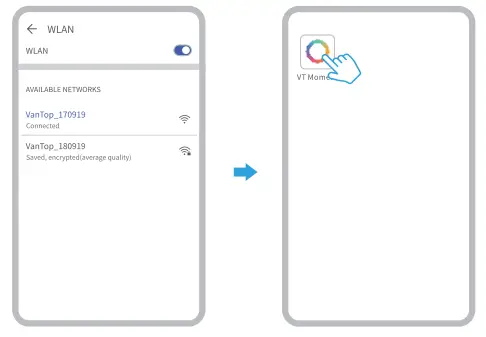
- Connect to the Camera’s WIFI
Find “VanTop_ ” in your mobile device’s WIFI settings, then input password 88889999. - Launch the App VT Moment
MAINTENANCE
 |  |
SPECIFICATION
| EIS | Hardware-based 6-DoF |
| MIC | Support External MIC |
| WIFI | 2.4-2.4835GHz, IEEE802.11b/g/n |
| Speaker | 1W/80 |
| Waterproof | 10m with waterproof case |
| Connections | USB 2.0 port, mini HDMI port |
| Video Codec | H.264/H.265 |
| Digital Zoom | 8X |
| Touch Screen | 2.0″ IPS LCD |
| Memory Card | Support up to 128GB (not included) |
| Video/Photo Format | MP4/JPG + DNG |
| Default Resolution | Video: 3840 x 2160 30fps / Photo: 12M |
| Voice Recognition | Support |
| Photo Resolution | 20M/16M/12M/8M |
| Video Resolution | 4K6OFPS/4K3OFPS/2.7K3OFPS/ 2K6OFPS/2K3OFPS/1080P90FPS/ 1080P6OFPS/1080P3OFPS/ 720P120FPS/720P6OFPS |
FCC Statement
This transmitter must not be co-located or operating in conjunction with any other antenna or transmitter. Any changes or modifications not expressly approved by the party responsible for compliance could void the user’s authority to operate the equipment.
This device complies with part 15 of the FCC Rules. Operation is subject to the following two conditions: (1) This device may not cause harmful interference, and (2) this device must accept any interference received, including interference that may cause undesired operation.
Note: This equipment has been tested and found to comply with the limits for a Class B digital device, pursuant to part 15 of the FCC Rules. These limits are designed to provide reasonable protection against harmful interference in a residential installation. This equipment generates, uses, and can radiate radio frequency energy and, if not installed and used in accordance with the instructions, may cause harmful interference to radio communications. However, there is no guarantee that interference will not occur in a particular installation.
If this equipment does cause harmful interference to radio or television reception, which can be determined by turning the equipment off and on, the user is encouraged to try to correct the interference by one or more of the following measures:
—Reorient or relocate the receiving antenna.
—Increase the separation between the equipment and receiver.
—Connect the equipment into an outlet on a circuit different from that to which the receiver is connected.
—Consult the dealer or an experienced radio/TV technician for help.
RF Exposure Statement
This equipment complies with FCC radiation exposure limits set forth for an uncontrolled environment.
ISEDC Warning This device complies with Innovation, Science and Economic Development Canada License exempt RSS standard(s). Operation is subject to the following two conditions: (1) this device may not cause harmful interference, and (2) this device must accept any interference received, including interference that may cause undesired operation of the device.
The device is in compliance with RF exposure guidelines, users can obtain Canadian information on RF exposure and compliance.
CAUTION
RISK OF EXPLOSION IF BATTERY IS REPLACED BY AN INCORRECT TYPE. DISPOSE OF USED BATTERIES ACCORDING TO THE INSTRUCTIONS
 The symbol indicates DC voltage
 RECYCLING
This product bears the selective sorting symbol for waste electrical and electronic equipment (WEEE). This means that this product must be handled pursuant to European directive 2012/19/EU in order to be recycled or dismantled to minimize its impact on the environment.
This product can be used across EU member states.