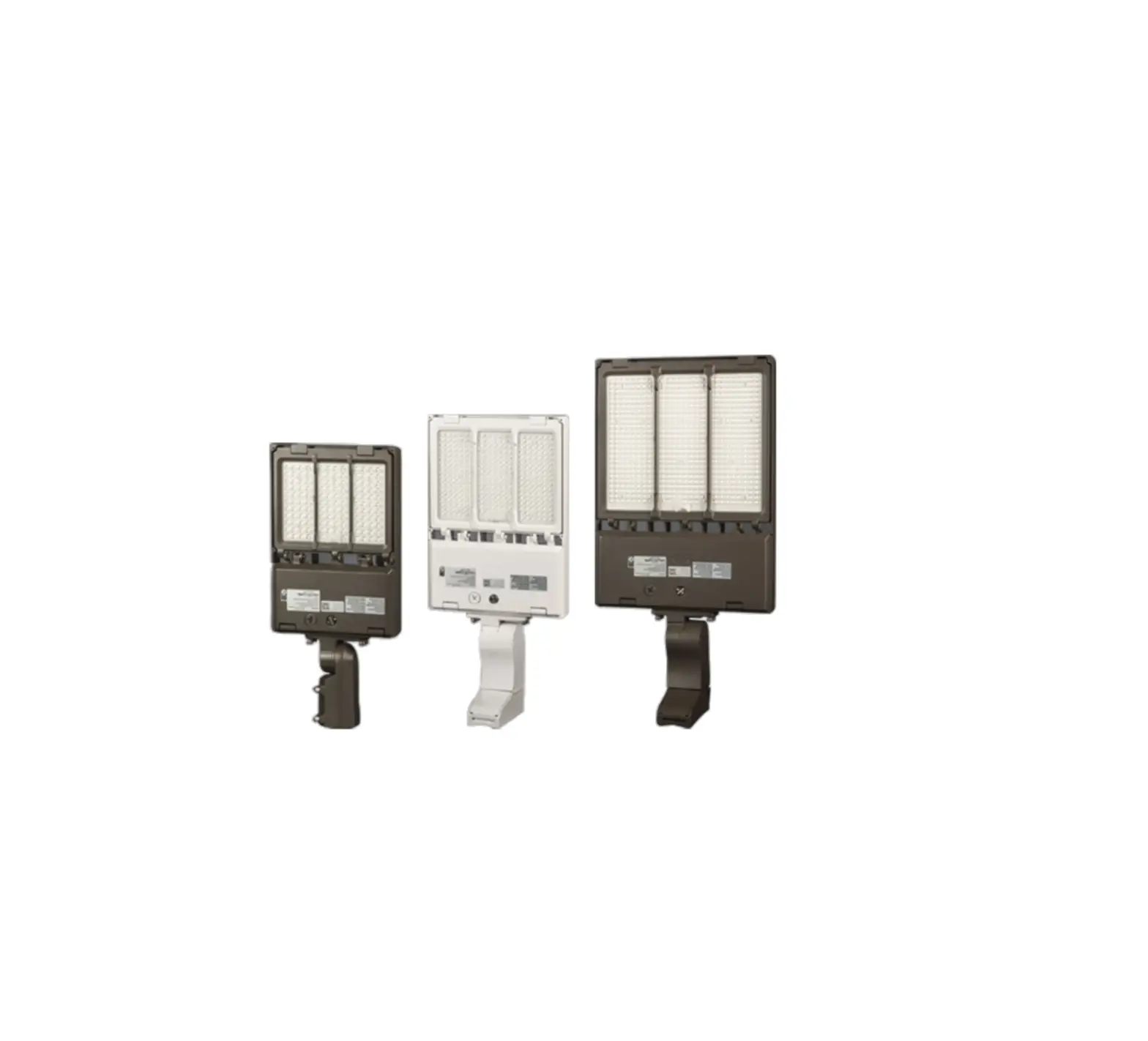
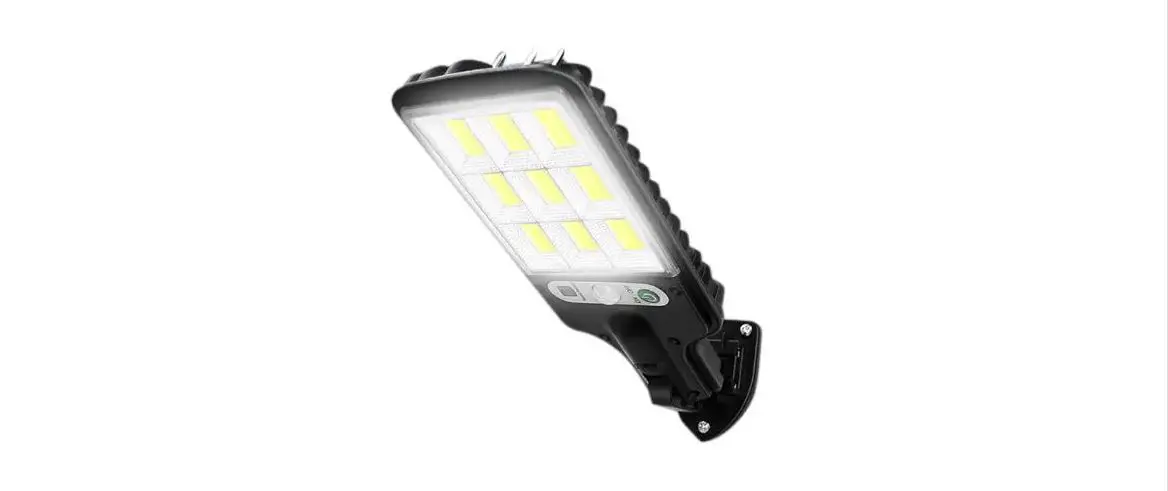
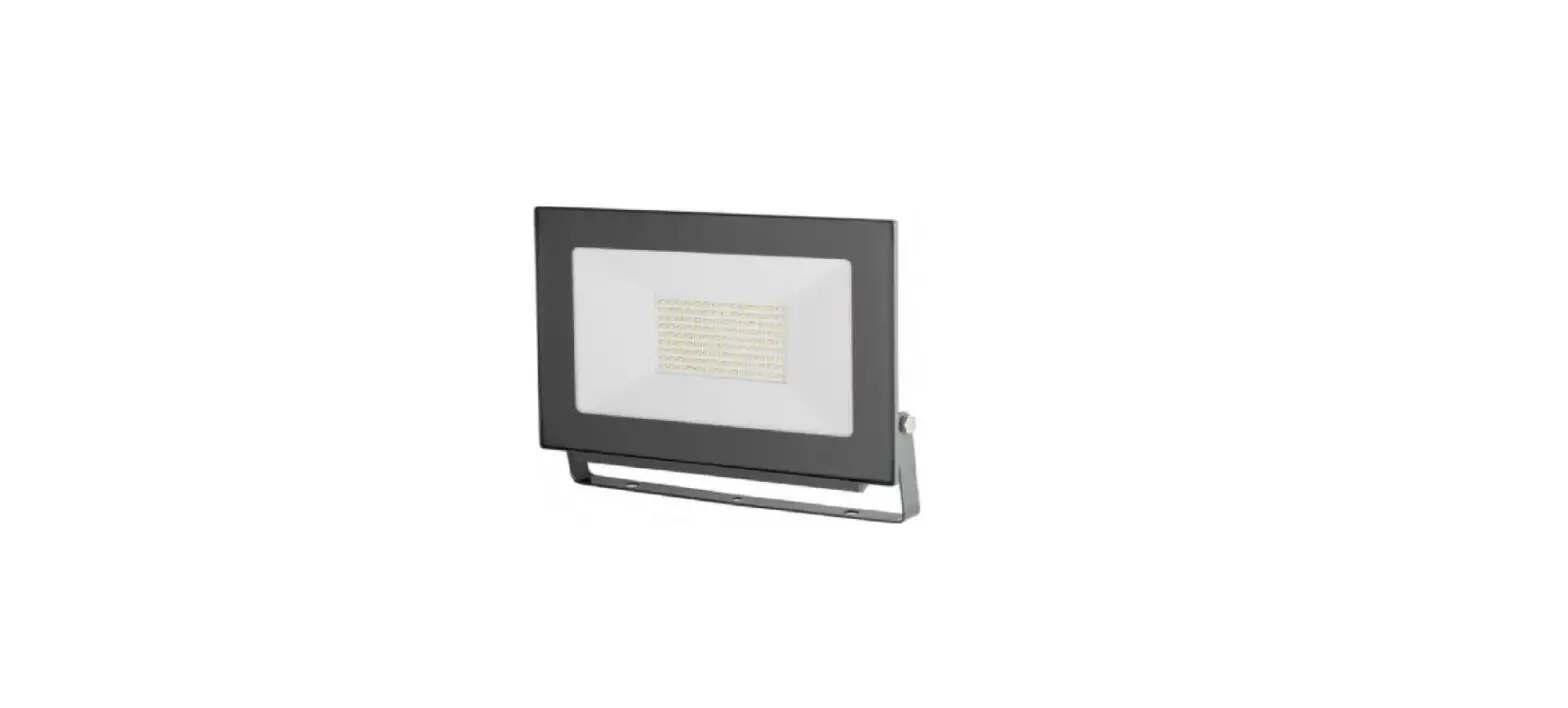
XFit Outdoor LED Area Lights
Product Information:
The Area Lights Premium Package is designed for pole-mount or
structure-mount outdoor illumination needs. It is suitable for
various applications such as parking lots, auto dealerships,
pathways, roadways, recreational venues, and other general area
lighting requirements.
The components included in the kit are:
- LED area light fixture – 1
- Mounting hardware – 1
- Type 3 lens – 1 (already installed)
- Type 4 lens – 1
- Type 5 lens – 1
It is important to note that installation should be performed by
a qualified electrician. All federal, state, and local code
requirements and regulations must be followed during installation.
Wiring should be in accordance with NEC and all applicable local
codes.
Product Usage Instructions:
Power Select Instructions:
Note: Please turn off the power before adjusting wattages.
- Turn off power to the fixture.
- Open the driver box cover.
- Find the Power Select knob and adjust it to the desired
setting. - Close the driver box.
Color Select Instructions:
Note: Please turn off the power before adjusting Color
Temperature.
- Turn off power to the fixture.
- Open the driver box cover.
- Find the Color Select switch and adjust it to the desired
setting. - Close the driver box.
Tool-less Lens Changeable:
- Remove the fixture from the packaging.
- Open the door frame by unbuckling the latches and remove the
pre-installed lens. - Insert the new lens in the proper location.
- Close the door frame by buckling the latches.
- Proceed with installation.
Slip Fitter Fixture Installation:
The following items come with a slip fitter mount:
- KT-ALED140PS-M2-OSB-SF-8CSB-VDIM-P
- KT-ALED140PS-M2-OSB-SF-8CSB-VDIM-P-W
- KT-ALED290PS-L2-OSB-SF-8CSB-VDIM-P
- KT-ALED290PS-L2-OSB-SF-8CSB-VDIM-P-W
- Ensure power is off to the fixture.
- Attach the slip fitter mount to the fixture using the provided
components. - Adjust the lamp position using the adjustable bolt.
- Connect the wires according to the wiring diagram (see page
2). - Secure the assembly using the locking bolt.
Adjustable Pole Mount Fixture Installation:
The following items come with an adjustable pole mount:
- KT-ALED140PS-M2-OSB-PMA-8CSB-VDIM-P
- KT-ALED140PS-M2-OSB-PMA-8CSB-VDIM-P-W
- KT-ALED290PS-L2-OSB-PMA-8CSB-VDIM-P
- KT-ALED290PS-L2-OSB-PMA-8CSB-VDIM-P-W
- Ensure power is off to the fixture.
- Attach the adjustable pole mount to the fixture using the
provided components. - For round poles, remove the rubber adaptor plate from the
mounting assembly. - Feed supply wires from inside the pole through the mounting
bracket base. - Open the wiring access plate on the pole mount assembly.
- Install the fixture/pole mount assembly onto the pole mount
base from the top down, and feed wiring into the wiring access area
accordingly. - Complete wiring to input power wires (see Wiring Diagram, page
2) and tuck all wiring inside pole mount assembly housing. - Close the wiring access plate on the pole mount kit.
Page 1 of 5
AREA LIGHTS PREMIUM PACKAGE
POWER AND COLOR SELECT
INSTALLATION INSTRUCTIONS
PLEASE FIND A QUALIFIED ELECTRICIAN FOR INSTALLATION. Please read the instructions before you install and use the area light.
APPLICATION
Pole-mount or structure-mount outdoor illumination needs (including parking lots, auto dealerships, pathways, roadways, recreational venues, and other general area lighting requirements)
COMPONENTS INCLUDED IN KIT
Part
Quantity
LED area light fixture
1
Mounting hardware
1
SAFETY AND ELECTRICAL PARAMETERS Warning
· To reduce the risk of death, personal injury or property damage from fire, electric shock, falling parts, cuts/abrasions, and other hazards, read all warnings and instructions included with and or the fixture box and fixture labels.
· Before installing, servicing, or performing routine maintenance upon this equipment, follow these general precautions.
Type 3 lens*
1
Type 4 lens
1
Type 5 lens
1
* Note: Type 3 lens is already installed in the fixture.
To install Type 4 or 5 lens, please see instructions
on following pages.
· Commercial installation, service, and maintenance of luminaires should be performed by a qualified licensed electrician.
· If you are unsure about the installation or maintenance of the luminaires, consult a qualified
Caution: Before installing, make certain that AC power to the fixture is off.
licensed electrician. Please abide by all federal, state, and local code requirements and
regulations when installing this luminaire. Wiring must be in accordance with NEC and all applicable local codes.
· Do not make or alter any unnecessary holes in an enclosure of wiring or electrical components during the installation.
Warning · Turn off electrical power at the fuse or circuit breaker box before wiring fixture to the pole/site/building power.
· Turn off the electrical power when you perform any maintenance.
· Verify that supply voltage is correct by comparing it with the luminaire label information. Do not install with supply voltage that exceeds the rated input voltage of the luminaire.
· All wiring connections should be capped with UL approved wire connectors.
Caution · Avoid direct eye exposure to the light source while it is on. · Account for small parts and destroy/recycle packaging material, as these may be hazardous to children. · Risk of burn. Disconnect power and allow fixture to cool before handling/servicing.
Notice · All fixture installs must be properly grounded. · Minimum of 75ºC/167ºF supply conductors. · Specifications and dimensions subject to change without notice. Consult Keystone with any questions or concerns. · Fixture is IP65 Rated. Suitable for WET LOCATION. · Ensure ambient operating temperature is maintained:
without sensor: 40ºC/40ºF to 50ºC/122ºF with sensor: 25ºC/13ºF to 50ºC/122ºF Exceeding these temperature ranges will void warranty and may reduce lifetime or cause performance issues. · Inspect fixture for any damages before installing. If there is any damage, please do not install and contact Keystone or authorized distributor for resolution.
Keystone Technologies · Philadelphia, PA · Phone (800) 464-2680 · www.keystonetech.com Specifications subject to change. Last revised on 11.16.22
GENERAL SETUP INSTRUCTIONS WIRING DIAGRAM
Page 2 of 5
Dim+: Purple
Dim: pink Live: Black Neutral: White Ground: Green
· All fixtures come pre-wired with a 7-pin twist lock receptacle with shorting cap, and surge protector. Make input connections as needed and ensure connections are protected from exposure to the elements.
· THIS KEYSTONE AREA LIGHT REQUIRES 120-277 INPUT VOLTAGE. · Ensure that input voltage on site matches the fixture you intend to install.
POWER AND COLOR SELECT INSTRUCTIONS
Power Select Instructions Note: Please turn off the power before adjusting wattages. 1. Turn off power to the fixture. 2. Open the driver box cover as shown in the figure below. 3. Find the Power Select knob and adjust to desired setting. 4. Close the driver box
Keystone Technologies · Philadelphia, PA · Phone (800) 464-2680 · www.keystonetech.com Specifications subject to change. Last revised on 11.16.22
COLOR SELECT INSTRUCTION
Note: Please turn off the power before adjusting Color Temperature. 1. Turn off power to the fixture. 2. Open the driver box cover as shown in the figure below. 3. Find the Color Select switch and adjust to desired setting. 4. Close the driver box
Page 3 of 5
TOOL-LESS LENS CHANGEABLE 1. Remove the fixture from the packaging. Open the door frame by unbuckling the latches, and remove the pre-installed lens.
2. Insert the new lens and ensure it is positioned in the proper location. Close the door frame, buckle the latches, and proceed with installation.
Keystone Technologies · Philadelphia, PA · Phone (800) 464-2680 · www.keystonetech.com Specifications subject to change. Last revised on 11.16.22
INSTALLATION INSTRUCTIONS
Page 4 of 5
SLIP FITTER
FIXTURE INSTALLATION The following items comes with a slip fitter mount: KT-ALED140PS-M2-OSB-SF-8CSB-VDIM-P; KT-ALED140PS-M2-OSB-SF-8CSB-VDIM-P-W; KT-ALED290PS-L2-OSB-SF-8CSB-VDIM-P; KT-ALED290PS-L2-OSB-SF-8CSB-VDIM-P-W
The slip fitter mounting fits a standard 2-3/8″ OD tenon. 1. Ensure power is off to the fixture. 2. Open the wiring access plate on the side of the slip fitter. 3. Feed supply wires from tenon through the slip fitter. 4. Place the slip fitter over the tenon and secure the fixture with the (4) M8 × 30mm set-screws on the side of the slip fitter. Ensure that all 4 set screws are fully tightened for application security. 5. Complete wiring to input power wires (see Wiring Diagram, above) and tuck all wiring inside slip fitter housing. 6. Close the wiring access plate on the side of the slip fitter. 7. Adjust the tilt-angle (0º90º) of the fixture by loosening the M10 × 40mm socket head screw on the rotating adjustment knuckle; 15-degree indicators are on the fixture for reference. Re-tighten socket-head screw when tilt-angle is correct. 8. Re-connect power when ready. (see illustrations below)
Lamp
Adjustable bolt
Wires
90º
AM bracket
Cover
Locking bolt
Support
ADJUSTABLE POLE MOUNT
FIXTURE INSTALLATION The following items comes with an adjustable pole mount: KT-ALED140PS-M2-OSB-PMA-8CSB-VDIM-P; KT-ALED140PS-M2-OSB-PMA-8CSBVDIM-P-W; KT-ALED290PS-L2-OSB-PMA-8CSB-VDIM-P; KT-ALED290PS-L2-OSB-PMA-8CSB-VDIM-P-W
Pole mount kits are designed to fit both square and round poles. For round poles, remove the rubber adaptor plate from the mounting assembly.
1. Ensure power is off to the fixture.
2. Mount the base of the pole mount kit to the pole with M8 × 50mm bolts (included). The base has hole patterns that are compatible with most existing pole drill holes. If necessary, drill new holes in pole.
3. Feed supply wires from inside the pole through the mounting bracket base.
4. Open the wiring access plate on the pole mount assembly.
5. Install the fixture/pole mount assembly onto the pole mount base from the top down, and feed wiring into the wiring access area accordingly.
6. Complete wiring to input power wires (see Wiring Diagram, page 2) and tuck all wiring inside pole mount assembly housing.
7. Close the wiring access plate on the pole mount kit.
8. Adjust the tilt-angle (0º45º) of the fixture by loosening the M10 × 35mm socket head screw on the rotating adjustment knuckle; 15-degree indicators are on the fixture for reference. Re-tighten socket-head screw when tilt-angle is correct.
9. Re-connect power when ready.
(see illustrations below)
45º
Lamp
Bracket
Wires
Wiring access plate
Square pole
Silicone plate
Keystone Technologies · Philadelphia, PA · Phone (800) 464-2680 · www.keystonetech.com Specifications subject to change. Last revised on 11.16.22
Round pole
ACCESSORY OPTIONS / INSTALLATION
Page 5 of 5
PHOTOCELL (INCLUDED)
These fixtures come with a twist-lock 3-pin photocell accessory. These fixtures are compatible with Keystone NEMA/ANSI C136.10-2010 twist-lock 3-pin photocells. Additionally, these fixture are compatible with NEMA/ANSI C136.41 7-pin twist-lock photocells (manufactured by others and sold separately).
Twist Lock 3-Pin Photocell
Catalog Number
Description
UPC
Easy Code
KT-TLP-UV-3PN
120277V, 1800VA Max; Blue Housing
843654131825 NQT-46
1. Ensure power is off to the fixture.
2. Remove existing twist lock shorting cap from the receptacle.
3. Push the photocell onto the receptacle and twist clockwise to lock it into the receptacle.
4. For optimal performance, install the photocell with sensor detector window facing North as indicated on the top of the photocell. Adjust the receptacle positioning if necessary, while being sure to secure fully for proper water-tight install.
5. Re-connect power when ready.
(see illustration below)
Photocell Shorting cap Socket Lamp
MOTION SENSOR (SOLD SEPARATELY)
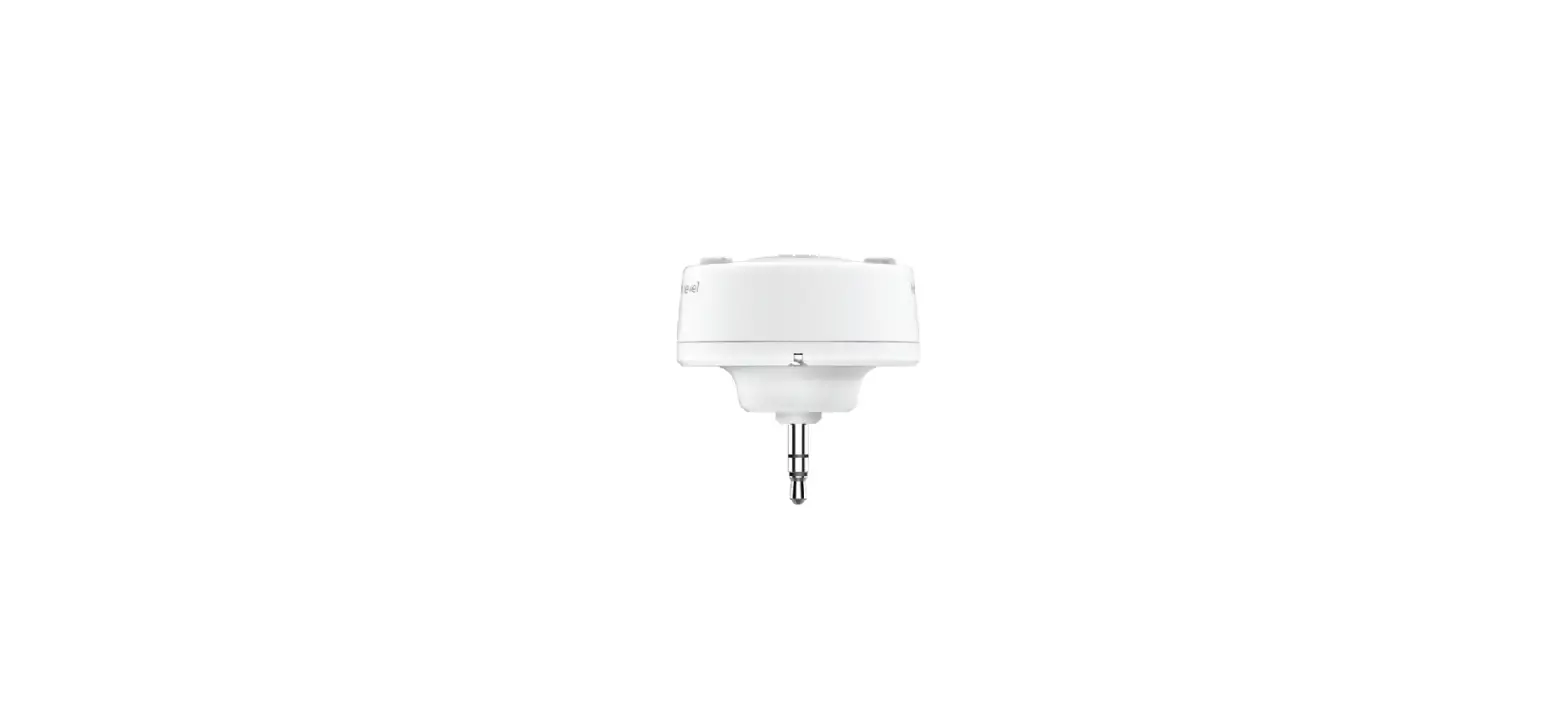
These fixtures are compatible with the Keystone Microwave Occupancy Sensor. See sensor specifications for default settings and options. Mating sensor receptacle is pre-wired inside the fixture by default. Microwave Occupancy Sensor
Catalog Number
Description
UPC
Easy Code
KTS-MW3-12V-PKO
12V Microwave Occupancy Sensor
843654130637 TRM-32
1. Ensure power is off to the fixture. 2. Remove 1/2″ knock-out (KO) plug next to the Keystone emblem on the driver access door. 3. Screw in sensor head. 4. Re-connect power when ready.
(see illustrations below)
Light
Light
1/2″ Plug
Motion Sensor
5. Program desired settings as needed with Keystone Remote Control.
REMOTE CONTROL (SOLD SEPARATELY)
Catalog Number
Description
UPC
Easy Code
KTS-MW3-REMOTECONTROL Remote Control for KTS-MW3-12V-XX sensors, Sets/adjusts all sensor performance parameters 843654132020 XSR-61
SAVE THESE INSTRUCTIONS
Keystone Technologies · Philadelphia, PA · Phone (800) 464-2680 · www.keystonetech.com Specifications subject to change. Last revised on 11.16.22
 Keystone Technologies - Light Made Easy – Since 1945