PPS-42000 Portable Power Station
Product Information: – Manufacturer/Brand: Not
specified – Model Identifier: Not specified – Input Voltage: Not
specified – AC Input Frequency: 50/60 Hz – Output Voltage: 15 V –
Output Current: 2 A – Output Power: 30 W – Average Efficiency at
Normal Load: 91.2% at 115 V/60 Hz, 91.08% at 230 V/50 Hz –
Efficiency at Low Load (10%): 88.99% at 115 V/60 Hz, 87.46% at 230
V/50 Hz – Power Consumption at No Load: 0.04 W at 115 V/60 Hz, 0.06
W at 230 V/50 Hz Product Usage Instructions: 1.
When charging the power generator, do not simultaneously use the DC
and USB ports to achieve better charging efficiency. 2. The power
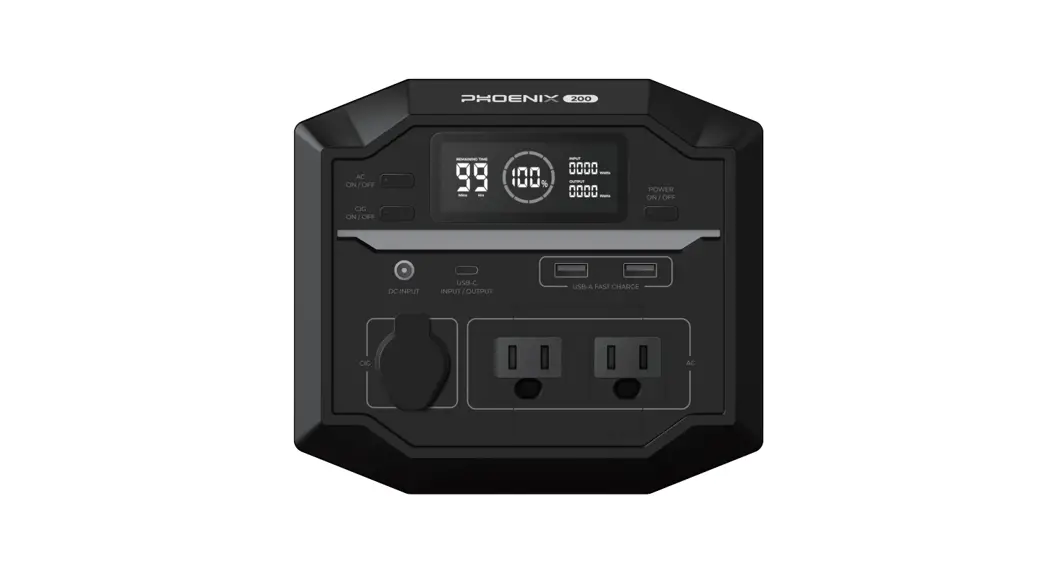
generator has the following components: – AC Output – Power On/Off
Button – DC Output – USB Output – QC3.0 Output – LED Display 3. To
use the power generator, follow these steps: – Connect the AC
output to the device you want to power. – Switch on the power
generator using the power on/off button. – If you want to use the
DC output, connect your device to the corresponding port. –
Similarly, if you want to use the USB output or QC3.0 output,
connect your device to the respective ports. – The LED display will
provide information about the power generator’s status and any
connected devices. Note: Refer to the user manual for more detailed
instructions and safety guidelines.
1. SICHERHEITSHINWEISE
Wichtige Sicherheitshinweise WARNUNG: Bitte lesen Sie die Sicherheitshinweise vor der ersten Verwendung des Geräts aufmerksam durch und bewahren Sie die Anleitung zum späteren Nachschlagen auf.
1. Dieses Produkt ist kein Spielzeug. Bewahren Sie es außerhalb der Reichweite von Kindern auf. 2. Halten Sie das Produkt von Haustieren fern. 3. Warnung: Dieses Stromaggregat ist mit Lithium-Ionen-Akkus ausgestattet. 4. Versuchen Sie nicht, das Stromaggregat zu öffnen. 5. Schließen Sie das Gerät nicht kurz. Halten Sie das Gerät von allen Metallgegenständen wie Münzen, Haarnadeln, Schlüsseln usw. fern, um dies zu verhindern. 6. Setzen Sie das Gerät nicht Hitze, Wasser oder anderen Flüssigkeiten, Feuchtigkeit oder direkter Sonneneinstrahlung aus! 7. Halten Sie das Gerät von hoher Luftfeuchtigkeit und staubigen Orten fern. 8. Demontieren Sie das Gerät nicht und setzen Sie es nicht wieder zusammen. 9. Versuchen Sie nicht, den Akku selbst auszutauschen Sie könnten den Akku beschädigen, was zu Überhitzung und Verletzungen führen kann. Reparatur- und Wartungsarbeiten dürfen nur von qualifiziertem Personal durchgeführt werden. 10. Decken Sie das Gerät nicht mit einem Handtuch, Kleidung oder anderen Gegenständen ab. 11. Das Gerät kann sich beim Aufladen erhitzen. Das ist völlig normal. Behandeln Sie es daher vorsichtig. 12. Der Akku muss recycelt oder getrennt vom Hausmüll entsorgt werden. Verbrennen Sie den Akku nicht. 13. Setzen Sie dieses Produkt zur Reduzierung der Brand- und Stromschlaggefahr weder Regen noch Feuchtigkeit aus. 14. Wir bitten die Besitzer dieses Stromaggregats dringend, das Modell auf sichere Weise aufzuladen. Trennen Sie das Gerät vom Stromnetz, wenn es vollständig aufgeladen ist. Laden Sie das Gerät nicht über die erforderliche Zeit und ohne Aufsicht auf. 15. Trennen Sie das Ladekabel, wenn das Stromaggregat vollständig aufgeladen ist. 16. Die Betriebs- und Lagertemperatur des Produkts liegt zwischen 5 und +35 °C. Eine Unter- oder Überschreitung dieser Temperatur kann die Funktion beeinträchtigen.
GER 1
17. Lassen Sie das Produkt nicht fallen und setzen Sie es keinen Erschütterungen oder Stößen/Schlägen aus.
18. Wir empfehlen, den Temperaturbereich von 10 °C bis 30 °C einzuhalten, um die optimale Ladekapazität zu erhalten. Kalte Temperaturen (unter dem Gefrierpunkt) können die Akkukapazität aufgrund der chemischen Eigenschaften des Akkus beeinträchtigen.
19. Halten Sie das Gerät beim Aufladen von Fernsehern, Radios und anderen Geräten fern, um Störungen zu vermeiden.
20. Wichtig! Um die Lebensdauer des Produkts zu verlängern, sollte der Lithium-Akku alle 3 Monate oder zumindest alle 6 Monate aufgeladen werden.
21. Wenn Sie das Stromaggregat aufladen, benutzen Sie nicht gleichzeitig den DC- und den USBAnschluss, um eine bessere Ladeeffizienz zu erzielen.
Hinweise zum Netzteil
Name des Herstellers oder Handelsmarke, Handelsregisternummer und Anschrift
Modellidentifikator Eingangsspannung Wechselstromfrequenz des AC-Eingangs Ausgangsspannung Ausgangsstrom Ausgangsleistung Durchschnittliche Effizienz bei Normallast
Effizienz bei Niederlast (10 %)
Leistungsaufnahme bei Nulllast
Shenzhen Run Sheng Feng Power Supply Techonolgy Co., Ltd. Handelsregisternummer: 91440300580068676U 3. Stock, 4. Gebäude, Zone A Xinfu Industrial Park, Chongqing Road, Fuyong Street, Bao’an District, Shenzhen, China RSF-DY098B-1502000EU 100 – 240 V
50/60 Hz
15 V 2A
30 W
91,2 % bei 115 V/60 Hz 91,08 % bei 230 V/50 Hz
88,99 % bei 115 V/60 Hz 87,46 % bei 230 V/50 Hz
0,04 W bei 115 V/60 Hz 0,06 W bei 230 V/50 Hz
GER 2
Beschreibung
AC-Ausgang Ein/Aus-Taste DC-Ausgang USB-Ausgang QC3.0-Ausgang
LED Display Schalter AC-Ausgang DC-Eingang USB-Ausgang USB Typ-C-Ausgang
HINWEIS: AC-Ausgang, Ausgangsspannung und Frequenz können in verschiedenen Ländern oder Regionen variieren. Bitte informieren Sie sich vor dem Gebrauch über die tatsächlichen technischen Daten des Produkts.
Gebrauchsanleitung
1)Mit dem Stromaggregat Geräte mit Wechselstrom versorgen Schließen Sie den Netzstecker des Elektrogeräts an der Steckdose des Stromaggregats an. Schalten Sie den Netzschalter ein, damit beginnt das Stromaggregat, Ihr Gerät mit Strom zu versorgen. WARNUNG! AC-Ausgang, Ausgangsspannung und Frequenz können in verschiedenen Ländern variieren. Vergewissern Sie sich vor der Verwendung, dass die Nennwerte des Produkts mit denen des Geräts übereinstimmen. Anderenfalls kann es zu gefährlichen Situationen kommen.
GER 3
Leistung-begrenztes Gerät Leistung <150 W, Lampe, Ventilator, Fernseher, usw. Die AC-Steckdose schaltet sich ab, wenn sie kurzgeschlossen oder überlastet ist. Trennen Sie das Gerät vom Stromanschluss, damit es sich innerhalb weniger Sekunden von einem Kurzschluss oder einer Überlastung erholen kann. Drücken Sie die ACAusgangstaste erneut, um die Steckdose wieder einzuschalten.
LED-Licht-Funktion:
–
Zweimaliges Drücken des Hauptschalters schaltet das LED-Licht ein.
–
Um zwischen verschiedenen Beleuchtungsmodi umzuschalten, drücken Sie den
Hauptschalter zweimal.
Wenn die Steckdose nicht benutzt wird, schalten Sie sie aus, um Strom zu sparen.
HINWEIS: AC-Ausgang, Ausgangsspannung und Frequenz können in verschiedenen Ländern oder Regionen variieren. Bitte informieren Sie sich vor dem Gebrauch über die tatsächlichen technischen Daten des Produkts. Schutzmodus: Kurzschluss-/Überlastschutz. Wenn die Steckdose einen Kurzschluss hat oder überlastet ist (Last über 150 W), schaltet das Gerät den AC-Ausgang zum Schutz ab. Beheben Sie das Problem und drücken Sie die AC-Taste, um die AC-Steckdose wieder einzuschalten. Einige Elektrogeräte wie Kühlschränke, Eismaschinen oder Laserdrucker benötigen möglicherweise einen Stromstoß, um zu starten oder für eine bestimmte Zeit zu funktionieren. Die Spitzenleistung kann 150 W überschreiten und damit den Überlastschutz des Stromaggregats auslösen. Schalten Sie die Geräte aus und wenden Sie sich an den jeweiligen Hersteller, um weitere Informationen zu erhalten. Beheben Sie das Problem und drücken Sie die AC-Taste, um die AC-Steckdose wieder einzuschalten.
2) Mit dem Stromaggregat digitale USB(C)-Geräte mit Strom versorgen Schließen Sie das Standard-USB-Kabel eines Digitalgeräts am USB-Anschluss des Stromaggregats
GER 4
an und drücken Sie , um den USB-Anschluss einzuschalten. Qualcomm Schnelllade-3.0-Technologie. Das Stromaggregat unterstützt die Qualcomm Schnelllade-3.0-Technologie und die maximale Ausgangsleistung von 5 V, 9 V, 12 V/2 A und eignet sich daher für intelligente USB-Geräte wie Handys oder Tablets, die ebenfalls die Qualcomm Schnelllade-3.0-Technologie unterstützen. Die tatsächliche Ladespannung und der Ladestrom hängen vom jeweiligen intelligenten USB-Gerät ab. Wenden Sie sich für weitere Informationen an den Hersteller des Geräts. PD Type-C. Der PD Typ-C-Anschluss 5 V/2,4 A, 9 V/3 A, 12 V/3 A, 15 V/3 A, 20 V/3 A ist für intelligente Geräte wie Handys oder Tablets geeignet, die auch das PD-Schnellladeprotokoll unterstützen. Wenn Sie das Gerät benutzen, müssen Sie die Ein/Aus-Taste drücken, damit sich das Display für den normalen Ladevorgang einschaltet.
Wenn Sie den Typ-C-Anschluss verwenden, müssen Sie bei eingeschaltetem Display die Ein/Aus-Taste für normales Aufladen drücken. Stromaggregat aufgeladen a. Laden über Netzladegerät Schließen Sie das Netzteil des mitgelieferten Ladegeräts an einer Steckdose an, um das Stromaggregat aufzuladen. Wenn das Display 100 % anzeigt, ist das Gerät vollständig aufgeladen. Trennen Sie das Ladegerät rechtzeitig vom Stromnetz.
AC-Steckdose
Ladegerät
b. Laden über Solarmodul 1. Stellen Sie Ihr Solarmodul so auf, dass es möglichst viel direktes Sonnenlicht abbekommt.
GER 5
2. Schließen Sie den Ausgang des Solarmoduls am Eingang des Stromaggregats an, um den Ladevorgang zu starten. Das Stromaggregat wird geladen, wenn die blaue LEDAkkuanzeige blinkt. Das Stromaggregat ist vollständig aufgeladen, wenn die Akkuanzeige leuchtet.
Lokaler Ladeeingang DC 13,5 V – 24 V/2 A MAX. c. DC-Anschluss 12 V/50 W Ausgang, zum Laden von 12 V Autobatterien und Haushaltsgeräten.
Technische Daten
12 V Fahrzeug-Kompressor Wenn Sie den DC-Anschluss verwenden, müssen Sie die Ein/AusTaste drücken, damit das Display den normalen Ausgang anzeigt.
Kapazität Abmessungen (L x B x H) Gewicht Integrierter Akku
Ladeanschluss
Ladedauer
USB-Ausgang
155 Wh/11,1 V (oder 42000 mAh, 3,7 V) 186 x 107 x 180 mm 1,6 kg Lithium-Ionen-Akku DC-Netzteil 15 V/2 A breiter Spannungsbereich 5 – 20 V Solar-Laden: DC 13,5 V – 24 V/2 A (max.)
4 – 5 Stunden 2 x USB 5 V/2,1 A QC3.0-Ausgang: 5 V/3 A, 9 V/2 A, 12 V/1,5 A, 18 W
GER 6
AC-Ausgang
AC-Ausgangsleistung Akkuanzeige Betriebstemperatur
1 x USB-C 30 W-Ausgang Modifizierter Sinuswellenausgang: AC-Ausgang: 110 V – 230 V/AC ±10 % Ausgangsfrequenz: 50 Hz ±10 % Nennleistung: 150 W, Spitzenleistung: 200 W LED-Display
5 °C – 35 °C
Solarmodul a. Technische Daten Kapazität DC-Ausgang USB-Ausgang Effizienz Zelltyp Betriebs- und Lagertemperatur
40 W DC 18 V/2,22 A 2 x 5 V/2 A USB-Ausgang 21 – 22 % Monokristallines Silizium -20 °C bis +85 °C
b. Gebrauchsanweisung i. Klappen Sie das Solarmodul auf und setzen Sie es dem Sonnenlicht aus. Warten Sie etwa 5 Sekunden, bis die Anzeige leuchtet.
ii. Schließen Sie die Geräte an, die aufgeladen werden müssen.
iii. Überprüfen Sie den Ladestatus der Geräte. Wenn der Ladevorgang instabil ist, versuchen Sie, das Ladegerät direkt auf die Sonne auszurichten.
iv. Wenn das Sonnenlicht nicht ausreicht, versuchen Sie es mit einer anderen Stromquelle.
Stromaggregat
Tablet (nicht im Lieferumfang enthalten)
Handy (nicht im Lieferumfang enthalten)
Ladeausgang
Sonnenlicht .
GER 7
Bitte beachten Sie Alle Produkte können stillschweigend geändert werden. Irrtümer und Auslassungen in der Bedienungsanleitung vorbehalten.
ALLE RECHTE VORBEHALTEN, URHEBERRECHTE DENVER A/S
Elektrische und elektronische Geräte einschließlich Batterien enthalten Materialien, Komponenten und Substanzen, welche für Sie und Ihre Umwelt schädlich sein können, wenn die Abfallmaterialien (entsorgte elektrische und elektronische Altgeräte und Batterien) nicht korrekt gehandhabt werden. Elektrische und elektronische Geräte sowie Batterien sind mit der vorstehend abgebildeten durchgestrichenen Mülltonne gekennzeichnet. Dieses Symbol zeigt Ihnen, dass elektrische und elektronische Altgeräte sowie Batterien nicht mit dem Hausmüll entsorgt werden dürfen, sondern getrennt zu entsorgen sind. Als Endverbraucher ist es wichtig, dass Sie Ihre verbrauchten Batterien bei den entsprechenden Sammelstellen abgeben. Auf diese Weise stellen Sie sicher, dass die Batterien entsprechend der Gesetzgebung recycelt werden und keine Umweltschäden verursachen. Alle Städte und Gemeinden haben Sammelstellen eingerichtet, an denen elektrische und elektronische Altgeräte sowie Batterien kostenfrei zum Recycling abgegeben werden können oder die sie von den Haushalten einsammeln. Weitere Informationen erhalten Sie bei der Umweltbehörde Ihrer Stadt/Gemeinde. Denver A/S Omega 5A, Soeften DK-8382 Hinnerup Dänemark www.facebook.com/denver.eu
GER 8
PPS-42000
denver.eu
Jul , 2022
FR
Cet appareil, ses cordons et ses accessoires sont recyclables
À DÉPOSER À DÉPOSER EN MAGASIN EN DÉCHÈTERIE
OU
Order
1. 2. 3. 4. 5. 6. 7. 8. 9. 10. 11. 12.
Language
English German Danish Dutch French Spanish Italian Portuguese Swedish Finnish Norwegian Polish
Abbrevation
ENG GER DEN NED FRA ESP ITA POR SWE FIN NOR POL
1. SAFETY INSTRUCTIONS
Important safety instructions WARNING: Please read the safety instructions carefully before using the product for the first time and keep the instructions for future reference. 1. This product is not a toy. Keep it out of reach of children.
2. Please keep the product away from pets.
3. Warning this power station is with lithium ion battery Cells inside
4. Do not try to open the power station.
5. Do not short-circuit the unit. Keep the unit away from all metal objects like coins, hairpins, keys etc. to prevent this.
6. Do not expose to heat, water or other liquids, moisture, direct sunlight!
7. Keep it away from high humidity and dusty places.
8. Do not disassemble or reassemble this unit.
9. Do not attempt to replace the batteries inside yourself – you may damage the battery pack, which could cause overheating and injury. Repairs or service should only be performed by qualified personnel.
10. Do not cover the unit with a towel, clothing or other items.
11. The unit may become hot when charging. This is normal. Use caution when handling.
12. Battery must be recycled or disposed of separately from household waste. Do not incinerate the battery.
13. To reduce the risk of fire or electric shock, do not expose this product to rain or moisture
14. We urge owners of this power station to charge the model in a safe way. Disconnect the power station when the power station is fully charged. Do not charge the unit over the required time and without supervision.
15. Please remove the charging cable when the power station is fully charged.
16. Product operating and storage temperature is from 5 degree Celsius to 35 degree Celsius. Under and over this temperature might affect the function.
17. Do not drop or expose to impact shock in any way. 18. We recommend that you comply with the temperature range of 10°C to 30°C to obtain the optimal charging capacity. Cold temperatures (below freezing) can affect the unit’s battery capacity due to the chemical characteristics of the battery.
ENG 1
19. When charging, keep the unit away from TV radio and other equipment to avoid interference.
20. Important. To extend the life of the product, the lithium battery should optimally be charged every 3 months or at least every 6 months.
21. When you charge the power station, do not charge it using the DC port and USB port simultaneously for better charging efficiency.
Manufacturer’s name or trade mark, commercial registration number and address
Model identifier Input voltage Input AC frequency Output voltage Output current Output power Average active efficiency
Efficiency at low load (10%)
No-load power consumption
Shenzhen Run Sheng Feng Power Supply Techonolgy Co., Ltd commercial registration number: 91440300580068676U 3rd Floor, 4th Building, Zone A Xinfu Industrial Park, Chongqing Road, Fuyong Street, Bao’an District, Shenzhen, China
RSF-DY098B-1502000EU 100-240V
50/60Hz 15V
2A
30W 91.2% at 115V/60Hz 91.08% at 230V/50Hz
88.99% at 115V/60Hz 87.46% at 230V/50Hz
0.04W at 115V/60Hz 0.06W at 230V/50Hz
Product description
AC output Main power switch
DC output USB output QC3.0 output
ENG 2
LED Display AC output switch DC input USB output USB Type-C output
NOTE: AC outlets, AC output voltage and frequency will vary in different countries or regions. Please refer to the actual product specifications before use.
Product instruction
1)How to supply power to AC appliances with this product? Connect the power plug of the electrical appliance to the AC outlet of the product. Switch on the power button, and the unit will start supplying power to your appliance. WARNING! AC outlets, AC output voltage and frequency vary in different countries. Please make sure the product rating matches that of the appliance before use. Otherwise, it can lead to dangerous situations.
Limited appliance wattage <150 W, lamp, electric fan, TV, etc. The AC outlet will shut down when it is short-circuited or overloaded. Disconnect the appliance for the unit to recover from short-circuit or overload in a few seconds. Press the AC output button again to switch the AC outlet on again.
LED Light function:
–
Double tap main power switch to turn on LED light
–
To switch between different light modes Double tap main power switch.
ENG 3
When the AC outlet is not in use, turn it off to save power.
NOTE: AC outlets, AC output voltage and frequency will vary in different countries or regions. Please refer to the actual product specifications before use. Protection mode: Short-circuit/overload protection. If the AC outlet is short-circuited or overloaded (load exceeds 150 W), the unit will shut down the AC output for protection. Please eliminate the problem and press the AC button to switch the AC outlet on again. Some electrical appliances such as refrigerators, ice makers or laser printers may require a surge power to start or operate for a certain time. The surge power could exceed 150 W, thus triggering the overload protection of this unit. Please disconnect the appliances and consult with the respective manufacturers for further guidance. Please eliminate the problem and press the AC button to switch the AC outlet again.
2) How to supply power to USB(C) digital appliances with this product? Connect the standard USB cable of a digital appliance to the USB port of the unit, and press the ” ” to turn on the USB port. Qualcomm Quick Charge 3.0 technology. This product supports Qualcomm Quick Charge 3.0 technology and the 5 V, 9 V, 12 V/2A maximum output and is therefore suitable for smart USB devices such as mobile phones or tablets that also support the Qualcomm Quick Charge 3.0 technology for fast charging. The actual charging voltage and current depend on the actual USB smart device. Consult the device manufacturer for more information. PD Type-C. The PD Type-C port 5 V/2.4 A 9 V/3 A 12 V/3 A 15 V/3 A 20 V/3 A is suitable for smart devices such as mobile phones or tablets that also support the PD fast charging protocol for a quick charge. When in use, you must press the “Power On Key” screen to light up for normal output charging.
When using the Type-C port, you must press the “Power On Key” for normal charging when the screen is on.
ENG 4
How to charge the unit? a. Charging through the AC wall charger Connect the AC adapter of the charging adapter that comes complete with this product to a household AC outlet to charge the product. When the screen number reaches 100%, the product is fully charged. Please unplug the charging adapter from the AC outlet in time.
AC outlet
AC adapter (charger) b. Charging from the solar panel 1. Place your solar panel where it will get as much direct sunlight as possible. 2. Plug the solar panel output into the unit input to start charging. You will know the unit is
charging when the blue LED battery indicator lights up and blinks. The unit is fully charged when all battery indicators stop blinking and remain solid.
Local charging input DC 13.5 V-24 V/2 A MAX c. DC port 12 V/50 W output, used to charge 12 V car and home appliances
ENG 5
12 V car air pump
When using the DC port, you must press the “Power On key” screen to light up for normal output charging.
Product parameters
Capacity Dimensions (L x W x H) Weight Built-in battery Charging input Charging time
USB output
AC output
AC output power Battery indicator Operating temperature
155 Wh/11.1 V(or 42000 mAh, 3.7 V)
186 x 107 x 180 mm
1.6 kg
Lithium-ion battery cells DC adapter 15 V/2 A Wide input voltage charging 5-20 V Solar charging: DC 13.5 V-24 V/2 A (Max)
4 5 hours 2x USB 5 V/2.1 A QC3.0 output: 5 V/3 A 9 V 2 A 12 V 1.5 A 18 W 1x USB-C 30 W output
Modified sine wave output: AC output: 110 V- 230 V AC ± 10% Output frequency: 50 Hz ± 10%
Rated power: 150 W, peak power: 200 W
LED digital display 5°C 35°C
ENG 6
How to use the solar panel? a. Solar panel specifications
Solar capacity DC output USB output Efficiency Cell type Operating & storage temperature
40 W DC 18 V/2.22 A 2x 5 V/2 A USB ports 21-22% Monocrystalline silicon -20°C to 85°C
b. Instructions for use i. Unfold the solar panel and expose it to sunlight. Wait about 5 seconds for the light to go on.
ii. Connect the devices that need to be charged.
iii. Check the device charge status. If charging is unstable, try adjusting the charger’s position to direct sunlight.
iv. If sunlight is not sufficient, try using the other power source.
Power station Tablet (not included) Mobile phone (not included)
Charging output
Sunlight .
ENG 7
Please notice – All products are subject to change without any notice. We take reservations for errors and omissions in the manual.
ALL RIGHTS RESERVED, COPYRIGHT DENVER A/S
Electric and electronic equipment and included batteries contains materials, components and substances that can be hazardous to your health and the environment, if the waste material (discarded electric and electronic equipment and batteries) is not handled correctly. Electric and electronic equipment and batteries is marked with the crossed out trash can symbol, seen above. This symbol signifies that electric and electronic equipment and batteries should not be disposed of with other household waste, but should be disposed of separately. As the end user it is important that you submit your used batteries to the appropriate and designated facility. In this manner you make sure that the batteries are recycled in accordance with legislature and will not harm the environment. All cities have established collection points, where electric and electronic equipment and batteries can either be submitted free of charge at recycling stations and other collection sites, or be collected from the households. Additional information is available at the technical department of your city. Denver A/S Omega 5A, Soeften DK-8382 Hinnerup Denmark www.facebook.com/ denver.eu
ENG 8
1. CONSIGNES DE SÉCURITÉ
Consignes de sécurité importantes AVERTISSEMENT : Lisez attentivement les consignes de sécurité avant d’utiliser le produit pour la première fois et conservez-les pour référence ultérieure.
1. Ce produit n’est pas un jouet. Maintenez-le hors de portée des enfants. 2. Veuillez garder le produit à l’écart des animaux domestiques. 3. Attention, cette centrale d’alimentation contient des cellules de batterie au lithium-ion. 4. N’essayez pas d’ouvrir la centrale d’alimentation. 5. Assurez-vous de ne pas court-circuiter l’unité. Pour cela, maintenez l’appareil à l’écart d’objets métalliques comme des pièces de monnaie, des épingles à cheveux, des clés, etc. 6. N’exposez pas l’appareil à la chaleur, à l’eau ou d’autres liquides, à l’humidité et à la lumière directe du soleil ! 7. Maintenez-le à l’écart de lieux très humides et poussiéreux. 8. Ne démontez pas et ne remontez pas cet appareil. 9. N’essayez pas de remplacer les batteries internes vous-même, vous risquez d’endommager les batteries, ce qui pourrait entraîner une surchauffe et des blessures. Les réparations ou l’entretien doivent toujours être effectués par du personnel qualifié. 10. Ne couvrez pas l’appareil avec une serviette, des vêtements ou d’autres éléments. 11. L’appareil peut devenir chaud lors de la charge. C’est normal. Faites preuve de prudence lors de sa manipulation. 12. La batterie doit être recyclée ou mise au rebut séparément des déchets ménagers. Ne jetez pas la batterie au feu. 13. Pour réduire le risque d’incendie ou d’électrocution, n’exposez pas ce produit à la pluie ou à l’humidité. 14. Nous exhortons les propriétaires de cette centrale d’alimentation à la charger en toute sécurité. Débranchez la centrale d’alimentation lorsque celle-ci est complètement chargée. Ne chargez pas l’unité au-delà de la durée requise et sans surveillance. 15. Veuillez retirer le câble de charge une fois la centrale d’alimentation complètement chargée. 16. La température de fonctionnement et de rangement du produit est comprise entre 5 et 35 degrés Celsius. Une température inférieure ou supérieure peut affecter son fonctionnement.
FRA 1
17. Assurez-vous de ne pas laisser tomber ou cogner l’unité de quelque manière que ce soit.
18. Nous vous recommandons de respecter la plage de température de 10 à 30 °C pour obtenir une capacité de charge optimale. Les températures froides (en dessous de 0 °C) peuvent affecter la capacité de la batterie de l’unité en raison des caractéristiques chimiques de la batterie.
19. Lors de la charge, éloignez l’appareil de toute radio, TV et autres équipements afin d’éviter les interférences.
20. Important. Pour prolonger la durée de vie du produit, la batterie au lithium doit être rechargée de manière optimale tous les 3 mois ou au minimum une fois tous les 6 mois.
21. Lorsque vous chargez la centrale d’alimentation et pour une meilleure efficacité de charge, ne la chargez pas en utilisant simultanément le port CC et le port USB.
Informations sur l’adaptateur
Nom ou marque commerciale, numéro d’enregistrement au registre du commerce et adresse du fabricant.
Identifiant du modèle Tension en entrée Fréquence secteur en entrée Tension en sortie Courant en sortie Puissance en sortie Rendement moyen en mode actif
Rendement à faible charge (10 %)
Consommation électrique sans charge
Shenzhen Run Sheng Feng Power Supply Techonolgy Co., Ltd Numéro d’enregistrement commercial : 91440300580068676U 3rd Floor, 4th Building, Zone A Xinfu Industrial Park, Chongqing Road, Fuyong Street, Bao’an District, Shenzhen, Chine RSF-DY098B-1502000EU 100-240 V
50/60 Hz
15 V 2A
30 W
91,2 % à 115 V/60 Hz 91,08 % à 230 V/50 Hz
88,99 % à 115 V/ 60Hz 87,46 % à 230 V/50 Hz
0,04 W à 115 V/60 Hz 0,06 W à 230 V/50 Hz
FRA 2
Descriptif du produit
Sortie CA Interrupteur d’alimentation principal
Sortie CC Sortie USB Sortie QC3.0
VOYANT Écran Commutateur de sortie CA Entrée CC Sortie USB Sortie USB Type-C
REMARQUE : Les prises CA, la tension de sortie CA et la fréquence peuvent varier selon les pays ou les régions. Veuillez vous référer aux spécifications réelles du produit avant toute utilisation.
Instructions concernant le produit
1)Comment alimenter les appareils utilisant du CA avec ce produit ? Branchez la fiche d’alimentation de l’appareil électrique à la prise secteur du produit. Allumez le bouton d’alimentation et l’unité commencera à alimenter votre appareil. AVERTISSEMENT ! Les prises CA, la tension de sortie CA et la fréquence peuvent varier selon les pays. Veuillez vous assurer que la classification du produit correspond à celle de l’appareil avant toute utilisation. À défaut, cela pourrait engendrer des situations dangereuses.
Pour appareils de type lampe, ventilateur électrique, téléviseur, etc. de puissance limitée à < 150 W. La prise secteur s’éteindra en cas de court-circuit ou de surcharge. Débranchez l’appareil pendant quelques secondes pour que l’unité récupère d’un court-circuit ou d’une surcharge. Appuyez à nouveau sur le bouton Sortie CA pour rallumer la prise CA.
FRA 3
Fonction lumière LED :
–
Appuyez deux fois sur l’interrupteur d’alimentation principal pour allumer la lumière
LED.
–
Appuyez deux fois sur l’interrupteur d’alimentation principal pour basculer entre les
différents modes d’éclairage.
Lorsque la prise de CA n’est pas utilisée, éteignez-la pour économiser de l’énergie.
REMARQUE : Les prises CA, la tension de sortie CA et la fréquence peuvent varier selon les pays ou les régions. Veuillez vous référer aux spécifications réelles du produit avant toute utilisation. Mode Protection : Protection contre les courts-circuits/surcharges. Si la prise CA est en court-circuit ou surchargée (charge dépassant 150 W), l’unité éteindra la sortie CA en guise de protection. Veuillez corriger le problème et appuyez sur le bouton CA pour rallumer la prise CA. Certains appareils électriques tels que des réfrigérateurs, des machines à glaçons ou des imprimantes laser peuvent nécessiter une pointe de tension pour démarrer ou fonctionner pendant une durée prolongée. La pointe de tension pourrait dépasser 150 W, ce qui aurait pour effet de déclencher la protection contre les surcharges de cette unité. Veuillez débrancher les appareils et consulter les fabricants respectifs pour plus d’informations. Veuillez corriger le problème et appuyez sur le bouton CA pour rallumer la prise CA.
2) Comment alimenter des appareils via leur port USB(C) avec ce produit ? Connectez le câble USB standard d’un appareil au port USB de l’unité, et appuyez sur « » pour activer le port USB.
Technologie Qualcomm Quick Charge 3.0. Ce produit prend en charge la technologie Qualcomm Quick Charge 3.0 et la sortie maximale 5 V, 9 V, 12 V/2 A. Il convient donc aux appareils USB intelligents tels que les téléphones portables ou les tablettes qui prennent également en charge la technologie Qualcomm Quick Charge 3.0 de charge rapide. La tension et le courant de charge réels dépendent de l’appareil intelligent à port USB. Consultez le fabricant de l’appareil pour plus d’informations. PD Type-C. Le port PD Type-C 5 V/2,4 A ; 9 V/3 A ; 12 V/3 A ; 15 V/3 A ; 20 V/3 A convient aux appareils intelligents tels que les téléphones portables ou les tablettes qui prennent également en charge le protocole de charge rapide PD de charge rapide. Lors de son utilisation, vous devez appuyer sur la touche « Mise sous tension » pour l’allumer l’écran et obtenir une charge de sortie normale.
FRA 4
Lorsque vous utilisez le port de Type-C, vous devez appuyer sur la touche « Mise sous tension » pour une charge normale lorsque l’écran est allumé. Comment recharger l’unité ? a. Chargement via le chargeur mural CA Branchez la fiche de l’adaptateur de charge fourni avec ce produit à une prise secteur pour charger le produit. Lorsque l’écran affiche 100 %, le produit est complètement chargé. Veuillez ne pas oublier de débrancher l’adaptateur de charge de la prise secteur.
Prise CA
Adaptateur CA (chargeur) b. Recharge à l’aide du panneau solaire 1. Placez votre panneau solaire là où il recevra le plus de lumière directe du soleil possible. 2. Branchez la sortie du panneau solaire dans l’entrée de l’unité pour commencer la charge.
L’indicateur bleu de niveau de charge de la batterie s’allumera et clignotera, indiquant que l’unité est en charge. La batterie sera pleinement chargée lorsque tous les indicateurs de niveau de charge de batterie cessent de clignoter et restent fixes.
FRA 5
Entrée de charge locale CC, MAXI 13,5 V – 24 V/2 A
c. Port CC Sortie 12 V/50 W, utilisé pour charger des électroménagers et appareils de voiture en 12 V.
Caractéristiques du produit
Pompe à air de voiture de 12 V Lorsque vous utilisez le port CC, vous devez appuyer sur la touche « Mise sous tension » pour allumer l’écran et obtenir une charge de sortie normale.
Capacité Dimensions (L x l x H) Poids Batterie intégrée Entrée de charge Durée de charge
Sortie USB
Sortie CA
155 Wh/11,1 V(ou 42 000 mAh, 3,7 V) 186 x 107 x 180 mm 1,6 kg Cellules de batterie au lithium-ion Adaptateur CC 15 V/2 A Large tension de charge en entrée Charge solaire 5-20 V : CC 13,5 V – 24 V/2 A (Max) 4 5 heures 2 ports USB 5 V/2,1 A Sortie QC3.0 : 5 V/3 A ; 9 V 2 A ; 12 V 1,5 A, 18 W 1 port USB-C 30 W en sortie
Sortie sinusoïdale modifiée :
FRA 6
Puissance en sortie CA
Indicateur de niveau de charge de la batterie
Température de fonctionnement
Sortie CA : 110 V- 230 V CA ± 10 % Fréquence en sortie : 50 Hz ± 10 % Puissance nominale : 150 W, puissance de crête : 200 W
Affichage numérique à DEL
5 35 °C
Comment utiliser le panneau solaire ? a. Spécifications du panneau solaire
Capacité solaire
Sortie CC Sortie USB Rendement Type de cellule Température de fonctionnement et de stockage
40 W CC 18 V/2,22 A 2 ports USB 5 V/2 A 21-22 % Silicium monocristallin -20 à 85 °C
b. Mode d’emploi
i. Dépliez le panneau solaire et exposez-le au soleil. Attendez environ 5 secondes que le voyant s’allume.
ii. Connectez les appareils qui doivent être chargés.
iii. Vérifiez l’état de charge de l’appareil. Si la charge est instable, essayez d’ajuster la position du panneau vers la lumière directe du soleil.
iv. Si la lumière du soleil n’est pas suffisante, essayez d’utiliser l’autre source d’alimentation.
Centrale d’alimentation Tablette (non incluse)
Téléphone portable (non inclus)
Sortie de charge
Lumière du soleil .
FRA 7
Remarque – Tous les produits sont susceptibles d’être modifiés sans préavis. Ce document est établi sous toute réserve d’erreur et d’omission.
TOUS DROITS RÉSERVÉS, COPYRIGHT DENVER A/S
Les équipements électriques et électroniques et les piles ou batteries qu’ils renferment contiennent des matériaux, composants et substances qui peuvent nuire à votre santé et à l’environnement si ces déchets (appareils électriques et électroniques ainsi que piles et batteries) ne sont pas traités de façon appropriée. Les équipements électriques et électroniques, ainsi que les piles et batteries, sont marqués du symbole d’une poubelle barrée, comme illustré ci-dessus. Ce symbole indique que les appareils électriques et électroniques et les piles et batteries doivent être triés et jetés séparément des ordures ménagères. En tant qu’utilisateur final, il est important que vous jetiez les piles et batteries usagées dans des centres de collecte appropriés. En mettant au rebut les piles et batteries afin qu’elles soient recyclées conformément à la réglementation, vous contribuez à préserver l’environnement. Toutes les municipalités disposent de points de collecte dans lesquels les appareils électriques et électroniques ainsi que les piles et batteries peuvent être déposés sans frais en vue de leur recyclage, ou offrent des services de ramassage des déchets. Vous pouvez obtenir des informations supplémentaires auprès des services de votre municipalité. Denver A/S Omega 5A, Soeften DK-8382 Hinnerup Danemark www.facebook.com/ denver.eu
FRA 8
1. NORME DI SICUREZZA
Istruzioni di sicurezza
AVVERTENZA: Leggere attentamente le istruzioni di sicurezza prima di utilizzare il prodotto per la prima volta. Conservare le istruzioni per riferimento futuro.
1. Questo prodotto non è un giocattolo. Tenerlo fuori dalla portata dei bambini.
2. Tenere il prodotto fuori dalla portata degli animali domestici.
3. Attenzione questa power station contiene al suo interno una batteria agli ioni di litio
4. Non tentare di aprire la power station.
5. Non cortocirciuitare l’unità. Per evitare che ciò accada, tenere l’unità lontana da eventuali oggetti metallici come monete, forcine, chiavi, ecc.
6. Non esporre a fonti di calore, acqua o altri liquidi, umidità o luce solare diretta!
7. Tenere il prodotto lontano da alta umidità e luoghi con concentrazioni elevate di polvere
8. Non smontare o riassemblare l’unità.
9. Non tentare di sostituire la batteria all’interno in autonomia: si rischia di danneggiare il pacco batteria, il che potrebbe causare surriscaldamenti e lesioni. Le riparazioni o la manutenzione devono essere eseguite solo da personale qualificato.
10. Non coprire l’unità con asciugamani, panni o altri oggetti.
11. L’unità può raggiungere temperature elevate durante la ricarica. È normale. Prestare attenzione quando si toccano le parti.
12. Riciclare o smaltire la batteria separatamente dai rifiuti domestici. Non bruciare la batteria.
13. Per ridurre il rischio di incendi o di scosse elettriche, non esporre il prodotto alla pioggia o all’umidità.
14. Invitiamo i proprietari di questa power station a caricare il modello in modo sicuro. Scollegare la power station quando è completamente carica. Non caricare l’unità oltre il tempo previsto e senza supervisione.
15. Rimuovere il cavo di ricarica quando la power station è completamente carica.
16. La temperatura di esercizio e stoccaggio del prodotto va da 5 gradi Celsius a 35 gradi Celsius. Temperature inferiori o superiori potrebbero comprometterne il funzionamento.
17. Non far cadere e non esporre il prodotto in alcun modo a shock da impatto.
18. Si consiglia di attenersi all’intervallo di temperatura compreso tra 10 e 30 °C per ottenere una capacità di ricarica ottimale. Le temperature rigide (inferiori allo zero) possono influire sulla capacità della batteria per via delle sue caratteristiche chimiche.
ITA 1
19. Durante la ricarica, tenere l’unità lontana da radio TV e altre apparecchiature per evitare interferenze.
20. Importante. Per prolungare la vita utile del prodotto, la batteria al litio andrebbe caricata preferibilmente una volta ogni 3 mesi o almeno una volta ogni 6 mesi.
21. Quando si ricarica la power station, evitare di utilizzare contemporaneamente la porta CC e la porta USB per ottenere una migliore efficienza di ricarica.
Informazioni sull’adattatore
Nome o marchio del produttore, numero di registrazione commerciale e indirizzo
Identificatore del modello Tensione di ingresso Ingresso frequenza CA Tensione di uscita Corrente di uscita Potenza di uscita Rendimento medio in modalità attiva
Rendimento a basso carico (10%)
Consumo energetico senza carico
Shenzhen Run Sheng Feng Power Supply Techonolgy Co., Ltd Numero di registrazione commerciale: 91440300580068676U 3° Piano, 4° Edificio, Zona A Xinfu Industrial Park, Chongqing Road, Fuyong Street, Bao’an District, Shenzhen, Cina
RSF-DY098B-1502000EU 100-240 V 50/60 Hz 15 V 2A 30 W 91,2% a 115 V/60 Hz 91,08% a 230 V/50 Hz
88,99% a 115 V/60 Hz 87,46% a 230 V/50 Hz 0,04 W a 115 V/60 Hz 0,06 W a 230 V/50 Hz
Descrizione del prodotto
Uscita CA Interruttore di rete
principale Uscita CC Uscita USB Uscita QC3.0
ITA 2
LED Display Interruttore uscita CA Ingresso CC Uscita USB Uscita USB di tipo C
NOTA: le uscite CA, la tensione di uscita e la frequenza variano a seconda dei paesi o delle aree geografiche. Prima dell’uso, fare riferimento alle specifiche del prodotto effettivo.
Istruzioni del prodotto
1)Come alimentare gli apparecchi a corrente alternata CA con questo prodotto? Collegare la spina di alimentazione dell’apparecchio elettrico alla presa di corrente del prodotto. Premendo il pulsante di accensione e l’unità inizierà ad alimentare l’apparecchio. AVVERTENZA! le uscite CA, la tensione di uscita e la frequenza variano a seconda dei paesi. Prima dell’uso, accertarsi che la classificazione del prodotto corrisponda a quella dell’apparecchio. In caso contrario potrebbero verificarsi situazioni pericolose.
Apparecchio limitato potenza <150 W, lampada, ventilatore elettrico, TV, ecc. La presa di corrente si spegne in caso di cortocircuito o sovraccarico. Scollegare l’apparecchio per consentire il ripristino da un cortocircuito o da un sovraccarico in pochi secondi. Premere nuovamente il pulsante di uscita CA per riattivare la presa CA.
Funzione di illuminazione a LED:
–
Toccare due volte l’interruttore di rete principale per accendere la luce LED
–
Per passare da una modalità di illuminazione all’altra, toccare due volte l’interruttore di
rete principale.
ITA 3
Quando la presa CA non è in uso, disattivarla per risparmiare energia.
NOTA: le uscite CA, la tensione di uscita e la frequenza variano a seconda dei paesi o delle aree geografiche. Prima dell’uso, fare riferimento alle specifiche del prodotto effettivo. Modalità di protezione: Protezione da cortocircuito/sovraccarico. Se la presa CA è in cortocircuito o in sovraccarico (carico superiore a 150 W), l’unità disattiva l’uscita CA per protezione. Eliminare la causa del problema e premere il pulsante CA per riattivare la presa. Alcuni apparecchi elettrici, come frigoriferi, macchine per il ghiaccio o stampanti laser, possono richiedere un aumento di potenza per avviarsi o funzionare per un determinato periodo di tempo. L’aumento di potenza potrebbe superare i 150 W, facendo scattare la protezione da sovraccarico dell’unità. Scollegare gli apparecchi e rivolgersi ai rispettivi produttori per ulteriori indicazioni. Eliminare la causa del problema e premere il pulsante CA per riattivare la presa.
2) Come alimentare gli apparecchi digitali USB(C) con questo prodotto? Collegare il cavo USB standard di un apparecchio digitale alla porta USB dell’apparecchio e premere ” ” per attivare la porta USB. Tecnologia Qualcomm Quick Charge 3.0. Questo prodotto supporta la tecnologia Qualcomm Quick Charge 3.0 e l’uscita massima di 5 V, 9 V, 12 V/2A ed è quindi adatto a dispositivi USB smart come telefoni cellulari o tablet che supportano anche la tecnologia Qualcomm Quick Charge 3.0 per la ricarica rapida. La tensione e la corrente di carica effettive dipendono dal dispositivo smart USB in uso. Per ulteriori informazioni, rivolgersi al produttore del dispositivo. PD di tipo C. La porta PD di tipo C da 5 V/2,4 A 9 V/3 A 12 V/3 A 15 V/3 A 20 V/3 A è adatta a dispositivi smart come telefoni cellulari o tablet che supportano anche il protocollo di ricarica rapida PD per una ricarica immediata. Quando è in uso, è necessario premere la schermata “Tasto di accensione” per attivare la normale carica in uscita.
Quando si utilizza la porta di tipo C, è necessario premere il “Tasto di accensione” per la ricarica normale quando lo schermo è acceso.
ITA 4
Come si ricarica l’unità? a. Ricarica tramite caricabatterie da parete CA Per caricare il prodotto, collegare l’adattatore CA dell’adattatore di ricarica fornito con lo stesso a una presa di corrente domestica CA. Quando il numero visualizzato sullo schermo raggiunge il 100%, il prodotto è completamente carico. Scollegare l’adattatore di ricarica dalla presa CA a tempo debito. Presa CA
Adattatore CA (caricabatterie) b. Ricarica tramite pannello solare 1. Collocare il pannello solare in un punto in cui riceva la maggior quantità possibile di luce solare diretta. 2. Collegare l’uscita del pannello solare all’ingresso dell’unità per avviare la ricarica. Sarà possibile capire che l’unità è in carica quando l’indicatore della batteria a LED blu si accende e lampeggia. L’unità è completamente carica quando tutti gli indicatori della batteria smettono di lampeggiare e rimangono accesi in modo fisso.
ITA 5
Ingresso di ricarica locale CC 13,5-24 V/2 A MAX
c. Porta CC 12 V/50 W in uscita, utilizzata per caricare auto ed elettrodomestici a 12 V
Pompa d’aria per auto da 12 V Quando si utilizza la porta CC, è necessario premere la schermata “Tasto di accensione” per attivare la normale carica in uscita.
Parametri del prodotto
Capacità Dimensioni (L x P x A) Peso Batteria integrata Ingresso di ricarica Tempo di ricarica
Uscita USB
Uscita CA
Potenza in uscita CA Spia della batteria Temperatura di esercizio
155 Wh/11,1 V (o 42000 mAh, 3,7 V) 186 x 107 x 180 mm 1,6 kg Celle batteria agli ioni di litio
Adattatore CC 15 V/2 A con ampia tensione d’ingresso per la ricarica Ricarica tramite energia solare 5-20 V: CC 13,5-24 V/2 A (Max)
4 5 ore 2 porte USB 5 V/2,1 A Uscita QC3.0: 5 V/3 A 9 V 2 A 12 V 1,5 A da 18 W 1 porta di uscita USB-C da 30 W
Uscita ad onda sinusoidale modificata: Uscita CA: 110 V- 230 V CA ± 10% Frequenza in uscita: 50 Hz ± 10% Potenza nominale: 150 W, potenza di picco: 200 W Display digitale a LED
5 35 °C
ITA 6
Come si utilizza il pannello solare? a. Specifiche del pannello solare
Capacità dell’energia solare Uscita CC Uscita USB Efficienza Tipo di cella Temperatura di esercizio e stoccaggio b. Istruzioni per l’uso
40 W CC 18 V/2,22 A 2 porte USB da 5 V/2 A 21-22% Silicone monocristallino Da -20 a 85 °C
i. Aprire il pannello solare ed esporlo alla luce solare. Attendere 5 secondi per l’accensione della luce.
ii. Collegare i dispositivi che devono essere caricati.
iii. Controllare lo stato di carica del dispositivo. Se la carica è instabile, provare a regolare la posizione del caricabatterie rispetto alla luce solare diretta.
iv. Se la luce solare non è sufficiente, provare a utilizzare l’altra fonte di alimentazione.
Power station Tablet (non incluso) Cellulare (non incluso)
Uscita di ricarica
Luce solare .
ITA 7
Nota: tutti i prodotti sono soggetti a modifiche senza preavviso. Ci riserviamo il diritto di correggere errori e omissioni nel manuale.
TUTTI I DIRITTI RISERVATI, COPYRIGHT DENVER A/S
Le apparecchiature elettriche ed elettroniche e le batterie incluse contengono materiali, componenti e sostanze che possono essere pericolosi per la salute e per l’ambiente nel caso in cui il materiale di scarto (apparecchiature elettriche ed elettroniche e batterie) non venga gestito correttamente. Gli apparati elettrici ed elettronici e le batterie sono contrassegnati con il simbolo del cestino barrato mostrato sopra. Questo simbolo indica che le apparecchiature elettriche ed elettroniche e le batterie non devono essere smaltite con gli altri rifiuti domestici, ma separatamente. È importante inviare le batterie usate alle strutture appropriate e predisposte. In questo modo si ha la garanzia che le batterie verranno riciclate in conformità alla normativa senza danneggiare l’ambiente. Per le apparecchiature elettriche ed elettroniche e le batterie, tutte le città hanno stabilito dei sistemi di smaltimento che prevedono il conferimento gratuito presso le stazioni di riciclaggio oppure di raccolta porta a porta. Ulteriori informazioni sono disponibili presso l’ufficio tecnico municipale. Denver A/S Omega 5A, Soeften DK-8382 Hinnerup Danimarca www.facebook.com/denver.eu
ITA 8
1. VEILIGHEIDSINSTRUCTIES
Belangrijke veiligheidsinstructies WAARSCHUWING: Lees de veiligheidsinstructies zorgvuldig door voordat u het apparaat voor de eerste keer gebruikt en bewaar de instructies voor toekomstig gebruik.
1. Dit apparaat is geen speelgoed. Houd het buiten bereik van kinderen. 2. Houd het apparaat buiten bereik van huisdieren. 3. Waarschuwing: dit powerstation bevat een lithiumpolymeerbatterij. 4. Probeer het powerstation niet te openen. 5. Voorkom kortsluiting van het apparaat. Houd het apparaat uit de buurt van alle metalen voorwerpen zoals munten, haarspelden, sleutels enz. om dit te voorkomen. 6. Niet blootstellen aan warmte, water of andere vloeistoffen, vocht of direct zonlicht! 7. Houd het uit de buurt van plaatsen met een hoge vochtigheid en veel stof. 8. Haal dit apparaat niet uit elkaar en zet het niet opnieuw in elkaar. 9. Probeer de batterij in het apparaat niet zelf te vervangen. U kunt hierbij de batterij beschadigen, wat oververhitting en letsel kan veroorzaken. Reparaties of onderhoud mogen alleen worden uitgevoerd door gekwalificeerd personeel. 10. Dek het apparaat niet af met een handdoek, kleding of andere voorwerpen. 11. Het apparaat kan warm worden tijdens het opladen. Dit is normaal. Wees voorzichtig bij het hanteren. 12. De batterij moet worden gerecycled of gescheiden van het huishoudelijke afval worden afgedankt. Verbrand de batterij niet. 13. Stel dit apparaat niet bloot aan regen of vocht, om het risico van brand of elektrische schokken te verminderen. 14. We dringen er bij de eigenaren van dit powerstation op aan om het apparaat op een veilige manier op te laden. Ontkoppel het powerstation als deze volledig is opgeladen. Laad het apparaat niet langer op dan nodig is en zonder toezicht. 15. Verwijder de oplaadkabel wanneer het powerstation volledig is opgeladen. 16. De bedrijfs- en opslagtemperatuur van het apparaat is van 5 °C tot 35 °C. Een te lage of te hoge temperatuur kan de werking beïnvloeden. 17. Niet laten vallen of blootstellen aan schokken.
NED 1
18. We raden u aan het temperatuurbereik van 10 °C tot 30 °C aan te houden voor een optimale oplaadcapaciteit. Koude temperaturen (onder het vriespunt) kunnen de batterijcapaciteit van het apparaat beïnvloeden als gevolg van de chemische eigenschappen van de batterij.
19. Houd het apparaat tijdens het opladen uit de buurt van tv, radio en andere apparatuur om storing te voorkomen.
20. Belangrijk. Om de levensduur van het apparaat te verlengen, moet de lithiumpolymeerbatterij bij voorkeur elke 3 maanden, echter minimaal elke 6 maanden, worden opgeladen.
21. Als u het powerstation oplaadt, gebruik dan niet de DC-poort en de USB-poort tegelijk voor een betere oplaadefficiëntie.
Adapterinformatie
Naam of handelsmerk, handelsregistratienummer en adres van de fabrikant
Modelidentificatie Ingangsspanning AC-ingangsfrequentie Uitgangsspanning Uitgangsstroom Uitgangsvermogen Gemiddelde actieve efficiëntie
Efficiëntie bij lage belasting (10 %)
Stroomverbruik bij nullast
Shenzhen Run Sheng Feng Power Supply Techonolgy Co., Ltd Handelsregisternummer: 91440300580068676U 3rd Floor, 4th Building, Zone A Xinfu Industrial Park, Chongqing Road, Fuyong Street, Bao’an District, Shenzhen, China RSF-DY098B-1502000EU
100-240 V 50/60 Hz
15 V
2A 30 W
91,20% bij 115 V/60 Hz 91,08% bij 230 V/50 Hz
88,99% bij 115 V/60 Hz 87,46% bij 230 V/50 Hz
0,04 W bij 115 V/60 Hz 0,06 W bij 230 V/50 Hz
NED 2
Productbeschrijving
AC-uitgang Hoofdschakelaar
DC-uitgang USB-uitgang QC3.0-uitgang
Led Display AC-uitgangschakelaar DC-ingang USB-uitgang USB type C-uitgang
OPMERKING: AC-stopcontacten, AC-uitgangsspanning en frequentie variëren in verschillende landen of regio’s. Raadpleeg voor gebruik de daadwerkelijke productspecificaties.
Productinstructies
1)Hoe kan ik met dit apparaat AC-apparaten van stroom voorzien? Sluit de stekker van het elektrische apparaat aan op het AC-stopcontact van het apparaat. Schakel de aan/uit-knop in en het apparaat begint stroom te leveren aan uw elektrisch apparaat. WAARSCHUWING! AC-stopcontacten, AC-uitgangsspanning en frequentie variëren in verschillende landen. Controleer voor gebruik of de productclassificatie overeenkomt met die van het apparaat. Anders kan het tot gevaarlijke situaties leiden.
NED 3
Beperkt apparaatvermogen <150 W, lamp, elektrische ventilator, tv, enz. Het AC-stopcontact schakelt uit wanneer het kortgesloten of overbelast is. Ontkoppel het apparaat en wacht enkele seconden totdat het apparaat herstelt van de kortsluiting of overbelasting. Druk nogmaals op de ACuitgangsknop om het ACstopcontact opnieuw in te schakelen.
Led-lichtfunctie:
–
Tik tweemaal op de hoofdschakelaar om het led-licht in te schakelen.
–
Tik tweemaal op de hoofdschakelaar om te schakelen tussen de verschillende lichtmodi.
Als het AC-stopcontact niet in gebruik is, schakel het dan uit om stroom te besparen.
OPMERKING: AC-stopcontacten, AC-uitgangsspanning en frequentie variëren in verschillende landen of regio’s. Raadpleeg voor gebruik de daadwerkelijke productspecificaties. Beschermingsmodus: Kortsluit-/overbelastingsbeveiliging. Als het AC-stopcontact kortgesloten of overbelast is (belasting van meer dan 150 W), schakelt het apparaat ter bescherming de AC-uitgang uit. Verhelp het probleem en druk op de AC-ingangsknop om het AC-stopcontact opnieuw in te schakelen. Sommige elektrische apparaten, zoals koelkasten, ijsmachines of laserprinters, kunnen een aanloopstroom nodig hebben om op te starten of gedurende een bepaalde tijd te werken. Het piekvermogen kan de 150 W overschrijden, waardoor de overbelastingsbeveiliging van dit apparaat in werking treedt. Ontkoppel de apparaten en neem contact op met de desbetreffende fabrikanten voor verdere instructies. Verhelp het probleem en druk op de AC-ingangsknop om het ACstopcontact opnieuw in te schakelen.
2) Hoe kan ik met dit apparaat USB (C)-apparaten van stroom voorzien? Sluit de standaard USB-kabel van een digitaal apparaat aan op de USB-poort van het apparaat en
druk op de ” “-knop om de USB-poort in te schakelen.
NED 4
Qualcomm Quick Charge 3.0-technologie. Dit apparaat ondersteunt de Qualcomm Quick Charge 3.0-technologie met een maximale uitgang van 5 V, 9 V, 12 V/2 A en is daarom geschikt voor slimme USB-apparaten zoals mobiele telefoons of tablets die ook de Qualcomm Quick Charge 3.0-technologie voor snel opladen ondersteunen. De werkelijke oplaadspanning en oplaadstroom zijn afhankelijk van het slimmer USB-apparaat. Raadpleeg de fabrikant van het apparaat voor meer informatie. PD type -C. De PD type C poort 5 V/2,4 A, 9 V/3 A, 12 V/3 A, 15 V/3 A, 20 V/3 A is geschikt voor slimme apparaten zoals mobiele telefoons of tablets die ook het PD-snellaadprotocol voor snelle opladen ondersteunen. Tijdens het gebruik moet u op de aan/uit-knop drukken om het scherm te laten oplichten voor normaal opladen.
Als u de type C-poort gebruikt moet u op de aan/uit-knop drukken voor normaal opladen wanneer het scherm is ingeschakeld. Hoe laad ik het apparaat op? a. Opladen via de AC-wandoplader Sluit de AC-adapter van de oplaadadapter die bij dit apparaat wordt geleverd aan op een huishoudelijk AC-stopcontact om het apparaat op te laden. Het apparaat is volledig opgeladen als er op het scherm 100% wordt weergegeven. Haal de oplaadadapter op tijd uit het AC-stopcontact.
AC-stopcontact
AC-adapter (oplader)
b. Opladen via het zonnepaneel 1. Zet uw zonnepaneel op een plaats waar het zoveel mogelijk direct zonlicht krijgt. 2. Sluit de uitgang van het zonnepaneel aan op de ingang van het apparaat om het opladen te
NED 5
starten. U weet dat het apparaat aan het opladen is wanneer de blauwe ledbatterijindicator oplicht en knippert. Het apparaat is volledig opgeladen wanneer alle batterij-indicatoren stoppen met knipperen en constant blijven branden.
Ingang voor lokaal opladen DC 13,5 V-24 V/2 A (max.) c. DC-poort 12 V/50 W uitgang, gebruikt om 12 V auto- en huishoudapparaten op te laden
Productparameters
Capaciteit Afmetingen (L x B x H) Gewicht Ingebouwde batterij Oplaadingang Oplaadtijd
USB-uitgang
12 V-autoluchtpomp
Tijdens het gebruik van de DC-poort moet u op de aan/uit-knop drukken om het scherm te laten oplichten voor normaal opladen.
155 Wh/11,1 V (of 42000 mAh, 3,7 V) 186 x 107 x 180 mm 1,6 kg Lithiumionpolymeerbatterij DC-adapter 15 V/2 A, opladen brede ingangsspanning 5-20 V opladen via zonne-energie: DC 13,5 V-24 V/2 A (max.) 4 tot 5 uur 2x USB 5 V/2,1 A QC3.0-uitgang: 5 V/3 A, 9 V/2 A, 12 V/1,5 A, 18 W 1x USB-C 30 W-uitgang
NED 6
AC-uitgang
AC-uitgangsvermogen Batterijindicator Bedrijfstemperatuur
Gemodificeerde sinusgolfuitgang: AC-uitgang: 110 V- 230 V AC ± 10% Uitgangsfrequentie: 50 Hz ± 10% Nominaal vermogen: 150 W, piekvermogen: 200 W
Digitaal ledscherm
5 °C tot 35 °C
Hoe gebruik ik het zonnepaneel? a. Specificaties zonnepaneel
Zonnecapaciteit DC-uitgang USB-uitgang Efficiëntie Type cel Bedrijfs- en opslagtemperatuur
40 W DC 18 V/2,22 A 2x 5 V/2 A USB-poorten 21-22% Monokristallijn silicium -20 °C tot 85 °C
b. Gebruiksinstructies i. Vouw het zonnepaneel uit en stel het bloot aan zonlicht. Wacht ongeveer 5 seconden tot het lampje gaat branden.
ii. Sluit de apparaten aan die moeten worden opgeladen.
iii. Controleer de oplaadstatus van het apparaat. Als het opladen onstabiel is, probeer dan de positie van de oplader aan te passen aan direct zonlicht.
iv. Als het zonlicht niet voldoende is, probeer dan de andere stroombron te gebruiken.
Powerstation
Tablet (niet inbegrepen) Mobiele telefoon (niet inbegrepen)
Oplaaduitgang
Zonlicht .
NED 7
Opmerking – Alle producten zijn onderworpen aan wijzigingen zonder enige aankondiging. Fouten en omissies in de gebruiksaanwijzing voorbehouden.
ALLE RECHTEN VOORBEHOUDEN, AUTEURSRECHT DENVER A/S
Elektrische en elektronische apparatuur en de inbegrepen batterijen bevatten materialen, componenten en stoffen die schadelijk kunnen zijn voor uw gezondheid en het milieu, indien de afvalproducten (afgedankte elektrische en elektronische apparatuur en batterijen) niet correct worden verwerkt. Elektrische en elektronische apparatuur en batterijen zijn gemarkeerd met het doorgekruiste vuilnisbaksymbool, zoals hierboven afgebeeld. Dit symbool betekent dat elektrische en elektronische apparatuur en batterijen niet mogen worden afgevoerd met ander huishoudelijk afval, maar afzonderlijk moeten worden afgevoerd. Het is belangrijk dat u als eindgebruiker de gebruikte batterijen inlevert bij de gepast en hiervoor aangewezen faciliteit. Op deze manier zorgt u ervoor dat de batterijen worden gerecycled in overeenstemming met de wetgeving en geen schade toebrengen aan het milieu. Alle plaatsen hebben specifieke inzamelpunten, waar elektrische of elektronische apparatuur en batterijen kosteloos kunnen worden ingeleverd bij recyclestations of andere inzamellocaties. In bepaalde gevallen kan het afval ook aan huis worden opgehaald. Aanvullende informatie kan worden verkregen bij de technische afdeling van uw gemeente. Denver A/S Omega 5A, Soeften DK-8382 Hinnerup Denemarken www.facebook.com/ denver.eu
NED 8
 Denver A/S