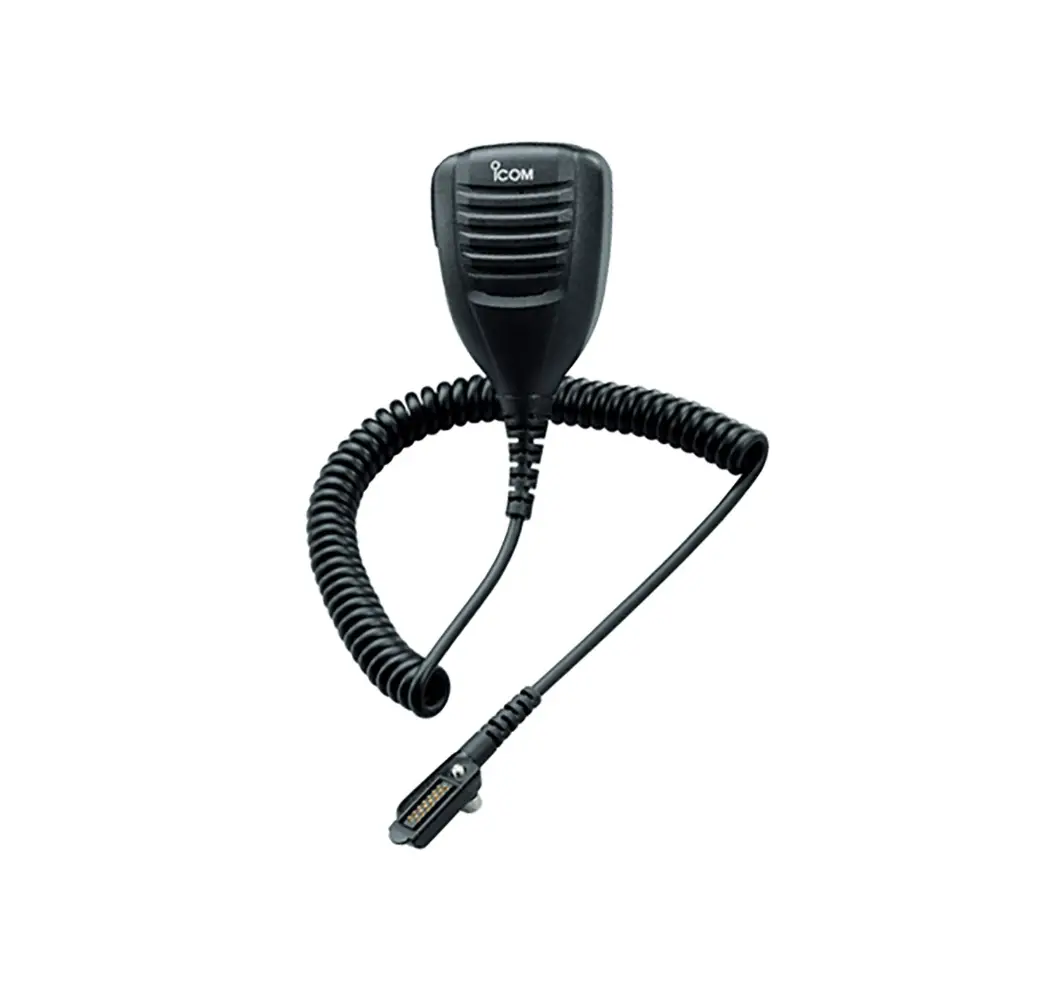
IC-F5330D, F6330D Command Microphone
Product Information
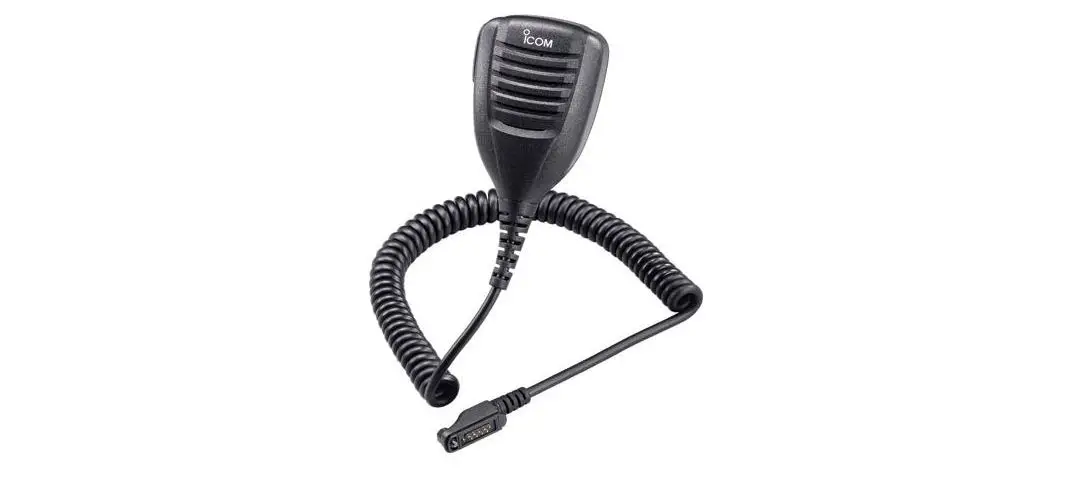
The Command Mic is a microphone designed for use with the
IC-F5330D and IC-F6330D radios. It comes with an internal Bluetooth
module, allowing for remote operation of the transceiver using a
mobile device or Bluetooth Low Energy device.
Important precautions include checking local regulations when
remotely operating the transceiver, avoiding interference from
devices such as microwave ovens and wireless LANs, and keeping a
safe distance from medical equipment or individuals with pacemakers
when using the Bluetooth function.
The Command Mic complies with Part 15 of the FCC Rules and has a
range of specifications, including Bluetooth communication range,
supported Bluetooth profiles, and maximum number of paired
devices.
Product Usage Instructions
- Read all instructions carefully and completely before using the
Command Mic. - Ensure that your operating environment is free from
interference-causing devices such as microwave ovens and wireless
LANs. If interference occurs, either stop using those devices or
move away from them. - When using the Bluetooth function, do not use the Command Mic
near medical equipment or individuals with pacemakers to avoid
interference or potential harm. - Avoid making any changes or modifications to the Command
Mic. - Be aware that certain Bluetooth device functions may not be
usable even if the unit is installed. - Comply with FCC regulations and do not make any unauthorized
changes or modifications to the Command Mic that could void your
authority to operate it. - Refer to the panel description in the user manual for
information on the various buttons and indicators on the Command
Mic.
INSTRUCTIONS
COMMAND MICROPHONE FOR
|F5330D |F6330D
Thank you for choosing this Icom product. READ ALL INSTRUCTIONS carefully and completely before using this product.
Icom is not responsible for the destruction, damage to, or performance of any Icom or non-Icom equipment, if the malfunction is because of: · Force majeure, including, but not limited to, fires,
earthquakes, storms, floods, lightning, other natural disasters, disturbances, riots, war, or radioactive contamination. · The use of Icom products with any equipment that is not manufactured or approved by Icom.
Icom and the Icom logo are registered trademarks of Icom Incorporated (Japan) in Japan, the United States, the United Kingdom, Germany, France, Spain, Russia, Australia, New Zealand and/or other countries. The Bluetooth word mark and logos are registered trademarks owned by the Bluetooth SIG, Inc. and any use of such marks by Icom Inc. is under license. Other trademarks and trade names are those of their respective owners. All other products or brands are registered trademarks or trademarks of their respective holders.
ABOUT THE COMMAND MIC
The Command Mic comes with internal Bluetooth module, and is supplied microphone for IC-F5330D, IC-F6330D or developing radios in the future.
NOTE: When you remotely operate the transceiver by using a mobile device or Bluetooth Low Energy device, BE SURE to check your local regulations.
ELECTROMAGNETIC INTERFERENCE
When you use a Bluetooth device, pay attention to following: Bluetooth devices operate on the 2.4 GHz band. The 2.4 GHz band is also used by other devices, such as wireless LAN products, microwave ovens, RFID systems, amateur radio stations, and so on. When using a transceiver with the Bluetooth unit installed and turned ON near such devices, interference may occur, causing a decrease in communication speed, and an unstable connection. In such cases, use the transceiver with the Bluetooth unit away from the other devices, or stop using those devices.
EXPLICIT DEFINITIONS
WORD
DEFINITION
R DANGER!
Personal death, serious injury or an explosion may occur.
R WARNING!
Personal injury, fire hazard or electric shock may occur.
CAUTION Equipment damage may occur.
NOTE
If disregarded, inconvenience only. No
risk of personal injury, fire or electric shock.
PRECAUTIONS
IMPORTANT: The Bluetooth communication range may vary, depending on your operating environment. Microwave ovens or Wireless LANs may cause interference. In that case, stop using those devices or move away from them. This Bluetooth device has a usable range. If communication is unstable, move within the range.
R DANGER! NEVER use a device with the Bluetooth unit installed and turned ON near medical equipment, or near a person who has a pacemaker. Radio waves from the device may cause interference, or endanger their life.
CAUTION: DO NOT use a device with the Bluetooth unit installed and turned ON near microwave ovens. Interference may occur.
CAUTION: DO NOT make any changes or modifications to the device.
NOTE: You may not be able to use some Bluetooth device’s function, even if the unit is installed.
FCC INFORMATION
This equipment has been tested and found to comply with the limits for a Class A digital device, pursuant to part 15 of the FCC Rules. These limits are designed to provide reasonable protection against harmful interference when the equipment is operated in a commercial environment. This equipment generates, uses, and can radiate radio frequency energy and, if not installed and used in accordance with the instruction manual, may cause harmful interference to radio communications. Operation of this equipment in a residential area is likely to cause harmful interference in which case the user will be required to correct the interference at his own expense.
This device complies with Part 15 of the FCC Rules. Operation is subject to the condition that this device does not cause harmful interference.
CAUTION: Changes or modifications to this transceiver, not expressly approved by Icom Inc., could void your authority to operate this transceiver under FCC regulations.
Internal Bluetooth unit information:
FCC ID: AFJ387300
IC:
202D-387300
SPECIFICATIONS
· Bluetooth version:
5.3
· Transmission Output:
Class 1
· Supported profiles:
HFP, HSP, SPP, GATT
(Serial) over LE
· The maximum number
of paired Bluetooth devices: 7 devices*
· Dimensions:
134.8(H) x 60.8(W) x
35.5(D) mm
· Dimensions:
Approximately 250 g
* Either headsets or mobile devices are maximum 4 devices,
and the combination is 5 devices in total.
* Bluetooth Low Energy devices are maximum 2 devices.
L The specifications are subject to change without notice or
obligations.
FRANÇAIS
DÉFINITIONS EXPLICITES
TERME
DÉFINITION
Risque d’accident mortel, de
R DANGER !
blessures corporelles graves ou d’explosion.
R AVERTISSEMENT
!
Risque de blessures corporelles, d’incendie ou de choc électrique.
MISE EN GARDE Risque de dégât matériel.
La non prise en compte peut
entraîner des désagréments.
REMARQUE
Absence de risque de blessures corporelles, d’incendie ou de
choc électrique.
PRÉCAUTIONS
IMPORTANT: La portée de communication en Bluetooth peut varier en fonction de l’environnement dans lequel l’appareil fonctionne. Les fours à micro-ondes ou les réseaux d’accès local sans fil peuvent causer des interférences. Dans ce cas, arrêtez d’utiliser ces appareils ou éloignez-vous d’eux. Ce périphérique Bluetooth® dispose d’une zone de portée utilisable. Si la communication est instable, déplacez-vous dans cette zone.
R DANGER! N’utilisez JAMAIS un appareil avec l’unité Bluetooth installée et allumée à proximité d’un équipement médical ou d’une personne portant un stimulateur cardiaque. Les ondes radio émises par l’appareil peuvent provoquer des interférences ou mettre la vie en danger.
MISE EN GARDE : NE PAS un appareil avec l’unité Bluetooth installée et allumée à proximité de fours à microondes. Des interférences peuvent se produire.
MISE EN GARDE : NE PAS changement ou modification à l’appareil.
REMARQUE: Il se peut que vous ne puissiez pas utiliser la fonction de certains appareils Bluetooth même si l’appareil est installé.
INFORMATION FCC
Cet équipement a été testé et reconnu conforme aux limites fixées pour un appareil numérique de classe A, conformément au point 15 de la réglementation FCC. Ces limites assurent une protection raisonnable contre les interférences nuisibles lorsque l’équipement est utilisé dans un environnement commercial. Cet équipement génère une énergie de radio fréquence, utilise et rayonner et s’il n’est pas installé et utilisé conformément au manuel d’instruction, peut causer des interférences nuisibles aux communications radio. Le fonctionnement de cet équipement dans une zone résidentielle est susceptible de causer des interférences nuisibles lorsque l’utilisateur doit corriger les interférences à ses propres frais.
Cet appareil respecte les conditions établies au paragraphe 15 des règles de la FCC. Son utilisation est assujettie à la condition de ne pas provoquer des interférences nuisibles.
MISE EN GARDE: Tout changement ou modification, non expressément approuvé par Icom Inc., peut annuler
l’autorisation de l’utilisateur à utiliser cet appareil
conformément à la réglementation FCC.
Informations sur l’unité Bluetooth interne: (Uniquement pour l’émetteur-récepteur avec la fonction Bluetooth)
ID FCC: AFJ387300
IC:
202D-387300
1-1-32 Kamiminami, Hirano-ku, Osaka 547-0003, Japan May 2023
A7758-2EX Printed in Japan © 2023 Icom Inc.
PANEL DESCRIPTION D Microphone
[Emer]*
Microphone [PTT] [P1]* [F1]*
Vol Up [+]* Vol Down []*
[P3]*
Speaker
Power key [ ]
Status indicator
[Up]/[Down]/ [Right]/[Left]* [P2]* [P4]*
Ten-Keypad
*The assigned function may differ, depending on the presetting. Ask your dealer or the transceiver’s administrator for details.
Status indicator: Lights red: Transmitting Lights green: Receiving or squelch is open.
FUNCTION DISPLAY
1
2
3
1 ICON AREA Displays the icons, as shown below.
Displays the relative receive signal strength level.
Displayed when the low output power is selected.
Displayed when the Shift function is ON. The user can use a Dealer Assignable key’s secondary function in the Shift mode. Ask your dealer for details.
Displayed when the channel is in the audible (unmuted) mode.
Blinks after messages (Message or Status Message) have been received.
Displayed when a matching signal is received, depending on the presetting.
· Blinks when the Bluetooth function is ON. · Displayed when the transceiver is paired
with a Bluetooth device.
· Blinks while scanning. · Displayed when a scan is paused.
Displayed when the channel is selected as a scan target channel.
· Displayed when the Encryption function is ON.
· Blinks when decoding an encrypted signal.
· Displayed when valid position data is received.
· Blinks when searching for satellites.
Displayed when the Talk Around function is ON.
Displayed when the Lone Worker function is ON.
2 ALPHANUMERIC READOUT Displays messages such as channel text.
3 DEALER ASSIGNABLE KEY ICONS Displayed while the function assigned to [P1], [P2], [P3], or [P4] is operating. L May not be displayed, depending on the assigned function.
BASIC OPERATION
D Turning ON the transceiver z Hold down [ ] for more than 2 seconds until the Status
indicator or Power indicator lights orange.
NOTE: Entering the password may be required to turn ON the transceiver, depending on the presetting. Ask your dealer or the transceiver’s administrator for details.
D Receiving 1. Push [Up] or [Down] to select a channel. 2. When a call is received, the Status indicator lights green.
L Push [+] or [] to adjust the audio output level to a comfortable listening level.
D Transmitting
CAUTION: DO NOT transmit without an antenna.
1. Wait until the channel is clear to avoid interference. 2. While holding down [PTT], speak at your normal voice
level. 3. Release [PTT] to receive.
IMPORTANT: To maximize the readability of your signal: 1. After pushing [PTT], pause briefly before you start
speaking. 2. Hold the microphone 5 ~ 10 cm (2 ~ 4 inches) from
your mouth, then speak at your normal voice level.