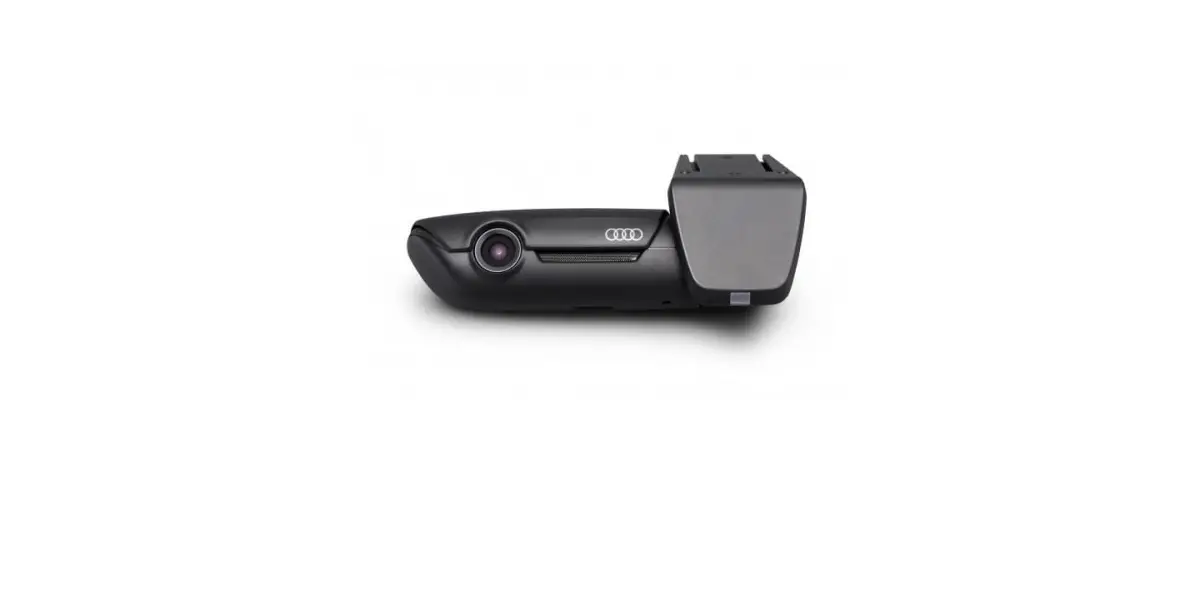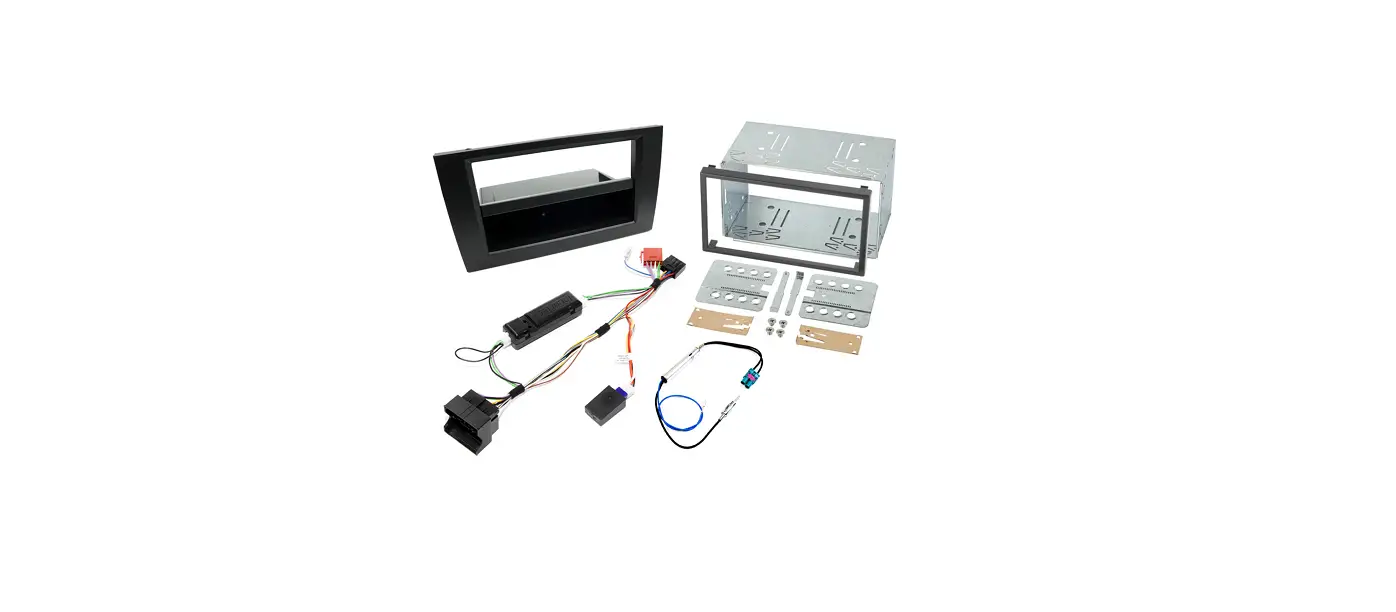
 4G0-063-511-G Universal Traffic Recorder
User Manual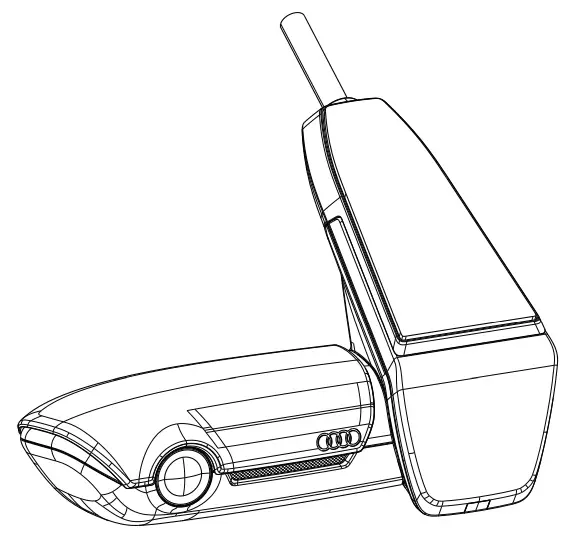
Please read first
General product information
Ensure that only the original parts included in the scope of delivery are used during the installation of the Universal Traffic Recorder (AUDI UTR). Installation should be carried out by an AUDI partner in order to ensure that the system is installed correctly. In addition, the installation must be carried out in accordance with the available AUDI Genuine fitting instructions. Read the manual carefully before the initial activation of your AUDI UTR.
Safety notes To prevent the driver from becoming distracted, ensure that the Smartphone, the AUDI UTR, and the associated app are not operated during the journey.Before beginning each journey, ensure that all occupants agree to an audio recording by the AUDI UTR and that the use of the AUDI UTR complies with the legal requirements in the respective country. Please find out in advance if the use of UTR is allowed in your country and whether there are any restrictions regarding the use of any image and video data recorded. Legal requirements must always be complied with.
AUDI AG has no access to the data obtained using the AUDI UTR or to the app and any data saved on the customer’s smartphone. In addition, the data is not saved in the customer’s vehicle. The connection between the customer’s smartphone and the AUDI UTR is encrypted with WPA/WPA2 and can be altered at any time by the customer. GPS data is recorded by the AUDI UTR in order to determine position and speed. The recorded data is deleted after a certain period of time – see the “Memory requirements” section of this manual.
Please observe and abide by all subsequent safety notes for your own safety.
Initial Operation
Please insert the micro-SD card into the device. It may only be inserted while the camera is turned off, as otherwise the data can be corrupted and a malfunction can occur.
Operation
Switching the ignition on automatically activates the “driving mode”, and the drive is recorded on the USD card. Switching the ignition off automatically activates the “parking mode”, in which the vehicle is monitored by means of radar and a vibration sensor.
Coupling With A Smartphone
In principle, the UTR can be operated with the basic settings even without a connection to a smartphone. Acoustic signals keep you informed of the operating condition of the UTR.
To use the UTR with your smartphone (iOS or Android), please download the “AUDI UTR” app free of charge from the respective app store – iTunes (iOS) or Google Play Store (Android). In order to couple your smartphone with the UTR, activate the Wi-Fi function in your phone and connect to the hotspot (SSID) AUDIUTR. The default Wi-Fi password is 1234567890. Please change the default password immediately under AUDI UTR App>Settings>Wi-Fi>.
After changing your password, you must log in with the new password to the Wi-Fi hotspot (SSID) “AUDIUTR”. You can find the detailed manual with an explanation of each function in the smartphone app under “Software”.
Time Setting
The UTR automatically sets the time and date using GPS time (UTC). Adaptation to your time zone and daylight savings time is done by synchronization with the time of your smartphone.
Now, your device is ready for use!
Operating Modes
Driving Mode
The driving mode is automatically started when you start the engine.
Now, video files of one-minute length each are being saved on the SD card.
Parking Mode
The parking mode is started when you turn off the ignition.
In case of a shock to the car or a movement in front of the radar sensors, a 20-second video file is saved.
Event Recordings
When your car is shaken harder than the set value of the G-Sensor, separate video files are saved on the SD card in the folder “Event”.
You will recognize the beginning of an event recording at the double beeping sound.
The sensitivity of the G-Sensor can be adopted in 5 levels.
Memory Allocation
The memory card is partitioned into separate areas (Driving, Parking, Events) by the system. In each partition, the oldest video file at a time is overwritten by the latest one. For that reason, please make a copy of the data when something happens. You can download the data to your smartphone via the UTR app, or remove the SD card (after
turning off the device) to prevent overwriting the files. When you edit the SD card on the PC and then use it again with the camera, the SD card is formatted. This means that any existing videos will be erased!
Manually Switching On And Off
A short press of the ON/OFF button switches the device ON.
To switch it OFF, please press and hold the button down longer (minimum 3 sec.).
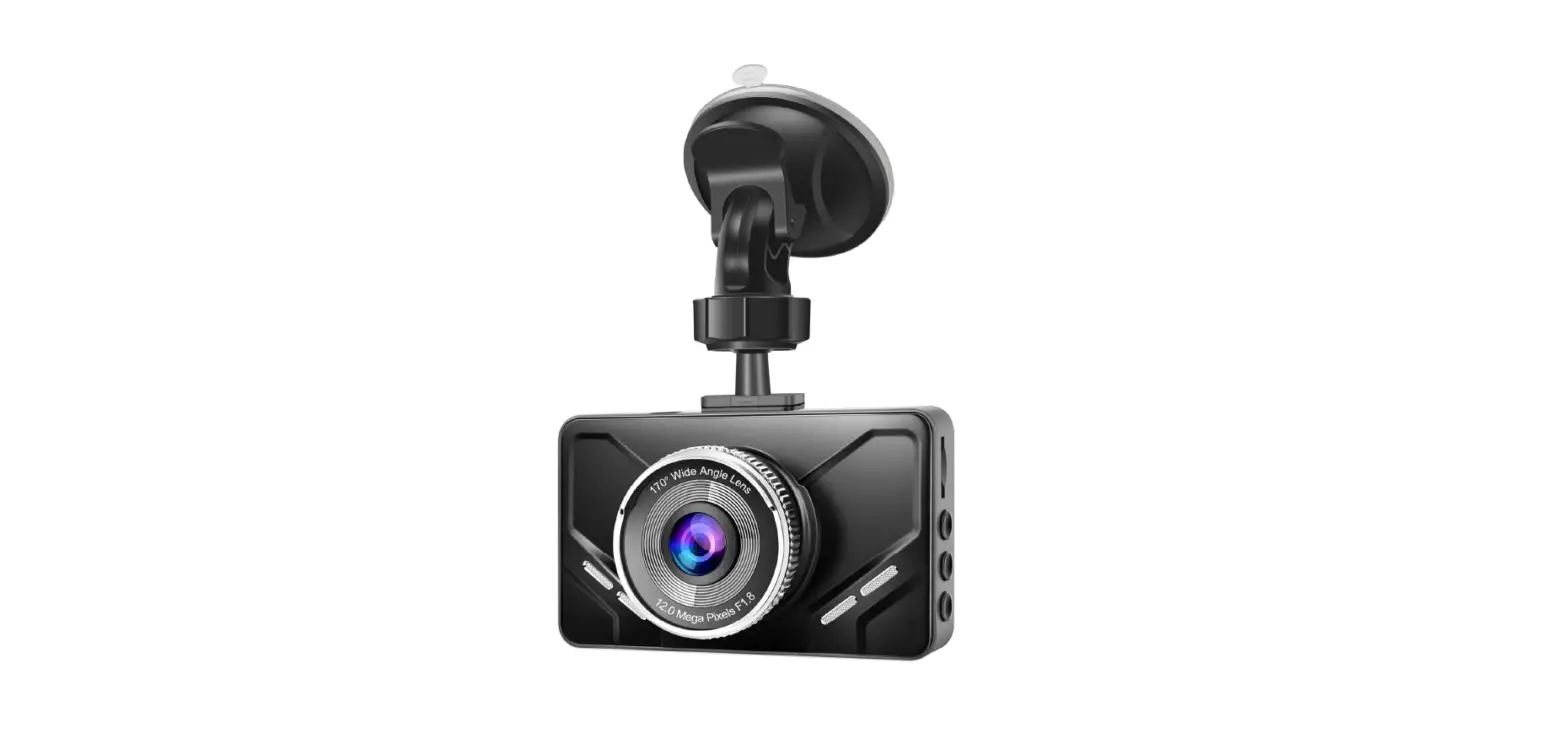
AUDI UTR
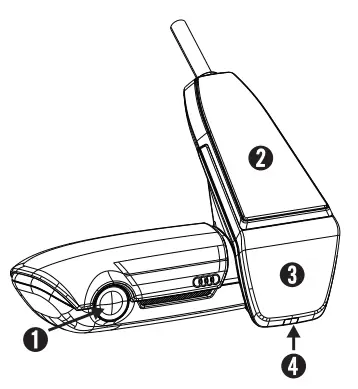 | 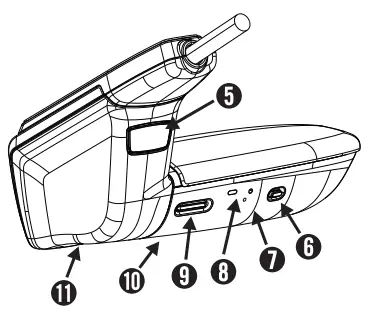 |
- Camera lens
- GPS
- Radar
- Safety LED
flashes in the parking mode (can be switched off) - Button to detach the camera (push out forwards)
- Power button:
•Camera ON/OFF
-Switch on: ≤ 3 sec.
-Switch off: > 3 to 10 sec. (1 beep)
•Microphone ON (LED red)/OFF
-With device running ≤ 3 sec.
•Start formatting (after prompt): ≤ 10 sec.
•Default setting: ≥ 20 sec. (3 beeps) - Reset button
-Restart the device - LED indicating Wi-Fi status (red Access Point)
- Micro SD slot
-Insert and remove the card only when the device is switched off - Speaker
- Microphone
Rear-View Camera
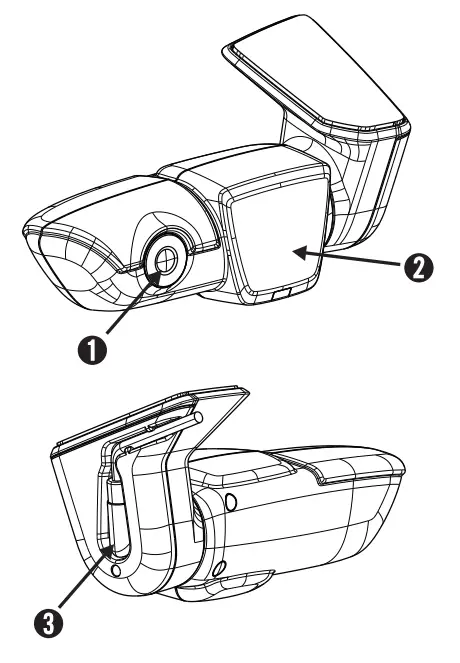
| 1. Camera lens | 3. Plug in the connection cable |
| 2. Radar |
Memory Usage
Using an 8 GB USD card in 2-channel mode (front and rear camera).
Parking mode (45%) 3.6 GB 15 minutes/46 files
Driving mode (25%) 2.0 GB 16 minutes/16 files
Events (30%) 2.4 GB 19 files
The recording time in minutes increases slightly with the exclusive use of the front camera. It is slightly reduced in racing mode.
Package Content
AUDI UTR – front camera
AUDI UTR – rear-view camera
Cable
8 GB uSD card, class 10, MLC
Operating instructions
Window film x 2
Imprint
All rights reserved. This documentation is protected by copyright.
Subject to technical and optical changes as well as printing errors.
The information contained in this document is subject to change at any time without prior notification. AUDI reserves the right to modify or improve its products and modify the contents without being obliged to inform any particular persons or organizations. The device specifications and the contents of the package may deviate from what is stated in this document.
Service
For current information or any questions regarding the use of your AUDI UTR, please consult the manual, which is available as a PDF file in the app under “Software”, or contact your local AUDI partner.
RF Specification
WiFi
2.4GHz band
| Supported Protocol and Standard : | IEEE 802.11b, IEEE 802.11g, IEEE 802.11n |
| Frequency Range | 2400MHz ~ 2483.5MHz |
| Amount of Working channel | 1-11 (America, Canada) 1-13 (Korea, China, Europe) |
| Channel Bandwidth | 20MHz |
| Modulation | DSSS / CCK / OFDM |
| Output Power | 10mW / MHz 이하 (Korea) Less than EIRP 15dBm (General) |
5.4GHz band
| Supported Protocol and Standard: | : IEEE 802.11n, IEEE 802.11ac, |
| Frequency Range | : 5753MHz ~ 5815MHz |
| Amount of Working channel | : 151 / 155 |
| Channel Bandwidth | : 40MHz / 80MHz |
| Modulation | : OFDM |
| Output Power | : 2.5mW / MHz Korea) Less than EIRP 30dBm (General) |
Radar
| Frequency Range | : 24.200MHz |
| Modulation | : FMCW |
| Output Power | Less than EIRP 20dBm (Korea) Less than EIRP 13dBm (General) |
General
| Power Supply | DC 12V |
| Temperature Range : | -40℃ ~ 85℃ |
INFORMATION OF REGULATIONS
EUROPE
| Frequency band Wi-Fi : 2.4Ghz~2.484Ghz / 5.735Ghz~5.815Ghz Frequency band Radar: 24.2Ghz | Max. radio frequency power Wi-Fi: 15dBm Max. radio frequency power Radar: 13dBm |
United States
FCC ID: WHBUTR2 / WHBUTR2R
FCC Warning Statement
- FCC Part 15.19
This device complies with part 15 of the FCC Rules. Operation is subject to the following two conditions: (1) this device may not cause harmful interference, and (2) this device must accept any interference received, including interference that may cause undesired operation. - FCC Part 15.21
Any changes or modifications (including the antennas) to this device that are not expressly approved by the manufacturer may void the user’s authority to operate the equipment. - FCC Radiation Exposure Statement
This equipment complies with FCC radiation exposure limits set forth for an uncontrolled environment. This device and its antenna must not be co-located or operating in conjunction with any other antenna or transmitter.
This equipment should be installed and operated with a minimum distance of 10cm between the radiator and your body.
South Korea

KC ID : R-C-MAI-UTR2 / R-C-MAI-UTR2R
CHINA
CMIIT ID: 2017DJ1243
Australia

R-NZ
New Zealand
Japan
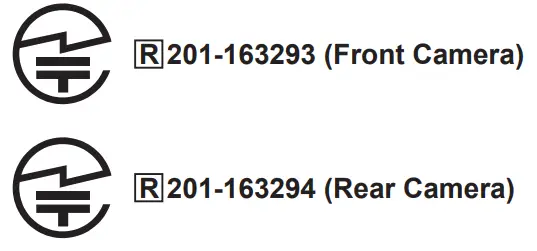
Taiwan

Article 12
Without permission, any company, firm, or user shall not alter the frequency, increase the power, or change the characteristics and functions of the original design of the certified lower power frequency electric machinery.
Article 14
The application of low power frequency electric machinery shall not affect the navigation safety nor interfere a legal communication, if an interference is found, the service will be suspended until improvement is made and the interference no longer exists.
RUSSIA
12VDC 0.5A
Manufactured by: Mobile Appliance Inc. / 401 Simin Daero, Dongan-gu, Anyang-Si, Gyeonggi-Do
Korea
Manufacture Date: 12-2016
Country of Origin: South Korea
CANADA
Model: UTR 2.0
IC : 22539-UTR2 / 22539-UTR2R
CAN ICES-3(B) / NMB-3(B)
IC Warning Statement
This device complies with Industry Canada licence-exempt RSS standard(s).
Operation is subject to the following two conditions: (1) this device may not cause interference, and (2) this device must accept any interference, including interference that may cause undesired operation of the device.
IC Radiation Exposure Statement
This equipment complies with IC RF Radiation exposure limits set forth for an uncontrolled environment. This device and its antenna must not be co-located or operating in conjunction with any other antenna or transmitter.
This equipment should be installed and operated with a minimum distance of 10cm between the radiator and your body.
SINGAPORE
Complies with IDMA Standards
[DA103861]
Product name: UTR 2.0
Trade name: AUDI
Manufacturer Name: Mobile Appliance Inc.
Country: South Korea
MALAYSIA

South Africa TA-2018/699
HONGKONG
Certified for use in Hong Kong
Certificate No. ZZZZZYYXXXXX
 COMMUNICATIONS AUTHORITY
Audi Universal Traffic Recorder
AUDI AG
D-85045 Ingolstadt
Tel.:+49(0)841-89 0
www.audi.com

 Audi.com – the international Audi website | audi.com