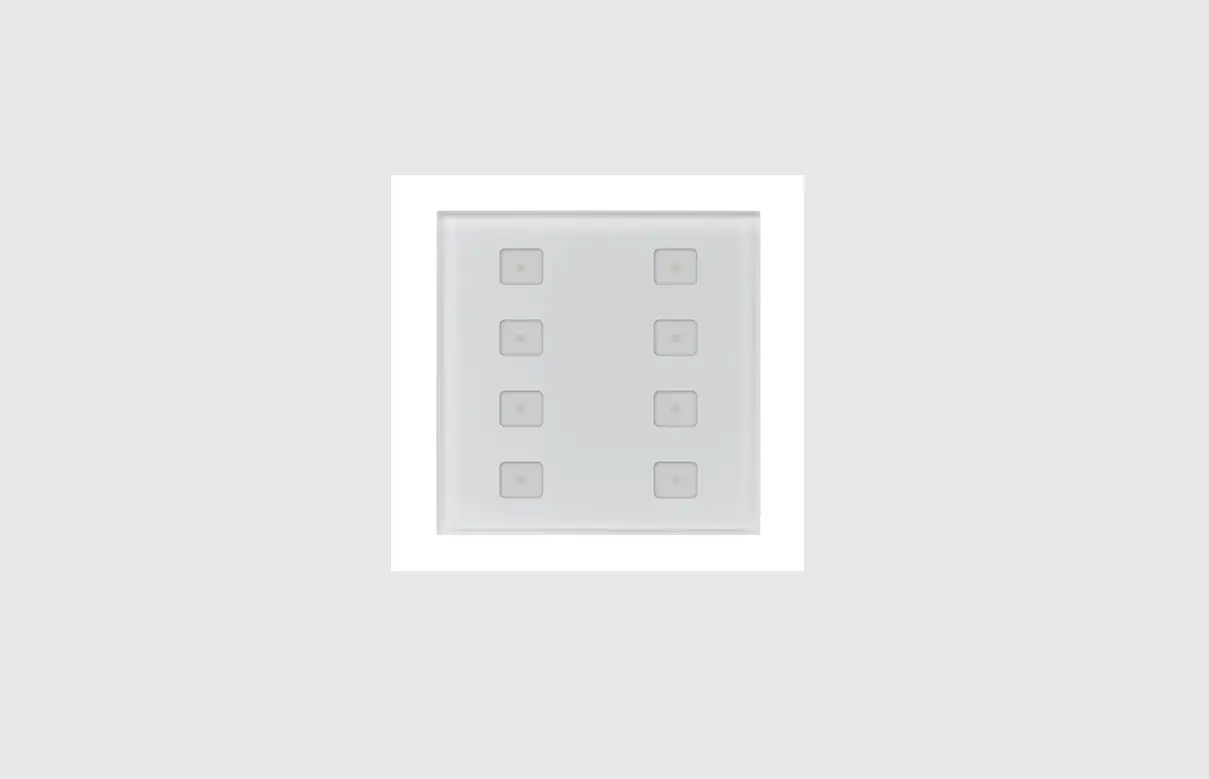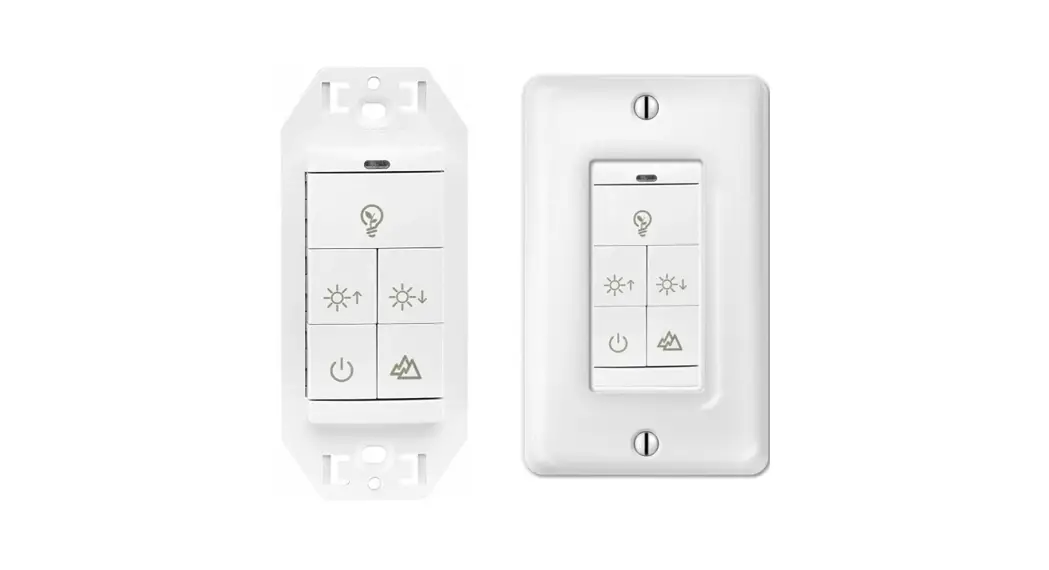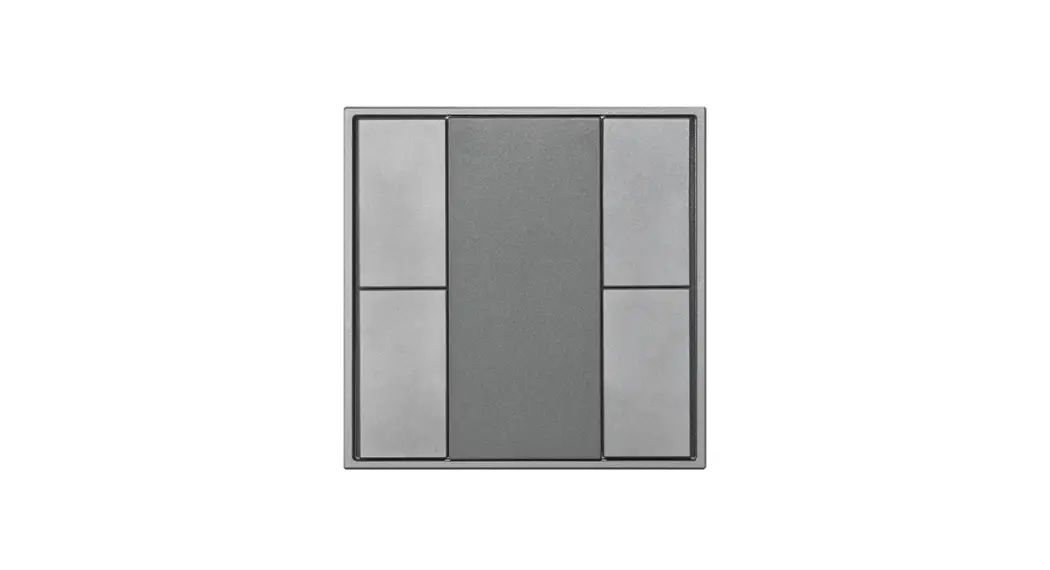

SR-2422NK4-DA2 4 Key Push Button DALI Wall Switch
Instructions
Important: Read All Instructions Prior to Installation
Function introduction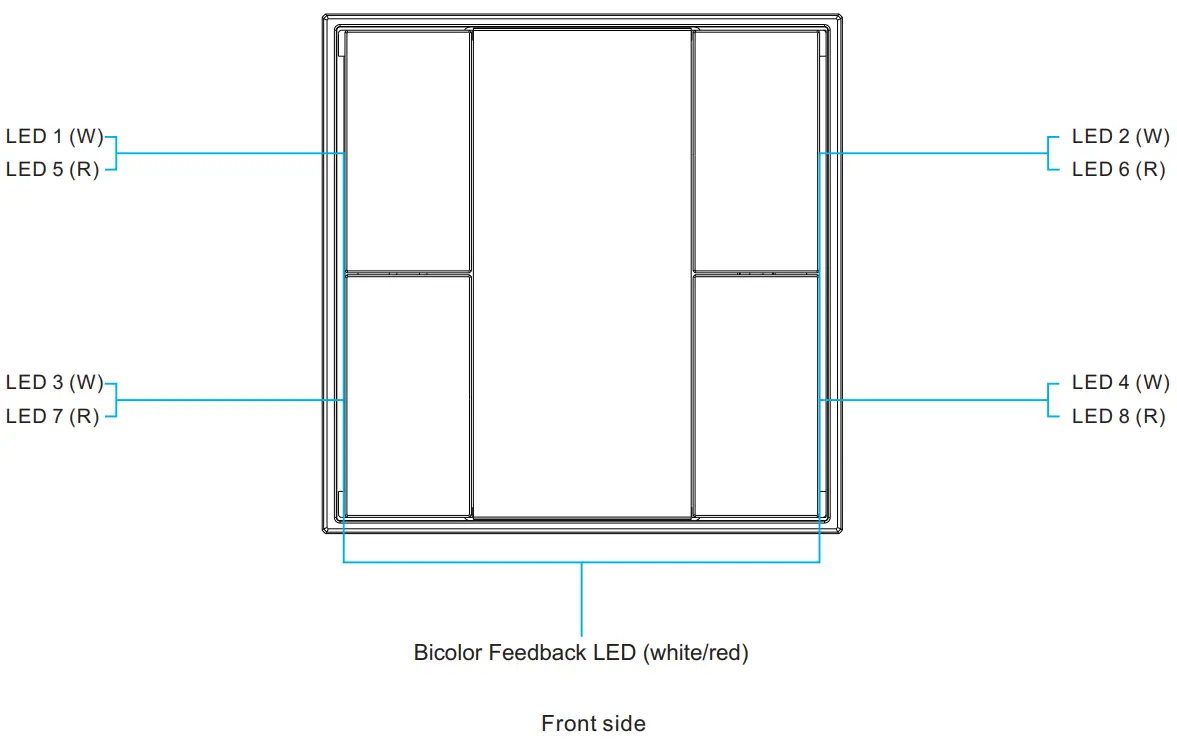
Product Features
- DALI-2 control device with 4 push buttons according to IEC62386-101, IEC62386-103, IEC62386-301, and IEC62386-332
- Supports feedback functionality, provides 8 LEDs
- Suitable for integration and in combination with DALI-2 compliant central control units
- Multimaster capable, multiple modules can be installed on the DALI- line
- DALI bus powered, no extra power supply required
- Easy configuration via DALI-2 compliant central controller USB interface
- Compatible with universal 55mm frames
Product Data
DALI Interface
| Input Type | DALI |
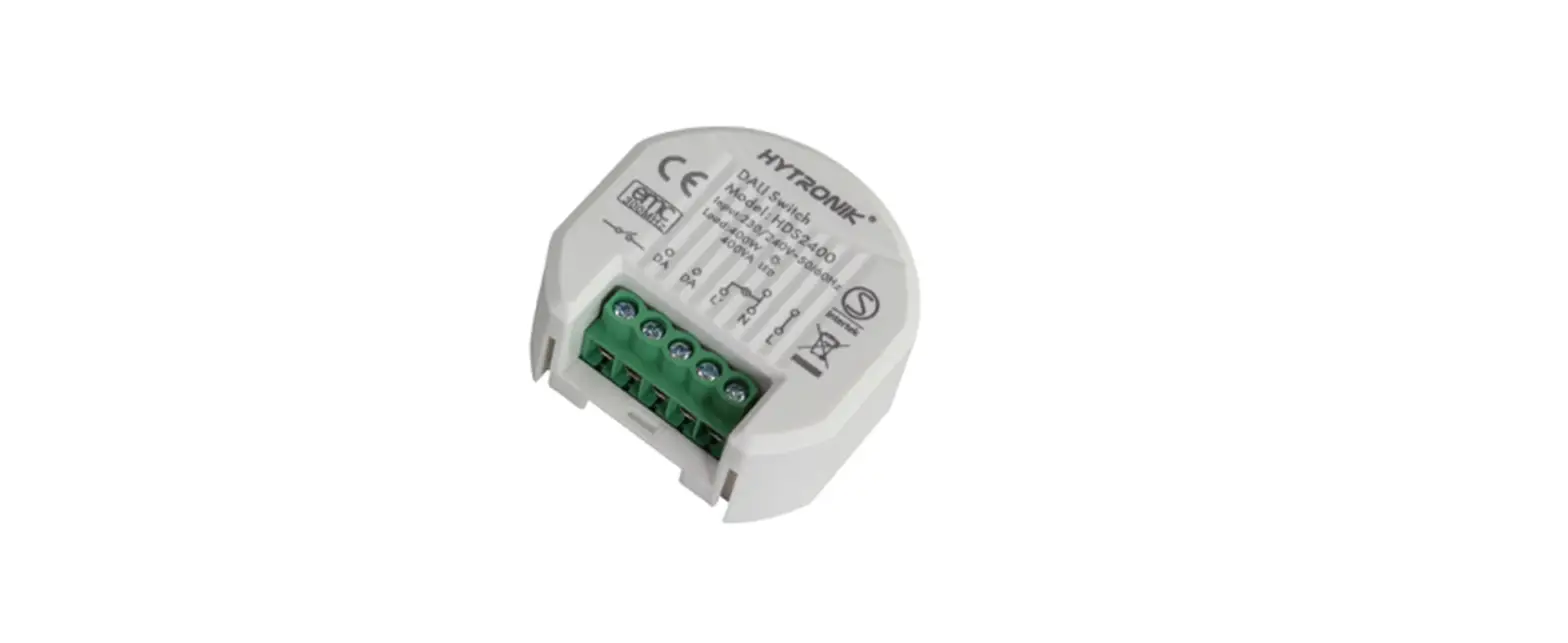
| Marking | DA, DA |
| Input Voltage Range | 12VDC – 22.5VDC (according IEC62368-101) |
| Typ. Current Consumption DALI (at 16.5V) | 2mA |
| Max. Current Consumption DALI (Inrush Current at 22.5V) | 10mA |
| Number of Addresses for DALI Control Gear | DALI |
| Number of Addresses for DALI Control Devices | 4 programmable push buttons |
| Number of Feedback LED | 8 programmable LEDs |
General Data
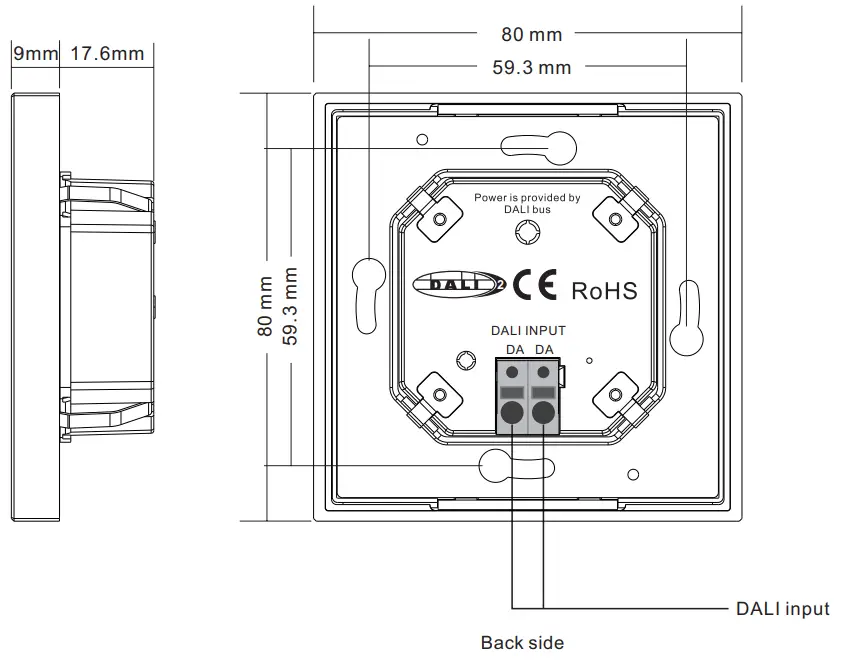
| Dimensions (L x W x H) | 80mm x 80mm x 26.6mm |
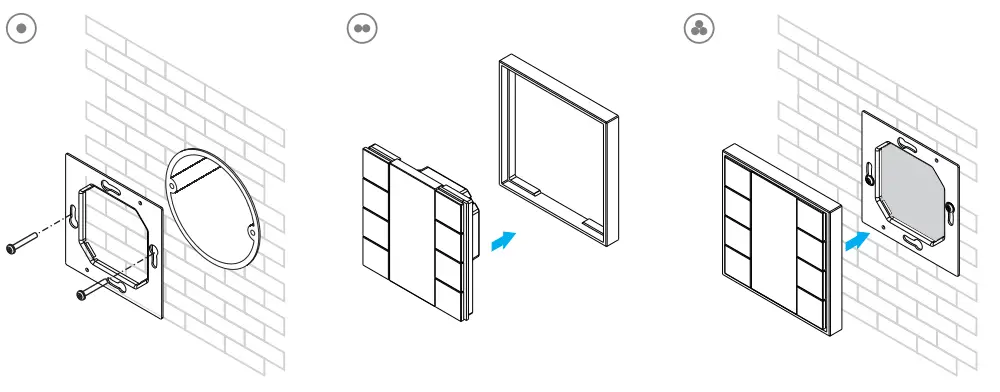
| Mounting | Wall Mounting or on Conduit Box |
| Max. casing temperature Tc | 75°C |
| Expected Life Time @Tc | 50,000H |
| Protection Class | II in Intended Use |
| Protection Degree Housing | IP20 |
| Protection Degree Terminals | IP20 |
| Function | Configurable |
| Start-up Time | <150ms |
Terminals
| Connector Type | Push-In |
| Wire Size Solid Core | 0.2 – 1.3 mm2 (AWG26 – AWG16) |
| Wire Size Fine Core | 0.2 – 1.3 mm2 (AWG26 – AWG16) |
| Wire Size Using Wire End Ferrule | 0.25 – 1.0 mm2 |
| Stripping Length | 9 – 10 mm / 0.35 – 0.39 inch |
| Release Connector | Push Button |
Environment Conditions
| Storing Temperature | -20°C~+50°C |
| Working Ambient Temperature | -20°C~+50°C |
| Relative Humidity | 8%- 80% |
standards
| DALI | IEC62386-101:2014 IEC62386-103:2014 IEC62386-301 IEC62386-332 EN 61547 |
| EMC | EN 61347EN 50015 / IEC CISPR15-2-11 |
| Safety | EN 61347-1 |
| Markings | DALI-2, CE |
Safety & Warnings
- DO NOT install with power applied to the device.
- DO NOT expose the device to moisture.
Application
Integration in a system with a DALI-2 compliant central control unit, push buttons results in input notifications (event messages)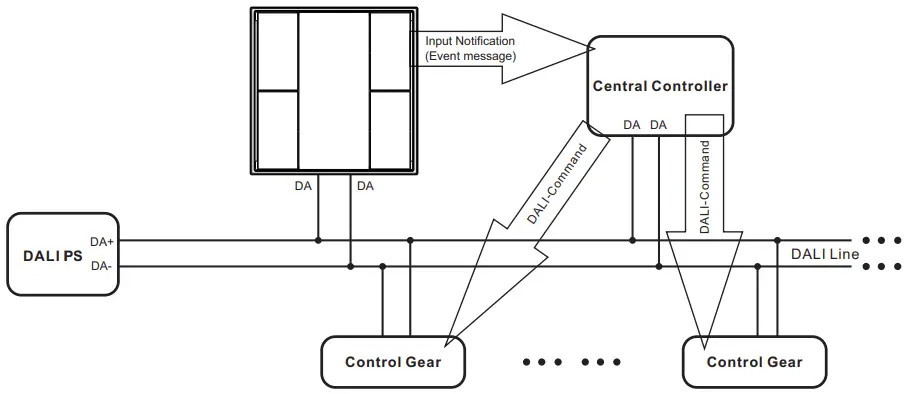
Application and Function
The DALI Switch can be used as an input device for the integration in DALI-2 compliant central lighting control systems. In this mode, each input (“instance”) informs about changes by using so-called “input notifications”. These event messages can be evaluated by other controllers on the DALI-line e.g. as triggers for commands sent to luminaires. The DALI-Switch provides 4 instances of type 1 (input device – push button).
Instance 1-4: Push Button, Instance Type 1 (according to IEC62386-301, Input Devices – Push Button)
According to the standard, the following INPUT NOTIFICATIONs are supported:
| Event name | Event Information | Description |
| Button released | 00 0000 0000b | The button is released |
| Button pressed | 00 0000 0001b | The button is released |
| Short press | 00 0000 0010b | The button is pressed and released, without being pressed quickly again (in case of double press enabled), or the button is pressed and quickly released (in case of the double press is disabled) |
| Double press | 00 0000 0101b | The button is pressed and released, quickly followed by another button press |
| Long press start | 00 0000 1001b | The button is pressed without releasing it |
| Long press repeat | 00 0000 1011b | Following a long press start condition, the button is still pressed, the event occurs at regular intervals as long as the condition holds |
| Long press stop | 00 0000 1100b | Following a long press start condition, the button is released |
| Button free | 00 0000 1110b | The button has been stuck and is now released |
| Button stuck | 00 0000 1111b | The button has been pressed for a very long time and is assumed stuck. |
Additional instance parameters like event filter and event timings (short timer, double timer, repeat timer, stuck timer) can be configured according to IEC62386-301.
Push Button Function Label
Push button function labels can be printed and customized, to better indicate whatever functions are configured to the push buttons. Please contact the salesperson to ask for the available customizable button function file in Excel format, which will generate the corresponding label image after selecting the desired function for each button, just print it and install it as follows: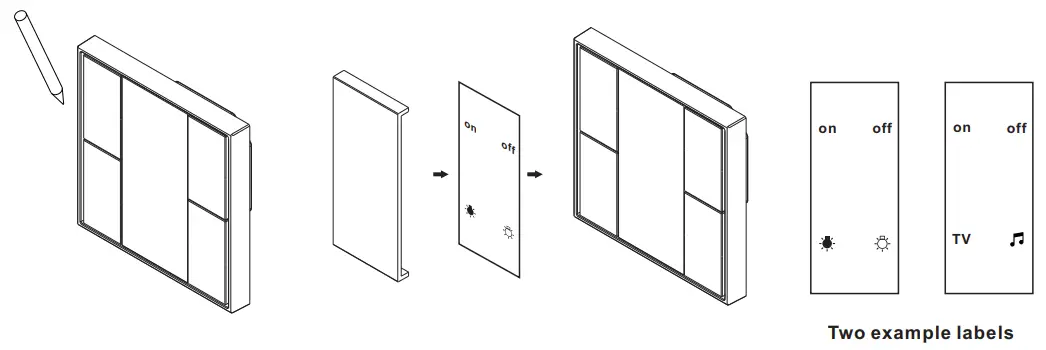
Step 1: Remove the white color central cover plate using a sharp tool such as tweezers.
Step 2: Put the printed label into the central part.
Step 3: Install another transparent central cover plate attached to the product.
Feedback Functionality
This DALI wall switch supports feedback functionality, feedback is the means of informing the user about the system state, and the supported feedback type by the switch is visible feedback using 8 LEDs. The instance number of the 8 LEDs are as follows (according to IEC62386-332, Input Devices – Feedback)
| LEDs | Instance number |
| LED 1 (W) | 0x20 |
| LED 2 (W) | 0x21 |
| LED 3 (W) | 0x22 |
| LED 4 (W) | 0x23 |
| LED 5 (R) | 0x24 |
| LED 6 (R) | 0x25 |
| LED 7 (R) | 0x26 |
| LED 8 (R) | 0x27 |
Commands to activate and stop feedback
| Command Name | Opcode byte |
| ACTIVATE FEEDBACK | 0x10 |
| STOP FEEDBACK | 0x11 |
Feedback variables and additional commands like feedback active, feedback timing, feedbackActiveBrightness, feedbackActiveColour, feedbackInactiveBrightness, and feedbackInactiveColour can be configured according to IEC62386-332.
Installation