
 Wireless Programmable Room Thermostat
User Guide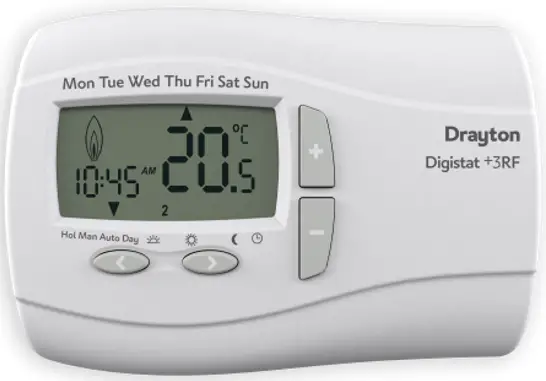
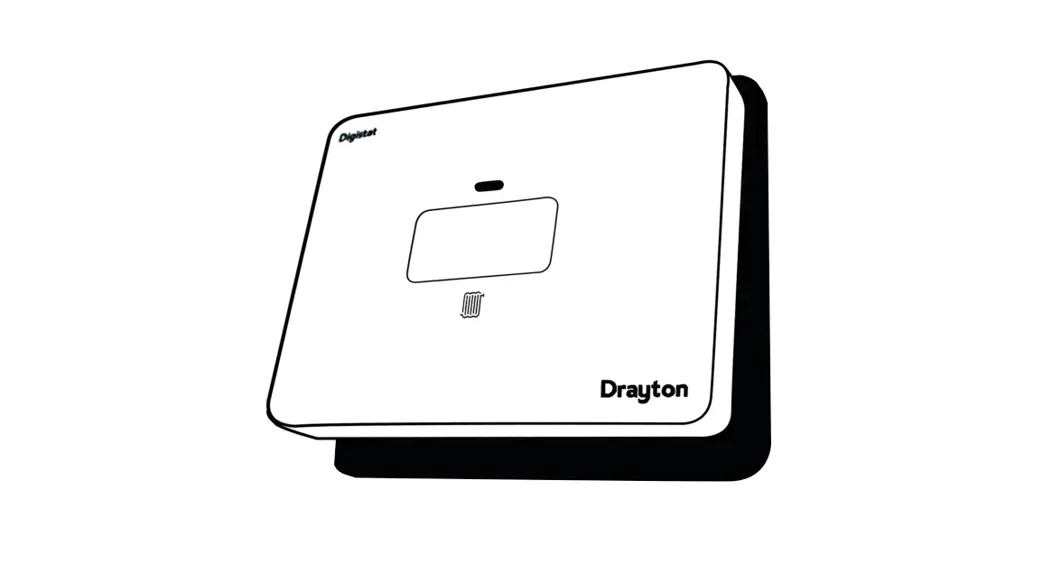
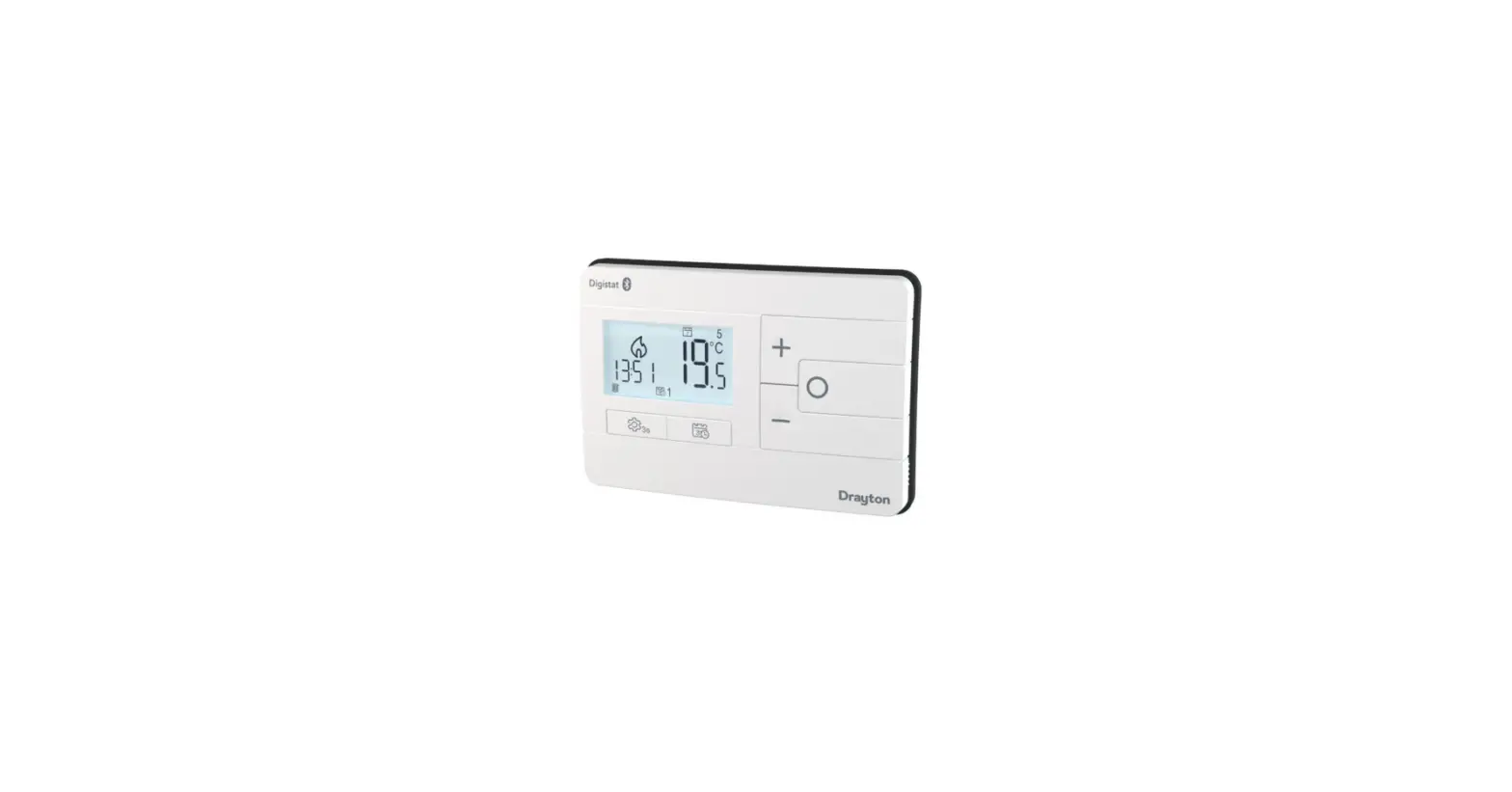
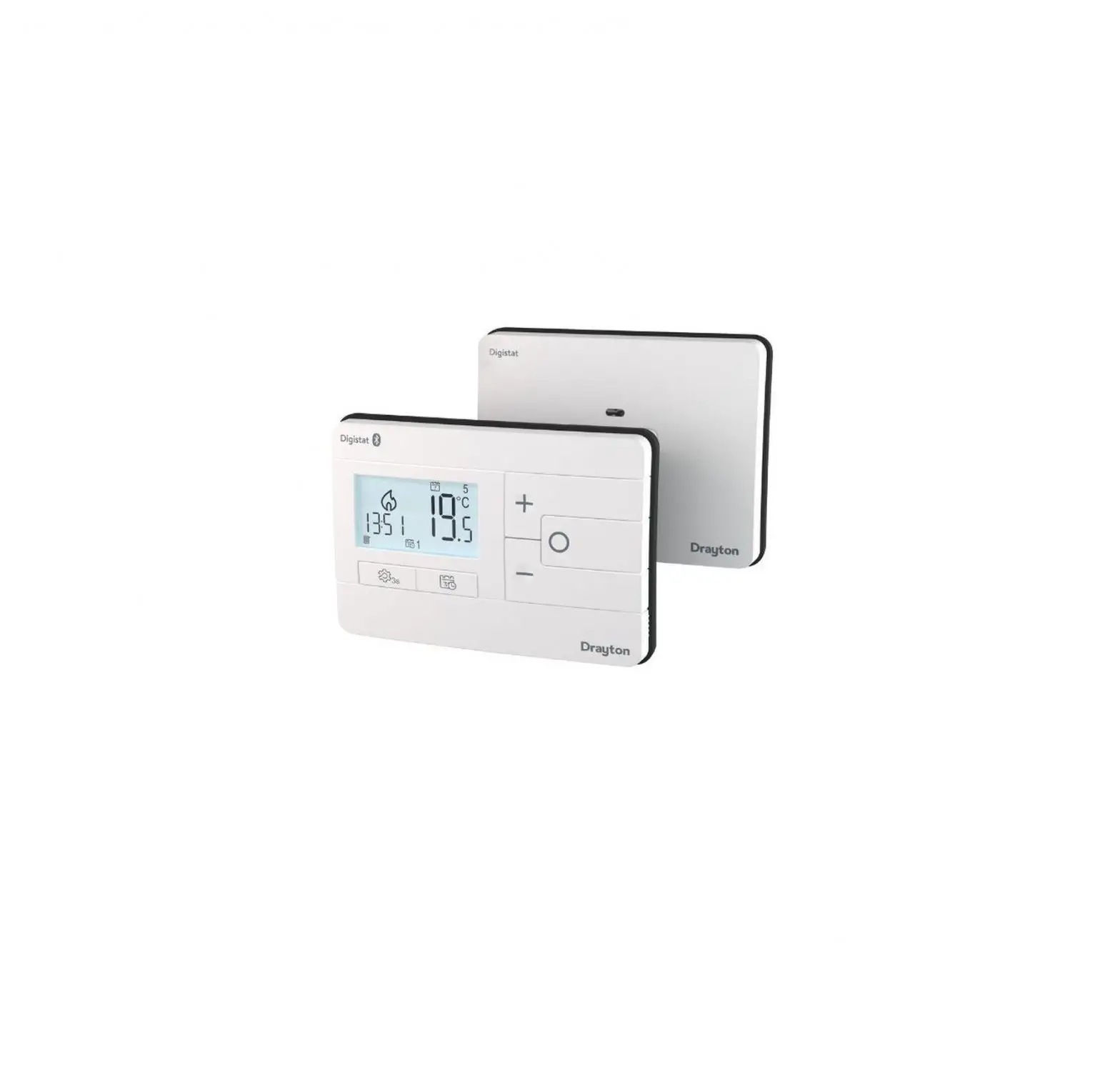
Drayton Digistat 3rd Generation Wireless Programmable Room Thermostat
Wireless Programmable Room Thermostat
Model: RF901 Consists of Thermostat RF90T and Receiver RF90S
 Technical Helpline Tel: 0333 6000
Website: 622 www.draytoncontrols.co.uk
Email: [email protected]
User and Installation Guide 06490310001 Iss C
Installation Guide
Before Installation
If you do not have the knowledge to install the thermostat safely then you must arrange for a competent electrician to install it for you. Wiring must conform to the current IEE regulations. Prior to commencing the installation, you must ensure the mains supply is switched off.
1. Installing the Digistat Receiver
1a. Location of the receiver
Location
The Digistat Receiver should be mounted in a convenient position, close to the boiler or central heating system wiring center. (Care should be taken not to mount the receiver in
a position where it is surrounded by metal objects or mains voltage cable, as this may interfere with the radio signal). For the best performance install in an open space, at least 30cm distance from any metal objects including wall boxes and boiler housing.
It is recommended that the receiver is mounted on the wall nearest the final location of the Digistat Thermostat room thermostat and not less than 30cm from the boiler side panel.
Warning: Installing the receiver too close to the metal side panel or main cables may interfere with the radio signal.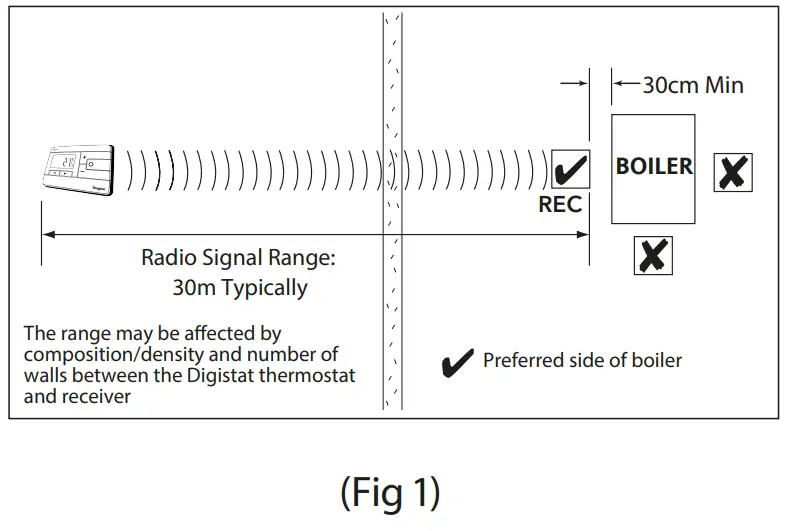
Fixing (minimum wallplate clearances shown below)
i. Loosen the securing screws, remove the wallplate, and if surface wiring is to be used, snap out the cable entry strip on the bottom edge of the wallplate with a pair of pliers.
ii. Fix the wallplate, and terminals at the top, either directly onto the flat wall using wall plugs and no 6 xl” wood screws or on a flush-mounting single conduit box using M3.5 x 14 screws.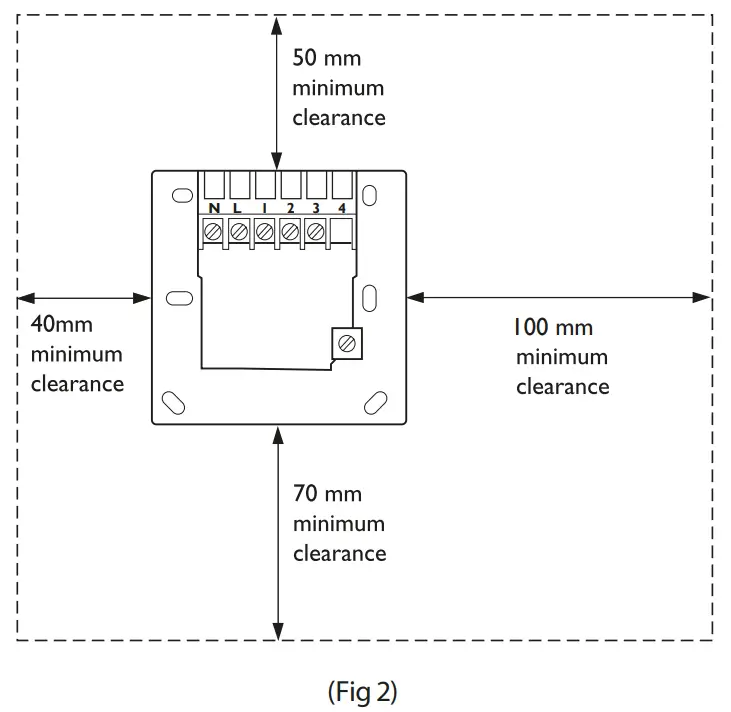 2. Wiring
This product is double insulated and does not require an earth connection. The receiver should be wired to the combi boiler or central heating wiring using the correct type of cable or flex. The receiver should be wired in to replace hard-wired room or programmable thermostats shown on the system or boiler wiring diagrams. Always check other manufacturers’ instructions for compatibility. 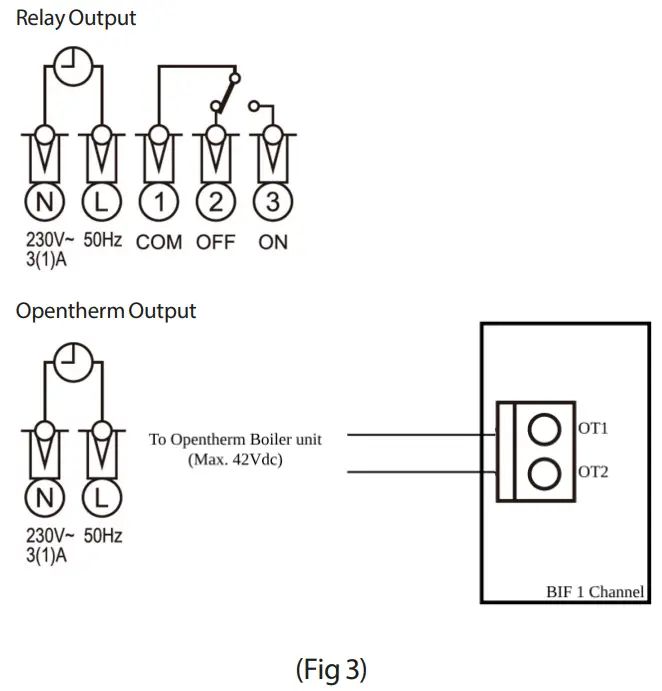
If your boiler supports OpenTherm please follow these instructions:
Remove the O penTherm cables from the existing controller or thermostat. Connect the cables to the OpenTherm terminals OT1 and OT2 on the Receiver. Polarity is not important.
Wire Land N from a separate supply with a 3A fuse.
Note that when connected to an OpenTherm boiler, Installer Options 06 Valve Protection and 08 Application Type are not available. The following options will appear in the Installer Options list:
| 10 Upper CH water set point | 30-80°C | Default 70°C |
| 11 Lower CH water set point | 10-25°C | Default 10°C |
| 12 Set DHW temp | 45-70°C | Default 60°C |
3. Replace the front cover of the receiver by locating the two latches at the top and then fasten the two screws at the bottom. As soon as the Digistat receiver has the power it will be ready for automatic pairing with the Digistat RF Thermostat. Before pairing it is possible to test the wiring to the boiler by pressing the button on the receiver. The boiler will fire for 1 hour or until the button is pressed again.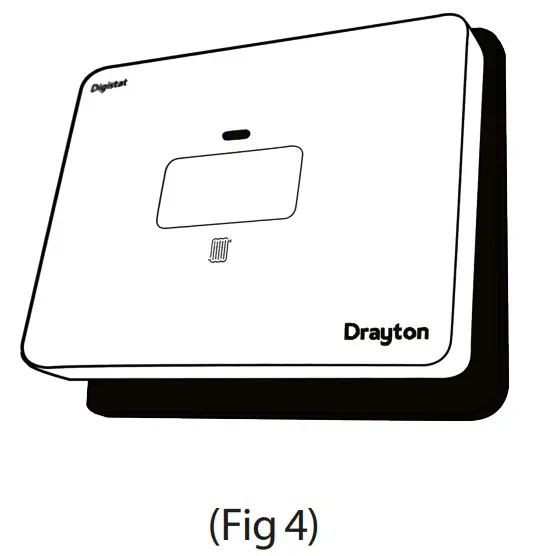 4. Automatic pairing
When the Digistat receiver is powered and the Digistat Thermostat has batteries inserted both will automatically pair. While this short process is ongoing the receiver LED will flash green/amber and the thermostat will display the word SCAN. Once paired the receiver LED will be solid green and the thermostat display will show the words PAIR R EC for 3 seconds, before displaying the current time and temperature.
Automatic pairing is turned off after 2 minutes.
To pair manually follow the process below:
- Reset the Digistat using option rSET20 in the InSTO3 menu, then remove the batteries.
- Press and hold the Receiver button for 15 seconds until you see a red LED followed by a flashing orange/green LED.
- Place the batteries in the Digistat and they will pair as above.

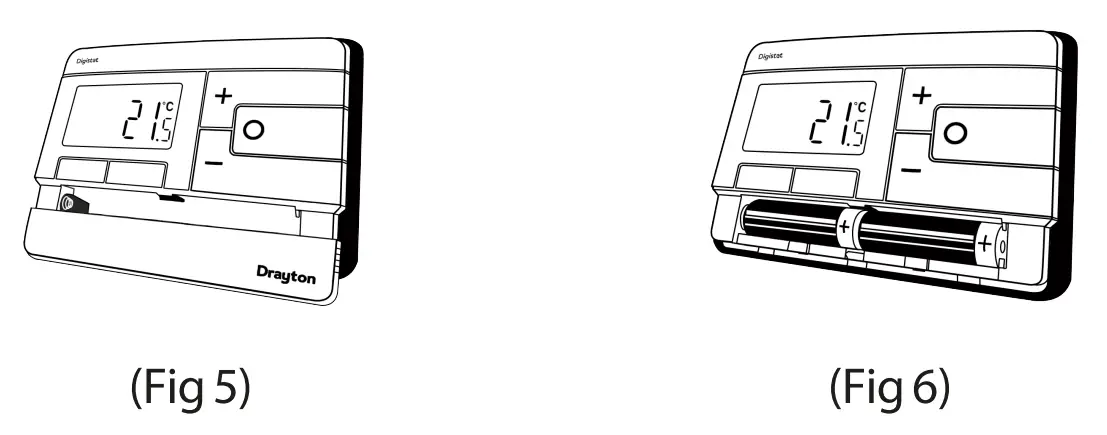
5. The Digistat is now installed and will automatically start to control room temperature.
INSTALLER OPTIONS
To make changes to the default Installer Options shown below, enter the Installer Options menu by pressing the settings button  for 3 seconds. This allows access to the User Menu 01, the Advanced User Settings Menu 02, the Installer Settings 03, and Service Interval Settings 04. Use the + and – buttons to scroll to Installer Options and press O to select. You can exit the menu by pressing until you have returned to the home screen. In the Installer Options menu (Fig 8), scroll through the options using the + and – buttons and press O to select. Scroll through the different settings using the + and – buttons and press O to select and save. (Fig 9 shows Option 02 OFF).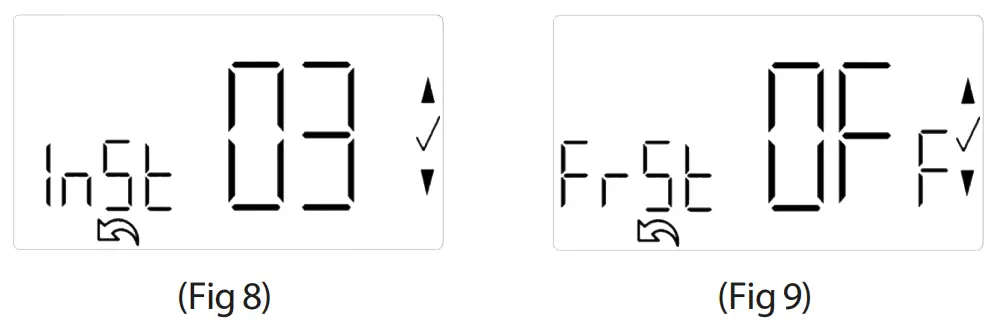
(Option 01) Partial Sight Assistant
When enabled, audible tones indicate when the setpoint is more than, less than or equal to the current room temperature when a user manually adjusts the setpoint using the + button:
Setpoint > room temperature – single high tone per 0.5°C increase
Setpoint = room temperature – double tone
Setpoint < room temperature – single low tone per 0.5°C decrease
(Option 02) Frost Protection
The Digistat will switch on the heating if the temperature falls to 5°C and maintains a temperature of 7°C even when in OFF mode.
(Option 03) Minimum Setpoint Limit
Change minimum setpoint temperature. After any changes to setpoint limits, all setpoints in AUTO, MANUAL, BOOST and HOLIDAY modes will be modified to conform accordingly.
(Option 04) Maximum Setpoint Limit
Change maximum setpoint temperature. After any changes to setpoint limits, all setpoints in AUTO, MANUAL, BOOST and HOLIDAY modes will be modified to conform accordingly.
(Option 05) Optimum Start
When enabled, this uses the current ambient temperature, the next scheduled setpoint, and heat gain data captured by the device to adjust the thermostat setpoint early, so the ambient temperature is at the required level when the next event starts.
Delayed Start
When enabled, this uses the current ambient temperature, current event setpoint, and heating characteristics of the environment to delay implementation of the setpoint if the ambient temperature is already close to it, therefore saving energy.
(Option 06) Valve Protection Time
In some hydronic heating systems, it may be required to protect the valve by operating it for a given time. When enabled, this maintenance feature ensures that each relay output is operated for at least one (1) minute each week.
(Option 07) Sensor Fault Function
In the event of a sensor fault, the central heating output is reduced to 30% by turning heating ON for 3 minutes, then OFF for 7 minutes.
(Option 08) Application Type
Select the central heating system energy type. (Option 09) System Capability Select the flow capability of the heating system.
(Option 13) Installer Settings Lock
When enabled, installers can lock the installer settings menu until a 3-digit code is entered. If the code is forgotten while the device is locked, please call the Technical Helpline. (Option 20) Reset
(Service Interval settings are NOT reset) Reset the Digistat to its original factory settings. Note that resetting the thermostat will lose the pairing with the receiver. The receiver will also need to be reset before attempting to pair again. To reset the receiver press the receiver button for 15 seconds until the LED flashes green/amber.
(Si Option 01) Si Status
Enable or disable Service Interval Mode.
(Si Option 02) Si Type
Select effect imposed on the heating when service is due.
(Si Option 03) Service Due Date
Set a date when the next service is due.
(Si Option 04) Warning
Select no. of days before the service due date.
(Si Option 05) Service Due Alarm
Enable or disable the audible service due alarm.
(Si Option 06) Si Boost
Enable or disable the Service Boost feature (5 boosts).
(Si Option 07) Password Reset
Change the 4-digit PIN. If you forget your Si password, please call the Technical Helpline.
Technical Data
| Power supply | 230VAC +/-10%, 50Hz |
| Switch type & rating | 3(1)A at 24-230V/50Hz |
| Min. recommended current | SPDT (voltage free contacts) 10mAiN4VAC (inductive) |
| Ambient temperature (receiver) | Operating 0°C to 45°C Storage – 20°C to 65°C |
| Ambient temperature (thermostat) | Operating 0°C to 40°C Storage- 20°C to 65°C |
| Ambient humidity (non-condensing) | 20% to 80%, 90% non-condensing |
| Temperature range | 5°C to 30°C |
| Rated impulse voltage | 4KV |
| Ball pressure test | 75°C |
| Disconnection means | 1B |
| Automatic action | 100,000 cycles |
| Operating Frequency | 2402-2480 MHz |
| Radio Frequency | 433.92 MHz |
| Max RF Power transmitted (Bluetooth) | +10dBm |
| Pollution situation | Degree 2 |
| Protection level | IP30 |
| Wiring | Designed for fixed wiring only, to comply with IEE wiring regulations |
| Energy Class | V= 3% using OpenTherm connection |
| Relevant EC Directives: Standards: | 2014/53/EU (RED) 2011/65/EU (RoHS) 2012/19/EU (WEEE) EN 60730-1 EN 60730-2-7 EN 60730-2-9 ESTI EN 300 328 ESTI EN 301489 EN IEC 63000 |
| What is it | Select between | Default | |||||
| Installer Options | 1 | Partial Sight Assistant | OFF | ON | ON | ||
| 2 | Frost Protection | ON | OFF | ON | |||
| 3 | Low Set Point C | 5 | High Limit | S | |||
| 4 | High Set Point C | Low Limit | 30 | 30 | |||
| 5 | Optimum Start | OFF | Delayed Start | Optimum Start | OFF | ||
| 6 | Valve Protection Time (Mins) | OFF | S | 4 | 321 | OFF | |
| 7 | Sensor Fault Function | OFF | ON | OFF | |||
| 8 | Application Type | Gas | Electric | Oil | Heat Pump | Gas | |
| 9 | System Capability | Fast Flow | Normal/Slow Flow | Fast Flow | |||
| 13 | Installer Settings Lock | OFF | ON | OFF | |||
| 20 | Reset | NO | YES | NO | |||
| Service Internal Options | 1 | Si Status | OFF | ON | OFF | ||
| 2 | Si Type | Reduced Comfort | Heating OFF | No Effect | Reduced Comfort | ||
| 3 | Si Due Date | YY/MWDD | |||||
| 4 | Si Warning | 0 | 99 | 30 | |||
| 5 | Si Due Alarm | OFF | ON | OFF | |||
| 6 | Si Boost | OFF | ON | OFF | |||
| 7 | Si Password Reset | Select 4-digit PIN | 0 |
User Guide
The Drayton Digistat thermostat is a universal thermostat with 24-hour, 5-2day or 7day program types and up to 8 time/temperature events per day and can also be used as a simple room thermostat.
Clock Setting
Your Digistat is fitted with a “real-time clock”, which is pre-set at the factory; you will not have to alter the time settings. A special feature of this real-time clock is it will automatically change over during the GMT/BST summer/winter change-over, removing the need to manually alter the clock at these times.
General Operation
Programmable thermostats do not have “On” and “Off” times like traditional timers. They offer temperature control both day and night and you simply select which temperatures you require at each point in the day.
With the unit in “Auto Mode” (the calendar icon is visible at the bottom of the screen), the temperature can be changed fora short time by using the + and – buttons. Changing the temperature in this way will keep the Digistat set to your new temperature until the next pre-programmed event (at which time it will revert to the programmed temperature). The temperature you are setting will flash on the screen. Once the temperature is set, the unit will revert ti showing the room temperature again. The indicator will show on the screen if the unit is calling for heat.
Programming the Digistat
Your Digistat comes with the following settings pre-programmed for your convenience and is suitable for those working out of the house during a typical 9-S pattern. When the 5-2day program type is selected the pre-set temperatures will be different Mon-Fri and Sat-Sun, as per the tables below:
Pre-set Program 1 (24h, 5-2day weekdays, or 7 days):
| Event | 1 | 2 | 3 | 4 | or | (6) | (7) | (8) |
| Time Temperature | 06:30 20°C | 08:30 16°C | 16:30 21°C | 22:30 OFF |
Pre-set Program 1 (5-2day weekend):
| Event | 1 | 2 | 3 | 4 | or | (6) | (7) | (8) |
| Time Temperature | 07:00 20°C | 09:00 18°C | 16:00 21°C | 23:00 OFF |
*To add these additional time periods manually (max. 8 per day) please refer to the steps to the right.
The Bluetooth ® word mark and logos are registered trademarks owned by Bluetooth SIG, Inc. and any use of such marks by Schneider Electric is under license. Other trademarks and trade names are those of their respective owners.
Hereby, Schneider Electric Controls UK Ltd, declares that Digistat RF901 is in compliance with Directive 2014/53/EU.
The declaration of conformity may be consulted at www.draytoncontrols.co.uk
Setting up Times/Temperatures on the Digistat
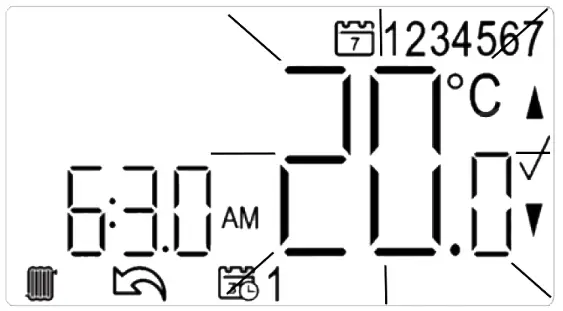
- With the product operating as normal in Auto Mode, press
 once. Use + and – to select the day or set of days you want to adjust the times and temperatures for. Press 0 to confirm.
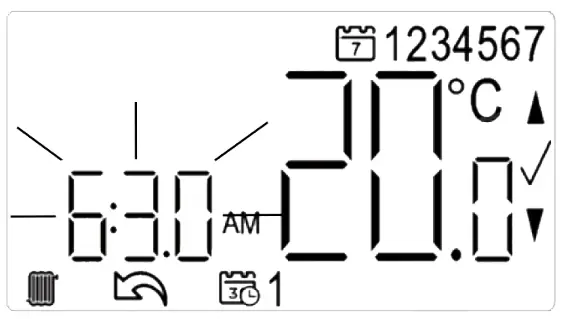
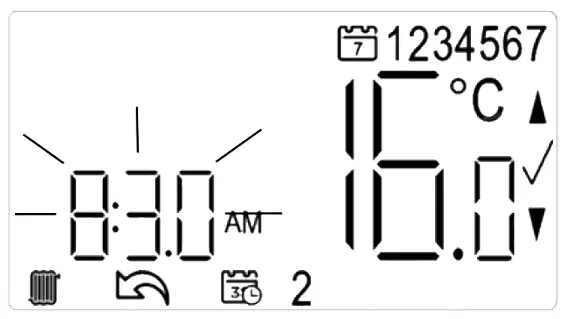
- The time on the display will now be flashing as shown, use + and – to adjust the first period start time. Press 0 to confirm.

- Once the time has been set the temperature on the display will now be flashing, use + and – to adjust the temperature for the first time period. Press 0 to confirm.

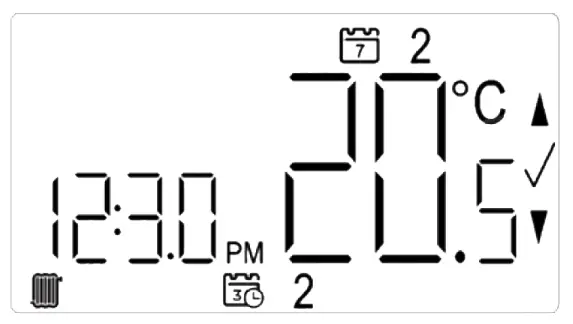
- Move to the next time and temperature periods and adjust as needed, confirming the changes by pressing 0. The new schedule will be saved pressing 0 when the word SAvE is flashing.

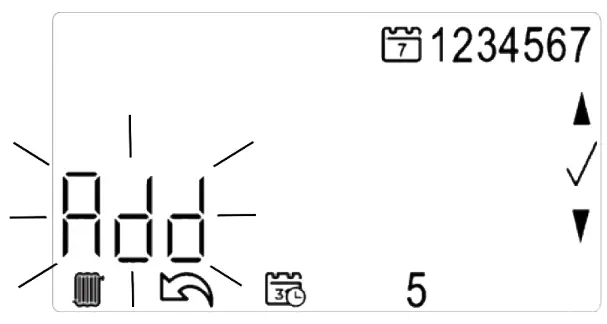
- In Pre-set Program 1 you will have 4 time periods available, to add more (max. 8 per day) press + when you see the SAVE option on-screen and time period S at the bottom of the screen, to scroll to the Add option. Press 0 to add time period then adjust time and temperature as required.

- To exit press
 to go back until you return to the home screen.
 once. Use + and – to select the day or set of days you want to adjust the times and temperatures for. Press 0 to confirm.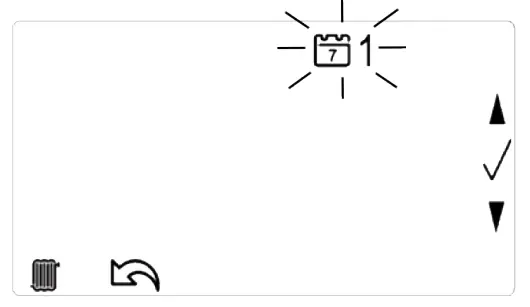
To change from Automatic to Manual mode go into settings and select Mode in the USer01 menu. Then use the up and down button to select AUTO or MAN. Confirm with the 0 buttons, then use the back button to exit. https://www.draytoncontrols.co.uk/meet-new-drayton-digistat
All done!
You have completed the quick start and the unit is now set correctly to follow your required timings.
For further user information surrounding the thermostat and the app control please use the website where you can download full user instructions.
401 Southway Drive……………………………….. Schneider Electric Industries SAS
Plymouth …………………………………….35 rueJoseph Monier
PL6 6QT…………………………………. F-92500 Rueil-Malmaison
The United Kingdom ……………………France
 Drayton Controls | Heating controls, TRVs and thermostats