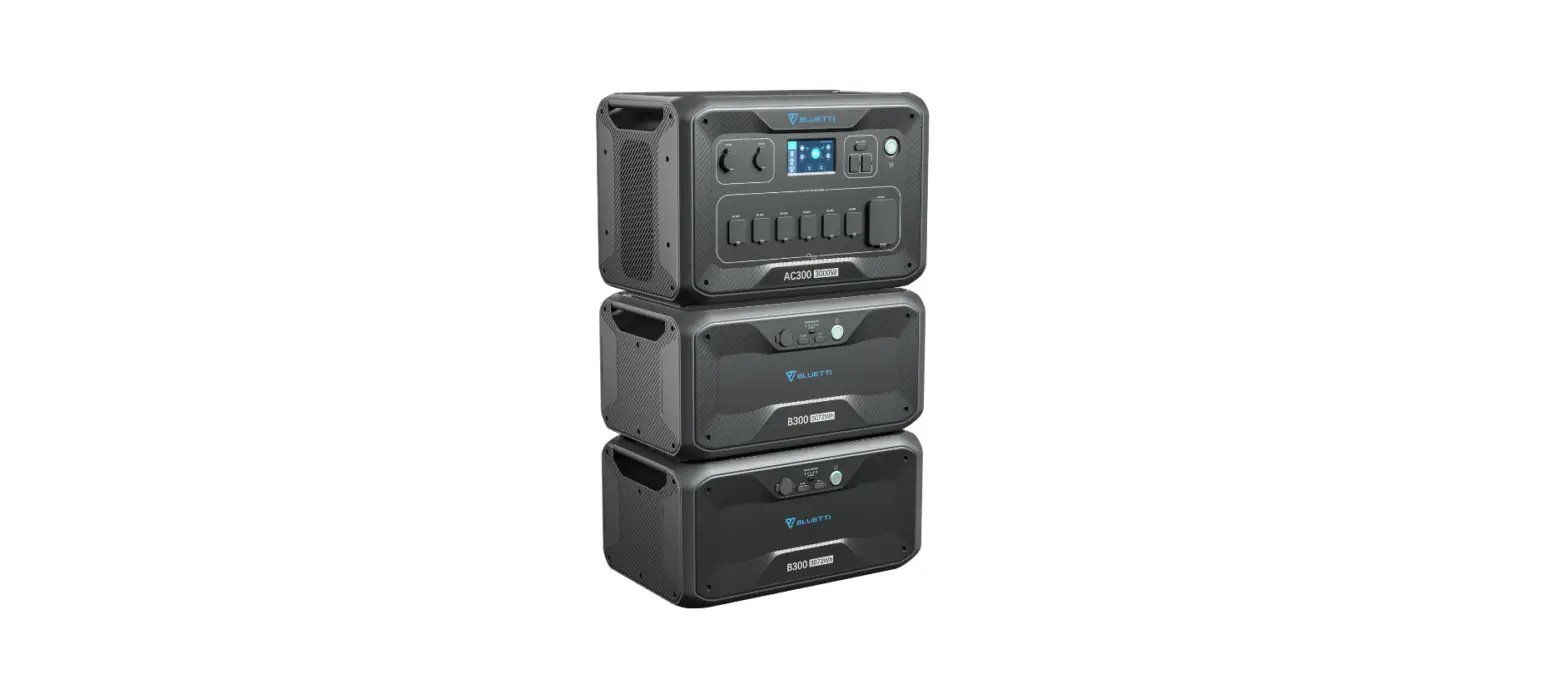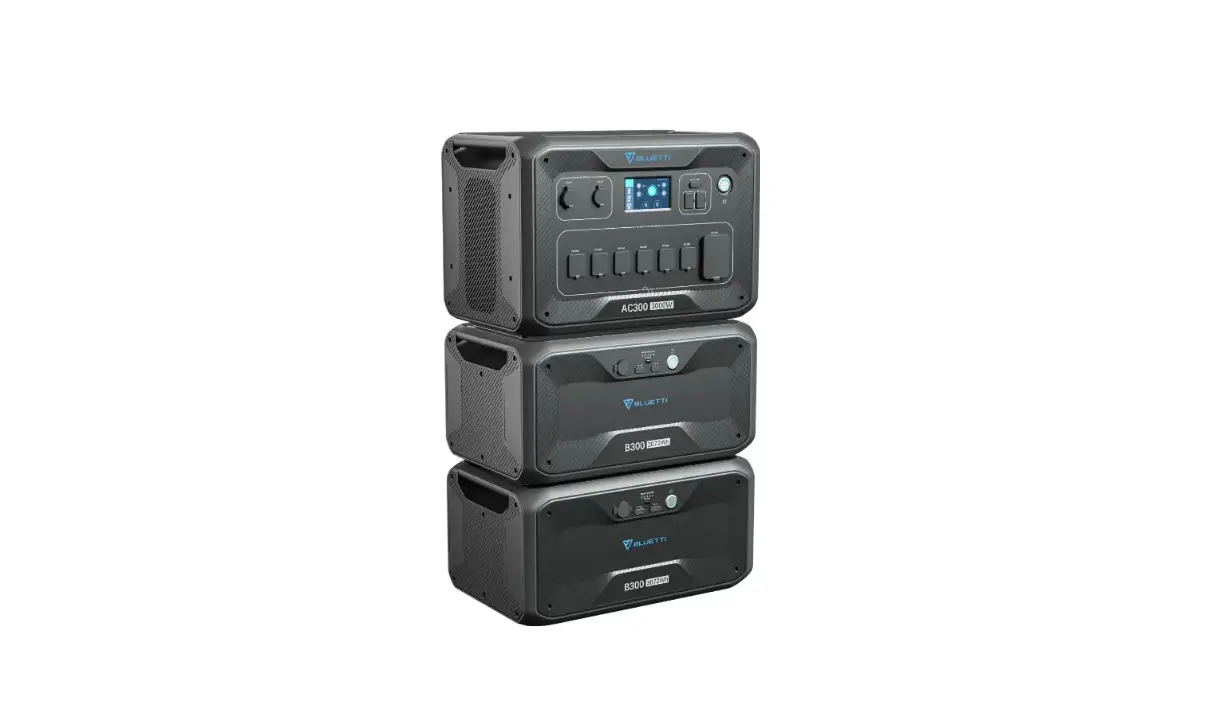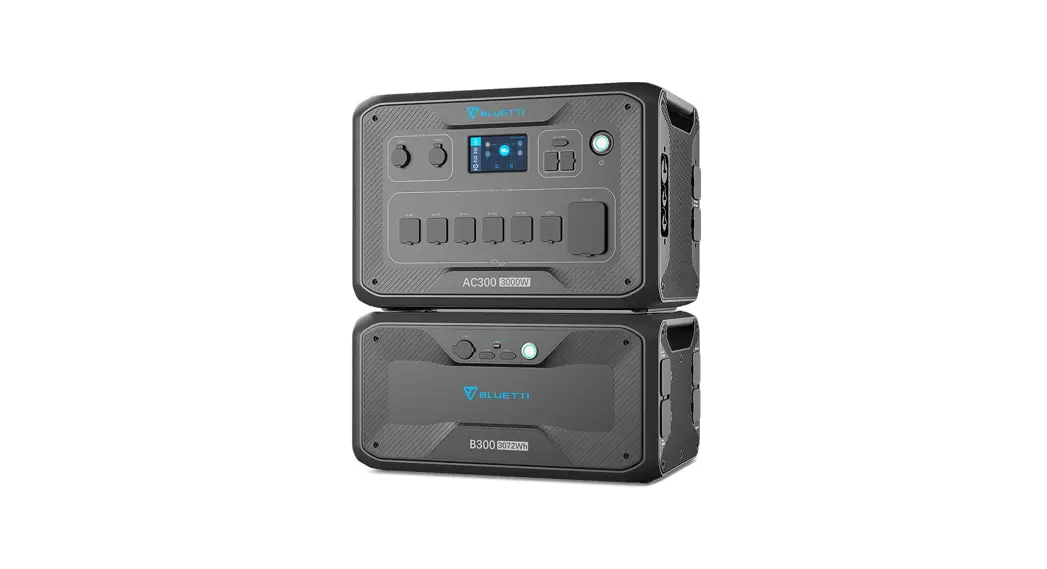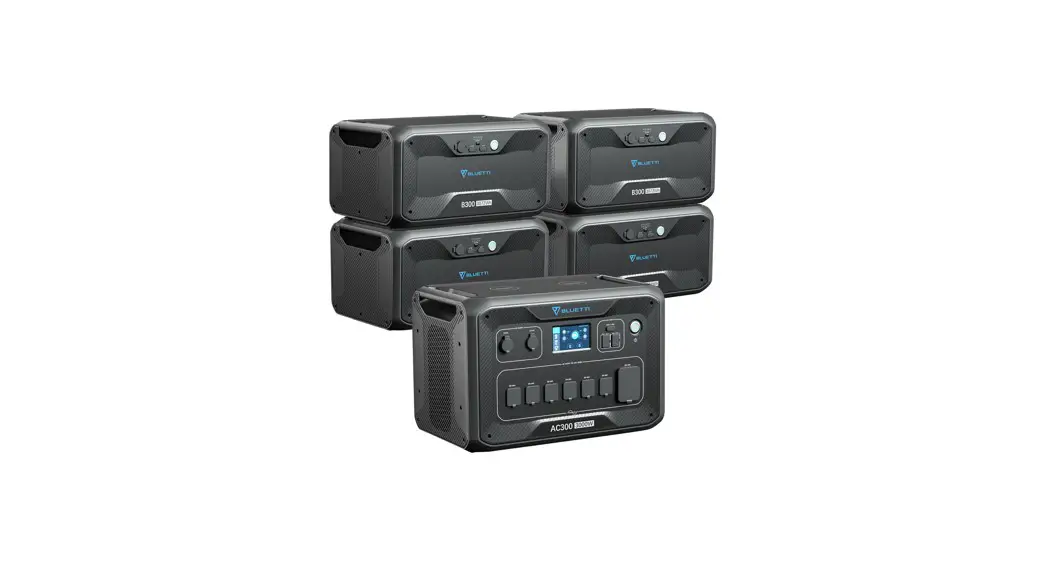
 How to connect the AC300+B300 to the US utility power.
https://bluettipower.com/technicalsupport/10220706
Associated product(s):AC300+B300
Entry type: FAQ, Entry ID: 10220706, Entry date: 08/13/2022
How to connect one AC300+B300 to the utility power for 120 Volt Circuits
“Single Phase” is set as the default machine type if you are operating a single AC300+B300. This is the only and correct setting if a single AC300+B300 is being used.
Firstly please purchase a manual transfer switch and the accessories as following:
| NO. | Category | Quantity |
| 1 | Transfer switch : Reliance 306C Pro/Tran2 | 1 |
| 2 | NEMA L14-30 inlet Box | 1 |
| 3 | NEMA L14 extension cord | 1 |
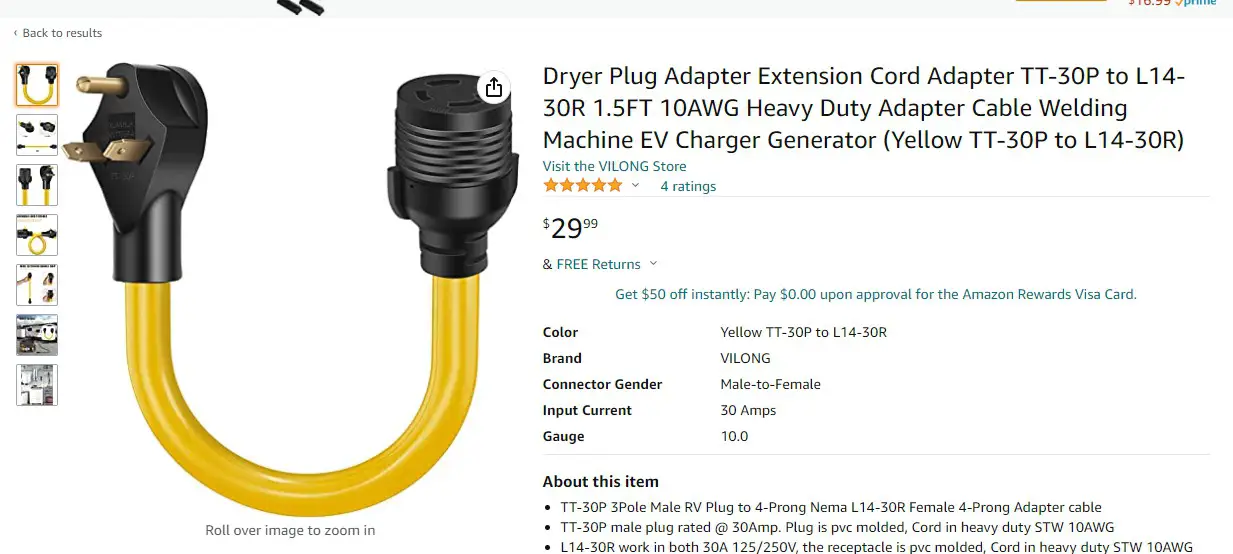
| 4 | Extension Cord Adapter NEMA TT30-P to L14-30R | 1 |
NOTE: Please read the manuals before installing.
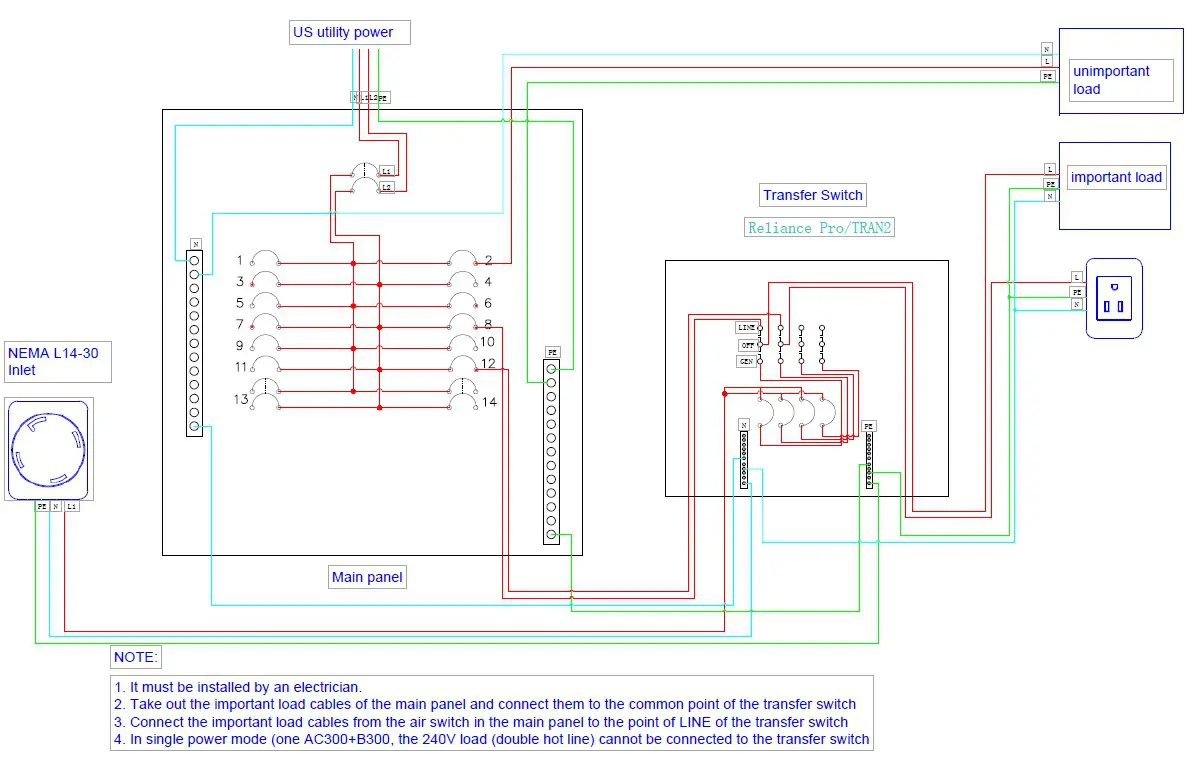
Then installed by the electrician refer to the example as below:
How to connect two AC300+B300 to the utility power for 240 Volt Circuits
If you purchased two AC300+B300 to get the back-up power for household as 240 Volt Circuits.
Firstly, please purchase a manual transfer switch and the accessories as following:
| NO. | Category | Quantity |
| 1 | Transfer switch : Reliance 306C Pro/Tran2(6 circuits ) or Reliance 3010C Pro/Tran2 (10 circuits ) | 1 |
| 2 | NEMA L14 extension cord | 1 |
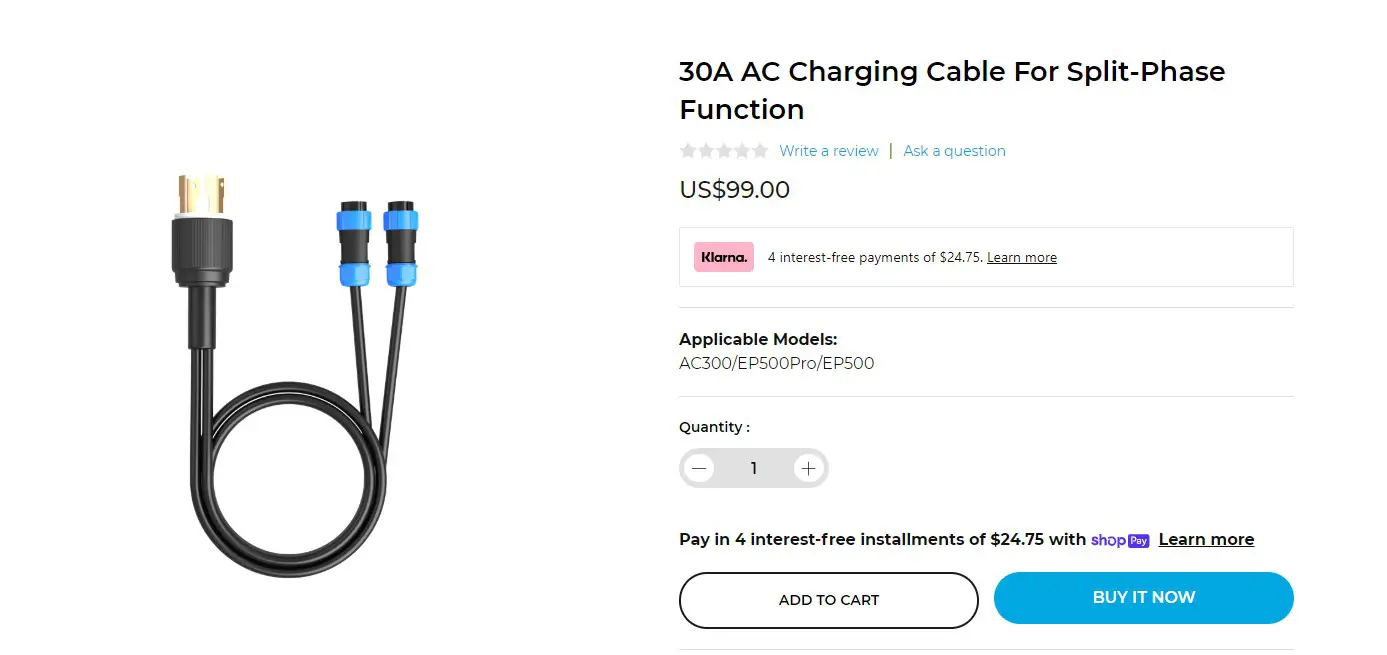
| 3 | BLUETTI 30A-AC-charging-cable | 1 |
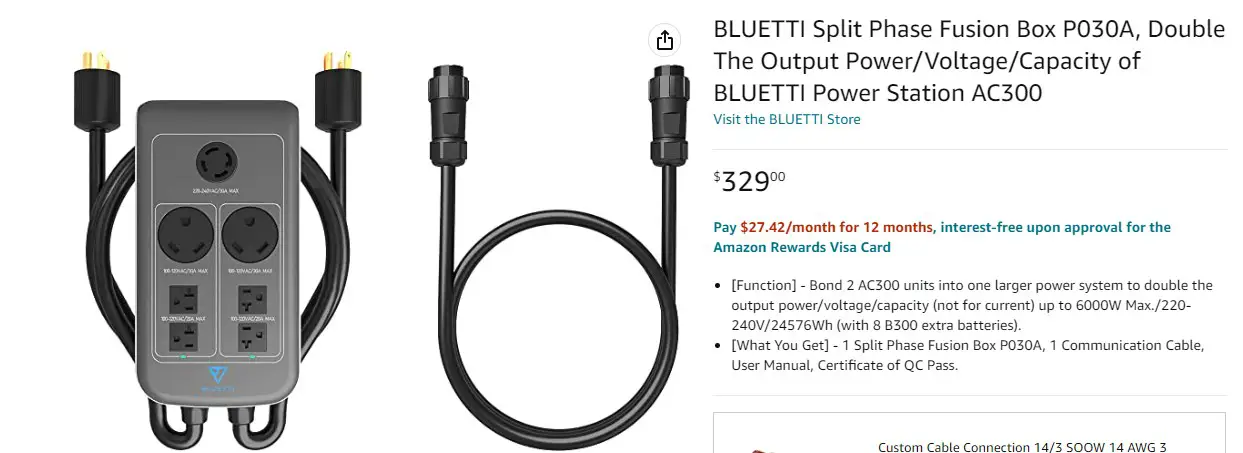
| 4 | BLUETTI FUSION BOX (optional) | 1 |
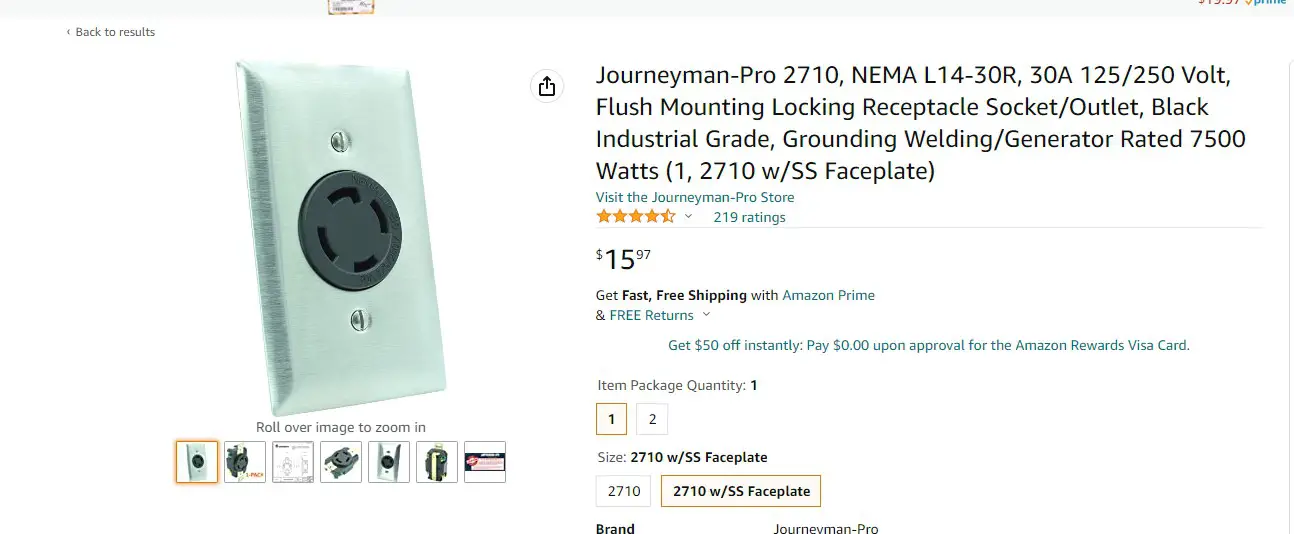
| 5 | NEMA L14-30R outlet | 1 |
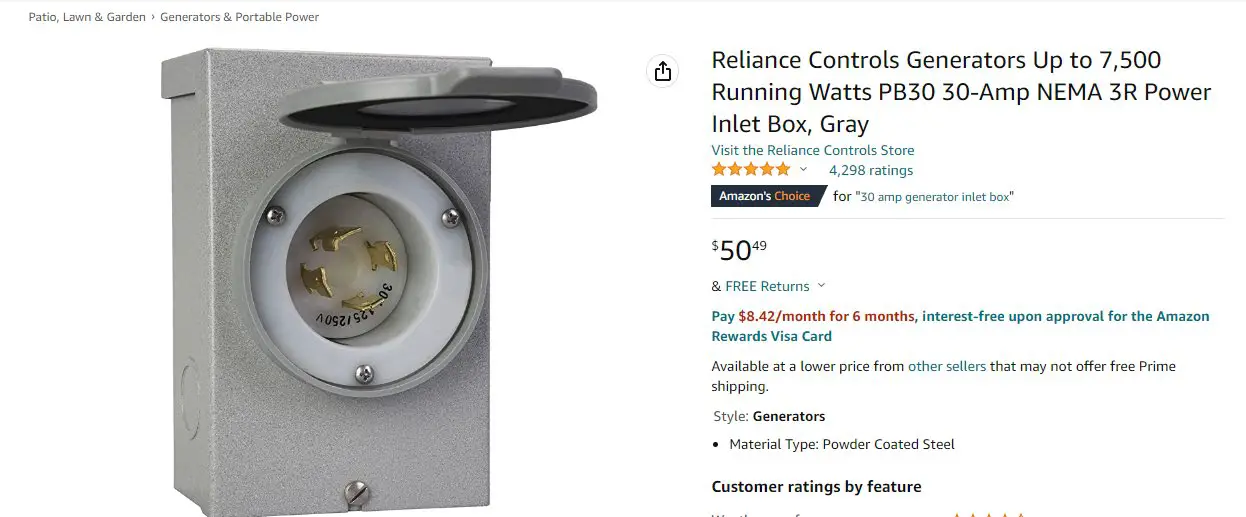
| 6 | NEMA L14-30 inlet Box | 1 |
Secondly, please read the manuals before installing.
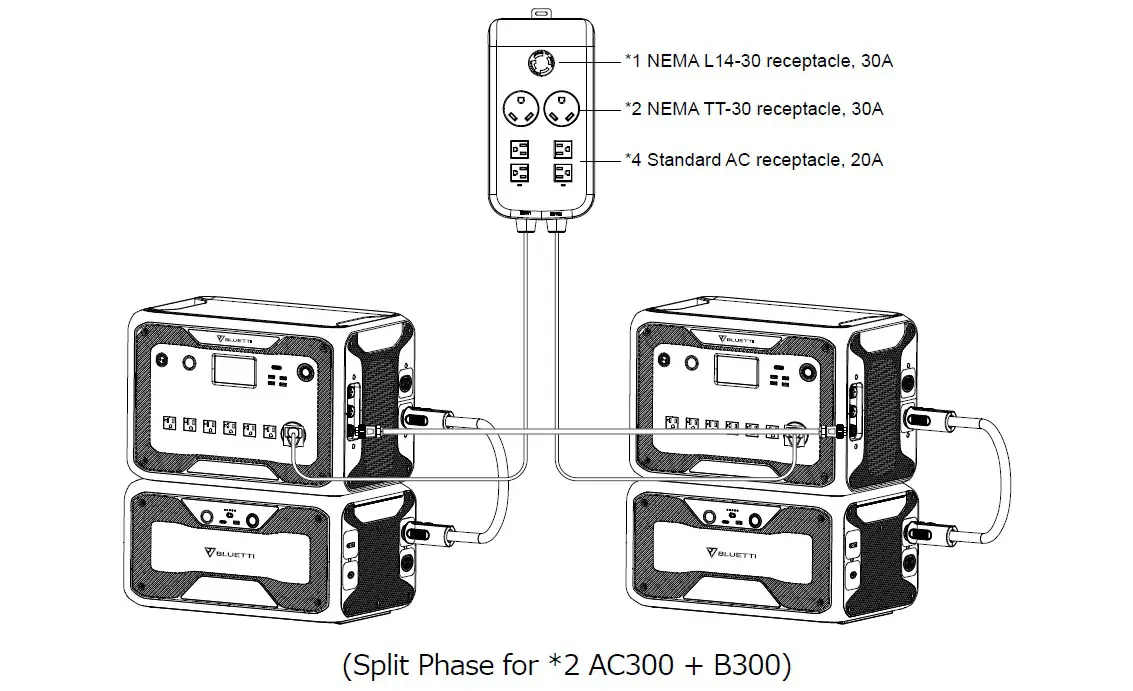
Split Phase Function
Note:
- Please disconnect the AC charging cable for both AC300+B300 units while binding into split phase box.
- Certificated Technician is required to build the split phase system to power the Power Cabinet or Sub Panel.
- The “Machine Type” setting on screen is used to enable or disable Split Phase output.
Split-Phase output is achieved by bonding two AC300+B300 into one power system to double the available output power, voltage, and capacity.
●“Split Phase” is only used for connecting two AC300+B300 together (only for the 100-120V version of the AC300+B300). A Fusion Box (P030A) is required (sold separately).
● Launch Split Phase Function: - Only one touchscreen will be active when two AC300+B300 units are connected.
- If one of the AC300+B300 is out of power, the Split Phase Bonding function will deactivate automatically.
Warning: If you insist to charge the AC300+B300 which has been connected into split phase box already, please make sure the L1/L2/N wire is set at the right place or the AC300+B300 will be damaged. L: Live wire N: Neutral wire
HOW TO CONFIGURE BOTH OF THE AC300+B300:
Step 1: Turn off both of AC300+B300.
Step 2: Plug the plugs from the Split Fusion Box Pro into AC300+B300 outlets
Step 3: Plug in the communication cables to each of the two AC300+B300’s.
Step 4: Turn on one AC300+B300.
Step 5: Click the setting button on the LCD,
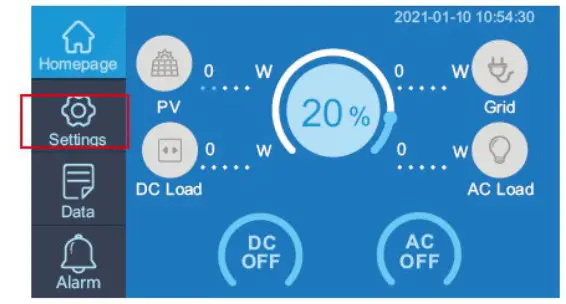
Step6: Click the NEXT,
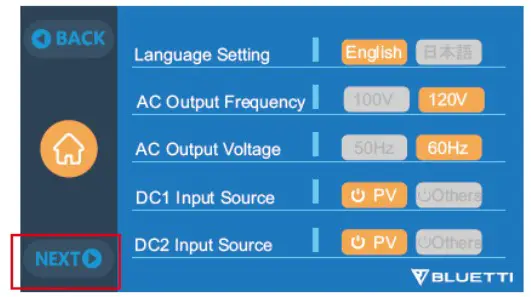
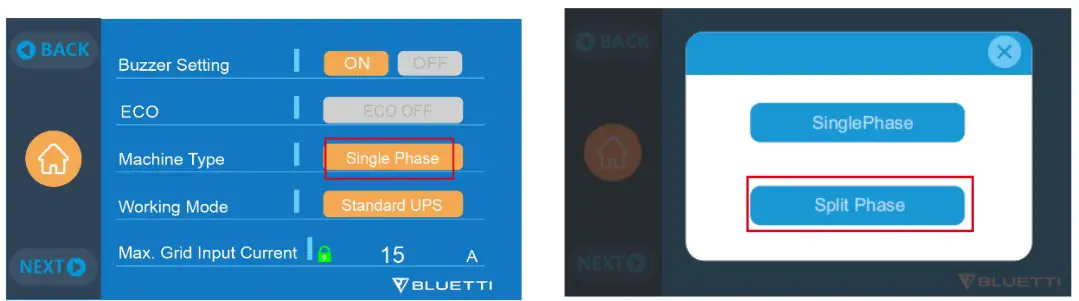
Step7: Click the “single phase” of the Machine Type setting, then click the “Split phase”
• Machine Type: Select Split Phase
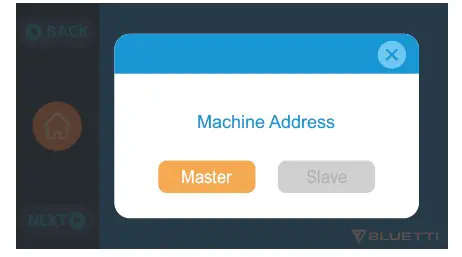
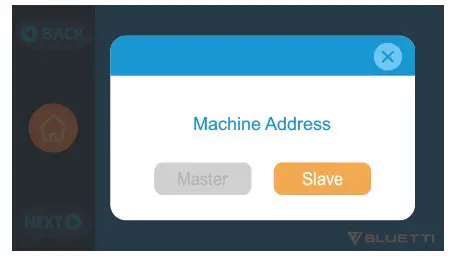
Step8: Click the “Master”
Step 9: Turn on another AC300+B300.
Step10: Click the setting button on the LCD.
Step11: Following the Step 6- step 7: click the NEXT, then click the “single phase” and then click the “Split phase”.
Step12: Click the “Slave”
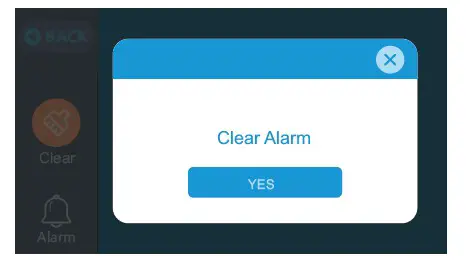
Note: click clear the alarm history if the buzzer sounded
NOTE: Select “Master” will set the operating AC300+B300 as the one to control both two AC300+B300. Select “Slave” will set the operating AC300+B300 as the other AC300+B300 as the “Master” one.
CONNECTION:
Machine type is just used to set for Split Phase, “Split Phase” is only used for connecting 2* AC300+B300 ( 100-120V Version) bonded 1 pairs of AC300+B300 to one power system to double the output power, voltage, so as to capacity. Please refer to Split Phase setting for detailed information.
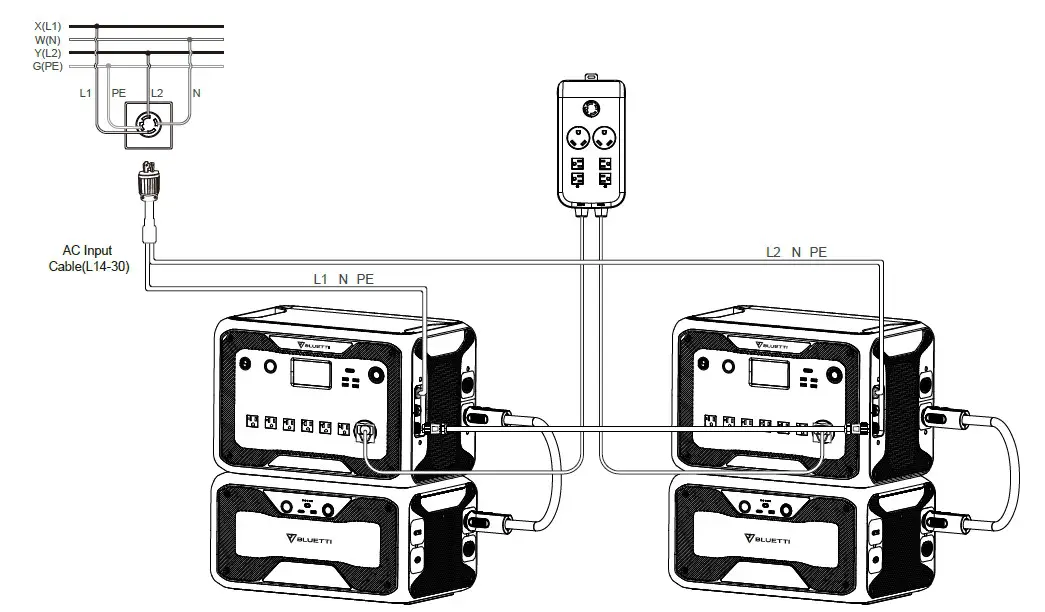
In Split Phase Power System, it is recommended that you choose our matching AC input cable. The AC input ports of the two machines are connected to L1, N, PE and L2, N, PE. Make sure that the phase of the two machines is correct. The current capacity of AC input plug shall be ≥ 30A.
This AC Input Cable (Optional Purchase) is designed to match Split Phase System. One end of the cable is connected to the NEMA L14-30 socket, and the other end is connected to the AC input interface of both two units through aviation plug. It must be ensured that the phase of the two machines is correct. We need purchase a BLUETTI 30A-AC-charging-cable and a NEMA L14-30R outlet to install the AC charge plug, the connect method as following:
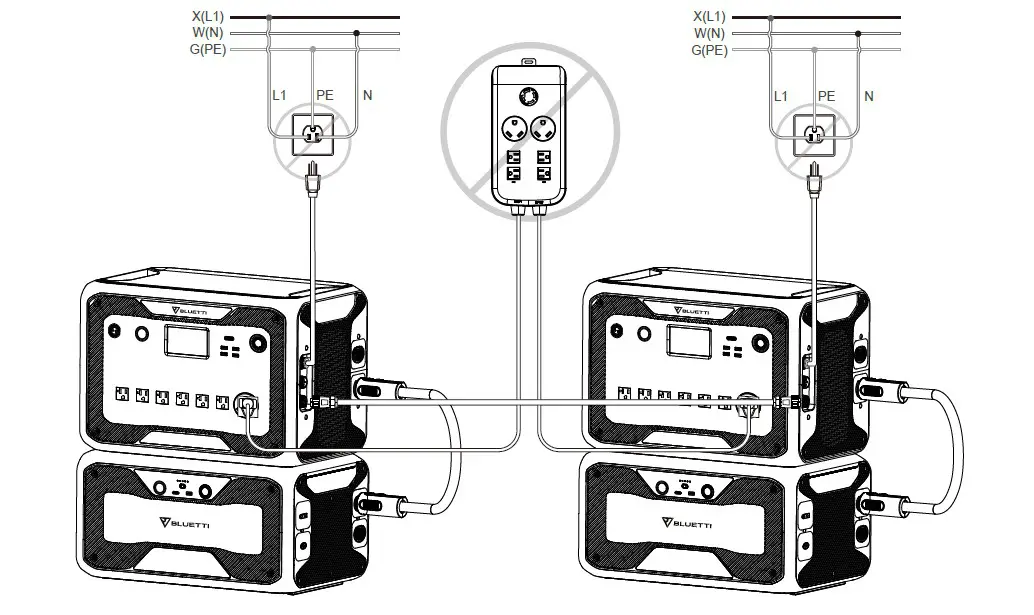
WRONG CONNECTION
It`s forbidden to connect AC300+B300 into Split Phase System when AC charging is ON, please use AC Input Cable(Optional Purchase) to charge both of your power stations in Split Phase System. Wrong Connection will damage the battery inside the power station and your warranty will be invalid.
Thirdly, connect the AC300+B300 to the transfer switch
NOTE:
- In split phase system, you may charge it via PV with the same method you charge one of them, id est charge through DC Input port on AC300. You may also dual charge it via PV and the BLUETTI 30A-AC-charging-cable simultaneously. (AC input only through the BLUETTI 30A-AC-charging-cable but not the original AC charging cable)
- Before you begin installing your Reliance Controls transfer switch system, you need to create a plan for the appliances you choose to run during a power outage. In setting up a transfer switch to get the most power from your two power stations in split phase power system, it is desirable to “balance the load” between the two phases of your transfer switch. Devices which will consume the most of the two power stations’ wattage should be divided between the two.
Please installed by the electrician refer to the example as below:
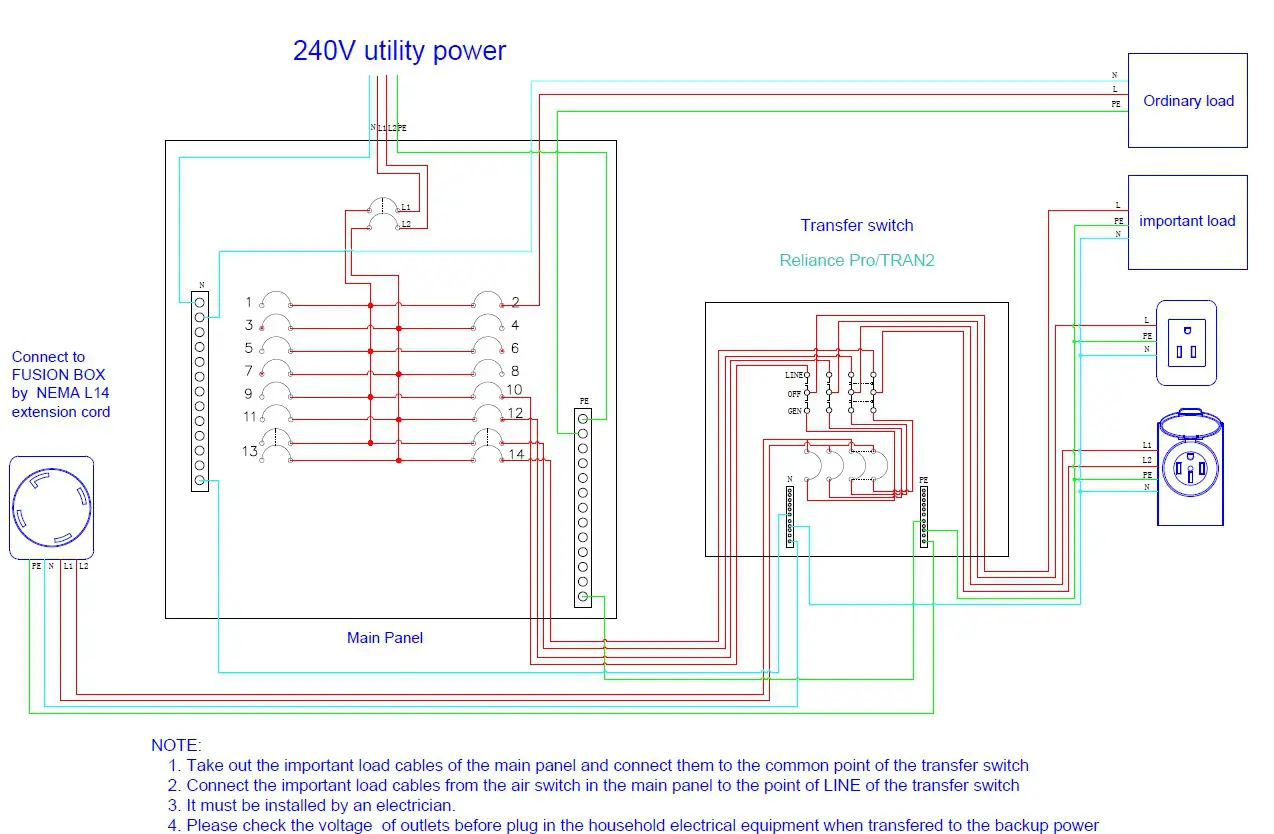
Accessories:
Transfer switch
a) If you want to get 6-circuit,please purchase a manual transfer switch as following:
https://www.amazon.com/30-Amp-6-Circuit-Manual-Transfer-Switch/dp/B00X7VVVTS/ref=asc_df_B00X7VVVTS/?tag=hyprod20&linkCode=df0&hvadid=309788238907&hvpos=&hvnetw=g&hvrand=14413753645099096762&hvpone=&hvptwo=&hvqmt=&hvdev=c&hvdvcmdl=&hvlocint=&hvlocphy=1013962&hvtargid=pla-570657575965&psc=1
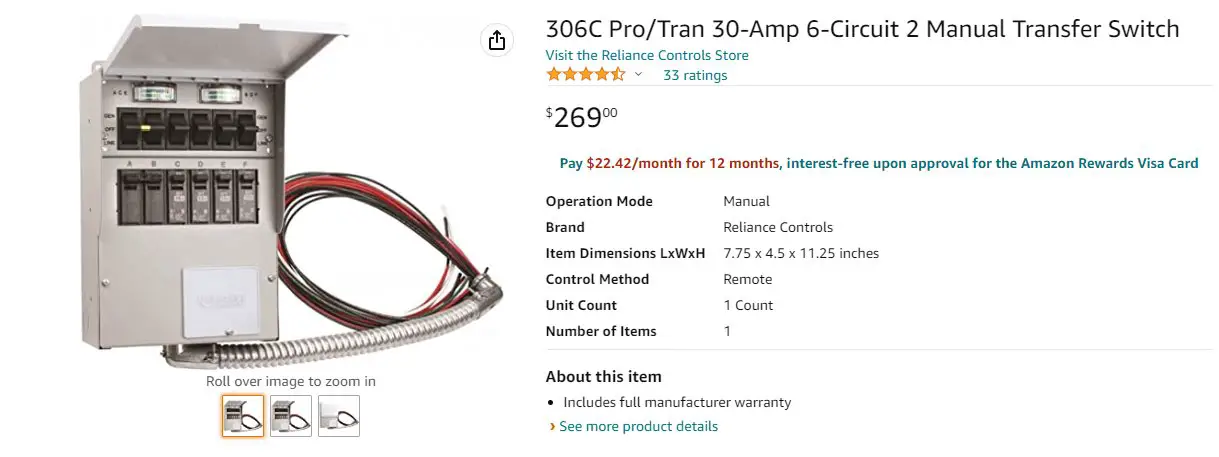
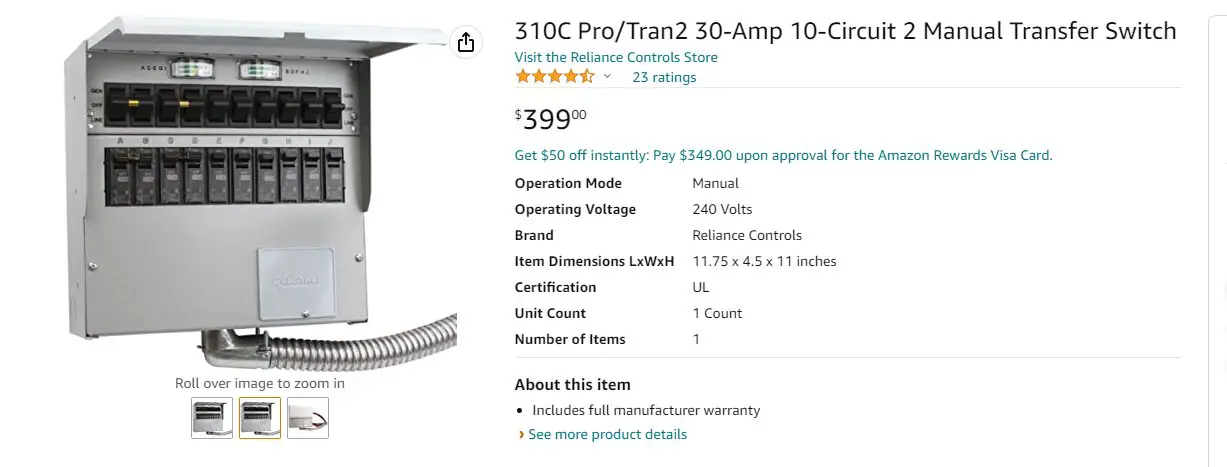
b) If you want to get 10-circuit,please purchase a manual transfer switch as following:
https://www.amazon.com/30-Amp-10-Circuit-Manual-Transfer-Switch/dp/B00X7WJ5EA/ref=psdc_552808_t1_B00X7VVVTS
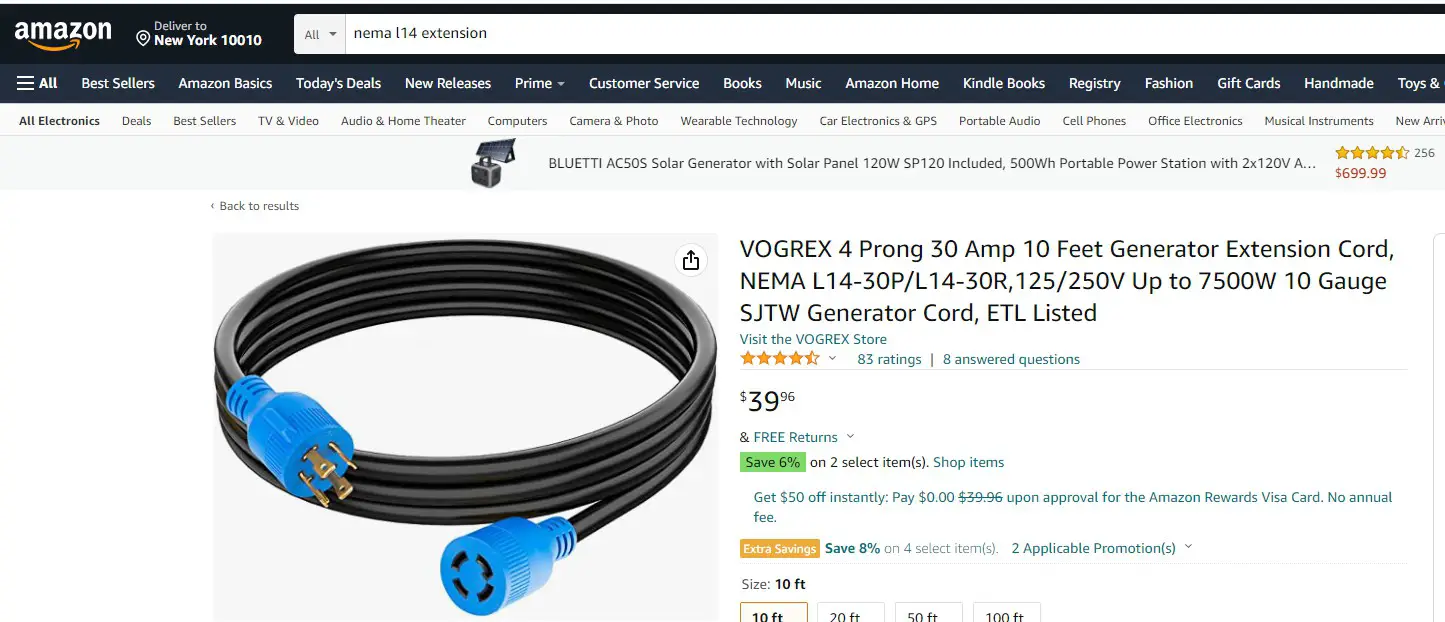
NEMA L14 extension cord
If you want to get 10 FT NEMA L14 extension cord , the referenced purchase address as following
https://www.amazon.com/VOGREX-Generator-Extension-L14-30P-L1430R/dp/B099R9YWT8/ref=sr_1_2?crid=N3G3QLMF57TD&keywords=nema%2Bl14%2Bextension&qid=1658719628&sprefix=name%2Bl14%2Bextention%2Caps%2C249&sr=8-2&th=1
BLUETTI 30A-AC-charging-cable
If you purchased two AC300+B300 to get 240V, you need to purchase one 30A AC Charging Cable for split-phase function Purchase address: https://www.bluettipower.com/products/30a-ac-charging-cable-for-split-phase-function
BLUETTI FUSION BOX
The BLUETTI FUSION BOX as following, you could connect the FUSION BOX to the transfer switch by the L14 extension cord https://www.amazon.com/BLUETTI-Fusion-Voltage-CapacityStation/dp/B0B2WG9B9Y/ref=sr_1_5?crid=1D8POL0HYBHZS&keywords=p030A&qid=1658881772&sprefix=p030a%2Caps%2C261&sr=8-5
NEMA L14-30 inlet Box
NEMA L14-30 inlet box connect to the transfer switch, plug the L14-30R of the L14 extension cord.
https://www.amazon.com/Reliance-Controls-Corporation-PB30-Generators/dp/B000BQT47S/ref=pd_bxgy_img_sccl_1/142-17071396977663?pd_rd_w=8wVnX&content-id=amzn1.sym.7757a8b5-874e-4a67-9d85-54ed32f01737&pf_rd_p=7757a8b5-874e-4a67-9d8554ed32f01737&pf_rd_r=FF4D3M7RGM6JJEM7AVJ2&pd_rd_wg=K9W0F&pd_rd_r=ef64e305-ec59-4a2c-baf7-5874507a8b5e&pd_rd_i=B000BQT47S&th=1
NEMA L14-30R outlet
The BLUETTI 30A-AC-charging-cable need plug into a L14-30R outlet for charging both EP500 pro. The purchase address as following https://www.amazon.com/Journeyman-Pro-Receptacle-Industrial-Grounding-Generator/dp/B07P8CGH52/ref=sr_1_7?crid=1WRMKA4V397S&keywords=l1430r+receptacle&qid=1657944329&s=hi&sprefix=%2Ctools%2C405&sr=1-7
Extension Cord Adapter NEMA TT30-P to L14-30R
More information:
Website: www.bluettipower.com Email: [email protected]
References
 BLUETTI: Portable Power Station, Solar Generator Kit
-
BLUETTI: Portable Power Station, Solar Generator Kit
 Amazon.com: 310C Pro/Tran2 30-Amp 10-Circuit 2 Manual Transfer Switch : Patio, Lawn & Garden
-
Amazon.com: 306C Pro/Tran 30-Amp 6-Circuit 2 Manual Transfer Switch : Patio, Lawn & Garden
-
Amazon.com: Dryer Plug Adapter Extension Cord Adapter TT-30P to L14-30R 1.5FT 10AWG Heavy Duty Adapter Cable Welding Machine EV Charger Generator (Yellow TT-30P to L14-30R) : Tools & Home Improvement
-
Journeyman-Pro 2710, NEMA L14-30R, 30A 125/250 Volt, Flush Mounting Locking Receptacle Socket/Outlet, Black Industrial Grade, Grounding Welding/Generator Rated 7500 Watts (1, 2710 w/SS Faceplate) - - Amazon.com
-
Amazon.com : Reliance Controls Generators Up to 7,500 Running Watts PB30 30-Amp NEMA 3R Power Inlet Box, Gray : Generator Cord Sets And Plugs : Patio, Lawn & Garden
-
30A AC Charging Cable For Split-Phase Function
 BLUETTI: Portable Power Station, Solar Generator Kit
 BLUETTI: Portable Power Station, Solar Generator Kit
 Amazon.com: 310C Pro/Tran2 30-Amp 10-Circuit 2 Manual Transfer Switch : Patio, Lawn & Garden