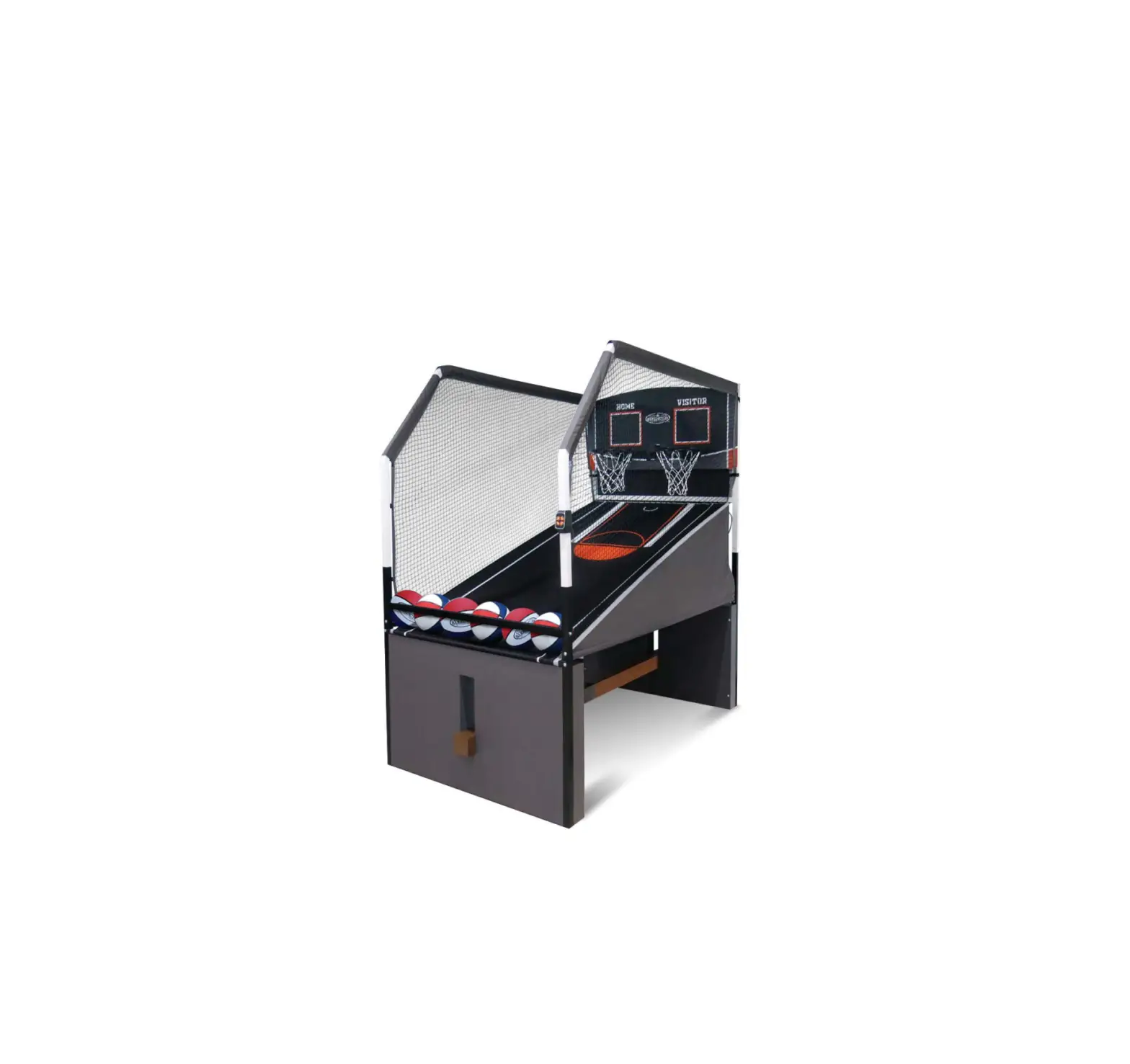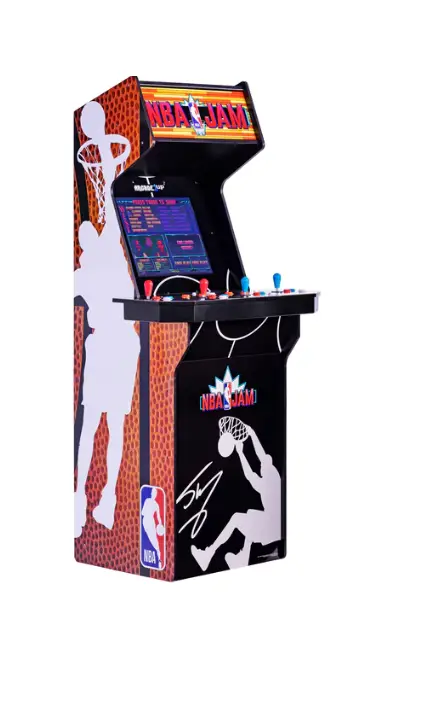
Wf Tastemakers Trading NBS-A-200811-NBA Jam Arcade Game Shaq Edition
 WARNIG
To ensure safe operation of the product, be :sure to read this Owners Manual before use. Keep this Owners Manual in a safe place for easy reference when needed.
GAME CONTEOLS
*ARCADE MAYTAKE 10-15 SECONDS TO POWER ON AFTER SWITCHING ON
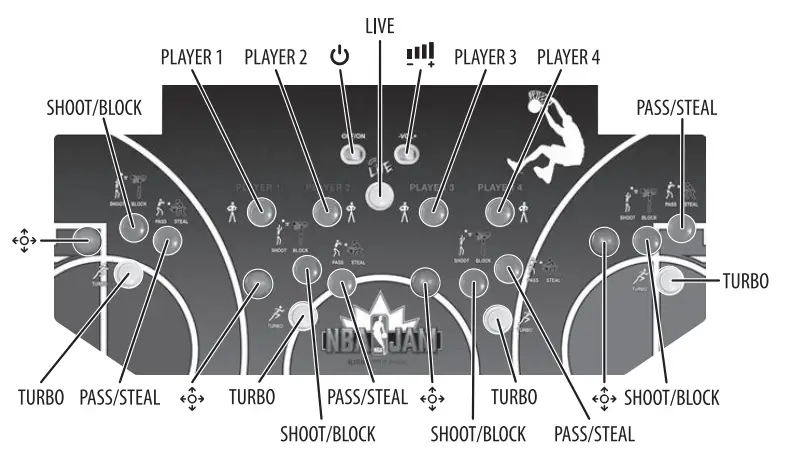
- MOVE ANY JOYSTICK UP OR DOWN TO SCROLL THROUGH GAME LIST
- PRESS ANY BUTTON (EXCEPT LIVE) TO CHOOSE GAME
- FOLLOW GAME CONTROLS BELOW FOR EACH GAME
- HOLD PLAYER 1 (S SECONDS) TO RETURN TO MENU
- HOLD PLAYER 2 (S SECONDS) TO RESET GAME
GAME SETINGS
- MOVE ANY JOYSTICK UP OR DOWN TO SCROLL THROUGH GAME LIST
- MOVE JOYSTICK LEFT TO THE GEAR ICON AND PRESS ANY BUTTON (EXCEPT
- LIVE) TO ENTER SETTING MOVE JOYSTICK TO ADJUST SETTINGS
- SELECT”HIDE THIS MENU” AND PRESS ANY BUTTON (EXCEPT LIVE)TO SAVE & EXIT
WARNING: Arcade I UP assumes no liability for improper installation or excessive loads placed on screws or bracket. This wall and anchor is not a substitute for proper adult supervision.
 IMPORTANT SAFETY INSTRUCTION
- Read these Instructions.
- Keep these Instructions.
- Heed all Warnings.
- Follow all instructions.
- Do not use this apparatus near water.
- Clean only with a dry cloth.
- Do not block any ventilation openings. Install in accordance with the manufacture(s instruction<
- Do not install near any heat sources such as radiators, heat registe~, stoves, or other apparatus (including amplifiers) that produce heal
- Do not defeat the safety purpose of the polarized or grounding -type plug. A polarized plug has two blades with one wider than the other. A grounding type plug has two blades and a third grounding prong. The wide blade or the third prong are provided for your safety. When the provided plug does not fit into your outlet, consult an electrician for replacement of the obsolete outlet.
- Protect the power cord from being walked on or pinched particularly at plugs, convenience receptacles, and the point where they exit from the apparatus.
- Only use attachments/accessories specified by the manufacturer.
- Unplug this apparatus during lightning storms or when unused for long periods of time.
- Refer all servicing to qualified service personnel. Servicing is required when the apparatus has been damaged in any way1 such as power-supply cord or plug is damaged, liquid has been spilled or objects have fallen into the apparatus, the apparatus has been exposed to rain or moisture, does not operate normally, or has been dropped.
- Use only with a riser specified by the manufacturer, or sold with the apparatus. When a riser is used, use caution when moving the riser/apparatus combination to avoid injury from tip-over.
- The equipment shall be used at wording ambient temperature 32° -95°F (O’ – 35°C).
- TIP OVER HAZARD- This apparatus should secure in place by using the provided mounting means. Free standing is capable of resulting in instability causing possible injury. Refer to the installation instruction for detail.
INSTALLATION
This game is designed for indoor and personal use only. It must not be installed outdoors. The following conditions must be avoided.
- Direct exposure to sunlight, high humidity, direct water contact dust high heat, unextreme cold.
- Vibration. The game must be installed on a level surface.
Do not install in an area such that the game would present an obstacle in case of an emergency
(i.e., near fire equipment or emergency exists) .
SPECIFICATION
 This product is intended for use only with the adapter provided:
Manufacturer: Dong Guan Royal Intelligent Co., Ltd.
Model: BI36L· 120300-I-LED
POWER SUPPLY: AC/OC Adapter
INPUT POWER: AC 100-240V~50/60Hz 1.2A Max
OI/IPUT POWER: DC12V = l.OA 36.0W
MONITOR: 19″ LCD
AVERAGE ACTIVE EFFICIENCY: 88.39%
EFFICIENCY AT LOW LOAD (10%): 88.828%
NO-LOAD POWER CONSUMPTION: 0.080W
CABINET ASSEMBLED DIMENSIONS (WITHOUT RISER): 66.S”x 31.5″x24.6″(169.6crn x 80cm K62.4an)
• The AC/OC adapter is used as disconnect device.
• The AC/DC adapter of apparatus should not be obstructed OR should be easily accessed during intended use,
• To completely disconnect the power input the AC/DC adapter of apparatus shall be disconnected from the mains.
Adaptor energy efficiency information also available at http://arcade1up.com/apps/help-center#hc-what-is-the-energy-efficiency-of-the-adaptors
ASSISTENCE OR SERVICES
Before contacting us for assistance or service, please check the 11Troubleshooting11 section in the User Manual.
If you still have questions regarding your Arcade1 UP product or require technical support.
Contact Arcade1 UP Customer Service at www.Arcade1UP.com and click on 11Support1′.
WARNING
READ BEFORE USING THE Arcadel UP SAFETY PRECAUTIONS
The following symbols are used in labels on the game to draw attention to potentially hazardous situations:
WARNING : Failure to avoid the risk may result in death or serious injury
Electrical Shock Hazard. Disconnect power before removing cover. Should only be done by a qualified technician.
WARNING : To reduce the risk of fire or electric shock, do not expose this apparatus to rain or moisture.
- Please read and comprehend all warnings stated in this manual.
- Do not get arcade wet when cleaning.
- Parents and guardians: Please read entire manual before allowing gamer to play.
- The AC/DC adapter and apparatus should not be exposed to dripping or splashing, and no object filled with liquids, such as vases, should be placed on apparatus.
The AC/DC adapter is used as disconnect device.
The AC/DC adapter of the apparatus should not be obstructed OR should be easily accessible during intended use. To completely disconnect the power inpu~ the AC/DC adapter of the apparatus should be disconnected from the mains. - If appliance is provided with protective earth terminal, it should be connected to main outlet with a protective earth connection.
- Minimum distances 10 cm/ l.94 inches around the apparatus for sufficient ventilation.
- The ventilation should not be impeded by covering the ventilation openings with items such as newspaper, table-cloths, curtains etc.
- No naked flame sources such as lighted candles should be placed on the apparatu<
- The apparatus should only be used in moderate climates.
EPILEPSYWARNING
A very small percentage of individuals may experience epileptic seizures or blackouts when exposed to certain light patterns or flashing lights.
Exposure to certain patterns or backgrounds on a television screen or when playing video games may trigger epileptic seizures or blackouts in these individuals. To reduce the risk of such a seizure incident, it is recommended to take a 10-15 minute break at each hour of playing.
FCC/ISED STATEMENT
This device complies with part 15 of the FCC rules/ Innovation, Science and Economic Development Canada’s license-exempt RSS(s). Operation is
subject to the following two conditions: (1) This device may not cause harmful interference, and (2) this device must accept any interference received, including interference that may cause undesired operation.
Warning: Changes or modifications to this unit not expressly approved by the party responsible for compliance could void the user’s authority to operate the equipment
NOTE: This equipment has been tested and found to comply with the limits for a Class B digital device, pursuant to Part 15 of the FCC/I SEO rules.
These limits are designed to provide reasonable protection against harmful interference in a residential installation. This equipment generates, uses, and can radiate radio frequency energy and, if not installed and used in accordance with the instructions, may cause harmful interference to radio communications. However, there is no guarantee that interference will not occur in a particular installation. If this equipment does cause harmful interference to radio or television reception, which can be determined by taming the equipment off and on, the user is encouraged to try to correct the interference by one or more of the following measures:
- Reorient or relocate the receiving antenna.
- Increase the separation between the equipment and receiver.
- Connect the equipment into an outlet on a circuit different from that to which the receiver is connected
- Consult the dealer or an experienced radio /TV Technician for help.
TO ENJOY A SAFE GAMING ENVIRONMENT
Please use the wall anchor kit that is included with the product.
WARNING
Serious or fatal crushing injuries can occur from furniture tip-over. To help prevent tip-over:
- Setup Arcade1 UP on a level floor.
- Never allow children to climb or hang on product.
- Always set up an anti-tip device!
Use of tip-over restraints may only reduce, but not eliminate, the risk of tip-over.
WARNING:
Arcade1 UP assumes no liability for improper installation or excessive loads placed on screws or bracket. This wall anchor is not a substitute for proper adult supervision.
Make sure to locate your Arcade1 UP on a flat surface
FCC RF RADIATION EXPOSURE STATEMENT:
This equipment complies with FCC radiation exposure limits set forth for an uncontrolled environment This Equipment should be installed and operated with a minimum distance of 20cm between the radiator and any part of your body.
ISED RF RADIATION EXPOSURE STATEMENT:
This equipment complies with IC RSS-102 radiation exposure limits set forth for an uncontrolled environment This equipment should be Installed and operated with a minimum distance of 20cm between the radiator and any part of your body.
| PROBLEM | POSSIBLE CAUSE | SOLUTION |
| Game will not turn on. |
|
|
| Game will tum ON, buttered is no sound. |
| Make sure all Wires/Plugs are properly connected and all the way set in ,
NOTE: Push volume slide switch right to Increase volume, left to lower volume. |
| You hear sound but there is no problem. |
|
|
| The game screen is frozen. |
|
|
| Marquee will not light up. |
|
|
|
|
|
| One of the buttons on the control deck is stuck in the down position. |
|
|
| You are notable to scroll through the games on the game selection menu. |
|
|
| You are able to scroll through the game son the game selection menu, but you can’t enter a game to begin playing. |
|
|
| You have entered the game, but you can’t get the game lo start. |
|
|
| You have entered the game, but you can’t exit the game to get back to game selection menu. |
|
|
| The control functions that are printed on the control deck do not match the game play on the screen for the game you are playing. |
|
(NOTE: the game controls !hat are printed on the control deck are only for the feature cabinet game. The ether gam in the cabinet will utilize the same buttons but react differently .) |
| The game will not let me select 2 or 3 playel’.5 for a Chosen Game |
|
|
EPILEPSYWARNING
A very small percentage of individuals may experience epileptic seizures or blackouts when exposed to certain light patterns or flashing lights. Exposure to certain patterns or backgrounds on a television screen or when playing video games may trigger epileptic seizures or blackouts in these individuals. To reduce the risk of such a seizure incident, it is recommended to take a 10-15 minute break at each hour of playing.
COLLECT THEM ALL
Colors, style and decoration may vary.
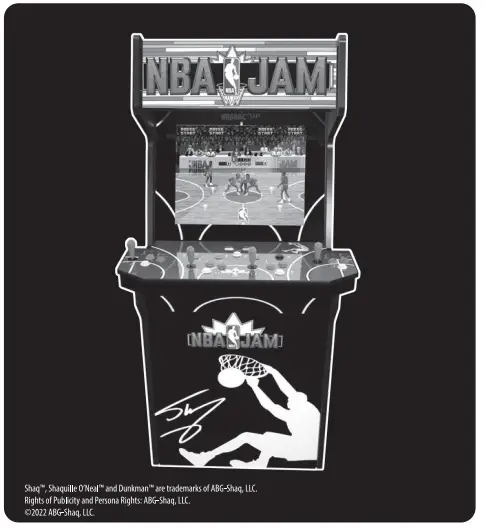
Shaq”‘, Shaqullle O’Neal” and Ounkm.an”‘ are trademarks of ABG-Shaq, U.C. Rights of Publicity and Persona Rights: ABG-Shaq, I.IL ©2022 ABG-Shaq, U.C.
The NBA and individual NBA member team identifications reproduced on this product are trademarks and copyrighted designs, and/or other forms of intellectual property, that are the exclusive property of NBA Properties, Inc. and the respective NBA member teams and may not be used, in whole or part, without the prior written consent of NBA Properties, Inc.
©2022 NBA Properties, Inc. All rights reserved.