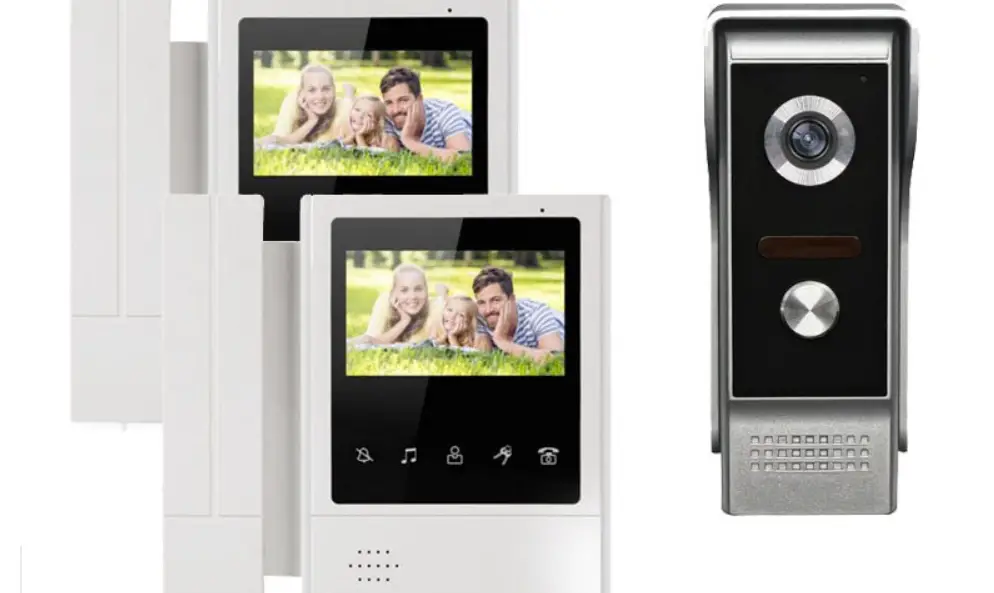
VE04A01 Multi-User Direct Press Visual Intercom Doorbell
MULTI-USER DIRECT PRESS VISUAL INTERCOM DOORBELL
Installation Instruction Manual
PRODUCT DESCRIPTION
The Multi-User Direct Press Visual Intercom Doorbell is a
doorbell system that connects an outdoor unit with one or multiple
indoor units. The indoor unit features a color LCD screen,
microphone mute, adjustable volume for music and ringtone, monitor,
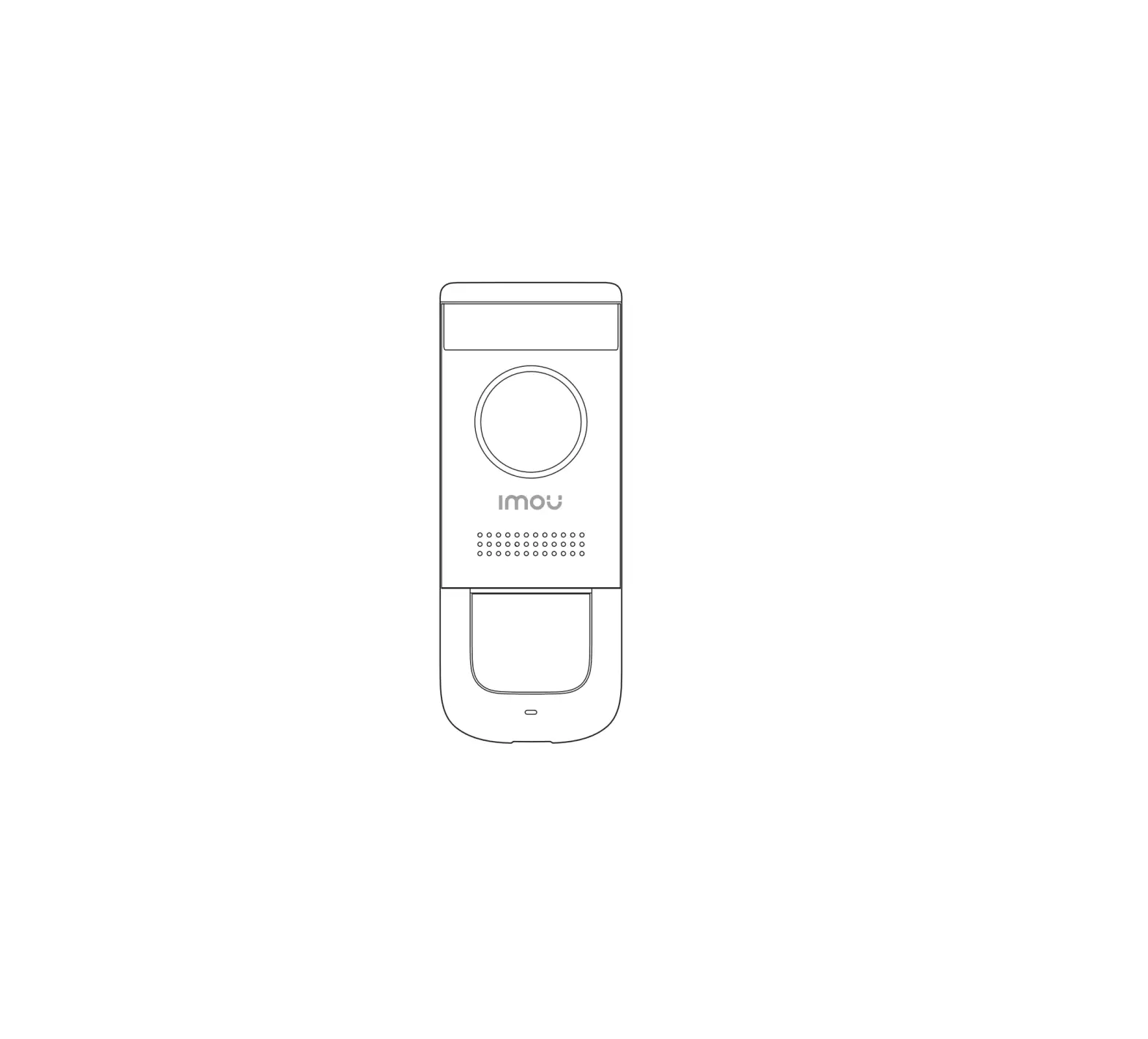
unlock, and talk functions. The system also includes a camera,
infrared night light, speaker, calling button, card swiping area,
microphone, lens direction adjustment area, and electronic lock
signal interface.
PARAMETERS OF INDOOR UNIT
- Screen Resolving power: Color LCD
- Texture of material: Plastic
- Power: DC 15V
- Current voltage: 1200mA
- Working temperature: -10°C to 50°C
- Monitoring time: 60 seconds
- Intercom time: 120 seconds
- Call ringtone: 25 options available
- Installation mode: Surface mount or wall mount
- Signal interface: 5-core wire
FUNCTION DESCRIPTION OF INDOOR UNIT
a. Indoor Unit Ringtone Setting
1. Mute Setting: In the standby mode of the
indoor unit, press the button to turn off the bell and intercom,
making no effects on image display. If it is required to turn on
the bell and intercom, press the button again in the monitor mode.
Disturbance-free mode will be activated after the mute function is
enabled.
2. Change Ringtone: In the standby mode of the
indoor unit, press the button to activate the ringtone and enter
change ringtone settings. The system is equipped with 25 ringtones
of various lengths. The button is pressed once to change one
ringtone. After a suitable ringtone is selected, stop pressing the
button. The last ringtone will be the ringtone when the system is
called by anyone.
3. Ringtone Volume Adjustment: In the standby
mode of the indoor unit, press the button the bell rings to enter
ring setting. It has three levels- large, medium, and small. Press
for two seconds each time to increase or decrease the volume
progressively. After power-off, all ringtone settings will be
restored to factory settings.
b. Instructions for Doorbell Operation
To operate the doorbell, press the calling button on the outdoor
unit. The indoor unit will receive the call and display the image
of the visitor. Press the talk button to communicate with the
visitor. To unlock the door, press the unlock button on the indoor
unit.
ID CARD INSTRUCTIONS
The doorbell system includes a card swiping area and a toggle
switch for management card operation. Swipe an ID card to enter or
exit an area. Use the management card to add or delete user
cards.
PRODUCT INSTALLATION
The installation requires a DC 15V power supply and a 5-core
wire. Install the outdoor unit first by burying it in the wall and
connecting it with the indoor unit using wires. Install the indoor
unit on a surface or wall mount using screws and a hanging
board.
MULTI-USER DIRECT PRESS VISUAL INTERCOM DOORBELL
Installation instruction manual
.PRODUCT DESCRIPTION
Product introduction This set of products is a color wired multi household intercom visual doorbell. The system consists of outdoor unit and indoor unit. The indoor unit is powered by network cable to realize door bell call, monitoring intercom, remote unlocking and network cable connection. The display screen adopts LCD, the image is clear and transparent, and the color is gorgeous without distortion. The camera adopts CMOS HD camera. The outdoor unit can swipe ID card to open the door. In case of insufficient outdoor light, it will automatically start infrared night vision lighting. One key is correspondingly connected to an indoor unit. The outdoor host needs 12-15v separate power supply, and the indoor unit displays. The panel needs 12-15v power supply (it is recommended to use super class V or super class VI network cable for connection, 2 cores and 1 core) and the maximum service distance is 150m.
.PRODUCT INTRODUCTION
Color LCD
Microphone Mute
Adjust the volume of music & replace the ring tone Monitor Unlock Talk
Connects with an outdoor unit
Intercom volume adjustment DC 15V power interface Adjust brightness Adjust color
Connects with next indoor unit
1 Camera
1
2 Infrared night light
2
7 3 Speaker
3
4 Calling button
5 Card swiping area
6 Microphone
7 Lens direction adjustment area
4
8 Electronic lock signal interface
5
6
8
.PARAMETERS OF INDOOR UNIT
Screen Resolving power Texture of material Power Current voltage Working temperature Monitoring time Intercom time Call ringtone Installation mode Signal interface
Indoor unit
7-inch TFT LCD 800*480 ABS engineering plastics Standby: 1W working: 10W 12-15V 1.2A -20¥~60¥ 90 seconds 90 seconds 25 songs Wall hanging 5P x 2.54
Camera Texture of material Card type Night vision distance Power Supply power Camera angle Degree of protection Unlock signal Working temperature Installation mode Signal interface
Outdoor unit
CMOS HD camera aluminium alloy Number of ID cards: 500 0.2-1m Special power adapter power supply DC15V Standby: 0W working: 2W 82° IP54 Voltage signal -20¥~60¥ Embedded installation 5P x 2.54
IV.FUNCTION DESCRIPTION OF INDOOR UNIT
a.Indoor unit ringtone setting
1.Mute setting In the standby mode of the indoor unit, press the button” “first to turn on the screen, and then press the button” “to turn off the bell and intercom, making no effects on image display.If it is required to turn on the bell and intercom, press the button” “again in the monitor” “mode.
Disturbance-free mode will be activated after the mute function is enabled.
2.Change ringtone In the standby mode of the indoor unit, press the button” “first to turn on the screen, and then press the button” “to activate the ringtone and enter”change ringtone” settings. The system is equipped with 25 ringtones of various lengths. The button” “is pressed once to change one ringtone. After a suitable ringtone is selected, stop pressing the button. The last ringtone will be the ringtone when the system is called by anyone.
3. Ringtone volume adjustment In the standby mode of the indoor unit, press the button” “first to turn on the screen. Press the button” “the bell rings to enter ring setting,It has three levels ,large,medium and small.press for two seconds each time to increase or decrease the volume progressively.
After power-off, all ringtone settings will be restored to factory settings.
b.Instructions for doorbell operation
1.When any visitor presses the call button on the outdoor unit, the indoor unit screen will display the outdoor image in real time and the bell will ring. 2.The indoor user may press the button” “to talk with the visitor. Notepress the” “for the first time to open the call, the second time pres”s “will close the call, and the screen will automatically turn off after 30 seconds of not answering 3.In the intercom mode, the indoor user may press the button” “to open the door. 4.In the intercom mode, the indoor user may press the button” “to finish talking or talking will finish automatically in 90 seconds. 5.If it is required to resume talking after hang-up, press the button” “first and then press the button” “to talk with the visitor. 6.In the standby mode of the indoor unit, press the button” “first and then press the button” “to unlock the door; the screen will be off automatically in 90 seconds or it can be powered off by pressing the button” “once.
V.ID CARD INSTRUCTIONS
1.Making a management card: management switch key up, the outdoor unit is powered on (“Di” rings), the first system defaults to adding the card (“Di” rings), and the second system defaults to deleting the card (“Di” rings), then then power off,management switch key down restoration, and the management card is made. 2. Add user card: when the outdoor unit is in power on standby mode, brush the add card (“Di” rings), then brush the user card (“Di” rings), and increase continuously. for each additional card (“Di ” rings), after brushing the user card, finally brush the add card to exit (“DiDi” rings twice), and the user card addition is completed. 3. Delete a single user card: when the outdoor unit is in the power on standby mode, brush to delete the card (“Di” rings once), then brush to delete the user card (place the card swiping
area for 2 seconds, “Di” rings once ,and then “Di” rings once 2 seconds later), delete continuously, brush each card(“Di” rings once), and finally brush to delete the card after swiping the card to be deleted (“Didi” rings twice), Delete user card completed. 4. Delete all user cards: when the outdoor unit is in the power on standby mode, brush to delete the card (“Di” rings), then brush to add the card (“Di” rings), and then brush to delete the card again to exit (“Di” rings once, and “DiDiDiDiDiDiDi” rings seven after 2 seconds). All user cards are deleted. 5. Invalid card swiping: “DiDiDi” rings three continuously.
.PRODUCT INSTALLATION
Screw
Screw
Screw
Screw
Buried wall bottom cover
Bore diameter: a bout 1.5cm Indoor unit hanging board
Screw
E lectric drill
5-core wire
I.PRODUCT DIAGRAM
Outdoor unit
DC 15V Power
Indoor unit
5 core
DC 15V Power
7( /% —
Electricity control lock
Toggle switch (Learn how to operate management card)
DC 15V Power
5 core