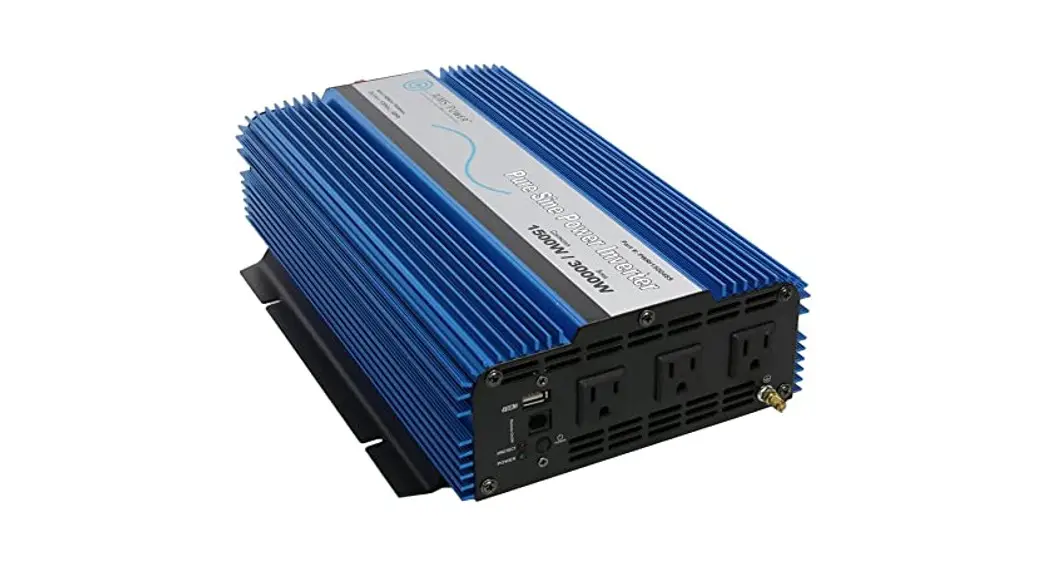
IRM Series Sinewave Inverter
Product Information: Latronics IRM Series Industrial Rack Mount
Sine Wave Inverter
The Latronics IRM Series Industrial Rack Mount Sine Wave
Inverter is a high-quality inverter designed and manufactured in
Australia. It is a specialist sine wave inverter designed for a
diverse range of applications such as mining, railways,
telecommunications, marine, remote power, motor homes, and other
industrial or commercial installations. The inverter is engineered
using the latest high-quality components and manufactured to
stringent quality standards, ensuring many years of trouble-free
operation even in the harshest conditions.
Inverter Efficiency & Output Waveform
The Latronics inverter has high efficiency even at low levels,
as shown in the efficiency versus load graph. The AC output voltage
waveform is a pure sine wave with low harmonic distortion, making
it suitable for sensitive electronic equipment.
Installation
Before installing the inverter, it is important to read through
the manual and understand the safety precautions and modes of
operation. The DC input is electrically isolated from the AC
output, and either the battery positive or negative can be earthed.
Cables connecting the inverter to the battery should not be
extended, and polarity should be observed. The manual provides
detailed instructions on installation, DC wiring, AC wiring, and
connections.
Usage Instructions
To use the Latronics IRM Series Industrial Rack Mount Sine Wave
Inverter, follow these steps:
- Read through the manual and understand the safety precautions
and modes of operation. - Install the inverter according to the instructions provided in
the manual. - Connect the inverter to a suitable battery with proper
polarity. - Turn on the inverter using the power switch.
- Use the inverter to power your equipment or appliances.
- Monitor the inverter’s performance and efficiency.
- If any faults occur, refer to the fault-finding section of the
manual for troubleshooting tips.
Warranty Registration
It is important to register the warranty online at
https://www.latronics.com.au/online-warranty. The warranty terms
and conditions for Australia are provided in the manual. Latronics
will cease manufacturing, warranty, and repairs on 30th June
2025.
INSTRUCTION MANUAL and WARRANTY REGISTRATION IRM SERIES INDUSTRIAL RACK MOUNT SINEWAVE INVERTER
Latronics P.O. Box 73 Moffat Beach Qld 4551 AUSTRALIA
PPh +6 1617 (504)9 17 65499818 6988
wewbe: bw: wwww.lawt.rloantriocns.iccos.mco.amu
eemmaaili:l: intefoclh@[email protected]
IMPORTANT !
P{ lease Register your warranty online https://www.latronics.com.au/online-warranty Serial No……………………………… Model No………………………… Supplier……………………………… Date of Purchase………………………… Please retain a copy of your receipt for proof of purchase.
Latronics will cease manufacturing, warranty and repairs on 30th June 2025
WELCOME
Latronics products are all proudly designed, engineered and manufactured in Australia. As a specialist Sine Wave Inverter company we produce Inverters for a diverse range of applications such as; mining, railways, telecommunications, marine, remote power, motor homes, and other industrial or commercial installations.
In order to produce the most reliable products available, Latronics Inverters have been designed to endure the most rugged terrain and the harshest conditions across the Australian continent.
All products are engineered using the latest high quality components and manufactured to stringent quality standards, thus ensuring Latronics customers all enjoy many years of trouble free operation.
It is important to us at Latronics, that our clients enjoy the maximum benefits from our Inverters, in a safe and productive environment. Thus we strongly advise that you read through the next few pages of this manual, which explains all the modes of operation and relevant safety precautions for your new Power Inverter.
Please remember to complete the online registration to validate your warranty.
Please retain your receipt as proof of purchase.
LATRONICS PO BOX 73 MOFFAT BEACH Q 4551 PH: + 61 (0) 7 5491 6988 FAX: + 61 (0) 7 5491 6792 EMAIL: info@ latronics.com.au WEB: www.latronics.com.au
Copyright Latronics. Doc No A340-D04-V14-Q2 Version 14 07/22
INVERTER EFFICIENCY & OUTPUT WAVEFORM
Latronics Inverters Efficiency versus Load
90%
80%
70%
Efficiency
60%
High efficiency even 50%
@ low levels
40%
30%
20%
10%
0%
5%
10%
25%
50%
75%
100%
Load
400 300 200 100
0 -100 -200 -300 -400
20
AC Voltage
TABLE OF CONTENTS INSTALLATION BATTERIES DIP SWITCH SETTINGS AUTOMATIC RESET FEATURE AC TRANSFER SWITCH SPECIFICATIONS INVERTER OPERATION SAFETY & AC WIRING INVERTER WIRING & CONNECTIONS MISCELLANEOUS OPTIONS FAULT FINDING WARRANTY CONDITIONS INVERTER EFFICIENCY & OUTPUT WAVEFORM WARRANTY REGISTRATION
1
PAGE
2 3 4 5 6 8 10 12 13 14 18 19 20 21
INSTALLATION
· Ensure the Inverter has not been damaged in transit.
· The unit must be placed in a well-ventilated and protected area, not exposed to the open environment, and free from contaminates (i.e. Exhaust gases, sea air, battery gases, dust).
DC WIRING
· For best performance, the unit should be placed as close as possible, but not directly on top of the battery supply.
· The Inverter DC input voltage is stated on the identification label of the Inverter. Check that it is the same voltage as the battery supply.
· The Inverter is designed to operate on a battery supply only.
· The Inverter is fitted with a circuit breaker in line with the battery positive lead, which negates the need for a battery fuse.
· Ensure the Inverter is switched OFF before connecting the DC supply. Turn the circuit breaker switch to the OFF position.
· Connect the Inverter DIRECTLY to the battery terminals for best Performance.
· Input leads marked RED = (positive), & BLACK = (negative).
* Note:- The DC input is electrically isolated from the AC output and either the battery positive or negative can be earthed.
OBSERVE POLARITY NOTE: Cables connecting the Inverter to the battery are designed to achieve maximum efficiency and output power:
DC CABLES SHOULD NOT BE EXTENDED
2
WARRANTY TERMS AND CONDITIONS FOR AUSTRALIA
LATRONICS WILL CEASE MANUFACTURING, WARRANTY AND REPAIRS ON 30TH JUNE 2025
Latronic Sunpower Pty Ltd (“Latronics”) provides the original purchaser of a Latronics product (“You”) with the following Limited Warranties as set out in this warranty certificate, in addition to your rights and remedies under consumer law.
The Limited warranty periods of this inverter is 3 years. In all circumstances Latronics products are guaranteed from the date of purchase.
Part 1 – Warranty Descriptions
Latronics warrants to You that our products are guaranteed against defects in material or workmanship, when in normal use and service.
What you must do
1.For a Limited Warranty to apply the Registration Card must be validly completed by You and returned, prior to the expiration of 3 months from the date of purchase.
2.You must provide proof of purchase.
3.Latronics recommends You keep your receipt as proof of purchase, should any difficulties arise concerning the return of your Registration Card.
Exclusions:
For the avoidance of doubt, the Latronics product warranties
provided herein do not cover damage, malfunctions or service
failures caused by, amongst other things:
·
Unauthorized opening of the products, repair,
alteration or substitution of nonstandard parts;
·
Incorrect design and/or installation of `balance
of system’;
·
Acts of god, accident or similar cause;
·
Failure to follow Latronics installation, operation
or maintenance instructions;
·
Abuse, misuse or negligent acts;
·
Power failure surges, lightning, fire, flood, pest
damage, accidental breakage, actions of third
parties and other events or accidents outside
Latronics’ reasonable control and not arising
from normal operating conditions;
·
Suitably qualified personnel not carrying out all
AC and DC permanent wiring in accordance
with relevant wiring rules.
Products supplied by Latronics, or Latronics agents are supplied under the express condition that no responsibility is implied or accepted by Latronics for any damage to any appliance, equipment or property used in combination with the correct operation of a Latronics product. All conditions and warranties expressed or implied by statute, common law, equity, trade, custom, usage, or otherwise howsoever are hereby expressly excluded to the maximum extent permitted by law. Where so permitted, the liability of Latronics for a breach of condition or warranty that cannot be excluded is limited (at Latronics option) to the replacement or repair of the goods or of acquiring equivalent goods or the cost of replacing or repairing the goods or of acquiring equivalent goods.
Latronics does not undertake any commitment to guarantee continuity of supply in the case of obsolescence. In addition, Latronics reserves the rights to change its standard product range or specification of any model subsequently without notice and no liability as a result of these occurrences will be accepted.
Part 2 Returning a Latronics product for service under warranty.
If service is required contact your local supplier/installer or place of purchase for advice. To Claim Under Warranty:
1.You should contact the Customer Care Centre on 0754916988. Product Model number and Serial number need to be readily available to enable prompt processing.
2.If, after investigation, the Customer Care Centre determines the product is or may be defective in material or workmanship and within the warranty period, they will issue instructions on how to proceed with return and shipping to Latronics.
3.When packaging a Latronics product for return appropriate measures must be taken by You to ensure the products are safely packed for transit. Products damaged in transit due to inadequate packaging will be void of warranty.
4.If the product manual has a Warranty Return Form included, this form should be completed and accompany products being returned.
5.If, as a result of further investigation by or on behalf of Latronics, such a defect is confirmed, then Latronics must, at its sole election, either repair or replace your Latronics product. Latronics will also, at their discretion, determine the most appropriate means to return any Warranty repairs (or replacements) to You in a timely manner.
Part 3 – General Inform ation
Replacement of any part or labour involved in repairs will not have the effect of extending the original period of the Limited Warranty of the goods. Any faulty part replaced under Limited Warranty becomes the property of the Company for purpose of examination and claim under proprietary warranty.
Under these product warranties, Latronics is not responsible for and
you hereby agree to bear any costs associated with removal,
transportation or reinstallation of your Latronics products or any
peripheral components in the balance of any system used in
conjunction with Latronics products.
Products returned to Latronics without prior authorisation will be
returned to the sender at their expense.
All Warranty repairs are completed ex-factory to ensure
·
Fast service turn around time
·
Specialised, factory trained technicians
·
All required components are available (except
in the case of obsolescence)
·
Thorough testing to all Latronics specifications
·
Dedicated test equipment
·
Upgrades/updates to latest Latronics
standards/specifications (where applicable).
Our goods com e with guarantees that cannot be excluded under the Australian Consum er Law. You are entitled to a replacem ent or refund for a m ajor failure and com pensation for any other reasonably foreseeable loss or dam age. You are also entitled to have the goods repaired or replaced if the goods fail to be of acceptable quality and the failure does not am ount to a m ajor failure.
19
FAULT FINDING
Should the Inverter appear to be malfunctioning we suggest the following to eliminate any external problems:
1. Turn the Inverter “OFF” via the Circuit Breaker switch on the front panel.
2. Disconnect all AC wiring from the Inverter. 3. Disconnect DC battery leads from Battery. Clean all terminals by
removing all grease/corrosion on both DC leads and battery terminals. 4. Ensure you have sufficient battery capacity at the nominal voltage (specified on the compliance label of your Inverter).
Please note: Use minimum 100AH Battery or the size of a substantial Car Battery.
5. Make connection directly to battery terminals and ensure all connections are tight.
6. Remove all other wiring from battery to ensure that the Inverter is the ONLY device connected to the battery bank.
6. Ensure battery voltage is within the correct limits as outlined in the section INVERTER SPECIFICATIONS of this manual. If you do not have a DC voltmeter or multimeter check the front panel for Overvolts and Undervolts LED’S.
7. Turn the Inverter ON via the Circuit Breaker switch on the front panel. Observe the lights on the front left of your Inverter. Refer to INVERTER OPERATION sections for explanation of Indicator lights.
8. Plug in various appliances and monitor the Inverters operation.
HELPFUL HINTS
* Remember that the Inverter automatically starts when a load is applied.
* Make sure leads and terminals are not corroded or faulty in any way. * Make sure the Inverter goes into STANDBY with no load switched on. * Make sure the Circuit Breaker is reset properly. If unsure switch OFF and
ON again.
18
BATTERY SIZING
BATTERIES
It is important to match your battery size according to the power rating of the Inverter.
To ensure peak performance, it is important to choose the right battery for your Inverter. The battery size required will depend on the load and intended running time. Use this formula as a general guide:
Recommended Battery Size= Inverter rating in watts ÷ input voltage × 10 e.g. 1200W ÷ 12V x 10 = 1000Ah Minimum Battery Size = Inverter rating in watts ÷ input voltage × 3 e.g. 1200W ÷ 12V x 3 = 300Ah
Do not use an undersized battery as this may result in an Inverter that does not start or that will rapidly discharge the battery and may cause damage to the battery.
M AINTENANC E
Battery terminals require frequent care and maintenance. Very high current (up to several hundred amps), is drawn by the Inverter when starting electrical motors and other high power appliances. We recommend an inspection of the batteries and the interconnecting cable connections once every 1-3 months or as recommended by the battery manufacturer. 1. Regularly check all connections; make sure they are always tight.
Battery terminals are made of soft lead which will slowly compress over time eventually causing loose connections. 2. Check all connections are free of corrosion. Remove any corrosion and coat the terminals with Vaseline or grease to help prevent future corrosion. 3. Take specific gravity or SG readings of each cell using a hydrometer to check the level and performance of each battery. Alternatively a battery voltage reading for each cell will suffice, but may not be accurate for multiple batteries connected in parallel. Report any serious imbalance to your system installer or battery supplier for corrective action.
SAFETY When working on batteries protective clothing and eye wear should be
worn. Extreme care should be taken not to short circuit any battery terminals especially with tools. If in doubt have the work carried out by
qualified personnel.
3
DIP SWITCH SETTINGS
Dip Switch Settings apply to all models from 1000W to 5000W inclusive.
In order to access these options you have to open the Inverter. Before altering the settings switch Inverter OFF, adjust the setting and switch Inverter back ON again. We recommend these adjustments be carried out by qualified personnel or your system installer.
SW1 Hz 50/60 Hz ON = 50Hz (factory setting) OFF = 60Hz
SW2 SP SW3 SP SW4 SP SW5 & SW6
Special Special Special UV Undervoltage Settings
SW5 OFF & SW6 OFF= (factory setting)
Setting
SW5 SW6
ON ON OFF OFF ON OFF OFF ON
12V Value
Disconnect Reconnect
10.0 12.0 10.5 12.5 11.0 13.0 11.5 13.5
24V Value
Disconnect Reconnect
20.0
24.0
21.0
25.0
22.0 26.0
23.0 27.0
48V Value
Disconnect Reconnect
40.0
48.0
42.0
50.0
44.0
52.0
46.0
54.0
DIP SWITCH LOCATION
MAIN PCB
1 2 3 4 5 6
OFF ON
DIP Switch located on Main PCB
WARNING:
Due to dangerous voltages existing inside the unit, make sure the circuit breaker switch is turned off before opening the unit. These adjustments must be performed by a qualified and licensed personnel only.
4
DECLARATION OF CONFORMITY
Manufacturer: Latronic Sunpower Pty Ltd 79 William Street Moffat Beach Industrial Park Moffat Beach Queensland 4551 Australia
Declare that the IRM series of inverters conform to the requirements of following standards
EN6 1 0 0 0 -6 -1 EN6 1 0 0 0 -6 -3 EN5 5 0 1 4 AS1 0 4 4 EN6 0 3 3 5 -1 AS3 1 0 0
And therefore conform to the regulations of the EC directives Directive 2004/108/CE (EMC directive), Directive 2006/95/CE (low Voltage Directive) Date that CE marking was first affixed 2007
Also conforms to the RCM marking regulations for Australian emission standards
All products are manufactured with full traceability in accordance with the Quality System Requirements of AS/NZS ISO 9002
Signed
William Pettit Electrical Engineer 7th Feb 2009
17
RADIO FREQUENCY INTERFERENCE
Radio Frequency Interference (RFI) is a phenomenon that exists in modern society and is a problem in many areas of electronics. For Inverter users, RFI normally presents itself in the form of static and/or interference when listening to an AM radio and in unusual cases may interfere with TV reception.
Over the years Latronics has continued to invest significant time and effort in the reduction of RFI related emissions from the entire product range, so that they comply with the appropriate International and/or Australian Standards.
Even with this compliance, there are situations where RFI may still be a cause for concern, and can differ greatly from installation to installation. Accordingly, the following is a list of recommendations made to assist in the overall reduction of RFI. 1. Separate DC and AC wiring. Avoid running DC and AC cables in the
same conduits and/or cable trenches. It is strongly recommended that DC and AC wiring be separated by the greatest distance possible. In extreme cases, the use of shielded conduit may be necessary. 2. Minimize length of DC cabling. DC cables can act as an aerial, therefore all such cables should be kept as short as is practicable. For best performance minimize DC cable length to Inverter and Batteries and if possible avoid the use of Auxiliary DC loads. 3. 240Vac Earth. For household installations, it is recommended that a “good” Earth Stake is located as nearby the Inverter as is possible. 4. AM and HF Radios. These types of radio equipment inherently suffer from all forms of RFI, especially when the received signal level is weak. In such cases reception can sometimes be improved by relocation of the radio itself, alternatively the use of an appropriate external antenna and co-axial cable may be necessary. External antennas should be located in a manner that ensures maximum signal strength whilst affording the greatest possible distance away from the Inverter and batteries. 5. Televisions. TV signals are transmitted as FM waveforms. This type of signal fundamentally reduces the effects of RFI, therefore the use of a good antenna and feeder cable is normally sufficient to ensure quality reception. Locating the television as far as possible from the Inverter may also improve picture clarity. 6. Mobile Installations. Due to the limitations of this type of installation, the best results for the minimization of RFI are usually obtained by maximizing the distance between the Inverter and the Radio/Television.
16
AUTOMATIC RESET FEATURE
This feature is designed to restart the Inverter and maintain power in the event of an external fault. Should the Inverter shut down due to under voltage, over temperature or any fault condition it will attempt to reset every 8 minutes until the fault condition clears and normal operation resumes. For overload shutdown the Inverter will only attempt 5 restarts. If the Inverter can not resume normal operation within 5 restarts, it will remain OFF until reset manually. This prevents continuous re-application of power to faulty appliances or wiring. For under voltage shutdown the Inverter will restart when the battery voltage reaches the reconnect value as shown in the table opposite.
5
AUTOMATIC AC TRANSFER SWITCH (Option code – KX)
Eliminate the need to manually switch your power source between Inverter and Auxiliary AC. The Transfer Switch automatically senses Auxiliary AC power and switches the output between Inverter and Auxiliary AC accordingly.
Take the hassle out of wiring a changeover switch between Inverter and Auxiliary AC. Have this option fitted to your IRM series Inverter to simplify your power system wiring. Simply connect the Auxiliary AC to the hardwire terminals, its that easy!
Features * Available exclusively to the IRM series from 500W to 7000W models * No Break changeover time of 0.02 second (< one cycle) * Single pole relay switching active * Minimise and simplify system wiring
SYSTEM BLOCK DIAGRAM
AC Loads or Distribution
Solar Panels
R eg ula to r/C o ntro lle r
AC Output
Inverter
AC Input
Batteries
Battery C ha rg e r
Generator or Aux AC
Installation of system com ponents and associated interconnecting wiring, should be perform ed by qualified and licensed personnel only.
6
WIRING FOR MULTIPLE REDUNDANCY SYSTEMS
–
AC OUTPUT
DC
~
AC INPUT
INVERTER A
–
AC OUTPUT
DC
~
AC INPUT
INVERTER B
Dual Inverter Backup Systems – AC Output will be available as long as Inverter A or Inverter B is operational.
Mains with Inverter Backup – Inverter B would be replaced via mains AC and Inverter A will then backup the mains.
Mains with Dual Inverter Backup – Mains AC is connected to the AC input of Inverter B.
Ultimately there is no limit to the number of units that can be connected.
15
MISCELLANEOUS OPTIONS
Inverter Alarm – (option. Code L)
Voltage free contacts, isolated relay contacts NO, NC & COM. Inverter AC output voltage is monitored and relay changes state if Inverter output is not present. General fault alarm for any of the shut down conditions; DC undervoltage, DC overvoltage, Overload, Overtemp. * Note – Power saving/standby mode is disabled for this option.
Transfer Alarm – (option. Code O)
Voltage free contacts, isolated relay contacts NO, NC & COM. AC Transfer Switch is monitored and relay changes state when AC Transfer Switch changes between Auxiliary AC & Inverter AC. * Note – Power saving/standby mode is disabled for this option.
Psophonometric Noise – (option. Code J)
For sensitive telecom applications where low DC noise is required. Complies to noise standard ETS 300 132-2.
Anderson Connectors
As an alternative to Battery Lugs, Anderson Connectors offer a quick and simple method of polarised connection and reconnection.
Power Outlets
Various International and Australian sockets are available as alternative to the hardwire facility for AC output connections.
14
AUTOMATIC AC TRANSFER SWITCH Continued.
The Automatic transfer switch option is available for all IRM Series inverters. It offers further protection to connected appliances from Generator voltage fluctuations and ensures a more stable AC supply.
Upon the starting of a Generator the output voltage will rise and stabilise as the Generator speed increases. Once the Generator voltage is within the required limits the timer provides a short delay before switching the Generator power to the AC output. This ensures the Generator is warmed up and the output voltage is stable. The Generator output voltage is continuously monitored and if it is outside the set limits the transfer switch will switch back to the Inverter. This prevents problems due to low voltage and overvoltage surges, which can harm appliances.
On Delay Timer – ensures the Generator has warmed up and the output voltage is stable before the transfer switch is activated.
Voltage Interlock – monitors the Generator output voltage. If too high or too low the Transfer Switch reverts back to the Inverter output until the generator output re-stabilises.
Versatile – selectable voltage levels and time delay.
Note: Highly recom m ended for Generators with large fly wheels that ram p up and down slowly at start up and shut down.
Settings are adjustable via Jumpers located on the inside of the Inverter on the blue circuit board.
NEUTRAL ACTIVE
Jumper Voltage Window Time Delay
1 170V – 280V 5 sec 2 210V – 270V 5 sec 3 170V – 280V 30 sec 4 210V – 270V 30 sec
RELAY
1 2 3 4
RELAY
ENSURE POWER IS DISCONNECTED BEFORE ADJUSTING JUMPERS To be adjusted by qualified personnel only!
Available for as an option for all IRM series inverters
7
IRM SPECIFICATIONS
MODEL NO.
DC INPUT
POWER
IRM512 IRM624 IRM648 IRM696 IRM6120
12V 24V 48V 96V 120V
500W 600W 600W 600W 600W
IRM1012 IRM1224 IRM1248 IRM1296 IRM12120
12V 24V 48V 96V 120V
1000W 1200W 1200W 1200W 1200W
IRM1512 IRM1824 IRM1848 IRM1896 IRM18120
12V 24V 48V 96V 120V
1500W 1800W 1800W 1800W 1800W
IRM2012 IRM2324 IRM2548 IRM2596 IRM25120
12V 24V 48V 96V 120V
2000W 2300W 2500W 2500W 2500W
IRM3024 IRM3548 IRM3596 IRM35120
24V 48V 96V 120V
3000W 3500W 3500W 3500W
IRM4024* IRM5048 IRM7048*
24V 48V 48V
8
4000W 5000W 7000W
INVERTER WIRING & CONNECTIONS
BATTERY LEADS RED = Battery Positive BLACK = Battery Negative
FAN The fan is thermostatically controlled and only operates if the temperature inside the Inverter reaches preset levels Obstruction of the air intake and output will reduce the power
rating of the Inverter.
HARDWIRE 3 TERMINAL Output Junction Box
For distribution of AC output Power.
HARDWIRE 3 TERMINAL Input Junction Box
For connection of AC Input Power
e.g. from Generator, (Available only when AC Transfer Switch option is
fitted.)
Rear of Unit
HARDWIRE 3 TERMINAL Junction Box Alarm output
(Option).
13
SAFETY
Inverter Isolation and Safety * All Latronics Inverters have an isolation rating of 3500V between AC and
DC via the toroidal transformer, which ensures extremely safe and risk free operation.
* All the switching electronics and control circuitry are on the DC input.
* The Circuit Breaker ensures that when the Inverter is switched OFF, it is isolated from the battery supply.
Please refer to relevant Australian Standards for safety procedures.
AC WIRING
* Make sure the Inverter is switched OFF before working on the mains wiring. Turn the Circuit Breaker switch into OFF position.
* The active and neutral of the 230V AC output are electrically isolated from the battery negative, battery positive, and Earth connections.
* The Inverter AC output is connected directly to the transformer output winding.
* Latronics Inverters have the AC output (active and neutral) floating with respect to the DC and Earth. The Earth connection is connected to the case only. This configuration provides the highest safety and most flexibility for installation wiring.
* Latronics Inverters are suitable for MEN connection. * The Earth is connected internally to the Inverter case.
Ensure that power will never be fed into the Inverter AC output Junction Box from the Mains or Generator. This would result in the destruction of the unit and will not be covered by warranty.
WARNING: The Inverter output is just as lethal as normal mains electricity, thus it is
important that all AC wiring complies with the requirements of the relevant wiring standards, (AS 3000).
Any work carried out on AC/Mains wiring is to be performed by Qualified and Licensed personnel only.
12
Features 3 Pure Sinewave Waveform 3 Massive Inrush and Overload Capability 3 Rugged Construction 3 Designed and Manufactured in Australia 3 Warranty – 2 years from 01/07/2022. 1 Year from 01/07/2023 3 DC Circuit Breaker/ Battery Isolator Switch 3 High Efficiency Toroidal Transformer 3 Galvanically Isolated
Specifications
Input Voltage
Input Voltage Range Output Waveform Output Voltage
Output Frequency Crest Factor Overload Capacity
Operating Temperature Cooling Power Factor Peak Efficiency DC Connections AC Connections Standards
Protection Circuitry
Dim ensions
12, 24, 36, 48, 72, 96 & 120 Others available -20% to + 45% of Nominal True Sinewave < 4% THD 230V + /- 4% Standard 110V + /- 4% Option 50/60Hz + /- 0.1% >4 300% 5 Seconds (all models) 120% 30 Minutes (110% 12V models) -10oC to + 50oC (can be extended) Thermostatically Controlled Fan All Conditions 90% to 94% Model Dependent
Heavy Duty Low Loss Battery Leads Screw Terminal Junction Box AS/NZS 3100, EN55014, EN61000-6-1, EN6100-6-3, AS 1044 EN60335-1 & RCM Full Electronic Protection against Overload, Overtemperature, Short Circuit, Battery Over & Undervoltage
19″ Rackmount 3U x 350mm Deep
All Models except *
IRM4024* & IRM7048* 19″ Rackmount 4U x 350mm Deep
9
INVERTER OPERATION When the Inverter is switched on all 3 LED’S light up for 1 second while the microprocessor performs a start up and
system check procedure.
Over temp./Over load (Red LED) If the internal temperature exceeds safe operating limits of the components for more than five seconds, the Inverter will shut down in Over temp with this LED on continuously. Allow 5 minutes for the Inverter to cool and reset the unit. If the APPLIED load demands more current than the Inverter can safely supply for more than 5 seconds, the Inverter will shutdown in Over load and this LED will flash.
POWER INDICATOR (Green LED)) This LED flashes when in Standby mode (i.e. no loads connected). When a load is applied the LED will illuminate continuously to indicate that 230V AC is being supplied.
CIRCUIT BREAKER BATTERY ISOLATOR
ON/OFF Switch The circuit breaker is designed for ease of operation and safety. If the Inverter shuts
down due to Overload, Undervolts or Overvolts it can be reset by turning the Circuit Breaker OFF, waiting 10 seconds (or until LED goes out), then turning it on
again.
Undervolts/Overvolts (Red LED) In order to protect the battery the Inverter will shutdown after 5 seconds if the battery voltage falls below its limit, (Undervolts), or
exceeds the maximum, (Overvolts), as specified in the Electrical Specifications
table. For Undervolts the LED will remain on continuous, while for an Overvolts situation
the LED will continue to flash.
10
AutoStart Sensitivity Adjustment The screwdriver adjustment slot permits the operator to adjust sensitivity between 0- 20W. Due to lengthy 230V AC cables the Inverter may sense fake loads. To combat this, turn the control clockwise. Alternatively turning the control in the opposite direction increases sensitivity. Turning the control fully anti-clockwise will disable the Auto Start
feature and the Inverter will remain constantly ON.
TRANSFER SWITCH INDICATOR
OFF Fast flash Slow flash
ON
Inverter is secondary = No AC input present = AC input voltage out of range = AC input voltage OK and delay timer
ON – 1 flash per second = AC input switched through to output
OFF ON
Inverter is primary = No AC input present = AC input is available
11
 Latronics