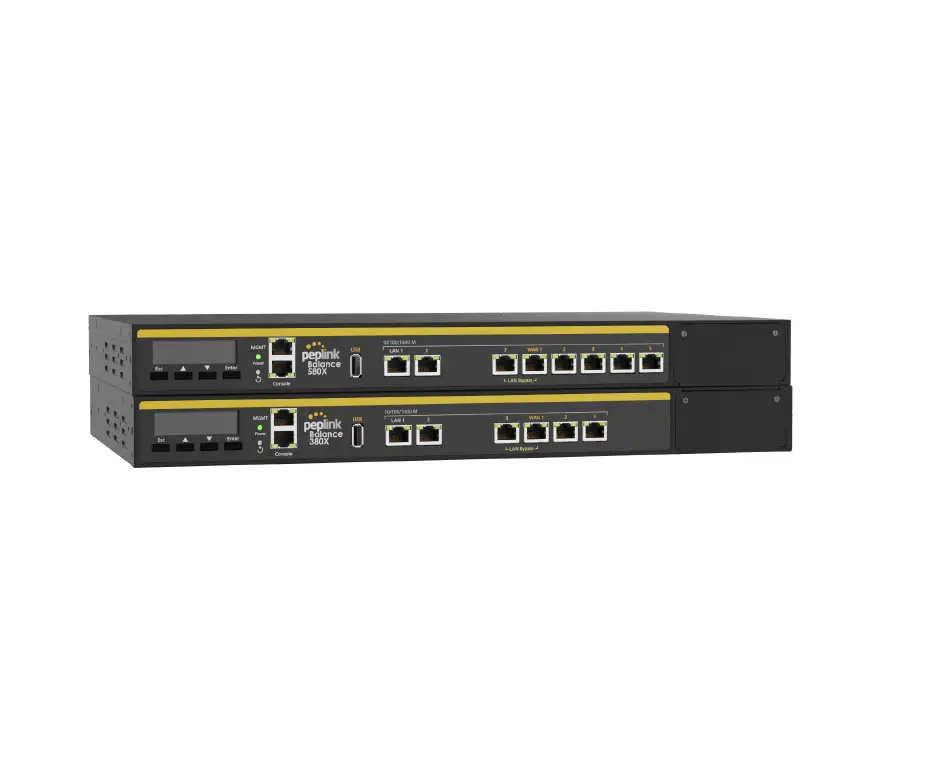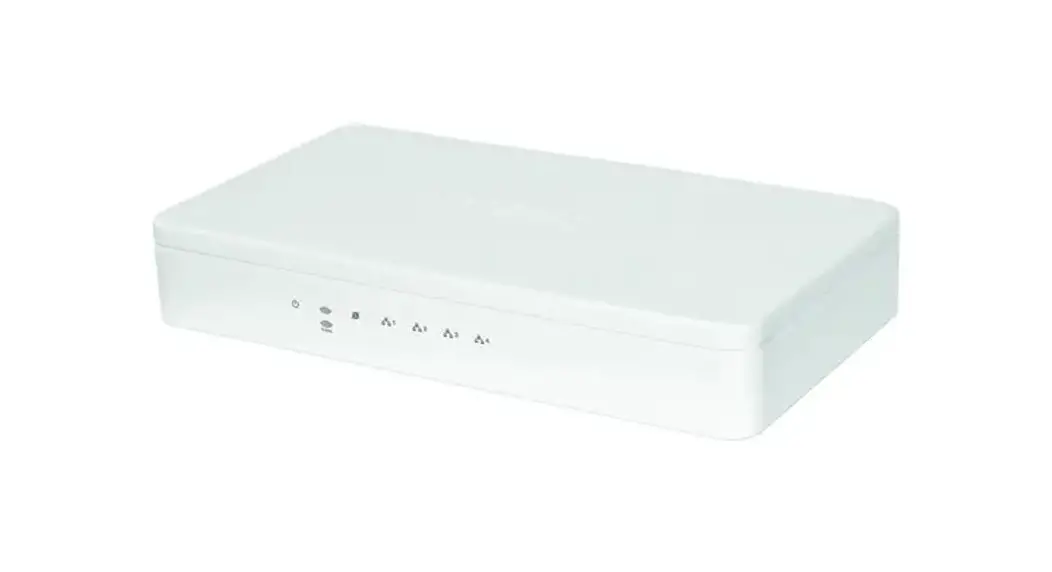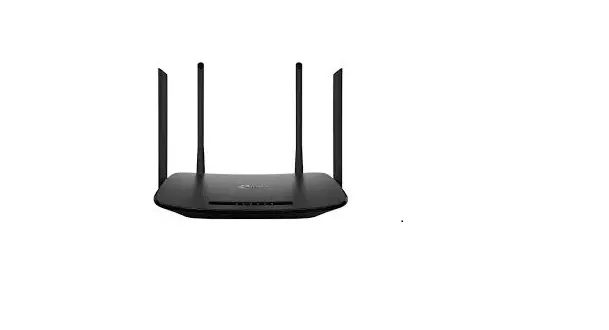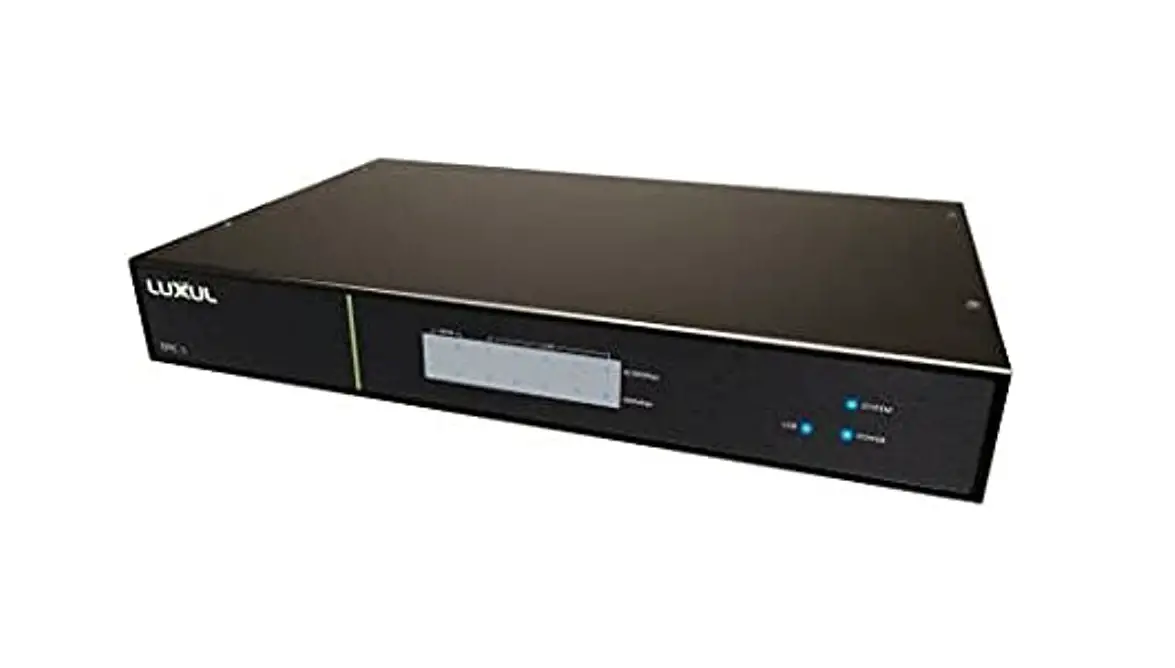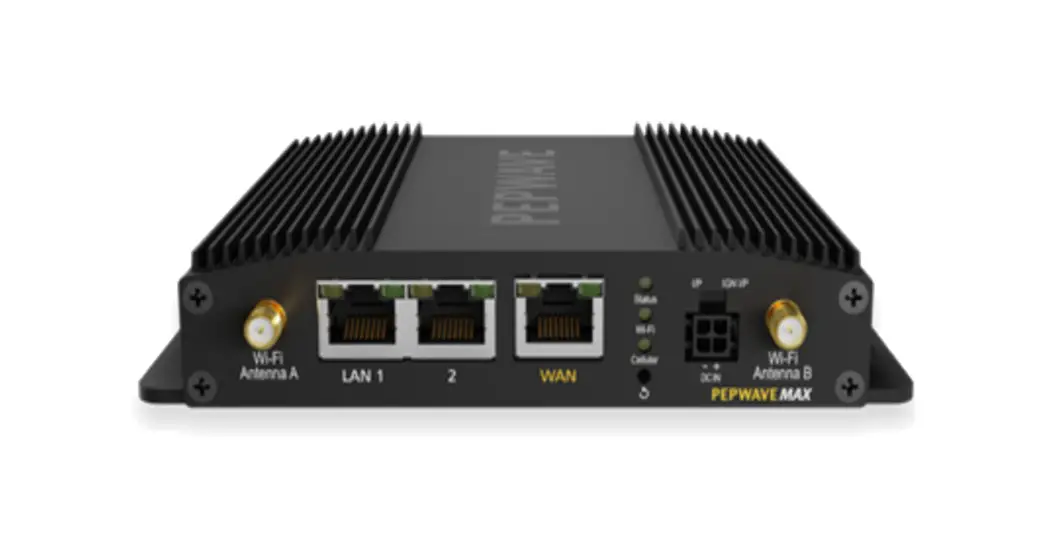
 MAX BR1 Pro 5G Pepwave Router
User Manual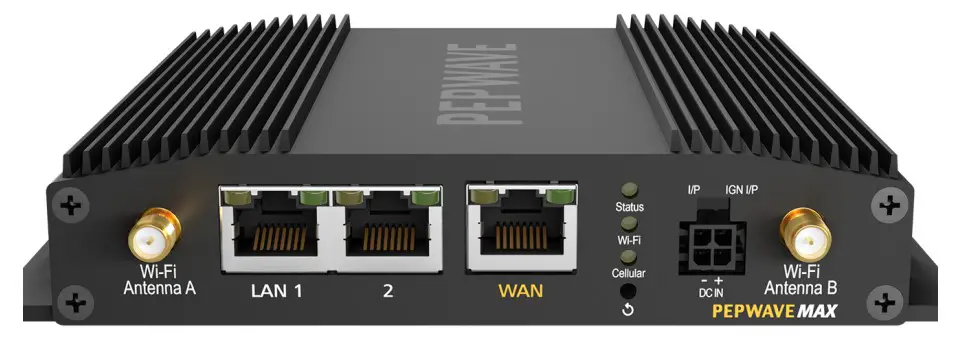
MAX BR1 Pro 5G Pepwave Router
COPYRIGHT & TRADEMARKS
Specifications are subject to change without notice.
Copyright © 2021 Peplink Pepwave Ltd. All Rights Reserved. Pep wave and the Pep wave logo are trademarks of Peplink International Ltd. Other brands or products mentioned may be trademarks or registered trademarks of their respective owners.
Introduction and Scope
Pepwave routers provide link aggregation and load balancing across multiple WAN connections, allowing a combination of technologies like 3G HSDPA, EVDO, 4G LTE, Wi-Fi, external WiMAX dongle, and satellite to be utilized to connect to the Internet.
The MAX wireless SD-WAN router series has a wide range of products suitable for many different deployments and markets. Entry level SD-WAN models such as the MAX BR1 are suitable for SMEs or branch offices. High-capacity SD-WAN routers such as the MAX HD2 are suitable for larger organizations and head offices.
This manual covers setting up Pepwave routers and provides an introduction to their features and usage.

Glossary
The following terms, acronyms, and abbreviations are frequently used in this manual:
| Term | Definition |
| 3G | 3rd generation standards for wireless communications (e.g., HSDPA) |
| 4G | 4th generation standards for wireless communications (e.g., LTE) |
| DHCP | Dynamic Host Configuration Protocol |
| DNS | Domain Name System |
| EVDO | Evolution-Data Optimized |
| FQDN | Fully Qualified Domain Name |
| HSDPA | High-Speed Downlink Packet Access |
| HTTP | Hyper-Text Transfer Protocol |
| ICMP | Internet Control Message Protocol |
| IP | Internet Protocol |
| LAN | Local Area Network |
| MAC Address | Media Access Control Address |
| MTU | Maximum Transmission Unit |
| MSS | Maximum Segment Size |
| NAT | Network Address Translation |
| PPPoE | Point to Point Protocol over Ethernet |
| QoS | Quality of Service |
| SNMP | Simple Network Management Protocol |
| TCP | Transmission Control Protocol |
| UDP | User Datagram Protocol |
| VPN | Virtual Private Network |
| VRRP | Virtual Router Redundancy Protocol |
| WAN | Wide Area Network |
| WINS | Windows Internet Name Service |
| WLAN | Wireless Local Area Network |
Product Features
Pepwave routers enable all LAN users to share broadband Internet connections, and they provide advanced features to enhance Internet access. Our Max BR wireless routers support multiple SIM cards. They can be configured to switch from using one SIM card to another SIM card according to different criteria, including wireless network reliability and data usage.
Our MAX HD series wireless routers are embedded with multiple 4G LTE modems, and allow simultaneous wireless Internet connections through multiple wireless networks. The wireless
Internet connections can be bonded together using our SpeedFusion technology. This allows better reliability, larger bandwidth, and increased wireless coverage compared to use only one 4G LTE modem.
Below is a list of supported features on Pepwave routers. Features vary by model. For more information, please see peplink.com/products.
1.1 Supported Network Features
1.1.1 WAN
- Ethernet WAN connection in full/half duplex
- Static IP support for PPPoE
- Built-in cellular modems
- SB mobile connection(s)
- Wi-Fi WAN connection
- Network address translation (NAT)/port address translation (PAT)
- Inbound and outbound NAT mapping
- IPsec NAT-T and PPTP packet passthrough
- MAC address clone and passthrough
- Customizable MTU and MSS values
- WAN connection health check
- Dynamic DNS (supported service providers: changeip.com, dyndns.org,no-ip.org,tzo.com and DNS-O-Matic)
- Ping, DNS lookup, and HTTP-based health check
1.1.2 LAN
- Wi-Fi AP
- Ethernet LAN ports
- DHCP server on LAN
- Extended DHCP option support
- Static routing rules
- VLAN on LAN support
1.1.3 VPN
- PepVPN with SpeedFusion TM
- PepVPN performance analyzer
- X.509 certificate support
- VPN load balancing and failover among selected WAN connections
- Bandwidth bonding and failover among selected WAN connections
- IPsec VPN for network-to-network connections (works with Cisco and Juniper)
- Ability to route Internet traffic to a remote VPN peer
- Optional pre-shared key setting
- SpeedFusionTM throughput, ping, and traceroute tests
- PPTP server
- PPTP and IPsec passthrough
1.1.4 Firewall
- Outbound (LAN to WAN) firewall rules
- ‘ Inbound (WAN to LAN) firewall rules per WAN connection
- Intrusion detection and prevention
- Specification of NAT mappings
- Outbound firewall rules can be defined by destination domain name
1.1.5 Captive Portal
- Splash screen of open networks, login page for secure networks
- Customizable built-in captive portal
- Supports linking to outside page for captive portal
1.1.6 Outbound Policy
- Link load distribution per TCP/UDP service
- Persistent routing for specified source and/or destination IP addresses per TCP/UDP service
- Traffic prioritization and DSL optimization
- Prioritize and route traffic to VPN tunnels with Priority and Enforced algorithms
1.1.7 AP Controller
- Configure and manage Pepwave AP devices
- Review the status of connected APs
1.1.8 QoS
- Quality of service for different applications and custom protocols
- User group classification for different service levels
- Bandwidth usage control and monitoring on group- and user-level
- Application prioritization for custom protocols and DSL/cable optimization
1.2 Other Supported Features
- User-friendly web-based administration interface
- HTTP and HTTPS support for web admin interface (default redirection to HTTPS)
- Configurable web administration port and administrator password
- Firmware upgrades, configuration backups, ping, and traceroute via web admin interface
- Remote web-based configuration (via WAN and LAN interfaces)
- Time server synchronization
- SNMP
- Email notification
- Read-only user access for web admin
- Shared IP drop-in mode
- Authentication and accounting by RADIUS server for web admin
- Built-in WINS servers*
- Syslog
- SIP passthrough
- PPTP packet passthrough ‘
- Event log
- Active sessions
- Client list
- WINS client list *
- UPnP / NAT-PMP
- Real-time, hourly, daily, and monthly bandwidth usage reports and charts
- IPv6 support
- Support USB tethering on Android 2.2+ phones
* Not supported on MAX Surf-On-The-Go, and BR1 variants
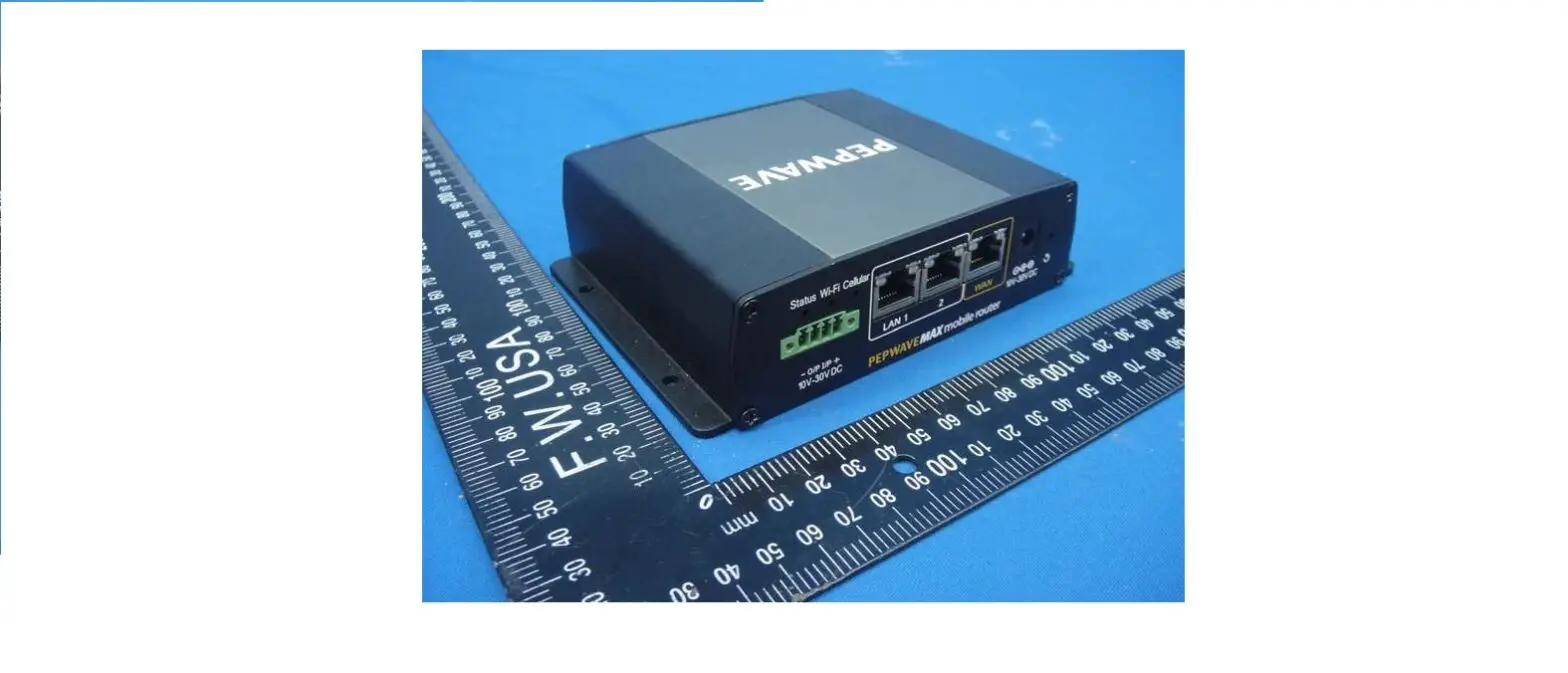
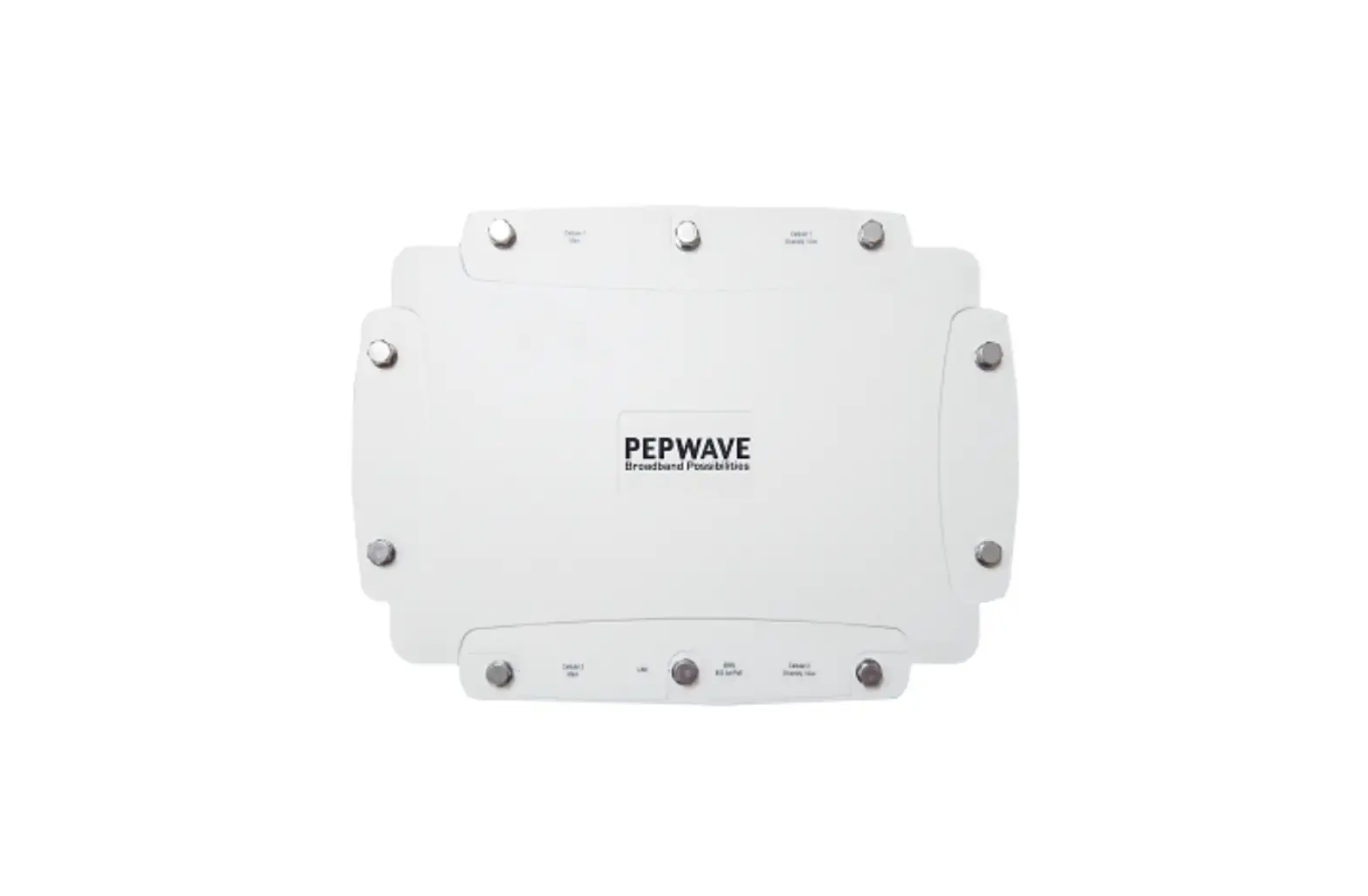
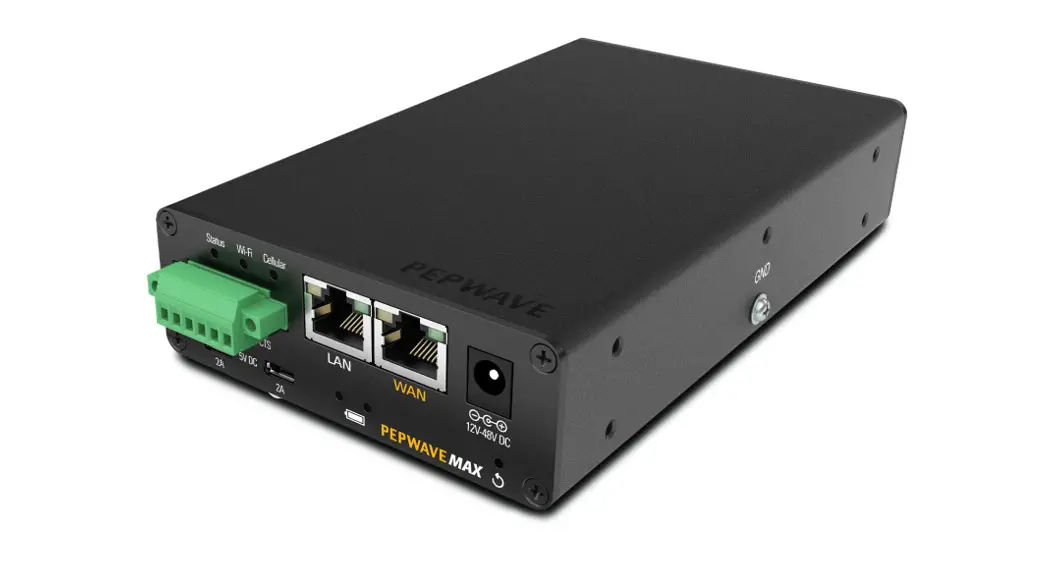
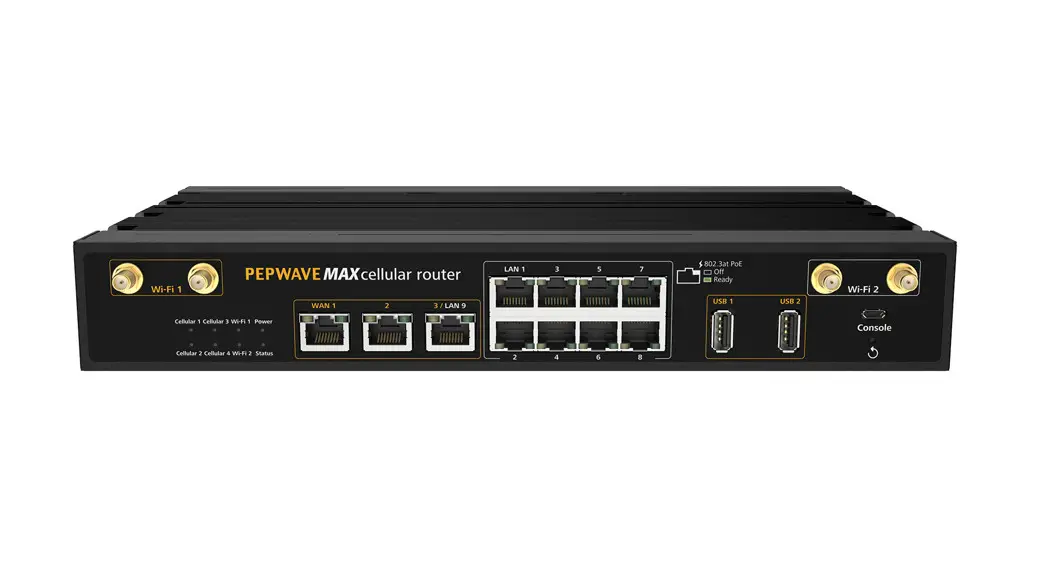
MAX BR1 Pro 5G Overview
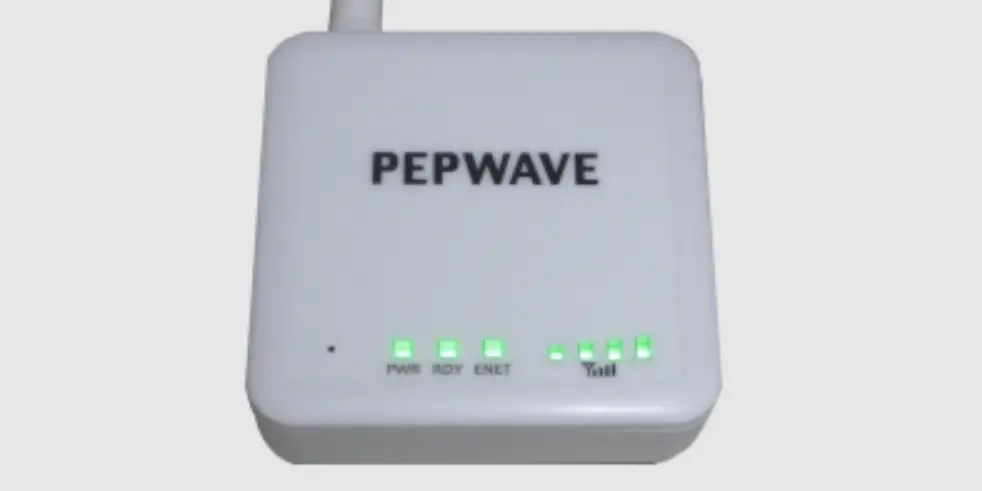
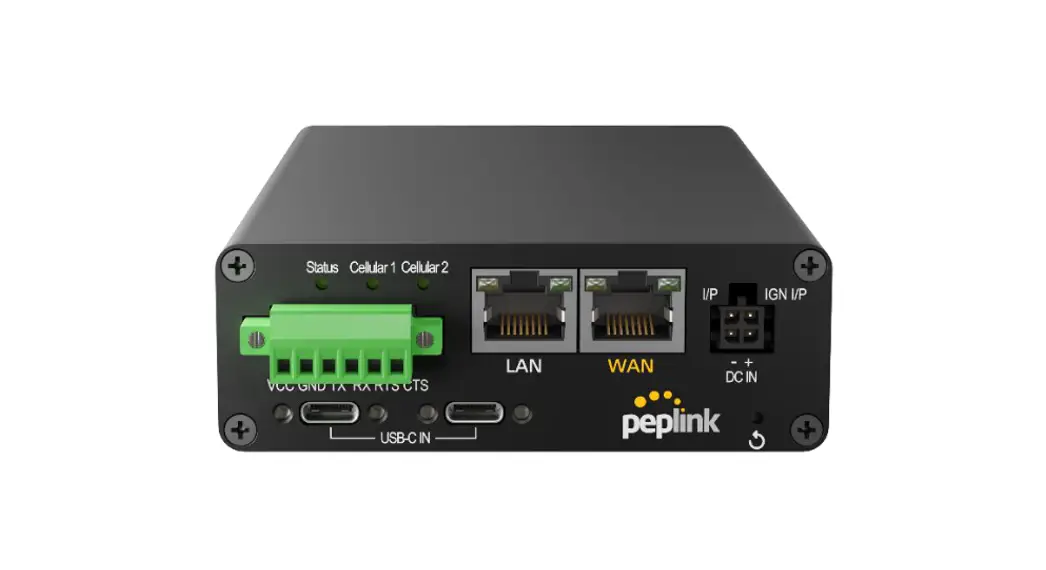
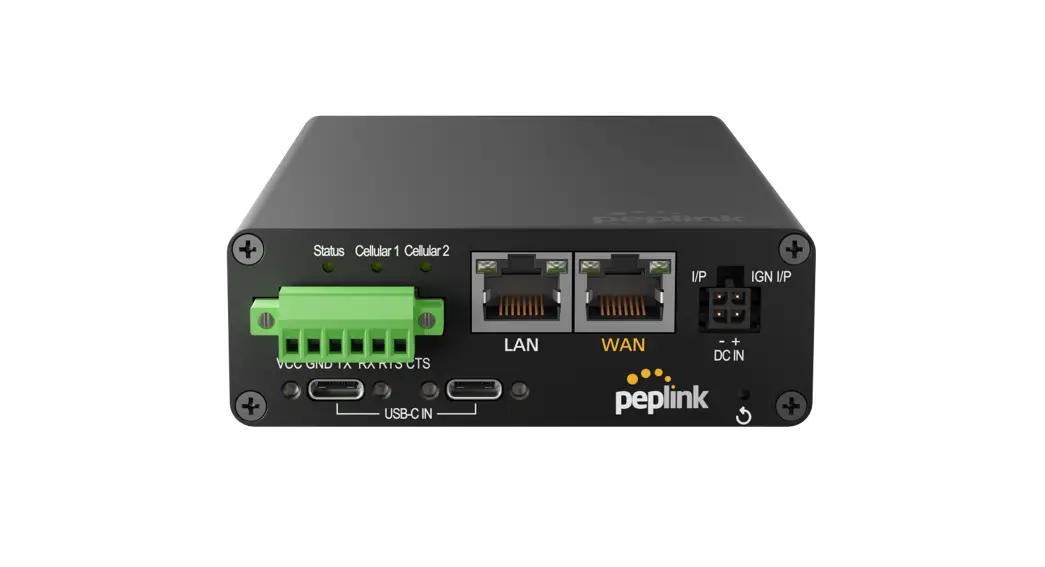
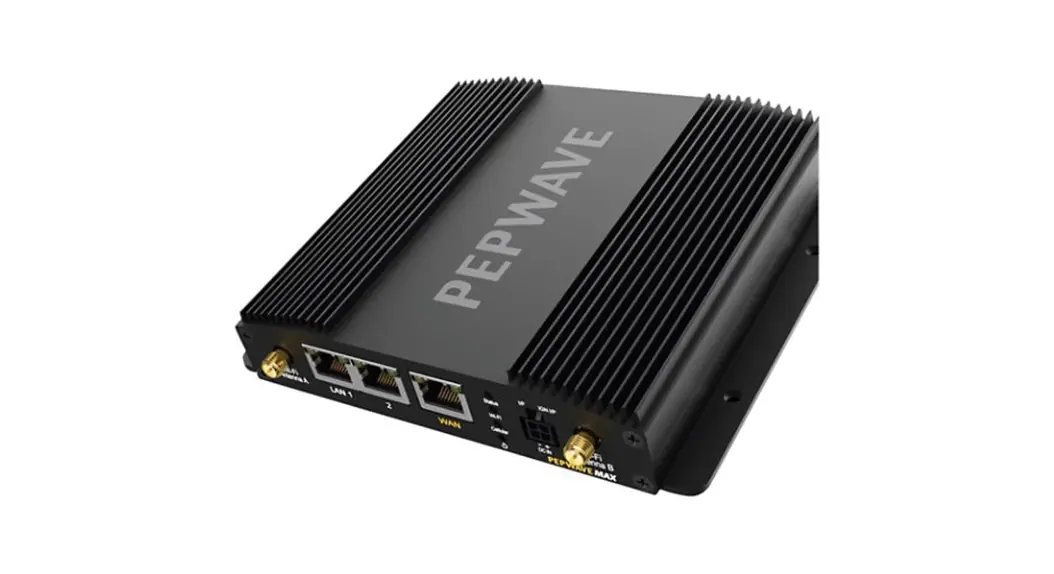
2.1 Panel Appearance 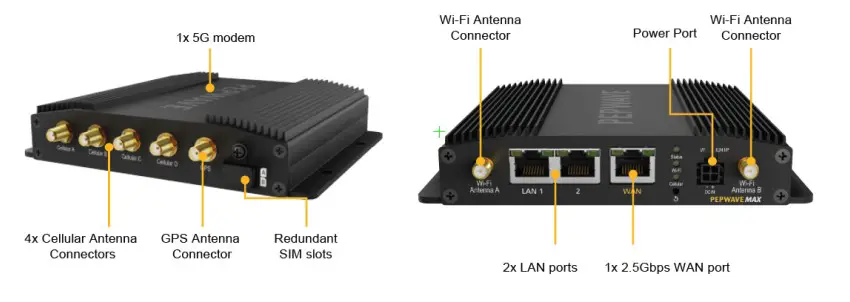 2.2 LED Indicators
The statuses indicated by the front panel LEDs are as follows:
| Status Indicators | ||
| Status | OFF | System initializing |
| Red | Booting up or busy | |
| Blinking red | Boot up error | |
| Green | Ready | |
| Cellular Indicators | ||
| Cellular | OFF | Disabled or no SIM card inserted |
| Blinking Slowly | Connecting to network(s) | |
| Green | Connected to network(s) | |
| Wi-Fi Indicators | ||
| Wi-Fi / Wi-Fi AP | OFF | Disabled intermittent |
| ON | Connected to wireless network(s) | |
| WAN Port | ||
| Green LED | ON | 1000 Mbps |
| OFF | 10 Mbps / 100 Mbps or port is not connected | |
| ON | Port is connected without traffic | |
| Orange LED | Blinking | Data is transferring |
| OFF | No data is being transferred or port is not connected | |
| Port Type | Auto MDI/MDI-X ports | |
| WAN Port | ||
| Right LED | ON | 1000 Mbps |
| OFF | 10 Mbps / 100 Mbps or port is not connected | |
| ON | Port is connected without traffic | |
| Left LED | Blinking | Data is transferring |
| OFF | No data is being transferred or port is not connected | |
| Port Type | Auto MDI/MDI-X ports | |
Advanced Feature Summary
3.1 Drop-in Mode and LAN Bypass: Transparent Deployment 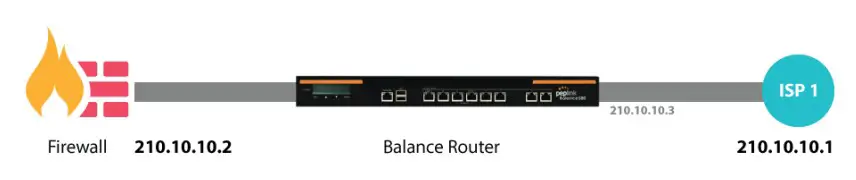 As your organization grows, it may require more bandwidth, but modifying your network can be tedious. In Drop-in Mode , you can conveniently install your Peplink router without making any changes to your network. For any reason your Peplink router looses power, the LAN Bypass will safely and automatically bypass the Peplink router to resume your original network connection.
Note: Drop-in mode is compatible for All MAX models except MAX BR1 IP67
3.2 QoS: Clearer VoIP  VoIP and videoconferencing are highly sensitive to latency. With QoS, Peplink routers can detect VoIP traffic and assign it the highest priority, giving you crystal-clear calls.
3.3 Per-User Bandwidth Control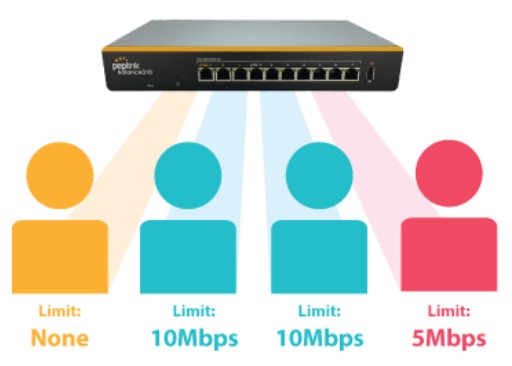 With per-user bandwidth control, you can define bandwidth control policies for up to 3 groups of users to prevent network congestion. Define groups by IP address and subnet, and set bandwidth limits for every user in the group.
3.4 High Availability via VRRP 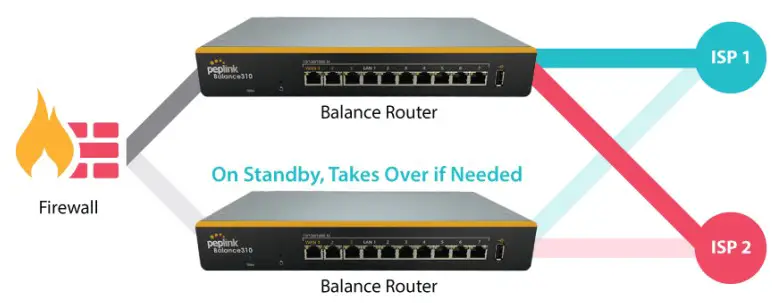 When your organization has a corporate requirement demanding the highest availability with no single point of failure, you can deploy two Peplink routers inPeplink | Pepwave – Forum . With High Availability mode, the second device will take over when needed.
Compatible with: MAX 700, MAX HD2 (All variants), HD4 (All Variants)
3.5 USB Modem and Android Tethering 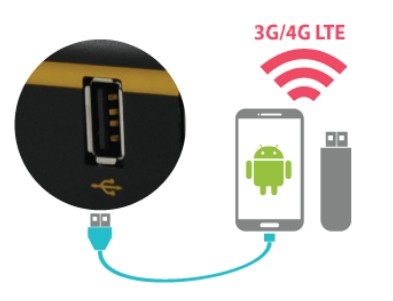 For increased WAN diversity, plug in a USB LTE modem as a backup. Peplink routers are compatible with over 3G/4G LTE USB Modems for Cellular Bonding – Peplink . You can also tether to smartphones running Android 4.1.X and above.
Compatible with: MAX 700, HD2 (all variants except IP67), HD4 (All variants)
3.6 Built-In Remote User VPN Support  Use OpenVPN or L2TP with IPsec to safely and conveniently connect remote clients to your private network. L2TP with IPsec is supported by most devices, but legacy devices can also connect using PPTP.
Peplink | Pepwave – Forum.
Peplink | Pepwave – Forum
3.7 SIM-card USSD support  Cellular-enabled routers can now use USSD to check their SIM card’s balance, process pre-paid cards, and configure carrier-specific services.
Peplink | Pepwave – Forum
3.8 KVM Virtualization  KVM is a virtualisation module that allows administrators using our routers to host a large range of virtual machines. KVM is now supported on some MediaFast / ContentHub routers.
Peplink | Pepwave – Forum
Peplink | Pepwave – Forum
3.9 DPI Engine
The DPI report written in the updated KB article will show further information on InControl2 through breaking down application categories into subcategories.
https://forum.peplink.com/t/updated-ic2-deep-packet-inspection-dpi-reports-and-everything-you-need-to-know-about-it/29658
3.10 NetFlow
NetFlow protocol is used to track network traffic. Tracking information from NetFlow can be sent to the NetFlow collector, which analyzes data and generates reports for review.
Note: To enable this feature, go to https://Device’sIPcgibinMANGAsupport.cgi 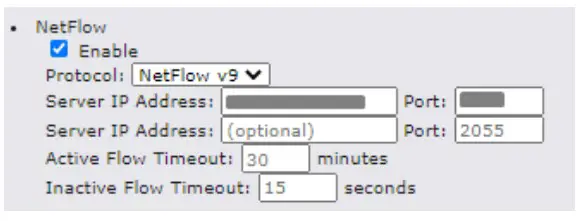 3.11 Wi-Fi Air Monitoring
Pepwave routers support Wi-Fi “Air Monitoring Mode” which used to troubleshoot remotely and proactively monitor Wi-Fi and WAN performance. The report can be viewed under InControl 2 >
Reports > Airproxes Reports after enabling Wi-Fi Air Monitoring.
Note: To enable this feature, go to https://Device’sIPcgi-binMANGAsupport.cgi 
The SP Default Configuration feature written in the updated KB article allows for the provisioning of custom made settings (a.k.a. InControl2 configuration) via the Ethernet LAN port and is ideal for those wanting to do a bulk deployment of many Pep link devices.
Note: If you would like to use this feature, please contact your purchase point (Eg.VAD) .
3.13 SpeedFusion Cloud Relay
Cloud Service Providers often restrict access to certain applications. With SFC Relay, you can route traffic before going out to the Internet, allowing access to previously restricted applications experienced with the public SpeedFusion Cloud nodes. Available as an add-on for your home router or as an upgradable license to your Peplink router, SFC Relay is sure to impress you and any peers you give access to.
https://forum.peplink.com/t/configure-speedfusion-cloud-relay-server-and-client/6215ca9b017e48e0f3ff2479
3.14 DNS over HTTPS (DoH)
DoH provides the benefits of communicating DNS information over a secure HTTPS connection in an encrypted manner. The protocol offers increased privacy and confidentiality by preventing data interception and man-in-the-middle attacks.
To view additional settings, check this user manual in its full version.
References
 DNS, Dynamic DNS, VPS and Web Hosting Provider - ChangeIP
 My Dyn Account
 Free Dynamic DNS - Managed DNS - Managed Email - Domain Registration - No-IP
-
Products Archive - Peplink
-
Peplink | Pepwave - Forum
-
Peplink | Pepwave - Forum
-
Peplink | Pepwave - Forum
-
Peplink | Pepwave - Forum
-
3G/4G LTE USB Modems for Cellular Bonding - Peplink
-
Peplink | Pepwave - Forum
-
Peplink | Pepwave - Forum
-
Peplink | Pepwave - Forum
-
Peplink | Pepwave - Forum
-
Peplink | Pepwave - Forum
-
Peplink | Pepwave - Forum
-
Peplink | Pepwave - Forum
-
Peplink | Pepwave - Forum
-
Peplink - Unbreakable Connectivity - Peplink
-
Peplink - Unbreakable Connectivity - Peplink
 DNS, Dynamic DNS, VPS and Web Hosting Provider - ChangeIP
 My Dyn Account
 Free Dynamic DNS - Managed DNS - Managed Email - Domain Registration - No-IP
 Products Archive - Peplink
 Peplink | Pepwave - Forum
 Peplink | Pepwave - Forum