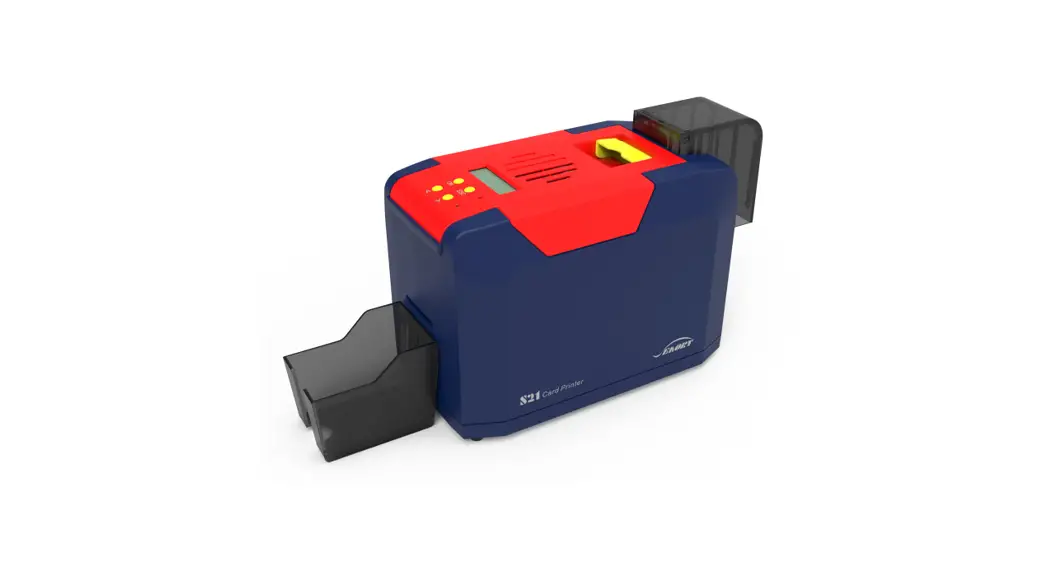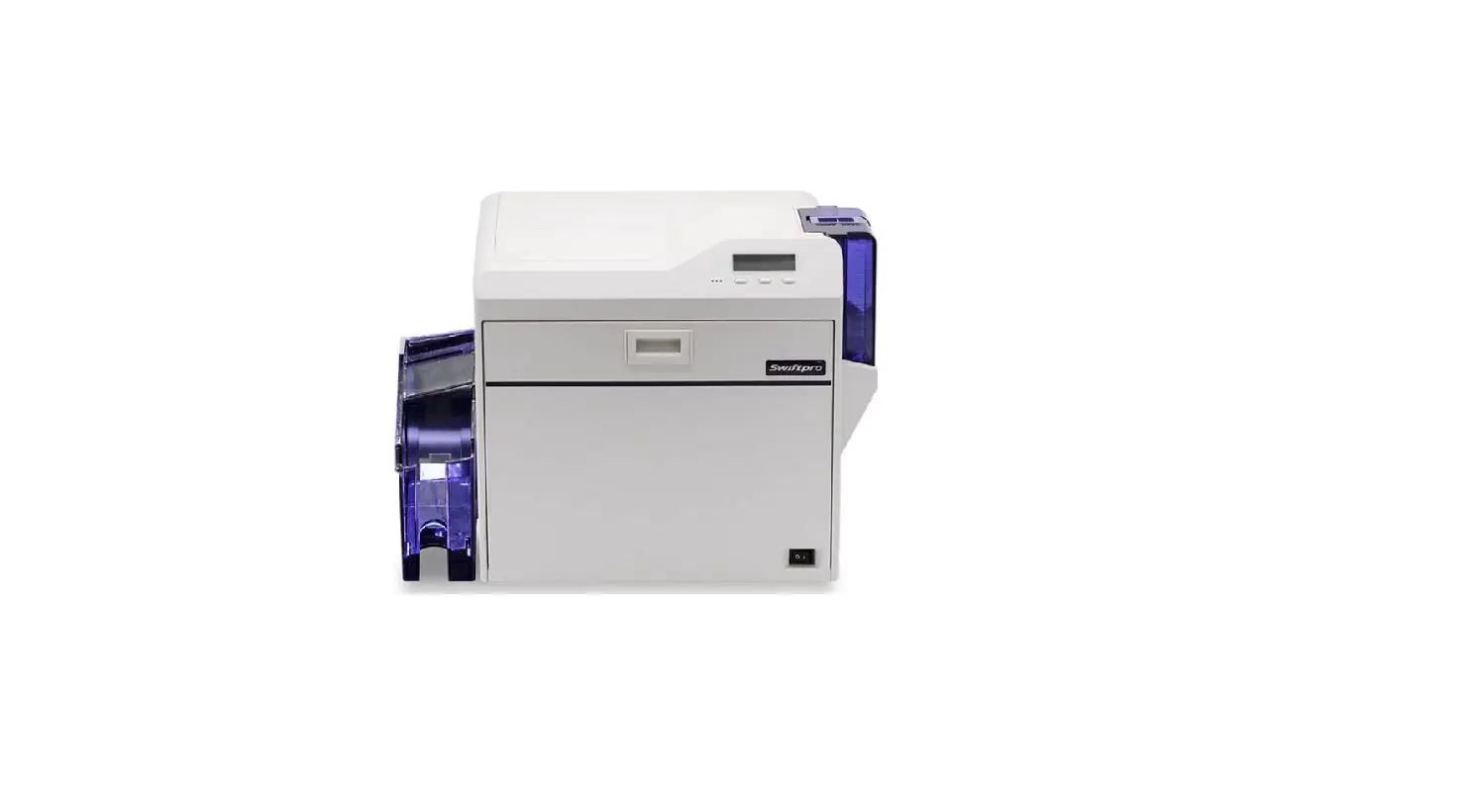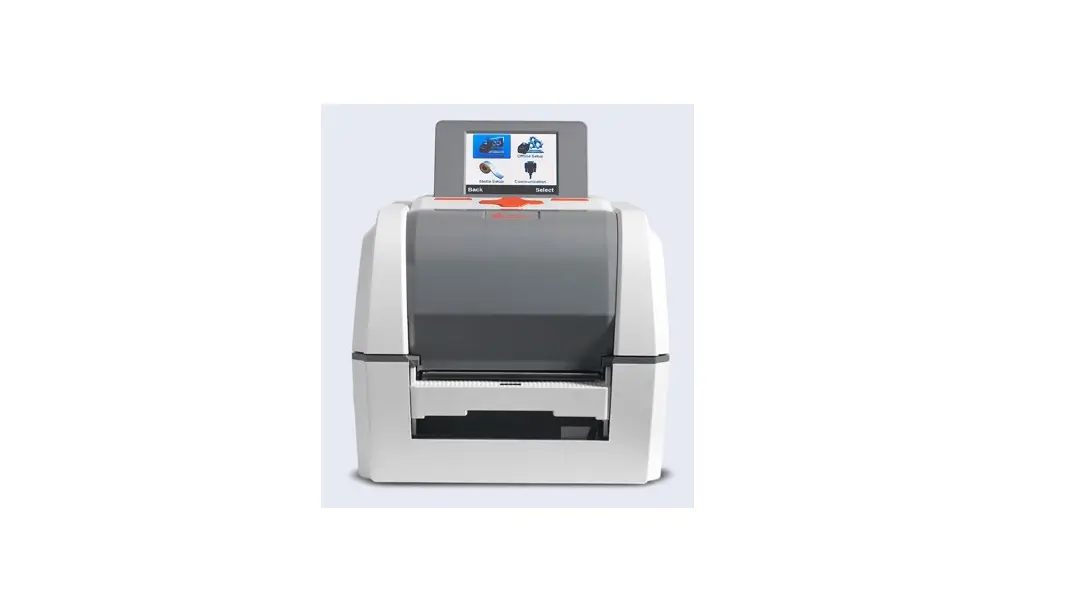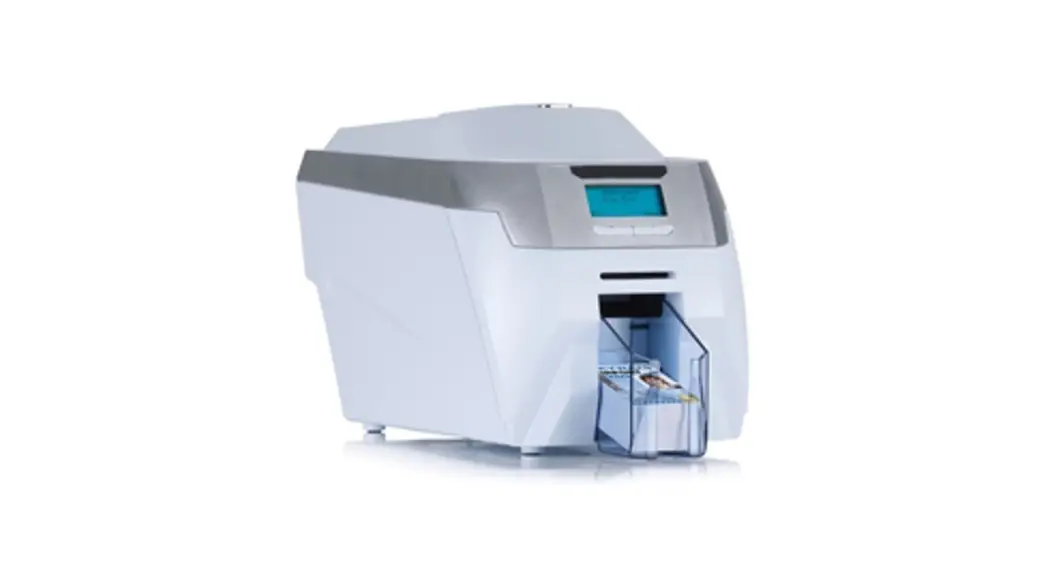

POINTMAN NR Series User Guide Manual
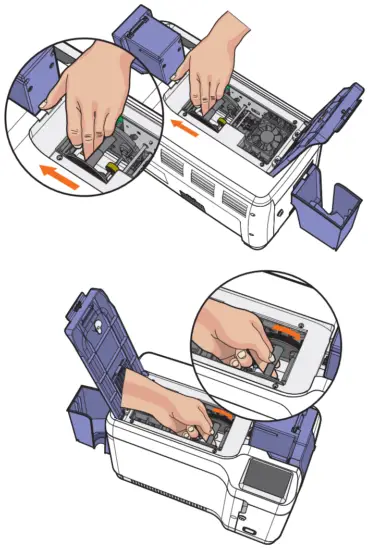
4. As shown in the image below, hold the card in the changer part with both hands and push it forward so that the changer can rotate, and then tilt it in the direction of 70 to 90 degrees to easily eject the card.
 Caution
Be careful not to jam the card when turning the changer as the card may move back and forth when turning the changer part.
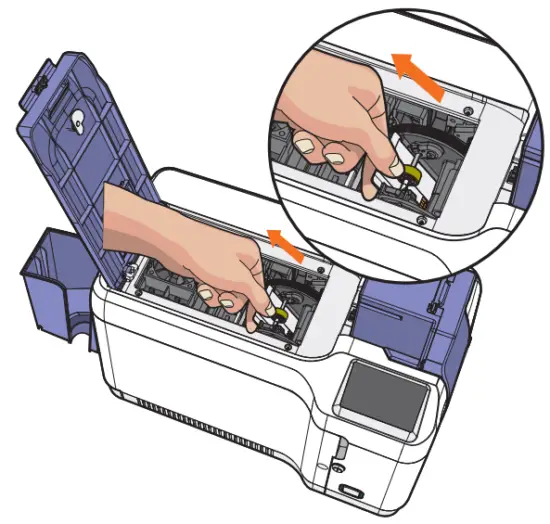
5. Remove the card by putting your hand inside the changer as shown below
③ Ribbon, Film
Code | Code name | Description | Solution |
| 14 | Ribbon encoder error | Ribbon break, ribbon end, encoder error | Check ribbon and ribbon encoder status |
| 36 | Ribbon count 0 or ribbon broken | Ribbon count 0 or ribbon broken | Ribbon status check |
| 38 | Ribbon tag error | Abnormal ribbon installation | Ribbon and Ribbon Tag Certification Verified |
| 182 | Ribbon adjustment error | Ribbon adjustment error | Sensor check and correct sensor value adjustment |
| 252 | Film tag error | Abnormal film installation | Check film and film tag certification |
| 237 | Film count 0 or film broken | Film count 0 or film broken | Check film status |
| 238 | Without ribbon tag | Without ribbon tag | Check whether the film tag is attached |
| 239 | Without ribbon tag | Without ribbon tag | Check whether the ribbon tag is attached |
④ Card
Code | Code name | Description | Solution |
| 17 | IC module up/down error | IC Content module location error | AS required |
| 50 | [Changer] Module response timeout | Changer communication error | Power off -> Remove card -> Reboot |
| 51 | [Changer] Module transmission timeout | Changer communication error | Power off -> Remove card -> Reboot |
| 52 | Changer] Finding the home location Failure | Error in changer home location | Power off -> Remove card -> Reboot |
| 53 | [Changer] Card flip failure | An error occurred in the changer turn up | Power off -> Remove card -> Reboot |
| 54 | [Changer] Card input timeout | Stops working while card enters with changer | Power off -> Remove card -> Reboot |
| 55 | [Changer] Card input jam occurred | Card transfer timed out to changer | Power off -> Remove card -> Reboot |
| 56 | [Changer] Card ejection jam occurred | Card jam occurs in the changer | Power off -> Remove card -> Reboot |
| 57 | [Changer] Has card | An abnormal card detected in the changer | Power off -> Remove card -> Reboot |
| 58 | [Changer] Unknown location error | Changer position out of place | Power off -> Remove card -> Reboot |
⑤ Other
Code | Code name | Description | Solutions |
| 15 | Media error | Media error | Check card (Media) and pass sensor status |
| 16 | EEPROM error | EEPROM read/write error | Reboot or replace EEPROM |
| 240 | Heater operation error | If the heater does not reach heat within a certain time | Contact seller or manufacturer |
| 241 | Heater operation error | If installed Heater sensor is strange | Contact seller or manufacturer |
-Warning
① Card
Code | Code name | Description | Solution |
| 23 | [IC] Contact error | IC contact not working | IC contact module check |
| 24 | [MS] Encoder error | MS encoder error occurred | MS module check |
| 25 | [MS] Read error | MS read error when one or more tracks to be read among MS 1/2/3 tracks fail to Occur | MS module check |
| 26 | [MS] Read STX error | Can’t find STX in MS reading | MS transfer check |
| 27 | [MS] Read Parity Error | Parity error occurs in MS reading | MS transfer check |
| 28 | [MS] Read ETX error | Can’t find ETX in MS reading | MS transfer check |
| 29 | [MS] Read LRC error | LRC mismatch in MS reading | MS transfer check MS card replacement |
| 30 | IC module response timeout | IC module communication failure | IFM B/D check |
| 31 | RF module response time Excess | RF module communication failure | IFM B/D check |
| 33 | Card Eject Error | Changer module communication failure | Changer and changer B/D check |
| 34 | Card input timeout | Card input interruption | Check card feed tray and check card jam |
② Ribbon Film
Code | Code name | Description | Solutions |
| 35 | Little ribbon life left | Occurs when the remaining amount of ribbon is less than 10% | Ready to add a new ribbon |
| 253 | Little film life left | Occurs when the remaining film amount is less than 10% | Preparing to add a new film |
Caution
For the above faults, the fault state is cleared after performing one of the following three actions after failover.
- Press the ‘RIBBON SET’ button while the ribbon is normally installed.
- Press the ‘EJECT’ button
- Turn off the power switch and turn it on again
-Other errors
Inconvenience | Solutions |
| When printing occurs frequently, the ribbon is cut off at the top end of the card. | -Check the X-start coordinate value in the printer driver settings. -Recommendation of the X-start adjustment value is 14 ± 2 |
| If the printer cannot find the Card Designer program or another program | Check if the printer driver is installed correctly -Check if the communication cable is properly connected -PC reboot |
Check Ribbon & Film Specifications
-Color Ribbon specification
Ribbon type | Specification | NR series |
| YMCK | 600 Prints/Roll | |
| YMCK-K | 600 Prints/Roll |
-Mono Ribbon specification
Ribbon type | Specification | NR series |
| K | 1200 Prints/Roll |
-Film specification
Film type | Specification | NR series |
| OVERLAY | 1200 Prints/Roll |
Check the printer specifications
-Product Features
Up to 200 cards feeder
– Up to 200 cards can be loaded
Small size and weight
– Small size that can be installed in any narrow space
– Easily transportable using left and right handles High level of security
Easily transportable using left and right handles High level of security
– Optionally selectable physical lock slots such as cartridge and card feeder locks and Kensington locks (high security based on retransfer card printers)
User-oriented interface
– Intuitive 4-inch touch screen, full-color LCD display
Supports various card sizes
– Supports cards of various sizes such as CR79 / CR80 / CR90
-Product standard specification
① Printing method
– Thermal transfer dye sublimation method
② Print function
– Edge to edge method, single-sided/double-sided possible
③ Resolutions
– 300dpi(NR300), 600dpi(NR600), Y/M/C 256 color per pannel
④ printing speed
(1) Color printing
– Simplex printing: 122 sheets per hour (YMCK)
– Duplex printing: 80 sheets per hour (YMCKK)
⑤ Card loading capacity
– Card supply box: Basic 200 sheets (0.76mm standard)
– Card loading box: 150 sheets (0.76mm standard)
-Option specification
– Scanner module:
1) After inserting the card, move the card to the standby position
2) Move to the location of the SCAN module in the lower path with the Scan command and execute Scan.
3) After completing the scan, transfer the scan data and move to the card standby position
4)Card eject with Card Eject command
– Card Hopper lock
– Cartridge lock
– Magnetic/IC Contact
– RF Contactless smart card encoding
1) After inserting the card, move the card to the RF antenna position.
2) Activating RF Field and receiving card response with RF Power on command
3) Receive card information and send host with RF Card APDU command
4) Deactivate RF Field with RF Power OFF command after completion of the process
5) Card eject with Card Eject command
6) MODEL: RF CARD READER, RF TAG READER
7) RANGE OF FREQUENCY: 13.56MHz
8) CONTACLESS(RF) CARD: MIFARE, ISO1443 A, B, DESFIRE, NFC
9) OPERATIONAL TEMPERATURE RANGE: 10 C ~ 30 C
-Printer specifications
① Product size(Length x Width x height) Weight
– Product size: 451mm(L) x 270mm(W) x 397mm(H) -With Hopper 451mm(L) x 270mm(W) x 304mm(H) -Without Hopper
– Product weight: 11.78kg
② Power
– Input : 100-240V 50/60Hz 2.1A/Output : 24 Vdc, 6.25 A Caution
Printing when using an adapter other than the one provided by the manufacturer
Caution Do not use other adapters as it may cause quality problems.
③ Font
– MS WINDOW type font
– 128 MB RAM
⑤ Interface
– USB 2.0 connection, 10/100 BASE-T Ethernet
⑥ PC Specifications
– Windows 2000, Windows XP (32/64bit), Windows Vista (32/64bit),
Windows 7 (32/64bit), Windows 8 (32/64bit), Windows 10 (32/64bit),
Windows 2012 R2 Server, Windows 2008 Server, Windows 2003 Server (32/64bit)
⑦ Software
– Card Designer
⑧ Environmental Operating Range
Sheltered office environment 10°C to 30°C (50°F to 85°F)
Regulatory
-FCC
FCC IDENTIFIER : XTNNL300
Name of Grantee: TIT ENG Co., Ltd.
Equipment Class: Part 15 Low Power Communication Device Transmitter
Notes: ID Card Printer
FCC Information to User
This equipment has been tested and found to comply with the limits for a Class B digital device, pursuant to Part 15 of the FCC Rules. These limits are designed to provide reasonable protection against harmful interference in a residential installation. This equipment generates, uses, and can radiate radio frequency energy and, if not installed and used in accordance with the instructions, may cause harmful interference to radio communications. However, there is no guarantee that interference will not occur in a particular installation. If this equipment does cause harmful interference to radio or television reception, which can be determined by turning the equipment off and on, the user is encouraged to try to correct the interference by one of the following measures:
- Reorient or relocate the receiving antenna.
- Increase the separation between the equipment and receiver.
- Connect the equipment into an outlet on a circuit different from that to which the receiver is connected.
- Consult the dealer or an experienced radio/TV technician for help.
Caution
Modifications not expressly approved by the party responsible for compliance could void the user’s authority to operate the equipment.
FCC Compliance Information: This device complies with Part 15 of the FCC Rules. Operation is subject to the following two conditions: (1) This device may not cause harmful interference, and (2) this device must accept any interference received, including interference that may cause undesired operation.
Please keep a distance of 20cm when using the device.
IMPORTANT NOTE:
FCC RF Radiation Exposure Statement:
This equipment complies with FCC RF radiation exposure limits set forth for an uncontrolled environment. This equipment should be installed and operated with a minimum distance of 20 centimeters between the radiator and your body. This transmitter must not be co-located or operating in conjunction with any other antenna or transmitter.
– Connect the equipment into an outlet on a circuit different from that to which the receiver is connected.
– Consult the dealer or an experienced radio/TV technician for help.
This document is the copyright of TIT ENG Co., Ltd. and may not be reproduced in full or in part by any means, electronic or otherwise, without the prior written consent of TIT ENG Co., Ltd.
The Company would be very grateful if any accidental inaccuracies could be pointed out to us, as well as any other constructive criticism which might lead to a better understanding.

| -Main Office: | TIT ENG Co.,Ltd. (POINTMAN) 7th floor, Shin-do B/D, 215, Jungdae-ro, Songpa-gu, Seoul, Korea (ZIP: 05702) TEL : +82 2 3431 2370, FAX : + 82 2 3431 2371, www.pointman.co.kr [email protected] |
| -U. S. A Office: | POINTMAN Technologies Inc. 460 W. Lambert Road, Unit I, Brea, California, 92821 USA TEL: +1 714 784 6088, www.pointmanusa.com |
| -China Office: | POINTMAN Trading Co., Ltd Room 10G, Building B, Zhongyangdadao, Baoyuan Road 2004, Xixiang Street, Bao a district, Shenzhen, China (ZIP: 518102) TEL: +86 755 2397 2483, FM: + 86 755 8275 5963, www.pointmanchina.com |
 Pointman