
Download the App
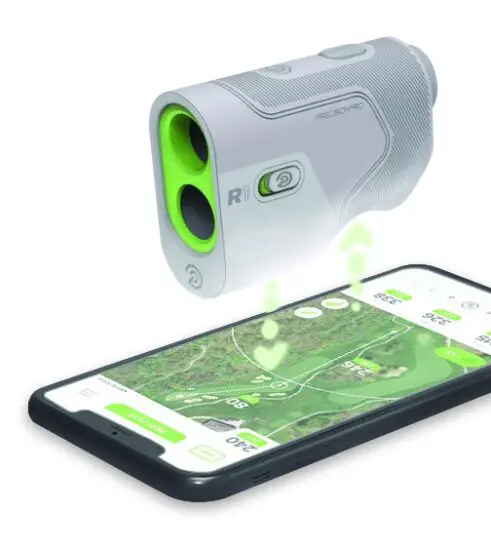
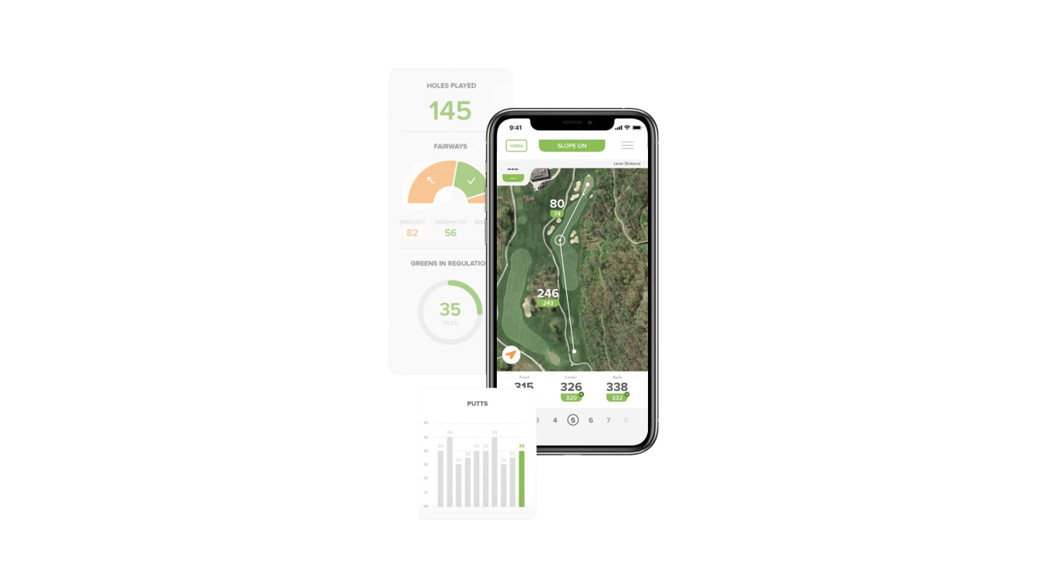
Search the App Store or Google Play Store for the Precision Pro Golf app.
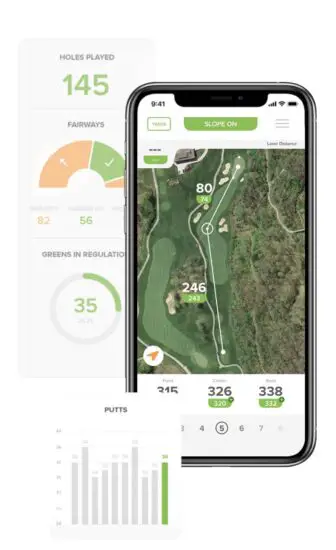
Follow the instructions in the app to pair the R1 Smart Rangefinder and utilize advanced features like MYSLOPE TM, Find My Precision Pro, and Wind Assist TM.
 |  |
| https://apps.apple.com/us/app/precision-pro-golf-app/id1446819641 | https://play.google.com/store/apps/detailsid=com.precisionprogolf.precisionpro |
Use the QR Code to download the Precision Pro Golf app.
Follow the instructions in the app to pair your R1 Smart Rangefinder.
Thank you
FOR CHOOSING PRECISION PRO
We believe golf is best played boldly, with the tools and tech that fit your style and your play.
Our revolutionary R1 Smart Rangefinder provides the smartest, most personalized distance measurements in the game.
If it isn’t personalized, it isn’t precise.
WRITE A REVIEW AT
amazon.com/feedback
10 %
YOUR NEXT PURCHASE OFF
OR SHARE WITH A FRIEND
USE CODE
THANKS
precisionprogolf.com
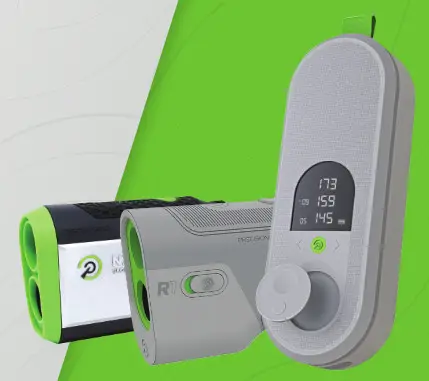
R1
PRODUCT MANUAL
Download the app
 |  |
| https://apps.apple.com/us/app/precision-pro-golf-app/id1446819641 | https://play.google.com/store/apps/details?id=com.precisionprogolf.precisionpro |
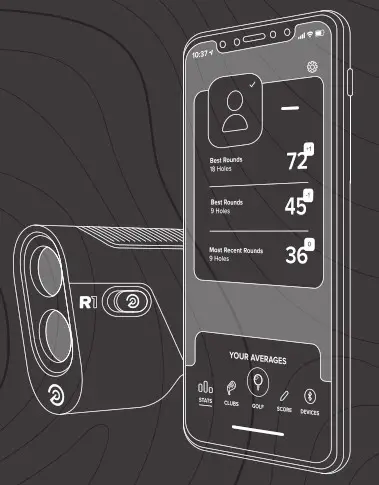
This product works best when paired with the PRECISION PRO GOLF app.
Please use the QR Code above to download the app and pair it with your rangefinder.
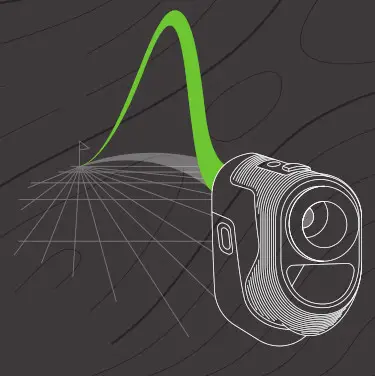
The first-ever personalized slope calculation creates an adjusted distance specific to you and your environment in the moment.
- Launch angle
- Ball speed
- Spin rate
- Temperature
- Altitude
- Humidity
MYSLOPE TM is a game-changing level of accuracy applied to every course, club, and swing to give you a number that’s specific to you — and no one else.
IF IT ISN’T PERSONALIZED, IT ISN’T PRECISE.
Product overview
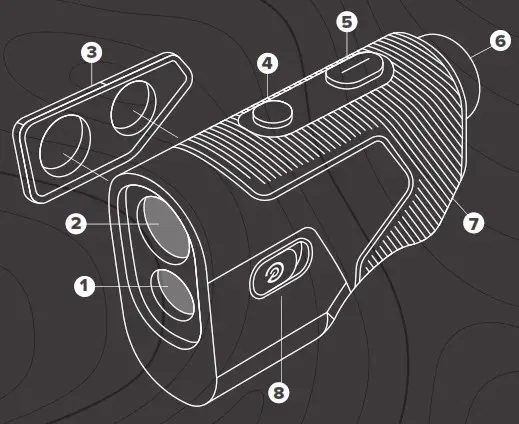
- Laser Lens
- Optical Lens
- Magnetic Grip
- Mode/Screen Button
- Power/Laser/Bluetooth Connect Button
- Adjustable Eyepiece
- Charging Port / Bluetooth Indicator
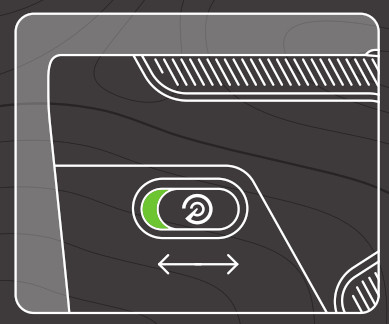
- Slope On/Off Switch
Laser SCREEN
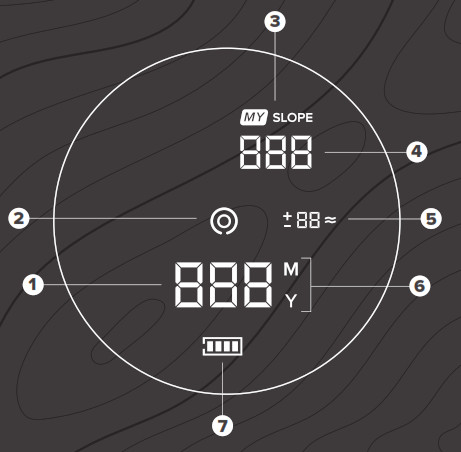
- Non-Slope-Adjusted Laser Distance
- Aiming Circle
- MYSLOPE TM Indicator
- Slope Adjusted Distance
- Wind Assist TM
- Yards/Meters Indicator
- Battery Level
GPS SCREEN
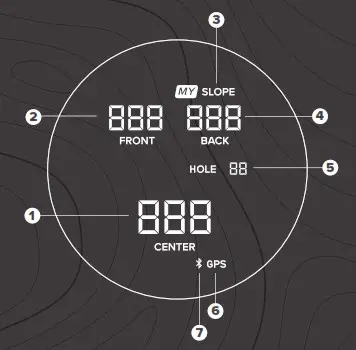
- Center-of-Green Distance
- Front-of-Green Distance
- MYSLOPE TM Indicator
- Back-of-Green Distance
- Hole Number
- GPS Indicator
- Bluetooth Indicator
Rangefinder quickstart GUIDE
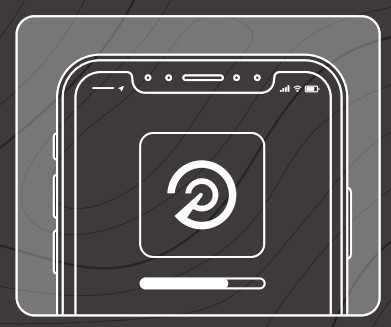
- Download the PRECISION PRO GOLF app from the Apple App Store or the Google Play Store.

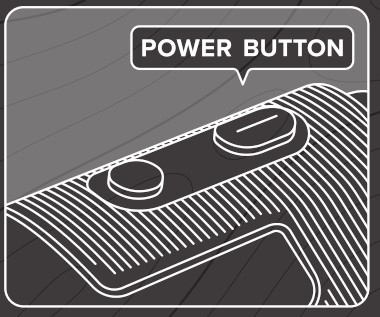
- Turn on the rangefinder by pressing the POWER button.

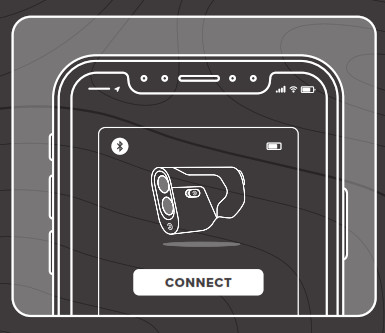
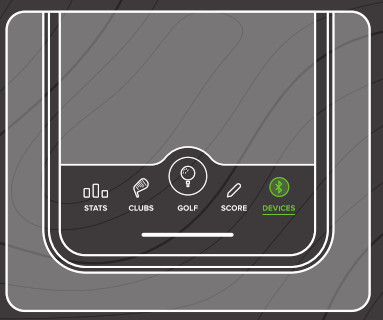
- Open the Precision Pro Golf app, go to the Devices tab, and follow the pairing instructions to connect your R1 Smart Rangefinder.

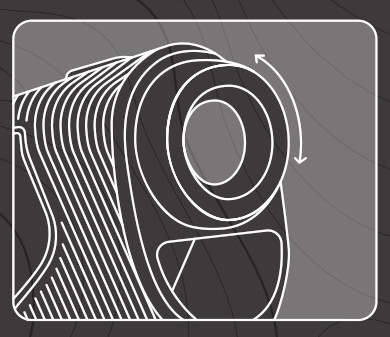
- Rotate the dial left or right on the adjustable eyepiece until the display appears sharply focused.

- 5Point the aiming circle at the target — flag, tree, bunker, etc. — then press the POWER button to “shoot your target.”

- The distance will appear on the screen.

- Press the MODE button to see the Front-Center-Back measurements on the GPS Screen.
(Press the MODE button again to return to the Laser Screen.)
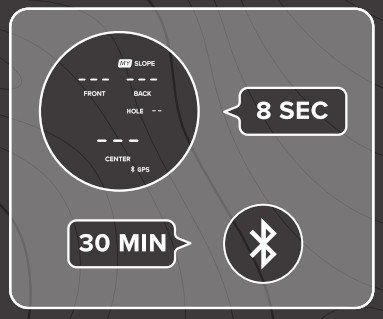
- The Rangefinder’s Screen will turn off after 8 seconds of inactivity. The Bluetooth connection will disconnect after 30 minutes of inactivity.

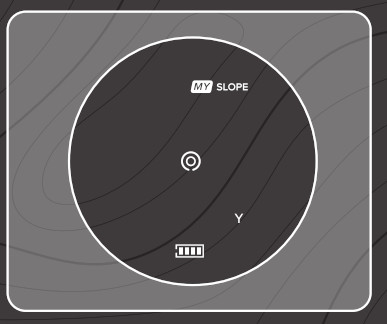
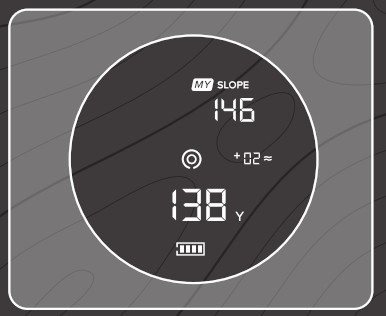
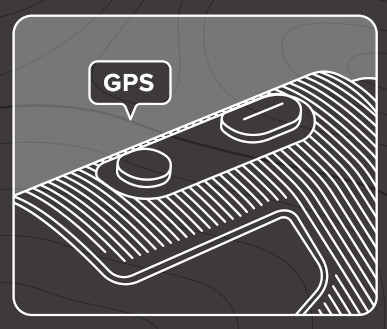
Screens
- Press and release the MODE button to switch between the Laser Screen and the GPS Screen.

- If a round of golf has been started in the Precision Pro Golf app, the GPS distances to the Front, Center, and Back of the green will appear on the GPS Screen.

- Press and release the MODE button again to switch the display back to the Laser Screen.

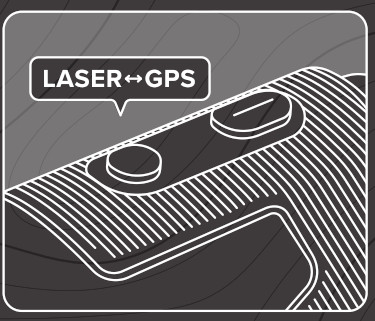
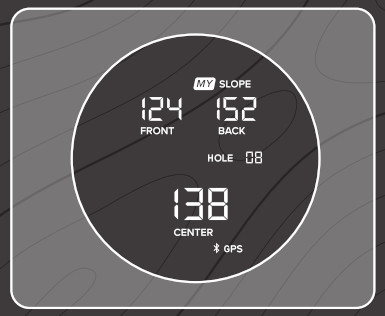
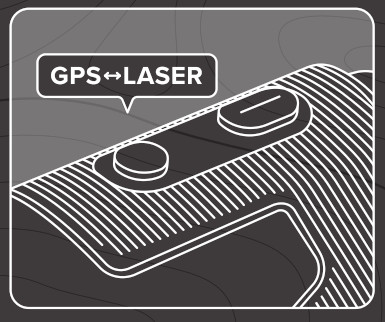
Yards / Meters
- Ensure your rangefinder is on the Laser Screen (Screen 1).

- Press and hold the MODE button for six seconds until the Yards/ Meters indicator changes from Y to M, or vice versa.

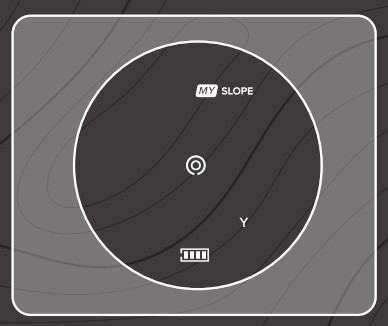
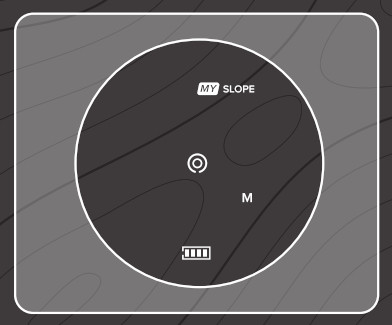
Slope Switch
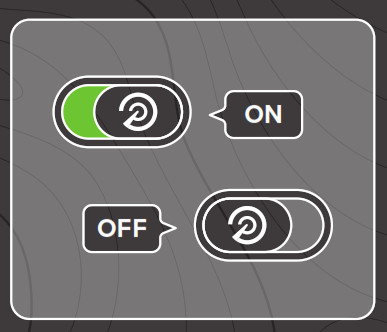
- Slide the Slope Indicator switch on the side of the rangefinder forwards or backward to turn the slope on and off.

- The slope is activated when the green is visible. The slope is turned off when the green is not visible.

Find my Precision Pro
- Open the Precision Pro Golf app and go to the DEVICES tab.

- Under the R1 Smart Rangefinder, select “Find My Precision Pro.”

- The screen will show the location where you were last connected to your rangefinder.
 * Please note: you will need to have first connected your R1 and will need to have cell service for the feature to function properly.
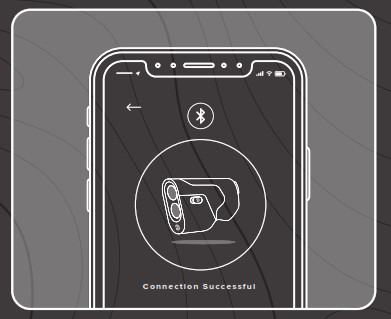
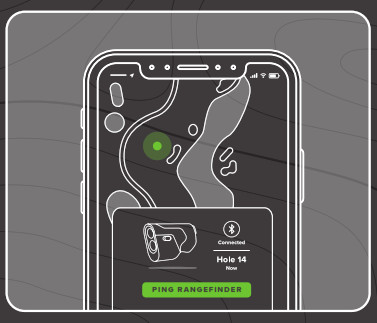 * Please note: you will need to have first connected your R1 and will need to have cell service for the feature to function properly.
Wind Assist ™
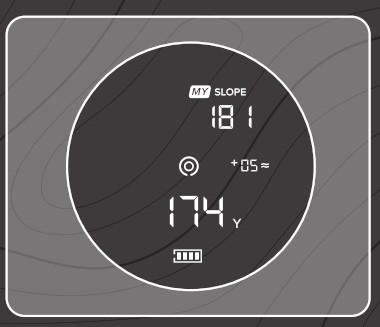
- Ensure your rangefinder is on the Laser Rangefinder Screen (Screen 1). Real-time wind data from our app is calculated before each shot.

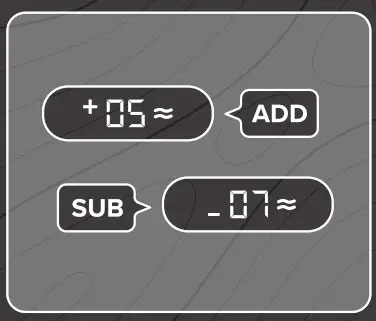
- A plus-sign (+) signifies the number of yards to ADD to your distance. A minus-sign (-) signifies how many yards to SUBTRACT from your distance.

Charging your rangefinder
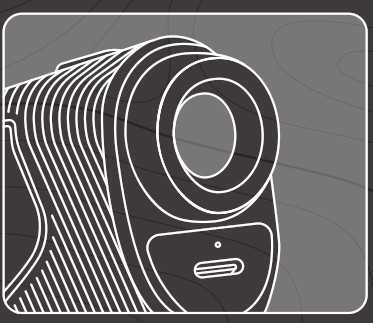
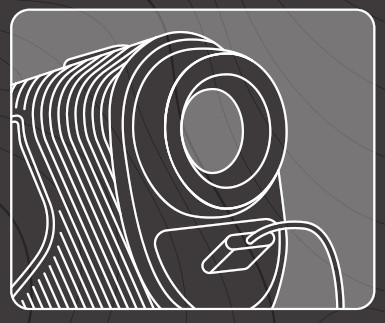
- Your R1 Smart Rangefinder includes a USB to USB-C charging cable.

- Plug the charging cable into the port on the rangefinder located underneath the adjustable eyepiece./

Precision Pro golf
INDUSTRY-LEADING CUSTOMER SUPPORT
 [email protected]
 precisionprogolf.com/help
 (888) 568-6770
 Contact Us - Precision Pro Golf