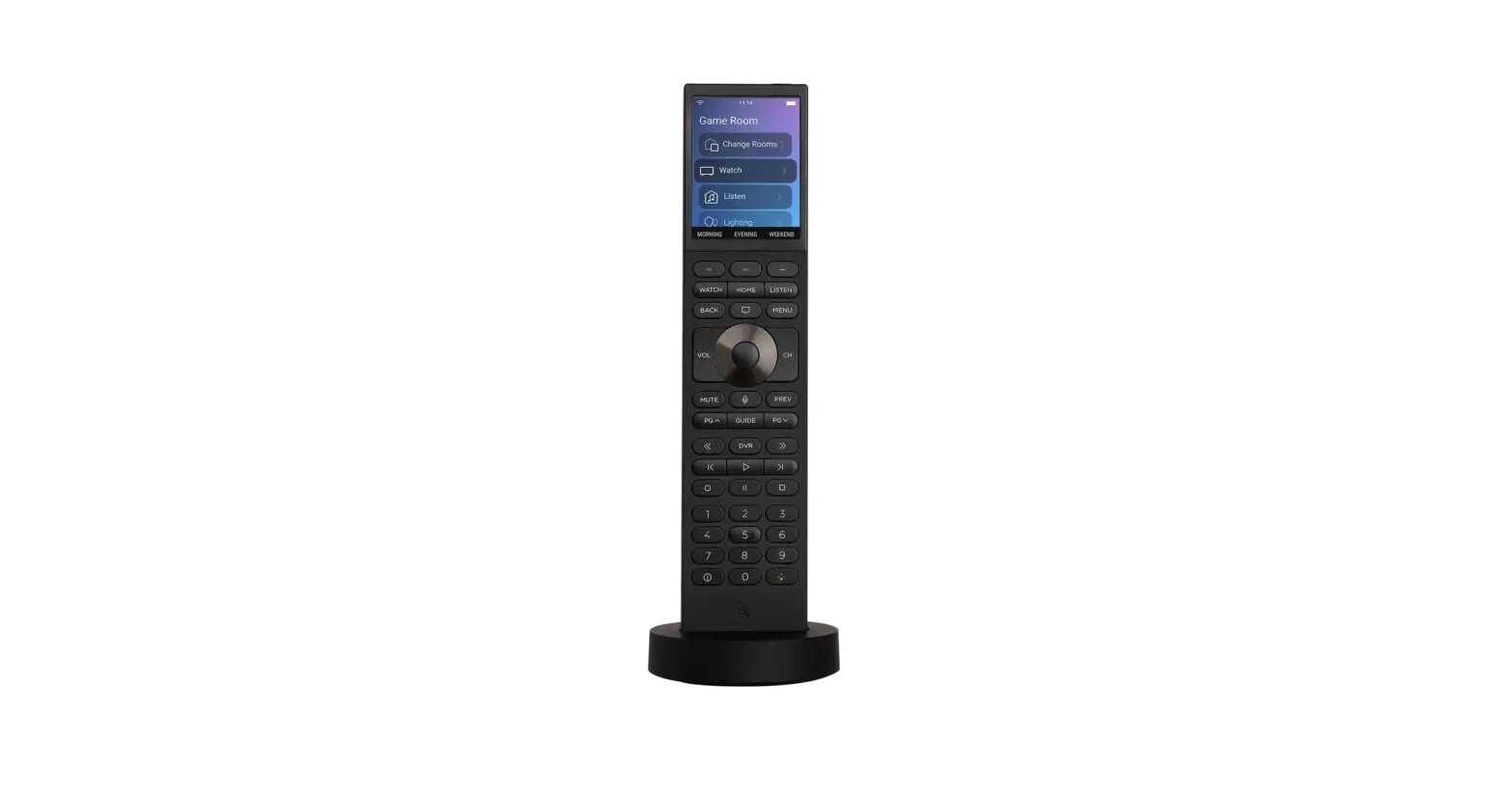
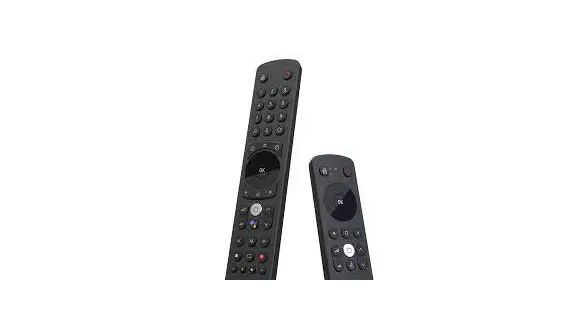
C4-HALO-BL Halo Remote
Halo Remote Install Guide
Product Information
The Halo remote is a versatile device that allows you to control
various aspects of your Control4 system. It features an ambient
light sensor for automatic screen and button brightness adjustment.
The remote supports voice commands for Xfinity and AppleTV, with
more services to come. It operates on Wi-Fi frequency and has a
battery charging function.
Setup
- Charge the Remote:
- Use the included wall adapter and cable to connect the remote’s
base to power. - Place the remote on the base to charge.
- Use the included wall adapter and cable to connect the remote’s
- Turn on the remote and scan the QR code:
- Press and hold the power button to turn the remote on.
- A QR code appears on the screen.
- Scan the QR code in the Control4 mobile app by tapping the
Control4 menu Icon, going to Settings, selecting your system, then
tapping Add New Device. - Follow the remote’s on-screen instructions to complete
installation.
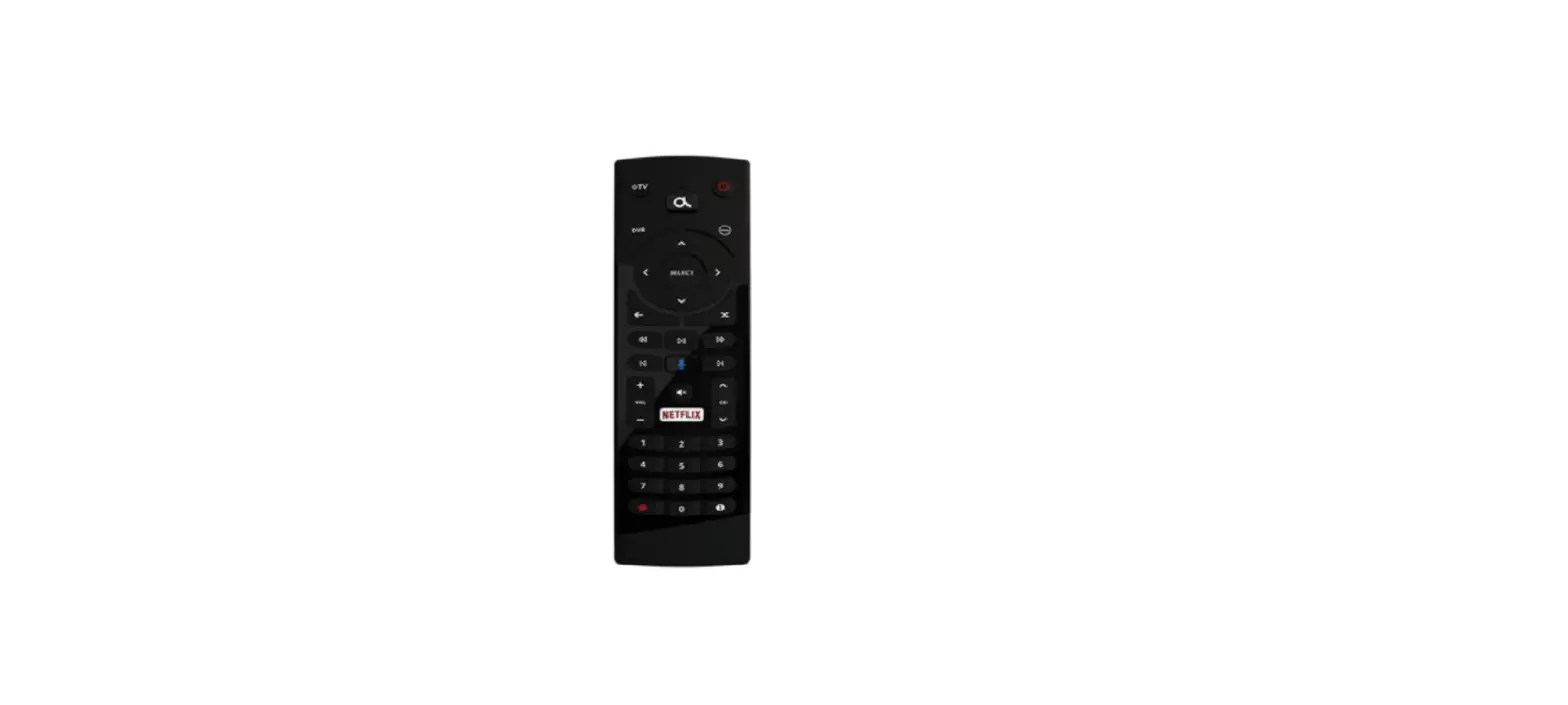
This guide outlines buttons specific to the Halo remote:
- Ambient light sensor: Automatically adjusts
the screen and button brightness. - Quick press: Turn a room off. Press and hold
to power the remote on or off. - Customizable buttons: Their function is
described at the bottom of the remote’s display. - Select a video source: Choose a video source
to watch. - View favorited items: Displays favorited items
in the selected room. - Select a music source: Choose a music source
to listen to. - View Control4 on-screen TV interface: If
enabled, displays the Control4 on-screen TV interface. - Navigates and selects menu items: Use these
buttons to navigate and select menu items. - Push-to-talk voice control: Activate voice
control by pressing this button. - Playback controls: Control playback of
media. - View information about what is being watched:
Press this button to view information about the currently watched
content. - RGBY custom color programming: Press to make
the 2, 4, 6, and 8 buttons glow their designated colors for custom
color programming. (Not available on the Touch model.)
Adding Favorites
- Open the Control4 mobile app.
- Select a room.
- Tap the Control4 menu icon.
- Choose the type of Favorite you wish to create.
- Tap and hold on the item you want to favorite.
- Tap “Favorite to Room” to add it as a favorite in the selected
room.
Controlling a Room
To control a room using the Halo remote:
- Press the Home button.
- Use the navigation buttons to select the room list.
- Select a favorite command or choose another experience, such as
lighting or security. - Use the Watch button to see available video sources in the
room. - Use the Listen button to see available audio sources. The four
most recent audio sources appear at the top.
Using Voice Commands
The Halo remote currently supports voice commands for Xfinity
and AppleTV. To use voice commands:
- Select Xfinity or Apple TV on the remote.
- Press and hold the voice control button to activate voice
control.
Remote Settings
To access the settings:
- Press the Home button.
- Navigate to the bottom of the list.
Specifications
- Wi-Fi frequency of operation
- Two antennas are used in diversity mode
- Supports per-packet RX antenna diversity
- Frequency for 2.4GHz WLAN
- Frequency for 5GHz WLAN
- Battery charging operation
- Power
Contact
Snap One, LLC
1800 Continental Blvd, Suite 300
Charlotte, NC 28273
Telephone number: 866-424-4489
Warranty and Legal Notices
Halo Remote Install Guide
Setup
Charge the Remote
Use the included wall adapter and cable to connect the remote’s base to power. Then place the remote on the base to charge.
Turn on the remote and scan the QR code
Press and hold the power button to turn the remote on. A QR code appears on the screen.
Scan the QR code in the Control4 mobile app by tapping the Control4 menu Icon, going to Settings, selecting your system, then tapping Add New Device.
Follow the remote’s on-screen instructions to complete installation.
2
Button Guide
Ambient light sensor
This guide outlines buttons specific to the Halo remote. Next to the power button is an ambient light sensor, to automatically adjust the screen and button brightness.
Quick press to turn a room off or press and hold to power the remote on or off Customizable buttons whose function is described at the bottom of the remote’s display Select a video source to watch View favorited items in the selected room
Select a music source to listen to
View the Control4 on-screen TV interface (if enabled)
Navigates and selects menu items
Push-to-talk voice control
Playback controls
View information about what is being watched* Press to make the 2, 4, 6, and 8 buttons glow their designated colors for RGBY custom color programming*
* These buttons do not appear on the Touch model. 3
Adding Favorites
Open the Control4 mobile app
To add a favorite to a room, open the Control4 mobile app and select a room. Then tap the Control4 menu icon and choose the type of Favorite you wish to create. Tap and hold on the item you want to favorite, then tap Favorite to Room.
Rearranging favorites
To rearrange favorites, press and hold an icon, then tap Arrange and Remove Favorites. Press and drag the icons in the order you’d like to see them. Tap the X button to remove a favorite. Tap the check mark when you’re finished.
On your Halo remote, navigate to the room to see your new favorites.
4
Controlling a Room
Selecting a room
Press the Home button, then use the navigation buttons to select the room list.
Selecting a favorite or experience
Select a favorite command, or press the Home button and use the navigation buttons to select another experience, such as lighting or security.
Using the Watch and Listen buttons
Use the Watch button to see the available video sources in the room, or use the Listen button to see the available audio sources. The four most recent audio sources appear at the top.
5
Using Voice Commands
The Halo remote currently supports voice commands for Xfinity and AppleTV, with more services on the way! To use voice commands, select Xfinity or Apple TV, then press and hold the voice control button.
Remote Settings
To access the settings press the Home button and navigate to the bottom of the list. Adjustable settings include:
· Display brightness · Network settings To view the electronic regulatory information, select Home > Settings > Regulatory.
6
Specifications
Wi-Fi frequency of operation
Two antennas are used in diversity mode Supports per-packet RX antenna diversity
Frequency for 2.4GHz WLAN
· b/g/n(HT20) 2412MHz – 2462MHZ
Frequency for 5GHz WLAN
· W52 11a/n/ac ((V)HT20/40/80) 5180MHz – 5240MHz · W53 11a/n/ac ((V)HT20/40/80) 5260MHz – 5320MHz · W56 11a/n/ac ((V)HT20/40/80) 5500MHz – 5725MHz · W58 11a/n/ac ((V)HT20/40/80) 5745MHz – 5825MHz
Battery charging operation
Operating Temperature (ambient): 0 to 35 °C (32 to 95 °F) · Cell surface temperature when charged and discharged with maximum current: 0 to 55 °C (±3 °C)
Power
· Adapter Input: 100-240V AC (50/60Hz), Output: 5V DC, 2A · Base Input: 5V DC, 2A · C4-HALO-BL Battery: Lithium-Ion, 3.8V DC, 2000mAh, 7.6Wh · C4-HALO-TS-BL (and AS) Battery: Lithium-Ion, 3.8V DC, 1900mAh, 7.22Wh · The battery is not replaceable by end user. Snap One or authorized personnel only. · This product is intended to be supplied by a Listed Power Supply Unit marked “Class 2” or “LPS” or “PS2.”
7
Contact
Snap One, LLC
1800 Continental Blvd, Suite 300 Charlotte, NC 28273
Telephone number: 866-424-4489
Warranty and Legal Notices
Find details of the product’s Limited Warranty at snapone.com/legal/ or request a paper copy from Customer Service at 866.424.4489. Find other legal resources, such as regulatory notices and patent and safety information, at snapone.com/ legal/ .
Copyright ©2022, Snap One, LLC. All rights reserved. Snap One its respective logos are registered trademarks or trademarks of Snap One, LLC (formerly known as Wirepath Home Systems, LLC), in the United States and/or other countries. 4Store, 4Sight, Control4, Control4 My Home, SnapAV, Araknis Networks, BakPak, Binary, Dragonfly, Episode, Luma, Mockupancy, Nearus, NEEO, Optiview, OvrC, Pakedge, Sense, Strong, Strong Evolve, Strong VersaBox, SunBriteDS, SunBriteTV, Triad, Truvision, Visualint, WattBox, Wirepath, and Wirepath ONE are also registered trademarks or trademarks of Snap One, LLC. Other names and brands may be claimed as the property of their respective owners. Snap One makes no claim that the information contained herein covers all installation scenarios and contingencies, or product use risks. Information within this specification subject to change without notice. All specifications subject to change without notice.
Version 221219
8
Regulatory Compliance & Safety Information for Model C4-HALO-BL
Electrical Safety Advisory Sécurité électrique consultatif
Important Safety Instructions Consignes de sécurité importantes
Read the safety instructions before using this product. Lisez les consignes de sécurité avant d’utiliser ce produit.
1. Read these instructions. Lisez ces instructions.
2. Keep these instructions. Conservez ces instructions.
3. Heed all warnings. Respectez tous les avertissements.
4. Follow all instructions. Suivez toutes les instructions.
5. Do not use this apparatus near water. Ne pas utiliser cet appareil près de l’eau.
6. Clean only with dry cloth. Nettoyez-le uniquement avec un chiffon sec.
7. Do not block any ventilation openings. Install in accordance with the manufacturer’s instructions. Ne pas bloquer les ouvertures de ventilation. Installer conformément aux instructions du fabricant.
8. Do not install near any heat sources such as radiators, heat registers, stoves, or other apparatus (including amplifiers) that produce heat. Ne pas installer près de sources de chaleur telles que des radiateurs, registres de chaleur, poêles, ou autres appareils (incluant les amplificateurs) qui produisent de la chaleur.
9. Only use attachments/accessories specified by the manufacturer. Utilisez uniquement des fixations / accessoires spécifiés par le fabricant.
10. Use only with the cart, stand, tripod, bracket, or table specified by the manufacturer, or sold with the apparatus. When a cart is used, use caution when moving the cart/apparatus combination to avoid injury from tip-over. Utilisez uniquement avec le chariot, le socle, le trépied, le support ou la table spécifiés par le fabricant ou vendu avec l’appareil. Lorsque vous utilisez un chariot, soyez prudent lorsque vous déplacez l’ensemble chariot / appareil pour éviter des blessures dues au renversement.
1800 Continental Blvd. Suite 200-300 · Charlotte, NC 28273 866-424-4489 · snapone.com
11. Refer all servicing to qualified service personnel. Servicing is required when the apparatus has been damaged in any way, such as power-supply cord or plug is damaged, liquid has been spilled or objects have fallen into the apparatus, the apparatus has been exposed to rain or moisture, does not operate normally, or has been dropped. Confiez toutes les réparations à un personnel qualifié. Une réparation est nécessaire lorsque l’appareil a été endommagé de quelque façon que ce soit le cordon d’alimentation ou la fiche est endommagé, du liquide a été renversé ou si des objets sont tombés dans l’appareil, l’appareil a été exposé à la pluie ou à l’humidité, ne fonctionne pas normalement, ou s’il est tombé.
12. Protect the power cord from being walked on or pinched particularly at plugs, convenience receptacles, and the point where they exit from the apparatus. Protégez le cordon d’alimentation ne soit piétiné ou pincé, en particulier au niveau des fiches, des prises et au point où il sort de l’appareil.
13. This equipment uses AC power which can be subjected to electrical surges, typically lightning transients which are very destructive to customer terminal equipment connected to AC power sources. The warranty for this equipment does not cover damage caused by electrical surge or lightning transients. To reduce the risk of this equipment becoming damaged it is suggested that the customer consider installing a surge arrestor. Unplug this apparatus during lightning storms or when unused for long periods of time.
Cet équipement utilise la puissance AC qui peuvent être soumis à des surtensions électriques, la foudre généralement transitoires qui sont très destructives envers les équipements terminaux connectés à des sources d’alimentation CA. La garantie de cet appareil ne couvre pas les dommages causés par les surtensions électriques ou transitoires de foudre. Pour réduire le risque de cet équipement devient endommagé, il est suggéré que le client envisager l’installation d’un limiteur de surtension. Débranchez cet appareil pendant les orages ou lorsqu’il n’est pas utilisé pendant de longues périodes de temps.
14. To completely disconnect unit power from the AC mains, remove the power cord from the appliance coupler and/or turn off the circuit breaker. To reconnect power, turn on the circuit breaker following all safety instructions and guidelines. The circuit breaker shall remain readily accessible. Pour débrancher complètement l’alimentation secteur du réseau secteur, retirez le cordon d’alimentation du coupleur de l’appareil et / ou éteignez le disjoncteur. Pour reconnecter l’alimentation, allumez le disjoncteur en suivant toutes les consignes et consignes de sécurité. Le disjoncteur doit être facilement accessible.
15. This product relies on the buildings installation for short-circuit (overcurrent) protection. Ensure that the protective device is rated not greater than: 20A.
Ce produit repose sur l’installation des bâtiments pour les courts-circuits (surintensité) de protection. Assurez-vous que le dispositif de protection est assignée ne dépassant pas: 20A.
1800 Continental Blvd. Suite 200-300 · Charlotte, NC 28273 866-424-4489 · snapone.com
16. Notice For indoor use only, Internal components are not sealed from the environment. The device can only be used in a fixed location such as a telecommunication center, or a dedicated computer room. When you install the device, ensure that the protective earthing connection of the socket-outlet is verified by a skilled person. Suitable for installation in information technology rooms in accordance with Article 645 of the National Electrical Code and NFP 75. Avis Pour une utilisation en intérieur uniquement, les composants internes ne sont pas scellés de l’environnement. L’appareil ne peut être utilisé que dans un lieu fixe tel qu’un centre de télécommunication, ou une salle informatique dédiée. Lors de l’installation de l’appareil, assurez-vous que la mise à la terre de protection de la prise de courant est vérifiée par une personne qualifiée. Convient pour une installation dans des salles informatiques conformément à l’article 645 du Code national de l’électricité et NFP 75.
17. This product can interfere with electrical equipment such as tape recorders, TV sets, radios, computers, and microwave ovens if placed in close proximity. Ce produit peut interférer avec des appareils électriques tels que les magnétophones, téléviseurs, radios, ordinateurs et fours à micro-ondes si placés à proximité.
18. Never push objects of any kind into this product through cabinet slots as they may touch
dangerous voltage points or short out parts that could result in fire or electric shock. N’introduisez jamais d’objets d’aucune sorte dans ce produit à travers les fentes du boîtier car ils pourraient toucher des points de tension dangereux ou court-circuiter des pièces qui pourraient entraîner un incendie ou un choc électrique.
19. WARNING No user serviceable parts inside. If the product is not operating properly, do
not remove any part of the unit (cover, etc.) for repair. Unplug the unit and consult the warranty section of the owner’s manual. AVERTISSEMENT Aucune pièce réparable par l’utilisateur à l’intérieur. Si le produit ne fonctionne pas correctement, ne retirez aucune pièce de l’appareil (couvercle, etc.) pour réparation. Débranchez l’appareil et consultez la section de garantie du manuel du propriétaire.
20. CAUTION: As with all batteries, there is a risk of explosion or personal injury if the battery is replaced by an incorrect type. Dispose of used battery according to the instructions of the battery manufacturer and applicable environmental guidelines. Do not open, puncture or incinerate the battery, or expose it to conducting materials, moisture, liquid, fire or heat above 54° C or 130° F. Battery operating temperature (ambient) : 0 to 35 (32 to 95) Cell surface temperature when charged and discharged with maximum current: 0 to 55 (±3).
ATTENTION: Comme avec toutes les batteries, il ya un risque d’explosion ou de blessure si la batterie est remplacée par un type incorrect. Éliminez les batteries usagées selon les instructions du fabricant de la batterie et applicables des directives environnementales. Ne pas ouvrir, percer ou incinérer la batterie, ou de l’exposer à des matériaux conducteurs, de l’humidité, du liquide, un incendie ou une température supérieure à 54 ° C ou 130 ° F. Température de fonctionnement de la batterie (ambiante) : 0 à 35 (32 à 95) Température de surface de la cellule lorsqu’elle est chargée et déchargée avec un courant maximum : 0 to 55 (±3).
1800 Continental Blvd. Suite 200-300 · Charlotte, NC 28273 866-424-4489 · snapone.com
The lightning flash and arrow head within the triangle is a warning sign alerting you of dangerous voltage inside the product L’éclair et la flèche dans le triangle est un signe d’alerte pour vous avertir d’une tension dangereuse à l’intérieur du produit
Caution: To reduce the risk of electric shock, do not remove cover (or back). No user serviceable parts inside. Refer servicing to qualified service personnel. Attention: Pour réduire le risque de choc électrique, ne pas retirer le couvercle (ou l’arrière). Aucune pièce réparable par l’utilisateur. Confiez l’entretien à un personnel qualifié. The exclamation point within the triangle is a warning sign alerting you of important instructions accompanying the product. Le point d’exclamation dans un triangle est un signe d’avertissement vous signale des instructions importantes accompagnant le produit.
See marking on bottom / back of product Voir le marquage sur les bas / dos du produit
Warning!: To reduce the risk of electrical shock, do not expose this apparatus to rain or moisture AVERTISSEMENT! Pour réduire le risque de choc électrique, n’exposez pas cet appareil à la pluie ou à l’humidité.
Save these instructions Conservez ces instructions
Compliance of this equipment is confirmed by the following label that is placed on the equipment: Conformité de cet appareil est confirmé par le symbole suivant qui est placé sur l’équipement:
USA & Canada Compliance
FCC Part 15, Subpart B & IC Unintentional Emissions Interference Statement
This equipment has been tested and found to comply with the limits for a Class B digital device, pursuant to Part 15 of the FCC rules. These limits are designed to provide reasonable protection against harmful interference when the equipment is operated in a residential installation. This equipment generates uses and can radiate radio frequency energy and, if not installed and used in accordance with the instructions, may cause harmful interference to radio communications. However, there is no guarantee that interference will not occur in a particular installation. If this equipment does cause harmful interference to radio or television reception, which can be determined by turning the equipment off and on, the user is encouraged to try to correct the interference by one or more of the following measures:
· Reorient or relocate the receiving antenna. · Increase the separation between the equipment and receiver.
1800 Continental Blvd. Suite 200-300 · Charlotte, NC 28273 866-424-4489 · snapone.com
· Connect the equipment into an outlet on a circuit different from that to which the receiver is connected.
· Consult the dealer or an experienced radio/TV technician for help.
This device complies with part 15 of the FCC rules. Operation is subject to the following two conditions: (1) This device may not cause harmful interference, and (2) this device must accept any interference received, including interference that may cause undesired operation.
Cet appareil est conforme à la section 15 des règles. Son utilisation est soumise aux deux conditions suivantes: (1) Cet appareil ne doit pas causer d’interférences nuisibles et (2) cet appareil doit accepter toutes les interférences reçues, y compris celles pouvant entraîner un fonctionnement non souhaité.
IMPORTANT! Any changes or modifications not expressly approved by the party responsible for compliance could void the user’s authority to operate this equipment.
IMPORTANT! Tous les changements ou modifications pas expressément approuvés par la partie responsable de la conformité ont pu vider l’autorité de l’utilisateur pour actionner cet équipement.
Canada Warning Statement:
CAN ICES-3 (B)/NMB-3(B) · This product meets the applicable Innovation, Science and Economic Development Canada technical specifications. · Ce produit répond aux spécifications techniques applicables à l’innovation, Science et Développement économique Canada.
FCC Part 15, Subpart C / RSS-247 Intentional Emissions Interference Statement
Compliance of this equipment is confirmed by the following certification numbers that are placed on the equipment:
Notice: The term “FCC ID:” and “IC:” before the certification number signifies that FCC and Industry Canada technical specifications were met.
FCC ID: 2AJAC-C4HALO IC: 7848A-C4HALO
This equipment must be installed by qualified professionals or contractors in accordance with FCC Part 15.203 & IC RSS-247, Antenna Requirements. Do not use any antenna other than the one provided with the unit.
Operations in the 5.15-5.25GHz band are restricted to indoor usage only.
Caution :
(i) the device for operation in the band 5150-5250 MHz is only for indoor use to reduce the potential for harmful interference to co-channel mobile satellite systems;
(ii) the maximum antenna gain permitted for devices in the band 5725-5850 MHz shall be such that the equipment still complies with the e.i.r.p. limits specified for point-to-point and non-point-to-point operation as appropriate; and
(iii) Users should also be advised that high-power radars are allocated as primary users (i.e. priority users) of the bands 5650-5850 MHz and that these radars could cause interference and/or damage to LE-LAN devices.
1800 Continental Blvd. Suite 200-300 · Charlotte, NC 28273 866-424-4489 · snapone.com
Avertissement:
(i) les dispositifs fonctionnant dans la bande 5150-5250 MHz sont réservés uniquement pour une utilisation à l’intérieur afin de réduire les risques de brouillage préjudiciable aux systèmes de satellites mobiles utilisant les mêmes canaux;
(ii) le gain maximal d’antenne permis (pour les dispositifs utilisant la bande de 5725 à 5 850 MHz) doit être conforme à la limite de la p.i.r.e. spécifiée pour l’exploitation point à point et l’exploitation non point à point, selon le cas;
(iii) De plus, les utilisateurs devraient aussi être avisés que les utilisateurs de radars de haute puissance sont désignés utilisateurs principaux (c.-à-d., qu’ils ont la priorité) pour les bandes 5650-5850 MHz et que ces radars pourraient causer du brouillage et/ou des dommages aux dispositifs LAN-EL.
FCC Partie 15, sous-partie C / RSS-247 Déclaration volontaire des émissions interférences
Conformité de cet appareil est confirmé par les chiffres de certification suivants qui sont placés sur l’équipement:
Avis: Le terme «FCC ID:” et “IC:” devant le numéro de certification signifie que les spécifications techniques de la FCC et d’Industrie Canada ont été respectées.
FCC ID: 2AJAC-C4HALO IC: 7848A-C4HALO
Cet équipement doit être installé par des professionnels qualifiés ou entrepreneurs conformément aux normes FCC partie 15.203 & IC RSS-247, Exigences d’antenne. Ne pas utiliser une antenne autre que celui fourni avec l’appareil.
Cet émetteur ne doit pas être localisé ou fonctionner avec d’autres antennes ou transmetteurs. Les opérations dans la bande 5.15-5.25GHz sont limitées à l’utilisation à l’intérieur seulement.
RF Radiation Exposure Statement
This equipment complies with FCC and IC radiation exposure limits set forth for an uncontrolled environment and meets the FCC and IC (RSS-102) radio frequency (RF) Exposure Guidelines.
Déclaration d’exposition aux radiations RF
Cet équipement est conforme aux limites d’exposition aux rayonnements de la FCC et de l’IC établies pour un environnement non contrôlé et répond aux directives d’exposition aux radiofréquences (RF) de la FCC et de l’IC (RSS-102).
Europe Compliance
Compliance of this equipment is confirmed by the following logo that is placed on the product ID label that is placed on the bottom of the equipment. The full text of the EU Declaration of Conformity (DoC) is available on the regulatory webpage:
1800 Continental Blvd. Suite 200-300 · Charlotte, NC 28273 866-424-4489 · snapone.com
This product can be put into service in all the EU member states, European Free Trade Association (EFTA) and EU candidate countries without any restriction.
BE BG CZ DK
DE EE IE
EL
ES FR HR IT
CY LV LT LU
HU MT NL AT
PL PT RO SI
SK FI SE UK
IS LI NO CH
MK AL RS TR
The frequency and maximum transmitted power in EU are listed as below: 2412 – 2472 MHz: 16.0 dBm 5180 – 5240 MHz: 13.0 dBm
WLAN 5GHz: Operations in the 5.15-5.35GHz band are restricted to indoor usage only.
United Kingdom (UK) Compliance
Compliance of this equipment is confirmed by the following logo that is placed on the product ID label that is placed on the bottom of the equipment. The full text of the UK Declaration of Conformity (DoC) is available on the regulatory webpage:
Recycling
Snap One understands that a commitment to the environment is essential for a health life and sustainable growth for future generations. We are committed to supporting the environmental standards, laws, and directives that have been put in place by various communities and countries that deal with concerns for the environment. This commitment is represented by combining technological innovation with sound environmental business decisions.
WEEE Compliance
Snap One is committed to meeting all requirements of the Waste Electrical and Electronic Equipment (WEEE) directive (2012/19/EC). The WEEE directive requires the manufacturers of electrical and electronic equipment who sell in EU countries: (1) label their equipment to notify customers that it needs to be recycled, and (2) provide a way for their products to be appropriately disposed of or recycled at the end of their product lifespan. For collection or recycling of Snap One products, please contact your local Snap One representative or dealer.
1800 Continental Blvd. Suite 200-300 · Charlotte, NC 28273 866-424-4489 · snapone.com
Australia & New Zealand Compliance Compliance of this equipment is confirmed by the following logo that is placed on the product ID label that is placed on the bottom of the equipment. About this Document Copyright © 2022 Snap One, LLC All rights reserved.
1800 Continental Blvd. Suite 200-300 · Charlotte, NC 28273 866-424-4489 · snapone.com
 Snap One