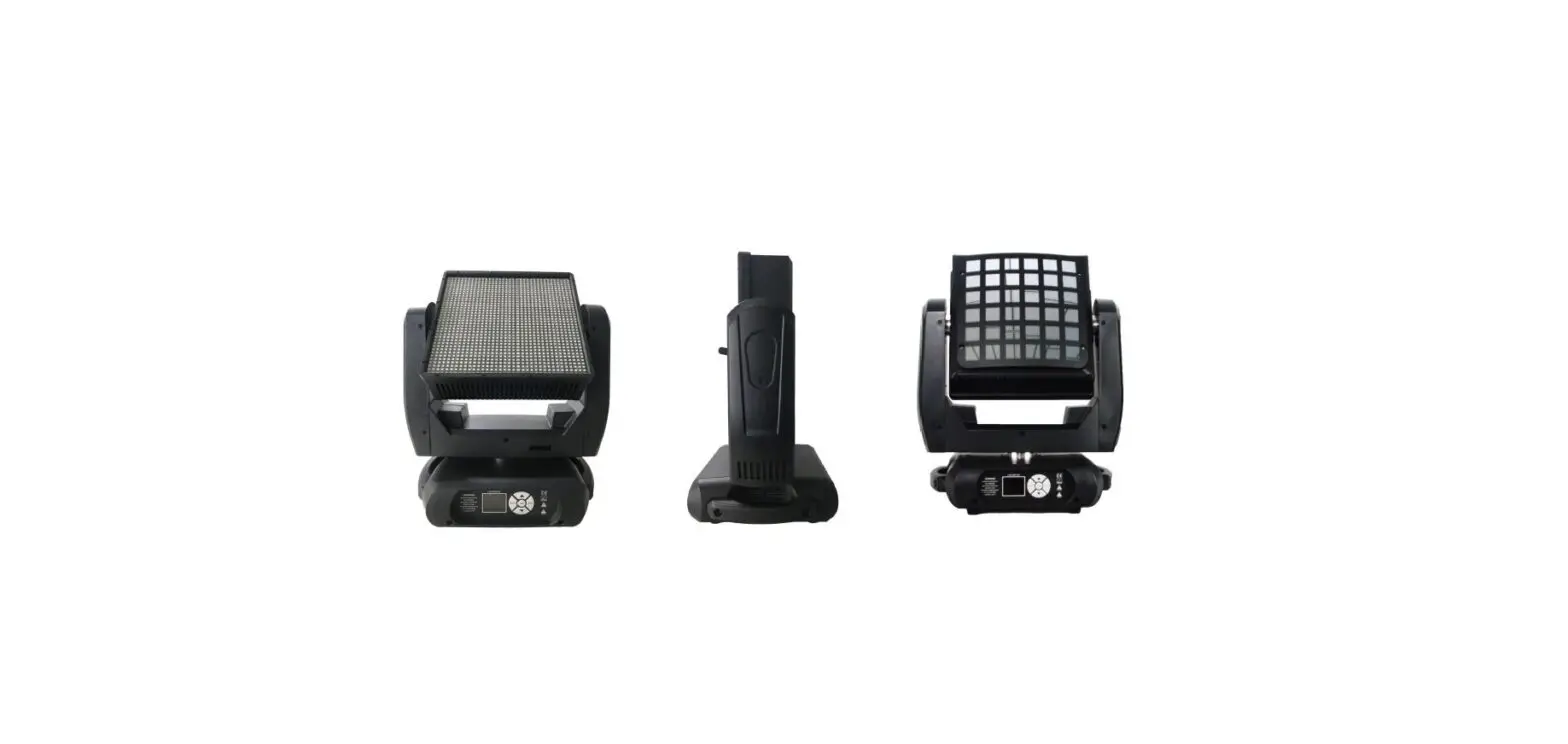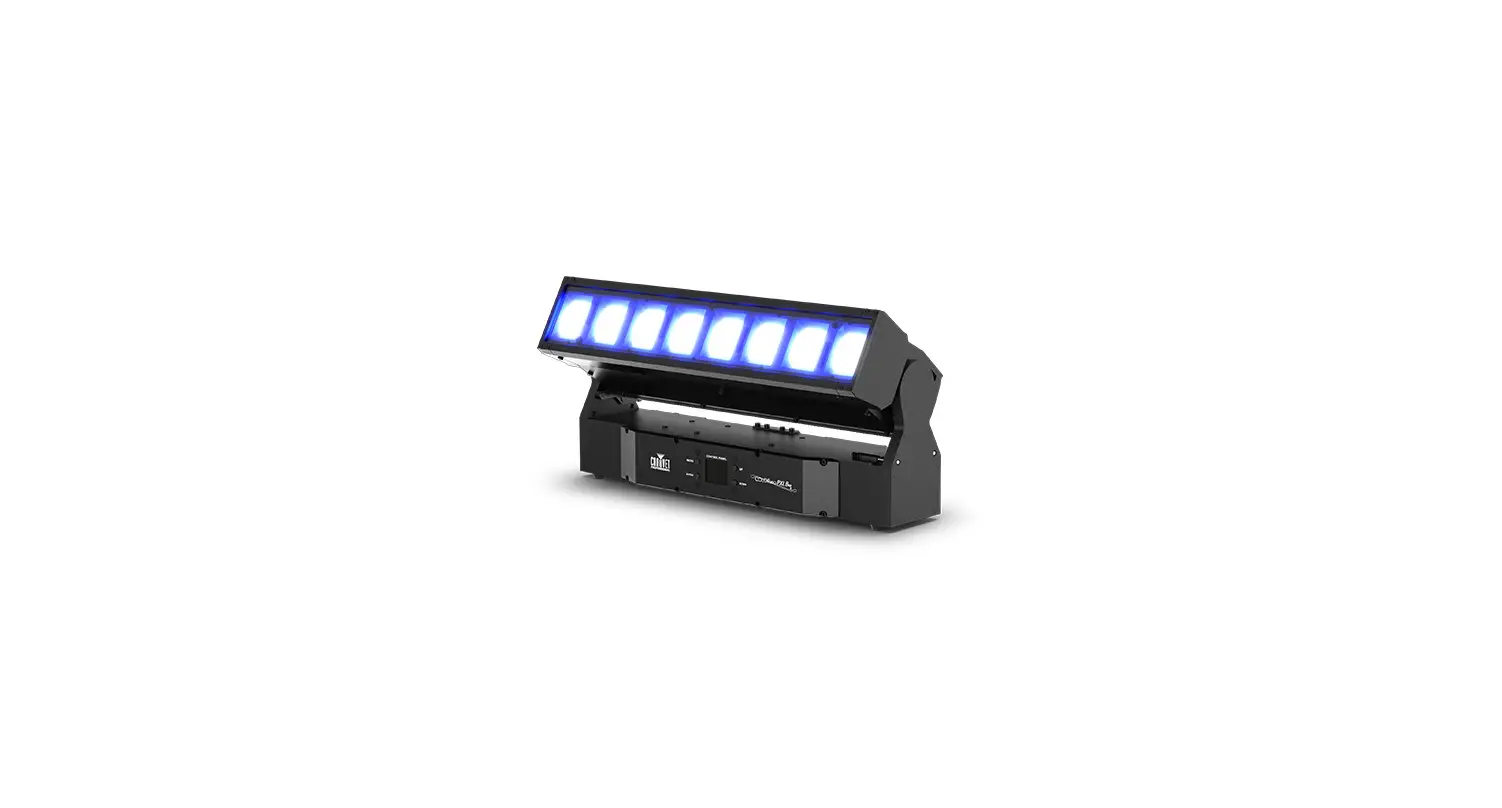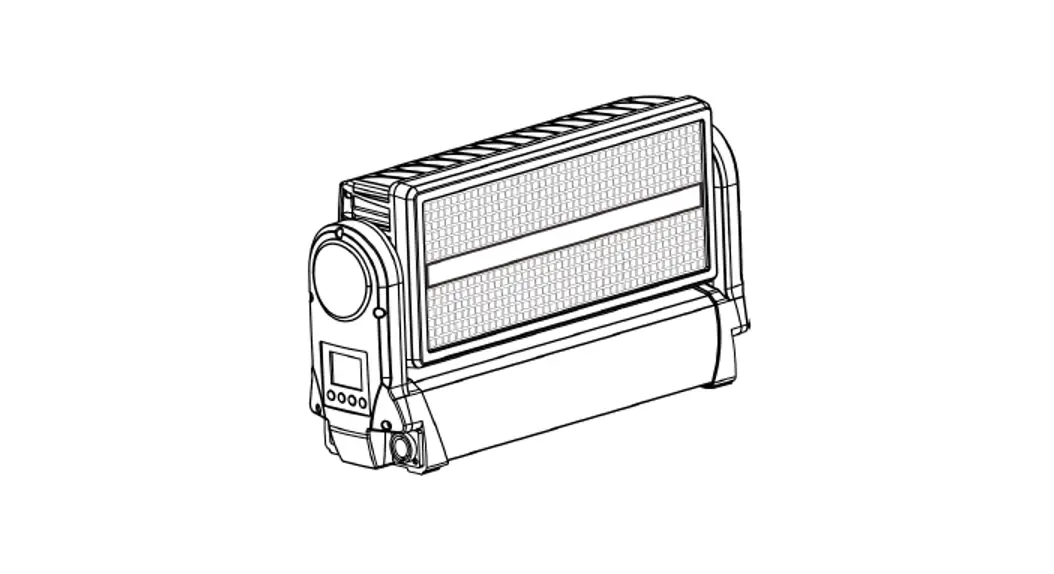
 Tiltbolt Strike Outdoor
User Manual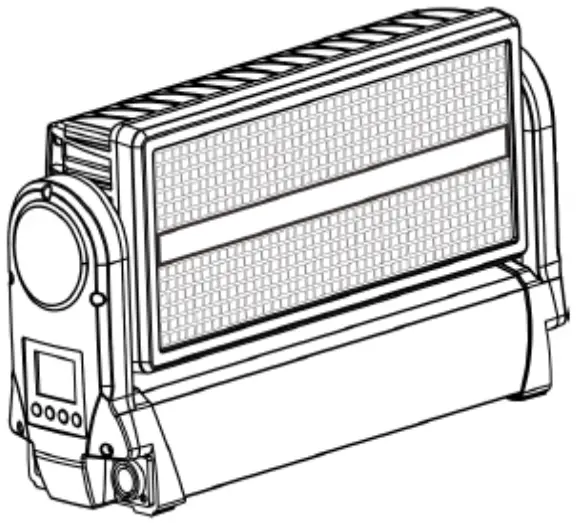
L8 FORUM Tiltbolt Strike Outdoor
The product has well capability and intact packing when leave factory. All of the user should comply with warning item and manual, any misuse cause of the damages are not included in our guarantee, and also can not be responsible for any malfunction & problem owing to ignore the manual.
Safety Instructions
Please keep this User Guide for future consultation. If you sell the unit to another user, be sure that they also receive this instruction booklet.
- Unpack and check carefully there is no transportation damage before using the unit.
- Before operating, ensure that the voltage and frequency of power supply match the power requirements of the unit.
- It’s important to ground the yellow/green conductor to earth in order to avoid electric shock.
- The unit is for indoor use only. Use only in a dry location.
- The unit must be installed in a location with adequate ventilation, at least 50cm from adjacent surfaces. Be sure that no ventilation slots are blocked.
- Disconnect main power before replacement or servicing.
- Make sure there are no flammable materials close to the unit while operating as it is fire hazard.
- Use safety cable when fixes this unit. DO NOT handle the unit by taking its head only, but always by taking its base.
- Maximum ambient temperature is Ta: 40℃. DO NOT operate it where the temperature is higher than this Unit surface temperature may reach up to 85℃. DO NOT touch the housing bare-hand during its operation. Turn off the power and allow about 15 minutes for the unit to cool down before replacing or serving.
- the event of serious operating problem, stop using the unit immediately.Never try to repair the unit by yourself. Repairs carried out by unskilled people can lead to damage or malfunction. Please contact the nearest authorized technical assistance center. Always use the same type spare parts.
- DO NOT touch any wire during operation as high voltage might be causing electric shock.
Warning:
- To prevent or reduce the risk of electrical shock or fire, do not expose the unit to rain or moisture.
- The housing, the lenses, or the ultraviolet filter must be replaced if they are visibly damaged.
Caution:
- There are no user serviceable parts inside the unit. DO NOT open the housing or attempt any repairs yourself. In the unlikely event your unit may require service, please contact your nearest dealer.
Installation:
- The unit should be mounted via its screw holes on the bracket. Always ensure that the unit is firmly 4 fixed to avoid vibration and slipping while operating. And make sure that the structure to which you are attaching the unit is secure and is able to support a weight of 10 times of the unit’s weight. Also always use a safety cable that can hold 12 times of the weight of the unit when installing the fixture.
- The equipment must be fixed by professionals. And it must be fixed at a place where is out of the touch of people.
Technical Specifications
Strobe Panel LEDs
LED Type: 5050 0.5W RGB 3in1 LEDs
LED Count: 480
LED Colors: RGB
LED Segments: 8 (2 x 4)
Strobe Tube LEDs
LED Type: 3535 5W 6500K LEDs
LED Count: 144
LED Colors: Cool-White
LED Segments: 4
Movement
Resolution: 8-16 Bit
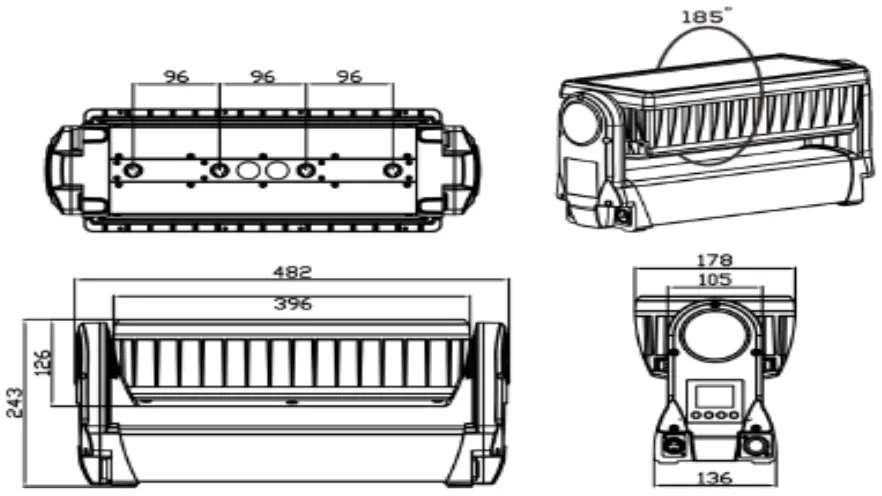
Tilt (Degrees): 185°
Control
Control Modes: 7CH / 14CH / 42CH / 16CH / 44CH
Display: Illuminated graphic LCD
Protocol: USITT DMX-512, RDM
RDM: Bidirectional communication
Wireless DMX: 2.4 GHz W-DMX™ (optional)
Cooling: Temperature controlled, overheating protection
Effects
Dimmer: 0-100% electronic
Shutter: electronic, max. 20 Hz
Internal Effects: LED Macro Effects
Connectors
Signal connection: Seetronic IP65 XLR 5-Pin or 3-Pin In/Out
Power Input: Seetronic PowerCON TRUE1 In/Out
Operating Conditions
Mains voltage: 100-240V AC / 50-60Hz
5
Power: 1000W
Maximum ambient temperature: -30°C / 86°F, 50°C / 122°F
Operating Position: any
Mounting Options
Hanging: Omega-Bracket
Safety wire attachment: foldout eyelets
Shipping
Single fixture: cardboard (inner and outer cartons)
Tourpack: 4-way Flight Case
Housing Colors
Standard colors: black
Dimensions
Length: 482 mm / 18.9 in
Width: 178 mm / 9.0 in
Height (head horizontal): 243 mm / 9.5 in
Weight
N.W: 10 kg
G.W: 12.5 kg
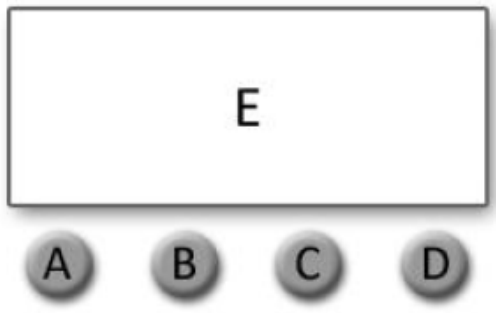
A. MENU
B. UP
C. DOWN
D. CONFIRM
E. DIGITAL DISPLAY WINDOW
Display:
MENU To select the programming functions (press to unlock screen)
DOWN To go backward in the selected functions
UP To go forward in the selected functions
ENTER To confirm the selected functions
Set DMX Address:
- Press “MENU” to unlock screen, then select the “DMX Address” and press “ENTER”.
- Showing “Set DMX Address 001”, Press the “UP or DOWN” key to increase or decrease the DMX address value.
Press “ENTER” to save and Exit, Press “Cancel” does not save and Exit
| Level 1 | l evel 2 | Description |
| DMX Address | 001-512 | Set DMX address |
| DMX Channel Mode | DMX_CH8 | 8 channels DMX mode |
| DMX_CH17 | 17 channels DMX mode | |
| DMX_CH69 | 69 channels DMX mode | |
| Dimmer Mode | DIM1 | Dimmer mode 1 |
| DIM2 | Dimmer mode 2 | |
| DIM3 | Dimmer mode 3 | |
| DIM4 | Dimmer mode 4 | |
| DIMS | Dimmer mode 5 | |
| Mode Selection | DMX512 | DMX mode |
| Auto1 | Auto run mode 1 | |
| Auto2 | Auto run mode 2 | |
| Auto3 | Auto run mode 3 | |
| Y motor | Tilt movement | |
| White | Beam dimmer | |
| W stroboscopic | Beam strobe | |
| Red | Back light red dimmer | |
| Green | Back light green dimmer | |
| Blue | Back light blue dimmer | |
| RGB stroboscopic | Back light strobe | |
| System Setting | Language | English |
| Bk_Light | OFF/ON | |
| Dmx512 | Clear/Keep | |
| Power Settings | Mute/Performance | |
| W-DMX | Link/Unlink ( W-DMX version only ) | |
| System Info | RDM UID | RDM UID |
| Version | Software Version Number | |
| DMX Channel | Currently used mode |
DMX Channels
7 Channel Mode
| Channel | Name | DMX Value | Description |
| 1 | Tilt | 0-255 | Tit Movement |
| 2 | Beam Dimmer | 0-255 | Bearn intensity |
| 3 | Beam Strobe Mode | 0-5 | No Strobe |
| 6-42 | Strobe Mode 1 | ||
| 43-85 | Strobe Mode 2 | ||
| 86-128 | Strobe Mode 3 | ||
| 129-171 | Strobe Mode 4 | ||
| 172-214 | Strobe Mode 5 | ||
| 215-255 | Strobe Mode 6 | ||
| 4 | Plate Red | 0-255 | Mate Red Dinner |
| 5 | Plate Green | 0-255 | Mate Green Dimmer |
| 6 | Plate Blue | 0-255 | Plate Blue Dimmer |
| 7 | Plate Strobe | 0-9 | No strobe |
| 10-255 | Strobe Man slow to fast |
14 Channel Mode
| Channel | Name | DMX Value | Description |
| 1 | Tilt | 0-255 | Tilt Movement |
| 2 | Tilt fine | 0-255 | Tilt Fine Movement |
| 3 | Beam Dimmer | 0-255 | Beam Intensity |
| 4 | Beam Strobe Mode | 0-5 | No Strobe |
| 6-42 | Strobe Mode 1 | ||
| 43-85 | Strobe Mode 2 | ||
| 86-128 | Strobe Mode 3 | ||
| 129-171 | Sheba Mode 4 | ||
| 172-214 | Strobe Mode 5 | ||
| 215-255 | Strobe Mode 6 | ||
| 5 | Reserved | Reserved Channel | |
| 6 | Beam Macro | 0-15 | Beam Off |
| 16-57 | Beam Macro 1 | ||
| 58-99 | Beam Macro 2 | ||
| 100-141 | Beam Macro 3 | ||
| 142-183 | Beam Macro 4 | ||
| 184-225 | Beam Macro 5 | ||
| 226-255 | Beam Macro 6 | ||
| 7 | Plate Red | 0-255 | Plate Red Dimmer |
| 8 | Plate Green | 0-255 | Plate Green Dimmer |
| 9 | Plate Blue | 0-255 | Plate Blue Dimmer |
| 10 | Plate Strobe | 0-9 | No Strobe |
| 10-255 | Speed From Slow To Fast | ||
| 11 | Plate Macro | 0-4 | Plate Macro Off |
| 5-9 | Plate Macro 1 | ||
| 10-14 | Plate Macro 2 | ||
| 15-19 | Plate Macro 3 | ||
| … | Plate Macro … | ||
| 250-254 | Plate Macro 50 | ||
| 255 | Plate Macro 51 | ||
| 12 | Plate Macro Color | 0-255 | Plate Macro Color |
| 13 | Plate Macro Speed | 0-255 | Speed From Slow To Fast |
| 14 | Plate Total Dimmer | 0 | Close |
| 1-255 | Dinner ham dirk to bright |
16 Channel Mode
| Channel | Name | DMX Value | Description |
| 1 | Tilt | 0-255 | Tit Movement |
| 2 | Tilt Fire | 0-255 | TM Fine Movement |
| 3 | Beam Dimmer | 0-255 | Beam Intensity |
| 4 | Beam Strobe Mode | 0-5 | No Strobe |
| 6-42 | Strobe Mode 1 | ||
| 43-85 | Strobe Mode 2 | ||
| 86-128 | Strobe Mode 3 | ||
| 129-171 | Strobe Mode 4 | ||
| 172-214 | Strobe Mode 5 | ||
| 215-255 | Strobe Mode 6 | ||
| 5 | Reserved | Reserved Channel | |
| 6 | Beam Macro | 0-15 | Beam Off |
| 16-57 | Beam Macro 1 | ||
| 58-99 | Beam Macro 2 | ||
| 100-141 | Beam Macro 3 | ||
| 142-183 | Beam Macro 4 | ||
| 184-225 | Beam Macro 5 | ||
| 226-255 | Beam Macro 6 | ||
| 7 | Plate Red | 0-255 | Plate Red Dimmer |
| 8 | Plate Green | 0-255 | Plate Green Dimmer |
| 9 | Plate Blue | 0-255 | Plate Blue Dimmer |
| 10 | Plate Strobe | 0-9 | No Strobe |
| 10-255 | Strobe from slow to fast | ||
| 11 | Plate Macro | 0-4 | Plate Macro Off |
| 5-9 | Plate Macro 1 | ||
| 10-14 | Plate Macro 2 | ||
| 15-19 | Plate Macro 3 | ||
| … | Plate Macro … | ||
| 250-254 | Plate Macro 50 | ||
| 255 | Plate Macro 51 | ||
| 12 | Plate Haat Color | 0-255 | Plate Macro Color |
| 13 | Plate Macro Speed | 0-255 | Speed From Slow To Fast |
| 14 | Plate Total Dimmer | 0 | Close |
| 1-255 | Dimmer from dark to bright | ||
| 15 | Tilt Speed | 0-255 | Tilt Speed From Fast To Slow |
| 16 | Dimmer Speed | 0-255 | Dimmer Speed From Fast To Slow |
42 Channel Mode
| Channel | Name | DMX Value | Description |
| 1 | Tilt | 0-255 | Tilt Movement |
| 2 | Tilt Fine | 0-255 | Tilt Fine Movement |
| 3 | Beam Danner | 0-255 | Beam Intensity |
| 4 | Beam Strobe Mode | 0-5 | No Strobe |
| 6-42 | Strobe Mode 1 | ||
| 43-85 | Strobe Mode 2 | ||
| 86-128 | Strobe Mode 3 | ||
| 129 -171 | Strobe Mode 4 | ||
| 172-214 | Strobe Mode 5 | ||
| 215-255 | Strobe Mode 6 | ||
| 5 | Reserved | 0-255 | Reserved Channel |
| 6 | Beam Macro | 0-15 | Beam Off |
| 16-57 | Beam Macro 1 | ||
| 58-99 | Beam Macro 2 | ||
| 100-141 | Brain Marro 3 | ||
| 142-183 | Beam Macro 4 | ||
| 184-225 | Brain Macro 5 | ||
| 226-255 | Beam Macro 6 | ||
| 7 | Plate Rad | 0-255 | Plate Red Dimmer |
| B | Plate Green | 0-255 | Plate Green Dimmer |
| 9 | Plate Blue | 0-255 | Plate Blue Dimmer |
| 10 | Plate Stole | 0-255 | Plate Strobe |
| 11 | Plate Macro | 0-4 | Plate Macro Off |
| 5-9 | Plate Macro 1 | ||
| 10-14 | Plate Mao 2 | ||
| 15-19 | Plate Maao 3 | ||
| … | Plate Macro … | ||
| 250-254 | Plate Macro 50 | ||
| 255 | Plate Macro 51 | ||
| 12 | Plate Macro Color | 0-255 | Plate Macro Color |
| 13 | Plate Macro Speed | 0-255 | Speed From Slow To Fast |
| 14 | Plate Total Dimmer | 0 | Close |
| 1-255 | Dimmer from dark to bright | ||
| 15 | Beam Pixel 1 | 0-255 | Tube Pixel 1 |
| 16 | Beam Pixel 2 | 0-255 | Tube Pixel 2 |
| 17 | Beam Pliel 3 | 0-255 | Tube Pixel 3 |
| 18 | Beam Pixel 4 | 0-255 | Tube Pixel 4 |
| 19 | Plate Pixel 1 Red | 0-255 | Plate Pixel 1 Red Dimmer |
| 20 | Plate Pixel 1 Green | 0-255 | Plate Pixel 1 Green Dimmer |
| 21 | Plate Pixel 1 Blue | 0-255 | Plate Pixel 1 Blue Dimmer |
| … | … | … | … |
| 40 | Plate Pixel 8 Red | 0-255 | Plate Pixel 8 Red Dimmer |
| 41 | Plate Pixel 8 Green | 0-255 | Plate Pixel 8 Green Dimmer |
| 42 | Plate Pixel 8 Blue | 0-255 | Plate Pixel 8 Blue Dimmer |
44 Channel Mode
| Channel | Name | DMX Value | Description |
| 1 | Tilt | 0-255 | Tilt Movement |
| 2 | Tilt Fine | 0-255 | Tilt Fine Movement |
| 3 | Beam Dimmer | 0-255 | Beam Intencity |
| 4 | Beam Strobe Mode | 0-5 | No Strobe |
| 6-42 | Strobe Mode 1 | ||
| 43-85 | Strobe Mode 2 | ||
| 86-128 | Strobe Mode 3 | ||
| 129-171 | Strobe Mode 4 | ||
| 172-214 | Strube Mode 5 | ||
| 215-255 | Strobe Mode 6 | ||
| 5 | Reserved | 0-255 | Reserved Channel |
| 6 | Beam Macro | 0-15 | Beam Off |
| 16-57 | Beam Macro 1 | ||
| 58-99 | Beam Macro 2 | ||
| 100-141 | Beam Macro 3 | ||
| 142-183 | Beam Macro 4 | ||
| 184-255 | Beam Macro 5 | ||
| 226-255 | Beam Macro 6 | ||
| 7 | Plate Red | 0-255 | Plate Red Dimmer |
| 8 | Plate Green | 0-255 | Plate Green Dimmer |
| 9 | Plate Blue | 0-255 | Plate Blue Dimmer |
| 10 | Plate Strobe | 0-255 | Plate Strobe |
| 11 | Plate Macro | 0-4 | Plate Macro Off |
| 5-9 | Plate Macro 1 | ||
| 10-14 | Plate Macro 2 | ||
| 15-19 | Plate Macro 3 | ||
| … | Plate Mato … | ||
| 250-254 | Plate Macro 50 | ||
| 255 | Plate Macro 51 | ||
| 12 | Plate Macro Color | 0-255 | Plate Macro Color |
| 13 | Plate Macro Speed | 0-255 | Speed From Slow To Fast |
| 14 | Plate Total Dimmer | 0 | … |
| 1-255 | Dimmer from dark to bright | ||
| 15 | Beam Pixel 1 | 0-255 | Tube Pixel 1 |
| 16 | Beam Pixel 2 | 0-255 | Tube Pixel 2 |
| 17 | Beam Pixel 3 | 0-255 | Tube Pixel 3 |
| 18 | Beam Pixel 4 | 0-255 | Tube Pixel 4 |
| 19 | Plate Pixel 1 Red | 0-255 | Plate Pixel 1 Red Dimmer |
| 20 | Plate Pixel 1 Green | 0-255 | Plate Pixel 1 Green Dimmer |
| 21 | Plate Pixel 1 Blue | 0-255 | Plate Pixel 1 Blue Dimmer |
| … | … | … | … |
| 40 | Plate Pixel 8 Red | 0-255 | Plate Pixel 8 Red Dimmer |
| 41 | Plate Pixel 8 Green | 0-255 | Plate Pixel 8 Green Dimmer |
| 42 | Plate Pixel 8 Blue | 0-255 | Plate Pixel 8 Blue Dimmer |
| 43 | Tilt Speed | 0-255 | Tilt Speed From Fast To Slow |
| 44 | Dimmer Speed | 0-255 | Dimmer Speed From Fast To Slow |
Dimension
Trouble Shooting
Following are a few common problems that may occur during operation. Here are some suggestions for easy troubleshooting:
A. The unit does not work, no light and the fan does not work
- Check the connection of power and main fuse.
- Measure the mains voltage on the main connector.
- Check the power on LED.
B. Not responding to DMX controller
- DMX LED should be on. If not, check DMX connectors, cables to see if link properly.
- If the DMX LED is on and no response to the channel, check the address settings and DMX polarity.
- If you have intermittent DMX signal problems, check the pins on connectors or on PCB of the unit or the previous one.
- Try to use another DMX controller.
- Check if the DMX cables run near or run alongside to high voltage cables that may cause damage or interference to DMX interface circuit.
One of the channels is not working well
- The stepper motor might be damaged or the cable connected to the PCB is broken.
- The motor’s drive IC on the PCB might be out of condition
Fixture Cleaning
The cleaning of internal and external optical lenses and/or mirrors must be carried out periodically to optimize light output. Cleaning frequency depends on the environment in which the fixture operates: damp, smoky or particularly dirty surrounding can cause greater accumulation of dirt on the unit’s optics.
Clean with soft cloth using normal glass cleaning fluid.
Always dry the parts carefully.
Clean the external optics at least every 20 days. Clean the internal optics at least every 30/60 days.
 Conic Designs