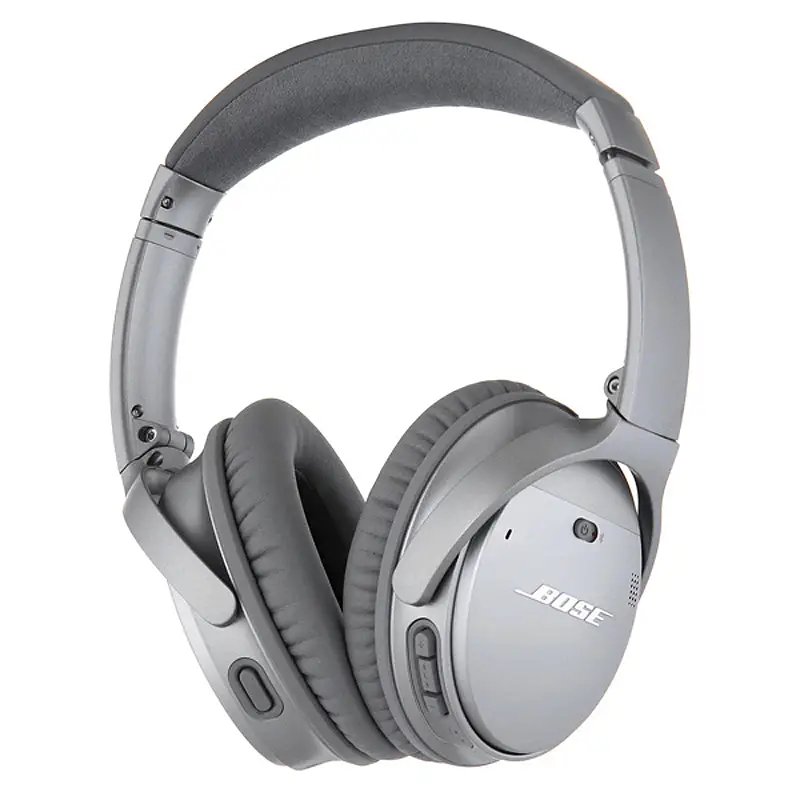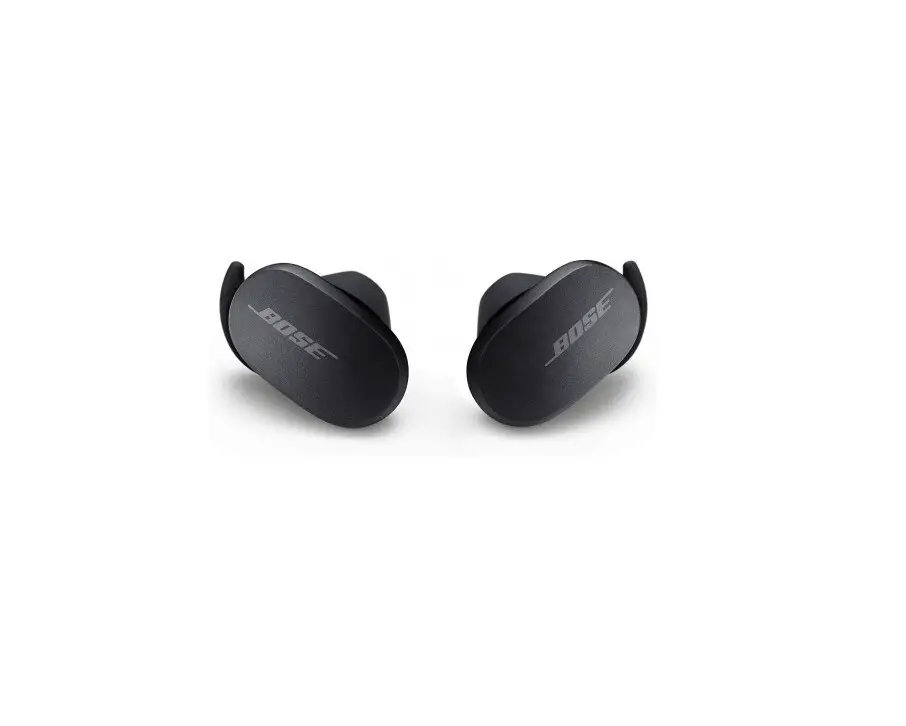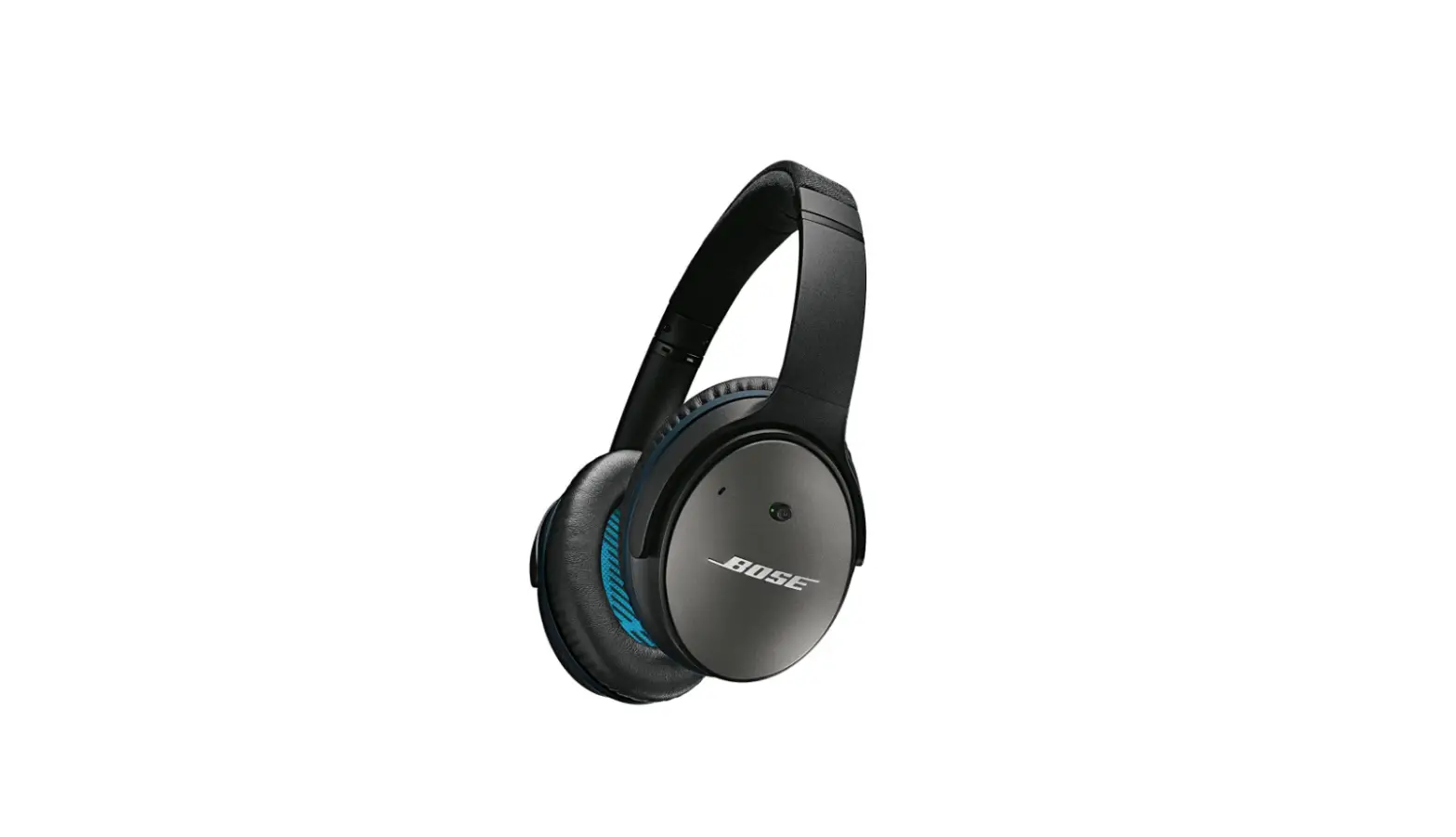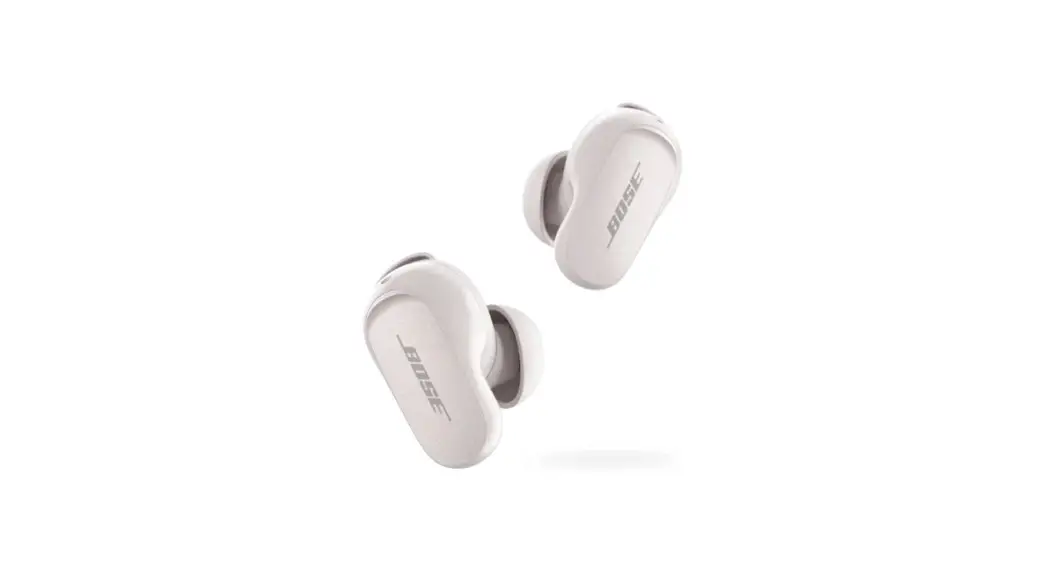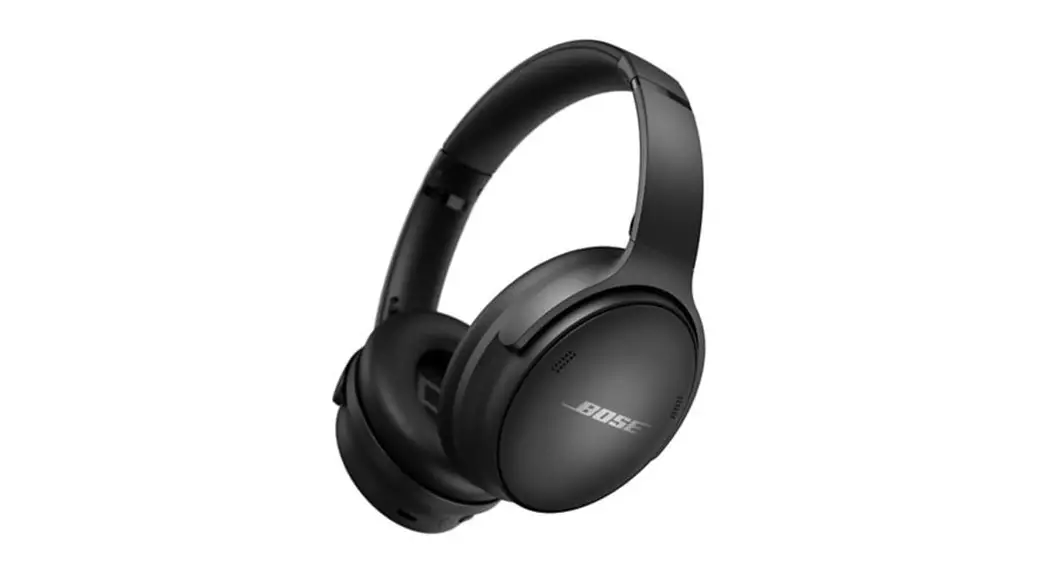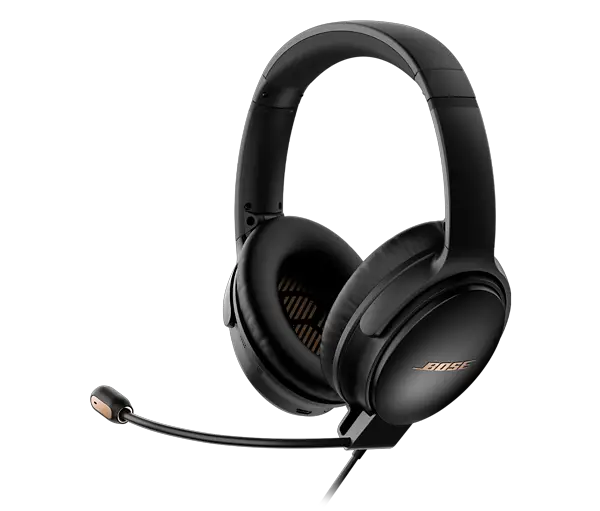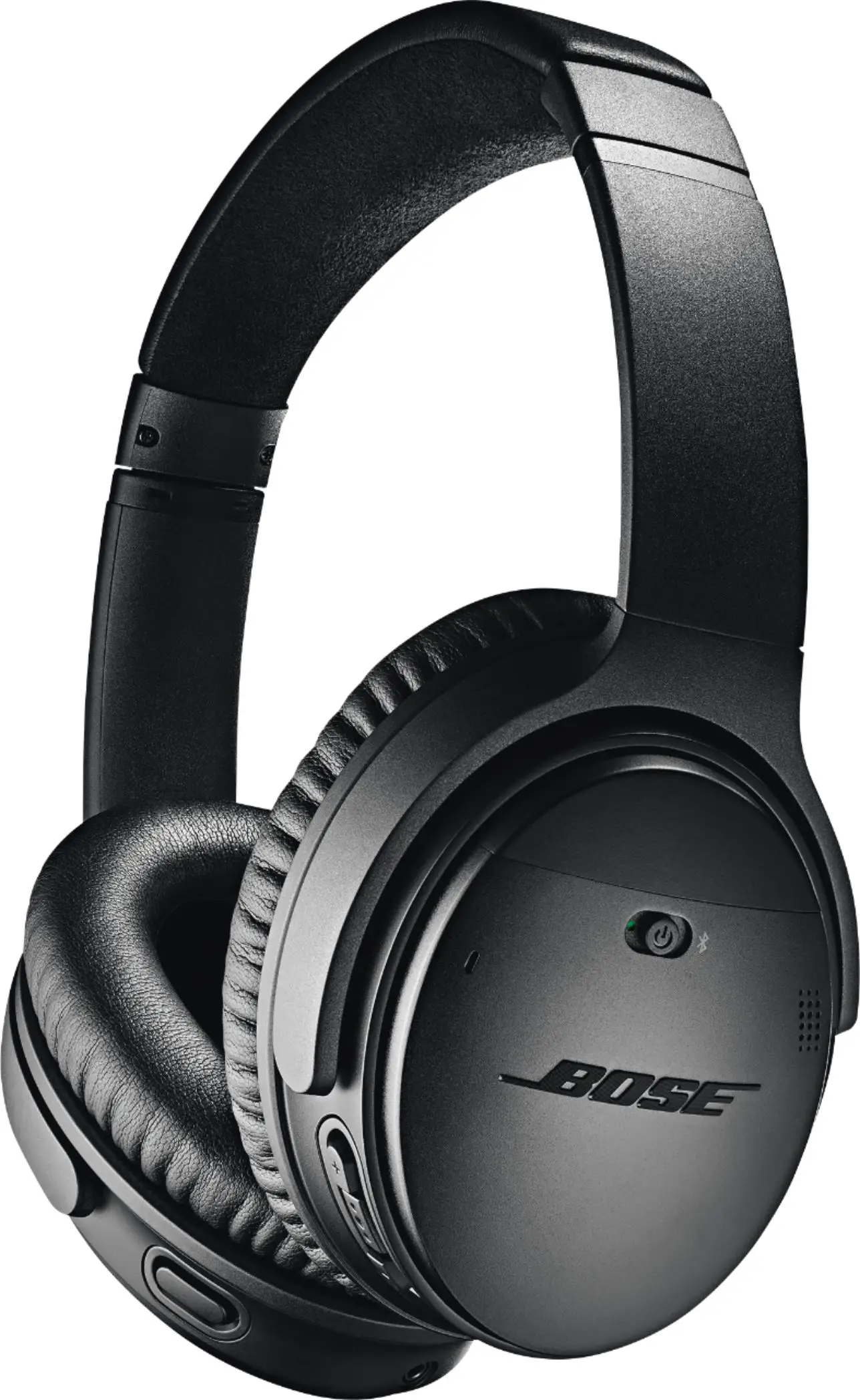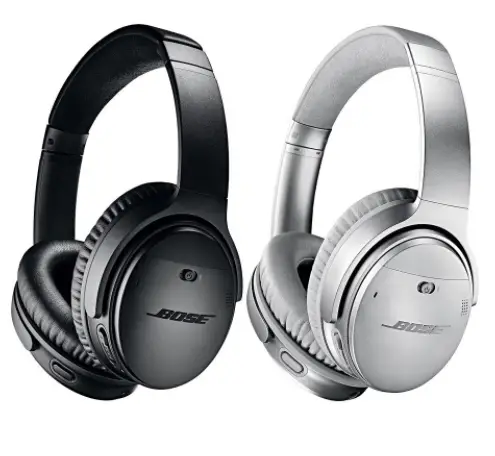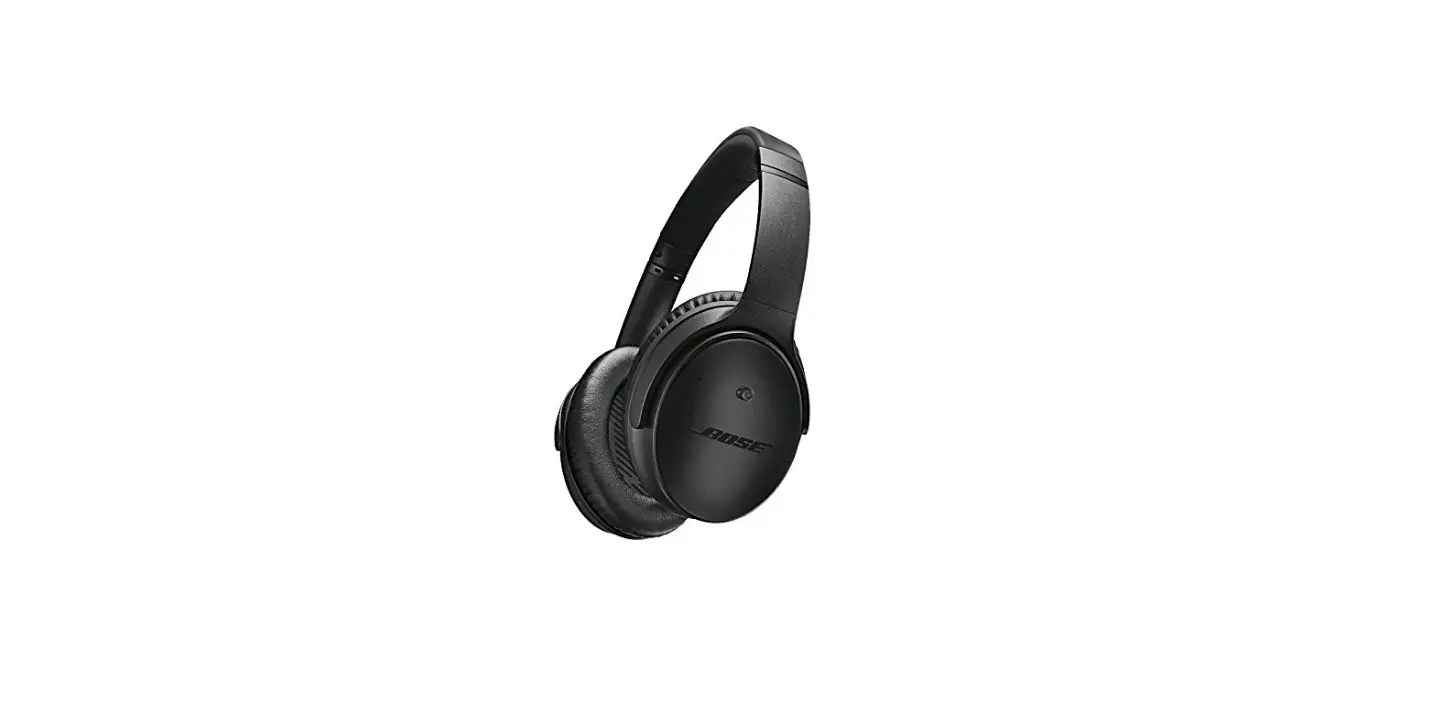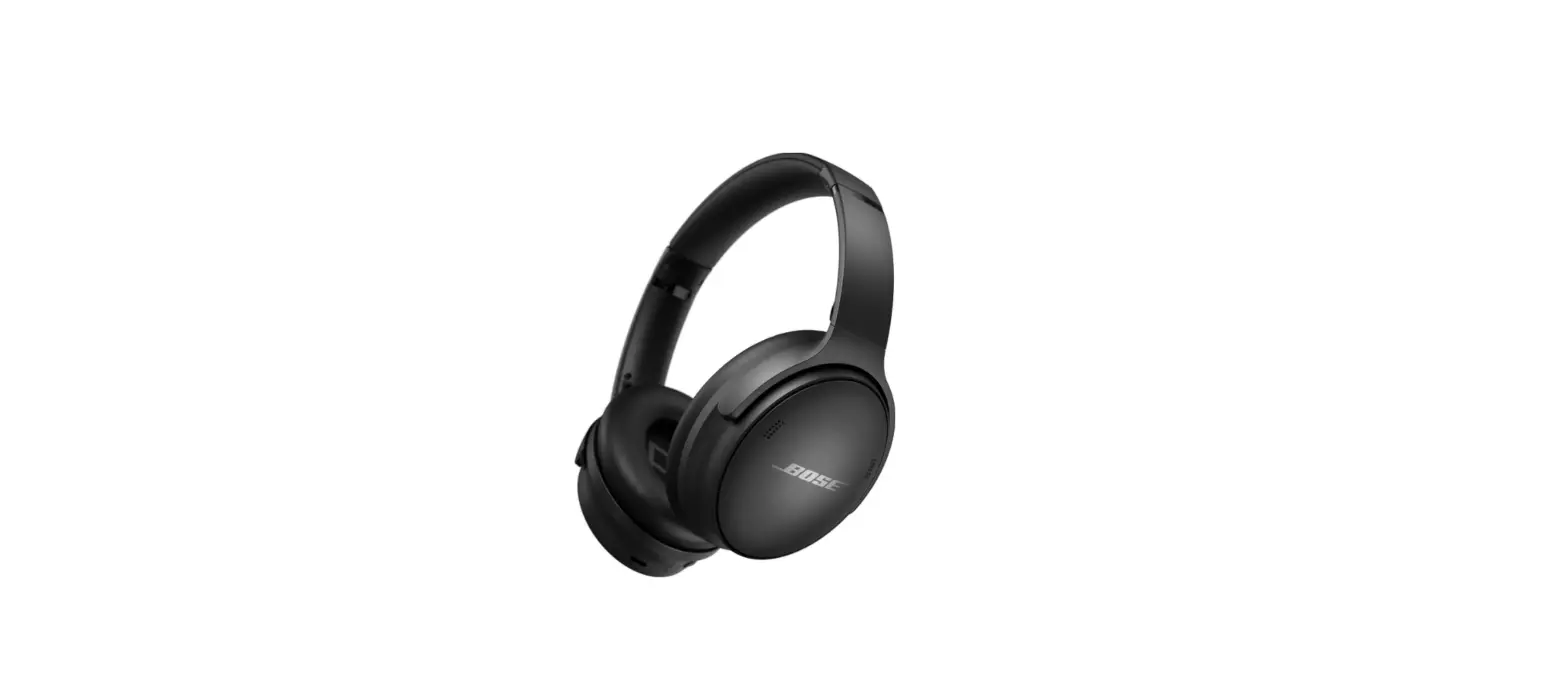

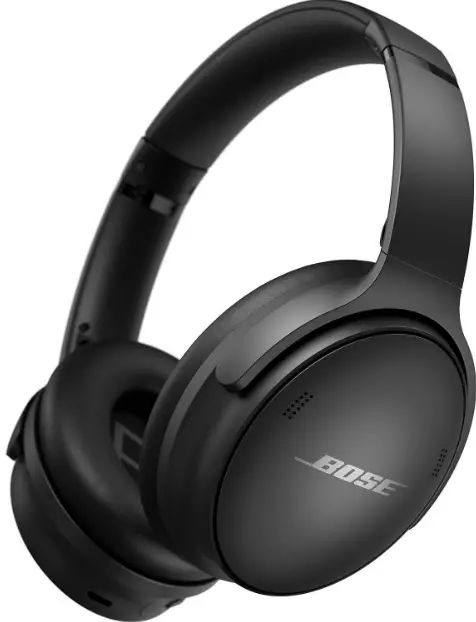
Bose Quiet Comfort 45 Headphones
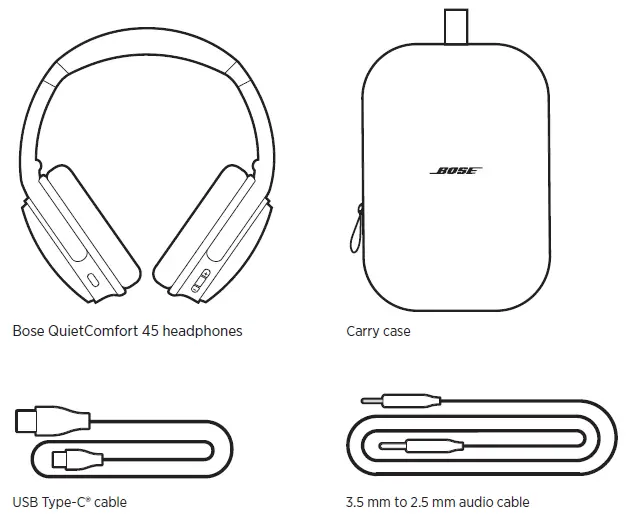
CONTENTS
DOWNLOAD THE BOSE MUSIC APP
- On your mobile device, download the Bose Music app.

- Follow the app instructions
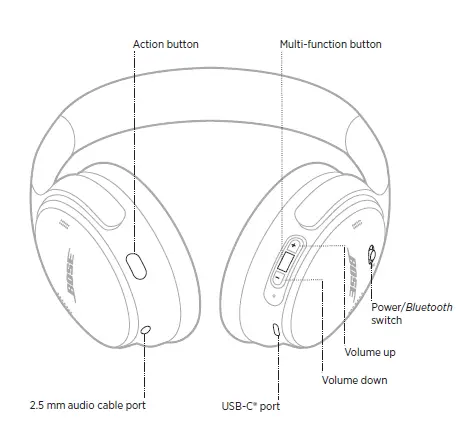
HEADPHONE CONTROLS
POWER ON
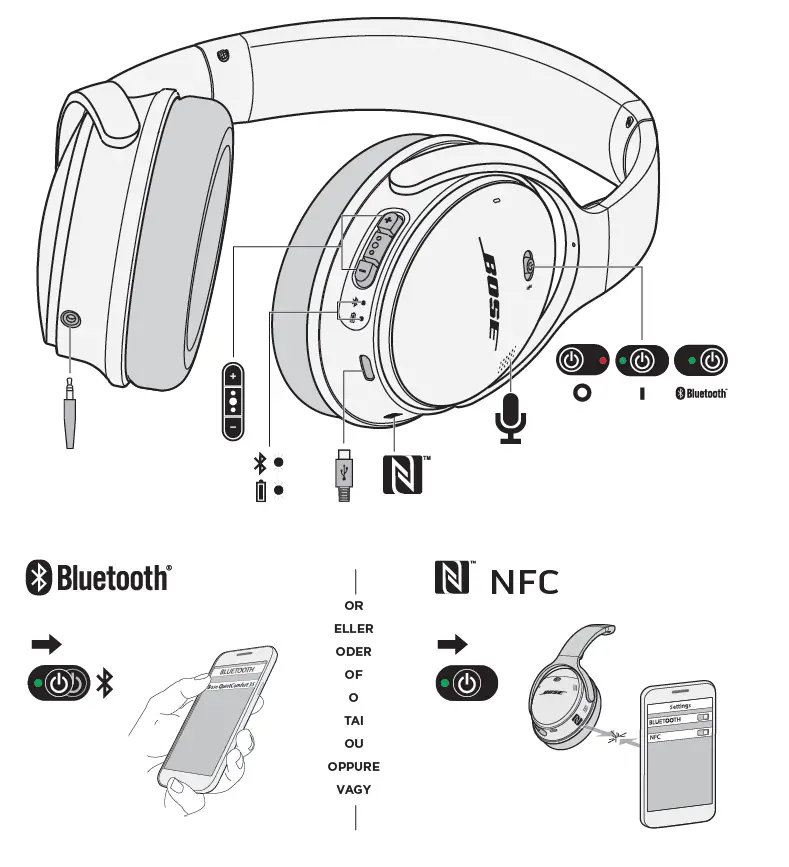
On the right earcup, slide the Power/Bluetooth switch to the right. A voice prompt announces the battery level, and the status light glows according to the current charge level (see page 29).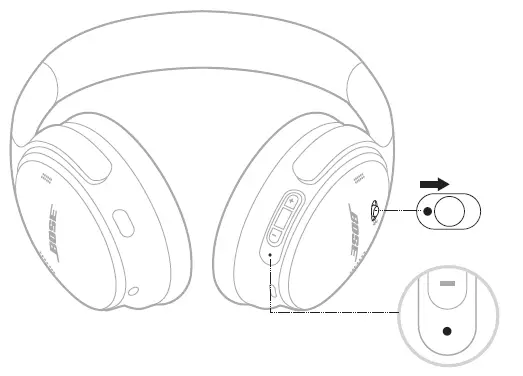
Standby timer
The standby timer conserves the battery when the headphones are not being used. To set up and customize the standby timer, use the Bose Music app.
POWER OFF
Slide the Power/Bluetooth switch to the left.
HEADPHONE FUNCTIONS
The headphone controls are located on the back of the right earcup.
Media playback and volume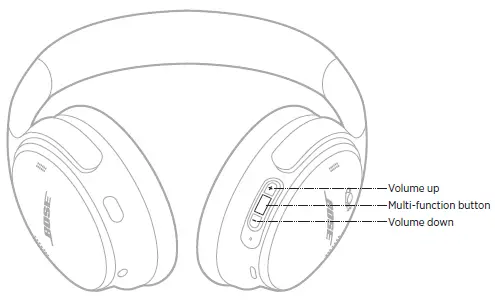
| FUNCTION | WHAT TO DO |
| Play/Pause | Press the Multi-function button. |
| Skip forward | Double-press the Multi-function button. |
| Skip backward | Triple-press the Multi-function button. |
| Volume up | Press H. |
| Volume down | Press z. |
Phone calls
The Multi-function button is located on the back of the right earcup. The microphone is located near the front of the right earcup. The Action button is located on the back of the left earcup.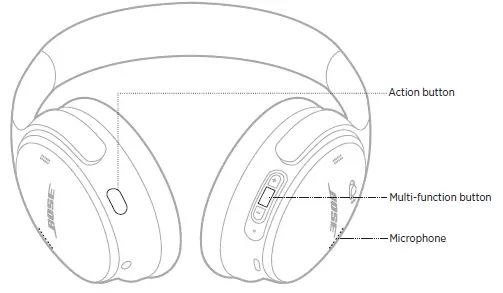
| FUNCTION | WHAT TO DO |
| Answer/End a call | Press the Multi-function button. |
| Decline an incoming call | Press and hold the Multi-function button for 1 second. |
| Answer a second incoming call and put the current call on hold | While on a call and a second incoming call is ringing, press the Multi-function button. |
| Decline a second incoming call and stay on current call | While on a call and a second incoming call is ringing, press and hold the Multi-function button for 1 second. |
| Switch between two calls | While two calls are active, double-press the Multi-function button. |
| Create a conference call | While two calls are active, press and hold the Multi-function button for 3 seconds. |
| Mute/Unmute a call | While on a call, double-press the Action button. |
Action button
The Action button allows you to quickly and easily switch between noise cancelling modes. The Action button is located on the back of the left earcup
NOISE CANCELLING MODES
| MODE | DESCRIPTION |
| Quiet | World-class noise cancellation with Bose-optimized audio. |
| Aware | Hear your surroundings while enjoying your audio. |
CHANGE THE NOISE CANCELLING MODE
To change the noise cancelling mode, press the Action button. A voice prompt announces the selected noise cancelling mode
ACCESS VOICE CONTROL
You can use the headphones to access voice control on your mobile device. To access voice control, press and hold the Multi-function button for 1 second. The Multi-function button is located on the back of the right earcup
Important Safety Instructions
- Do not use this apparatus near water.
- Clean only with a dry cloth.
- Refer all servicing to qualified personnel. Servicing is required when the apparatus has been damaged in any way, such as power-supply cord or plug is damaged, liquid has been spilled or objects have fallen into the apparatus, the apparatus has been exposed to rain or moisture, does not operate normally, or has been dropped.
WARNINGS/CAUTIONS
- Do NOT use the headphones at a high volume for any extended period.
- To avoid hearing damage, use your headphones at a comfortable, moderate volume level.
- Turn the volume down on your device before placing the headphones in/on your ears, then turn the volume up gradually until you reach a comfortable listening level.
- Do NOT use your headphones while driving for phone calls or any other purpose.
- Do NOT use the headphones with noise canceling mode at any time the inability to hear surrounding sounds may present a danger to yourself or others, e.g., while riding a bicycle or walking in or near traffic, a construction site or railroad, etc., and follow applicable laws regarding headphone use.
- Turn the headphones off, or use the headphones with noise canceling off and adjust your volume, to ensure you can hear surrounding sounds, including alarms and warning signals.
- Be aware of how sounds that you rely on as reminders or warnings may vary in character when using the headphones, even with Aware mode.
- Do NOT use the headphones if they emit any loud unusual noise. If this happens, turn the headphones off and contact Bose customer service.
- Remove headphones immediately if you experience a warming sensation or loss of audio.
- Do NOT use mobile phone adapters to connect headphones to airplane seat jacks, as this could result in injury or property damage due to overheating.
- Do NOT use the headphones as aviation communication headsets.
Please read and keep all safety, security, and use instructions.
- Bose Corporation hereby declares that this product is in compliance with the essential requirements and other relevant provisions of Directive 2014/53/EU and all other applicable EU directive requirements. The complete declaration of conformity can be found at: www.Bose.com/compliance
- This product conforms to all applicable Electromagnetic Compatibility Regulations 2016 and all other applicable UK regulations. The complete declaration of conformity can be found at: www.Bose.com/compliance
- Bose Corporation hereby declares that this product is in compliance with the essential requirements per
- Radio Equipment Regulations 2017 and all other applicable UK regulations. The complete declaration of conformity can be found at: www.Bose.com/compliance
Management Regulation for Low-power Radio-frequency Devices
Article XII
According to “Management Regulation for Low-power Radio-frequency Devices” without permission granted by the NCC, any company, enterprise, or user is not allowed to change frequency, enhance transmitting power or alter original characteristic as well as performance to an approved low power radio-frequency devices.
Article XIV
- The low power radio-frequency devices shall not influence aircraft security and interfere legal communications; If found, the user shall cease operating immediately until no interference is achieved. The said legal communications means radio communications operated in compliance with the Telecommunications Act.
- The low power radio-frequency devices must be susceptible with the interference from legal communications or ISM radio wave radiated devices.
- DON’T attempt to remove the rechargeable lithium-ion battery from this product. Contact your local Bose retailer or other qualified professional for removal.
- Removal of the rechargeable lithium-ion battery in this product should be conducted only by a qualified professional.
- Please contact your local Bose retailer or see products.bose.com/static/compliance/index.html for further information.
BLUETOOTH CONNECTIONS
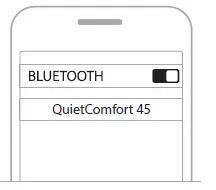
CONNECT USING THE BLUETOOTH MENU ON YOUR MOBILE DEVICE
You can store up to eight devices in the headphone device list, and the headphones can be actively connected to two devices at a time. You can play audio from only one device at a time
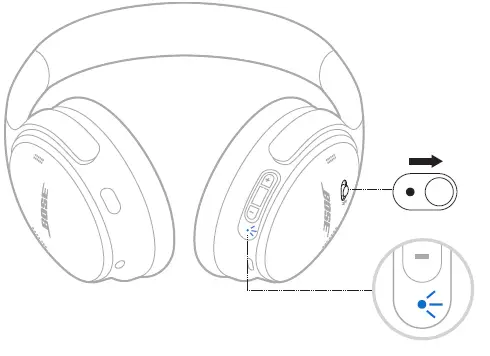
- Slide the Power/Bluetooth switch to the right l and hold for 3 seconds.

- You hear “Ready to connect,” and the status light blinks blue.
- On your device, enable the Bluetooth feature.
- Select your headphones from the device list.

DISCONNECT A MOBILE DEVICE
Use the Bose Music app to disconnect your mobile device. TIP: You can also use Bluetooth settings to disconnect your device. Disabling the The bluetooth feature disconnects all other devices.
RECONNECT A MOBILE DEVICE
When powered on, the headphones try to reconnect with the two most recently-connected devices.
CONNECT ANOTHER MOBILE DEVICE
To connect another device, download the Bose Music app (see page 14) or use the Bluetooth menu on your mobile device (see page 23).
IDENTIFY CONNECTED MOBILE DEVICES
Slide the Power/Bluetooth switch to the right l and release to hear which device is currently connected.
SWITCH BETWEEN TWO CONNECTED MOBILE DEVICES
- Pause audio on your first mobile device.
- Play audio on your second mobile device.
RECONNECT A PREVIOUSLY CONNECTED DEVICE
- Slide the Power/Bluetooth switch to the right l and release to hear which device is connected.
- Within 2 seconds, slide the Power/Bluetooth switch to the right l and release again to connect to the next device in the headphone device list.
- Repeat until you hear the correct device name.
- You hear a tone that indicates when the device is connected.
- Play audio on the connected mobile device.
CLEAR THE HEADPHONE DEVICE LIST
- Slide the Power/Bluetooth switch to the right l and hold for 15 seconds, until you hear “Bluetooth device list cleared. Ready to connect.”
- Delete your headphones from the Bluetooth list on your mobile device.
- All devices are cleared and the headphones are ready to connect.
WIRED CONNECTIONS
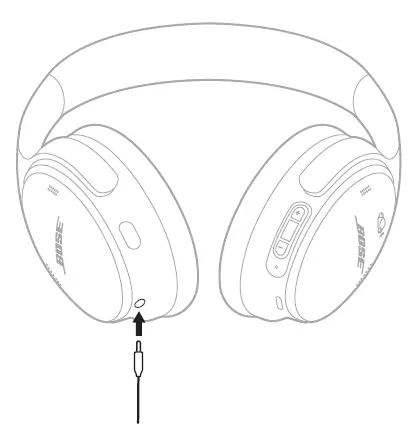
CONNECT THE AUDIO CABLE
- Use the 2.5 mm to 3.5 mm cable to connect a non-wireless device or to continue using the headphones if the battery is depleted.

- Connect the cable into the 2.5 mm port on the left earcup.
BATTERY
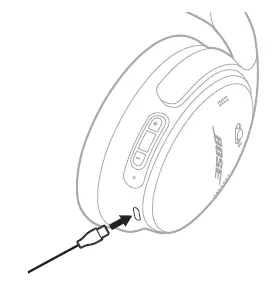
CHARGE THE HEADPHONES
- Connect the small end of the USB cable into the USB-C port on the right earcup.
- Connect the other end into a USB wall charger

Charging time
- Allow up to 2.5 hours to fully charge the headphones.
- Hear the battery level
- Each time you power on the headphones, a voice prompt announces the battery level.
- When the headphone battery is low, you hear “Battery low, please charge now.”
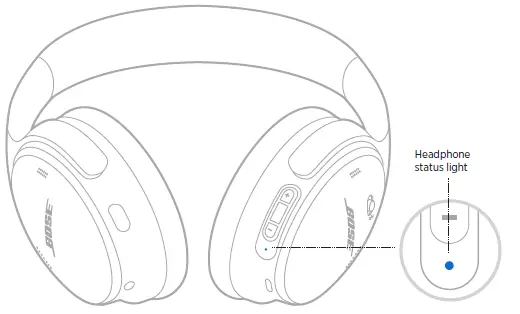
HEADPHONE STATUS
BLUETOOTH STATUS
Shows the Bluetooth connection status
| LIGHT ACTIVITY | SYSTEM STATE |
| Blinking blue | Ready to connect |
| Solid blue (10 seconds) | Connected |
BATTERY STATUS
| LIGHT ACTIVITY | SYSTEM STATE |
| Solid white | Medium to full charge |
| Solid amber | Low charge |
CHARGING STATUS
| LIGHT ACTIVITY | SYSTEM STATE |
| Blinks white 2 times | Charging begins |
| Solid amber | Charging |
| Solid white | Full charge |
UPDATE AND ERROR STATUS
| LIGHT ACTIVITY | SYSTEM STATE |
| Fast blinking white (10 seconds) | Updating software (via USB) |
| Slow blinking white (30 to 60 seconds) | Updating software (wirelessly) |
| Blinking amber and white | Error – contact Bose customer service |
CONNECT BOSE PRODUCTS
CONNECT A BOSE SMART SPEAKER OR SOUNDBAR
- Using SimpleSync™ technology, you can connect the headphones to a Bose Smart Soundbar
- Bose Smart Speaker for a personal listening experience.
Benefits
- Use independent volume controls on each product to lower or mute your Bose
- Smart Soundbar while keeping the headphones as loud as you like.
- Hear your music clearly from the next room by connecting the headphones to your Bose Smart Speaker.
Compatible products
- You can connect the headphones to any Bose Smart Speaker or Bose Smart Soundbar.
- Popular compatible products include:
- Bose Smart Soundbar 700/Bose Soundbar 700
- Bose Soundbar 500
- Bose Smart Speaker 500/Bose Home Speaker 500
- Bose Home Speaker 300
- Bose Portable Smart Speaker/Bose Portable Home Speaker
- New products are added periodically. For a complete list and more information, visit: worldwide.Bose.com/Support/Groups
Connect using the Bose Music app
- On the headphones, slide the Power/Bluetooth switch to the right l and hold for 3 seconds.
- You hear “Ready to connect another device,” and the status light blinks blue.
- Use the Bose Music app to connect the headphones to a compatible Bose product.
- For more information, visit: worldwide.Bose.com/Support/Groups
RECONNECT TO A BOSE SMART SPEAKER OR SOUNDBAR
- Power on the headphones (see “Power on” on page 16).
- The headphones try to connect to the two most recently-connected Bluetooth devices, including your soundbar or speaker
CARE AND MAINTENANCE
STORE THE HEADPHONES
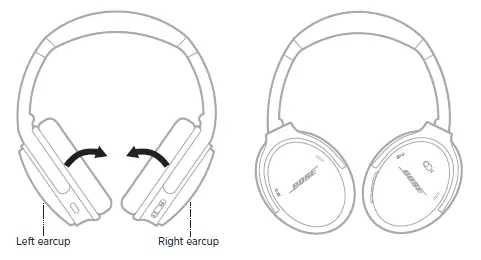
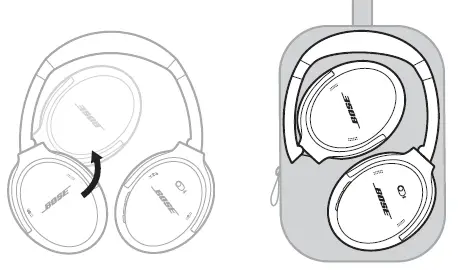
The earcups rotate for easy, convenient storage. Place the headphones flat into the case.
- Rotate both earcups inward so they lay flat

- Fold the left earcup up toward the headband

- Rotate both earcups inward so they lay flat
CLEAN THE HEADPHONES
- Wipe the outside surfaces with a soft, dry cloth.
- Don’t allow moisture to get inside the earcups.
- REPLACEMENT PARTS AND ACCESSORIES
- Replacement parts and accessories can be ordered through Bose customer service.
- Visit: worldwide.Bose.com/Support/QC45
LIMITED WARRANTY
- Your headphones are covered by a limited warranty.
- Visit our website at global.Bose.com/warranty for details of the limited warranty.
- To register your product, visit global.Bose.com/register for instructions.
- Failure to register will not affect your limited warranty rights
SERIAL NUMBER LOCATION The serial number is located inside the right earcup under the scrim. The scrim is the inner screen that covers and protects the components inside the earcup. To view the serial number, grab the scrim at the top edge and gently peel it away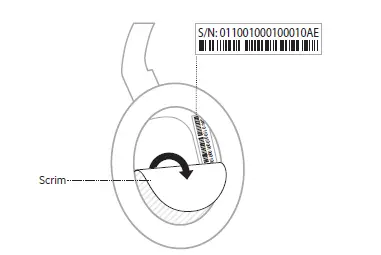
TROUBLESHOOTING
TRY THESE SOLUTIONS FIRST
If you experience problems with your headphones:
- Check the state of the status light (see page 29).
- Charge the battery (see page 28).
- Increase the volume on your headphones, mobile device, and music app.
- Try connecting another mobile device (see page 25).
- If you could not resolve your issue, see the table below to identify symptoms and solutions to common problems.
- If you are unable to resolve your issue, contact
- Bose customer service.
- Visit: worldwide.Bose.com/contact
OTHER SOLUTIONS
| SYMPTOM | SOLUTION |
| Headphones don’t power on | Charge the battery. |
|
Headphones don’t connect with your mobile device | Disconnect the back-up audio cable. Disconnect the USB charging cable. On your mobile device: Disable the Bluetooth feature and then re-enable. Delete your Bose QuietComfort 45 headphones from the Bluetooth list on your device. Connect again. Move your mobile device closer to the headphones and away from any interference or obstructions. Visit worldwide.Bose.com/Support/QC45 to see how-to videos. Clear the connected devices list (see page 26) and connect again. |
|
Battery won’t charge | Secure the ends of the USB charging cable. Try another charging source. If your headphones have been exposed to high or low temperatures, let the headphones return to room temperature and try charging again. |
| SYMPTOM | SOLUTION |
|
No sound | Power on the headphones and charge the battery. Check the state of the status light (see page 29). Slide the Power/Bluetooth switch to the right and release to hear the connected device. Make sure you are using the correct device. Move your mobile device closer to the headphones and away from any interference or obstructions. Use a different music source. If two mobile devices are connected, pause your other device first. If two mobile devices are connected, move the devices within range of the headphones (30 ft or 9 m). Try a locally stored music or video file on your mobile device. |
|
Poor sound quality | Use a different music source. Connect another mobile device (see page 25). Disconnect the second device. Move your mobile device closer to the headphones and away from any interference or obstructions. Try a locally stored music or video file on your mobile device. |
| No sound from a device connected by the back-up audio cable | Secure the ends of the back-up audio cable. Increase the volume on your headphones, your mobile device and music source. Connect another device (see page 25). |
| Poor sound quality from a device connected by audio cable | Secure the ends of the back-up audio cable. Connect another device (see page 25). |
| Action button doesn’t change the noise cancelling mode | Make sure your headphones are powered on. Use the Bose Music app to change the noise cancelling mode. |
| SYMPTOM | SOLUTION |
| Headphones don’t connect to a Bose Smart Soundbar or Speaker | Slide and hold the Power/Bluetooth button until you hear “Ready to connect another device,” and the Bluetooth light blinks blue. Make sure that the headphones are within 30 ft (9 m) of your soundbar or speaker. |
| Headphones don’t reconnect to a previously-connected Bose Smart Soundbar or Speaker |
Reconnect a previously-connected device (see page 26). |
| Delayed audio when connected to a Bose Smart Soundbar or Speaker | Download the Bose Music app and run available software updates. |
RESTORE THE HEADPHONES TO FACTORY SETTINGS
- Remove the headphones from the Bluetooth list on your device.
- Remove the headphones from your Bose account using the Bose Music app.
- Slide the Power/Bluetooth switch to the right l and hold. At the same time, press and hold the Action button for 30 seconds.
- The LED indicator blinks white. After 30 seconds, the LED indicator blinks amber to indicate factory settings are being restored (2 to 3 seconds).
- When the rest is complete, the LED indicator slowly blinks blue. The headphones are now in their original out-of-box state.
Names and Contents of Toxic or Hazardous Substances or Elements
- Date of Manufacture: The eighth digit in the serial number indicates the year of manufacture; “1” is 2011 or 2021.
- China Importer: Bose Electronics (Shanghai) Company Limited, Part C, Plant 9, No. 353 North Riying Road, China (Shanghai) Pilot Free Trade Zone
- EU Importer: Bose Products B.V., Gorslaan 60, 1441 RG Purmerend, The Netherlands
- Taiwan Importer: Bose Taiwan Branch, 9F-A1, No. 10, Section 3, Minsheng East Road, Taipei City 104, Taiwan Phone Number: +886-2-2514 7676
- Mexico Importer: Bose de México, S. de R.L. de C.V., Paseo de las Palmas 405-204, Lomas de Chapultepec, 11000 México, D.F. Phone Number: +5255 (5202) 3545
- UK Importer: Bose Limited, Bose House, Quayside Chatham Maritime, Chatham, Kent, ME4 4QZ, United Kingdom
- Input Rating: 5V p 0.5A
- Charging Temperature Range: 32° F to 113° F (0° C to 45° C)
- Discharging Temperature Range: -4° F to 140° F (-20° C to 60° C) Model 437310. The CMIIT ID is located inside the earcup under the scrim
REGULATORY AND LEGAL INFORMATION
Apple, the Apple logo, iPad, iPhone, and iPod are trademarks of Apple Inc., registered in the U.S. and other countries. App Store is a service mark of Apple Inc. The trademark “iPhone” is used in Japan with a license from Aiphone K.K. Use of the Made for Apple badge means that an accessory has been designed to connect specifically to the Apple product( s) identified in the badge, and has been certified by the developer to meet Apple performance standards. Apple is not responsible for the operation of this device or its compliance with safety and regulatory standards. The Bluetooth® word mark and logos are registered trademarks owned by Bluetooth SIG, Inc. and any use of such marks by Bose Corporation is under license. Google Play is a trademark of Google LLC. USB Type-C® and USB-C® are registered trademarks of USB Implementers Forum. Bose, Bose Home Speaker, Bose Music, the Bose Music logo, Bose Smart Soundbar, Bose Smart Speaker, Bose Soundbar, QuietComfort, and SimpleSync are trademarks of Bose Corporation. Bose Corporation Headquarters: 1-877-230-5639 ©2021 Bose Corporation. No part of this work may be reproduced, modified, distributed, or otherwise used without prior written permission
LICENSE DISCLOSURES
The following license disclosures apply to certain third-party software packages used as components in the product. Package: FreeRTOS Copyright © Amazon Web Services, Inc. or its affiliates. All rights reserved. The FreeRTOS package is subject to the license terms reprinted below
MIT License
Permission is hereby granted, free of charge, to any person obtaining a copy of this software and associated documentation files (the “Software”), to deal in the Software without restriction, including without limitation the rights to use, copy, modify, merge, publish, distribute, sublicense, and/or sell copies of the Software, and to permit persons to whom the Software is furnished to do so, subject to the following conditions: The above copyright notice and this permission notice shall be included in all copies or substantial portions of the Software. THE SOFTWARE IS PROVIDED “AS IS”, WITHOUT WARRANTY OF ANY KIND, EXPRESS OR IMPLIED, INCLUDING BUT NOT LIMITED TO THE WARRANTIES OF MERCHANTABILITY, FITNESS FOR A PARTICULAR PURPOSE AND NONINFRINGEMENT. IN NO EVENT SHALL THE AUTHORS OR COPYRIGHT HOLDERS BE LIABLE FOR ANY CLAIM, DAMAGES OR OTHER LIABILITY, WHETHER IN AN ACTION OF CONTRACT, TORT OR OTHERWISE, ARISING FROM, OUT OF OR IN CONNECTION WITH THE SOFTWARE OR THE USE OR OTHER DEALINGS IN THE SOFTWARE.
Package: Nanopb
Copyright © 2011 Petteri Aimonen <jpa at nanopb.mail.kapsi.fi>. The Nanopb package is subject to the license terms reprinted below:
Zlib License
© 2011 Petteri Aimonen <jpa at nanopb.mail.kapsi.fi> This software is provided ‘as-is’, without any express or implied warranty. In no event will the authors be held liable for any damages arising from the use of this software. Permission is granted to anyone to use this software for any purpose, including commercial applications, and to alter it and redistribute it freely, subject to the following restrictions:
- The origin of this software must not be misrepresented; you must not claim that you wrote the original software. If you use this software in a product, an acknowledgment in the product documentation would be appreciated but is not required.
- Altered source versions must be plainly marked as such, and must not be misrepresented as being the original software.
- This notice may not be removed or altered from any source distribution.
- Package: Mbed TLS 2.16.1
- © ARM Limited. All rights reserved.
- The Mbed TLS package is subject to the license terms reprinted below:
- Apache License
- Version 2.0, January 2004
- http://www.apache.org/licenses/
Definitions.
“License” shall mean the terms and conditions for use, reproduction, and distribution, as defined by Sections 1 through 9 of this document “Licensor”, shall mean the copyright owner or entity authorized by the copyright owner that is granting the License. “Legal Entity” shall mean the union of the acting entity and all other entities that control, are controlled by, or are under common control with that entity. For the purposes of this definition, “control” means (i) the power, direct or indirect, to cause the direction or management of such entity, whether by contract or otherwise, or (ii) ownership of fifty percent (50%) or more of the outstanding shares, or (iii) beneficial ownership of such entity. “You” (or “Your”) shall mean an individual or Legal Entity exercising permissions granted by this License. “Source” form shall mean the preferred form for making modifications, including but not limited to software source code, documentation source, and configuration files. “Object” form shall mean any form resulting from mechanical transformation or translation of a Source form, including but not limited to compiled object code, generated documentation, and conversions to other media types. “Work” shall mean the work of authorship, whether in Source or Object form, made available under the License, as indicated by a copyright notice that is included in or attached to the work (an example is provided in the Appendix below). “Derivative Works” shall mean any work, whether in Source or Object form, that is based on (or derived from) the Work and for which the editorial revisions, annotations, elaborations, or other modifications represent, as a whole, an original work of authorship. For the purposes of this License, Derivative Works shall not include works that remain separable from, or merely link (or bind by name) to the interfaces of, the Work and Derivative Works thereof. “Contribution” shall mean any work of authorship, including the original version of the Work and any modifications or additions to that Work or Derivative Works thereof, that is intentionally submitted to Licensor for inclusion in the Work by the copyright owner or by an individual or Legal Entity authorized to submit on behalf of the copyright owner. For the purposes of this definition, “submitted” means any form of electronic, verbal, or written communication sent to the Licensor or its representatives, including but not limited to communication on electronic mailing lists, source code control systems, and issue tracking systems that are managed by, or on behalf of, the Licensor for the purpose of discussing and improving the Work, but excluding communication that is conspicuously marked or otherwise designated in writing by the copyright owner as “Not a Contribution.” “Contributor” shall mean Licensor and any individual or Legal Entity on behalf of whom a Contribution has been received by Licensor and subsequently incorporated within the Work. 2. Grant of Copyright License. Subject to the terms and conditions of this License, each Contributor hereby grants to You a perpetual, worldwide, non-exclusive, no-charge, royalty-free, irrevocable copyright license to reproduce, prepare Derivative Works of, publicly display, publicly perform, sublicense, and distribute the Work and such Derivative Works in Source or Object form. Grant of Patent License. Subject to the terms and conditions of this License, each Contributor hereby grants to You a perpetual, worldwide, non-exclusive, no-charge, royalty-free, irrevocable (except as stated in this section) patent license to make, have made, use, offer to sell, sell, import, and otherwise transfer the Work, where such license applies only to those patent claims licensable by such Contributor that are necessarily infringed by their Contribution(s) alone or by combination of their Contribution(s) with the Work to which such Contribution(s) was submitted. If You institute patent litigation against any entity (including a cross-claim or counterclaim in a lawsuit) alleging that the Work or a Contribution incorporated within the Work constitutes direct or contributory patent infringement, then any patent licenses granted to You under this License for that Work shall terminate as of the date such litigation is filed. 4. Redistribution. You may reproduce and distribute copies of the Work or Derivative Works thereof in any medium, with or without modifications, and in Source or Object form, provided that You meet the following conditions: a. You must give any other recipients of the Work or Derivative Works a copy of this License; and b. You must cause any modified files to carry prominent notices stating that You changed the files; and c. You must retain, in the Source form of any Derivative Works that You distribute, all copyright, patent, trademark, and attribution notices from the Source form of the Work, excluding those notices that do not pertain to any part of the Derivative Works; and If the Work includes a “NOTICE” text file as part of its distribution, then any Derivative Works that You distribute must include a readable copy of the attribution notices contained within such NOTICE file, excluding those notices that do not pertain to any part of the Derivative Works, in at least one of the following places: within a NOTICE text file distributed as part of the Derivative Works; within the Source form or documentation, if provided along with the Derivative Works; or, within a display generated by the Derivative Works, if and wherever such third-party notices normally appear. The contents of the NOTICE file are for informational purposes only and do not modify the License. You may add Your own attribution notices within Derivative Works that You distribute, alongside or as an addendum to the NOTICE text from the Work, provided that such additional attribution notices cannot be construed as modifying the License. You may add Your own copyright statement to Your modifications and may provide additional or different license terms and conditions for use, reproduction, or distribution of Your modifications, or for any such Derivative Works as a whole, provided Your use, reproduction, and distribution of the Work otherwise complies with the conditions stated in this License. 5. Submission of Contributions. Unless You explicitly state otherwise, any Contribution intentionally submitted for inclusion in the Work by You to the Licensor shall be under the terms and conditions of this License, without any additional terms or conditions. Notwithstanding the above, nothing herein shall supersede or modify the terms of any separate license agreement you may have executed with Licensor regarding such Contributions. Trademarks. This License does not grant permission to use the trade names, trademarks, service marks, or product names of the Licensor, except as required for reasonable and customary use in describing the origin of the Work and reproducing the content of the NOTICE file.Disclaimer of Warranty. Unless required by applicable law or agreed to in writing, Licensor provides the Work (and each Contributor provides its Contributions) on an “AS IS” BASIS, WITHOUT WARRANTIES OR CONDITIONS OF ANY KIND, either express or implied, including, without limitation, any warranties or conditions of TITLE, NON-INFRINGEMENT, MERCHANTABILITY, or FITNESS FOR A PARTICULAR PURPOSE. You are solely responsible for determining the appropriateness of using or redistributing the Work and assume any risks associated with Your exercise of permissions under this License. Limitation of Liability. In no event and under no legal theory, whether in tort (including negligence), contract, or otherwise, unless required by applicable law (such as deliberate and grossly negligent acts) or agreed to in writing, shall any Contributor be liable to You for damages, including any direct, indirect, special, incidental, or consequential damages of any character arising as a result of this License or out of the use or inability to use the Work (including but not limited to damages for loss of goodwill, work stoppage, computer failure or malfunction, or any and all other commercial damages or losses), even if such Contributor has been advised of the possibility of such damages. Accepting Warranty or Additional Liability. While redistributing the Work or Derivative Works thereof, You may choose to offer, and charge a fee for, acceptance of support, warranty, indemnity, or other liability obligations and/or rights consistent with this License. However, in accepting such obligations, You may act only on Your own behalf and on Your sole responsibility, not on behalf of any other Contributor, and only if You agree to indemnify, defend, and hold each Contributor harmless for any liability incurred by, or claims asserted against, such Contributor by reason of your accepting any such warranty or additional liability
FCC
This equipment has been tested and found to comply with the limits for a Class B digital device, pursuant to Part 15 of the FCC Rules. These limits are designed to provide reasonable protection against harmful interference in a residential installation. This equipment generates, uses, and can radiate radio frequency energy and, if not installed and used in accordance with the instructions, may cause harmful interference to radio communications. However, there is no guarantee that interference will not occur in a particular installation. If this equipment does cause harmful interference to radio or television reception, which can be determined by turning the equipment off and on, the user is encouraged to try to correct the interference by one or more of the following measures:
- Reorient or relocate the receiving antenna.
- Increase the separation between the equipment and receiver.
- Connect the equipment into an outlet on a circuit different from that to which the receiver is connected.
- Consult the dealer or an experienced radio/TV technician for help.
Changes or modifications not expressly approved by Bose Corporation could void the user’s authority to operate this equipment.
Bose
- 2021 Bose Corporation, 100 The Mountain Road, Framingham,
- MA 01701-9168 USA
- AM869288-0010 Rev. 01