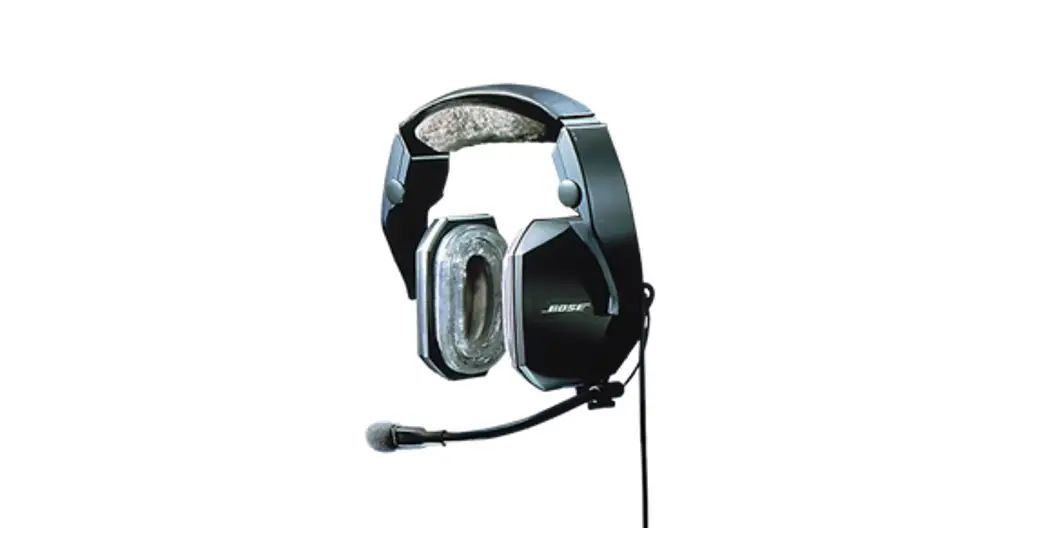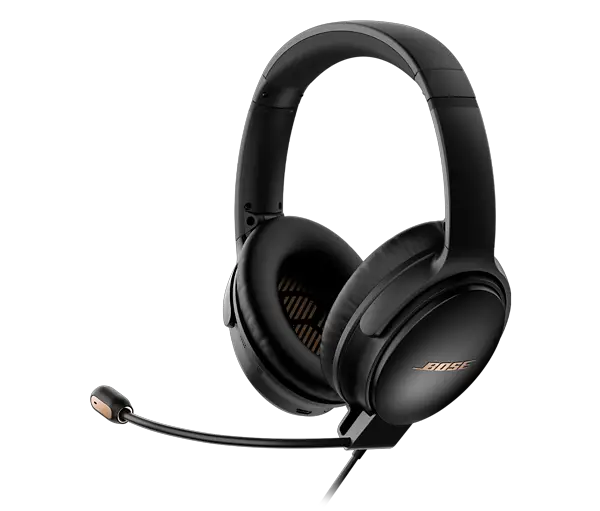

A30 AVIATION HEADSET
START HERE →
(1)

Locate the left (L) and right (R) icons inside the earcups to orient the headset properly.
(2)
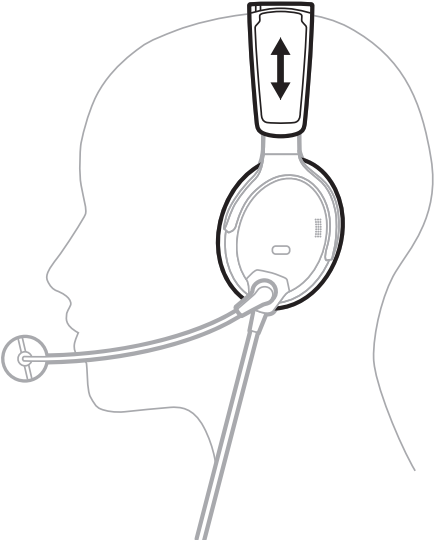
A. Place the headset on your head.
B. Adjust the headband so the ear cushions completely cover your ears.
(3)
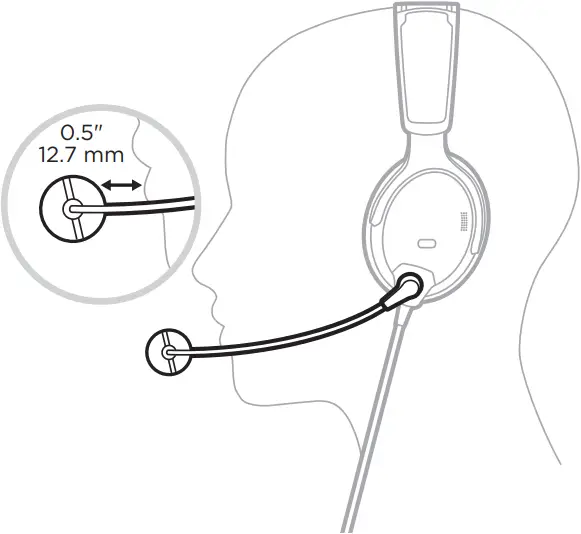
Grasp the microphone base and adjust the boom so the microphone is 0.5″ (12.7 mm) from your lips and the white dot on the microphone base is facing your mouth.
(4)
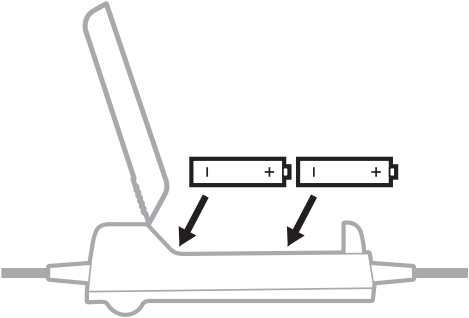
Insert the AA batteries (2) into the control module.
(5)
Battery-powered models
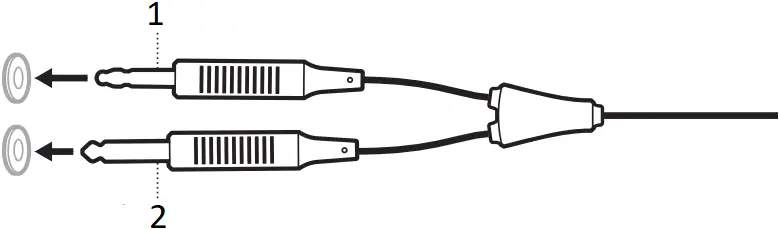
- Microphone connector
- Intercom/audio connector
Aircraft-powered models

Connect the aircraft connector(s) to the aircraft control panel.
(6)
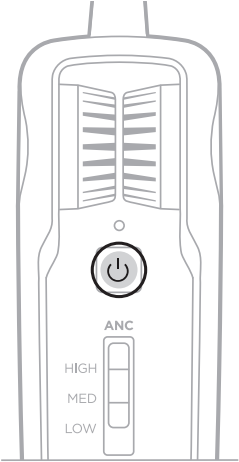
For battery-powered models, press the Power button  on the control module.
NOTES:
- For aircraft-powered models, the headset powers on automatically when connected to aircraft power.
- To power off, press and hold
 until the light glows amber.
(7)
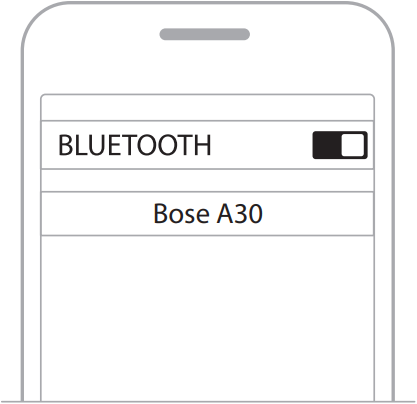
Connect your mobile device.
NOTE: Applies to Bluetooth® models only.
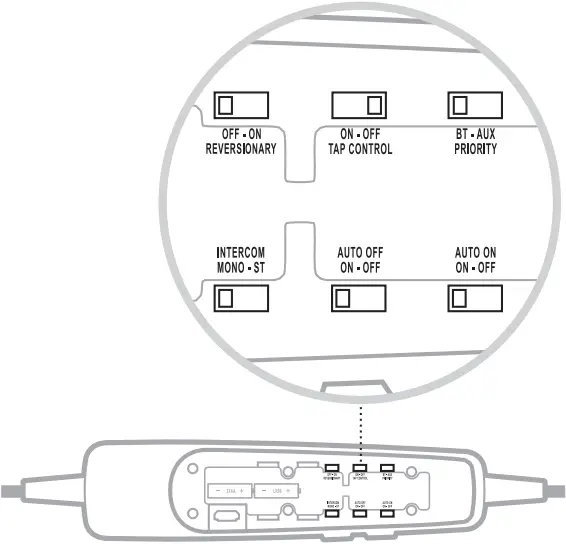
Operation switches
REVERSIONARY Disable all non-critical functions, leaving only intercom and Acoustic Noise Cancelling (ANC) enabled. Use during emergency hardware or software failures.
NOTE: Keep switch in OFF position during normal use.
TAP CONTROL Enable/Disable Tap Control feature.
PRIORITY Select priority between two secondary audio sources.
INTERCOM Process audio as Mono or Stereo.
AUTO OFF Power off automatically after a period of inactivity.
AUTO ON Power on automatically when connected to aircraft power.
NOTES:
- For operation switch details, see the owner’s guide.
- Some operation switches are not available on all models.
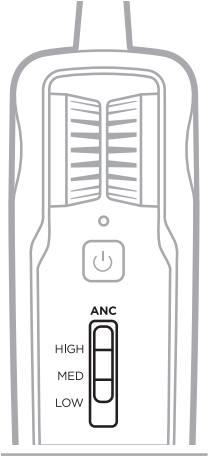
Acoustic Noise Cancelling (ANC) functions
HIGH Maximum quiet and noise cancellation across the entire spectrum. Best signal-to-noise ratio for radio and intercom communications in loud aircraft.
MED Consistent noise reduction across a wide range of frequencies. Best for clear and comfortable noise cancellation in typical jet aircraft.
LOW Best for improved interpersonal communication outside of the intercom.
NOTE: To set noise cancellation to LOW on a single earcup, set the Tap Control switch to ON, and firmly double-tap the earcup.
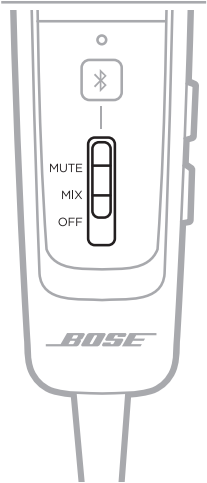
Secondary audio priority
MUTE When an intercom signal is detected, secondary audio is temporarily muted until intercom audio ceases.
MIX When an intercom signal is detected, secondary audio is mixed with intercom audio.
OFF Only intercom audio is active. Secondary audio functionality is disabled.



©2023 Bose Corporation, 100 The Mountain Road
Framingham, MA 01701-9168 USA
AM876057-0010 Rev. 00
References
 Audio for Life | Bose Worldwide
-
Bose A30 Aviation Headset | Bose Product Support
 Contact Us
-
Privacy Policy | Bose
-
Product registration
-
Terms of use
-
Licenses
-
Apache License, Version 2.0
-
Bose Speakers, Headphones, and Soundbars for Unmatched Audio Quality
-
Bose European Union Regulatory and Compliance Information
 Audio for Life | Bose Worldwide
 Bose A30 Aviation Headset | Bose Product Support
 Contact Us
 Licenses
 Bose Speakers, Headphones, and Soundbars for Unmatched Audio Quality