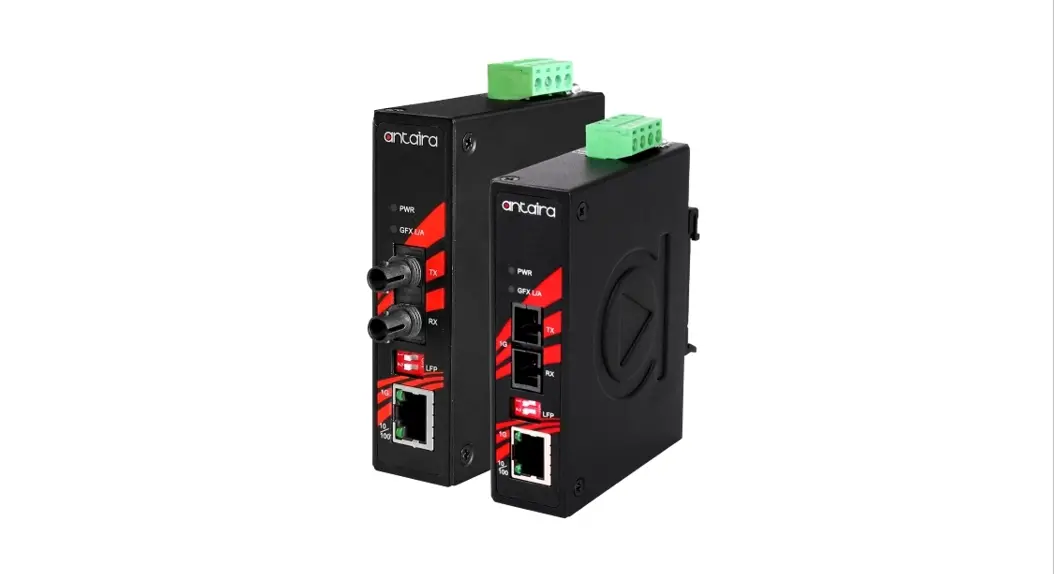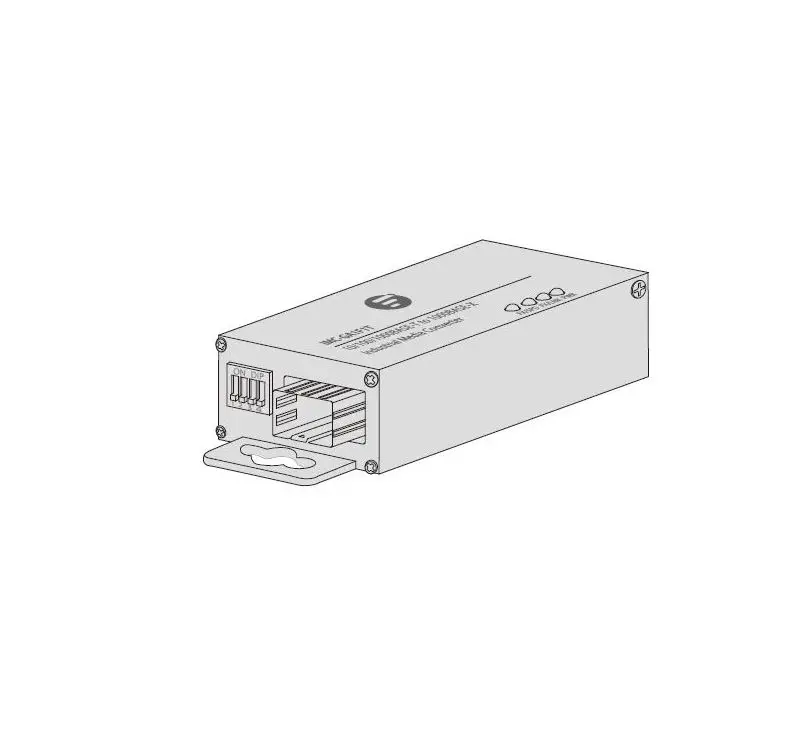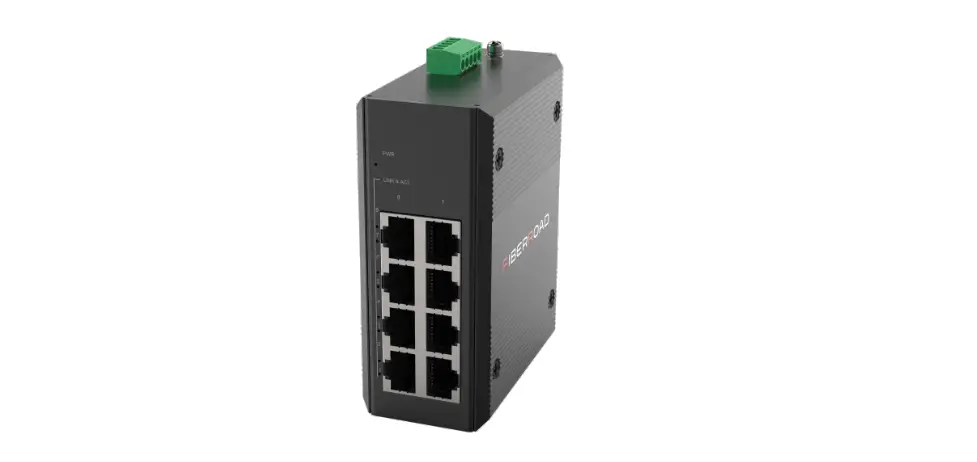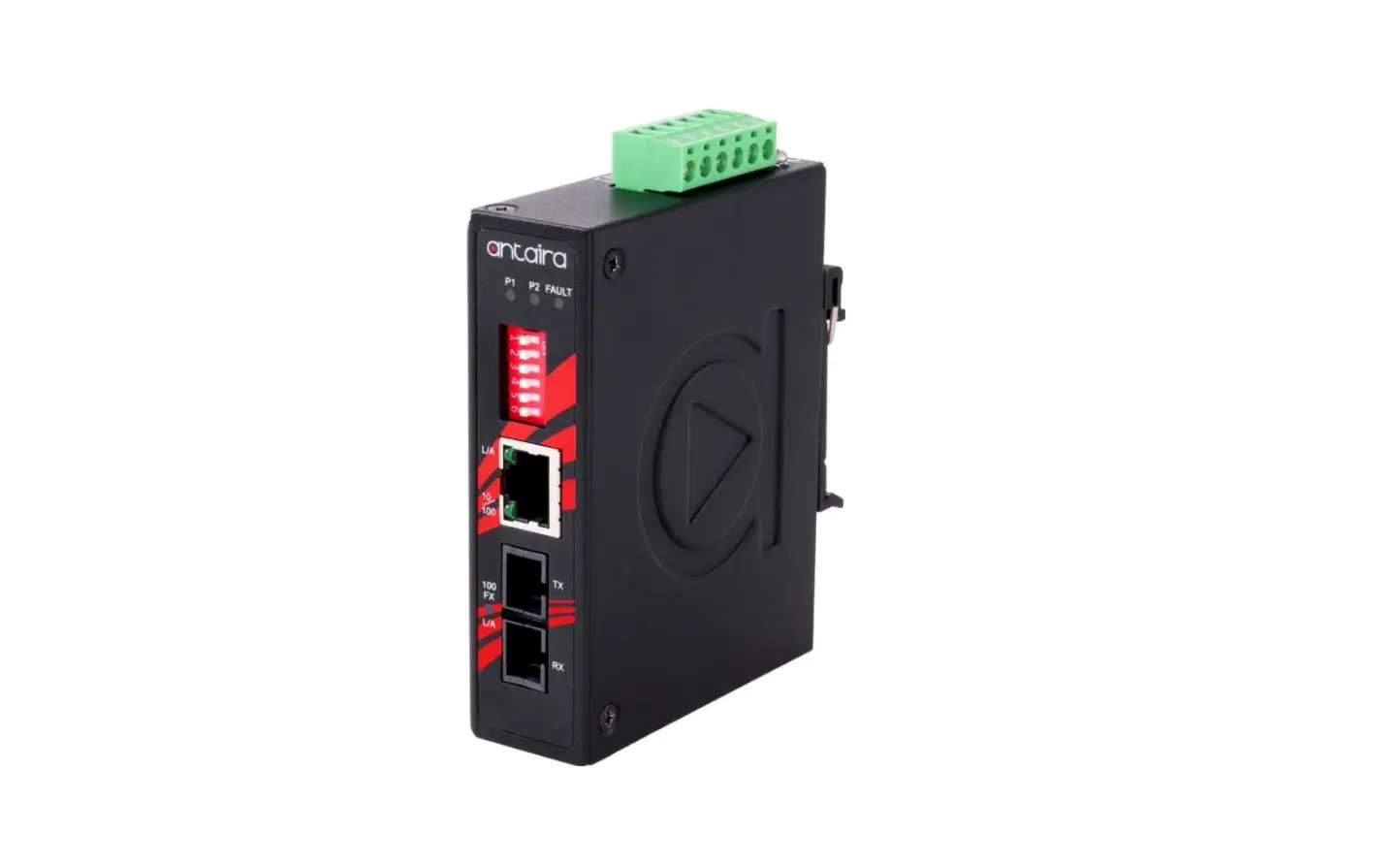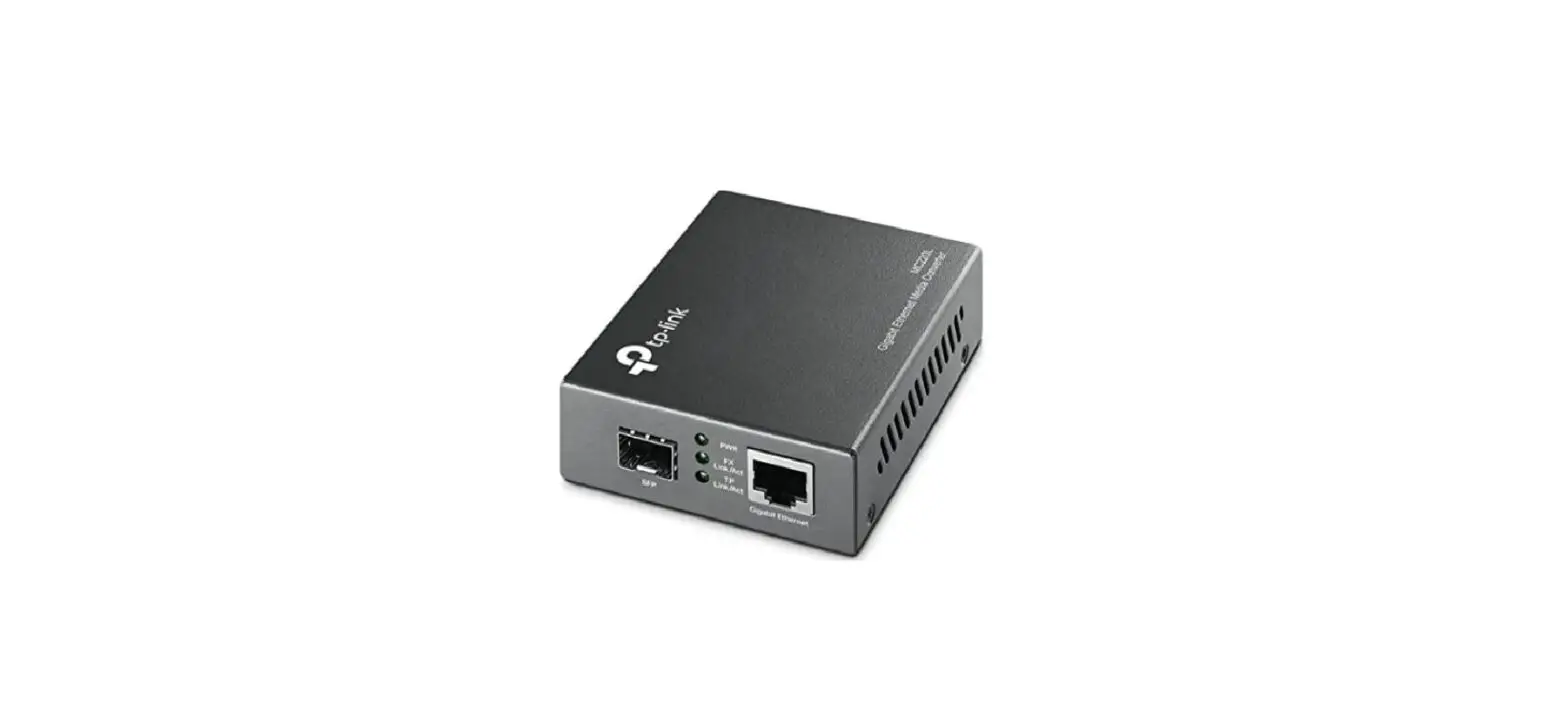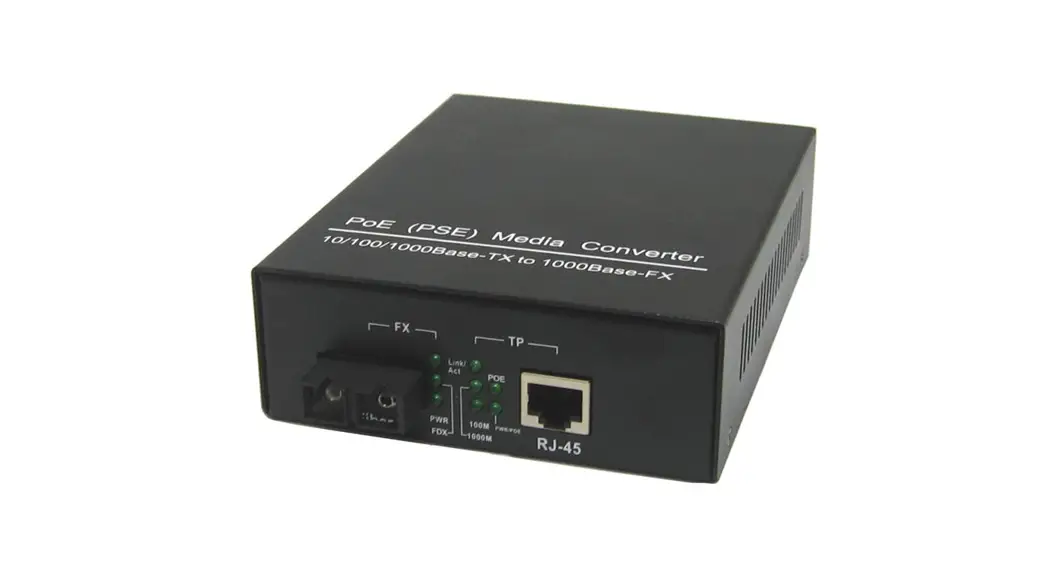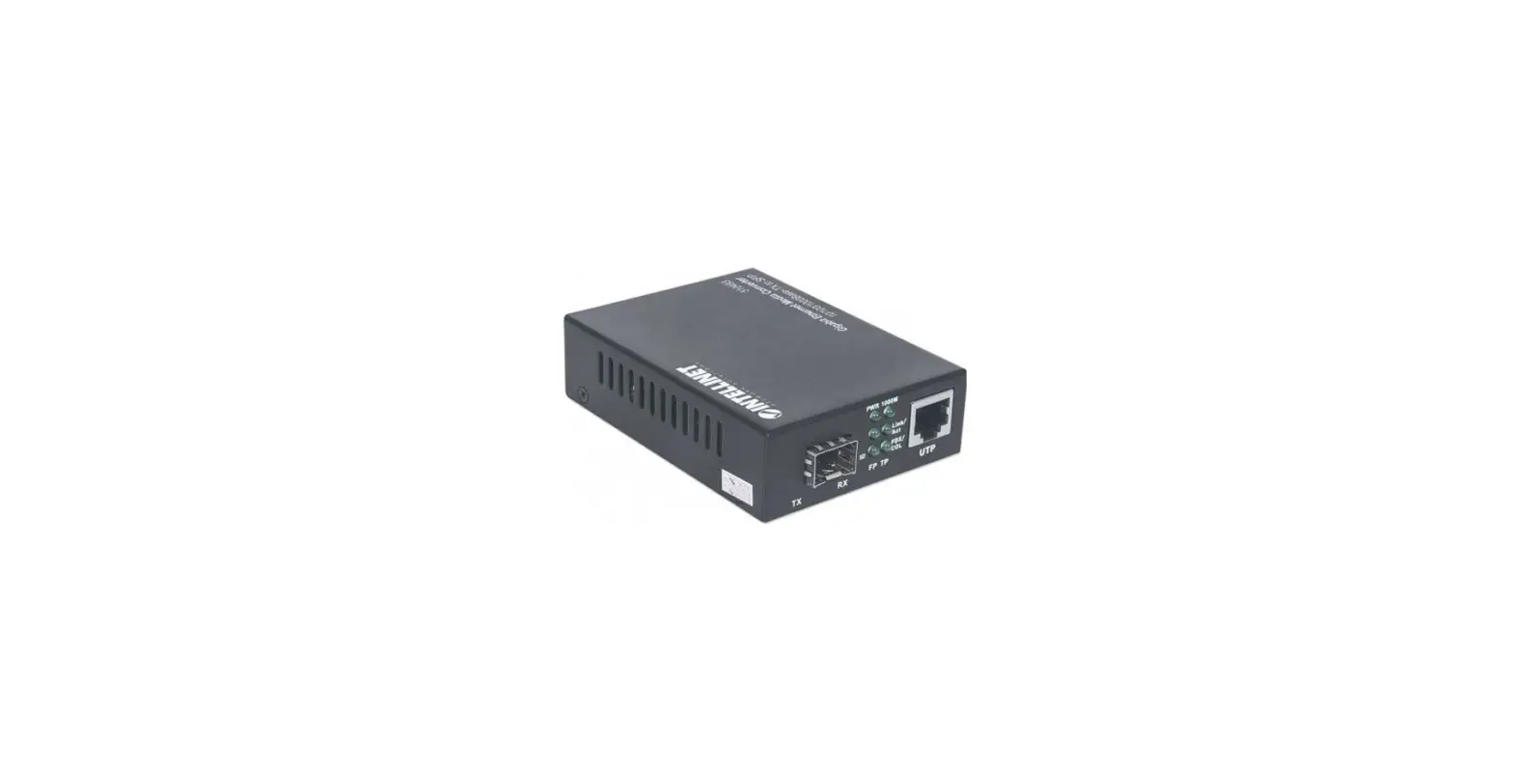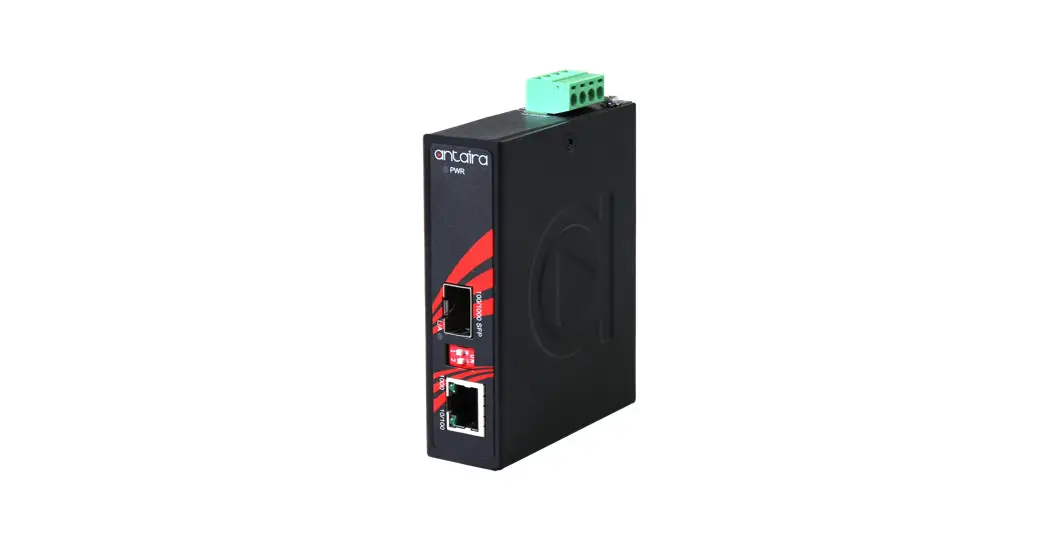
 IMC-C1000-SFP Series Compact Industrial Gigabit Ethernet Media Converter
User Manual
© Copyright 2018 Antaira Technologies, LLC.
All Rights Reserved
This document contains information, which is protected by copyright. Reproduction, adaptation or translation without prior permission is prohibited, except as allowed under the copyright laws.
Trademark Information
Antaira is a registered trademark of Antaira Technologies, LLC., Microsoft Windows and the Windows logo are the trademarks of Microsoft Corp. NetWare is the registered trademark of Novell Inc. WMM and WPA are the registered trademarks of Wi-Fi Alliance. All other brand and product names are trademarks or registered trademarks of their respective owners.
Notice: Copyrights © 2018 by Antaira Technologies, LLC. All rights reserved. Reproduction, adaptation, or translation without prior permission of Antaira Technologies, LLC. is prohibited, except as allowed under the copyright laws.
Disclaimer
Antaira Technologies, LLC. provides this manual without warranty of any kind, expressed or implied, including but not limited to the implied warranties of merchantability and fitness for a particular purpose. Antaira Technologies, LLC. may make improvements and/or changes to the product and/or specifications of the product described in this manual, without prior notice. Antaira Technologies, LLC. will not be liable for any technical inaccuracies or typographical errors found in this guide. Changes are periodically made to the information contained herein and will be incorporated into later versions of the manual. The information contained is subject to change without prior notice.
FCC Notice
This equipment has been tested and found to comply with the limits for a Class-A digital device, pursuant to Part 15 of the FCC rules. These limits are designed to provide reasonable protection against harmful interference in a residential installation. This equipment generates, uses, and can radiate radio frequency energy. It may cause harmful interference to radio communications if the equipment is not installed and used in accordance with the instructions. However, there is no guarantee that interference will not occur in a particular installation. If this equipment does cause harmful interference to radio or television reception, which can be determined by turning the equipment off and on, the user is encouraged to try to correct the interference by one or more of the following measures:
- Reorient or relocate the receiving antenna.
- Increase the separation between the equipment and receiver.
- Connect the equipment into an outlet on a circuit different from that to which the receiver is connected.
- Consult the dealer or an experienced radio/TV technician for help.
Caution: Any changes or modifications not expressly approved by the grantee of this device could void the user’s authority to operate the equipment.
CE Mark Warning
This is a Class-A product. In a domestic environment, this product may cause radio interference in which case the user may be required to take adequate measures.
Industrial Ethernet Media Converters
Industrial Grade Unmanaged Ethernet Media Converters
User Manual
Version 1.3 (Feb 2020)
This manual supports the following models:
- IMC-C1000-SFP
- IMC-C1000-SFP-T
This document is the current official release manual. Please check our website (www.antaira.com) for any updated manual or contact us by e-mail ([email protected]).
Overview
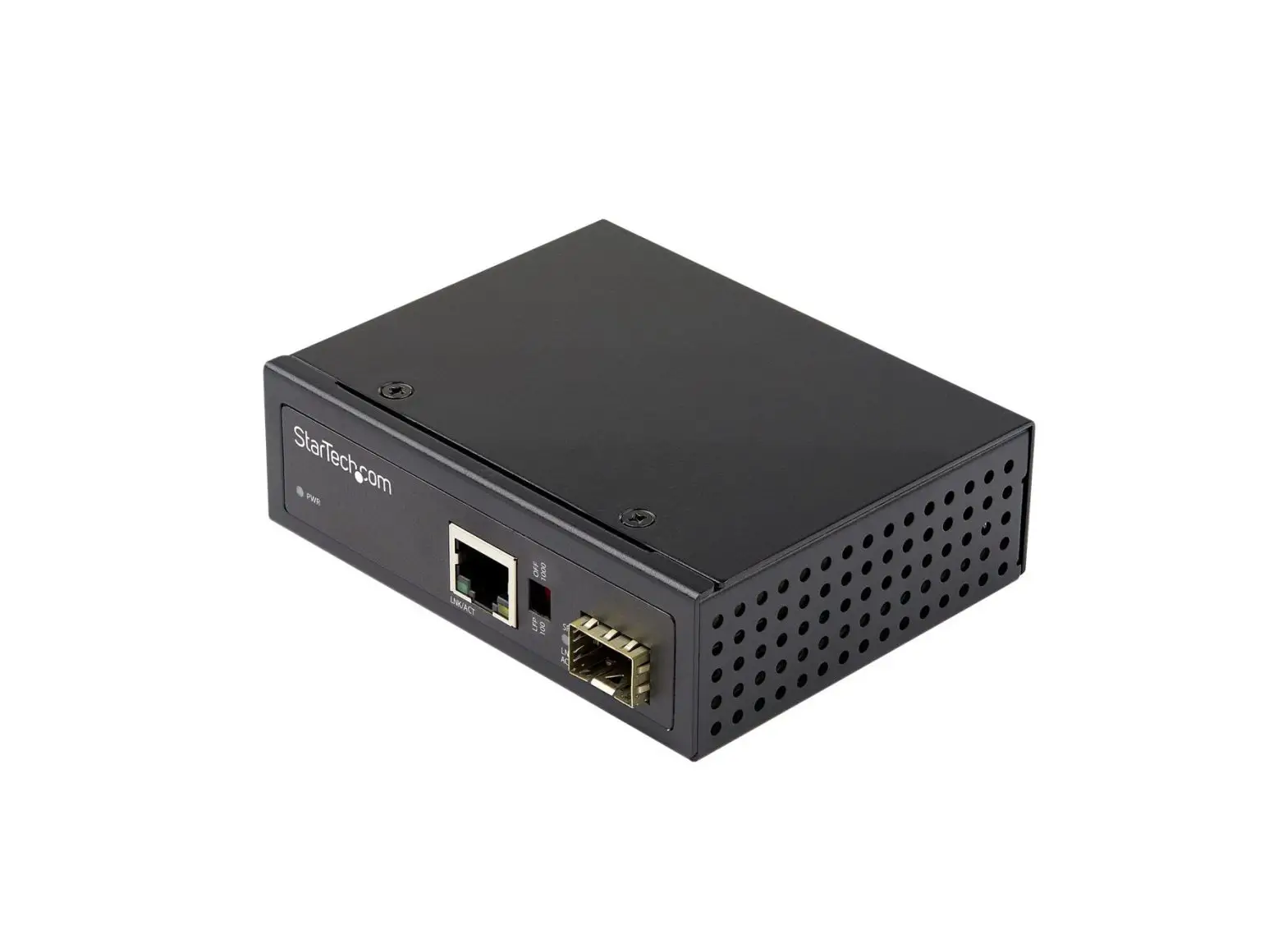
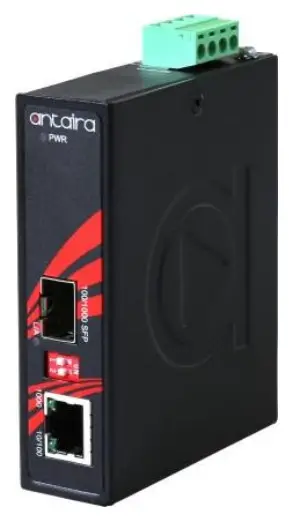
Antaira Technologies’ IMC-C1000-SFP series is a compact IP30 rated gigabit Ethernet-to-Fiber media converter featuring a 10/100/1000TX Ethernet port and a dual-rate 100/1000 SFP slot. It is perfectly designed to fulfill industrial applications that require distance extension and high bandwidth capabilities.
This small form factor is ideal for saving space in outdoor applications such as factory automation, security, ITS transportation, power/utility, water wastewater treatment plants, and any other extreme ambient weather environments.
The IMC-C1000-SFP series has a built-in “Link Fault Pass Through” (LFP) and “Far End Fault” (FEF) function with 12~48VDC redundant power inputs with reverse polarity and overload current protection.
This product series supports DIN-rail as well as wall-mountable orientations and provides operating temperature range models in STD: -10°C to 70°C and EOT: -40°C to 80°C.
Key Features
- System Interface/Performance
• RJ-45 ports support the auto MDI function
• Embedded 1*10/100/1000Tx and 1*100/1000Fx
• Store-and-forward switching architecture - Power Input
• DC 12~48V redundant power with a 4-pin removal terminal block - Operating Temperature
• Standard operating temperature model: -10°C ~ 70°C
• Extended operating temperature model (–T): -40°C ~ 80°C - Case/Installation
• IP30 protection
• DIN-Rail and wall-mount design
Package Contents
- 1 – IMC-C1000-SFP series compact industrial media converter
- 2 – wall mounting brackets and screws
Safety Precaution
Attention: If the DC voltage is supplied by an external circuit, please use a protection device on the power supply input. The industrial Ethernet media converter’s hardware specs, ports, cabling information, and wiring installation will be described within this user manual.
Hardware Description
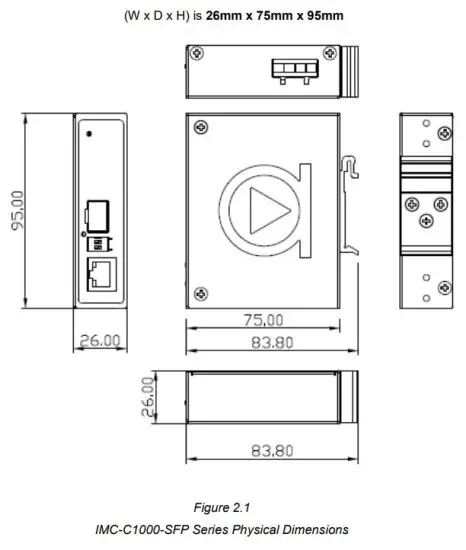
Physical Dimensions
Figure 2.1, below, shows the physical dimensions of Antaira Technologies IMC-C1000-SFP series:
10/100/1000Tx to 100/1000Fx compact industrial gigabit Ethernet media converter.
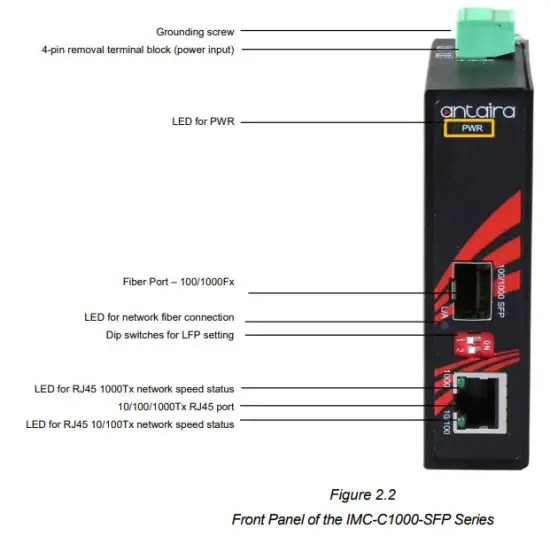
Front Panel
The front panel of the IMC-C1000-SFP series: 10/100/1000Tx to 100/1000Fx industrial compact gigabit Ethernet media converter (Figure 2.2).
Top View
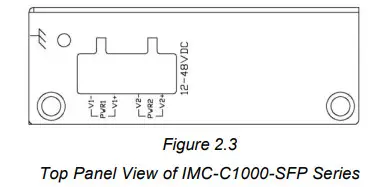
Figure 2.3, below, shows the top panel of the IMC-C1000-SFP series media converter that is equipped with one 4-pin removal terminal block connector for dual DC power inputs (12~48VDC).
LED Indicators
There are LED light indicators located on the front panel of the industrial Ethernet media converter that displays the power status and network status. Each LED indicator has a different color and has its own specific meaning, see below in Table 2.1.
| LED | Color | Description | |
| Power | Green | On | Power input 1 or 2 is active |
| Off | Power input 1 or 2 is inactive | ||
| LINK/ACT (SFP Slot) | Green | On | Connected to network at 100/1000mbps |
| Flashing | Networking is active | ||
| Off | Not connected to the network | ||
| RJ45 Port (Upper LED) | Green | On | Linked to network at 1000Mbps |
| Flashing | Networking is active | ||
| Off | Not connected to the network | ||
| RJ45 Port (Lower LED) | Green | On | Linked to network at 10/100Mbps |
| Flashing | Networking is active | ||
| Off | Not connected to the network | ||
Table 2.1
LED Indicators for IMC-C1000-SFP Series
DIP-Switch Setting
There are 2‐set DIP‐switch in the front panel that can be set for SFP (Link Fault Pass) function and SFP transmission rate, see below in Table 2.2
| DIP 1 | DIP 2 | Description |
| ON | ON | LFP Enable and Set SFP to 100Mbps |
| ON | OFF | LFP Enable and Set SFP to 1000Mbps |
| OFF | ON | LFP Disable and Set SFP to 100Mbps |
| OFF | OFF | LFP Disable and Set SFP to 1000Mbps (Default) |
Table 2.2
The DIP‐switch setting for IMC-C1000-SFP Series
Note: After any DIP switch changes have been made, it is required to power cycle the unit for the changes to take effect.
Ethernet Ports
RJ-45 Ports
RJ-45 Ports (Auto MDI/MDIX): The RJ-45 port is auto-sensing for 10/100Base-Tx or 1000BaseTx device connections.
Auto MDI/MDIX means that the media converter can connect to another switch or workstation without changing the straight-through or crossover cabling. See the figures shown below for the straight-through and crossover cabling schematics.
RJ-45 Pin Assignments (Table 2.3)
| Pin Number | Assignment |
| 1 | Rx+ |
| 2 | Rx- |
| 3 | Tx+ |
| 6 | Tx- |
Table 2.3
RJ45 Pin Assignments
Note: The “+” and “-” signs represent the polarity of the wires that make up each wire pair.
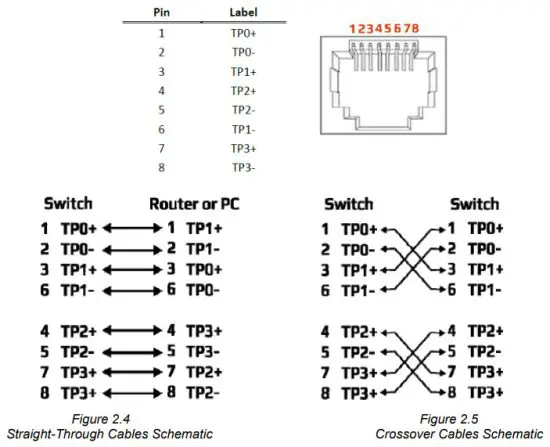
The RJ45 port on this industrial Ethernet media converter supports automatic MDI operations. Users can use straight-through cables (Figure 2.4 & Figure 2.5) for all network connections to PCs, servers, and other switches or hubs. With a straight-through cable, pins 1, 2, 3, and 6, at one end of the cable, are connected straight through to pins 1, 2, 3, and 6 at the other end of the cable. The table below (Table 2.3) shows the 10BASE-T/100BASE-TX/1000BASE-T MDI port pinouts.
| Pin MDI-X | Signal Name | MDI Signal Name |
| 1 | Receive Data plus (RD+) | Transmit Data plus (TD+) |
| 2 | Receive Data minus (RD-) | Transmit Data minus (TD-) |
| 3 | Transmit Data plus (TD+) | Receive Data plus (RD+) |
| 6 | Transmit Data minus (TD-) | Receive Data minus (RD-) |
Table 2.4
Ethernet Signal Pin Outs
The following figures show the cabling schematics for straight-through and crossover cables.
Cabling
- Twisted-pair segments can be connected with an unshielded twisted pair (UTP) or shielded twisted pair (STP) cable. The cable between the equipment and the link partner (media converter, switch, hub, workstation, etc.) must be less than 100 meters (328 ft.) long.
- The small form‐factor pluggable (SFP) is a compact optical transceiver used in optical communications for both telecommunication and data communication applications.
- To connect the transceiver and LC cable, please follow below steps:
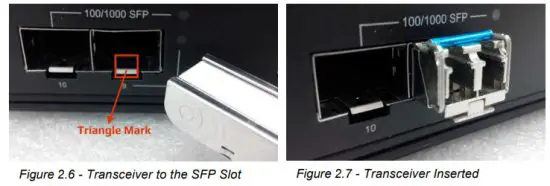
o Step 1 – Insert the SFP transceiver module into the SFP slot as shown below in Figure 2.6. Notice that the triangle mark is at the bottom of the SFP slot. Figure 2.7 shows the SFP transceiver module was inserted. o Step 2 – Insert the fiber cable of the LC connector into the transceiver as shown below in Figure 2.8.
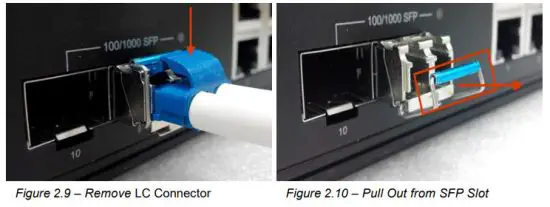
- To remove the LC connector from the transceiver, please follow the steps shown below:
o Step 1 – Press the upper side of the LC connector from the transceiver and pull it out to release as shown below in Figure 2.9.
o Step 2 – Push down the metal clasp and pull the transceiver out by the plastic part as shown below in Figure 2.10.
 o Step 2 – Insert the fiber cable of the LC connector into the transceiver as shown below in Figure 2.8.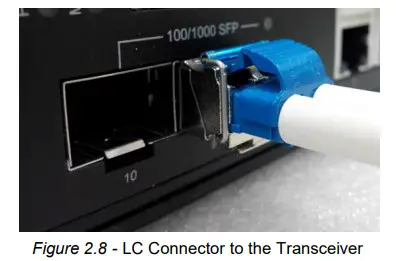
Wiring the Power Inputs
Please follow the steps below to insert the power wire.
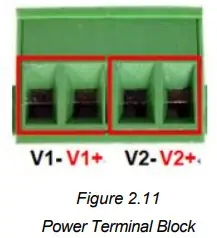
- Insert the positive and negative wires into the PWR1 (V1+, V1-) and PWR2 (V2+, V2-) contacts on the terminal block connector as shown below in Figure 2.11.

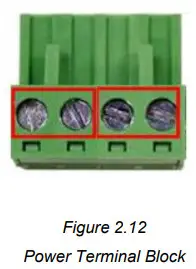
- Tighten the wire-clamp screws to prevent the wires from loosening, as shown below in Figure 2.12.

**Note:
- Only use copper conductors, 60/75°C, tighten to 5 lbs.
- The wire gauge for the terminal block should range between 18~20 AWG.
Mounting Installation
DIN-Rail Mounting
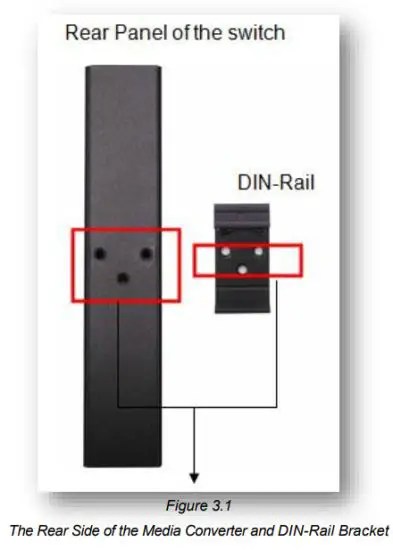
The DIN-Rail is pre-installed on the industrial Ethernet media converter from the factory. If the DIN-Rail is not on the industrial Ethernet media converter, please refer to Figure 3.1 to learn how to install the DIN-Rail on the media converter.
Follow the steps below to learn how to hang the industrial Ethernet media converter.
- Use the screws to install the DIN-Rail bracket on the rear side of the industrial Ethernet media converter.
- To remove the DIN-Rail bracket, do the opposite from step 1.
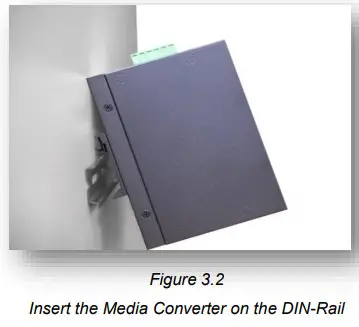
- After the DIN-Rail bracket is installed on the rear side of the media converter, insert the top of the DIN-Rail onto the track as shown below in Figure 3.2.

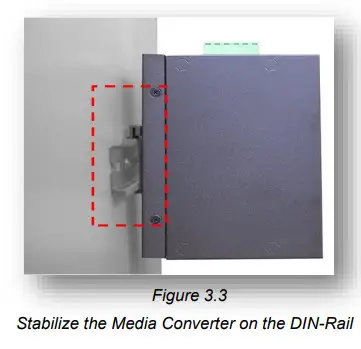
- Lightly pull down the bracket onto the rail as shown below in Figure 3.3.

- Check if the bracket is mounted tightly on the rail.
- To remove the industrial Ethernet media converter from the rail, do the opposite from the above steps.
Wall Mounting
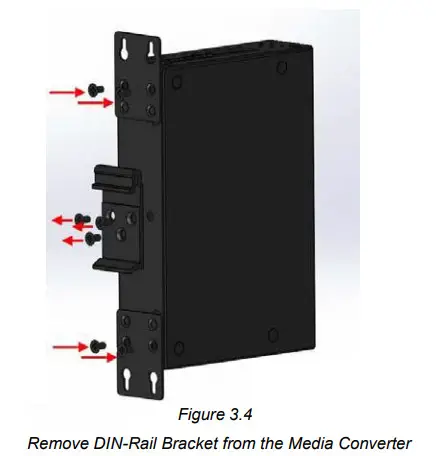
Follow the steps below to mount the industrial Ethernet media converter using the wall mounting bracket as shown below in Figure 3.4.
- Remove the DIN-Rail bracket from the industrial media converter by loosening the screws.
- Place the wall mounting brackets on the top and bottom of the industrial media converter.
- Use the screws to screw the wall mounting bracket on the industrial media converter.
- Use the hook holes at the corners of the wall mounting bracket to hang the industrial Ethernet media converter on the wall.
- To remove the wall mount bracket, do the opposite from the steps above.
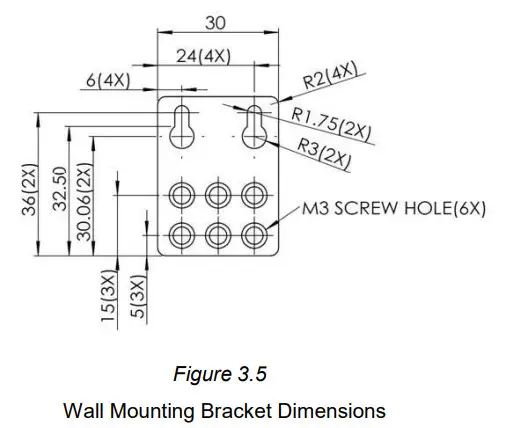
Below, in Figure 3.5 are the dimensions of the wall mounting bracket.
Hardware Installation
Installation Steps
This section will explain how to install Antaira Technologies’ IMC-C1000-SFP(-T) series:
10/100/1000Tx to 100/1000Fx industrial compact gigabit Ethernet media converter.
Installation Steps
- Unpack the industrial Media Converter from the original packing box.
- Check if the DIN‐Rail bracket is screwed on the industrial Media Converter.
a. If the DIN‐Rail is not screwed on the industrial Media Converter, please refer to the DIN‐Rail Mounting section for DIN‐Rail installation.
b. For Wall Mounting, please refer to the Wall Mounting section for wall mounting installation. - For DIN‐Rail or wall mounting, please refer to the Mounting Installation section.
- Power on the industrial Media Converter and then the power LED light will turn on.
a. For wiring power, please refer to the Wiring the Power Inputs section.
b. Please refer to the LED Indicators section for LED light indication. - Prepare the twisted‐pair, straight‐through category 5 cable for Ethernet connection.
- Insert one side of the RJ‐45 cable into Media Converter’s Ethernet port and on the other side into the networking device’s Ethernet port, e.g. switch PC or server. The Ethernet port’s (RJ‐45) LED on the industrial Media Converter will turn on when the cable is connected to the networking device.
a. Please refer to the LED Indicators section for LED light indication. - Insert one side of the SFP cable into Media Converter’s SFP port and on the other side into the networking device’s SFP port, e.g. switch or server. The SFP port’s LED on the industrial Media Converter will turn on when the cable is connected to the networking device.
a. Please refer to the LED Indicators section for LED light indication. - When all connections are set and the LED lights all show normal, the installation is completed.
Network Application
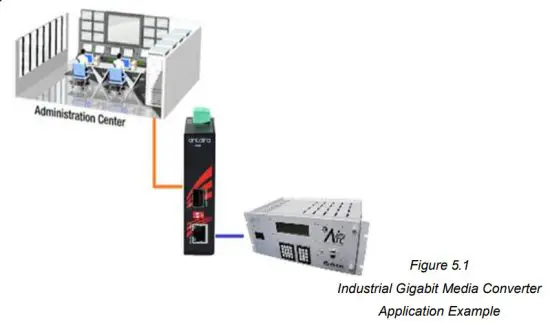
This segment provides an example of an industrial Ethernet media converter application (Figure 5.1).
Trouble Shooting
- Always verify the right power cord or adapter is being used. Never use a power supply or adapter with a non-compliant DC output voltage or it will burn the equipment.
- Select the proper UTP or STP cable in order to construct the network. Use an unshielded twisted-pair (UTP) or shield twisted-pair (STP) cable for RJ-45 connections: 100Ω Category 5e for 10/100/1000Mbps. Also, be sure that the length of any twisted-pair connection does not exceed 100 meters (328 feet).
- Diagnosing LED Indicators: To assist in identifying problems, the media converter can be easily monitored with the LED indicators which help to identify if any problems exist.
o Please refer to the LED Indicators section for LED light indication. - If the power indicator LED does not turn on when the power cord is plugged in, the user may have a problem with the power cord. Check for loose power connections, power losses, or surges at the power outlet.
o Please contact Antaira for technical support service, if the problem still cannot be resolved. - If the industrial media converter LED indicators are normal and the connected cables are correct but the packets still cannot transmit, please check the system’s Ethernet devices’ configuration or status.
Technical Specifications
Table 7.1 has the technical specifications for Antaira Technologies’ IMC-C1000-SFP series:
10/100/1000Tx to 100/1000Fx industrial compact Gigabit Ethernet media converter.
| Standards | IEEE 802.3 | 10Base-T 10Mbit/s Ethernet |
| IEEE 802.3u | 100Base-Tx, Fast Ethernet | |
| IEEE 802.3ab | 1000Base-Tx Gigabit Ethernet | |
| IEEE 802.3z | 1000BaseSX/LX Standards for Gigabit Fiber | |
| IEEE 802.3x | Backpressure flow control | |
| Technology | Protocol | CSMA/CD |
| Data Process | Store and Forward | |
| Transfer Rate | 14,880 PPS for 10Base-T Ethernet port 148,800 PPS for 100Base-TX Fast Ethernet port 1,4888,000 PPS for Gigabit Ethernet port | |
| Transmission Distance | Up to 1000M (Ethernet); Up to 120Km for fiber dependent on SFP | |
| Transmission Speed | Up to 1000Mbps | |
| Port Interface | Ethernet (RJ45) Port | 1*10/100/1000Tx auto negotiation speed, full/half-duplex mode, and auto MDI connection |
| Fiber Port | 1*100/1000Fx SFP Slot | |
| Fiber Wavelength | Refer to SFP Module | |
| DIP Switch | DIP Switch 1: LFP(Link Fault Pass) Enable/Disable DIP Switch 2: 1000Mbps / 100Mbps | |
| LED Indicator | Power 1, Power 2, Fault Ethernet Ports: On-Link/Flash-data transmitting SFP: Link/Active | |
| Network Cable | 10BaseT: 2-pair UTP/STP Cat.3,4,5 cable EIA/TIA-568 100-ohm (100m) 100BaseTX: 2-pair UTP/STP Cat.5 cable EIA/TIA-568 100-ohm (100m) 1000BaseTX: UTP/STP Cat. 5/5e cable EIA/TIA-568 100-oHm (100m) | |
| Mechanical Characteristics | Housing | Metal IP30 protection |
| Dimension | 26 x 95 x 75 mm | |
| Weight | Unit Weight: 0.5 lbs. Shipping Weight: 1.0 lbs. | |
| Mounting | DIN-Rail Mounting, wall-mounting (optional) | |
| Power Requirement | Input Voltage | 12-48VDC Redundant Input |
| Power Connection | 1 removable 4-contact terminal block | |
| Power Consumption | 1.8 Watts | |
| Environmental Limits | Operating Temperature | Standard: -10 to 70°C (14 to 158F) EOT: -40 to 80°C (-40 to 176F) |
| Operating Humidity | 5% to 95% (Non-Condensing) | |
| Storage Temperature | -40 to 85°C (-40 – 185F) | |
| Regulatory Approvals | EMI / EMS | FCC Part 15 Subpart B Class A, CE EN 55022 Class A IEC61000-4-2(ESD), 3(RS), 4(EFT), 5(Surge), 6(CS), 8(Magnetic Field) |
| Stability Testing | IEC60068-2-32(Free Fall), 27(Shock), 6(Vibration) | |
| Safety | CE, FCC, UL 61010-1, UL 61010-2-201 | |
| Compliance | NEMA TS1/TS2 |
Table 7.1
IMC-C1000-SFP Series Technical Specifications
Antaira Customer Service and Support
(Antaira US Headquarter) + 844-268-2472
(Antaira Europe Office) + 48-22-862-88-81
(Antaira Asia Office) + 886-2-2218-9733
Please report any problems to Antaira:
www.antaira.com / [email protected]
www.antaira.eu / [email protected]
www.antaira.com.tw / [email protected]
Any changes to this material will be announced on the Antaira website.
References
 📧[email protected]
-
📧[email protected]
-
📧[email protected]
 Antaira Technologies | Industrial Networking Solutions
-
Antaira Technologies Asia | Industrial Networking Product Solutions
-
Antaira Technologies Asia | Industrial Networking Product Solutions
-
Antaira Technologies | Industrial Networking Solutions
-
Antaira Technologies PoE Switches, converters and modules, Bluetooth adapters, servers - Antaira Technologies
-
Antaira Technologies PoE Switches, converters and modules, Bluetooth adapters, servers - Antaira Technologies
 📧
📧 📧
📧 📧
📧 Antaira Technologies | Industrial Networking Solutions
 Antaira Technologies Asia | Industrial Networking Product Solutions
 Antaira Technologies PoE Switches, converters and modules, Bluetooth adapters, servers - Antaira Technologies