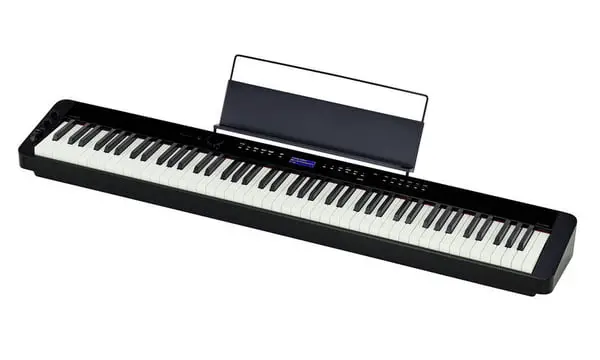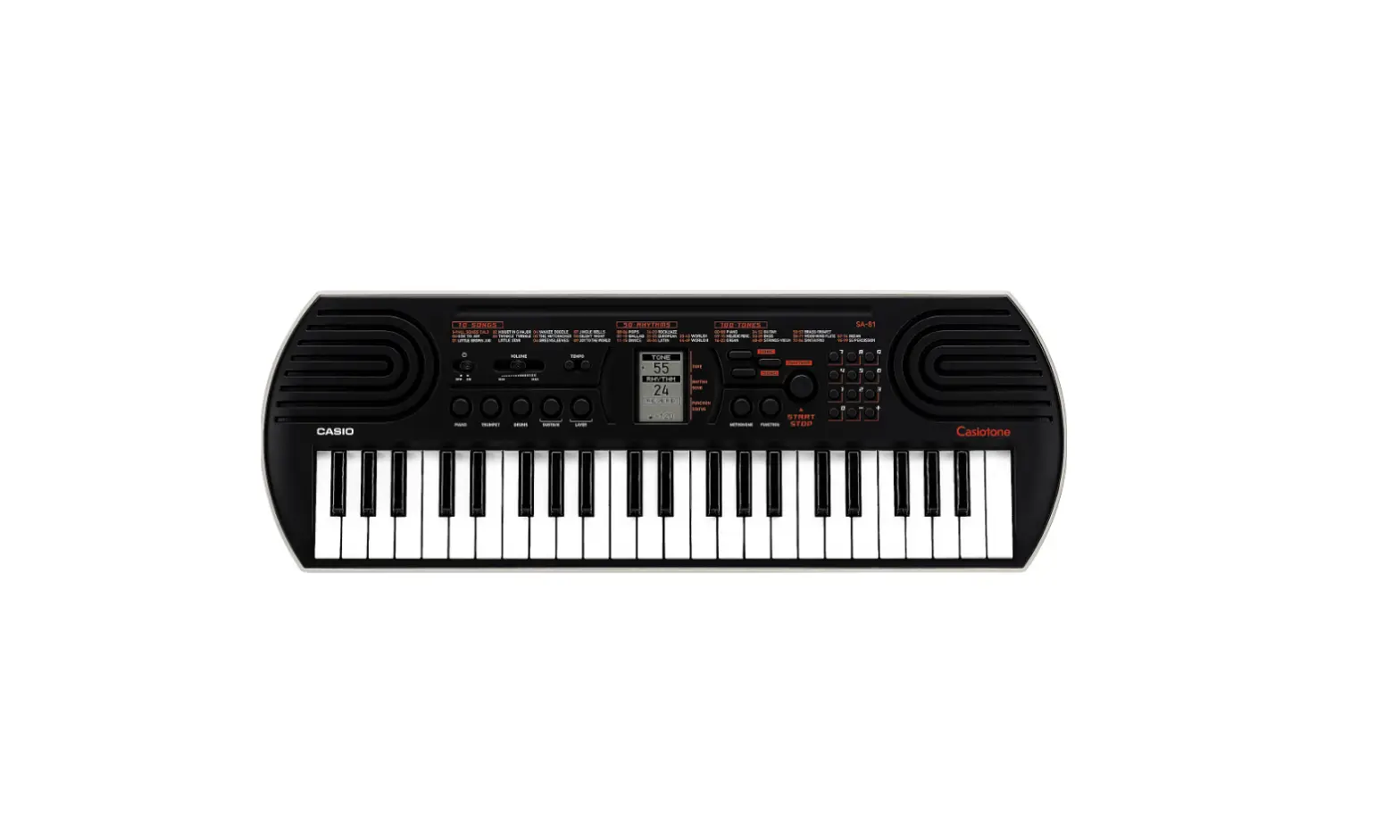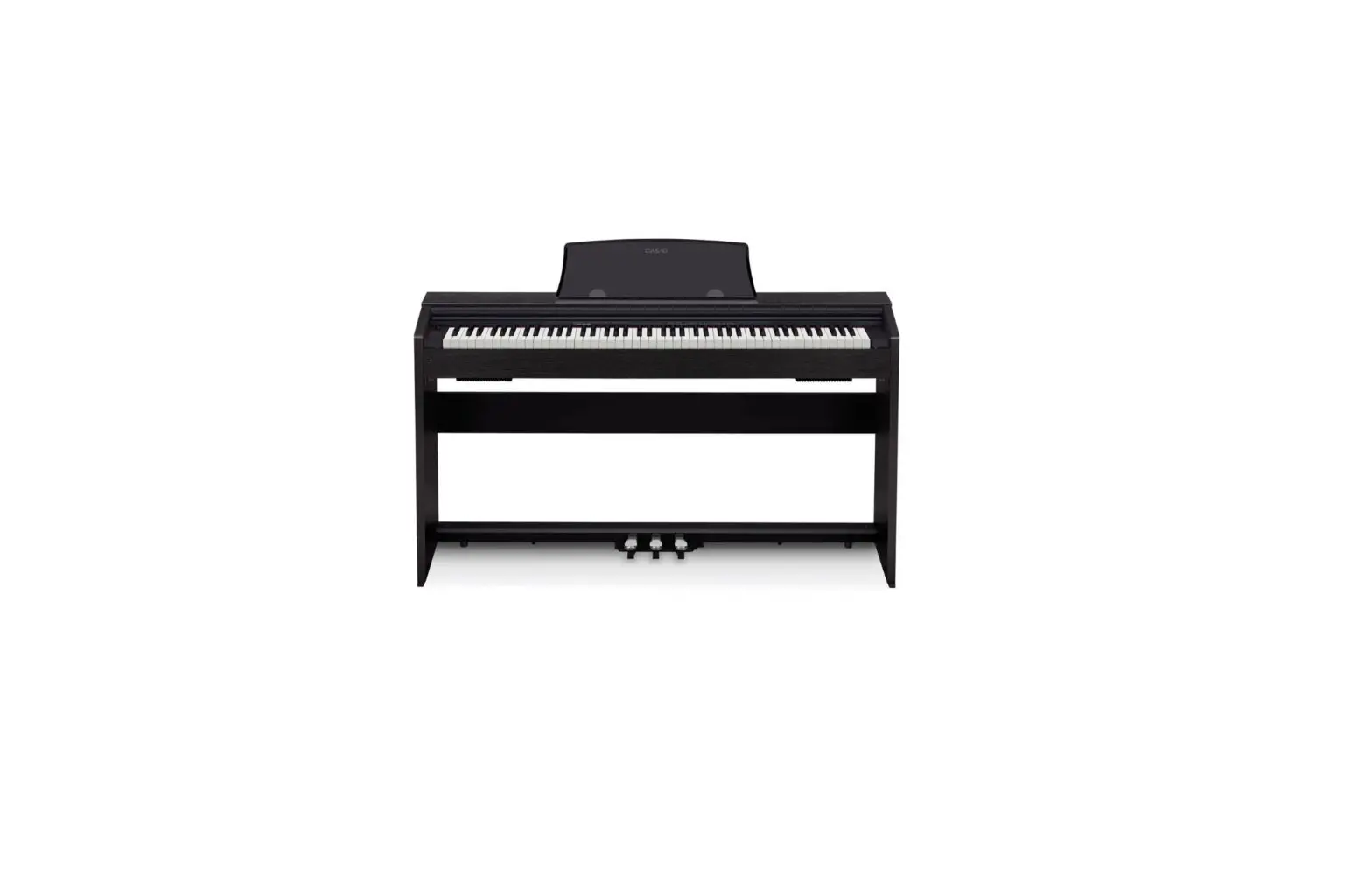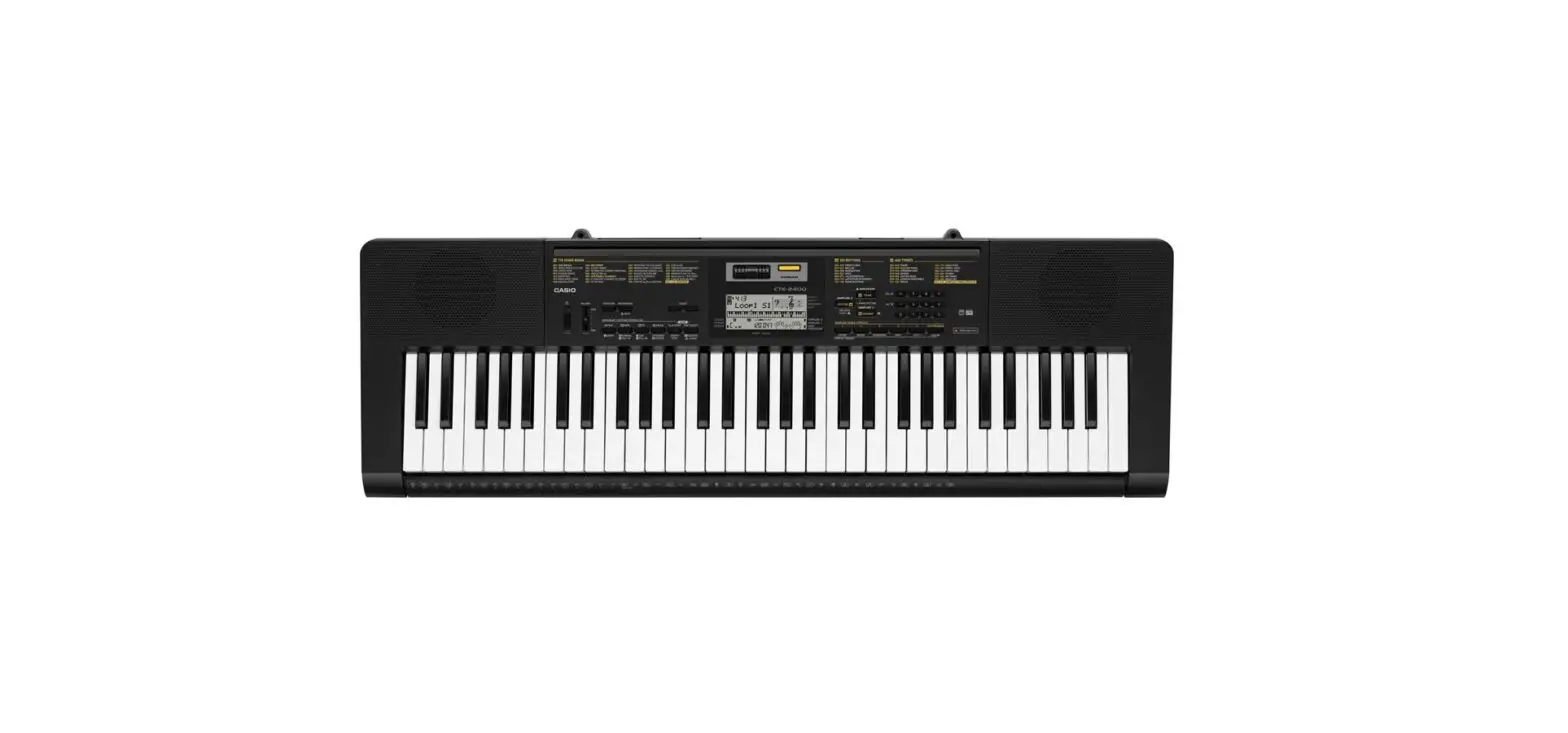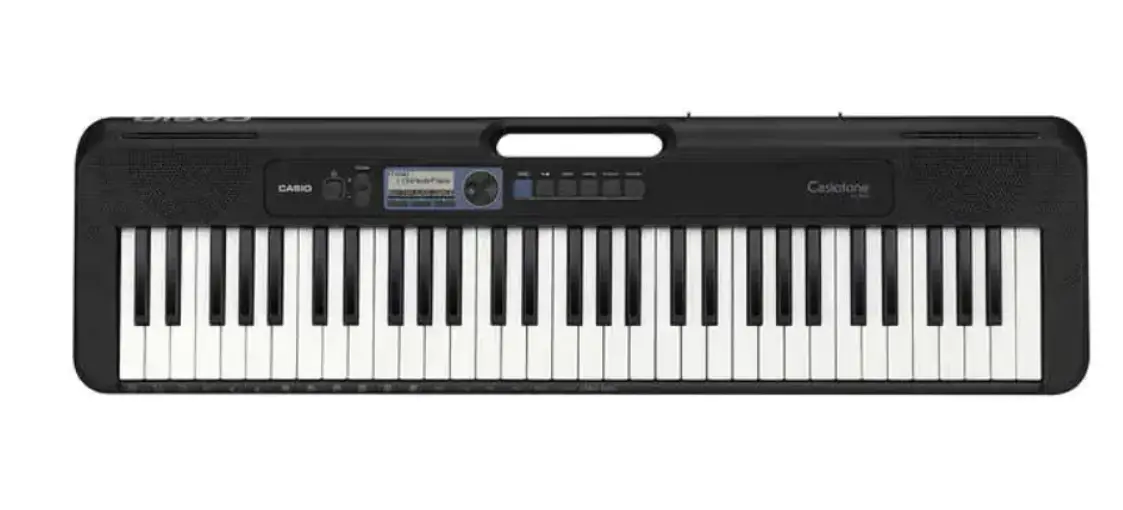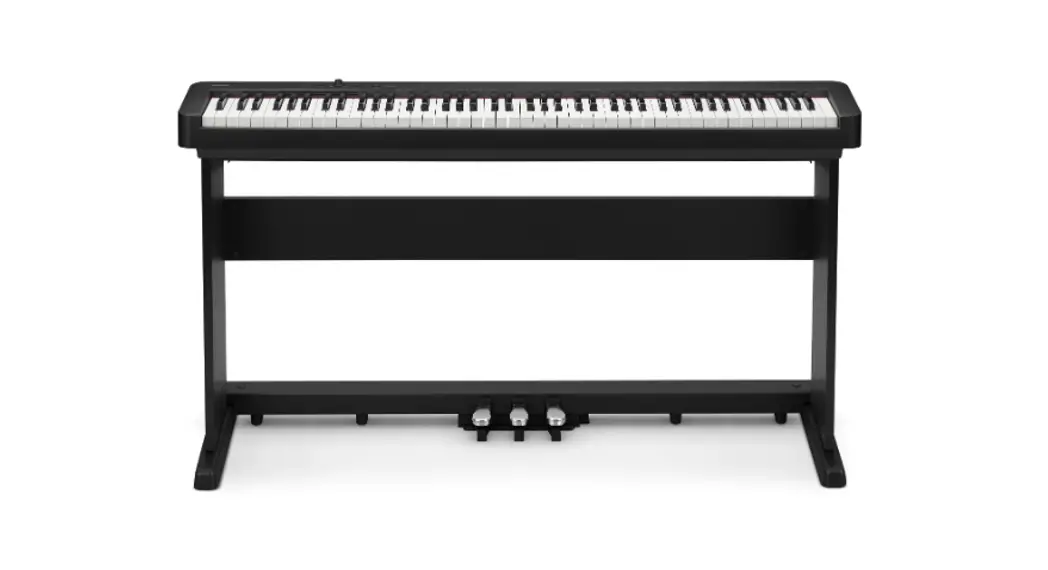
 CDP-S160 Portable Digital Piano
User Guide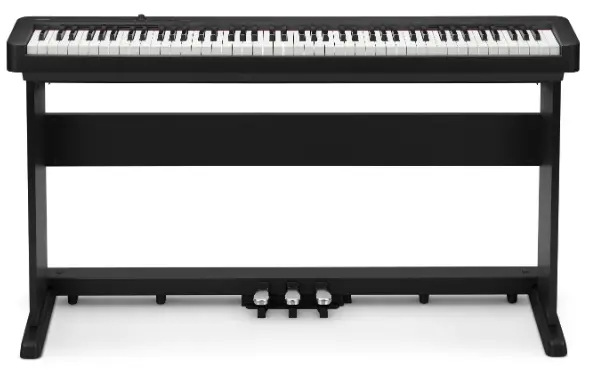
Please keep all information for future reference.
Be sure to read the separate “Safety Precautions” and use the Digital Piano correctly.
These instructions provide general information about Digital Piano operations. For more detailed information, refer to the User’s Guide available on the CASIO website.
https://support.casio.com/global/en/emi/manual/CDP-S160/

Supported Operations
✔A choice of different tones
Select from among 10 different tones, including grand piano and more. You can even layer two different tones for simultaneous play.
☞THESE INSTRUCTIONS: Selecting a Tone
✔Powerful digital piano settings
☞THESE INSTRUCTIONS: Splitting the Keyboard for Duet Play, Recording, and Play Back
✔ Metronome
The metronome can be used to help maintain the correct tempo. You can select from among nine different time signatures for the metronome.
☞THESE INSTRUCTIONS: Using the Metronome
✔ Play along with sound data from an externally connected device
A portable audio player or another device can be connected to the Digital Piano’s AUDIO IN jack for play along with device playback on the keyboard.
☞THESE INSTRUCTIONS: Playing an External Device from the Digital Piano
✔Smart device linking for enhanced function
Digital Piano function can be controlled from the screen of a linked smart device and more.
☞THESE INSTRUCTIONS: Linking with a Smart Device (APP Function)
✔ Other useful features
• Changing the Keyboard Touch Response
• Tone effects
• Changing the Pitch in Semitone Steps (Transpose)
• Fine Tuning a Pitch (Tuning)
• Computer connectivity for MIDI data exchange
☞CASIO WEBSITE: User’s Guide
✔ Troubleshooting
☞CASIO WEBSITE: User’s Guide
The first thing you need to do is follow the instructions under “Preparing a Power Supply” in these instructions to supply power to the Digital Piano.
General Guide
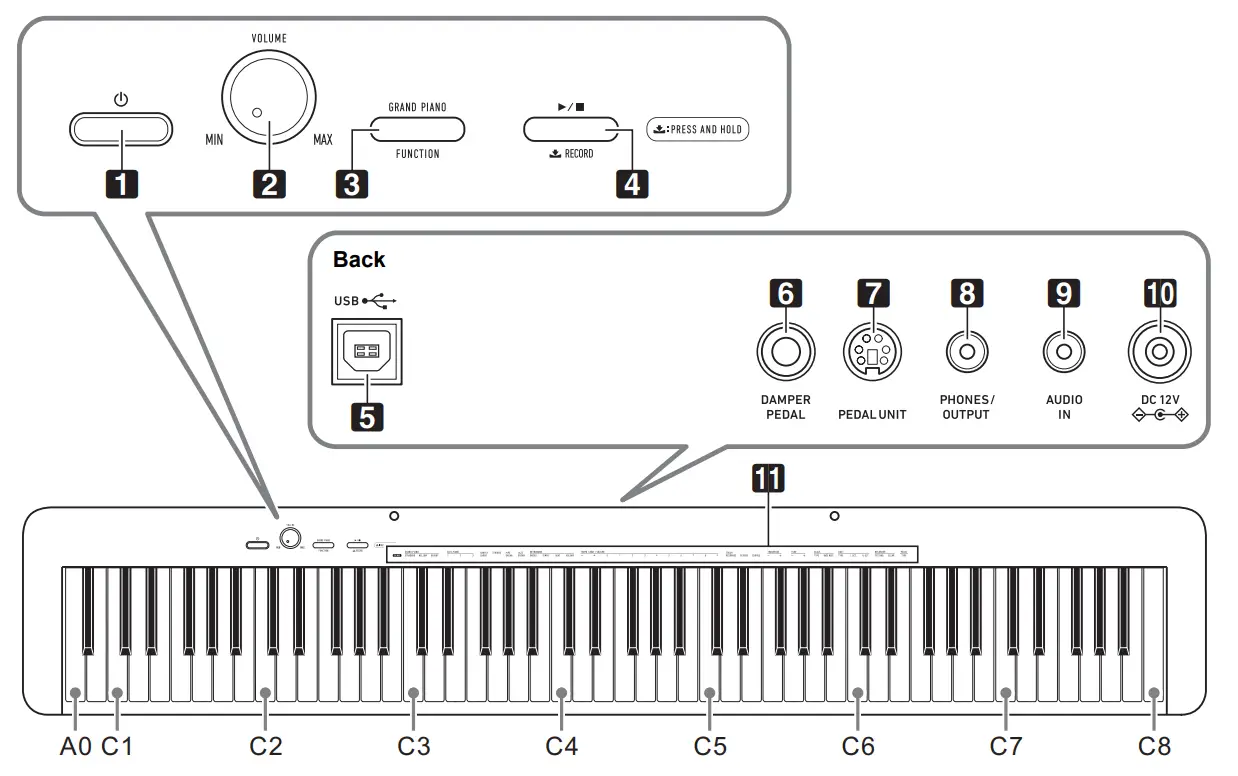
• Some of the button names shown here include the  mark. This indicates that you need to long-press the button to perform its operation.
1.  (Power) button (Power) button2. VOLUME knob 3. GRAND PIANO, FUNCTION button 4.  , RECORD button , RECORD button5. USB Type B port 6. DAMPER PEDAL jack | 7. PEDAL UNIT jack 8. PHONES/OUTPUT jack 9. AUDIO IN jack 10. DC 12V terminal 11. Functions assigned to keys* |
* Functions assigned to keys
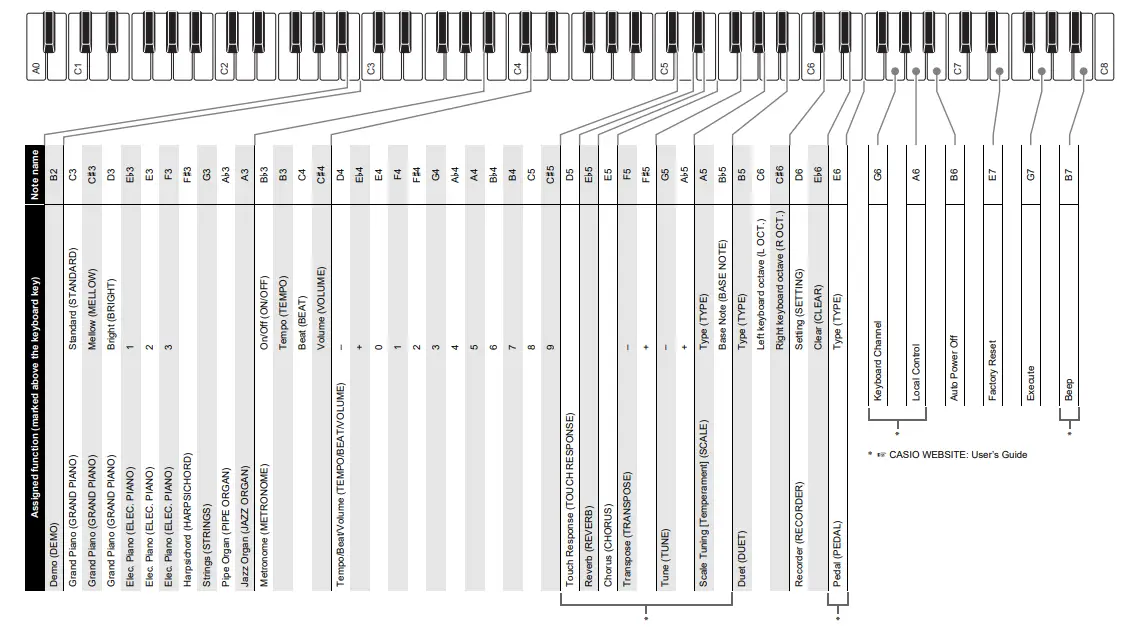
While holding down the 3 FUNCTION button, you can use these keys to change settings, such as the currently selected tone, etc. Most of the functions that can be changed using keyboard keys are marked above the keyboard. For example, tone names assigned to the TONE setting keys (C3 to A3) are marked above the keys.
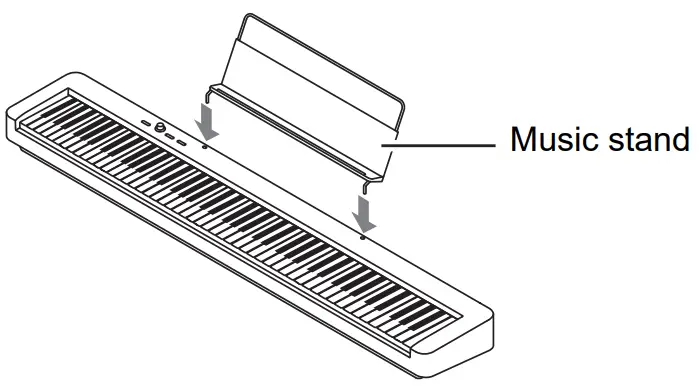
■ Preparing the Music Stand
■ Returning the Digital Piano to Its Factory Default Settings
Refer to “Returning the Digital Piano to Its Factory Default Settings” on the back of these instructions.
Keyboard Function List
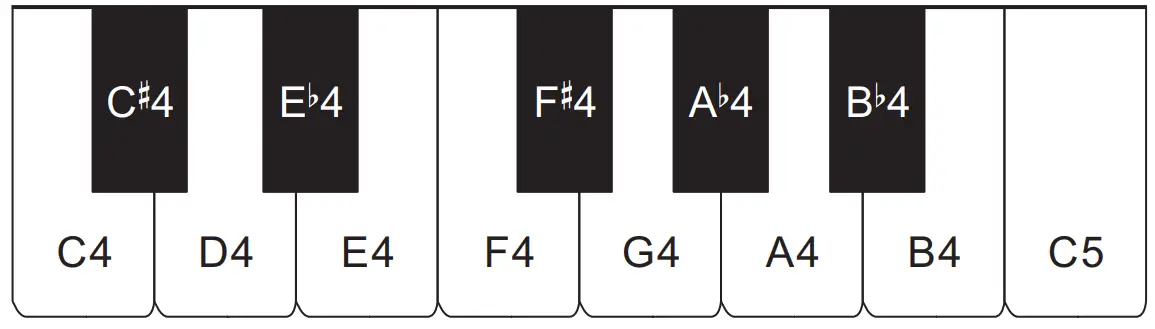
 Keyboard note names and pitches
The keyboard note names and pitches used in these instructions follow the international standard. Middle C is C4, the lowest C is C1, and the highest C is C8. The illustration below (C4 through C5) shows keyboard keynote names.
Included Accessories
- Music Stand
- AC adaptor
- Power cord
- Pedal
- Leaflets
• Safety Precautions
• Other (Warranty, etc.)
Items included as accessories are subject to change without notice.
Separately Available Accessories
You can get information about accessories that are separately for this product from the CASIO catalog available from your retailer, and from the CASIO website at the URL below.
https://support.casio.com/global/en/emi/manual/CDP-S160/

Getting Ready
Preparing a Power Supply
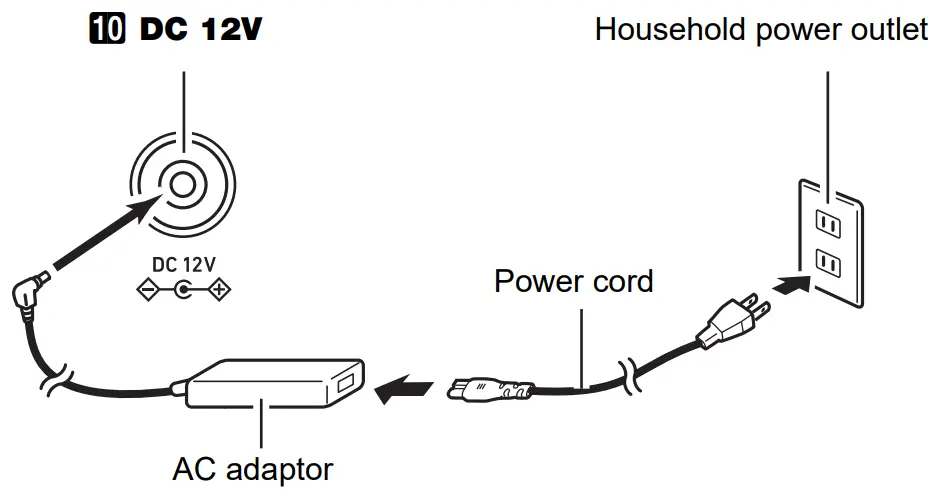
■ Using the AC Adaptor
Make sure that you use only the AC adaptor specified for this Digital Piano. The use of a different type of AC adaptor can cause smoking or malfunction.
Specified AC Adaptor: AD-A12150LW (JEITA Standard plug)
 IMPORTANT!
- Never connect the AC adaptor (JEITA Standard, with unified polarity plug) that comes with this Digital Piano to any other device besides this Digital Piano. Doing so creates the risk of malfunction.
- Be sure to turn off the Digital Piano power before connecting or disconnecting the AC adaptor.
- The AC adaptor will become warm to the touch after very long use. This is normal and does not indicate malfunction.
■ Using BatteriesIMPORTANT!
- Be sure to turn off the power before loading the batteries.
- It is up to you to prepare six commercially available batteries. Do not use oxyride batteries or any other nickel-based batteries.
- Note the following precautions while the Digital Piano is turned upside down to load batteries.
− Take care to avoid injury due to pinching your fingers under the Digital Piano.
− Do not allow the Digital Piano to tip over or otherwise be subjected to strong impact. The impact can damage the volume knob and keyboard keys.
- Open the battery cover on the bottom of the Digital Piano.
- Load six AA-size batteries into the battery compartment.
Make sure the positive + and negative – ends of the batteries are facing as marked on the Digital Piano. - Insert the tabs of the battery cover into the holes on the side of the battery compartment, and close the cover.
■ Low Battery Indication
Low batteries are indicated by the 1 (Power) button lamp flashing. When this happens, replace the batteries.IMPORTANT!
- Continued use with low batteries will cause Digital Piano power to turn off automatically. This can cause data stored in Digital Piano memory to be corrupted or lost.
Connecting a Pedal
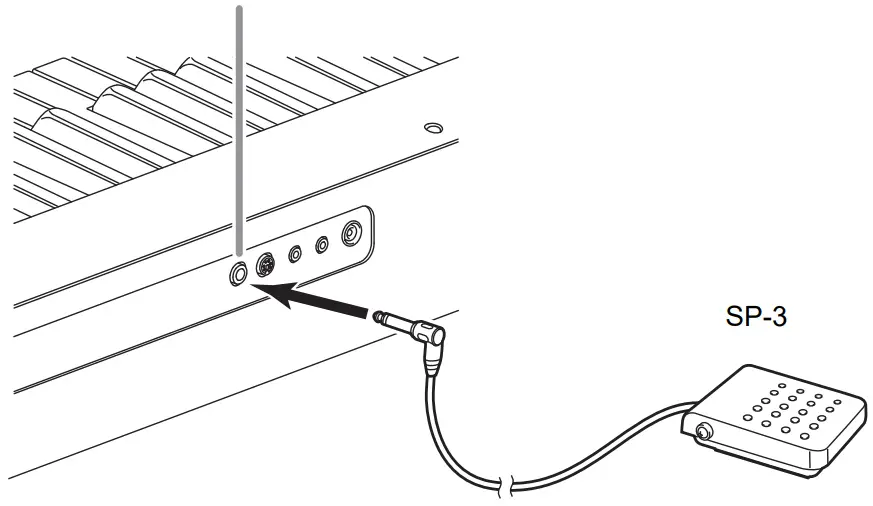
■ DAMPER PEDAL Jack
Connecting the supplied pedal (SP-3) to the 6 DAMPER PEDAL jack makes it possible to use the pedal as a damper pedal.
Pressing the damper pedal while playing will cause the notes you play to reverberate.
Back
6 DAMPER PEDAL jack
■ PEDAL UNIT Jack
☞For more detailed information, refer to the User’s Guide on the CASIO website.
You can connect the optionally available 3-Pedal Unit (SP-34) to the 7-PEDAL UNIT jack on the back of the Digital Piano. You can then use the pedals for expression that is similar to that available on a grand piano.
Using Headphones
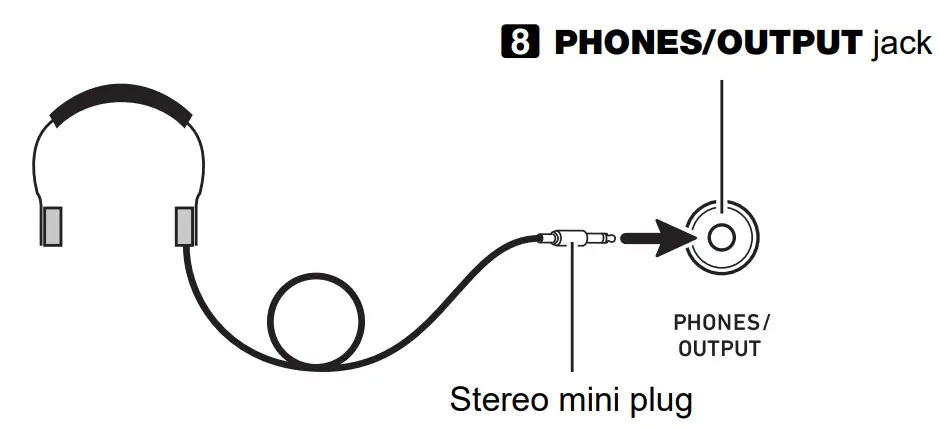
Using headphones cuts off output from the built-in speakers, which means you can practice playing even late at night without disturbing others.
- Be sure to turn down the volume level before connecting the headphones.

 NOTE
NOTE
- Headphones do not come with the Digital Piano.
- Use commercially available headphones. See “Separately Available Accessories” for information about options
IMPORTANT!
- Do not listen to very high volume output over headphones for long period. Doing so creates the risk of hearing damage.
- If you are using headphones that require an adaptor plug, make sure you do not leave the adaptor plugged in when you unplug the headphones. If you do, nothing will sound from the speakers when you play.
Turning Power On or Off
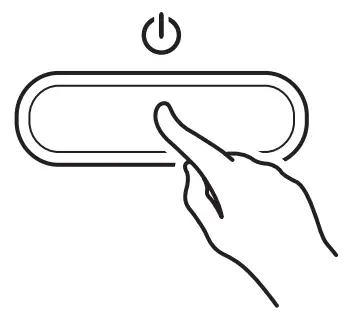
- Press the 1 (Power) button to turn on Digital Piano power.
 • The power lamp lights and the Digital Piano powers up. The power-up operation takes a few seconds.
 - To turn off the Digital Piano, hold down the 1P(Power) button until the power lamp goes out.
 • The power lamp lights and the Digital Piano powers up. The power-up operation takes a few seconds.
 NOTE
- Pressing the 1 (Power) button to turn off power actually puts the Digital Piano into a standby state. Minute amounts of current continue to flow within the Digital Piano in the standby state. If you do not plan to use the Digital Piano for a long time or if there is a lightning storm in your area, be sure to unplug the AC adaptor from the power outlet.
- Turning off power causes the Digital Piano settings to return to their initial defaults. The tuning setting and recorded data, however, is retained.
Auto Power Off
This Digital Piano is designed to turn off automatically to avoid wasting power after no operation is performed for a preset amount of time. The Auto Power Off trigger time is
about four hours when power is being supplied by the AC adaptor or 6 minutes under battery power.
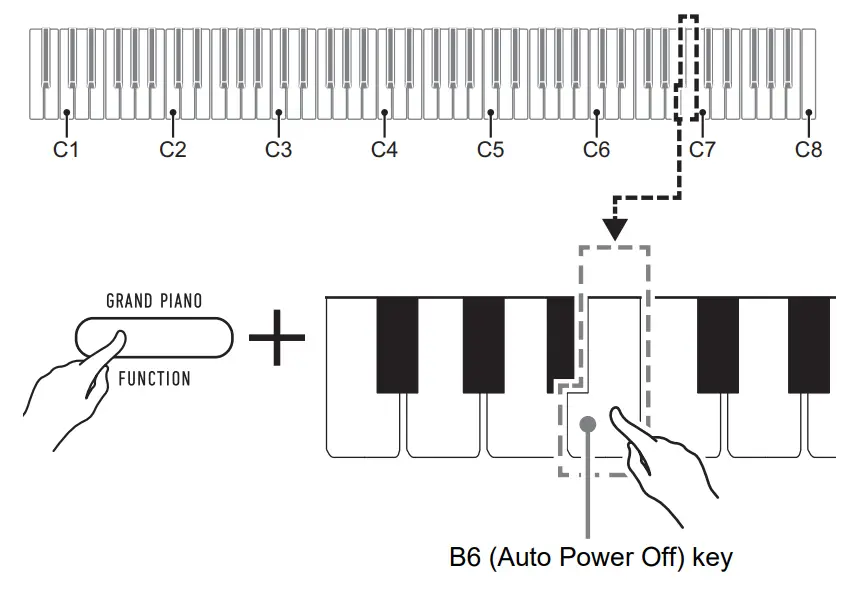
■ To enable or disable Auto Power Off
• If you don’t know what keyboard keys are required to perform the desired operation, refer to the “Keyboard Function List” in these instructions.
- While holding down 3 FUNCTIONS, press the B6 (Auto Power Off) keyboard key.
• Each press of the B6 keyboard key causes a short beep to sound. A low beep sounds when Auto Power Off is disabled, and a high beep sounds when it is enabled.
- After the setting is the way you want, release 3-FUNCTION.
Adjusting Volume
Use the 2 VOLUME knob to adjust the volume of the speaker and headphone output.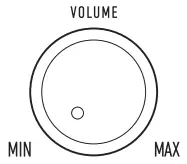
Selecting a Tone
The Digital Piano has 10 built-in tones. In addition to using a single tone, you can also select two different tones and sound them together.
Selecting the GRAND PIANO STANDARD Tone
Press 3 GRAND PIANO.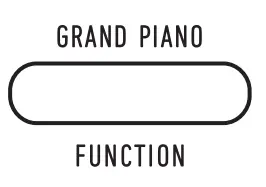 To select a single tone
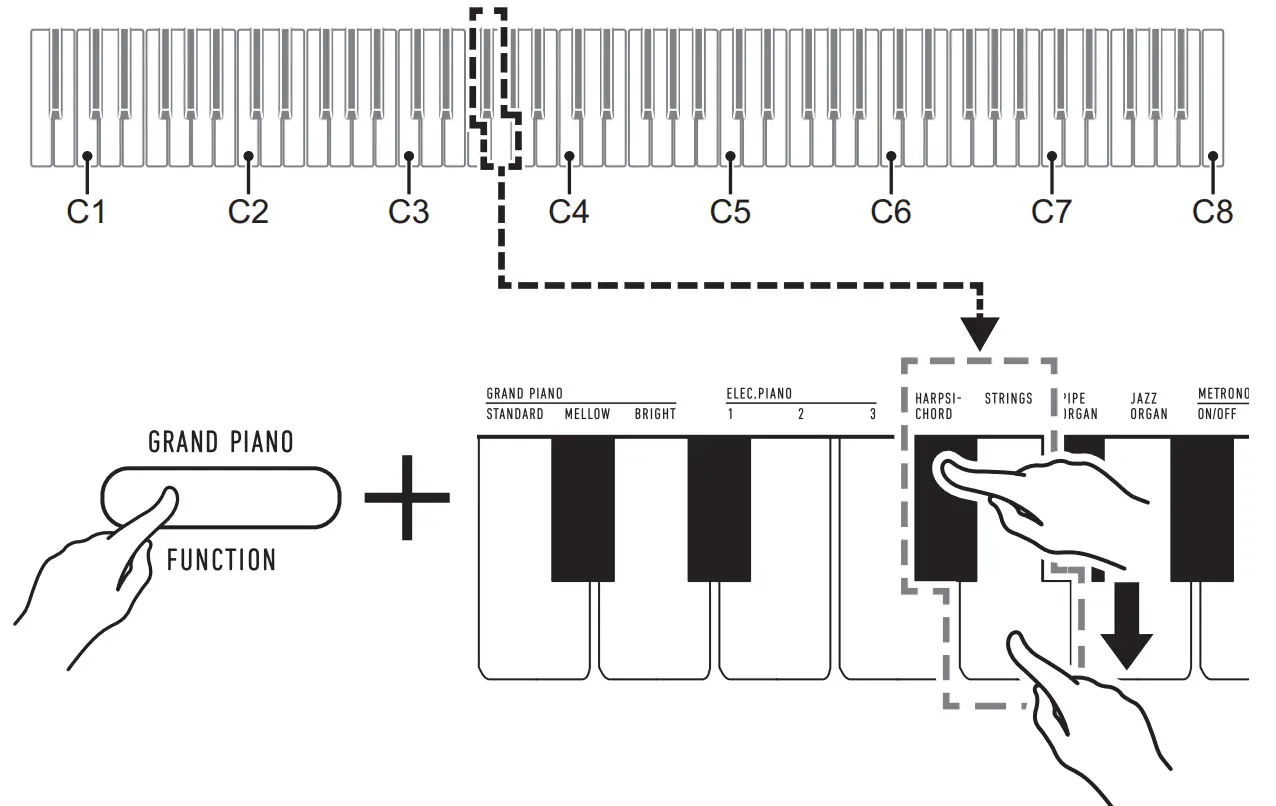
1. While holding down 3 FUNCTIONS, press one of the Tone keyboard keys (C3 through A3).
• To select HARPSICHORD, for example, hold down
3 FUNCTION and press the HARPSICHORD keyboard key (F#3). A short beep will sound to confirm the setting.”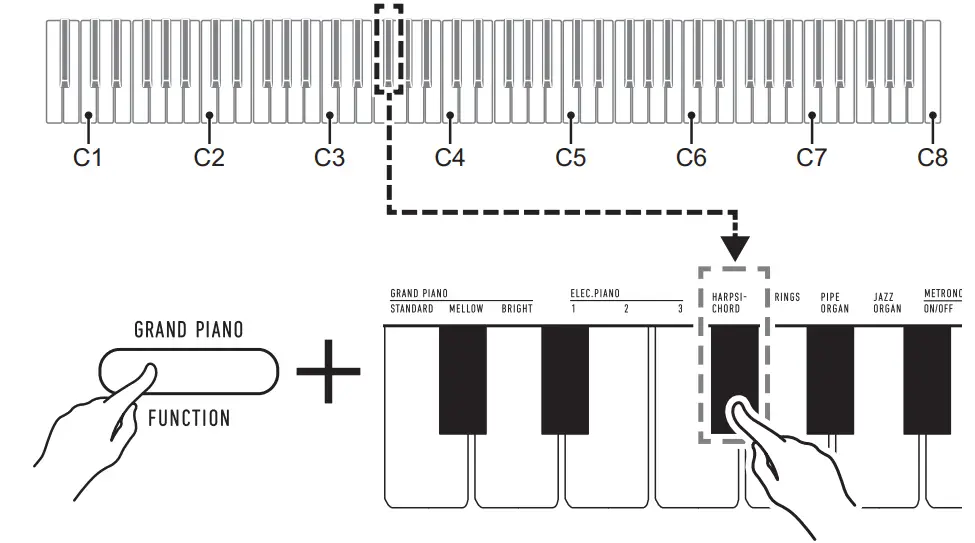 2. Release 3 FUNCTION.
To layer two tones
1. While holding down 3 FUNCTIONS, press the Tone keyboard keys (C3 through A3) of the first tone and then the second tone you want to layer.
- To layer HARPSICHORD and STRINGS, for example, hold down 3 FUNCTION and press the HARPSICHORD keyboard key (F{3), and then the STRINGS key (G3).

- Pressing the first keyboard key for the first tone will cause a short beep to sound, and pressing the key for the second tone will cause a short and then long beep to sound, indicating that the tones whose keys you pressed have been layered.
2. Release 3 FUNCTION.
- Now pressing a single keyboard key will sound both the HARPSICHORD and STRINGS tones at the same time.
- To cancel tone layering, perform the procedure under “To select a single tone”. Or you could press 3 GRAND PIANO, which changes the keyboard tone to GRAND PIANO STANDARD only.
Tone List
| Tone Name | Program Change | Bank Select MSB |
| GRAND PIANO STANDARD | 0 | 0 |
| GRAND PIANO MELLOW | 1 | 0 |
| GRAND PIANO BRIGHT | 2 | 0 |
| ELEC.PIANO 1 | 3 | 0 |
| ELEC.PIANO 2 | 4 | 0 |
| ELEC.PIANO 3 | 5 | 0 |
| HARPSICHORD | 6 | 0 |
| STRINGS | 7 | 0 |
| PIPE ORGAN | 8 | 0 |
| JAZZ ORGAN | 9 | 0 |

 Offizielle CASIO Website - Deutschland | CASIO
 Casio Watches, Calculators, Pianos & More | CASIO
 CDP-S160 - CASIO