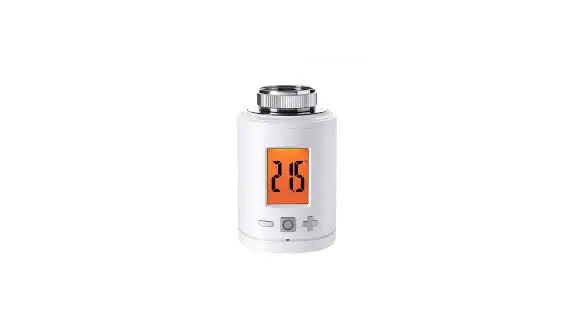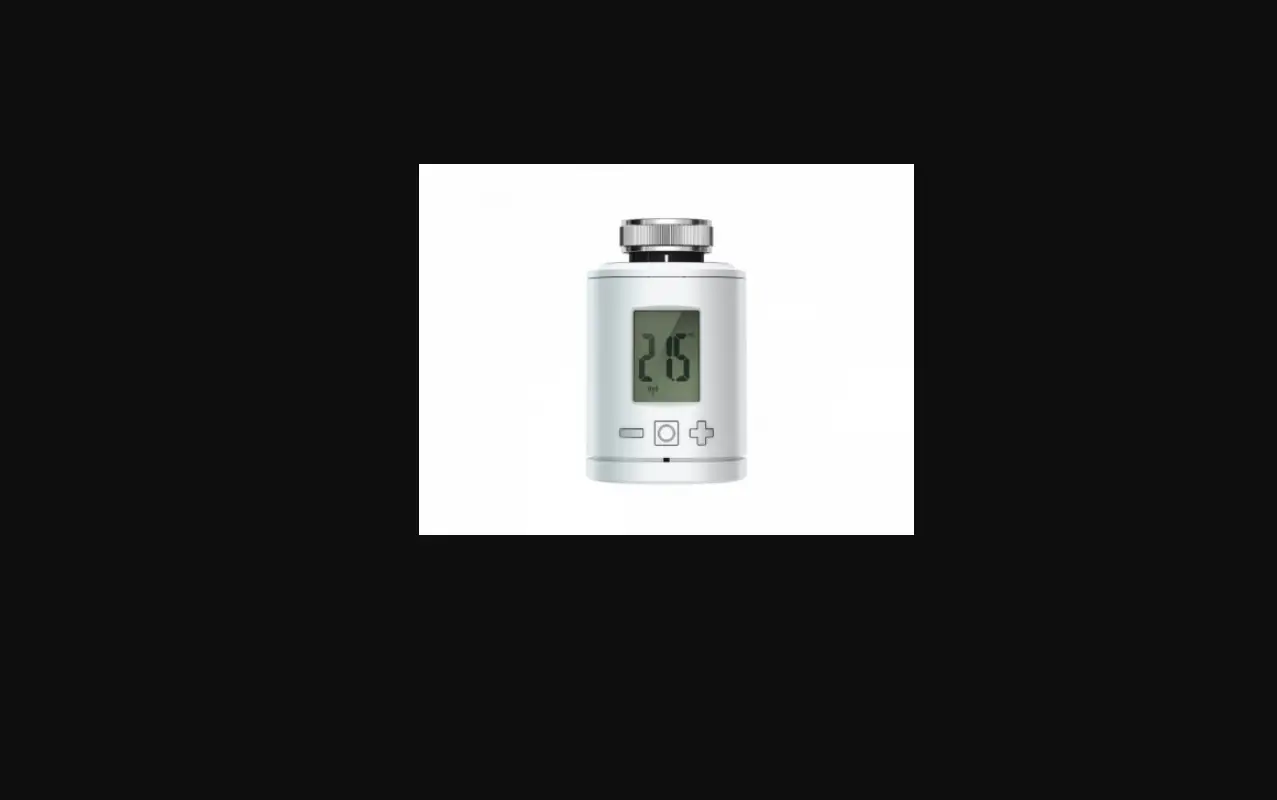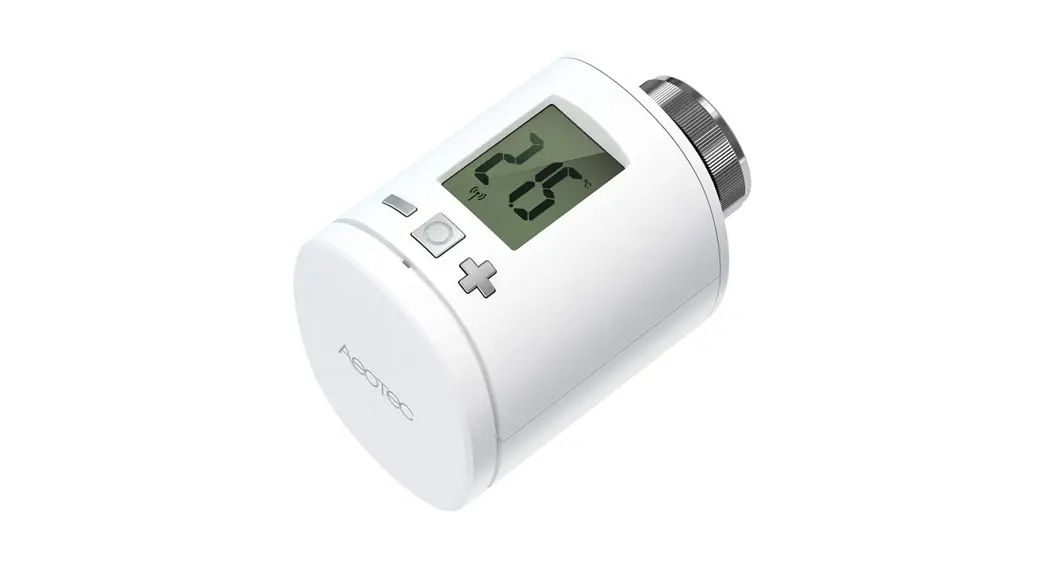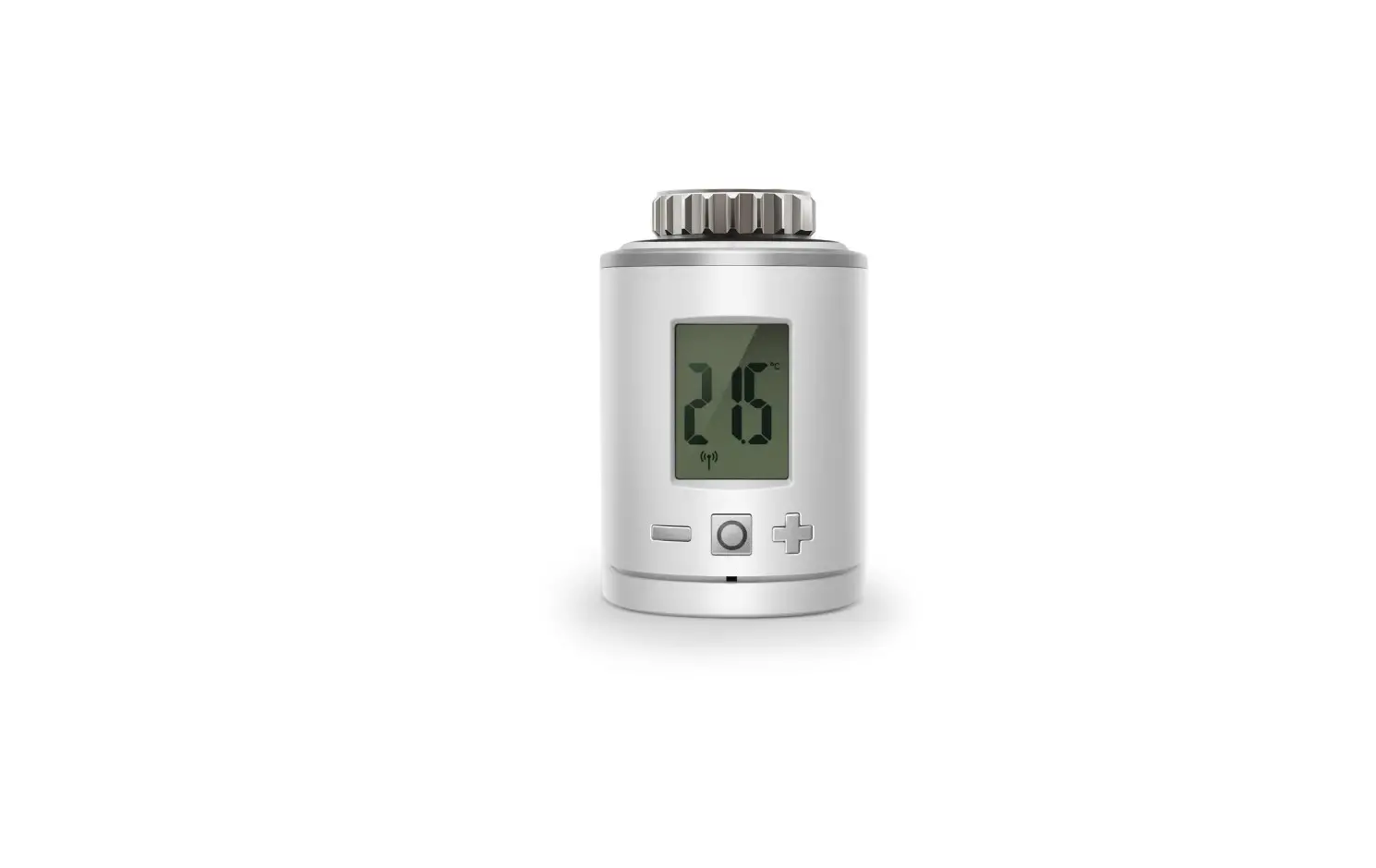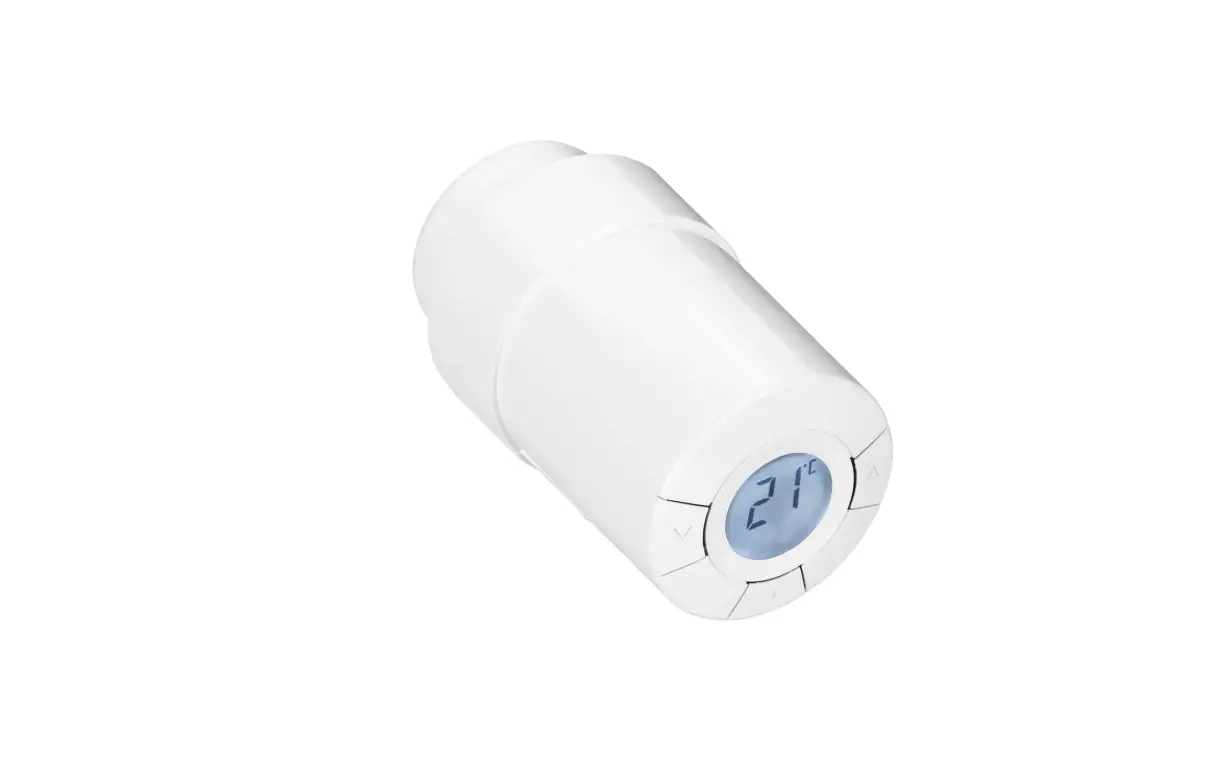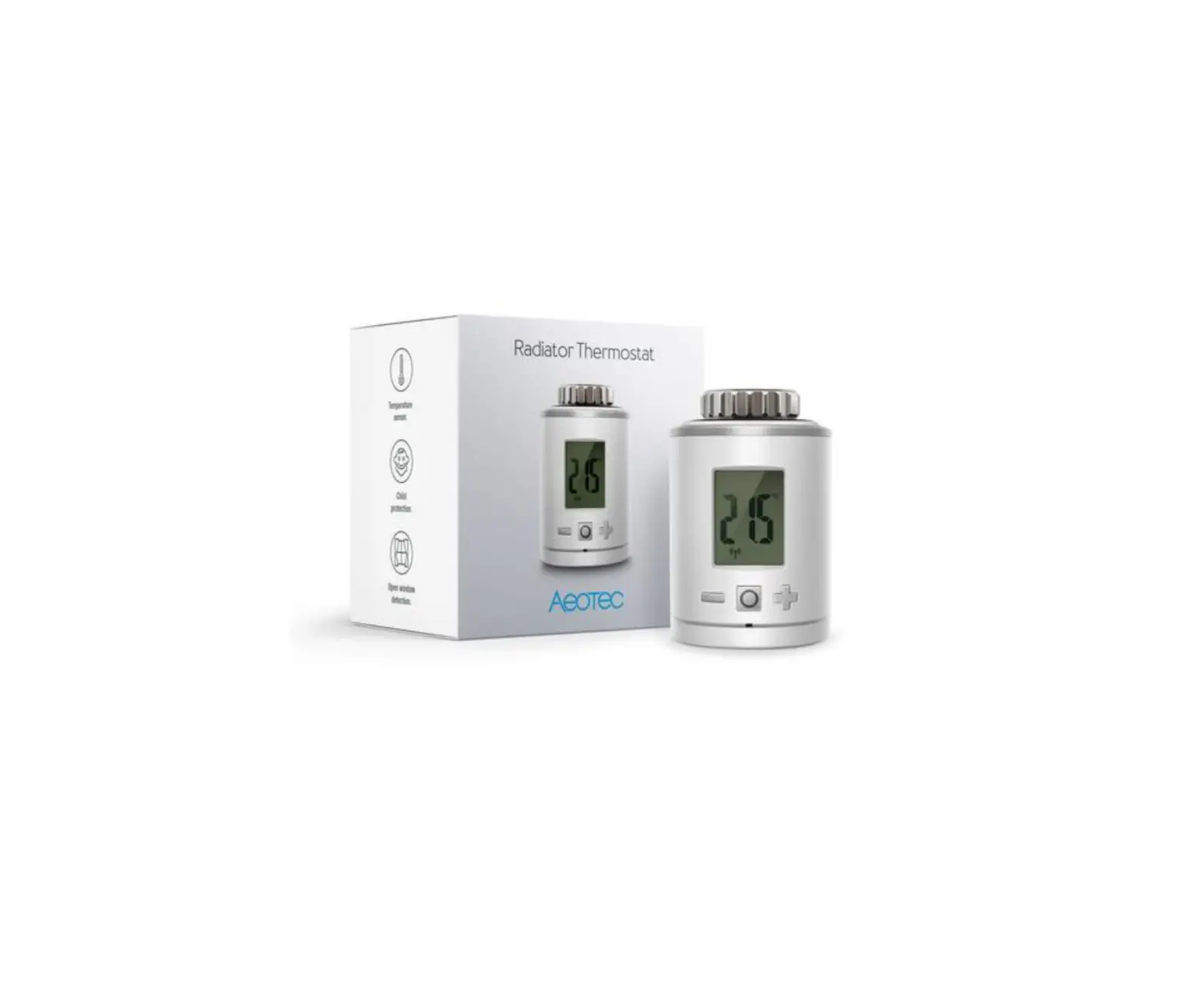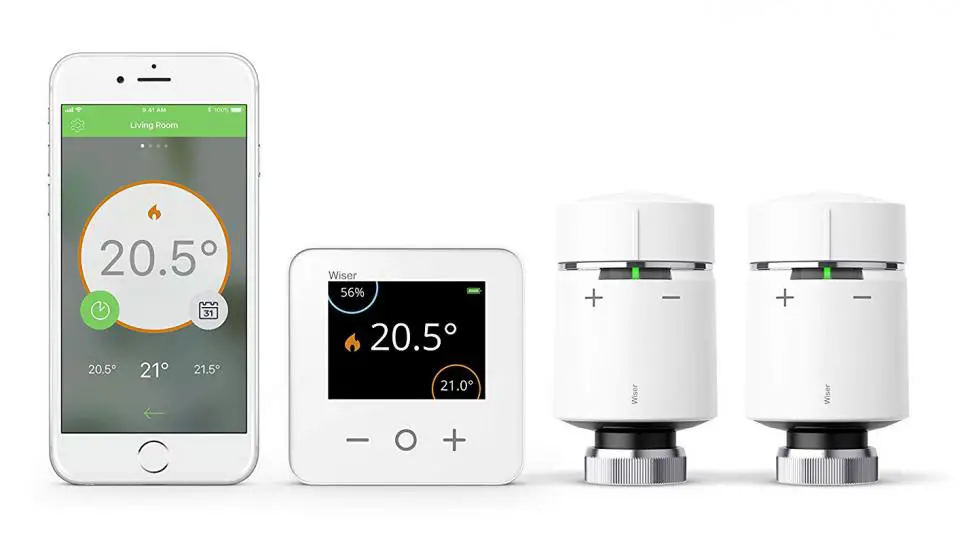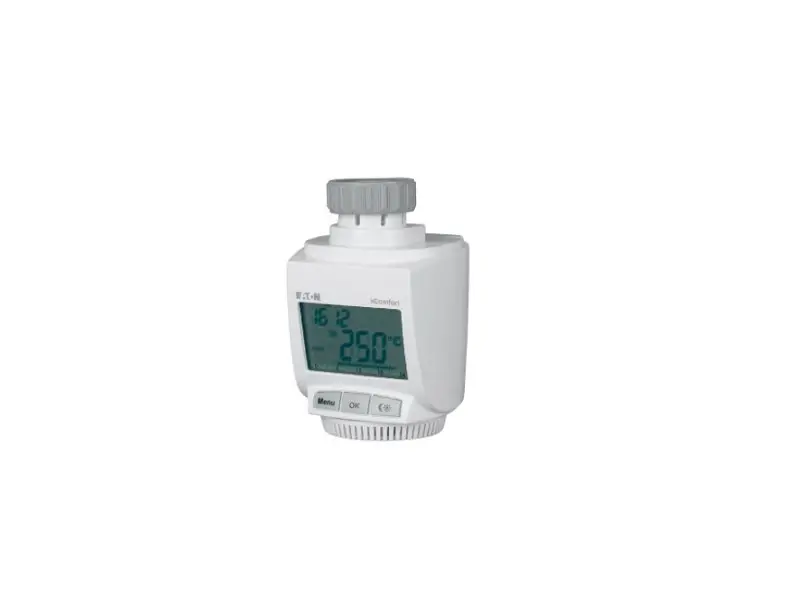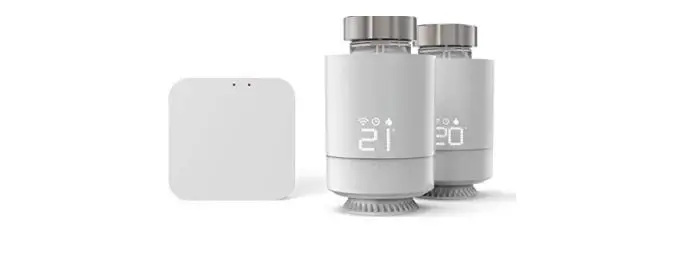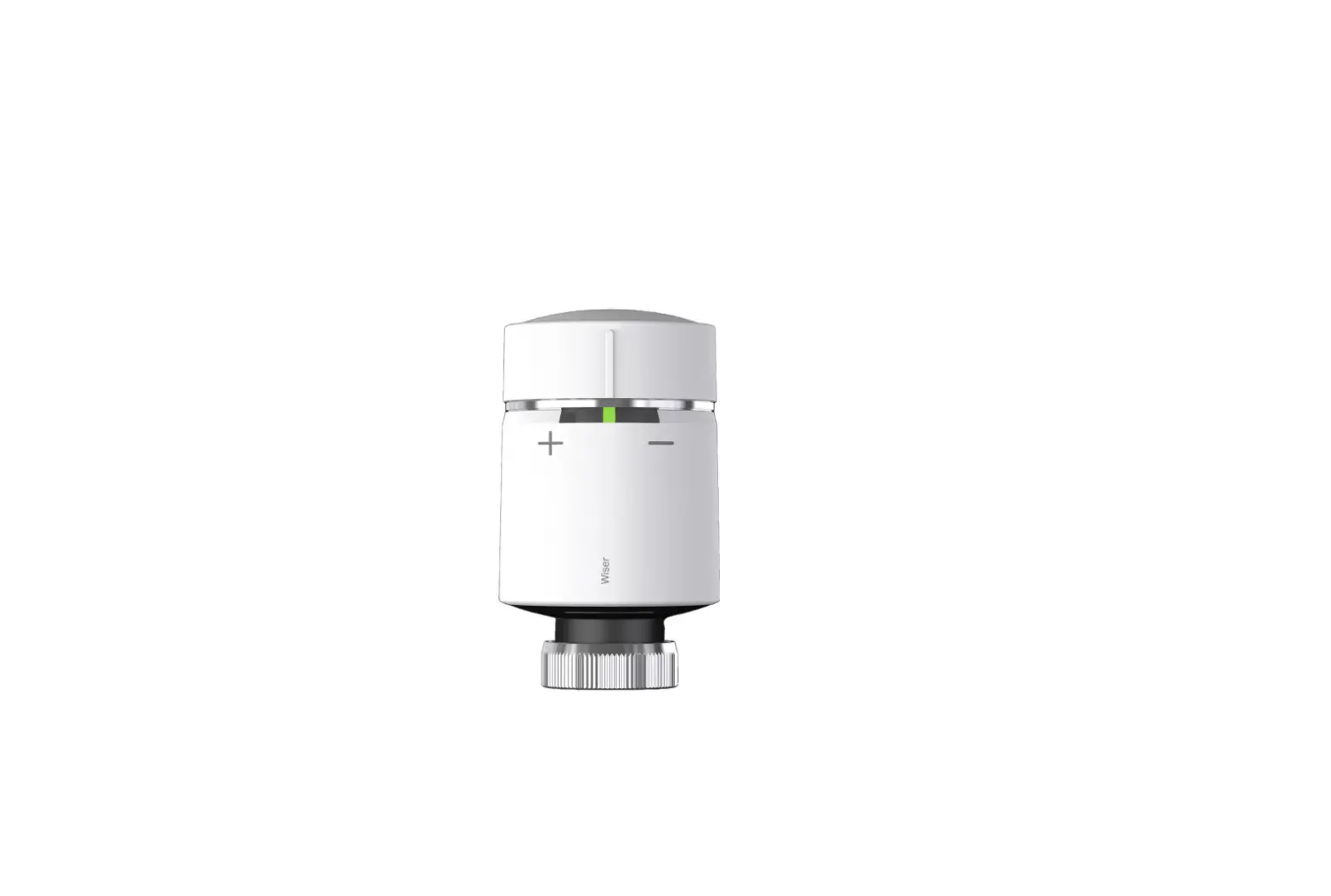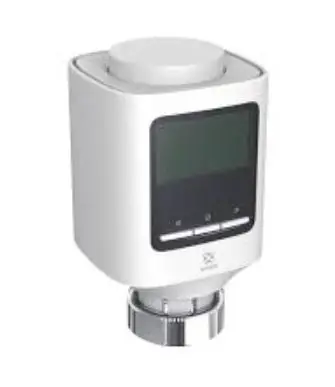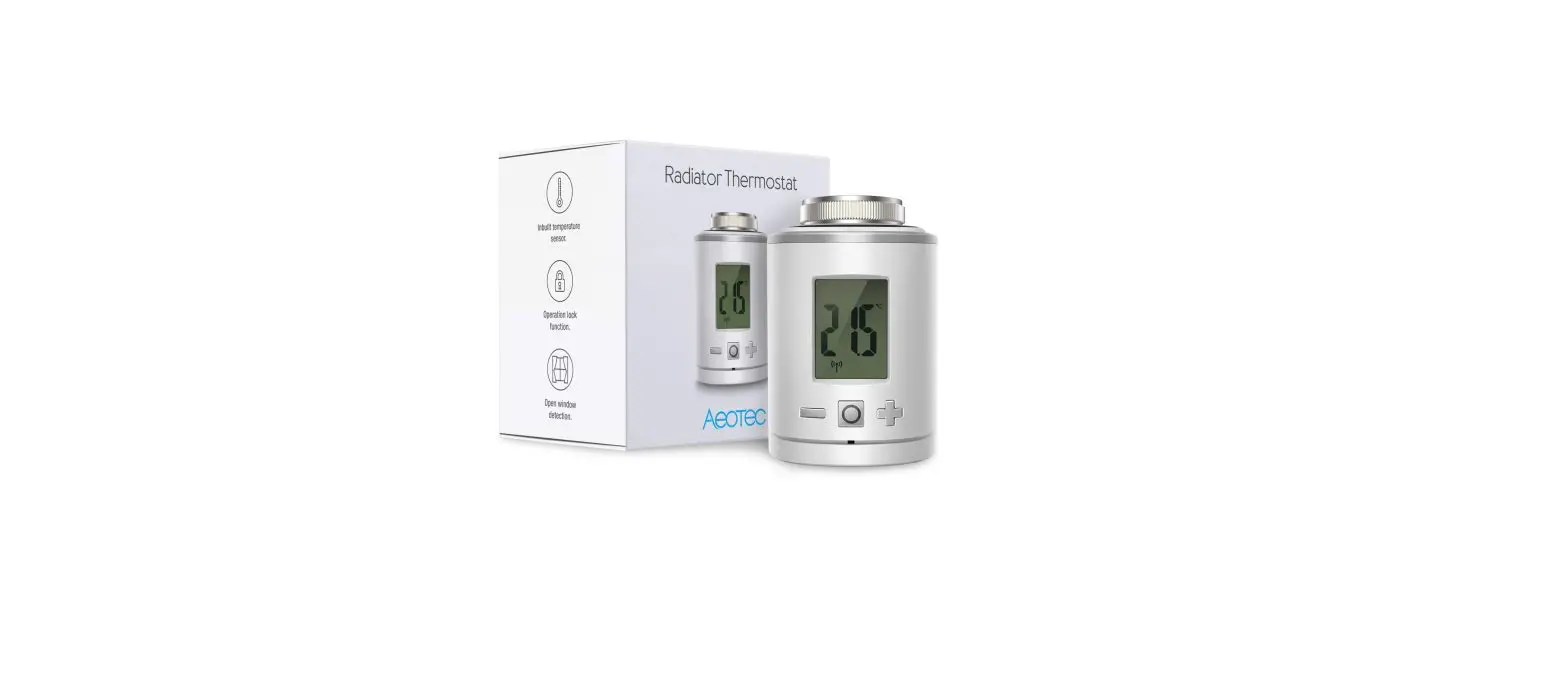

AeoTec ZWA021 Radiator Thermostat
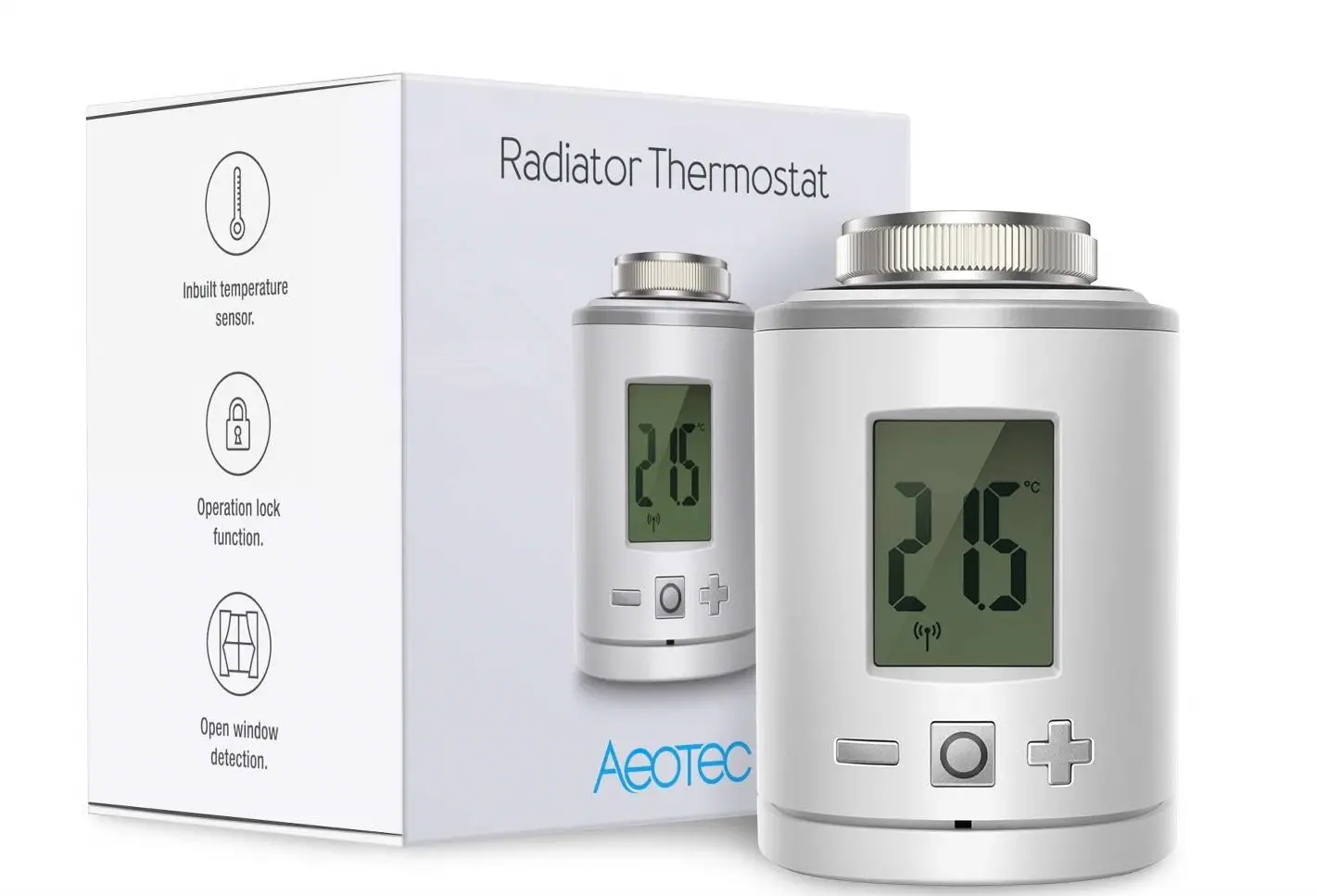
Aeotec Radiator Thermostat (TRV) has been crafted to power connected lighting using S2 framework and Z-Wave Plus. It is powered by Aeotec’s S2 technology.
To see whether Aeotec Radiator Thermostat is known to be compatible with your Z-Wave system or not, please reference our Z-Wave gateway comparison listing. The technical specifications of Aeotec Radiator Thermostat can be viewed at that link.
Get to Know your Radiator Thermostat
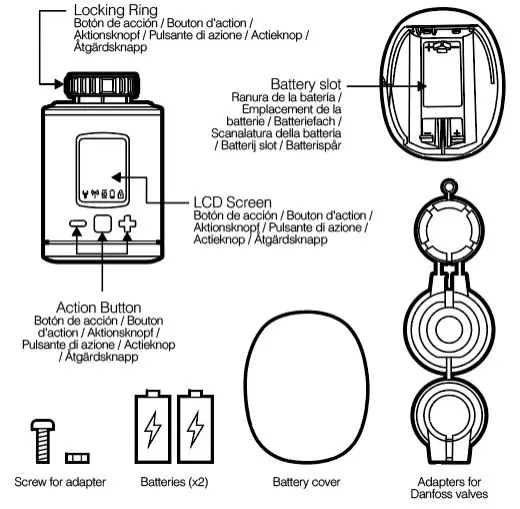
No adapter is required or supplied for the following valves:
- Heimeier
- Junkers Landy + Gyr
- MNG
- Honeywell
- Braukmann (thread of M30 x 1.5mm).
- The adapters for Danfoss RAV (pin must be plugged on the valve tappet) Danfoss RA and Danfoss RAVL are included with Radiator Thermostat.
For the following valves an additional adapter is required, which is not included:
- Herz M28 x 1,5 mm
- Comap M28 x 1,5 mm
- Vaillant 30,5 mm
- Oventrop M30 x 1,0 mm
- Meges M38 x 1,5 mm
- Ondal M38 x 1,5 mm
- Giacomini 22,6 mm
- Rossweiner M33 x 2,0 mm
- Markaryd M28 x 1,0 mm
- Ista M32 x 1,0 mm
- Vama M28 x 1,0 mm
- Pettinaroli M28 x 1,5 mm
- T+A M28 x 1,5 mm
- Gampper 1/2/6.
Note: A list of the adapters to be used and your part numbers can be found under Installation of Radiator Thermostat Adapters.
Important safety information.
Please read this and other device guides carefully. Failure to follow the recommendations set forth by Aeotec Limited may be dangerous or cause a violation of the law. The manufacturer, importer, distributor, and/or reseller will not be held responsible for any loss or damage resulting from not following any instructions in this guide or in other materials.
Keep product away from open flames and extreme heat. Avoid direct sunlight or heat exposure.
Radiator Thermostat is intended for indoor use in dry locations only. Do not use in damp, moist, and/or wet locations.
Safety Warning for Batteries.
The product contains batteries. Please remove the batteries when the device is not used. Do not mix batteries of different charging level or different brands.
Quick Start.
In order to include/pair/add a Z-Wave device to a network, it must be in a factory default state. Please make sure to reset the device into factory default. You can do this by performing an Exclusion or Manual Factory Reset operation as described below in the manual in the Advanced section. Every Z-Wave controller is able to perform these operations (even while not paired to that controller) however it is recommended to use the primary controller of the previous network to make sure the device is excluded properly from its previous network.
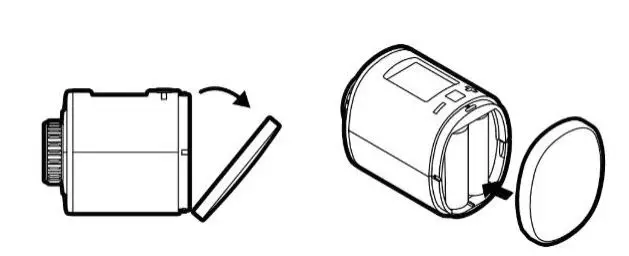
Inserting batteries
- Remove the battery cover by simply pulling it off.
- Now insert the batteries.
- Pay attention to the correct polarity!
- Then close up the battery cover by pushing it back on.
Note: When you change batteries in Radiator Thermostat, the configuration of your Z-Wave network is maintained so you do not need to pair it again.
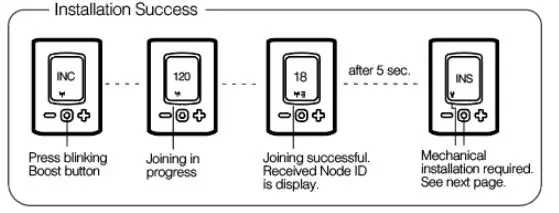
Pairing Radiator Thermostat into your Z-Wave Network.
- Start Inclusion/Pair/Add mode of your primary Z-Wave Controller.
- Press the Boost-Button once on Radiator Thermostat.
- Aeotec Radiator Thermostat will show the assigned NodeID provided by the Z-Wave Controller.

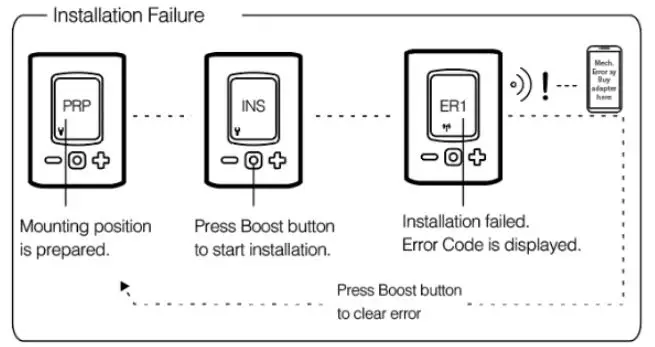
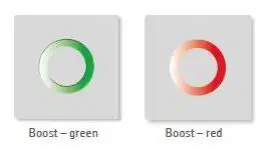
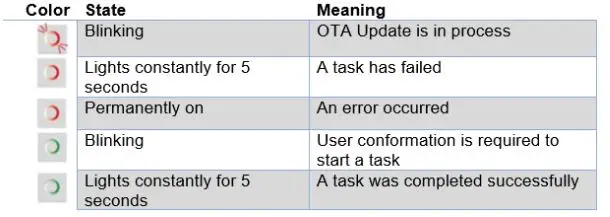
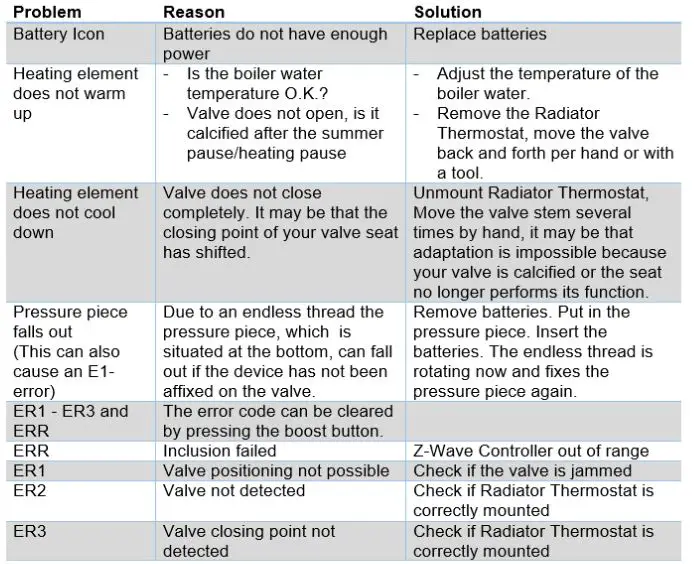
- If the inclusion failed, “ERR” will appear on the display and the LED will light red. If this happens, try factory resetting Radiator Thermostat and restart the steps for Z-Wave inclusion from step 1.
Installation
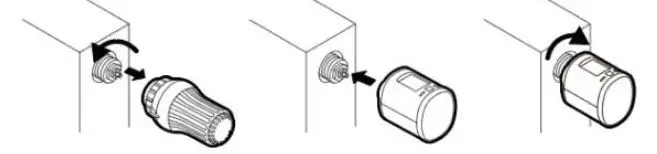
- Mount the Radiator Thermostat
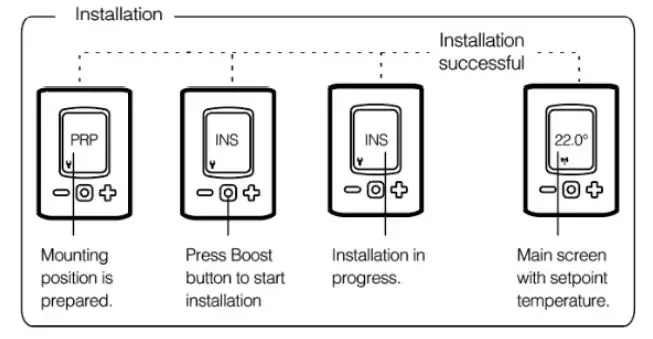
After adding Radiator Thermostat to your Z-Wave network it is ready to be installed on directly on your radiator. The LCD shows INS. Do not press the boost button yet.- Installation at the radiator without Adapter

- Installation at the radiator with Adapter, you may reference this page which provides deeper details on the installation of Radiator Thermostat with an adapter: Installation of Radiator Thermostat
Adapters
- Installation at the radiator without Adapter
- Mechanical Installation.
These steps will complete the installation of Radiator Thermostat.- Press the boost button to start the mechanical installation.

- If the installation fails, “ER1” will appear in the display and the LED will turn red. If this happens, press the boost button to clear the error, then press the boost button again to start the installation again.
- If you cannot pass the error, this will indicate a mechanical error or the use of the wrong adapter. Double-check the mounting installation and then try again.

- Press the boost button to start the mechanical installation.
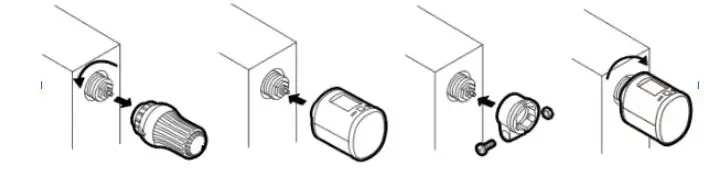
General Device function information
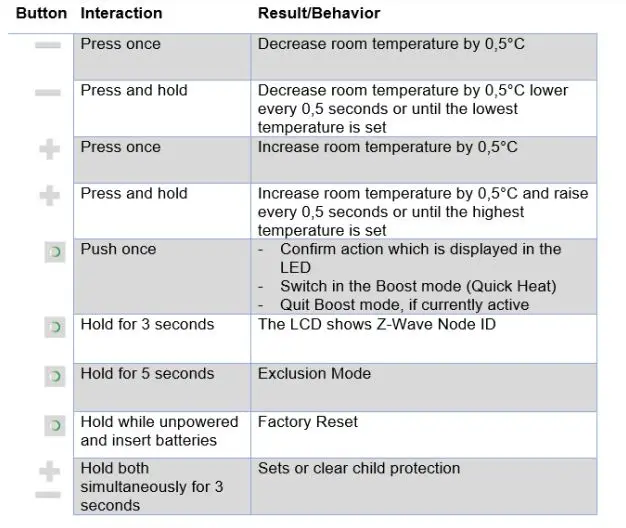
Buttons and their functions
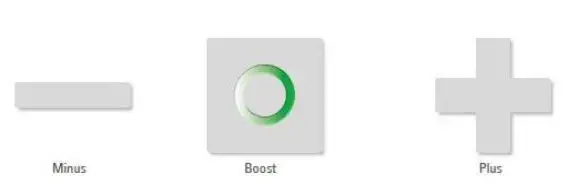
Boost Led indicator
LCD icons
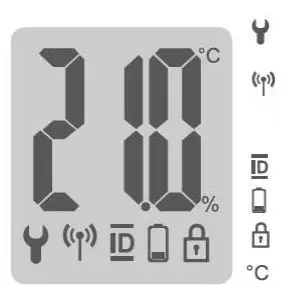
Wrench: Lights up if mechanical tasks are ongoing
Antenna:
Displays the Radiator Thermostat network state. Segment visible: rf-link established
Segment turnoff: rf-link lost
ID: Lights up if the Display shows the Z-Wave NodeID
Battery: Lights up if less than 15% battery is remaining
Lock: Light up if child protection is set
Degree Celsius: Displayed if the LCD shows a setpoint temperature
Setpoint adjustment
- The setpoint is adjusted by the plus ( + ) and minus ( – ) button.
- Altering the setpoint locally will set the Radiator Thermostat to heating mode.
- The energy-saving setpoint can only be adjusted via Z-Wave.
- The configurable setpoint range is 8°C to 28°C.
- If the setpoint is increased/decreased above/below the set point limits the Radiator Thermostat will change into boost/off – mode.
Window open detection
- If the room temperature drops, window open detection will trigger.
- Radiator Thermostat will change temporarily in off mode for 15 minutes.
- Window open detection will end automatically after 15 minutes, then previously activity will restore.
- Window open detection can be canceled by a button press.
- Window open detection is disabled during the manufacturer-specific mode.
- The sensitivity of the window open detection can be configured via parameter 7.
Advanced.
Exclude/Remove Radiator Thermostat.
You must exclude/unpair your Radiator Thermostat before it can be paired to another Z-Wave controller. This is the preferred method of factory resetting Radiator Thermostat to ensure the previous Z-Wave controller does not leave a Phantom Node (a Z-Wave device that was previously existing but no longer a part of the network and still shows as a device).
- Unmount Radiator Thermostat.

- Removing from Z-Wave network

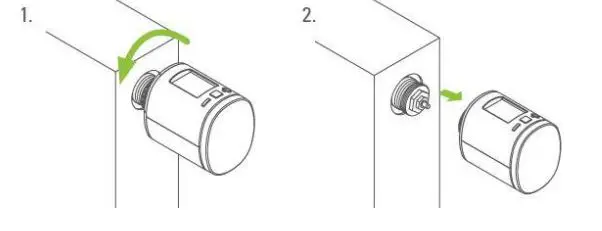
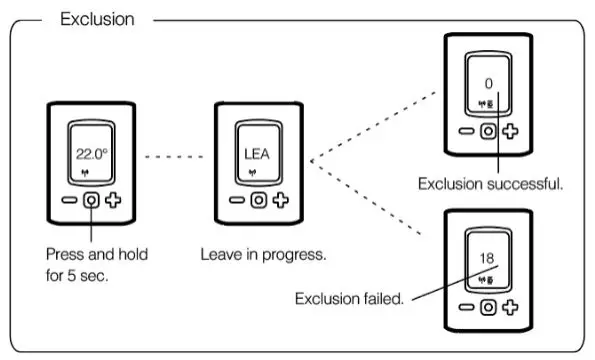
Child protection.
If you have children who may press the buttons of Radiator Thermostat, you can enable child protection which will disable manual control of Radiator Thermostat.
- Press and hold plus ( + ) and minus ( – ) button simultaneously for 3 seconds to toggle enable/disable child protection.
Note: If child lock is enabled, this icon will appear: - If the Radiator Thermostat is set into the highest protection level it is no longer possible to operate the device locally.
Altering the operating states.
You can manually control some of Radiator Thermostats functions using its buttons.
- Off-Mode
- Press and hold the minus ( – ) button until OFF is displayed.
- Boost-Mode
- Push the boost button.
- Alternatively, press and hold the plus ( + ) button until ON is displayed.
- Heating-Mode
- If the operating state is not heating mode.
- Press the plus ( + ) or minus ( – ) button will bring the device in heating mode.
Display NodeID.
If you forget what Node ID your Radiator Thermostat is, and your Z-Wave controller does not provide a good method to locate it, you can display the NodeID by:
- Press and hold the boost button for 3 seconds to display the NodeID.
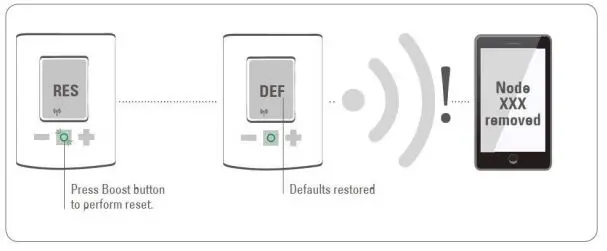
Manually Reset your device.
If you find that your Z-Wave controller is no longer functional or working, you can manually reset Radiator Thermostat using these steps:
1. Remove batteries.
2. Press and hold the Boost button.
3. While still holding Boost button insert batteries.
4. The LCD will show “RES” icon.
5. Release the Boost button.
6. Now press the Boost Button to initiate a manual factory reset.
Configuration Parameters
Parameter 1: LCD invert
Inverts the LCD orientation. Size: 1 Byte, Default Value: 0
Setting Description
0 Normal orientation
1 LCD content inverted
Parameter 2: LCD Timeout
Configures the timeout of the LCD.
Size: 1 Byte, Default Value: 0
Setting Description
0 LCD always on
5 – 30 LCD timeout in seconds
Parameter 3: Backlight
Enables or disables the LCD-Backlight.
Size: 1 Byte, Default Value: 1
Setting Description
0 Backlight disabled
1 Backlight enabled
Parameter 4: Battery report
Enables or disables unsolicited battery reporting once a day.
Size: 1 Byte, Default Value: 1
Setting Description
0 Battery reporting disabled
1 Battery reporting enabled
Parameter 5: Measured temperature report
Reports the measured room temperature on change. Size: 1 Byte, Default Value: 5
Setting Description
0 Reporting disabled
1 – 50 Reporting Delta in 1/10 Celcius
Parameter 6: Valve percentage report
Reports the valve percentage on change.
Size: 1 Byte, Default Value: 0
Setting Description
0 Reporting disabled
1 – 100 Reporting Delta in percent
Parameter 7: Window open detection
Configures the sensitivity of the window open detection.
Sensitivity level:
1 low
2 medium
3 high
Size: 1 Byte, Default Value: 2
Setting Description
0 Detection disabled
(1-3) Sensitivity level
Parameter 8: Measured temperature offset
Configures an offset for the measured temperature. Set the offset to -128 (0x80) if measured temperature is provided externally.
Size: 1 Byte, Default Value: 0
Setting Description
0 – 50 Offset in 1/10 Celcius (0°C – 5°C)
128 Temperature is supplied externally
206 – 255 Offset in 1/10 Celcius (-5°C – 0,1°C)
Troubleshooting
Technical Specifications
Name: Radiator Thermostat. Model number: ZWA021.
Waterproofing: IP20 rating.
Z-Wave Plus Certified: Yes.
Certification ID: ZC10-19086734. S2 Security: Unauthenticated.
Smart Start: No.
Repeater: No.
FLIRS: Yes.
Beaming: No.
Power supply: No.
Battery charger input: No. Batterytype: 2 x 1.5 LR6 Mignon AA. Battery life: up to 1 Year.
Operating temperature:
0°C to 40°C.
32°F to 104°F.
Storage temperature:
– 20°C to 65°C.
– 4°F to 149°F.
Radio protocol: Z-Wave Plus.
Z-Wave Hardware: ZM5202.
Operating distance:
Up to 50 meters outdoors.
Up to 164 feet outdoors.
Dimensions:
Height – 89mm / 3.5inches.
Width – 56mm / 2.2inches.
Depth – 68mm / 2.7inches.
Supported Command Classes.
• Association Grp Info
• Association V2
• Basic
• Battery
• Configuration
• Device Reset Locally
• Firmware Update Md V3
• Manufacturer Specific
• Notification V8
• Powerlevel
• Protection
• Security
• Security 2
• Sensor Multilevel V5
• Supervision
• Switch Multilevel
• Thermostat Mode V3
• Thermostat Setpoint V3
• Transport Service V2
• Version V2
• Zwaveplus Info V2