
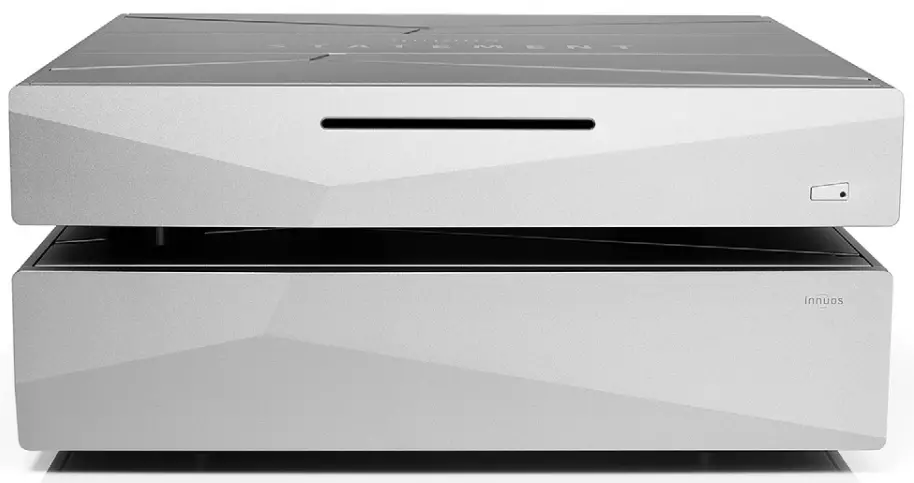
STATEMENT Quick Start Guide
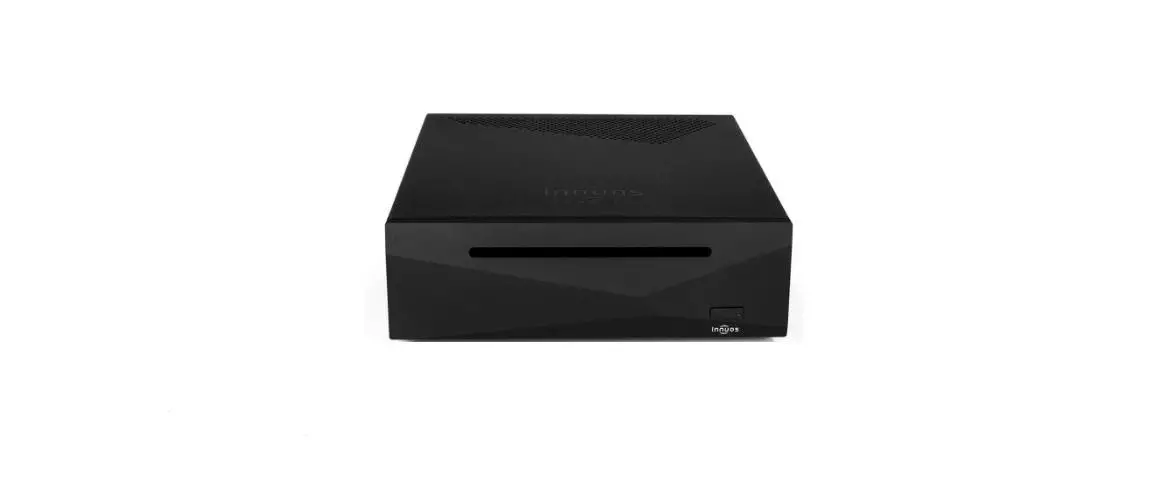
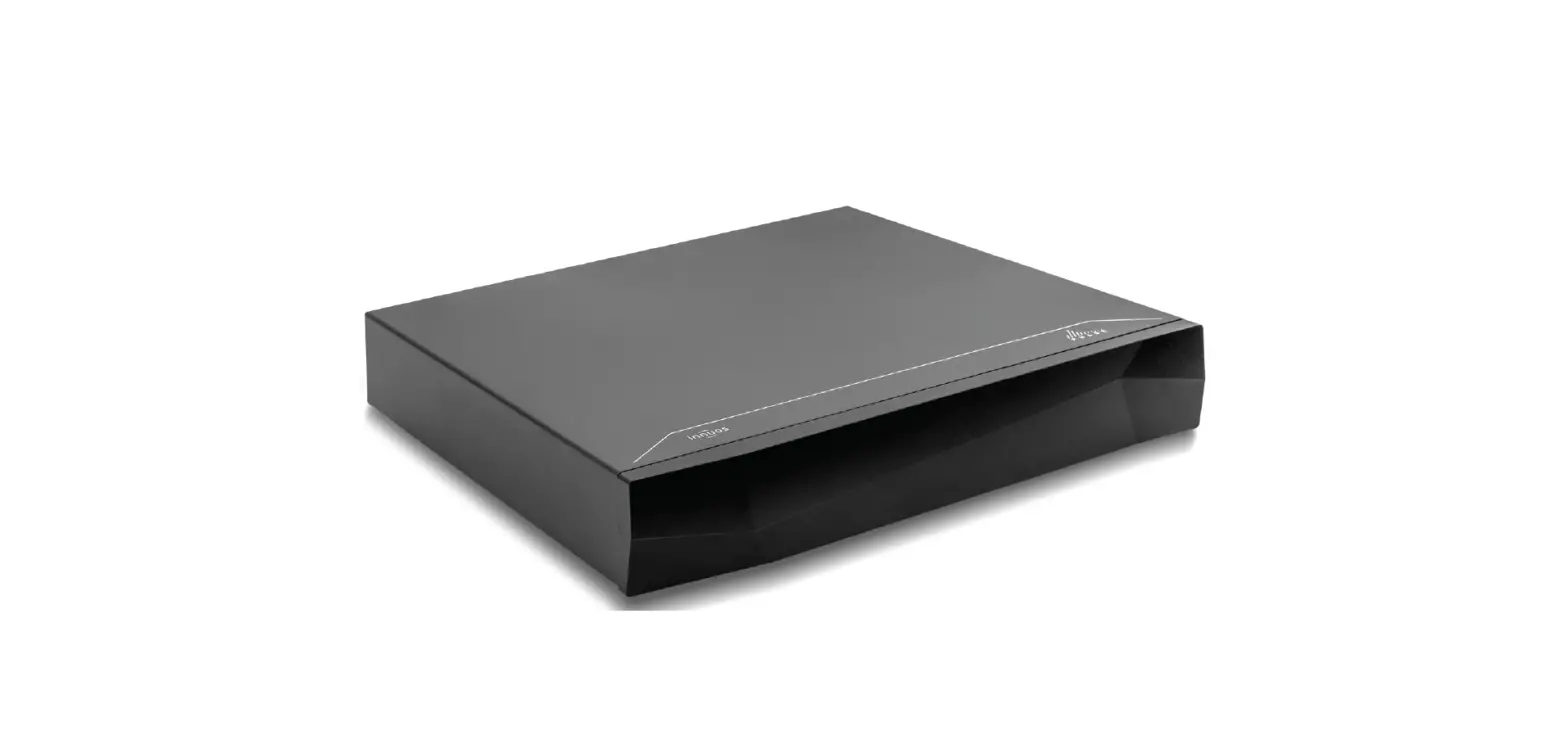
Thank you for buying our STATEMENT Music Server.
This quick start guide will show you how to get started with your new Music Server. For more detailed information please visit our website https://innuos.com/support/ Should you have problems please contact [email protected] and we’ll be happy to assist you.
Innuos STATEMENT Quick Start Guide
Document version 2.0
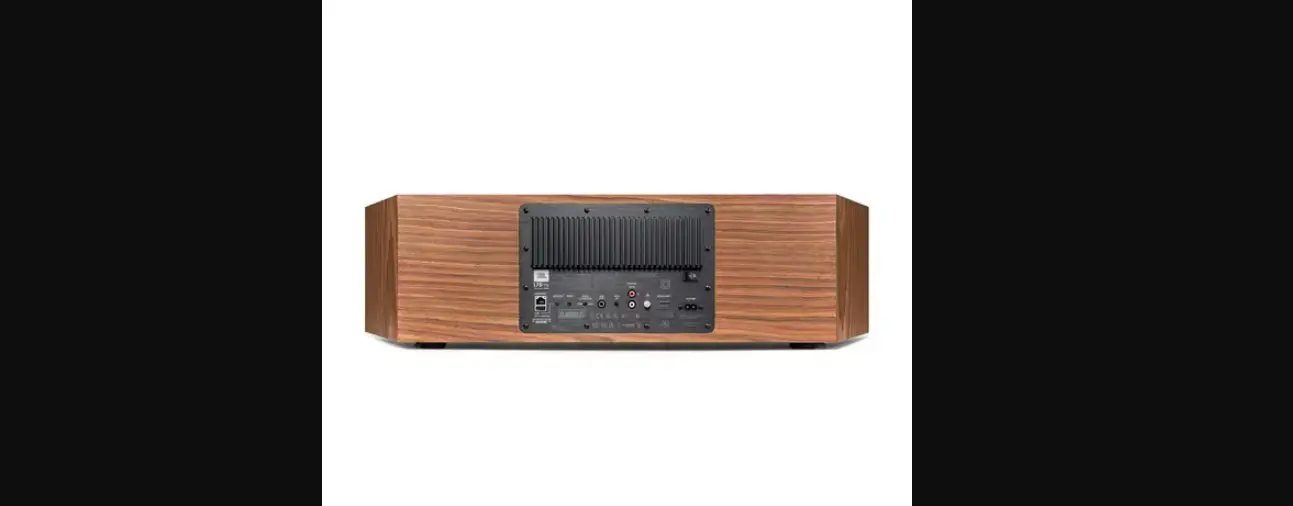
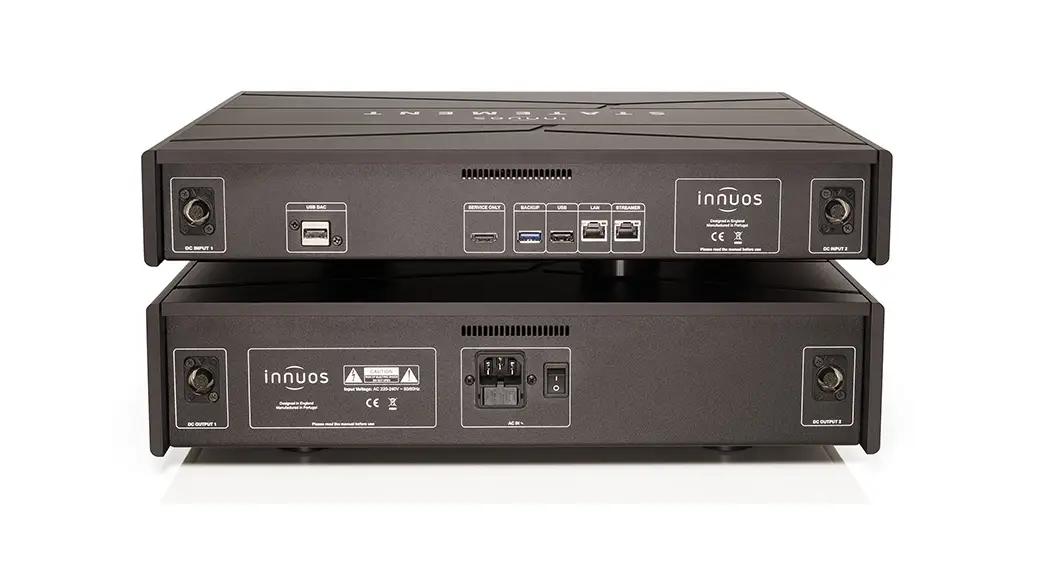
Statement Rear Panel Diagram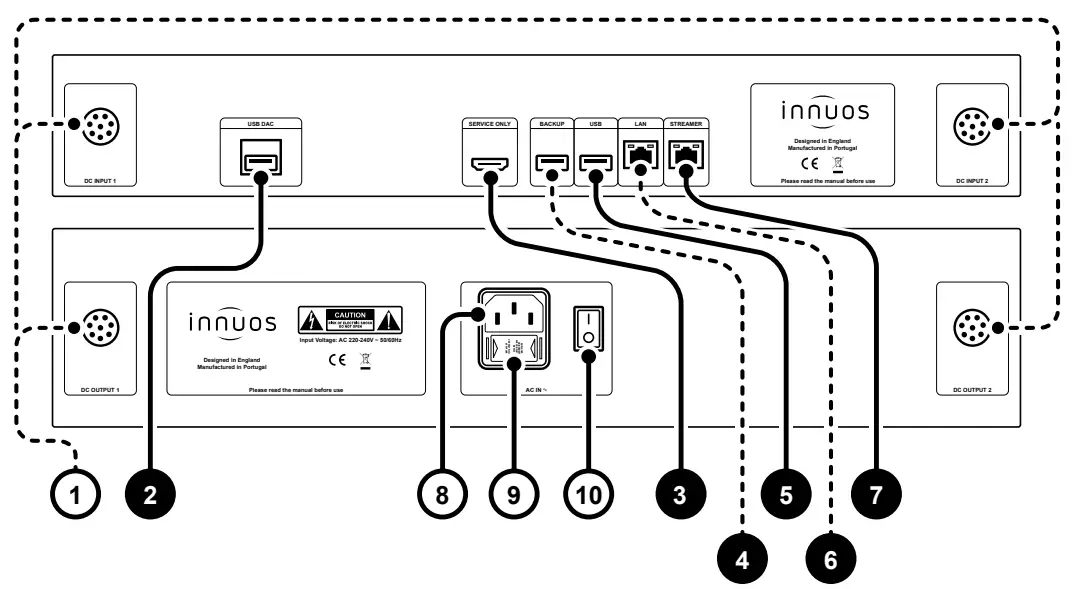
- Umbilical Power Connections
- Re-clocked USB DAC output
- HDMI Output (Service Only)
- USB for Backup Drive (USB 3.0)
- USB output (USB 2.0)
- Re-clocked Ethernet Input Port
- Re-clocked Ethernet Streamer Output Port
- Mains Power Connector
- Fuse Box
- On/Off Switch
Box Contents
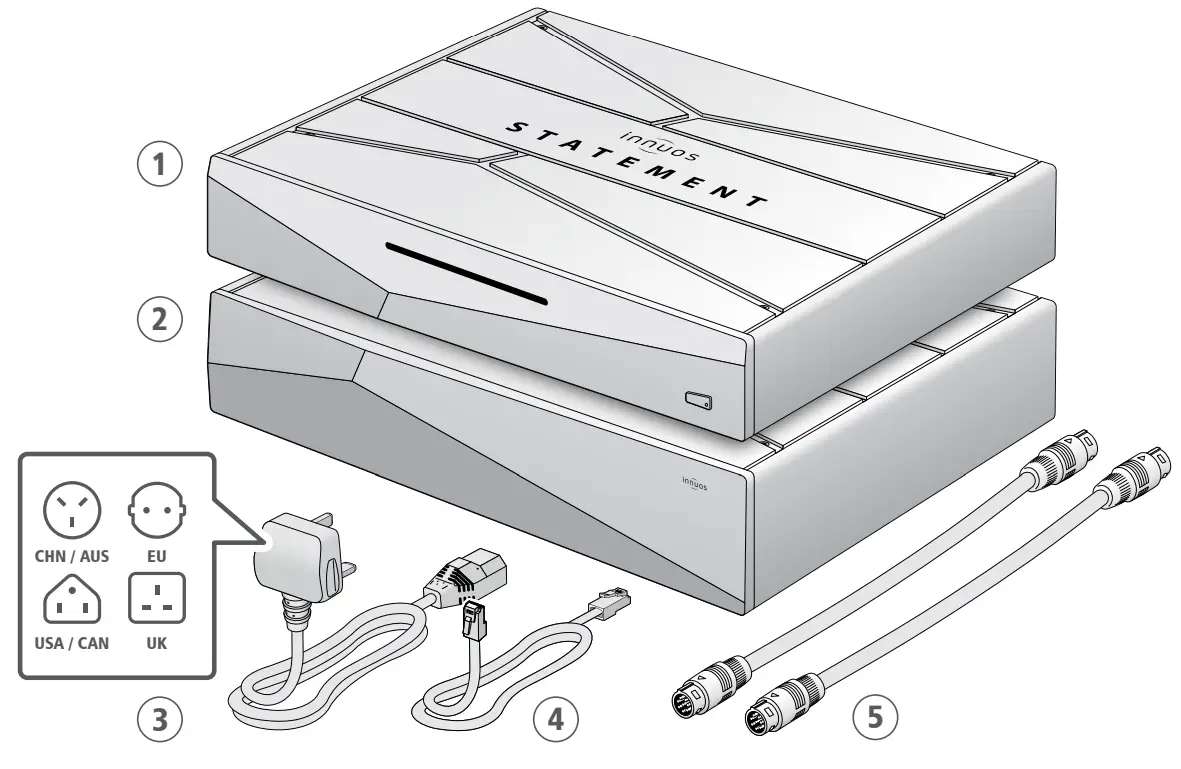
- Innuos Statement Music Server
- Innuos Statement Power Unit
- Mains Cable
- Ethernet Cable
- 2x Umbilical Interconnect
Connect your System to Mains Power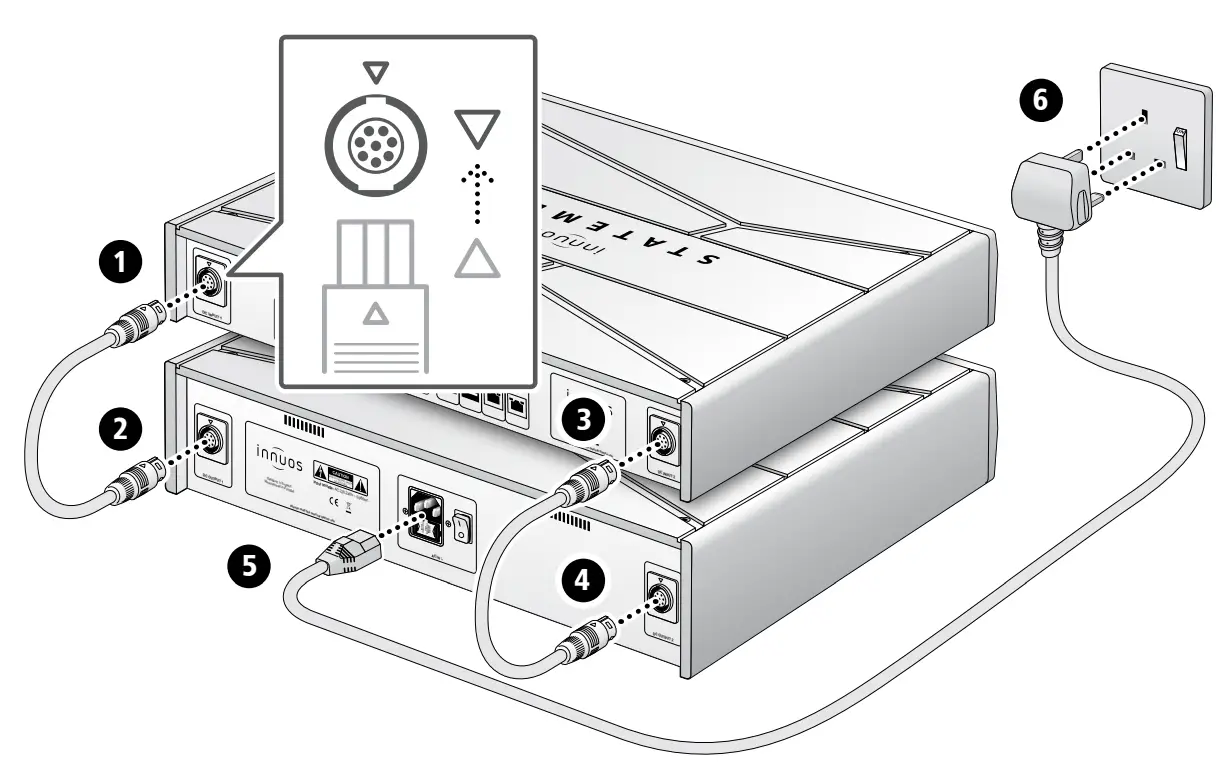
Connect Network Audio Device to Streamer Port
Optional Not required for server operation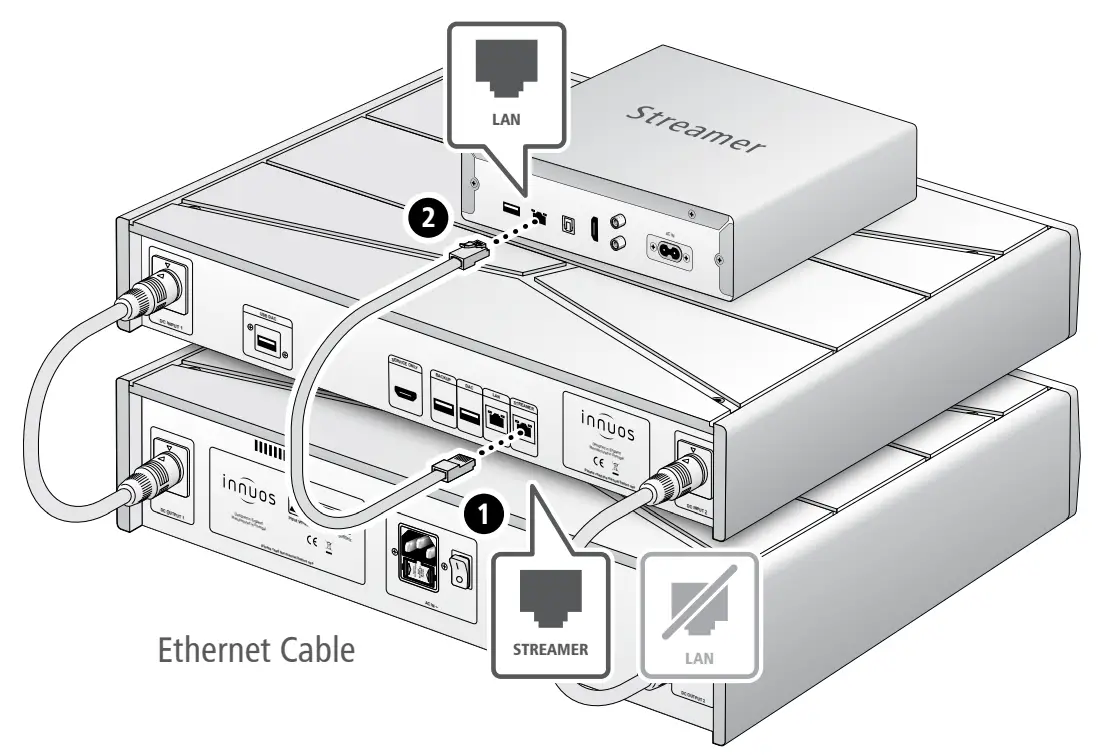
The Streamer Port provides a wired network connection for streamers, wireless speakers and other network audio products.
Using your System as a Player
Setup a Connect to a DAC/Amplifier via USB
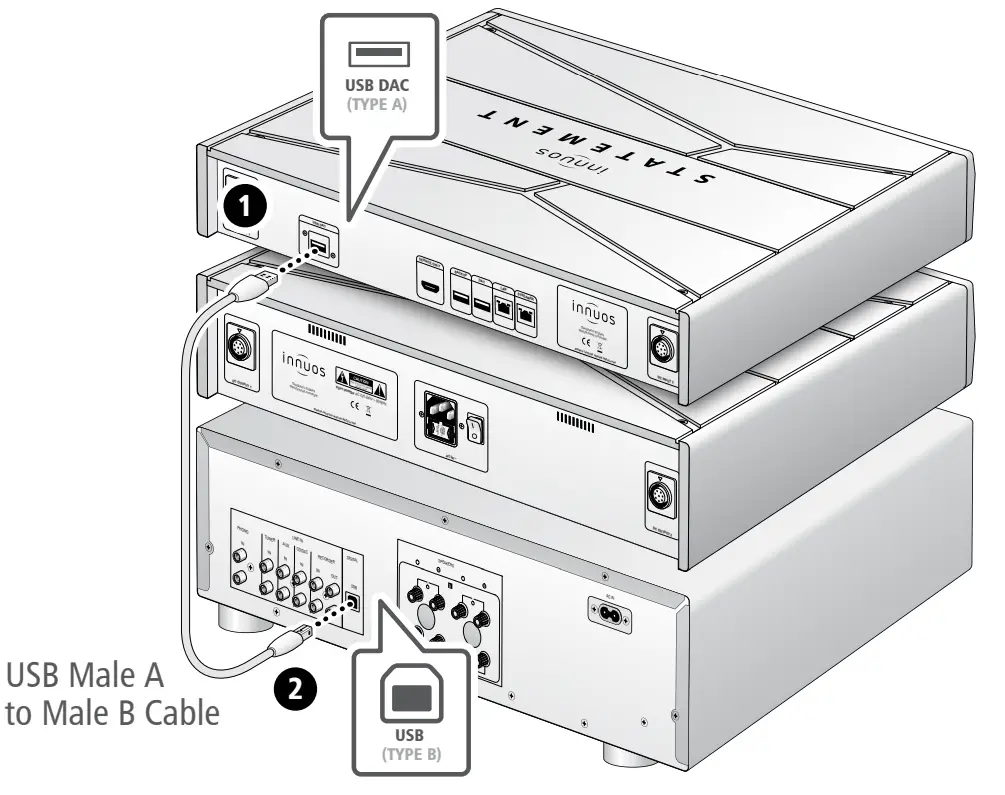
Note: USB Cable not included. Requires DAC compatible with USB Audio Class 2.
Turn on your System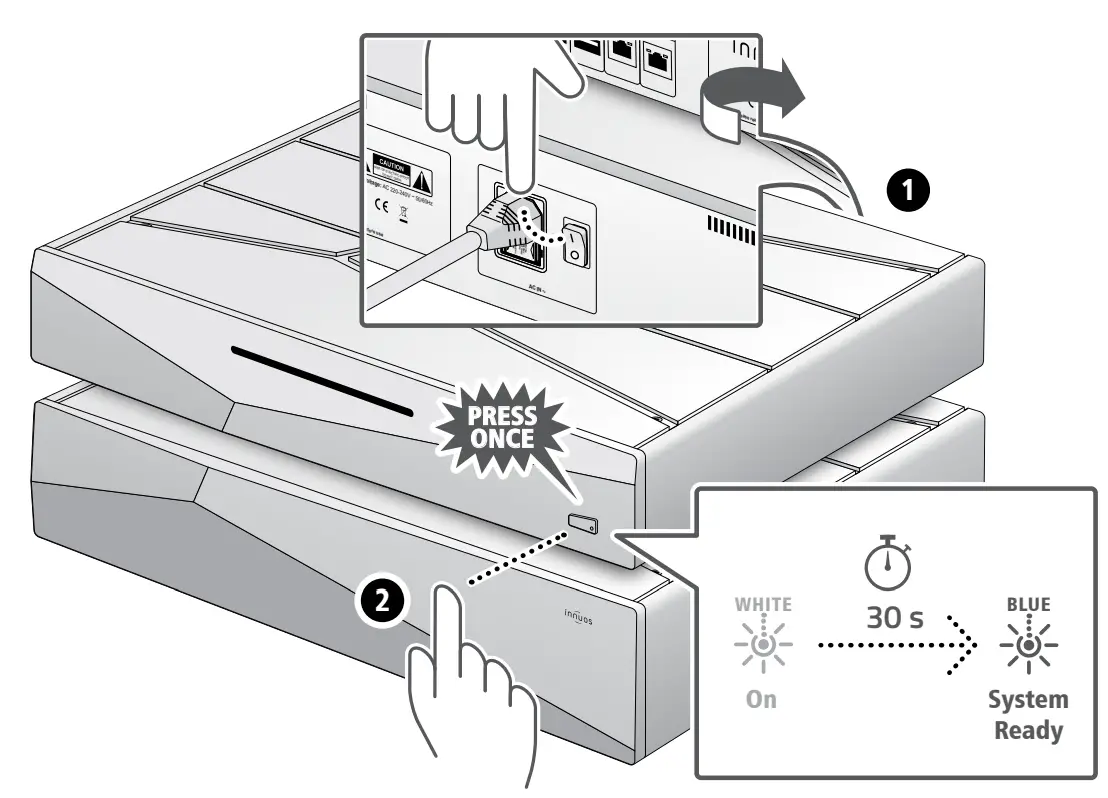
 Please press and release. Do not hold the front power button down.
Accessing your Innuos Device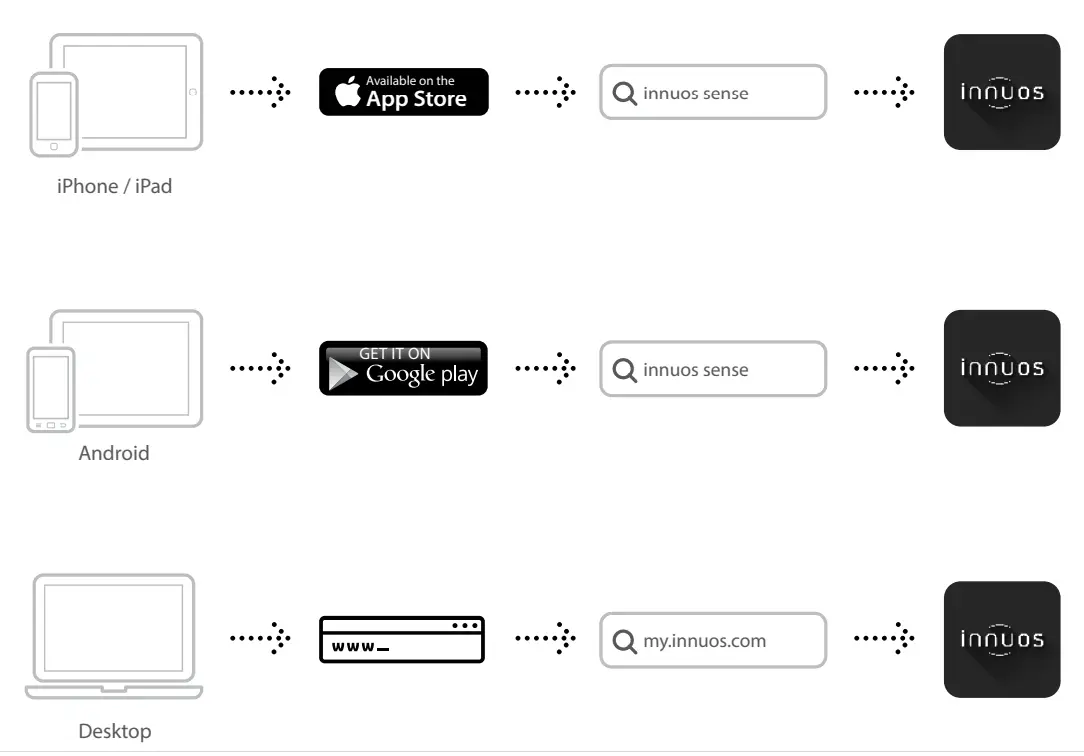 Update innuOS Software to the Latest Version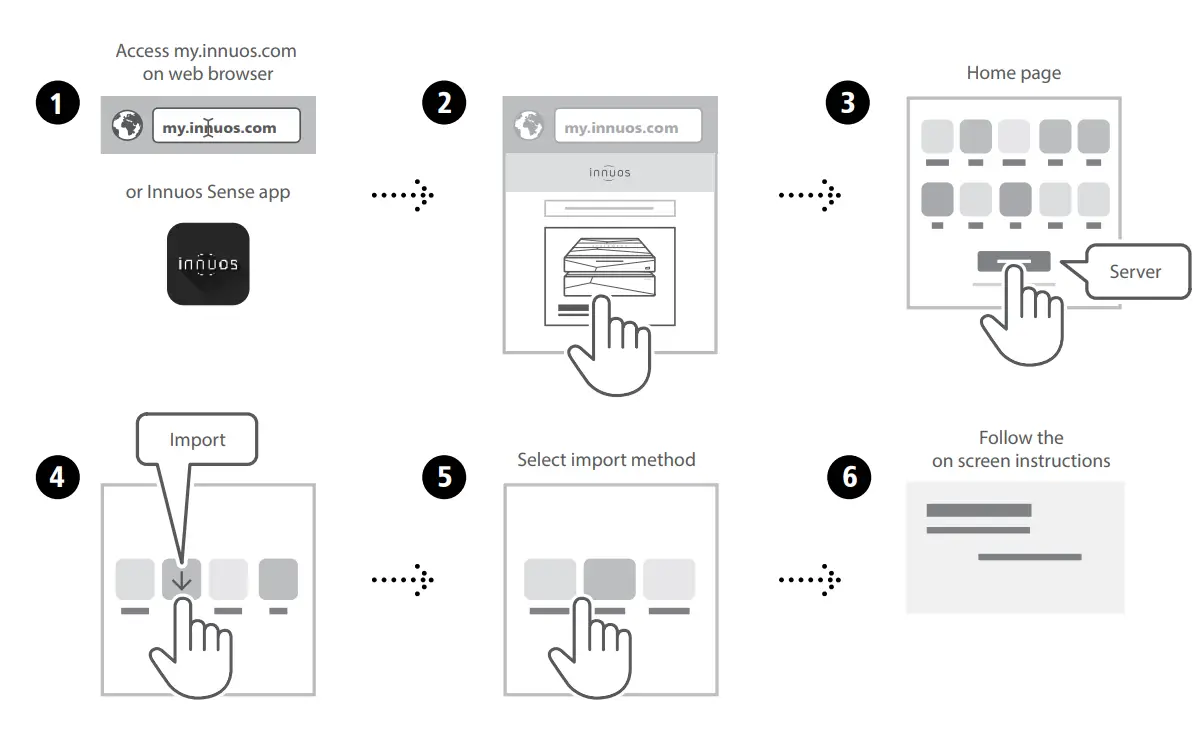
Adding Music to your System
option a Rip CDs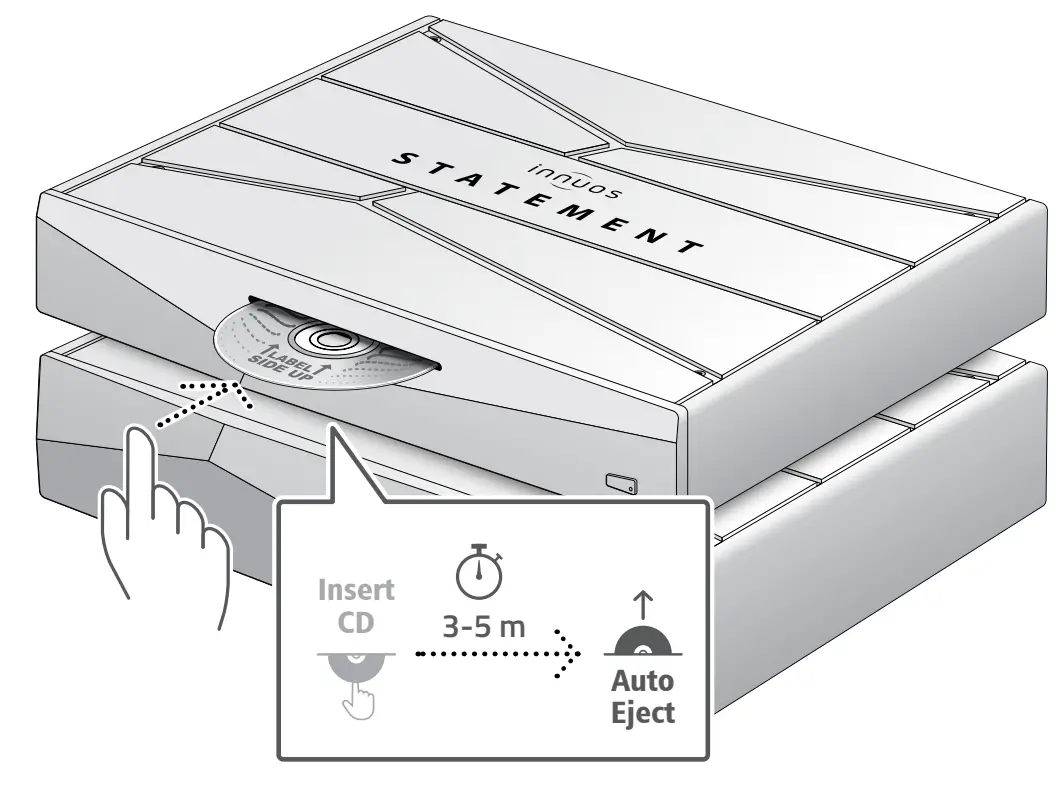
Do not push the CD while it is being drawn in as this may cause it to jam or damage the optical drive.
option b Import Digital MusicStreaming Services and Integrations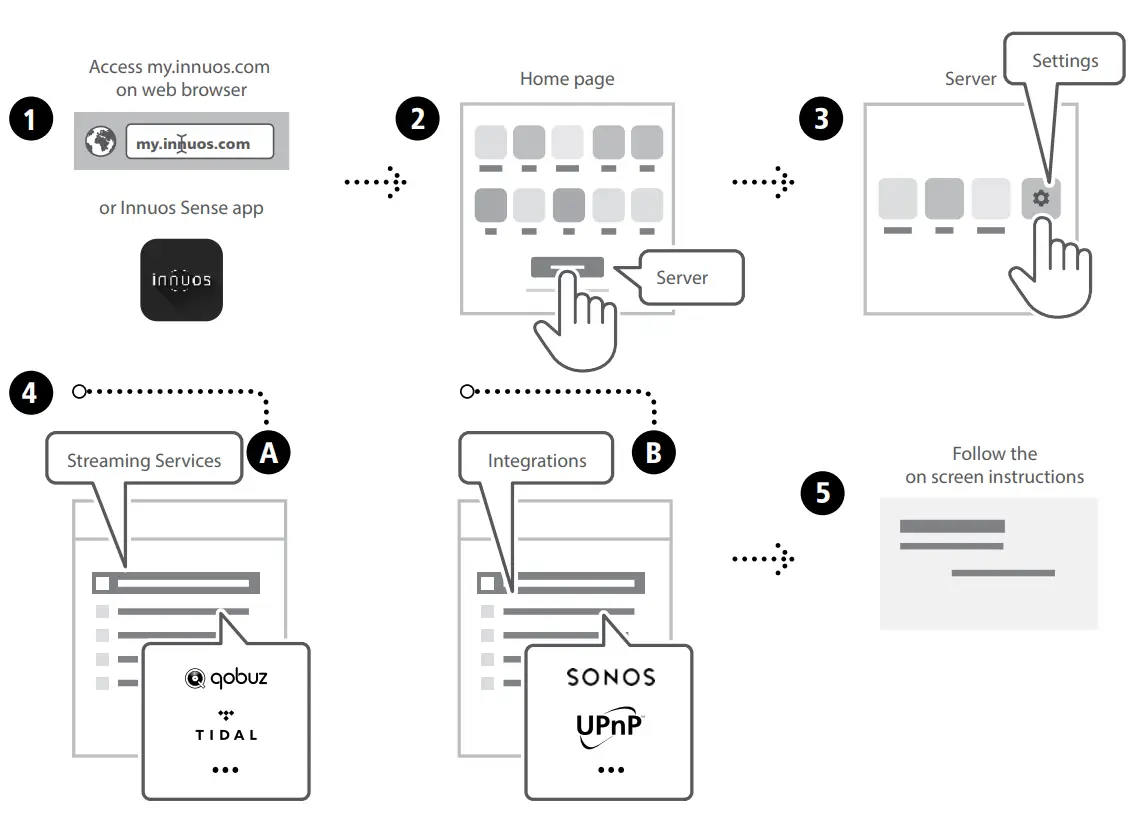 Turn off your System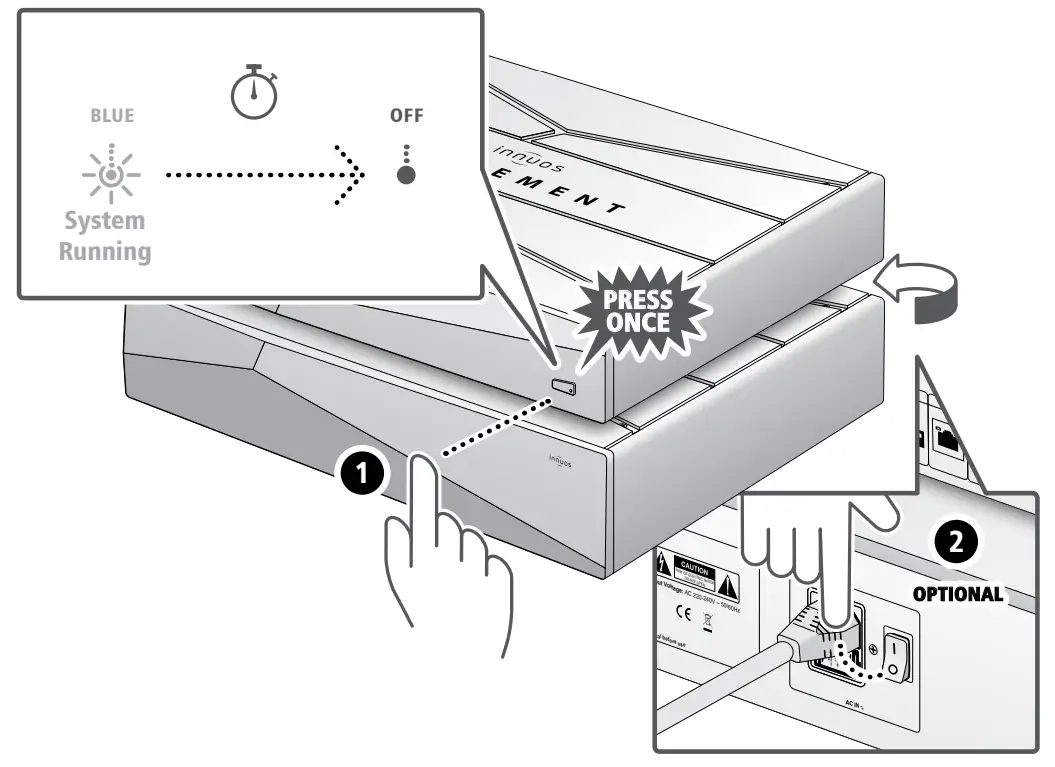
Please press and release. Do not hold the front power button down.
For more information and for the latest version of this quick start guide please visit: innuos.com/support