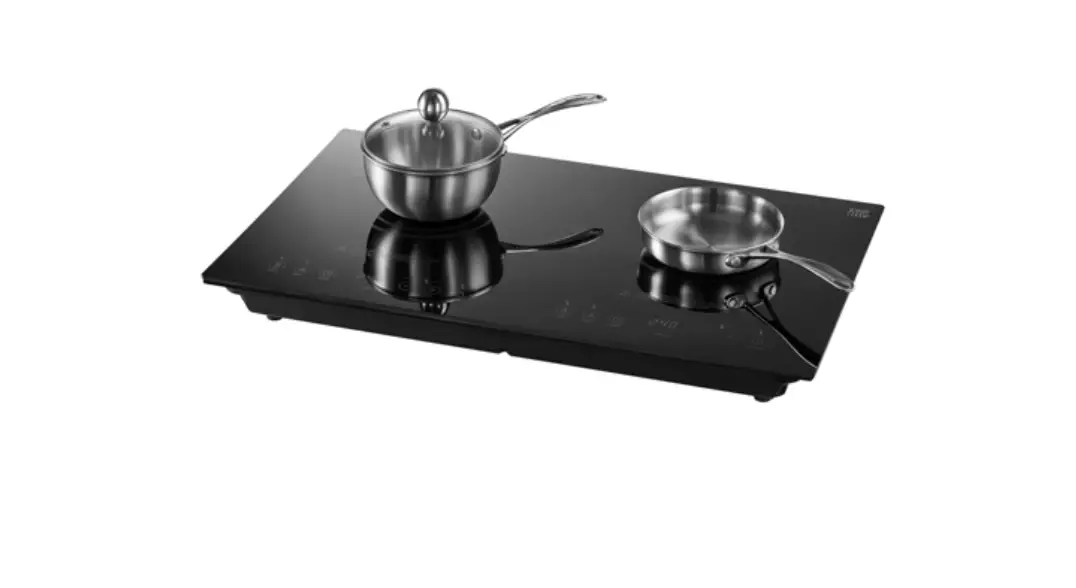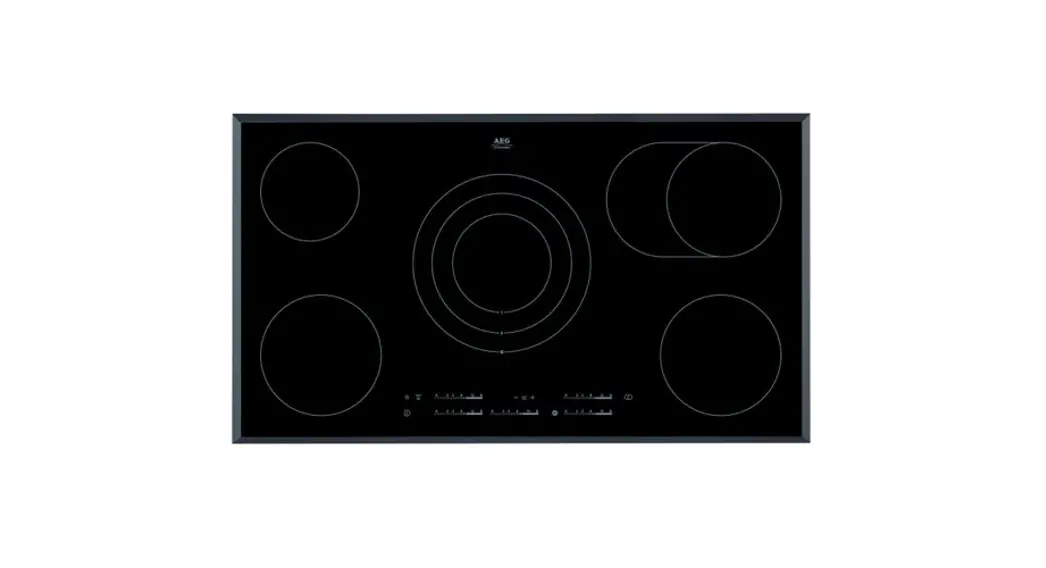

HK955070FB 36” Induction Cooktop –
User’s Manual
Perfect in form and function
HK955070FB
Thank you for choosing one of our high-quality products.
To ensure the optimal and regular performance of your appliance please read this instruction manual carefully. It will enable you to navigate all processes perfectly and most efficiently. To refer to this manual any time you need to, we recommend you to keep it in a safe place. And please pass it to any future owner of the appliance.
We wish you much joy with your new appliance.
 Safety information
General safety WARNING!
Persons (including children) with reduced physical sensory, mental capabilities or lack of experience and knowledge must not use the appliance. They must have supervision or instruction for the operation of the appliance by a person responsible for their safety.
Child safety
- Only adults can use this appliance. Children must get supervision to make sure that they do not play with the appliance.
- Keep all packaging away from children. There is a risk of suffocation.
- Keep children away from the appliance when it is on.
WARNING!
Start the child safety device to prevent small children and pets from accidental activation of the appliance.
Safety during operation
- Remove all packaging, stickers, and layers from the appliance before the first use.
- Set the cooking zones to “off” after each use.
- Risk of burns! Do not put cutlery or saucepan lids on the cooking surface, as they can become hot.
WARNING!
Fire danger! Overheated fats and oils can ignite very quickly.
Correct operation
- Always monitor the appliance during operation.
- Only use the appliance for domestic cooking tasks!
- Do not use the appliance as a work or a storage surface.
- Do not put or keep very flammable liquids and materials, or fusible objects (made of plastic or aluminum) on or near the appliance.
- Be careful when you connect the appliance to the near sockets. Do not let electricity bonds touch the appliance or hot cookware. Do not let electricity bonds tangle.
How to prevent damage to the appliance
- If the objects or cookware fall on the glass-ceramic, the surface can be damaged.
- Cookware made of cast iron, cast aluminum, or damaged bottoms can scratch the glass ceramic if you move them on the surface.
- Do not let cookware boil dry to prevent damage to cookware and glass ceramics.
- Do not use the cooking zones with empty cookware or without cookware.
- Do not cover any part of the appliance with aluminum foil.
WARNING!
If there is a crack on the surface, disconnect the power supply to prevent the electric shock.
Installation
Before the installation, note down this data from the rating plate:
- Model description (Modell)…………….
- Product number (Prod. Nr.) …………….
- Serial number (Ser. Nr.) ……………
You find the rating plate of the appliance on its lower casing.
| Modell HK955070FB | Prod. Nr. 949 593 337 00 | |
| Typ 58 HCD AA A0 | 220-240 V 50-60 Hz | |
| Made In Germany | Ser. Nr……………… | 7,9 kW |
AEG-ELECTROLUX | ||
Description of the appliance
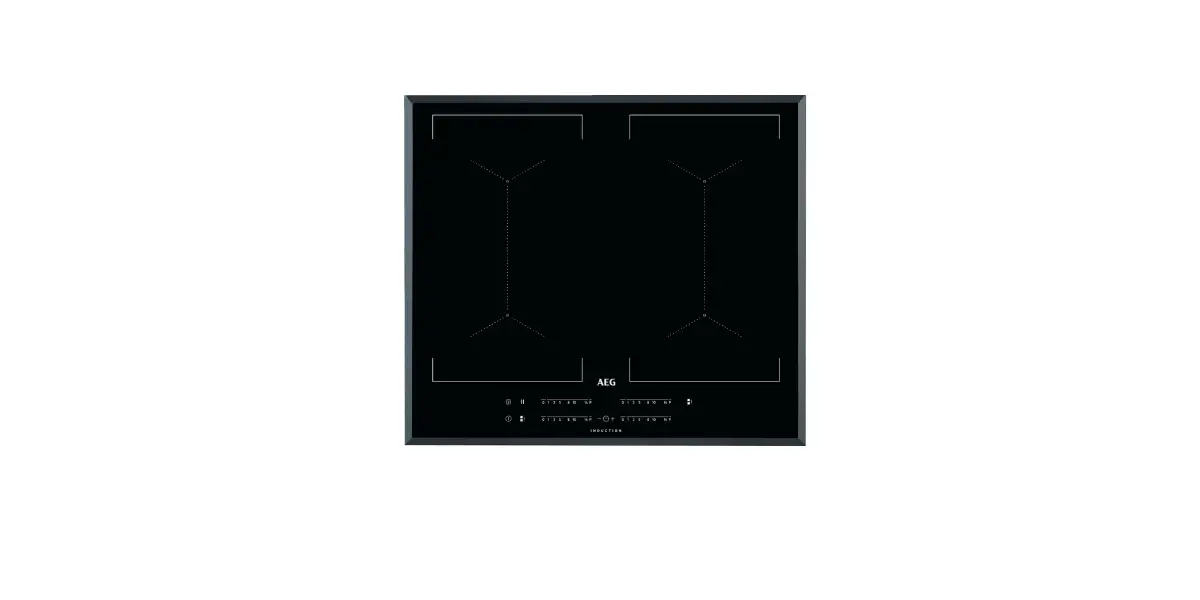
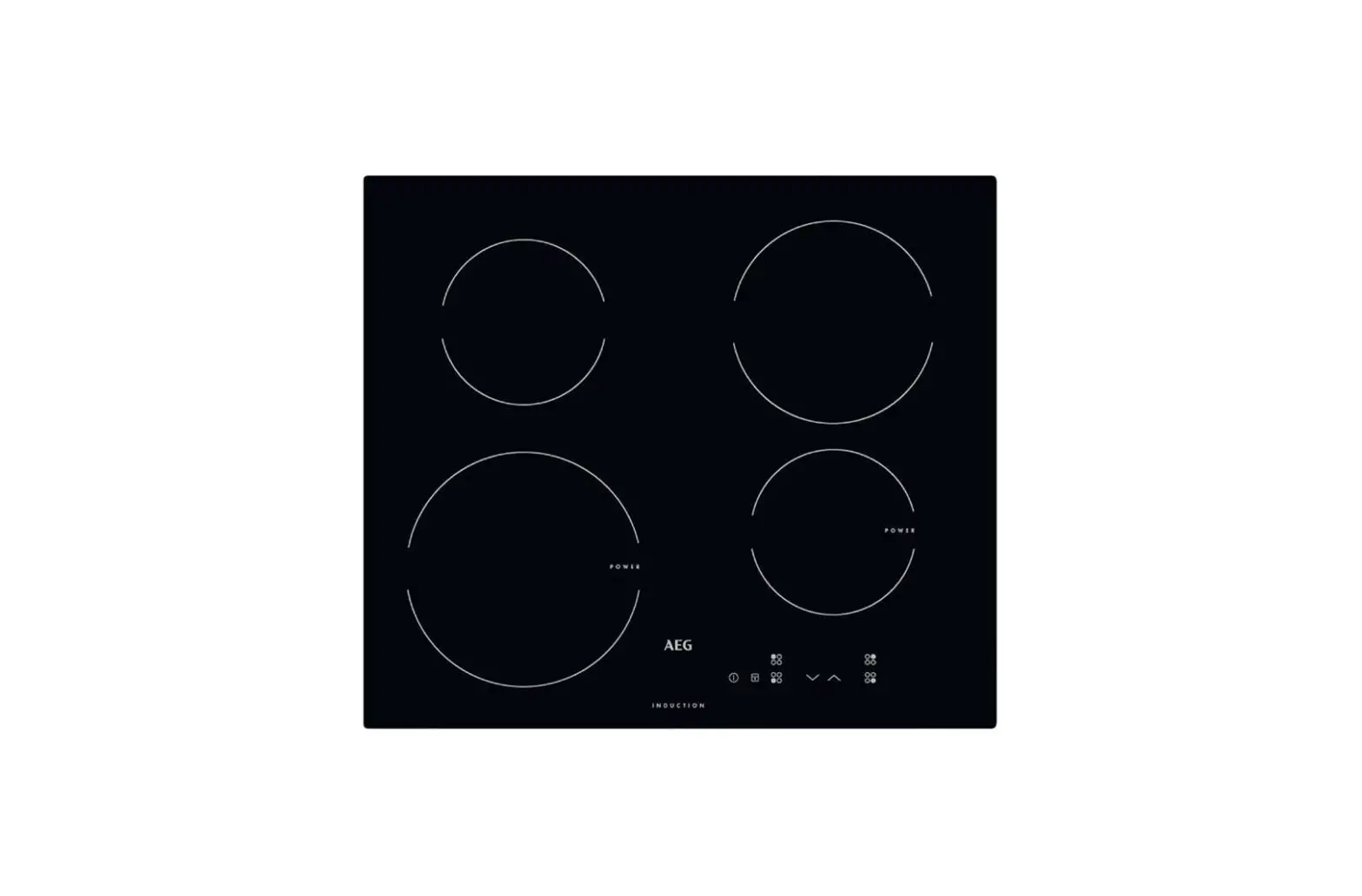
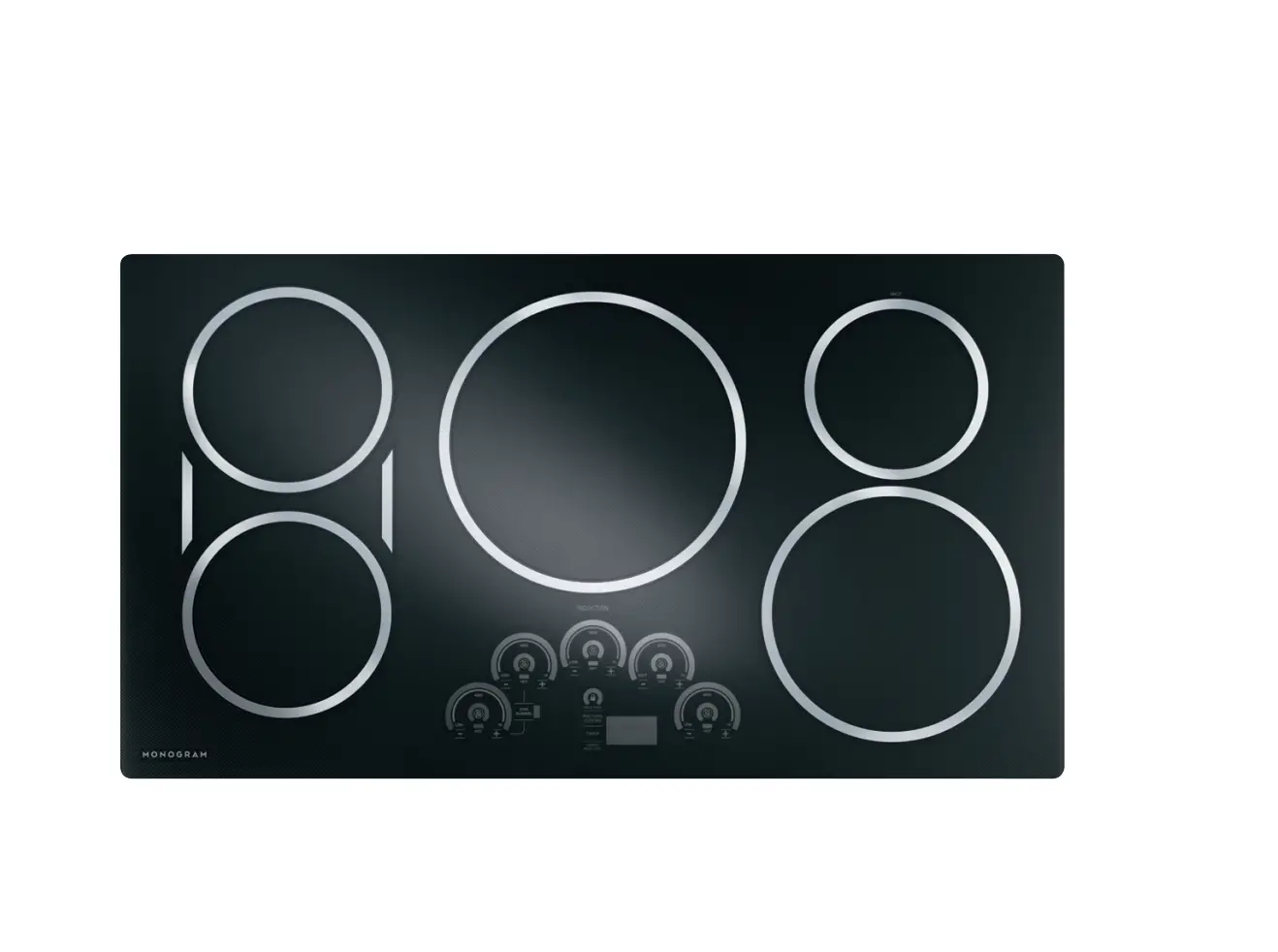
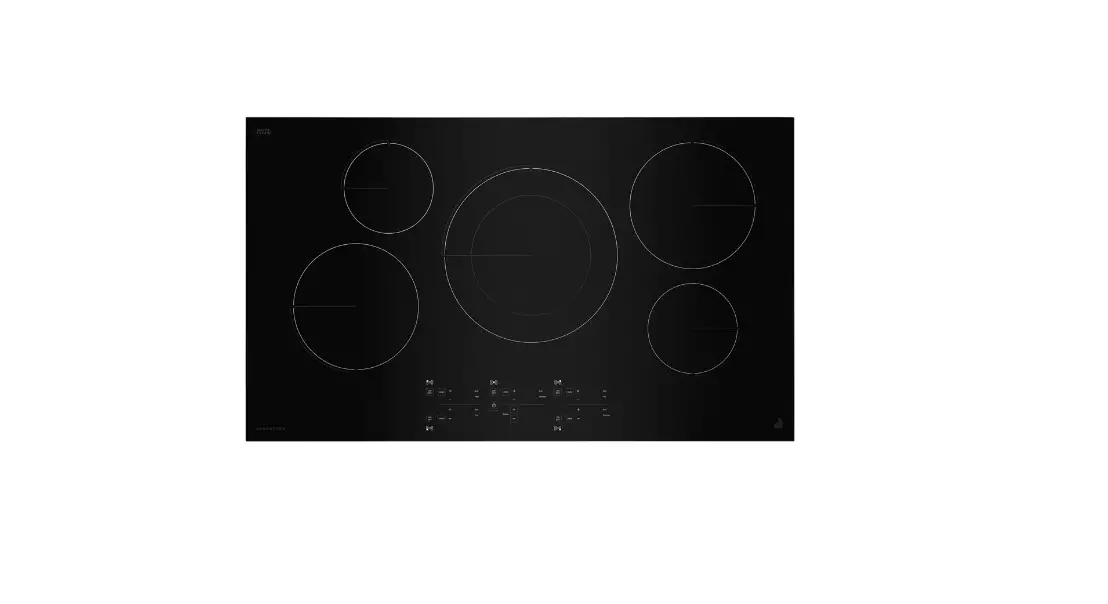
Cooking surface layout
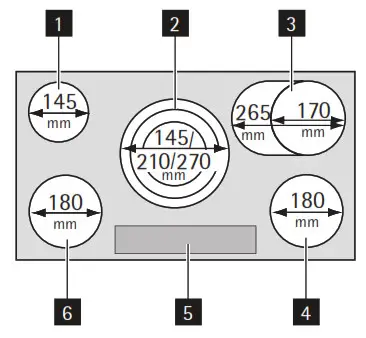
- Single cooking zone 1200 W
- Triple cooking zone 1050/1950/2700 W
- Oval cooking zone 1400/2200 W
- Single cooking zone 1800 W
- Control panel
- Single cooking zone 1800 W
Control panel layout
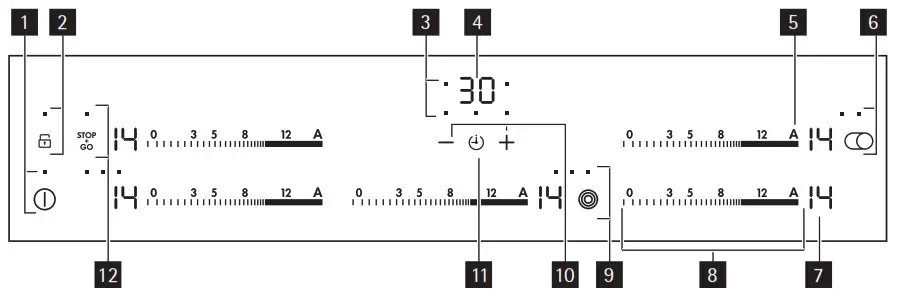
Use the sensor fields to operate the appliance.
| Sensor field | Function | |
| 1 |  | starts and stops the hob |
| 2 |  a lock with an indicator a lock with an indicator | starts and stops the key lock or child lock |
| 3 | cooking zones’ indicators of timer | shows for which zone you set the time |
| 4 | the timer display | shows the time in minutes |
| 5 |  | activates automatic heat-up |
| 6 |  with an indicator with an indicator | starts and stops the roasting zone |
| 7 | a heat setting display | shows the heat setting |
| 8 | a control bar | to set the heat setting |
| 9 |  with an indicator with an indicator | starts and stops the outer rings |
| 10 |  | increases or decreases the time |
| 11 |  | selects the cooking zone |
| 12 |  with an indicator with an indicator | starts and stops STOP+GO |
Heat setting displays
Displays show which functions operate
| Display | Description |
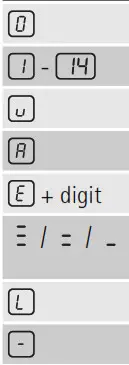 | The cooking zone is off |
| The cooking zone operates | |
| Keep Warm | |
| The automatic heat-up function is on | |
| There is a malfunction | |
| OptiHeat Control (3 steps Residual heat indicator): still cooking/keep warm/residual heat | |
| Lock/Child safety function is on | |
| The automatic switch-off is on |
OptiHeat Control (3 step Residual heat indicator) WARNING!
/= / -Risk of burns from residual heat!
OptiHeat Control indicates the level of the residual heat.
Operating the appliance
On and Off
Touch for a second to start or stop the appliance.
Automatic Switch Off
The function stops the hob automatically and  comes on if:
- all cooking zones are off

- you do not set the heat setting after you start the hob.
- you cover a sensor field with an object (a pan, a cloth, etc.) for longer than 10 seconds.
The sound operates some time and the hob stops. Remove the object or clean the control panel. - you do not stop a cooking zone or change the heat setting after some time. See the table.

Automatic Switch Off times
| Heat setting |  | |||
| Stops after | 6 hours | 5 hours | 4 hours | 1.5 hours |
Operating the appliance
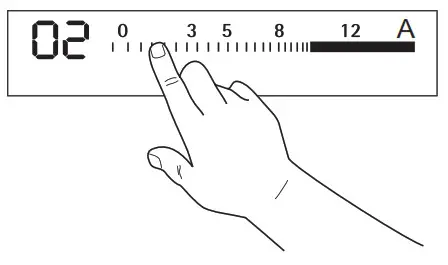
The heat setting
Touch the control bar at the necessary heat setting. Change to the left or the right, if it is necessary. Do not release before you have a correct heat setting. The display shows the heat setting.
/ Switching the outer rings on and off
You can match the effective heating surface to the size of the cookware.
To switch on the outer ring touch the sensor field /.
The indicator comes on. For more outer rings touch the same sensor field again. The next indicator comes on.
Do the procedure again to switch off the outer ring. The indicator goes out.
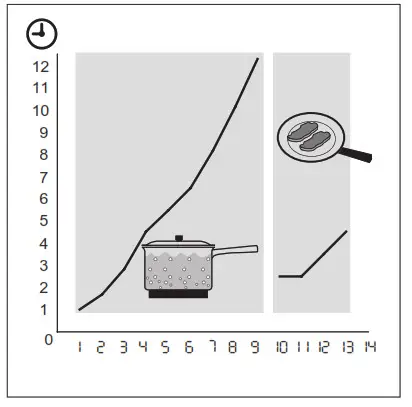
The Automatic heat up
The Automatic heat-up function sets the highest heat setting for some time and then decreases to the necessary level.
To start the function touch the symbol and then set the necessary heat setting. comes on when the cooking zone operates on the highest heat setting.
To stop the function change the heat setting.
Using the Timer
Count Down Timer
Use the Count Down Timer to set how long the cooking zone operates for one cooking session.
Set the Count Down Timer after the selection of the cooking zone.
You can set the heat setting before or after you set the timer.
- Selection of the cooking zone: touch
 again and again until the indicator of a necessary cooking zone comes on.
 - Starting the Count Down Timer: a touch +of the timer to set the time (
 minutes). When the indicator of the cooking zone flashes slower, the time counts down.
 - Checking the remaining time: select the cooking zone with. The indicator of the cooking zone flashes faster. The display shows the remaining time.
- Changing the Count Down Timer: select the cooking zone with touch+or-.
- Stopping the timer: select the cooking zone with. Touch -. The remaining time counts backward to
 . The indicator of the cooking zone goes out. To switch off You can also touch and at the same time.
When the time elapses, the sound operates andflashes. The cooking zone switches off. - Stopping the sound: touch
CountUp Timer (Count up timer)
Use the CountUp Timer to monitor how long the cooking zone operates. - Selection of the cooking zone (if more than 1 cooking zone operates): touch again and again until the indicator of a necessary cooking zone comes on.
- Starting the CountUp Timer: a touch -of the timer
 comes on. When the indicator of the cooking zone flashes slower, the time counts up, the display switches between and time elapsed (minutes)
 - Checking the elapsed time: select the cooking zone with. The indicator of the cooking zone flashes faster. The display shows the elapsed time.
- Stopping the CountUp Timer: select the cooking zone with and touch +or – to switch off the timer. The indicator of the cooking zone goes out.
 minutes). When the indicator of the cooking zone flashes slower, the time counts down.
 comes on. When the indicator of the cooking zone flashes slower, the time counts up, the display switches between
Minute Minder
You can use the timer as a Minute Minder while cooking zones do not operate. Touch. Touch+ or-of the timer to select the time. When the time elapses, the sound operates and flashes.
Starting the STOP+GO
The function sets all cooking zones that operate to a keep warm setting.
- Touch
 to start this function. The symbol
 comes on.
 - Touch to stop this function. The heat setting that you set before comes on.does not stop the timer function.fully locks the control panel but not the sensor field
 .
.
 Locking / unlocking the control panel
You can lock the control panel, but not. You can stop the appliance.
Touch the symbol. The symbol comes on for 4 seconds.
The Timer still operates.
Touch the symbol to switch off this function. The heat setting that you set before comes on.
When you switch off the appliance, you also switch off this function.
The child safety device
This function prevents an accidental operation of the hob.
Starting the child safety device
- Start the hob with. Do not set the heat settings.
- Touch for 4 seconds. The symbol
 comes on.
 - Stop the hob with.
Helpful hints and tips
Switching off the child safety device
- Start the hob with. Do not set the heat settings. Touch for 4 seconds. The symbol comes on.
- Stop the hob with.
Overriding the child safety device for one cooking session
- Start the hob with. The symbol comes on.
- Touch for 4 seconds. Set the heat setting in less than 10 seconds. You can operate the hob.
- When you stop the hob with, the child safety device operates again.
OffSound Control (Switching off and on the sounds)
Switching off the sounds
Switch off the appliance.
Touch for 3 seconds. The displays come on and go out. Touch for 3 seconds. comes on, the appliance is in standard mode. +Touch  comes on, the sound is off.
When the sound is off, you hear only when you touch, Minute Minder or Count Down
Timer comes down or when you cover the control panel.
Switching on the sounds
Switch off the appliance.
Touch for 3 seconds. The displays come on and go out. Touch for 3 seconds.  comes on, because the sound is off. Touch, +comeson, the appliance is in standard mode.
The sound is on.
Helpful hints and tips
Cookware

- The bottom of the cookware must be as thick and flat as possible.
- Cookware made of enameled steel and with aluminum or copper bottoms can cause discoloration on the glass-ceramic surface.
Energy saving

- If possible, always put the lids on the cookware.
- Put cookware on a cooking zone before you start it.
- Stop the cooking zones before the end of the cooking time to use the residual heat.
- The bottom of pans and cooking zones must have the same dimension.
Öko Timer (Eco Timer) To save energy, the heater of the cooking zone switches itself off earlier than the count-down timer signal. The heating time reduction depends on the cooking level and cooking time.
Examples of cooking applications
The data in the table is for guidance only.
| Heat setting | Use to: | Time | Hints |
 1 1 | Keep cooked foods warm | as required | Cover |
| 1-3 | Hollandaise sauce, melt: butter, chocolate, gelatine | 5-25 min | Mix occasionally |
| 1-3 | Solidify: fluffy omelets, baked eggs | 10-40 min | Cook with a lid on |
| 3-5 | Simmer rice and milk-based dishes, heating up ready-cooked meals | 25-50 min | Add at least twice as much liquid as rice, stir milk dishes partway through |
| 5-7 | Steam vegetables, fish, meat | 20-45 min | Add a few tablespoons of liquid |
| 7-9 | Steam potatoes | 20-60 min | Use max. ¼ l water for 750 g of potatoes |
| 7-9 | Cook larger quantities of food, stews, and soups | 60-150 min | Up to 3 l liquid plus ingredients |
| 9-12 | Gentle fry: escalope, veal cordon bleu, cutlets, rissoles, sausages, liver, roux, eggs, pancakes, doughnuts | as required | Turn halfway through |
| 12-13 | Heavy fry, hash browns, loin steaks, steaks | 5-15 min | Turn halfway through |
| 14 | Boil large quantities of water, cook pasta, sear meat (goulash, pot roast), deep fry chips | ||
Information on acrylamides
According to the newest scientific knowledge, if you brown food (especially the one which contains starch), acrylamides can pose a health risk. Thus, we recommend that you cook at the lowest temperatures and do not brown food too much.
Care and cleaning
Clean the appliance after each use.
Always use cookware with clean bottom. WARNING!
Sharp objects and abrasive cleaning agents will damage the appliance.
For your safety, do not clean the appliance with steam blasters or high-pressure cleaners.
Scratches or dark stains on the glass-ceramic have no effect on how the appliance operates. Removing the dirt:
- – Remove immediately: melting plastic, plastic foil, and food containing sugar. Use a special glass-ceramic scraper. Put the scraper on the glass-ceramic surface at an acute angle and slide the blade on the surface.
– Stop the appliance and let it cool down before you clean: limescale rings, water rings, fat stains, shiny metallic discolorations. Use a special cleaner for glass ceramic or stainless steel. - Clean the appliance with a damp cloth and some detergent.
- At the end rub the appliance dry with a clean cloth.
What to do if…
| Problem | Possible cause and remedy |
| You cannot start the appliance or operate it. | • Start the appliance again and set the heat setting in 10 seconds. •The child safety device r operates. Stop child safety device or. See the section “Child safety device” or “Stop and go”.• You touched 2 or more sensor fields at the same time. Only touch one sensor field. • There is water or fat stains on the control panel. Clean the control panel |
| A sound operates when the appliance is off. | You covered one or more sensor fields. Uncover the sensor fields. Clean the control panel. |
| The residual heat indicator does not come on. | The cooking zone is not hot because it operated only for a short time. If the cooking zone must be hot, speak to the after-sales service. |
| You cannot switch on the outer rings. | Switch on the inner ring first. |
| A sound operates and the appliance starts and stops again. After 5 seconds one more sound operates. | You covered. Uncover the sensor field. |
| comes on | The automatic switch-off operates. Stop the appliance and start it again. |
 and number come on. and number come on. | There is an error in the appliance. Disconnect the appliance from the electrical supply for some time. Disconnect the fuse from the electrical system of the house. Connect again. If comes on again, speak to the after-sales service. |
| There is no signal when you touch panel keys | The signals are off. Switch on the signals. |
If you tried the above solutions and cannot repair the problem, speak to your dealer or the Customer Care Department. Give the data from the rating plate, a three-digit-letter code for the glass-ceramic (it is in the corner of the cooking surface), and an error message that comes on.
If you operated the appliance incorrectly, the servicing by a customer service technician or dealer will not be free of charge, even during the warranty period. The instructions about the customer service and conditions of the guarantee are in the guarantee booklet.
Environment concerns
The symbol  on the product or on its packaging indicates that this product may not be treated as household waste. Instead, it should be taken to the appropriate collection point for the recycling of electrical and electronic equipment. By ensuring this product is disposed of correctly, you will help prevent potential negative consequences for the environment and human health, which could otherwise be caused by inappropriate waste handling of this product. For more detailed information about the recycling of this product, please contact your local council, your household waste disposal service, or the shop where you purchased the product.
Packaging material
The packaging materials are friendly to the environment and can be recycled. The plastic components are identified by marking: >PE<,>PS<, etc. Discard the packaging materials as household waste at the waste disposal facilities in your municipality.
Q – Warranty
AEG products are designed and built to the highest standards.
We expect your appliances to provide many years of trouble-free enjoyment.
In the event of an appliance requiring attention, each appliance is covered by a 2-year warranty from the date of purchase.
Refer to warranty policy for complete terms and conditions.
Coverage is for costs of parts and labor for appliances in capital cities & metropolitan areas. We reserve the right to charge directly for handling expenses outside the metropolitan region.
AEG products are supported by a national service support system.
Call our customer service department for attention.
Please retain your invoice AEG to quote should you require service assistance. This will identify your product for our priority service backup.
Please attach your invoice to this manual for easy future reference.
AEG Canada
871 Cranberry Court
Oakville, Ontario L6L 6J7
Canada
Tel 905-829.3980
Fax 905-829.3985
email [email protected]
For Service & Spares:
EURO-PARTS
1.800.678.8352
Important: Please record details of your purchase below and mail or fax to AEG
Name:…………TEL No……………..
Address:…………..
City :………………… State:………………….Zip Code:………………………
Where purchased:…………………..Purchase date:……………Items purchased:…………..
Serial No. (s):……………………
AEG appliances are imported and distributed in North America by Euro-Line Appliances
Inc. For more information visit
www.ela.ca / www.elawest.ca
| EURO-LINE APPLIANCES INC. 871 Cranberry Court | EURO-LINE APPLIANCES WEST INC. 107-1014 Homer St. Vancouver, BC V6B 2W9 Toll-Free: 1.855352-9378 Showroom: 604.235.3980 info2elawest.com |