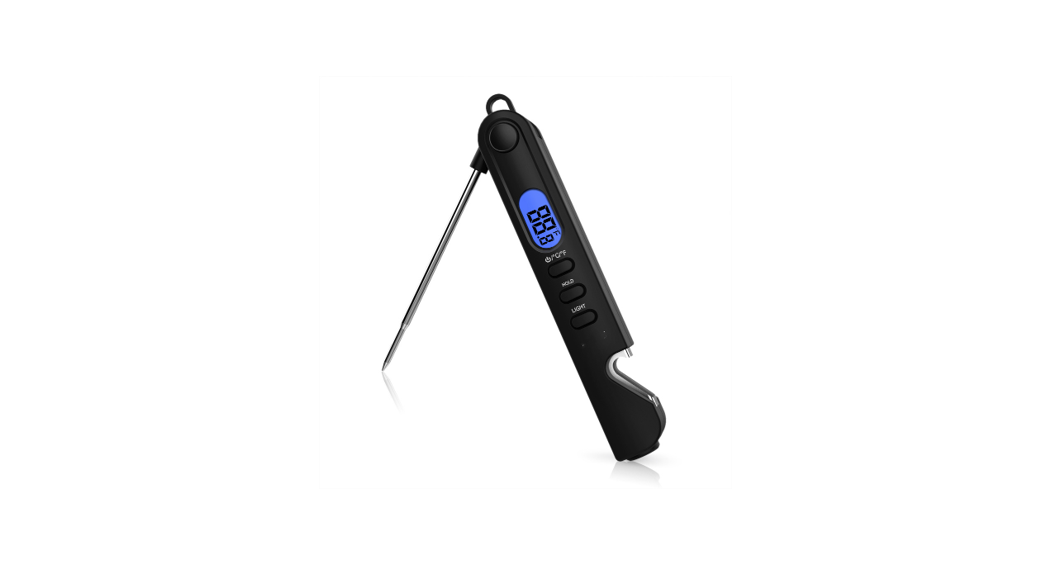
T28L Smart Digital Thermometer
Product Information:
Product Name: Digital Thermometer
Product Model: T28L, T28P
Unit Switch: Switchable
Display: LCD Display, 4 1/2
Measurement Range: 32.00-42.00°C (89.60-107.60°F)
Measure Mode: Direct mode
Measurement Position: Oral and Axillary (switchable)
Intended Use: Home, medical departments
Measuring Accuracy: In normal room temperature 25°C
Memory: T28L: 9 sets, T28P: 30 sets
Power: 0.5W
Shell Protection: IP22
Running Mode: Continuously running
Battery Life: Approximately 200 hours
Shock-proof Type: Internal power Type Battery BF applied
part
Backlight Color Definition:
- When the measured value is lower than 37.50°C, a green
backlight is displayed; - When the measured value is between 37.50°C and 38.49°C, a blue
backlight is displayed; - When the measured value is higher than or equal to 38.50°C, an
orange backlight is displayed;
Using Environment:
Storage and Transportation Condition
Dimension
Weight
Service Life
Bluetooth Specification:
Bluetooth Version: 5.1
Valid Transmission: More than 5m in open environment
Receiver: Support BLE 5.1 standard
Signal Transmission Frequency: Transparent transmission, 2.4 GHz
transceiver ART baud rate 9600
Output Power: Peak current less than 5mA
Contraindications: None found
Side Effect: None
Caution and Warning:
- Conducting self-diagnosis based on the measurement results
and/or treatment can be dangerous. Please follow the instructions
of your doctor. Self-diagnosis may worsen the symptoms. - Do not apply a strong shock to, drop, step on, or vibrate the
main unit. - Only the sensor is waterproof, the main unit is not waterproof.
Be careful when handling this unit so that no liquid (alcohol,
water, or hot water) will get into the main unit. - The sensor and flexible tip can be disinfected with alcohol,
the other parts can only be wiped lightly with a soft dry cloth. Do
not immerse the main unit into water or any other liquid. - Do not disassemble, repair, or modify the unit except battery
replacement.
Doc. No.:TCF-DTB-003D Version: V1.0
Digital Thermometer Use Manual
Model: T28L T28P
1. Product Specification
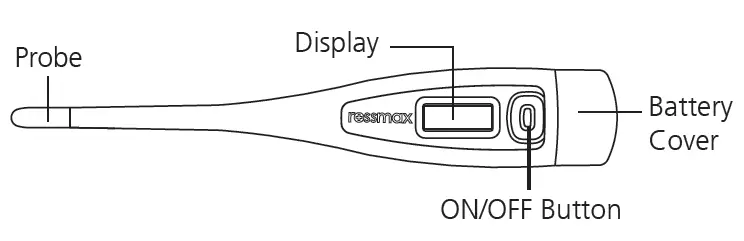
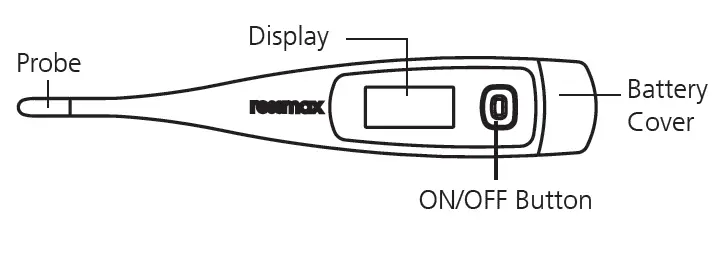
The main unit is consist of shell, LCD display, sensor and control circuit. The product uses the temperature sensor to output the electrical signal, directly output the digital signal, or convert the current signal (analog signal) into a digital signal that can be recognized by the internal integrated circuit, and then display the temperature in digital form through the LCD display, which can record and read the maximum value of the measured temperature. This digital thermometer enables very safe and reliable measurements for oral and axillary, and with its technology the thermometer offers a very high clinical accuracy and has been designed to provide a maximum of user friendliness. Production structure:
LCD display instruction:
Thank you for choosing our product. For safety and proper use of this product, please read and fully understand the safety precautions in this manual.
Page 1 of 20
Doc. No.:TCF-DTB-003D Version: V1.0
Please keep these instructions for reference in the future.
This thermometer conforms to all of the requirements established in ASTM standard E1112. Full responsibility for conformance of this product to the specification is assumed by Guangdong Genial Technology CO., Ltd. , address is I-6-05-02, 11th Road, Area B, Guangfozhao Economic Cooperation Zone, Zhagang Town, Huaiji County, Zhaoqing City, Guangdong Province, 526437, P.R. China.
2. Intended Use
The digital thermometer is intended for the measurement and monitoring of human body temperature through oral and axillary as the measurement site on people of all ages by doctor or user in the hospital or home.
3. Product performance
3.1 The specification of performance
Product Name
Digital Thermometer Product Model
T28L, T28P
Unit switch
/Switchable
Display
LCD Display, 4 1/2
32.00-42.00 (89.60
Measurement range -107.60)
Measure Mode Direct mode
Measurement
position
and Oral
and
reference body
(switchable)
Axillary Intended use home,
medical
locations
department
In normal room temperature 25
Measuring accuracy
32.0035.29 (89.6095.52) ±0.3 (0.5) 35.3036.99 (95.5398.58) ±0.2 (0.3) 37.0039.09 (98.59102.36) ±0.1 (0.2) 39.1041.00 (102.37105.80) ±0.2 (0.3) 41.0142.00 (105.81107.60) ±0.3 (0.5)
Memory
T28L: 9 sets. T28P: 30 sets
Power
0.5W
Shell protection
IP22
Running Mode
Continuously running
Battery life
Approximately 200 hours
Shock-proof type
Internal power Type Battery
BF applied part
One 3.0V DC button battery (Model CR2032)
When the measured value is lower than 37.50 , a green backlight is
displayed;
Back light
When the measured value is 37.50 ~ 38.49 , a blue backlight is
color definition:
displayed;
When the measured value is higher than or equal to 38.50 , an
orange backlight is displayed;
Page 2 of 20
Using environment
Storage and transportation condition Dimension Weight Service life
Doc. No.:TCF-DTB-003D Version: V1.0
Temperature10~40 (50~104) Relative humidity15-95% non-condensing Atmospheric pressure:86kPa-106kPa Temperature-25~55 (-13~131) Relative humidity15-95% non-condensing Atmospheric pressure:50kPa-106kPa 12.7cm×4.1cm×2cm(L×W×H) Approximately 33 grams including battery 5 years
3.2 The specification of wireless transmission For Bluetooth
Bluetooth
5.1
Valid Transmission
More than 5m in open environment
Receiver
Support BLE 5.1 standard
Signal transmission Frequency
Transparent transmission. 2.4 GHz transceiver ART baud rate 9600
Output power
Peak current less than 5mA
4. Contraindications
No found
5. Side effect
No
6. Caution and warning
1. Conducting self-diagnosis based on the measurement results and/or treatment can be dangerous. Please follow the instructions of your doctor. Self-diagnosis may worsen the symptoms.
2. Do not apply a strong shock to, drop, step on, or vibrate the main unit. 3. Only the sensor is waterproof, the main unit is not waterproof. Be careful when
handling this unit so that no liquid (alcohol, water, or hot water) will get into the main unit. 4. The sensor and flexible tip can be disinfected with alcohol, the other parts can only be wiped lightly with a soft dry cloth. Do not immerse the main unit into water or any other liquid. 5.Do not disassemble, repair, or modify the unit except battery replacement.
Page 3 of 20
Doc. No.:TCF-DTB-003D Version: V1.0
6. Do not store or keep in direct sunlight, at high temperatures. or in any chemical liquid conditions, in case of chemical changes that effect the operation function and measurement accuracy.
7. Properly dispose of the batteries according to local regulations keeping them from small children and heat.
8.Please store this product in a well ventilated and dry place 9.Equipment shall not be serviced or maintained while in use with a patient. 10.The patient is an intended user. The patient can use and maintain the device and its
accessories according to this manual. 11.The device and accessories are to be disposed of according to local regulations after
their service lives. Alternatively, they can be returned to the dealer or the manufacturer for recycling or proper disposal. 12. It should be cleaned before each use. 13. Keep the unit out of children’s reach.
14. The user is cautioned that changes or modifications not expressly approved by the party
responsible for compliance could void the user’s authority to operate the equipment. 15.This device complies with Part 15 of the FCC Rules. Operation is subject to the following
two conditions: (1) this device may not cause harmful interference, and (2) this device must accept any interference received, including interference that may cause undesired operation. 16. NOTE: This equipment has been tested and found to comply with the limits for a Class B
digital device, pursuant to Part 15 of the FCC Rules. These limits are designed to provide reasonable protection against harmful interference in a residential installation. This equipment generates, uses and can radiate radio frequency energy and, if not installed and used in accordance with the instructions, may cause harmful interference to radio communications. However, there is no guarantee that interference will not occur in a particular installation. If this equipment does cause harmful interference to radio or television reception, which can be determined by turning the equipment off and on, the user is encouraged to try to correct the interference by one or more of the following measures: — Reorient or relocate the receiving antenna. — Increase the separation between the equipment and receiver. — Connect the equipment into an outlet on a circuit different from that to which the receiver is connected. — Consult the dealer or an experienced radio/TV technician for help. 17. FCC Radiation Exposure Statement
This equipment complies with FCC radiation exposure limits set forth for an uncontrolled environment. This transmitter must not be co-located or operating in conjunction with any other antenna or transmitter.
7. Installation and use
7.1 Check before using: Clean the measuring probe if any dirty or stuffs attached;
Page 4 of 20
Doc. No.:TCF-DTB-003D Version: V1.0
Ensure that the part selected for use is the same as the part to be measured; Check battery, If low battery symbol is flashing with, please change the battery. 7.2. Before measurement Clean the thermometer using isopropyl alcohol or soap and water. Do not immerse in
liquid. 7.3. How to switch measuring mode: With the thermometer off, press the SET button, the buzzer will beep. Short press the
SET button(by holding for under 2 secs) to choose measuring mode-Oral or Armpit measuring location. Once you have chosen your measuring setting, wait for 2secs and this location will be selected and you can start to measure. 7.4. How to switch between Celsius and Fahrenheit: With the thermometer off, hold the SET button for 5 secs until the buzzer beeps, Short press the SET button the alter from C to F and vice versa. Stop pressing the set key for 2 seconds, it will return to the measurement screen automatically. 7.5. Power on
Press the switch button, turn on the LCD full screen display (buzzer beeps, backlight green on) for about 2 seconds to display the last measurement result, and the symbol m lasts for about 2 seconds. (the backlight will display the relevant color according to the last measured value.) If the measured value cannot be obtained, the next screen is
displayed directly. When the backlight is turned off and display , the buzzer will
beep and enter the measurement mode after flashing twice at the unit / F 1Hz
frequency.
7.6. Temperature hint
a) Place the sensor in the appropriate measuring position. If the temperature
measurement result is lower than 37.50 , the buzzer will sound continuously for 4
seconds and give a long warning sound. If the measured temperature is greater than or equal to 37.50 , the buzzer will give a short warning sound for 4 seconds. The
corresponding backlight color will turn on and turn off automatically after 6 seconds.
b) If the measured temperature (below) < 32.00 (89.6), the display of Lo / will
flash until it is switched off automatically or manually. If the measured temperature (greater than or equal to) 42.00/ (107.6), the display of Hi, / units will flash until it is
automatically or manually turned off.
Measuring temperature Backlight (T28)
Buzzer sound
LCD display
< 32.00 (89.6 )
Green
bi-bi-bi-bi, cycle 4 times
Lo
32.00 (89.6 ) ~ 37.49 (99.5 ) 37.50 (99.5 ) ~ 38.49 (101.3 )
Green Blue
bi–bi–bi–bi–bi–bi–bi–bi Measurement
bi-bi-bi-bi, cycle 4 times value
38.50 (101.3 ) ~ 42.00 (107.6 )
Orange
bi-bi-bi-bi, cycle 4 times
42.00 (107.6 )
Orange
bi-bi-bi-bi, cycle 4 times
Hi
Page 5 of 20
Doc. No.:TCF-DTB-003D Version: V1.0
7.7 Memory function a) If you press the set key in the display memory for 2 seconds to enter the memory view mode and display m — and then press the set key to view the memory and display
. After 1 second, the temperature value measured by the first group is displayed,
and the corresponding backlight color appears. Press the SET key to switch to the next value, and repeat to cycle through measured values. (T28L for 9 sets of values, T28P for 30 sets of values) b) After entering the memory screen, the device will turn off automatically if NO actions on the device within 4 seconds. 7.8. Temperature measurement (1) Take the device out of the storage case and let it stand for half an hour before measuring. (2) When measuring temperature, press the ON/OFF button to turn on the thermometer, and you can measure the corresponding set position (mouth or armpit). The probe is the applied part. ORAL USE Place the probe tip under the tongue as near as possible to the heat pocket. Approximate measurement : 1minute. Suggestion: ,In order to measure body temperature more accuratelyclose your mouth at least 2 minutes before temperature taking
AXILLARY USE Wipe the armpit with a dry towel and place the probe under the arm so that the probe tip contacts the skin and the thermometer is perpendicular to the body. Place the arm on the chest so that the tip of the probe is completely covered by the arm. Approximate measurement time: 1 minute. Note: axillary temperature is usually 0.5 / 1.0 lower than oral temperature. Suggestion: In order to measure body temperature more accurately, close the armpit at least 5 minutes before taking the temperature.
Measurement Tips: It is recommended to measure temperature orally, which is close to the human normal body temperature of between 36.0-37.0. a) Armpit measurement: the armpit temperature of human body is relatively unstable, which is easily affected by the ambient temperature and measurement method. Therefore, special attention should be paid before measurement. The arm should be naturally sagged and the upper jaw should be closed for 3 minutes to stabilize the armpit temperature. Switch the measuring position to the armpit mode, place the thermometer probe in the center of the armpit, clamp and start the measurement.
Page 6 of 20
Doc. No.:TCF-DTB-003D Version: V1.0
b) Oral measurement: oral temperature is relatively stable. Before measurement, the mouth should be closed for about 1 minute. Do not eat or drink (hot food or drinking will increase the body temperature, and cold food or drinking will reduce the body temperature). Switch the measurement position to the oral mode, and then place the sensor under the tongue.
(3) When the test is finished, the Digital Thermometer will beep. Take off the device for reading the result. 7.9. Power off If no operation after 1 minute, the system will be switch itself off and LCD will be blank.
8. Wireless transmission function operation guide
8.1 APP Download and Installation Search “GenialCloud” in the App Store or other App markets to download and install the App.
Fig.1 8.2 APP Registration and login After installed the APP, open it. Enter your mobile phone number and SMS verification code to register and login
Page 7 of 20
Doc. No.:TCF-DTB-003D Version: V1.0
Fig. 2 8.3 Connect with APP and Digital Thermometer via Bluetooth
1) Turn on the Bluetooth function
Android phone: Turn on the Bluetooth and
iPhone: Turn on the Bluetooth and limits of
Position as below Figure:
authority as below Figure:
Fig. 3
Page 8 of 20
Fig.4
Doc. No.:TCF-DTB-003D Version: V1.0
2) Binding Digital Thermometer a) Turn on your Digital Thermometer, click ” Search” at “My Device” ,you will find the Digital Thermometer. Click it and wait for the monitor to connect with APP as below figure:
Fig.5
Fig.6
b) Keep the Digital Thermometer power on, Select a user for Digital Thermometer on the
app, click ” conect”.
Page 9 of 20
Doc. No.:TCF-DTB-003D Version: V1.0
Fig.7
Fig.8
c) Click “Start”, the Digital Thermometer will measure the temperature. When the
measurement is finished, the temperature value is displayed on the LCD of monitor, at
the same time you can see the temperature value is displayed on the app.
Fig. 9
Page 10 of 20
Doc. No.:TCF-DTB-003D Version: V1.0
3) Unbinding Digital Thermometer Click “Unbind” on the device detail, then click the “OK” finishing unbinding the Thermometer.
Fig. 10 8.4 Check the history data 1) Swipe down the screen , you can check the history data on app.
Page 11 of 20
Doc. No.:TCF-DTB-003D Version: V1.0
Fig. 11 2Delete history data: In the “All Records” section, click “×” and click “ok” for confirmation, and then complete the deletion of the corresponding historical data.
Fig. 12
Fig. 13
8.5 Help
Click the “Help” on APP interface to see the help for frequently asked questions as below
figures:
Page 12 of 20
Doc. No.:TCF-DTB-003D Version: V1.0
Fig. 14 8.6 APP update 1Click on the “about” on the “Me” to enter the app update page
2Click “update” to update
Fig.15
Page 13 of 20
Doc. No.:TCF-DTB-003D Version: V1.0
Fig. 16 NOTE for Bluetooth Function (Model T28L, T28P) Open the Bluetooth application installed on the device; if the Bluetooth function of the device is not turned on, please follow the instruction to turn it on as well as the device; Bluetooth automatically pairs to connect and match up the specified device, when the measurement finished, the temperature data will be transferred to the specified device application. (Note: If the device’s application software has already been connected and bound, the new device will not be connected and bound temporarily, please unbind the old device and reconnect and bind the new device. Detail instructions for bluetooth function please refer to the guidance by the APP developer)
9. Product cleaning and maintenance
9.1. Gently remove the dirt from the thermometer with a soft dry cloth. According to the requirements of ws310.2 hospital disinfection and supply center part 2: Technical Specification for cleaning, disinfection and sterilization, 75% alcohol can be used to disinfect the sensor part.
9.2. Do not store the thermometer in direct sunlight, high temperature and humidity, dust, near fire or areas vulnerable to vibration.
9.3. When the thermometer is not used for more than 3 months, the battery should be removed to avoid battery leakage.
9.4. When the thermometer voltage is as low as 2.5V, a low voltage prompt will appear, and the battery symbol ” ” appears on the screen, it means that the battery is low, and the battery needs to be replaced as soon as possible.
Page 14 of 20
Doc. No.:TCF-DTB-003D Version: V1.0
9.5. This product uses special chip and sensor, stable performance and reliable quality.
In case of abnormal conditions, consult the manufacturer or the company designated
by the manufacturer.
9.6. The thermometer does not need to be calibrated during its service life. If there is any
abnormality during use or you need to be calibrated, please contact the
manufacturer.
9.7 Solution to problems
abnormal phenomena reason
measure
Inaccurate
Every time the temperature
Please confirm the correct
measurement
sensing and caring parts
measurement method
(unstable
change
measurement value)
No display on the boot The positive and negative Please put the battery in
display
poles of the battery are
the correct way
wrong Power consumption
Please replace the battery
Low power
Err
Possible failure
Please contact our after-sales
service
Display “Lo” or “HI”
“Lo” indicates low temperature, The display of “Lo” is not an
which is displayed when the error, and the measurement
temperature is lower than
can be continued
32.0
Display “HI”, cool the
“HI” indicates high
temperature sensor and
temperature, which is
measure again
displayed when the
temperature is higher than
42.0
10. Configuration list
10.1. Attachments Digital thermometer 1pcs User manual 1pcs CR2032 button battery (built-in) 1pcs
Page 15 of 20
11. Graphic symbol description
Doc. No.:TCF-DTB-003D Version: V1.0
Type BF applied part
Attention and read before use
Indicates the medical device
Date of manufacture
manufacturer
IP22 The device against ingress of solid foreign objects12.5mm diameter
and water (15o titled)
Refer to instruction manual
AUTHORISED REPRESENTATIVE IN THE EUROPEAN COMMUNITY
Batch code Indoor use only
Keep Dry
The product should be vertically up
Medical device
Temperature limit
Pile Limit 5 layers
Atmodpheric pressure limitation
Humidity limitation
Umique device identifier
Keep away from sunlight
1639 Complies with the European Medical Device Regulation ( 2017/745). Notified Body is 1639.
Please dispose of the device / battery / packing in accordance with the legal obligation in your area. Correct Disposal of This Product (Waste Electrical & Electronic Equipment) Statement: Contact the local authorities to determine the proper method of disposal of potentially bio-hazardous parts and ACCESSORIES.
12. Storage
Page 16 of 20
Doc. No.:TCF-DTB-003D Version: V1.0
a) Always store the thermometer with forehead cap on. b) Please store the thermometer within the temperature of -25~55-13~131 ; and make sure the relative humidity is 15-95% non-condensing; the Atmospheric pressure: 50kPa-106kPa. c) Avoid moisture, high temperature, falling, dust, sun exposure, vibration, chemicals or corrosive gas, etc.
13. Maintenance
1) We do not authorize any institutions or individuals to maintain and repair of the product. If you suspect that the products have any questions, please contact the manufacturer or distributor to handle the case. 2) The user must not attempt any repairs to the device or any of its accessories. Please contact the retailer for repair. 3) Opening of the equipment by unauthorized agencies is not allowed and will terminate any claim to warranty. 4) Cleaning/disinfecting the device after each use,detail method see the chapter 11 Cleaning/disinfection and Care WARNING: No modification of this equipment is allowed!
14. Standard List
GUANGDONG GENIAL TECHNOLOGY CO., LTD. declares that the device complies with following applicable standards: IEC 60601-1, IEC 60601-1-2, IEC 60601-1-11, ASTM E 1965-98, ISO 10993-1, ISO 10993-5, ISO 10993-10 and IEC 62304, ISO 1497, ISO 80601-2-56, ISO 15223-1.
15. Disposal
Dispose of the device in accordance with the regulations applicable at the place of operation. Dispose of at public collection point in the EU countries 2002/96/EC WEEE Directive. If you have any queries, please refer to the local authorities responsible for waste disposal.
NOTES: Handing of battery and wastes method, please act according to the native law to
proceed to handle.
To protect the environment, dispose of empty battery at your retail store or at appropriate collection sites according to national or local regulations.
16. Electromagnetic Compatibility
Page 17 of 20
Doc. No.:TCF-DTB-003D Version: V1.0
Digital thermometer T28L, T28P meet the Standard IEC60601-1-2 relative requirement for Electromagnetic Compatibility.
Users can install and use in accordance with Electromagnetic Compatibility of the instruction booklet.
Portable and mobile RF communication equipment may affect the performance of the digital thermometer. Please avoid strong electromagnetic interference when using the product, such as near mobile phones.microwave etc.
Please check the attachment for details of guidance and the manufacturer’s declaration.
Equipment or systems should not be used or stacked with other devices. If needed, verify that they can operate properly under the configuration.
In addition to the equipment sold by the manufacturer as a spare part of the internal components, the use of accessories and cables other than those specified may result in an increase in the transmission of the equipment or system or a reduction in immunity.
Operation of equipment or system at less than the minimum or minimum value specified in this manual may result in inaccurate consequences.
Attachment 1* WARNING: Use of this equipment adjacent to or stacked with other equipment should be avoided because it could result in improper operation. If such use is necessary, this equipment and the other equipment should be observed to verify that they are operating normally.”
2* WARNING: Use of accessories, transducers and cables other than those specified or provided by the manufacturer of this equipment could result in increased electromagnetic emissions or decreased electromagnetic immunity of this equipment and result in improper operation.”
3* WARNING: Portable RF communications equipment (including peripherals such as antenna cables and external antennas) should be used no closer than 30 cm (12 inches) to any part of the Digital Thermometer, including cables specified by the manufacturer. Otherwise, degradation of the performance of this equipment could result.”
Table 1
declaration – electromagnetic emission
Emissions test
Compliance
RF emissions
Group 1
CISPR 11
Page 18 of 20
RF emissions CISPR 11
Class B
Doc. No.:TCF-DTB-003D Version: V1.0
Table 2
declaration – electromagnetic immunity
Immunity test
IEC 60601 test level
Compliance level
Electrostatic discharge ±8 kV contact
±8 kV contact
(ESD)
±2 kV, ±4 kV, ±8 kV, ±15 kV air ±2 kV, ±4 kV, ±8 kV, ±15 kV air
IEC 61000-4-2
Power frequency
30 A/m
30 A/m
(50/60 Hz) magnetic
field
IEC 61000-4-8
NOTE: UT is the a.c. mains voltage prior to application of the test level.
Table 3
declaration – electromagnetic immunity
Immunity test
IEC 60601 test level
Radiated RF IEC 61000-4-3
10V/m 80 MHz to 2.7 GHz
Compliance level 10V/m
Table 4
declaration – IMMUNITY to proximity fields from RF wireless communications equipment
Immunity
IEC60601 test level
Compliance level
test
Test
Modulation Maximum Immunity level
frequency
power
Radiated RF IEC 610004-3
385 MHz 450 MHz
710 MHz 745 MHz 780 MHz 810 MHz 870 MHz 930 MHz
**Pulse Modulation: 18Hz *FM+ 5Hz deviation: 1kHz sine **Pulse Modulation: 217Hz **Pulse Modulation: 18Hz
1.8W 2 W 0.2 W 2 W
27 V/m 28 V/m 9 V/m 28 V/m
27 V/m 28 V/m 9 V/m 28 V/m
1720 MHz **Pulse
2 W
1845 MHz Modulation:
1970 MHz 217Hz
28 V/m
28 V/m
Page 19 of 20
Doc. No.:TCF-DTB-003D Version: V1.0
2450 MHz
5240 MHz 5500 MHz 5785 MHz
**Pulse Modulation: 217Hz **Pulse Modulation: 217Hz
2 W 0.2 W
28 V/m 9 V/m
28 V/m 9 V/m
Note* – As an alternative to FM modulation, 50 % pulse modulation at 18 Hz may be used because while it does not represent actual modulation, it would be worst case. Note** – The carrier shall be modulated using a 50 % duty cycle square wave signal.
17.Reporting adverse events
If users/patients/customer think that they or someone in they family has experienced a serious incident that has occurred in relation to the device, users/patients/customer are encouraged to report the incident to the manufacturer and the competent authority of the Member State in which the users/patients/customer is established
18.Manufacturer and European Authorized Representative
Information
GUANGDONG GENIAL TECHNOLOGY CO., LTD I-6-05-02 11th Road, Area B, Guangfozhao Economic Cooperation Zone,
Zhagang Town, Huaiji County, Zhaoqing City, Guangdong Province, 526437, P.R. China. TEL:400-822-6838 Website:www.genial.cn
MedPath GmbH Mies-van-der-Rohe-Strasse 8,80807 Munich, Germany
1639
Material Code: 1033001T28001
Version:04
Page 20 of 20
 China best digital thermometer manufacturer, blood pressure monitor supplier – Genial Technology