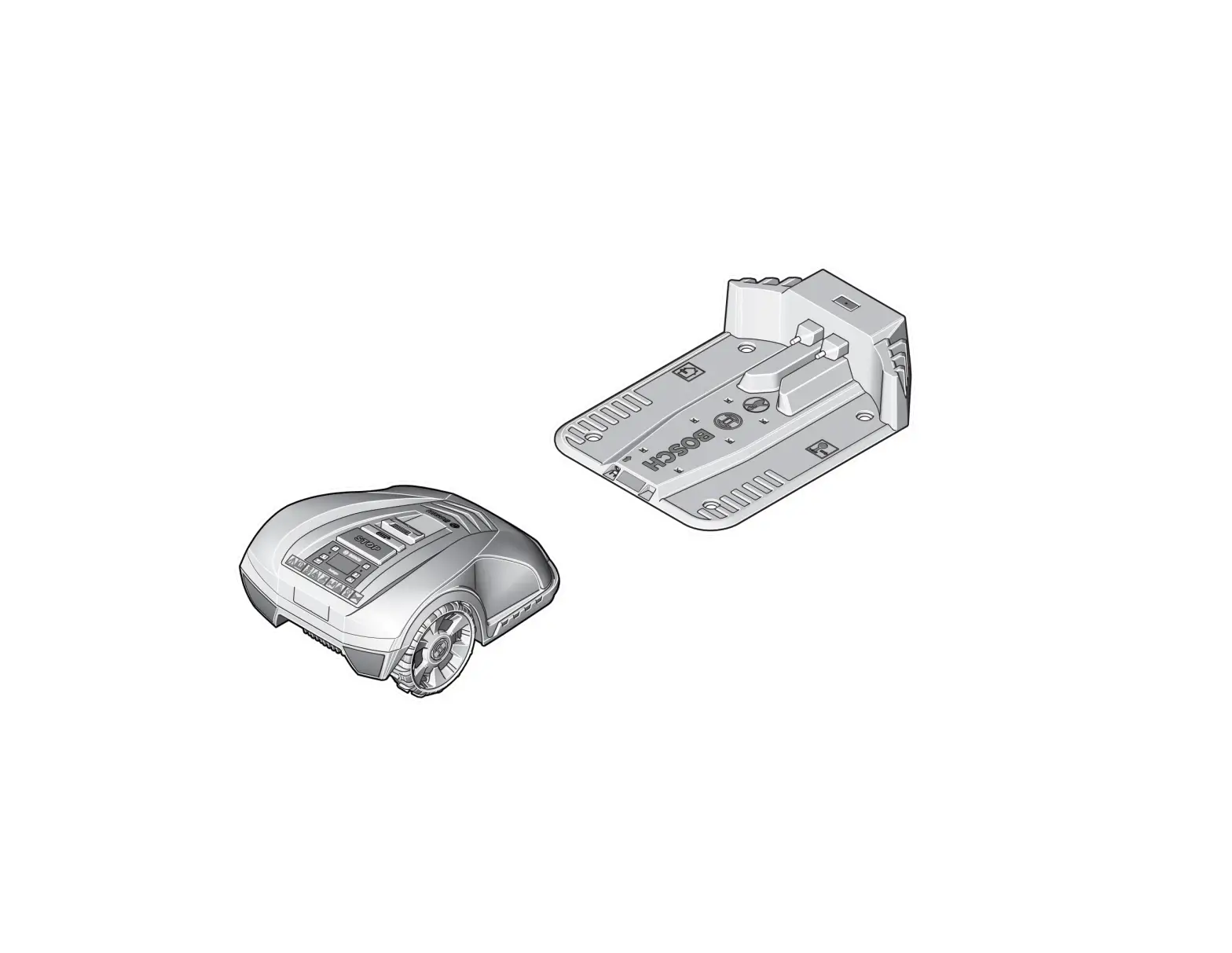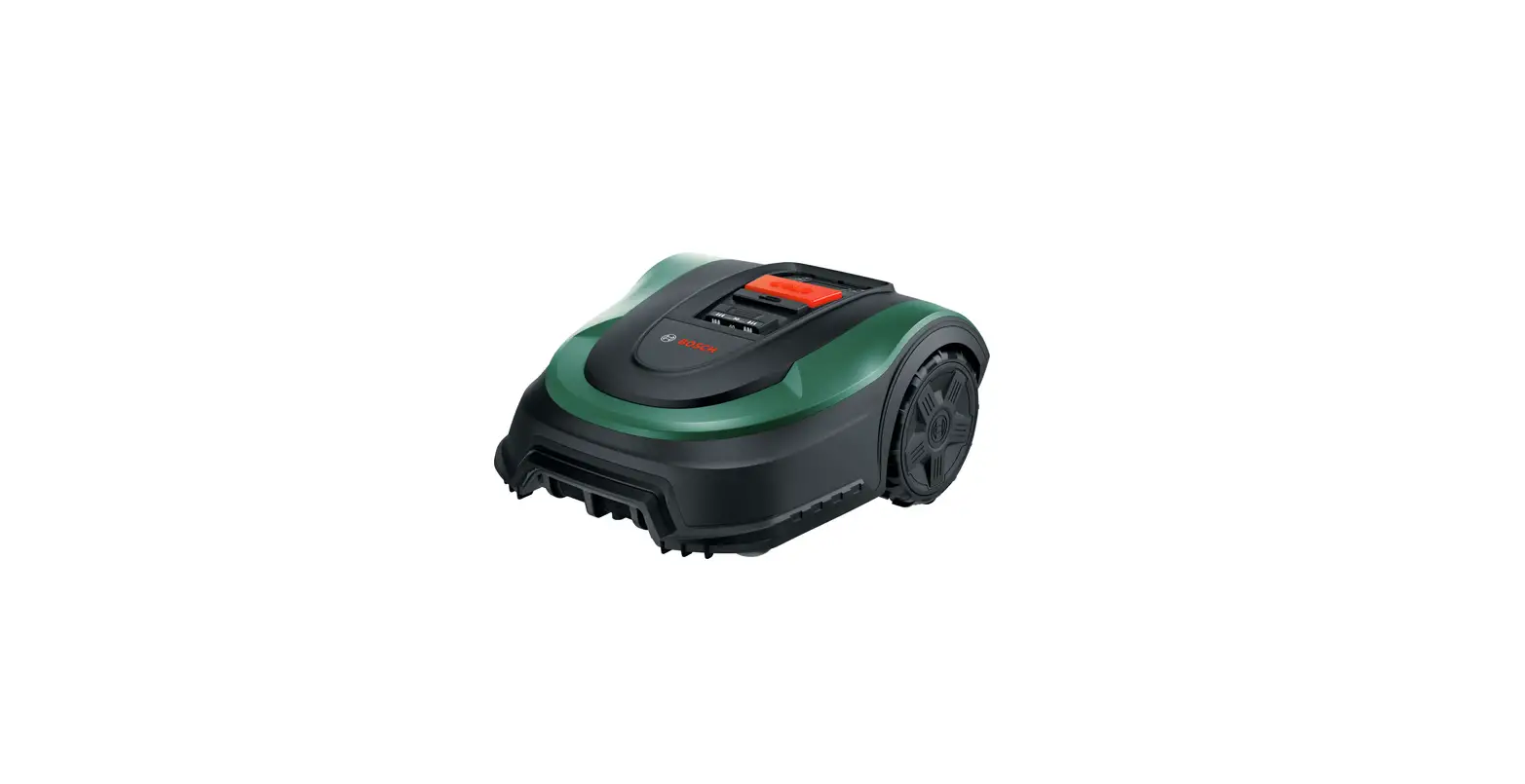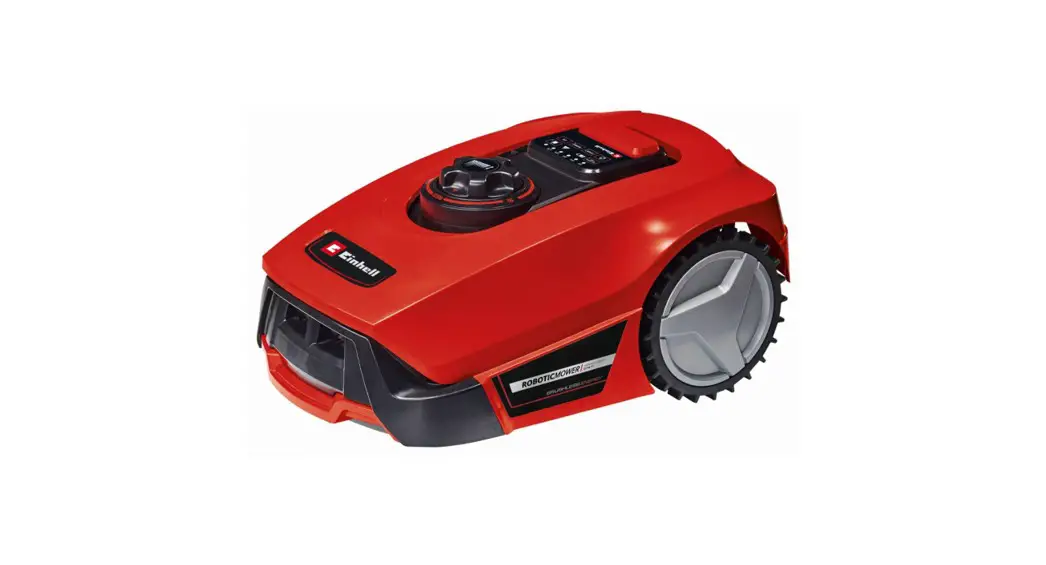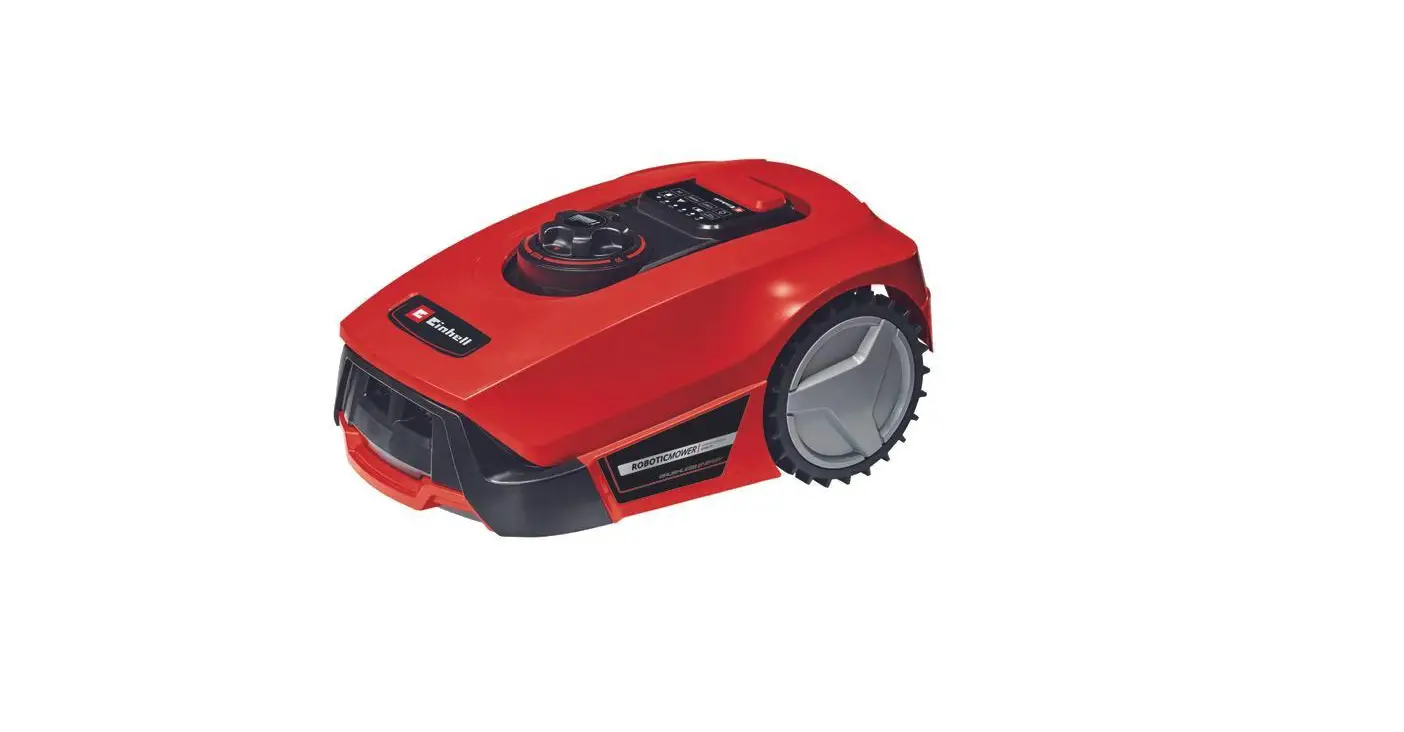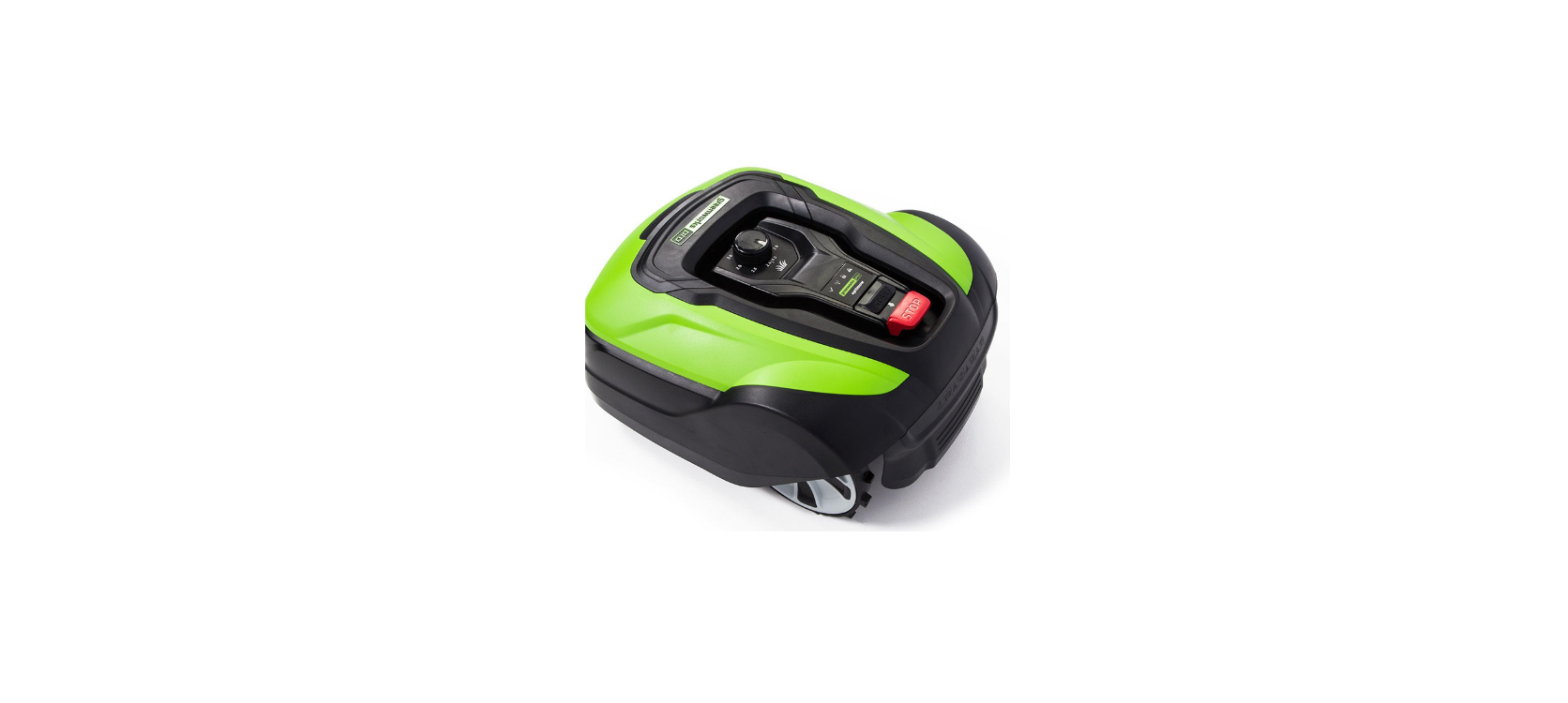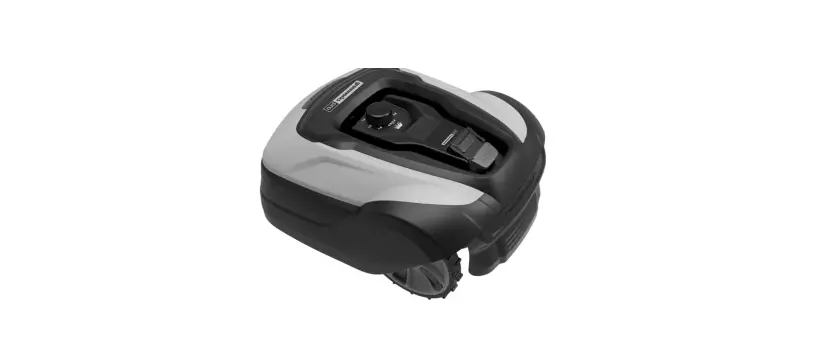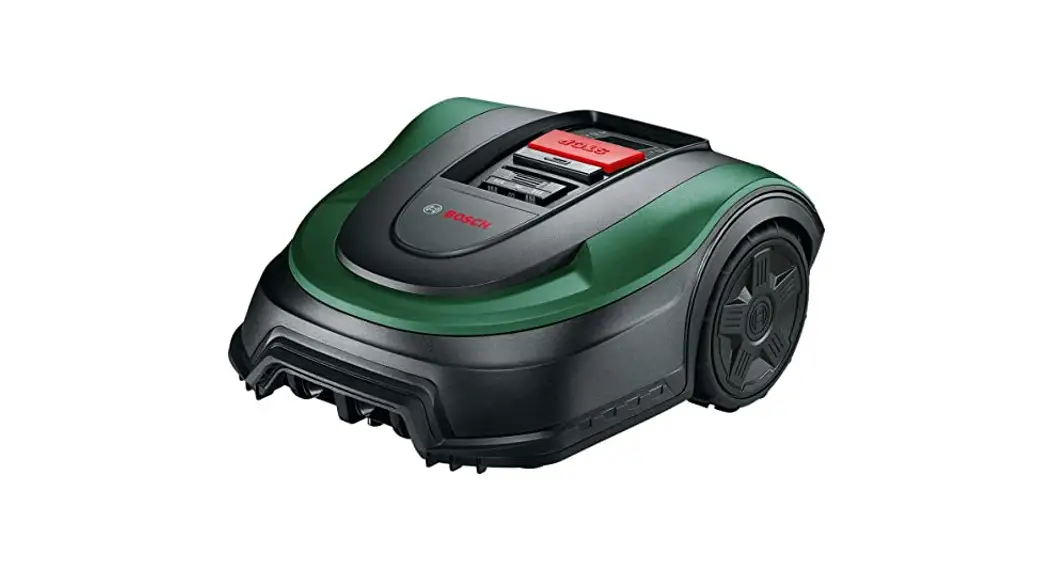
 Indego XS 300 Robot Lawn Mower
Instruction Manual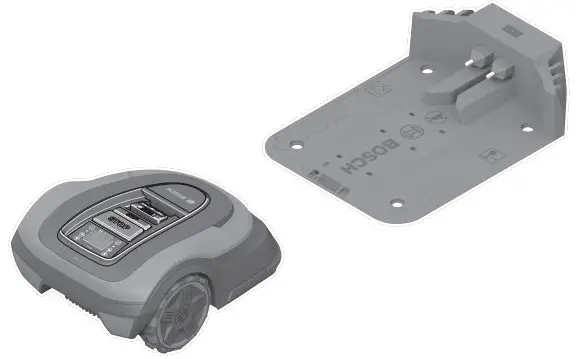 Original instructions
Indego XS 300 Robot Lawn Mower
Thank you,
for purchasing the Indego Robotic Mower.
Please read the safety instructions provided below before installing the
Indego.
Safety Notes
Warning! Read all safety warnings and all instructions.
Make yourself familiar with the controls and the proper use of the machine. Please keep the instructions safe for later use!
Explanation of symbols on internal packaging
 | WARNING! Suffocation hazard. Plastic bags can be dangerous. Keep this bag away from babies and children. |
| Refer to instruction manual/ booklet |
 | The marked item is recyclable |
Explanation of symbols on the machine General hazard safety alert.
Ensure no exits are blocked or obstructed by the machine. Warning: Read user instructions before operating the product. Warning: Operate the isolator switch before working on or lifting the machine.
 Caution: Do not touch rotating blades. The blades are sharp. Beware of severing toes or fingers.
 Wait until all machine components have completely stopped before touching them. The blades continue to rotate after the machine is switched off, a rotating blade can cause injury.
 Make sure that bystanders are not injured by foreign objects being thrown away.
 Warning: Keep a safe distance to the product when operating.
 Do not ride on the machine.
 Battery charger contains a safety transformer.
 Do not use a high-pressure washer or a garden hose to clean the machine.
 Carefully check the area where the tool is to be used for wildlife and pets. Wildlife and pets may be injured while the machine is in operation. Thoroughly check the working area and remove any stones, sticks, wires, bones and foreign objects. When using the machine, ensure that no wildlife, pets or small tree stumps are hidden in the dense grass. Avoid using at dusk or in the dark to reduce the risk of encountering animals.
Operation Before working on the mower itself (e. g. maintenance, tool change, etc.) as well as during transport and storage, switch off the mower by the isolator switch. Children should be supervised to ensure that they do not play with the machine. Never allow children, persons with physical, sensory or mental limitations or a lack of experience and/or knowledge and/or people unfamiliar with these instructions to use the product. Local regulations may restrict the age of the operator. Do not operate the machine when barefoot or wearing open sandals, always wear substantial footwear and long trousers. Avoid mowing in bad weather conditions especially when there is a risk of lightning. While operating and as well while approaching the mower, take sufficient precaution to keep balance at all times particularly on slopes and wet grass. Do not stretch yourself too much forwards. Do not operate the mower in a rush. The user is responsible for accidents or hazards occurring to other people or their property. If any hazard occurs whilst the machine is operating immediately press the red STOP button. Ensure correct installation of the perimeter wire as instructed in the installation guide.
 For complete instructions on the Indego installation, please refer to the Installation Guide provided with the product. Periodically inspect the area where the mower is used and remove all stones, sticks, wires and other foreign objects. Do not run any live mains cables in the working area. If a mains cable becomes entangled in the robotic mower it must be isolated before any attempt to remove it. Periodically inspect to see that the blades, blade bolts and cutter assembly are not worn or damaged. Replace worn or damaged blades and bolts in sets to preserve balance. Never operate the machine with defective guards or without safety devices. Do not put hands or feet near or under rotating parts. Never pick up or carry the machine while the motor is running. Do not leave the machine to operate unattended if you know that there are pets, children or people in the immediate vicinity. Start the machine according to the instructions standing well away from rotating parts. Do not use the product at the same time as a sprinkler or use the schedule to ensure that the two systems never run simultaneously. If for any reason the product is submerged, take it away from water and turn it off using the isolator switch. Do not attempt to switch the product on but contact your Bosch Service Centre. Do not modify this product. Unauthorized modifications may impair the safety of your product and may result in increased noise and vibration.
Turn off the product using the isolator switch:
– before clearing a blockage,
– before checking, cleaning or working on the machine,
– before storage
– if the machine vibrates abnormally (stop and check immediately),
– after striking a foreign object, inspect the machine for damage and get advice on necessary repairs from your Bosch Service Centre.
Maintenance Always wear gardening gloves when handling or working near the sharp blades. Before working on the mower, turn it off using the isolator switch. Before working on the docking station or power supply, remove plug from mains.
Clean the exterior of the machine thoroughly using a soft brush and cloth. Do not use water, solvents or polishes. Remove all grass and debris, especially from the ventilation slots.
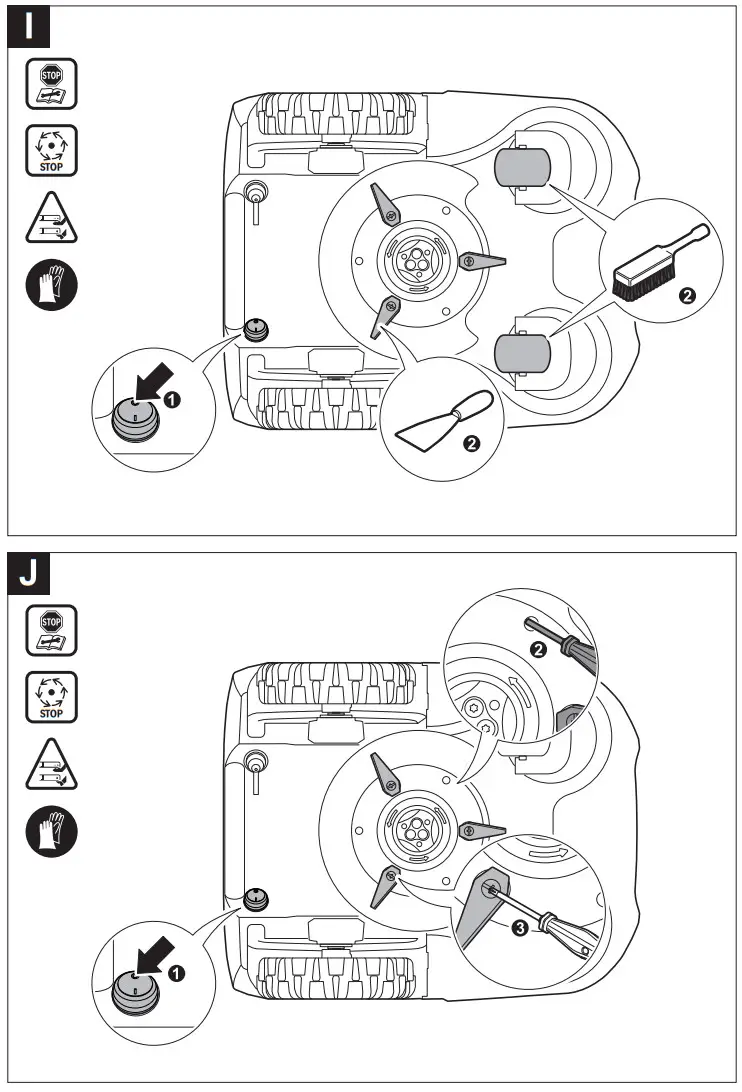
Turn the mower upside down and clean the blade area and the swivel castors regularly. Use a stiff brush or scraper to remove compacted grass clippings (see figure I).
Blades are reversible. Make sure all nuts, bolts and screws are tight to ensure safe working with the garden tool. (see figure J) Periodically visually inspect the machine and replace worn or damaged parts for safety. Ensure that only official Bosch replacement parts are used. Replace all blades and bolts as a set as required.
Storage in winter Turn off the mower using the isolator switch. The mower will operate between 5 °C and 45 °C. During the winter season once the temperature in the garden is consistently below 5 °C store the mower and the docking station in a secure, dry place, out of the reach of children.
Do not place other objects on the mower or docking station. It is recommended to use the original packaging when transporting the Indego over long distances. Store the mower only within a temperature range between –20 °C and 50 °C. As an example, do not leave the mower in the car in summer.
USB The mower has a USB interface which is to be used exclusively for software updates. Use only approved USB.org sticks (formatted to FAT 32) and approved USB.org OTG cables. For more information on software updates, please refer to www.bosch-diy.com/indego-help. Do not use the USB interface for any additional purposes. Do not plug any external devices. Do not operate the machine with the cover of the USB port open.
Battery Hazards This appliance contains batteries that are only replaceable by a qualified Bosch technician. Recharge only in the Bosch approved docking station. The Indego will operate between 5 °C and 45 °C. If the battery temperature is outside this range, the Indego will display a message and will not leave the docking station.
If operating, the Indego will return to the docking station or stay in place. If the battery becomes defective, liquid can escape and come into contact with adjacent components. Check any parts concerned and contact the Bosch Service Centre. In the unlikely event of liquid being ejected from the battery avoid all contact with the machine. If contact with the liquid occurs, seek medical advice. If used incorrectly or if the battery is damaged, flammable liquid may be ejected from the battery. Contact with this liquid should be avoided. If contact accidentally occurs, rinse off with water. If the liquid comes into contact with your eyes, seek additional medical attention. Liquid ejected from the battery may cause irritation or burns. Do not open the machine or battery. Danger of short circuit and electric shock. Protect the machine against fire. Danger of battery explosion. In case of fire or battery explosion contact the emergency services. In case of damage and improper use of the machine, vapours may be emitted from the battery. Provide for fresh air and seek medical attention in case of complaints. The vapours can irritate the respiratory system.
Safety Warnings for Docking Station and Power Supply Only use the original Bosch docking station and power cord to charge the mower. Otherwise there is danger of fire and explosion. Check the docking station, power supply unit, cables and plugs periodically. If damage or ageing is detected, isolate from the docking station or power supply and do not use them. Never open the docking station or power supply yourself. Have repairs performed only by a qualified Bosch technician and only using original spare parts. A damaged docking station, power supply, cable or plug increases the risk of an electric shock. Do not operate the docking station and power supply on easily flammable surfaces (e. g., paper, textiles, etc.) or surroundings. The heating of the docking station and power supply during the charging process can pose a fire hazard. Supervise children at all times. This will ensure that children do not play with the docking station, power supply or the machine. The voltage indicated on the power supply must correspond to the voltage of the power source. We recommend that the power supply is only connected into a socket which is protected by a circuit-breaker that would be actuated by a 30 mA residual current. Check
your Residual Current Device (RCD) at regular intervals. The supply cord must be inspected for signs of damage at regular intervals. In the event of flooding of the docking station turn off power supply at mains and contact Bosch Service Centre. Never touch the mains plug or any other plugs with wet hands. Do not run over, crush or pull the cables. Protect the cables from heat, oil and sharp edges.
The power supply is double insulated for safety and requires no earth connection. The operating voltage is 230 V AC, 50 Hz (for non-EU countries 220 V, 240 V as applicable). Contact your Bosch Service Centre for details.
If in doubt contact a qualified electrician or the nearest Bosch Service Centre.
Symbols
The following symbols are important for reading and understanding the operating instructions especially the diagrams.
Take note of the symbols and their meaning. The correct interpretation of the symbols will help you to use the garden product in a better and safer manner.
| Symbol | Meaning |
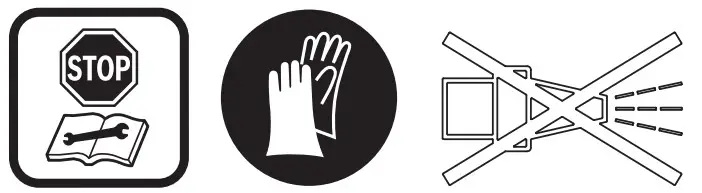
 | Wear protective gloves |
 | Permitted action |
 | Prohibited action |
 | Accessories/Spare Parts |
Intended Use
The mower is intended for domestic lawn mowing.
Do not operate the mower indoors.
Do not use the mower for any other purpose because of the increased risk of accidents and damage to the mower. Never attempt to modify the mower in any way since this may result in accidents or damage to the mower.
Technical Data
| Robotic Lawnmower | SI Unit | Indego XS 300 |
| Article number | 3600HB0004 | |
| Cutting width | cm | 19 |
| Height of cut | mm | 30-50 |
| Slope angle (max.) | °/% | 15/27 |
| Size of lawn area | ||
| – maximal | m² | 300 |
| – per charge up toA) | m² | 45 |
| Operating frequency range (Inductive sensor) | kHz | 5 |
| max. magnetic field strength (Inductive sensor) (at 10 m) | dBμA/m | 44 |
| Operating frequency range (GSM) | MHz | − |
| Max. transmit power (GSM) | dBm | − |
| Weight according to EPTA‑Procedure 01:2014 | kg | 8.0 |
| Protection type | IPX4 | |
| Serial number | see type plate on garden tool | |
| Battery | Li-Ion | |
| Rated voltage | VDC | 18 |
| Capacity | Ah | 2.5 |
| Number of battery cells | 5 | |
| Operating time, average A) | min | 45 |
| Charging period (max.) | min | 45 |
| Perimeter wire | ||
| – wire supplied | m | 100 |
| – minimum required length | m | 20 |
| – maximum permissible length | m | 250 |
| Docking station | ||
| Article number | 1 600 A02 546 | |
| Input voltage | VDC | 24 |
| Power consumption charging/ perimeter wire switched on | W | 55/12 |
| Charging current (up to) | A | 2.3 |
| Allowable charging temperature rangeB) | °C | 5-45 |
| Weight according to EPTA‑Procedure 01:2014 | kg | 1.65 |
| Protection type | IPX4 | |
| Power supply unit | ||
| Article number | ||
| Switzerland | F 016 L69 439 | |
| United Kingdom | F 016 L69 437 | |
| Rest of Europe | F 016 L69 170 | |
| Input voltage (AC) | V | 220-240 |
| Protection class |  / II / II | |
| Frequency | Hz | 50-60 |
| Output voltage (DC) | V | 24 |
| Protection type | IPX7 | |
| Weight | kg | 0.8 |
A) Depends on cutting height, grass conditions and moisture
B) Internal battery temperature
The specifications apply to a rated voltage [U] of 230 V. These specifications may vary at different voltages and in country-specific models.
Noise/Vibration Information
Noise emission values determined according to 50636-2-107.
Typically the A-weighted noise levels of the product are:
Sound power level 60 dB(A).
Explanation of Figures
| Action | Figure | Page |
| Accessories | A | 246 |
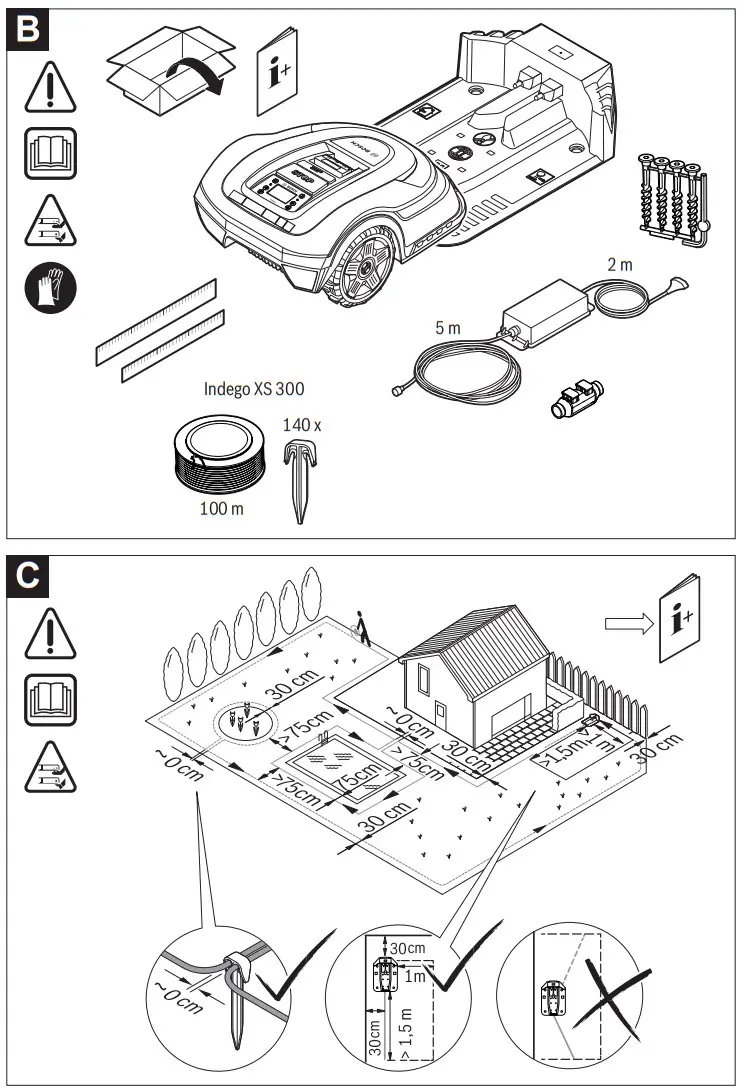
| Delivery scope/unpacking the mower | B | 247 |
| Laying out perimeter wire | C | 247 |
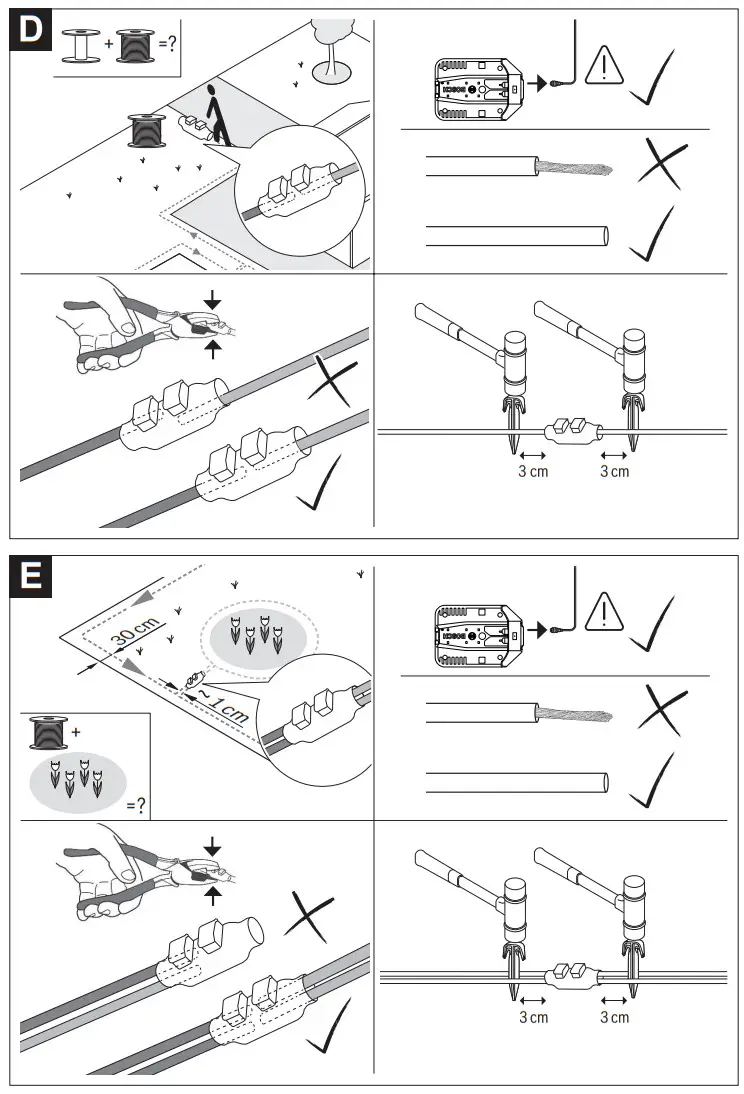
| Extending perimeter wire | D | 248 |
| Laying perimeter wire around new in- ner object | E | 248 |
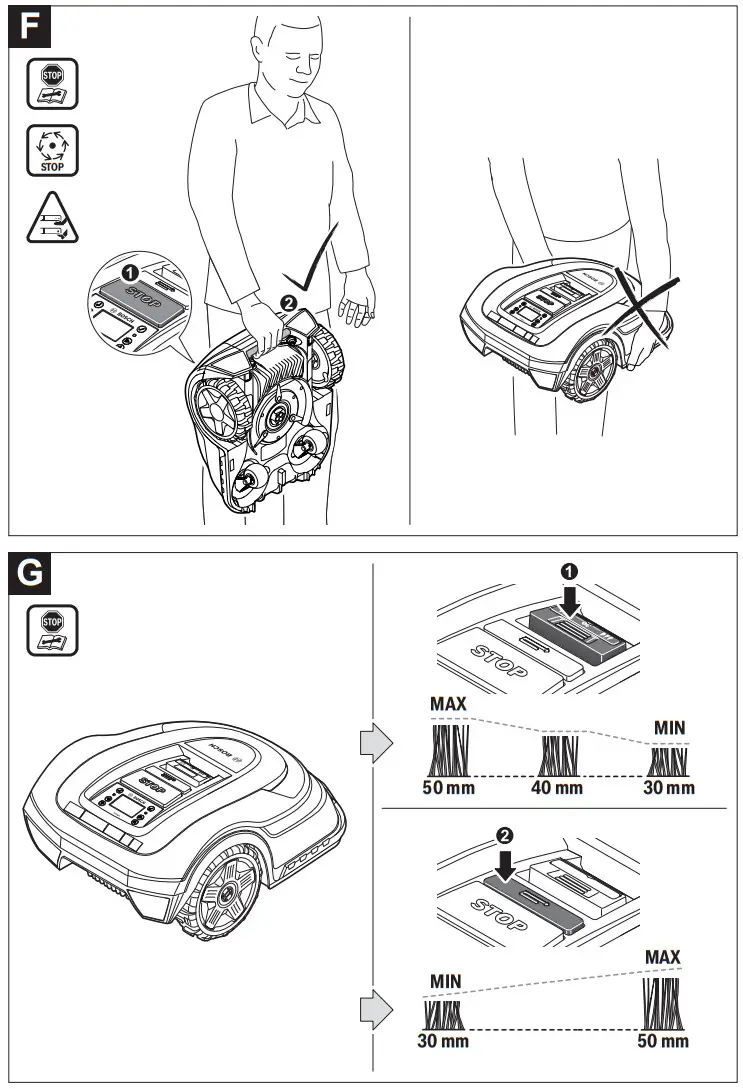
| Lifting up and carrying the mower | F | 249 |
| Setting the height of cut | G | 249 |
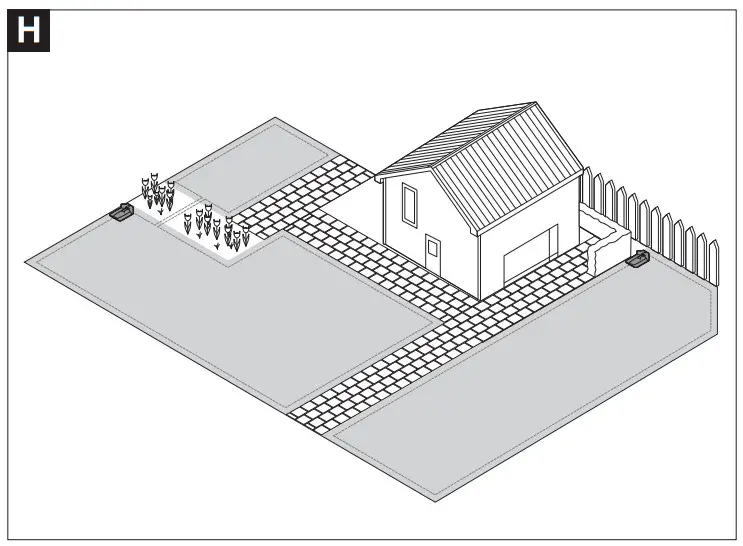
| Adding a further lawn area — with additional docking station (right) — without additional docking station (top left) | H | 250 |
| Cleaning | I | 251 |
| Maintenance | J | 251 |
| Software update | K | 252 |
Installation
With the following QR code, you can view a video on how to install the mower under www.bosch-diy.com/indego-help. Alternatively, follow the Installation Guide delivered with the product.

Check if the perimeter wire is fully pegged to the ground avoiding any slack lengths of wire. Any loose wire can be a trip hazard.
Remove stones, loose pieces of wood, wire, live mains cables and other foreign objects from the cutting area. Make sure that the cutting area is even and has no ditches, grooves and steep slopes above 15°/27 % that are clear obstructions for the mower. The docking station must be positioned on the wire at an outer edge of the cutting area. It may not be positioned on the side of a tool or garden shed standing as an island within the lawn to be mowed.
It is recommended that you mow your lawn once with a conventional lawnmower before installing and before the first mowing of the new season and whenever the grass clippings would be longer than 5 mm.
The mower’s cutting system is designed to cut small lengths of grass (30–50 mm). The clippings can remain as mulch to fertilize the lawn. The height of cut for mower can be adjusted to 30, 40 and 50 mm.
It is recommended to start with a higher setting and then gradually decrease the height of cut as the wire disappears under the grass. This prevents your Indego from cutting the wire.
Additional perimeter wire can be added using a wire connector (see figures D–E).
The perimeter wire can be extended up to a maximum length of 250 m.
The perimeter wire can be buried up to 5 cm under the ground (or under non-metallic slabs).
To avoid causing damage to the perimeter wire, do not verticut or rake the area where it is positioned.
When laying out the wire avoid angles of less than 45°. This can affect the performance.
Display
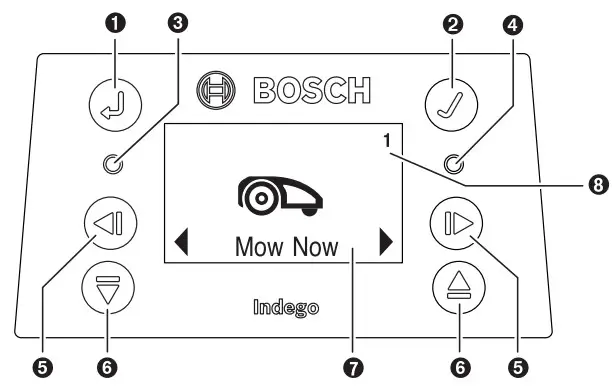
| Symbol | Meaning |
➊  | Back button |
➋  | Confirm button If the confirm button is pressed whilst mowing, the mower will return to the docking station |
➌  | Red LED on: mower error |
| ➍ | Green LED on: mower is switched on Green LED off: The mower is inactive and your four-digit PIN code is required for activation. Or the mower is shut off, the isolator switch must be turned on and your four digit PIN code must be entered to activate the mower. Note: during a software update, the green LED and red LED will be on. |
➎  | Left/right button |
➏  | Down/up button |
| ➐ | Display with dialog screen |
| ➑ 1 2 3 | Garden number (shown when more than one garden map in the mower memory) |
The display switches into sleep mode, if no input is made for 10 minutes.
Adding a further Lawn Area (see figure H)
To install the Indego to an additional lawn area, please follow the instructions in the Installation Guide.
Separate lawn area with separate docking station (see figure H, right side): The mower can be used on up to three different lawn areas. For an additional lawn area, a separate docking station (see figure A) and the necessary perimeter wire and pegs are required. If a schedule or the „Bosch AUTO“ calendar function is selected it will cut the grass of the area is it in, within the time slots.
Switch off the mower when transporting it between different lawn areas.
Note: software updates have to be carried out on the mower in every docking station.
To help remember which docking station belongs to which garden, it is recommended to label the docking stations with the lawn area number and description when storing them for winter.
Without separate docking station: It is possible to connect the lawn areas by placing the perimeter wire between the two lawn areas parallel to each other as close as possible
(see figure H, top left). The additional lawn area without docking station is not recorded in the map memory and the mower will not use the LogiCut cutting strategy in this lawn area without the docking station. The maximum recommended lawn area without a docking station is 40 m² . The mower will mow until it runs out of battery and will need to be carried back to the docking station for charging.
Mowing
Do not let children ride the mower. Press the stop button on top of the mower before lifting. Always lift the mower by its handle. (see figure F)
Make sure the cutting area is free of small animals such as hedgehogs or tortoises.
After successful installation you can either immediately begin to mow by confirming „Mow now“ on the display, or wait for the next scheduled cutting period, as programmed by the Bosch AUTO Calendar Function (previous setting required).
A mowing schedule can also be set up according to your needs.
The mower must mow a lawn area 3 times completely (do 3 full cuts) to learn the lawn area. During the learning phase, the visual result may not be optimal.
Approximate runtimes for complete lawn coverage using LogiCut are listed below. Please note that the runtimes will vary depending on the lawn complexity and number of objects within the garden.
| 100 m² | 4 h |
| 300 m² | 11 h |
Set a schedule with frequent repetitions. This achieves good mowing results, the battery charge will last longer and you avoid debris on the lawn.
When the mower is mowing
In “manual” mode, the mower works until the lawn is mowed. Mowing is interrupted only for charging the battery. When the lawn area is mowed, the mower returns to the
docking station.
In the programmable „Schedule“ mode or with the „Bosch AUTO“ calendar function, the mower operates continuously for a set period of time. Mowing is interrupted only for charging the battery. If the lawn area is mowed before the time period expires, the mower returns to the dock.
To stop mowing prematurely, press the Stop button or send the mower back to the docking station pressing the confirm button ✓.
Energy saving mode
The mower reduces its energy consumption by automatically switching off the power in the perimeter wire when it is not mowing and not being charged.
To wake up the mower manually from the energy saving mode, press the confirm button ✓and afterwards select either “Mow now” or another “Mowing mode”, while the mower is in the docking station.
When the “Schedule” mode or the “Bosch AUTO” calendar function becomes active, the signal to the perimeter wire is automatically started.
Sensors
The mower is equipped with the following sensors:
– The lift-up sensor is activated when the mower is lifted.
– The rollover sensor detects when the mower tips over.
– The tilt sensor is activated when the mower reaches a slope angle of 32°.
When one of the sensors is activated, e.g. the lift-up sensor, the drive motors and cutting blades are stopped. A message is indicated in the display, e.g. “lift-up”.
– The obstacle sensor detects objects/obstacles alongside the entire front edge of the mower and causes a change of direction.
Battery charging
The battery is equipped with temperature monitoring that allows charging only if the battery internal temperature is in the range between 5 °C and 45 °C.
The lithium-ion battery is supplied partially charged. It is recommended to charge the mower during installation of the perimeter wire in the docking station.
The lithium-ion battery can be charged at any time without reducing its service life. Interrupting the charging procedure does not damage the battery.
When the battery is run flat or discharged, the mower is shut off by means of a protective circuit: the blades no longer move.
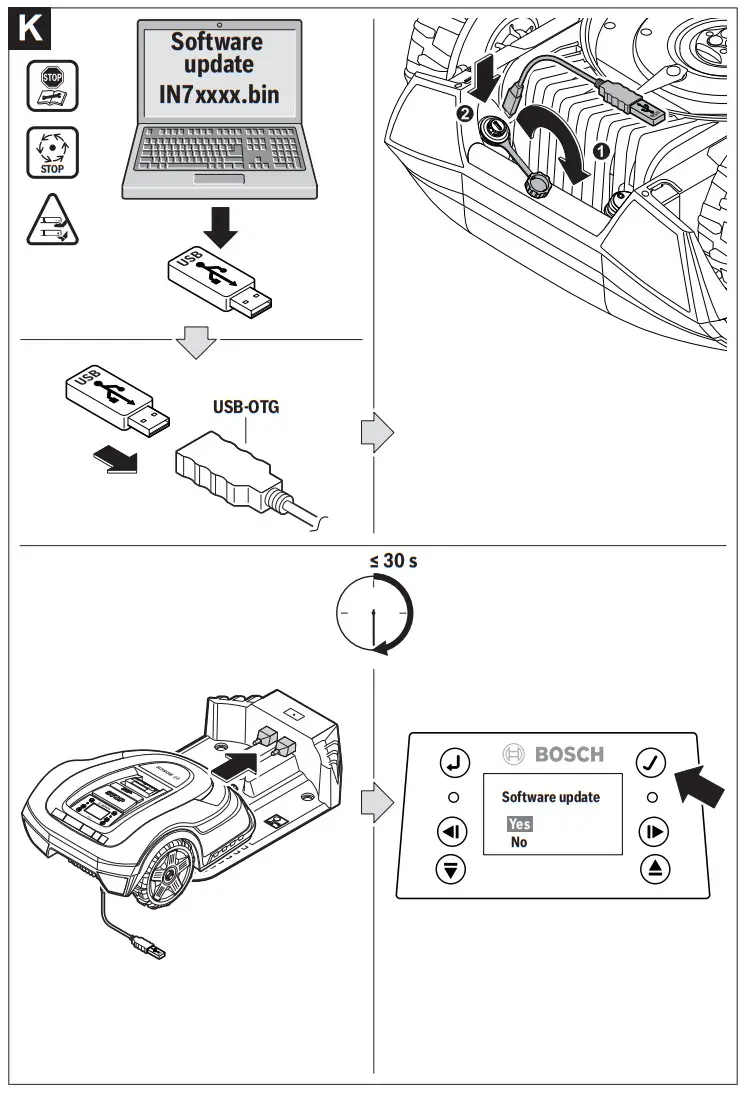
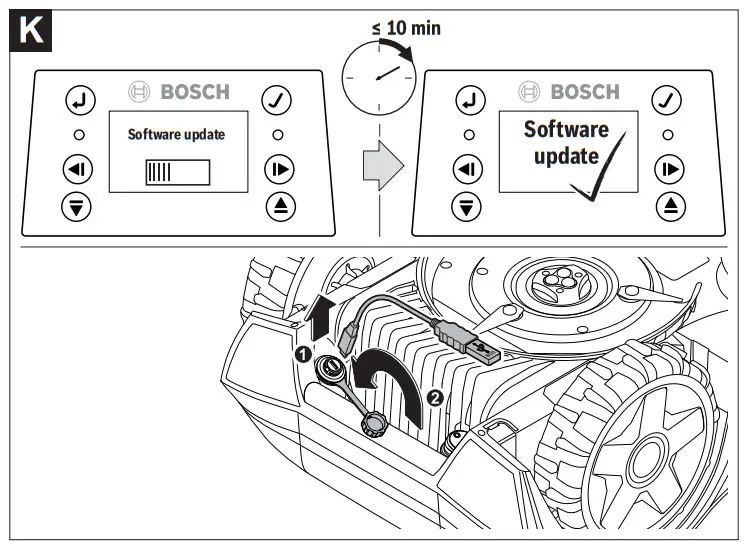
Updating the Software (see figure K)
To update the software, you need a USB.org stick (FAT 32 formatted) and a USB OTG cable.
When a new software version is available, you can find it on the Internet under “www.bosch-diy.com/indego-help“. Load the “IN7xxxx.bin” file onto the USB.org stick.
Turn the mower over and remove the cover from the USB port. Connect the USB OTG cable with the USB.org stick. Place the mower in the docking station and make sure that the docking station is connected to mains (LED on docking station is on). The mower must be switched on, the display alight and the battery must be at least 70% charged.
When the update starts, the following message appears in the display “Do you want to update from version x to version y?”
Confirm by pressing the confirm button ✓. During the update, both LEDs in the mower will flash.
At the end of the update, the mower restarts.
Remove the USB OTG cable and the USB.org stick. Close the cover of the USB port.
The table below explains the various menu items.
| Main Menu | Sub-menu 1 | Sub-menu 2 | Explanation |
 Mow now Mow now | Pressing the confirm button will send the mower to mow. In “Off/ Manual”, the mower works until the display shows “garden complete”. In “Schedule” mode or with the “Bosch AUTO” calendar function, the mower will operate until the end of the time period or until the display shows “lawn complete” (whichever comes first). | ||
 Calendar Calendar | Bosch AUTO | The “Bosch AUTO” calendar function is optimised based on the size of the lawn area. In the default setting, the mower does two full cuts a week and starts at 8 am. The following settings are possible: | |
| Number of com- plete mowing cycles per week | 1 to 3 | ||
| Weekday | Days on which mowing is allowed (e.g. to exclude Sundays). | ||
| Start time | Only possible for the first time slot (applies to all active days). | ||
| Schedule | Edit (selected day) | Program a mowing schedule by setting individual mowing days and slots (up to 2 per day). | |
| Don’t mow/Delete slot | This will delete the corresponding slot for the selected day. The number of full cuts per week for the actual schedule are shown at the bottom of the display. | ||
| Off/Manual | Choose this option when no schedule should be used. The mower starts mowing only by activating “Mow now”. | ||
 Settings Settings | 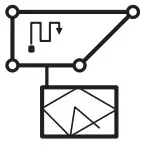 Mowing mode Mowing mode | Mow without dock- ing station | Mower will mow in the additional lawn area without docking station in random mode until it runs out of battery. |
| Intensive mode | The mower mows more thoroughly, returns to possible unmown areas and mows on shorter tracks. The mower needs considerably longer for a full cut. | ||
 Security Security | Auto Lock | If buttons are not pressed for 3 min. they will be automatically locked. Recommended for safety reasons and protection against theft. | |
| – On | PIN code is required for reactivation after Auto Lock. | ||
| – Off | The buttons are always ready for input. | ||
| Change PIN | Changing of a PIN code requires entering of existing PIN code first. | ||
| Alarm | |||
| – On | Alarm is activated. | ||
| – Off | Alarm is deactivated. | ||
 Date & Time Date & Time | Change the date and time. | ||
 Set Language Set Language | Change the display language. | ||
 Info Info | System status | Information on battery charge, system information and operating and charging time for the mower. | |
 Advanced Advanced | Wire ID | Change the perimeter wire ID when possible interferences are nearby. | |
| Sensor setting/ Lawn condition | Select between Low (uneven ground), Normal and High (slippery ground). Mower bump sensor will become more or less sensitive depending on lawn condition selected. | ||
| Remap | Deletes the current map of the lawn area. | ||
| Factory reset | Reset the mower to factory settings will delete all personal settings (not PIN). After a factory reset, the mower will need to remap the lawn area. | ||
| Garden overview | Displays the number of mapped lawn areas, their size, their wire ID and the date of the last time the lawn area was cut. | ||
| Delete garden | Delete one specific lawn area map or select to delete all maps at once. | ||
 Tools Tools | Level check | Information about the ground angle of the mower. If the mower is in the docking station and the dot on the display is not within the indicated circle, the docking station must be mounted at a new, more level location. | |
| Wire signal | Detects the wire signal received from the perimeter wire, indicating its strength (for Service Agent). The mower will not receive a wire signal while in the docking station. |
Troubleshooting
Online Support
 http://www.bosch-diy.com/indego-help
| Problem | Possible Cause | Corrective Measure |
| The LED on the dock- ing station flashes | The perimeter wire is cutt, too long or too short. Wire not connected and mower not in the docking station. | Check that the perimeter wire is not interrupted and is between 20 and 250 meters in length. Then switch power supply off and then on again. Follow instructions in Installation Guide to install the mower. |
| Excessive vibrations/ noise | Blade bolt loose | Tighten blade bolt to torque of 2.5 Nm. |
| Cutting blade damaged/bent | Replace cutting blade (see figure J). | |
| Mower not docking reliably | Perimeter wire not properly layed out around docking station | Follow instructions in Installation Guide on layout of pen-meter wire. |
| Perimeter wire close to a source of interfer- ence | Remove any excess (e.g. coiled up) perimeter wire around the docking station. Change perimeter wire ID in the menu. | |
| Mower fails to operate | Isolator switch not turned on | Remove mower out of docking station, turn isolator switch on and place mower back into docking station (ensure docking station is on – LED lights up green). |
| Possible clogging | Always turn isolator switch off first, then check underneath the mower. Clear out as necessary (always wear protective gloves). | |
| Battery not fully charged | Place mower in the docking station to allow to charge. Docking station must be on. | |
| Grass too long | Mow lawn with conventional lawnmower to its lowest height-of-cut setting before using the mower. | |
| Battery too hot/cold | The mower operates when the battery internal battery temperature is between 5 °C – 45 °C. Allow mower to cool down/warm up. If the error occurs frequently, the docking station should be positioned in the shade. | |
| Mower standing on lawn with the display switched off | Operational problems | Press confirm button for screen to light up, or place mower in docking station. |
| Mower does not charge | Battery too hot/cold | The mower operates when the battery internal temperature is between 5 °C – 45 ‘C. Allow mower to cool down/ warm up. If the error occurs frequently, the docking station should be positioned in the shade. |
| Docking station not switched on | Switch on power supply to docking station. If docking station does not start, contact your Bosch Service Centre. | |
| Charging pins corroded | Clean the charging pins. | |
| Mower out of peri- meter wire | Perimeter wire on a slope | Leave 30 cm between the perimeter wire and the slope. |
| Obstacle near perimeter wire | Remove obstacle. | |
| Parts of the lawn area left uncut | Mower requires more cuts to finish garden | Allow mower to run for 3 full cuts to cover whole lawn area. |
| Time slot not long enough for garden size | Increase mowing time slot or use “Bosch AUTO” calendar function. | |
| Distance between perimeter wires too small | Increase distance between the perimeter wires to a min-imum of 75 cm. | |
| Rough mowing conditions | Select “uneven ground/low sensitivity” option from menu item “lawn condition/bump sensor”. Flatten garden/remove/bumps/mark out unsuitable areas with the perimeter wire – Please follow the instructions in the Installation Guide. | |
| Grass too long | Select “uneven ground/low sensitivity” option from menu item “lawn condition/bump sensor”. | |
| Slopes in garden too steep | Ensure mower only operates on slopes of 15 degrees or less and full garden is not on a slope. | |
| Mower gets stuck in garden | Objects/obstacles not marked out | Use the perimeter wire to mark off obstacles where the mower often gets stuck. |
| Newly laid turf | Allow a few weeks for the soil to settle before using the mower. Change setting in menu item “lawn condition / bump sensor” to low sensitivity / uneven. After watering, wait as long as possible until you start the mower. | |
| Mower unintentionally cuts flowers, etc. or runs over certain obstacles | Objects/obstacles below 5 cm not marked out | Mark obstacle using perimeter wire leaving 30 cm from object or remove objects/obstacles. |
| Mower does not ap- pear to cut logically | LogiCut system depends on the garden conditions. Mower does not necessarily have to continue in the next uncut area. | Further information can be found on the Installation Guide. If behaviour re-occurs often, remap lawn area. |
| Mower does not always go in a straight line when travelling between areas | No corrective action needed. | |
| Mower frequently does not find right posi- tion or turns on the spot | Change wire ID. | |
| Wire crossed while marking an object | Follow instructions in the Installation Guide. | |
| Mower runs in random paths in an addi- tional lawn without docking station. | Normal behaviour. The LogiCut system only works in areas with docking station. | |
| Perimeter wire keeps being cut | Wire is not taut between pegs Distance between pegs is more than 75 cm | Make wire taut and ensure distance between pegs is maximum 75 cm. Use the wire connectors to repair the cut. Avoid using a verticutter, scarifier, etc. over the perimeter wire. |
| Mower leaves ragged finish/poor quality of cut | The mower does not mow often enough | Mow more frequently fora good result (e.g. by means of more/longer slots in schedule). |
| Cutting blades blunt | Reverse or replace cutting blades (see figu re J) . | |
| Possible clogging | Always turn isolator switch off first, then check underneath the mower. Clear out as necessary (always wear protective gloves). | |
| Perimeter wire not detected | No power at the docking station | Check if the docking station is powered up (LED is on). |
| Perimeter wire damaged/cut | Check perimeter wire for damage. | |
| Wrong installation (e.g. not enough dis- tance between wires) | Follow instructions in the Installation Guide. | |
| Perimeter wire close to a source of interfer- ence | Remove any excess (e.g. coiled up) perimeter wire around the docking station. Change perimeter wire ID in the menu. | |
| Height-of-cut button stuck | Possible clogging | Always turn isolator switch off first, then check under-neath the mower. Clear out as necessary (always wear protective gloves). |
After-sales Service and Application Service
www.bosch-garden.com
In all correspondence and spare parts orders, please always include the 10-digit article number given on the type plate of the mower.
It is possible, that the software version of your mower is required (see „Menu > Settings > Info“).
If the mower is requested to be sent to the service centre, the mower and docking station must always be sent together. Do not remove the battery.
Before sending in, remove any personalised top cover that may have been fitted and any accessory cover.
Great Britain
Robert Bosch Ltd. (B.S.C.)
P.O. Box 98
Broadwater Park
North Orbital Road
Denham Uxbridge
UB 9 5HJ
At www.bosch-pt.co.uk you can order spare parts or arrange the collection of a product in need of servicing or repair.
Tel. Service: (0344) 7360109
E-Mail: [email protected]
Ireland
Origo Ltd.
Unit 23 Magna Drive
Magna Business Park
City West
Dublin 24
Tel. Service: (01) 4666700
Fax: (01) 4666888
Australia, New Zealand and Pacific Islands
Robert Bosch Australia Pty. Ltd.
Power Tools
Locked Bag 66
Clayton South VIC 3169
Customer Contact Center
Inside Australia:
Phone: (01300) 307044
Fax: (01300) 307045
Inside New Zealand:
Phone: (0800) 543353
Fax: (0800) 428570
Outside AU and NZ:
Phone: +61 3 95415555
www.bosch-pt.com.au
www.bosch-pt.co.nz
Republic of South Africa Customer service
Hotline: (011) 6519600
Gauteng – BSC Service Centre
35 Roper Street, New Centre
Johannesburg
Tel.: (011) 4939375
Fax: (011) 4930126
E-Mail: [email protected]
KZN – BSC Service Centre
Unit E, Almar Centre
143 Crompton Street
Pinetown
Tel.: (031) 7012120
Fax: (031) 7012446
E-Mail: [email protected]
Western Cape – BSC Service Centre
Democracy Way, Prosperity Park
Milnerton
Tel.: (021) 5512577
Fax: (021) 5513223
E-Mail: [email protected]
Bosch Headquarters
Midrand, Gauteng
Tel.: (011) 6519600
Fax: (011) 6519880
E-Mail: [email protected]
Transport
The contained lithium-ion batteries are subject to the Dan- gerous Goods Legislation requirements. The batteries are suitable for road-transport by the user without further restrictions.
When shipping by third parties (e.g.: by air transport or forwarding agency), special requirements on packaging and labelling must be observed. For preparation of the item being shipped, consulting an expert for hazardous material is required.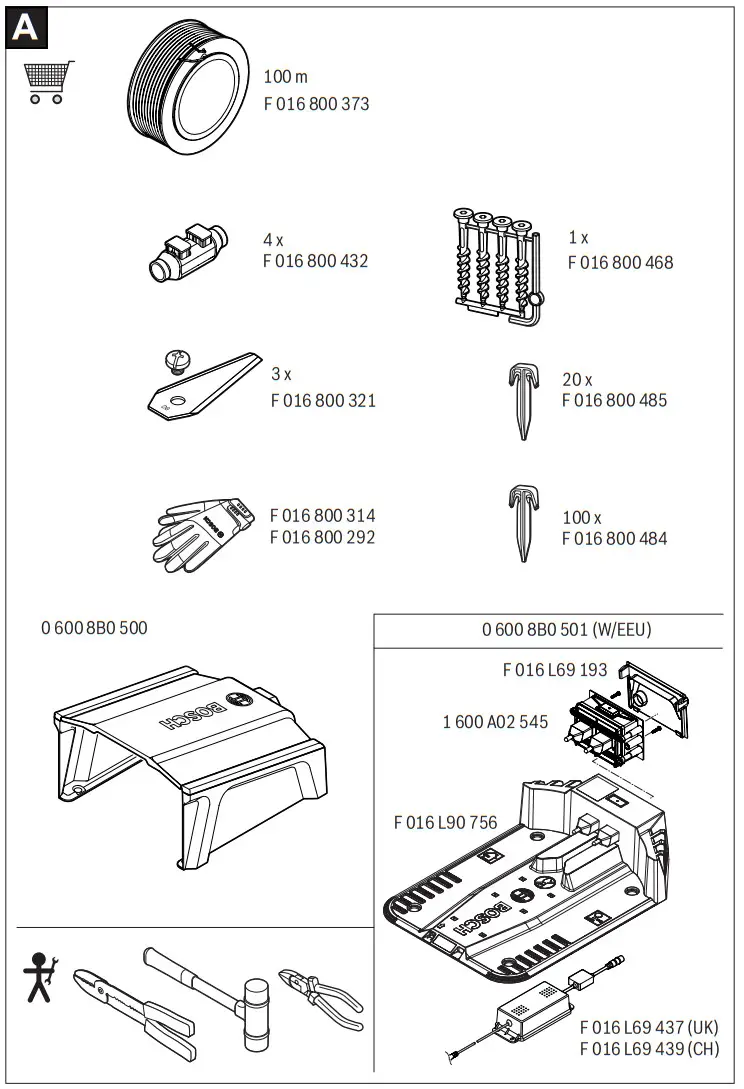

| EU Declaration of Conformity Robotic Lawnmower | Article number | We declare under our sole responsibility that the stated products comply with all applicable provisions of the directives and regulations listed below and are in conformity with the following standards. |
| Indego XS 300 | 3600HB0004 | 2006/42/EC 2014/53/EU 2011/65/EU | EN 60335-1:2012+A11:2014+A13:2017+A1:2019 +A2:2019+A14:2019 EN 50636-2-107:2015+A1:2018+A2:2020 EN 301 489-3 V2.1.1 EN 55014-1:2017+A11:2020 EN 55014-2:2015 EN 303 447 V1.2.1 EN IEC 63000:2018 EN 62311:2008 |
Measured sound power level 60 dB(A), guaranteed sound power level 63 dB(A)
2014/53/EU: EU type examination no. ATCB025979 by notified body no. 1588., ACB, Inc., 6731 Whittier Avenue, Suite C110, Mc-Lean, Virginia 22101, United States
Technical file at: *
| * Robert Bosch Power Tools GmbH, PT/ECS, 70538 Stuttgart, GERMANY |
| Henk Becker Chairman of Executive Management | Helmut Heinzelmann Head of Product Certification |
 | |
| Robert Bosch Power Tools GmbH, 70538 Stuttgart, GERMANY Stuttgart, 06.10.2022 | |

Declaration of Conformity
Robotic Lawnmower
Indego XS 300
Article number
3600HB0004
We declare under our sole responsibility that the stated products comply with all applicable provisions of the regulations listed below and are in conformity with the following
standards.
Technical file at: Robert Bosch Ltd. (PT/SOP-GB), Broadwater Park, North Orbital Road, Uxbridge UB9 5HJ, United Kingdom
The Supply of Machinery (Safety) Regulations 2008
The Electromagnetic Compatibility Regulations 2016
The Restriction of the Use of Certain Hazardous Substances in Electrical and Electronic Equipment Regulations 2012
EN 60335-1:2012+A11:2014+A13:2017+A1:2019 +A2:2019+A14:2019
EN 50636-2-107:2015+A1:2018+A2:2020
EN 301 489-3 V2.1.1
EN 55014-1:2017+A11:2020
EN 55014-2:2015
EN 303 447 V1.2.1
EN IEC 63000:2018
EN 62311:2008
Measured sound power level 60 dB(A), guaranteed sound power level 63 dB(A)
The Radio Equipment Regulations 2017: UK type examination no.EMA21REP0145 for Regulation 6(2) by Approved Body no. 0891, Element Materials Technology Warwick Ltd. Address: Unit 1, Pendle Place, Skelmersdale, West Lancashire, WN8 9PN, United Kingdom
| Robert Bosch Power Tools GmbH, 70538 Stuttgart, Germany represented (in terms of the above regulations) by Robert Bosch Limited, Broadwater Park, North Orbital Road, Uxbridge UB9 5HJ, United Kingdom |
| Vonjy Rajakoba Managing Director – Bosch UK | Martin Sibley Head of Sales Operations and Aftersales |
 | |
| Robert Bosch Ltd. Broadwater Park, North Orbital Road, Uxbridge UB9 5HJ, United Kingdom, as authorised representative acting on behalf of Robert Bosch Power Tools GmbH, 70538 Stuttgart, Germany | |
 F016L94037(2022.10)
 Robert Bosch Power Tools GmbH
70538 Stuttgart
GERMANY
www.bosch-pt.com
F016L94037(2022.10)O/261
Place of issue: Uxbridge
Date of issue: 06/10/2022
Bosch Power Tools
F 016 L94 037 | (06.10.2022)
References
 Front Page | USB-IF
 Inicio | Bosch en Argentina
-
Country selection | Bosch DIY
-
Country selection | Bosch DIY
-
Country selection | Bosch DIY
-
Welcome to the Bosch Indego robotic lawnmower help | Bosch DIY
-
Country selection | Bosch DIY
-
Bosch Power Tools | Bosch Power Tools
-
Bosch Power Tools | Bosch Power Tools
-
Select your country | Bosch Power Tools
-
Bosch Power Tools | Bosch Power Tools
-
Bosch Elektrowerkzeuge | Bosch Elektrowerkzeuge
-
Outillage électroportatif Bosch | Outillage électroportatif Bosch
-
Elettroutensili Bosch | Elettroutensili Bosch
-
Bosch Elektrowerkzeuge und Zubehör | Bosch Elektrowerkzeuge
-
Bosch-sähkötyökalut | Bosch-sähkötyökalut
-
Outillage électroportatif Bosch | Outillage électroportatif Bosch
-
Bosch elektromos kéziszerszámok | Bosch elektromos kéziszerszámok
-
Elektronarzędzia Bosch | Elektronarzędzia Bosch
 bosch-pt.ru
-
Elektrické náradie Bosch | Elektrické náradie Bosch
-
Inicio | Bosch en Chile
-
Inicio | Bosch en Peru
-
Početna | Bosch u Hrvatskoj
-
Domov | Bosch v Sloveniji
-
boschherramientas.com.ec
-
Herramientas eléctricas de Bosch | Bosch Professional
-
Loading...
 Front Page | USB-IF
 Inicio | Bosch en Argentina
 Country selection | Bosch DIY
 Country selection | Bosch DIY
 Bosch Power Tools | Bosch Power Tools
 Bosch Power Tools | Bosch Power Tools
 Select your country | Bosch Power Tools
 Bosch Power Tools | Bosch Power Tools
 Bosch Elektrowerkzeuge und Zubehör | Bosch Elektrowerkzeuge
 Bosch-sähkötyökalut | Bosch-sähkötyökalut
 Outillage électroportatif Bosch | Outillage électroportatif Bosch
 Bosch elektromos kéziszerszámok | Bosch elektromos kéziszerszámok
 Elektronarzędzia Bosch | Elektronarzędzia Bosch
 bosch-pt.ru
 Elektrické náradie Bosch | Elektrické náradie Bosch
 Inicio | Bosch en Chile
 Inicio | Bosch en Peru
 Početna | Bosch u Hrvatskoj
 Domov | Bosch v Sloveniji
 boschherramientas.com.ec
 Herramientas eléctricas de Bosch | Bosch Professional
 Loading...