
 MA-2500DSP
3-WAY MIC FEEDBACK KARAOKE AMPLIFIER
Operation Manual
Automatic Pairing with Bluetooth ” BT-AMPLIFIER”
REMOTE CONTROL INISTRUCTION
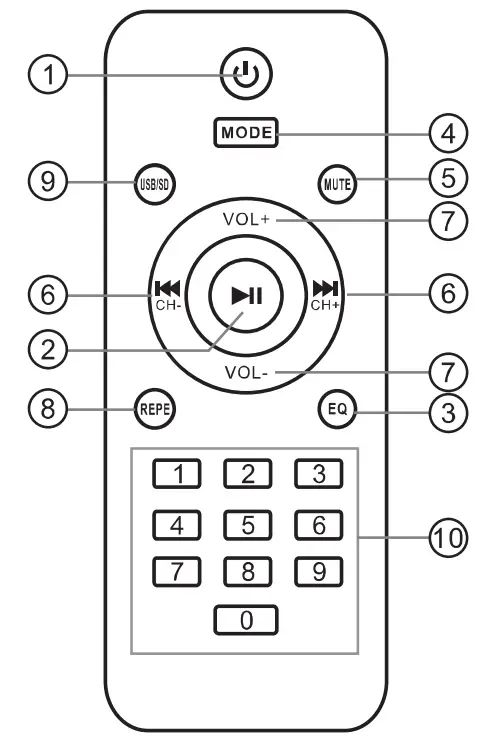
- POWER: Press it to turn on the unit, press it again to turn off.
- PLAY/PAUSE: Press to play, press again to pause.
- EQ: Sound field-effect button.
- MODE: Work mode selects USB/SD/DVD/AUX.
- MUTE: Press it to mute down sound.
 : Press
 to skip the next track.
Press to skip prey. track.
- VOL+/VOL-:Press it to adjust the volume level. 8.REPEAT: Switch the repeat mode.
- SD/USB: Press it to turn the
- SD card and USB
- 0-9:Numeric buttons
 : Press
 to skip the next track.
 to skip prey. track.
SPECIFICATION
Output power (40)…………………….. 750W+750W
Output power (80)…………………………. 500W+500W
Mic input sensitivity…………………………… 10mV
External devices sensitivity…………………… 200mV
Signal/Noise ratio (with IHF A Filter)….. >80dB
T.H.D (1KHz,10W)…………………………………. 0.1%
Frequency band……………………………. 25Hz — 20KHz
Mic tone adjustment: LOW……………….. 80Hz ± 15dB
Mic tone adjustment: MID……………….. 3.5KHz ± 12dB
Mic tone adjustment HI…………………….. 12KHz ± 15dB
Echo tone adjustment: LOW………………. 80Hz ± 15dB
Echo tone adjustment: HI………………. 12KHz ± 15dB
Music tone adjustment: LOW……………. 100Hz ± 15dB
Music tone adjustment: MID……………. 1KHz ± 12dB
Music tone adjustment HI…………………10KHz ± 15dB
Power source…………………………………. AC 220V-240V 50Hz
or AC110V-120V 50Hz
INTRODUCTION
Thank you for purchasing the power amplifier, To take full advantage of the amplifier functions, and to enjoy long and trouble-free use, please read this user’s manual carefully. IMPORTANT SAFETY INISTRACTION
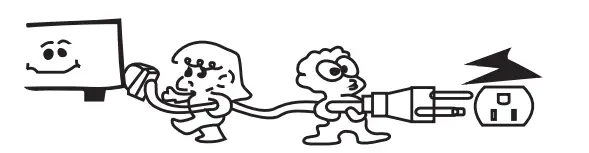
- Make sure that line voltage is AC 220-240V/50Hz If you are not sure, Kindly consult your appliance dealer or local power service company

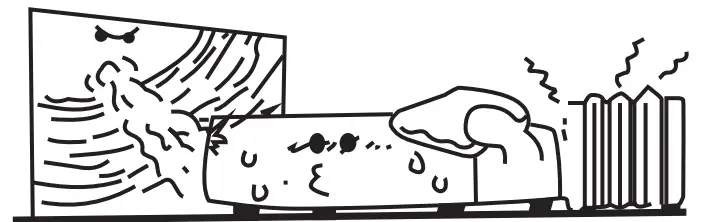
- Please put the unit in a ventilated place. Do not operate in a sealed Box.

- Protect voltage line
Avoid high pressure and stamp on, do not pull, push excessively.
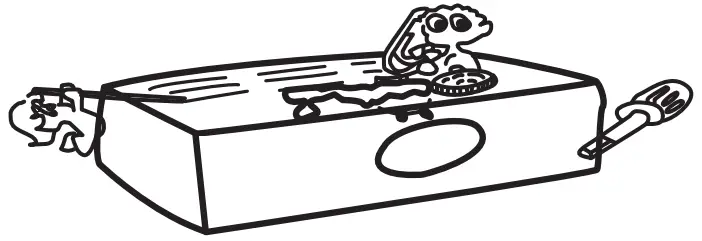
- Avoid any objects inserted into the unit. It may cause a short circuit and unit defect

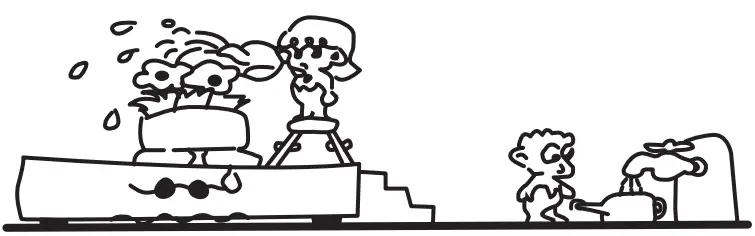
- Avoid water, dust, and moisture. Do not put a Flower vase and another water container on the top of the unit.

- Avoid cleaning with a volatile solution
Do not spray insecticide. Do not clean with alcohol, painting, gasoline, etc.
- Avoid covering vents
Block up the vents will make the temperature in the unit become higher and will damage the unit.
- Avoid opening the cover. Do not open, fix, or touch the inner parts, refer to qualified service personnel for help.



FEATURES
- Support Wireless Steaming/USB/SD
- 4 Microphone Input
- 32-bit digital key controller
- DSP effect digital processor
- Mp3 player compatible with lossless format songs play
- Automatic Pairing with Bluetooth BT-AMPLIFIER’
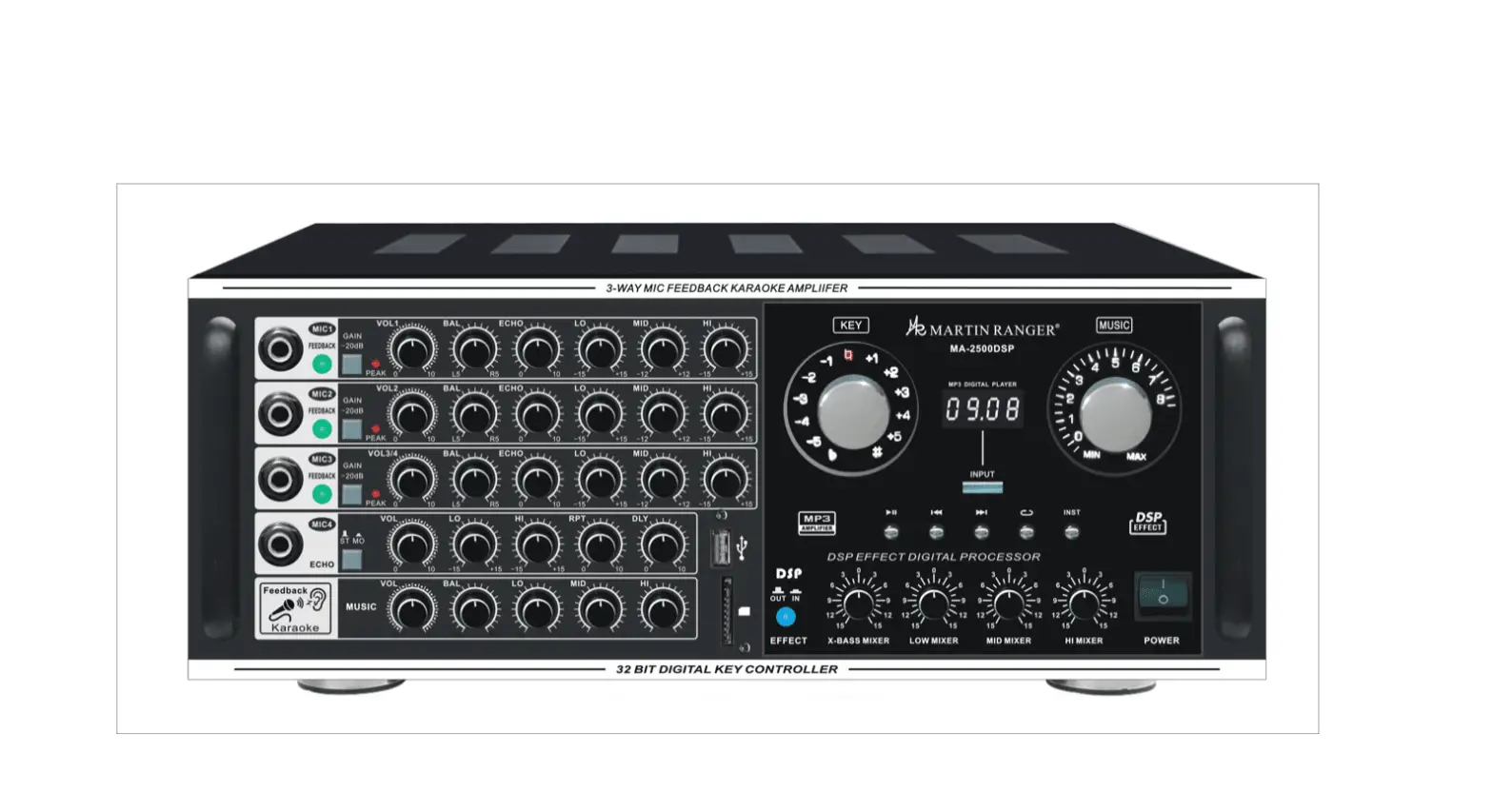
FRONT PANEL INSTRUCTION
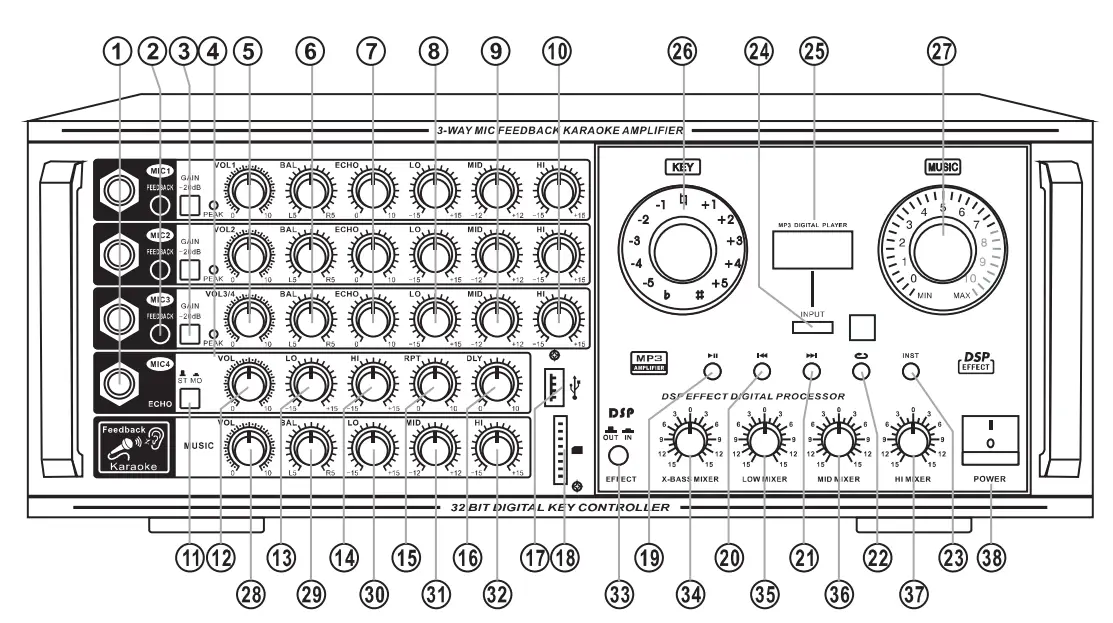
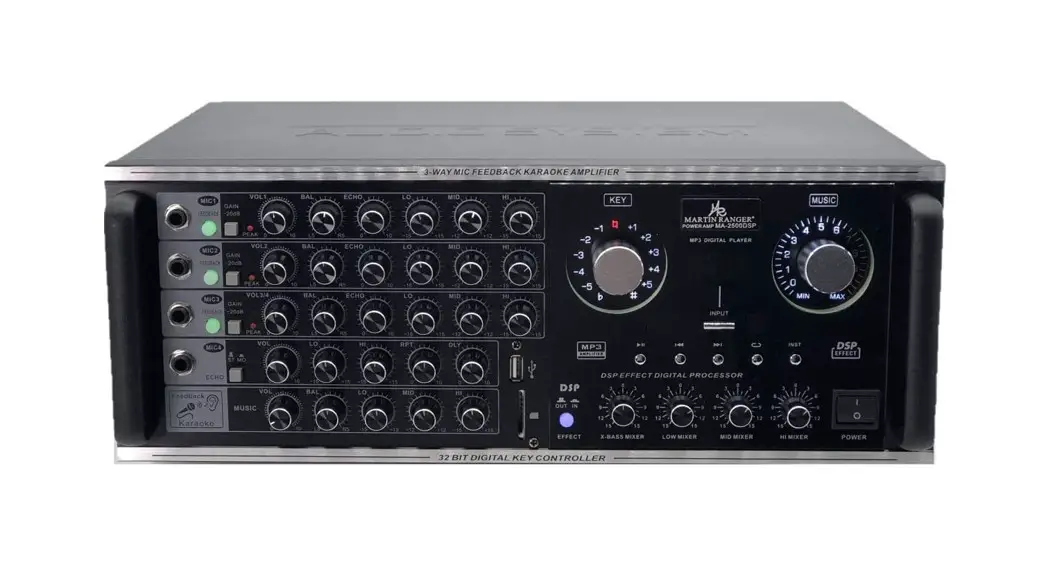
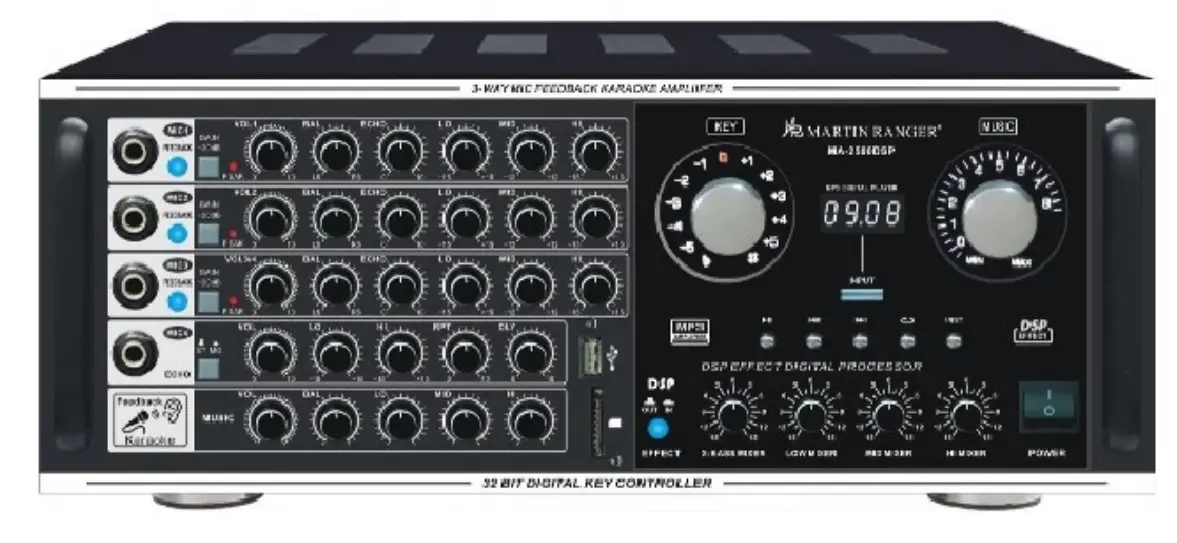
| 1. Mic 1 2 3 4 Jack 2. Switch button for Mic. Feedback 3. Mic -20dB Switch 4. Mic Overload LED 5. Mic 1 2 3 4 Volume Adjust 6. Mic Balance Adjust 7. Mic Echo Adjust 8. Mic Low Tone Adjust 9. Mic Middle Tone Adjust 10. Mic High Tone Adjust 11. Mono/stereo Switch 12. Echo Volume Adjust 13. Echo Low Tone Adjust 14. Echo High Tone Adjust 15. Echo Repeat Adjust 16. Echo Delay Adjust 17. SD Data Input Interface 18. USB Data Input Interface 19. MP3 Play/pause Switch 20. MP3 Prey Switch 21. MP3 Next Switch | 22. Mp3 Repeat Switch 23. Instrumental without the vocal or original sound 24. MP3 Input Mode Switch (Blue/AUX/DVD) 25. Display Screen 26. To transpose the key of the played music, rotate this control. The key can be changed in halftone steps in 5 steps; either higher or lower. To reset the key to the natural key, press this control. If over 5 seconds of silence occurs, the unit assumes the played song has finished and reset the key to natural. 7. Music Master Volume Adjust 28. Music Volume Adjust 29. Music Balance Adjust 30. Music Low Tone Adjust 31. Music Middle Tone Adjust 32. Music High Tone Adjust 33. DSP Effect Switch 34. DSP X-bass Tone Adjust 35. DSP Low Tone Adjust 36. DSP Middle Tone Adjust 37. DSP High Tone Adjust 38. Power Switch |
REAR PANEL INSTRUCTION
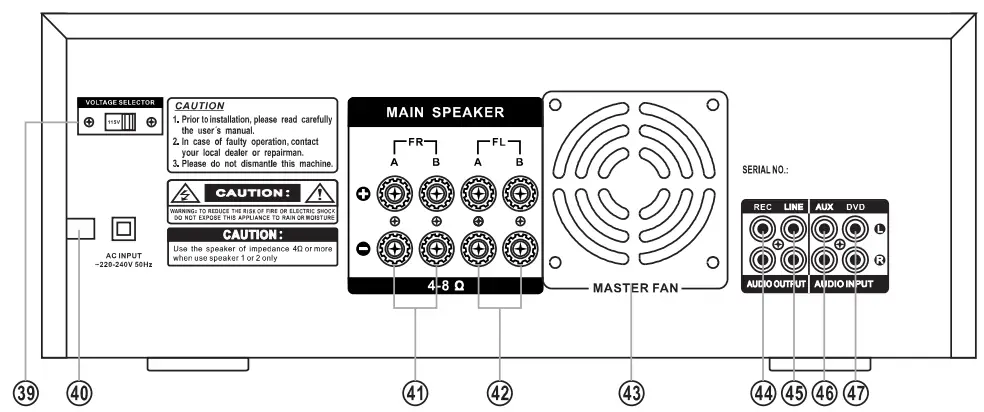
|
|
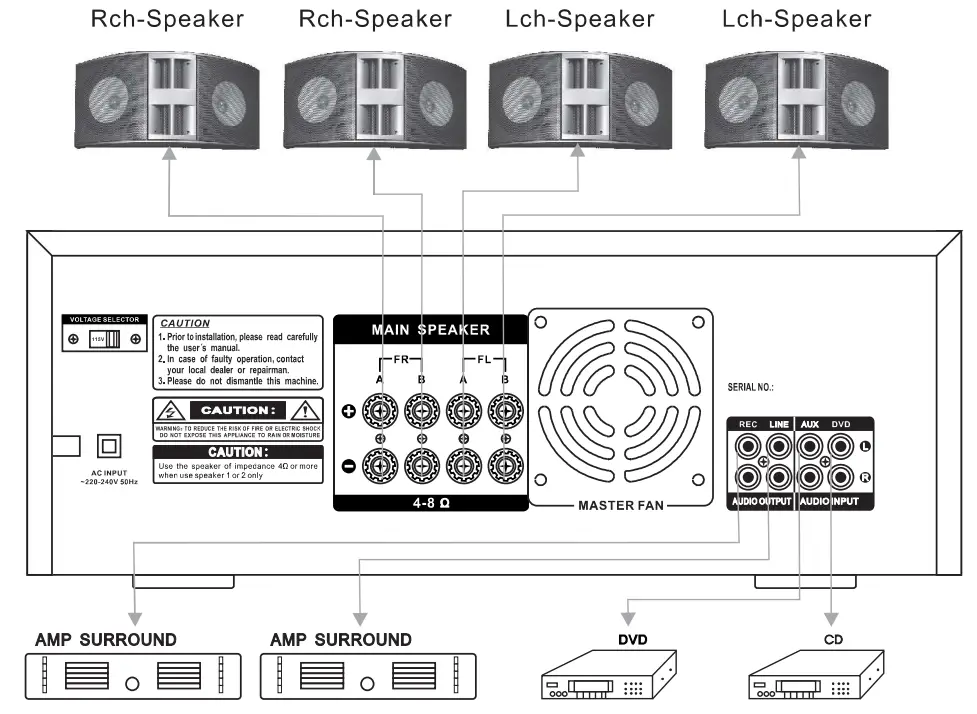
DIAGRAM OF SYSTEM CONNECTION
Use the speaker of impedance 8 ohm, when using speaker terminal a or b

Operation Manual