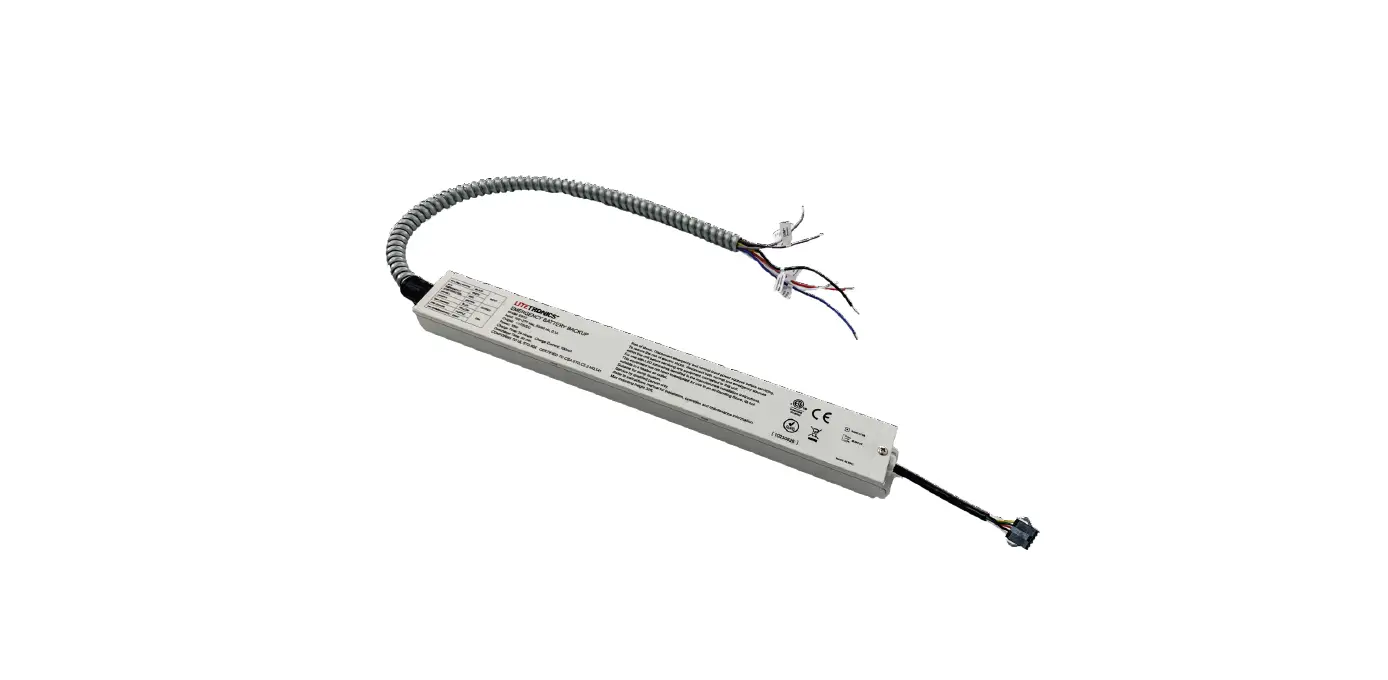
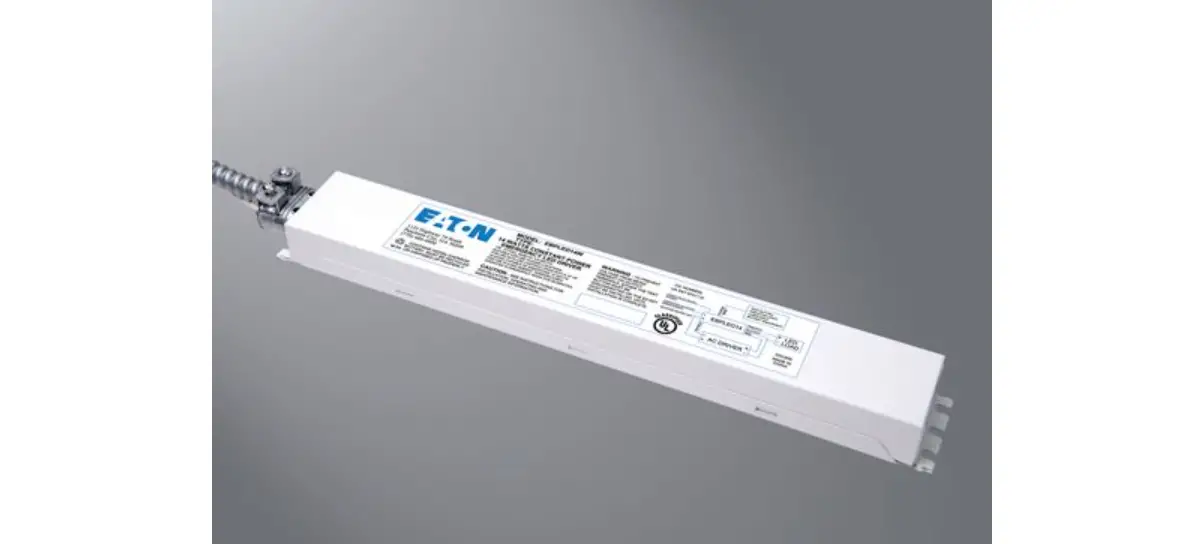
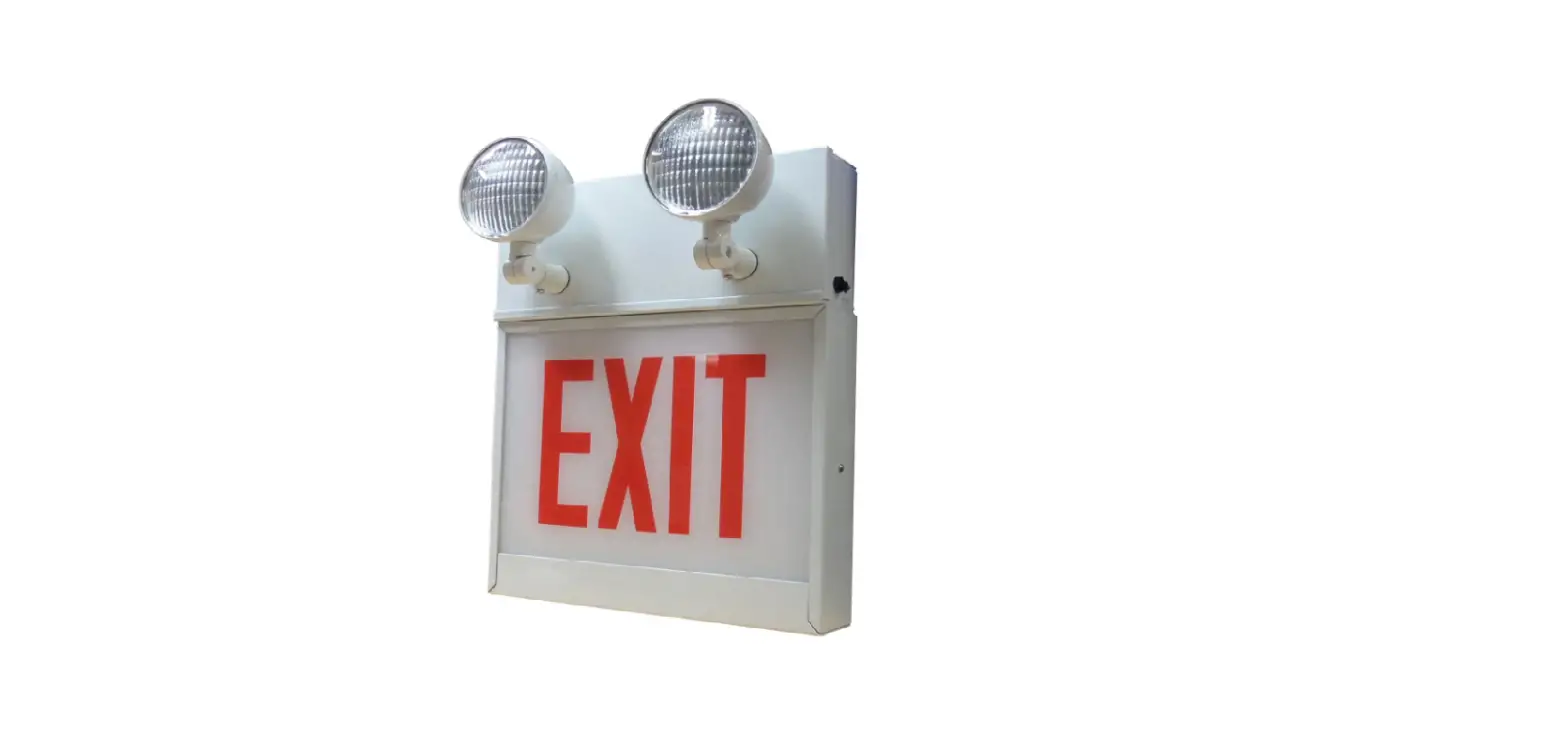
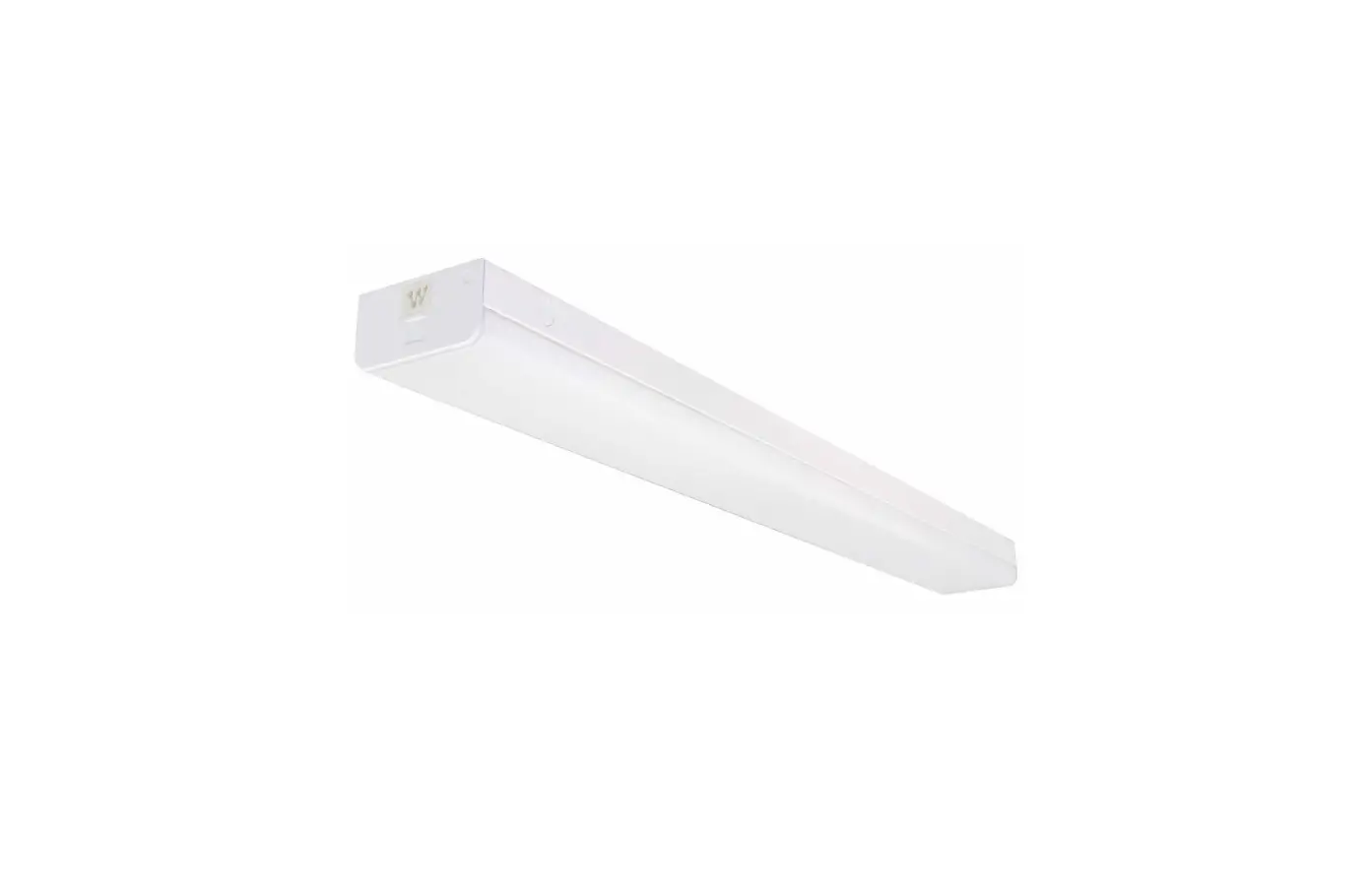
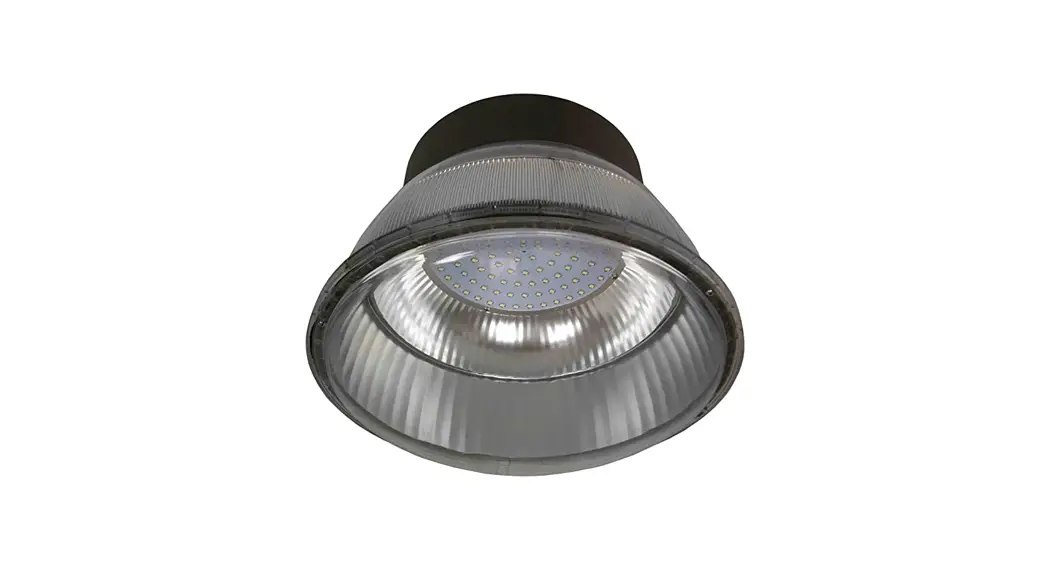
EB10 LED Emergency Battery Backup
Product Information
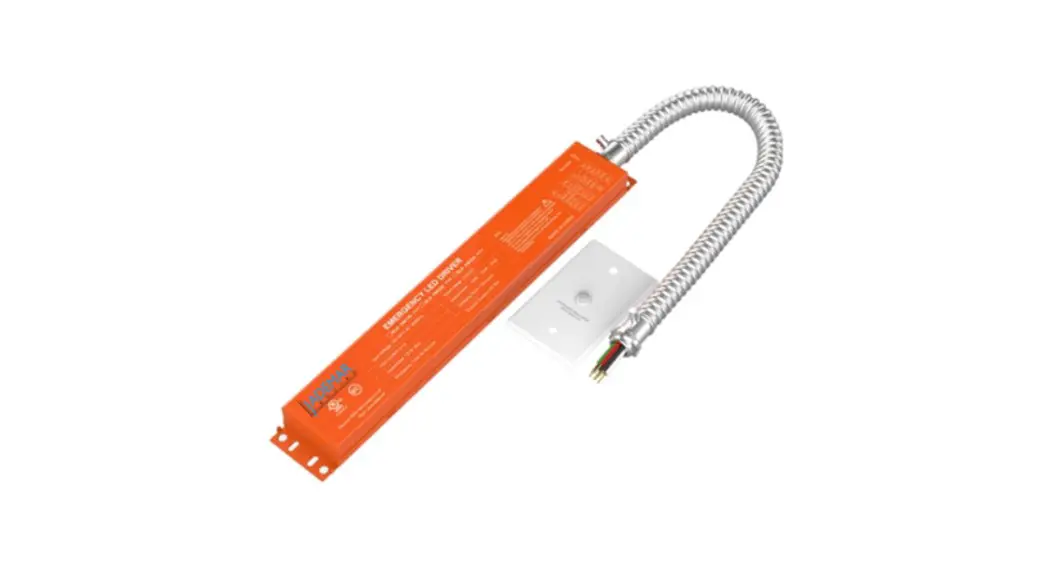
The LED Emergency Battery Backup (EB10) is a device that
provides 90 minutes of power to fixtures in the event of a power
outage. It operates in stand-by mode when the normal power supply
is present and switches to emergency mode during a power outage.
The unit delivers 10W power for a minimum of 90 minutes and
automatically switches back to stand-by mode and begins recharging
when power is restored. The EB10 must be accompanied by one of two
indicator modules to provide visible indicator lights for operation
status.
What’s Included
- (1) EB10 unit
- (1) Installation instructions
- (8) Wire nuts
Compatibility
The EB10 is compatible with the following Litetronics products
and part numbers:
- GARAGE LIGHT: GL39URXXDLP, GL59URXXDLP
- LIGHT PANEL: PT1XX, PT2XX, PT4XX
- VAPOR TIGHT: VTCS4XX, VTCS8XX
- LIGHT PANEL RETROFIT C-SERIES: VT30US4XXP, VT55US8XXP
- STRIP FIXTURE: SF40S4XX, SFS2XX, SFS4XX, SFS8XX
- VIVID FRAME: VLFT2XX, VLFT4XX
- LIGHT PANEL RETROFIT: PRT1XX, PRT2XX, PRT4XX, PRT4XXW
- SELECTABLE STRIP FIXTURE: SFCS4XX, SFCS8XX
- VOLUMETRIC TROFFER: VLT1XX, VLT2XX, VLT4XX
- MAGNETIC RETROFIT: RFM3T2XXA, RFM2T4XXA, RFM3T4XXB, RFM2T4XXEW,
RFM3T4XXDW - STRIP RETROFIT C-SERIES: SRCS4XX, SRCS8XX
- STAIRWELL FIXTURE: SWFSX
- WRAP FIXTURE: WFSX
Safety Warning and Instructions
When using electrical equipment, always observe basic safety
precautions and read and follow all safety instructions.
Product Usage Instructions
Operating Instructions
The EB10 indicator module has the following light reference
guide:
- Green/flashing = Charging
- Green/solid on = Fully charged
- Red/solid on = Discharging/emergency mode
- Red/flashing = Discharging with limited battery life
remaining - Yellow/flashing on = Error. Contact Litetronics for
troubleshooting
In normal operation, the red light on the EB10 unit will remain
on and then flash on/off when the battery is low.
Maintenance
The EB10 unit should be maintained to ensure a minimum of 90
minutes of power during emergencies. Regular service should be
performed by qualified personnel as indicated in the installation
instructions.
Installation – Ceiling Mounted
Refer to Figure A in the installation instructions for the
ceiling-mounted installation process.
Installation – Adhesive Mounted
Refer to Figure C in the installation instructions for the
adhesive-mounted installation process.
LED Emergency Battery Backup
Installation Instructions
Ordering Code: EB10
WHAT COMES IN THE BOX
(1) EB10 unit (1) Installation instructions (8) Wire nuts
TOOLS NEEDED
Wire Stripper Wire Cutter Phillips Screwdriver Step Ladder
OVERVIEW
Litetronics Emergency Battery Backup unit (EB10) delivers 90-minutes of power to fixtures in the event of a power outage. When the normal power supply is present, the unit will fully charge and remain in stand-by mode. When a power outage occurs, the unit will switch to emergency mode and deliver 10W power for a minimum of 90-minutes. When power is restored, the unit will switch back to stand-by mode and begin recharging.
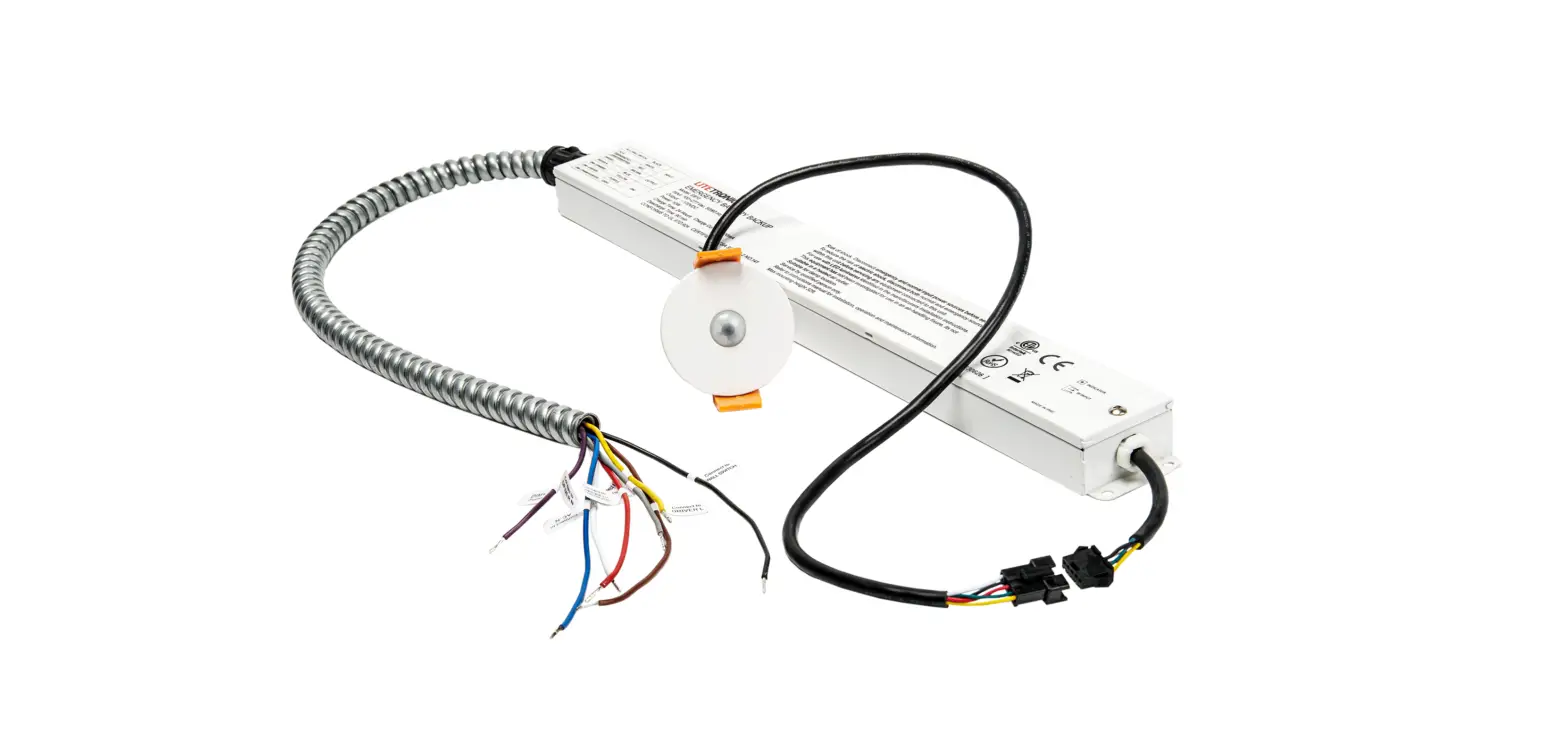
The EB10 is the main component to the backup system, but must be accompanied by one of two indicator modules, which provide a set of visible indicator lights that signify the status of operation for the EB10. Each option offers a different approach to mounting/installation based on the application.
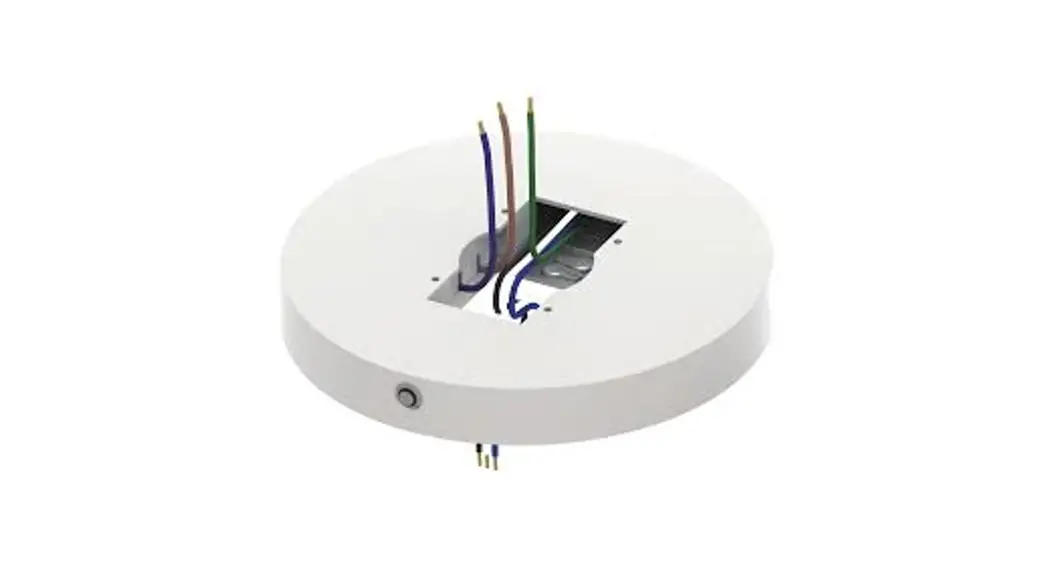
· EBCM (Emergency Backup Ceiling-mounted Indicator Module) – This option connects to the EB10 and can be mounted in a grid panel adjacent to the fixture.
· EBAM (Emergency Backup Adhesive-mounted Indicator Module) – This option applies to any non-grid ceiling application. It includes an adhesive strip that will affix to the surface of a fixture or nearby structural element.
SAFETY WARNING AND INSTRUCTIONS
When using electrical equipment, basic safety precautions should always be observed. Read and follow all safety instructions.
· Risk of fire or electric shock. Luminaire wiring and electrical parts may be damaged when drilling for installation of LED Emergency Backup. Check for enclosed wiring and components.
· Risk of fire or electric shock. This LED Emergency Backup installation requires knowledge of luminaire and electrical systems. If not qualified, do not attempt to install. Contact a qualified electrician.
· Before installation, make certain the AC power to the fixture is off. · The electrical rating of this product is 100-277 Vac. Installer must confirm that there is 100-277 Vac to the fixture
before installation. · To prevent electrical shock, only mate unit connector after installation is complete and before the AC power to
the fixture is back on. · Do not use outdoors. · This LED Emergency Backup unit requires an un-switched AC power source of 100-277 Vac, 50/60Hz. · Do not let power supply cords touch hot surfaces. · Do not mount near gas or electric heaters. · Equipment should be mounted in locations and at heights where it is not subjected to tampering by
unauthorized personnel. The use of accessory equipment is not recommended by the manufacturer and may cause an unsafe condition. · Do not use this equipment for other than its intended use. · Use with grounded, UL/ETL listed, dry or damp location rated fixtures.
COMPATIBILITY
The EB10 is compatible with the following Litetronics products and part numbers.
GARAGE LIGHT
LIGHT PANEL
VAPOR TIGHT
GL39URXXDLP
PT1XX
VTCS4XX
GL59URXXDLP
PT2XX
VTCS8XX
LIGHT PANEL RETROFIT C-SERIES
PT4XX
VT30US4XXP
PRCT1XX
PT44070
VT55US8XXP
PRCT2XX
STRIP FIXTURE
VIVID FRAME
PRCT4XX
SF40S4XX
VLFT2XX
LIGHT PANEL RETROFIT
SF60S8XX
VLFT4XX
PRT1XX
SELECTABLE STRIP FIXTURE
VOLUMETRIC TROFFER
PRT2XX
SFS2XX
VLT1XX
PRT4XX
SFS4XX
VLT2XX
PRT4XXW
SFS8XX
VLT4XX
MAGNETIC RETROFIT
LED STRIP FIXTURE (C-SERIES)
VOLUMETRIC RETROFIT
RFM3T2XXA
SFCS4XX
VRT1XX
RFM2T4XXA
SFCS8XX
VRT2XX
RFM3T4XXB
STRIP RETROFIT C-SERIES
VRT4XX
RFM2T4XXEW
SRCS4XX
VRT2XXW
RFM3T4XXDW
SRCS8XX
VRT4XXW
STAIRWELL FIXTURE
WRAP FIXTURE
SWFSX
WFSX
2
COMPATIBILITY – (CONTINUED)
UL924 STATEMENT OF COMPLIANCE AND COMPATIBILITY
PLEASE NOTE: When used with a sensor-equipped fixture from the Approved List of Litetronics fixtures above, the sensor will be bypassed and disabled by the EB10 when wired correctly per the installation instructions and cause the fixture to remain illuminated during periods of vacancy when the compatible fixture is powered by the EB10 power source. As such, EB10 is UL924 compliant.
GL39**S, GL59**S with Sensor: Not compliant with UL 924. Sensor access unavailable.
SWFS4 with Sensor: Compliant with UL 924 if Sensor is rewired to EB10 per Installation Wiring Diagram.
EB10 OPERATING INSTRUCTIONS
· Make sure that installation of the EB10 includes one of the two indicator modules. · Once installed and powered on, the battery will begin to charge. The green, flashing indicator light
will remain on until fully charged, which takes approximately 24 hours. · Once fully charged, the green indicator light will illuminate and remain on as long as the battery
remains full. · If yellow light is flashing, a problem has been detected. Contact Litetronics for troubleshooting. · In the event of a power failure, the fixture delivers 90 minutes of emergency light, during which the
red light will remain on, then flash on/off when battery is low.
INDICATOR MODULE LIGHT REFERENCE GUIDE 1. Green/flashing = Charging 2. Green/solid on = Fully charged 3. Red/solid on = Discharging/emergency mode 4. Red/flashing = Discharging with limited battery life remaining 5. Yellow/flashing on = Error. Contact Litetronics for troubleshooting
TESTING · The fixture includes an automatic monthly self-testing function, which operates at 30-day intervals for 5 minutes and 360-day intervals for 90 minutes. During testing, the red indicator light will remain on. · Additional testing and demo functionality is available via remote control, part # TR01 (sold separately).
MAINTENANCE
Although no routine maintenance is required to keep the emergency battery backup functional, it should be checked periodically to ensure that it is working. The following schedule is recommended: · Visually inspect the charge indicator light monthly. It should be illuminated. · Test the emergency operation of the fixture at 30-day intervals for a minimum of 30 seconds. · Conduct a 90-minute discharge test once a year. LED tubes should operate at up to 10W for
at least 90 minutes.
SERVICE
Should be performed as indicated above by qualified personnel.
3
INSTALLATION – CEILING MOUNTED
BEFORE BEGINNING INSTALLATION, TURN OFF POWER AT THE CIRCUIT BREAKER. 1. Choose a location for the Emergency Battery Backup unit and indicator module. We recommend placing the unit close to the luminaire input power wires while also making sure the indicator module will reach it’s desired location. See figure A for reference. 2. Once the EBB unit is secured in place, make wiring connections based on the wiring diagrams found on pages 6-7. 3. Mark the desired location for the indicator module on the adjacent ceiling panel. Drill a hole for the indicator to pass through that as is 1.75″ in diameter. 4. Compress the spring clamps and pass the indicator module, wiring first, up through the panel until it sits flush with the bottom side. Release the spring clamps and they will hold the module in place. See figure B. 5. Connect the indicator module and unit via the quick connector. 6. Restore power to the fixture. When power is received, the green flashing light should appear, indicating that the unit is charging. An initial full charge could take up to 24 hours.
4
Figure A Note: Grid tray not Litetronics product but for illustration only.
Figure B 5
INSTALLATION – ADHESIVE MOUNTED
BEFORE BEGINNING INSTALLATION, TURN OFF POWER AT THE CIRCUIT BREAKER. 1. Choose a location for the Emergency Battery Backup unit and indicator module. We recommend placing the unit close to the luminaire input power wires while also making sure the indicator module will reach it’s desired location. See figure C for reference. 2. Once the EBB unit is secured in place, make wiring connections based on the wiring diagrams found on pages 6-7. 3. Find the desired location for the indicator module on the side of the fixture or a nearby structural element, making sure that the indicator lights will be visible from below. Peel off the outside strip from the tape and apply the module to the desired location. Hold for 30 seconds. 4. Connect the indicator module and unit via the quick connector. 5. Restore power to the fixture. When power is received, the green flashing light should appear, indicating that the unit is charging. An initial full charge could take up to 24 hours.
6
Figure C 7
WIRING DIAGRAMS
When the led driver power less than the emergency power A)Normal
A WHEN THE LED DRIVER POWER IS LESS THAN 10W
White Red White Red
WA)AhNeCon-NrtmhealleCdCoodnnrcnievececttrttopooAAwCC-e-NNr less than the emergency power
ConnecCtotoncEemcetrtgoenAcCy–LL1 AC-L (Uninterrupted) AC-N Concect to AC-N
AC-L
Concect to AC-L
Wall Switch
Black
Pink/GGrraayy(-)
No
Connect Wall Switch
YelloBwlack
GPPururapryplel(e+)
EBB WITH BATTERY
IR RECEIVER
BrowBnlue
LNEDo CLaomnnpect DriverY-eNllow
with internal driver
DriverP-Lurple
EBB WITH BATTERY NOTE; USE WIRE NUTS TO COVER THE UNUSED WIRES
IR RECEIVER
BrowBnlue
LED Lamp Driver-N
with internal driver
Driver-L
NOTE; USE WIRE NUTS TO COVER THE UNUSED WIRES
When the led driver power more than the emergency power B)With Dimmer
White Red White Red
AC-N
Concect to AC-N
B WWBHh)WEeNniAthtCTh-DHeLilmEedmLEderDrivCDeorRnpcIoVewcEtetRromPACoO-rLWe tEhaRnISthGe eRmEeArTgEenRcTyHpoAwNer10W AND USED WITH A DIMMER
AC-N 0-10V DimACm-eLr
(Uninterrupted)
CCoonncneeccttttoo AC–NN
ConnCeocntcteocEtmtoerAgCe-nLcy-L1
AC-L out
Black
Brown Blue Brown Blue
0-10V
Dim- Concect to Dim-
Dimmer
Gray DDiimmA-+CC-CoLConooncunncetcecectctttototoDDiDmimim+-(+D(iDmrmivBelearrc))kPYeulrlpolwe
LED
LAMP
DimDLiEmD+-
Dim+
Conncect to
LED DRIVER
DDrivmive+r-(NDimmePirGn)kYr/Gearlyalyo(-w)
LED+ Conncect tDorDvivimer-+L (DriverP)uPrpuler(p+)le
Dim- Dim+
LED LAMP LED-
DDrrviivveerr-N
LED DRIVER
LED+
DDrrviivveerr-L
EBB WITH BATTERY
IR RECEIVER
EBB WITH BATTERY
IR RECEIVER
IMPORTANT: The purple and gray dimming wires must be connected to Luminaire or driver dimming wires
CAUTION: For Diagrams B, C, D, Gray & Purple Dimming leads from EB10 Must Be Connected to Driver Dim +/- leads / terminal Blocks. If connection is not made, the LED Array will flicker and shut down after 10 seconds in 99% of the cases while in emergency mode. In some cases, the EB10 will fail as it will overheat. Dimming circuit helps to limit higher driver load to 10W.
8
D) Without Switch and Without Dimmer
C WHEN LED DRIVER POWER IS GREATER THAN 10W USED WITHOUT
SWITCH AND WITHOUT DIMMER
White Red
AC-N
CCoonncneeccttttooAACC-NN
AC-L ConnCecotntcoeEcmt teorgAeCn-cLy-L1 (UniDnt)eWrruipthteodu) t Switch and Without Dimmer
AC-N
Concect to AC-N
Black
White Red
AC-L No Coonnncect
Conncect to Dim-
Concect to Concect
tAoCD-Lim+(DimmPineGkr/rG)arayy(-)
Yellow
Dim-
Connceecctt to Dim+(DriverP)uPruplrep(+)le
Dim+
EBB WITH BATTERY
IR RECEIVER
Brown
Blue
LED LAMP LED-
DDrrviviveerr-N Black
LED DRIVER
Concect to Dim-
LED+ Concect
to
DDrrviviveerr-L Dim+(DimmeGrr)ay
NOTE; USE WIRE NUTS TO COVER THE UNUSED WIRES
tIMo LPNuOomRCoiTnnAcaeiNcrteT:oTDrihmde-riDpCvimuoe+nrrcpdelcietmtaomnDdiimng+gr(Dawryiivrdeeri)PsYmeulrlpmolweing wires musEtBbBeWcIToHnBnAeTcTtEeRdY
IR RECEIVER
Blue
C)Without Dimmer
Drviver-N
CAUTIONLED: For Diagrams LAMP LED- LED DRIVER B, C, D, Gray & Purple Dimming leads from EB10 Must Be Connected to
Driver Dim +/- lLeEDa+ds / termDirnvivaerl-LBlocks. If coNnOnTeE;cUtSioE nWIiRsEnNoUtTSmTOadCOeV, EtRhTeHLEEUDNUASrErDaWyIRwEiSll flicker and
shut down after 10 seconds in 99% of the cases while in emergency mode. In some cases, the EB10 wAiCll-Nfail as itCwonilcleoctvteorAhCe-Nat. Dimming circuit helps to limit higher driver load to 10W.
White Red
AC-L
Concect to AC-L
C)Without Dimmer
D WHEN LED DRIVER POWER IS GREATER THAN 10W USED WITHOUT DIMMER
Wall Switch
White Red
AC-N
CCoonncneeccttttoo AACC–NN
AC-L ConneCcot ntoceEcmt etorgAeCn-cLy-L1
Black
(Uninterrupted)
Concect to Dim-
No Concect
Concect to Dim+(DimmeGrr)ay Yellow
Dim- DCimo+WncaellctSwtoitcDhim+(DBrliavcekr)Purple
Brown Blue
LED LAMP
No CCoonnncect
LED-
Conncectt to LED DRIVER
LED+Concect to
DDrimviv-er-N DDrimviv+er(-DL imPminkeG/rGr)raayy(-)
Yellow
Dim-
Connceecctt to Dim+(Driver)PPuurprlpe(+le)
Dim+
EBB WITH BATTERY
IR RECEIVER
NOTE; USE WIRE NUTS TO COVER THE UNUSED WIRES
EBB WITH BATTERY
IR RECEIVER
Brown Blue
LED LAMP LEDLED+
DDrrviivveerr-N
LED DRIVER
DDrrviviveerr-L
NOTE; USE WIRE NUTS TO COVER THE UNUSED WIRES
IMPORTANT: The purple and gray dimming wires must be connected to Luminaire or driver dimming wires
CAUTION: For Diagrams B, C, D, Gray & Purple Dimming leads from EB10 Must Be Connected to Driver Dim +/- leads / terminal Blocks. If connection is not made, the LED Array will flicker and shut down after 10 seconds in 99% of the cases while in emergency mode. In some cases, the EB10 will fail as it will overheat. Dimming circuit helps to limit higher driver load to 10W.
9
WIRING INSTRUCTIONS FOR LED STAIRWELL FIXTURE WITH EMERGENCY BATTERY BACKUP
Stairwell Fixture Ordering Codes: SWFS4
INSTRUCTIONS
1. Remove the purple sensor dimming wire (Dim+) from the driver’s terminal block and connect it to the yellow emergency dimming wire (Dim+) using a wire nut.
2. Connect the purple emergency dimming wire (Dim+) to the driver’s Dim+ terminal block. 3. Connect the gray emergency dimming wire (Dim-) and gray sensor dimming wire (Dim-)
into the driver’s Dim- terminal block. 4. Connect the brown and blue emergency output wires to the black and white driver
input wires. 5. Connect the white, red and black emergency input wires in accordance with the following
wiring diagram.
WIRING DIAGRAM
AC-N AC-L (Uninterrupted)
Connect to AC-N Connect to Emergency-L1
White Red
Sensor Purple Gray Yellow
12 Volt DC Yellow
AC-L Out
Black
Sensor
LED Lamp
Connect to Dim+ (Sensor) Connect to Dim-
Connect to Dim+ (Driver)
LED LED +
LED Driver
Driver-N Driver-L
12 Volt Aux
Brown
Yellow PGinrka/yG/Prainy(k-)
PuPruprlpe(l+e) Blue
Driver
V+ WW CW DIM DIM + 12V 12V +
EBB with Battery
IR Receiver
IMPORTANT: The purple and gray dimming wires must be connected to Luminaire or driver dimming wires
10
11
Thank you for choosing
6969 W. 73rd Street Bedford Park, IL 60638 www.Litetronics.com [email protected] or 1-800-860-3392
The information and product specifications contained in these instructions are based upon data believed to be accurate at the time of printing. This information is subject to change without notice and without incurring liability. If you have questions regarding specific product details, please contact us at 800-860-3392 or via email at [email protected].
To check for an updated version of these instructions, please visit www.litetronics.com.
3/9 /23-V2.4
 Commercial Lighting Company | LED Lighting Solutions