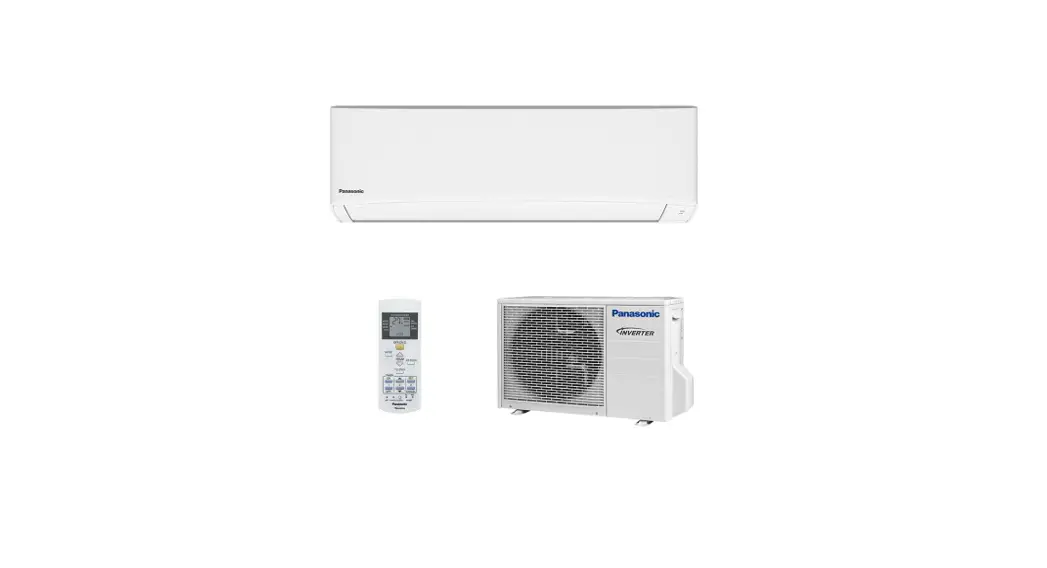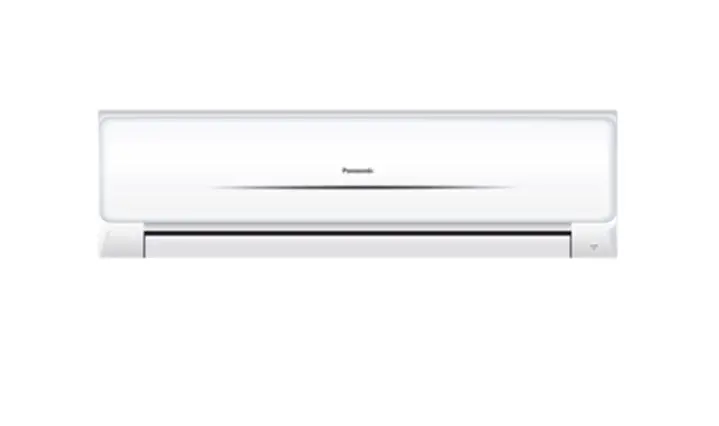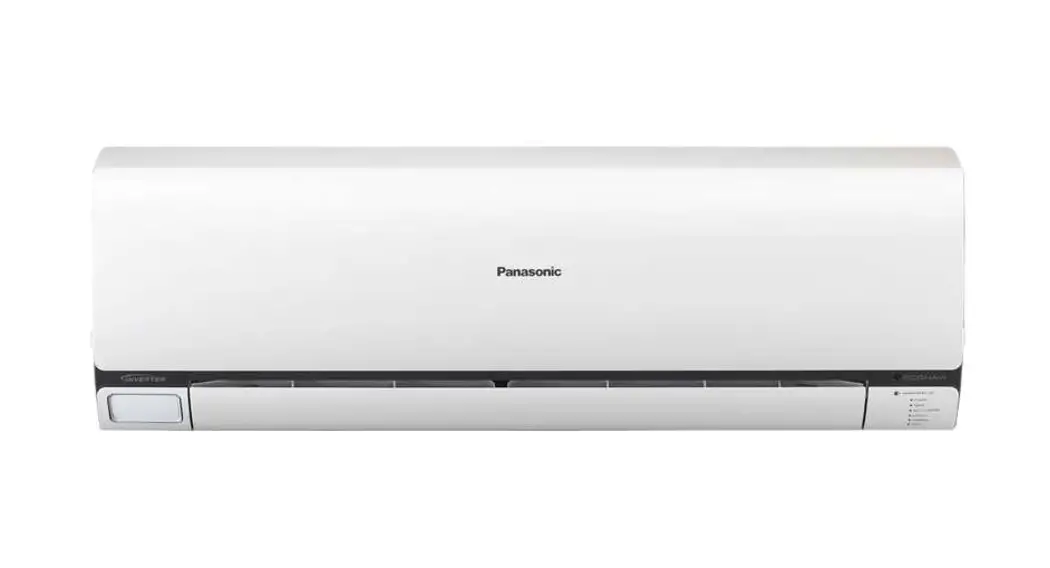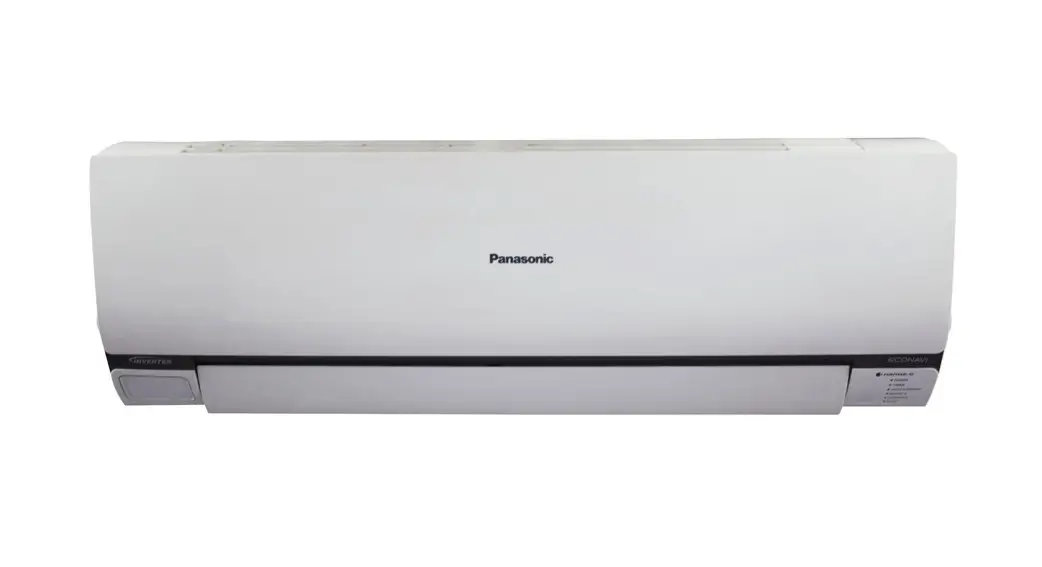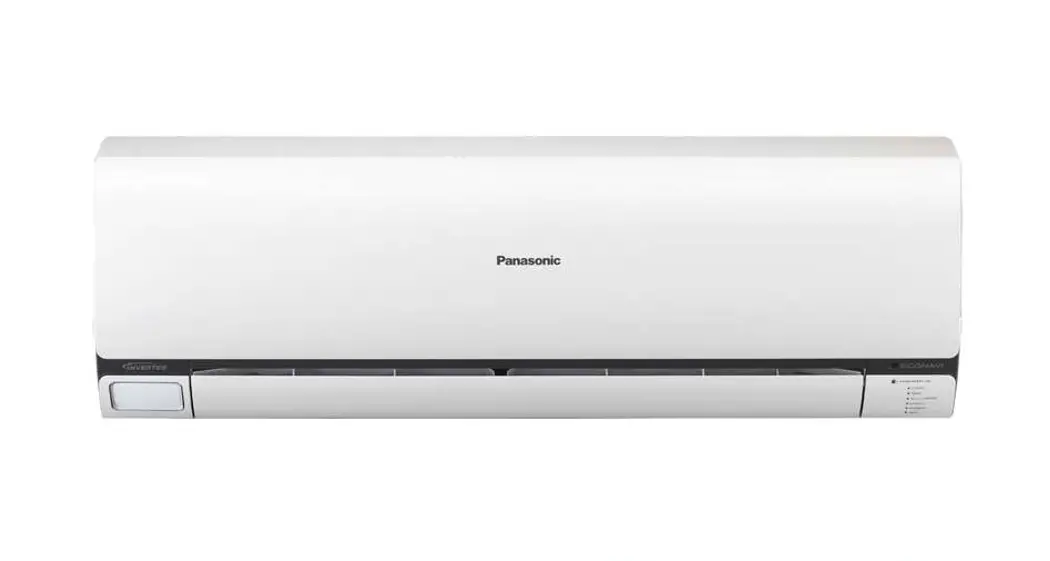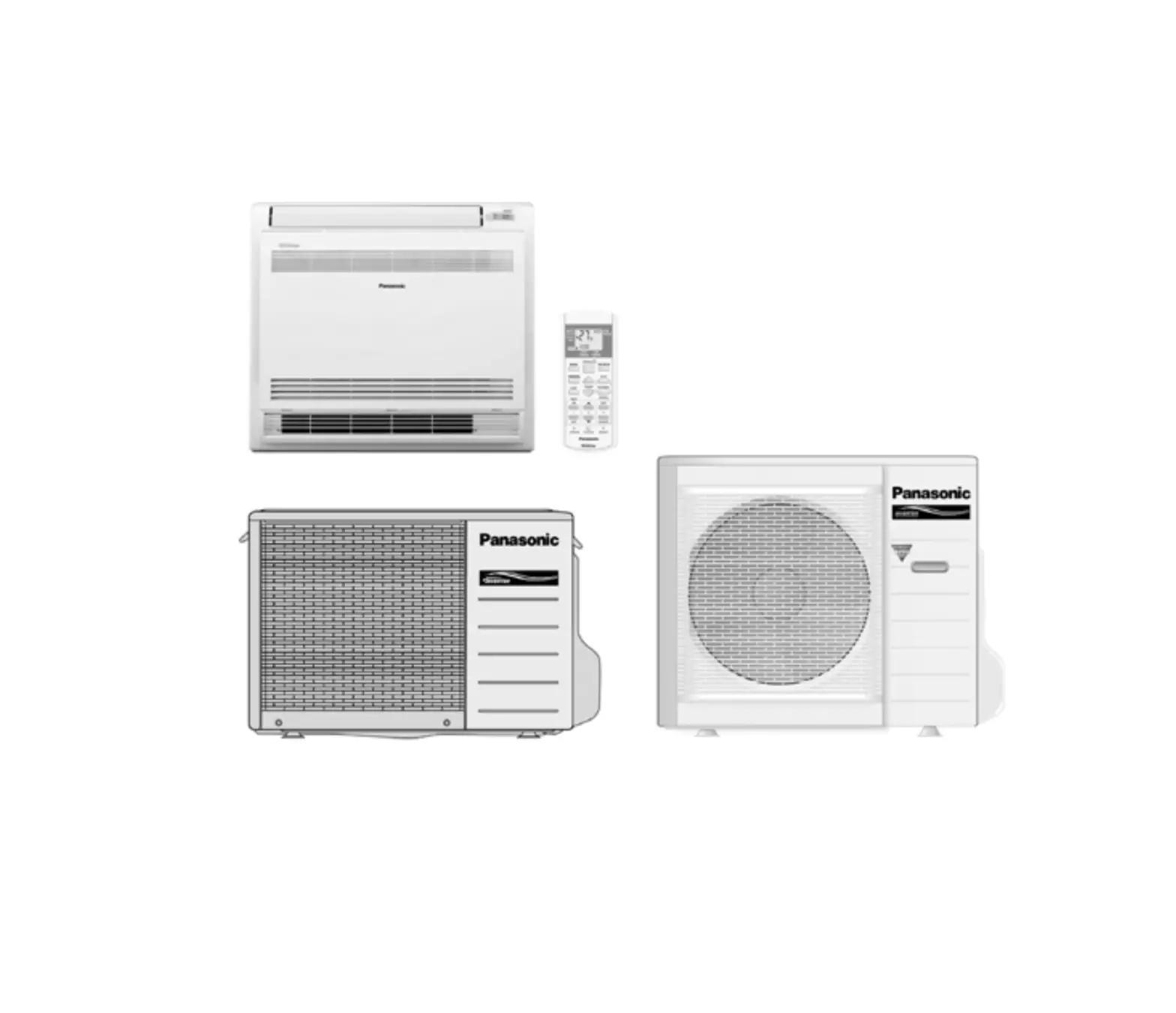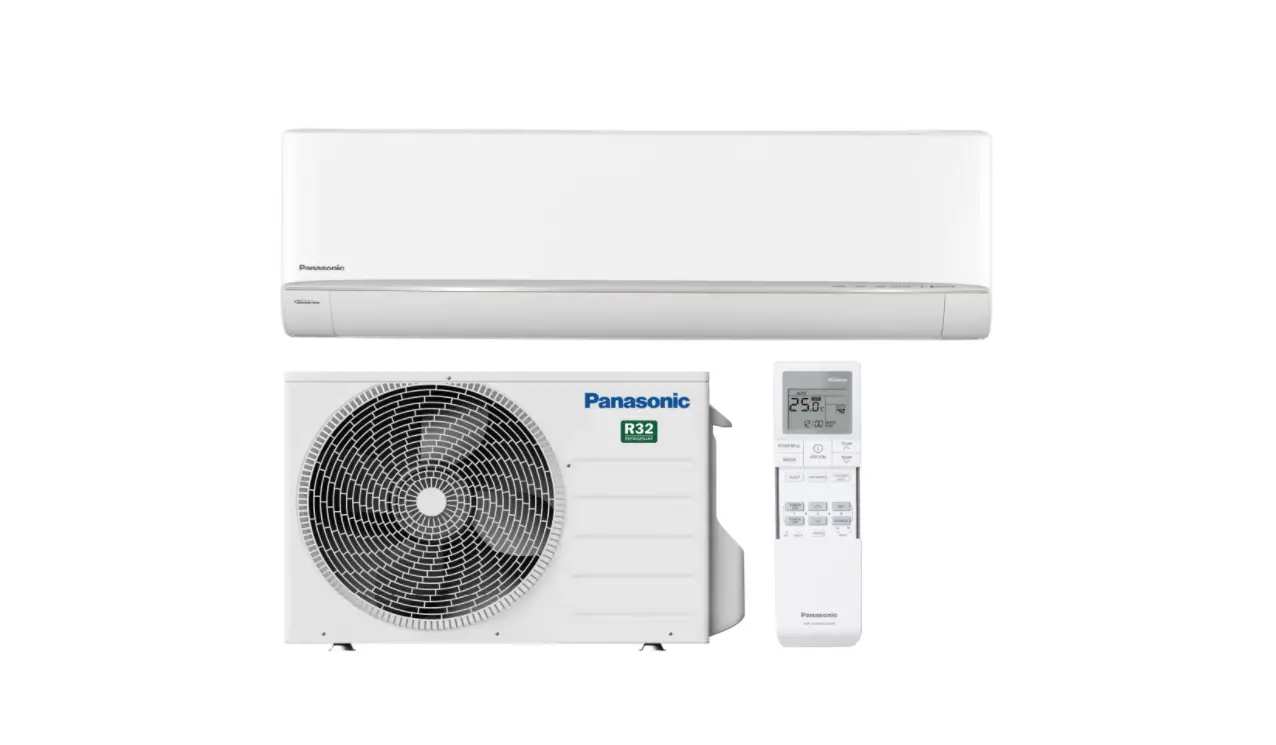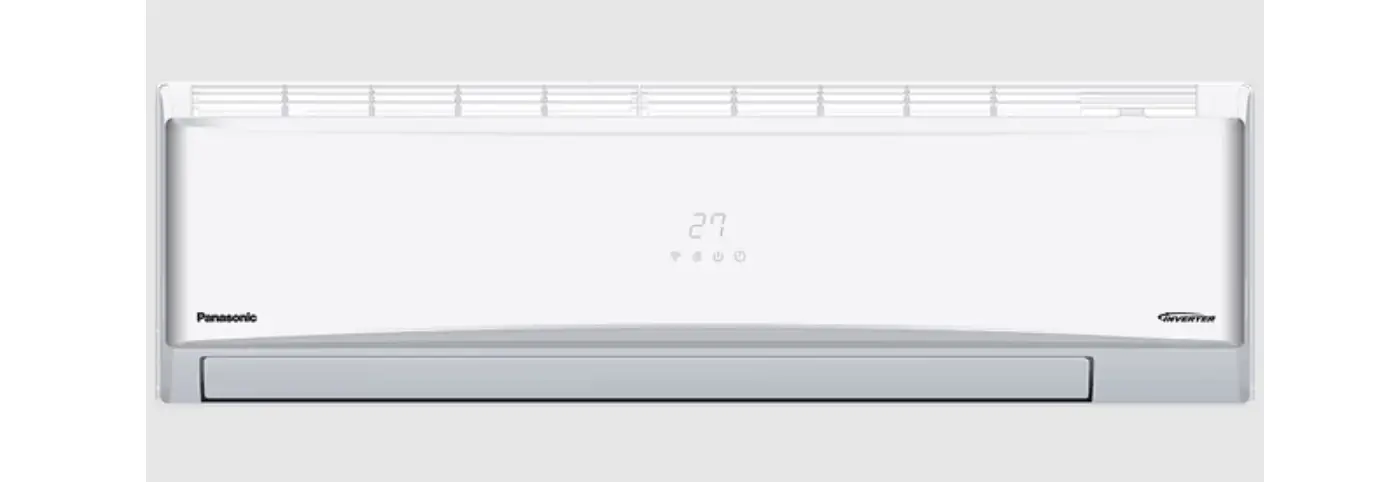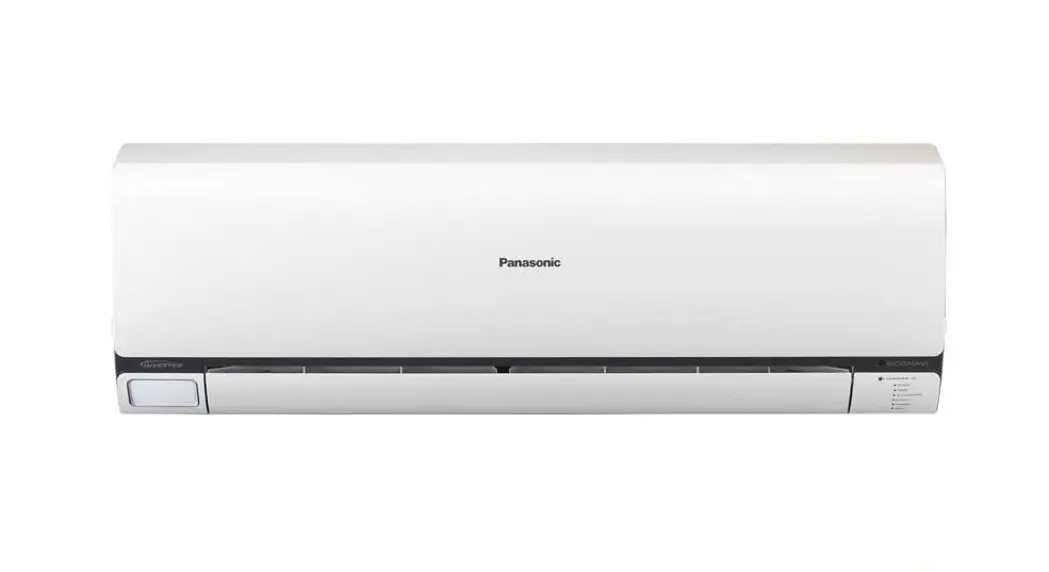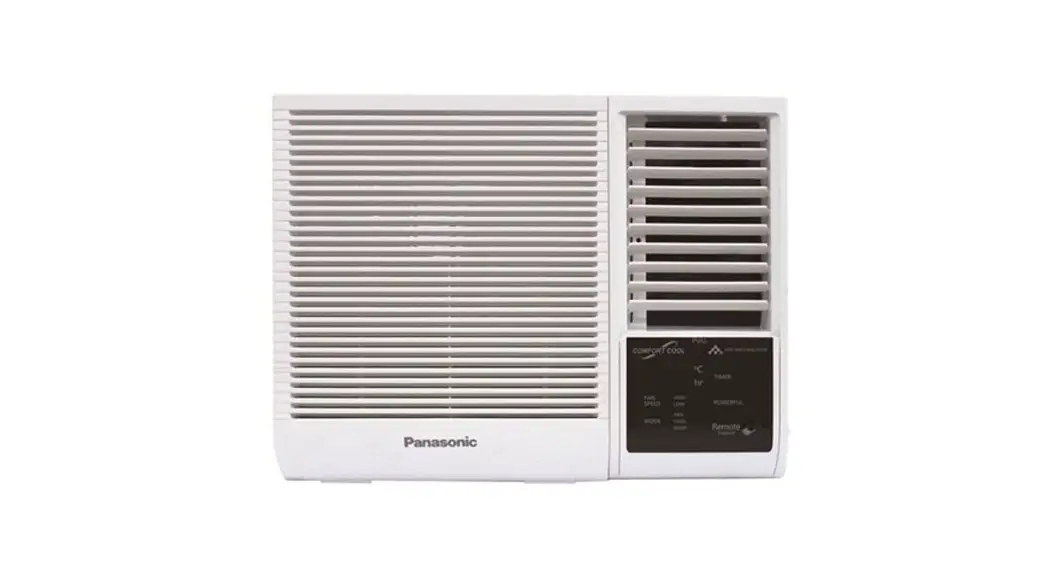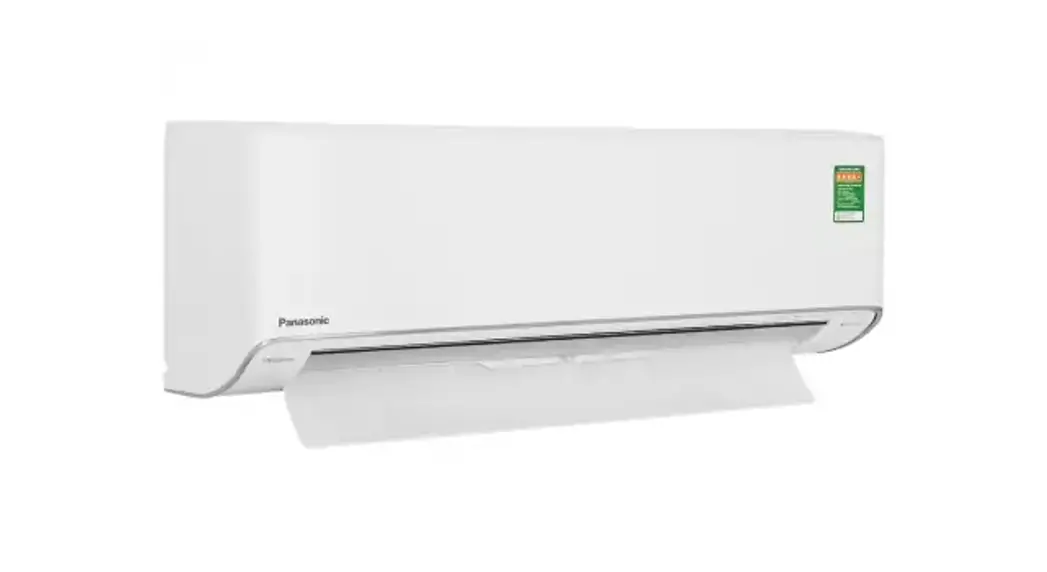

Panasonic CS-XE9WKUAW Air Conditioner
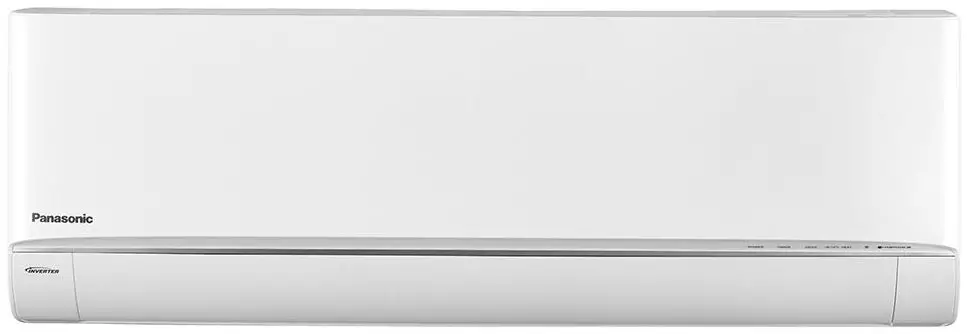
Before operating the unit, please read these operating instructions thoroughly and keep them for future reference. The included Installation Instructions should be kept and read by the installer before installation. The remote control is packaged in the indoor unit and removed by the installer before installation.
Accessories
- Remote control
- AAA or R03 batteries x 2
- Remote control holder
- Screws for remote control holder x 2
The illustrations in this manual are for explanation purposes only and may differ from the actual unit. They are subject to change without notice for future improvement.
Basic operation
- Press
 to start/stop the operation.
- Please note that the OFF indication is on display to start the unit.

- Please note that the OFF indication is on display to start the unit.
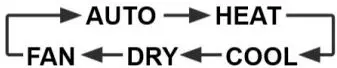
- Press MODE to select the desired mode.
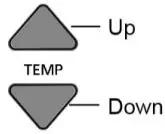
- Select the desired temperature.

- Selection range (Not applicable for FAN mode): 60 °F – 86 °F ; 16.0 °c – 30.o 0c.
- Press and hold
 for approximately 10 seconds to switch the temperature indication in °F or °C.
 to start/stop the operation.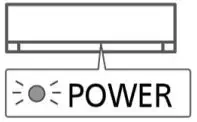
 for approximately 10 seconds to switch the temperature indication in °F or °C.
Safety Precautions
To prevent personal injury, injury to others or property damage, please comply with the following:
Incorrect operation due to failure to follow instructions below may cause harm or damage, the seriousness of which is classified as below: This appliances is not intended for accessibility by the general public.
WARNING: This sign warns of death or serious Injury.
CAUTION: This sign warns of injury or damage to property.
The instructions to be followed are classified by the following symbols:
 This symbol denotes an action that is PROHIBITED
 These symbols denote actions COMPULSORY.
 This symbol denotes an action that is PROHIBITED
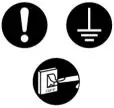 These symbols denote actions COMPULSORY.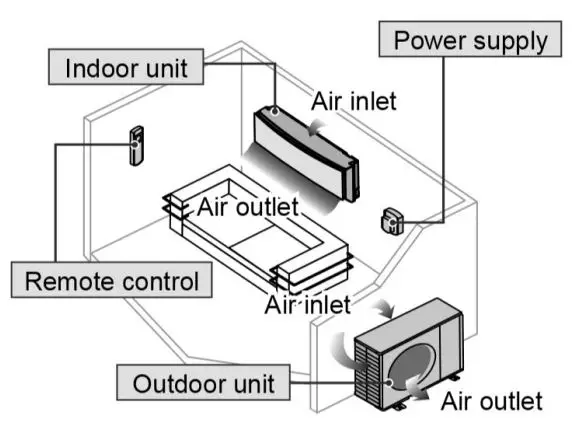
WARNING
Indoor unit and outdoor unit
- This appliance is not intended for use by persons (including children) with reduced physical, sensory or mental capabilities, or lack of experience and knowledge, unless they have been given supervision or instruction concerning use of the appliance by a person responsible for their safety. Children should be supervised to ensure that they do not play with the appliance.
- Please consult authorised dealer or specialist to clean the internal parts, repair, install, remove, disassemble and reinstall the unit. Improper installation and handling will cause leakage, electric shock or fire.
- Confirm with authorised dealer or specialist on usage of any specified refrigerant type.
- Using refrigerant type other than the specified may cause product damage, burst and injury etc.
- Do not use means to accelerate the defrosting process or to clean, other than those recommended by manufacturer.
- Any unfit method or using incompatible material may cause product damage, burst and serious injury.
- Do not install the unit in a potentially explosive or flammable atmosphere.
- Failure to do so could result in fire.
 Do not insert your fingers or other objects into the air conditioner indoor or outdoor unit, rotating parts may cause injury.
- Do not touch the outdoor unit during lightning, it may cause electric shock.
- Do not expose yourself directly to cold air for a long period to avoid excess cooling.
 Do not sit or step on the unit, you may fall down accidentally.
 Do not insert your fingers or other objects into the air conditioner indoor or outdoor unit, rotating parts may cause injury.
 Do not sit or step on the unit, you may fall down accidentally.
Remote control
- Do not allow infants and small children to play with the remote control to prevent them from accidentally swallowing the batteries.
Power supply
 Do not use a modified cord, joint cord, extension cord or unspecified cord to prevent overheating and fire.
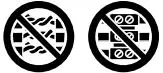 Do not use a modified cord, joint cord, extension cord or unspecified cord to prevent overheating and fire.
To prevent overheating, fire or electric shock:
- Do not share the same power outlet with other equipment.
- Do not operate with wet hands.
- Do not over bend the power supply cord.
- If the supply cord is damaged, it must be replaced by the manufacturer, service agent or similarly qualified persons in order to avoid a hazard.
- It is strongly recommended to install this unit using an Earth Leakage Circuit Breaker (ELCB) or Ground Fault Interrupt (GFCI) or Appliance Leakage Current Interrupt (ALCI) to prevent electric shock or fire.
Stop using the product if any abnormality/ failure occurs or turn off the power switch and breaker.
(Risk of smoke/fire/electric shock)
Examples of abnormality/failure
- The ELCB or GFCI or ALCI trip frequently.
- Burning smell is observed.
- Abnormal noise or vibration of the unit is observed.
- Water leaks from the indoor unit.
- Power cord becomes abnormally hot.
- Fan speed cannot be controlled.
- The unit stops running immediately even if it is switched on for operation.
- The fan does not stop even if the operation is stopped.
- Contact your local dealer immediately for maintenance/repair.
 This equipment must be earthed to prevent electrical shock or fire.
 Prevent electric shock by switching off the power supply:
- Before cleaning or servicing,
- When extended non-use, or
- During abnormally strong lightning activity.
 This equipment must be earthed to prevent electrical shock or fire.
 Prevent electric shock by switching off the power supply:
CAUTION
Indoor unit and outdoor unit
Do not wash the indoor unit with water, benzene, thinner or scouring powder to avoid damage or corrosion at the unit.
- Do not use for preservation of precise equipment, food, animals, plants, artwork or other objects. This may cause quality deterioration, etc.
- Do not use any combustible equipment in front of the airflow outlet to avoid fire propagation.
- Do not expose plants or pet directly to airflow to avoid injury, etc.
 Do not touch the sharp aluminium fin, sharp parts may cause injury.
- Do not switch ON the indoor unit when waxing the floor. After waxing, aerate the room properly before operating the unit.
- Do not install the unit in oily and smoky areas to prevent damage to the unit.
- Do not dismantle the unit for cleaning purpose to avoid injury.
- Do not step onto an unstable bench when cleaning the unit to avoid injury.
- Do not place a vase or water container on the unit. Water may enter the unit and degrade the insulation. This may cause an electric shock.
- Do not open window or door for long time during operation, it may lead to inefficient power usage and uncomfortable temperature changes.
 Do not touch the sharp aluminium fin, sharp parts may cause injury.
Prevent water leakage by ensuring drainage pipe is:
- Connected properly,
- Kept clear of gutters and containers, or
- Not immersed in water
After a long period of use or use with any combustible equipment, aerate the room regularly. After a long period of use, make sure the installation rack does not deteriorate to prevent the unit from falling down.
Remote control
Do not use rechargeable (Ni-Cd) batteries. It may damage the remote control.
To prevent malfunction or damage of the remote control:
- Remove the batteries if the unit is not going to be used for a long period of time.
- New batteries of the same type must be inserted following the polarity stated.
How To Use
To adjust airflow direction
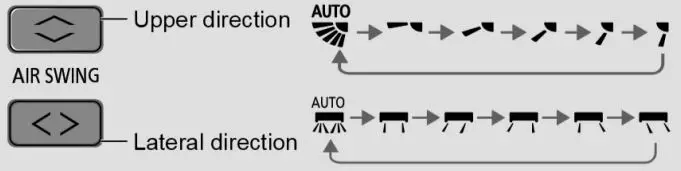
- Do not adjust the flap by hand.
To adjust FAN SPEED and QUIET condition

- FAN SPEED:
- For AUTO, the indoor fan speed is automatically adjusted according to the operation mode.
- QUIET:
- This operation reduces airflow noise.
To reach temperature quickly
 This operation stops automatically after 20 minutes.
 This operation stops automatically after 20 minutes.
 To enjoy freshness and cleaner environment
- This operation provides clean air, moisturizes your skin and hair, and deodorizes odors in the room.
- This operation can be activated when the unit is turn on or off by pressing the nanoe™X button. During nanoe ™X individual operation, the fan speed will be based on remote control setting.
- If nanoe ™X is activated before the unit is turned off, nanoe™X operation will resume once the unit is turn on, this includes to ON Timer.
To select Room Freeze Protection
 When selected, the unit will circulate the air in High mode for monitoring the temperature.
- When the sensor detects the temperature drops below 46 °F / 8 °C the compressor/heat pump operation begins, when the temperature reaches 50 °F / 10 °C, the compressor stops and repeat this cycle.
 When selected, the unit will circulate the air in High mode for monitoring the temperature.
 To connect network
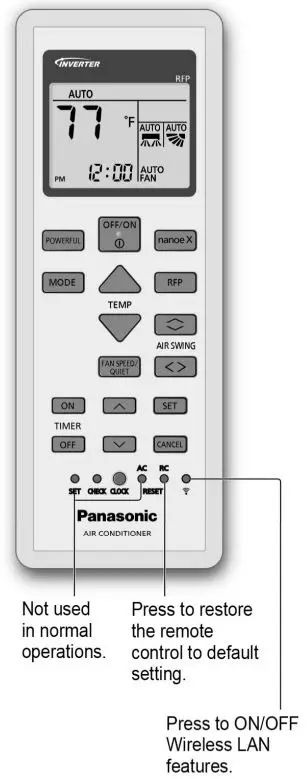
- For Wireless LAN Module operation setup, please refer to Setup Instructions Manual.
To set the timer
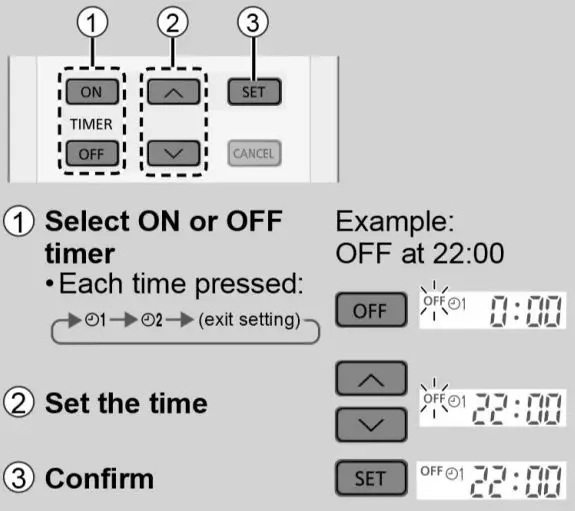
2 sets of ON and OFF timers are available to turn ON or OFF the unit at a different preset time.
- To cancel ON or OFF timer, press ON or OFF to select respective
 1 or 2 then press Cancel.
 - If timer is cancelled manually or due to power failure, you can restore the timer again by pressing ON or Off to select respective 1 or 2 then press Set.
- The nearest timer setting will be displayed and will activate in sequence.
- Timer operation is based on the clock set in the remote control and repeats daily once set. For clock setting, please refer to Quick Guide.
 1 or
1 or Note
 Can be selected at the same time.
- Can be activated in all modes.
- Can be cancelled by pressing the respective button again.
 POWERFUL, QUIET and FAN SPEED cannot be selected at the same time.
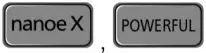 Can be selected at the same time.
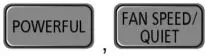 POWERFUL, QUIET and FAN SPEED cannot be selected at the same time.
To learn more
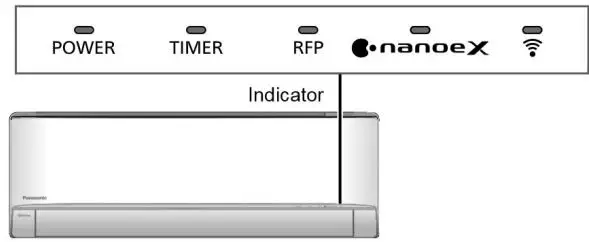
- AUTO: During operation, the POWER indicator will blinks at initial.
- Unit selects operation mode every 10 minutes according to setting temperature and room temperature.
- HEAT: The POWER indicator blinks at the initial stage of this operation. Unit takes a while to warm up.
- COOL: Provides efficient comfort cooling to suit your needs.
- DRY: Unit operates at low fan speed to give a gentle cooling operation.
- FAN: To circulate air in the room.
Energy saving temperature setting
Operating the unit within the recommended temperature range may save energy.
- HEAT: 68 °F ~ 75 °F / 20.0 ·c ~ 24.0 ·c.
- COOL: 79 °F ~ 82 °F / 26.0 ·c ~ 28.0 ·c.
Air flow direction
- In COOUDRY mode:
- If AUTO is set, the flap swings up/down or left/right (subject to feature applicability) automatically.
- In HEAT mode:
- If AUTO is set, the horizontal flap is fixed at a predetermined position. The vertical flap (subject to applicability) swings left/right after the temperature rises.
Auto restart control
If power is resumed after a power failure, the operation will restart automatically after a period of time with previous operation mode and airflow direction.
- This control is not applicable when TIMER is set.
Room Freeze Protection Function (RFP)
Room Freeze Protection function (RFP) is used in spaces that are unoccupied during the winter, for the purpose of protecting any equipment or appliances which may be destroyed as a result of freezing temperature.
ROOM FREEZE PROTECTION FUNCTION (RFP) OPERATION
When the RFP is selected, the unit will operate the fan at high speed for proper room temperature monitoring. When the sensor detects that the room temperature has dropped below 46 °F / 8 °C, the compressor/heat pump operation begins. When the room temperature reaches 50 °F / 10 °C, the unit shuts off, then will repeat continuously if the temperature drops below 46 °F / 8 °C again.
Disclaimer
This function may not be performed if the unit is not energized, or under a certain condition that unit is unable to operate such as in protection mode. Please consult with the HVAC installers or professional for details. The Room Freeze Protection function (R) cannot be used unless the unit is energized and set into the RFP mode. In the advent of a power failure this mode will not function. During the RFP mode, POWERFUL OPERATION, QUIET OPERATION and FAN SPEED selection are all disabled. Please consult with you HVAC installer or professional for more details.
Operating Conditions
Use this air conditioner in the temperature range indicated in the table.
| Temperature (°F/°C) | Indoor | Outdoor | |||
| DBT | WBT | DBT | WBT | ||
| COOL | Max. | 89.6/32 | 73.4/23 | 114.8/46 | 78.8/26 |
| Min. | 60.8/16 | 51.8/11 | 0/-17.8 | -/- | |
| HEAT | Max. | 86.0/30 | -/- | 4/18 | |
| Min. | 8/16 | ||||
DBT: Dry bulb temperature, WBT: Wet bulb temperature
Power Supply
| Models Number | Time Delay Circuit Breaker | Rated Volts |
| CS-XE9WKUAW / CU-XE9WKUA | 15Amps | 208/230V |
| CS-XE12WKUAW / CU-XE12WKUA | 20Amps | |
| CS-XE15WKUAW / CU-XE15WKUA | 25Amps |
Cleaning instructions
To ensure optimal performance of the unit, cleaning has to be carried out at regular intervals. Dirty unit may caused malfunction and you may retrieve error code “H 99”. Please consult authorised dealer.
- Switch off the power at the circuit breaker before cleaning.
- Do not touch the aluminium fin, sharp parts may cause injury.
- Do not use benzine, thinner or scouring powder.
- Use only soap (~ pH 7) or neutral household detergent.
- Do not use water hotter than 104 °F / 40 °C.
Indoor unit
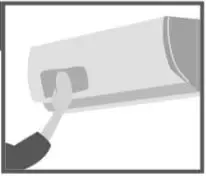
- Wipe the unit gently with a soft, dry cloth.
- Coils and fans should be cleaned periodically by authorised dealer.
Outdoor unit
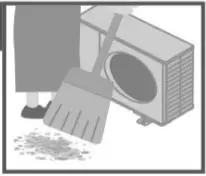
- Clear debris that surround the unit
- Clear any blockage from drain pipe.
Air filters
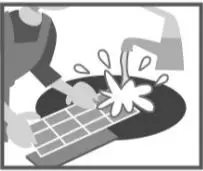
Once every 2 weeks
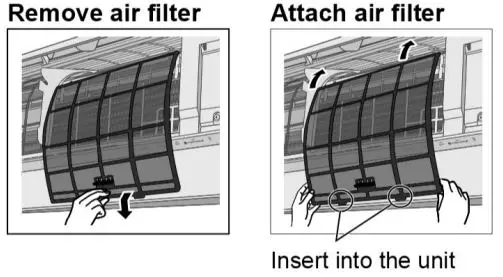
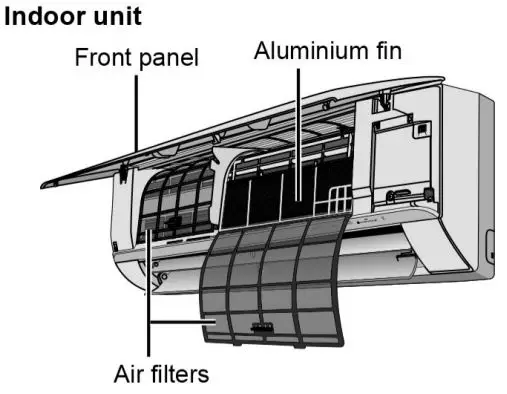
- Wash/rinse the filters gently with water to avoid damage to the filter surface.
- Dry the filters thoroughly under shade, away from fire or direct sunlight.
- Replace any damaged filters.
Front panel
Wash gently and dry.
How to remove front panel
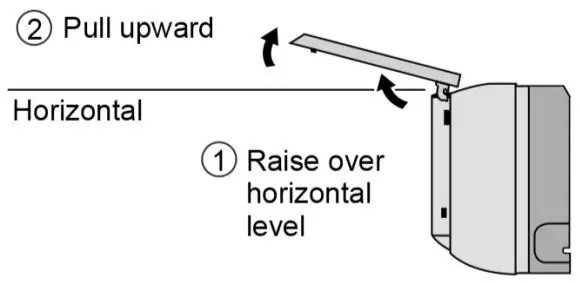
How to fix front panel
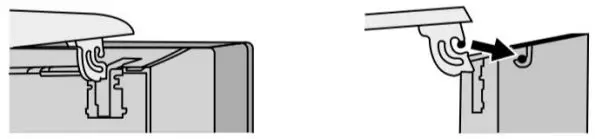
- Hold horizontally
- Match

- Bend slightly and push to close.
- Press both ends and center of the front panel.
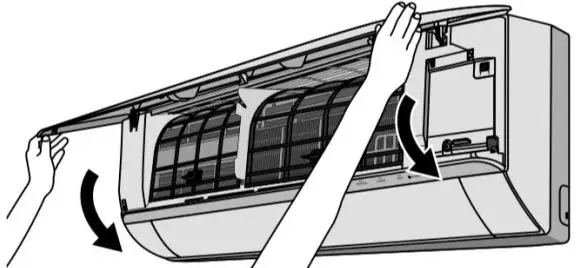
Troubleshooting
The following symptoms do not indicate malfunction
| Symptom | Cause |
| POWER indicator the unit is switched on. | • This is a preliminary step in preparation for the operation when the ON timer has been set. • When ON Timer is set, the unit may start earlier (up to 35 minutes) before the actual set time in order to achieve the desired temperature on time. |
| POWER indicator blinks during HEAT mode with no warm air supply (and flap is closed). | • The unit is in defrost mode (and AIR SWING is set to AUTO). |
| TIMER indicator is always on. | • The timer setting repeats daily once set. |
| Operation is delayed a few minutes after restarting. | • The delay is a protection to the unit’s compressor. |
| Indoor fan stops occasionally during heating operation. | • To avoid unintended cooling effect. |
| Indoor fan stops occasionally during automatic fan speed setting. | • This helps to remove the surrounding odour. |
| Airflow continues even after operation has stopped. | • Extraction of remaining heat from the indoor unit (maximum 30 seconds). |
| The room has a peculiar odour. | • This may be due to damp smell emitted by the wall, carpet, furniture or clothing. |
| Cracking sound during operation. | • Changes of temperature caused the expansion/ contraction of the unit. |
| Water flowing sound during operation. | • Refrigerant flow inside the unit. |
| Mist emerges from indoor unit. | • Condensation effect due to cooling process. |
| Outdoor unit emits water/steam. | • Condensation or evaporation occurs on pipes. |
| Discoloration of some plastic parts. | • Discoloration is subject to material types used in plastic parts, accelerated when exposed to heat, sun light, UV light or environmental factor. |
| Soft buzzing sound from indoor unit during nanoe™X operation. | • It is normal when nanoerM X generator is working. If you have concern about the sound, cancel the nanoe™X operation. |
| Wireless LAN LED stays ON during unit turn OFF. | • Unit’s LAN connection with the router is activated. |
Check the following before calling for servicing
| Symptom | Check |
| Operation in HEAT/COOL mode is not working efficiently. | • Set the temperature correctly. • Close all doors and windows. • Clean or replace the filters. • Clear any obstruction at the air inlet and air outlet vents. |
| Noisy during operation. | • Check if the unit has been installed at an incline. • Close the front panel properly. |
| Remote control does not work. (Display is dim or transmission signal is weak.) | • Insert the batteries correctly. • Replace weak batteries. |
| The unit does not work. | • Check if the circuit breaker is tripped. • Check if timers have been set. |
| The unit does not receive the signal from the remote control. | • Make sure the receiver is not obstructed. • Certain fluorescent lights may interfere with signal transmitter. Please consult authorised dealer. |
| nanoe™X indicator at the indoor unit is not lit when nanoe™X is activated. | • Use the remote control to retrieve error code and consult authorised dealer. |
When
The remote control is missing or a malfunction has occurred
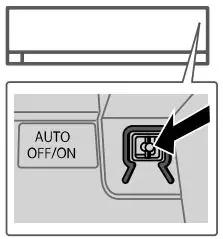
- Raise the front panel.
- Press the button once to use in AUTO mode.
- Press and hold the button until you hear 1 beep, then release to use in forced COOL mode.
- Repeat step 3. Press and hold the button until you hear 2 beeps, then release to use in normal COOL mode.
- Repeat step 4. Press and hold the button until you hear 3 beeps, then release to use in forced HEAT mode.
- Press the button again to turn off.
The indicators are too bright
- To dim or restore the unit’s indicator brightness, press
 and hold for 5 seconds.
 and hold for 5 seconds.
Conducting a seasonal inspection after extended non-use
- Check the remote control batteries.
- Check that there is no obstruction around the air inlet and outlet vents.
- Use Auto OFF/ON button to select COOL/HEAT operation. After 15 minutes of operation, it is normal to have the following temperature difference between the air inlet and outlet vents:
- COOL: ≥ 14.4 °F / 8 °C
- HEAT: ≥ 25.2 °F / 14 °C
The units are not going to be used for a long period of time
- Activate HEAT mode for 2~3 hours as an alternative to remove moisture left in the internal parts thoroughly to prevent mould growth.
- Turn off the power supply.
- Remove the remote control batteries.
NON SERVICEABLE CRITERIAS
SWITCH OFF POWER AT THE CIRCUIT BREAKER then please consult an authorised dealer when in following conditions:
- Abnormal noise during operation.
- Water/foreign particles have entered the remote control.
- Water leaks from Indoor unit.
- Circuit breaker switches off frequently.
- Power cord becomes unnaturally warm.
- Switches or buttons are not functioning properly.
How to retrieve error codes
If the unit stops and the TIMER indicator blinks, use the remote control to retrieve the error code.

- For certain errors, you may restart the unit for limited operation if there are 4 beeps when operation starts.
Diagnostic Display/Abnormality/Protection control
| H 00 | No memory of failure |
| H 11 | Indoor/outdoor abnormal communication |
| H 12 | Indoor unit capacity unmatched |
| H 14 | Indoor intake air temperature sensor abnormality |
| H 15 | Outdoor compressor temperature sensor abnormality |
| H 16 | Outdoor current transformer (CT) abnormality |
| H 17 | Outdoor suction temperature sensor abnormality |
| H 19 | Indoor fan motor mechanism lock |
| H 21 | Indoor float switch operation abnormality |
| H 23 | Indoor heat exchanger temperature sensor 1 abnorma lily |
| H 24 | Indoor heat exchanger temperature sensor 2 abnorma lily |
| H 25 | Indoor ion device abnormalit |
| H 26 | Minus ION abnormality |
| H 27 | Outdoor air temperature sensor abnormality |
| H 28 | Outdoor heat exchanger temperature sensor 1 abnorma lily |
| H 30 | Outdoor discharge pipe temperature sensor abnormality |
| H 31 | Abnormal swimming ool sensor |
| H 32 | Outdoor heat exchanger temperature sensor 2 abnorma lily |
| H 33 | Indoor/outdoor misconnection abnormalit |
| H 34 | Outdoor heat sink temperature sensor abnormality |
| H 35 | Indoor/outdoor water adverse current abnormalit |
| H 36 | Outdoor gas pipe temperature sensor abnormality |
| H 37 | Outdoor liquid pipe temperature sensor abnormality |
| H 38 | Indoor/outdoor mismatch (brand code) |
| H 39 | Abnormal indoor operating unit or standby units |
| H41 | Abnormal wiring or piping connection |
| H 50 | Ventilation fan motor locked |
| H 51 | Ventilation fan motor locked |
| H 52 | Left-right limit switch fixing abnormality |
| H 58 | Indoor gas sensor abnormality |
| H 59 | Eco sensor abnormality |
| H 64 | Outdoor high-pressure sensor abnormality |
| H 67 | nanoe abnormality |
| H 70 | Light sensor abnormality |
| H 71 | DC cooling fan inside control board abnormality |
| H 72 | Abnormality tank temperature sensor |
| H 85 | Abnormal communication between indoor & wireless LAN module |
| H 97 | Outdoor fan motor mechanism lock |
| H 98 | Indoor high pressure protection |
| H 99 | Indoor operating unit freeze protection |
| F 11 | 4-way valve switching abnormality |
| F16 | Total runnin current rotection |
| F17 | Indoor standby units freezing abnormality |
| F 18 | Dry circuit blocked abnormality |
| F 87 | Control box overheat protection |
| F 90 | Power factor correction (PFC) circuit protection |
| F 91 | Refrigeration cycle abnormality |
| F 93 | Outdoor compressor abnormal revolution |
| F 94 | Compressor discharge pressure overshoot rotection |
| F 95 | Outdoor cooling high pressure protection |
| F 96 | Power transistor module overheating protection |
| F 97 | Compressor overheating protection |
| F 98 | Total running current protection |
| F 99 | Outdoor direct current (DC) peak detection |
- Some error code may not be applicable to your model. Consult authorised dealer for clarification.
Information
Information for Users on Collection and Disposal of Old Equipment and used Batteries
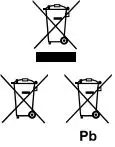
Information on Disposal in other Countries outside the European Union]
- These symbols are only valid in the European Union. If you wish to discard these items, please contact your local authorities or dealer and ask for the correct method of disposal.
Note for the battery symbol (bottom two symbol examples):
- This symbol might be used in combination with a chemical symbol. In this case it complies with the requirement set by the Directive for the chemical involved.
Contact your local hazardous waste disposal hotline.
Models Number
- CS-XE9WKUAW / CU-XE9WKUA
- CS-XE12WKUAW / CU-XE12WKUA
- CS-XE15WKUAW / CU-XE15WKUA
 The above listed models have been designed and manufactured to meet ENERGY STAR® criteria for energy efficiency when matched with appropriate coil components. However, proper refrigerant charge and proper airflow are critical to achieve rated capacity and efficiency. Installation of this product should follow the manufacturer’s refrigerant charging and airflow instructions. Failure to confirm proper charge and airflow may reduce energy efficiency and shorten equipment life.
FCC STATEMENT
Federal Communications Commission Interference Statement
This device complies with part 15 of the FCC Rules. Operation is subject to the following two conditions:
- This device may not cause harmful interference
- This device must accept any interference received, including interference that may cause undesired operation.
This equipment has been tested and found to comply with the limits for a Class B digital device, pursuant to part 15 of the FCC Rules. These limits are designed to provide reasonable protection against harmful interference in a residential installation. This equipment generates, uses and can radiate radio frequency energy and, if not installed and used in accordance with the instructions, may cause harmful interference to radio communications. However, there is no guarantee that interference will not occur in a particular installation. If this equipment does cause harmful interference to radio or television reception, which can be determined by turning the equipment off and on, the user is encouraged to try to correct the interference by one or more of the following measures:
- Reorient or relocate the receiving antenna.
- Increase the separation between the equipment and the receiver.
- Connect the equipment to an outlet on a circuit different from that to which the receiver is connected.
- Consult the dealer or an experienced radio/lV technician for help.
This equipment complies with FCC radiation exposure limits set forth for an uncontrolled environment. This equipment should be installed and operated with a minimum distance of 20 cm between the radiator and a human body.
FCC Caution: To assure continued compliance, follow the attached installation instructions. Any changes or modifications not expressly approved by the party responsible for compliance could void the user’s authority to operate this equipment.
Industry Canada Notice
This Class B digital apparatus complies with Canadian ICES-003.
Contact
Panasonic Corporation
- Website: http://www.panasonic.com
Panasonic Canada Inc.
- Website: http://www.panasonic.com
- For support: http://www.panasonic.ca/english/support
- For inquiries (U.S.A.), please call: 1-800-851-1235
© Panasonic Corporation 2019
Printed in Malaysia