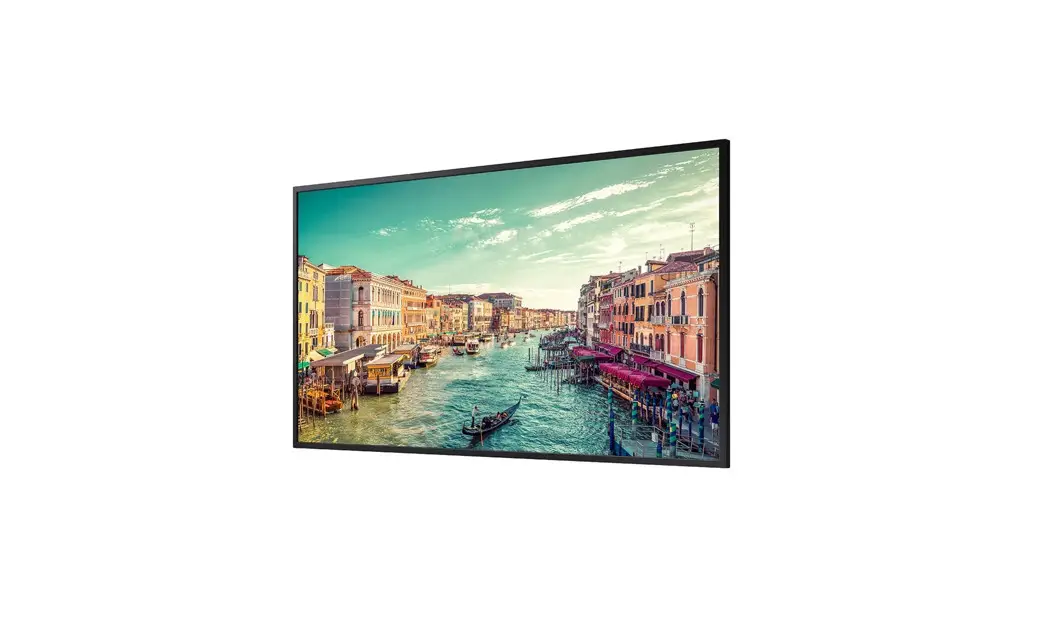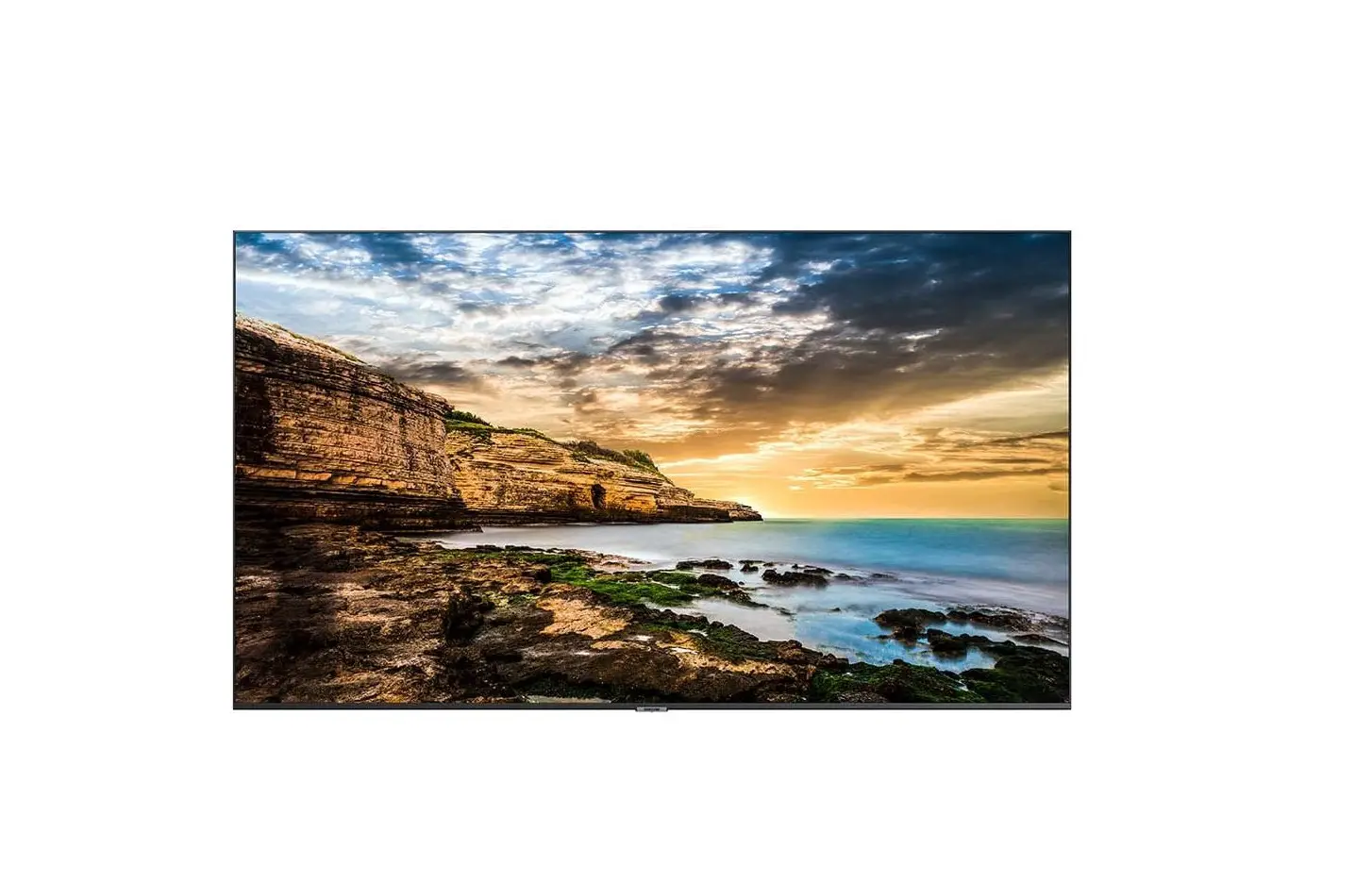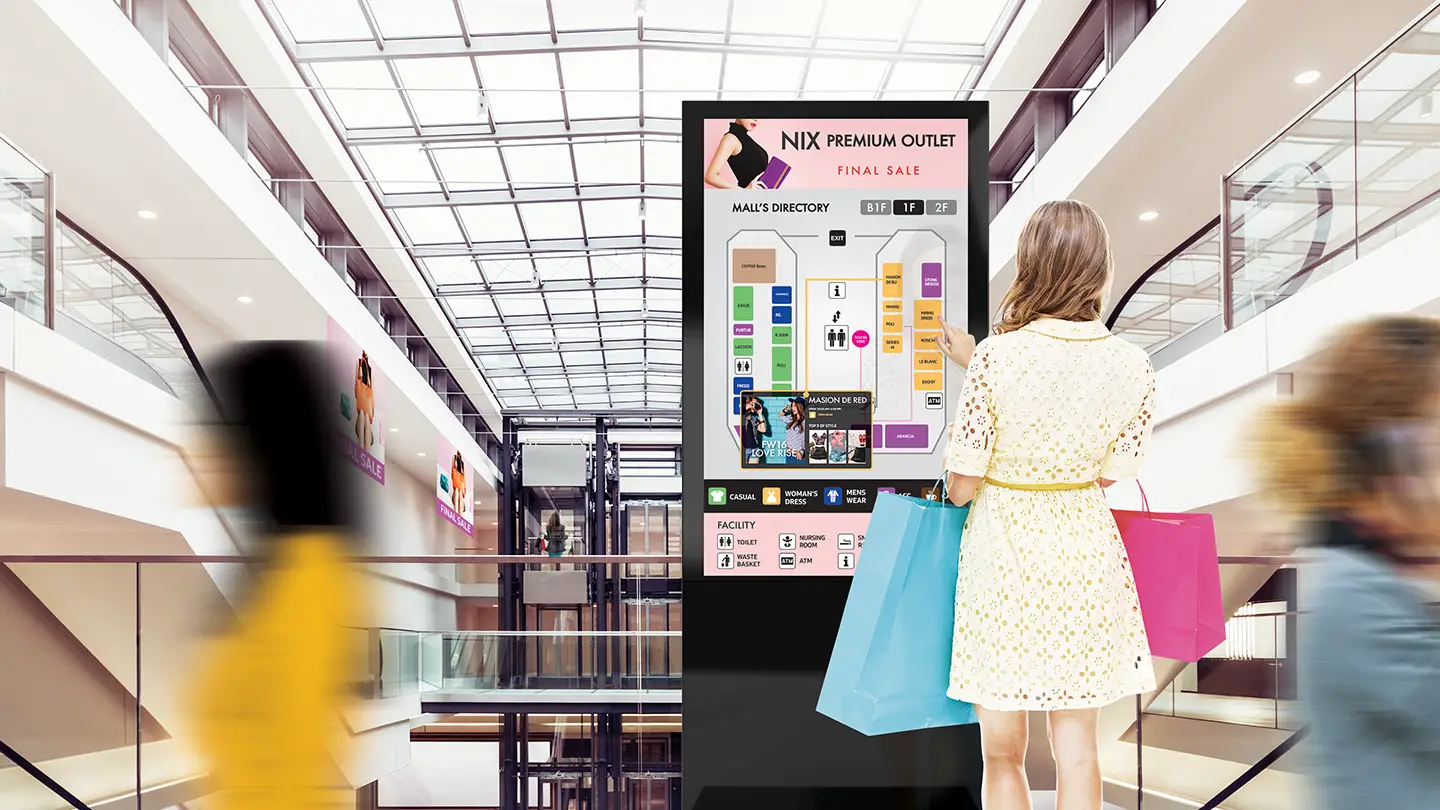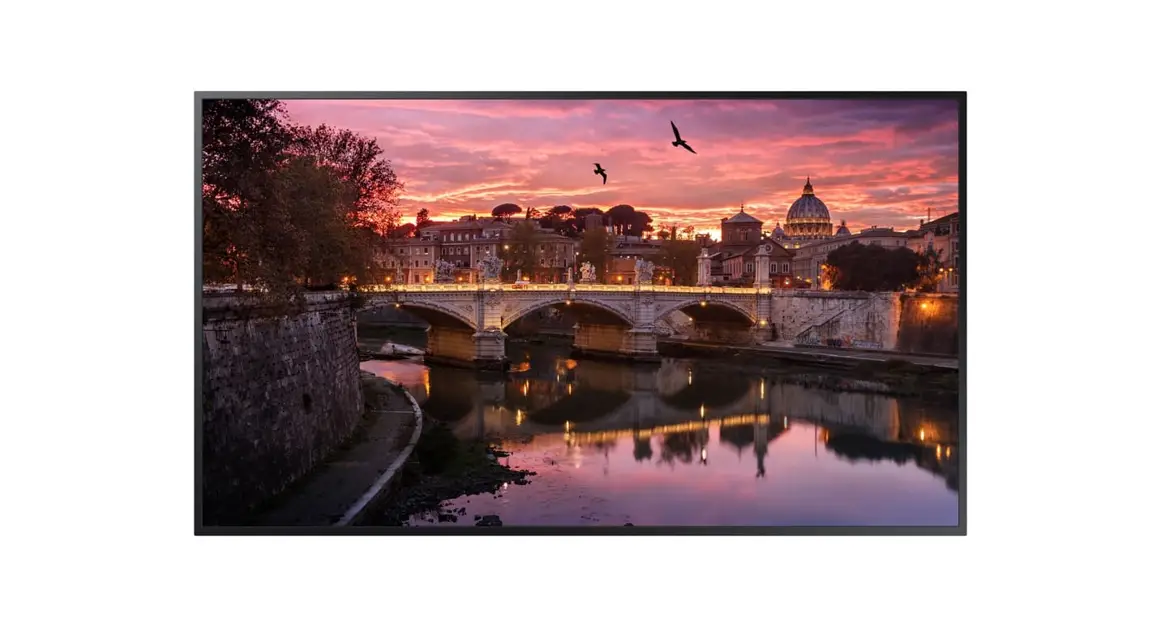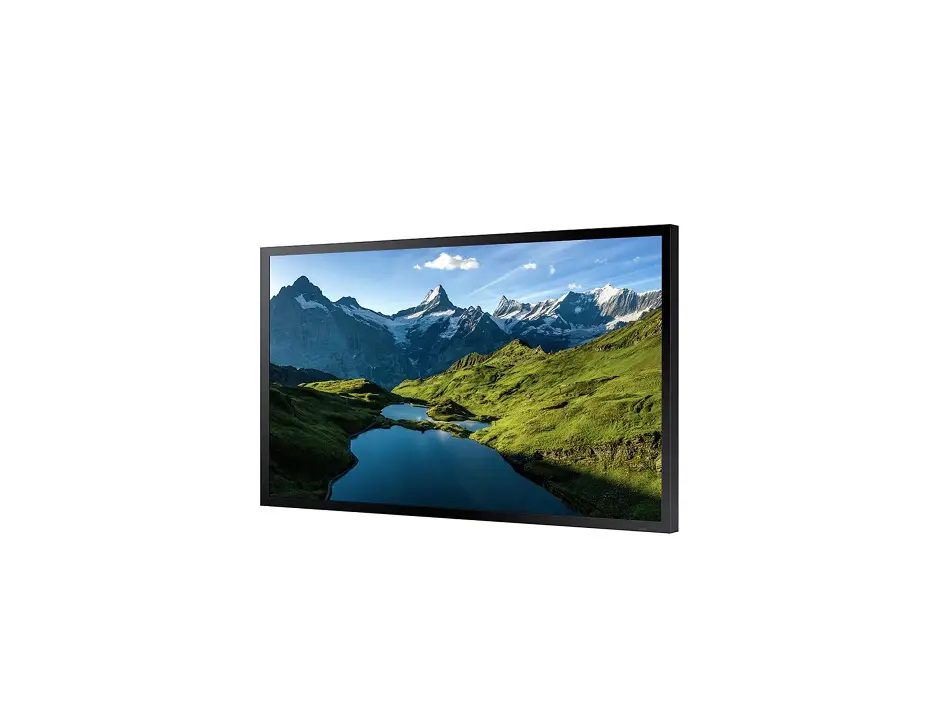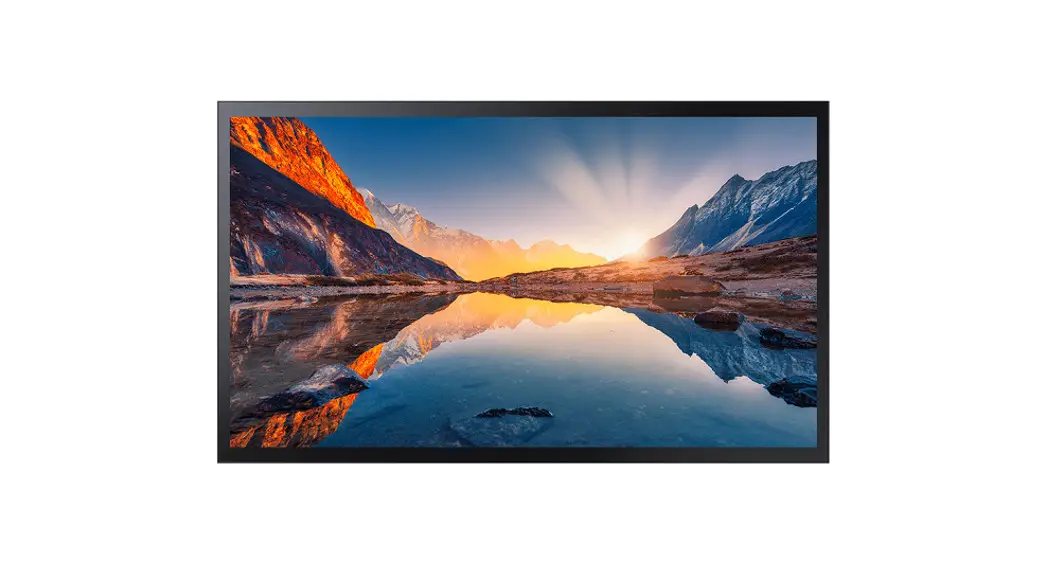

SAMSUNG QM32R-A QMR-A Series 32 Inch FHD Standalone Smart Signage
Checking the Components
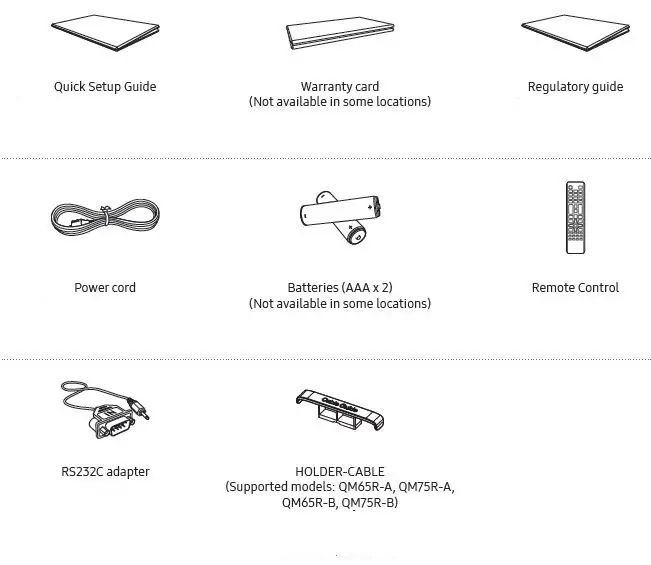
Contact the vendor where you purchased the product if any components are missing.
The pictures may look different from the actual components.
Ports
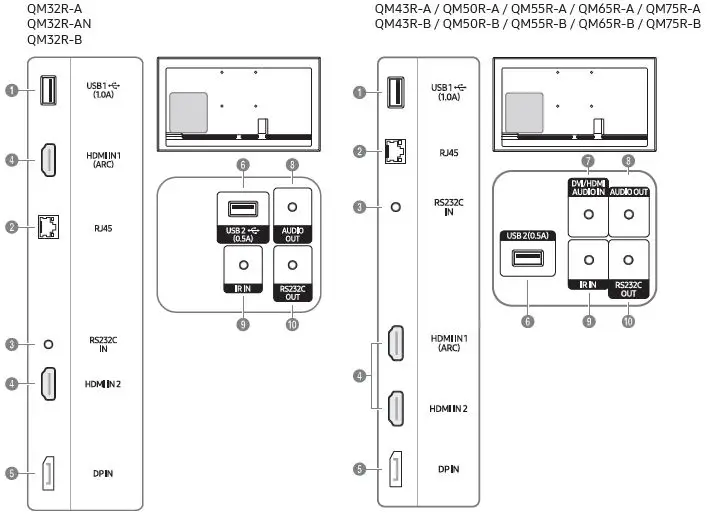
- Connect to a USB memory device.
The USB ports on the product accept a maximum constant current of 1.0A. If the maximum value is exceeded, USB ports may not work. - Connects to MDC and the Internet using a LAN cable. (10/100 Mbps)
- Connects to MDC using an RS232C adapter.
- Connects to a source device using a HDMI cable or HDMI-DVI cable.
- Connects to a PC using a DP cable.
- Connect to a USB memory device.
The USB ports on the product accept a maximum constant current of 0.5A. If the maximum value is exceeded, USB ports may not work. - Receives sound from a source device via an audio cable.
- Outputs sound to an audio device via an audio cable.
- Connects to an external IR cable that receives signals from the remote control.
- Connects to MDC using an RS232C adapter.
Parts
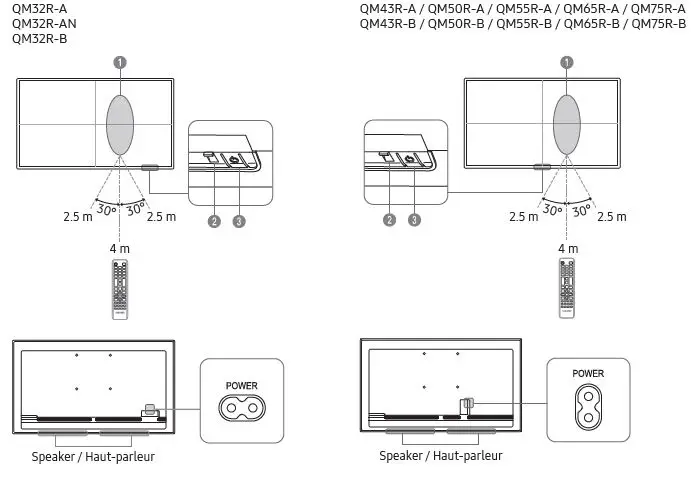
- Remote sensor
Press a button on the remote control pointing at the sensor on the front of the product to perform the corresponding function.
Using other display devices in the same space as the remote control of this product can cause the other display devices to be inadvertently controlled. - Power indicator
- Power button
Turns the product on or off.
Contact SAMSUNG WORLDWIDE
Web site: http://www.samsung.com
| Country/Area | Customer Care Centre |
| ALGERIA | 3004 |
| AUSTRALIA | 1300 362 603 |
| BAHRAIN | 8000-GSAM (8000-4726) |
| BANGLADESH | 08000-300-300 (Toll free) 09612-300-300 |
| CAMBODIA | 1800-20-3232 (Toll free) |
| CAMEROON | 67095 0077 |
| COTE D’ IVOIRE | 8000 0077 |
| EGYPT | 08000-7267864 16580 WhatsApp 010 000 16580 |
| GHANA | 0800 100 077 |
| HONG KONG | 3698 4698 (All Product) 3698 4688 (B2B) |
| INDIA | 1800 5 SAMSUNG (1800 5 7267864) (Toll-Free) 1800 40 SAMSUNG (1800 40 7267864) (Toll-Free) |
| INDONESIA | 021-5699-7777 0800-112-8888 (Toll Free) |
| IRAN | 021-8255 |
| IRAQ | 80010080 |
| ISRAEL | *6963 |
| JORDAN | 0800-22273 06 5777444 |
Connecting and Using a Source Device
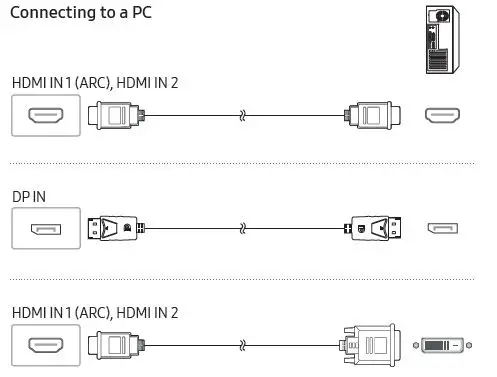
Connecting to an Audio System
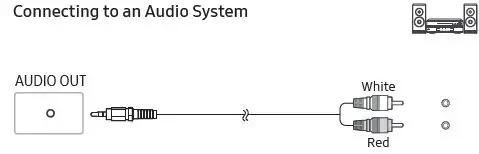
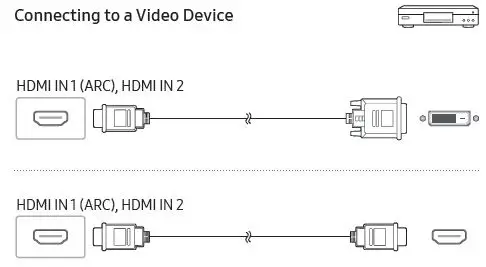
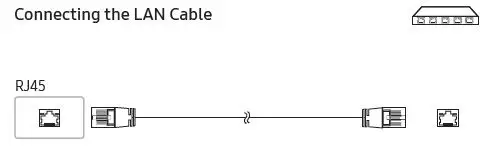
Use Cat7(*STP Type) cable for the connection. (10/100 Mbps)
Shielded Twist Pair
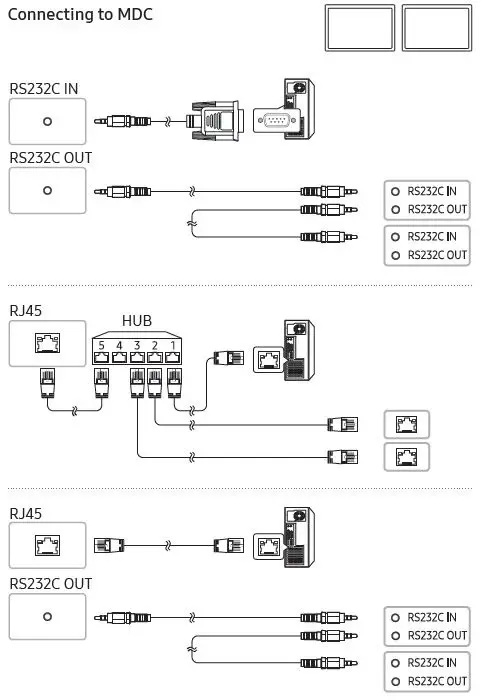
For details on how to use the MDC programme,refer to Help after installing the programme.
The MDC programme is available on the website. http://www.samsung.com/displaysolutions
Specifications
| Model Name | QM32R-A / QM32R-AN / QM32R-B | QM43R-A / QM43R-B | QM50R-A / QM50R-B | |
|
Panel | Size | 32 CLASS (31.5 inches / 80.1 cm) | 43 CLASS (42.5 inches / 107.9 cm) | 50 CLASS (49.5 inches / 125.7 cm) |
| Display area | 698.4 mm (H) x 392.85 mm (V) | 941.184 mm (H) x 529.416 mm (V) | 1095.84 mm (H) x 616.41 mm (V) | |
| Model Name | QM55R-A / QM55R-B | QM65R-A / QM65R-B | QM75R-A / QM75R-B | |
|
Panel | Size | 55 CLASS (54.6 inches / 138.7 cm) | 65 CLASS (64.5 inches / 163.9 cm) | 75 CLASS (74.5 inches / 189.3 cm) |
| Display area | 1209.6 mm (H) x 680.4 mm (V) | 1428.48 mm (H) x 803.52 mm (V) | 1650.24 mm (H) x 928.26 mm (V) | |
| Power Supply | AC100-240V~ 50/60Hz Refer to the label at the back of the product as the standard voltage can vary in different countries. | |||
| Environmental considerations | Operating | Temperature: 0 °C – 40 °C (32 °F – 104 °F) Humidity: 10% – 80%, non-condensing | ||
| Storage | Temperature: -20 °C – 45 °C (-4 °F – 113 °F) Humidity: 5% – 95%, non-condensing | |||
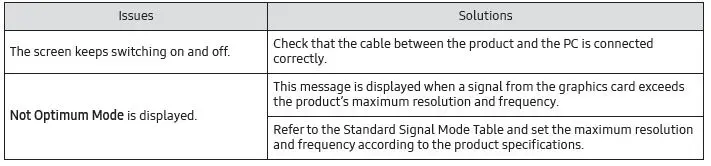
Troubleshooting Guide
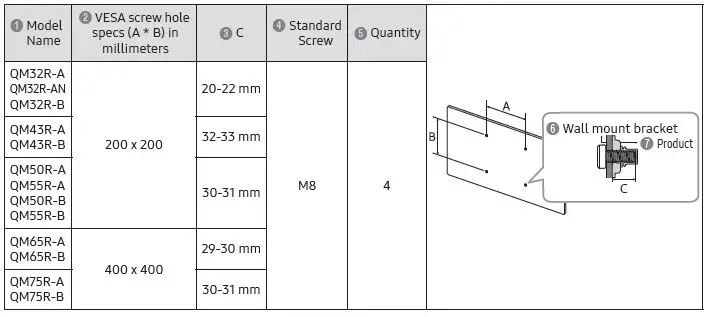
Wall Mount Kit Specifications
The colour and the appearance may differ depending on the product, and the content in the manual is subject to change without prior notice to improve the performance.
Download the user manual from the website for further details.
http://www.samsung.com/displaysolutions
The terms HDMI and HDMI High-Definition Multimedia
Interface, and the HDMI Logo are trademarks or registered trademarks of HDMI Licensing Administrator,
Inc. in the United States and other countries.
 Samsung US | Mobile | TV | Home Electronics | Home Appliances | Samsung US