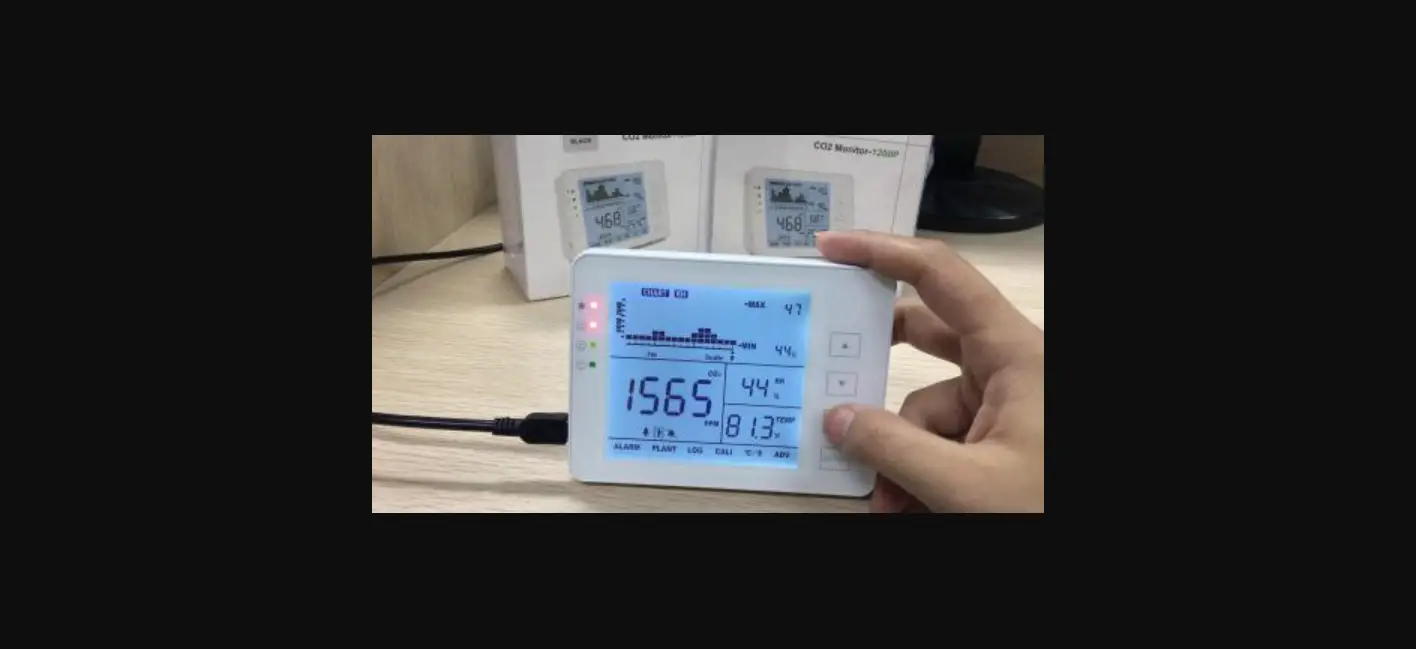

AIRCARE SA1200P CO2 Monitor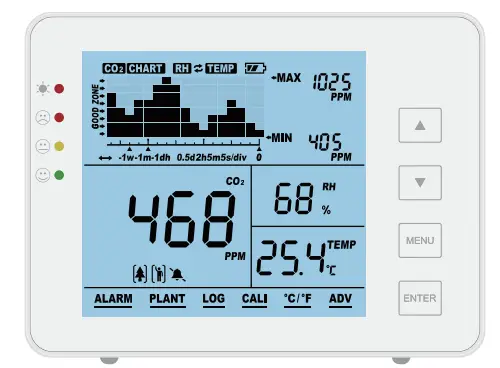
Thanks for purchasing our OFPG AirCare CO2 meter! This product is used to monitor CO2 concentration, relative humidity (RH), and temperature for indoor air quality.
Packing List
- CO2 Monitor Unit with back-up battery
- USB Cable for Power
- User’s Manual
- AC Adapter
Features at a Glance
- Large Display
- Touch Button Operation
- 15° Bevel Design, Easy to Read
- Low Drift NDIR Sensor, Long Lifespan
- Audible Alarm
- Chart with Variable Time Zoom Levels
- CO2/Relative Humidity/Temperature Monitor Tracer
- CO2 Auto-Calibration and Manual Calibration
- Temp and RH Manual Calibration
- Max/Min Value Display in Certain Time
- Built-in Backup Battery
Overview
Drawing Sketch and Components List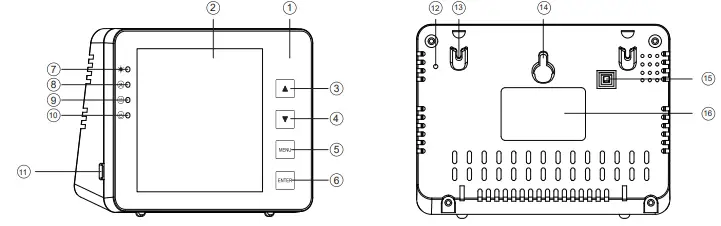
| Item | Description | Item | Description |
| 1 | Front Panel | 9 | Orange Condition Indicator |
| 2 | LCD | 10 | Green Condition Indicator |
| 3 | UP Button | 11 | USB Port |
| 4 | DOWN Button | 12 | Hole for Buzzer |
| 5 | Menu Button | 13 | Hole for Rope |
| 6 | Enter/OK Button | 14 | Hole for Screws |
| 7 | Battery Indicator | 15 | ON/OFF Switch |
| 8 | Red Condition Indicator | 16 | Label |
General Operation and Settings
- Press down the switch on the back to activate this monitor. After 3 minutes’ warm-up, your device is ready for use. See details on page 4.
- Use the provided USB cable to connect the device for charging. See details on page 5.
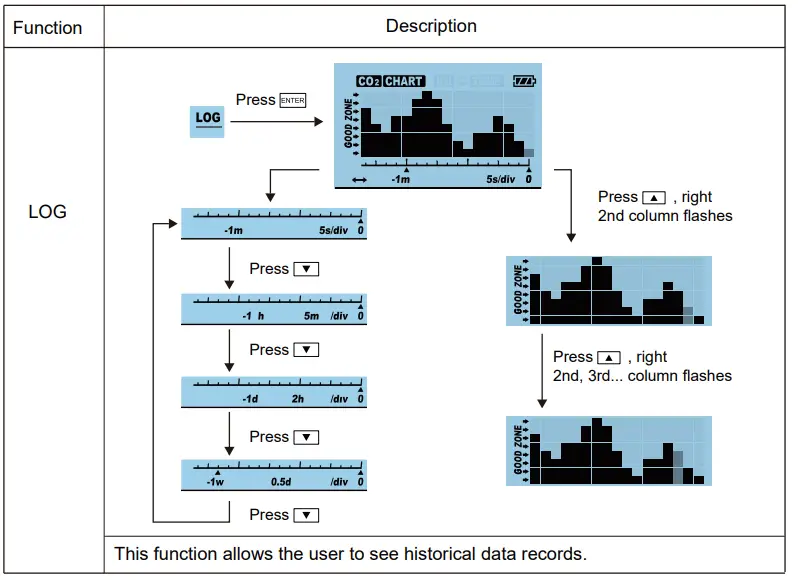
- Use up and down buttons to switch timeline and CO2/RH/TEMP. The trend chart displays the history records for any of the three parameters. See details on page 7.
- Press once will bring up the main menu. To select the function, press button. See details on page 9.
- Select Plant to switch human and plants modes. See details on page 10.
- Alarm to switch alarm and mute . See details on page 10.
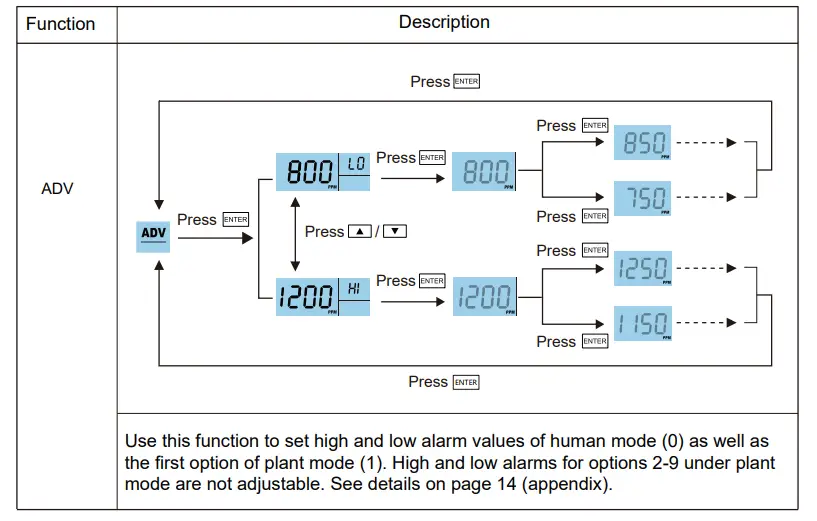
- Select ADV to change the high/low alarms for human and plant
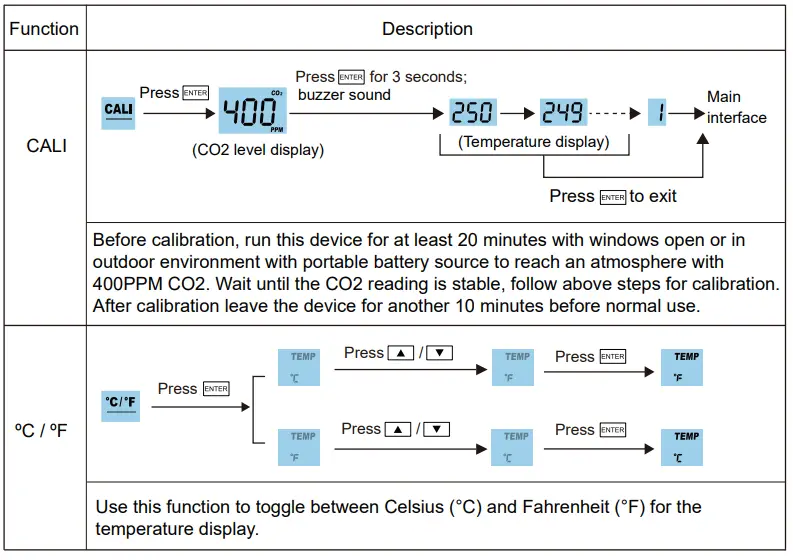
- – Enter C\F to switch between temperature units °C and °F. See details on page 12.
Restore Factory Defaults
On the Detection Panel, hold Enter for 4 seconds until an audible beep is heard.
Switch On/Off
Press down the switch to activate this monitor. Wait for 3 minutes for the device to warm up. Press the switch again to switch off the device.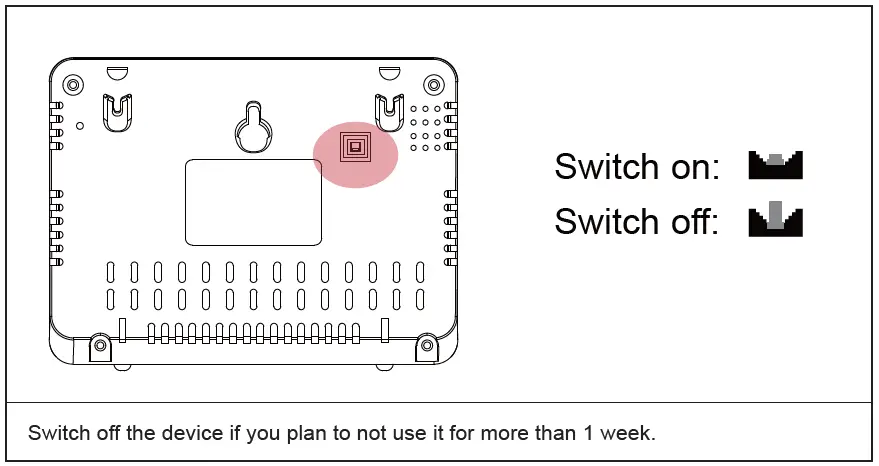
Power Source
Plug-in USB power
When the device is ON, plug in the USB cable power.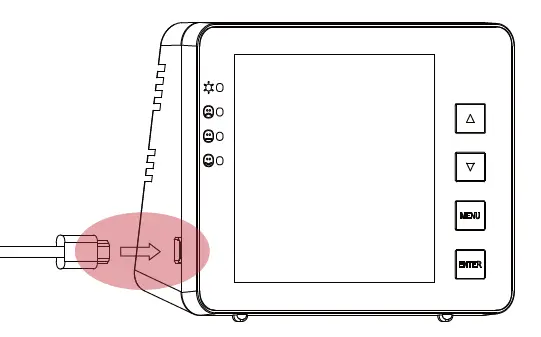
Battery
Battery indicator
- Low battery: steady red indicator (charge the device within 20 minutes to avoid battery damage)
- Charging: flashing red indicator
- Charged: steady green indicator
Battery recharging
- When the device is ON, plug in USB cable power
- Charging time: 2,5 hours (charge an extra 30 minutes after the indicator turns from red to green)
- Working time: 8-10 hours
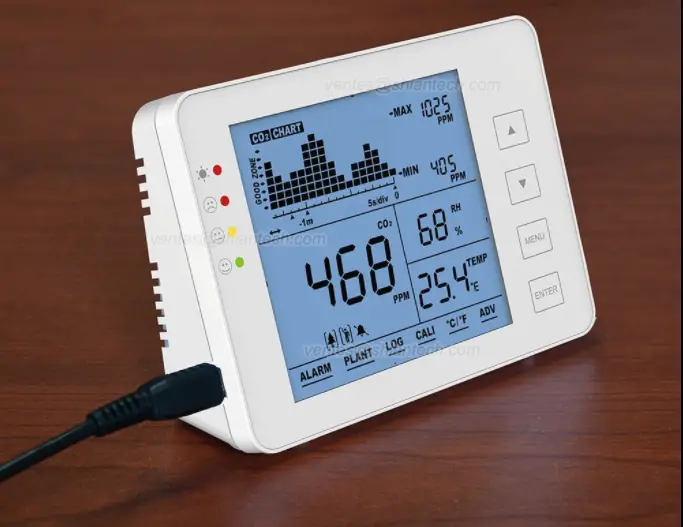
LCD Display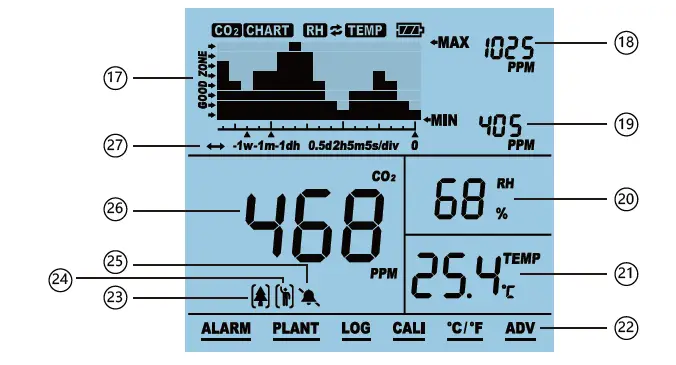
| Item | Name | Item | Name |
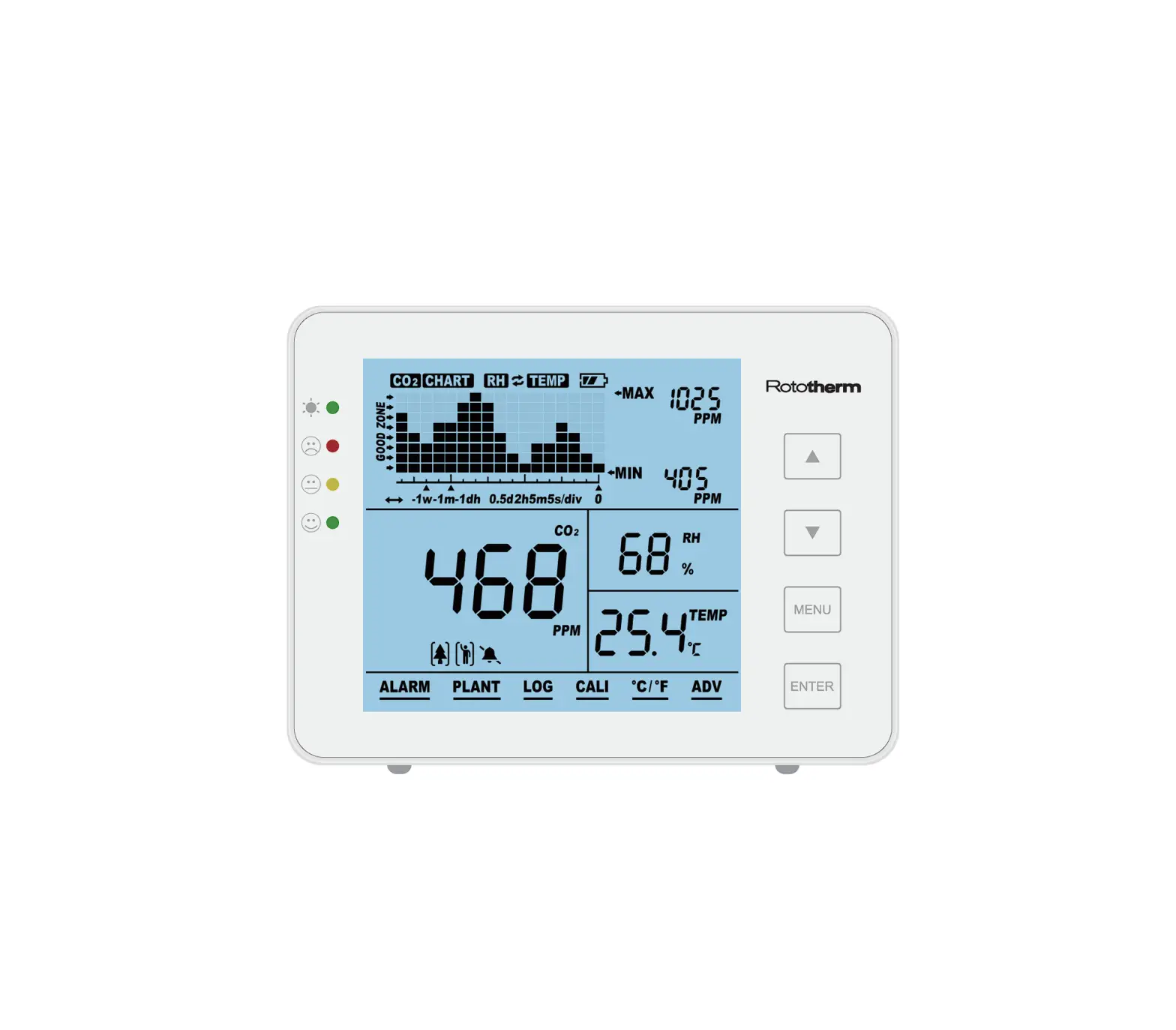
| 17 | CO2/RH/TEMP Chart | 23 | Plant Mode |
| 18 | Max Reading of Chart | 24 | Human Mode |
| 19 | Min Reading of Chart | 25 | Audible Alarm On/Off |
| 20 | RH Reading | 26 | CO2 Reading |
| 21 | Temperature Reading °C / °F | 27 | Time per division – indicates the chart’s span of time |
| 22 | Main Menu |
Trend Chart Display
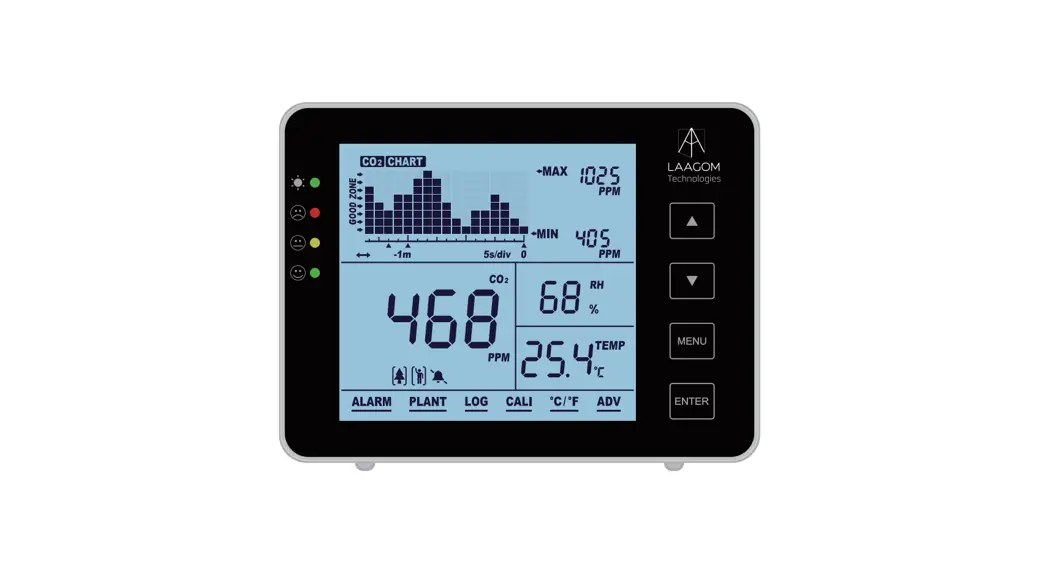
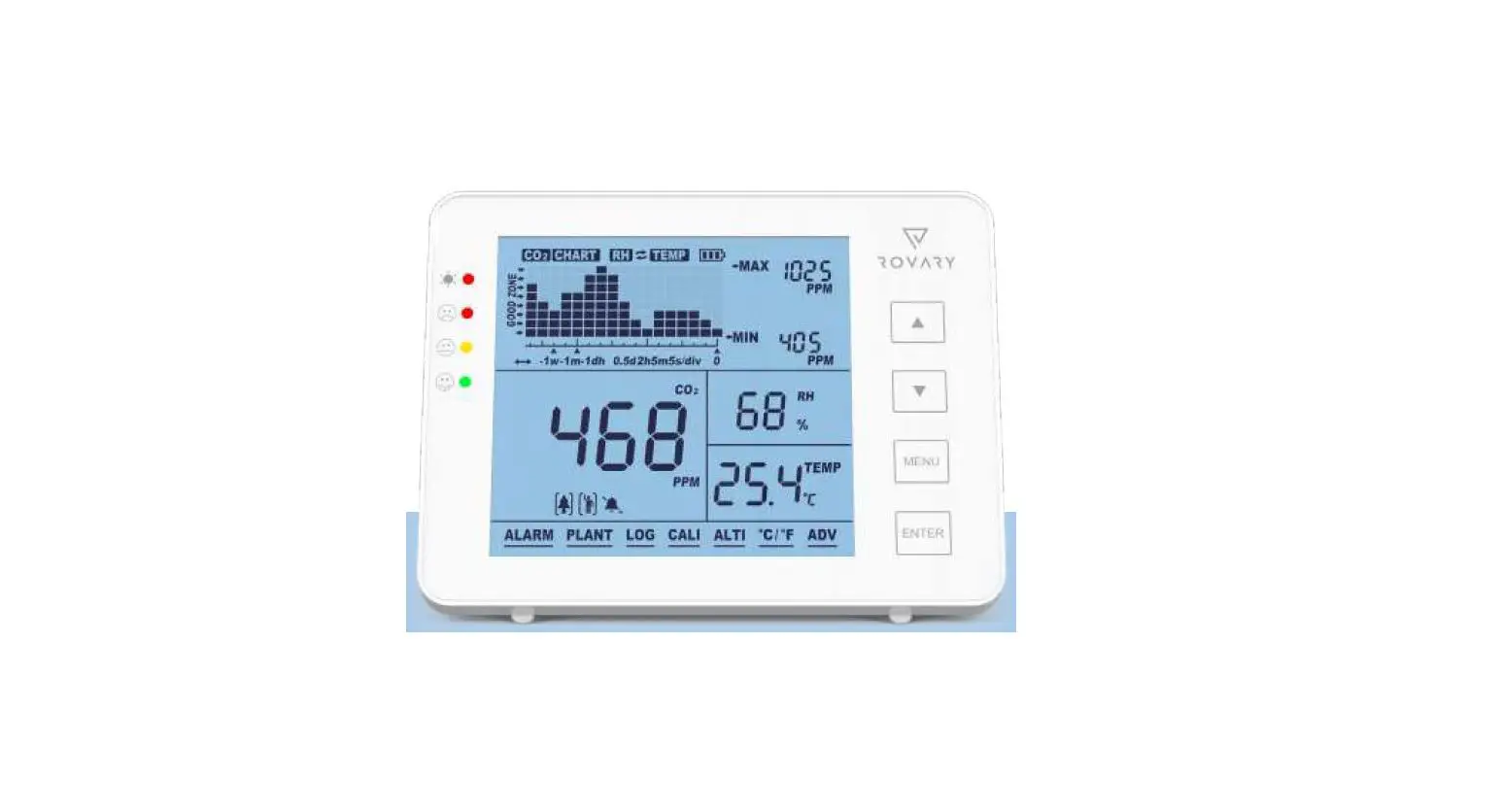
The below chart displays the past readings for any of the three parameters (CO2/RH /Temp). There are 4 modes that can be toggled key: CO2, TEMP, RH, by using the and Cycle (automatically cycles through CO2/Temp/RH).
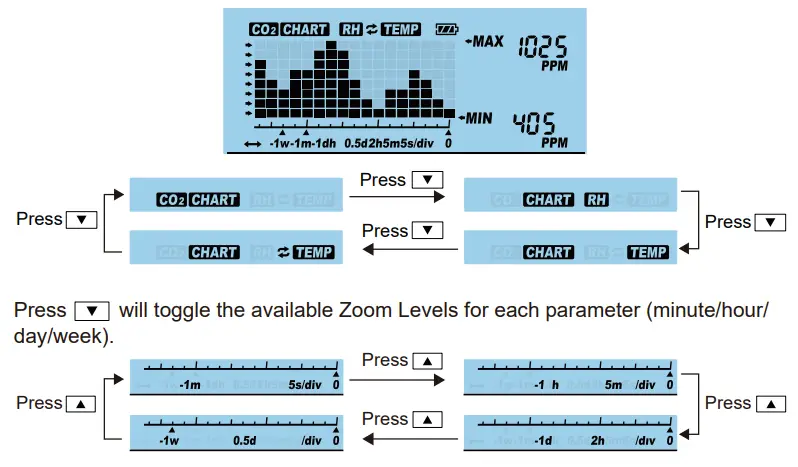
Below is a table that shows the available zoom levels for all parameters, as well as the duration of each division for corresponding zoom levels:
| Zoom Level (TimeSpan) | Time per Division |
| 1M (minute) | 5sec/div |
| 1H (hour) | 5m/div |
| 1D (day) | 2h/div |
| 1W (week) | 0,5d/div |
Max/Min
At the top right corner of the display, there are two numerical indicators: MAX and MIN. As the Zoom Level is changed, the MAX and MIN values will reflect the maximum and minimum values on the chart of the selected parameter (CO2, RH and Temp).
Main Menu Functions
The main menu functions can be actived by pressing . Pressing / will bring up the main menu, with an underlining flashing bar indicating the current choice. 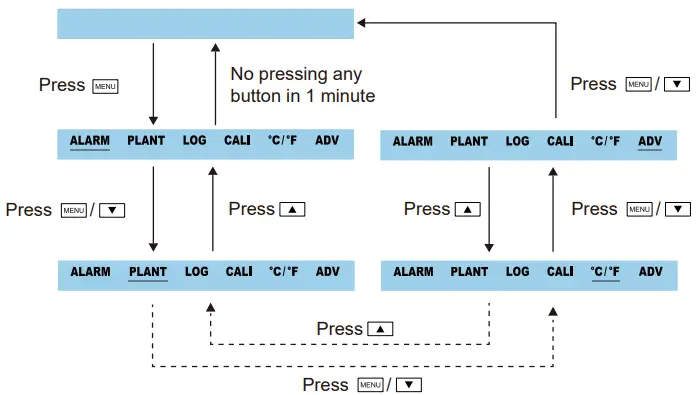
To select a function, press when it is underlined by the flashing bar. Note that after 30 seconds if nothing is pressed, the main menu will disappear and the device will revert to the normal state.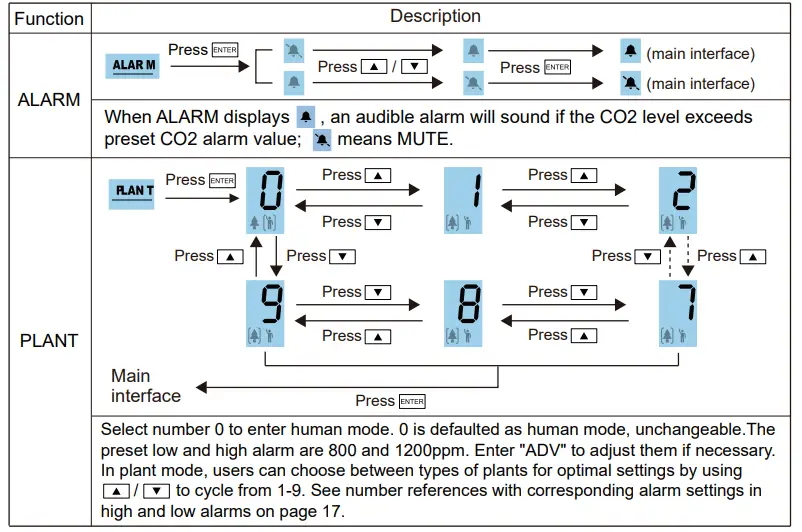
RH/TEMP Calibration
This function allows the user to calibrate the temperature or humidity manually (RH = Relative Humidity, TEMP = Temperature). In the detection mode, press and hold for 3 seconds to bring up an underlining flashing bar of RH.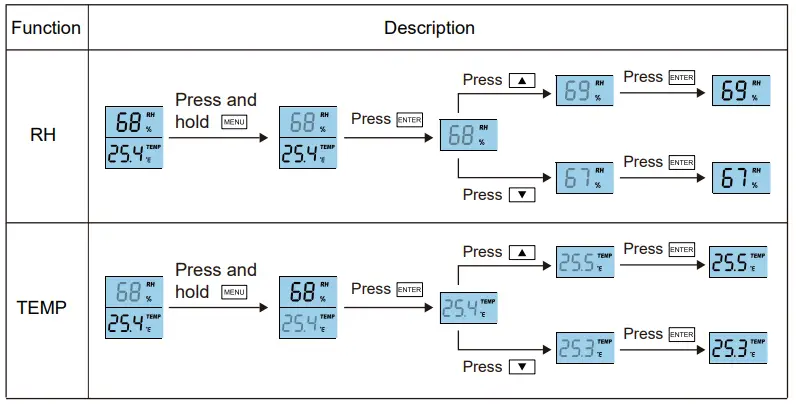
Specifications
Typical test conditions: ambient temp 23°C ± 3°C, RH 50% ~ 70%, altitude 0-10 meters
| Measurement | Specifications |
| Operating Temperature | 32°F ~ 122°F (0°C ~ 50°C) |
| Storage Temperature | -4°F ~ 140°F (-20°C ~ 60°C) |
| Operating & storage RH | 0 – 95% (non-condensing) |
| CO2 Measurement | |
| Measuring range | 0 – 5000 PPM |
| Display resolution | 1 PPM (0-1000); 5 PPM (1000-2000); 10 PPM (>2000) |
| Accuracy | 0 – 3000 PPM: ± 50 PPM ± 5% of reading (take the maximum) |
| > 3000 PPM: ± 7% of reading | |
| Repeatability | 20 PPM at 400 PPM |
| Temp compensation | ±0,1% of reading per °C, ± 2 PPM per °C, referenced to 25°C |
| Response time | < 2 min for 63% of step change or < 4,6 min for 90% step change |
| Warm-up time | < 20 seconds |
| Temperature Measurement | |
| Operating temperature | 32°F ~ 195°F (0°C ~ 90°C) |
| Display resolution | 1°F / 0,1°C |
| Response time | < 20 minutes (63%) |
| RH Measurement | |
| Measuring range | 5 ~ 95% |
| Accuracy | ± 5% |
| Display resolution | 1% main interface display, 1% Max/Min display |
| Operating Voltage | DC 5V ± 0,25V |
| Dimension | 120mm x 90mm x 35mm |
| Weight | 190g |
Appendix
| No. | Refers to | Low/High Alarm | Adjustable |
| 0 | Human | 800-1200ppm | Yes |
| 1 | Customized Plant | 600-900ppm | Yes |
| 2 | Bean | 600-900ppm | No |
| 3 | Chillies | 800-1000ppm | No |
| 4 | Cucumber | 1000-1500ppm | No |
| 5 | Grape | 800-1400ppm | No |
| 6 | Orchid | 800-1400ppm | No |
| 7 | Potato | 1200-1800ppm | No |
| 8 | Strawberry | 800-1200ppm | No |
| 9 | Tomato | 800-1200ppm | No |
- EMC 2014/30/EU – RoHS 2.0
- EN 55032:2015
- EN 55035:2017
- SA1200P
- Made in China
- Online Fire Protection Group BV
- Wayenborgstraat 5
- 2800 Mechelen
- Belgium
- www.brandbeveiligingshop.be
- www.protectionincendieshop.be
- www.brandbeveiligingshop.nl
- [email protected] – [email protected] – [email protected]
- +32 (0)15 69 00 60
- + 31 (0)30 820 10 96