
FlatMaster 150 / 250
QUICK INSTALLATION GUIDE
Thank you for choosing our product
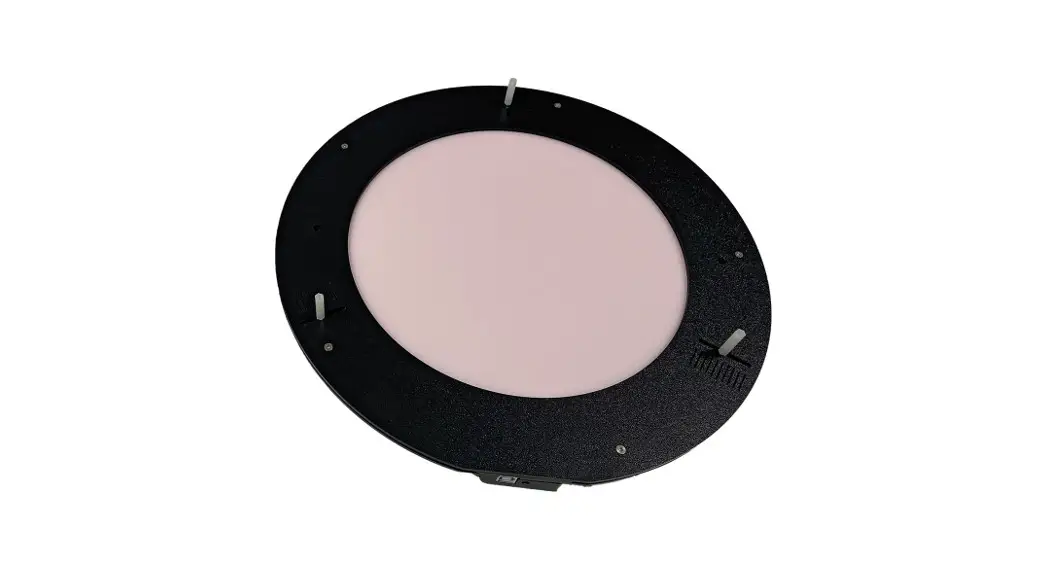
The Pegasus Astro FlatMaster 150 / 250 is a dimmable, flatfield electroluminescent panel for up to 5’’ / 10’’ telescopes. It provides a uniform source of illumination and produces high-quality flat field frames for astrophotography and photometric captures.
Operating Instructions:
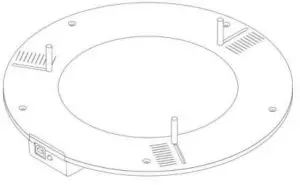
- Mount the 4 plastic standoffs on the top screws of the Flatmaster. Adjust the standoffs based on your telescope’s hood diameter.
- Plug the USB cable to USB Socket at the back of the panel. A single cable provides power and control of your panel.
- Plug the other USB side into your computer or into a power bank.
- FlatMaster 150 /250 will instantly turn on at its maximum brightness. (default luminance profile)
IMPORTANT NOTE:
FlatMaster produces a high pitch acoustic noise in order to drive the Electroluminescent panel. This is normal.
- Click the button to select five (5) dimming levels or connect via standalone software to select the desired brightness level.
Download drivers and software from pegasusastro.com/support/
Hint: The FlatMaster is not extremely bright on purpose. During the night, its brightness is adequate to capture good flat frames. If you have a full-frame CCD camera (a mechanical shutter always is in use) you need to take at least flat frames of 3 seconds exposure to avoid the shutter movement/shadow.
What is in the box:
- 1 x FlatMaster Panel
- 1 x 1.8m Type B USB cable
- 4 x Plastic standoff (3 and 1 spare)
The device is covered by one (1) year warranty
Designed and Assembled in Greece
For any questions and support please contact: [email protected]