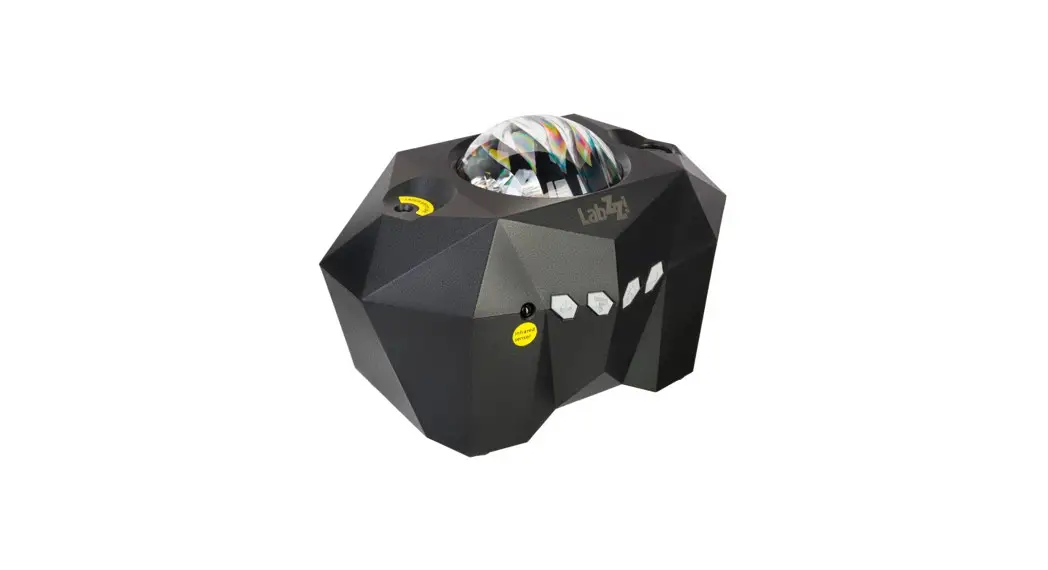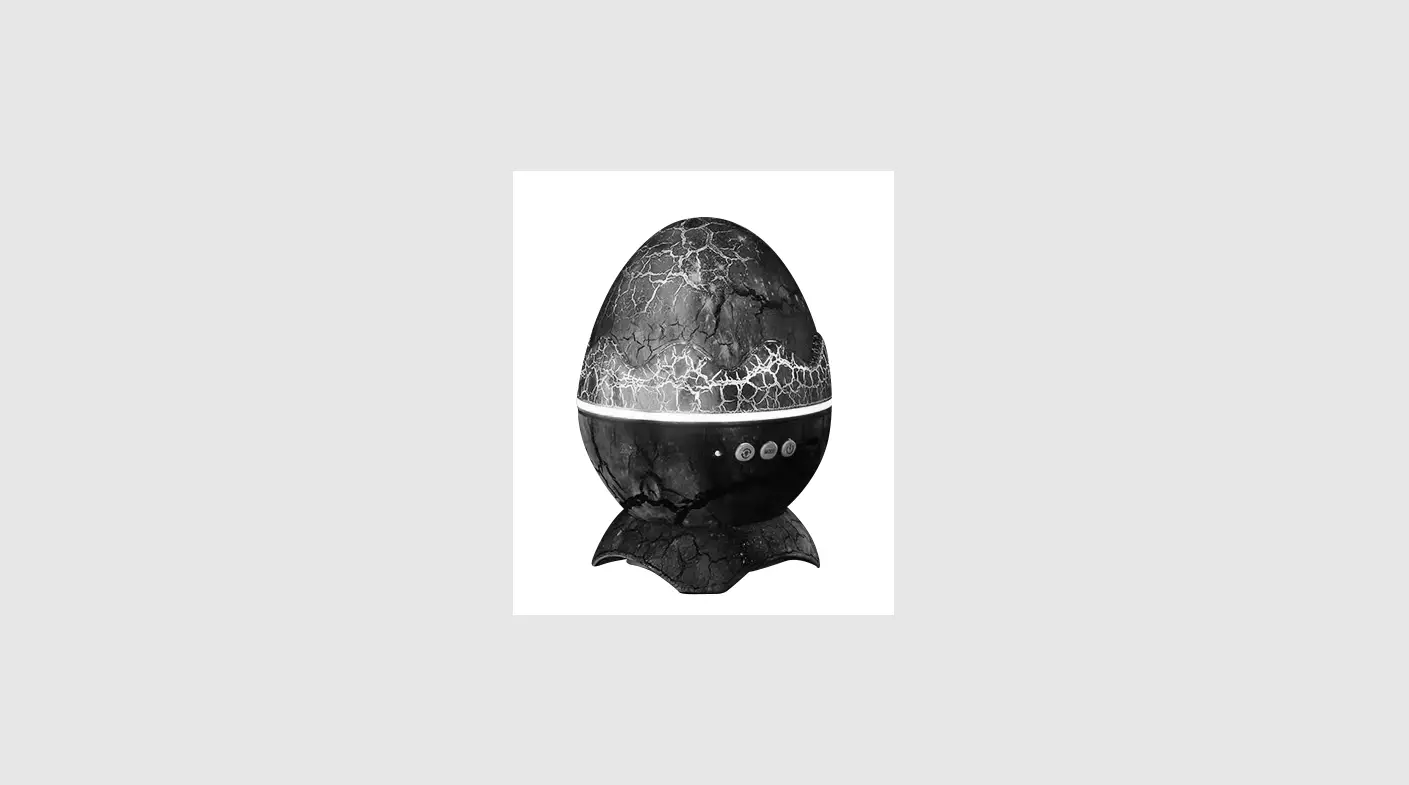

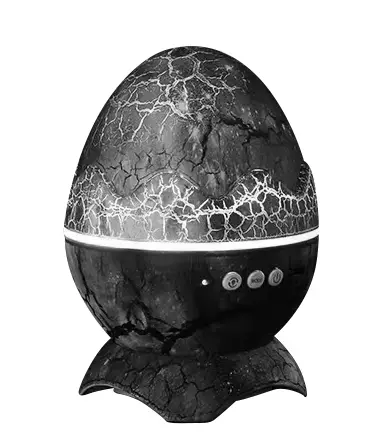
levenhuk Labzz SP10 Astroplanetarium
Do not look at the light source when the device is on. This may cause PERMANENT RETINAL DAMAGE and may lead to BLINDNESS. Children should only use the device under an adult’s supervision. 
- Projection mode button
- Nebula mode button
- Power on/off button
- Power input
- IR Sensor
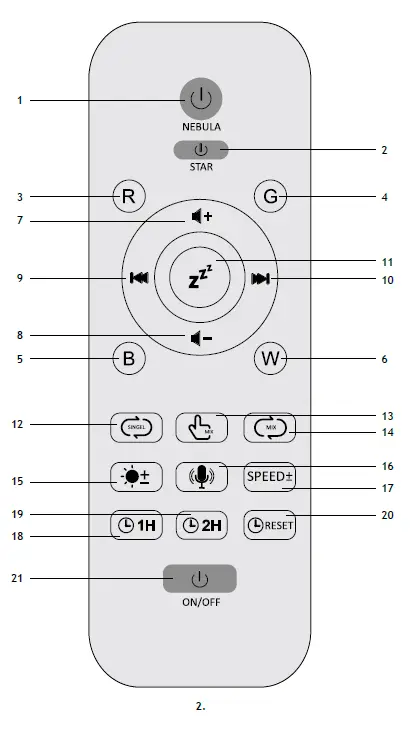
- Nebula on/off
- Stars on/off
- LED red
- LED green
- LED blue
- LED white
- Volume up
- Volume down
- Previous white noise/track
- Next white noise/track
- White noise on/off
- Nebula R-G-B-W monochromatic cycle
- Nebula dual color selection
- Nebula triple color combination cycle
- Nebula brightness level
- Sound control / rhythm mode
- Nebula flow speed
- Set the timer for 1 hour
- Set the timer for 2 hours
- Timer on/off
- Power on/off
Getting started
Connect the power cable to the device and the DC adapter via a USB plug and connect to the AC power supply. Press the device power button on the remote control (Fig. 2; 21) or on the device body (Fig. 1; 3).
Using
Choose the right place to project an image: a plain white ceiling or wall will give the best effect. The optimal distance from the astroplanetarium is approx. 1.5—2m. Place the device on a flat surface. Turn the light off and close the curtains to make the room dark. Wait for 5—10 minutes to let your eyes adjust to the darkness. Turn the power on and choose the desirable projection mode.
When using the remote control, make sure that it is pointed at the infrared sensor of the astroplanetarium (Fig. 1; 5).
- View changing. Press (Fig. 1; 1) to select between starry view, nebula as well as nebula and stars together. Press (Fig. 1; 2) to change the nebula mode.
- Setting the timer. Use buttons (18) and (19) on the remote control (Fig. 2) to select the duration of operation. Use button (20) to turn off the timer.
- Shutdown utility. If the timer is not set, the device will automatically turn off after 4 hours of operation.
- Bluetooth connection. Turn on the Bluetooth mode on your smartphone. Find the “HJ-XKD08” device and connect to it.
- Bluetooth music. The device can be used to play music being connected to a smartphone via Bluetooth. Use the buttons (9) and (10) on the remote control (Fig. 2) to change tracks. Use buttons (7) and (8) to adjust the volume.
Specification
| Laser wavelength | 523nm |
| Power supply | astroplanetarium: USB-C cable 5V, 1A, 1.5m included (DC 5V 2000mA adapter is not included) remote control: 2 AAA batteries (not included) |
| Projection area | 20—80m² (215—860ft.²) |
Care and maintenance
The device is suitable for indoor use only. The device is not waterproof. To clean the surface of the device, unplug the device. Use only a dry, soft cloth for cleaning. Strictly follow the instructions and do not disassemble or drop the device as it may result in a loss of functionality.
Battery safety instructions
Always purchase the correct size and grade of battery most suitable for the intended use. Make sure the batteries are installed correctly with regard to polarity (+ and –). Never short-circuit batteries as this may lead to high temperatures, leakage, or explosion. Never heat batteries in order to revive them. Do not disassemble batteries. Keep batteries out of the reach of children, to avoid risk of ingestion, suffocation, or poisoning. Utilize used batteries as prescribed by your country’s laws.
Warranty: lifetime. For further details, please visit our web site: www.levenhuk.com/warranty
The manufacturer reserves the right to make changes to the product range and specifications without prior notice.
References
 Levenhuk optical instruments store | Levenhuk - best optical equipment
 Доживотна гаранция на Levenhuk – Официален уебсайт на Levenhuk в България
-
Levenhuk lifetime warranty details | Levenhuk - best optical equipment
-
Doživotní záruka společnosti Levenhuk – Oficiální webové stránky Levenhuk pro Českou republiku
-
Levenhuk Lebenslange Garantie – Die offizielle Website von Levenhuk in Deutschland
-
| Levenhuk, los mejores equipos ópticos
-
Levenhuk Lifetime Warranty – Levenhuk’s official website in Europe
-
A Levenhuk élettartamra szóló szavatossága – A Levenhuk hivatalos magyarországi weboldala
-
Gwarancja bezterminowa Levenhuk – Oficjalna witryna internetowa Levenhuk w Polsce
-
Поддержка - Гарантийное обслуживание Левенгук - Levenhuk Russia
 Levenhuk optical instruments store | Levenhuk - best optical equipment
 Доживотна гаранция на Levenhuk – Официален уебсайт на Levenhuk в България
 Levenhuk lifetime warranty details | Levenhuk - best optical equipment
 Doživotní záruka společnosti Levenhuk – Oficiální webové stránky Levenhuk pro Českou republiku
 Levenhuk Lebenslange Garantie – Die offizielle Website von Levenhuk in Deutschland
 | Levenhuk, los mejores equipos ópticos
 Levenhuk Lifetime Warranty – Levenhuk’s official website in Europe
 A Levenhuk élettartamra szóló szavatossága – A Levenhuk hivatalos magyarországi weboldala
 Gwarancja bezterminowa Levenhuk – Oficjalna witryna internetowa Levenhuk w Polsce
 Поддержка - Гарантийное обслуживание Левенгук - Levenhuk Russia