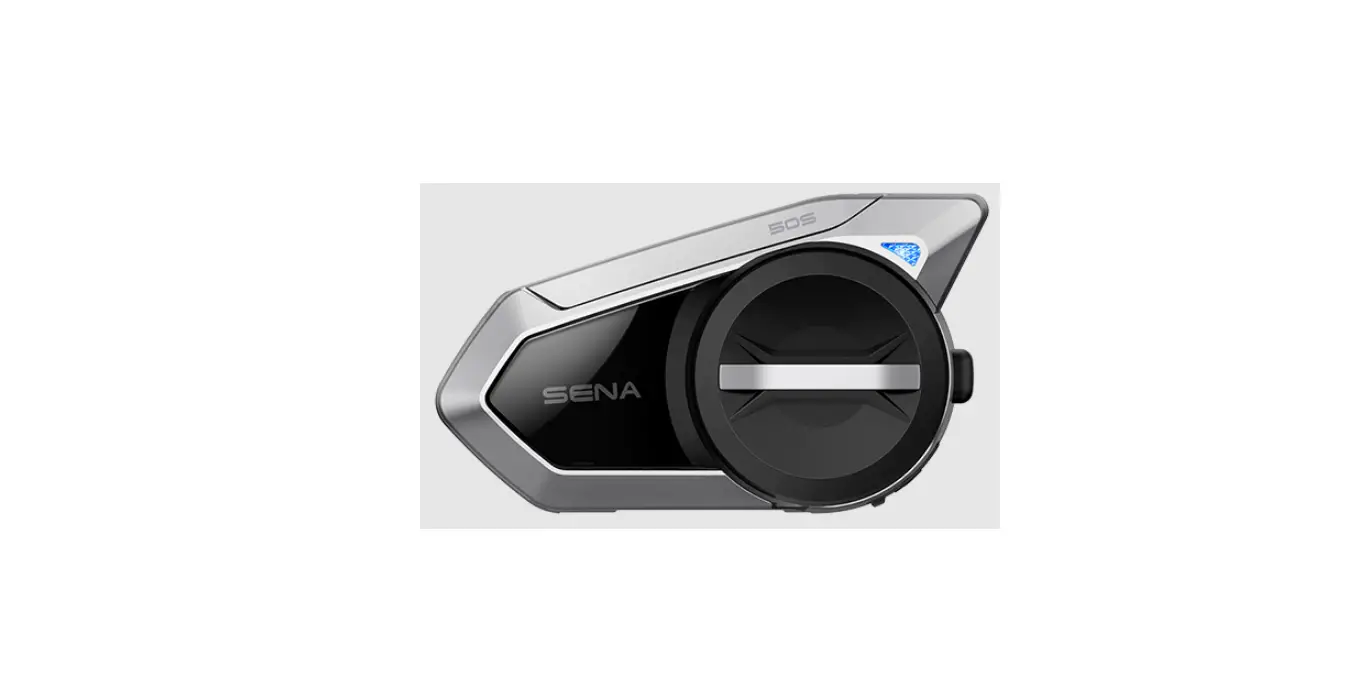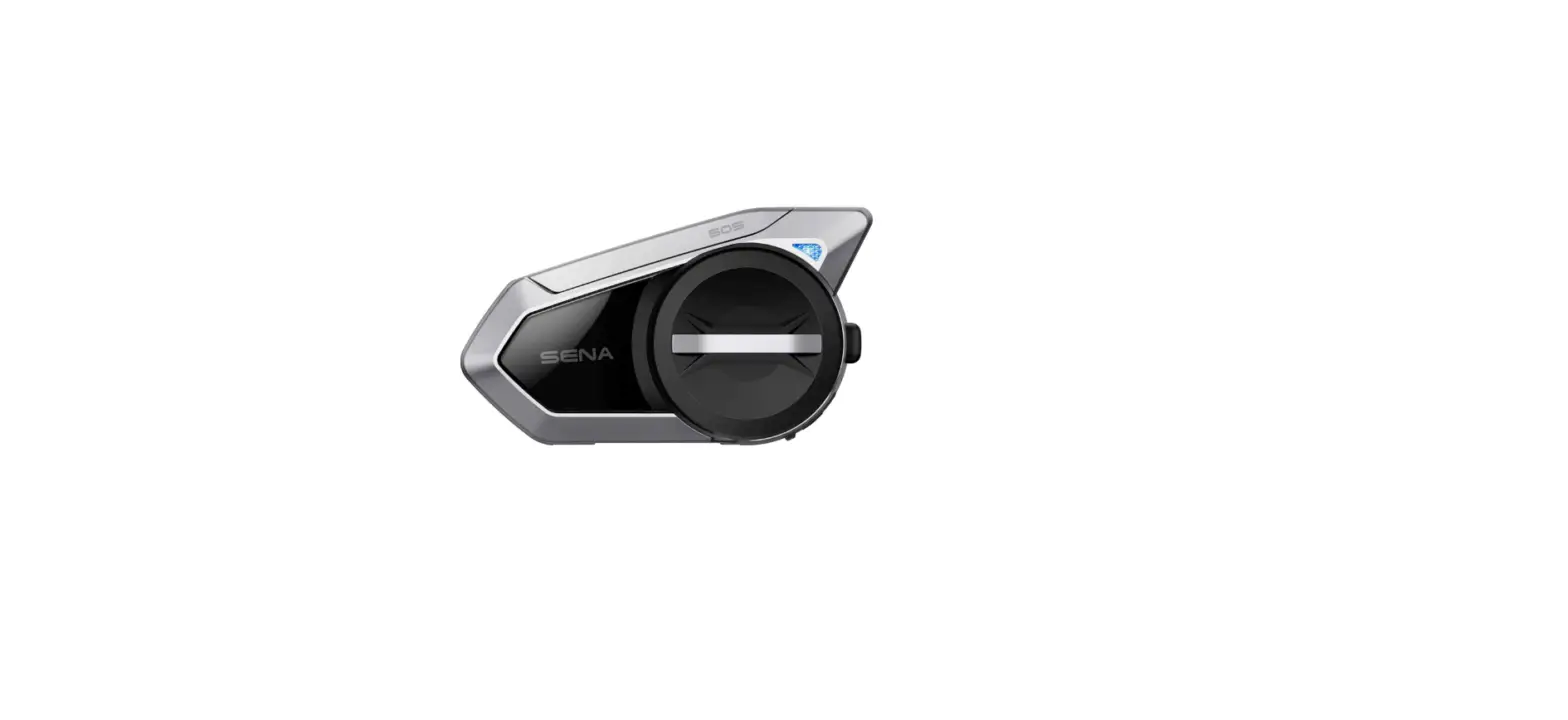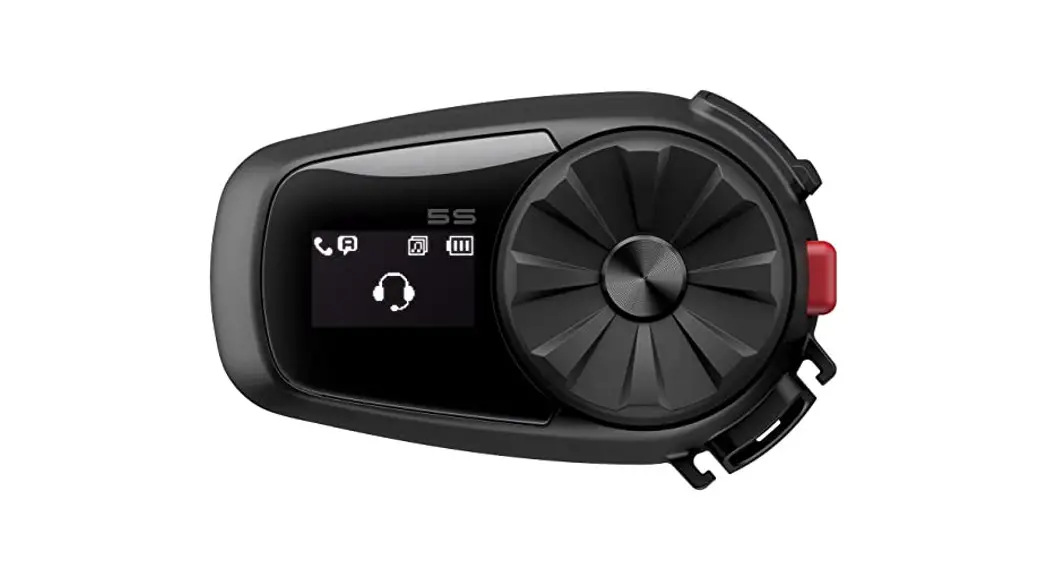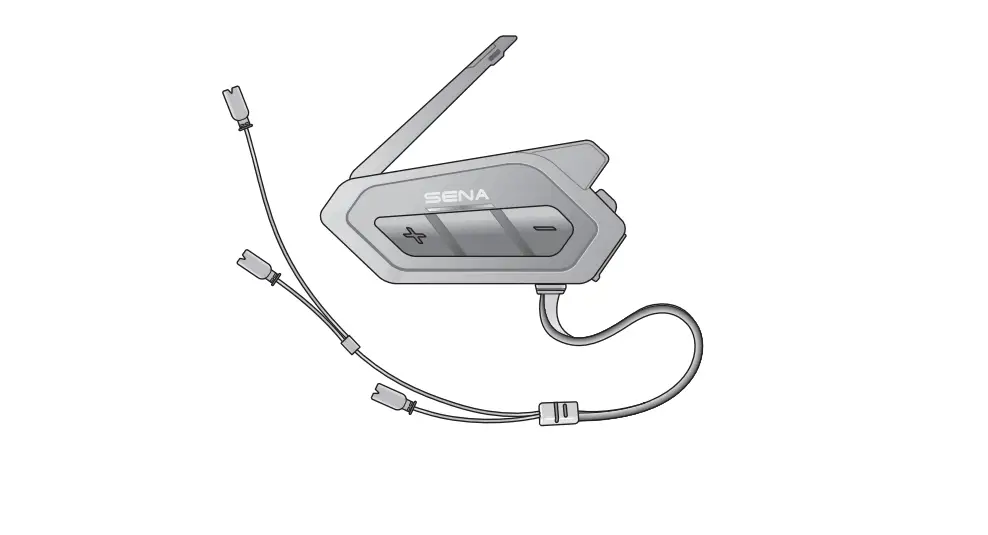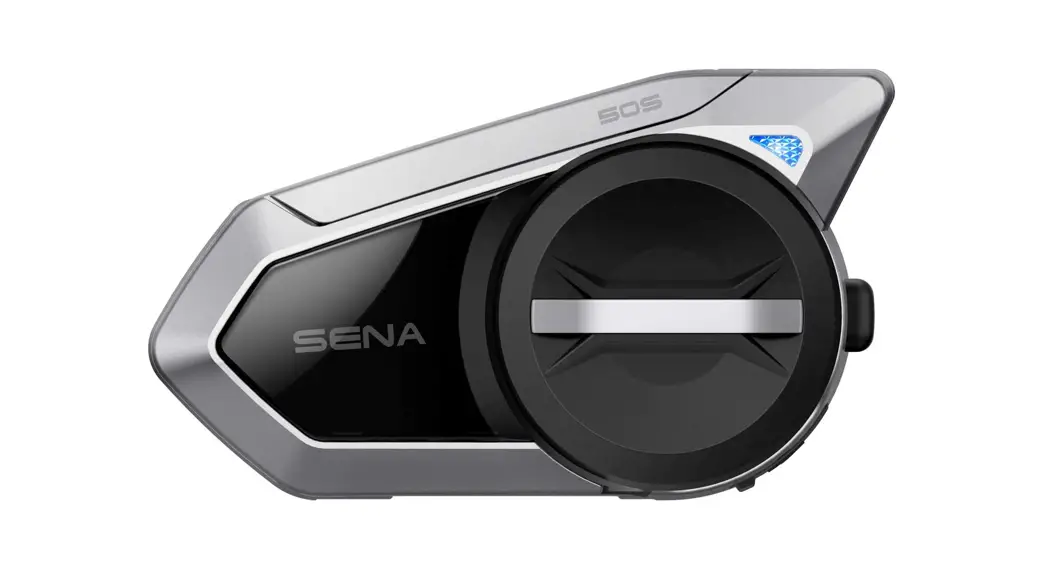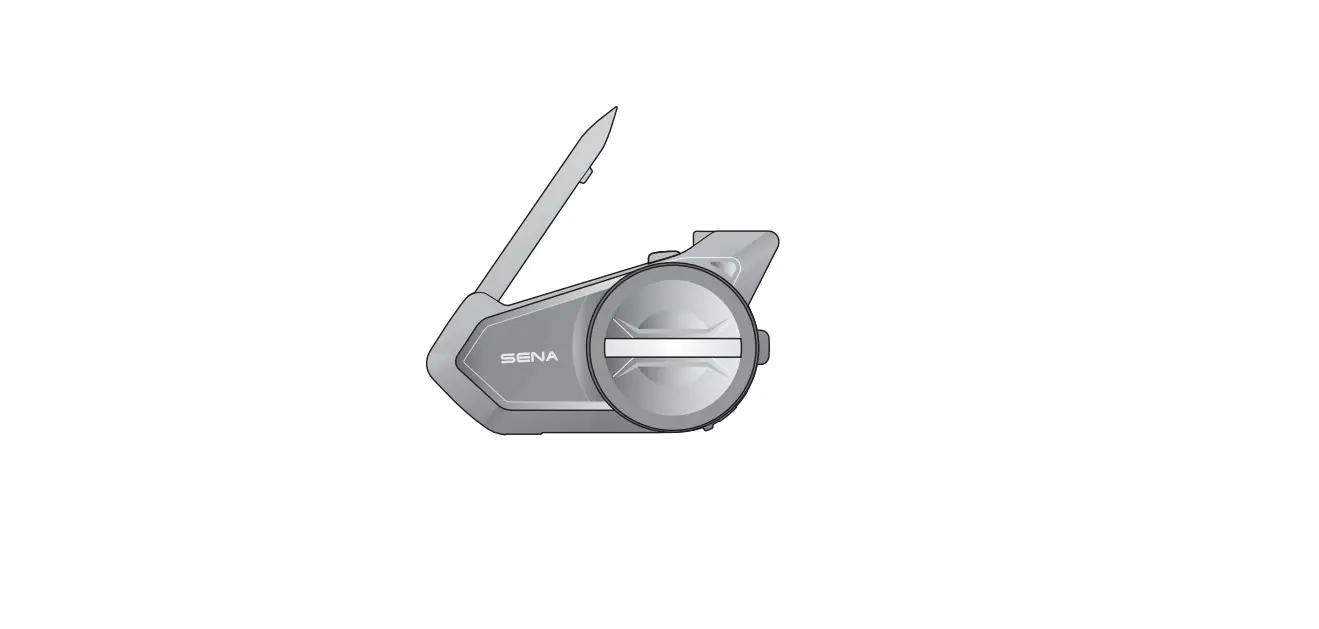

SENA 50S MOTORCYCLE BLUETOOTH COMMUNICATION SYSTEM
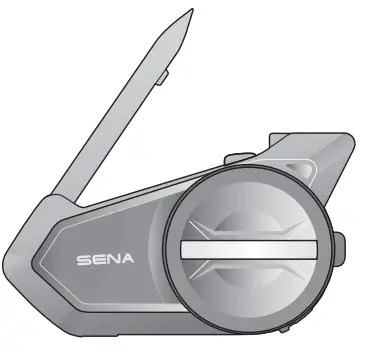
RIDE CONNECTED
The 50S takes a trusted design and makes major upgrades in both hardware and software. With Mesh Intercom™ technology, it’s time for an all-new experience of riding connected.
- Bluetooth® 5.0
- Multi-Way Intercom
- Mesh Intercom™ up to 2 km (1.2 mi)* Intercom up to 2 km (1.2 mi)*
- Audio Multitasking™
- Multi-Language Voice Command
- Support Siri and Google Assistant
- Fast Charging
GETTING STARTED
Icon Legend
 Tap the button/Jog Dial the specified number of times
 Press and Hold the button/Jog Dial for the specified amount of time
 Rotate Jog Dial clockwise (right) or counterclockwise (left).
 Rotate while Pressing Jog Dial clockwise (right) or counterclockwise (left). Follow us on Facebook, YouTube, Twitter and Instagram to check the latest information and helpful tips.
 Tap the button/Jog Dial the specified number of times
 Press and Hold the button/Jog Dial for the specified amount of time
 Rotate Jog Dial clockwise (right) or counterclockwise (left).
 Rotate while Pressing Jog Dial clockwise (right) or counterclockwise (left). Follow us on Facebook, YouTube, Twitter and Instagram to check the latest information and helpful tips.
GETTING STARTED
- How to Use This Guide The legend and callouts are here to help you read the illustrations. New technology can be confusing, but we’ve created a simple way to perform actions using illustrations.

- Buttons
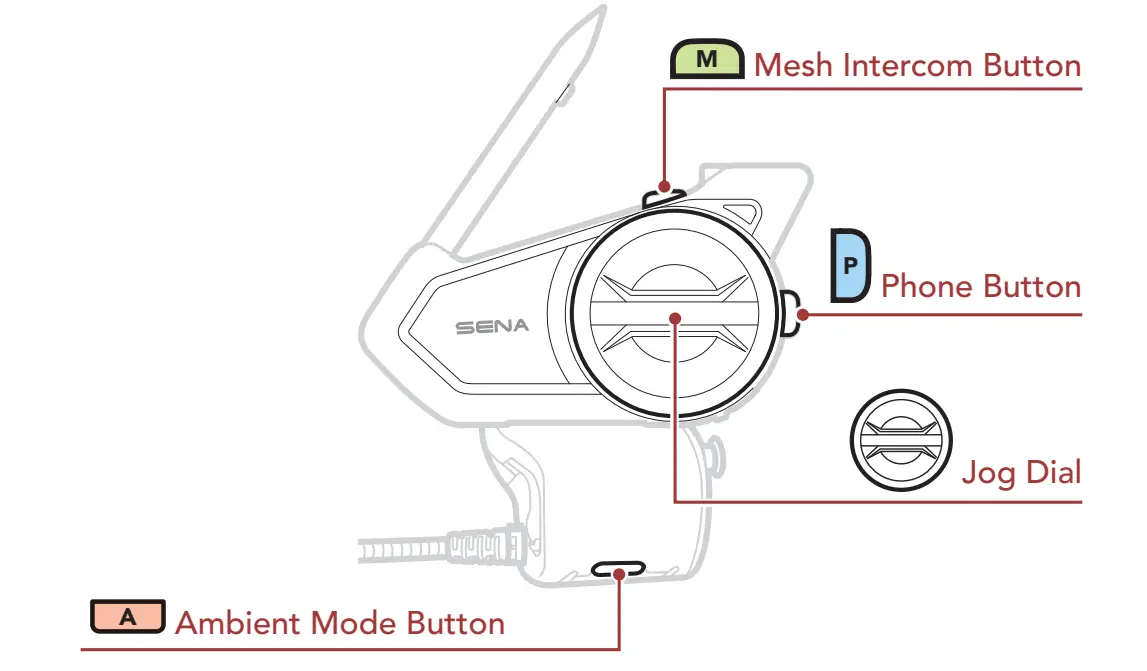
- Product Details

- Installation

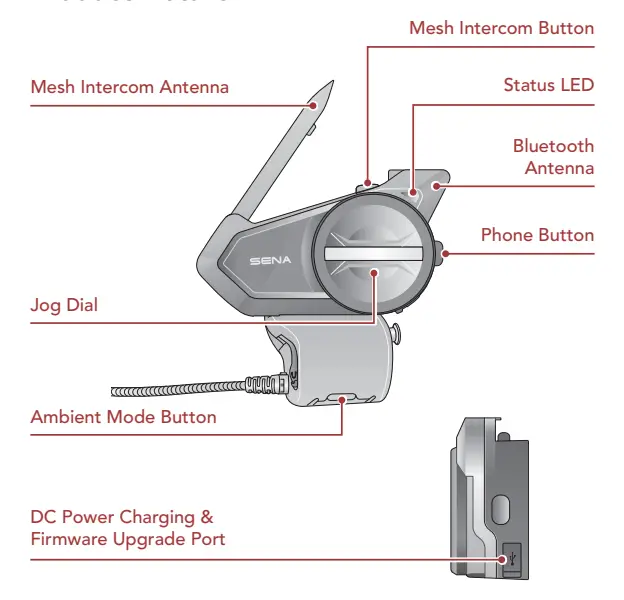
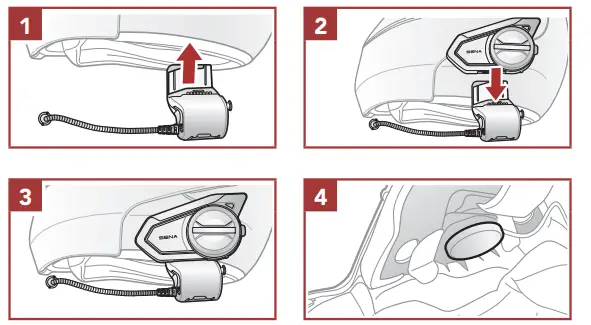
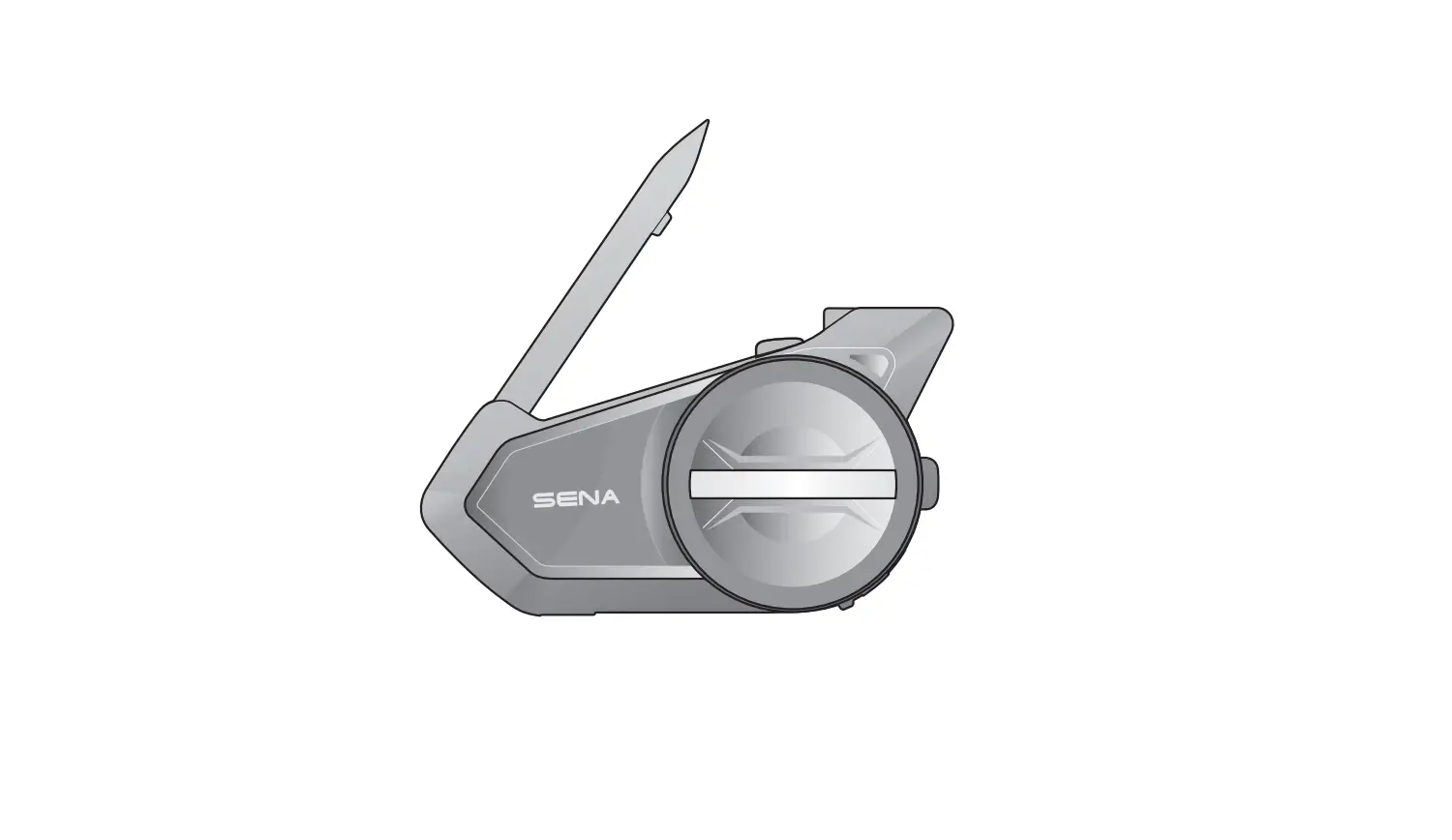
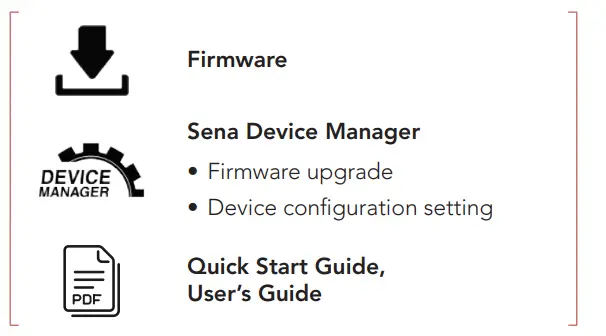
Mesh Intercom Antenna Pull the Mesh Intercom Antenna outwards slightly to unfold it.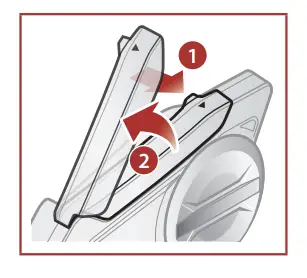 Downloadable Sena Software Download the SENA MOTORCYCLES App at Google Play Store or App Store.
 Download the following items at sena.com.
  NOTICE
- This Quick Start Guide (Version 2.0) explains how to operate the 50S with firmware version 2.0 or higher.
- for the operation of the 50S with a firmware version lower than 2.0, refer to the 50S Quick Start Guide (Version 1.0.1).
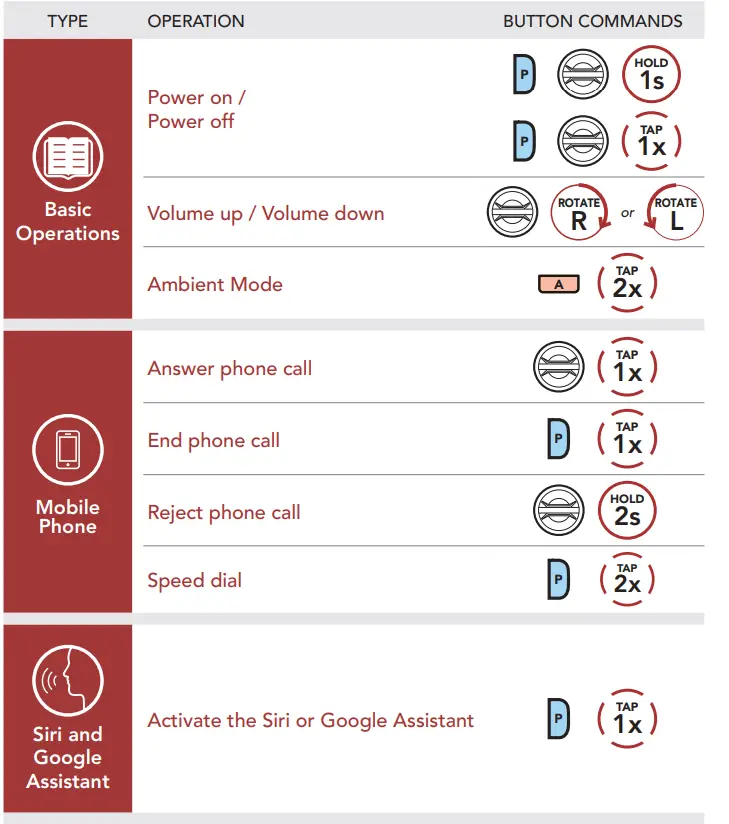
Basic Operations
Powering On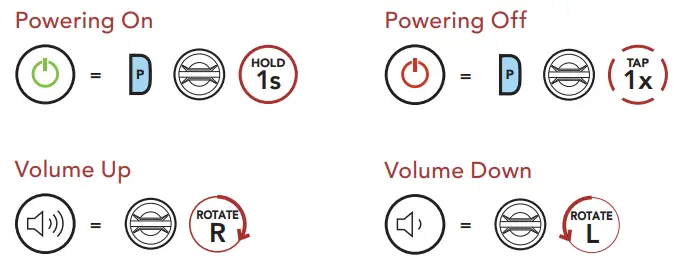
Checking the Battery Level
Instructions are for when powering the headset on. Visual Method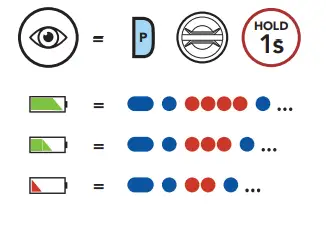
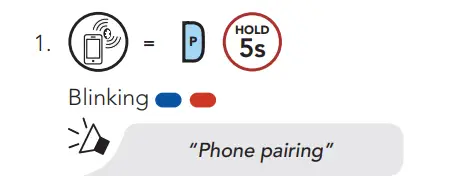
Phone Pairing
- Blinking

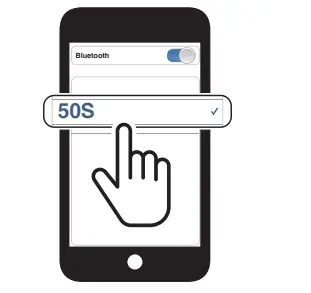
- Select 50S in the list of Bluetooth devices detected.

- For more information on phone pairing, refer to the User’s Guide.
Mobile Phone
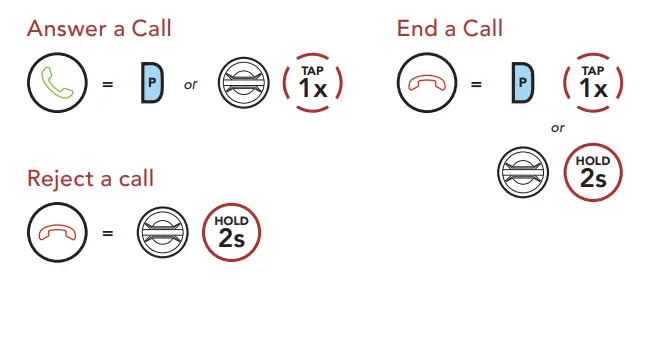
Siri and Google Assistant Activate the Siri or Google Assistant Installed on Your Smartphone 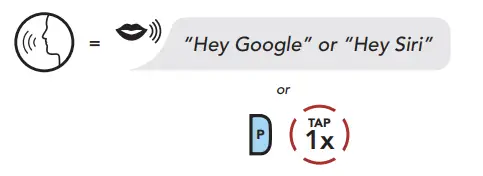
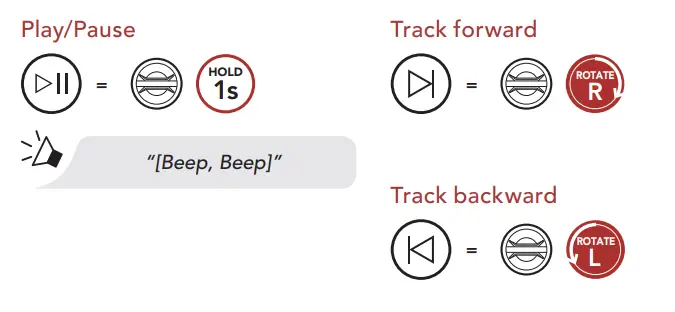
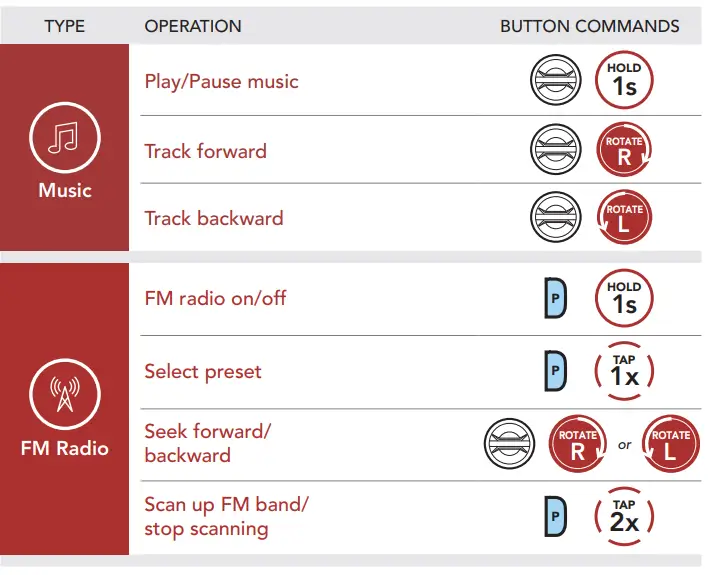
Music Controls
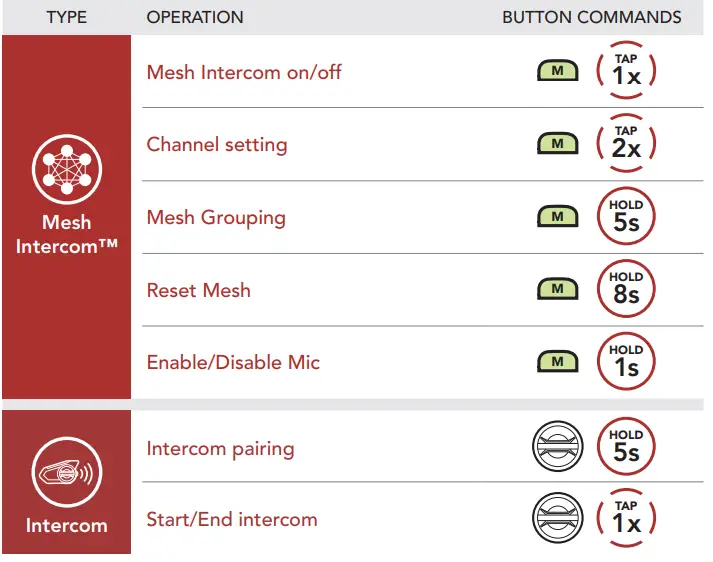
Mesh Intercom™ When Mesh Intercom is enabled, the 50S will automatically connect to nearby 50S users and allow them to talk to each other by pressing the Mesh Intercom Button.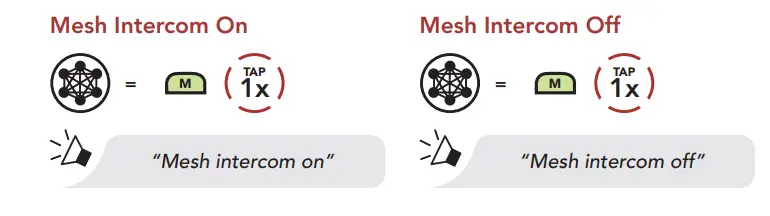 Open Mesh™ When Mesh Intercom is enabled, the headset will be in Open Mesh (default: channel 1) initially. Users can freely communicate with each other in the same Open Mesh channel. Channel Setting (Default: Channel 1) If the Open Mesh communication experiences interference because other groups are also using channel 1 (default), change the channel. You can select from channels 1 to 9. Enter into the Channel Setting
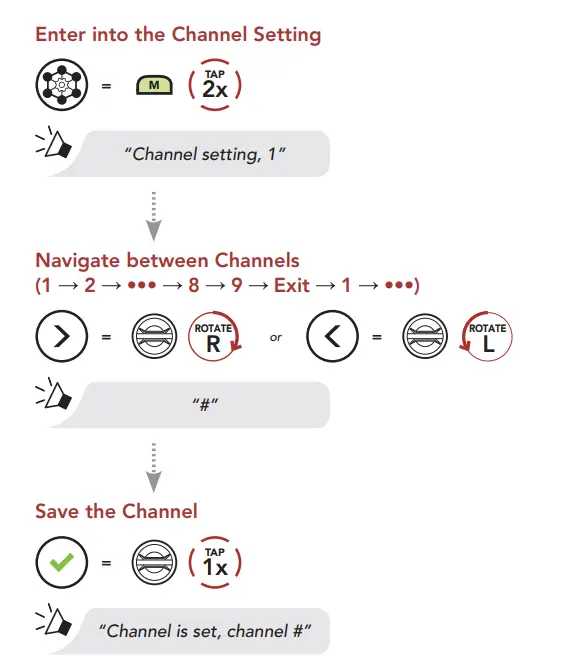 Note: To exit the Channel Setting, rotate the Jog Dial clockwise or counterclockwise until you hear a voice prompt, “Exit”, and tap the Jog Dial.
Group Mesh™
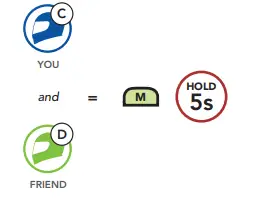
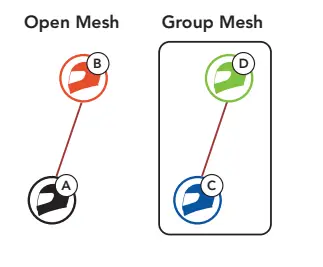
Group Mesh is a closed group intercom function that allows users to join, leave, or rejoin a group intercom conversation without pairing each headset. Up to 24 users can all be connected in each private group. Creating a Group Mesh Creating a Group Mesh requires two or more Open Mesh users.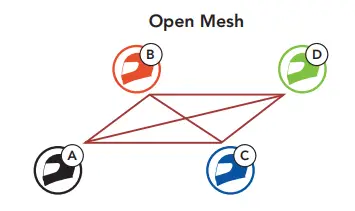
- Enter into Mesh Grouping to create a Group Mesh.

- The headsets complete Mesh Grouping and automatically switch from Open Mesh to Group Mesh.

Joining an Existing Group Mesh
One of the members in an Existing Group Mesh can allow new members in Open Mesh to join the Existing Group Mesh.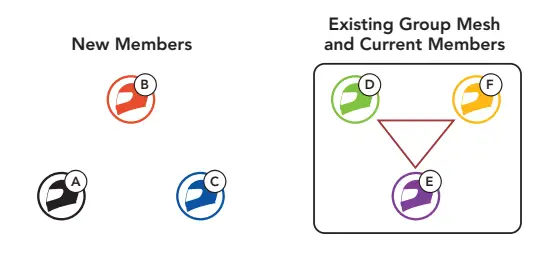
- One of the current members and a new member enter into Mesh Grouping to join the Existing Group Mesh.

- The headsets complete Mesh Grouping. The new members will hear a voice prompt as their headsets automatically switch from Open Mesh to Group Mesh.
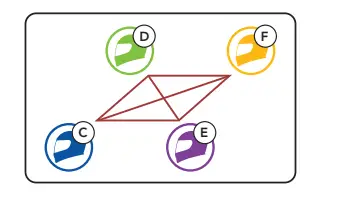
Reset Mesh If a headset in an Open Mesh or Group Mesh resets the Mesh, it will automatically return to Open Mesh (default: channel 1). Enable/Disable Mic (Default: Enable) Users can enable/disable the microphone when communicating in a Mesh Intercom. Enable/Disable the Microphone
Bluetooth Intercom
Up to three other people can be paired with the headset for Bluetooth intercom conversations. Intercom Pairing There are two ways to pair the headset.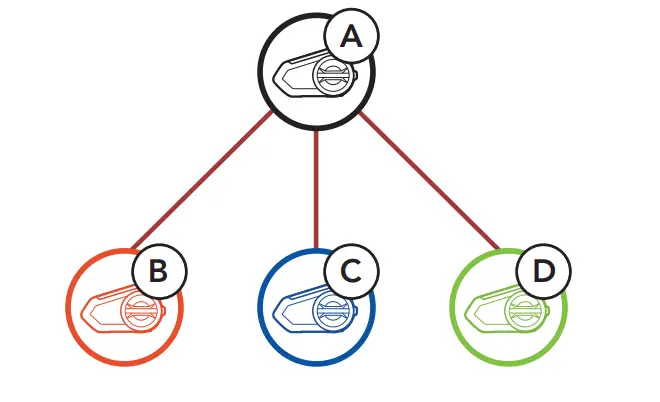 Using the Smart Intercom Pairing (SIP) SIP allows you to quickly pair with your friends for intercom communication by scanning the QR code on the SENA MOTORCYCLES App without remembering the button operation.
- Pair the mobile phone with the headset.
- Open the SENA MOTORCYCLES App and tap
 (Smart Intercom Pairing Menu).
 - Scan the QR code displayed on your friend (B)’s a mobile phone. • Your friend (B) can display the QR code on the mobile phone by tapping
 on the SENA MOTORCYCLES App.
- Tap Save and check that your friend (B) is paired with you (A) correctly.
- Tap Scan
 and repeat steps 3-4 to pair with Intercom Friends (C) and (D). Note: The Smart Intercom Pairing (SIP) is not compatible with Sena products that use Bluetooth 3.0 or below.
 (Smart Intercom Pairing Menu).
 on the SENA MOTORCYCLES App.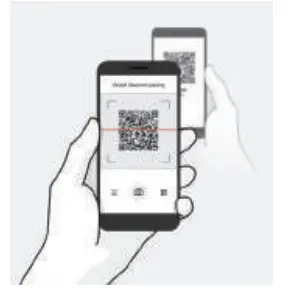
 and repeat steps 3-4 to pair with Intercom Friends (C) and (D). Note: The Smart Intercom Pairing (SIP) is not compatible with Sena products that use Bluetooth 3.0 or below.
Using the Button
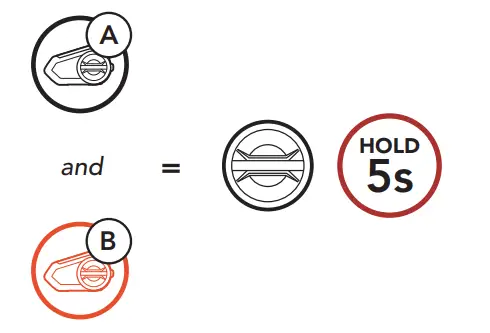
The 50S will automatically pair with a Sena headset.  = Flashing blue LED confirms intercoms are paired. Note: Repeat the step above to pair with Intercom Friends C & D.
Two-Way Intercom
 Ambient Mode
 Ambient Mode
FM Radio Configuration Menu
 Troubleshooting


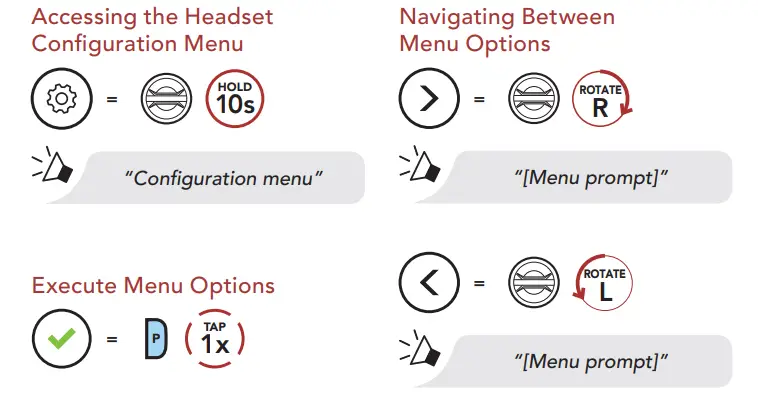
 Configuration Menu
 Troubleshooting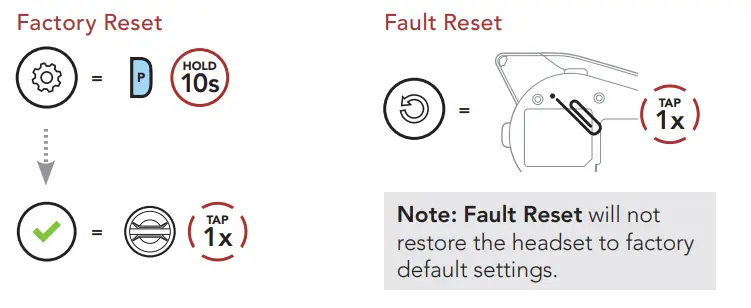
FAQS
Water Resistant
Sena has universal intercom pairing so that you can use your Sena Intercom with a Cardo. Refer to Sena’s site for more info.
There is the Sena +Mesh unit that connects via Bluetooth with Sena non-mesh units and connects with the 50-R perfectly and easyly through the interaction feature.
Yes this is a dual pack for the 50R, its contents are 2 50R, 2 clamp kits, 2 microphones, and 2 speakers
It picks up and transmits more road noise than a full-face helmet, especially at higher speeds that others in your group will have to contend with. Overall you can still have a conversation. Earplugs help cut out the road noise and I can still hear my friend who has a 3/4 helmet.
No
Yes, the 50 Series will work with the 30 series. It uses the same Mesh 2.0 technology.
The 50R is compatible with the 10R Earbud Adapter Split Cable (part #: 10R-A0101). Both house Sena’s most up-to-date tech in both hardware and software
The Sena comes with 2 microphones a charging cord that connects to WiFi (you will need to supply the charger iPhone or android charger works) earphones that install inside your helmet. Clamp that the Sena attaches to. There are also tapes to hold wires in place. Everything you need to install this item.
The 50S uses the same mount as the 20S and that mount does have a port to plug in earbuds if you wish. I use my 50S on the same mount as I did my 20S units. Everything works fine.
The Sena 50S is not waterproof.
It depends on whether or not the clamp kit can be attached to the helmet due to the design and if the helmet supports ear pockets for the speakers.
Yes, it comes with the choice of three microphones. The pictured boom mike, a remotely attached boom mike, and an internal mic for a full-face helmet
This is a dual pack.
No. Once you set it up it’s good to go. It’s not pushed to talk.
Mine was – but that’s a good question, it shows 2 in the pic but nowhere else does it mention it’s a two-pack. I just assumed because of the price.
Anything is possible, however, the design of the 50R is to be placed on a full-faced or Modular helmet. We have seen our products in half helmets with modifications.