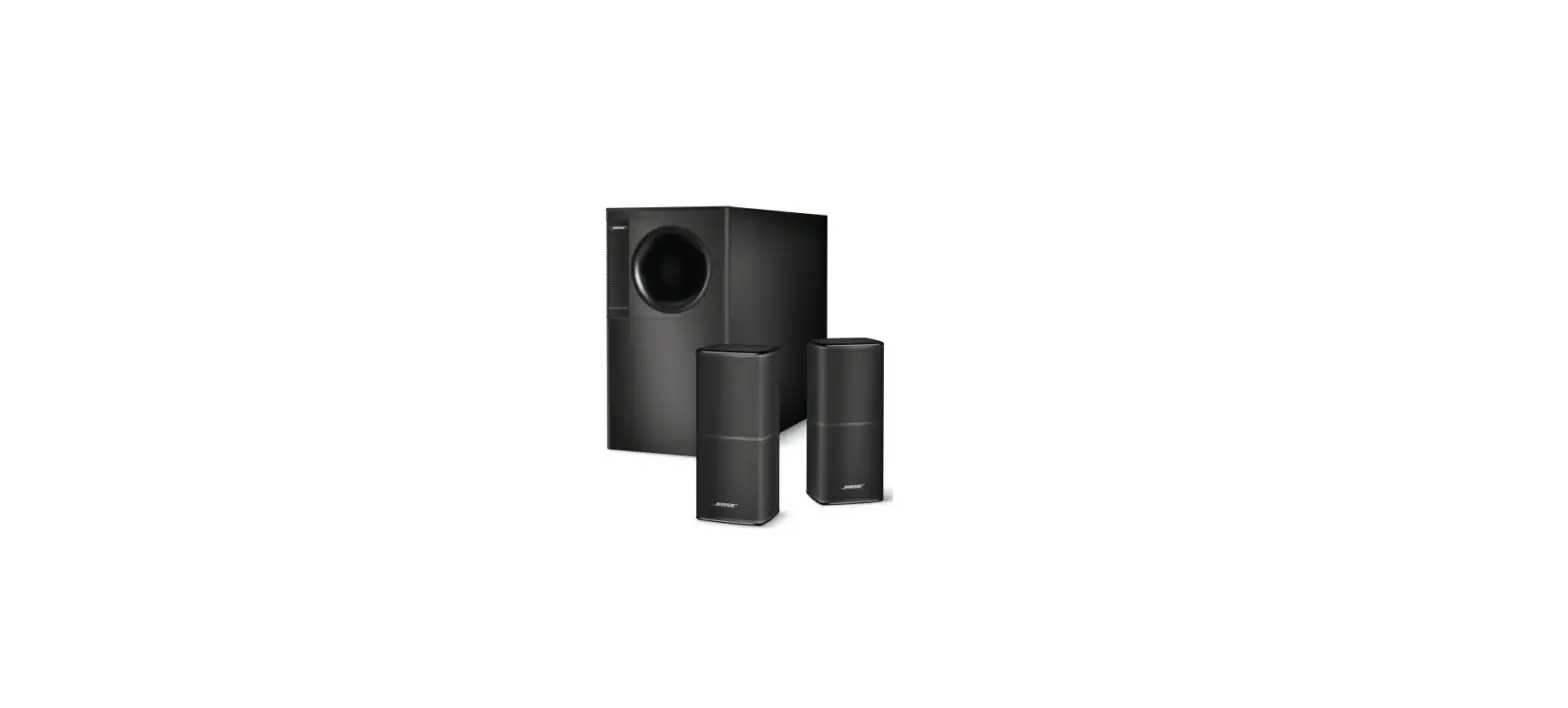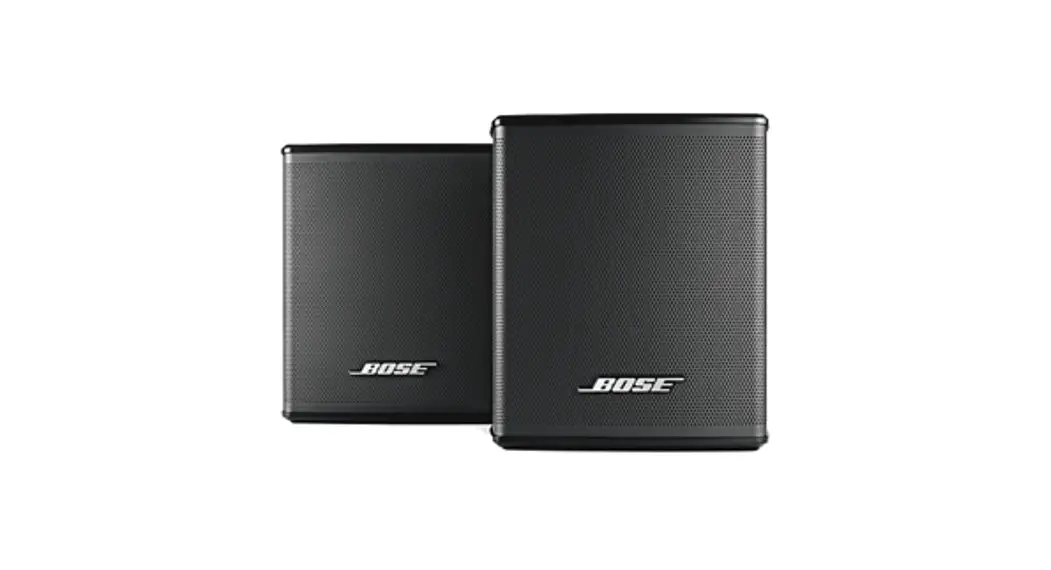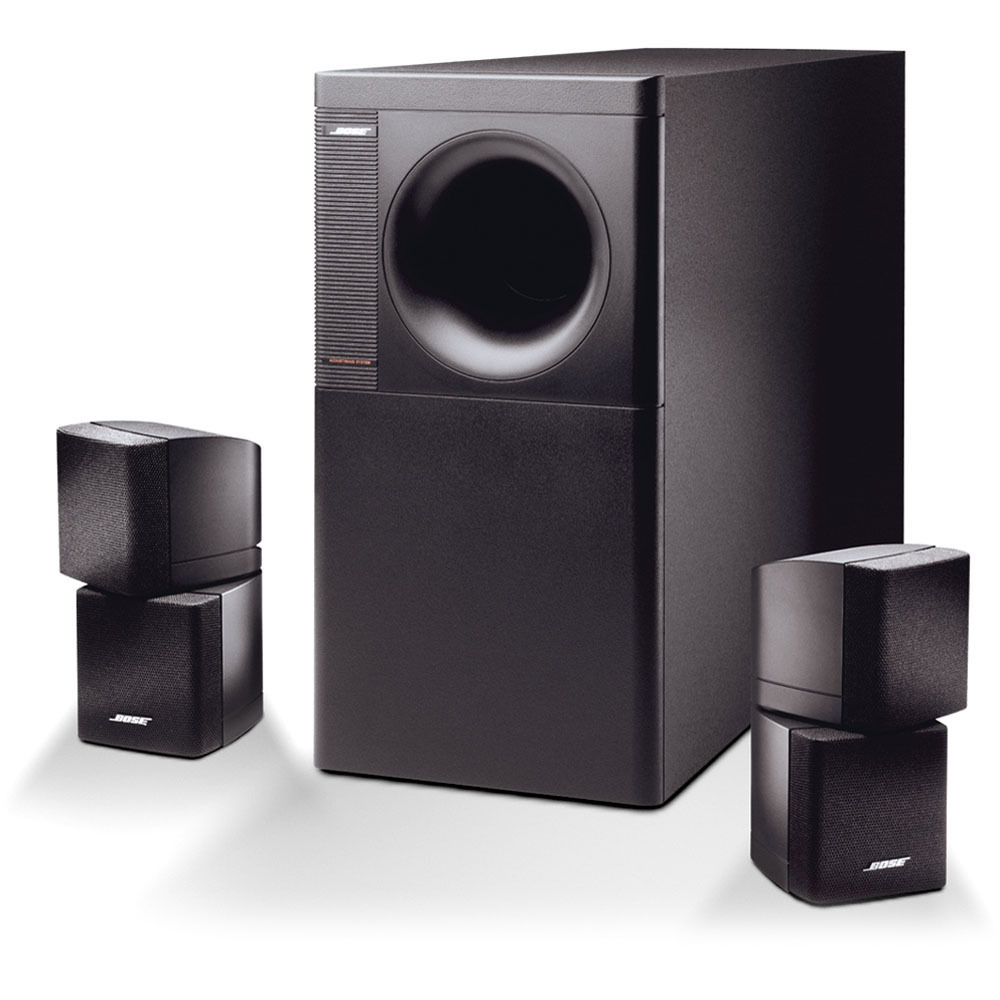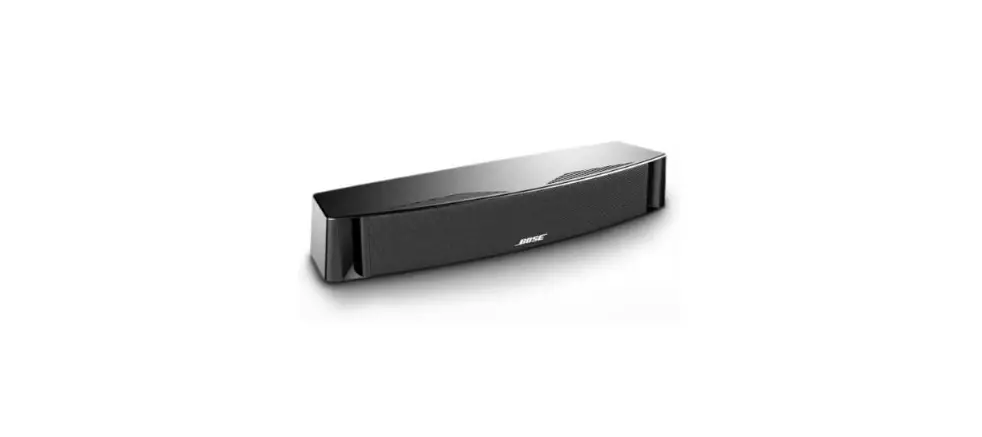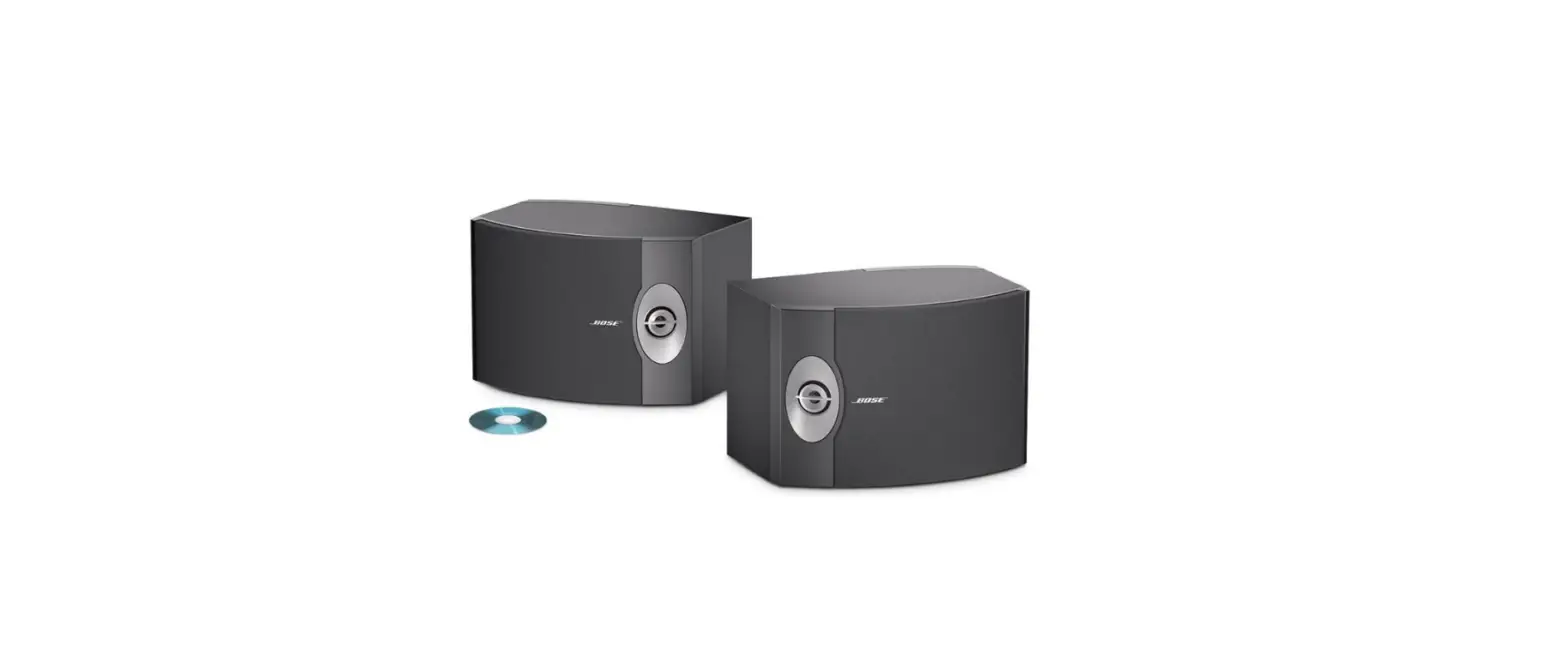

Bose 301 V Stereo Loudspeakers Owner’s Manual
BEFORE YOU BEGIN
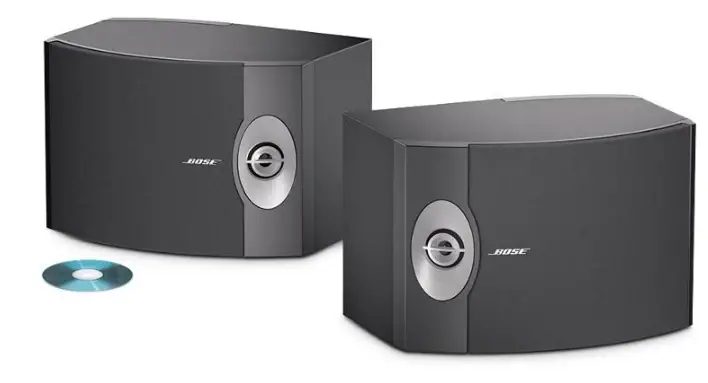
Your 301® Series V Direct/Reflecting® speakers recreate a natural balance of reflected and direct sound energy for an open, spacious performance. They are designed by Bose® to bring you high-quality listening pleasure. These speakers are significantly different from conventional speakers, so be sure to read this owner’s guide. It will help you set up and use your speakers properly, for the greatest enjoyment.
UNPACK THE CARTON
Carefully unpack the carton and save all packing materials for possible future use. Check the carton contents (Figure 1).
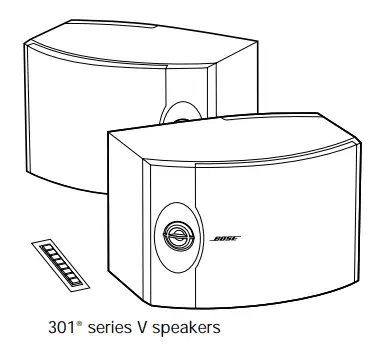
If either speaker appears damaged, do not use them. Instead, repack both speakers in the original carton and notify your authorized Bose dealer immediately.
Note: Now is a good time to record the speaker serial numbers below and on your warranty card.
CAUTION: To avoid danger of suffocation, keep the plastic bags that wrap these speakers out of the reach of children.
SETTING UP
Select the locations for your 301® speakers
Bose 301 speakers are designed to fit horizontally on a stable and level table or shelf (Figure 2).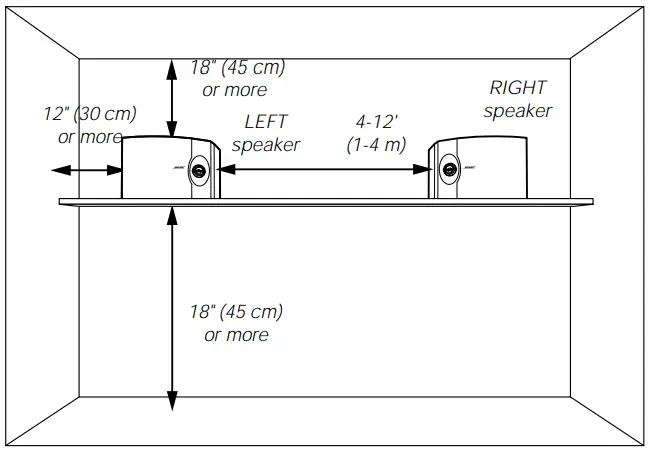
Place the left and right speakers (marked on the back of each one) on the left and right sides of your room, as you face them. Exactly where you put them depends on the size and style of your room and where you think they sound best. Feel free to experiment to find a location that is both convenient and provides the sound you prefer.
Note: Because the grilles on the front of each speaker protect the drivers inside, we recom-mend that you do not remove them.
CAUTION: 301 speakers are designed specifically for placement on a stationary shelf, table, or stand. On smooth surfaces like marble, glass or highly polished wood, vibrations may cause the speakers to slide. So be sure to attach the self-adhesive rubber feet to the bottom surface of each speaker for added stability and protection. The feet go in the corners of the flat surface, 1” back from the center of the curved front panel. Do not use these speakers in a moving vehicle. To mount the speakers on a wall, use only the Bose WB-3 wall mounting bracket. Please follow the mounting instructions that come with these brackets. Improperly mounted speakers may fall, causing injury and damage.
Here are some basic guidelines below:
- Leave at least 24 inches (60 cm) from the speakers to any TV screens or monitors.
- Keep the back of the speakers within 18 inches (45 cm) of the wall behind them.
CAUTION: For the most realistic sound image, make sure the left speaker is placed on the left and the right speaker is on the right side of your room, as you face them.
CHOOSE THE CORD
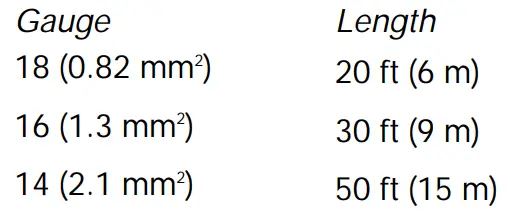
It is important to use the proper gauge (thickness) of speaker cord.
Wire recommendations
Based on a maximum frequency response deviation of ± 0.5 dB
Note: Before running the speaker cord through a wall or under a floor, check your local building code requirements and safety regulations. If necessary, contact an electrical installer for this information.
PREPARE THE CORD
Speaker cord consists of two insulated wires. The insulation around one wire is marked (striped, collared, or ribbed). At the ends of each cord, strip approximately ½ inch (12 mm) of insulation from both wires. Twist the bare end of each wire so loose strands will not touch across terminals. Be sure to connect each wire to the proper terminal (positive to positive and negative to negative).
Note: It is sometimes difficult to distinguish wire markings. Inspect both wires carefully.
Make the connections
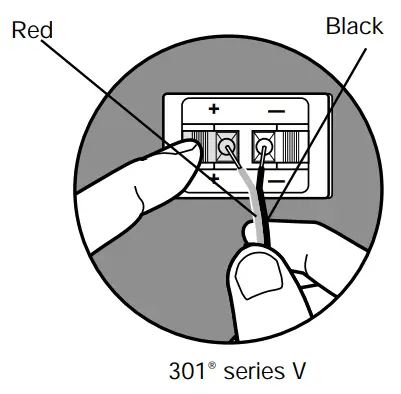
Just press the terminal tab on the back of each speaker to insert the appropriate wire (Figure 3).
CAUTION: Before making any connections, turn off your receiver and unplug it from the AC power (mains) outlet. Not doing so may result in damage to your system.
CAUTION: Never use broken or frayed wiring, which can result in electrical shock or dam-age.
- Connect one speaker cord to your right speaker.
- Attach each marked wire (+) to the appropriate (+) terminal.
- Attach each plain wire (–) to the appropriate (–) terminal.
- Connect the other end of the same cord to the RIGHT SPEAKER OUTPUT of your receiver.
- Attach each marked wire (+) to the appropriate (+) terminal.
- Attach each plain wire (–) to the appropriate (–) terminal.
- Connect the second cord to the left speaker and LEFT SPEAKER OUTPUT. Follow the steps in 1 and 2 above.
TEST THE SPEAKERS
To make sure your speakers operate correctly:
- Turn on your receiver. Set the receiver to MONO (monophonic), if that is an option on your receiver.
- Make sure that all special effects (such as surround sound) are turned off.
- Set the balance control to normal (center position).
- Play some deep bass passages of music through the speaker.
The sound should seem to come from a point between the two speakers. The bass should be full and natural. If it is not, one of the connections may be reversed, causing the speakers to play out of phase (refer to “Make the connections” above).
To correct the problem, make sure all the wires are connected positive to positive (+ to +) and negative to negative (- to -). Then repeat steps 1 through 4 above to re-test the speakers.
USING AND MAINTAINING YOUR SPEAKERS
Enjoying sound in a variety of ways
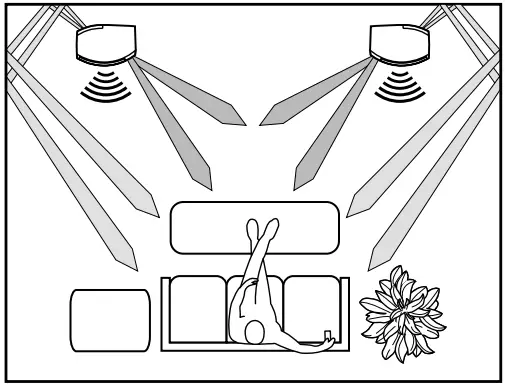
Your 301® speakers are designed to work with a variety of stereo receivers and amplifiers as either front or rear channel speakers. The open, spacious performance of these speakers makes them an ideal choice for home theater, or for listening to CDs, tapes, or radio broadcasts (Figure 4).
Cleaning the speakers
Clean the surface of your speakers with a soft damp cloth. Do not use any sprays near the system or allow liquids to spill into any openings. Also, do not use any solvents, chemicals, or cleaning solutions containing alcohol, ammonia, or abrasives. The speaker grille panels require no special care. You may vacuum them carefully to remove dust.
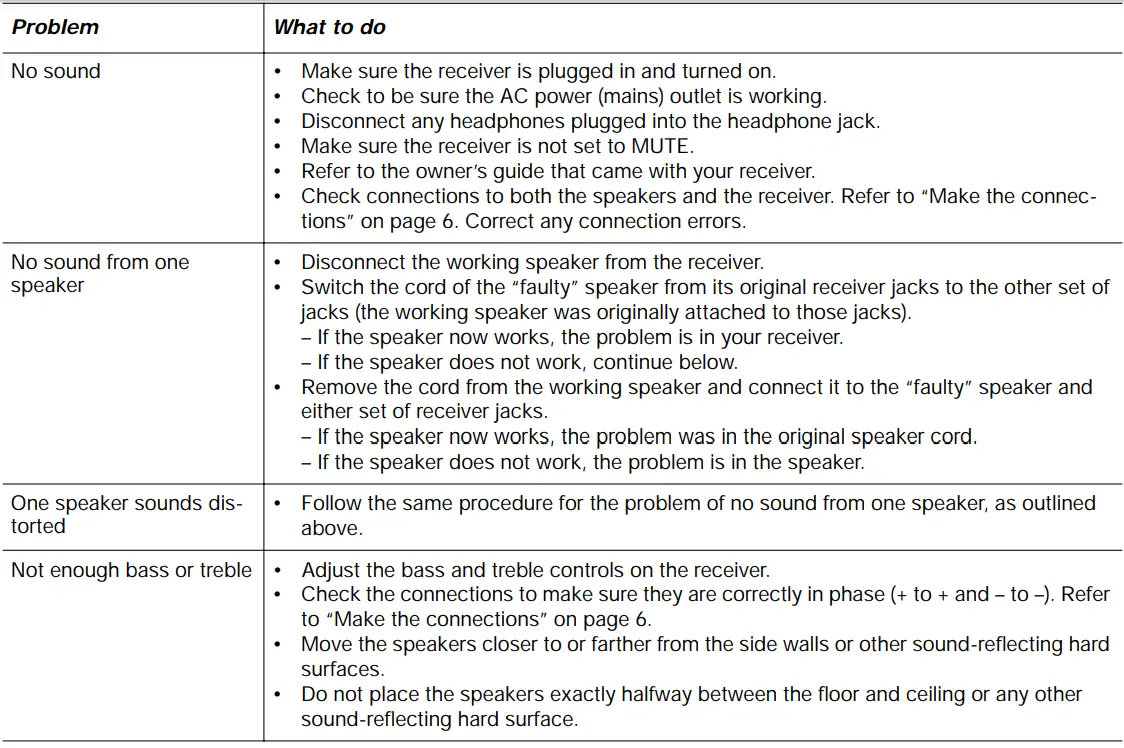
TROUBLESHOOTING
CUSTOMER SERVICE
If the troubleshooting guidelines above do not solve your problem, contact your authorized Bose® dealer to arrange for service. To obtain information or service directly from Bose, see the list of telephone numbers included with your speakers. Bose Corporation will make every effort to correct any problem within the terms of your warranty.
WARRANTY PERIOD
Bose 301® series V Direct/Reflecting® speakers are covered by a limited transferable warranty. Details of the coverage are provided on the warranty card that came with your speakers. Please fill out the information section on your card, detach, and mail to Bose.
TECHNICAL INFORMATION
FEATURES
- Direct/Reflecting® speaker technology
- Stereo Targeting® tweeters
- Tuned port enclosure
- Syncom® computer quality control
DRIVER COMPLEMENT
- 301®: One 8-inch (20 cm) woofer. Two 2-inch (5 cm) high-sensitivity tweeters.
COMPATIBILITY/IMPEDANCE
- 301: Compatible with amplifiers and receivers rated from 10 to 150 watts per channel. Rated 4 – 8 ohms
ENCLOSURE
- Polymer and vinyl veneer over wood construction with black or light cherry finish.
SIZE/WEIGHT
- 301: 9 3⁄4″H x 14 1⁄4″W x 9 3⁄4″D (25 cm x 36 cm x 25 cm).
- Each speaker, unpacked: 12.5 lb (5.7 kg).
- Speaker pair in shipping carton: 28.7 lb (13 kg).
OPTIONAL ACCESSORIES
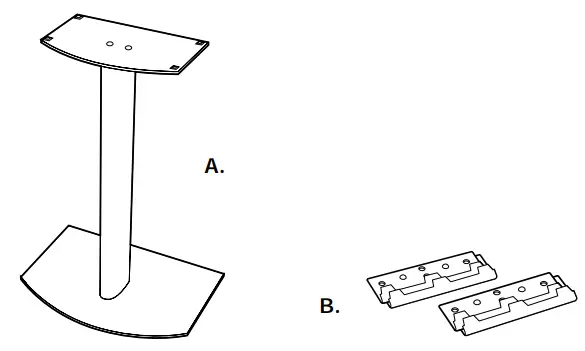
Bose® FS-01 speaker stands and WB-3 wall mounting brackets are designed for use with 301 Series V Direct/Reflecting speakers. For information, or to order accessories, contact your authorized Bose dealer. To contact Bose directly, see the list of telephone numbers included with your speakers.
- Bose FS-01 speaker stand
- WB-3 wall mounting brackets
FAQs
The 301 V speakers’ channel ratings are 10-150 Watts at 4-8 Ohms (each speaker).
Lack of magnetic shielding may cause local electrical appliances to malfunction.
Clear sound emanates from the Bose speakers and fills the living room. Nearly as good as if I were in a symphony hall, the music is. To anyone looking for high-quality sound reproduction, I would suggest Bose. At Best Buy, the purchasing experience was excellent as well.
The battery normally offers roughly 6 hours of playback at medium volume levels when fully charged. Higher volume settings cause the battery to drain more quickly. The battery has an average lifespan of roughly 300 charge cycles.
In 1975, the “301” bookshelf speakers were introduced. Height: 17″ Width: 10.5″ Depth: 9.25″ Woofer: 8″ Tweeters: 3″ Impedance: 8 OHMS Cabinet The Bose 301 Series II is a traditional and potent direct/reflecting speaker system that produces stereo effects with exceptional clarity.
Place the speakers at least 30 cm (12 inches) from the side walls. to respond to bass Less than 18 inches (45 cm) from the wall behind the speakers and more than 18 inches from the floor or ceiling will produce the most realistic bass response.
There are no longer 301 speakers (hey Bose, I know you are reading this, you might want to change the AM-3 picture on the Stereo webpage since you do not sell it anymore).
Li-ion batteries are used in Bose speakers. Depending on the speaker you buy, the type of lithium-ion battery may change, however all Bose speakers have lithium-ion batteries.
The battery will typically charge completely in around 3 hours, though this can vary depending on the charge level, whether the product is in use, and the charger being used (the Bose charger is recommended).
Bose products have incredible sound quality because of how much bass they create and how loud they can go. The walls in most rooms can tremble due to the loudness of Bose devices. The majority of Bose headphones use noise-canceling technology to block out distractions and highlight the music being played.
Bose speakers will bring out the most in your music. There are several options available, including outdoor speakers and specialised speakers.
If the battery in your product starts to degrade or dies, you can remove it and replace it.
Press and hold the Power button on the top of your product until the power light displays one of the following: Green: A battery life of at least 50%. Battery life for Amber is 10 to 50%. Red flashing light: Low battery life (10%).
Your speaker’s battery may need to be charged for a while before it can turn on again if it is completely discharged. Depending on the charger being used, the time: It takes around 2 minutes to charge a 3 A device (like the speaker that came with it). Chargers for 1 to 2 A batteries take 25 to 35 minutes.
Turn on the speaker. For around 10 seconds, hold down the Power button while the Bluetooth® light blinks blue, and a voice prompt asks you to choose a language.
To turn off the battery protection mode on your device, connect it to an AC (mains) outlet. When the system is left disconnected and idle for three days with less than 10% charge left in the battery, the system switches into battery protection mode to save battery life. Connect the system to AC (mains) power to turn it back on.