Contents hide

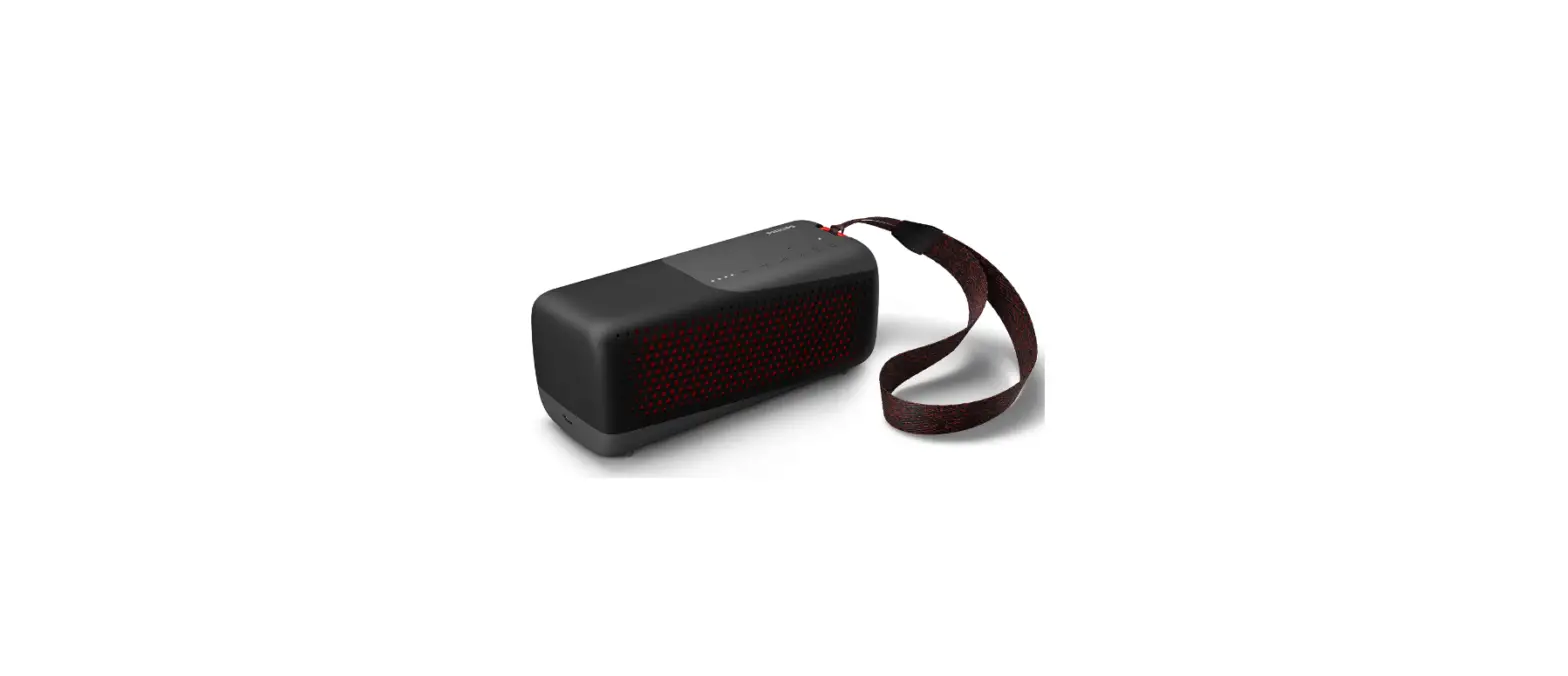
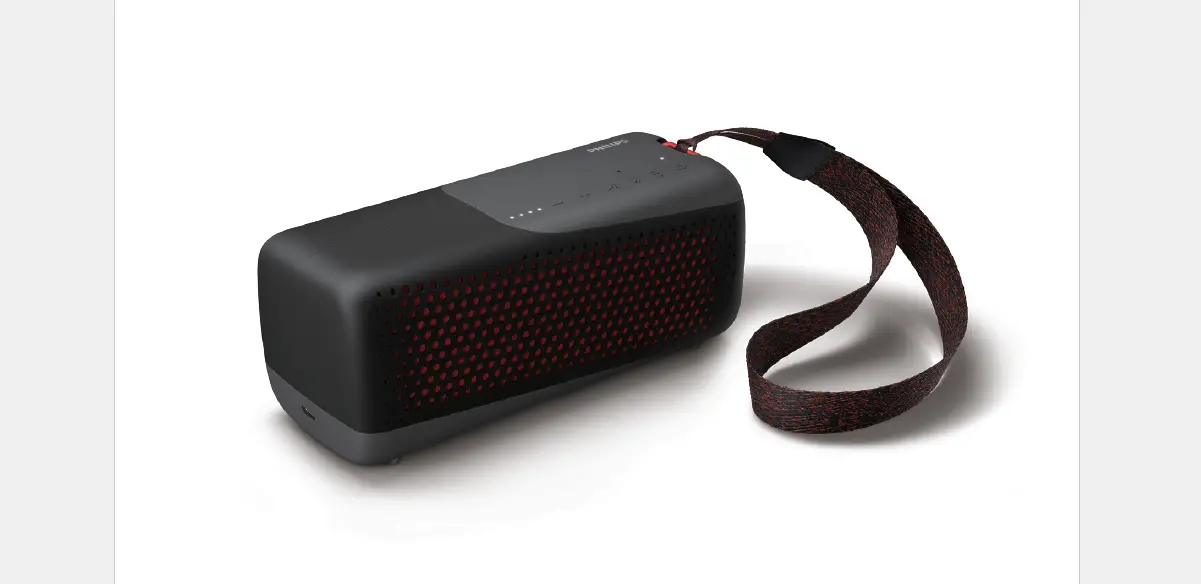
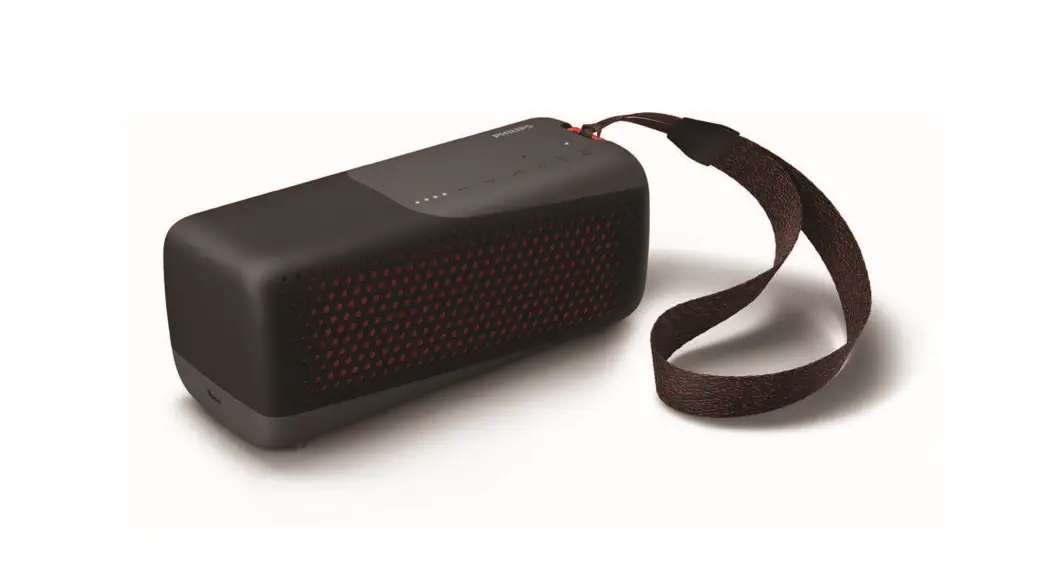
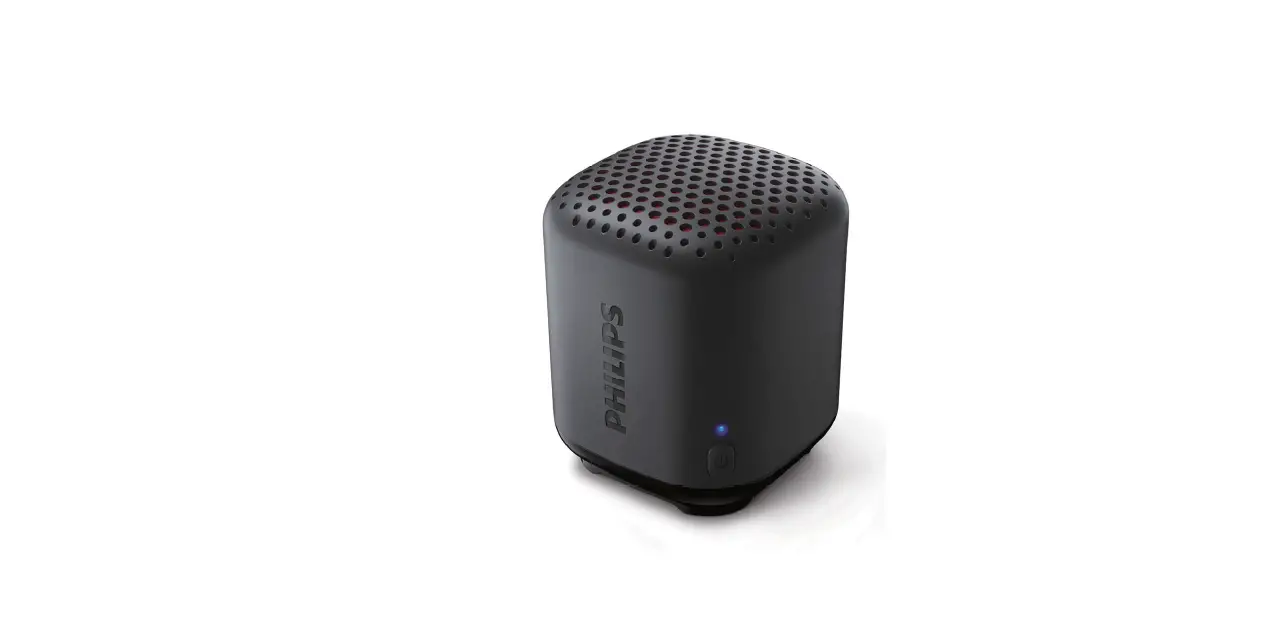
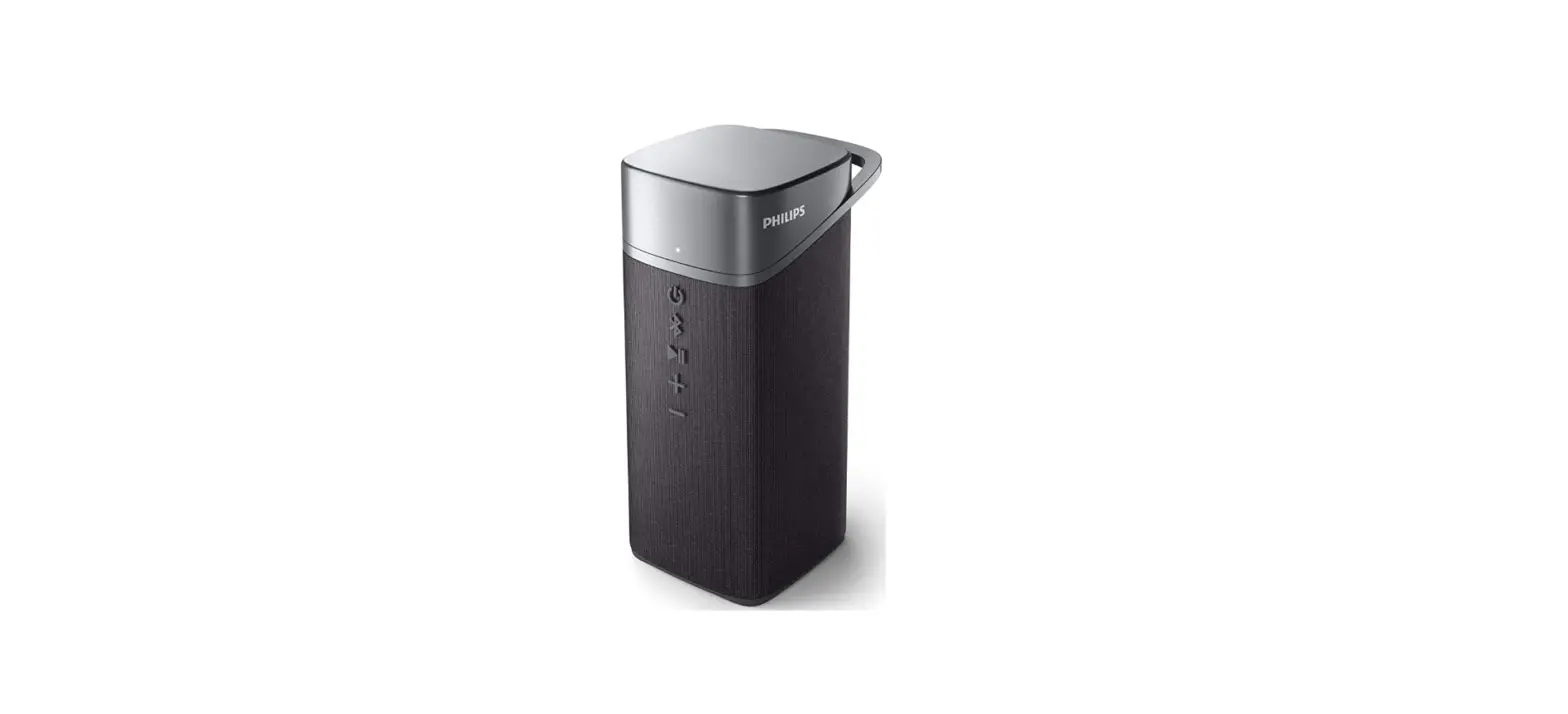
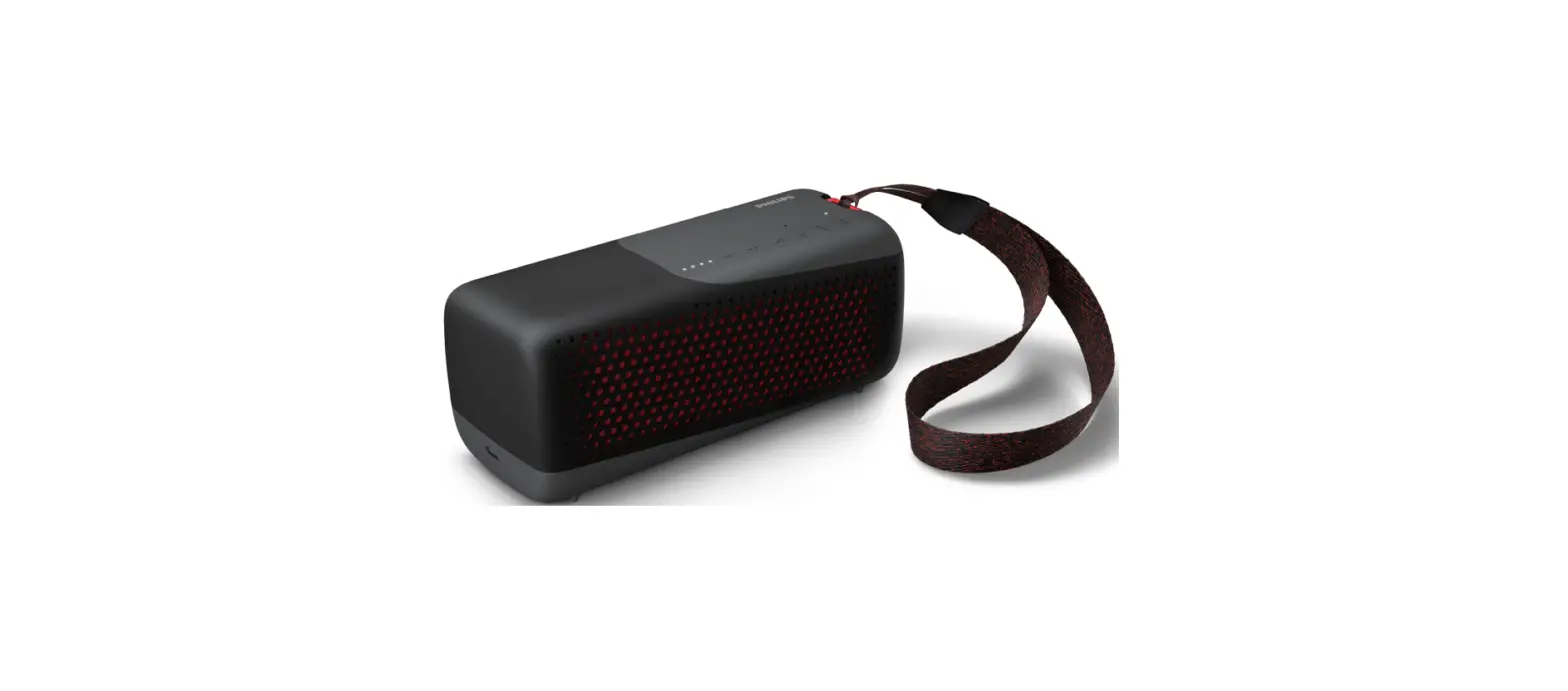
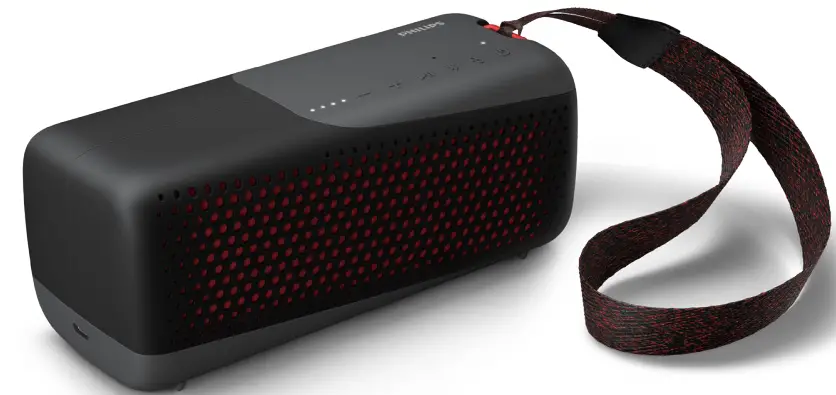
Philips S4807 Outdoors Wireless Bluetooth Speaker
Safety
Important safety instructions- Make sure that the power supply voltage corresponds to the voltage on the back or the underside of the unit.
- The speaker shall not be exposed to dripping or splashing.
- Do not place any source of danger on the speaker (e.g. liquid filled objects, lit candles).
- Make sure that there is enough free space around the speaker for ventilation.
- Please use the speaker safely in an environment with temperatures between
- Only use attachments and accessories specified by the manufacturer.
- The danger of explosion if a battery is incorrectly replaced. Replace only with the same or equivalent type.
- A battery (battery pack or battery installed) shall not be exposed to excessive heat such as sunshine, fire or the like.
- A battery in extremely high or low temperatures during use, storage or transportation, and low air pressure at high altitudes can pose safety hazards.
- Do not replace a battery with an incorrect type that can defeat a safeguard (for example, some lithium battery types).
- Disposing a battery into fire or a hot oven, mechanically crushing or cutting a battery can result in an explosion.
- Leaving a battery in an extremely high-temperature surrounding, or an extremely low air-pressure environment may result in an explosion or leakage of flammable liquid or gas.
- Never remove the casing of this speaker.
- Never lubricate any part of this speaker.
- Place this speaker on a flat, hard, and stable surface.
- Never place this speaker on other electrical equipment.
- Only use this speaker indoors. Keep this speaker away from water, moisture and liquid-filled objects.
- Keep this speaker away from direct sunlight, naked flames or heat.
- Risk of explosion if a battery is replaced by an incorrect type.
Your wireless speaker
Congratulations on your purchase, and welcome to Philips! To fully benefit from the support that philips.com/welcome. What’s in the box Check and identify the contents of your package:- Speaker
- USB cable
- Quick start guide
- Safety sheet
- Worldwide warranty
Overview of the speaker
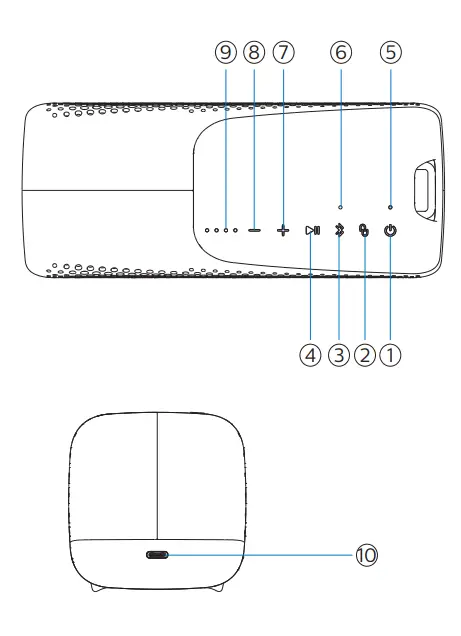
 Turn the speaker on or off.
 Press and hold to enter stereo pairing mode.
 Enter Bluetooth pairing mode.
Clear Bluetooth pairing information.
Enter Bluetooth pairing mode.
Clear Bluetooth pairing information.- LED indicator
 In Bluetooth mode, press to pause or resume play.
Respond to an incoming call through Bluetooth connection.
Press and hold to trigger voice assistant of your mobile device.
In Bluetooth mode, press to pause or resume play.
Respond to an incoming call through Bluetooth connection.
Press and hold to trigger voice assistant of your mobile device.- Microphone
 Increase volume.
 Decrease volume.
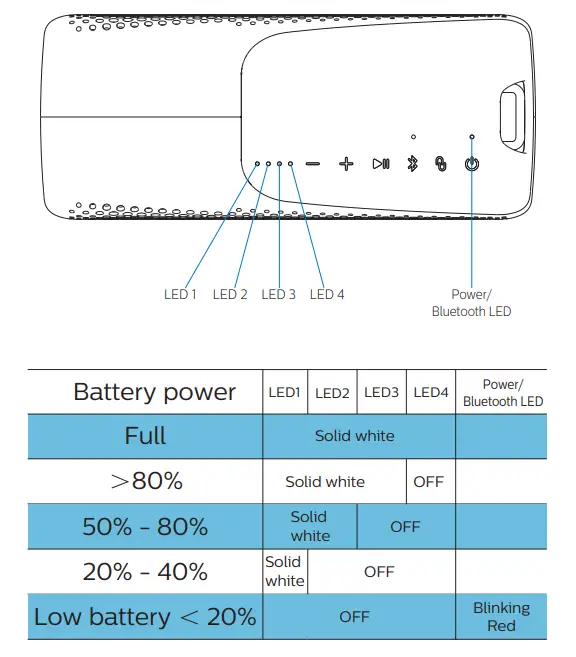
- Battery level indicators
- Show the charging progress.
- Show the battery level: To check battery status, press any other keys but not , as will trigger the power off.
- DC IN Charge the built-in battery.
 Press and hold to enter stereo pairing mode.
 Enter Bluetooth pairing mode.
Clear Bluetooth pairing information.
Enter Bluetooth pairing mode.
Clear Bluetooth pairing information. In Bluetooth mode, press to pause or resume play.
Respond to an incoming call through Bluetooth connection.
Press and hold to trigger voice assistant of your mobile device.
In Bluetooth mode, press to pause or resume play.
Respond to an incoming call through Bluetooth connection.
Press and hold to trigger voice assistant of your mobile device. Increase volume.
 Decrease volume.
Get started
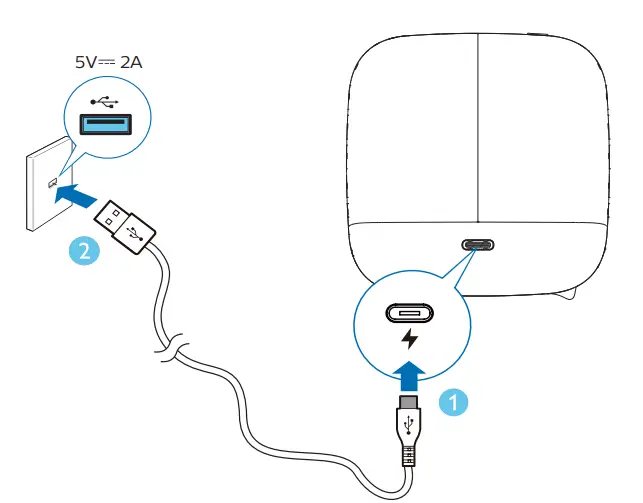
Always follow the instructions in this chapter in sequence. Charge the built-in battery The speaker is powered by a built-in rechargeable battery. Note- Fully charge the built-in battery before using.
- When the speaker is turned on and the battery is low, the battery level LED indicator blinks White & Red slowly alternately.
 Power on
- When the speaker is being charged, LED blinks red slowly.
- When the speaker is fully charged, LED is solid White.
- When the speaker is being charged, LED blinks red slowly.
- When the speaker is fully charged, LED off.

- Risk of speaker damage! Make sure the power supply voltage corresponds to the voltage printed on the back or the underside of the speaker.
- Risk of electric shock! When unplug the USB cable, always pull the plug from the socket. Never pull the cable.
- Use only a USB cable specified by the manufacturer or sold with this speaker.
Turn ON /OFF
Press to turn the speaker on.
- You will hear the prompt sound.
again.- You will hear the prompt sound.
Play from Bluetooth devices
Play from Bluetooth devices With this speaker, you can enjoy audio from your Bluetooth device. Note- Make sure that the Bluetooth function is enabled on your device.
- The maximum distance for pairing the speaker and your Bluetooth device is 20 meters (66 feet).
- Keep away from any other electronic device that may cause interference.
- Press to turn the speaker on. It will enter Bluetooth pairing mode automatically.
You can also press and hold for 2 seconds to enter Bluetooth pairing mode.
- Enable Bluetooth and select “Philips S3505” in the Bluetooth list on your device for pairing.
- If a message prompts for permission for a Bluetooth connection, confirm it.
- If a password is required, enter 0000 and then confirm.
- Play audio on your Bluetooth device to start streaming music.

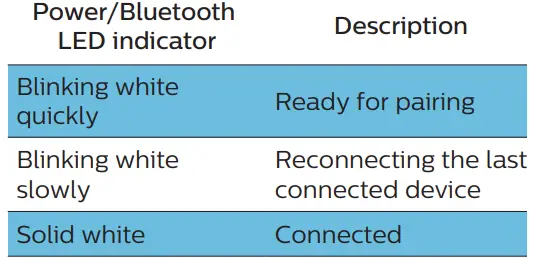
- To disconnect a device, press and hold for 2 seconds until the LED indicator blinks white quickly.
- To clear the pairing information, press and hold for 8 seconds until the LED indicator blinks white quickly.
Multi-point connection
Pairing- Pair the speaker to two devices, e.g. mobile phone and notebook.
- Music can only be played from one device at a time. The other device will be reserved for phone calls.
- Pause the audio from one device to start playing audio from the other device.
- Receiving a call on Device 2 will pause playback on Device 1. The call will be routed automatically to your speaker.
- Ending the call will resume playback from Device 1 automatically.
Control playback
During playing the music,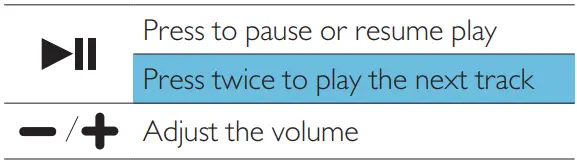
Control phone call 
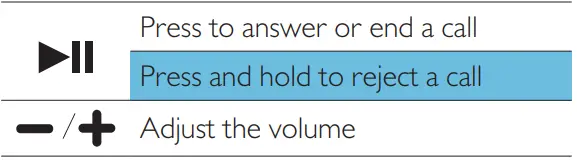
Trigger the voice assistant of your mobile device
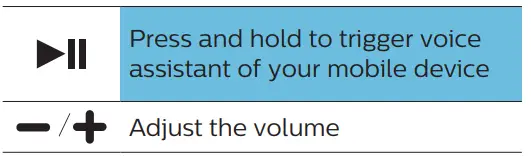
Pairing for stereo mode
Two identical wireless speakers (Philips S4807) can pair with each other for stereo sound. Note- Any speaker can be used as the primary speaker.
- The speaker connected to a Bluetooth device can only be used as the primary speaker.
- Before stereo pairing, make sure that the secondary speaker is under Bluetooth pairing mode.
- Keep a maximum distance of 20 meters (66 feet) between the speaker and your Bluetooth device.
- In stereo mode, the button operation on the secondary speaker is as same as that of the primary speaker.
- Press to power on both speakers, and they will enter Bluetooth pairing mode automatically. The speaker connected to your Bluetooth device will be used as the primary speaker.
- On both speakers, press and hold to enter stereo pairing mode until the LED blinks red and white alternatively. You will hear a prompt sound when successfully connected and Power/Bluetooth LED is solid white.
- Press on either speaker. The music will be played through both speakers.
To exit the stereo mode, press and hold the on either speaker.
Product information
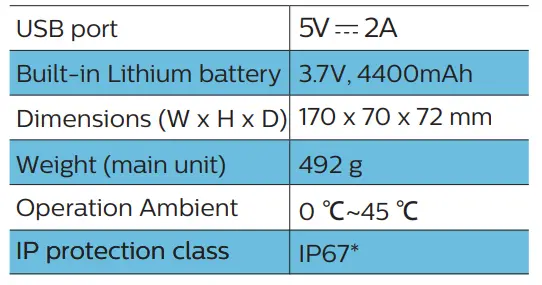
Note Product information is subject to change without prior notice.General information
*The IPX7 rating means the speaker driver can be submerged for up to 30 minutes at a depth of up to 1 m. The speaker fabric is not waterproof, but the wool-blend material can withstand a drop of water.
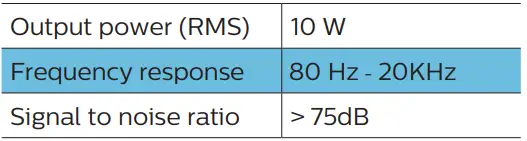
Amplifier
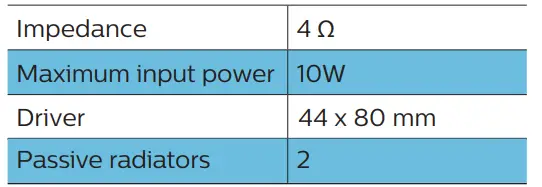
 Speaker
 Bluetooth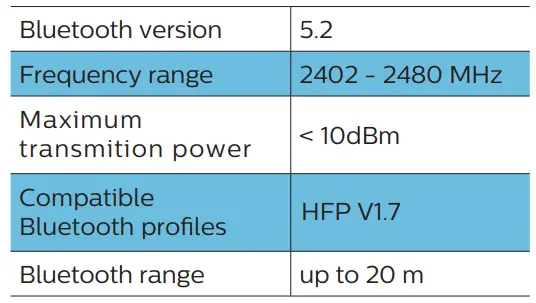
Troubleshooting
Warning Never remove the casing of the speaker. To keep the warranty valid, never try to repair the speaker yourself. If you encounter problems when using this speaker, check the following points before requesting service. If the problem remains unsolved, go to the Philips website (www.philips.com/welcome). When you contact Philips, ensure that the speaker is nearby and the model number and serial number are available.General
No power- Make sure the speaker is fully charged.
- Make sure the USB socket of the speaker is properly connected.
- As a power-saving feature, the speaker turns off automatically 15 minutes after no audio signal is received.
- Adjust the volume on this speaker.
- Adjust the volume on the connected device.
- Make sure that your Bluetooth device is within the operational range. No response from the speaker
- Restart the speaker. Bluetooth The audio quality is poor after connection with a Bluetooth-enabled device
- The Bluetooth reception is poor. Move the device closer to this speaker or remove any obstacle between them.
Bluetooth
The audio quality is poor after connection with a Bluetooth-enabled device- The Bluetooth reception is poor. Move the device closer to this speaker or remove any obstacle between them. Fail to And [Philips S4807] on your Bluetooth device for pairing
- Press and hold for 3 seconds to enter Bluetooth pairing mode, and then try again.
- The Bluetooth function of your device is not enabled. Refer to the user manual of your device to And out how to enable the function.
- This speaker is not in pairing mode.
- This speaker is already connected to another Bluetooth-enabled device. Disconnect and try again.
Notice
Any changes or modifications made to this device that are not expressly approved by MMD Hong Kong Holding Limited may void theuser’s authority to operate the equipment. Compliance Hereby, TP Vision Europe B.V. declares that this product is in compliance with the essential requirements and other relevant provisions of Directive 2014/53/EU. You can find the Declaratio of Conformity on www.philips.com/supportCare of the environment
Disposal of your old product and battery Your product is designed and manufactured with high-quality materials and components, which can be recycled and reused.
 This symbol on a product means that the product is covered by European Directive 2012/19/EU.
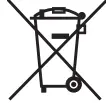 This symbol means that the product contains batteries covered by European Directive 2013/56/EU which cannot be disposed of with normal household waste. Inform yourself about the local separate collection system for electrical and electronic products and batteries. Follow local rules and never dispose of the product and batteries with normal household waste. Correct disposal of old products and batteries helps prevent negative consequences for the environment and human health.
Removing the disposal batteries
To remove the disposable batteries, see the battery install section.
This symbol means that the product contains batteries covered by European Directive 2013/56/EU which cannot be disposed of with normal household waste. Inform yourself about the local separate collection system for electrical and electronic products and batteries. Follow local rules and never dispose of the product and batteries with normal household waste. Correct disposal of old products and batteries helps prevent negative consequences for the environment and human health.
Removing the disposal batteries
To remove the disposable batteries, see the battery install section.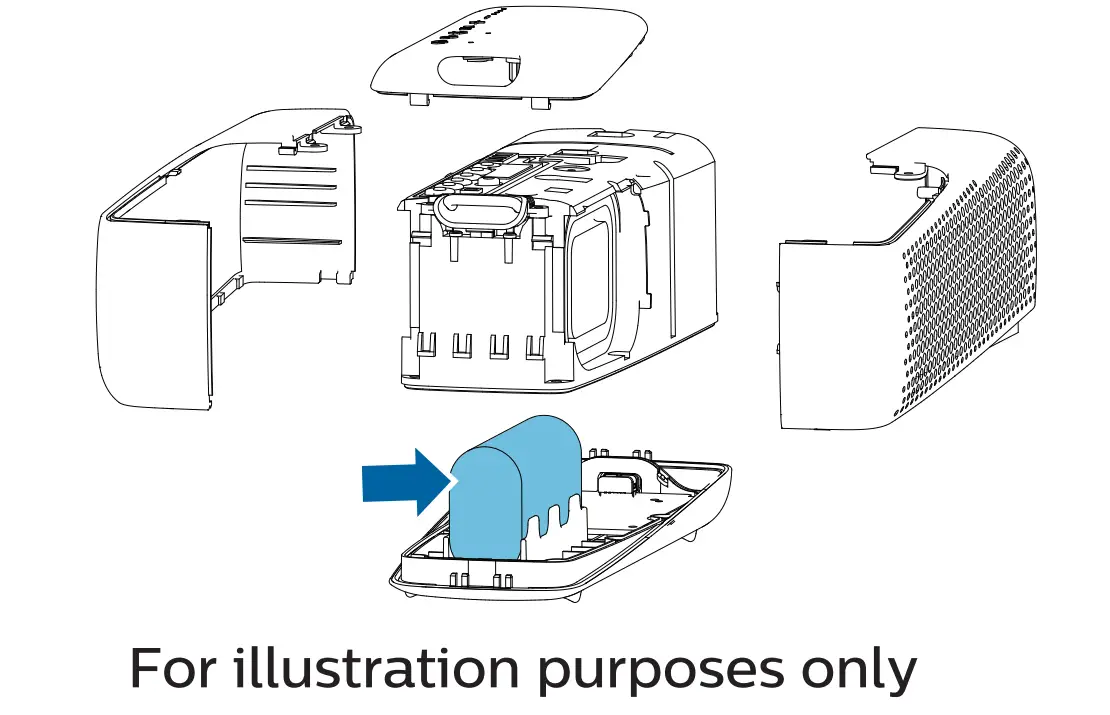
Environmental information
All unnecessary packaging has been omitted. We have tried to make the packaging easy to separate into three materials: cardboard (box), (bags, and protective foam sheet.) Your system consists of materials that can be recycled and reused if disassembled by a specialized company. Please observe the local regulations regarding the disposal of packaging materials exhausted batteries and old equipment. Disposal of a battery into fire or a hot oven, or mechanically crushing or cutting of a battery, can result in an explosion.FCC Statement
This device complies with Part 15 of the FCC Rules. Operation is subject to the following two conditions:- This device may not cause harmful interference, and
- This device must accept any interference received, including interference that may cause undesired operation. Warning: Changes or modifications not expressly approved by the party responsible for compliance could void the user’s authority to operate the equipment.
- Reorient or relocate the receiving antenna.
- Increase the separation between the equipment and the receiver.
- Connect the equipment into an the receiver is connected.
- Consult the dealer or an experienced radio/TV technician for help.
Does this Bluetooth speaker have FM radio feature?
Nope…
Does it stay on when the cable is connected?
Yes, it does.
WHAT IS THE Bluetooth version?
The one I bought is Bluetooth
WHATS Cuantos watts?
5 watts
Does it have an auxiliary plug-in?
No.
Can I connect this to my older version (no Bluetooth) Sony walkman mp3 player by audio cable? if so, how? thanks! i’m computer illiterate.
No you can not. It is blue tooth only.
Can the speaker be used while it is plugged in charging?
Yes we can
Will it contact a Roku TV?
Nope. But you can do Amazon music through roku
Is it waterproof?
It says it’s waterproof and can be used in the shower according to the manual supplied with speaker.
Is this a ‘Smart’ speaker, meaning one could ask it questions for information on any topic?
Nope
can I connect it to a windows laptop?
Yes! You can.