 D30-120
INSTALLATION GUIDE VERSION 1.1
CONNECT FANS
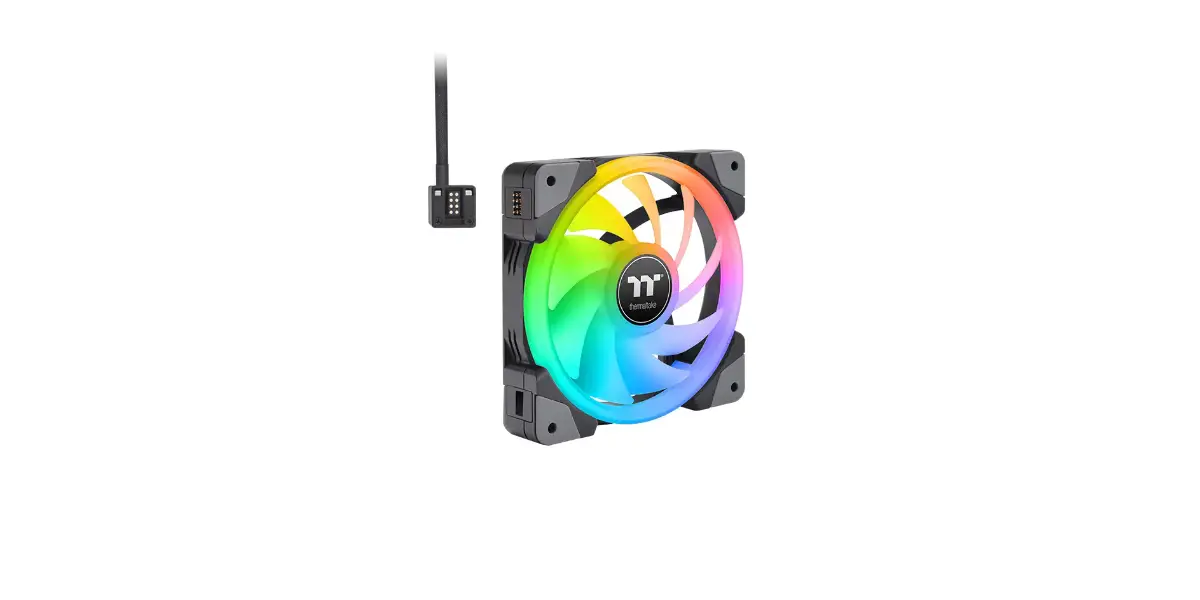
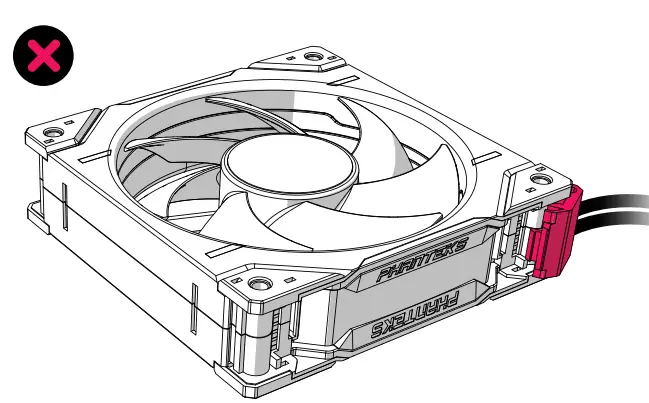
CONNECT UP TO FOUR D30-120 FANS ATTENTION CONNECT THE CABLE TO THE IN-PORT The D30-120 has an IN-port and an OUT-port, ensure that the cable is connected to the IN-PORT.
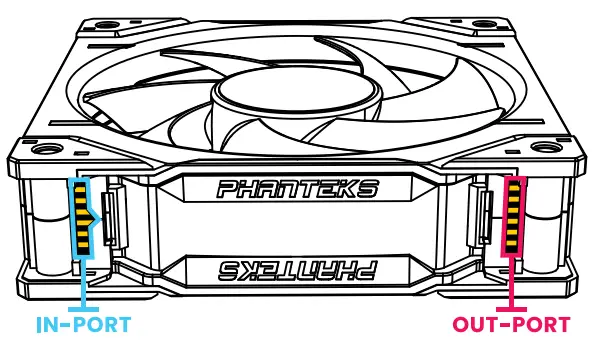
- Connect Cable to the IN-Port
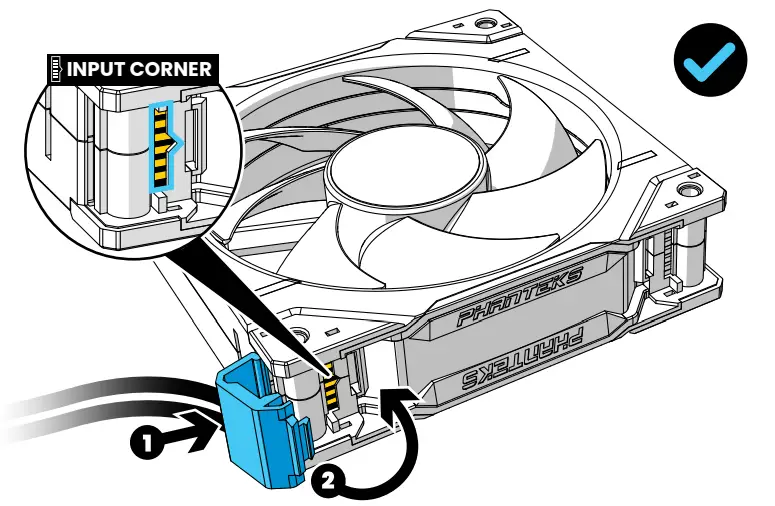
Connect the Cable Corner Clip to the fan frame as shown to the IN-port of the D30 fan.
Do Not Connect the Cable to the OUT-Port
The OUT-port only serves to pass through the signal to the next D30 fan.
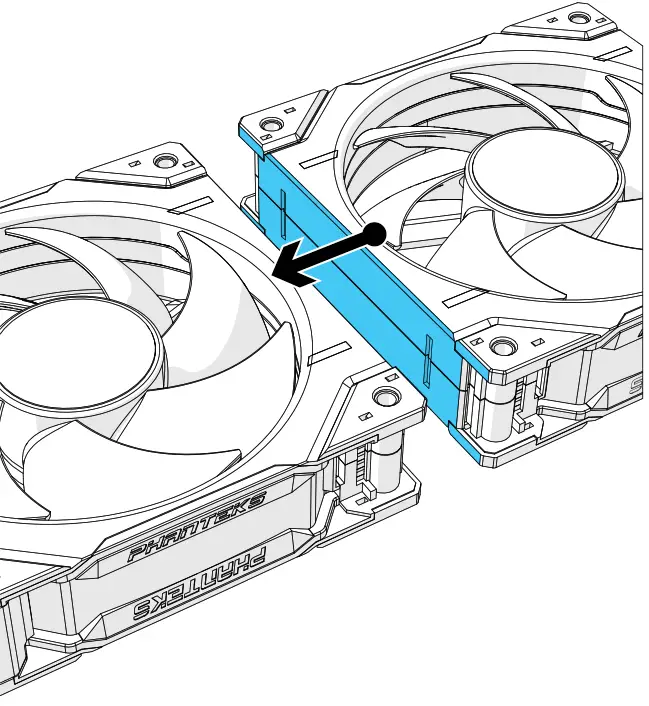
- Align Fans
Align the next fan closely together. Up to a maximum of four fans total.
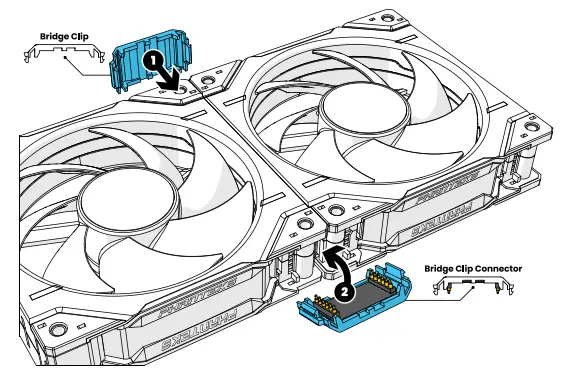
- Connect Fans With Bridge Clips
Connect the bridge clips to secure the fans together.
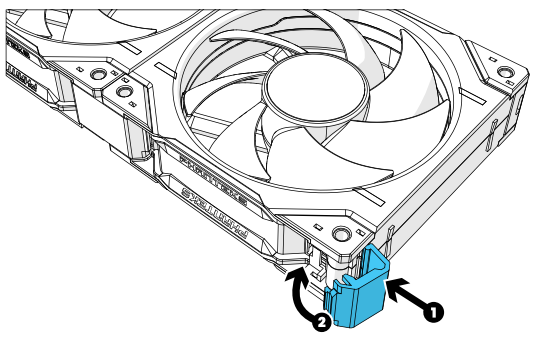
- Connect The Remaining Corner Clips
Use 3x Corner Clips to close of the remaining fan frame corners.
INSTALL FANS TO CHASSIS
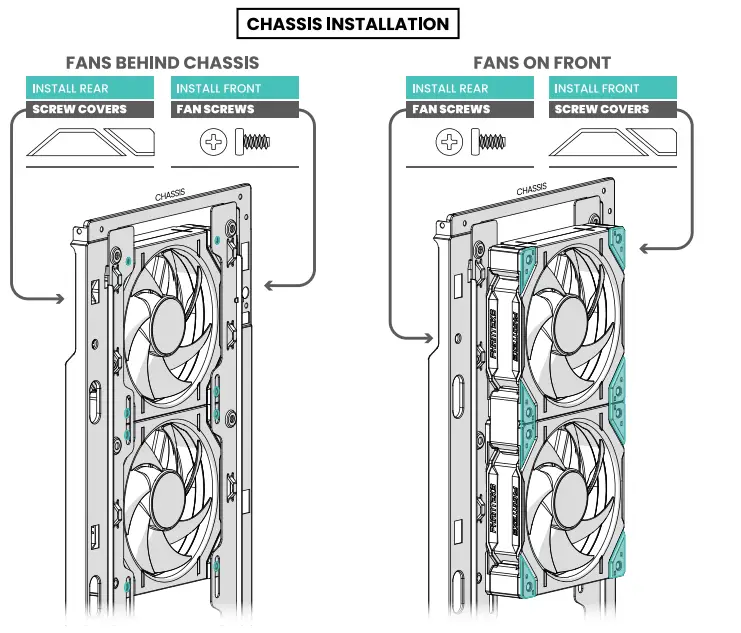
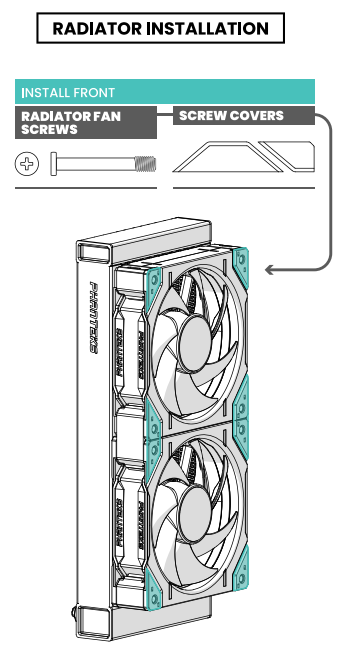
D-RGB CABLE CONNECTION
A To Phanteks D-RGB Chassis Controller

B To D-RGB motherboard
*Follow motherboard manual for D-RGB control Connect directly with the JST connector. Use motherboard adapter to connect to an A-RGB equipped motherboard.

DISCONNECT FANS
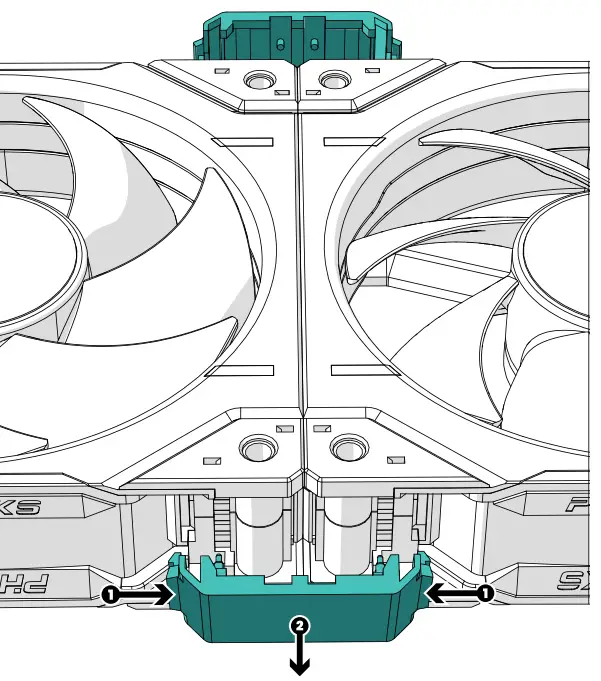
- Remove Bridge Clips
Push in (1), and release the bridge clips by pulling it away from the D30-120 fan frame (2).
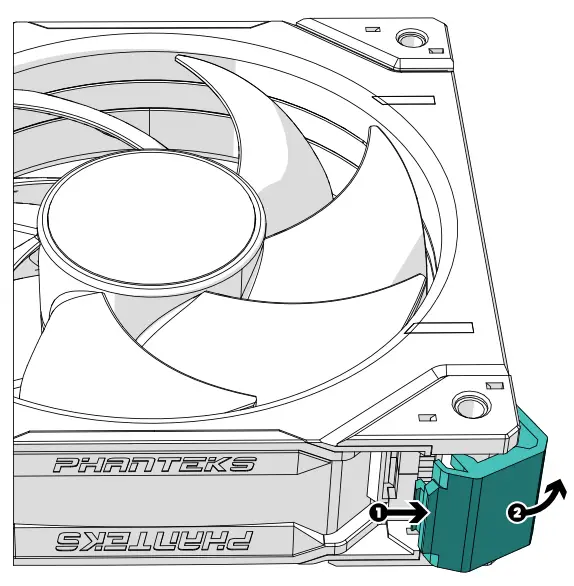
- Remove Corner Clips
Push in (1), and rotate the corner clip outward from the D30-120 fan frame to remove it (2). This is for every corner clip located on the fan.