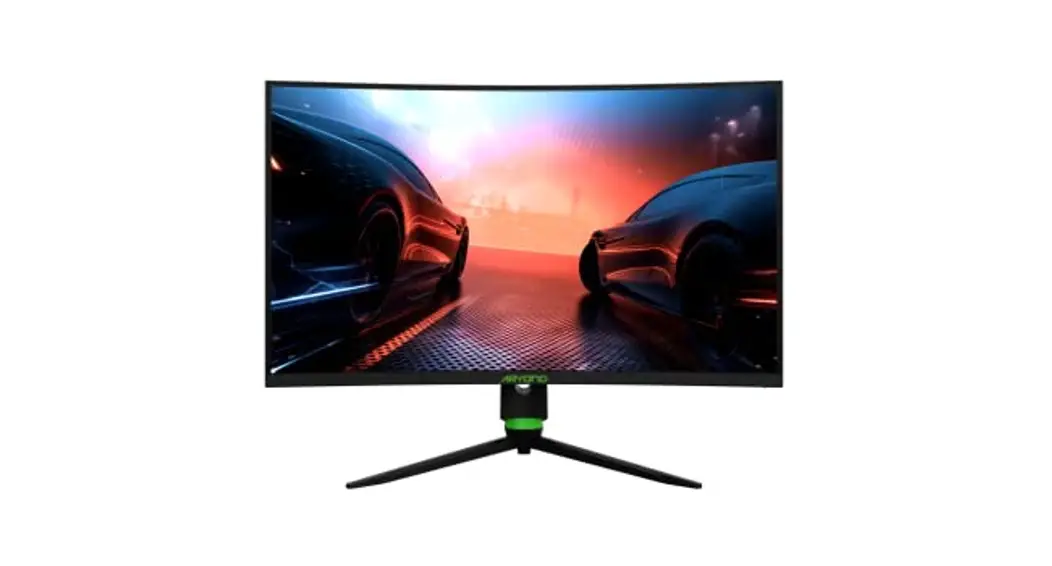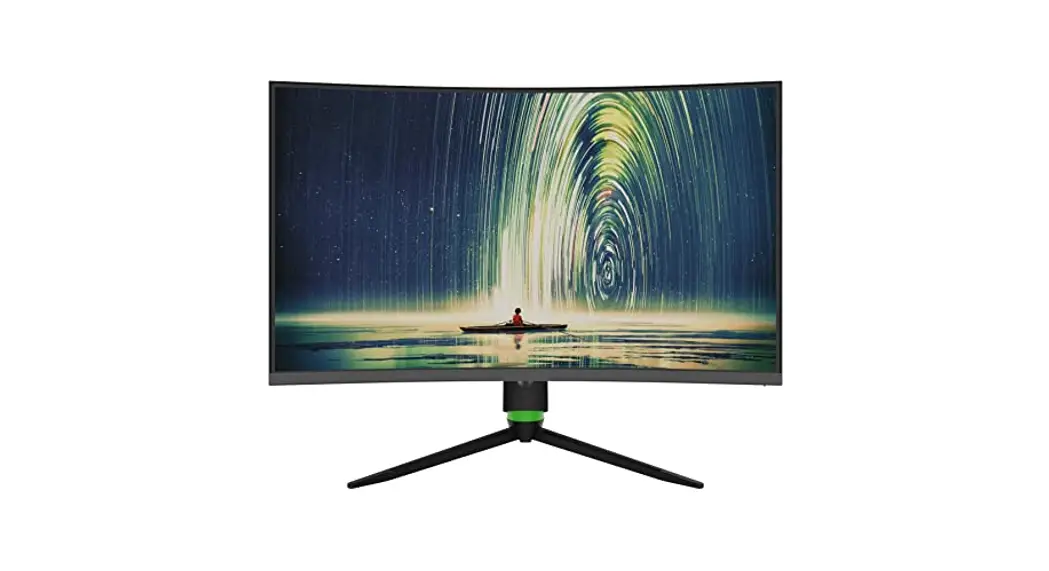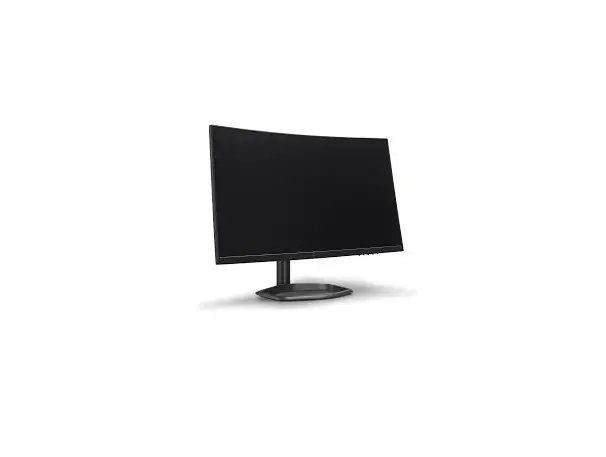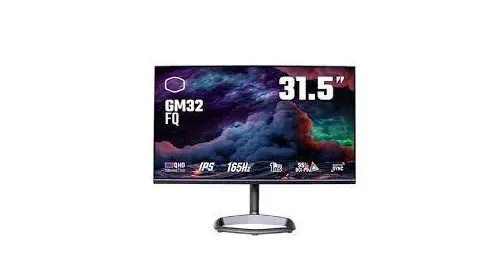
COOLER MASTER GM32-FQ 32 Inch Flat Gaming Monitor User Manual
Important Safety Instructions
Please read the following instructions carefully.
- To clean the LCD monitor screen:
Turn off the LCD monitor and unplug the power cord. Spray a non-solvent cleaning solution onto a rag and clean the screen gently. - Do not place the LCD monitor near a window. Exposing the monitor to rain, moisture or sunlight can severely damage it.
- Do not apply pressure to the LCD screen. Excessive pressure may cause permanent damage to the display.
- Do not remove the cover or attempt to service this unit yourself. An authorized technician should perform servicing of any nature
- Store the LCD monitor in a room with a temperature of -20° to 60° C (- 4° to140° F). Storing the LCD monitor outside this range may result in permanent damage.
- Immediately unplug your monitor and call an authorized technician if any of the following circumstances occur:
- Monitor -to-PC signal cable is frayed or damaged.
- Liquid spills onto the LCD monitor or the monitor is exposed to rain.
- The LCD monitor or case is damaged.
Package Contents
- Monitor x 1

- Support stand x 1

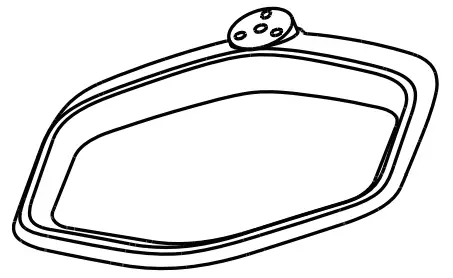
- Support base x 1

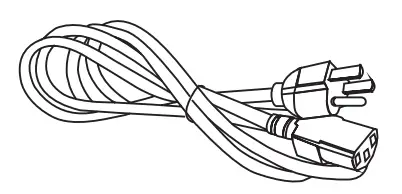
- Power cord x 1

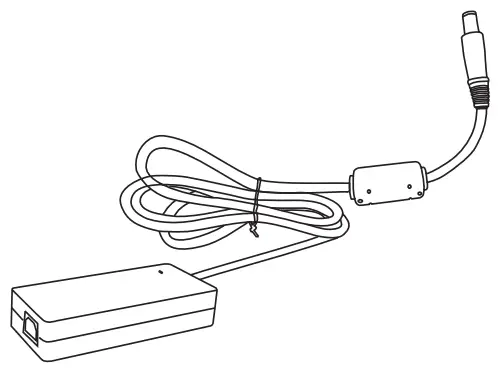
- Power adapter x 1

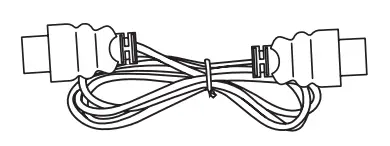
- HDMI cable x 1

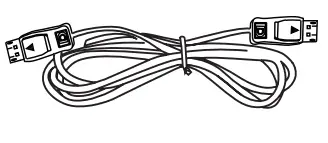
- DP cable x 1

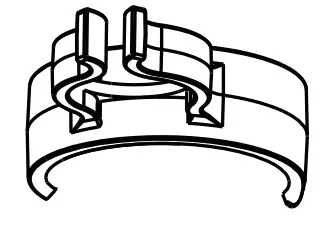
- Cable clip x 1
(Used for cable fixed in the back of the support stand)
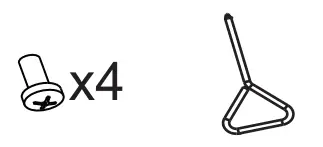
- Screws x 4
Screwdriver x 1
(Used for installation of the Back cover and support stand)
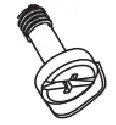
- Base screw x 1
(Used for installation of the support base and support stand)
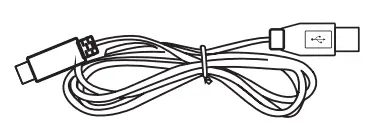
- (optional) USB Type A to B cable x 1
(PC and Monitor data transmission)
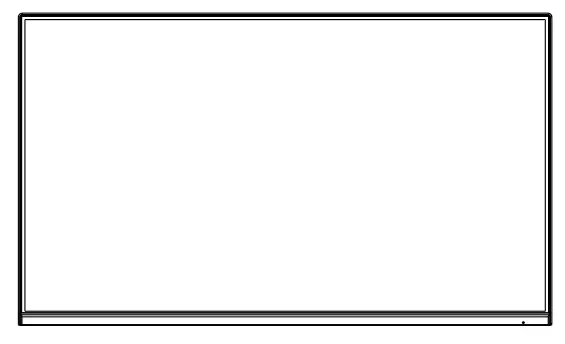
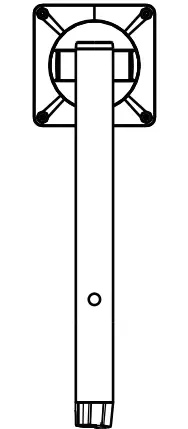
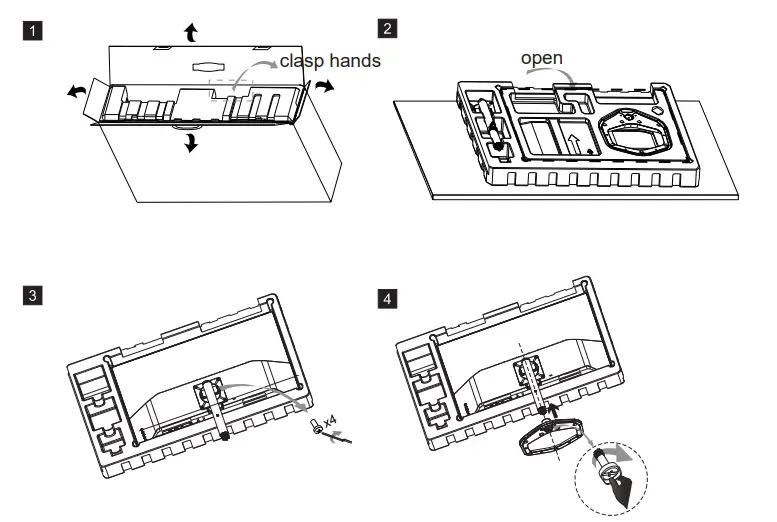
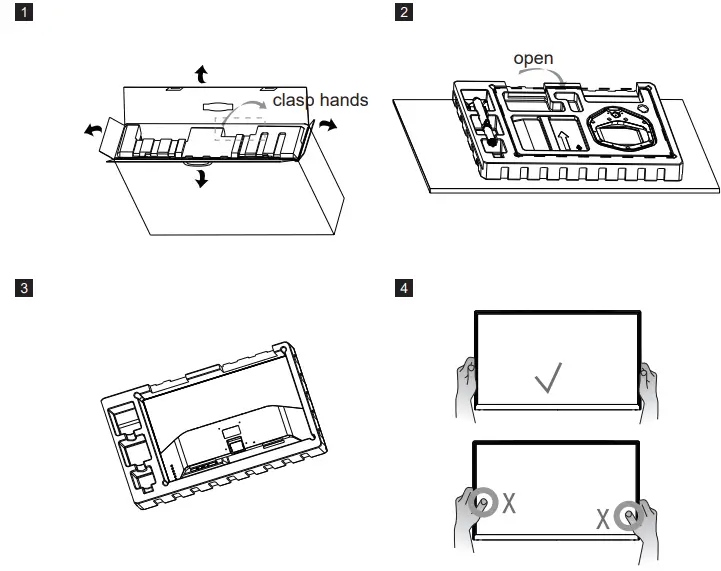
Connect the monitor to the base
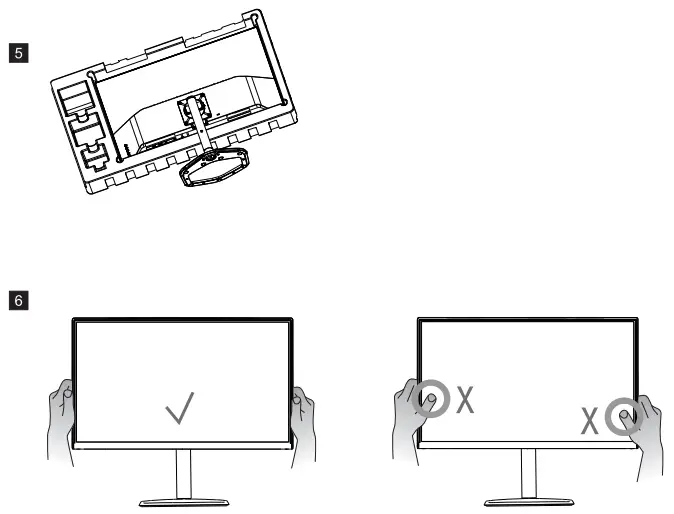
Adjusting the monitor
For the best results, it is recommended to look directly at the front of the monitor and make any adjusts as necessary.
- Ensure that the monitor is mounted upright on the stand base.
- When adjusting the monitor viewing angles, avoid touching the screen and hold the stand in order to prevent it from falling over
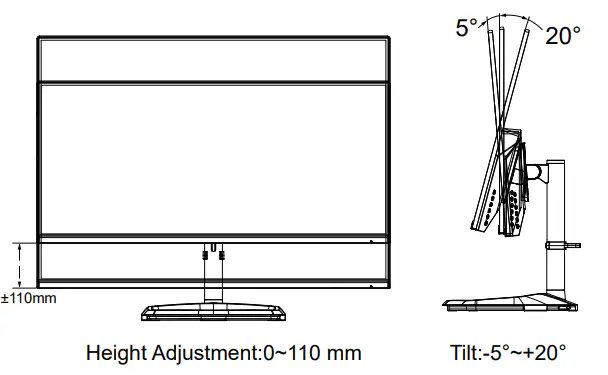
Note: It is normal that the monitor slightly shakes while you adjust the viewing angle.
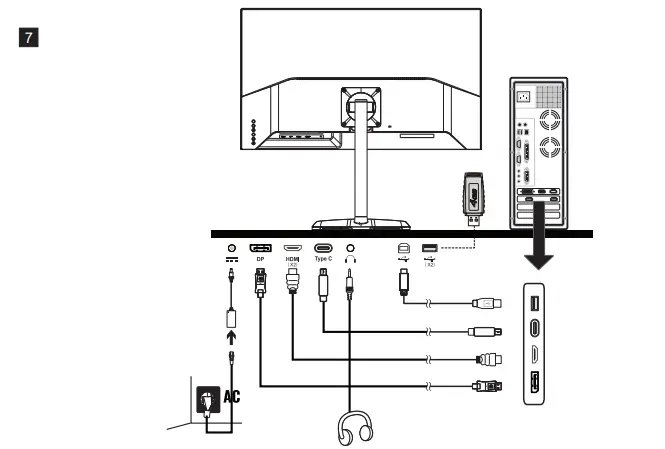
Note:
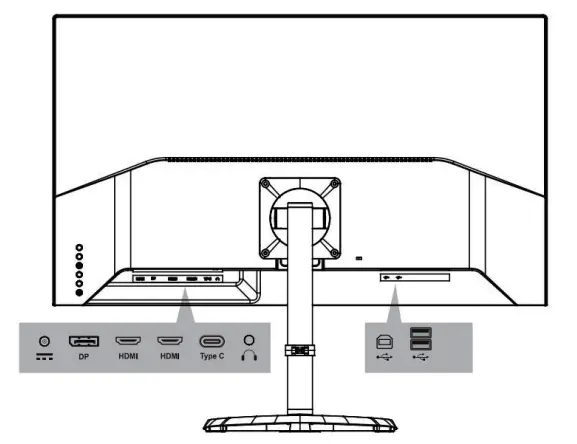
- Type – C output voltage/current: 5V / 3 A
- USB (x2) output voltage/current: 5V / 0.9A
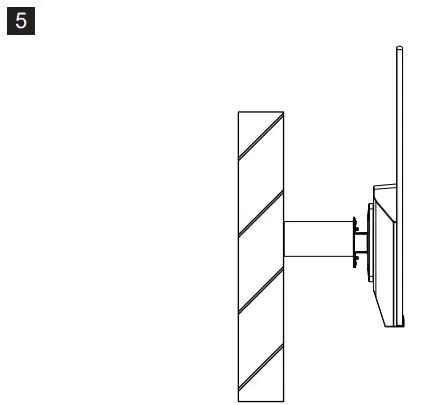
Wall Mount Installation Instructions
NOTE:
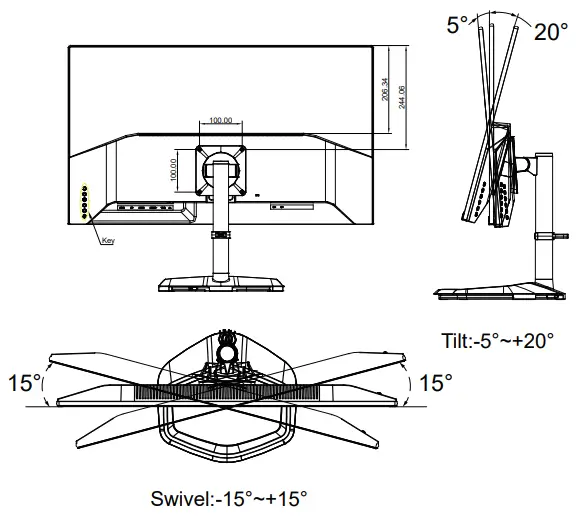
VESA SIZE: 100X100MM;
Screw specification (back cover only) : M4X12mm
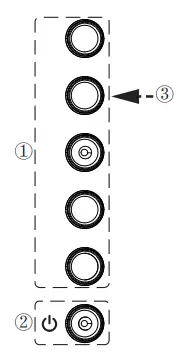
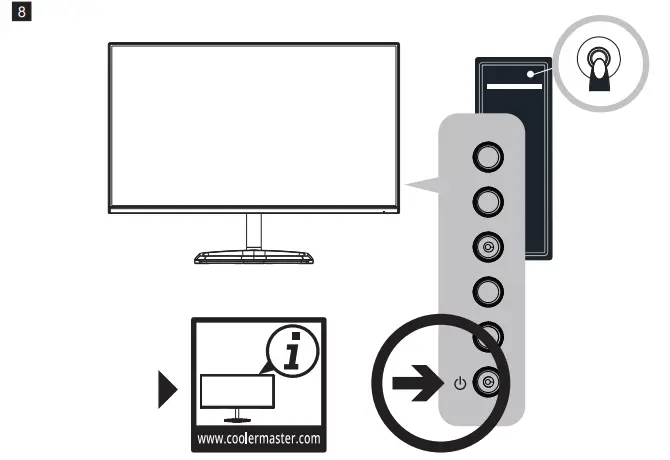
Navigation buttons<①>: Press the navigation button to enter menu <<options: Quick function option / Enter OSD menu options / Close fast navigation menu option >>, Adjust and navigate through the OSD menu based on the on-screen icons.
Power button<②>: Turn on/off the monitor.
NOTE: Power light;
Blue = ON;
Orange = Power Saving
Shortcuts:
a. Crosshair: When the screen display normal, gently press the button <③> to toggle the Crosshair function on/off
b. Picture Mode: Change and toggle through picture modes <options: Standard/Game/Movie/Web/Text/MAC/sRGB/Color Weakness Mode>
c. Contrast/Brightness: Adjust contrast/brightness
d. Input Select: Select and change to different inputs
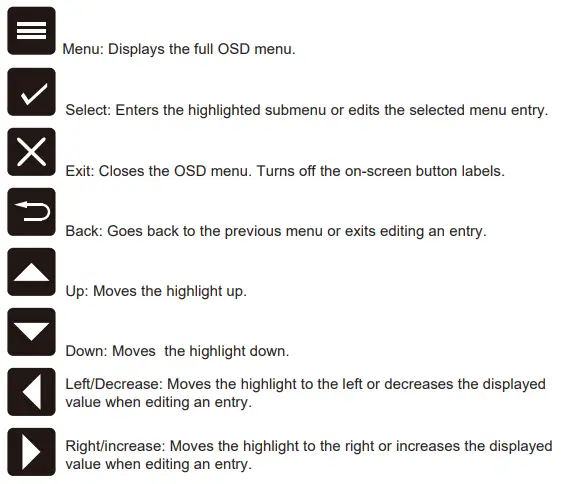
The OSD Menu and OSD Quick-Menu Symbol explanations and their functional uses are stated below.
Note:
- DP 165Hz: Adaptive Sync word tondersteund onder 2560×1440
- HDMI(144Hz): Adaptive Sync word tondersteund onder 2560×1440
OSD Function Introductions
| Level1 | Level2 | Level3 | Default Value |
| Input Select | DisPlayport | ||
| HDMI1 | |||
| HDMI2 | |||
| TypeC | |||
| Audio Adjust | Volume | 0~100 | 50 |
| Mute | On | Off | |
| Off | |||
| Picture Mode | Standard | Black Stabilization | 50 |
| Advanced DCR | 0 | ||
| Blue Light Filter | 0 | ||
| Response Time | Standard | ||
| Recall | |||
| Game | GAMER1 | GAMER1 | |
| GAMER2 | |||
| FPS1 | |||
| FPS2 | |||
| RTS | |||
| MOBA | |||
| Movie | Standard | ||
| Web | |||
| Text | |||
| MAC | |||
| SRGB | |||
| Color Weakness | Red Filter | 10 | |
| Green Filter | 10 | ||
| Color Adjust | Contrast/Brightness | Contrast | 70 |
| Brightness | 100 | ||
| 6-axis Color* | Hue | Red | |
| Green | |||
| Blue | |||
| Cyan | |||
| Magenta | |||
| Yellow | |||
| Saturaton | Red | ||
| Green | |||
| Blue | |||
| Cyan | |||
| Magenta | |||
| Yellow | |||
| Color Temperature | Bluish | Native | |
| Cool | |||
| Native | |||
| Warm | |||
| User Color | |||
| Color Domain | Auto | Auto | |
| RGB Mode | |||
| YUV Mode | |||
| Color Space | Auto | Auto | |
| BT.709 | |||
| DCI-P3 | |||
| BT.2020 | |||
| Color Range | Auto | Auto | |
| Full Range | |||
| Limited Range | |||
| HDR |
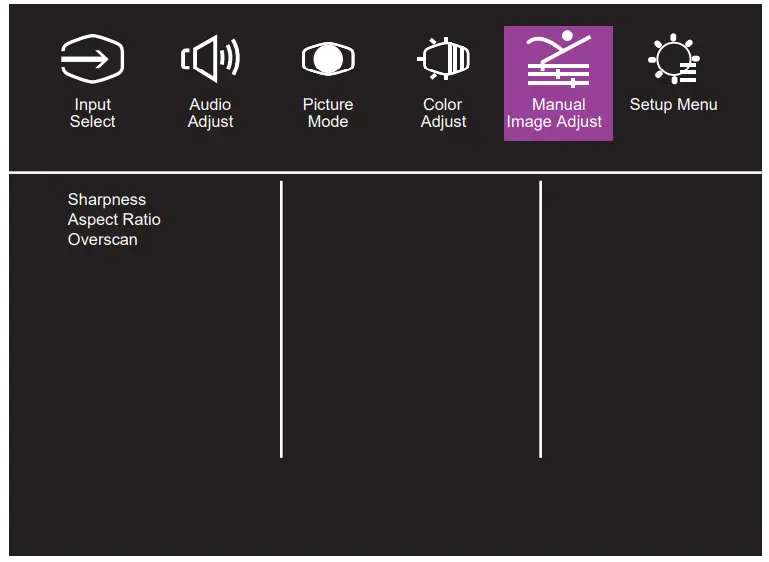
| Manual Image Adjust | Sharpness | 50 | 0~100 | ||
| Aspect Ratio | Full Aspect Ratio | Full Screen | |||
| Full Screen | |||||
| Overscan | On | Off | |||
| Off | |||||
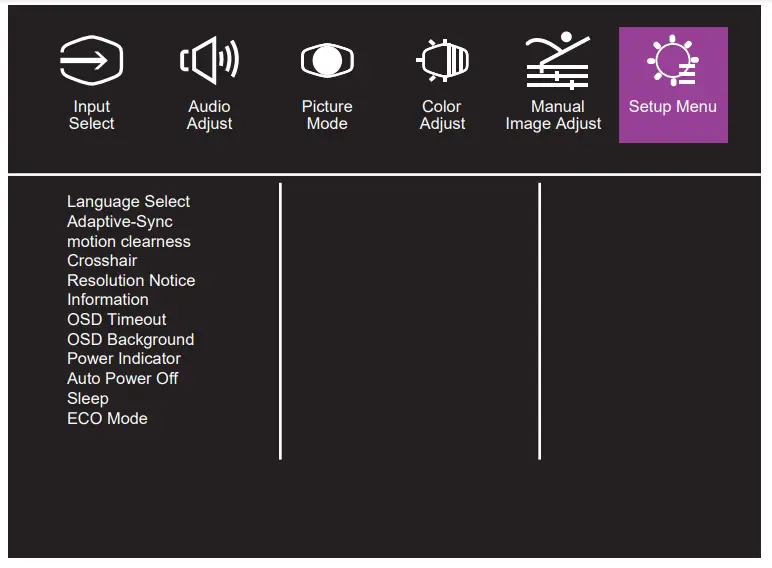
| Setup Menu | Language Select | English | English | ||
| Français | |||||
| Deutsch | |||||
| Español | |||||
| Italiano | |||||
| Suomi | |||||
| РУССКИЙ | |||||
| 日本語 | |||||
| 한국의 | |||||
| 繁體中文 | |||||
| 简体中文 | |||||
| T ìé ng Vi è t | |||||
| Adaptive-Sync | On | Off | |||
| Off | |||||
| Motion clearness | On | Off | |||
| Off | |||||
| Crosshair* | H. | 50 | |||
| V. | 50 | ||||
| Pixel Color | R (100) | ||||
| G (0) | |||||
| B (0) | |||||
| Style | Mode 1 | Mode 1 | |||
| Mode 2 | |||||
| Mode 3 | |||||
| Mode 4 | |||||
| Mode 5 | |||||
| Resolution Notice | On | Off | |||
| Off | |||||
| Information | Resolution:xx H. Frequency:xx V.Frequency:xx Pixel Clock:xx | ||||
| OSD Timeout | 0~60 | 15 | |||
| OSD Background | On | On | |||
| Off | |||||
| Power Indicator | On | On | |||
| Off | |||||
| Auto Power off | On | Off | |||
| Off | |||||
| Sleep | 30 Minutes | Off | |||
| 45 Minutes | |||||
| 60 Minutes | |||||
| 120 Minutes | |||||
| Off | |||||
| ECO Mode | Standard | Standard | |||
| Optimize | |||||
| Conserve | |||||
| DDC/CI | ON | ON | |||
| Off | |||||
| Memory Recall | |||||
Input Select
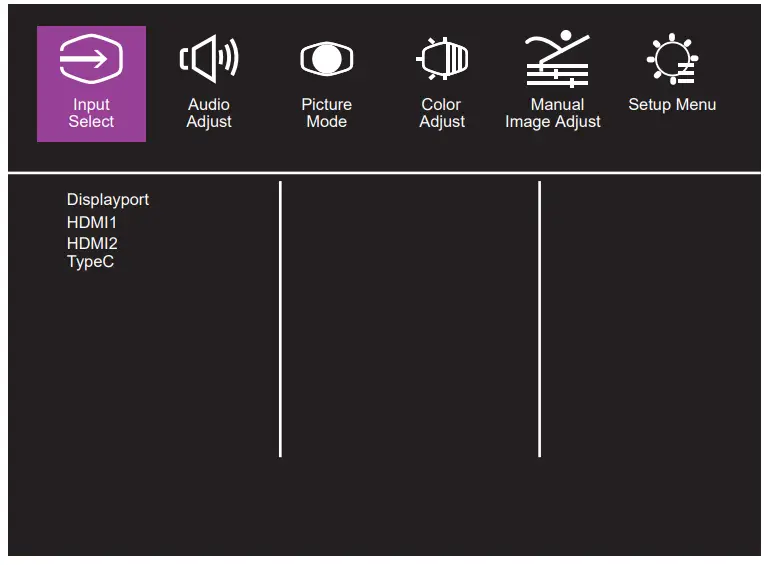
Enter the input menu to switch the input signal.
- DP : Adaptive Sync supported under 2560×1440
- HDMI : Adaptive Sync supported under 2560×1440
Audio Adjust
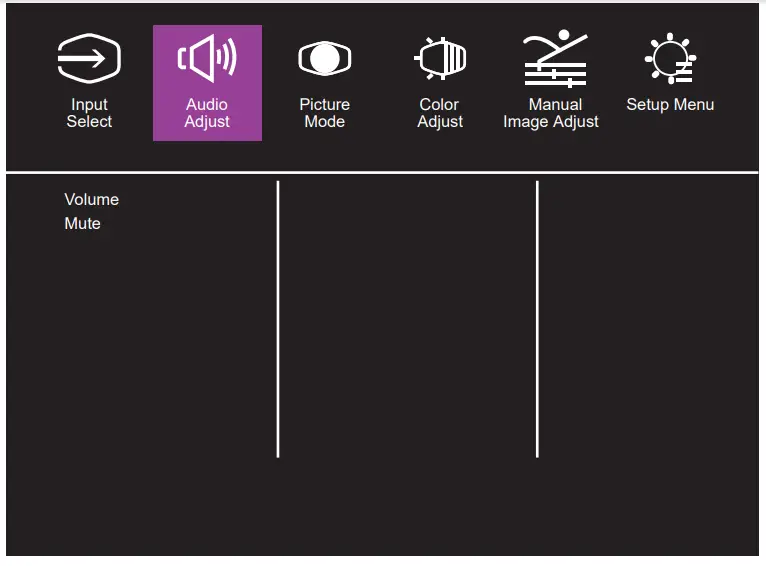
Enter the Audio menu to adjust functions including Mute function, Volume, and Audio Source etc.
- Mute: Enables or disables the mute function.
- Volume: Adjust the volume value between 0 and 100.
Audio Source: Select the audio source input port.
Picture Mode
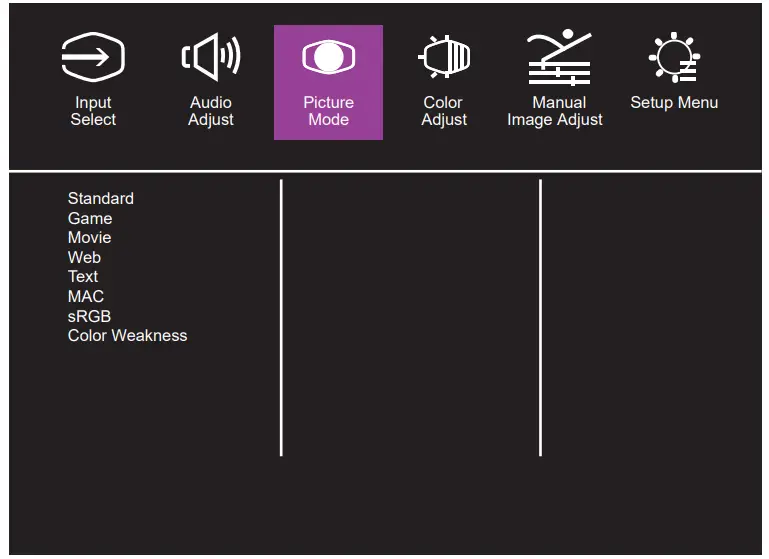
Note: Picture all kinds of choice model
Color Adjust
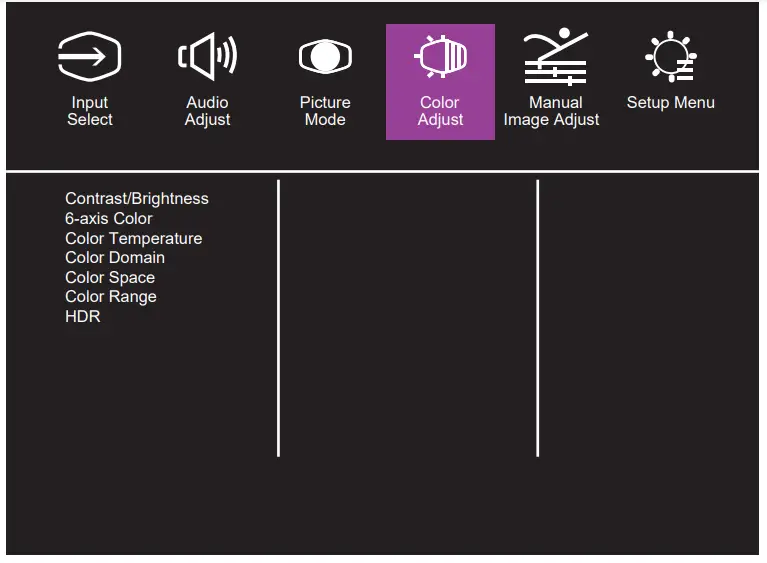
Image color adjustment
Manual Image Adjust
Setup Menu
Specifications
| LCD panel | Size | 31.5” |
| Pixel pitch | 0.272(H) x 0.272(V) | |
| Brightness | 400nits(Typ.) | |
| Contrast | 1200:1(Typ.) | |
| Viewing angle | 178(Horizontal)178(Vertical) | |
| Response time | 1ms (MPRT) | |
| Display colors | 1.07B | |
| Max. display frequency (Resolution H*V/Fv) | 2560 x 1440@144Hz(HDMI) 2560 x 1440@165Hz(DP) | |
| Power consumption | Power On | 29W **Typical |
| Standby | ≤0.5W | |
| Power Off | ≤0.3W | |
| Input/output connector | DP x 1, HDMI x 2, USB type C x1; Earphone jack x 1; Downstream(USB3.0) x 2; Upstream(USB3.0) x 1 | |
| Input video signal | DP signal (only for DP input model); HDMI signal (only for HDMI input model); Type C signal (only for Type C input model) | |
| Speakers | 2W x 2 | |
| Audio effect | Audio output (only for audio output model) | |
| Adapter | DC12 7A | |
| Environmental conditions | Operating temperature:0ºC~40ºC; Storage temperature:-20ºC~60ºC; Operating humidity:10~85%RH | |
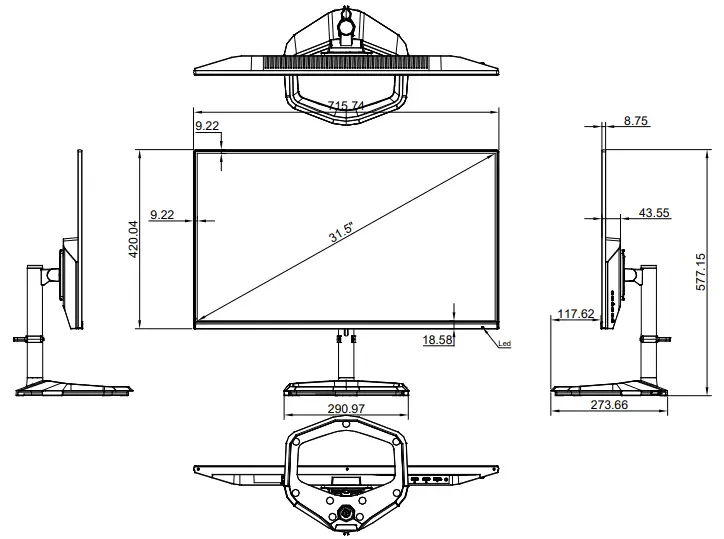
| Machine size (L x Wx H) | 715.6×43.5x420mm (Without stand/Base) | |
| 716 x 277 x 577mm (Contains Support stand/Base) | ||
| Box Dimension(WxHxD) | 940X540X127mm | |
| Gross Weight(Esti.) | 10.4 kg/Unit | |
| Weight (Net) | 6.2kg/Unit (Without stand/Base); 7.6 kg/Unit (Contains Support stand/Base) | |
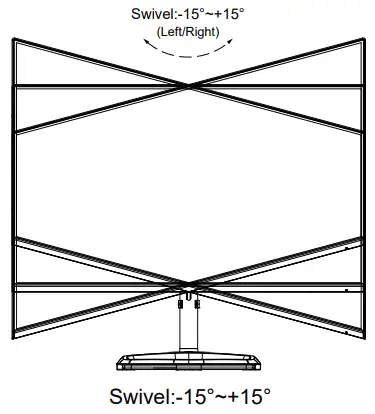
| Machine specifications | Height Adjustment:0~110 mm Swivel:-15°~+15° Tilt:-5°~+20° | |
| Compliance
| ||

If you have any question regarding use of the monitor, please visit:
https://www.coolermaster.com/warranty
*Specifications are subject to change without notice.
**Measure a screen brightness of 200 nits without audio/USB/Card reader connection
Supported Timing
| Mode | Resolution | Horizontal Frequency (KHz) | Vertical Frequency (Hz) | Nominal Pixel Clock (MHz) | Port | |
| HDMI IN | DP/Type C IN | |||||
| VGA | 640×480@60Hz | 31.469 | 59.940 | 25.175 | O | O |
| 640×480@72Hz | 37.861 | 72.809 | 31.500 | O | O | |
| 640×480@75Hz | 37.500 | 75.000 | 31.500 | O | O | |
| MAC | 640×[email protected] | 35.000 | 66.667 | 30.240 | O | O |
| VESA | 720×400@70Hz | 31.469 | 70.087 | 28.322 | O | O |
| SVGA | 800×600@56Hz | 35.156 | 56.250 | 36.000 | O | O |
| 800×600@60Hz | 37.879 | 60.317 | 40.000 | O | O | |
| 800×600@72Hz | 48.077 | 72.188 | 50.000 | O | O | |
| 800×600@75Hz | 46.875 | 75.000 | 49.500 | O | O | |
| MAC | 832×[email protected] | 49.722 | 74.550 | 57.280 | O | O |
| XGA | 1024×768@60Hz | 48.363 | 60.004 | 65.000 | O | O |
| 1024×768@70Hz | 56.476 | 70.069 | 75.000 | O | O | |
| 1024×768@75Hz | 60.023 | 75.029 | 78.750 | O | O | |
| VESA | 1152×864@75Hz | 67.500 | 75.000 | 108.000 | O | O |
| 1280×960@60Hz | 60.000 | 60.000 | 108.000 | O | O | |
| SXGA | 1280×1024@60Hz | 63.981 | 60.020 | 108.000 | O | O |
| 1280×1024@75Hz | 79.976 | 75.025 | 135.000 | O | O | |
| VESA | 1280×720@60Hz | 45.000 | 60.000 | 74.250 | O | O |
| WXGA+ | 1366×768@60Hz | 47.712 | 59.790 | 85.500 | O | O |
| WXGA+ | 1440×900@60Hz | 55.935 | 59.887 | 106.500 | O | O |
| WSXGA+ | 1680×1050@60Hz | 65.290 | 59.954 | 146.250 | O | O |
| FHD | 1920×1080@60Hz | 67.500 | 60.000 | 148.500 | O | O |
| 1920×1080@120Hz | 135.000 | 120.000 | 297.000 | O | O | |
| 1920×1080@165Hz | 183.000 | 165.000 | 380.950 | O | O | |
| QHD | 2560×1440@60Hz | 88.787 | 59.951 | 241.500 | O | O |
| 2560×1440@120Hz | 177.000 | 120.000 | 483.430 | O | O | |
| 2560×1440@144Hz | 213.000 | 144.000 | 580.000 | O | O | |
| 2560×1440@165Hz | 244.000 | 165.000 | 644.700 | O | ||
Video Timing
| CEA Video Timing | ||||||
| Resolution | Field Rate (Hz) | Horizontal (kHz) | Vertical (Hz) | Pixel Clock (MHz) | Port | |
| HDMI IN | DP/Type C IN | |||||
| 640x480p | 60 | 31.500 | 60.00 | 25.200 | O | O |
| 720x480p | 60 | 31.500 | 60.00 | 27.027 | O | O |
| 720x480p | 60 | 31.500 | 60.00 | 27.027 | O | O |
| 1280x720p | 60 | 45.000 | 60.00 | 74.250 | O | O |
| 1920x1080i | 60 | 33.750 | 60.00 | 74.250 | O | O |
| 1920x1080p | 60 | 67.500 | 60.00 | 148.500 | O | O |
| 720x576p | 50 | 31.250 | 50.00 | 27.000 | O | O |
| 720x576p | 50 | 31.250 | 50.00 | 27.000 | O | O |
| 1280x720p | 50 | 37.500 | 50.00 | 74.250 | O | O |
| 1920x1080i | 50 | 28.125 | 50.00 | 74.250 | O | O |
| 1920x1080p | 50 | 56.250 | 50.00 | 148.500 | O | O |
| 1920x1080p | 24 | 27.000 | 24 | 74.250 | O | O |
| 1920x1080p | 25 | 28.125 | 25.00 | 74.250 | O | O |
| 1920x1080p | 30 | 33.750 | 30 | 74.250 | O | O |
| 3840x2160p | 60 | 135.000 | 60.00 | 594.00 | O | O |
| 3840x2160p | 60 | 135.000 | 60.00 | 594.00 | O | |
Declaration of Restricted Substances
| Equipment name: LCD monitor Type designation (type): GM32: FQ | ||||||
| Unit | ||||||
| Lead (pb) | Mercury (Cd) | Cadmium (Cd) | Hexavalent (Cr+6) | Polybrominated biphenyls (PBB) | Polybrominated diphenyl (PBDE) | |
| Internal and external cases (External case, case, support…) |  | | | | |
|
| Main Board | – | | | | | |
| Other Circuit Boards | – | | | | | |
| LCD Display Panel | | | | | | |
| Speakers | | | | | | |
| Base | | | | | | |
| Power Supply (Switching adapter) | – | | | | | |
| Accessories (Power cable, HDMI signal cable…) | | | | | | |
| Other fixed components (Screws, clamps, latches) | | | | | | |
| Note 1 “Exceeding 0.1 wt %” and “exceeding 0.01 wt %” indicate that the percentage content of the restricted substance exceeds the reference percentage value of presence condition. Note 2 : “ ” indicates that the percentage content of the restricted substance does not exceed the percentage of reference value of presence.Note 3 The “—” indicates that the restricted substance corresponds to the exemption. | ||||||
Product Outline Dimensions
Requirements and Safety Notice
FCC Safety Notice
This product has been tested and determined to be meeting the limits for a Class B digital device and in compliance with Part 15 of the FCC Regulations. These requirements are set to reasonably protect the home installation environment from hazardous interference. This product will generate, use and emit radio frequency energy. Failure to install and use it as instructed may cause hazardous interference to radio communication. However, we cannot guarantee zero interference for certain installation methods. If this product has caused hazardous inteference to radio or TV reception (turn on or turn off this product to for confirmation), the user may try to make adjustment with the following methods:
- Re-adjust the angle and position of the reception antenna.
- Increase the distance between the device and receiver.
- Do not use the power sockets of the device and receiver together.
- If assistance is needed, contact the distributor or a professional radio/TV technician.
CE Compliance Statement
Cooler Master Technology Inc. hereby declares that the monitor conforms to the following key standards and other related provisions:
EMC Directive 2014/30/EU, Low Voltage Directive 2014/35/EU, RoHS Directive 2011/65/EU and Directive 2009/125/EC establishing a framework for the setting of eco-design requirements for energy-related products.
Note
To prevent damage of the monitor, do not lift the monitor from the support base.
Note: Shielded cable
To comply with the EMC requirements, a shielded cable must be used for connection between this product and any other computer device.
Note:
The monitor is exclusively used in the video and image display of information acquired from electronic devices
Note: Peripherals
Only a peripheral device (I/O device, terminal, printer, etc.) that has been certified and met the Class B limits can be sold together with this product. If this product is used together with any other uncertified peripheral device, it may cause interference to radio and TV reception.
Warning
Any change or modification not approved by the original manufacturer may lead to the user losing the right to operate this product. Such authorization is given by the Federal Communications Commission.
Requirements for Use
This product meets the limits under Part 15 of the FCC Regulations. When operating this product, please meet the following two requirements: (1) This product may not generate hazardous interference; and (2) This product must accept any interference signal received, including interference that is likely to lead to unexpected operation.
Disposal of Waste Equipment by Home Users in EU
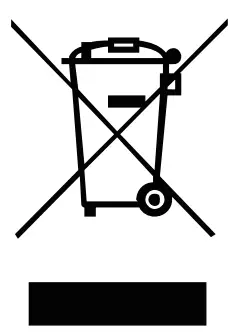 If this symbol appears on a product and its package, it indicates that the product cannot be disposed of together with other household waste. You have to deliver the waste equipment to a designated recycling center for recycling of waste electrical and electronic equipment. Proper sorting and recycling of resources during the disposal of waste equipment is helpful for protecting natural resources and ensuring that resource recycling can protect human health and environment. For detailed information about recycling centers where waste equipment is disposed of, contact the local municipal office, cleaning service or the store where the purchased product is found.
Canadian Department of Communications Statement
This digital apparatus does not exceed the Class Blimits forradio noise emissions from digital apparatus set out in the Radio interference Regulations of the Canadian Department of Communications.
This class B digital apparatus complies with Canadian ICES-003.
This Class B digital apparatus meets all requirements otihe Canadian Interference Causing Equipment Regulations.