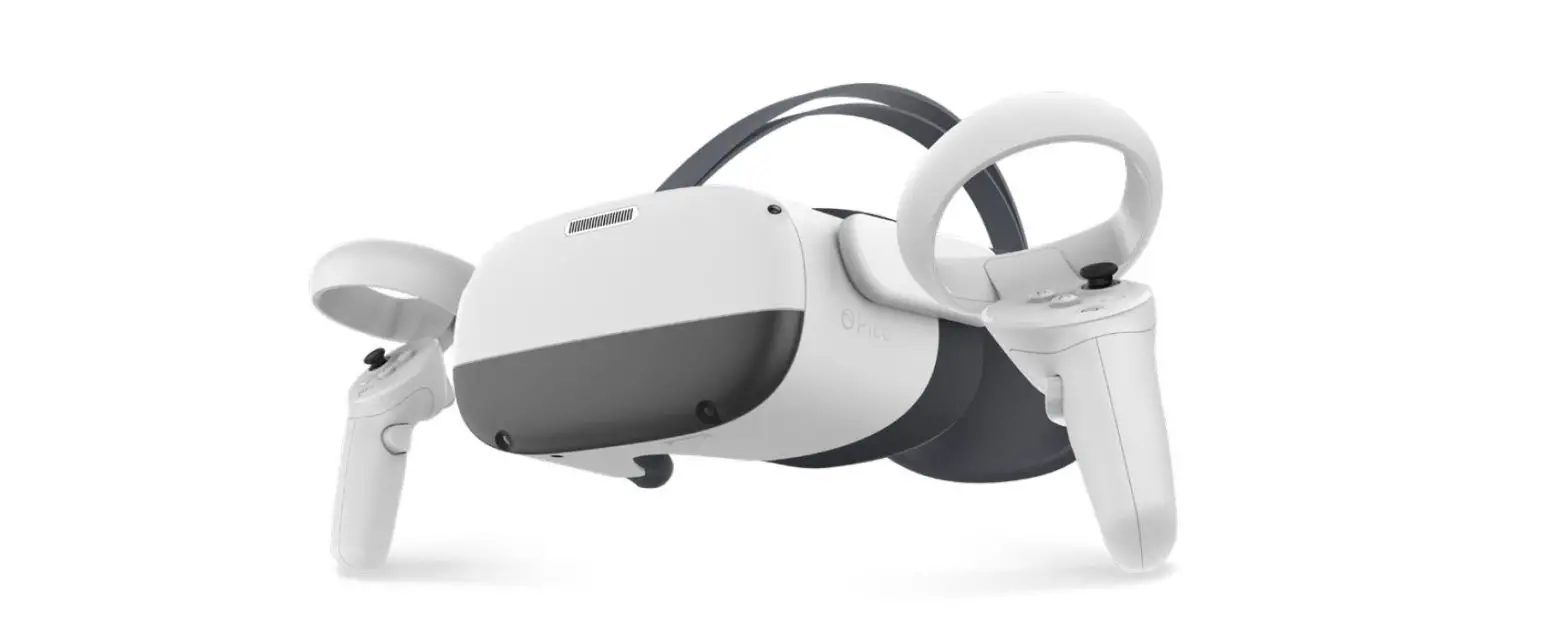
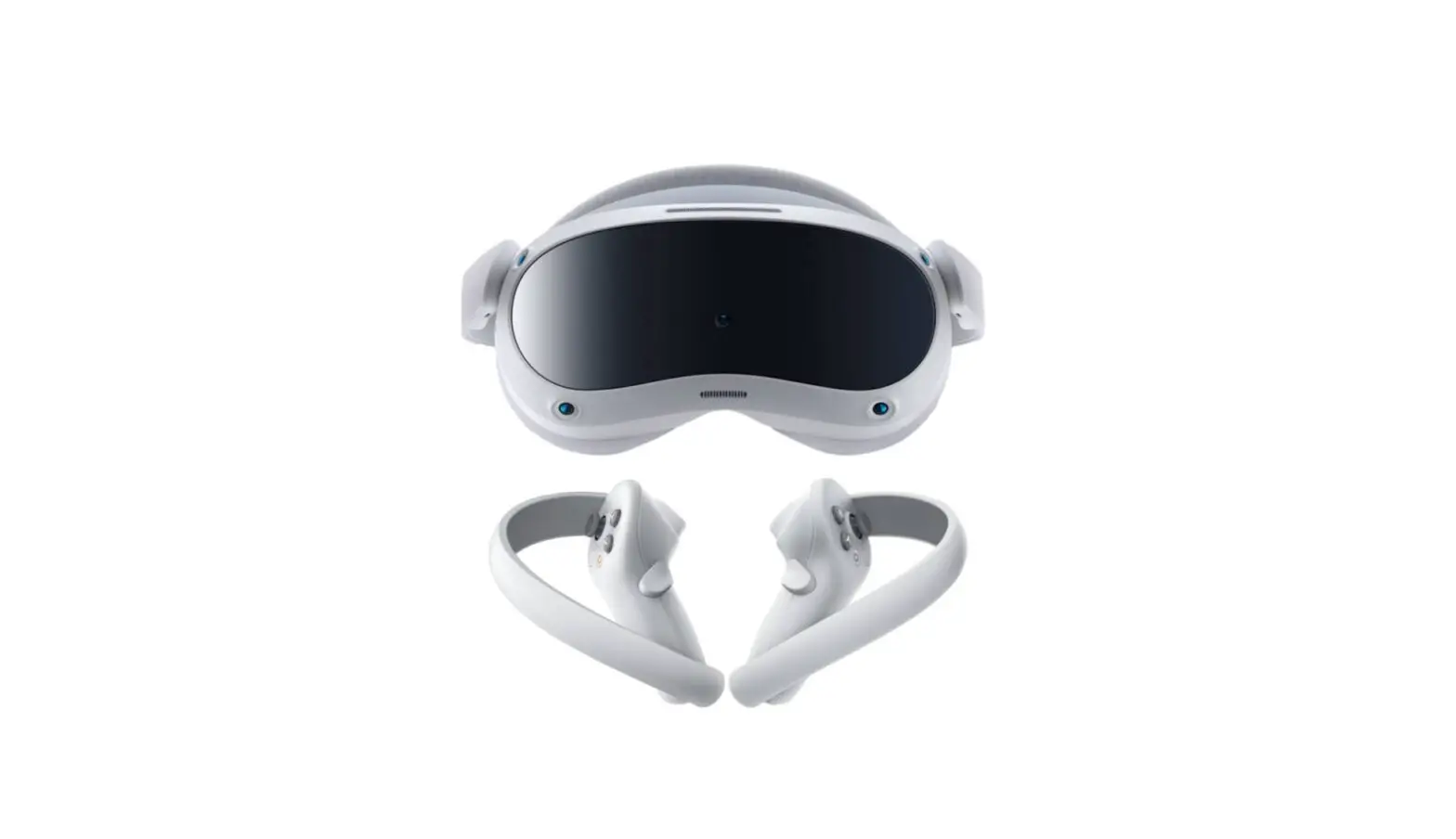
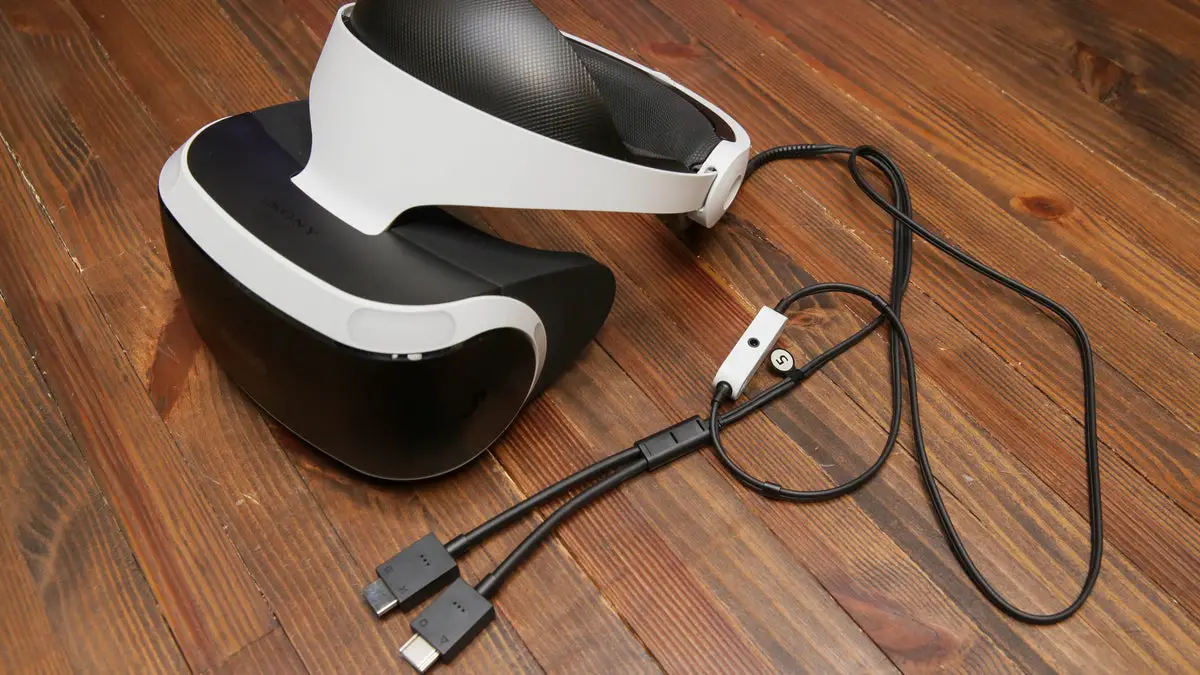
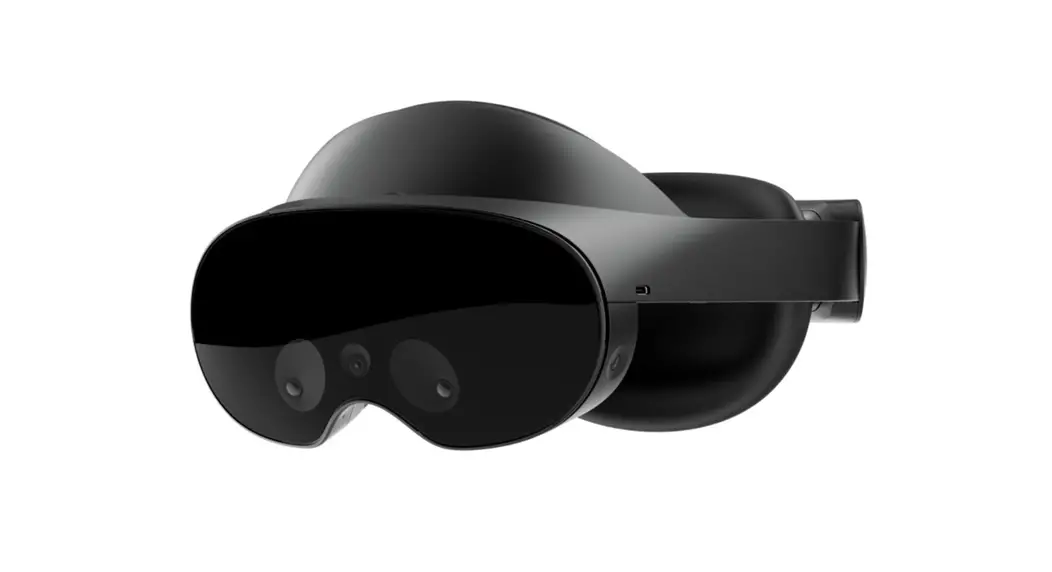
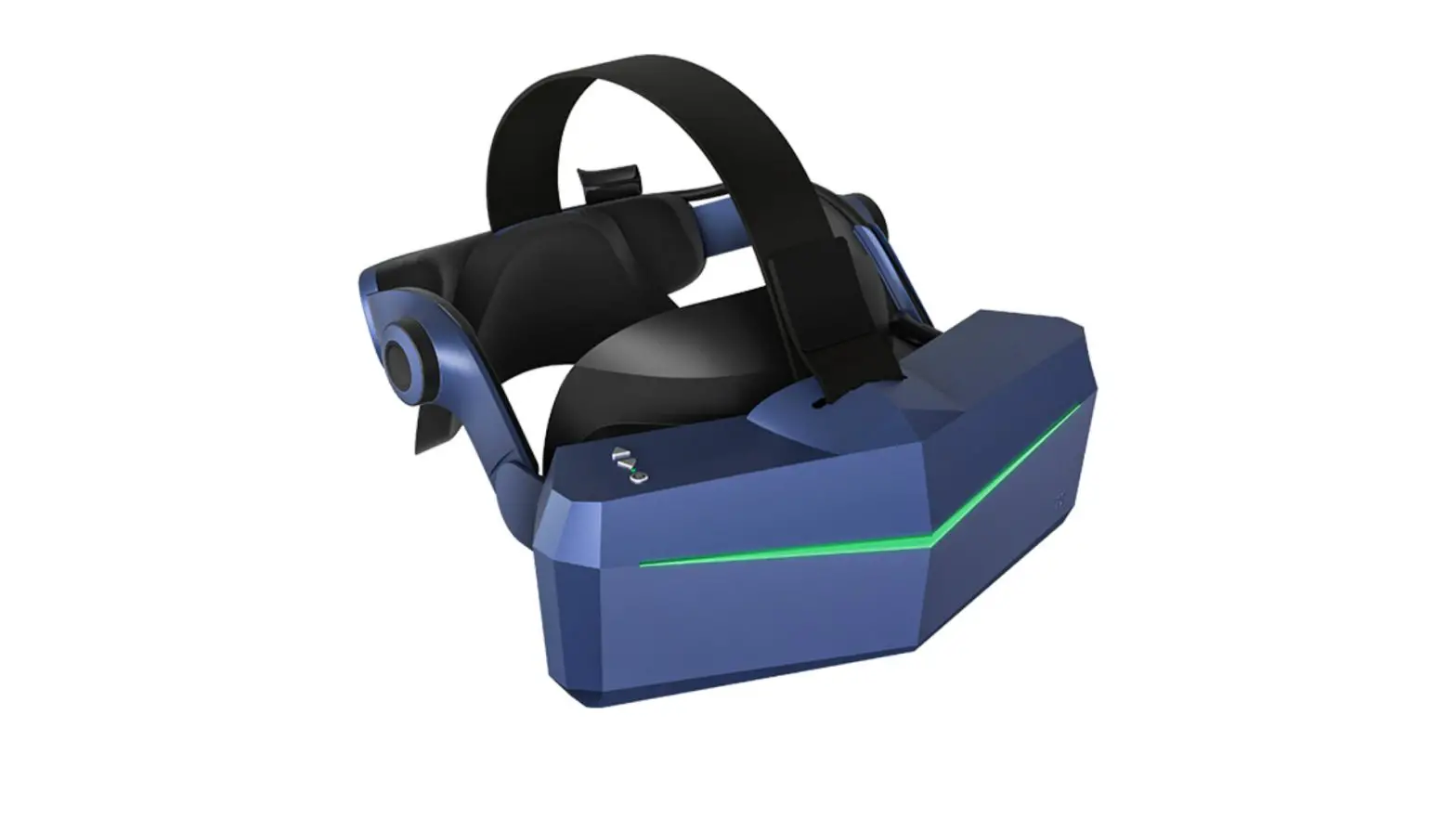
Neo 3 Pro Series VR Headset
Product Information:
The Pico Neo 3 Pro Series is a virtual reality (VR) headset that
offers a 6 Degrees of Freedom (6DoF) experience. It comes with a VR
headset, controller, user guide, 1.5V AA battery, controller
lanyard, and USB-C 2.0 data cable. The package contents may vary
based on different regions.
Important Health & Safety Notes:
- Ensure there is enough space around your head (at least 2
meters by 2 meters) to avoid damage or injury to yourself or
others. - Wear the lanyard when using the Controllers.
- Avoid rubbing or impacting the VR Headset lenses with
prescription lenses. - Exposure to direct sunlight or strong sources of light may
cause screen damage not covered by the warranty. - Eye protection mode is available in certain regions (Germany),
which reduces blue light using software algorithms.
6 Degrees of Freedom VR:
The device can track translational and rotational movements in
all directions, allowing your real-world movements to be captured
and translated into the virtual world when using compatible
content.
Product Usage Instructions:
- Ensure a safe environment for your VR experience:
- Clear a safe indoor area of at least 2 meters by 2 meters.
- Keep the room brightly lit and avoid spaces with large single
color walls, glass, mirrors, or moving pictures/objects. - Remove the protective film covering the headset front
cameras. - Wear the lanyard connected to the Controllers.
- Set up your environment by following instructions on the VR
Headset screen.
- Installing Batteries:
- Press the area marked with an arrow and slide the cover
down. - Pull the tab to remove the insulating paper.
- Press the area marked with an arrow and slide the cover
- Power on the Controller:
- Short press the HOME button until the status indicator flashes
blue.
- Short press the HOME button until the status indicator flashes
- Power on the VR Headset:
- Long press the POWER button for two seconds until the status
indicator turns blue.
- Long press the POWER button for two seconds until the status
- Wear the VR Headset:
- Turn the strap dial counter-clockwise to loosen the VR
Headset. - Rotate the strap up to ensure enough space for your head.
- Note: Nearsighted users can use this product with prescription
glasses.
- Turn the strap dial counter-clockwise to loosen the VR
Note: This product cannot guarantee your safety. Always pay
attention to your surroundings and ensure a safe environment.
USER GUIDE
For Pico Neo 3 Pro Series
i
In The Box
W
VR Headset
Controller
User Guide
User Guide
]
1.5V AA Battery
Controller Lanyard
[Q
– USB C 2.0 Data
Cable
. . The product package list is subject to change due to different regions These instructions are for reference only 2
Important Health & Safety Notes
· This product is designed and intended to be used in an open and safe indoor area, free of any tripping or slipping hazards. To avoid accidents, remain con¬
scious of the potential confines of your physical area and respect the boundary
of your virtual area. Be sure to wear the lanyard when using the Controllers.
Make sure that there is enough space around your head (at least 2 meters by
2 meters) . You will need enough space to stretch your arms in order to avoid damage or injury to yourself, others, on your surroundings.
· This product is not recommended for users under 12 years of age. 12 years and older should only use this product under adult supervision.
· This product is designed to accommodate most prescription glasses. Take care
to wear the VR Headset in a manner in which the VR Headset lenses do not rub
or impact your prescription lenses.
· Prolonged use may cause dizziness or eye fatigue. It is recommended that you take a break every 30 minutes.You may be able to relieve by focusing on distant objects. If you feel any discomfort, please stop using the product immediately.
· Do not expose the optical lenses to direct sunlight or other strong light sources.
Exposure to direct sunlight may cause permanent yellow spot damage on the
screen. Screen damage caused by sunlight exposure or other strong sources of light is not covered by the warranty.
· To reduce the risk of discomfort, the inter-pupillary distance (IPD) should be appropriately set for each user. (The function is supported in Pico Neo 3 Pro only.
Pico Neo 3 Pro Eye is not supported.)
· This product has an “Eye Protection Mode” certified by TUV Rheinland
( Germany ) , which can protect your eyes by reducing blue light in the
channels using software algorithms. The screen appears yellowish in this mode and you can turn this feature on/off in “Settings” -> “Display ” -> “Eye
Protection Mode/’
· Protect optical lenses during use and storage to prevent damage.
· Product and packaging are updated regularly, and the functions and contents of the standalone
. headset may be upgraded in the future Therefore, the content, appearance and functionality
listed in this manual and product packaging are subject to change and may not reflect the final
. . product These instructions are for reference only
3
6 Degrees of Freedom VR
The device can track your translational and rotational movements in all directions
up/down, left/right, forward/backward, pitch, roil, and yaw. Your movements in
the real world will be captured and translated to what you see in the virtual world
when using the appropriate content.
Ensure a safe environment before you start your VR experience.
2m 1. Clear a safe indoor area of at least 2 meters by 2 meters. Keep the room brighly
.lit Do not use a space with large single color walls, glass,mirrors and moving
pictures or objects. 2. Remove the protective film that covers the headset front cameras. Wear the
lanyard connected to the Controllers. 3. Set up your environment by following instructions on the VR Headset screen. . Note: This product canot guarantee your safety You must always pay attention to the surrounding . safety
A
Quick Guide
Installing Batteries
Press the area marked with an arrow and slide the cover down, thenpull the tab to remove theinsulating paper.
. ·Note:The1.5V AA batteries are recommended
5
Power on the Controller
Short press the HOME button
until the status indicator flashes blue.
6
C3
Power on the VR Headset
Long press the POWER buttonfor two seconds
until the statusindicator turns blue.
7
O
Wear the VR Headset Turn the strap dial counter clockwise to loosen the VR Headset. Rotate the strap up to ensure the enough space for head.
Note: Nearsighted users can use this product with prescription glasses.
8
Pico Neo 3 Pro VR Headset Details
Top Power Cable Do not fold,punch or pull
Top Strap
Removable
Face Cushion Removable
Strap Dial
POWER Button
· Power on: Long press for two seconds
· Power off: Long press for five seconds
· Hardware Reset: Long press for ten seconds
· Short press to enter sleep or wake up
USB-C Interface
Air Vent
Display Port Interface
* This interface is not a
standard USB-C Display
Port, it needs customized PC VR DP Cable to connect with PC.
Adjust the Wearing Position Rotate the strap down over your head. Turn the strap dial clockwise
to tighten the VR Headset in a comfortable position.
9
Side Strap
Can be rotated up to 90 for user wearing glasses
APP/BACK Button
CONFIRM Button
2nd Mic
Tracking Cameras Do not block during use
HOME Button
· Return to home screen: Short press
· Screen re-centering:
Long press for one second · Wake up: Short press
VR Headset Status Indicator Legend
· Blue: Powered on with battery over 20% · Yellow: Charging Battery is less than 98% ·_ Red: Charging Battery is less than 20%
· Red flashing Battery is less than 20%
Blue flashing: Shutting down
· Green: Charging complete · Off: Sleeping or Powered off
10
Left Speaker
Proximity Sensor
The system wakes up when VR Headset is put on, and sleeps when VR Headset is taken off.
Right Speaker
Inter-pupillary Distance Adjustment
(Note: The function is supported
. in Pico Neo 3 Pro only. Pico Neo 3 Pro Eye is not supported )
LENS
Main Mic Audio Jack
VOLUME Button
· Head Control Mode If the Controller is not connected, you can interact with the home screen by moving your head to direct the crosshairs over your intended selection and
clicking the HOME, CONFIRM, and BACK buttons on the VR Headset.
· Screen re-centering If you find the images have drifted off-center, look straight ahead, press and hold the HOME button of the Controller for more than second to re-center the screen.
· Audio volume adjustment
You can use the VOLUME button of the VR Headset to turn up or turn down the
volume. Press it to continuously adjust the volume.
· VR Headset reset If the picture in the VR Headset is stuck, or the VR Headset does not respond af¬ ter short-pressing the HOME or POWER buttons, reboot the VR Headset by pre-ssing the POWER button on the VR Headset for more than ten seconds.
· Sleep/Wake up
Option 1 Proximity Sensor: Take off VR Headset for automatic sleeping; wear the VR Headset for automatic
waking up.
Option 2 POWER Button:
Press the POWER button for manual sleeping or waking up.
11
12
· IPD Adjustment
To ensure image clarity, it is necessary to line up the lenses with the distance
between your pupils (IPD). There are three lens spacing settings–58mm, 63.5mm, and 69mm. To adjust the IPD, gently move both lenses inward or outward to find the clearest setting.
· The VR Headset adjustment
This device has no myopia adjustment function. The VR Headset allows wearing most standard glasses with a frame width of less than 160mm.
O
Note: The function is supported in Pico Neo 3 Pro only. Pico Neo 3 Pro Eye is not supported.
13
14
Left
Right
Tracking Ring
. Donot block during use
Thumbstick
Clickable
APP/BACK Button . Return to previous screen
Can be set as other functions in specific applications.
HOME Button
· Power on: Short press · Power off: Long press for
six seconds · Return home screen:
Short press · Screen recentering:
Press for one second
Left
c
u
Right
TRIGGER Button
Confirm
Battery Cover Lanyard Hole
Controller Status Indicator Legend
Blue: Connected to VR Headset :jk>zyBxluwevfulatsshriqnpg:oSnemarlckhjiihnggffoerdccobnanZecYtiXonWVUTSRQPONMLKJIHGFEDCBA
m Red and blue flashing alternately:
Off: Powered off
Pairing in progress
. Note: Install the Controller Lanyard by following the above picture
15
16
· Thumbstick operation
Four directions are available for page-turning; Pressing down is available.
· Browsing contents Moving and rotating the Controller/VR Headset to navigate, and select the content with the TRIGGER button of the Controller or the CONFIRM button of
the VR Headset.
. Note:If the Controller is not connected, you can browse content by turning your head and clicking
the buttons on the VR Headset
17
· Switch the pointer of the master Controller In the home screen, short press the TRIGGER button of the corresponding Con¬
troller to switch the pointer of the master Controller.
· Screen re-centering Wear the VR Headset, look straight ahead, then press and hold the HOME button of the Controller for more than one second to re-center the screen.
· Disconnect the Controller Press and hold the HOME button until the status indicator turns red and the
Controller vibrates. The Controller will power off and pairng will reset automat¬ ically.
Controllers will automatically shut down to save power in the following cases: – W h e n the VR Headset enters deep sleep (a few moments after the VR Headset
is taken off) – W h e n the Controller is unbound in the Controller Management Interface
of the VR Headset – W h e n the VR Headset is powered off
· Add new Controller If you need to add a new Controller or re-connect with an unbundled Controller,
go to”Settings”->”Controller,,l and click on “add Controller.” Press and hold the
HOME and TRIGGER buttons of the Controller at the same time until the red and blue lights of the Controller flash alternately, and then follow the instructions
on the VR Headset screen. NOTE: The VR Headset can only connect one left Controller and one right Controller.
· Hardware reset If the virtual Controller in the VR Headset is stuck, or the HOME button and buttons of the Controller do not respond, you can remove the batteries and insert
again to restart the Controller.
18
Product Care
This VR headset features a replaceable face cushion and straps. The face cushion and straps are available to purchase separately. Please contact customer service at [email protected], a Pico authorized service provider, or your sales representative.
Lens care
· During use or storage, do not let hard objects touch the lens to prevent surface scratches.
* Use an optical lens microfiber cloth dipped in a little water or a non-alco¬
holic disinfectant wipe to clean the lenses. Do not wipe the lenses with alco¬ hol or other harsh or abrasive cleaning solutions, as this may lead to damage.
Headset and accessories care
Use disinfectant wipes (alcohol-based ingredients allowed) or a microfiber dry cloth dipped in a small amount of 75% alcohol solution to gently wipe the surface
. of the product Apply until the surface is wet, wait at least 5 minutes, then dry with
a microfiber dry cloth. Note: This does not apply to the lens and face cushion of the
headset.
. * Please avoid getting water into the product when cleaning
Replacing face cushion
Plnsert the pin face cushion into the crevices along the edges, as shown below:
Face cushion care
Use sterile wipes (alcohol-based ingredients allowed) or a microfiber dry cloth dipped in a small amount of 75% alcohol solution to gently wipe the surface and
surrounding areas that are in contact with the skin. Apply until the surface is slightly wet, and hold for at least five minutes. Dry before use. Do not expose directly to sunlight.
Note: The face cushion will have exhibit the following effects after repeated cleaning
. and disinfection Hand washing or machine washing is not recommended, as
this will accelerate these effects. Please replace the face cushion if any of the following occur:.
– Leather (PU) face cushion: color change, sticky surface hair, or decreased facial comfort on the face;
– Fabric face cushion: color change, surface fluff, soft texture, and increased
possibility for the eyewear to come in contact with the lenses.
19
Regulatory After powering on the headset, you can go to “Settings”->,,General,,->”About “->
“Regulatory” on the home page to view the certified supervision product information
specific to your region.
20
Safety Warnings
Please read the following warnings and information carefully before using the VR
Headset and follow all guidelines on safety and operation. Failure to follow these
guidelines may result in physical injuries (including electric shock, fire, and other
injuries), property damage, and even death. If you allow others to use this product,
you shall be responsible for ensuring that every user understands and follows all
safety and operational instructions.
Health and safety warnings
· Ensure that this product is used in a safe environment. By using this product to
view an immersive virtual reality environment, users will not be able to see their
physical environment. Move only within the safe area that you set: keep your surroundings in mind. Do not use near stairs, windows, heat sources, or other hazardous areas.
· Confirm that you are in good health before using. Consult a doctor before
use if you are pregnant, elderly, or have serious physical, mental, visual, or
heart problems.
· A small number of people may experience epilepsy, fainting, severe dizziness,
and other symptoms caused by flashes and images, even if they have no such
medical history. Consult a doctor before using if you have a similar medical history or have ever experienced any of the symptoms listed above.
· Some people may experience severe dizziness, vomiting, palpitations and
even fainting when using VR Headsets, playing ordinary video games, and
watching 3D movies. Consult a doctor if you have experienced any of the symptoms listed above.
· This product is not recommended for use by children under 12 years of age. Please keep your VR Headset, Controllers, and accessories out of reach. Children over 12 years old should use this product under adult supervision.
· Some people may be allergic to plastic, PU, fabric, and other materials used in this product. Long-term contact with skin may result in symptoms such as
. red- ness, swelling, and inflammation Stop using the product and consult a
doctor if you experience any of the symptoms listed above.
· This product is not meant for extended use over 30 minutes at a time with rest periods of at least 10 minutes between uses. Adjust resting and usage periods if you experience any discomfort.
21
· If you have a big difference in binocular vision, or a high degree of myopia, or astigmatism or far-sightedness, it is suggested that you wear glasses to cor rect your eyesight when using VR headset.
· Stop using the product immediately if you experience visual abnormalities (diplopia and sight distortion, eye discomfort or pain,etc.), excessive sweating, nausea, vertigo, palpitations, disorientation, loss of balance, etc.or other signs of distress.
· This product provides access to immersive virtual reality experiences some
. types of content may cause discomfort Stop use immediately and seek med
ical treatment if the following symptoms occur.
– Epilepsy seizures,loss of consciousness, convulsions,involuntary move¬
ments, dizziness, disorientation, nausea, somnolence, or fatigue.
– Eye pain or discomfort, eye fatigue, eye twitching, or visual abnormali
ties (such as illusion, blurred vision, or diplopia).
– Itchy skin, eczema, swelling,irritation or other discomforts.
– Excessive sweating, loss of balance, impaired hand-eye coordination,
or other similar motion sickness symptoms.
Do not operate a motor vehicle, operate machinery, or engage in activities that may have potentially serious consequences until you have fully recovered
from these symptoms.
Impact on medical devices
· Please comply with the expressly stated prohibition of the use of wireless
equipment in medical and healthcare facilities, and shut down the equipment
and its accessories.
· Radio waves generated by this product and its accessories may affect the
normal operation of implantable medical devices or personal medical devices,
such as pacemakers, cochlear implants, hearing aids, etc. Please consult the
medical device manufacturer about the restrictions on the use of this product
if you use these medical devices.
· Keep a distance of at least 15cm from the implanted medical devices (such as pacemakers, cochlear implants, etc.) when this product and any accessories are connected. Stop using the headset and/or its accessories if you observe a persistent interference with your medical device.
22
Operating environment
· Do not use the equipment in dusty, humid, dirty environments,or near strong magnetic fields,in order to internal circuit failure of this product.
· Do not use this equipment during thunderstorms. Thunderstorms may cause product failure and increases the risk of electric shock.
· Protect your lenses from light. Keep the product away from direct sunlight or ul¬
traviolet rays, such as windowsills automobile dashboards, or other strong
light sources. · Keep the product and its accessories away from rain or moisture. · Do not place the product near heat sources or exposed flames, such as elec¬
tric heaters, microwave ovens, water heaters, stoves, candles or ther places
that may generate high temperatures. · Do not apply excessive pressure to the product during storage or when in use
to avoid damage to the equipment and lenses. · Do not use strong chemicals,cleaning agents, or detergents to clean the prod¬
uct or its accessories, which may cause material changes that affect eye and
skin health. Please follow the instructions in “ProductCare” to manage the health of the equipment.
· Do not allow children or pets to bite or swallow the product or its accessories.
Children’s health
· CHOKING HAZARD: This product and its accessories may contain small parts. Please place these parts out of the reach of children. Children may inadvertently
damage the product and its accessories, or swallow small parts resulting in are
connected. Stop using the headset and/or its accessories if you observe persistent interference with your medical device, suffocation or other injury.
Requirements for accessories
· Only accessories approved by the product manufacturer, such as power sup¬ plies and data cables,can be used with the product.
· The use of unapproved third-party accessories may cause fire, explosion or other damages.
· The use of unapproved third-party accessories may violate the warranty terms
of the product and the relevant regulations of the country where the product
. is located For approved accessories, please contact Pico Customer Service
23
Center.
Environmental protection
· Dispose of your headset and/or accessories properly. Do not dispose of the
headset or accessories in a fire or incinerator, as the battery may explode
when overheated. Dispose separately from household waste. · Please comply with the local laws and regulations on the disposal of electrical
and electronic equipment to dispose of this product and its accessories.
Hearing protection
· Do not use high volume for extended periods of time to prevent possible hear ¬ ing damage.
· When using headphones, use the minimum volume required to avoid hearing damage. Prolonged exposure to high volume may cause permanent hearing damage.
Flammable and explosive areas
· Do not use the equipment near fuel stations or hazardous areas containing flammable articles and chemical agents. Follow all graphic or text instructions when in possession of the product around these areas. Operating the product in these hazardous sites poses risk of explosion or fire.
· Do not store or transport the product or its accessories in the same container as flammable liquids, gases, or substances.
Transportation safety
· Do not use the product when walking, cycling, driving, or situations that require
full visibility.
· Take caution if using the product as a passenger in a motor vehicle,as irregular movement may increase the risk of motion sickness.
Charger safety
· Only charging devices provided in the product package or specified as an ap¬ proved device by the manufacturer should be used.
· When charging is completed, disconnect the charger from the equipment and unplug the charger from the power outlet.
2A
· If the charging adapter or cable is damaged, discontinue using to prevent the risk of electric shock or fire.
· Do not operate the equipment or charger with wet hands to avoid short cir¬ cuits, failure, or electric shock.
· Do not use the charger if wet.
Battery safety
· VR Headsets are equipped with non-removable internal batteries. Do not
attempt to replace the battery, as doing so may cause battery damage, fire,
or human injury. The battery can only be replaced by Pico or Pico authorized
. service providers
· Do not disassemble or modify the battery, insert foreign objects, or immerse in water or other liquid. Handling the battery as such can cause chemical leak¬ age, overheating, fire, or explosion.If the battery appears to be leaking mate¬ rial,avoid contact with skin or eyes.
· In case of material contact with skin or eyes, immediately rinse with clear water and contact your local poison authority.
· Do not drop, squeeze ,or puncture the battery. Avoid subjecting the battery
to high temperatures or external pressure, which may result in corruption and
overheating of the battery.
EU REGULATORY CONFORMANCE
The SAR limit adopeted by Europe is 2.0W/kg averaged over 10 grams of tissue. The highest SAR value for this device type when tested at the Head is 0.289W/kg. Hereby,Qingdao Pico Technology Co.,Ltd. declares that this device complies with the essential requirements and other relevant provisions of Directive 201A/53/EU.
“DECLARATION OF CONFORMITY* of “CONFORMITY EUROPEENNE”
_ DOC Website: www.pico-interactive.com/certifications/DOC neo3.pdf
VR Headset:
Frequency Range(BT): 2400-2483.5MHz Max Output Power(BT): 9.9AdBm Frequency Range(WiFi): 2400-2483.5MHz, 5150-5350MHz Indoor use only, 5A70-5725MHz ,5725-5850MHz Max Output Power(WiFi): 2400-2483.5MHz: 20dBm; 5150-5350MHz, 5470-5725MHz:
23dBm; 5725 5850MHz:13.98dBm
25
Controller: Frequency Range (2.4GHz): 2400-2483.5MHz Max Output Power: 9.76dBm
Disposal and recycling information
The crossed-out wheeled bin symbol on your product, battery, the literature or packaging reminds you that all electronic products and batteries must be taken to separate waste collection points at the end of their working lives; they must not be disposed of in the normal
waste stream with household garbage. It is the respon¬
sibility of the user to dispose of the equipment using a designated collection point or service for separate recycling of waste electrical and electronic equipment
(WEEE) and batteries according to local laws.
Proper collection and recycling of your equipment helps ensure electrical and electronic equipment (EEE) waste is recycled in a manner that conserves valuable materials and protects human health and the environment, improper handling,
accidental breakage, damage, and/or improper recycling at the end of its life may be harmful to health and environment. For more information about where and
how to drop off your EEE waste, please contact your local authorities, retailer or
household waste disposal service or visit the website www.pico-interactive.com.
This equipment may be operated in
AT
BE
BG
CH
CY
CZ
DE
DK
EE
EL
ES
FI
FR
HR
HU
IE
IS
IT
LI
LT
LU
LV
MT
NL
NO
PL
PT
RO
SE
SI
SK
GB
26
FCC STATEMENT
This equipment has been tested and found to comply with the limits for a Class
B digital device, pursuant to part 15 of the FCC Rules. These limits are designed
to provide reasonable protection against harmful interference in a residential in¬
stallation.
This equipment generates, uses and can radiate radio frequency energy and, if not installed and used in accordance with the instructions, may cause harmful in¬
terference to radio communications. However, there is no guarantee that interfer¬ ence will not occur in a particular installation.If this equipment does cause harmful
interference to radio or television reception, which can be determined by turning the equipment off and on, the user is encouraged to try to correct the interference by one or more of the following measures:
· Reorient or relocate the receiving antenna. · Increase the separation between the equipment and receiver. · Connect the equipment into an outlet on a circuit different from that to which
the receiver is connected. · Consult the dealer or an experienced radio/ TV technician for help. This device complies with part 15 of the FCC rules. Operation is subject to the fol¬
lowing two conditions:
· This device may not cause harmful interference.
· This device must accept any interference received, including interference that may cause undesired operation.
Any changes or modifications not expressly approved by the party responsible for
compliance could void the user’s authority to operate the equipment.
Note: The manufacturer is not responsible for any radio or TV interference caused by unauthorized modifications to this equipment Such modifications could void
the user’s authority to o perate the equipment.
FCC RF radiation exposure statement
This equipment complies with FCC RF radiation exposure limits set forth for an
uncontrolled environment. This device and its antenna must not be co-located or operating in conjunction with any other antenna or transmitter.
“Supplier’s Declaration of Conformity 47 CFR §2.1077 Compliance Information11
SDOC Website: www.pico-interactive.com/certifications/SDOC_neo3.pdf
27
Product Warranty Terms
Devices can be repaired, free of charge, within 12 months of the purchase date. Please contact Pico’s support if you require repair services.
Limited warranty The limited warranty does not cover:
– Defects or damage resulting from improper usage, maintenance, not included in this manual;
– Storing or shipping items not included with the original product inside the original product packaging;
– Defects or damage resulting from unauthorized disassembly, alter¬ ation, or maintenance;
– Damage caused by force majeure such as fire, flood, and lightning,
– T h e product has exceeded the valid period of the warranty.
28
CANADIAN COMPLIANCE STATEMENT
This device complies with Industry Canada license-exempt RSSs, Operation is subject to the following two conditions:
1- This device may not cause fnt rfefence, ancl
* 2. This device must occept any fnterferenc , including irrterfeF&nce that may
cause undesired operation of the device.
Caution:
The device for operation in the band 51S0-S250 MHz fs only for indoor use to reduce th$ potential for harmful interference to co-channel mobile satellite
systems;
The high-power radars are allocated as primary users (i.e.priority users) of the
banci$ 5250-5350 MHi ancl 56SO-&650 MHz and that these rodars could cause interference ond/or damage to LE-LAN devices, DFS (Dynamic Frequency Selection} products that operate in the bands
55S0-S350 MHzr 5470-5600MHZ, and E650-S72SMHz. The exposLife standard for
wireless tronsmitter employs o unit of measurern$nt
known as the Specific Absorption Rate, or SAR, The SAR limit set by the IC is
1.6 W/kg.
The highest SAR value for the EUT as ported to the IC when tested for i$
1404W/kg.
DECLARATION DE CONFORMITE DU CANADA
Declaration de conformite du Canada Le present oppareil est conforms aux CNR d Industrie Canada applicables
aux apporeils rodio exempts de licence. Lexploftation est autoris e oux
deux conditions suivantes : 1 lJappareil ne doit pas produire de brou]llage;
-2 rutilisoteur de rapporeil dolt accepter tout brouillage radfo§lectrique
_ subi, meme si le brouillage est susceptible d’en compromettre le f
onctionnement.
Avertissement Le dispositif fonctionnant dans la band© 5150-5250 MHz est reserve uniquemant pour un utilisation d rinterieur afin de r#duire I risques de brouillage pr judjciable aux syst mes d© satellites mobiles utilisant les memes canaux, En outre, les utflisateurs devraient aussi tre avisos que les utilisateurs de radars de haute putssonce sont design utilisoteurs principaux (c -d-d, qulls ont la prrorFte} pour les bandes 5250-5350 MHz et 5650-5850 MHz
et que ces radars pourraient causer du brouillage et/ou d&s dommages aux dispositife LAN-EL
Les produits utili&ant la technique d’afttenuatlon DFS (selection dynamique
. des frequences) sur l&s bandes 5250-5350 MHz, SA70-S600MHz et 5650-5725MHz
CAN ICES-3 (B)/NMB-3(B)
La norm© d’exposition pour remetteur sans fil utilise une unite de mesure connue sous le AOITI de taux d’absorptson sp dfique, ou SAR. Lo limite SAR
fix par TIC est d© lr6 W/kg.
La valeur SAR la plus elevee pour I’EUT signaled d I’lC lorsq elle est testee
pour I’utilisation 6 I’oreille est de 1.404W/kg et.
Laws and Regulations
Copyright © 2015-2021 Qingdao Pico Technology Co., Ltd. All Rights Reserved.
This information is for reference only and does not constitute any form of commit¬
ment. Products (including but not limited to color, size, andscreen display.) shall be subject to physical objects.
User Software License Agreement
Before using the product, please read the software license agreement carefully.
When starting to use the product, you agree to be bound by the license agree¬
ment.
If you do not agree to the terms of this agreement, do not use the product and
software, and return the product to its original place for a refund.
For more details about the agreement, please visit:
https://www.pico-interactive.com/terms/user_terms.html
Privacy Protection
To learn how we protect your personal information, please visit:
https://www.pico-interactive.com/terms/privacy.html Read our privacy policy.
Product Name: VR Aii-ln-One Headset
Headset Model: A7H10
Controller Model: C1710
For more information about Pico’s products,policy ,and authorized servers,please
visit Pico’s official website: www.pico-interactive.com
Company Name:Qingdao Pico Technology Co., Ltd.
. Company Address: 4th Floor, No 3 Building, No.393 Songling Road, Qingdao,
Shandong, P.R.China.
Tel: +86 400-6087-666
Service Mail: [email protected]
29
Importer Information:
Company Name(EU): Pico Interactive Europe, S .
Company Address(EU):Carrerde ruc149,DepotLab,Barcelona,08037-Spain
Company Name(NA): Pico Interactive Inc.
n o Company Address(NA):222 Columbus Ave,Unit A20,SanFrancisco,CA94133 Official account: @pico-interactive
30
 PICO Virtual Reality | Official Website | PICO Global