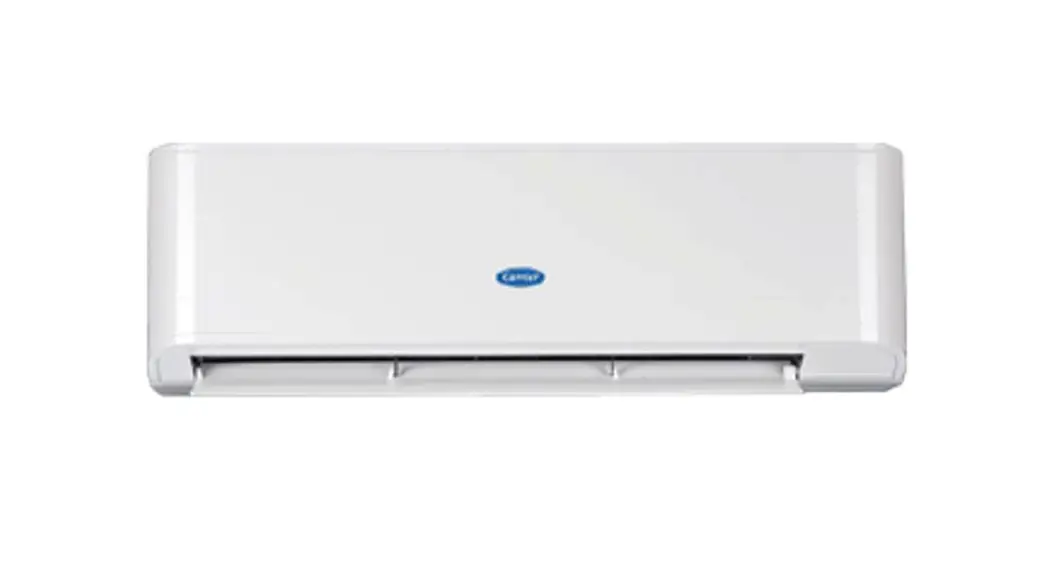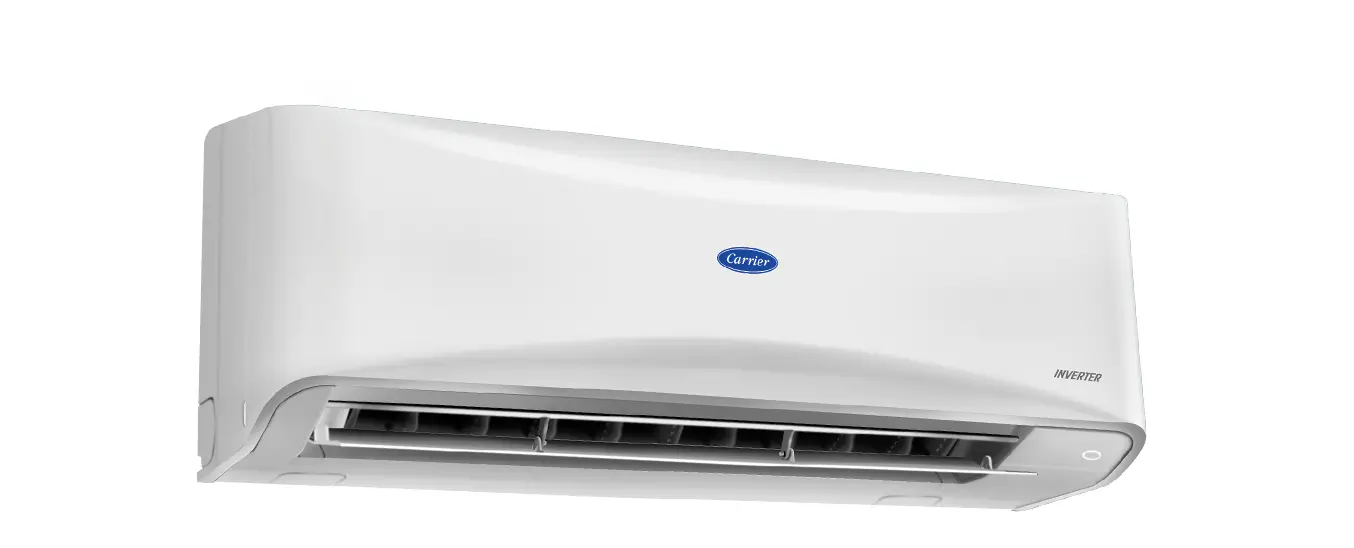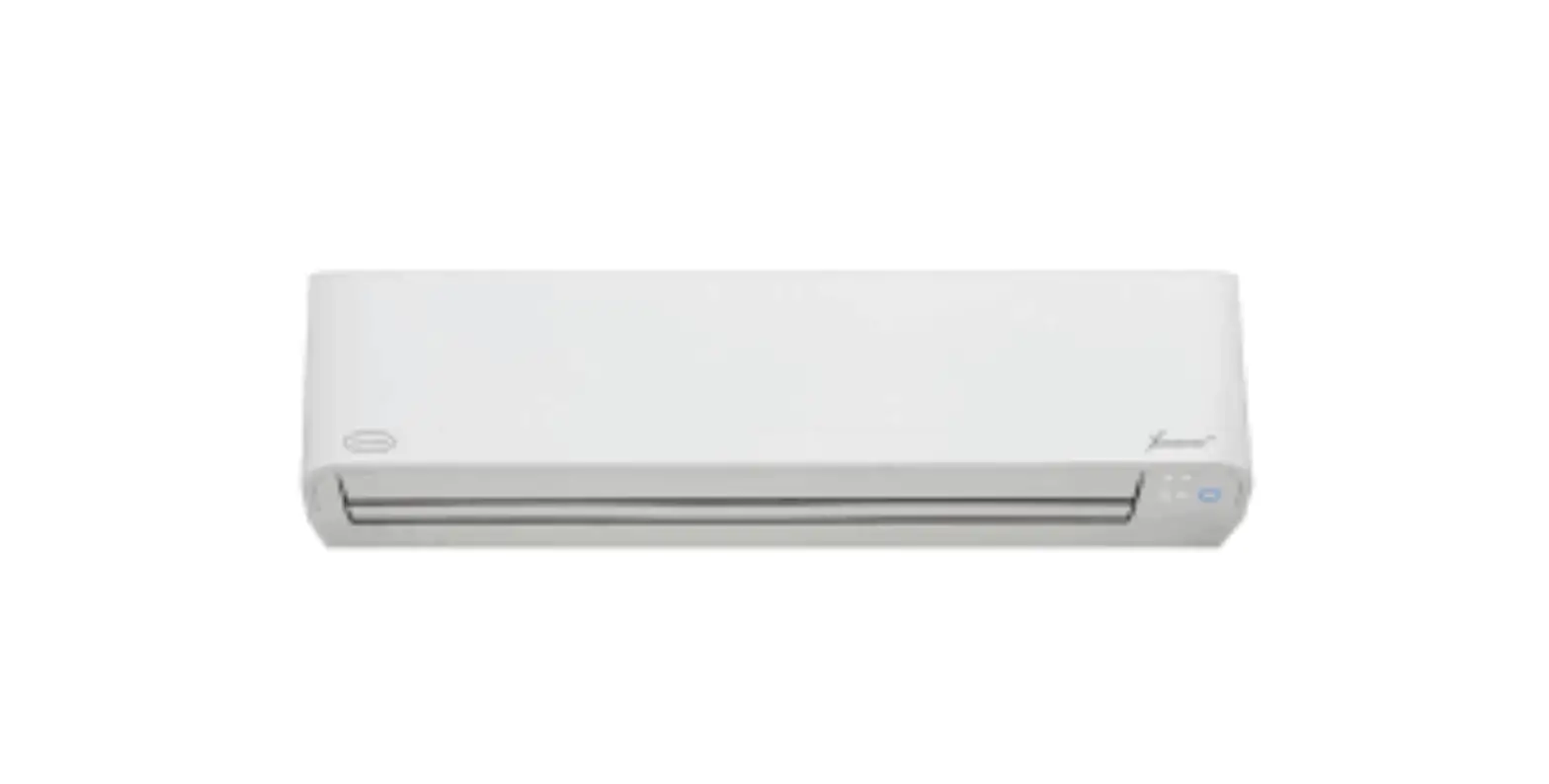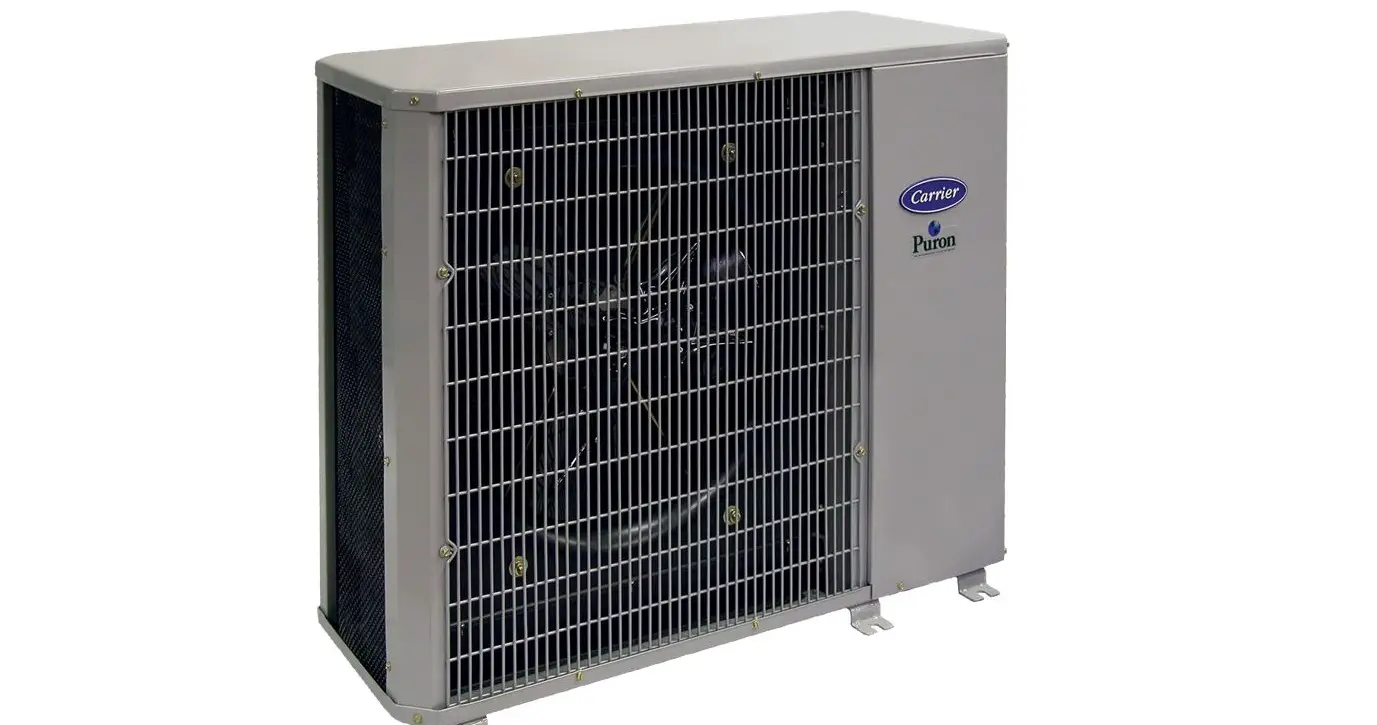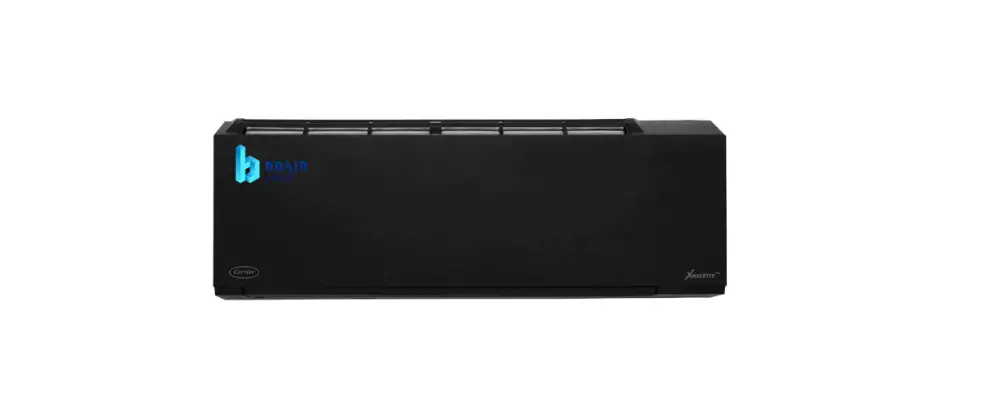

Carrier Thailand 42TVAB010-O-I Air Conditioner
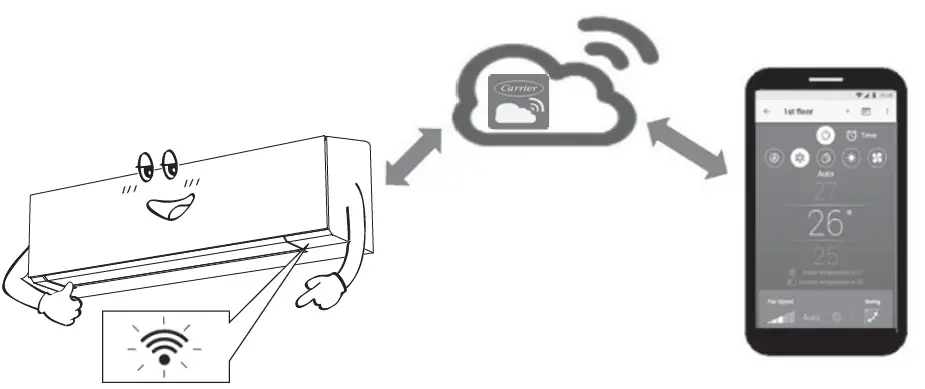
The Carrier In The Air Wireless LAN Connection is an application that allows users to control their split type air conditioner through a smartphone or tablet via an internet connection. It provides users with the ability to set and monitor AC operation from anywhere through a cloud system. The wireless adapter is built-in and can be activated through the remote controller. The application supports iOS 9.0 or later and Android version 5.0 or
later. It allows for multi-AC system control, group control, and up to five users to control one wireless adapter.
Product Usage Instructions
- Download and install the Carrier In The Air application from the application store on your device. The application keyword is “Carrier In The Air.”
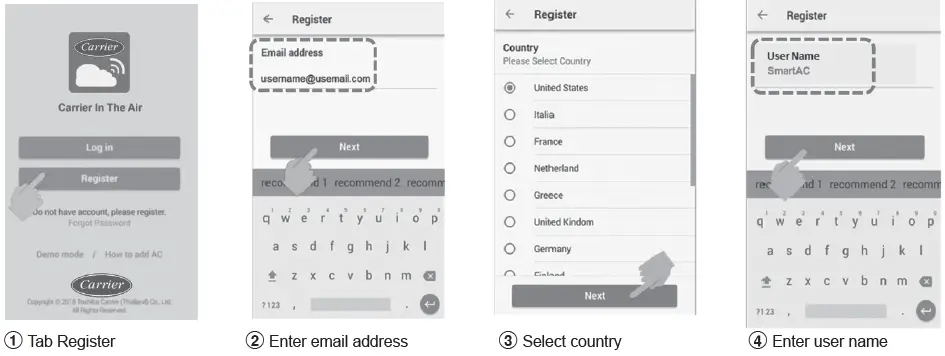
- Register for the application by following these steps:
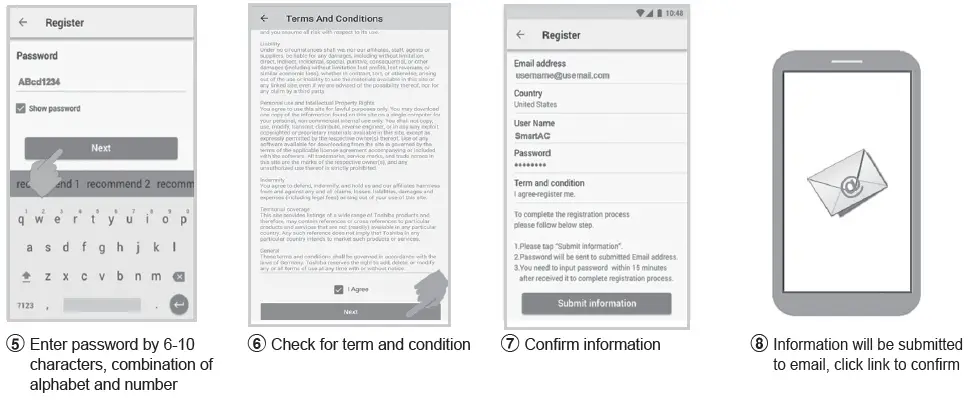
- Open the application and select “Register.”
- Enter your email address.
- Select your country.
- Enter your user name.
- Enter a password that is 6-10 characters long and a combination of alphabet and numbers.
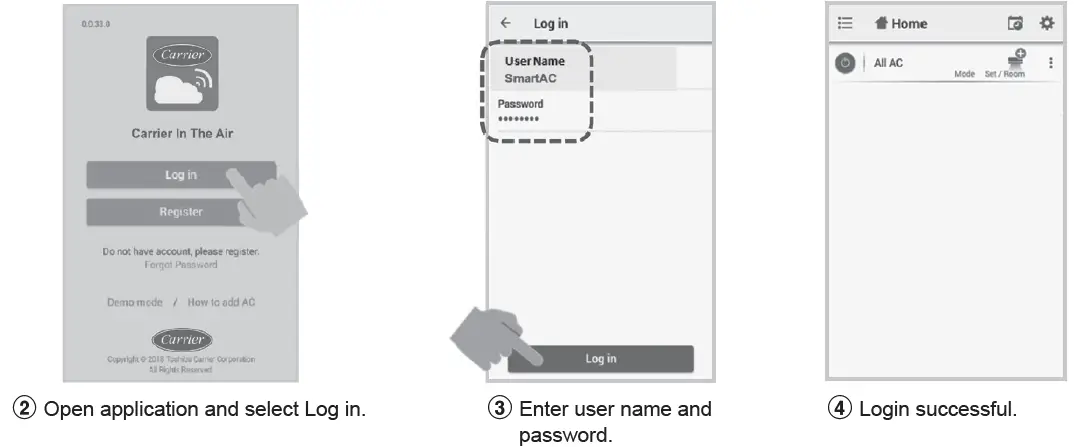
- Login to the Carrier In The Air application by following these steps:
- Connect the wireless adapter to your air conditioner and turn on the power supply.
- Open the application and select “Log in.”
- Enter your user name and password.
- Add the wireless adapter for control by following these steps:
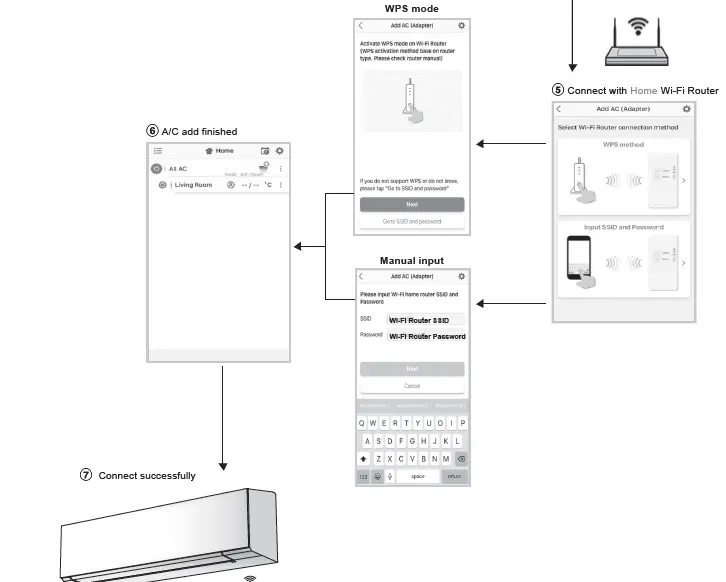
- Select “Add AC (Adapter)” from both displays.
- Select the AC (adapter) connection method.
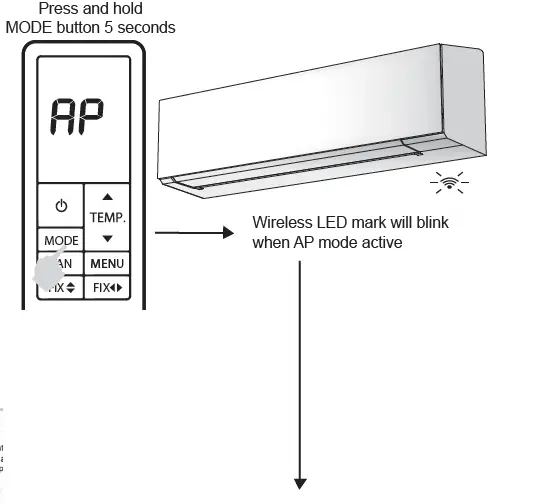
- Active the wireless adapter by pressing and holding the MODE button on the remote controller for 5 seconds.
- The A/C add process is finished.
Note- If there is a change in Wi-Fi router or email for registration, the wireless adapter needs to be re-processed for adding again.
- If you want to use the wireless adapter with another air conditioner, you need to factory reset and re-process for adding the wireless adapter again.
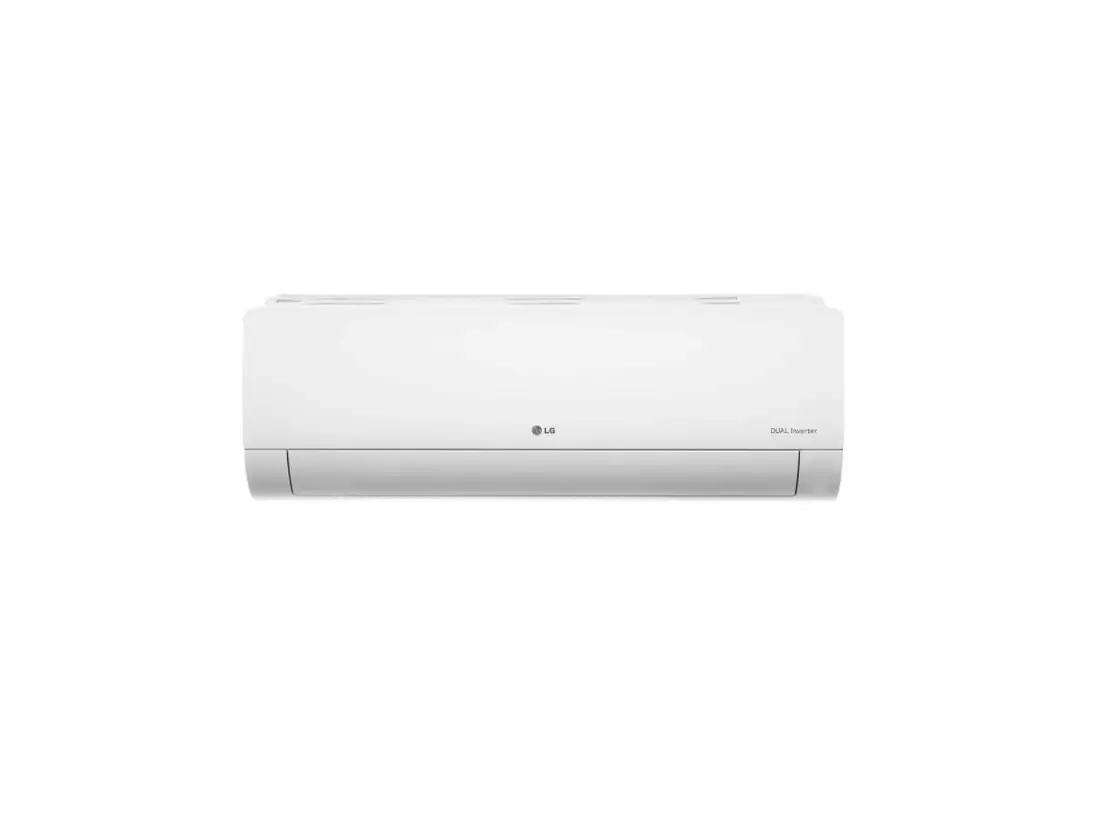
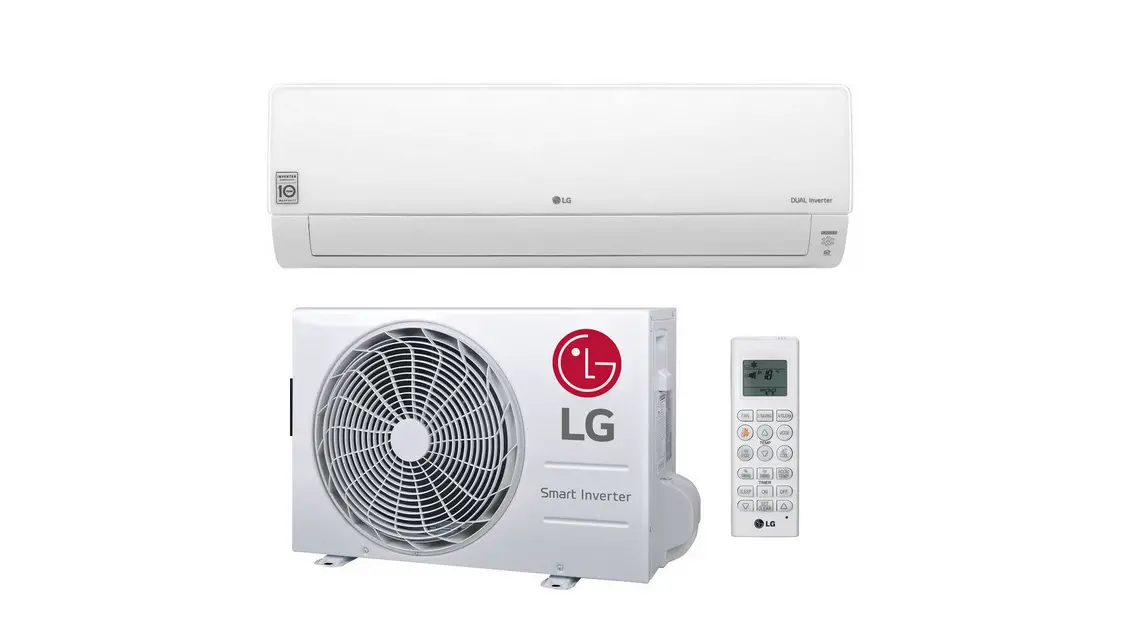
AIR CONDITIONER (SPLIT TYPE)
For general public use
Indoor unit
42TVAB010-O-I 42TVAB013-O-I 42TVAB016-O-I 42TVAB018-O-I 42TVAB010-P-I 42TVAB013-P-I 42TVAB016-P-I 42TVAB018-P-I 42TVAB010-G-I 42TVAB013-G-I 42TVAB016-G-I 42TVAB018-G-I 42TVAB010-W-I 42TVAB013-W-I 42TVAB016-W-I 42TVAB018-W-I 42TVAB010-B-I 42TVAB013-B-I 42TVAB016-B-I 42TVAB018-B-I42TVAB024-O-I 42TVAB028-O-I 42TVAB030-O-I 42TVAB033-O-I 42TVAB024-P-I 42TVAB028-P-I 42TVAB030-P-I 42TVAB033-P-I 42TVAB024-G-I 42TVAB028-G-I 42TVAB030-G-I 42TVAB033-G-I 42TVAB024-W-I 42TVAB028-W-I 42TVAB030-W-I 42TVAB033-W-I 42TVAB024-B-I 42TVAB028-B-I 42TVAB030-B-I 42TVAB033-B-I
Outdoor unit
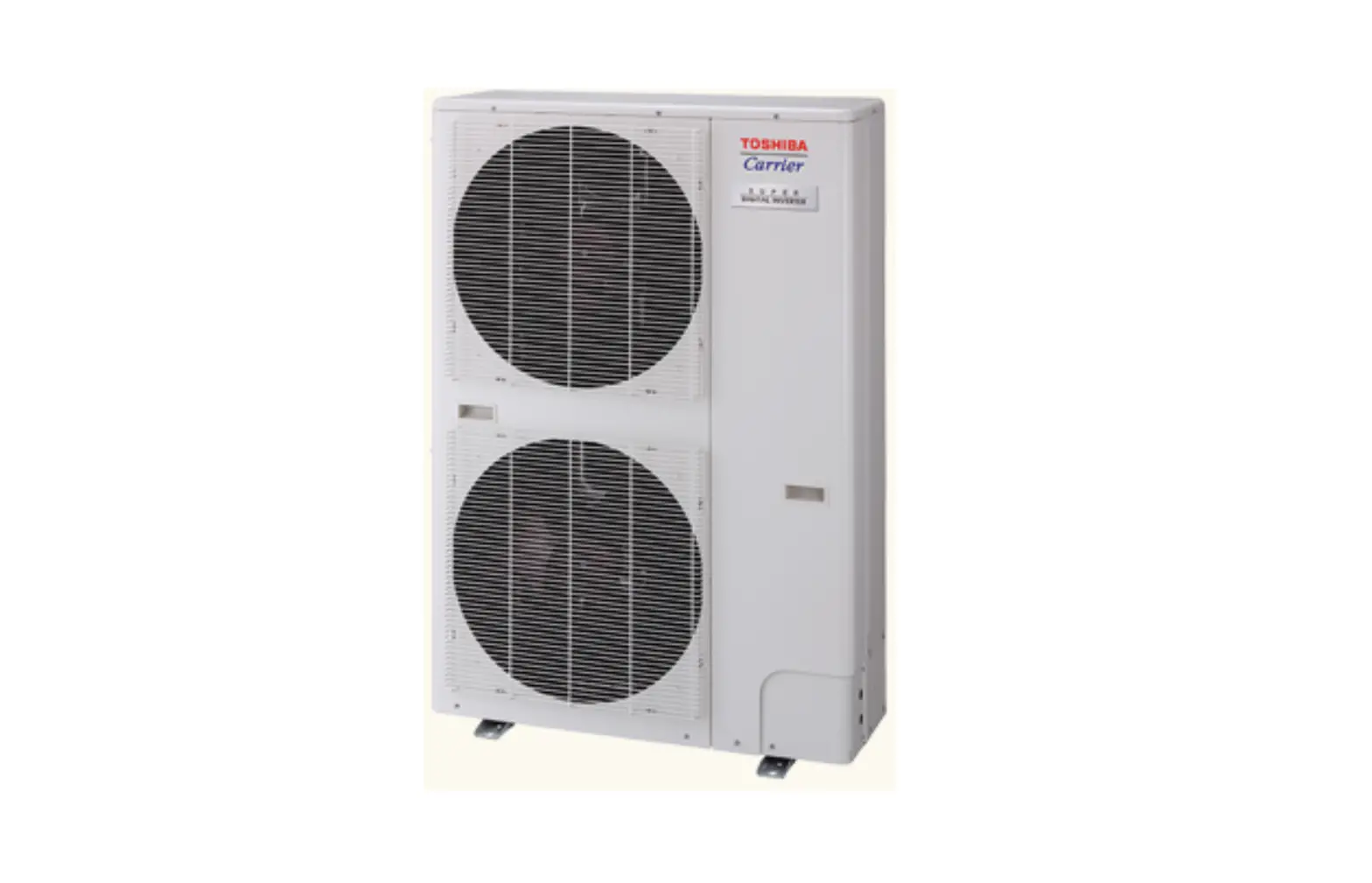
38TVAB010, 013, 016, 018, 024, 028, 030, 033-I
WIRELESS LAN CONNECTION
Carrier In The Air
Please visit the application store on your device to download and install Carrier In The Air application.
 Application
Keyword : Carrier In The Air
About Carrier In The Air
- Carrier In The Air can control AC operation by Smartphone or
tablet (mobile device) via internet connection. - Everywhere control, control software run on Cloud system and mobile device can set and monitor AC operation via internet connection.
- Everyone can control, 1 Wireless adapter maximum 5 User (use 1 email register).
- Multi AC system control, 1 user can control 10 AC.
- Group control.
- Can create and control 3 groups of AC.
- Can control max 10 AC per group.
Note
Adapter can register only 1 email address, if register with new email, current email will be invalid. 2.1 email address can use for register 5 devices for control same AC.
Carrier In The Air application support
 iOS : 9.0 or later.
 Android : Version 5.0 or later.
Register process
Open an application and follow register for User registration.
Login to Carrier In The Air application
Build-in type , Wireless adapter already install with unit.
Add Wireless adapter for control by Carrier In The Air application
Note
- In case of Wi-Fi router change or Email for register change need to re-process for add Wireless adapter again (Build in type : Press MODE button at Remote controller 5 seconds for active AP mode).
- I n case of change Wireless adapter to use with other A/C need to factory reset and re-process for add Wireless adapter again (Build in type : Press MODE button at Remote controller 5 seconds and select “rb”).
Add Wireless adapter for control by Carrier In The Air application
3 AC (adapter) connect
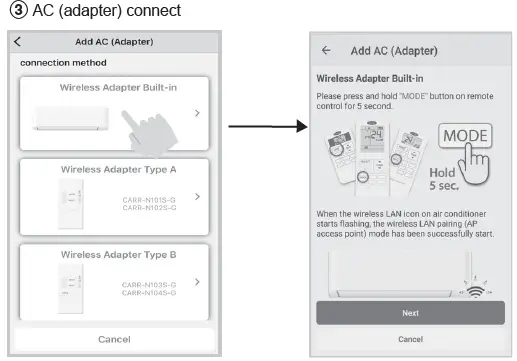
- Active Wireless adapter by Remote controller.
Carrier In The Air application
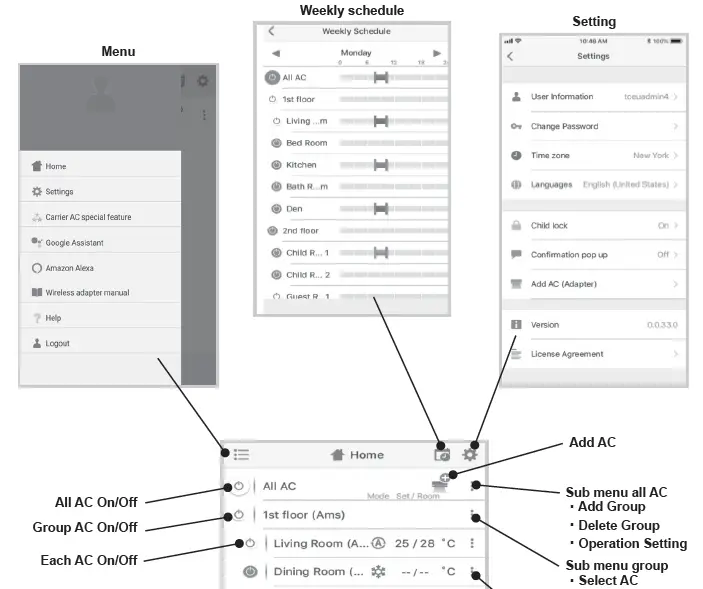
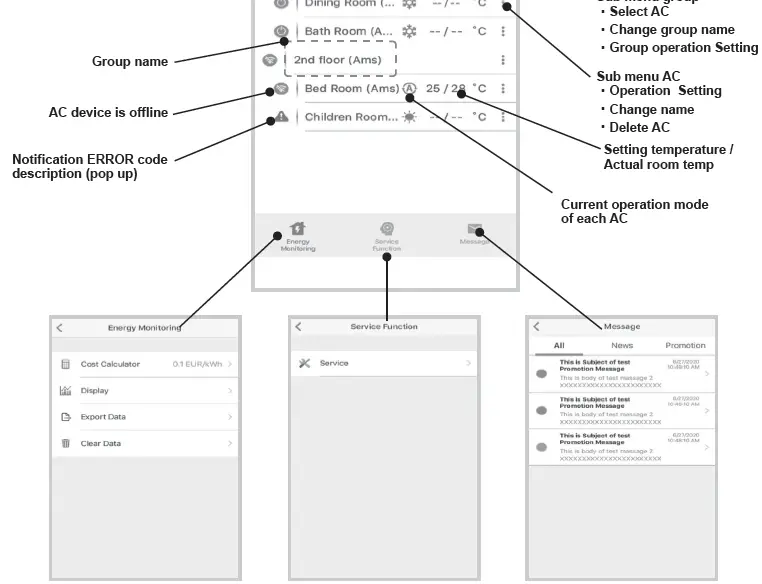
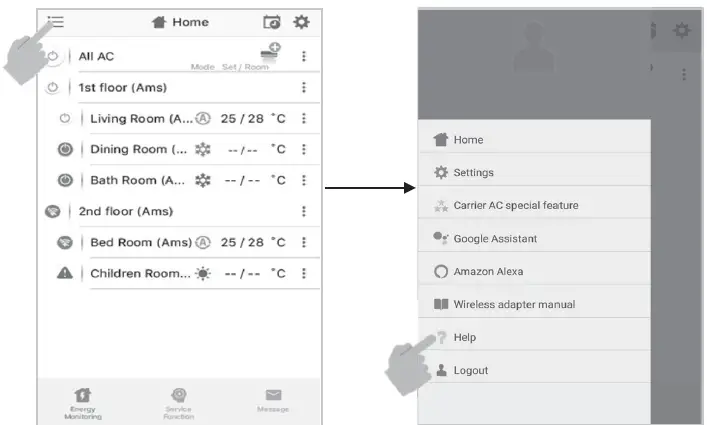
Home screen
Mode and Condition setting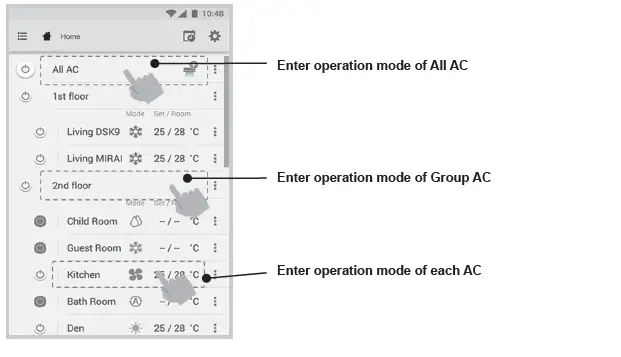
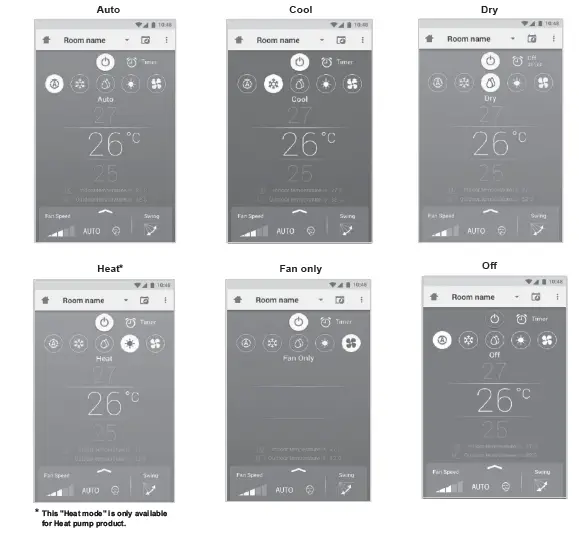
Mode select for Carrier In The Air application
Provide for 5 operation modes
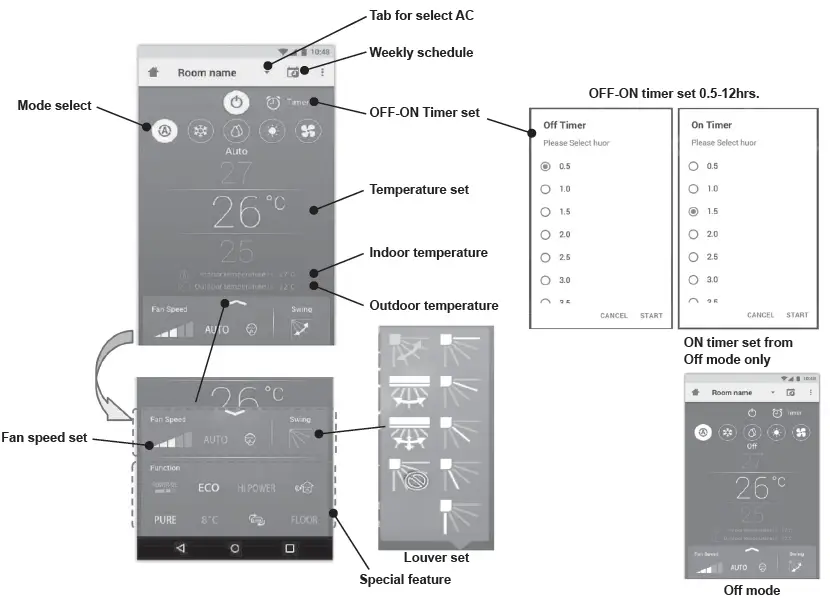
 Setting in operation mode
Group operation
Maximum 3 groups
1 Group maximum = 10 units.
Add group
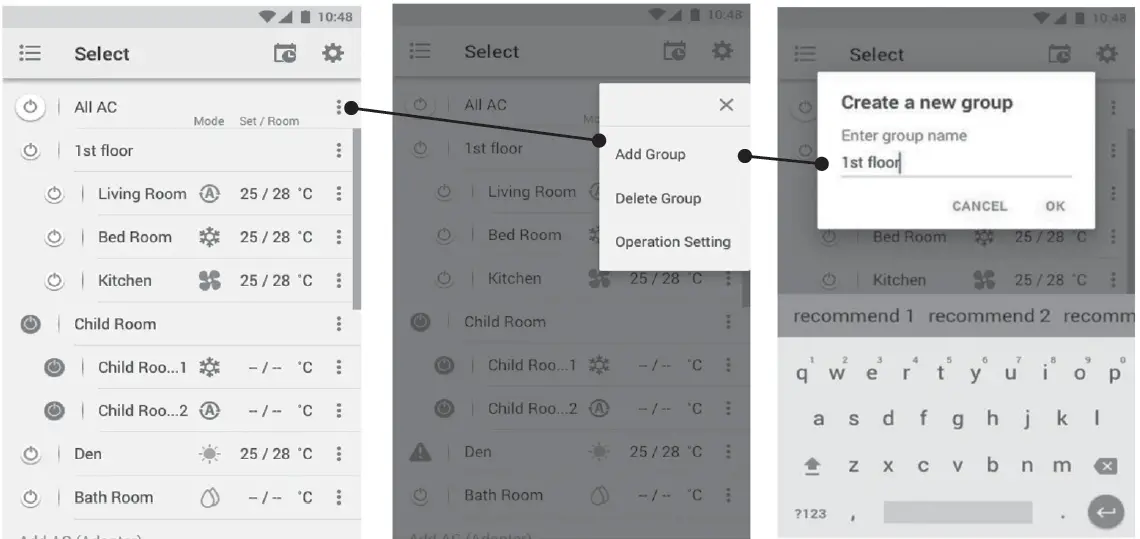
Add AC in group
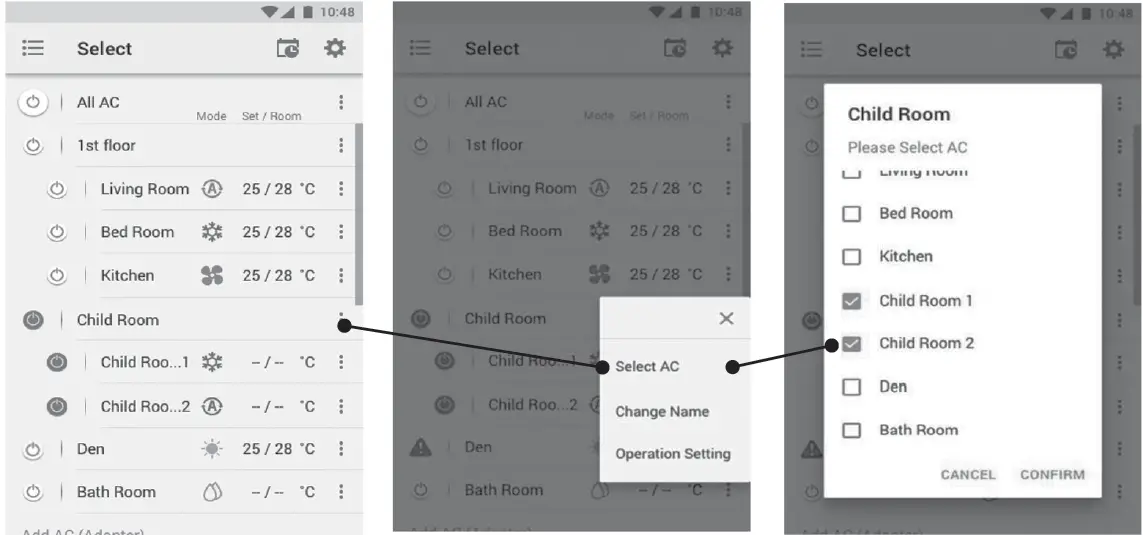
Delete AC in group
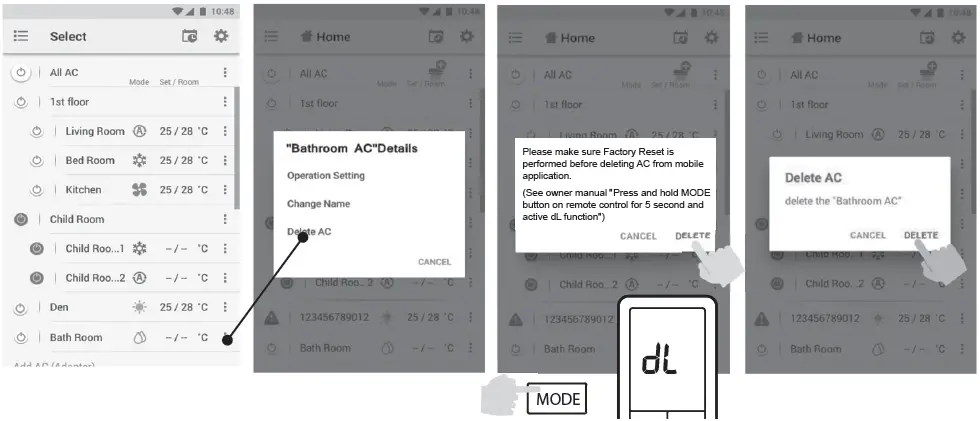
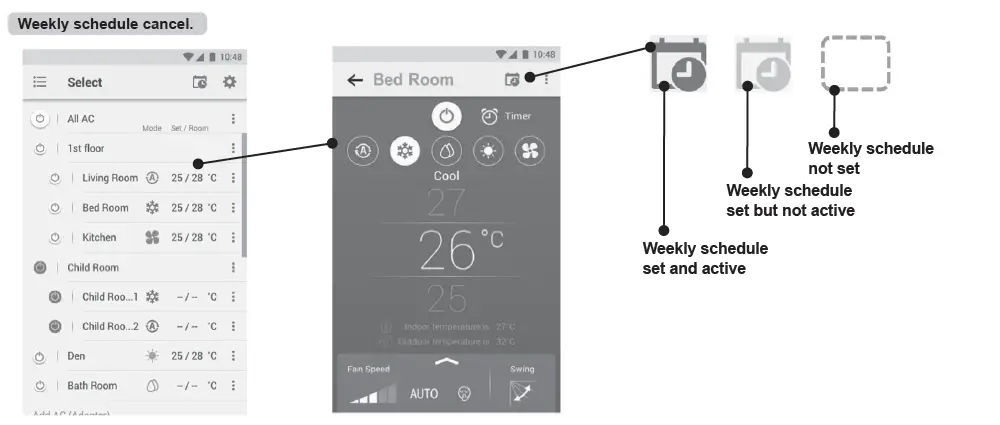
Weekly schedule set
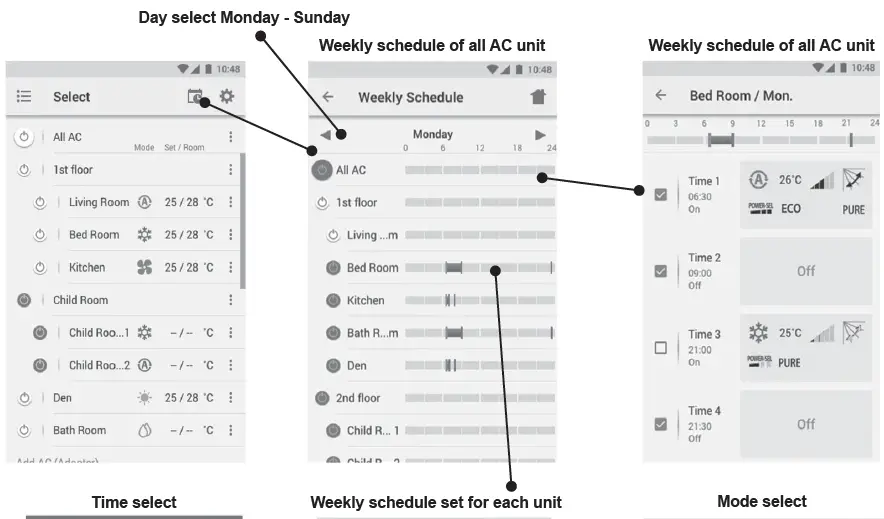
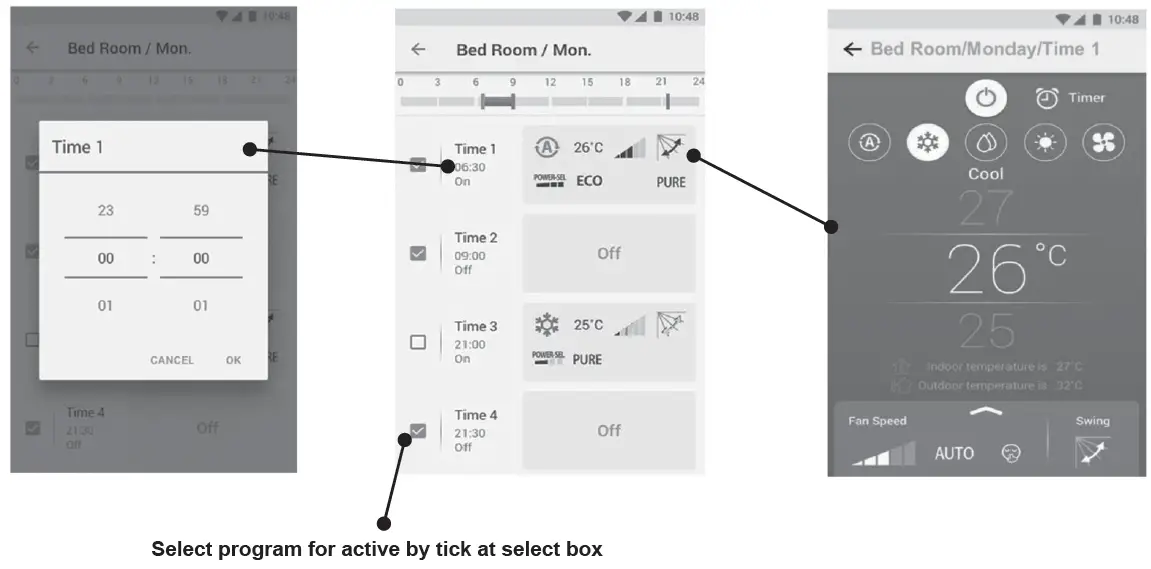
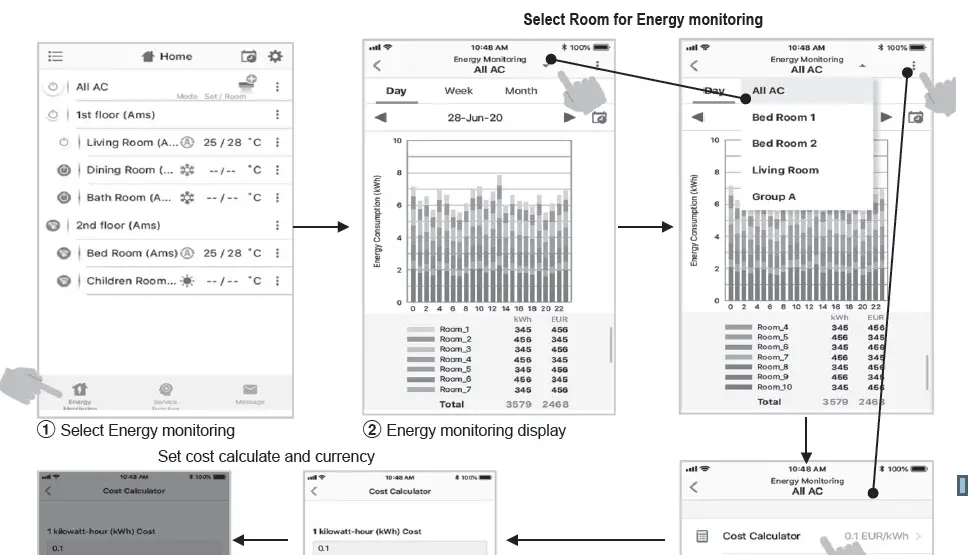
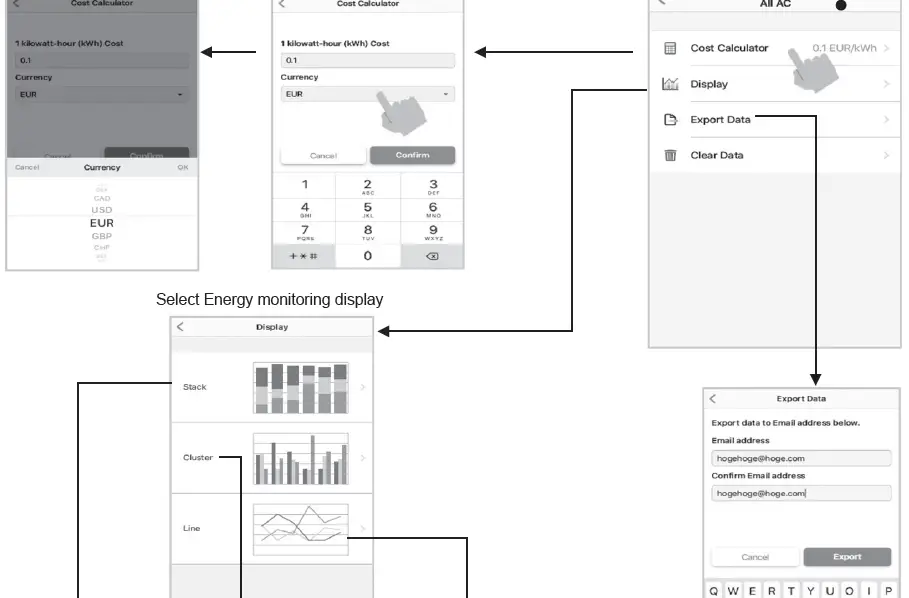
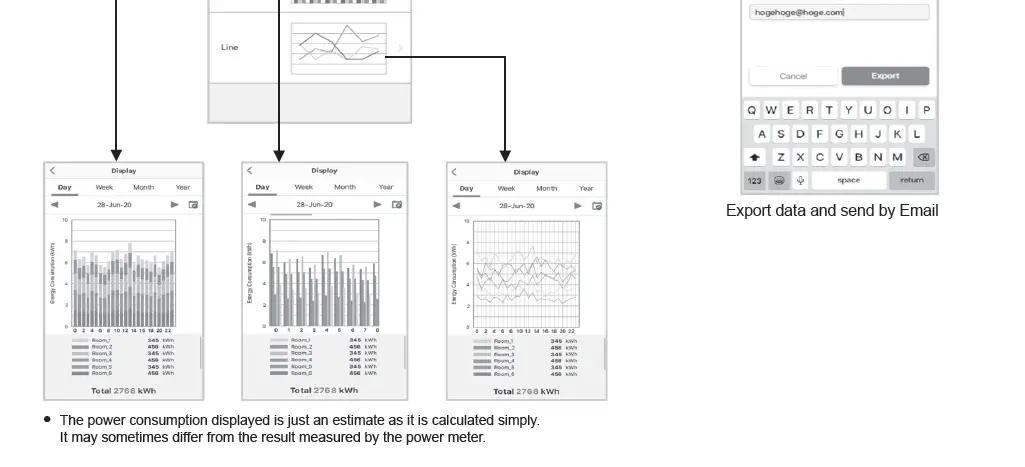
Energy monitoring
In case of have some problem can check from Help menu
Note
- The Wireless Adapter must be installed, maintained, repaired and removed by a qualified installer or qualified service person.
- Contact dealer and/or service center when equipment is malfunction.