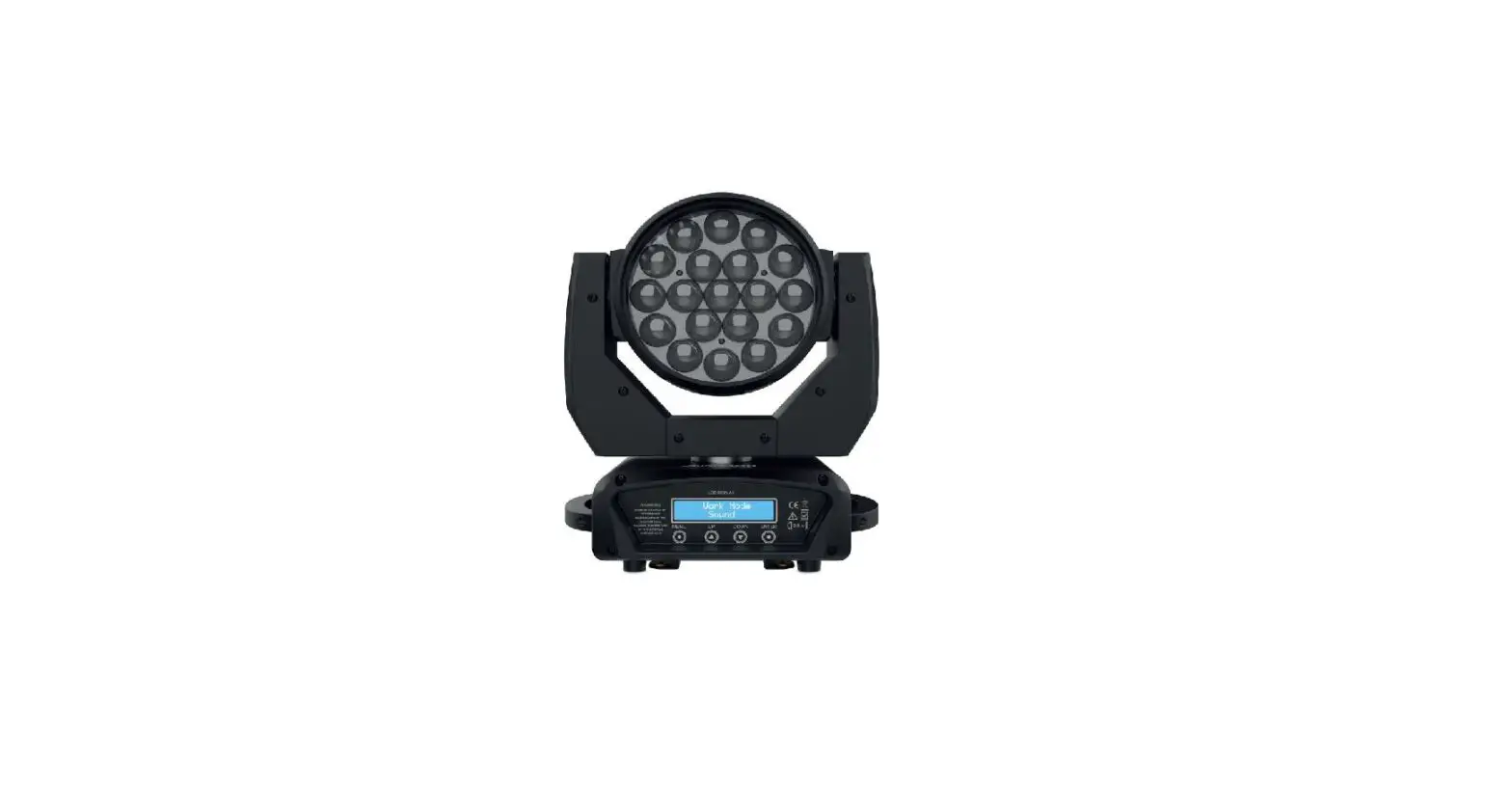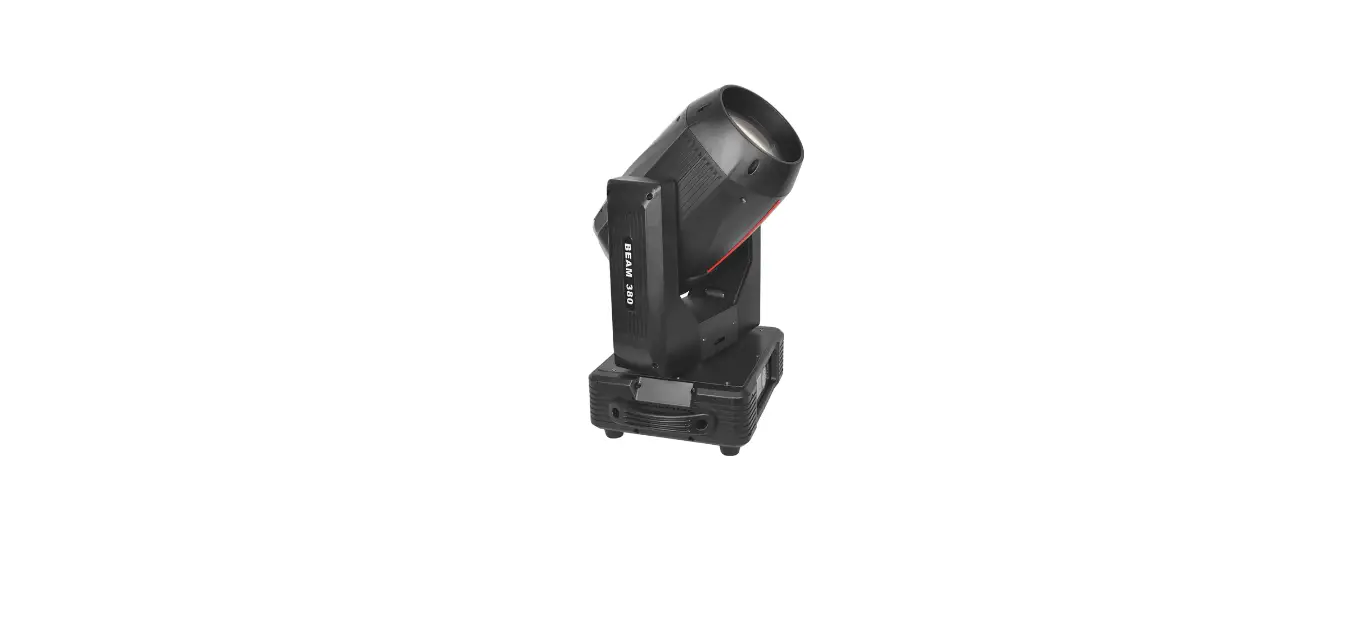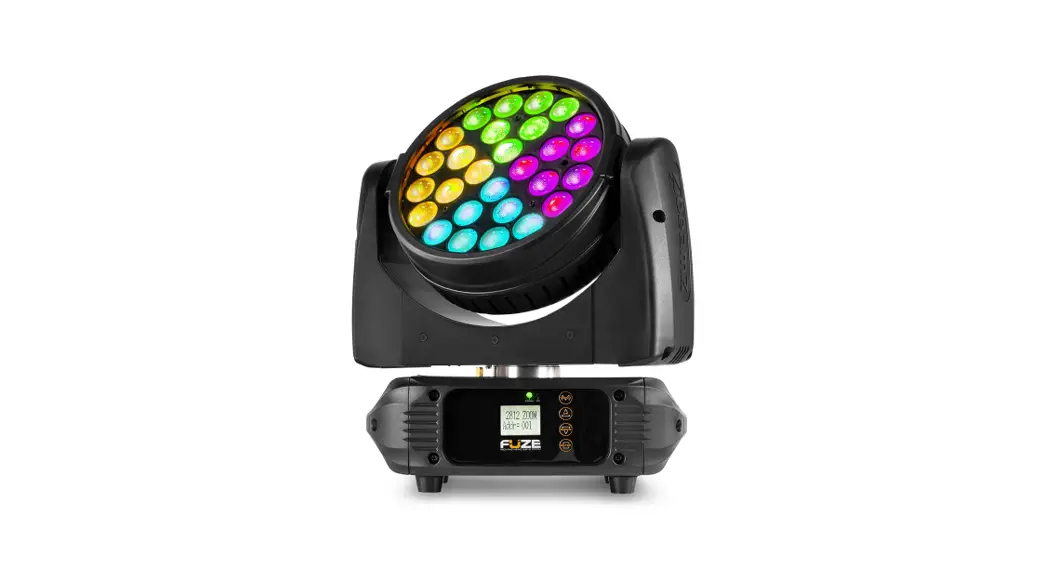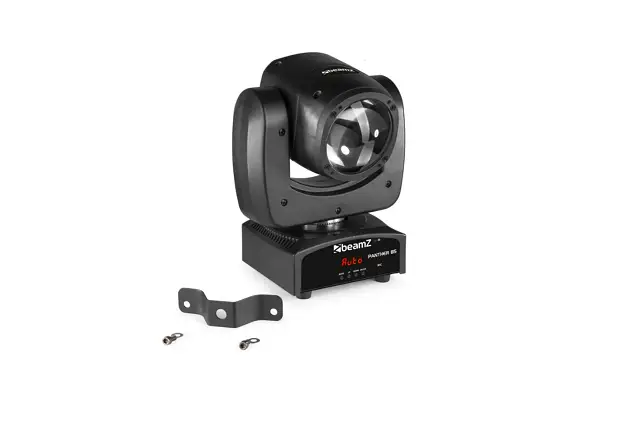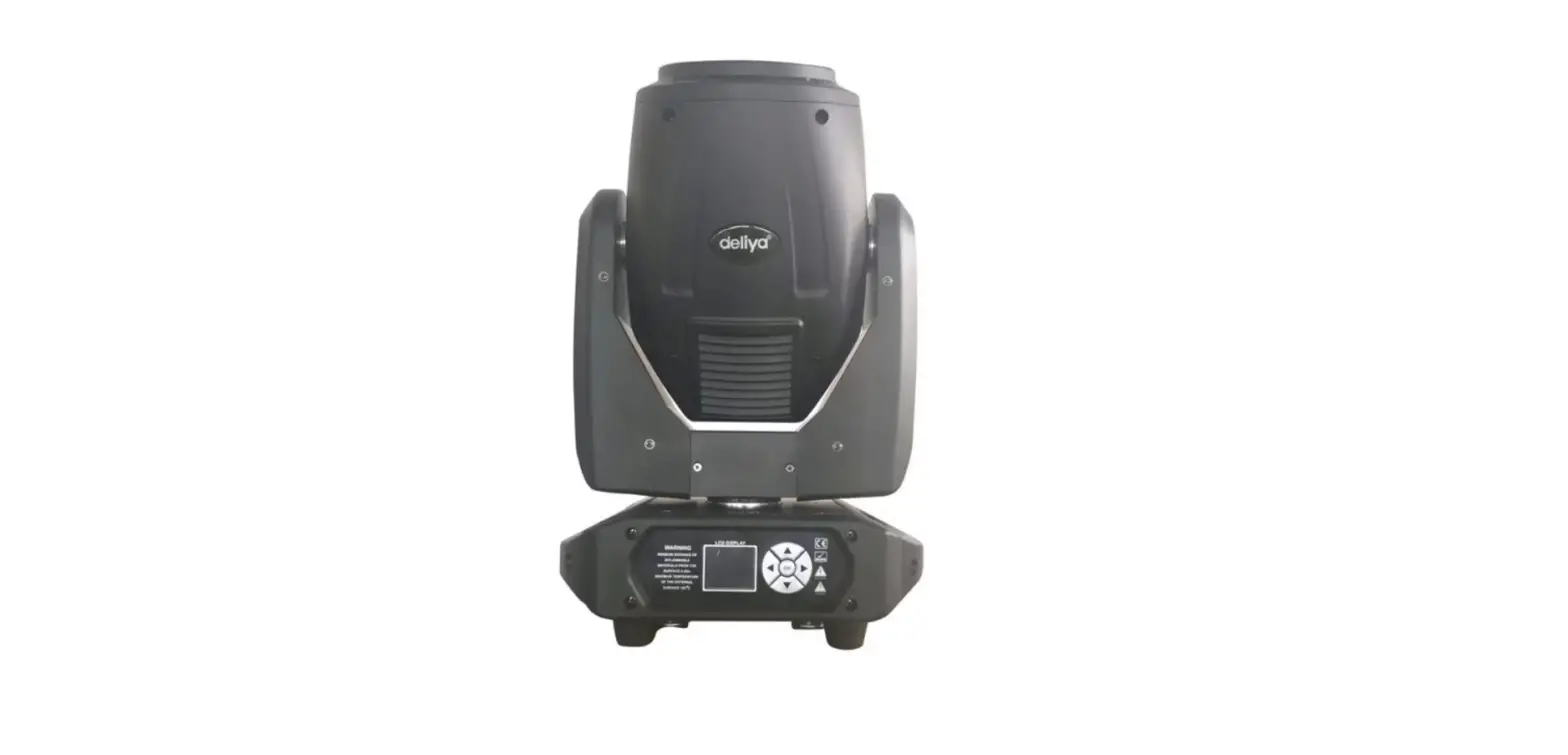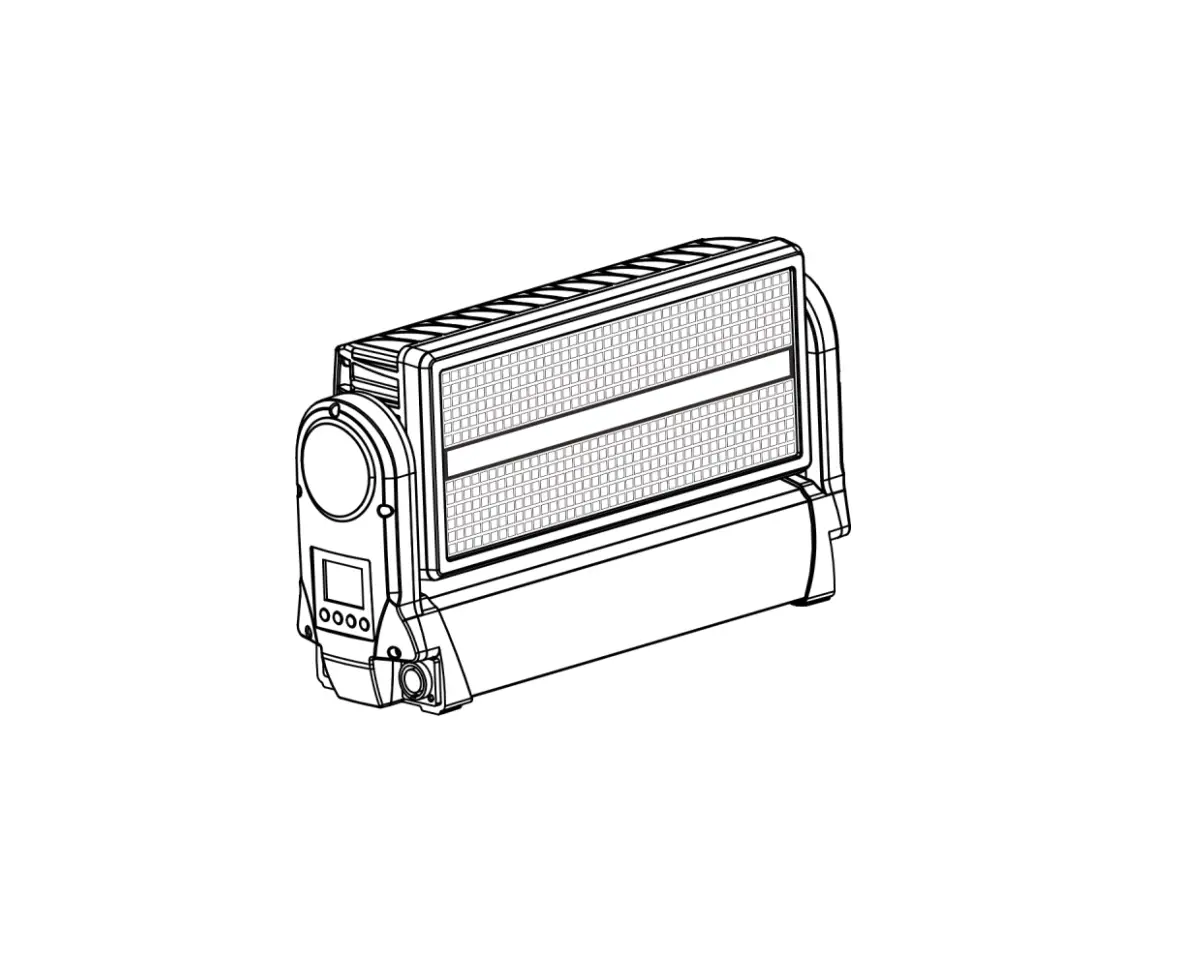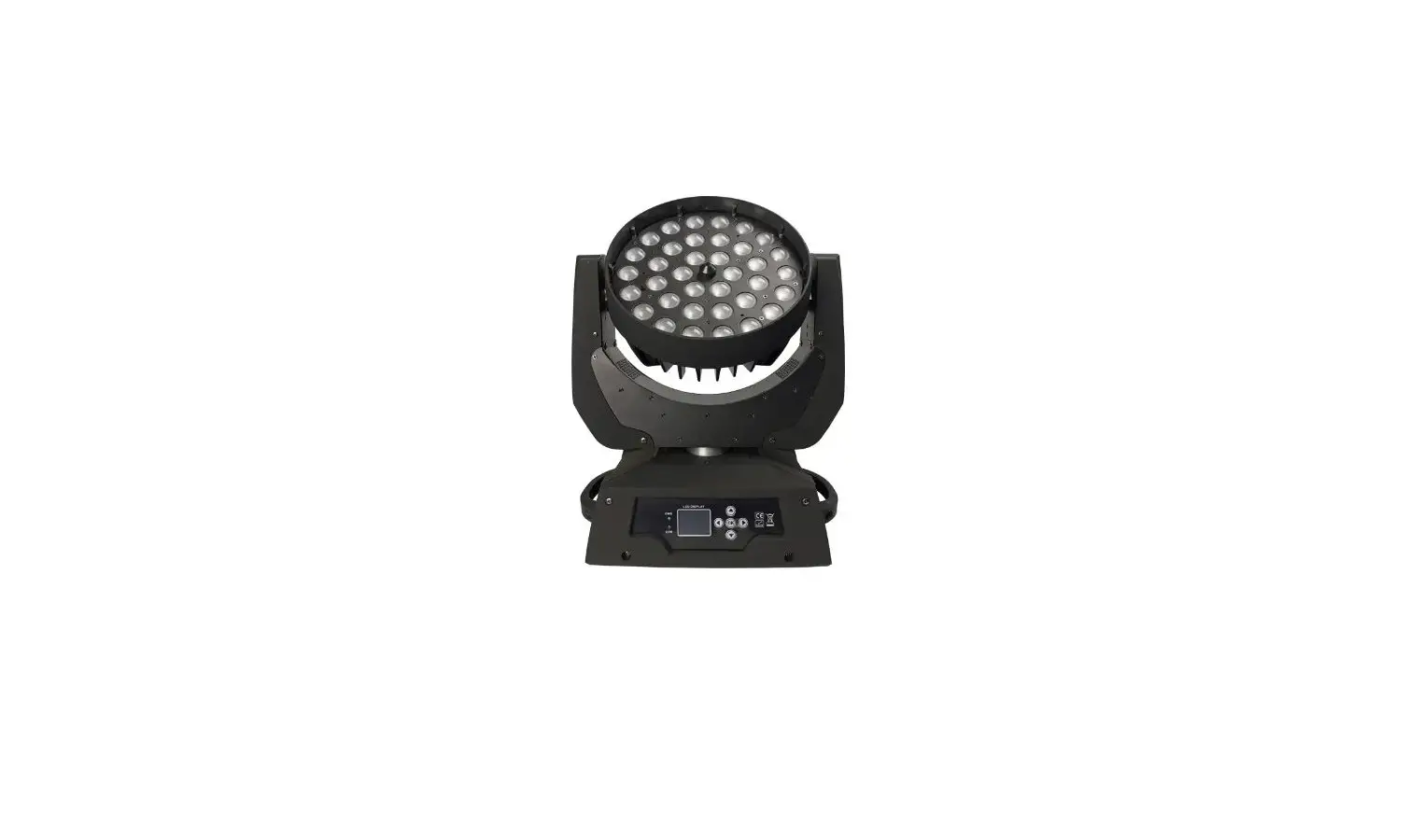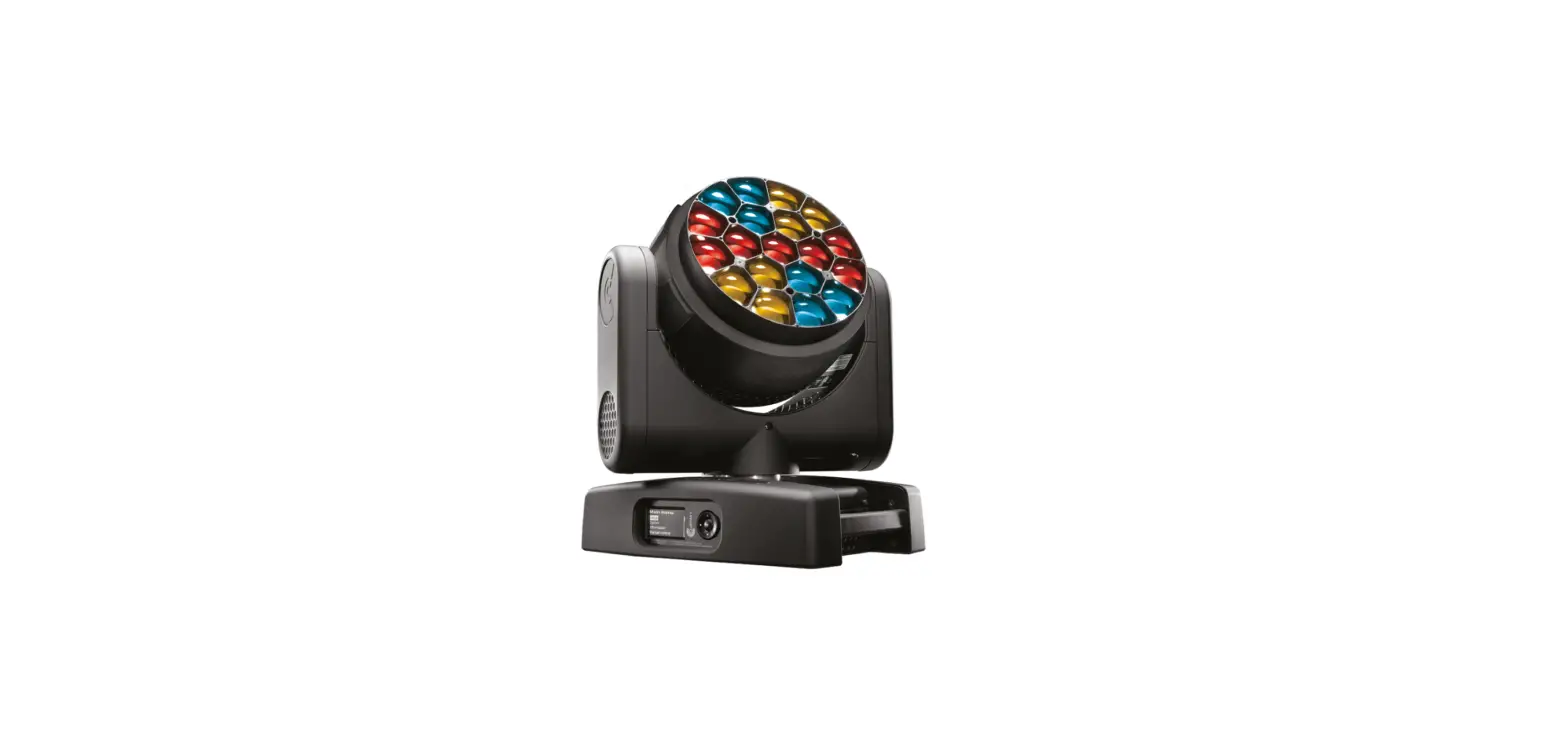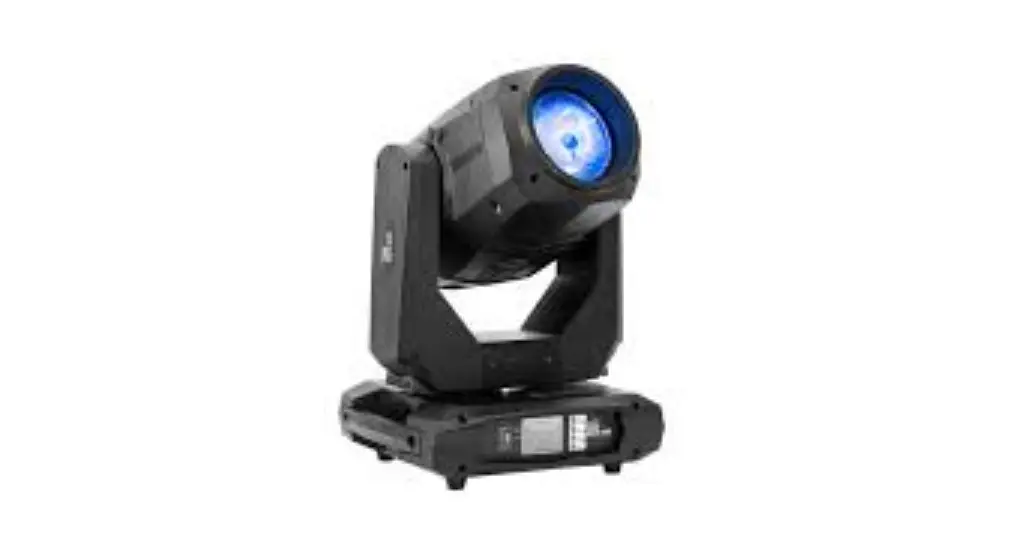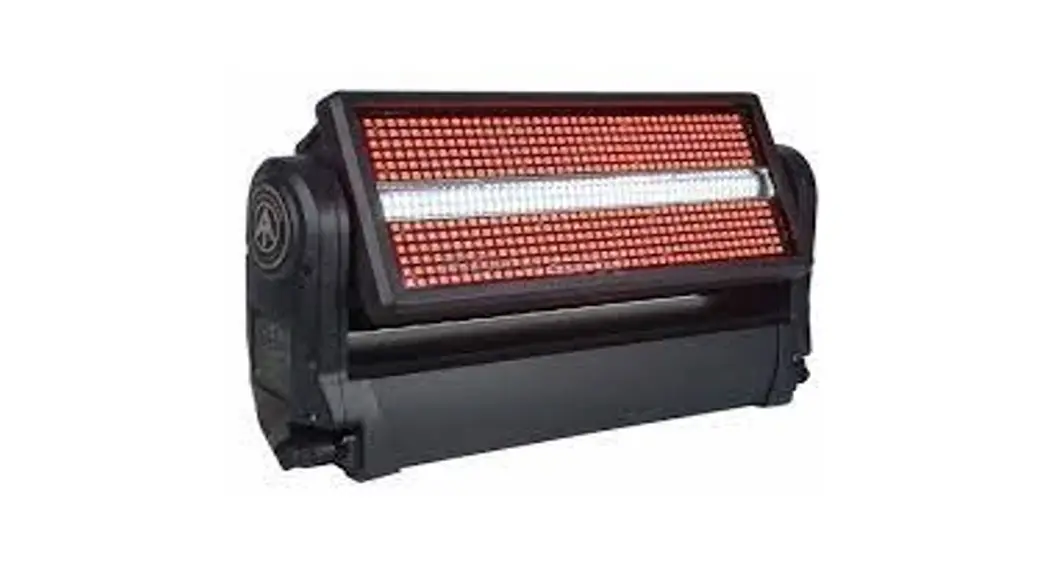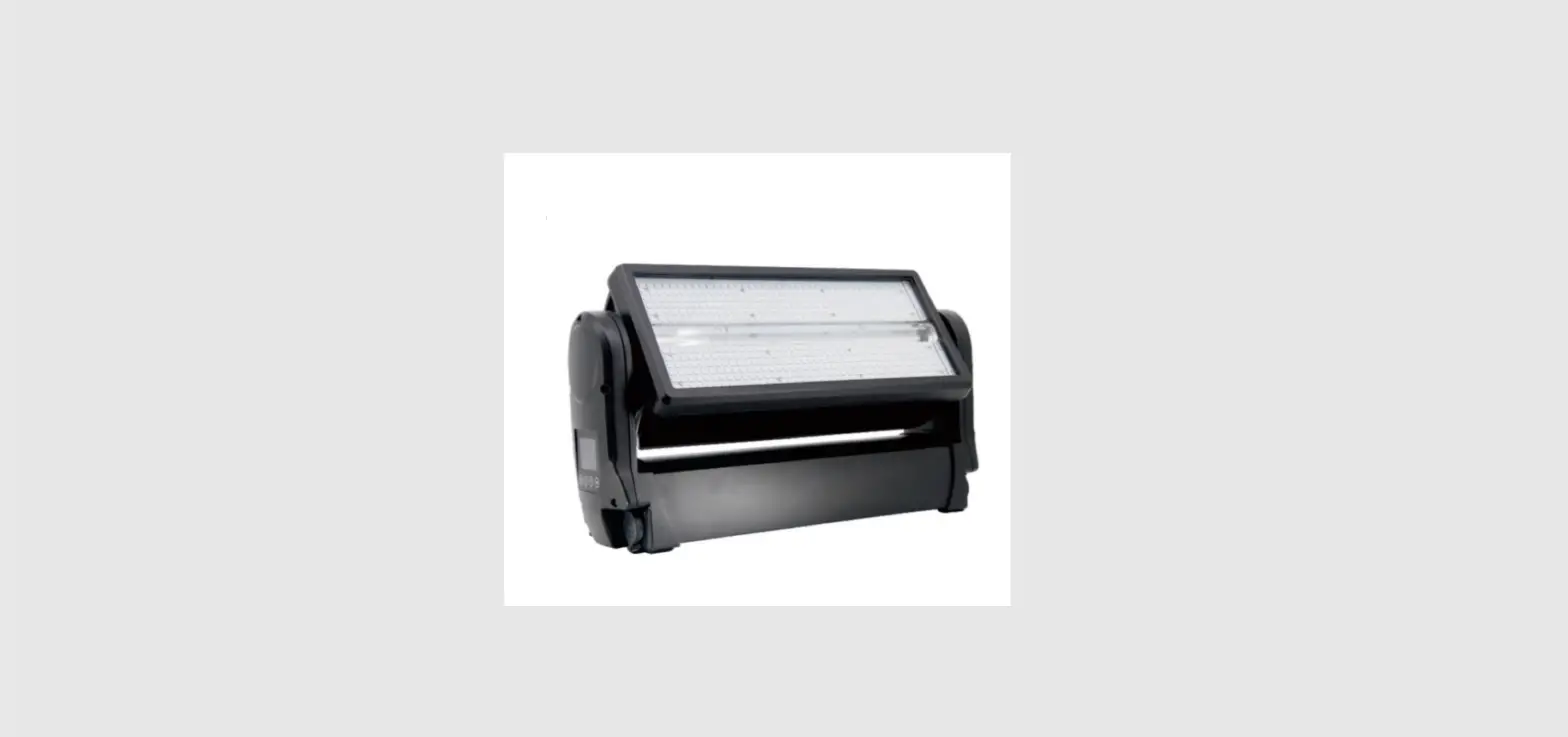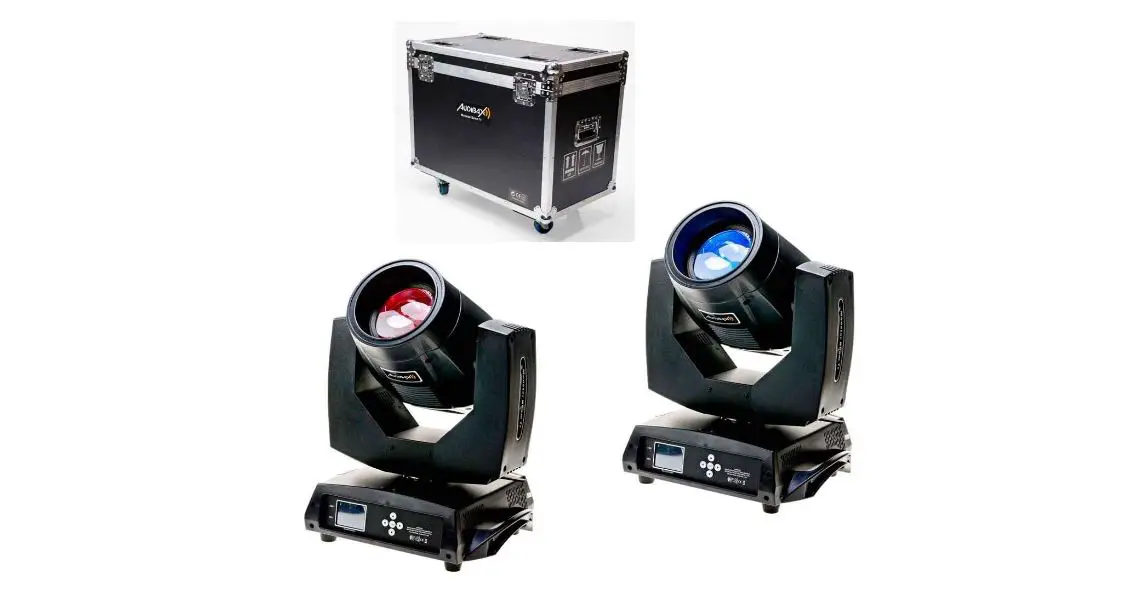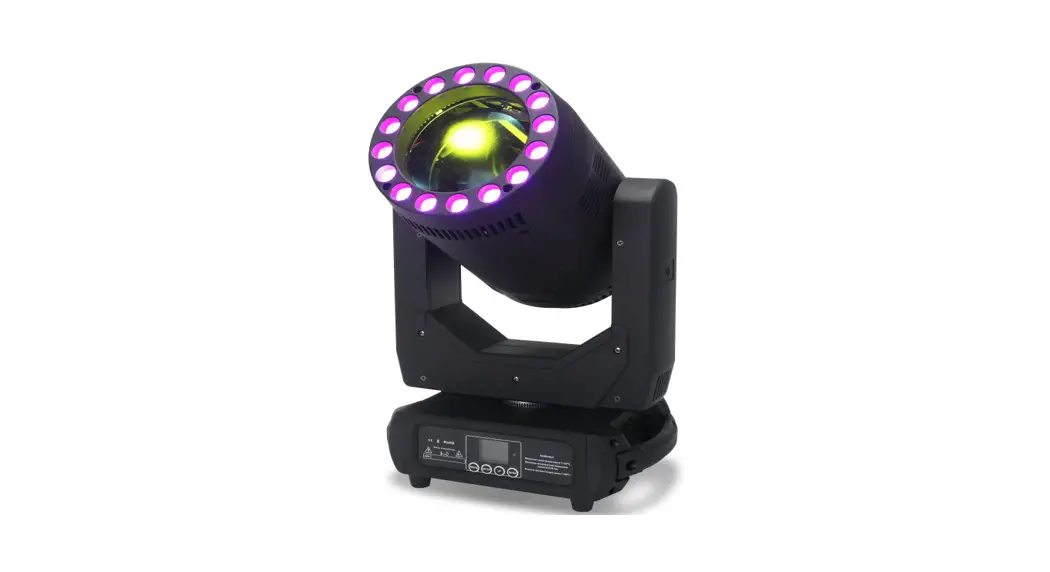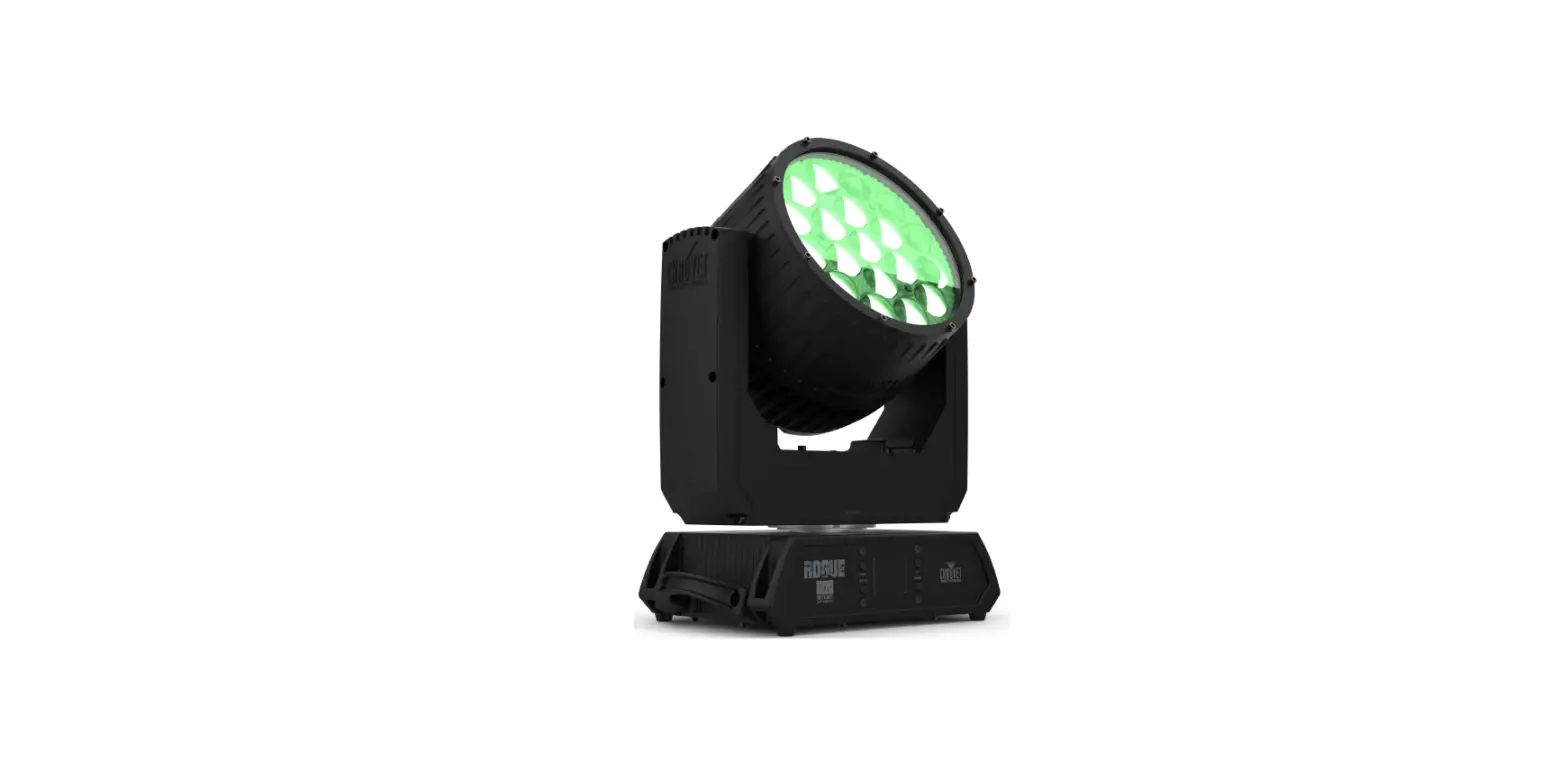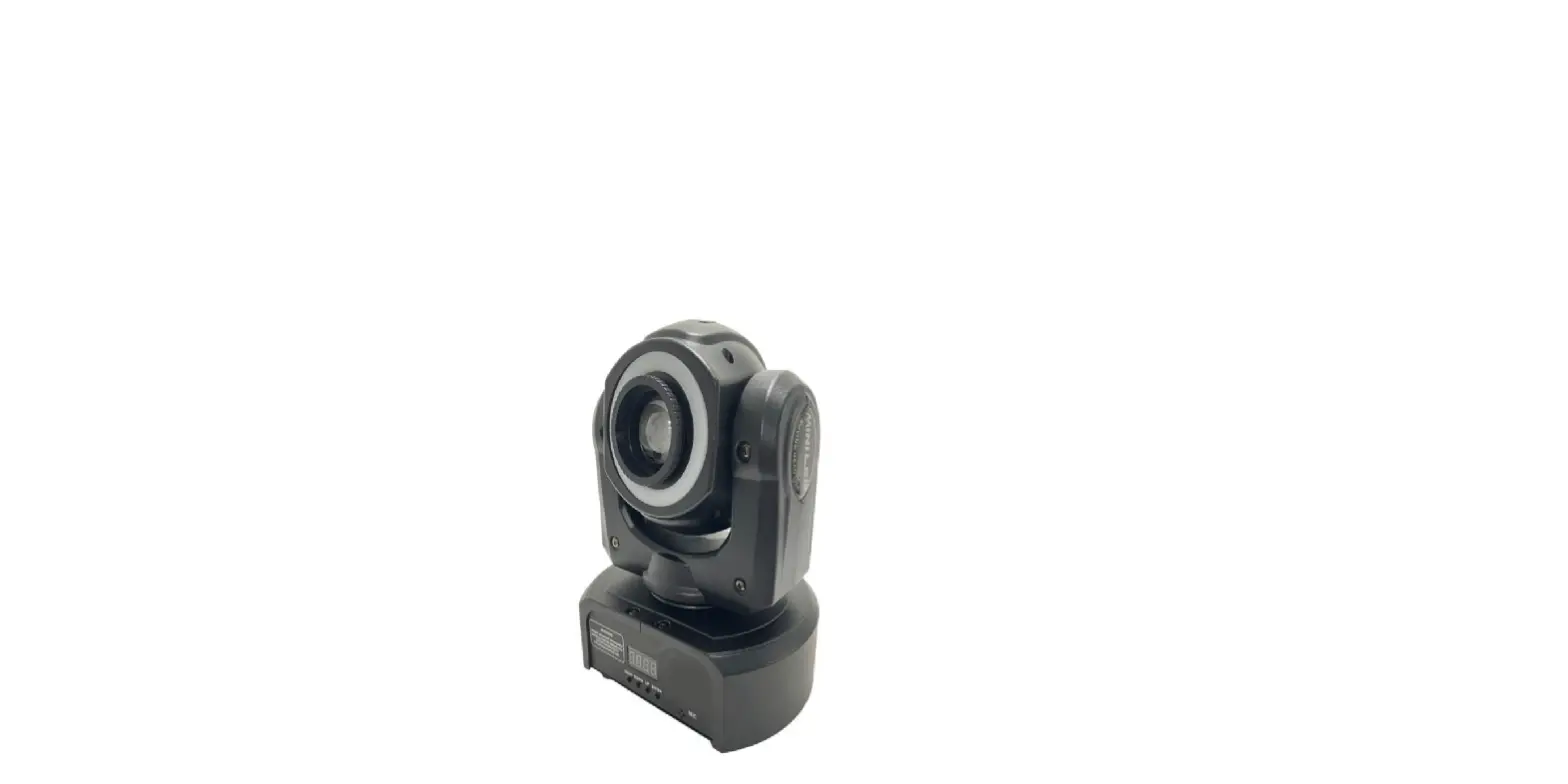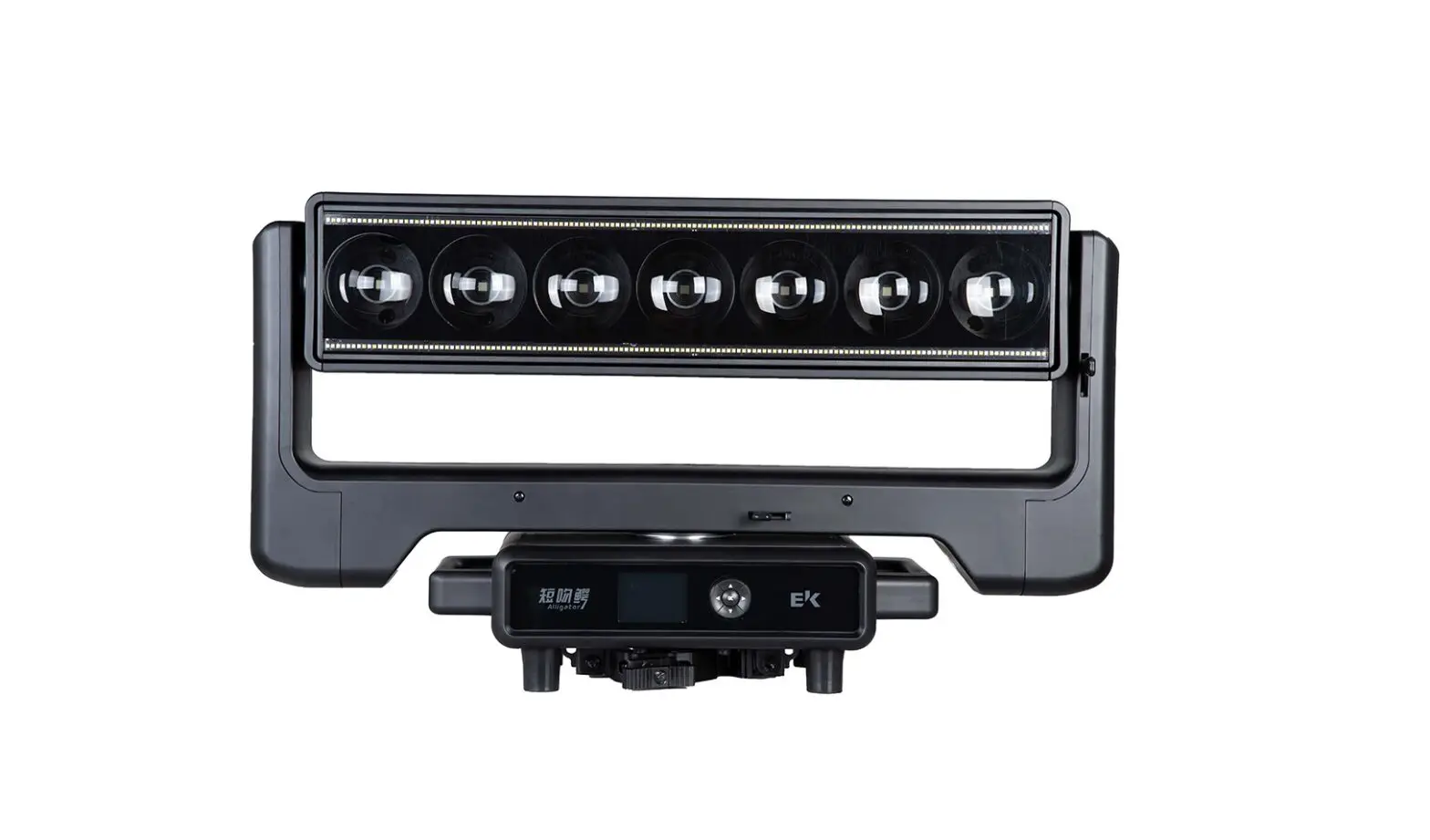
EK Lights Alligator LED Beam Wash Strobe Moving Head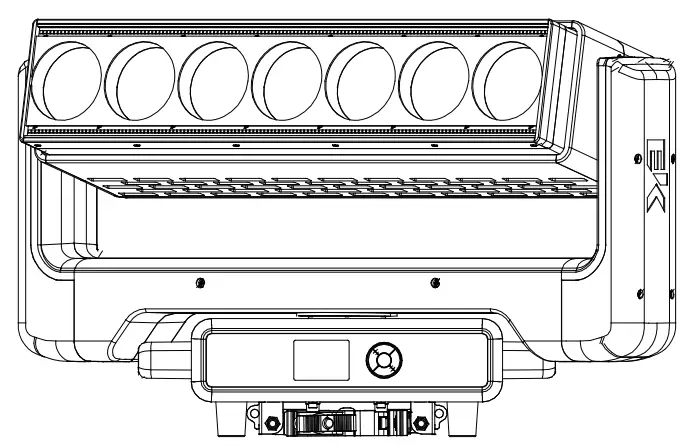
SAFETY
 WARNING! Before carrying out any operations with the unit, carefully read this instruction manual and keep it with care for future reference, It contains important information about the installation, user and maintenance of the unit.
General instruction
- The products referred to in this manual conform to the European Community Directives and are therefore marked with CE.
- The unit is supplied with hazardous network voltage (230V~). Leave serving to skilled personnel only. Never make any modifications on the unit not described in this instruction manual, otherwise you will risk an electric shock.
- Connection must be made to power supply system fitted with efficient earthing (Class I appliance according to standard EN60598-1) .It is moreover,recommended to protect the supply lines of the units from indirect contact and/or shorting to earth by using appropriately sized residual current devices.
- The connection to the main network of electric distribution must be carried out by a qualified electrical installer. Check that the main frequency and voltage correspond to those for which the unit is designed as given on the electrical data label.
- This unit is not for home use, only professional applications.
- Never use the fixture under the following conditions:
• in places subject to vibrations or bumps;
• in places with a temperature of over 40 ℃. - Make certain that no inflammable liquids, water or metal objects enter the fixture,
- Do not dismantle or modify the fixture.
- All work must always be carried out by qualified technical personnel. Contact the nearest sales point for an inspection or contact the manufacturer directly.
 If the unit is to be put out of operation definitively, take it to a local recycling plant for a disposal which is not harmful to the environment.
 If the unit is to be put out of operation definitively, take it to a local recycling plant for a disposal which is not harmful to the environment.
Warnings and installation precautions
- If this device will be operated in any way different to the one described in this manual, it may suffer damage and the guarantee becomes void. Furthermore, any operation may lead to dangers like short circuit, burns, electric shock, etc.
- Before starting any maintenance work or cleaning the fixture, cut off power from the main supply.
- Always additionally secure the fixture with the safety rope. When carrying out any work, always comply scrupulously with all the regulations (particularly regarding safety) currently in force in the country in which the fixture’s being used.
- Install the fixture in a well ventilated place.
- Keep any inflammable materials at a safe distance from the fixture.
- Shields, lenses or ultraviolet screens shall be changed if they have become damaged to such an extent that their effectiveness is impaired.
- The lamp (LED) shall be changed if it has become damaged or thermally deformed.
- Never look directly at the light beam. Please note that fast changes in lighting, e.g. flashing light, may trigger epileptic seizures in photosensitive persons or persons with epilepsy.
- Do not touch the product’s housing when operating because it may be very hot.
INTRODUCTION
FEATURES
- Creative double-sided design provides flexible solutions for different applications
- Up to 9600lm(front beam/wash panel) up to 18000lm(back strobe panel)
- Speedy infinite pan/tilt movement
- Motorized wide-ranging zoom of 3~37°
- 4 dimming curves with 16-bit high resolution control
- Selectable PWM frequency for flicker-free video
- DMX, RDM and Art-Net control
SPECIFICATIONS
- Light Source: Front panel: 7 * 60W RGBW 4-in-1 + 280W WW&CW Back panel: 700W RGBW
- Lumen Output: Front panel: up to 9600lm Back panel: 18000lm
- Lux Output: Front panel: 52000lux @ 3M Back panel: 800lux @ 3M
- Color Temperature: 2800~8000K
- CRI: Ra≥68
- DUV: 0.0001-0.009
- Wavelength: Front panel: R:620nm G: 526nm B: 453nm Back panel:
- R:623nm G: 526nm B: 457nm
- TM-30-15rg/rf: 98/83
- TLCI: 70
- LED Life: 20K hrs
- Beam Angle: Front panel:3~37° Back panel:70°
- Field Angle: Front panel:4~51° Back panel:124°
- Pan Movement: Infinite movement
- Tilt Movement: Infinite movement
- Color Mixing: Front panel: RGBW+WW+CW Back panel: RGBW
- Zoom: 3~37° motorized
- Strobe: 0~30Hz
- LED Refresh Rate: 600Hz/1200Hz/2000HZ/4000HZ/6000HZ/25KHZ
- Dimmer: 4 dimming curves, 0~100% adjustable
- Mains: 100~240VAC, 50-60Hz
- Consumption: 920W@230V(strobe:1500W@230V)
- Fuse: T15A
- Power Connections: Power In
- Power Factor: 0.96@230V
- Protocol: DMX512/RDM/ArtNet
- Data Connections: 3pin(or 5pin) XLR In/Out for DMX RJ45 In/Out for Art-net
- DMX Channels: 26CH/50CH/84CH/98CH
- Display: 2.83-inch TFT display
- Housing: Flame-retardant nylon with black finish
- Operating Tempt.: 0~45°
- Cooling: Low noise fan for forced-air
- IP Rate: IP20
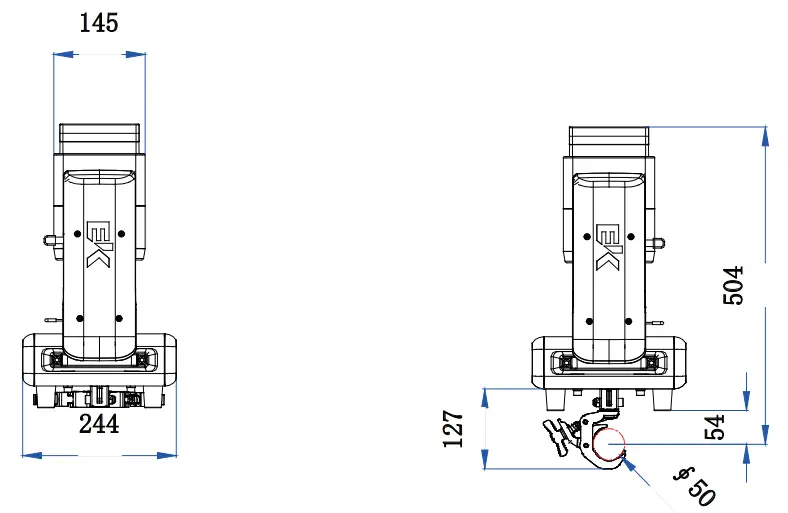
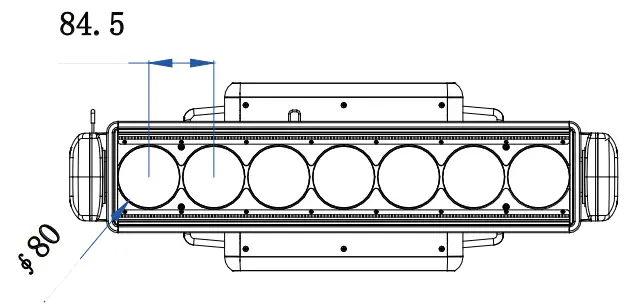
- Dimension: 713*244*451mm
- Weight: 27kg
PHOTOMETRICS
Front Panel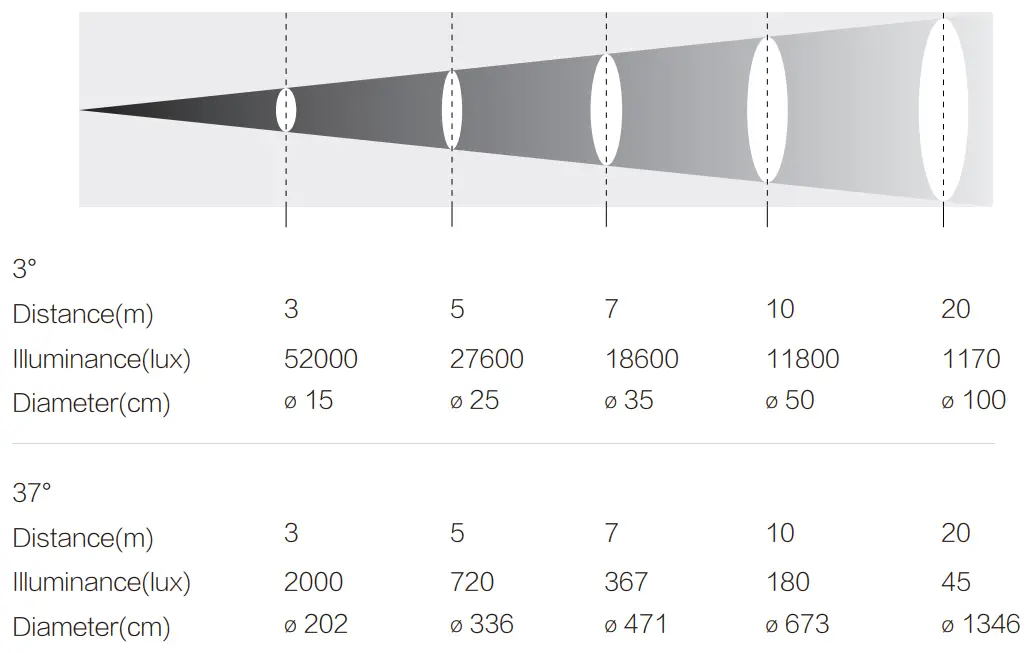
Back Panel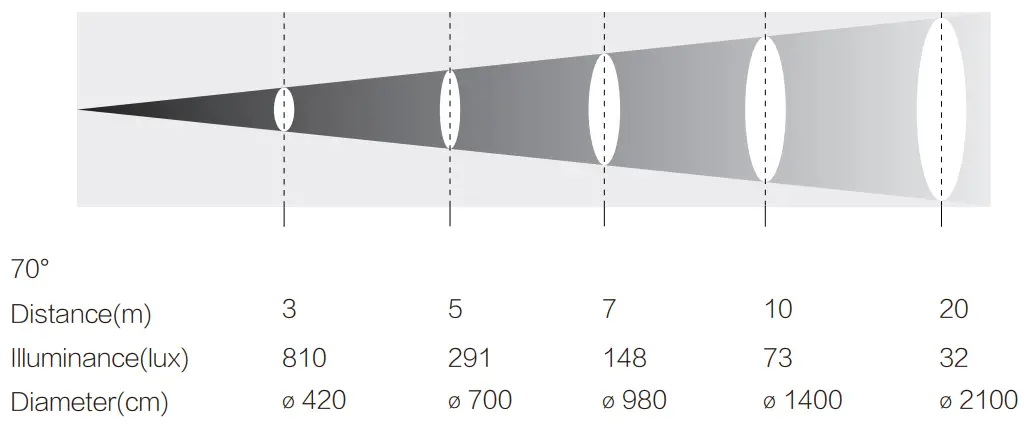
DIMENSION
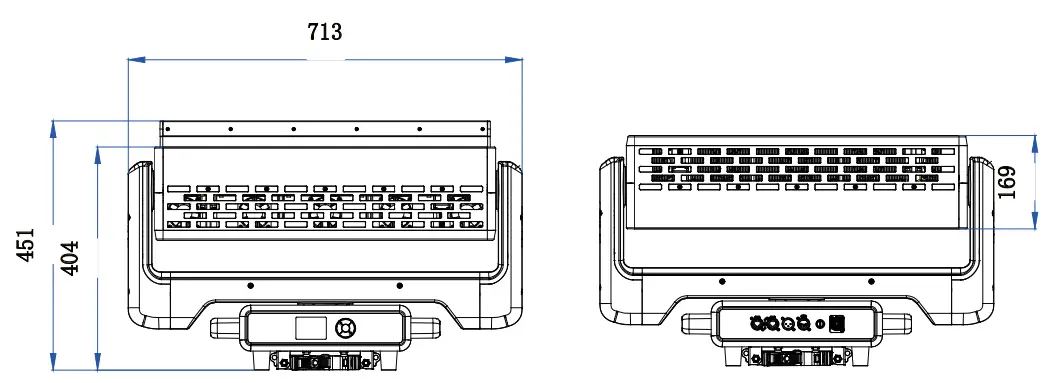
OVERVIEW
Fixture Illustration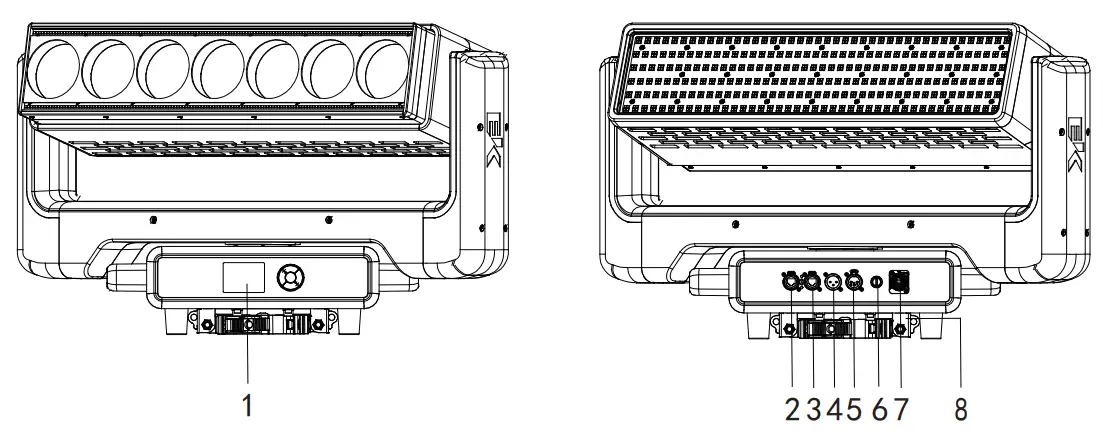
- 1. CONTROL PANEL
- 2/3. RJ45 for Art-Net
- 4. 3pin(or 5pin) XLR In for DMX
- 5. 3pin(or 5pin) XLR In for DMX
- 6. Fuse
- 7. PowerCon In
- 8. Clamp
Control Panel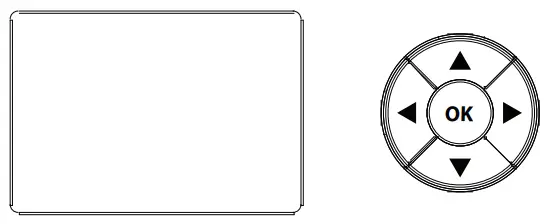
| MODE | ILLUSTRATION | FUNCTION DESCRIPTION | EFFECT |
| MENU | Menu Option | Enter the menu | Menu operation |
| UP | Up | Scroll up | Increase the numeric value |
| DOWN | Down | Scroll down | Decrease the numeric value |
| ENTER | Confirm | Confirm | Save the function |
| OK | Confirm | Confirm | Save the function |
If the panel is password-protected, go to the Advanced menu, in the Menu locking submenu, enter the Unlock code using the navigation buttons: 1234
If you want to flip the display, hold UP + DOWN buttons for 3seconds to set display orientation.
INSTALLATION
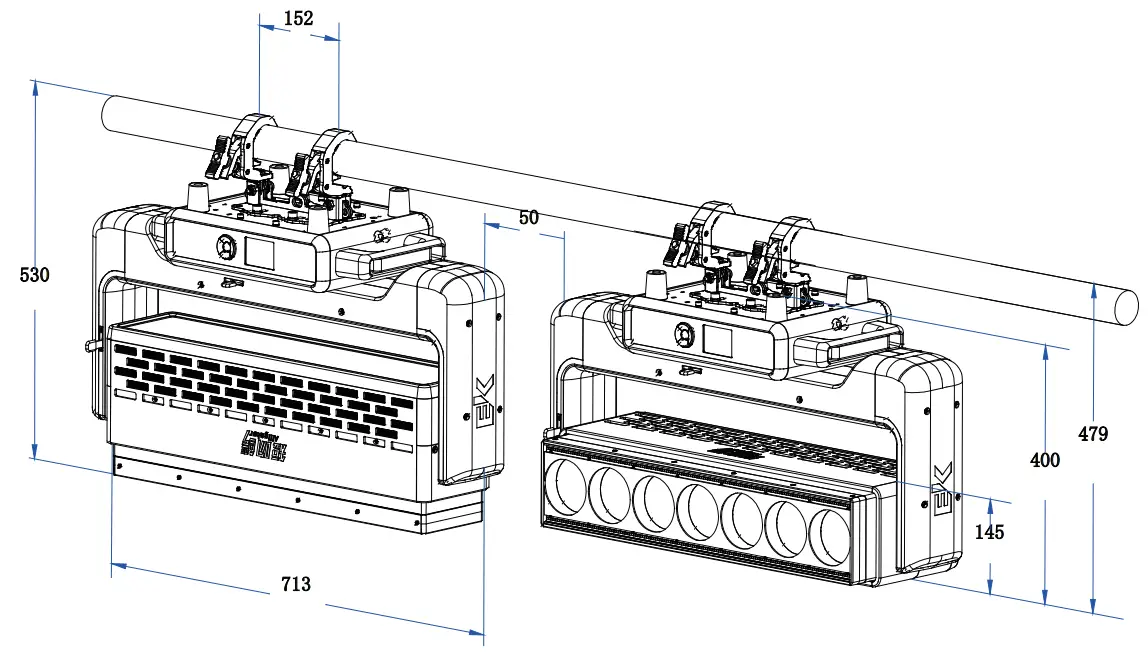
We recommend the following general guidelines below:
- Always mount this product in a safe position and make sure there is adequate room for ventilation, configuration and maintenance.
- Keep any inflammable materials at a safe distance from the fixture, as indicated in the safety notes.
- Make sure that the device is not exposed to extreme heat, moisture or dust.
- Make sure that the structure to which you are hanging the modules can support the weight.
Alligator may be set up on a solid and even surface. The unit can also be mounted upside down to a cross arm. For fixing, stable mounting clips are required. The mounting place must be sufficient stability and be able to support a weight of 10 times of the unit’s weight.
When carrying out any installation, always comply scrrupulously with all the regulations (particularly regarding safety) currently in force in the country in which the fixture’s being used.
- Install the fixture at a suitable location by means of the mounting bracket
- Always additionally secure the fixture with the safety rope from falling down. For this purpose, fasten the safety rope at a suitable position so that the maximum fall of the fixture will be 20 cm.
- Adjust the fixture and use the knob to slightly release or tighten the locking mechanism of the bracket if is necessary
CONNECTION
POWER CONNECTION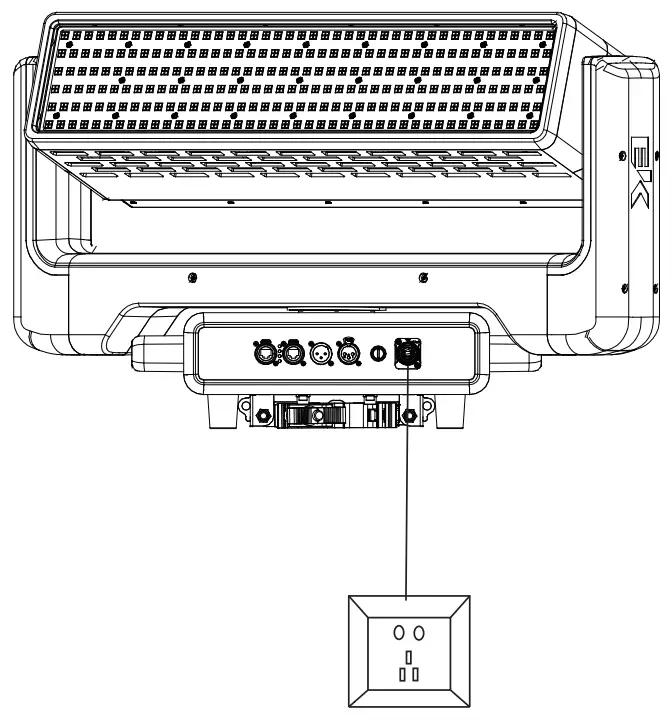
Using Power Con In power cable connected in series
Attention: due to power rating, one 1.5mm² power cable can connect 1 unit maximum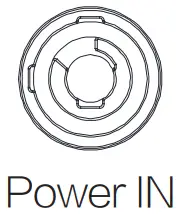
 WARNING Do not connect more than 1 unit in series with one power cable
Do not use damage power cable
Power off the fixture when not in use
EHTERNET CONNECTION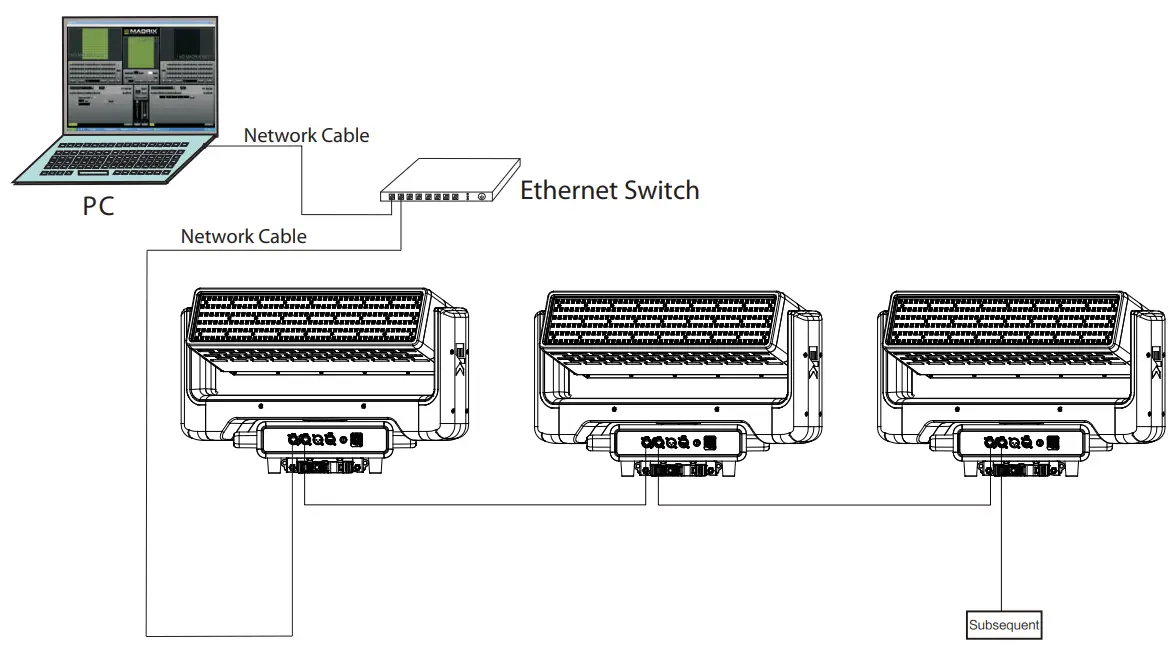
DMX CONNECTION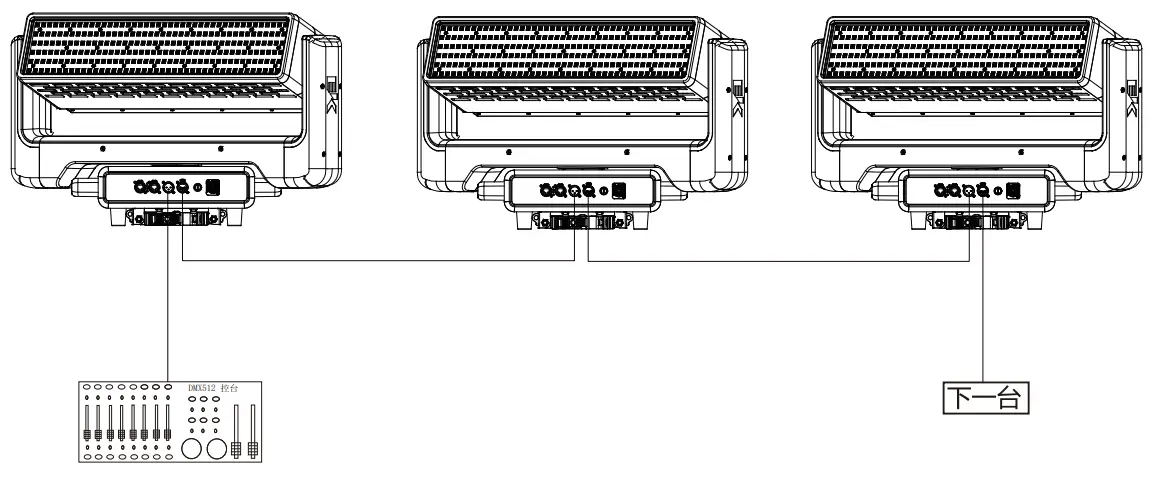
DMX CONNECTION
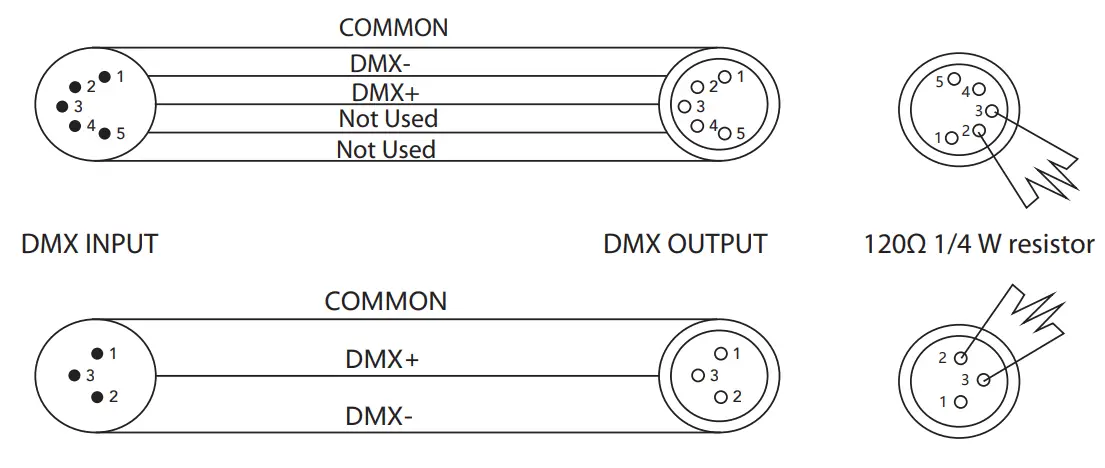
- Depending on the length of the DMX cable run, or other factors, it may be advisable to install a terminator at the last fixture in the run.
- The illustration below shows the correct placement of a 120Ω 0.25W resistor in a terminator, as well as the standard DMX signal pin-outs

EXAMPLE OF DMX ADDRESSING
The below table shows an example of starting addresses for four fixtures assuming a first fixture with starting address of 001.
The actual starting addresses will be determined by the operator as needed to match external controller settings.
Relation between DMX and Address
| MODE | ALLOCATION | START ADDRESS 1ST FIXTURE | START ADDRESS 2ND FIXTURE | START ADDRESS 3RD FIXTURE | START ADDRESS 4TH FIXTURE |
| 26CH | 001 – 026 | 001 | 027 | 053 | 079 |
Follow above method for subsequent fixtures, calculating starting addressed as indicated.
| NO. | Main Menu | Menu level 1 | Menu level 2 | Menu level3 | Menu level4 | Default |
| 1 | SETUP | DMX Address | 1-512 | 1 | ||
| DMX Channel | 26CH | 32CH | ||||
| 50CH | ||||||
| 84CH | ||||||
| 98CH | ||||||
| Protocol | DMX | DMX | ||||
| Artnet | ||||||
| DMX+Artnet | ArtNet for color mixing only | |||||
| Ethernet Interface | Universe | 0-255 | 0 | |||
| Start Channel | 1-512 | 1 | ||||
| Custom IP Address | 2.133.139.215 | 2.xxx.xxx.xxx | ||||
| Custom IP Mask | 255.0.0.0 | 255.0.0.0 | ||||
| Ethernet To DMX | NO | No | ||||
| Yes | ||||||
| 2 | OPTION | Movement Setting | Tilt Reverse | Off | Off | |
| On | ||||||
| Encoder Pan/Tilt | Off | On | ||||
| On | ||||||
| Display Setting | Warn Cue | Off | On | |||
| On | ||||||
| Backlight | Off | Off | ||||
| On | ||||||
| Display Reverse | Off | Off | ||||
| On | ||||||
| Key Lock | Off | Off | ||||
| On | ||||||
| Fixture Setting | Fan Mode | Auto | Auto | |||
| Theatre | ||||||
| High | ||||||
| Dimmer Mode | Dimmer Mode 1 | Dimmer Mode 1 | ||||
| Dimmer Mode 2 | ||||||
| Dimmer Mode 3 | ||||||
| Dimmer Mode 4 | ||||||
| Dimmer Curve | Dimmer Curve 1 | Dimmer Curve 2 | ||||
| Dimmer Curve 2 | ||||||
| Dimmer Curve 3 | ||||||
| Dimmer Curve 4 | ||||||
| Dimmer Curve 5 | ||||||
| PWM Frequency | 600Hz | 2000Hz | ||||
| 1200Hz | ||||||
| 2000Hz | ||||||
| 4000Hz | ||||||
| 6000Hz | ||||||
| 25000Hz | ||||||
| LED Reverse | Off | Off | ||||
| On | ||||||
| Reset Setting | All | No | No | |||
| Yes | ||||||
| Pan/Tilt | No | No | ||||
| Yes | ||||||
| Zoom | No | No | ||||
| Yes | ||||||
| NO. | Main Menu | Menu level 1 | Menu level 2 | Menu level3 | Menu level4 | Default |
| 3 | INFORMATION | System Errors | ||||
| System Version | DISP:V1.0 | |||||
| CTR1-XY:V1.0 | ||||||
| CTR2-LED1:V1.0 | ||||||
| CTR3-LED2:V1.0 | ||||||
| CTR4-LED3:V1.0 | ||||||
| Led Hours | Total Hours | 0~65000H | ||||
| Partial Hours | 0~65000H | Reset | ||||
| Go Back | ||||||
| Fixture Hours | Total Hours | 0~65000H | ||||
| Partial Hours | 0~65000H | Reset | ||||
| Go Back | ||||||
| Led Temperature | LED A | |||||
| LED B | ||||||
| LED C | ||||||
| UID | 030F0AE***** | |||||
| 4 | TEST | AUTO | Pan/Tilt | |||
| Colour | ||||||
| Zoom | ||||||
| All | ||||||
| Channel | 1 | Pan Rotation | 0-255 | |||
| 2 | Pan | 0-255 | ||||
| 3 | Pan Fine | 0-255 | ||||
| 4 | Tilt Rotation | 0-255 | ||||
| 5 | Tilt | 0-255 | ||||
| 6 | Tilt Fine | 0-255 | ||||
| 7 | Zoom | 0-255 | ||||
| 8 | Strobe | 0-255 | ||||
| 9 | Dimmer | 0-255 | ||||
| 10 | White Strobe | 0-255 | ||||
| 11 | White Dimmer | 0-255 | ||||
| 12 | Panel Strobe | 0-255 | ||||
| 13 | Panel Dimmer | 0-255 | ||||
| 14 | Device Setting | 0-255 | ||||
| 15 | Red | 0-255 | ||||
| 16 | Green | 0-255 | ||||
| 17 | Blue | 0-255 | ||||
| 18 | White | 0-255 | ||||
| 19 | Top Cool White | 0-255 | ||||
| 20 | Top Warm White | 0-255 | ||||
| 21 | Bottom Cool White | 0-255 | ||||
| 22 | Bottom Warm White | 0-255 | ||||
| 23 | Panel Red | 0-255 | ||||
| 24 | Panel Green | 0-255 | ||||
| 25 | Panel Blue | 0-255 | ||||
| 26 | Panel White | 0-255 | ||||
| 5 | ADVANCED (Code:1234) | Calibration | Tilt Offset | 000-255 | 128 | |
| Pan Offset | 000-255 | 128 | ||||
| Zoom Offset | 000-255 | 128 | ||||
| Color Calibration | OFF | OFF | ||||
| Factory Calibration | Red1-7 | <125-255> | ||||
| Green1-7 | <125-255> | |||||
| Blue1-7 | <125-255> | |||||
| White1-7 | <125-255> | |||||
| customized Calibration | Red1-7 | <125-255> | ||||
| Green1-7 | <125-255> | |||||
| Blue1-7 | <125-255> | |||||
| White1-7 | <125-255> | |||||
| Recove | No | No | ||||
| Yes |
DMX CHART
| 26Ch Mode | ||||
| DMX / NET | DMX+NET | Function | Value | Percent/Setting |
| 1 | 1 | Pan Rotation | 000-003 | Indexing |
| 004-129 | Fast to Slow(Forward Spin) | |||
| 130-255 | Slow to Fast(Revers Spin) | |||
| 2 | 2 | Pan | 000-255 | Positioning from 0-540 degrees(Indexing) |
| 3 | 3 | Pan Fine | 000-255 | |
| 4 | 4 | Tilt Rotation | 000-003 | Indexing |
| 004-129 | Fast to Slow(Forward Spin) | |||
| 130-255 | Slow to Fast(Revers Spin) | |||
| 5 | 5 | Tilt | 000-255 | Positioning from 0-540 degrees(Indexing) |
| 6 | 6 | Tilt Fine | 000-255 | |
| 7 | 7 | Zoom | 000-255 | From narrow to wide beam |
| 8 | 8 | Strobe | 000-003 | Light OFF |
| 004-103 | Strobe from low (1Hz) to fast (25Hz) | |||
| 104-107 | Light ON | |||
| 108-207 | Pulsation from slow (0.5 Hz) to fast (25 Hz) | |||
| 208-212 | Light ON | |||
| 213-225 | Random Slow Strobe | |||
| 226-238 | Random Medium Strobe | |||
| 239-251 | Random Fast Strobe | |||
| 252-255 | Light ON | |||
| 9 | 9 | Dimmer | 000-255 | 0~100% |
| 10 | 10 | White Strobe | 000-003 | Light OFF |
| 004-103 | Strobe from low (1Hz) to fast (25Hz) | |||
| 104-107 | Light ON | |||
| 108-207 | Pulsation from slow (0.5 Hz) to fast (25 Hz) | |||
| 208-212 | Light ON | |||
| 213-225 | Random Slow Strobe | |||
| 226-238 | Random Medium Strobe | |||
| 239-251 | Random Fast Strobe | |||
| 252-255 | Light ON | |||
| 11 | 11 | White Dimmer | 000-255 | 0~100% |
| 12 | 12 | Panel Strobe | 000-003 | Light OFF |
| 004-103 | Strobe from low (1Hz) to fast (25Hz) | |||
| 104-107 | Light ON | |||
| 108-207 | Pulsation from slow (0.5 Hz) to fast (25 Hz) | |||
| 208-212 | Light ON | |||
| 213-225 | Random Slow Strobe | |||
| 226-238 | Random Medium Strobe | |||
| 239-251 | Random Fast Strobe | |||
| 252-255 | Light ON | |||
| 13 | 13 | Panel Dimmer | 000-255 | 0~100% |
| 14 | 14 | Device Setting | 000-005 | No Function |
| 026-076 | Head Reset (Hold 5S) | |||
| 077-127 | Pan/Tilt Reset (Hold 5S) | |||
| 128-178 | Complete Reset(Hold 5S) | |||
| 179-192 | No Function | |||
| 193-200 | Dimmer Mode 1 | |||
| 201-208 | Dimmer Mode 2 | |||
| 209-216 | Dimmer Mode 3 | |||
| 217-224 | Dimmer Mode 4 | |||
| 225-255 | No Function | |||
| 15 | 1 | Red | 000-255 | 0~100% |
| 16 | 2 | Green | 000-255 | 0~100% |
| 17 | 3 | Blue | 000-255 | 0~100% |
| 18 | 4 | White | 000-255 | 0~100% |
| 26Ch Mode | ||||
| DMX / NET | DMX+NET | Function | Value | Percent/Setting |
| 19 | 5 | Top Cool White | 000-255 | 0~100% |
| 20 | 6 | Top Warm White | 000-255 | 0~100% |
| 21 | 7 | Bottom Cool White | 000-255 | 0~100% |
| 22 | 8 | Bottom Warm White | 000-255 | 0~100% |
| 23 | 9 | Panel Red | 000-255 | 0~100% |
| 24 | 10 | Panel Green | 000-255 | 0~100% |
| 25 | 11 | Panel Blue | 000-255 | 0~100% |
| 26 | 12 | Panel White | 000-255 | 0~100% |
| 50 Ch Mode | ||||
| DMX / NET | DMX+NET | Function | Value | Percent/Setting |
| 1 | 1 | Pan Rotation | 000-003 | Indexing |
| 004-129 | Fast to Slow(Forward Spin) | |||
| 130-255 | Slow to Fast(Revers Spin) | |||
| 2 | 2 | Pan | 000-255 | Positioning from 0-540 degrees(Indexing) |
| 3 | 3 | Pan Fine | 000-255 | |
| 4 | 4 | Tilt Rotation | 000-003 | Indexing |
| 004-129 | Fast to Slow(Forward Spin) | |||
| 130-255 | Slow to Fast(Revers Spin) | |||
| 5 | 5 | Tilt | 000-255 | Positioning from 0-540 degrees(Indexing) |
| 6 | 6 | Tilt Fine | 000-255 | |
| 7 | 7 | Zoom | 000-255 | From narrow to wide beam |
| 8 | 8 | Strobe | 000-003 | Light OFF |
| 004-103 | Strobe from low (1Hz) to fast (25Hz) | |||
| 104-107 | Light ON | |||
| 108-207 | Pulsation from slow (0.5 Hz) to fast (25 Hz) | |||
| 208-212 | Light ON | |||
| 213-225 | Random Slow Strobe | |||
| 226-238 | Random Medium Strobe | |||
| 239-251 | Random Fast Strobe | |||
| 252-255 | Light ON | |||
| 9 | 9 | Dimmer | 000-255 | 0~100% |
| 10 | 10 | CTO | 000-009 | OFF |
| 010-255 | CTO 8000K~2700K | |||
| 11 | 11 | Background CTO | 000-009 | OFF |
| 010-255 | CTO 8000K~2700K | |||
| 12 | 12 | Effects | 000-005 | No Function |
| 006-015 | Effect 1 | |||
| 016-023 | Effect 2 | |||
| 024-031 | Effect 3 | |||
| 032-038 | Effect 4 | |||
| 039-046 | Effect 5 | |||
| 047-054 | Effect 6 | |||
| 055-062 | Effect 7 | |||
| 063-069 | Effect 8 | |||
| 070-077 | Effect 9 | |||
| 078-085 | Effect 10 | |||
| 086-093 | Effect 11 | |||
| 094-100 | Effect 12 | |||
| 101-108 | Effect 13 | |||
| 109-116 | Effect 14 | |||
| 117-124 | Effect 15 | |||
| 125-131 | Effect 16 | |||
| 50 Ch Mode | ||||
| DMX / NET | DMX+NET | Function | Value | Percent/Setting |
| 12 | 12 | Effects | 132-139 | Effect 17 |
| 140-147 | Effect 18 | |||
| 148-155 | Effect 19 | |||
| 156-162 | Effect 20 | |||
| 163-170 | Effect 21 | |||
| 171-178 | Effect 22 | |||
| 179-186 | Effect 23 | |||
| 187-193 | Effect 24 | |||
| 194-201 | Effect 25 | |||
| 202-209 | Effect 26 | |||
| 210-217 | Effect 27 | |||
| 218-224 | Effect 28 | |||
| 225-232 | Effect 29 | |||
| 233-240 | Effect 30 | |||
| 241-248 | Effect 31 | |||
| 249-255 | Effect 32 | |||
| 13 | 13 | Effects speed | 000-124 | Normal |
| 125-130 | Static | |||
| 131-255 | Dynamic | |||
| 14 | 14 | White Strobe | 000-003 | Light OFF |
| 004-103 | Strobe from low (1Hz) to fast (25Hz) | |||
| 104-107 | Light ON | |||
| 108-207 | Pulsation from slow (0.5 Hz) to fast (25 Hz) | |||
| 208-212 | Light ON | |||
| 213-225 | Random Slow Strobe | |||
| 226-238 | Random Medium Strobe | |||
| 239-251 | Random Fast Strobe | |||
| 252-255 | Light ON | |||
| 15 | 15 | White Dimmer | 000-255 | 0~100% |
| 16 | 16 | White CTO | 000-009 | OFF |
| 010-255 | CTO 8000K~2700K | |||
| 17 | 17 | White Background CTO | 000-009 | OFF |
| 010-255 | CTO 8000K~2700K | |||
| 18 | 18 | White Effects | 000-005 | No Function |
| 006-015 | Effect 1 | |||
| 016-023 | Effect 2 | |||
| 024-031 | Effect 3 | |||
| 032-038 | Effect 4 | |||
| 039-046 | Effect 5 | |||
| 047-054 | Effect 6 | |||
| 055-062 | Effect 7 | |||
| 063-069 | Effect 8 | |||
| 070-077 | Effect 9 | |||
| 078-085 | Effect 10 | |||
| 086-093 | Effect 11 | |||
| 094-100 | Effect 12 | |||
| 101-108 | Effect 13 | |||
| 109-116 | Effect 14 | |||
| 117-124 | Effect 15 | |||
| 125-131 | Effect 16 | |||
| 132-139 | Effect 17 | |||
| 140-147 | Effect 18 | |||
| 50 Ch Mode | ||||
| DMX / NET | DMX+NET | Function | Value | Percent/Setting |
| 18 | 18 | White Effects | 148-155 | Effect 19 |
| 156-162 | Effect 20 | |||
| 163-170 | Effect 21 | |||
| 171-178 | Effect 22 | |||
| 179-186 | Effect 23 | |||
| 187-193 | Effect 24 | |||
| 194-201 | Effect 25 | |||
| 202-209 | Effect 26 | |||
| 210-217 | Effect 27 | |||
| 218-224 | Effect 28 | |||
| 225-232 | Effect 29 | |||
| 233-240 | Effect 30 | |||
| 241-248 | Effect 31 | |||
| 249-255 | Effect 32 | |||
| 19 | 19 | White Effects speed | 000-124 | Normal |
| 125-130 | Static | |||
| 131-255 | Dynamic | |||
| 20 | 20 | Panel Strobe | 000-003 | Light OFF |
| 004-103 | Strobe from low (1Hz) to fast (25Hz) | |||
| 104-107 | Light ON | |||
| 108-207 | Pulsation from slow (0.5 Hz) to fast (25 Hz) | |||
| 208-212 | Light ON | |||
| 213-225 | Random Slow Strobe | |||
| 226-238 | Random Medium Strobe | |||
| 239-251 | Random Fast Strobe | |||
| 252-255 | Light ON | |||
| 21 | 21 | Panel Dimmer | 000-255 | 0~100% |
| 22 | 22 | Panel CTO | 000-009 | OFF |
| 010-255 | CTO 8000K~2700K | |||
| 23 | 23 | Panel Background CTO | 000-009 | OFF |
| 010-255 | CTO 8000K~2700K | |||
| 24 | 24 | Panel Effects | 000-005 | No Function |
| 006-015 | Effect 1 | |||
| 016-023 | Effect 2 | |||
| 024-031 | Effect 3 | |||
| 032-038 | Effect 4 | |||
| 039-046 | Effect 5 | |||
| 047-054 | Effect 6 | |||
| 055-062 | Effect 7 | |||
| 063-069 | Effect 8 | |||
| 070-077 | Effect 9 | |||
| 078-085 | Effect 10 | |||
| 086-093 | Effect 11 | |||
| 094-100 | Effect 12 | |||
| 101-108 | Effect 13 | |||
| 109-116 | Effect 14 | |||
| 117-124 | Effect 15 | |||
| 125-131 | Effect 16 | |||
| 132-139 | Effect 17 | |||
| 140-147 | Effect 18 | |||
| 148-155 | Effect 19 | |||
| 156-162 | Effect 20 | |||
| 163-170 | Effect 21 | |||
| 171-178 | Effect 22 | |||
| 179-186 | Effect 23 | |||
| 50 Ch Mode | ||||
| DMX / NET | DMX+NET | Function | Value | Percent/Setting |
| 24 | 24 | Panel Effects | 187-193 | Effect 24 |
| 194-201 | Effect 25 | |||
| 202-209 | Effect 26 | |||
| 210-217 | Effect 27 | |||
| 218-224 | Effect 28 | |||
| 225-232 | Effect 29 | |||
| 233-240 | Effect 30 | |||
| 241-248 | Effect 31 | |||
| 249-255 | Effect 32 | |||
| 25 | 25 | Panel Effects speed | 000-124 | Normal |
| 125-130 | Static | |||
| 131-255 | Dynamic | |||
| 26 | 26 | Device Setting | 000-005 | No Function |
| 026-076 | Head Reset (Hold 5S) | |||
| 077-127 | Pan/Tilt Reset (Hold 5S) | |||
| 128-178 | Complete Reset(Hold 5S) | |||
| 179-192 | No Function | |||
| 193-200 | Dimmer Mode 1 | |||
| 201-208 | Dimmer Mode 2 | |||
| 209-216 | Dimmer Mode 3 | |||
| 217-224 | Dimmer Mode 4 | |||
| 225-255 | No Function | |||
| 27 | 1 | Red | 000-255 | 0~100% |
| 28 | 2 | Green | 000-255 | 0~100% |
| 29 | 3 | Blue | 000-255 | 0~100% |
| 30 | 4 | White | 000-255 | 0~100% |
| 31 | 5 | Background Red | 000-255 | 0~100% |
| 32 | 6 | Background Green | 000-255 | 0~100% |
| 33 | 7 | Background Blue | 000-255 | 0~100% |
| 34 | 8 | Background White | 000-255 | 0~100% |
| 35 | 9 | Top Cool White | 000-255 | 0~100% |
| 36 | 10 | Top Warm White | 000-255 | 0~100% |
| 37 | 11 | Bottom Cool White | 000-255 | 0~100% |
| 38 | 12 | Bottom Warm White | 000-255 | 0~100% |
| 39 | 13 | Background Top Cool White | 000-255 | 0~100% |
| 40 | 14 | Background Top Warm White | 000-255 | 0~100% |
| 41 | 15 | Background Bottom Cool White | 000-255 | 0~100% |
| 42 | 16 | Background Bottom Warm White | 000-255 | 0~100% |
| 43 | 17 | Red | 000-255 | 0~100% |
| 44 | 18 | Green | 000-255 | 0~100% |
| 45 | 19 | Blue | 000-255 | 0~100% |
| 46 | 20 | White | 000-255 | 0~100% |
| 47 | 21 | Background Red | 000-255 | 0~100% |
| 48 | 22 | Background Green | 000-255 | 0~100% |
| 49 | 23 | Background Blue | 000-255 | 0~100% |
| 50 | 24 | Background White | 000-255 | 0~100% |
| 84Ch Mode | ||||
| DMX / NET | DMX+NET | Function | Value | Percent/Setting |
| 1 | 1 | Pan Rotation | 000-003 | Indexing |
| 004-129 | Fast to Slow(Forward Spin) | |||
| 130-255 | Slow to Fast(Revers Spin) | |||
| 2 | 2 | Pan | 000-255 | Positioning from 0-540 degrees(Indexing) |
| 3 | 3 | Pan Fine | 000-255 | |
| 84Ch Mode | ||||
| DMX / NET | DMX+NET | Function | Value | Percent/Setting |
| 4 | 4 | Tilt Rotation | 000-003 | Indexing |
| 004-129 | Fast to Slow(Forward Spin) | |||
| 130-255 | Slow to Fast(Revers Spin) | |||
| 5 | 5 | Tilt | 000-255 | Positioning from 0-540 degrees(Indexing) |
| 6 | 6 | Tilt Fine | 000-255 | |
| 7 | 7 | Zoom | 000-255 | From narrow to wide beam |
| 8 | 8 | Strobe | 000-003 | Light OFF |
| 004-103 | Strobe from low (1Hz) to fast (25Hz) | |||
| 104-107 | Light ON | |||
| 108-207 | Pulsation from slow (0.5 Hz) to fast (25 Hz) | |||
| 208-212 | Light ON | |||
| 213-225 | Random Slow Strobe | |||
| 226-238 | Random Medium Strobe | |||
| 239-251 | Random Fast Strobe | |||
| 252-255 | Light ON | |||
| 9 | 9 | Dimmer | 000-255 | 0~100% |
| 10 | 10 | White Strobe | 000-003 | Light OFF |
| 004-103 | Strobe from low (1Hz) to fast (25Hz) | |||
| 104-107 | Light ON | |||
| 108-207 | Pulsation from slow (0.5 Hz) to fast (25 Hz) | |||
| 208-212 | Light ON | |||
| 213-225 | Random Slow Strobe | |||
| 226-238 | Random Medium Strobe | |||
| 239-251 | Random Fast Strobe | |||
| 252-255 | Light ON | |||
| 11 | 11 | White Dimmer | 000-255 | 0~100% |
| 12 | 12 | Panel Strobe | 000-003 | Light OFF |
| 004-103 | Strobe from low (1Hz) to fast (25Hz) | |||
| 104-107 | Light ON | |||
| 108-207 | Pulsation from slow (0.5 Hz) to fast (25 Hz) | |||
| 208-212 | Light ON | |||
| 213-225 | Random Slow Strobe | |||
| 226-238 | Random Medium Strobe | |||
| 239-251 | Random Fast Strobe | |||
| 252-255 | Light ON | |||
| 13 | 13 | Panel Dimmer | 000-255 | 0~100% |
| 14 | 14 | Device Setting | 000-005 | No Function |
| 026-076 | Head Reset (Hold 5S) | |||
| 077-127 | Pan/Tilt Reset (Hold 5S) | |||
| 128-178 | Complete Reset(Hold 5S) | |||
| 179-192 | No Function | |||
| 193-200 | Dimmer Mode 1 | |||
| 201-208 | Dimmer Mode 2 | |||
| 209-216 | Dimmer Mode 3 | |||
| 217-224 | Dimmer Mode 4 | |||
| 225-255 | No Function | |||
| 15 | 1 | Red1 | 000-255 | 0~100% |
| 16 | 2 | Green1 | 000-255 | 0~100% |
| 17 | 3 | Blue1 | 000-255 | 0~100% |
| 18 | 4 | White1 | 000-255 | 0~100% |
| 19 | 5 | Red2 | 000-255 | 0~100% |
| 20 | 6 | Green2 | 000-255 | 0~100% |
| 84Ch Mode | ||||
| DMX / NET | DMX+NET | Function | Value | Percent/Setting |
| 21 | 7 | Blue2 | 000-255 | 0~100% |
| 22 | 8 | White2 | 000-255 | 0~100% |
| … | 000-255 | 0~100% | ||
| … | 000-255 | 0~100% | ||
| … | 000-255 | 0~100% | ||
| … | 000-255 | 0~100% | ||
| 39 | 25 | Red7 | 000-255 | 0~100% |
| 40 | 26 | Green7 | 000-255 | 0~100% |
| 41 | 27 | Blue7 | 000-255 | 0~100% |
| 42 | 28 | White7 | 000-255 | 0~100% |
| 43 | 29 | Cool White1 | 000-255 | 0~100% |
| 44 | 30 | Warm White1 | 000-255 | 0~100% |
| 45 | 31 | Cool White2 | 000-255 | 0~100% |
| 46 | 32 | Warm White2 | 000-255 | 0~100% |
| … | 000-255 | 0~100% | ||
| … | 000-255 | 0~100% | ||
| … | 000-255 | 0~100% | ||
| 53 | 39 | Cool White6 | 000-255 | 0~100% |
| 54 | 40 | Warm White6 | 000-255 | 0~100% |
| 55 | 41 | Cool White7 | 000-255 | 0~100% |
| 56 | 42 | Warm White7 | 000-255 | 0~100% |
| 57 | 43 | Panel Red1 | 000-255 | 0~100% |
| 58 | 44 | Panel Green1 | 000-255 | 0~100% |
| 59 | 45 | Panel Blue1 | 000-255 | 0~100% |
| 60 | 46 | Panel White1 | 000-255 | 0~100% |
| 61 | 47 | Panel Red2 | 000-255 | 0~100% |
| 62 | 48 | Panel Green2 | 000-255 | 0~100% |
| 63 | 49 | Panel Blue2 | 000-255 | 0~100% |
| 64 | 50 | Panel White2 | 000-255 | 0~100% |
| … | 000-255 | 0~100% | ||
| … | 000-255 | 0~100% | ||
| … | 000-255 | 0~100% | ||
| … | 000-255 | 0~100% | ||
| 81 | 67 | Panel Red7 | 000-255 | 0~100% |
| 82 | 68 | Panel Green7 | 000-255 | 0~100% |
| 83 | 69 | Panel Blue7 | 000-255 | 0~100% |
| 84 | 70 | Panel White7 | 000-255 | 0~100% |
| 98Ch Mode | ||||
| DMX / NET | DMX+NET | Function | Value | Percent/Setting |
| 1 | 1 | Pan Rotation | 000-003 | Indexing |
| 004-129 | Fast to Slow(Forward Spin) | |||
| 130-255 | Slow to Fast(Revers Spin) | |||
| 2 | 2 | Pan | 000-255 | Positioning from 0-540 degrees(Indexing) |
| 3 | 3 | Pan Fine | 000-255 | |
| 4 | 4 | Tilt Rotation | 000-003 | Indexing |
| 004-129 | Fast to Slow(Forward Spin) | |||
| 130-255 | Slow to Fast(Revers Spin) | |||
| 5 | 5 | Tilt | 000-255 | Positioning from 0-540 degrees(Indexing) |
| 6 | 6 | Tilt Fine | 000-255 | |
| 7 | 7 | Zoom | 000-255 | From narrow to wide beam |
| 98Ch Mode | ||||
| DMX / NET | DMX+NET | Function | Value | Percent/Setting |
| 8 | 8 | Strobe | 000-003 | Light OFF |
| 004-103 | Strobe from low (1Hz) to fast (25Hz) | |||
| 104-107 | Light ON | |||
| 108-207 | Pulsation from slow (0.5 Hz) to fast (25 Hz) | |||
| 208-212 | Light ON | |||
| 213-225 | Random Slow Strobe | |||
| 226-238 | Random Medium Strobe | |||
| 239-251 | Random Fast Strobe | |||
| 252-255 | Light ON | |||
| 9 | 9 | Dimmer | 000-255 | 0~100% |
| 10 | 10 | White Strobe | 000-003 | Light OFF |
| 004-103 | Strobe from low (1Hz) to fast (25Hz) | |||
| 104-107 | Light ON | |||
| 108-207 | Pulsation from slow (0.5 Hz) to fast (25 Hz) | |||
| 208-212 | Light ON | |||
| 213-225 | Random Slow Strobe | |||
| 226-238 | Random Medium Strobe | |||
| 239-251 | Random Fast Strobe | |||
| 252-255 | Light ON | |||
| 11 | 11 | White Dimmer | 000-255 | 0~100% |
| 12 | 12 | Panel Strobe | 000-003 | Light OFF |
| 004-103 | Strobe from low (1Hz) to fast (25Hz) | |||
| 104-107 | Light ON | |||
| 108-207 | Pulsation from slow (0.5 Hz) to fast (25 Hz) | |||
| 208-212 | Light ON | |||
| 213-225 | Random Slow Strobe | |||
| 226-238 | Random Medium Strobe | |||
| 239-251 | Random Fast Strobe | |||
| 252-255 | Light ON | |||
| 13 | 13 | Panel Dimmer | 000-255 | 0~100% |
| 14 | 14 | Device Setting | 000-005 | No Function |
| 026-076 | Head Reset (Hold 5S) | |||
| 077-127 | Pan/Tilt Reset (Hold 5S) | |||
| 128-178 | Complete Reset(Hold 5S) | |||
| 179-192 | No Function | |||
| 193-200 | Dimmer Mode 1 | |||
| 201-208 | Dimmer Mode 2 | |||
| 209-216 | Dimmer Mode 3 | |||
| 217-224 | Dimmer Mode 4 | |||
| 225-255 | No Function | |||
| 15 | 1 | Red1 | 000-255 | 0~100% |
| 16 | 2 | Green1 | 000-255 | 0~100% |
| 17 | 3 | Blue1 | 000-255 | 0~100% |
| 18 | 4 | White1 | 000-255 | 0~100% |
| 19 | 5 | Red2 | 000-255 | 0~100% |
| 20 | 6 | Green2 | 000-255 | 0~100% |
| 21 | 7 | Blue2 | 000-255 | 0~100% |
| 22 | 8 | White2 | 000-255 | 0~100% |
| … | 000-255 | 0~100% | ||
| … | 000-255 | 0~100% | ||
| … | 000-255 | 0~100% | ||
| … | 000-255 | 0~100% | ||
| 39 | 25 | Red7 | 000-255 | 0~100% |
| 98Ch Mode | ||||
| DMX / NET | DMX+NET | Function | Value | Percent/Setting |
| 40 | 26 | Green7 | 000-255 | 0~100% |
| 41 | 27 | Blue7 | 000-255 | 0~100% |
| 42 | 28 | White7 | 000-255 | 0~100% |
| 43 | 29 | Cool White1 | 000-255 | 0~100% |
| 44 | 30 | Warm White1 | 000-255 | 0~100% |
| 45 | 31 | Cool White2 | 000-255 | 0~100% |
| 46 | 32 | Warm White2 | 000-255 | 0~100% |
| … | 000-255 | 0~100% | ||
| … | 000-255 | 0~100% | ||
| … | 000-255 | 0~100% | ||
| 67 | 53 | Cool White13 | 000-255 | 0~100% |
| 68 | 54 | Warm White13 | 000-255 | 0~100% |
| 69 | 55 | Cool White14 | 000-255 | 0~100% |
| 70 | 56 | Warm White14 | 000-255 | 0~100% |
| 71 | 57 | Panel Red1 | 000-255 | 0~100% |
| 72 | 58 | Panel Green1 | 000-255 | 0~100% |
| 73 | 59 | Panel Blue1 | 000-255 | 0~100% |
| 74 | 60 | Panel White1 | 000-255 | 0~100% |
| 75 | 61 | Panel Red2 | 000-255 | 0~100% |
| 76 | 62 | Panel Green2 | 000-255 | 0~100% |
| 77 | 63 | Panel Blue2 | 000-255 | 0~100% |
| 78 | 64 | Panel White2 | 000-255 | 0~100% |
| … | 000-255 | 0~100% | ||
| … | 000-255 | 0~100% | ||
| … | 000-255 | 0~100% | ||
| … | 000-255 | 0~100% | ||
| 95 | 81 | Panel Red7 | 000-255 | 0~100% |
| 96 | 82 | Panel Green7 | 000-255 | 0~100% |
| 97 | 83 | Panel Blue7 | 000-255 | 0~100% |
| 98 | 84 | Panel White7 | 000-255 | 0~100% |
PIXEL MAPPING
Connector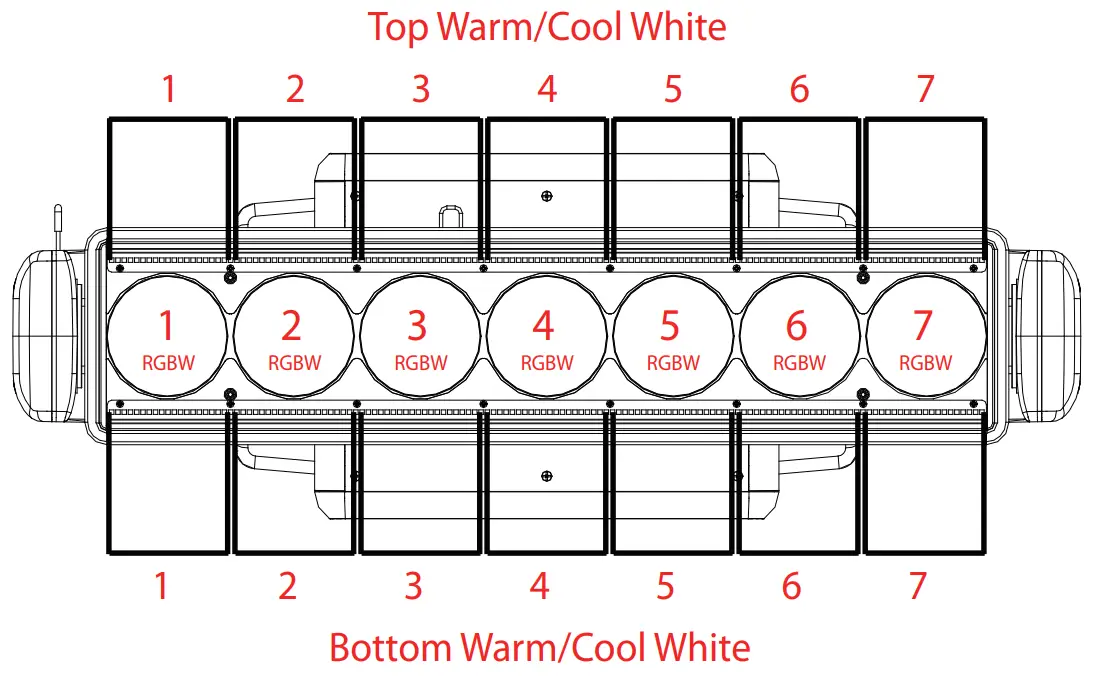
Display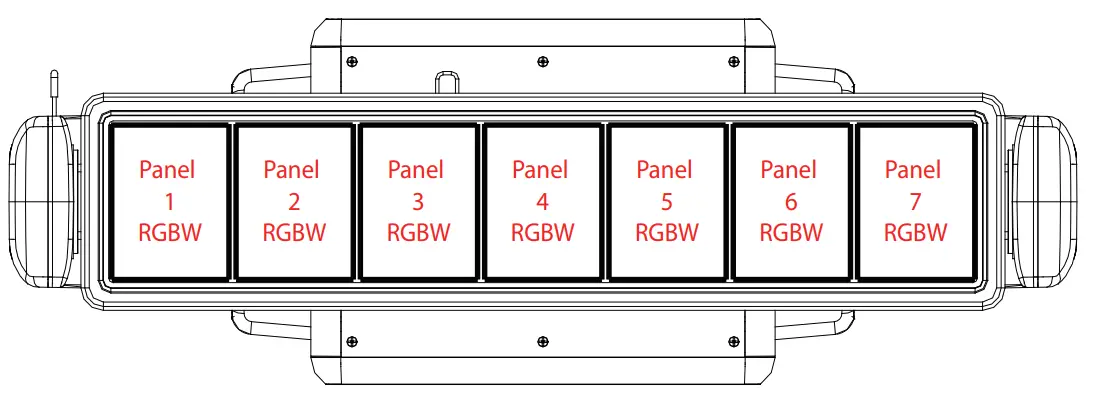
Display
MAINTENANCE
MAINTENANCE AND CLEANING THE UNIT
- Make sure the area below the installation place is free from unwanted person during setup.
- Switch off the unit, unplug the main cable and wait till the unit has cooled down.
- All screws used for installing the device and any of its parts should be tightly fastened and should not be corroded.
- Housings, fixations and installation spots (celling, trusses, suspensions) should be totally free from any deformation.
- The main cables must be in impeccable condition and should be replaced immediately even when a small problem is detected.
- It is recommended to clean the front at regular intervals, from impurities caused by dust, smoke, or other particles to ensure that the light is radiated at maximum brightness. For cleaning, disconnect the main plug from the socket. Use a soft, clean cloth moistened with a mild detergent. Then carefully wipe the parts dry.
For cleaning other housing parts use only a soft, clean cloth. Never use a liquid, it might pernetrate the unit and cause damage to it.
FUSE REPLACEMENT
- Disconnect this product from the power outlet.
- Using a screw driver, unscrew the fuse holder cap from the housing.
- Remove the blown fuse and replace with a good fuse of the same type and rating.

- Screw the fuse holder cap back in place and reconnect power.

TROUBLESHOOTING
| Problems | Possible causes | Checks and remedies |
| Fixture does not light up | · No mains supply · Dimmer fader set to 0 · Faulty LED · Faulty LED board | · Check the power supply voltage · Increase the value of the dimmer channels · Replace the LED board · Replace the LED board |
| General low light intensity | · Dirty lens assembly · Misaligned lens assembly | · Clean the fixture regularly · Install lens assembly properly |
| Fixture does not power up | · No power · Loose or damaged power cord · Faulty internal power supply | · Check for power on power outlet · Check power cord · Replace internal power supply |
Contact an authorized service center in case of technical problems or not reported in the above table cannot be resolved by the procedure given in the table.
Customer Service
Guangdong Yiri Lighting Technology Co., Ltd.
No. 55, Zhongzhun Road, Cuiheng New District,
Zhongshan City, Guangdong, China
Tel +86 0760 8828 0099
www.eklights.com
- Errors or omissions may be possible.
- All specifications are subject for change without prior notice.
- You can scan the QR code to visit our website for updates:



 EK - 世界更光彩