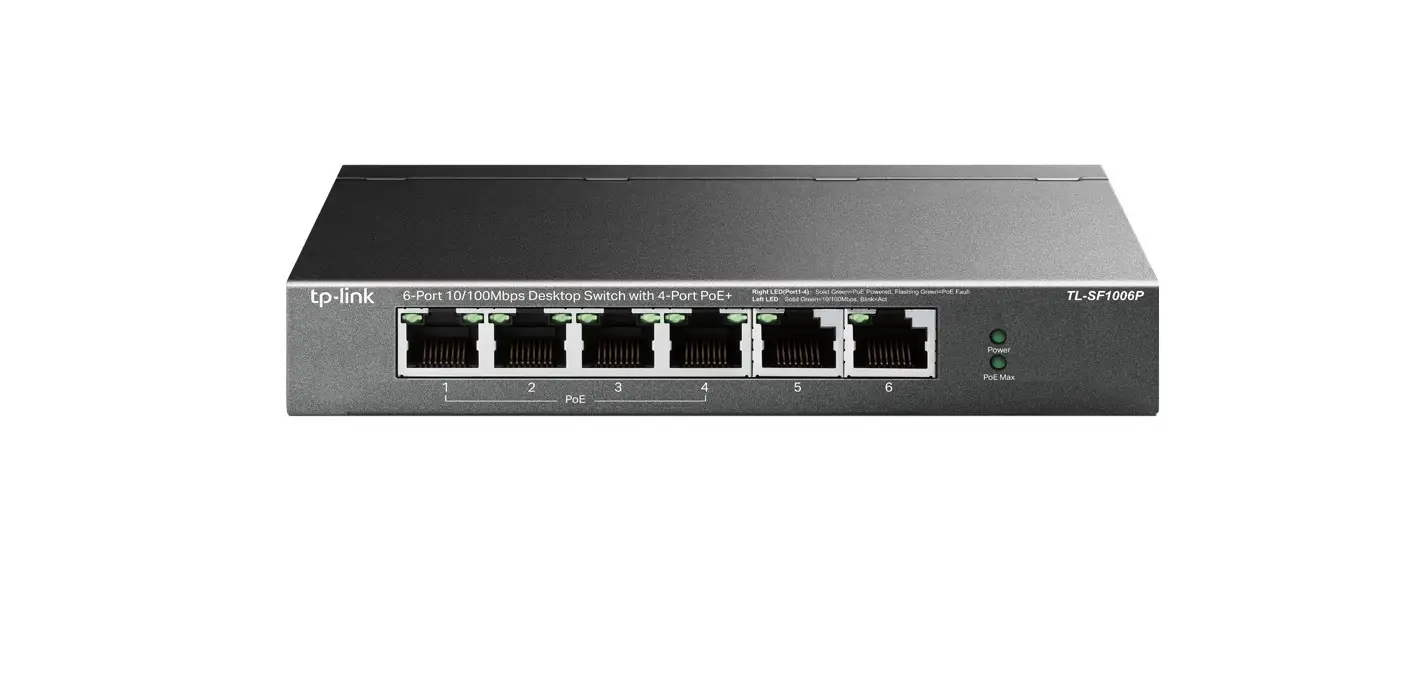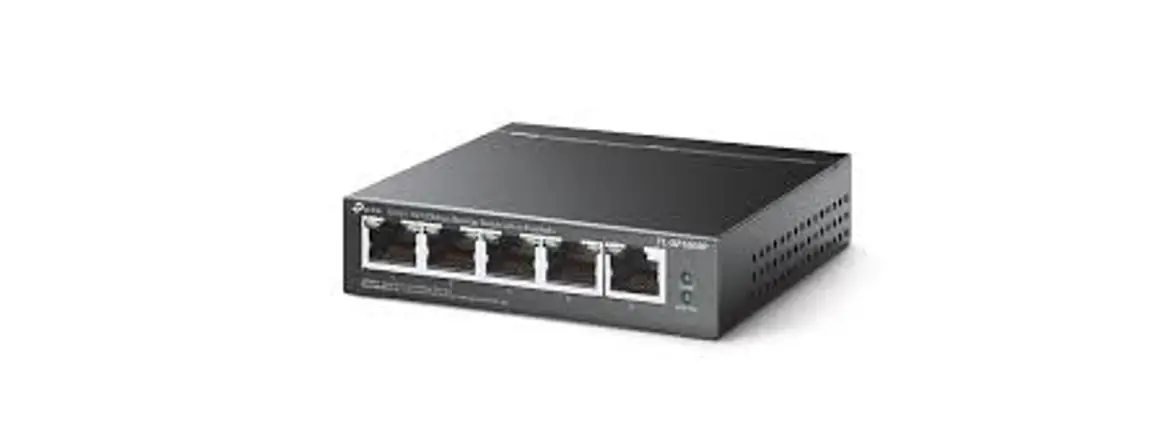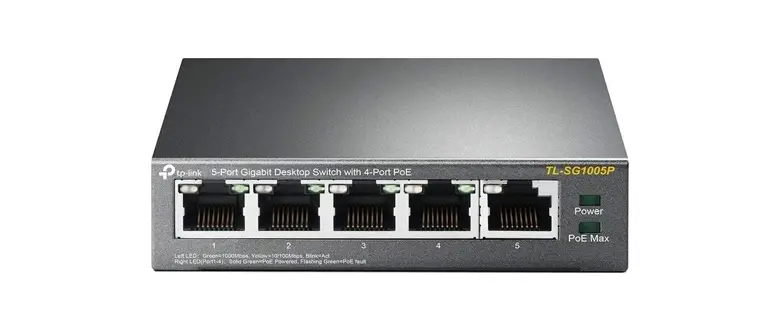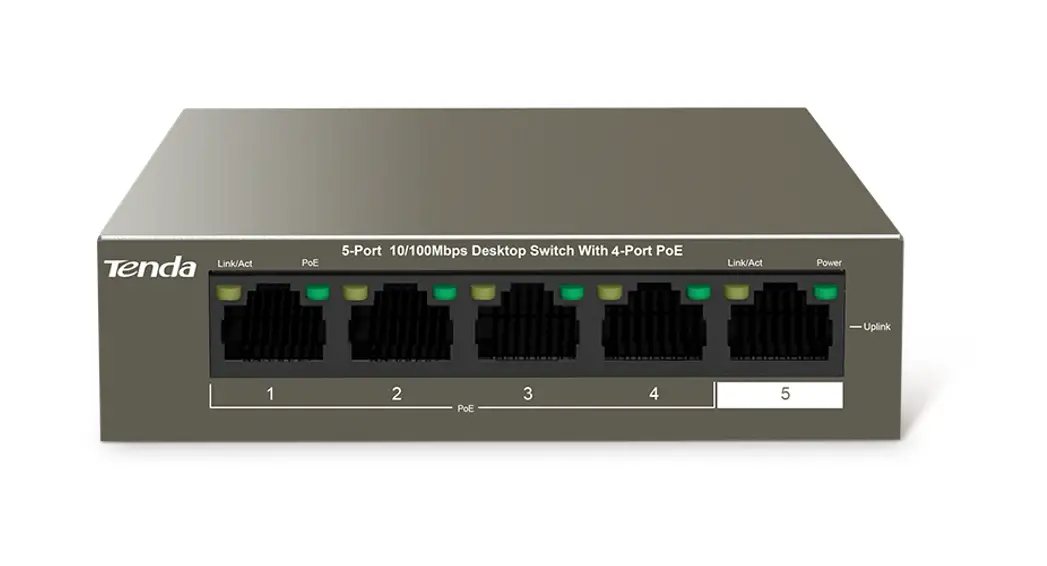
 TEG1105P-4-63W 5-Port Gigabit Desktop Switch with 4-Port PoE
Installation Guide
Packing List
- Switch *1
- Power adapter *1
- Installation guide *1
If any item is missing or damaged, please keep the original package and contact the local reseller or distributor immediately.
Get to Know Your Device
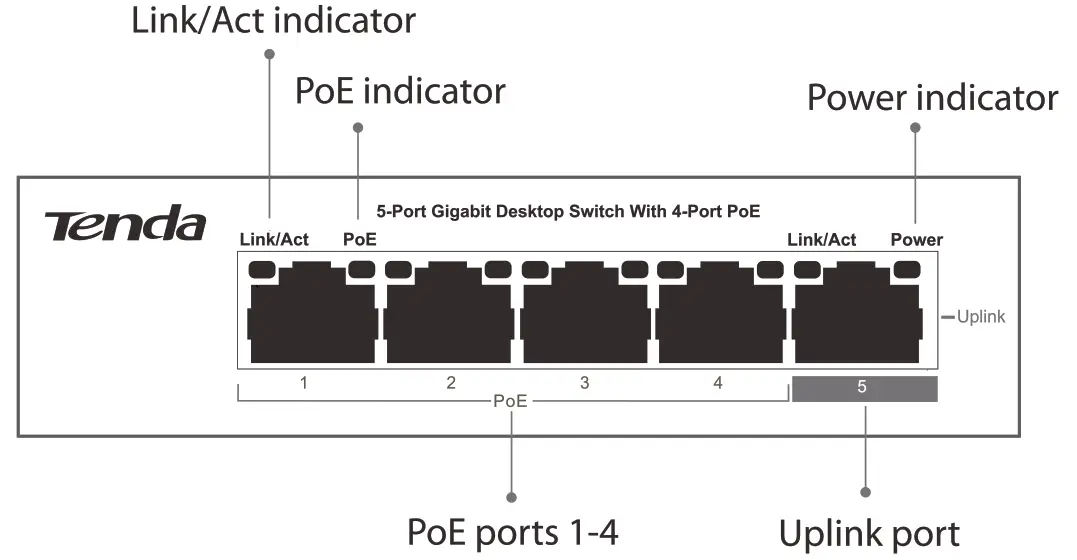
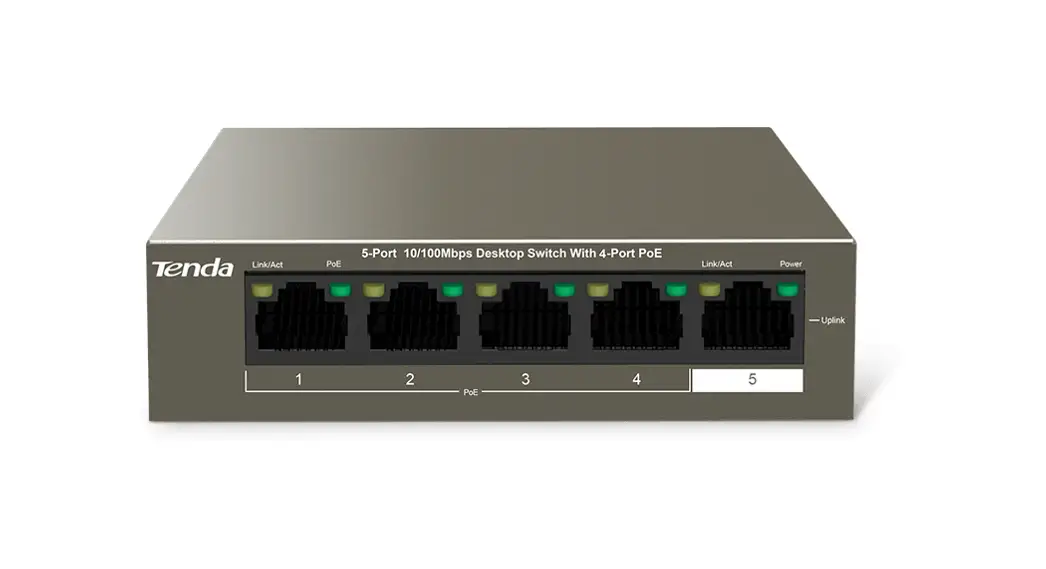
| Indicator | Name | Status Description |
| Link/Act (located in the upper-left corners of ports 1-5) | Connection status indicator | Solid on: The port is connected properly. |
| Blinking: The port is transmitting or receiving data. | ||
| Off: The port is not connected properly or not connected to a device. | ||
| PoE (located in the upper-right corners of ports 1-4) | PoE status indicator | Solid on: The port is connected to a powered device and power supply is normal. |
| Off: The port is not connected to a powered device, or is not supplying power. | ||
| Blink once: The power requirement of the powered device connected to the port is greater than the maximum power output of the port. Blinking: The total power requirement is greater than the maximum power output of the switch and the power supply of the powered device connected to the port is faulty. | ||
| Power | Power indicator | Solid on: The switch has been powered on properly. |
| Off: The switch is not connected to a power supply properly or not connected to a power supply. |
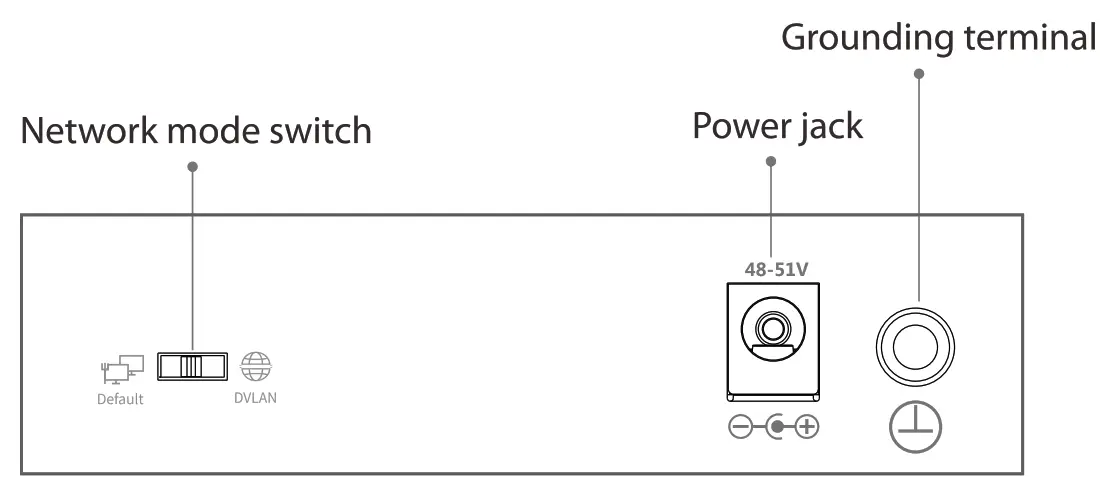
| Port/Switch/Connector | Name | Description |
| PoE 1-4 | PoE ports 1-4 | PoE ports for supplying power to and exchanging data with powered devices compliant with the IEEE 802.3af and IEEE 802.3at standards. |
| Uplink 5 | Uplink port | Non-PoE port for connecting to a router or core switch. |
| Default/VLAN | Network mode switch | Default: In this mode, all the ports of the switch can communicate with each other. VLAN: In this mode, ports 1-4 of the switch cannot communicate with each other, but can communicate with port 5 (uplink port). |
| 48-51 V | Power jack | Connected to a receptacle using the power adapter included with the package to supply power to the switch. |
 | Grounding terminal | Connected to a protection ground cable for lightning protection. |
 Note The PoE ports are assigned power supply priorities, so as to protect the switch in case of overload. The power supply priority decreases as the port number increases. When the total power requirements of the powered devices is greater than 58W, the switch keeps cutting the power supply of the port that has the lowest priority until the total power requirement is not greater than 58W.
For example, when ports 1, 2, and 4 are supplying power properly and the total power requirement is 46.2W, the power supply of port 4 is cut as soon as you connect a device that requires 12W power to port 3.
Connecting Devices
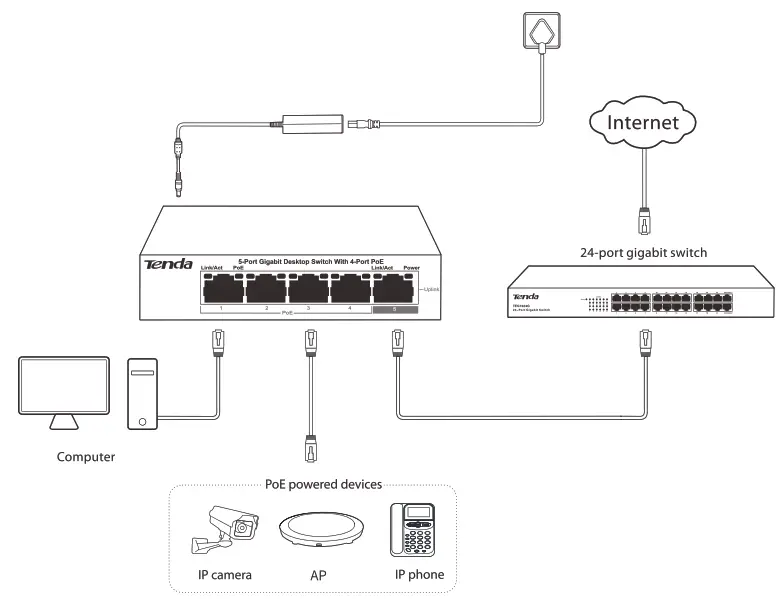
Note The ports of this switch support Auto MDI/MDIX. You can use straight-through or crossover Ethernet cables to connect the switch to peer devices.
Appendix A Specifications
| Specification | Description | ||
| Network standard | IEEE 802.3, IEEE 802.3u, IEEE 802.3ab, IEEE 802.3af, IEEE 802.3at, and IEEE 802.3x | ||
| Port | Number of ports | 10/100/1000Mbps downlink PoE port * 4 10/100/1000Mbps uplink port *1 | |
| Lightning protection | 6 kV | ||
| Mode | The following modes are supported: Default: In this mode, all the ports of the switch can communicate with each other. VLAN: In this mode, ports 1-4 of the switch cannot communicate with each other, but can communicate with port 5 (uplink port). | ||
| Store-and-forward | Supported | ||
| MAC address table | 2 k | ||
| Performance | Backplane bandwidth | 10 Gbps | |
| Packet forwarding speed | 10 BASE-T: 14881 PPS/port 100 BASE-TX: 148810 PPS/port 1000 BASE-T: 1488100 PPS/port | ||
| Restart duration after failure | 5 10s | ||
| Power supply | Input and output | Input: 100-240 V AC, 50/60 Hz Output: 51 V DC, 1.25A | |
| Total power consumption | 63 W | ||
| PoE | PoE power supply standard | IEEE 802.3af and IEEE 802.3at | |
| PoE power cable core | 8 cores | ||
| The maximum power output of one port | 30W | ||
| The maximum power output of the switch | 58W | ||
| Dimensions (L *W* H) | 100 mm * 100 mm * 26 mm | ||
| Environments | Operating environment | Operating temperature: 0°C-40°C Operating humidity: 10%-90%RH, non-condensing | |
| Storage environment | Storage temperature: -40°C-70°C Storage humidity: 5%-90%RH, non-condensing | ||
 CE Mark Warning
 CE Mark Warning
This is a Class A product. In a domestic environment, this product may cause radio interference, in which case the user may be required to take adequate measures. For Pluggable Equipment, the socket outlet shall be installed near the equipment and shall be easily accessible. WARNING: The mains plug is used as a disconnect device, the disconnect device shall remain readily operable. NOTE: (1)The manufacturer is not responsible for any radio or TV interference caused by unauthorized modifications to this equipment. (2) To avoid unnecessary radiation interference, it is recommended to use a shielded RJ45 cable.
 FCC Statement
 FCC Statement
This equipment has been tested and found to comply with the limits for a Class A digital device, pursuant to Part 15 of the FCC Rules. These limits are designed to provide reasonable protection against harmful interference when the equipment is operated in a commercial environment. This equipment generates, uses, and can radiate radio frequency energy and, if not installed and used in accordance with the instruction manual, may cause harmful interference to radio communications. Operation of this equipment in a residential area is likely to cause harmful interference in which case the user will be required to correct the interference at his own expense.
This device complies with Part 15 of the FCC Rules. Operation is subject to the following two conditions:
- this device may not cause harmful interference, and
- this device must accept any interference received, including interference that may cause undesired operation.
Caution!
Any changes or modifications not expressly approved by the party responsible for compliance could void the user’s authority to operate the equipment.
NOTE: (1)The manufacturer is not responsible for any radio or TV interference caused by unauthorized modifications to this equipment. (2)To avoid unnecessary radiation interference, it is recommended to use a shielded RJ45 cable. Caution:
Adapter Model: BNO31-A65051
Manufacturer: SHENZHEN HEWEISHUN NETWORKTECHNOLOGYCO., LTD
Input: 100-240V ac 50Hz/60Hz 1.2A Max Output: 51 V DC 1.25A : DC Voltage
 RECYCLING
This product bears the selective sorting symbol for Waste electrical and electronic equipment (WEEE). This means that this product must be handled pursuant to European directive 2012/19/EU in order to be recycled or dismantled to minimize its impact on the environment. The user has the choice to give his product to a competent recycling organization or to the retailer when he buys new electrical or electronic equipment.
| Producto | NOMBRE DEL PRODUCTO: Conmutador de escritorio de 5 puertos Gigabit con 4 puertos PoE Modelo:TEG1105P-4-63W | |
| Alimentador de Energia: Alimentacidn: 100-240V AC 50/60Hz, 1.2A Max Salida: 51V DC 1.25A |  | |
| PAIS DE ORIGEN: CHINA | ||
Technical Support
United States Hotline: 1-800-570-5892
Canada Hotline: 1-888-998-8966
Hong Kong Hotline: 00852-81931998
Skype: Tendasz
Website: http://www.tendacn.com
E-mail: [email protected]
Address Info: 6-8 Floor, Tower E3, No.1001, Zhongshanyuan Road,
Nanshan District, Shenzhen, China. 518052
Copyright
©2017 Shenzhen Tenda Technology Co., Ltd. All rights reserved.
Tenda is a registered trademark legally held by Shenzhen Tenda Technology Co., Ltd. Other brand and product names mentioned herein are trademarks or registered trademarks of their respective holders. Specifications are subject to change without notice.