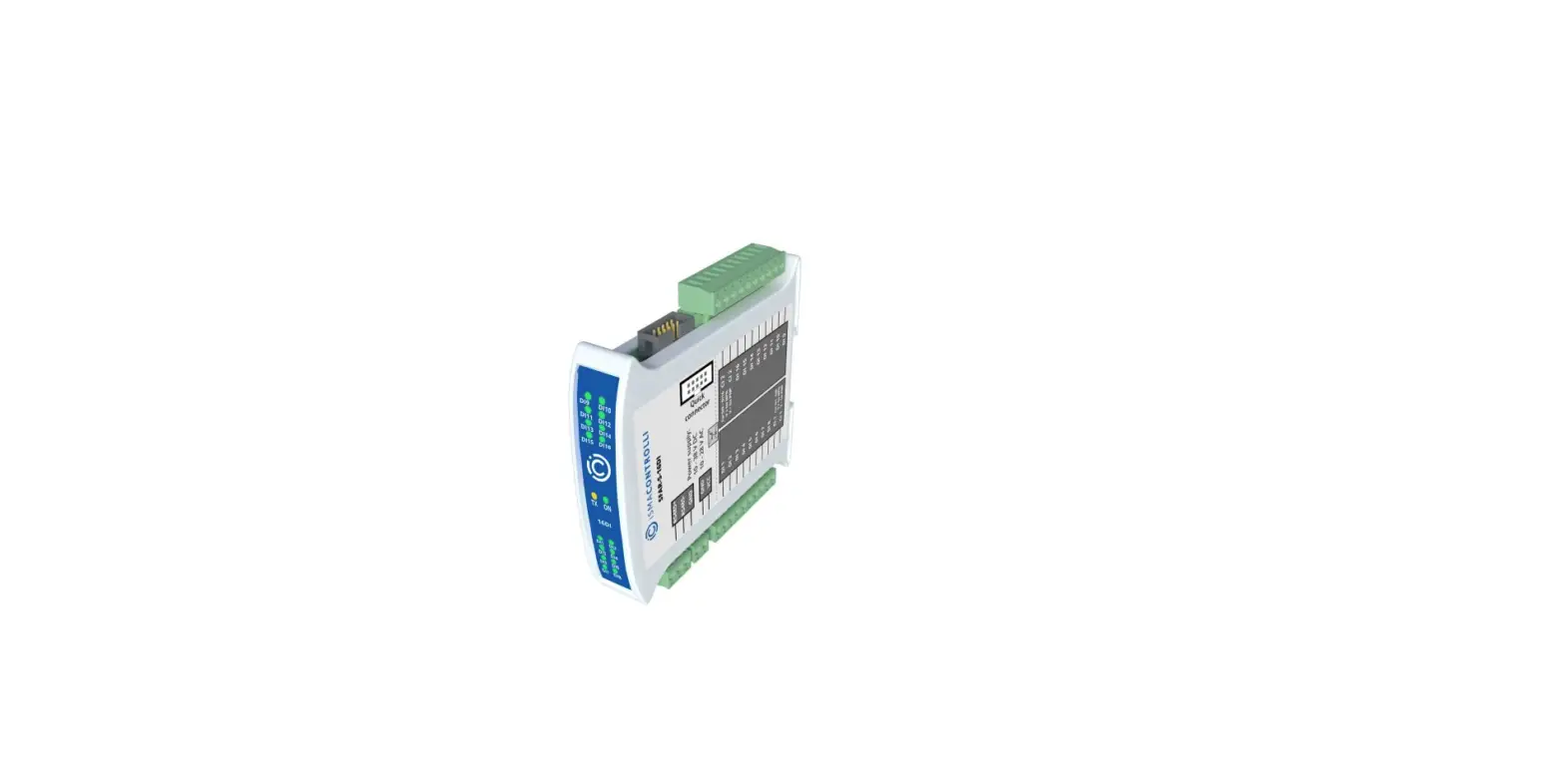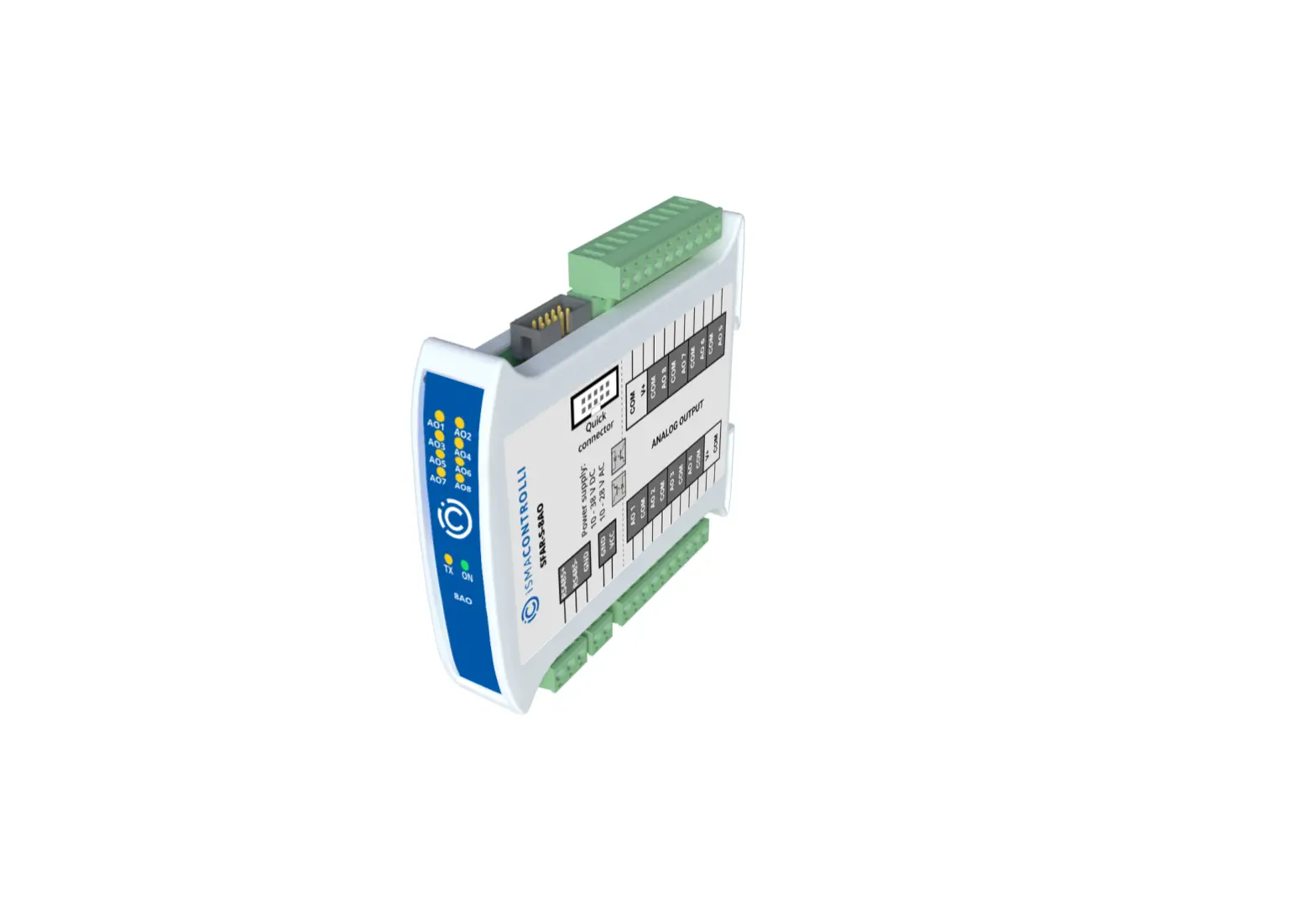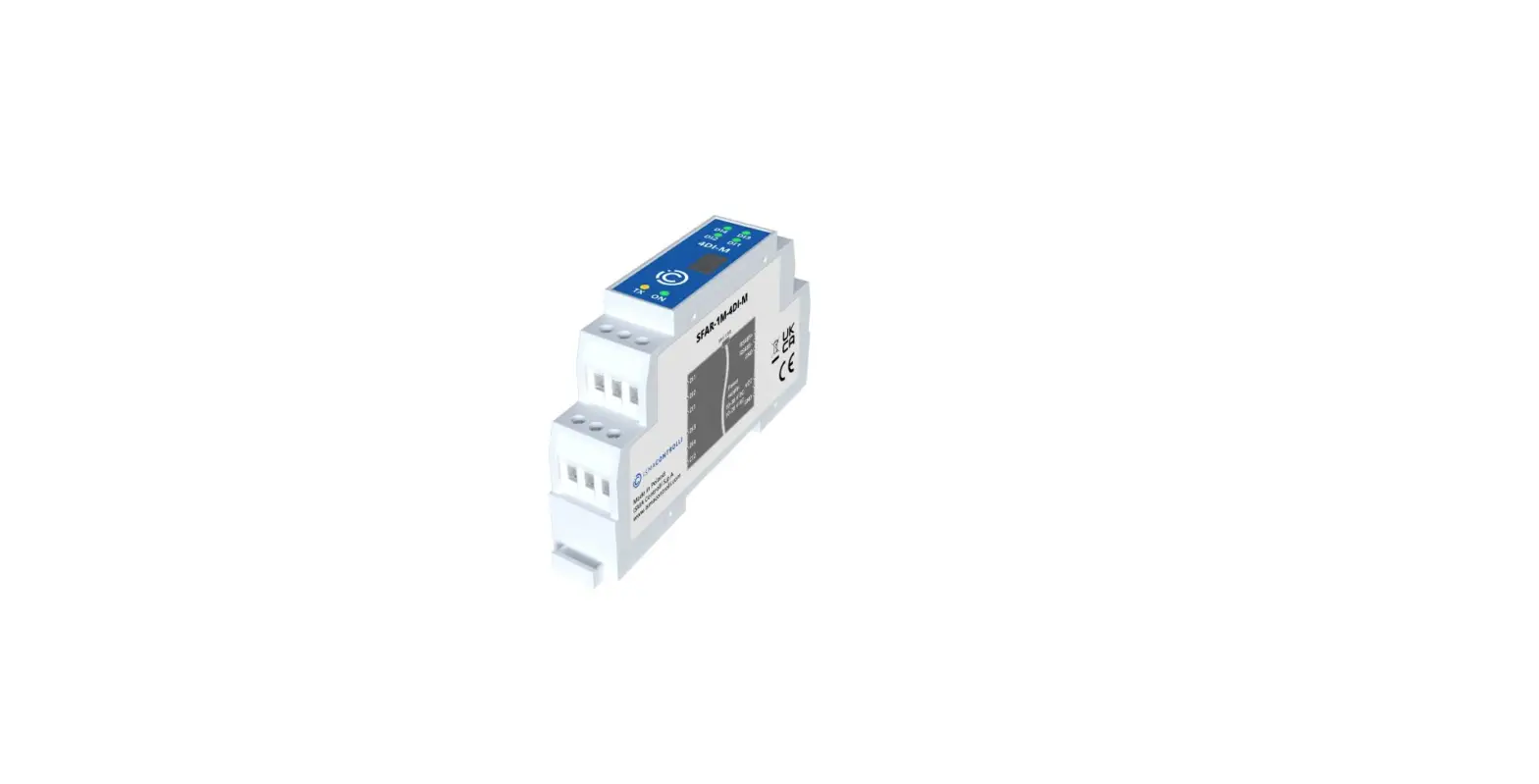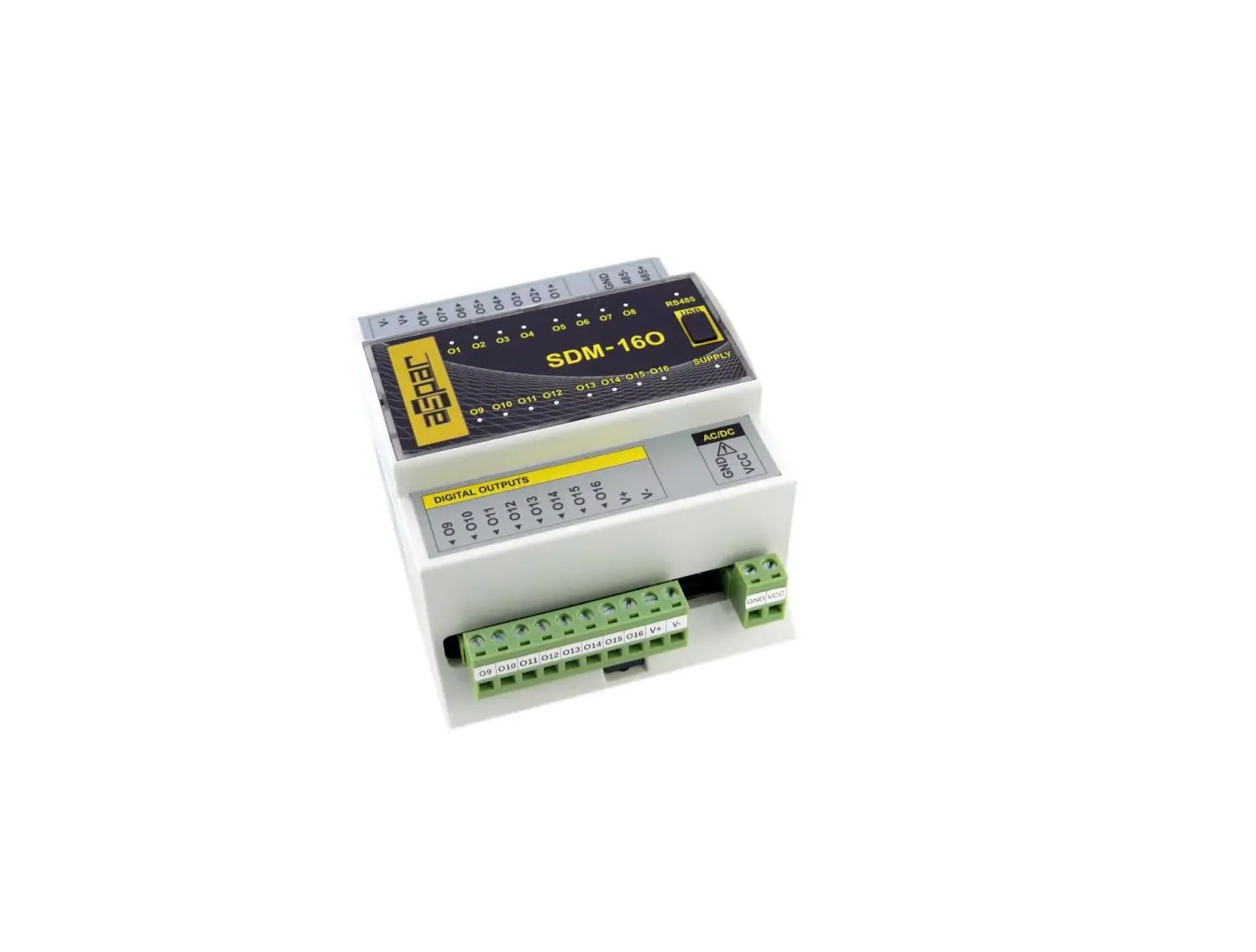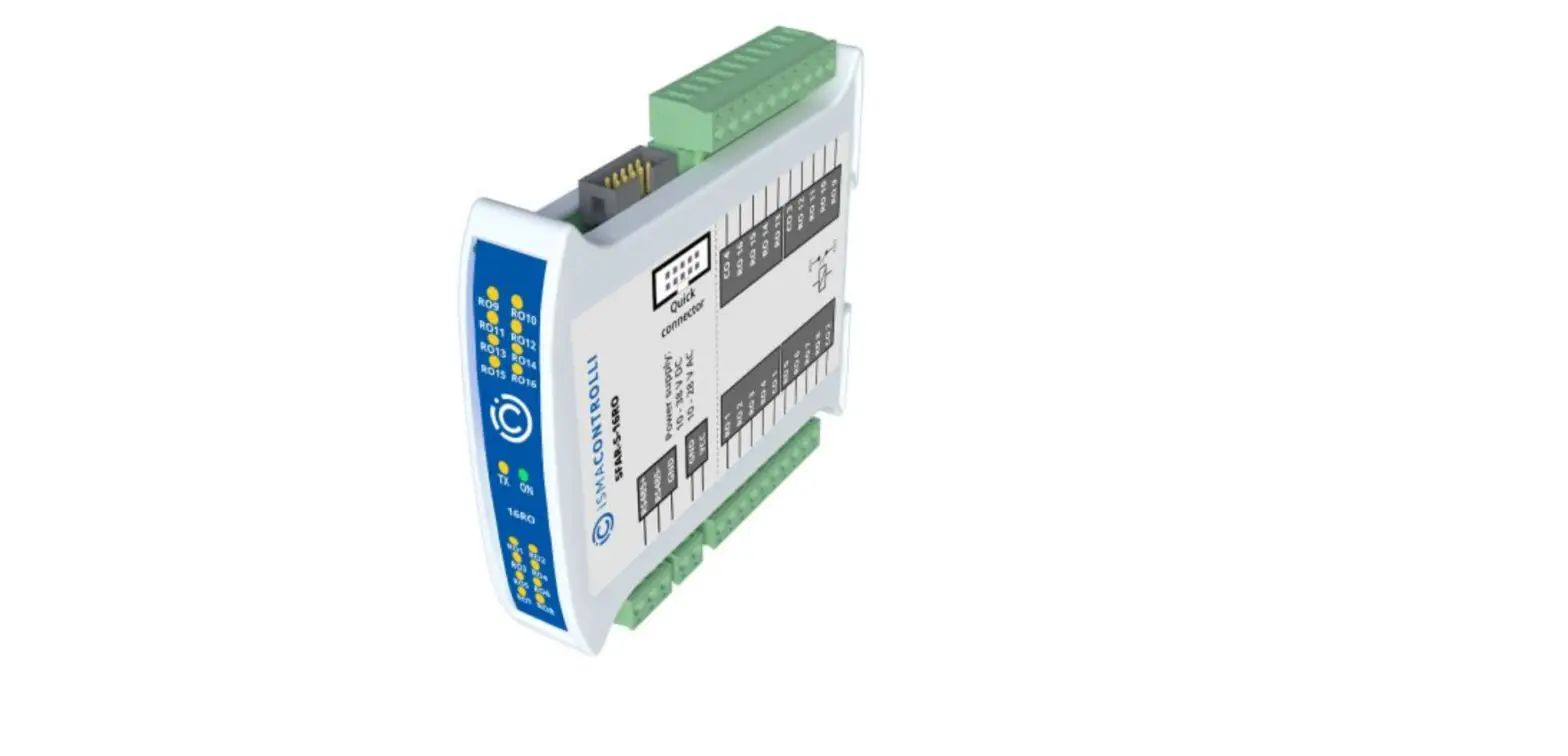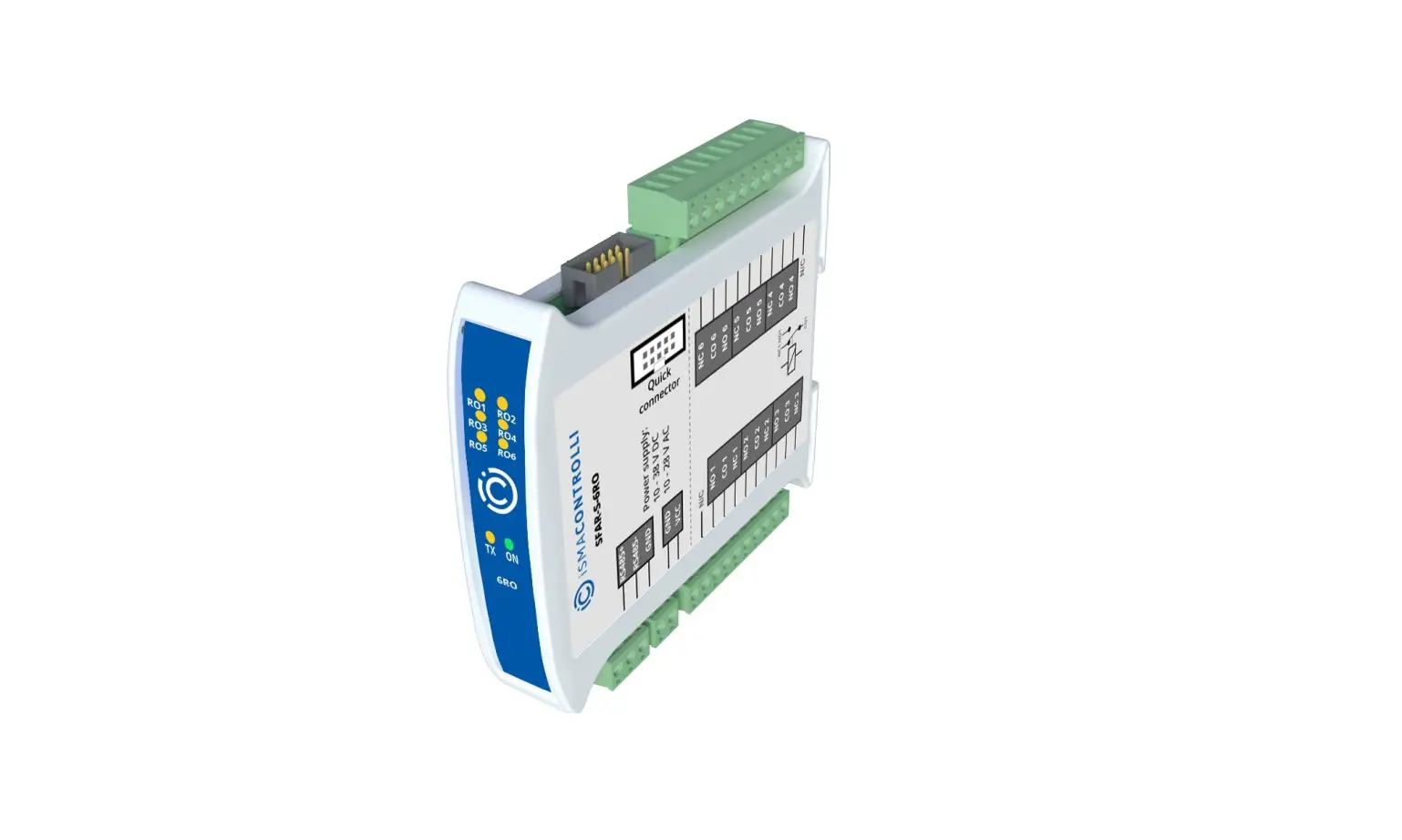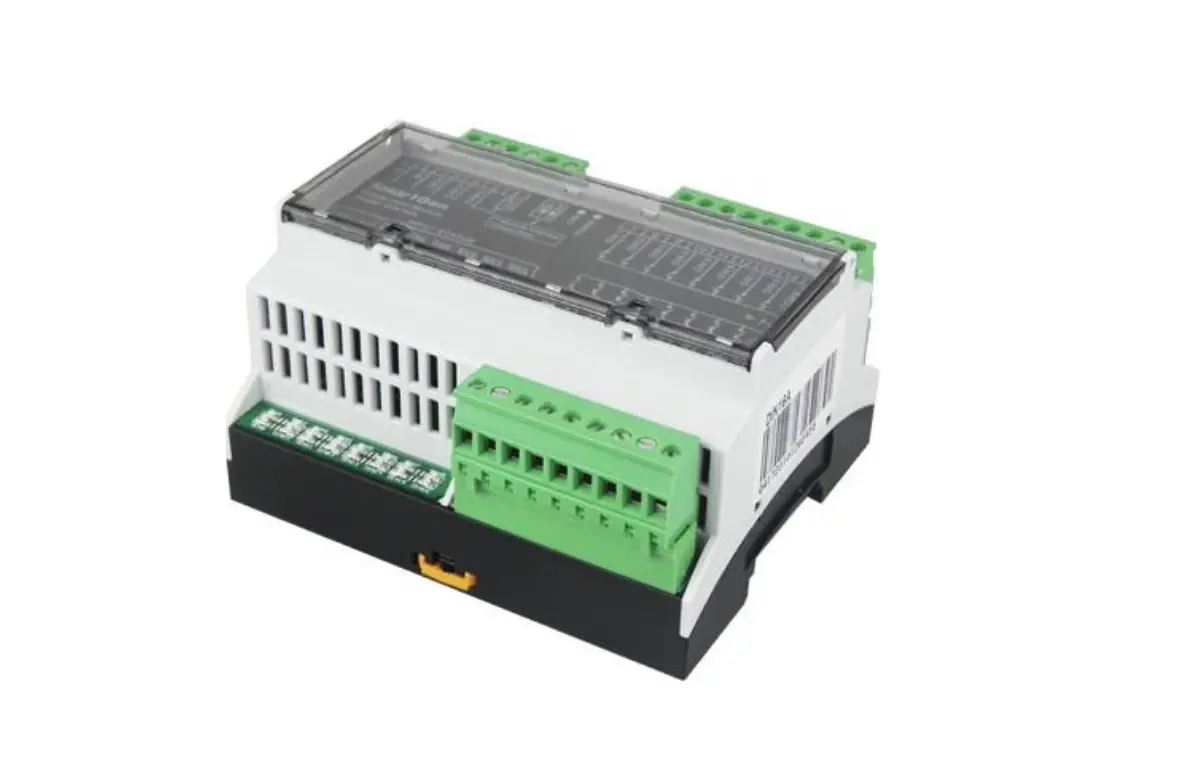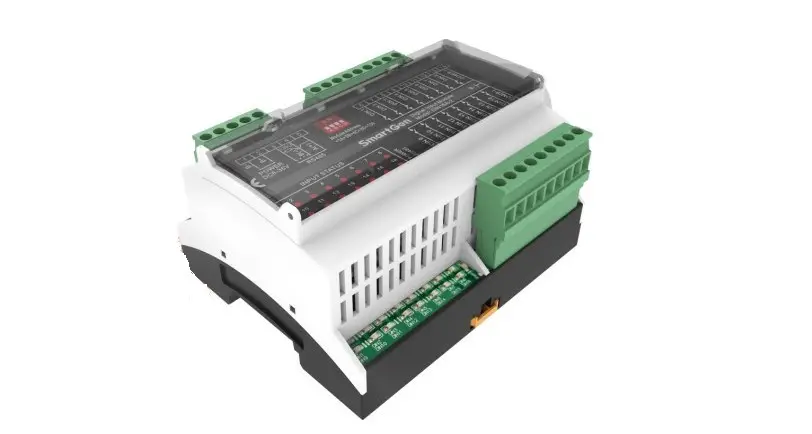

iSMA CONTROLLI SfAR-S-16DI 16 Digital Inputs Expansion Module
Introduction
Thank you for choosing our product.
This manual will help you with proper handling and operating of the device.
The information included in this manual have been prepared with utmost care by our professionals and serve as a description of the product without incurring any liability for the purposes of commercial law. This information does not discharge you from the liability of your own judgement and verification.
We reserve the right to change product specifications without notice.
Please read the instructions carefully and follow the recommendations concluded therein.
WARNING!
Failure to follow instructions can result in equipment damage or impede the use of the hardware or software.
Revision History
| Rev. | Date | Description |
| 3.2 | 25 May 2022 | Rebranded |
Safety Rules
- Improper wiring of the product can damage it and lead to other hazards. Make sure that the product has been correctly wired before turning the power on.
- Before wiring or removing/mounting the product, make sure to turn the power off. Failure to do so might cause an electric shock.
- Do not touch electrically charged parts such as power terminals. Doing so might cause an electric shock.
- Do not disassemble the product. Doing so might cause an electric shock or faulty operation.
- Use the product only within the operating ranges recommended in the specification (temperature, humidity, voltage, shock, mounting direction, atmosphere, etc.). Failure to do so might cause a fire or faulty operation.
- Firmly tighten the wires to the terminal. Failure to do so might cause a fire.
- Avoid installing the product in close proximity to high-power electrical devices and cables, inductive loads, and switching devices. Proximity of such objects may cause an uncontrolled interference, resulting in an instable operation of the product.
- Proper arrangement of the power and signal cabling affects the operation of the entire control system. Avoid laying the power and signal wiring in parallel cable trays. It can cause interferences in monitored and control signals.
- It is recommended to power controllers/modules with AC/DC power suppliers. They provide better and more stable insulation for devices compared to AC/AC transformer systems, which transmit disturbances and transient phenomena like surges and bursts to devices. They also isolate products from inductive phenomena from other transformers and loads.
- Power supply systems for the product should be protected by external devices limiting overvoltage and effects of lightning discharges.
- Avoid powering the product and its controlled/monitored devices, especially high power and inductive loads, from a single power source. Powering devices from a single power source causes a risk of introducing disturbances from the loads to the control devices.
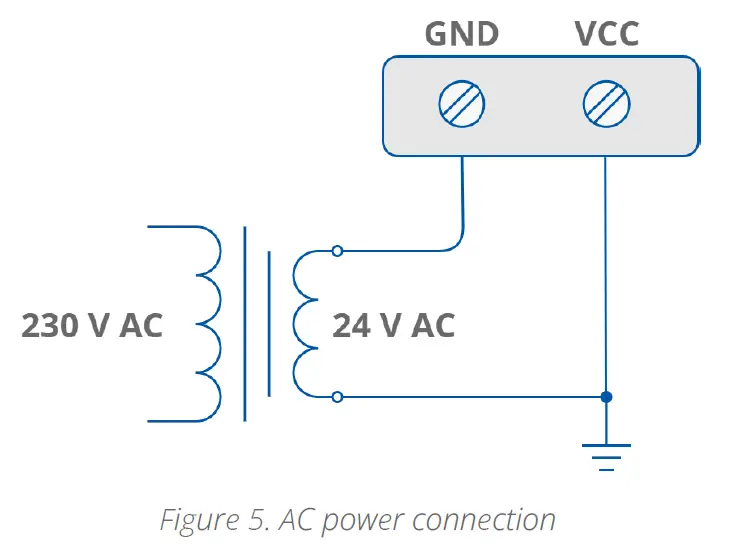
- If an AC/AC transformer is used to supply control devices, it is strongly recommended to use a maximum 100 VA Class 2 transformer to avoid unwanted inductive effects, which are dangerous for devices.
- Long monitoring and control lines may cause loops in connection with the shared power supply, causing disturbances in the operation of devices, including external communication. It is recommended to use galvanic separators.
- To protect signal and communication lines against external electromagnetic interferences, use properly grounded shielded cables and ferrite beads.
- Switching the digital output relays of large (exceeding specification) inductive loads can cause interference pulses to the electronics installed inside the product. Therefore, it is recommended to use external relays/contactors, etc. to switch such loads. The use of controllers with triac outputs also limits similar overvoltage phenomena.
- Many cases of disturbances and overvoltage in control systems are generated by switched, inductive loads supplied by alternating mains voltage (AC 120/230 V). If they do not have appropriate built-in noise reduction circuits, it is recommended to use external circuits such as snubbers, varistors, or protection diodes to limit these effects.
Module Features
Purpose and Description of the Module
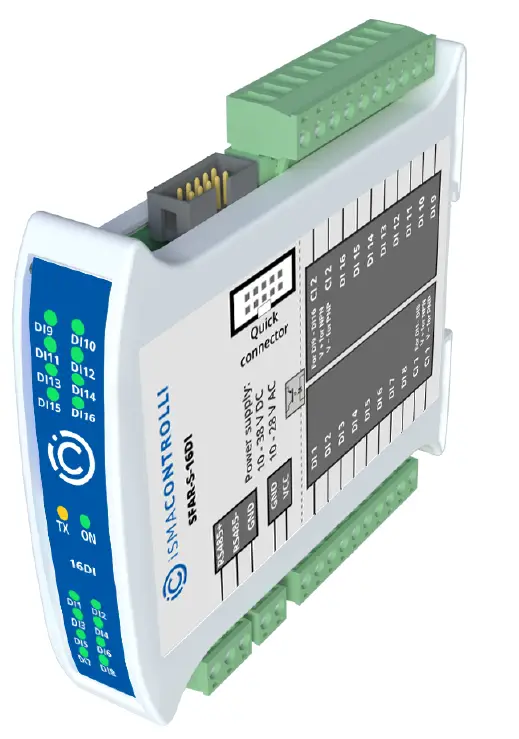
The SfAR-S-16DI module is an innovative device that provides a simple and cost-effective extension of the number of inputs in popular PLCs.
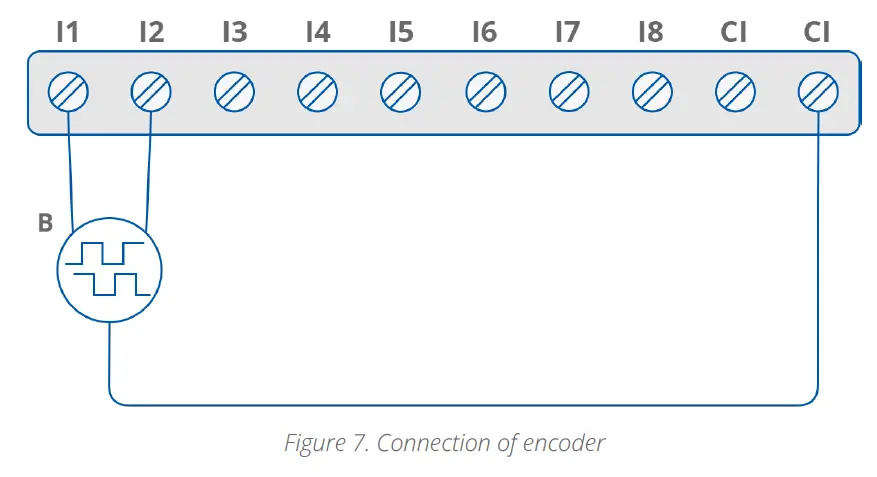
The module has 16 digital inputs with configurable timer/counter option. In addition, terminals IN1 and IN2, and IN3 and IN4 can be used to connect two encoders. All inputs and outputs are isolated from the power supply and RS485 port using optocouplers. Each channel can be individually configured in one of several modes.
This module is connected to the RS485 bus with a twisted-pair wire. Communication is via Modbus RTU or Modbus ASCII. The use of 32-bit ARM core processor provides fast processing and quick communication. The baud rate is configurable from 2400 to 115200.
The module is designed for mounting on a DIN rail in accordance with DIN EN 5002.
The module is equipped with a set of LEDs to indicate the status of inputs and outputs, power supply, and communication, which is useful for diagnostic purposes and helping to find errors.
Module configuration is done via USB by using a dedicated computer program. It also allows for changing the parameters using the Modbus protocol or set the Modbus address using the DIP switches under the front panel.
Technical Specification
| Power Supply | Voltage | 10-38 V DC; 10-28 V AC |
| Power consumption (with active Modbus transmission and high state on all inputs) | 2.4 W at 24 V DC | |
| 3 VA at 24 V AC | ||
| Digital Inputs | No. of inputs | 16 |
| Voltage range | 0-36 V | |
| Low state ‘0’ | 0-3 V | |
| High state ‘1’ | 6-36 V | |
| Input impedance | 4 kΩ | |
| Isolation | 1500 Vrms | |
| Input type | PNP or NPN | |
| Counters | No. of counters | 16 |
| Resolution | 32-bit | |
| Frequency | 1 kHz (max.) |
| Impulse width | 500 μs (min.) | |
| Temperature | Work | -10°C to +50°C (14°F to 122°F) |
| Storage | -40°C to +85°C (-40°F to 185°F) | |
| Connectors | Power supply | 2 pin |
| Communication | 3 pin | |
| Inputs | 2 x 10 pin | |
| Configuration | mini USB | |
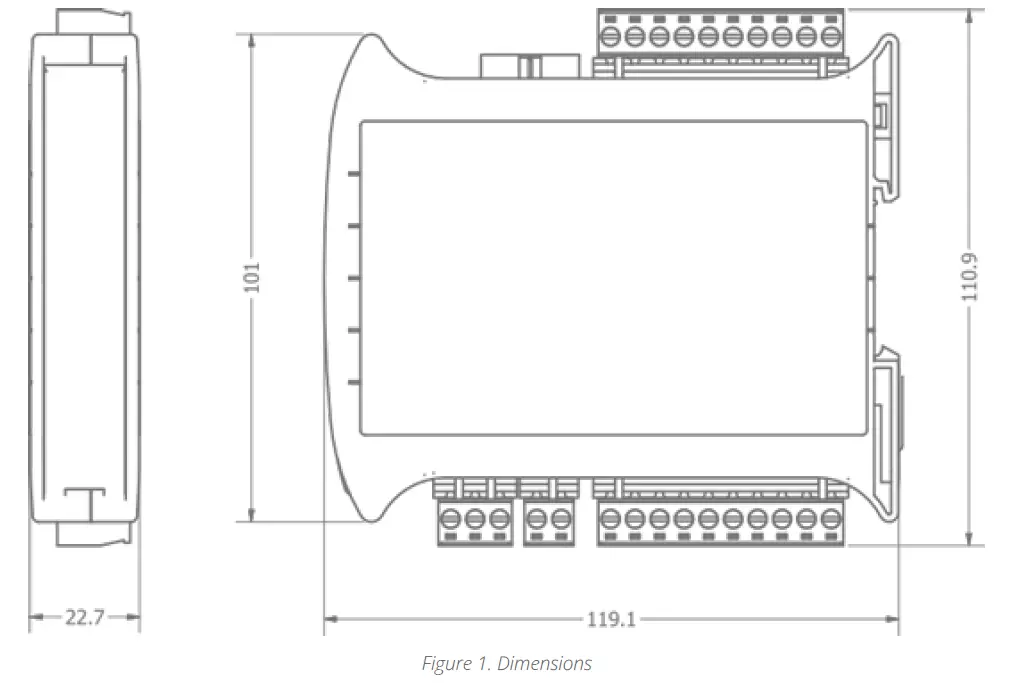
| Size | Height | 119.1 mm (4.689 in) |
| Length | 110.9 mm (4.366 in) | |
| Width | 22.7 mm (0.894 in) | |
| Interface | RS485 | Up to 128 devices |
Dimensions
The appearance and dimensions of the module are shown below. The module is mounted directly to the rail in the DIN industry standard. Power connectors, communication, and I/Os are at the bottom and top of the module. USB connector configuration and indicators are located on the front of the module.
Communication
Grounding and Shielding
In most cases, I/O modules will be installed in an enclosure along with the other devices, which generate electromagnetic radiation. Relays, contactors, transformers, motor invertors, etc., are examples of such devices. Radiation can induce electrical noise into both power and signal lines, as well as direct radiation into the module. Whether or not the SfAR modules are immune to such effects, the interferences must be suppressed at their source if possible to ensure the proper functioning of the entire system.
Appropriate grounding, shielding and other protective steps should be taken at the installation stage to prevent these effects. It is recommended to at least follow the rules below:
- line power cables must be routed with spatial separation from signal and data transmission cables;
- analog and digital signal cables should also be separated;
- it is recommended to use shielded cables for analog signals, cable shields should not be interrupted by intermediate terminals;
- the shielding should be earthed directly after the cable enters the cabinet.
It is recommended to install interference suppressors when switching inductive loads (e.g., coils of contactors, relays, solenoid valves). RC snubbers or varistors are suitable for AC voltage and freewheeling diodes for DC voltage loads. The suppressing elements must be connected as close to the coil as possible.
Network Termination
Transmission line effects often present problems for data communication networks. These problems include reflections and signal attenuation.
To eliminate the presence of reflections of signal from the end of the cable, the cable must be terminated at both ends with a resistor across the line adequate to its characteristic impedance. Both ends must be terminated since the propagation is bidirectional. In case of an RS485 twisted pair cable, this termination is typically 120 Ω.
Setting Module Address in RS485 Modbus Network
The following table shows how to set DIP switches to determine the address of the module. The module address is set with the DIP switches in the range of 0 to 31. Addresses from 32 to 255 can be set via RS485 or USB and using dedicated software tool.
| Addr | SW1 | SW2 | SW3 | SW4 | SW5 |
| 0 | OFF | OFF | OFF | OFF | OFF |
| 1 | ON | OFF | OFF | OFF | OFF |
| 2 | OFF | ON | OFF | OFF | OFF |
| 3 | ON | ON | OFF | OFF | OFF |
| Addr | SW1 | SW2 | SW3 | SW4 | SW5 |
| 4 | OFF | OFF | ON | OFF | OFF |
| 5 | ON | OFF | ON | OFF | OFF |
| 6 | OFF | ON | ON | OFF | OFF |
| 7 | ON | ON | ON | OFF | OFF |
| 8 | OFF | OFF | OFF | ON | OFF |
| 9 | ON | OFF | OFF | ON | OFF |
| 10 | OFF | ON | OFF | ON | OFF |
| 11 | ON | ON | OFF | ON | OFF |
| 12 | OFF | OFF | ON | ON | OFF |
| 13 | ON | OFF | ON | ON | OFF |
| 14 | OFF | ON | ON | ON | OFF |
| 15 | ON | ON | ON | ON | OFF |
| 16 | OFF | OFF | OFF | OFF | ON |
| 17 | ON | OFF | OFF | OFF | ON |
| 18 | OFF | ON | OFF | OFF | ON |
| 19 | ON | ON | OFF | OFF | ON |
| 20 | OFF | OFF | ON | OFF | ON |
| 21 | ON | OFF | ON | OFF | ON |
| 22 | OFF | ON | ON | OFF | ON |
| 23 | ON | ON | ON | OFF | ON |
| 24 | OFF | OFF | OFF | ON | ON |
| 25 | ON | OFF | OFF | ON | ON |
| 26 | OFF | ON | OFF | ON | ON |
| 27 | ON | ON | OFF | ON | ON |
| 28 | OFF | OFF | ON | ON | ON |
| 29 | ON | OFF | ON | ON | ON |
| Addr | SW1 | SW2 | SW3 | SW4 | SW5 |
| 30 | OFF | ON | ON | ON | ON |
| 31 | ON | ON | ON | ON | ON |
Types of Modbus Functions
There are 4 types of Modbus functions supported by the SfAR modules.
| Type | Beginning Address | IOs | Access | Modbus Command |
| 1 | 00001 | Digital Outputs | Bit Read/write | 1, 5, 15 |
| 2 | 10001 | Digital Inputs | Bit Read | 2 |
| 3 | 30001 | Input Registers | Registered Read | 3 |
| 4 | 40001 | Output Registers | Registered Read/write | 4, 6, 16 |
Communication Settings
Data stored in the module’s memory is given in the 16-bit registers. The access to registers is via Modbus RTU or Modbus ASCII.
Default Settings
The default configuration can be restored with the switch, SW6.
| Baud Rate | 19200 |
| Parity | No |
| Data Bits | 8 |
| Stop Bits | 1 |
| Reply Delay [ms] | 0 |
| Modbus Type | RTU |
Restoring Default Configuration
To restore the default configuration, follow the steps below:
- turn the power off;
- turn the DIP switch SW6 on;
- turn the power on;
- when power and the communication LED are lit, turn the switch SW6 off
WARNING! After restoring the default configuration, all values stored in the registers are cleared as well.
Configuration Registers
| Modbus Address | Decimal Address | Hex Address | Name | Values |
| 40003 | 2 | 0x02 | Baud Rate | 0 – 2400 1 – 4800 2 – 9600 3 – 19200 4 – 38400 5 – 57600 6 – 115200 other – value * 10 |
| 40005 | 4 | 0x04 | Parity | 0 – none 1 – odd 2 – even 3 – always 0 4 – always 1 |
| 40004 | 3 | 0x03 | Stop Bits | 1 – one stop bit 2 – two stop bit |
| 40004 | 3 | 0x03 | Data Bits | 7 – 7 data bits 8 – 8 data bits |
| 40006 | 5 | 0x05 | Response Delay | Time in ms |
| 40007 | 6 | 0x06 | Modbus Mode | 0 – RTU 1 – ASCII |
Indicators
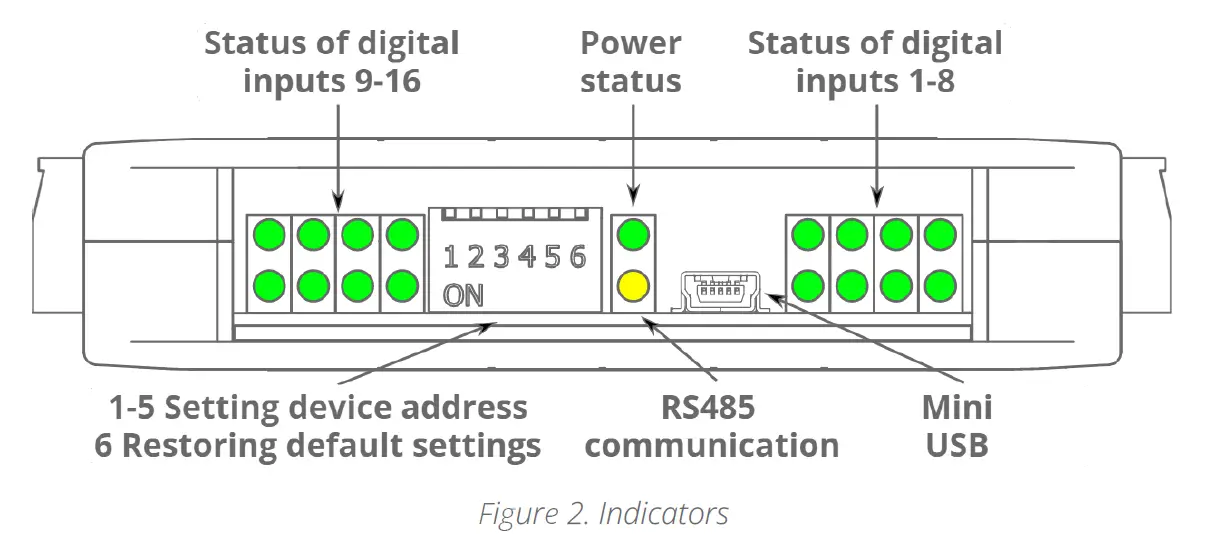
| Indicator | Description |
| Power Supply | The LED indicates that the module is correctly powered |
| Communication | The LED lights up when the unit receives the correct packet and sends the answer |
| Inputs State | The LED indicates that on the input is high state |
Connections
Block Diagram
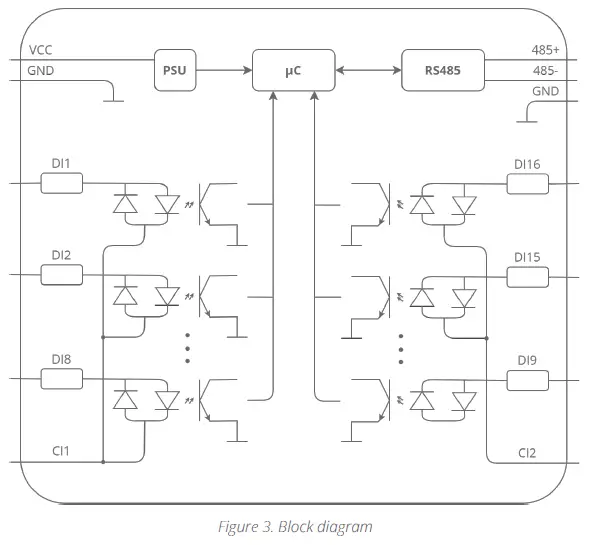
Power Supply Connection
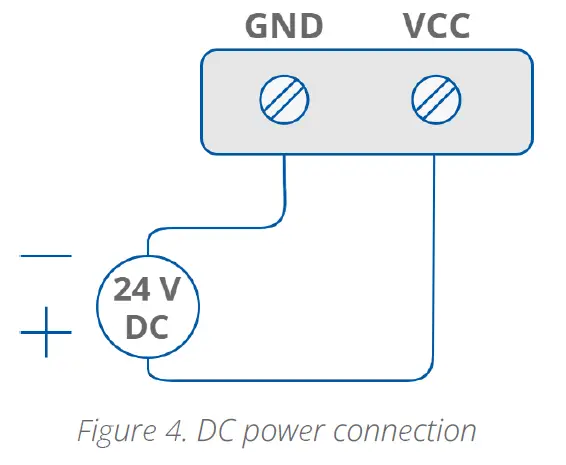
DC Power Connection
AC Power Connection
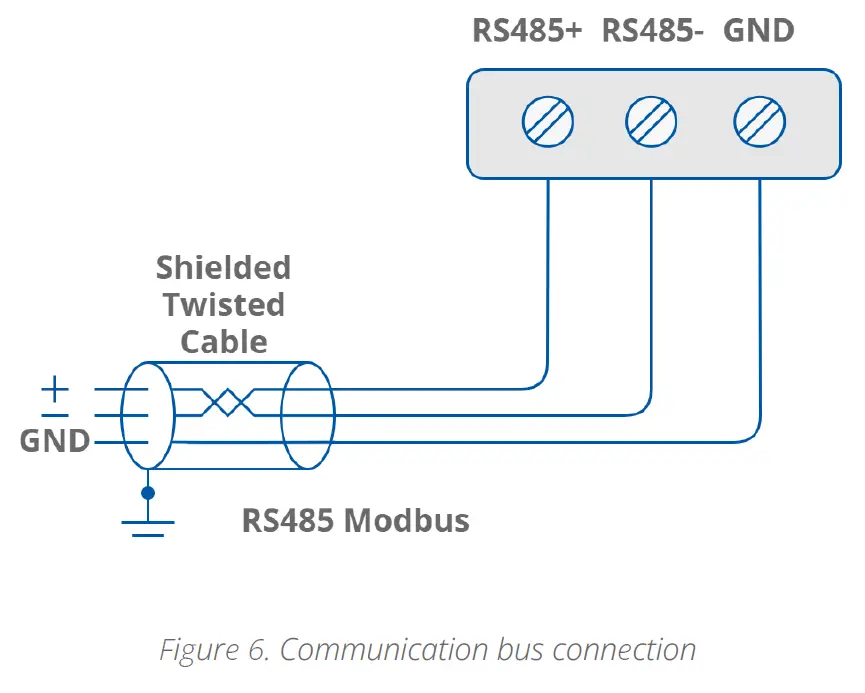
Communication Bus Connection
Digital Inputs Connection
Connection of Encoder
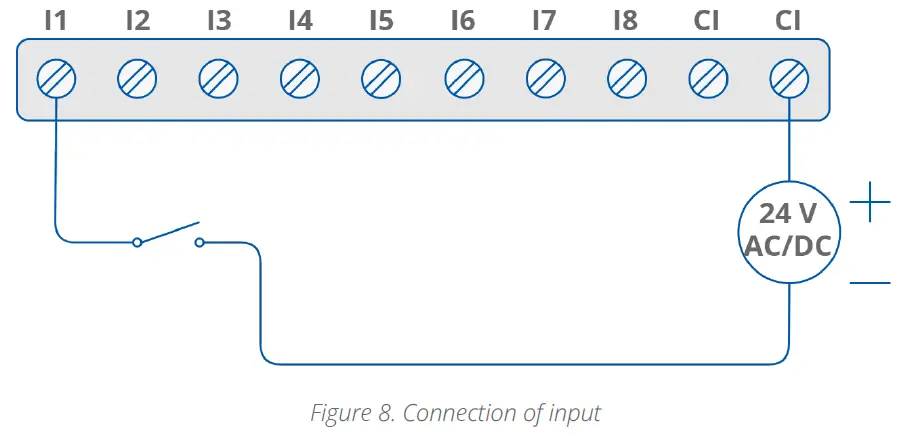
Connection of Input
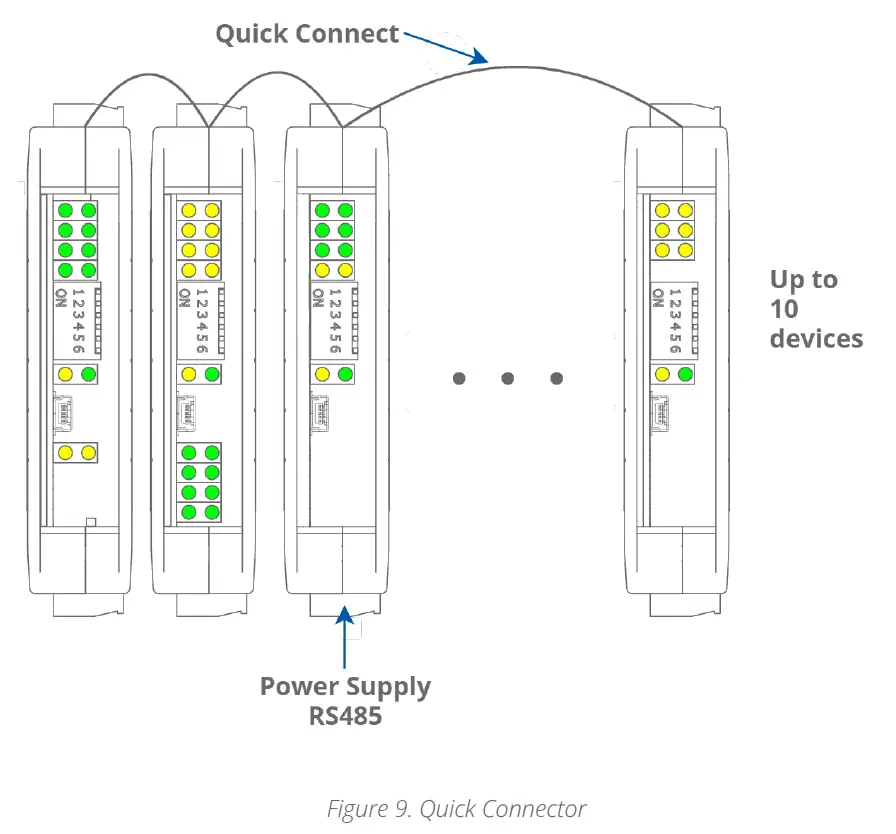
Quick Connector
Quick Connector is a unique feature of modules that allows for quickly connecting a group of devices with a flat ribbon cable. Thanks to this solution, it is enough to connect power and RS485 communication to one of the devices in the group, and the others will be powered and communicated with ribbon cable.
The Quick Connector is sufficient to connect up to 10 devices next to each other. It is important that the various types of modules in the SfAR-S family can be connected with the ribbon cable.
DIP Switch
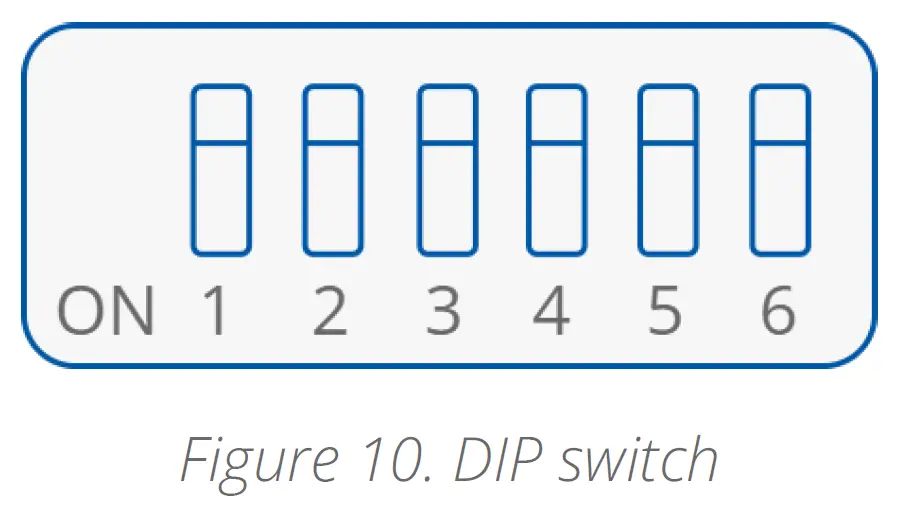
| Switch | Function | Description |
| 1 | Module address +1 | Setting module address from 0 to 31 |
| 2 | Module address +2 | |
| 3 | Module address +4 | |
| 4 | Module address +8 | |
| 5 | Module address +16 | |
| 6 | Restoring default settings | Restoring default settings |
Input Filter
Digital inputs allow connection of the AC signal. However, due to the fact that these inputs are fast and allow counting pulses at 1 kHz frequency, it is not possible to use them to monitor the presence of a variable frequency signal like 50Hz because, depending on the moment at which the input state is read with the Modbus protocol, different results can be obtained despite the fact that AC voltage is still present. To be able to monitor the AC signals, the possibility of filtering the digital inputs has been introduced. Filtration works in a way that the high state occurs if the voltage is maintained for at least 40 ms. The low state appears when there is no voltage for at least 80 ms.
The filter can be turned on for each input of the device independently using the 40018 register.
Module Registers
Registered Access
| Modbus Address | Decimal Address | Hex Address | Register Name | Access | Description |
| 30001 | 0 | 0x00 | Version/Type | Read | Version and type of the device |
| 30002 | 1 | 0x01 | Switches | Read | Switches state |
| 40003 | 2 | 0x02 | Baud Rate | Read/write | RS485 baud rate |
| 40004 | 3 | 0x03 | Stop Bits & Data Bits | Read/write | No. of stop bits & data bits |
| 40005 | 4 | 0x04 | Parity | Read/write | Parity bit |
| 40006 | 5 | 0x05 | Response Delay | Read/write | Response delay in ms |
| 40007 | 6 | 0x06 | Modbus Mode | Read/write | Modbus mode (ASCII or RTU) |
| 40018 | 17 | 0x11 | Inputs Filter | Read/write | Configuration of the inputs filter |
| 40033 | 32 | 0x20 | Received Packets LSR (Least Significant Register) | Read/write | No. of received packets |
| 40034 | 33 | 0x21 | Received Packets MSR (Most Significant Register) | Read/write | |
| 40035 | 34 | 0x22 | Incorrect Packets LSR | Read/write | No. of received packets with error |
| 40036 | 35 | 0x23 | Incorrect Packets MSR | Read/write | |
| 40037 | 36 | 0x24 | Sent Packets LSR | Read/write | No. of sent packets |
| 40038 | 37 | 0x25 | Sent Packets MSR | Read/write | |
| 30051 | 50 | 0x32 | Inputs | Read | Inputs state |
| 40053 | 52 | 0x34 | Counter 1 LSR | Read/write | 32-bit counter 1 |
| 40054 | 53 | 0x35 | Counter 1 MSR | Read/write | |
| 40055 | 54 | 0x36 | Counter 2 LSR | Read/write | 32-bit counter 2 |
| 40056 | 55 | 0x37 | Counter 2 MSR | Read/write | |
| 40057 | 56 | 0x38 | Counter 3 LSR | Read/write | 32-bit counter 3 |
| Modbus Address | Decimal Address | Hex Address | Register Name | Access | Description |
| 40058 | 57 | 0x39 | Counter 3 MSR | Read/write | |
| 40059 | 58 | 0x3A | Counter 4 LSR | Read/write | 32-bit counter 4 |
| 40060 | 59 | 0x3B | Counter 4 MSR | Read/write | |
| 40061 | 60 | 0x3C | Counter 5 LSR | Read/write | 32-bit counter 5 |
| 40062 | 61 | 0x3D | Counter 5 MSR | Read/write | |
| 40063 | 62 | 0x3E | Counter 6 LSR | Read/write | 32-bit counter 6 |
| 40064 | 63 | 0x3F | Counter 6 MSR | Read/write | |
| 40065 | 64 | 0x40 | Counter 7 LSR | Read/write | 32-bit counter 7 |
| 40066 | 65 | 0x41 | Counter 7 MSR | Read/write | |
| 40067 | 66 | 0x42 | Counter 8 LSR | Read/write | 32-bit counter 8 |
| 40068 | 67 | 0x43 | Counter 8 MSR | Read/write | |
| 40069 | 68 | 0x44 | Counter 9 LSR | Read/write | 32-bit counter 9 |
| 40070 | 69 | 0x45 | Counter 9 MSR | Read/write | |
| 40071 | 70 | 0x46 | Counter 10 LSR | Read/write | 32-bit counter 10 |
| 40072 | 71 | 0x47 | Counter 10 MSR | Read/write | |
| 40073 | 72 | 0x48 | Counter 11 LSR | Read/write | 32-bit counter 11 |
| 40074 | 73 | 0x49 | Counter 11 MSR | Read/write | |
| 40075 | 74 | 0x4A | Counter 12 LSR | Read/write | 32-bit counter 12 |
| 40076 | 75 | 0x4B | Counter 12 MSR | Read/write | |
| 40077 | 76 | 0x4C | Counter 13 LSR | Read/write | 32-bit counter 13 |
| 40078 | 77 | 0x4D | Counter 13 MSR | Read/write | |
| 40079 | 78 | 0x4E | Counter 14 LSR | Read/write | 32-bit counter 14 |
| 40080 | 79 | 0x4F | Counter 14 MSR | Read/write | |
| 40081 | 80 | 0x50 | Counter 15 LSR | Read/write | 32-bit counter 15 |
| 40082 | 81 | 0x51 | Counter 15 MSR | Read/write |
| Modbus Address | Decimal Address | Hex Address | Register Name | Access | Description |
| 40083 | 82 | 0x52 | Counter 16 LSR | Read/write | 32-bit counter 16 |
| 40084 | 83 | 0x53 | Counter 16 MSR | Read/write | |
| 40085 | 84 | 0x54 | CCounter 1 LSR | Read/write | 32-bit value of captured counter 1 |
| 40086 | 85 | 0x55 | CCounter 1 MSR | Read/write | |
| 40087 | 86 | 0x56 | CCounter 2 LSR | Read/write | 32-bit value of captured counter 2 |
| 40088 | 87 | 0x57 | CCounter 2 MSR | Read/write | |
| 40089 | 88 | 0x58 | CCounter 3 LSR | Read/write | 32-bit value of captured counter 3 |
| 40090 | 89 | 0x59 | CCounter 3 MSR | Read/write | |
| 40091 | 90 | 0x5A | CCounter 4 LSR | Read/write | 32-bit value of captured counter 4 |
| 40092 | 91 | 0x5B | CCounter 4 MSR | Read/write | |
| 40093 | 92 | 0x5C | CCounter 5 LSR | Read/write | 32-bit value of captured counter 5 |
| 40094 | 93 | 0x5D | CCounter 5 MSR | Read/write | |
| 40095 | 94 | 0x5E | CCounter 6 LSR | Read/write | 32-bit value of captured counter 6 |
| 40096 | 95 | 0x5F | CCounter 6 MSR | Read/write | |
| 40097 | 96 | 0x60 | CCounter 7 LSR | Read/write | 32-bit value of captured counter 7 |
| 40098 | 97 | 0x61 | CCounter 7 MSR | Read/write | |
| 40099 | 98 | 0x62 | CCounter 8 LSR | Read/write | 32-bit value of captured counter 8 |
| 40100 | 99 | 0x63 | CCounter 8 MSR | Read/write | |
| 40101 | 100 | 0x64 | CCounter 9 LSR | Read/write | 32-bit value of captured counter 9 |
| 40102 | 101 | 0x65 | CCounter 9 MSR | Read/write | |
| 40103 | 102 | 0x66 | CCounter 10 LSR | Read/write | 32-bit value of captured counter 10 |
| 40104 | 103 | 0x67 | CCounter 10 MSR | Read/write | |
| 40105 | 104 | 0x68 | CCounter 11 LSR | Read/write | 32-bit value of captured counter 11 |
| 40106 | 105 | 0x69 | CCounter 11 MSR | Read/write | |
| 40107 | 106 | 0x6A | CCounter 12 LSR | Read/write | 32-bit value of captured counter 12 |
| 40108 | 107 | 0x6B | CCounter 12 MSR | Read/write |
| Modbus Address | Decimal Address | Hex Address | Register Name | Access | Description |
| 40109 | 108 | 0x6C | CCounter 13 LSR | Read/write | 32-bit value of captured counter 13 |
| 40110 | 109 | 0x6D | CCounter 13 MSR | Read/write | |
| 40111 | 110 | 0x6E | CCounter 14 LSR | Read/write | 32-bit value of captured counter 14 |
| 40112 | 111 | 0x6F | CCounter 14 MSR | Read/write | |
| 40113 | 112 | 0x70 | CCounter 15 LSR | Read/write | 32-bit value of captured counter 15 |
| 40114 | 113 | 0x71 | CCounter 15 MSR | Read/write | |
| 40115 | 114 | 0x72 | CCounter 16 LSR | Read/write | 32-bit value of captured counter 16 |
| 40116 | 115 | 0x73 | CCounter 16 MSR | Read/write | |
| 40117 | 116 | 0x74 | Counter Config 1 | Read/write | Counter configuration
+1 – time measurement (if 0 counting impulses) +2 – autocatch counter every 1 sec +4 – catch value when input low +8 – reset counter after catch +16 – reset counter if input low +32 – encoder |
| 40118 | 117 | 0x75 | Counter Config 2 | Read/write | |
| 40119 | 118 | 0x76 | Counter Config 3 | Read/write | |
| 40120 | 119 | 0x77 | Counter Config 4 | Read/write | |
| 40121 | 120 | 0x78 | Counter Config 5 | Read/write | |
| 40122 | 121 | 0x79 | Counter Config 6 | Read/write | |
| 40123 | 122 | 0x7A | Counter Config 7 | Read/write | |
| 40124 | 123 | 0x7B | Counter Config 8 | Read/write | |
| 40125 | 124 | 0x7C | Counter Config 9 | Read/write | |
| 40126 | 125 | 0x7D | Counter Config 10 | Read/write | |
| 40127 | 126 | 0x7E | Counter Config 11 | Read/write | |
| 40128 | 127 | 0x7F | Counter Config 12 | Read/write | |
| 40129 | 128 | 0x80 | Counter Config 13 | Read/write | |
| 40130 | 129 | 0x81 | Counter Config 14 | Read/write | |
| 40131 | 130 | 0x82 | Counter Config 15 | Read/write | |
| 40132 | 131 | 0x83 | Counter Config 16 | Read/write | |
| 40133 | 132 | 0x84 | Catch | Read/write | Catch counter |
| Modbus Address | Decimal Address | Hex Address | Register Name | Access | Description |
| 40134 | 133 | 0x85 | Status | Read/write | Captured counter |
Bit Access
| Modbus Address | Dec Address | Hex Address | Register Name | Access | Description |
| 10801 | 800 | 0x320 | Input 1 | Read | Input 1 state |
| 10802 | 801 | 0x321 | Input 2 | Read | Input 2 state |
| 10803 | 802 | 0x322 | Input 3 | Read | Input 3 state |
| 10804 | 803 | 0x323 | Input 4 | Read | Input 4 state |
| 10805 | 804 | 0x324 | Input 5 | Read | Input 5 state |
| 10806 | 805 | 0x325 | Input 6 | Read | Input 6 state |
| 10807 | 806 | 0x326 | Input 7 | Read | Input 7 state |
| 10808 | 807 | 0x327 | Input 8 | Read | Input 8 state |
| 10809 | 808 | 0x328 | Input 9 | Read | Input 9 state |
| 10810 | 809 | 0x329 | Input 10 | Read | Input 10 state |
| 10811 | 810 | 0x32A | Input 11 | Read | Input 11 state |
| 10812 | 811 | 0x32B | Input 12 | Read | Input 12 state |
| 10813 | 812 | 0x32C | Input 13 | Read | Input 13 state |
| 10814 | 813 | 0x32D | Input 14 | Read | Input 14 state |
| 10815 | 814 | 0x32E | Input 15 | Read | Input 15 state |
| 10816 | 815 | 0x32F | Input 16 | Read | Input 16 state |
| 2113 | 2112 | 0x840 | Capture 1 | Read/write | Capture counter 1 |
| 2114 | 2113 | 0x841 | Capture 2 | Read/write | Capture counter 2 |
| 2115 | 2114 | 0x842 | Capture 3 | Read/write | Capture counter 3 |
| 2116 | 2115 | 0x843 | Capture 4 | Read/write | Capture counter 4 |
| 2117 | 2116 | 0x844 | Capture 5 | Read/write | Capture counter 5 |
| 2118 | 2117 | 0x845 | Capture 6 | Read/write | Capture counter 6 |
| Modbus Address | Dec Address | Hex Address | Register Name | Access | Description |
| 2119 | 2118 | 0x846 | Capture 7 | Read/write | Capture counter 7 |
| 2120 | 2119 | 0x847 | Capture 8 | Read/write | Capture counter 8 |
| 2121 | 2120 | 0x848 | Capture 9 | Read/write | Capture counter 9 |
| 2122 | 2121 | 0x849 | Capture 10 | Read/write | Capture counter 10 |
| 2123 | 2122 | 0x84A | Capture 11 | Read/write | Capture counter 11 |
| 2124 | 2123 | 0x84B | Capture 12 | Read/write | Capture counter 12 |
| 2125 | 2124 | 0x84C | Capture 13 | Read/write | Capture counter 13 |
| 2126 | 2125 | 0x84D | Capture 14 | Read/write | Capture counter 14 |
| 2127 | 2126 | 0x84E | Capture 15 | Read/write | Capture counter 15 |
| 2128 | 2127 | 0x84F | Capture 16 | Read/write | Capture counter 16 |
| 2129 | 2128 | 0x850 | Captured 1 | Read/write | Captured counter 1 |
| 2130 | 2129 | 0x851 | Captured 2 | Read/write | Captured counter 2 |
| 2131 | 2130 | 0x852 | Captured 3 | Read/write | Captured counter 3 |
| 2132 | 2131 | 0x853 | Captured 4 | Read/write | Captured counter 4 |
| 2133 | 2132 | 0x854 | Captured 5 | Read/write | Captured counter 5 |
| 2134 | 2133 | 0x855 | Captured 6 | Read/write | Captured counter 6 |
| 2135 | 2134 | 0x856 | Captured 7 | Read/write | Captured counter 7 |
| 2136 | 2135 | 0x857 | Captured 8 | Read/write | Captured counter 8 |
| 2137 | 2136 | 0x858 | Captured 9 | Read/write | Captured counter 9 |
| 2138 | 2137 | 0x859 | Captured 10 | Read/write | Captured counter 10 |
| 2139 | 2138 | 0x85A | Captured 11 | Read/write | Captured counter 11 |
| 2140 | 2139 | 0x85B | Captured 12 | Read/write | Captured counter 12 |
| 2141 | 2140 | 0x85C | Captured 13 | Read/write | Captured counter 13 |
| 2142 | 2141 | 0x85D | Captured 14 | Read/write | Captured counter 14 |
| 2143 | 2142 | 0x85E | Captured 15 | Read/write | Captured counter 15 |
| Modbus Address | Dec Address | Hex Address | Register Name | Access | Description |
| 2144 | 2143 | 0x85F | Captured 16 | Read/write | Captured counter 16 |
Configuration Software
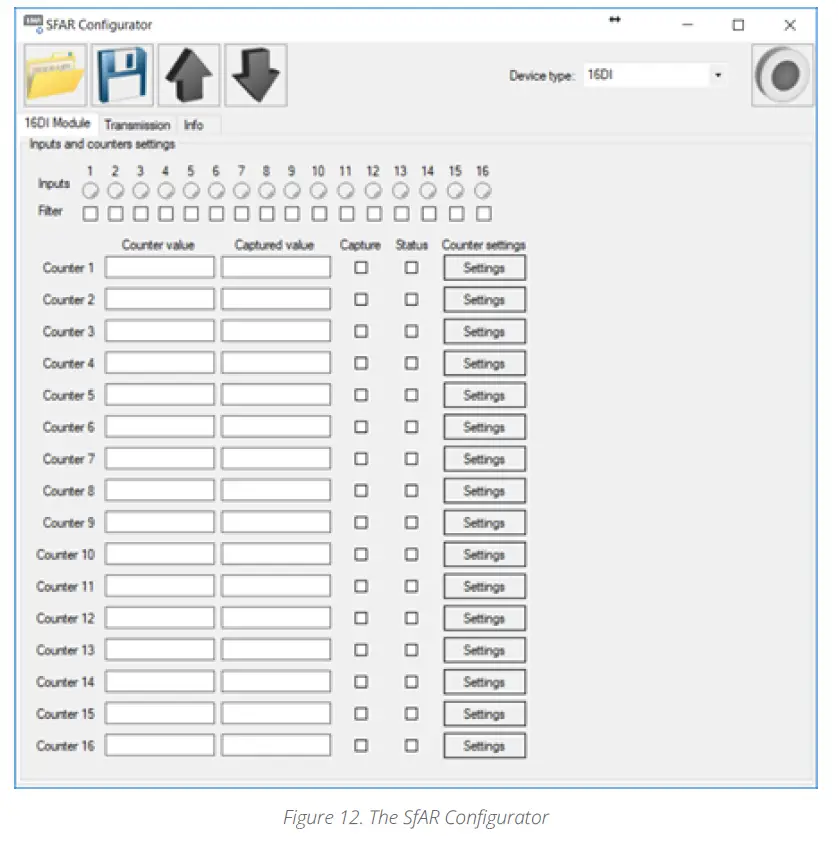
SfAR Configurator is a software, which is designed to set the communication module registers over Modbus network as well as to read and write the current value of other registers of the module. It is a convenient way to test the system as well as to observe real-time changes in the registers.
Communication with the module is done via a USB cable. The module does not require any drivers.
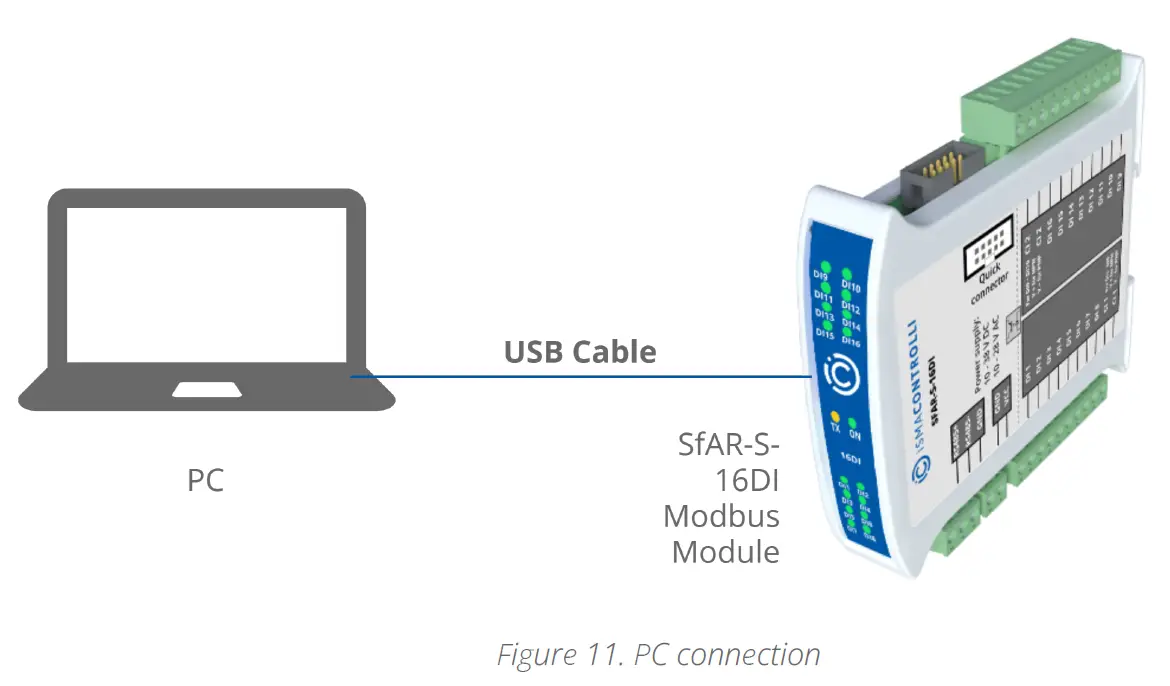
The SfAR Configurator is a universal software, where it is possible to configure all available modules.
 iSMA CONTROLLI S.p.A.